Customer Ratings & Reviews





- Model:
- 920-004536
- |
- SKU:
- 11066760
Customer reviews
Rating 4.6 out of 5 stars with 10055 reviews
(10,055 customer reviews)Rating by feature
- Value4.7
Rating 4.7 out of 5 stars
- Quality4.5
Rating 4.5 out of 5 stars
- Ease of Use4.7
Rating 4.7 out of 5 stars
Customers are saying
Customers have good things to say about the product's ease of use, keyboard quality, and wireless functionality. Many also appreciate its excellent price and long battery life, noting its convenient size. The only minor concern raised by a small number of users is occasional lag.
This summary was generated by AI based on customer reviews.
Rated 2 out of 5 stars
Cheap
Posted .This reviewer received promo considerations or sweepstakes entry for writing a review.Got this because my other keyboard crapped out. Plugged this in and connected right away. This keyboard is loud and ergonomically trash. Can't type in Windows Sticky Notes for some weird reason. This is a $10 keyboard on a good day.
This review is from Logitech - MK270 Full-size Wireless Membrane Keyboard and Mouse Bundle for PC - Black
No, I would not recommend this to a friendBrand response from Logitech
Posted .Hello, natthew, sorry to hear about issues you're having with your MK270. Logitech does have other options of keyboards that offer more silent keys and are more ergonomic, just not in the price range of the MK270. There are some practical ways for you to improve the ergonomics of your keyboard that you can find with a simple Google search. Here's a link to one that I found:http://ergonomictrends.com/proper-ergonomic-typing-posture-at-computer/
Rated 5 out of 5 stars
New Wireless Keyboard and Mouse replaces wired one
Posted .This reviewer received promo considerations or sweepstakes entry for writing a review.So far, no problems, although at the outset I was having connectivity issues. Not now, And not sure why.
This review is from Logitech - MK270 Full-size Wireless Membrane Keyboard and Mouse Bundle for PC - Black
I would recommend this to a friendRated 1 out of 5 stars
Works intermittently, can't get work done.
Posted .This reviewer received promo considerations or sweepstakes entry for writing a review.This keyboard works for a couple of hours and then it stops or lags. I tried replacing the batteries, I tried moving my phone away from the keyboard to reduce any interference, and downloaded the Logi Options app, which recognizes the mouse, but not the keyboard? The only fix is pulling out the USB and reinserting it, which fixes it for a limited amout of time... until it decides to start working again. I am using an adapter with my Mac because it doesn't have USB ports, which could be causing the problem, but the mouse works fine.
This review is from Logitech - MK270 Full-size Wireless Membrane Keyboard and Mouse Bundle for PC - Black
No, I would not recommend this to a friendBrand response from Logitech
Posted .Hi Freelancer. Sorry to see you're having connectivity issues with your MK270 combo. You can try to use the Logitech Connection Utility to reconnect the receiver to the keyboard. Here is the link: https://support.logi.com/hc/en-us/articles/360025141574. Hopefully that resolves your issue.
Rated 1 out of 5 stars
Regret
Posted .This reviewer received promo considerations or sweepstakes entry for writing a review.I am 4 feet from my computer and the keyboard works half the time. The mouse is only good for driving me nuts. The battery keeps getting loose or there is a short in them. This is the second mouse and keyboard. Both mouse's did the same. I cannot find the model number on it. I would go back to best buy, but i don't want to be assaulted by the loud stereo. Last two times i went in there the loud sound was assaulting to my ears to the point it is the reason i will not go back in there.
This review is from Logitech - MK270 Full-size Wireless Membrane Keyboard and Mouse Bundle for PC - Black
No, I would not recommend this to a friendRated 1 out of 5 stars
Warning Outdated Stock, Do not Buy
Posted .This reviewer received promo considerations or sweepstakes entry for writing a review.Best Buy sell an outdated version of this keyboard. The new version has a unifying remote. The stock at Best Buy DOES NOT support unifying remotes at all. Logitech make good products but be VERY CAREFUL if you buy from Best Buy and double check that the in store version is the latest model.
This review is from Logitech - MK270 Full-size Wireless Membrane Keyboard and Mouse Bundle for PC - Black
No, I would not recommend this to a friendRated 1 out of 5 stars
Control Key(Left Side) is not working
Posted .This reviewer received promo considerations or sweepstakes entry for writing a review.We bought the Logitech keyboard yesterday and the keyboard is very comfortable to work with, However the left side control key DOESN'T work like the one on the right side, i literally have to press it so hard and that too it helps only half of the time. Going to return it today.
This review is from Logitech - MK270 Full-size Wireless Membrane Keyboard and Mouse Bundle for PC - Black
No, I would not recommend this to a friendBrand response from Logitech
Posted .Hello, I am sorry to hear about the issues you are having with the keyboard. You may have received a defective unit. Fortunately, it has a warranty through Logitech. If you would like to file a claim for a new one, please visit the support page for this item on Logitech.com. I hope this helps! Thank you for taking the time to write this review, we appreciate the feedback.
Rated 2 out of 5 stars
Not happy
Posted .This reviewer received promo considerations or sweepstakes entry for writing a review.The mouse stopped working after4 mod, very dissatisfied.
This review is from Logitech - MK270 Full-size Wireless Membrane Keyboard and Mouse Bundle for PC - Black
No, I would not recommend this to a friendRated 1 out of 5 stars
uninspected item.
Posted .This reviewer received promo considerations or sweepstakes entry for writing a review.It was only after I read comments did I learn that a light should be on when keyboard was on. It did not with good batteries in it.
This review is from Logitech - MK270 Full-size Wireless Membrane Keyboard and Mouse Bundle for PC - Black
No, I would not recommend this to a friendBrand response from Logitech
Posted .Hello keyboard,
I am sorry that you ran into problems using your MK270. I will record your insight and pass it along. Logitech appreciates your product review. - Leo from Logitech
Rated 1 out of 5 stars
Don't like at all
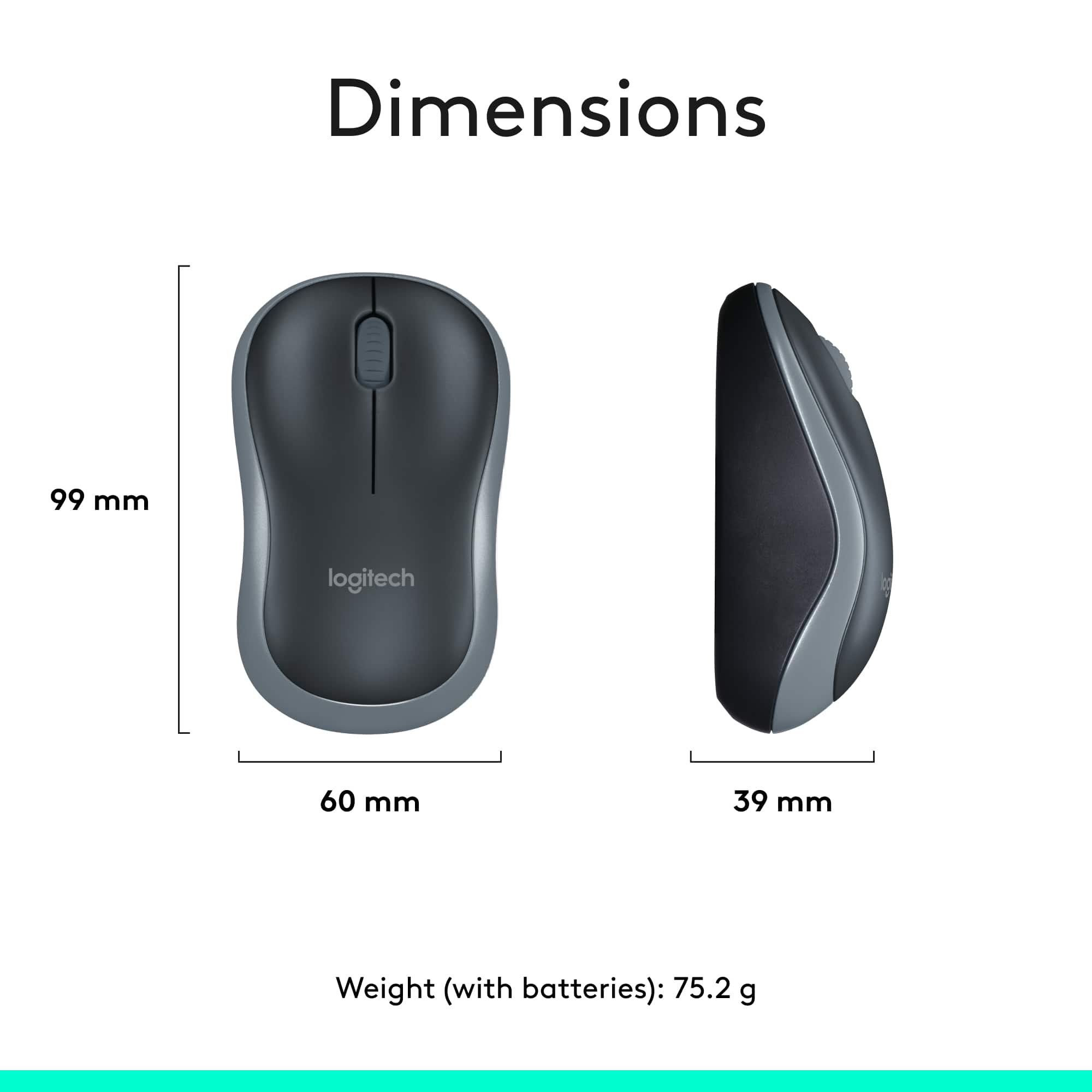
Posted .This reviewer received promo considerations or sweepstakes entry for writing a review.My two dislikes are 1) the mouse is simply too small and 2) the markers on the F & J keys are difficult to feel and therefore hard to place your fingers on the correct keys without looking.
This review is from Logitech - MK270 Full-size Wireless Membrane Keyboard and Mouse Bundle for PC - Black
No, I would not recommend this to a friendRated 1 out of 5 stars
keyboard is terrible
Posted .This reviewer received promo considerations or sweepstakes entry for writing a review.I purchased three of the MK270 keyboard/mouse combinations in March. In less than 2 months, two of the three keyboards do not work. New batteries did not help
This review is from Logitech - MK270 Full-size Wireless Membrane Keyboard and Mouse Bundle for PC - Black
No, I would not recommend this to a friendRated 1 out of 5 stars
Refund or send another mouse with usb
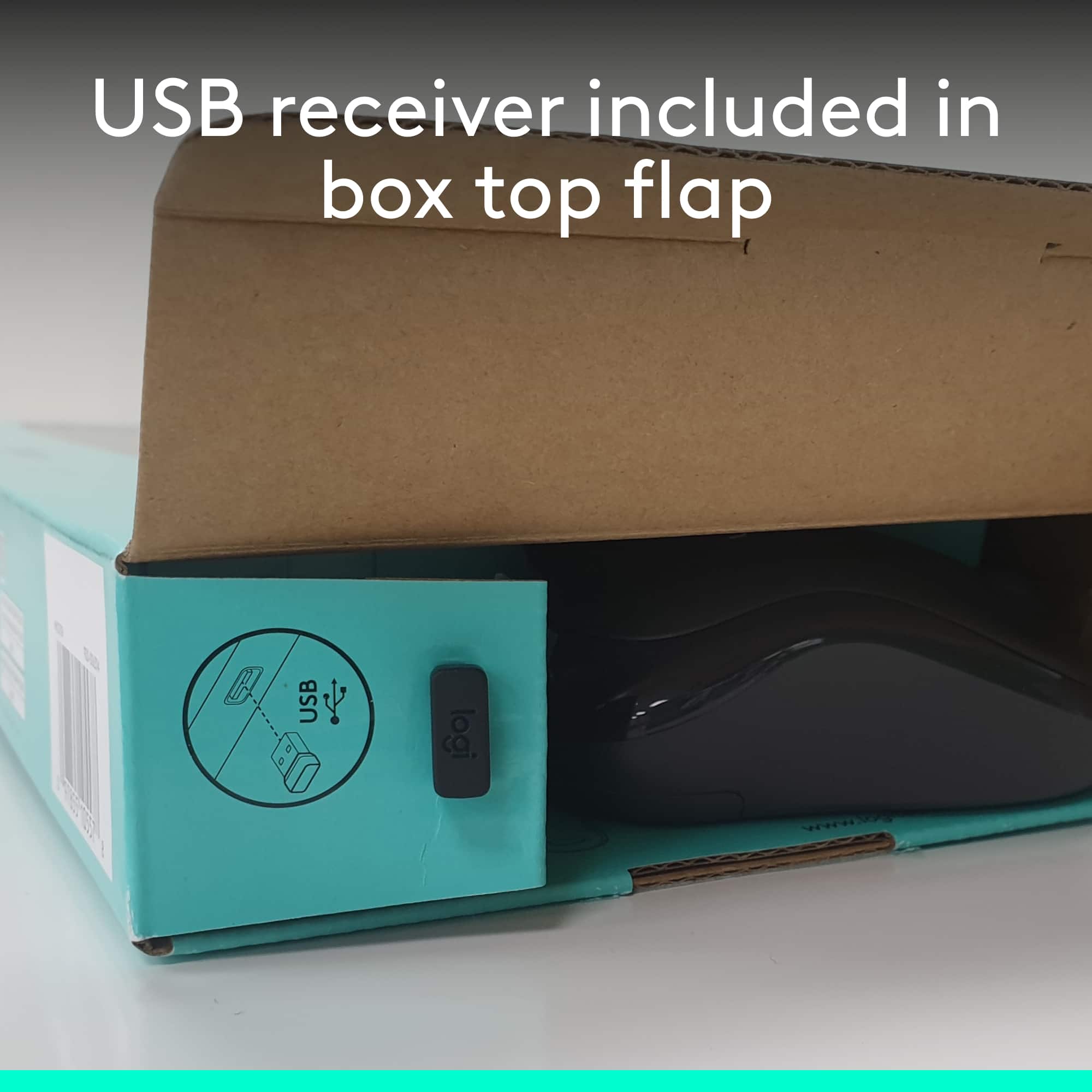
Posted .This reviewer received promo considerations or sweepstakes entry for writing a review.Mouse is without USB. And it’s not working. Need my money back otherwise send me new mouse.
This review is from Logitech - MK270 Full-size Wireless Membrane Keyboard and Mouse Bundle for PC - Black
No, I would not recommend this to a friendBrand response from Logitech
Posted .Hello, Jimmy! I'm sorry to hear about your experience with the MK270 combo. This combo only comes with one USB receiver for both the keyboard and the mouse. Please make sure that the switch on the bottom of the mouse is in the "On" position. If the mouse if on and still not working, changing the batteries can help as well. If neither of these options work, please reach out to our support team here https://support.logi.com/hc/en-us/requests/new?ticket_form_id=360000621393 to file a warranty claim. The MK270 has a 3-year limited hardware warranty. Thank you for this feedback! I will be passing this along. - Maggie from Logitech
Rated 1 out of 5 stars
Lags
Posted .This reviewer received promo considerations or sweepstakes entry for writing a review.Horrible keyboard and mouse combo. the keyboard and mouse lags. making it very annoying to use.,
This review is from Logitech - MK270 Full-size Wireless Membrane Keyboard and Mouse Bundle for PC - Black
No, I would not recommend this to a friendBrand response from Logitech
Posted .Hello,
Thank you for taking the time to review the MK270 mouse and keyboard combo. I am sorry that you experienced a lag, I would like to help. I have attached a link to the “Getting Started” support page for the MK270. I recommend running the Logitech “Connection Utility Tool” which is available in the “Downloads” tab. With “Connection Utility” you can check for Firmware updates and you can also use this software to reestablish the connection of the Keyboard and mouse to the USB receiver. I also recommend downloading the “SetPoint” and “Options” software for best connectivity and customization of your mouse and keyboard. If you are still experiencing issues after trying these steps and after restarting the computer, please reach out to Logitech support, which can also be found on this link.
Best regards,
John at Logitech
https://support.logi.com/hc/en-us/articles/360024158874
Rated 2 out of 5 stars
It works, but...
Posted .This reviewer received promo considerations or sweepstakes entry for writing a review.This set uses a non-unifying receiver. I have no idea if that means the connectivity signal is slightly lesser but I found the wireless performance pretty sub par. Keystrokes and mouse movement was laggy. Tried moving the units closer/ further from the receiver but it didn't help. Also tried using the receiver in a docking station and laptop itself but it also didn't help.
This review is from Logitech - MK270 Full-size Wireless Membrane Keyboard and Mouse Bundle for PC - Black
No, I would not recommend this to a friendRated 1 out of 5 stars
NO BUENO
Posted .This reviewer received promo considerations or sweepstakes entry for writing a review.There USB was missing So I could not use this. This is not the first time this has happened.
This review is from Logitech - MK270 Full-size Wireless Membrane Keyboard and Mouse Bundle for PC - Black
No, I would not recommend this to a friend