Customer Ratings & Reviews
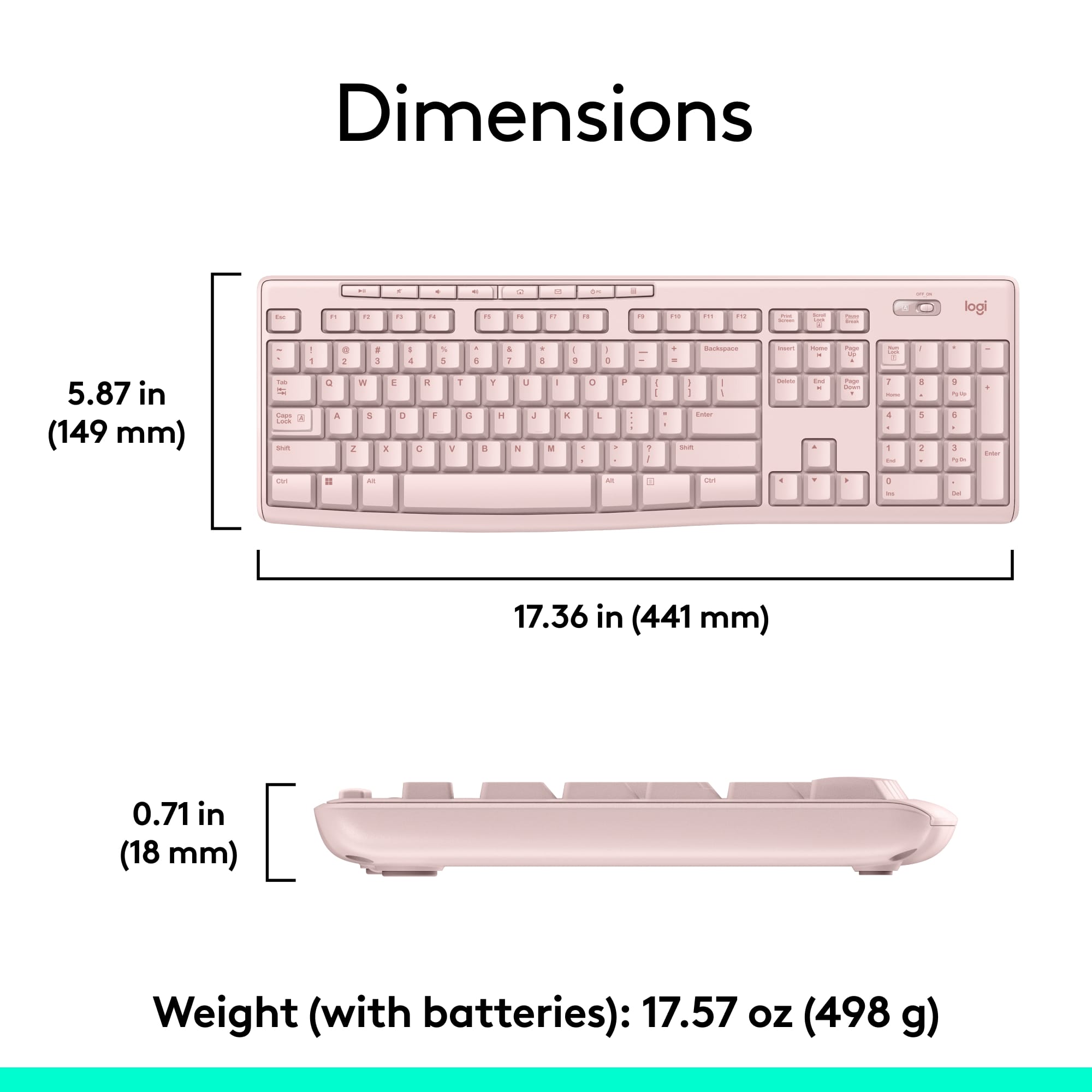
![Sure, here is the corrected and grouped text from the image:
---
**Top Row:**
- Esc
- F1 F2 F3 F4 F5 F6 F7 F8 F9 F10 F11 F12
**Second Row:**
- 1 ! 2 @ 3 # 4 $ 5 % 6 ^ 7 & 8 * 9 ( 0 ) - _ + =
**Third Row:**
- Tab Q W E R T Y U I O P [ { ] } \
**Fourth Row:**
- Caps Lock A S D F G H J K L ; ' Enter
**Fifth Row:**
- Shift Z X C V B N M , . / Shift
**Function Keys:**
- F1 F2 F3 F4 F5 F6 F7 F8 F9 F10 F11 F12
**Right Side:**
- Insert Home Page Up Delete End Page Down
**Bottom Row:**
- Ctrl Alt Spacebar Alt Ctrl
**Additional Keys:**
- Logi
- Scroll Lock
- Pause Break
---
This should match the layout of the keyboard in the image.](https://pisces.bbystatic.com/image2/BestBuy_US/images/products/0ce0f170-380c-41e4-8d6a-fa0aadbd534c.jpg)

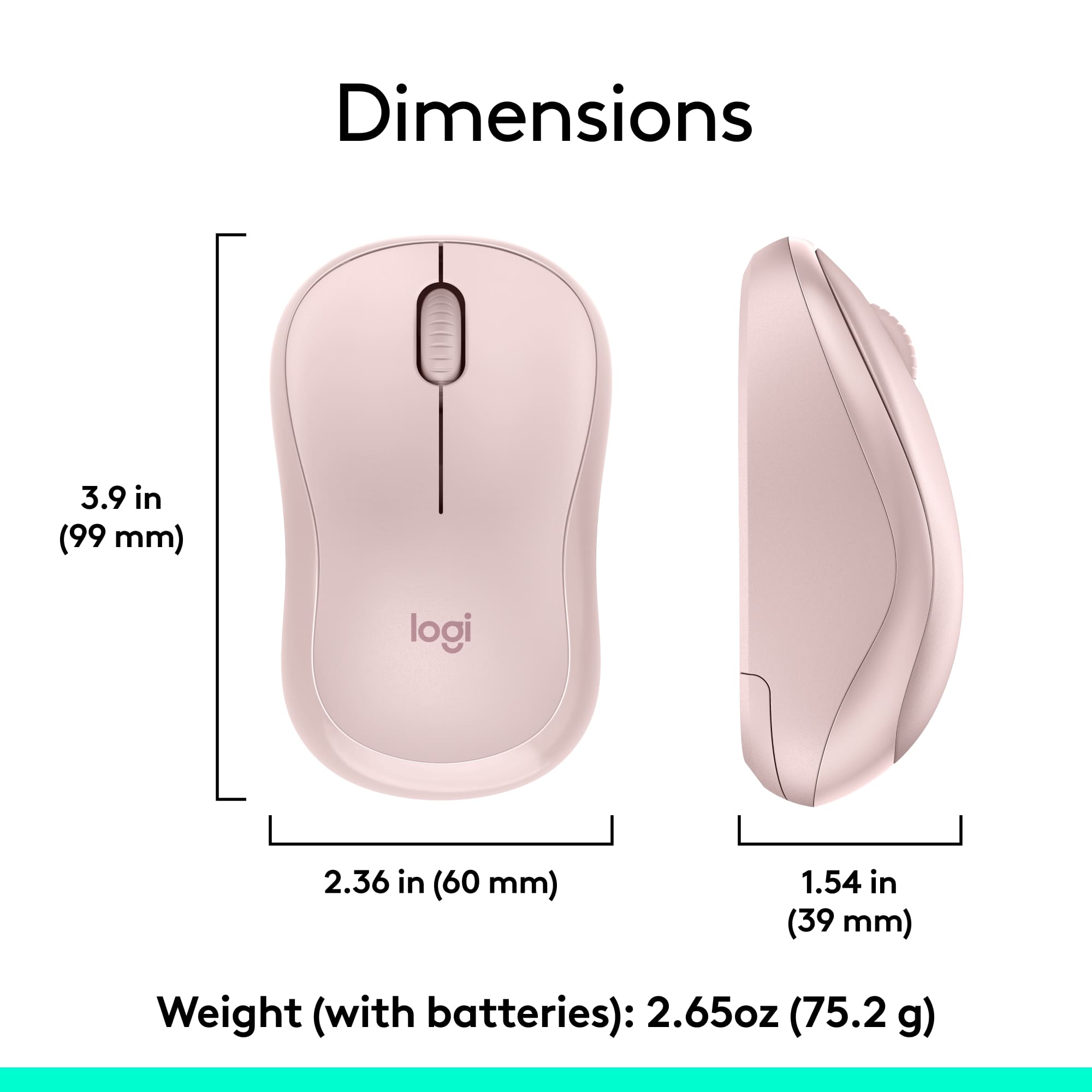

- Model:
- 920-013270
- SKU:
- 12327131
Rating by feature
- Value
Rating 4.7 out of 5 stars
- Quality
Rating 4.5 out of 5 stars
- Ease of Use
Rating 4.7 out of 5 stars
to a friend
Customers are saying
Customers highly value the MK270 keyboard and mouse bundle for its ease of use, quality, and wireless capabilities. The affordable price point and long battery life are also appreciated. The compact size is another positive aspect for many users. However, a small number of users have reported experiencing some lag.
This summary was generated by AI based on customer reviews.
Fine
||Posted .This reviewer received promo considerations or sweepstakes entry for writing a review.Great device for the price. Would buy this item again.
I would recommend this to a friendWaste of money
||Posted . Owned for 3 weeks when reviewed.This reviewer received promo considerations or sweepstakes entry for writing a review.Didn't work for what I needed...I watch a lot of YouTube...I'm of scrolling to each letter on the original remote....keyboard wouldn't let type the key either...now I got it a big keyboard that does the same thang as a small remote...boloni homie...
No, I would not recommend this to a friendBrand response from Logitech
Posted .That sounds like an issue. In order to assist you effectively, please provide your information to our support team by emailing socialcare@logitech.com. Name – Email address – Country – Product name – Brief description of the issue –
its ok
||Posted .This reviewer received promo considerations or sweepstakes entry for writing a review.keyboard works ok, but it is kind of small...……...
No, I would not recommend this to a friendInexpensive and ok
||Posted . Owned for 1 week when reviewed.This reviewer received promo considerations or sweepstakes entry for writing a review.The keyboard is hard to get used to but it was the cheapest option since the hard drive came with nothing
No, I would not recommend this to a friendBrand response from Logitech
Posted .Thanks for you feedback. Your feedback is important to us, and we'll make sure to share it with the right team.
Save your money for something better
||Posted . Owned for 2 months when reviewed.This reviewer received promo considerations or sweepstakes entry for writing a review.This is basically junk. It fails to connect 50% of the time. The times is does actually connect the responsiveness is very poor. Both mouse and keyboard are poor. It's a cheap price and a cheap product.
No, I would not recommend this to a friendBrand response from Logitech
Posted .We're sorry to hear you've had such a negative experience with the MK270's connectivity and responsiveness. We apologize for the inconvenience this has caused. To address this issue, we recommend reaching out to our social care team via email at socialcare@logitech.com with your
- Name:
- Email Address:
- Country:
- Product Name:
- Brief description of issue:
Felt flimsy very un-Logitech like
||Posted . Owned for 1 month when reviewed.This reviewer received promo considerations or sweepstakes entry for writing a review.This keyboard is inexpensive and felt much cheaper than my other Logitech equipment. The keys had a strange feel and the mouse was much lighter than I expected. I am much happier with my more expensive Logitech sets.
No, I would not recommend this to a friendBrand response from Logitech
Posted .Hi Aadoc,
Thank you for your feedback. It is greatly appreciated. If you ever need assistance, please contact Logitech Support on the website. LaShonda from Logitech
Logitech Keyboard
||Posted . Owned for 3 weeks when reviewed.This reviewer received promo considerations or sweepstakes entry for writing a review.Does the job, but very cheaply made. Disappointed. I should have bought the more expensive one.
No, I would not recommend this to a friendBrand response from Logitech
Posted .Thanks so much for your valuable feedback. We appreciate your time and efforts in this. Your feedback is valuable to us and we'll pass this along to our team for them to check out.
Keyboard mishap
||Posted . Owned for 1 week when reviewed.This reviewer received promo considerations or sweepstakes entry for writing a review.Was not able to connect to my Samsung TV. It was ver frustrating.
No, I would not recommend this to a friendBrand response from Logitech
Posted .Sorry to hear about the connectivity issues. That's definitely not the experience we want. Please reach out to us at socialcare@logitech.com with your name and country so we can look into this further and help resolve it.
Fine except received a duplicate keyboard button
||Posted .This reviewer received promo considerations or sweepstakes entry for writing a review.This product is fine, but unfortunately one of my keys is incorrect. I couldn't figure out why I didn't have a colon/semicolon key. It turns out that the key itself works, but the keyboard button is a duplicate of the carrot/comma button. Usable, but annoying.
I would recommend this to a friendReturned due to overly sensitive mouse.
||Posted .This reviewer received promo considerations or sweepstakes entry for writing a review.While the keyboard was fine, the mouse was overly sensitive as compare to my last Logitech Wireless mouse. I need some degree of precision with my mouse as I do a lot of amateur photo shop and this unit doesn't suit my needs. I returned for a full refund.
No, I would not recommend this to a friendWho needs an ‘N’ anyway.
||Posted . Owned for 1 month when reviewed.This reviewer received promo considerations or sweepstakes entry for writing a review.You get what you pay for I guess. My ‘n’ key needs extra force to work. Pay the extra cash and get a better keyboard/mouse combo.
No, I would not recommend this to a friendIt’s marginal at best.
||Posted . Owned for 3 weeks when reviewed.This reviewer received promo considerations or sweepstakes entry for writing a review.This is my second one I’ve bought. The first one is awesome. This one not so much. You have to really push hard on the keys to make them work. It’s past the 15 day return period so I’m stuck with it.
No, I would not recommend this to a friendBrand response from Logitech
Posted .Hi Harley,
Thank you for your feedback. It's greatly appreciated. Sorry you're having issues with your device. Here are possible solutions:
Before you clean your device: Unplug it from your computer and make sure it’s turned off. Remove the batteries. Keep liquids away from your device, and don’t use solvents or abrasives. Use compressed air to remove any loose debris and dust between the keys. To clean the keys, use water to lightly moisten a soft, lint-free cloth and gently wipe down the keys. If you need further assistance, please contact Logitech support on the website.
LaShonda from Logitech
Don’t Waste Your Money
||Posted . Owned for 5 months when reviewed.This reviewer received promo considerations or sweepstakes entry for writing a review.The saying “you get what you pay” for definitely applies here. While I did purchase this in January, I didn't start using it until May. Mouse works perfect but within a week or two of use I had issues with the keyboard. It would randomly stop working. I have changed the batteries (using brand new, name brand batteries) twice already. It still randomly stops working which makes it difficult when I'm in the middle of a meeting for work or an assignment for school and its useless. Spend a little more money and buy something different.
No, I would not recommend this to a friendBrand response from Logitech
Posted .Hi MonA, thank you for sharing your experience with the MK270. A solution that might work for you is to have the USB receiver in direct line of sight to the keyboard. Using a USB extender from the computer to the top of the desk is a simple way to do that. If you are using a laptop sometimes the USB port needs to be switched. I hope that one of these two options can resolve the issue you are experiencing. Thank you for being a Logitech customer. Kristi from Logitech
Logitech MK270 USELESS
||Posted . Owned for more than 2 years when reviewed.This reviewer received promo considerations or sweepstakes entry for writing a review.Total piece of garbage. Came without the required receiver, Purchased the Receiver, Reciever works keyboard and mouse DON'T. I've tried new batteries, different computers, countless videos, and NOTHING. My expeience ... it's now in the trash.
No, I would not recommend this to a friendBrand response from Logitech
Posted .We sincerely apologize for the extremely frustrating experience you've had with the Logitech MK270 Wireless Keyboard and Mouse Combo. In order to help you effectively, please provide your information to our support team via email at socialcare@logitech.com with your
- Name:
- Email Address:
- Country:
- Product Name:
- Brief description of issue:
Just didn't feel right
||Posted .This reviewer received promo considerations or sweepstakes entry for writing a review.It felt cheap not solid like I'm use to with logitech
No, I would not recommend this to a friendGreat buy!
||Posted . Owned for 3 weeks when reviewed.This reviewer received promo considerations or sweepstakes entry for writing a review.Logitec has always been a reliable brand. Very happy with my purchase and its plug and play!
I would recommend this to a friendBad quality
||Posted . Owned for 3 months when reviewed.This reviewer received promo considerations or sweepstakes entry for writing a review.Signal cuts out for the keyboard way too often after only a few months use, even after swapping out the batteries. Would have been a five star review had this not been the case.
No, I would not recommend this to a friendBrand response from Logitech
Posted .Hi, thank you for sharing your experience with the MK270. I'm sorry that you experienced some difficulty with the connection. In many cases moving the USB receiver to a different USB port or using a USB extender to bring the USB closer to the device can eliminate the delay. I hope you are able to find a solution for your situation. Thank you for being a Logitech customer. Kristi from Logitech
No universal BT connectivity
||Posted . Owned for 9 months when reviewed.This reviewer received promo considerations or sweepstakes entry for writing a review.Ok combo, mouse is not confortable to use. Downside you cannot use the universal bluetooth connection, so if you lose that little BT dongle you're in trouble.....which happened to me. Nice paperweight though
No, I would not recommend this to a friendBrand response from Logitech
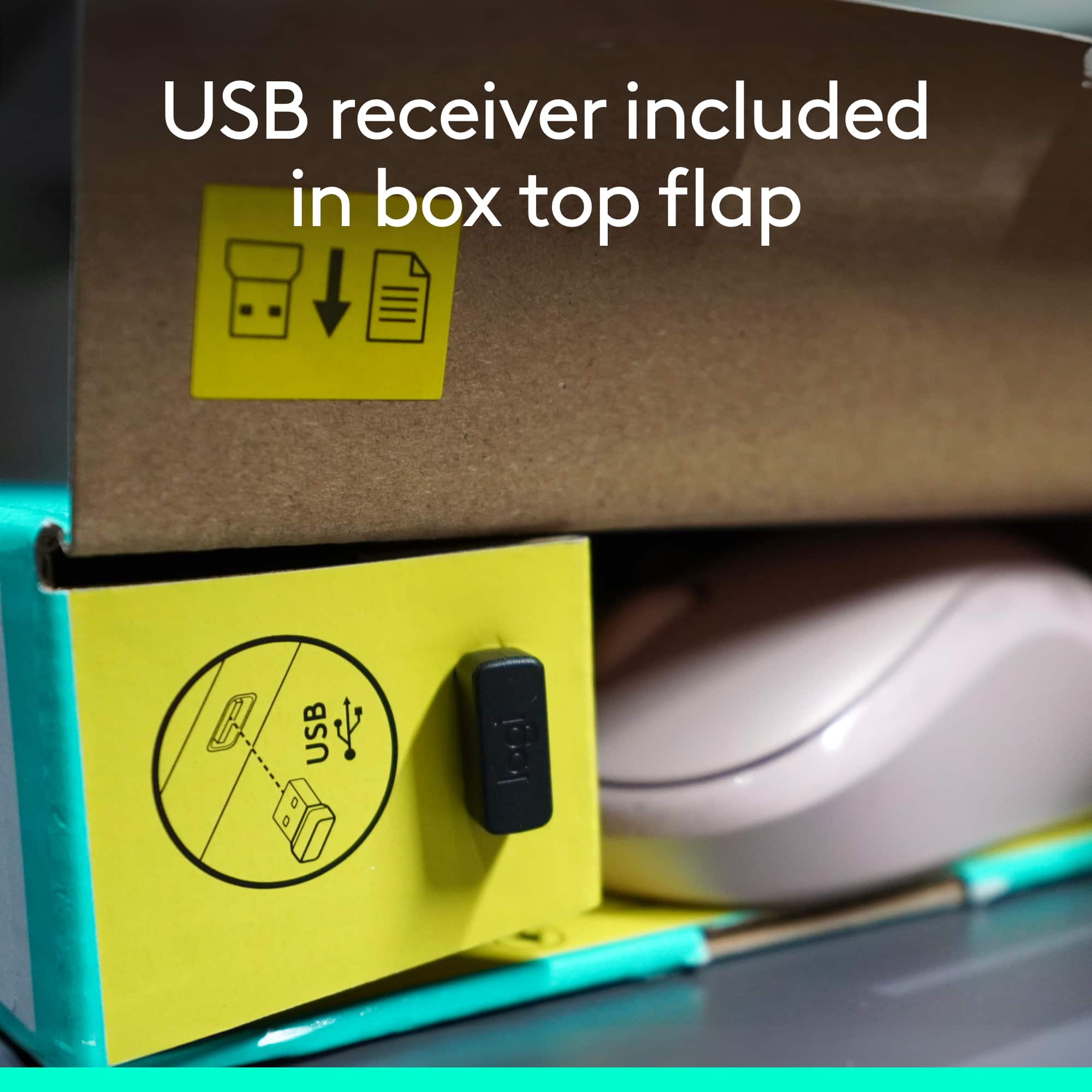
Posted .Hello! This keyboard does not connect via Bluetooth. It connects wirelessly using a USB dongle. And yes, you can use the Logitech Unifying receiver if you lose the original dongle. You just need to download the software from Logitech.com.
Not a great product.
||Posted . Owned for 1 month when reviewed.This reviewer received promo considerations or sweepstakes entry for writing a review.It was defective out of the box. Shouldn't be so shoddy for how basic it all is.
No, I would not recommend this to a friendBrand response from Logitech
Posted .It's disappointing to hear and it's surely not what we expect to deliver. In order to help you effectively, please provide your information to our support team by emailing socialcare@logitech.com. Name – Email address – Country – Product name – Brief description of the issue –
Nice Apple phone
||Posted .This reviewer received promo considerations or sweepstakes entry for writing a review.Phone is working well and am learning how to use it
I would recommend this to a friend