Customer Ratings & Reviews
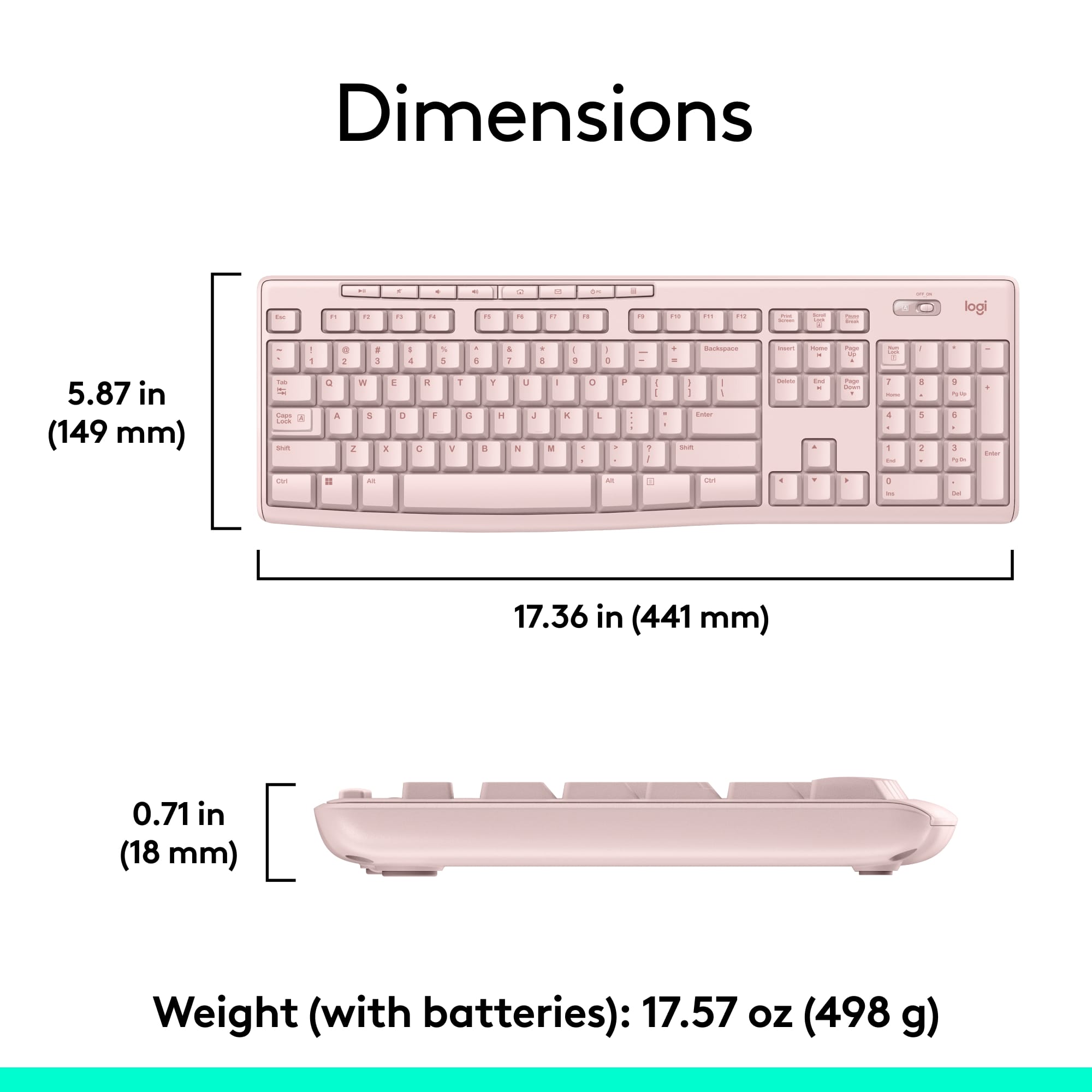
![Sure, here is the corrected and grouped text from the image:
---
**Top Row:**
- Esc
- F1 F2 F3 F4 F5 F6 F7 F8 F9 F10 F11 F12
**Second Row:**
- 1 ! 2 @ 3 # 4 $ 5 % 6 ^ 7 & 8 * 9 ( 0 ) - _ + =
**Third Row:**
- Tab Q W E R T Y U I O P [ { ] } \
**Fourth Row:**
- Caps Lock A S D F G H J K L ; ' Enter
**Fifth Row:**
- Shift Z X C V B N M , . / Shift
**Function Keys:**
- F1 F2 F3 F4 F5 F6 F7 F8 F9 F10 F11 F12
**Right Side:**
- Insert Home Page Up Delete End Page Down
**Bottom Row:**
- Ctrl Alt Spacebar Alt Ctrl
**Additional Keys:**
- Logi
- Scroll Lock
- Pause Break
---
This should match the layout of the keyboard in the image.](https://pisces.bbystatic.com/image2/BestBuy_US/images/products/0ce0f170-380c-41e4-8d6a-fa0aadbd534c.jpg)


- Model:
- 920-013270
- SKU:
- 6640874
Rating by feature
- Value
Rating 4.7 out of 5 stars
- Quality
Rating 4.5 out of 5 stars
- Ease of Use
Rating 4.7 out of 5 stars
Customers are saying
Customers regard the product highly for its ease of use, quality keyboard, wireless functionality, and excellent price. They also appreciate its good battery life and compact size. While a few users noted some lag, this concern was infrequent.
This summary was generated by AI based on customer reviews.
Great for the office.
||Posted . Owned for 5 months when reviewed.This reviewer received promo considerations or sweepstakes entry for writing a review.I purchased this for my office. To use instead of the regular keyboards with the cord and mouse with the cord. It works great and had no issues connecting. I did cover it with a keyboard cover to help keep it clean.
I would recommend this to a friendSleek design, Great functionality.
||Posted . Owned for 1 month when reviewed.This reviewer received promo considerations or sweepstakes entry for writing a review.I love the mouse and keyboard combo. I didn't realize until a few weeks later that it has two little stands underneath that you can flip out so that the keyboard is sloped too. It's a great, clean design, and has the number pad on the right side (huge plus).
I would recommend this to a friend- Pros mentioned:Ease of use
good key board
||Posted . Owned for 11 months when reviewed.This reviewer received promo considerations or sweepstakes entry for writing a review.I like the key board.. its easy to use..comes with mouse
I would recommend this to a friend - Pros mentioned:Keyboard quality
Basic Keyboard and mouse
||Posted . Owned for 3 weeks when reviewed.This reviewer received promo considerations or sweepstakes entry for writing a review.Just a great sturdy keyboard and mouse. Can't go wrong.
I would recommend this to a friend - Pros mentioned:Keyboard quality
Logi keyboard
||Posted . Owned for 4 months when reviewed.This reviewer received promo considerations or sweepstakes entry for writing a review.Amazing keyboard, brought home and wify wanted one for herself as well.
I would recommend this to a friend The USB receiver is in the box,not inside the mou
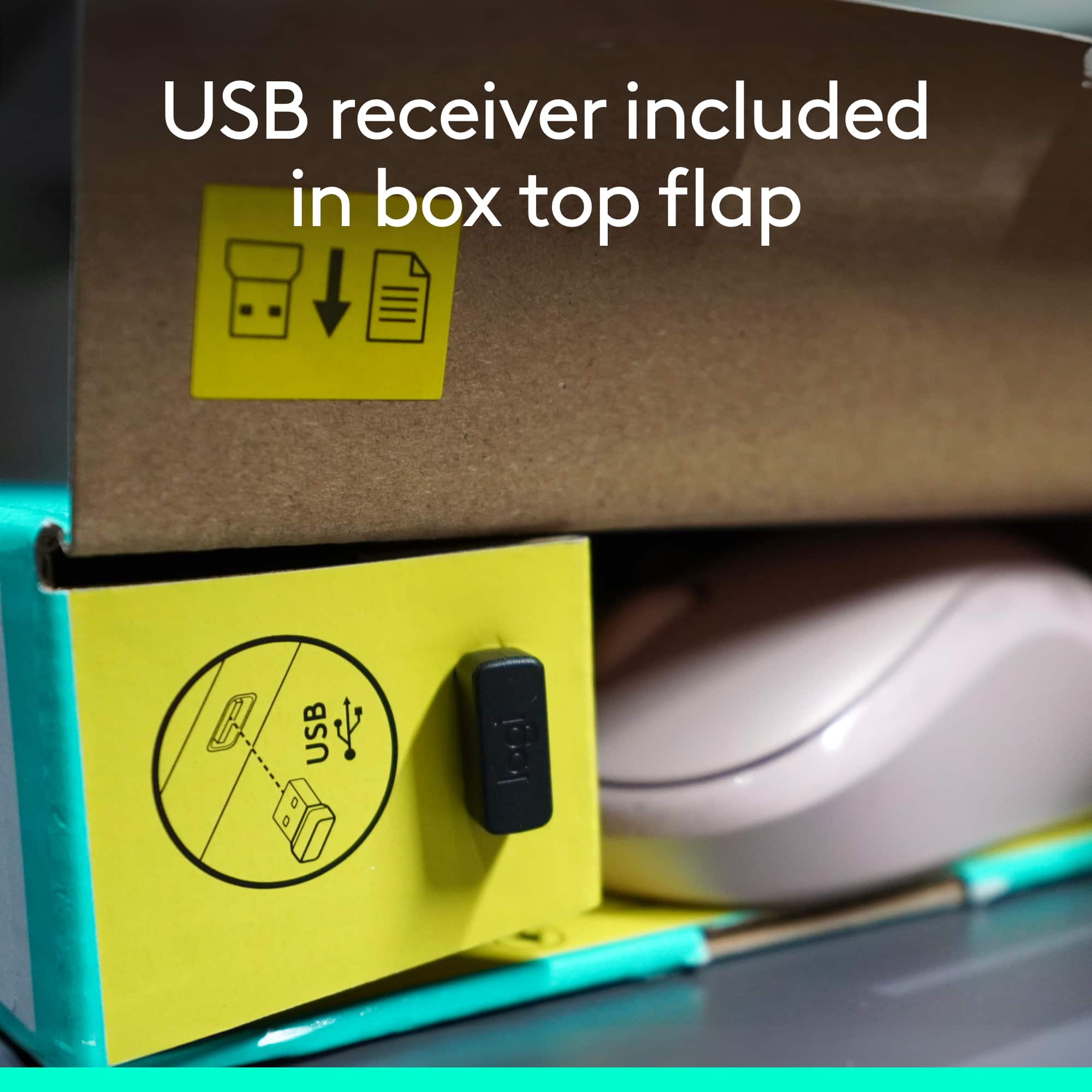
||Posted .This reviewer received promo considerations or sweepstakes entry for writing a review.The product was good.but I spent 1 hr to find the USB receiver which supposed to be inside the mous. But it was in side the box,near the side bad of the box. Terrible idea.
I would recommend this to a friendBrand response from Logitech
Posted .Hello Dillon, thank you so much for the 4 star review. We greatly appreciate all feedback and look forward to hearing how your MK270 combo unit is treating you. Thank you for being part of the Logitech family. Have a great day. -Ricky from Logitech
- Pros mentioned:Keyboard quality
Good quality
||Posted . Owned for 11 months when reviewed.This reviewer received promo considerations or sweepstakes entry for writing a review.Good quality and works well. Happy with this purchase
I would recommend this to a friend Keyboard and mouse
||Posted . Owned for 3 weeks when reviewed.This reviewer received promo considerations or sweepstakes entry for writing a review.Great so far! It was inexpensive and I really like that. I bought it for my home workspace. I like that the keyboard and mouse comes together.
I would recommend this to a friendBrand response from Logitech
Posted .Thank you for your positive feedback on the MK270! We're pleased to hear it's working great for your home workspace and that you appreciate its affordability and the convenience of the bundle.

- Pros mentioned:Ease of use
Inexpensive and worthwhile
||Posted . Owned for 1 month when reviewed.This reviewer received promo considerations or sweepstakes entry for writing a review.Easy to set up, lightweight and cost efficient . Good buy.
I would recommend this to a friend - Pros mentioned:Ease of use
printer
||Posted . Owned for 1 month when reviewed.This reviewer received promo considerations or sweepstakes entry for writing a review.this printer was very easy to set up , with out a doubt this prefect my other keyboard broke
I would recommend this to a friend Storm deployments
||Posted . Owned for 2 weeks when reviewed.This reviewer received promo considerations or sweepstakes entry for writing a review.Every thing was great it’s just my computer is out of date now and need to be replaced I always goto Best Buy to get all My computer needs done geek squad is up on whe they know and I do thank them for their services
I would recommend this to a friendLove It...
||Posted . Owned for 1 week when reviewed.This reviewer received promo considerations or sweepstakes entry for writing a review.Love it and I wish Logitech will come out with the same model with a backlit on the keyboard that would be awesome!!!
I would recommend this to a friendBrand response from Logitech
Posted .We appreciate your positive feedback on the Logitech MK270. It's great to hear that you love it!
Great Option
||Posted . Owned for 3 weeks when reviewed.This reviewer received promo considerations or sweepstakes entry for writing a review.Works as expected. Would recommend for anyone looking for a budget friendly setup
I would recommend this to a friendBrand response from Logitech
Posted .It's good to hear the MK270 is meeting your needs. Feedback like this helps us understand what works well for users seeking a simple, reliable setup.
Key board
||Posted . Owned for less than 1 week when reviewed.This reviewer received promo considerations or sweepstakes entry for writing a review.I really enjoy working with Best Buy and getting all my stuff from here
I would recommend this to a friendBrand response from Logitech
Posted .We're thrilled to hear you enjoy shopping at Best Buy! We appreciate your loyalty and are glad we can provide you with all your tech needs.
Great keyboard & mouse combination
||Posted . Owned for 3 weeks when reviewed.This reviewer received promo considerations or sweepstakes entry for writing a review.This is the third set I've bought (one for home, one for the office, one to replace the one at home that the cat broke). These work well and are comfortable to use.
I would recommend this to a friendGood value
||Posted . Owned for 3 weeks when reviewed.This reviewer received promo considerations or sweepstakes entry for writing a review.Good value wireless keyboard and mouse. would prefer a smoother keyboard but works fine.
I would recommend this to a friendBrand response from Logitech
Posted .Thank you for your feedback on the MK270 bundle. We appreciate you highlighting the value, and we understand your preference for a smoother keyboard experience. This input is valuable for our ongoing product improvements.
I like it. Does the job
||Posted . Owned for 1.5 years when reviewed.This reviewer received promo considerations or sweepstakes entry for writing a review.Works great . Perfect fit . Works perfectly with my PC. I haven’t had any issues so far
I would recommend this to a friendBrand response from Logitech
Posted .Thank you for your feedback on the Logitech MK270! We're glad to hear it works as expected, is a perfect fit, and works perfectly with your PC. We appreciate you taking the time to share your positive experience. We strive to provide reliable products that meet our customers' needs.
Best duo
||Posted . Owned for 2 weeks when reviewed.This reviewer received promo considerations or sweepstakes entry for writing a review.In comparison, best brand product at great price. I have gome through these similar products 5 times within the year. Keys pop out. So far, this one is great.
I would recommend this to a friendBrand response from Logitech
Posted .We're glad to hear you've found a reliable keyboard with the MK270! Understanding your previous frustration, we strive to deliver durable products built to last. Thanks for sharing your experience!
- Pros mentioned:Ease of use, Keyboard quality
I love it, easy to set up and use.
||Posted . Owned for more than 2 years when reviewed.This reviewer received promo considerations or sweepstakes entry for writing a review.I love it, easy to set up and use. Keys are a good size and feel sturdy enough to withstand daily use composing documents. Great Value!
I would recommend this to a friend Logitech
||Posted . Owned for more than 2 years when reviewed.This reviewer received promo considerations or sweepstakes entry for writing a review.Still using this mouse. Most reliable brand ever.
I would recommend this to a friendBrand response from Logitech
Posted .This is wonderful to hear! It's great the MK270 bundle continues to be a reliable part of your setup. Thanks for sharing your positive experience.