Last-Minute SavingsLimited quantities.Shop now

Skip to content
Gift Ideas
Main Content

Customer Ratings & Reviews
Your price for this item is $32.99
The comparable value price is $34.99

Customer reviews

Rating 4.5 out of 5 stars with 221 reviews

Rating Filter

Rating by feature

  • Value

    Rating 4.6 out of 5 stars

  • Quality

    Rating 4.6 out of 5 stars

  • Ease of Use

    Rating 4.7 out of 5 stars

Pros mentioned filter

Cons mentioned filter

There aren't enough negative mentions yet.
90%would recommend to a friend

Customers are saying

Customers are enthusiastic about the MK295 keyboard and mouse combo's full-size keyboard, ease of use, and quiet operation, frequently praising its silent keys and long battery life. The wireless functionality is also a popular feature. While some users noted occasional lag, the overall experience is overwhelmingly positive.

This summary was generated by AI based on customer reviews.

The vast majority of our reviews come from verified purchases. Reviews from customers may include My Best Buy members, employees, and Tech Insider Network members (as tagged). Select reviewers may receive discounted products, promotional considerations or entries into drawings for honest, helpful reviews.
Page 10 Showing 181-200 of 221 reviews
  • Rated 3 out of 5 stars

    It’s alright

    |
    |
    Posted . Owned for 7 months when reviewed.
    This reviewer received promo considerations or sweepstakes entry for writing a review.

    Jets started getting stuck after a few weeks of buying it

    No, I would not recommend this to a friend
  • Rated 1 out of 5 stars

    Don't waste your money

    |
    |
    Posted . Owned for 1.5 years when reviewed.
    This reviewer received promo considerations or sweepstakes entry for writing a review.

    Left side of mouse stopped working about 20 months after purchase. Contacted Logitech because their website says the mouse warranty is 3 years. But because we purchased the mouse as a keyboard/mouse combination, the warranty is 1 year-for the exact same mouse model number. The letter and numbers on the keyboard have worn off too.

    No, I would not recommend this to a friend
    • Brand response from Logitech
      Posted .

      We apologize for the inconvenience with your MK295 combo. We understand the frustration with the button failure and warranty confusion. We'll investigate both issues and improve website clarity. Contact our social care team via email at socialcare@logitech.com with your
      - Name:
      - Email Address:
      - Country:
      - Product Name:
      - Brief description of issue:

  • Rated 3 out of 5 stars

    Average keyboard

    |
    |
    Posted . Owned for 1 week when reviewed.
    This reviewer received promo considerations or sweepstakes entry for writing a review.

    Not so good with both mac and windows. Doesn't have support for logitech unifying device.

    No, I would not recommend this to a friend
  • Rated 1 out of 5 stars

    No dongle/No bluetooth connection

    |
    |
    Posted . Owned for 3 months when reviewed.
    This reviewer received promo considerations or sweepstakes entry for writing a review.

    So, can't use either product as the dongle did not come with the mouse or keyboard. And the keyboard won't connect via bluetooth so it's completely useless. Very disappointed

    No, I would not recommend this to a friend
    • Brand response from Logitech
      Posted .

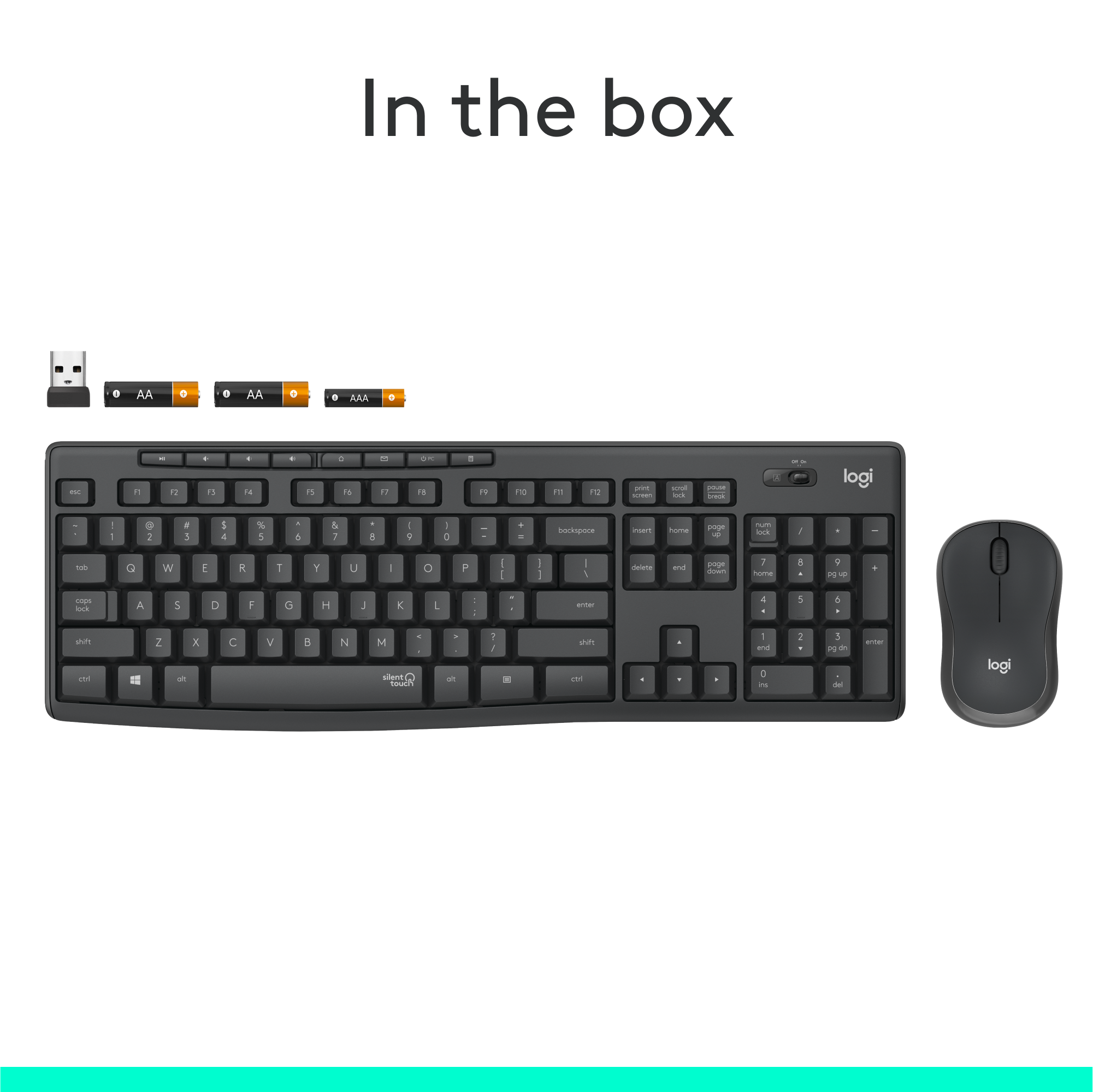
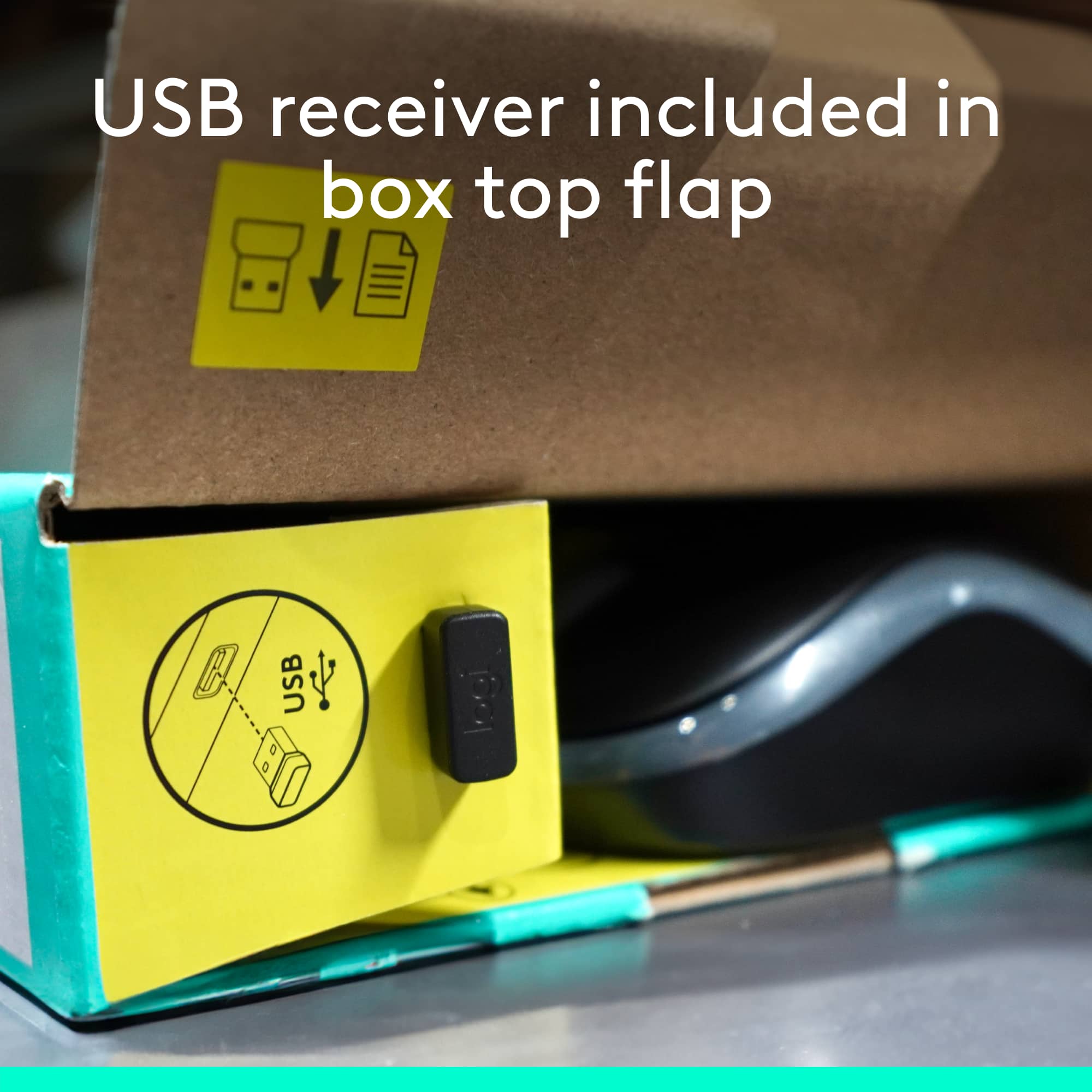
      Hello, We apologize! Your Logitech - MK295 Full-size Wireless Keyboard and Mouse Combo seems missing the wireless adapter. To find it, check the battery compartment & box edges. If not there, contact the retailer for a replacement.

  • Rated 2 out of 5 stars

    Missing usb

    |
    |
    Posted . Owned for 2 weeks when reviewed.
    This reviewer received promo considerations or sweepstakes entry for writing a review.

    Keyboard is truly silent. But im unable to actually use it. USB transceiver didn't come with it. Checked inside mouse, inside keyboard, and inside box. Found nothing

    No, I would not recommend this to a friend
    • Brand response from Logitech
      Posted .

      Hey there Jarrett, I'm sorry to hear your USB didn't come in the box. I would recommend checking on both sides of the box, as there should be a small slot that the USB is located in. If you still can't find it, please feel free to contact us via our support site for a replacement part.

  • Rated 1 out of 5 stars

    Not worth a dime

    |
    |
    Posted . Owned for 6 months when reviewed.
    This reviewer received promo considerations or sweepstakes entry for writing a review.

    Sometimes it works and sometimes it doesn't. Super annoying to have to hold it up for it to connect wirelessly. It's a shame because it is a great size for me. Keys slightly further apart. Logi just lost my future business with this junk.

    No, I would not recommend this to a friend
    • Brand response from Logitech
      Posted .

      We're sorry you are going through this. We'd recommend you to report this directly to Logi Support for further assistance.

  • Rated 5 out of 5 stars

    Great work keyboard

    |
    |
    Posted . Owned for 2 weeks when reviewed.
    This reviewer received promo considerations or sweepstakes entry for writing a review.

    Types comfortably and very quiet. Will recommend this to anyone!

    I would recommend this to a friend
  • Rated 5 out of 5 stars

    Keyboard

    |
    |
    Posted . Owned for 2 weeks when reviewed.
    This reviewer received promo considerations or sweepstakes entry for writing a review.

    I love this keyboard its so soft and it does not make any noise

    I would recommend this to a friend
  • Rated 1 out of 5 stars

    Not recommended

    |
    |
    Posted . Owned for 3 months when reviewed.
    This reviewer received promo considerations or sweepstakes entry for writing a review.

    I bought this about 3 months ago, and now when I use it, the mouse in particular, skips. It is completely frustrating, so much so that I had to go back to an old setup. Definitely would not recommend.

    No, I would not recommend this to a friend
    • Brand response from Logitech
      Posted .

      Hey there, I'm sorry to hear that you've had some connectivity issues with your mouse. If it's just the mouse and not the keyboard, that tells me the receiver and the USB port are probably working correctly, which means it's probably something with the mouse itself. I would recommend trying the mouse on a different surface, as that may be causing the issue, as well as making sure the bottom of the mouse is clean of any dirt or hair.

  • Rated 1 out of 5 stars

    USB Connector Corrupted after 4 weeks

    |
    |
    Posted . Owned for 1 month when reviewed.
    This reviewer received promo considerations or sweepstakes entry for writing a review.

    This product was great. Wonderful feel of the keys and mouse. Unfortunately, four weeks after purchase the usb connector is corrupted and I cannot use the keyboard or the mouse.

    No, I would not recommend this to a friend
    • Brand response from Logitech
      Posted .

      Hello, JJboiler! I'm sorry to hear that your MK295 combo's USB receiver corrupted! I would recommend reaching out to our support team here https://support.logi.com/hc/en-us/requests/new?ticket_form_id=360000621393 to file a warranty claim. The MK295 has a 2-year limited hardware warranty. Thank you for the feedback! I will be passing this along. - Maggie from Logitech

  • Tech Insider Network Member

    Rated 5 out of 5 stars

    Logitech: Best in business

    |
    Tech Insider Network Member
    Posted .
    This reviewer received promo considerations or sweepstakes entry for writing a review.

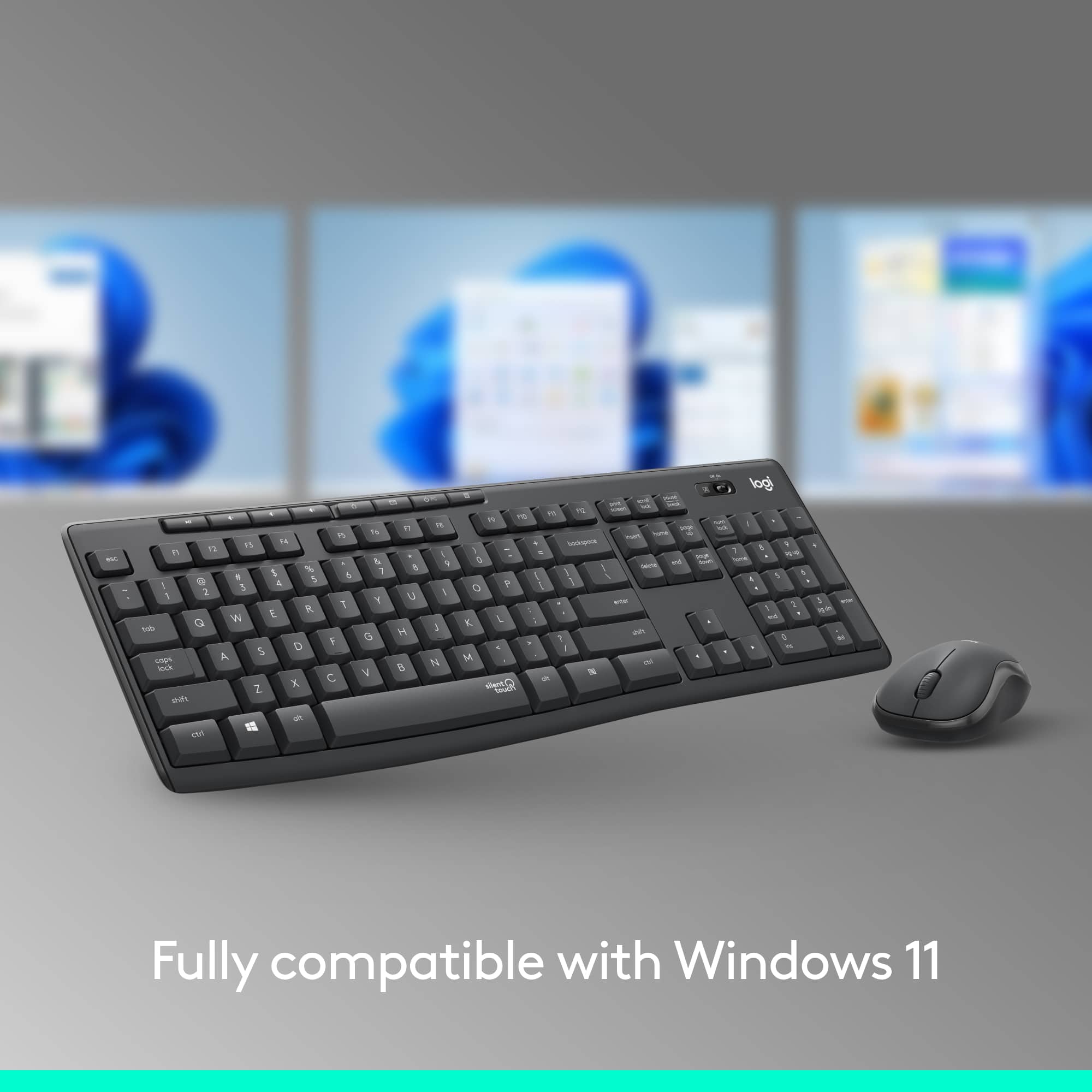
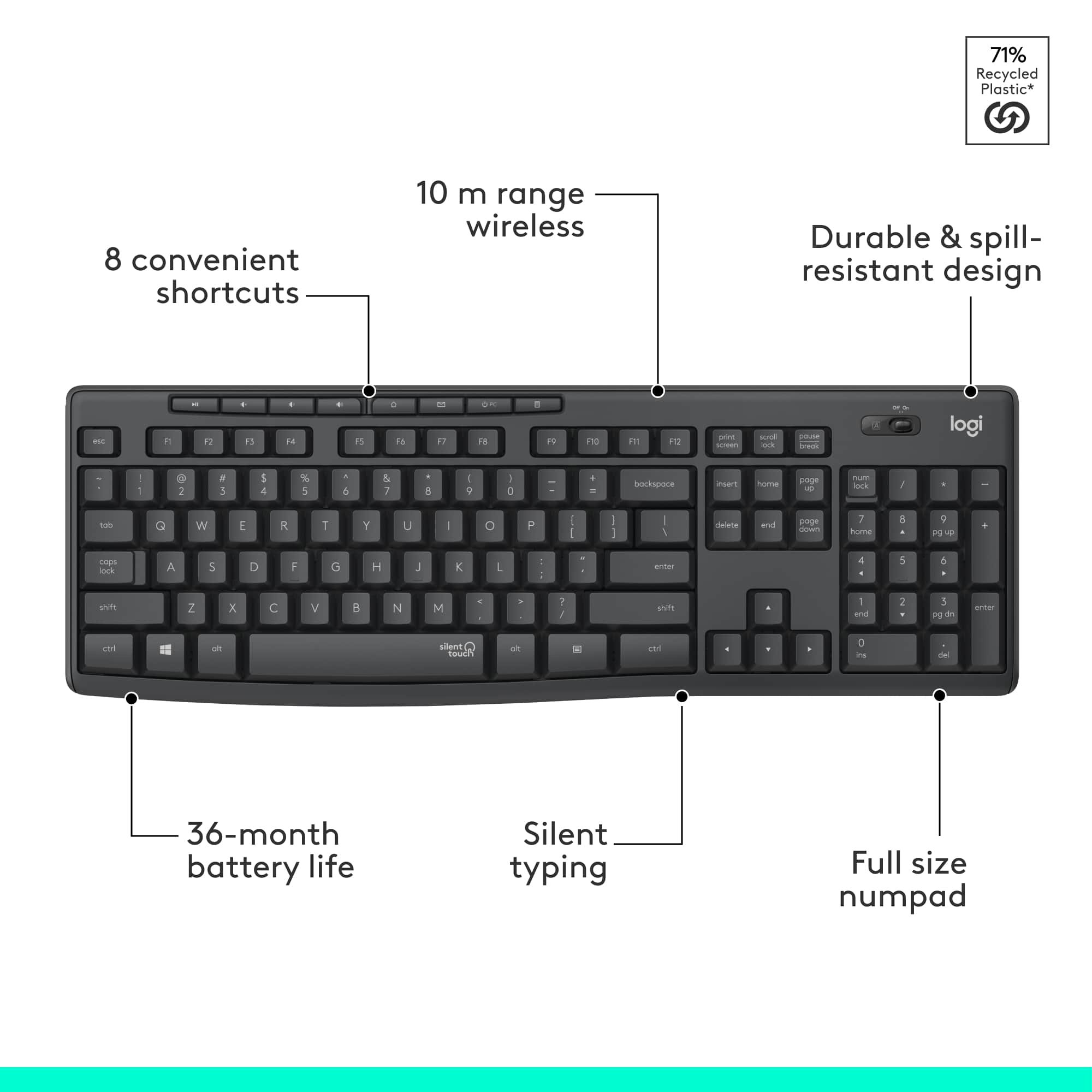
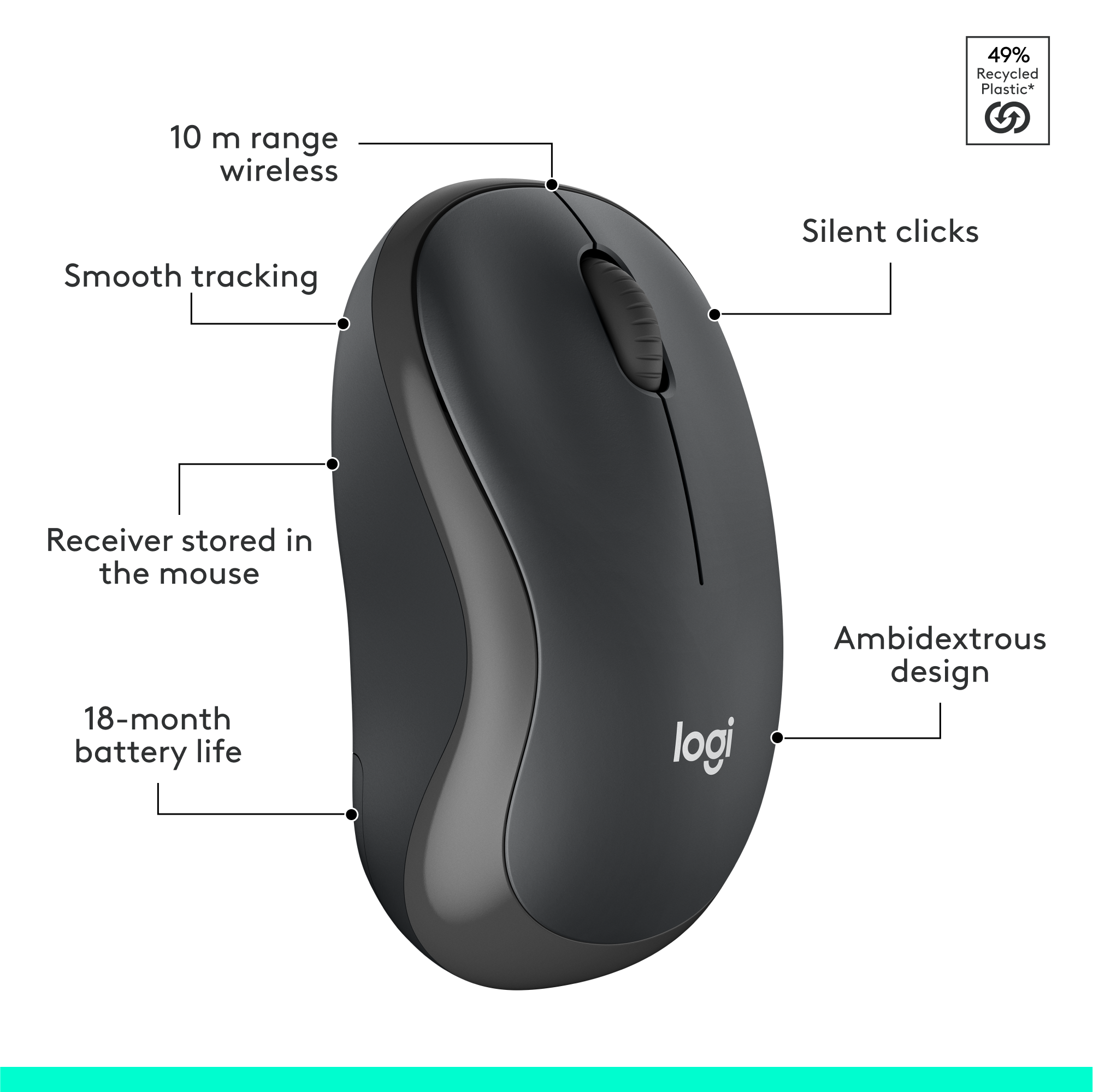
    I generally only buy Logitech when it comes to my computer accessories because I trust the quality, and this keyboard is really good. It's laid out very well ergonomically, the keys are quiet unless you are really banging out a frustrated email, and most importantly, the letters on the keys won't wear out anytime soon like some other manufacturers who shall not be named. Seems relatively well-made for the price point. The plastic doesn't seem excessively cheap at all and the keyboard has a sturdy weight to it. I have tried several other models and found that this keyboard was one of the most comfortable keyboards. My personal favorite one is still Logitech's Wave keyboard which I have used for more than 5 years (don't have that anymore). So that will be my reference for comparing this keyboard in this review. I'm using this very keyboard to write this review and I enjoy this keyboard very much. I like the feeling of typing on this, as I feel I can type much faster when using this as the main keyboard. I've been working from home for months now and don't do well with the small laptop keyboard and touchpad. It has about 10ft range, so if you're planning on using it in a bigger room from further away than that, it won't work or you will experience lag/delayed response. Right from the outset, I was very impressed with it's no-hassle plug and play aspect. Both the keyboard and the mouse are fairly light. I literally removed it from the box (batteries came already installed), plugged the unified receiver into a USB port on my laptop (running Windows 10) and both the keyboard and mouse were recognized and responsive in under 30 seconds. From box to working in a minute or two. That is probably record time for any computer accessory that I've ever installed. KEYBOARD: Normal full-sized keyboard. There is a full range of function keys across the top with default shortcut/media keys displayed as icons (Home, Mail, Search, Calculator, Media Player, Play/Pause). The keys are easy to press. It’s very comfortable, responsive, and has a ton of functionality that I've come to expect from logitech. The keys have a nice amount of travel and bounce which I prefer as I tend to not like the flatter key designs. There is absolutely no lag between the typing and the text appearing on the screen, it's just as fast as my laptop keyboard. This soft quiet touch keyboard cannot be heard. I have had no issues with connectivity, no delayed key typing, nor any issues with simple plug and play. There is an ON/OFF switch on it. I'm assuming to save battery or to help prevent inappropriate keyboard strokes when not in use. There is nothing that alerts you to turn it off, nor does it have a sleep mode. If there is one, there was nothing in the instructions indicating so nor is it marked on the keyboard. MOUSE: Many people comment that the mouse is small. I have used both larger and smaller mice and sometimes it is just a matter of what you are accustomed to. While it may be an issue for some, I do not plan to use the mouse much because of my job profile. I'm a Mechanical Design Engineer and work on 3D CAD software. So I need a powerful and multifunctional mouse to perform my job efficiently. I've been using Logitech's G602 since more than 7 years now & I'm used to it. Don't get me wrong, this is a great mouse to use with a laptop. It has the basic left and right click button and wheel. It does not have any extra buttons that you find on some other mice that are usually programmed to move forwards or backwards through web pages, zoom, etc. It is made of a rubber-like material which gives it a nice feel. BATTERY LIFE: The Keyboard takes 2 AAA batteries and the mouse takes 1 AA battery. Logitech claims that this combo has "Advanced energy-efficient design" which should yield a very generous battery life of 3 years for the keyboard and 18 months for the mouse. Of course there is no way to prove or disprove this just yet. But let me tell you, I've used the wave keyboard for more than 5 years and never ever had to change the batteries one on that. However, my G602 mouse uses 2 AA batteries that I have to replace every 9-10 months. Which is obvious as I use my mouse more than my keyboard. If you are looking for a keyboard for casual use, this might be a good choice. This is an amazing keyboard and is well worth the price, you will not be disappointed. This is a simple middle of the road wireless combo set. I would recommend for casual users. Obviously not for gamers or hardcore office desk warriors. If you're in the sweet spot, do yourself a favor spend up a little bit and get a reliable setup like this from a reliable company like logitech. I can’t speak for longevity but I’ve never been let down by Logitech. I hammer these products daily at work with my fingers and they last. So if you just want a normal keyboard and mouse this is a good product and I would definitely recommend.

    I would recommend this to a friend
  • Rated 5 out of 5 stars

    Barely an sound at all

    Posted .
    This reviewer received promo considerations or sweepstakes entry for writing a review.

    I like it because it’s quiet and usefulness at night is so much better than heard loud mouse rolls and click clack click on the keyboard or too much click sounds. Every keyboard and mouse should have such powerful magic of cutting down pollution.

    I would recommend this to a friend
    • Brand response from Logitech
      Posted .

      We truly appreciate you sharing your thoughts. It’s fantastic to hear the product is delivering as expected. Your feedback helps us grow and refine what we do. Thanks for choosing Logitech! Logitech

  • Rated 4 out of 5 stars

    Occasional lag issues, otherwise nice

    Posted .
    This reviewer received promo considerations or sweepstakes entry for writing a review.

    I like playing video games and live streaming them to a mild audience. However, people noticed how loud and click-y my keyboard was. There wasn't much I could do, since my keyboard was directly beneath my microphone. Then someone suggested this. And, well, it's not perfectly quiet, but I've had far less comments on keyboard noises ever since I got it. In fact, I think most of my following has forgotten how that used to be a pseudo-joke we used to have! I have two complaints with this device. One minor, one major. Minor - I can't find any way to sync it with a device that already has bluetooth. I wish I could do without the extra receiver clogging up what could be a spare USB port. Major - Input lag. And this isn't something where I play some fast-paced action shooter games - I play more laid back "run trains and enjoy yourself" type of games. I'm fine with some minor latency, but this thing has sometimes spiked up to 2-3 seconds of delay, which is uncomfortable. When the delay resolves, it also often skips inputs, which is especially annoying for me, as I like writing stories for fun. Having words just missing random letters sucks. That might be because I have a fast typing speed (120wpm on a good day), but it's still annoying. I found that not using the mouse mostly fixed the above issue, but not entirely. Good thing I only needed the keyboard, I guess? Also, I had to put my receiver behind my PC. That might contribute to the lag somewhat, though the keyboard is more to the side of the PC than in front of it, so I don't really get how there would be enough stuff blocking wireless communications to cause issues... Despite that huge problem, overall this keyboard has been a positive experience for me. The quiet keys really have made a difference, and it's a simple but sweet design. Great for office work, mediocre for gaming. I think I'd generally recommend this.

    No, I would not recommend this to a friend
  • Tech Insider Network Member

    Rated 5 out of 5 stars

    Insane in the Membrane, for Sure!!! Great Bundle!

    |
    Tech Insider Network Member
    Posted .
    This reviewer received promo considerations or sweepstakes entry for writing a review.

    Logitech continues to innovate and lead the field in making exceptionally useful and memorable computer accessories, and this Mouse-keyboard bundle is no different. I was doubtful of the promises made for this tech., especially when I first unboxed the device to feel the "membrane" covered keys (it felt like the keys were covered in human skin!). Once I used it for a full day of work, my concerns were laid to rest, as I found the keyboard and mouse to actually be more user friendly with the near-silent/muted typing, and buffered keystrokes seemed to increase the ease at which I typed. The mouse also had a near-silent/muted button click, which makes you rely more on your sense of touch rather than listening for a click. This has been great to use during virtual meetings on Zoom, and allows me to do more in meetings without accidentally typing into my web camera's microphones. Everything else is the typical Logitech quality, with great tracking on the mouse and excellent response from the keyboard and mouse through the dongle. Both the mouse and the keyboard use batteries, but are said to have great longevity in the product documents. I highly recommend this to anyone wanting a great Mouse/ Keyboard bundle, membrane-covered keys aside. The fact that the near-silent /muted tech. is on board just puts this way head of anything else out there, especially if you are working from home doing Zoom meetings in which you may need to talk and type at the same time. This is a great tech-infused bundle for anyone.

    I would recommend this to a friend
    • Brand response from Logitech
      Posted .

      Hello, I am so glad to hear you love the product as much as we do! Thank you for taking the time to write this review. We really appreciate it!

  • Tech Insider Network Member

    Rated 4 out of 5 stars

    Silent but at a cost of typing feel

    |
    Tech Insider Network Member
    Posted .
    This reviewer received promo considerations or sweepstakes entry for writing a review.

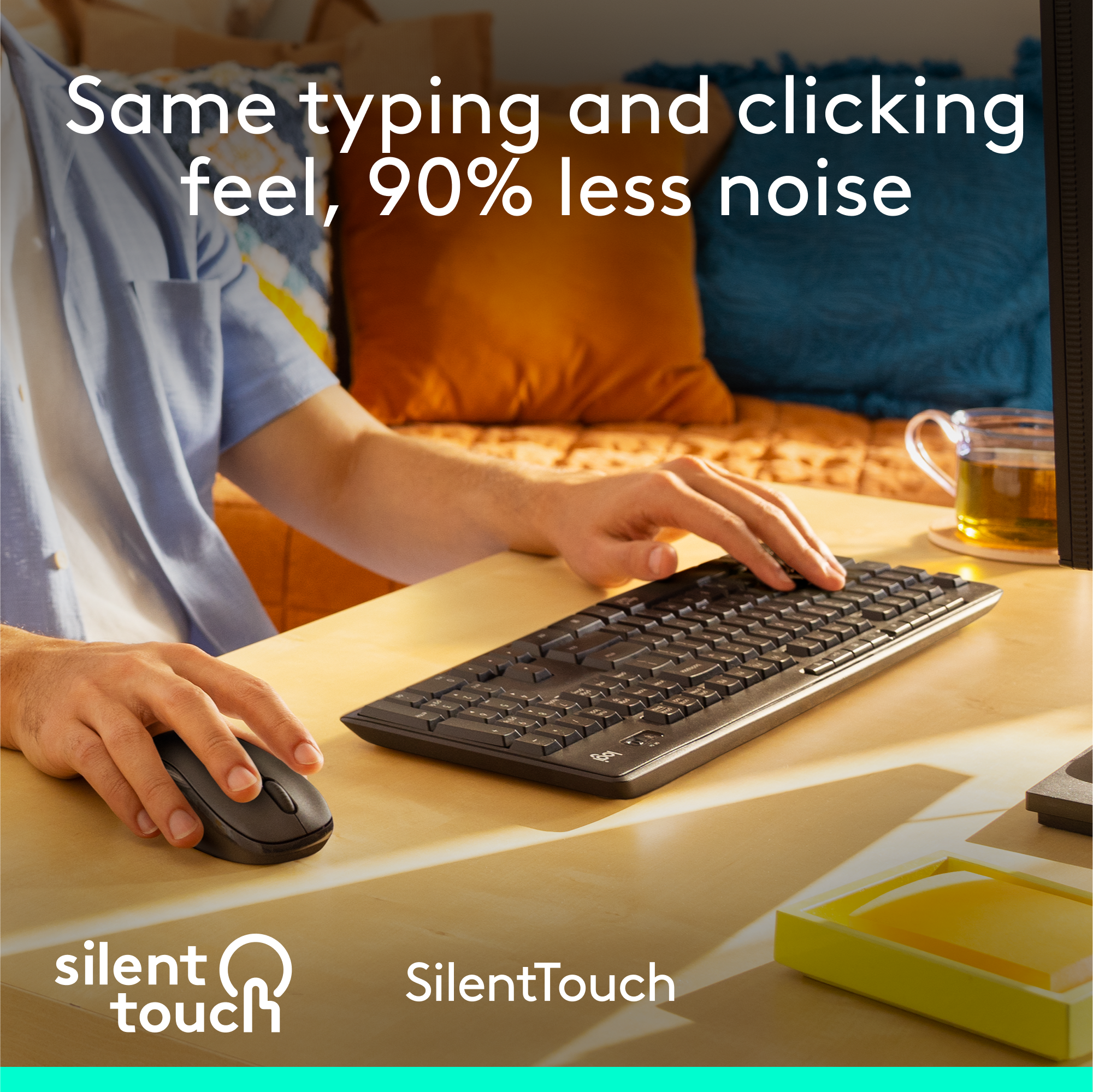
    When it comes to an affordable wireless keyboard and mouse I usually tend to gravitate towards Logitech. Their MK series of wireless keyboards and mouse has proven to be reliable to me. My MK320 is still running strong since I purchased it around 2015. Just in time, Logitech releases the MK295 Silent Wireless Keyboard and Mouse. Now that I work from and have to share my workspace with my daughter my mechanical keyboard has started to be a distraction during zoom video calls. Wireless connection is handled by a single dongle that you can store on the mouse or keyboard. My first impression of typing with is how mushy the keys felt. The best way to describe is like if the keys were hitting a piece of foam underneath them. Logitech does say 90% quieter but with the familiar typing and clicking feel. I wouldn’t say typing feels similar not quite. Coming from a mechanical keyboard it was a night and day difference when it came to clicking and feedback. It’s not completely silent but instead of getting the loud typing noise, they’re more like soft taps. At first, my typing speed was down and the numbers of typing errors increased. But after an adjustment period of a couple of days, my typing speed significantly improved along with the number of errors I was having. I wouldn’t recommend this keyboard for gaming. One thing I did like is having an LED status light for the capslock. I would of also like to have seen one for the num key lock. As for the mouse even though it’s on the small side it was still comfortable to use. It’s just your basic mouse that performs well but with the added benefit of lower clicking noise. I didn’t notice how loud a mouse can be until now when my daughter was using the MK 3 anywhere mouse. Comparing the clicking noise between models there is a huge difference in noise level. It’s not completely silent but is more like a soft tap. The wireless connection was very solid I did not experience any drops in connection. Overall I was very satisfied with the K295. For the retail price, you get a solid performing keyboard and mouse that does a good job with office work that requires a lot of typing and clicking around stuff. I work 10hrs shift and probably process around 60-80 emails a day and so far I’ve enjoyed using it to get work done. If you’re not a fan of keys feeling mushy this probably won’t be for you. But if you don’t mind trading that for a quieter work environment definitely give the K295 a look. Pros: Silent Keys Long Battery Life Unifying Receiver Spill-Proof Tilt Cons: Mushy Keys that take time to get comfortable with. “Reviewers in this invitation-only program are provided products for the purpose of writing honest, unbiased reviews.”

    I would recommend this to a friend
  • Tech Insider Network Member

    Rated 5 out of 5 stars

    Quiet, Comfortable Keyboard and Mouse

    |
    Tech Insider Network Member
    Posted .
    This reviewer received promo considerations or sweepstakes entry for writing a review.

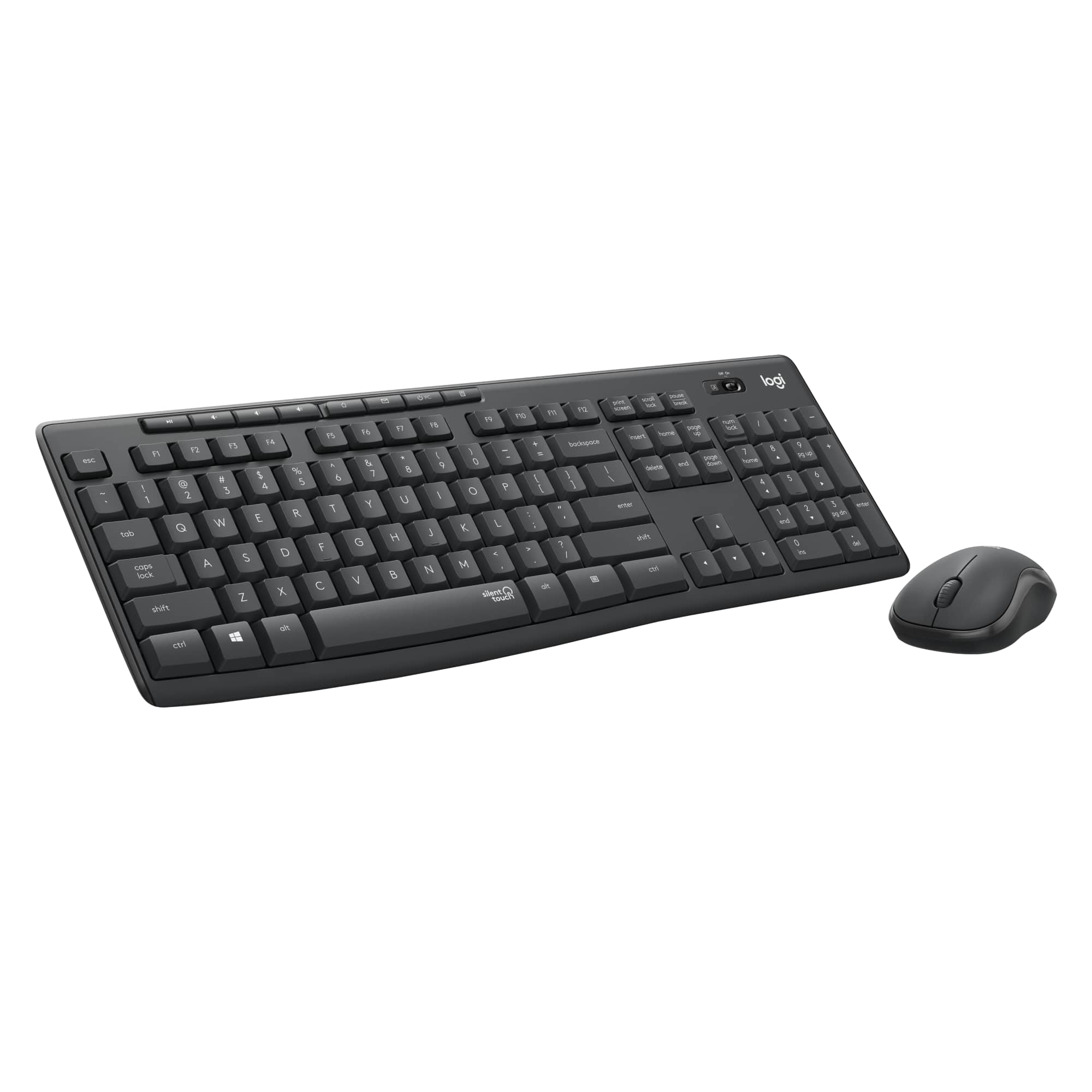
    The Logitech MK295 “Silent” wireless keyboard and mouse combo is easy to set up, comfortable to use, and features *very* quiet operation. There aren’t a whole lot of bells and whistles, just a keyboard and mouse that work well and work quietly. The combo includes a tiny USB receiver in the package. Getting started was as easy as plugging the receiver into an available USB port, turning on the keyboard and mouse, and getting started. My Windows computer recognized the receiver and had it configured in a few seconds, without any action required on my part. I really appreciated the no-hassle setup, and going wireless certainly helped clean up cord-clutter on my desk. Typing on the MK295 keyboard isn’t exactly “silent” (maybe I am a heavy typer), but it’s definitely very quiet. It’s great for sharing a small space with someone else (work from home, school online, etc.). The keys are quick and responsive, but do have a softer feel than other keyboards. That makes sense given the goal of keeping noise levels down, but if you are looking for that satisfying click-click feel as you type, this probably isn’t for you. I particularly appreciate the fact that the shortcut keys (media play/pause, volume, calculator, etc.) are their own buttons at the top of the keyboard, instead of sharing with the F1-F12 function keys. I use those F-keys regularly while crunching numbers on spreadsheets, so it’s refreshing not to have to find a toggle key to jump between regular and “extra features” mode. My one wish would be for an indicator light on the caps lock key so I can tell if it’s engaged without typing. Other than that, though, this is a solid keyboard and mouse combo, especially for the price. The mouse is responsive and comfortable to use. Whether I’m clicking the buttons or scrolling the wheel, there is noticeably less noise than with other mice. Going wireless is particularly great with the mouse -- no more worrying cord dragging about and getting caught up on things as I move the pointer around the screen. Function wise, the mouse is fairly simple – no extra buttons, gestures, etc. Just your basic mouse that happens to be a lot quieter than most. Finally, both the keyboard and mouse have a storage port to stow the receiver if you’re on the go, putting things away for a while, etc. That’s a nice touch, given how small the receiver is (and how likely I’d be to lose it without a dedicated storage area). I’m happy with the MK295 Combo and would recommend it to others who need a simple keyboard and mouse that helps cut down the noise in a shared (or even solo) space.

    I would recommend this to a friend
  • Tech Insider Network Member

    Rated 5 out of 5 stars

    A quiet winner

    |
    Tech Insider Network Member
    Posted .
    This reviewer received promo considerations or sweepstakes entry for writing a review.

    The Logitech MK295 wireless keyboard/mouse combo makes a big impression--by not being noticeable. In appearance, it looks like a fairly standard wireless keyboard, with some media controls across the top and a slight curve across the bottom. The mouse is a scrolling mouse that is a bit smaller than a standard mouse--somewhat between a full-size and a travel size mouse in dimensions. The standard tiny USB Logitech receiver is included for wireless functionality. So far, pretty standard... But the real draw of this keyboard is noise. Or the lack thereof. Using a membrane that also gives spill-resistance, the familiar click of a regular keyboard is almost nonexistent. Instead of a sharp clack, you hear something more akin to a dull thump that is difficult to hear unless very close. Even so, the keyboard is still easy to type on and feels good, if slightly stiff. The mouse also enjoys the same noise-minimizing technology, and mouse clicks are even quieter than the keyboard. These are absolutely perfect for noise minimization in an office environment. For work, I can't envision going back to a regular keyboard after using this.

    I would recommend this to a friend
  • Tech Insider Network Member

    Rated 5 out of 5 stars

    Nice feel and very quiet.

    |
    Tech Insider Network Member
    Posted .
    This reviewer received promo considerations or sweepstakes entry for writing a review.

    I have been partial to Logitech products, so when I heard that they came out with a new wireless quiet keyboard and mouse, I couldn't wait to try it. I'm very pleased. This keyboard is very quiet with none of the clicking of conventional keys. There is just enough resistance to the keys to make them pleasant to type on. It's a conventional design and after a steady diet of island keyboards with chiclet keys, I'm enjoying a standard keyboard again. The mouse is also a quiet design and is one of Logitech's compact mouse designs. I have used a couple of the compact mice and I really like the feel. Like the keyboard, the mouse keys don't click upon application, just a quiet sound. The mouse key offers just enough resistance to make using it pleasant. Like other Logitech mice, the scroll wheel has a nice feel, clicking on the scroll wheel activates autoscroll. If you're looking for a good basic wireless keyboard, Logitech has another hit with this one.

    I would recommend this to a friend
  • Tech Insider Network Member

    Rated 5 out of 5 stars

    So satisfying! Excellent Keyboard

    |
    Tech Insider Network Member
    Posted .
    This reviewer received promo considerations or sweepstakes entry for writing a review.

    Welcome to keyboard nirvana! OMG! This keyboard and mouse set is amazing. Super quiet, easy to use, plug and go with the most satisfying feeling when typing. Maybe that sounds weird, but we all know there are keyboards out there that are loud, and just feel like big buttons. This keyboard is AMAZING! Feels so nice as you type. The buttons have a nice texture and feel. I sit at my desk all day and type, having a superior keyboard is mandatory. You can bet that when I'm in my Teams meetings no one can hear me multi-tasking! The sound is so quiet! I found the Logitech MK295 to be wonderful! I'm so glad I have it, and the price point is good too! If you are out there comparing keyboards go for this one, it's so great. The keyboard is comfortable, adjustable, quiet, has a long battery life... and a calculator button! The mouse is compact, tracks effortlessly, and my hand wraps around it nicely. I'm incredibly pleased with this combo.

    I would recommend this to a friend
  • Tech Insider Network Member

    Rated 4 out of 5 stars

    Quiet typing

    |
    Tech Insider Network Member
    Posted .
    This reviewer received promo considerations or sweepstakes entry for writing a review.

    This is a standard keyboard with a number pad. The response time is great, I didn't experience any delay. It really is a silent touch as it is only the force you use that determines if there is any noise at all. The lighter your touch, the less noise and even with a heavy touch, there is very little noise. This is great for when you are on speakerphone and need to type. The mouse is small and basic but has a contoured grip which is comfortable and has the same silent touch feature. I do like the extra control keys at the top of the keyboard which includes volume control, mute and will bring up your calculator for you. The caps lock does have an indicator but it is on the far side of the keyboard. You'll need to get used to looking there to see if it is on. There is no indicator whether the number lock is on for the keypad. What I don't like about this keyboard is that the bottom of the keyboard is a bit thicker than the top so unless you use the leg support, you have no wrist support as you are having to lift your wrists up and type downward. That said, it was not hard to adjust to using the leg support though I had to make some adjustments as the keyboard was now higher than I was used to. Overall, it is a great keyboard for my office, I'll just have to get used to the height difference on the keyboard.

    I would recommend this to a friend