Last-Minute SavingsLimited quantities.Shop now

Skip to content
Gift Ideas
Main Content

Customer Ratings & Reviews
Your price for this item is $32.99
The comparable value price is $34.99

Customer reviews

Rating 4.5 out of 5 stars with 221 reviews

Rating Filter

Rating by feature

  • Value

    Rating 4.6 out of 5 stars

  • Quality

    Rating 4.6 out of 5 stars

  • Ease of Use

    Rating 4.7 out of 5 stars

Pros mentioned filter

Cons mentioned filter

There aren't enough negative mentions yet.
90%would recommend to a friend

Customers are saying

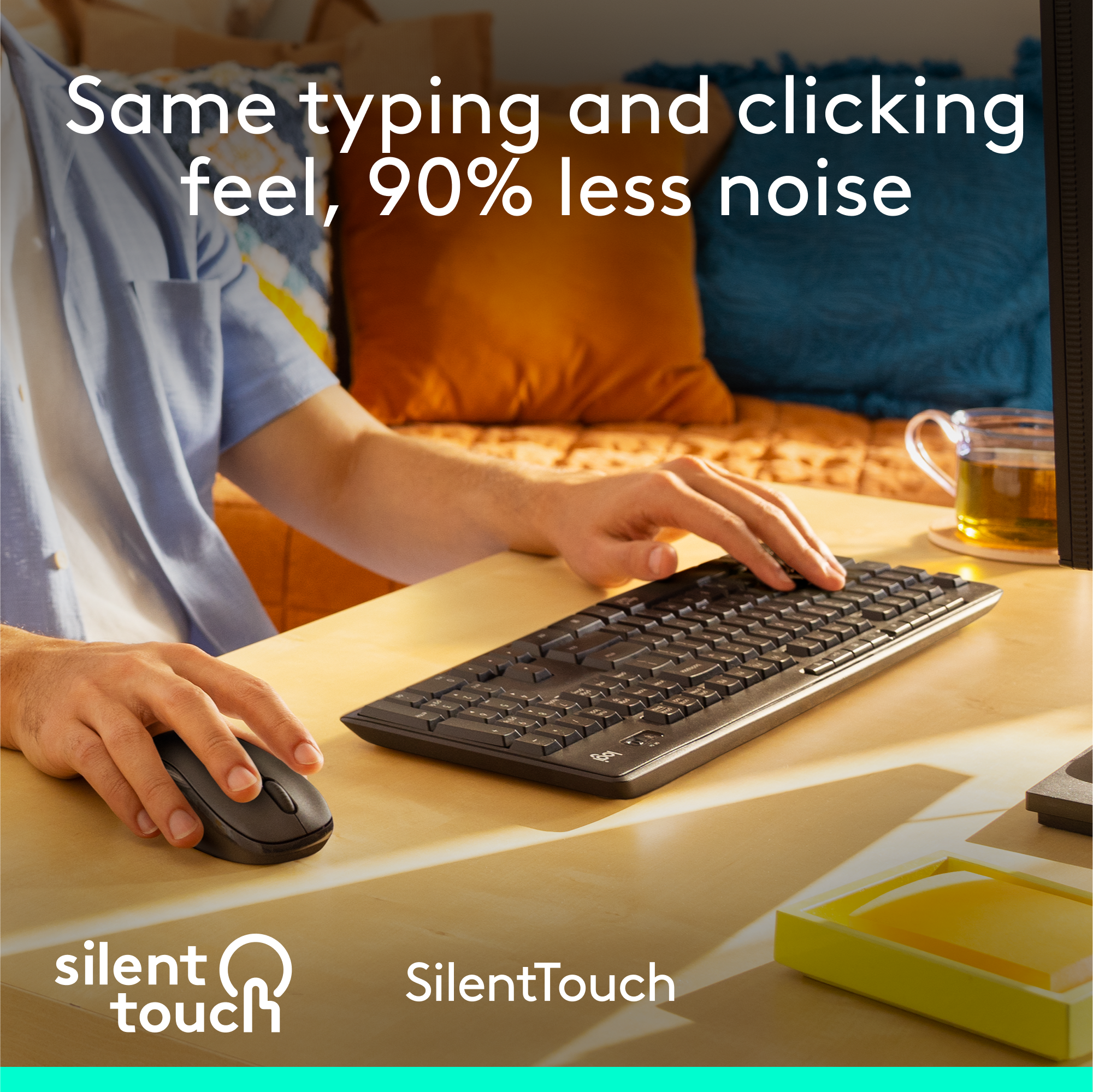
Customers are enthusiastic about the MK295 keyboard and mouse combo's full-size keyboard, ease of use, and quiet operation, frequently praising its silent keys and long battery life. The wireless functionality is also a popular feature. While some users noted occasional lag, the overall experience is overwhelmingly positive.

This summary was generated by AI based on customer reviews.

The vast majority of our reviews come from verified purchases. Reviews from customers may include My Best Buy members, employees, and Tech Insider Network members (as tagged). Select reviewers may receive discounted products, promotional considerations or entries into drawings for honest, helpful reviews.
Page 11 Showing 201-220 of 221 reviews
  • Tech Insider Network Member

    Rated 5 out of 5 stars

    Great mouse and keyboard combo

    |
    Tech Insider Network Member
    Posted .
    This reviewer received promo considerations or sweepstakes entry for writing a review.

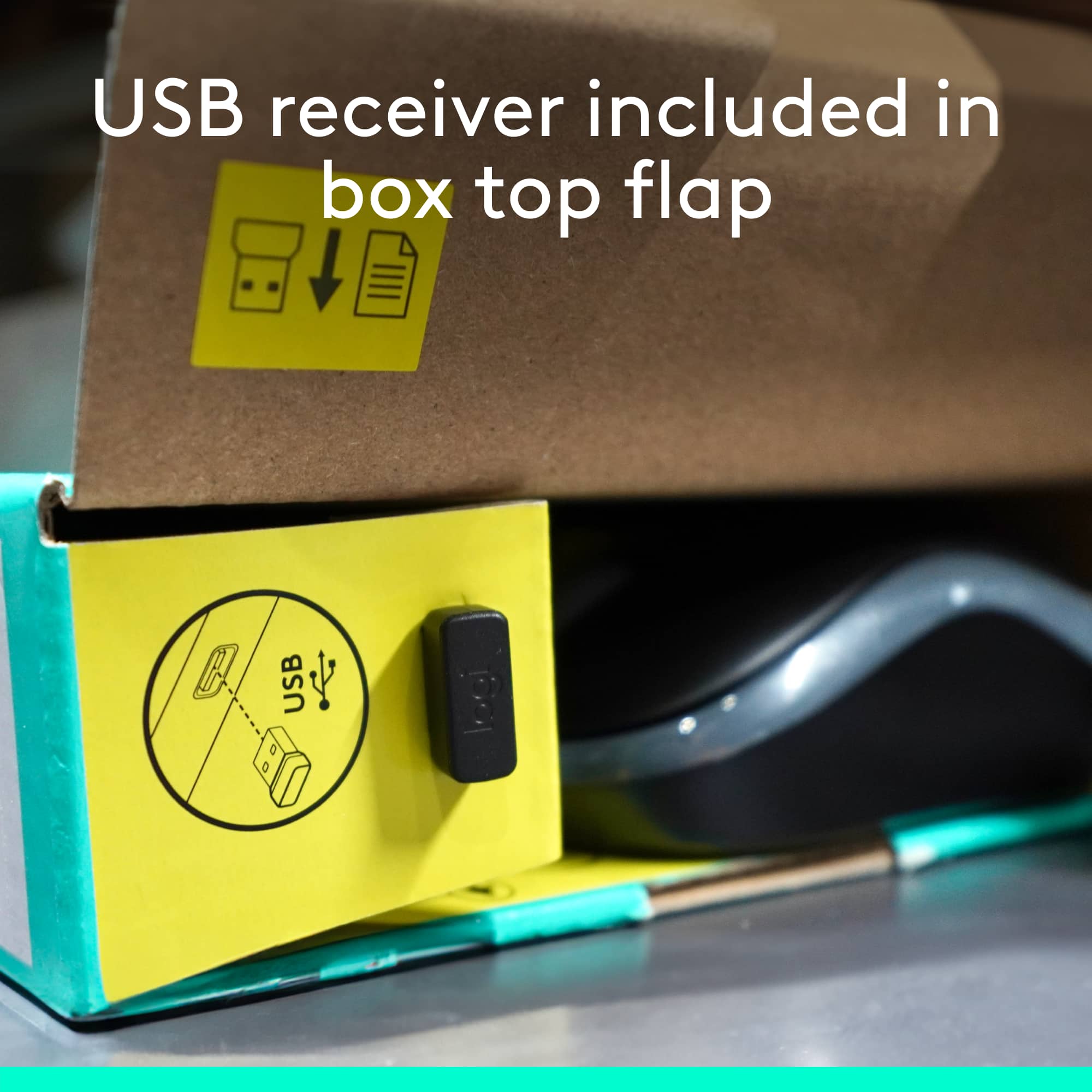
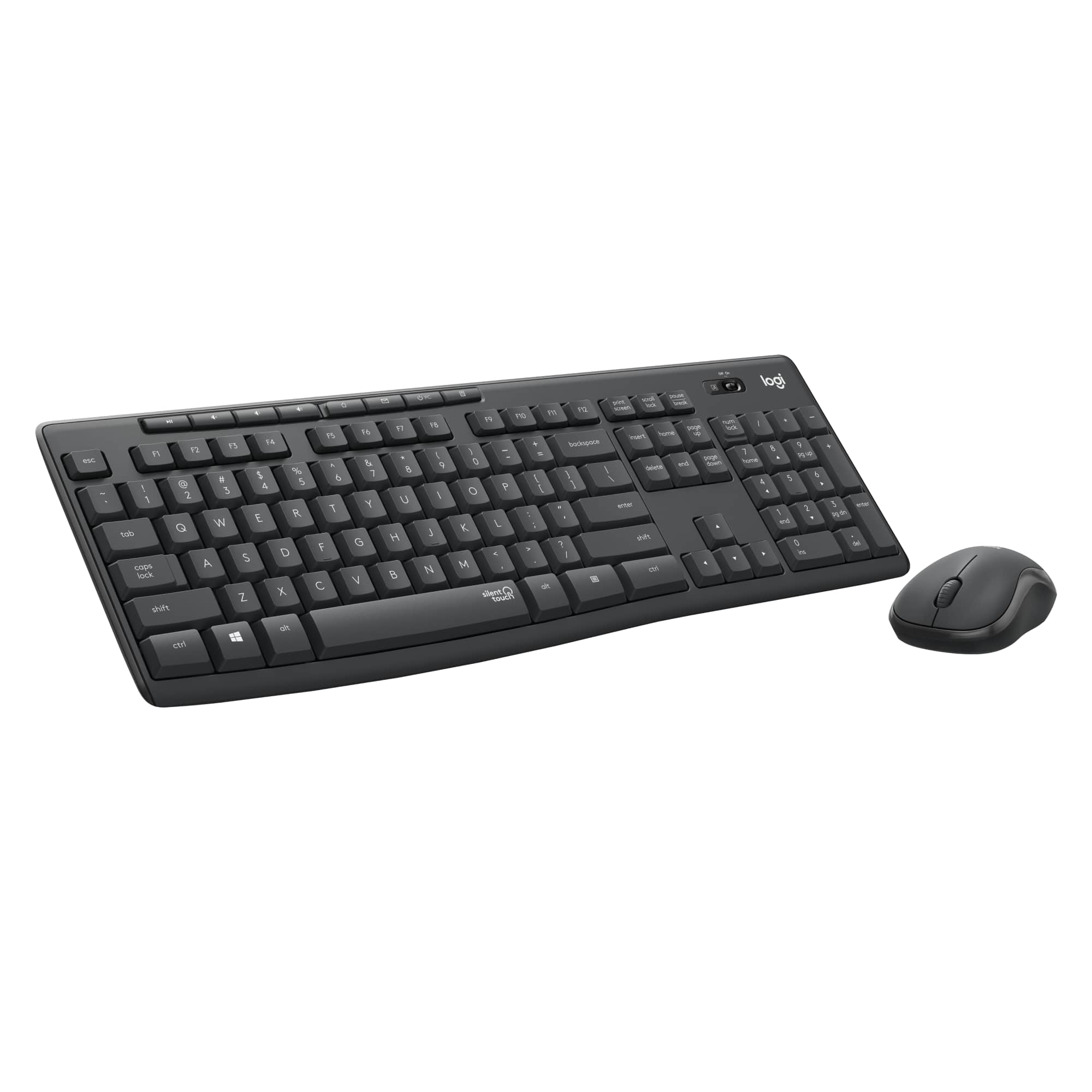
    The Logitech - MK295 mouse and keyboard combo works quite well. The unit comes with a USB dongle that makes for easy setup and pairing. Simple plug and play. The mouse is very lightweight. It almost feels like it’s too light at times. The mouse clicks are quiet, but it’s not as quiet as Logitech’s M355 series. The mouse is also somewhat small. It would have been nice if it was a bit larger to contour with my hand. The size of it is comparable to a travel sized mouse. With this combo having a full-sized keyboard and USB dongle, it will most likely be something that you will use mainly at home or at the office. They keyboard comes with several short cut keys, function keys, and a full-sized number pad. Typing on the keyboard seems a bit weird to me. One would either love it or hate it. The keys are the same size as the older keyboards with a lot of key travel, but the keys are silent. When typing the keys do not seem to go down as quickly as a traditional keyboard. My fingers tend to become fatigued after typing for a while, because the keys tend to have somewhat of a heavy feeling when typing. Overall, it’s a good combo and is very quiet. You’ll just have to get used to the keyboard.

    I would recommend this to a friend
  • Tech Insider Network Member

    Rated 5 out of 5 stars

    As expected, Nice Quiet Keyboard and Mouse Combo

    |
    Tech Insider Network Member
    Posted .
    This reviewer received promo considerations or sweepstakes entry for writing a review.

    Pretty much what I've come to expect with Logitech products after having used them for over 2 decades now. Easy setup, plug in the receiver and you're good to go. Things just work without having to monkey around. Keyboard is probably the quietest I have ever used and it is great that it is full size with the number pad. I am an engineer and keyboards without the number pad have no place in my office set up. I find I do need to use the leg support for comfortable typing, but I normally use this on most keyboard anyways. Mouse is good too, a bit smaller than what I am used to and just the basics, in terms of buttons, but this is absolutely fine. The price point is also hard to beat for a wireless keyboard and mouse combo. Being wireless and relatively compact makes this a good choice for travel as well when you need something more than you're laptop has to offer. Not much else to day, this is an easy Mouse & Keyboard to recommend to anyone who is mainly looking for office use (not gaming).

    I would recommend this to a friend
  • Tech Insider Network Member

    Rated 4 out of 5 stars

    A winning combo!

    |
    Tech Insider Network Member
    Posted .
    This reviewer received promo considerations or sweepstakes entry for writing a review.

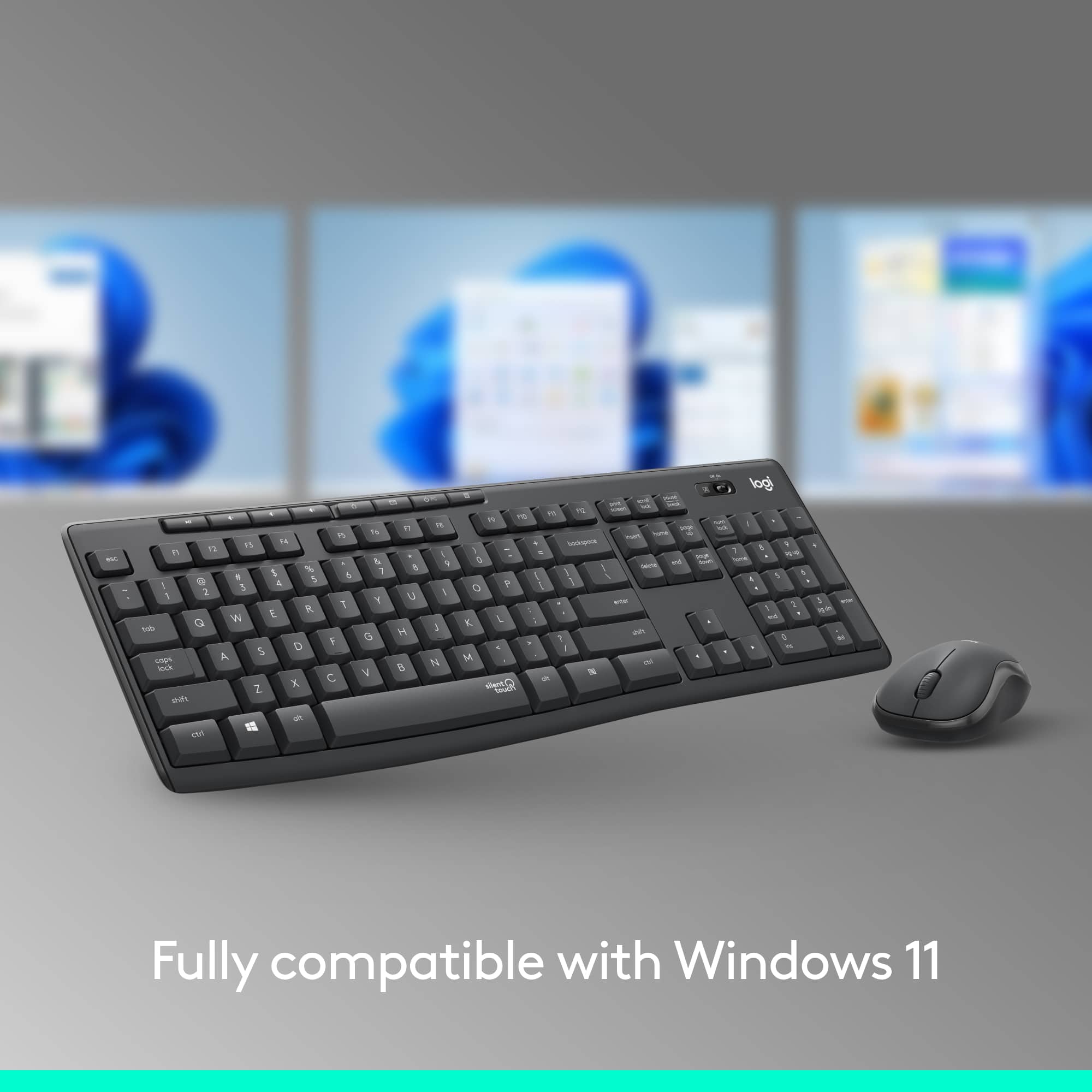
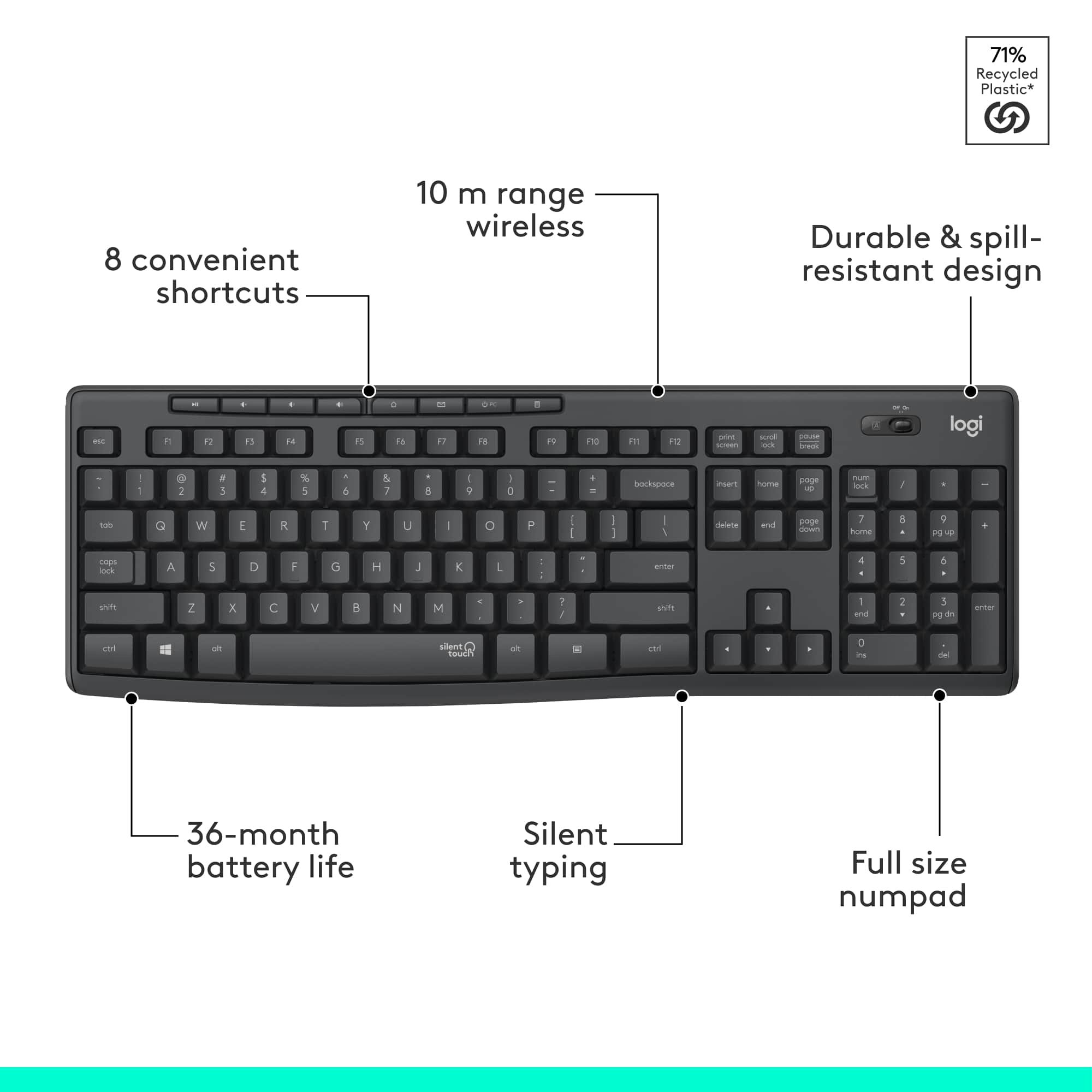
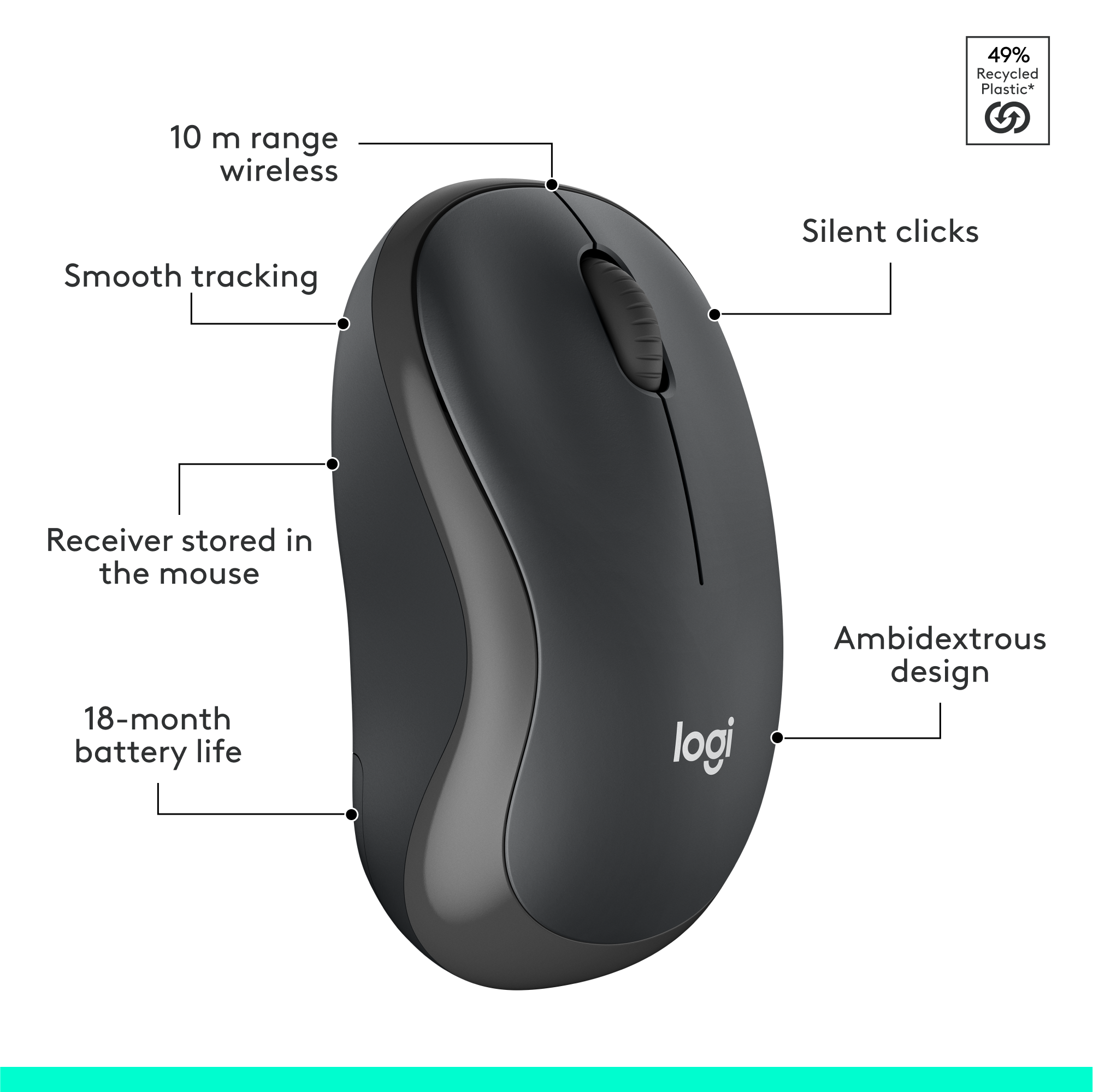
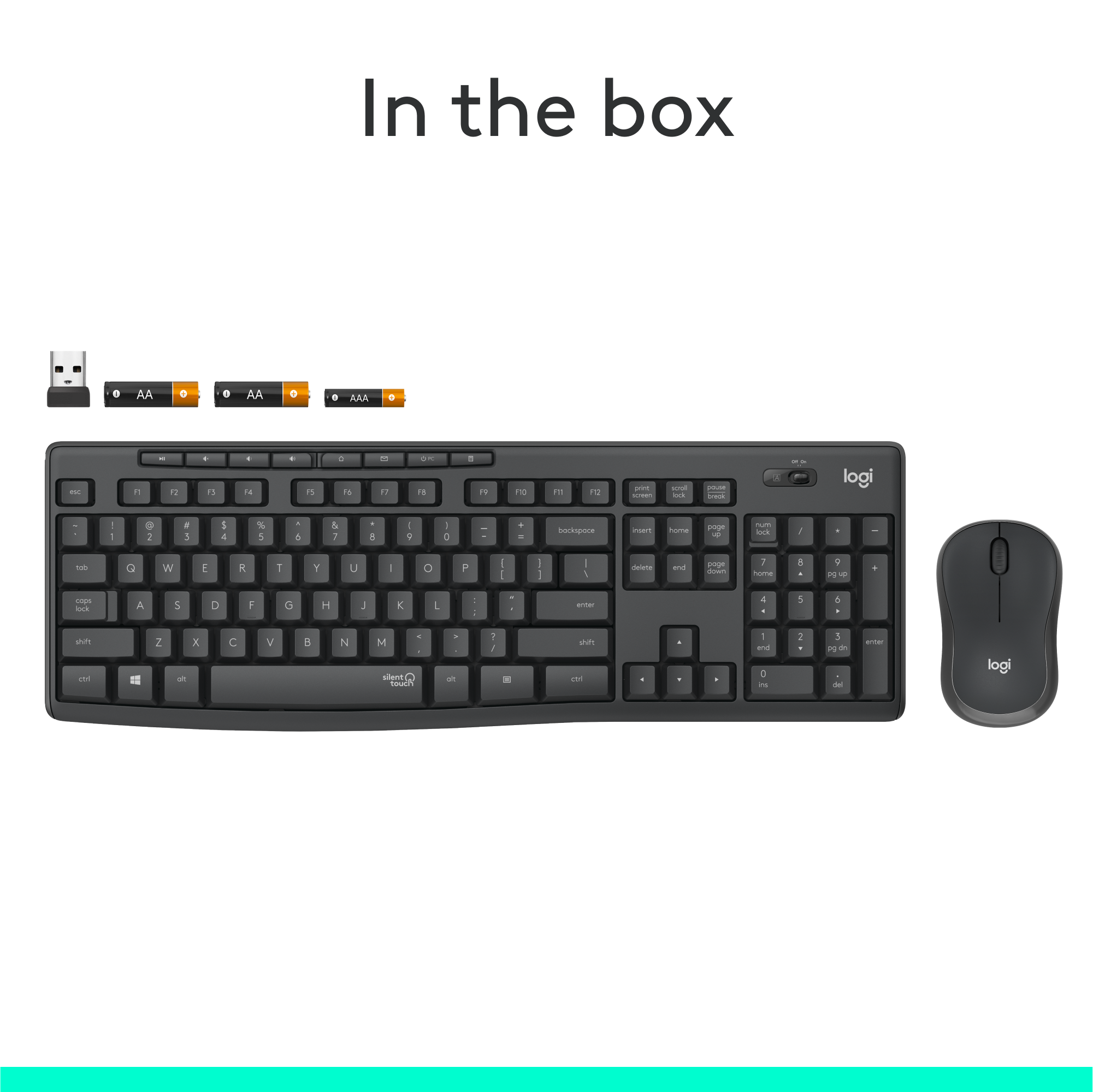
    This is your basic wireless mouse & keyboard with numeric keypad, 12 function keys and a few SPECIAL function keys above the function key row. The keys have a light touch, and strangely it IS silent. To me the travel of the keys is a bit much as I am used to chiclet style keyboards but the feel is good and my wife absolutely loves this keyboard! If you want to do some work while your “other” is asleep, this wouldn’t awaken them. The mouse is small sized which is great and it doesn’t have a click when the left and right buttons are pressed. It’s really rather cool. The set comes with a mini USB (which slips inside the mouse back when not in use) which is awesome and my computer instantly recognized both the mouse and keyboard from the same adapter. It comes in white and graphite; mine is graphic and looks great. For the price, this is definitely a winning keyboard/mouse combo and to me, you just can’t lose with Logitech! Plus it comes ready to go with batteries for both the mouse and keyboard & both have an on/off switch to save battery life. Who does that anymore? Logitech!

    I would recommend this to a friend
  • Rated 3 out of 5 stars

    Mouse and spacebar key not truly silent.

    Posted .
    This reviewer received promo considerations or sweepstakes entry for writing a review.

    The keyboard is great there is one key that is not silent however. Ironically it's the one key that says silent touch on it. It is the spacebar. The actual click of the key is pretty silent but it is loose and rattles and clicks pretty much like a normal space bar. My other complaint would be the mouse. I had to put some padded tape underneath the battery cover because although the clicking is silent moving the mouse around on my pad causes it to Rattle as well. It would have been nice if they paid attention to these little details and made this setup completely silent. Other than that pretty good keyboard I guess for the price.

    I would recommend this to a friend
    • Brand response from Logitech
      Posted .

      Thank you for sharing your feedback on the Logitech - MK295. We appreciate you taking the time to provide detailed information about your experience. We will use this feedback to improve future products. We apologize for any inconvenience caused. Logitech

  • Tech Insider Network Member

    Rated 4 out of 5 stars

    Definitely quiet

    |
    Tech Insider Network Member
    Posted .
    This reviewer received promo considerations or sweepstakes entry for writing a review.

    If your main interest in a keyboard and mouse is that they are quiet, this is your set to go for. The keyboard isn't completely silent, but sound is definitely muted quite a bit. I'm a hard typist and I can tell a huge difference. For those that don't pound on the keys like I do, then it would be silent. There's no sound from the mouse clicks at all. Personally I prefer an ergonomic keyboard but it wasn't hard getting used to the layout being straight. The additional buttons at the top are bonus: volume keys, play/pause, desktop, email, power and calculator. The mouse fits my hand well and is very accurate. I wish it had the additional buttons by the thumb that default to back and forward. I'm surprised mice are made today without them, because they are so useful. Overall, if you need quiet, you'll be happy with this set.

    I would recommend this to a friend
  • Tech Insider Network Member

    Rated 5 out of 5 stars

    Quiet, lightweight, sturdy keyboard and mouse

    |
    Tech Insider Network Member
    Posted .
    This reviewer received promo considerations or sweepstakes entry for writing a review.

    Everything functioned straight out of the packaging without a hitch, no drivers needed for my setup. Keyboard is very quiet but has a nice level of pressure when hitting the keys. adjustable height and angle is nice, but the highest angle may still be a little low profile for some. Mouse has an "invisible laser" which is nice, because there is no bright red bean in your eye when you pick it up to switch it off, but also makes it a bit odd when you are checking to see if it is on. I am accustomed to gaming keyboards and mice, so this home office level of function is a bit different, but I liked it and expect a lot of use out of this set. The full size keyboard and layout was nice to see in a wireless portable set.

    I would recommend this to a friend
  • Tech Insider Network Member

    Rated 5 out of 5 stars

    Very good wireless combo - soft keys

    |
    Tech Insider Network Member
    Posted .
    This reviewer received promo considerations or sweepstakes entry for writing a review.

    This wireless mouse/keyboard combo works great and was easy to setup. The keys are soft and silent with a good bit of travel. I like this keyboard. Right out of the box it was plug and play-easy to connect and startup. It works off normal windows controls so no special app needed for use. If you are used to shallow clicky laptop keys this is not like that at all. It has the feel of a much more traditional desktop keyboard, with a decent amount of key travel to push and very quiet and soft to the touch. Great keyboard I would recommend.

    I would recommend this to a friend
  • Tech Insider Network Member

    Rated 5 out of 5 stars

    No Surprises Just Smooth Mouse and Quiet Keyboard

    |
    Tech Insider Network Member
    Posted .
    This reviewer received promo considerations or sweepstakes entry for writing a review.

    This mouse & keyboard combo is on the budget price scale but pretty much the quietest keyboard I've had. It was all working seconds after I plugged in the receiver and turned the power buttons on. I had to tweak the mouse in Logitech Options to slow it down as it was really fast. Hoping it works as well months from now, I've noticed with Windows 10 it seems to be unkind with wireless mice and keyboards. Pretty nice for 30 bucks..It did not have dedicated track-forward and reverse buttons for music (you use the regular forward and back keys.)

    I would recommend this to a friend
  • Tech Insider Network Member

    Rated 5 out of 5 stars

    Quiet and Comfortable

    |
    Tech Insider Network Member
    Posted .
    This reviewer received promo considerations or sweepstakes entry for writing a review.

    This is a great, compact keyboard that fits great anywhere, and is comfortable to use. I love having the NUM pad. I also love that they keyboard is so quiet, as I often work in the family room, and the quiet keys prevent me from disturbing everyone's viewing experience. I did not think such a small mouse would be comfortable to use, as I thought it would be too small. In fact, it felt great (I wear a size large glove).

    I would recommend this to a friend
  • Rated 5 out of 5 stars

    Solid purchase

    Posted .
    This reviewer received promo considerations or sweepstakes entry for writing a review.

    This keyboard is a solid purchase. I love the soft keys no loud clicking. Purchase price good for both keyboard & mouse. Logitech is a great computer brand always satisfied with purchases.

    I would recommend this to a friend
    • Brand response from Logitech
      Posted .

      We appreciate you taking the time to share your thoughts on the MK295 Silent Wireless Combo. It's great to hear you're enjoying the quiet typing experience and finding the mouse a comfortable fit.

  • Tech Insider Network Member

    Rated 5 out of 5 stars

    Logitech - MK295 Wireless Keyboard and Mouse

    |
    Tech Insider Network Member
    Posted .
    This reviewer received promo considerations or sweepstakes entry for writing a review.

    Great combo. Keys are very quiet and responds well. The mouse also was easy to get setup. I plugged in the wifi receiver and both keyboard and mouse started working. Downloaded the latest Logitech software updates and all went very smooth. Great keyboard and mouse and would recommend it to anyone who wants ease of setup and a quiet enivonment without clicking noises from the keyboard.

    I would recommend this to a friend
  • Tech Insider Network Member

    Rated 3 out of 5 stars

    If silence is what you want...

    |
    Tech Insider Network Member
    Posted .
    This reviewer received promo considerations or sweepstakes entry for writing a review.

    If what you want is a silent keyboard, then the MK295 delivers, but at a cost. Starting at the beginning, when you unpack the unit, the first thing you will notice is the size. It is a full size keyboard, but much smaller than ergonomic versions. The mouse, too, is smaller than an ergonomic version. Depending on your preference, this could be good or bad. For me, the standard layout is not a comfortable as my Logitech or Microsoft ergonomic units, and the mouse is small enough that it disappears in my hand. Setup is easy as can be, just plug in the dongle and wait for Windows to do its thing. But, the selling point of this combo is silent typing with traditional tactile feel, and it makes it halfway to its self-appointed goal. The keyboard and mouse are very quiet, even compared to the keyboard on my HP Spectre laptop. What's missing, though, is the feel. It tends toward the mushy, without the satisfying tactile response of other keyboards. If quiet was my primary goal, or if this were for a system that I didn't use that often, then I might feel differently. For daily use, this missed the mark on two many points.

    No, I would not recommend this to a friend
  • Tech Insider Network Member

    Rated 4 out of 5 stars

    Good KB/Mouse Combo

    |
    Tech Insider Network Member
    Posted .
    This reviewer received promo considerations or sweepstakes entry for writing a review.

    I've used many other Logitech KB and Mice over the years. This is a good combo set. Not the best, but good. Keys are quiet as advertised and responsive per my use. No issues with the mouse either. My only knock is that I wish the USB adapter was their Unifying receiver so I could maybe mix with other devices from them. But not an issue if these are your only two peripherals to connect.

    I would recommend this to a friend
  • Tech Insider Network Member

    Rated 4 out of 5 stars

    Long battery life; quiet keys; small mouse

    |
    Tech Insider Network Member
    Posted .
    This reviewer received promo considerations or sweepstakes entry for writing a review.

    No issues in regard to battery life here, which has been very nice. Keyboard is silent enough that I can work in the same room with my child while in virtual class. Tactile enough to still feel reactive. Mouse is sensitive enough, but even feels small in my hand. The size negates any ergonomic bonus.

    I would recommend this to a friend
  • Rated 5 out of 5 stars

    Great Purchase

    Posted .
    This reviewer received promo considerations or sweepstakes entry for writing a review.

    Soft touch, very quiet (great for Zoom meetings), easy set-up

    I would recommend this to a friend
    • Brand response from Logitech
      Posted .

      Thanks for the MK295 Silent Wireless Combo review! We love that you find it quiet, comfy & easy to set up. Quiet typing is a key feature, and we're glad it works!

  • Rated 5 out of 5 stars

    Wireless keyboard & mouse

    Posted .
    This reviewer received promo considerations or sweepstakes entry for writing a review.

    Works great, well priced- especially on a teacher budget!

    I would recommend this to a friend
    • Brand response from Logitech
      Posted .

      Thank you for your positive review of the Logitech - MK295. We’re glad to hear it meets your needs and budget. Your feedback is valuable to us.

  • Tech Insider Network Member

    Rated 5 out of 5 stars

    Quiet as a mouse!

    |
    Tech Insider Network Member
    Posted .
    This reviewer received promo considerations or sweepstakes entry for writing a review.

    Love this keyboard, no click-click sound when typing. Exactly what I need for those long work days of back-to-back conference calls.

    I would recommend this to a friend
  • Rated 5 out of 5 stars

    Great Item

    Posted .
    This reviewer received promo considerations or sweepstakes entry for writing a review.

    Fast delivery, and product was as advertised. Love Logitech products

    I would recommend this to a friend
  • Rated 5 out of 5 stars

    Very pleased!

    Posted .
    This reviewer received promo considerations or sweepstakes entry for writing a review.

    Good quality/feel and truly is as quiet as a keyboard/mouse can get. No, not "silent", but pretty close.

    I would recommend this to a friend
  • Tech Insider Network Member

    Rated 1 out of 5 stars

    Poor example of Logitech brand

    |
    Tech Insider Network Member
    Posted .
    This reviewer received promo considerations or sweepstakes entry for writing a review.

    Let me first just say that I'm a huge fan of Logitech Devices. I own Logitech gaming controllers, gaming headsets, and several keyboards and mice. My go to mouse is the M510, to which I own 6 around the house and at work, and I have at least five MK235 mouse and keyboard sets set up at my house to teach coding to a small group of kids. I'm afraid Logitech missed the mark on this MK295 set. True to the primary advertised feature, the keyboard is silent. The mouse clicks are also silent. I also like that the keyboard is full sized, but streamlined to not take up much real estate on my desk. In contrast to the MK235 keyboard, the MK295 keyboard has a power switch and a Caps lock light. But that seems to be where the positive qualities end. Laying the keyboard on my desk, it seems like the keys are angled away from the user. While there are flip out legs marked with 8 degrees, that angle is more than I'm looking for. After examining the keyboard further, the bottom row (CTRL, Windows Key, ALT, Spacebar, etc.) keys are convex and sit just a little higher than the rest of the keyboard. Typing on the keyboard takes more effort. The amount of travel of each key seems to be more than I'm currently used to. While the keystrokes are silent, they provide more of a rubbery membrane feel and don't have a comfortable bounce. I also feel that I have to push the keys harder than I'm used to. The membrane seems to be a little more resistive to movement. The media keys at top of the keyboard are even harder to push. The keys of the keyboard are retro style. These days, I prefer the island style or even low-profile/laptop style. I feel like those styles make it easier to keep clean. I did notice that the MK295 keyboard seems to have 9 drain holes at the bottom. Presumably, if you were to spill a drink on this keyboard, it would be fairly easy to drain and dry to get back to work. Fit and finish of the keyboard was slightly disappointing too. Just above my F10, F11 and F12 keys, there seems to be a bulge. I tried to push it in, hoping it was just a clip that wasn't engaged. I can push it in to where I hear a click, but as soon as I release, I hear it release with an unclick. There is also a "silent touch" logo on the space bar that I don't care to see. The mouse is travel sized but contoured well. Left and right mouse clicks are very quiet. The wheel click is louder, but what really surprised me is that the scroll wheel noise seems to reverberate in the body of the mouse. The resulting noise seems to be amplified and sounds a little like the mouse wheel is scraping against plastic. If a quiet keyboard and mouse experience is your only criteria, the MK295 might be the set for you. As for me, my wireless dream team currently pairs the MK235 keyboard with a M510 mouse or M190 Mouse if I don't need the extra functions.

    No, I would not recommend this to a friend
    • Brand response from Logitech
      Posted .

      Hi bzm3j81, I am sorry to hear that you are not a fan of the MK295. As you know, we make many different mice and keyboards with a wide variety of features and options, to try and fit the needs of many different people and applications. I would advise everyone to get a setup that is comfortable to them, with media keys you want, in the size for your work space and features that would benefit you. Thank you so much for sharing your feedback with us. - Will, Logitech.