Customer Ratings & Reviews
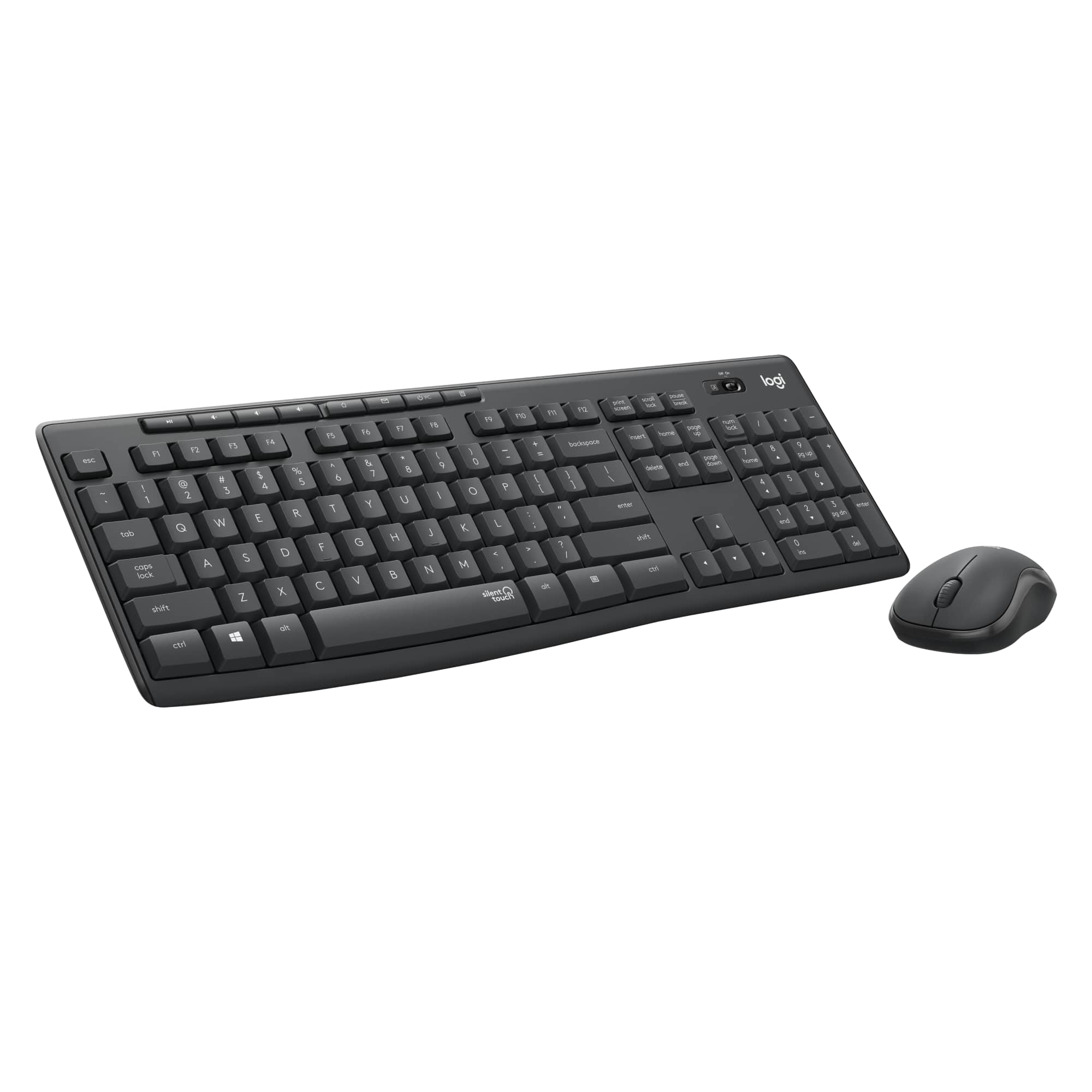
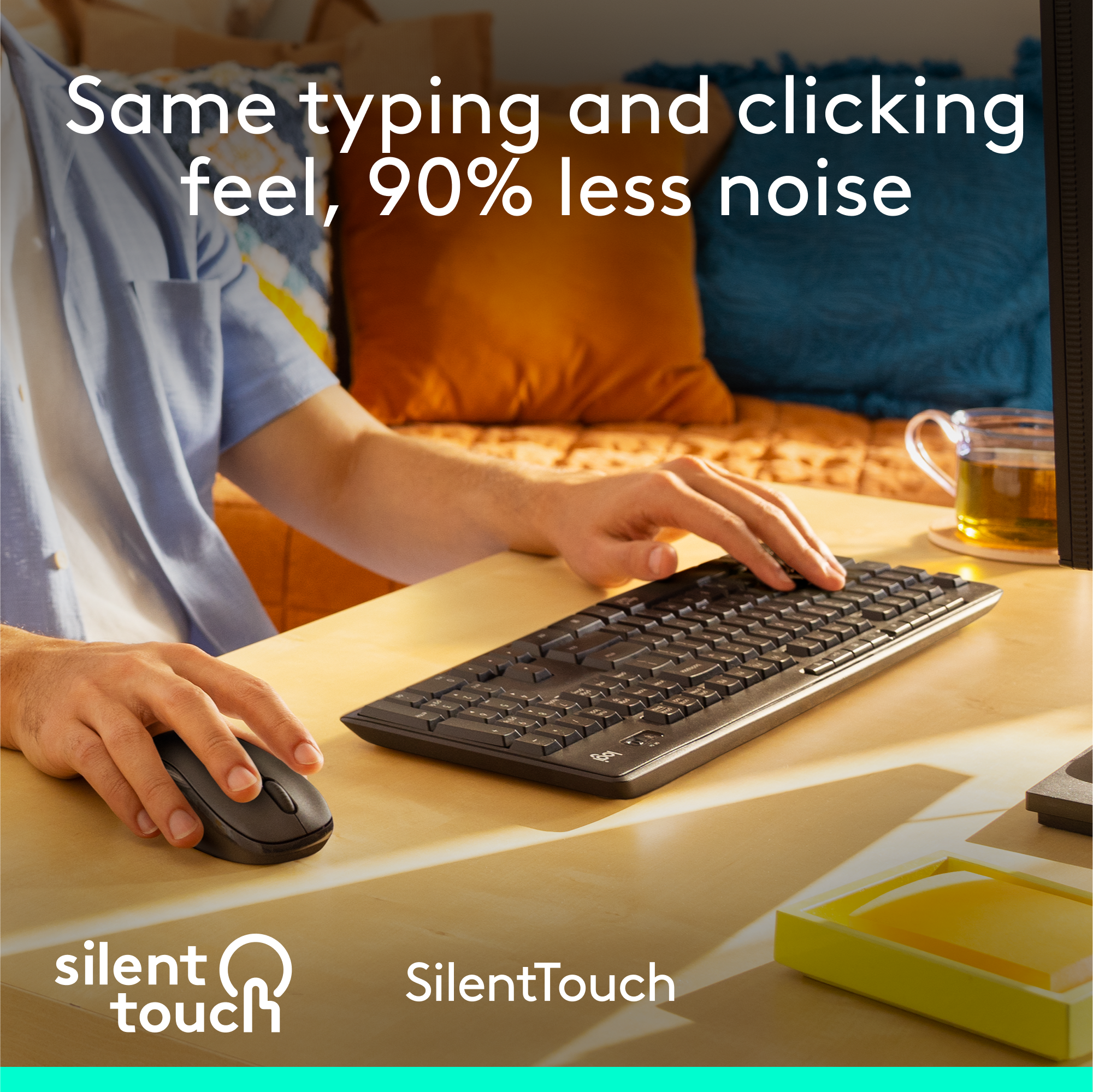
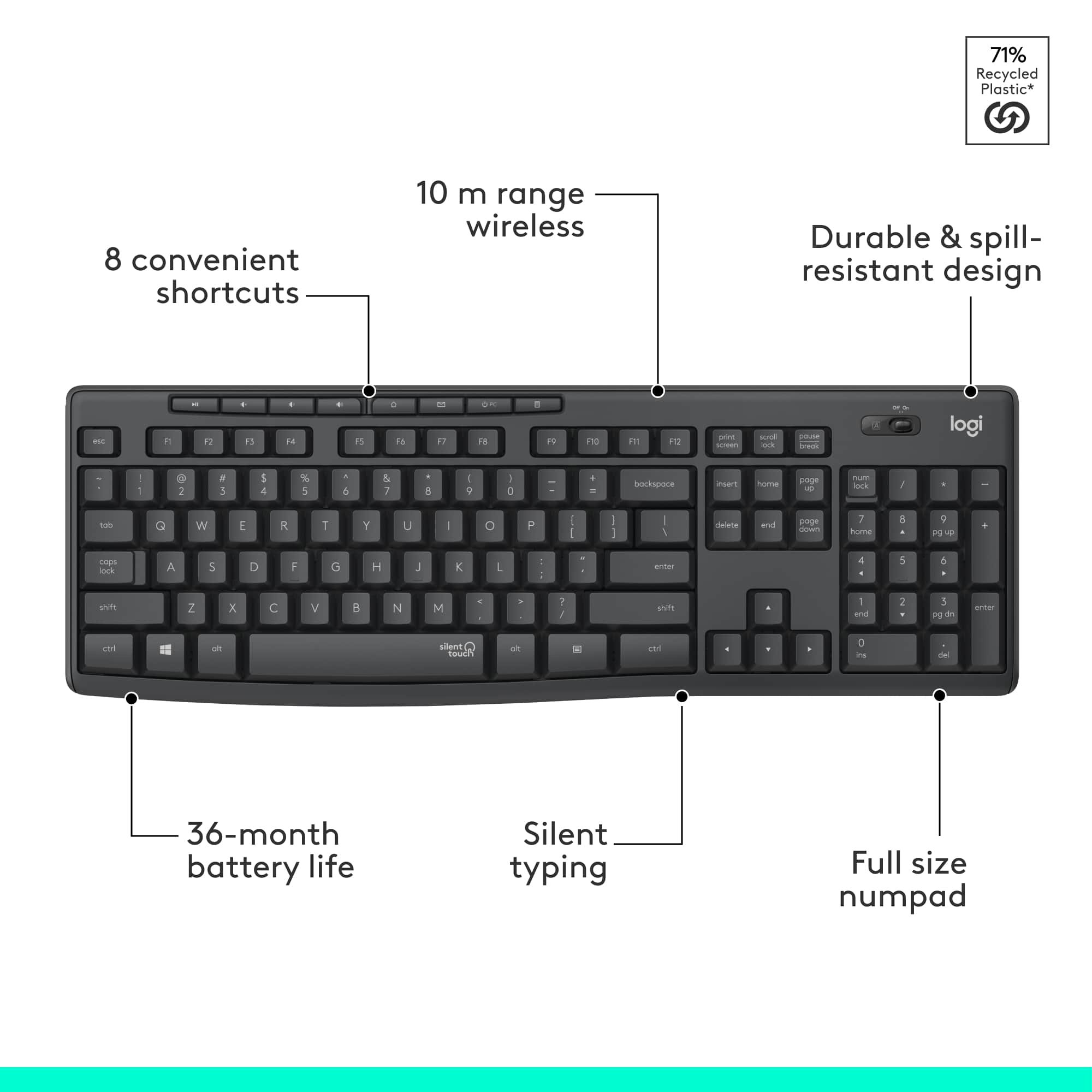
![4 - Full size comfort with 8 shortcuts I . logi - 0 - . I - - ! 13 d - - - I 2 11 t - - -1 Il 1 tl - T ! ] - D 1 I bninoca - F . a E . A I - .. E - E e . E a + - . - O - 2 - - 1 . . - c 5 3 - U 5 - - 2 M + I P 2 D Z - - - = x - - 2 11 O -. M - G 1 l i 1 logi](https://pisces.bbystatic.com/image2/BestBuy_US/images/products/77a2dcdb-189b-4799-868a-4da13775e2db.png)




- Model:
- 920-009782
- SKU:
- 6424873
Rating by feature
- Value
Rating 4.6 out of 5 stars
- Quality
Rating 4.5 out of 5 stars
- Ease of Use
Rating 4.7 out of 5 stars
Customers are saying
Customers are positive about the product's keyboard quality, noting its full size and comfortable feel. They also appreciate its quiet operation, ease of use, and reliable wireless connectivity with long battery life. Furthermore, customers report no issues with performance lag.
This summary was generated by AI based on customer reviews.
- Pros mentioned:Noise level

Quiet typing
|Posted .This reviewer received promo considerations or sweepstakes entry for writing a review.This is a standard keyboard with a number pad. The response time is great, I didn't experience any delay. It really is a silent touch as it is only the force you use that determines if there is any noise at all. The lighter your touch, the less noise and even with a heavy touch, there is very little noise. This is great for when you are on speakerphone and need to type. The mouse is small and basic but has a contoured grip which is comfortable and has the same silent touch feature. I do like the extra control keys at the top of the keyboard which includes volume control, mute and will bring up your calculator for you. The caps lock does have an indicator but it is on the far side of the keyboard. You'll need to get used to looking there to see if it is on. There is no indicator whether the number lock is on for the keypad. What I don't like about this keyboard is that the bottom of the keyboard is a bit thicker than the top so unless you use the leg support, you have no wrist support as you are having to lift your wrists up and type downward. That said, it was not hard to adjust to using the leg support though I had to make some adjustments as the keyboard was now higher than I was used to. Overall, it is a great keyboard for my office, I'll just have to get used to the height difference on the keyboard.
I would recommend this to a friend - Pros mentioned:Wireless
Logitech: Best in business
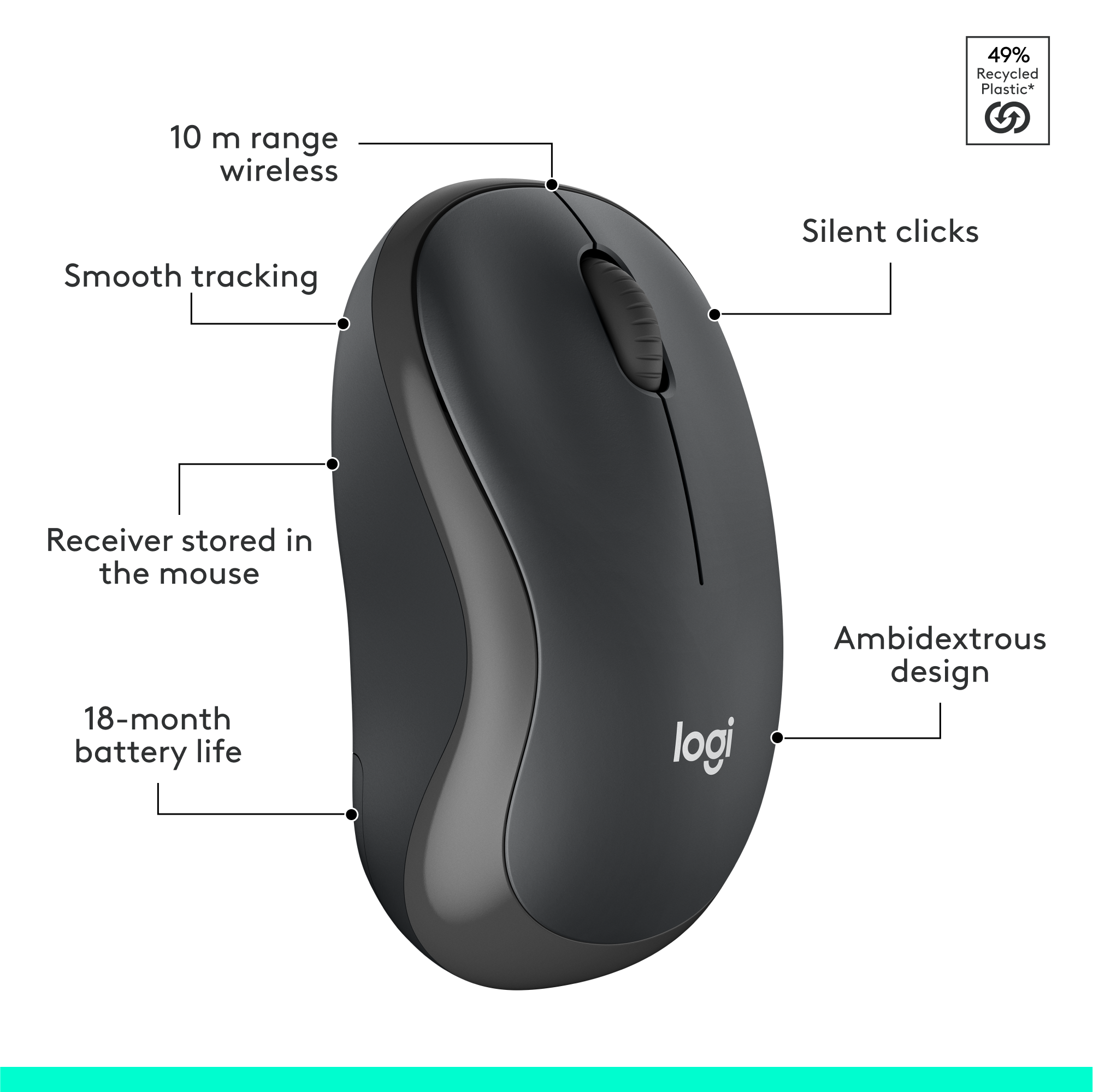
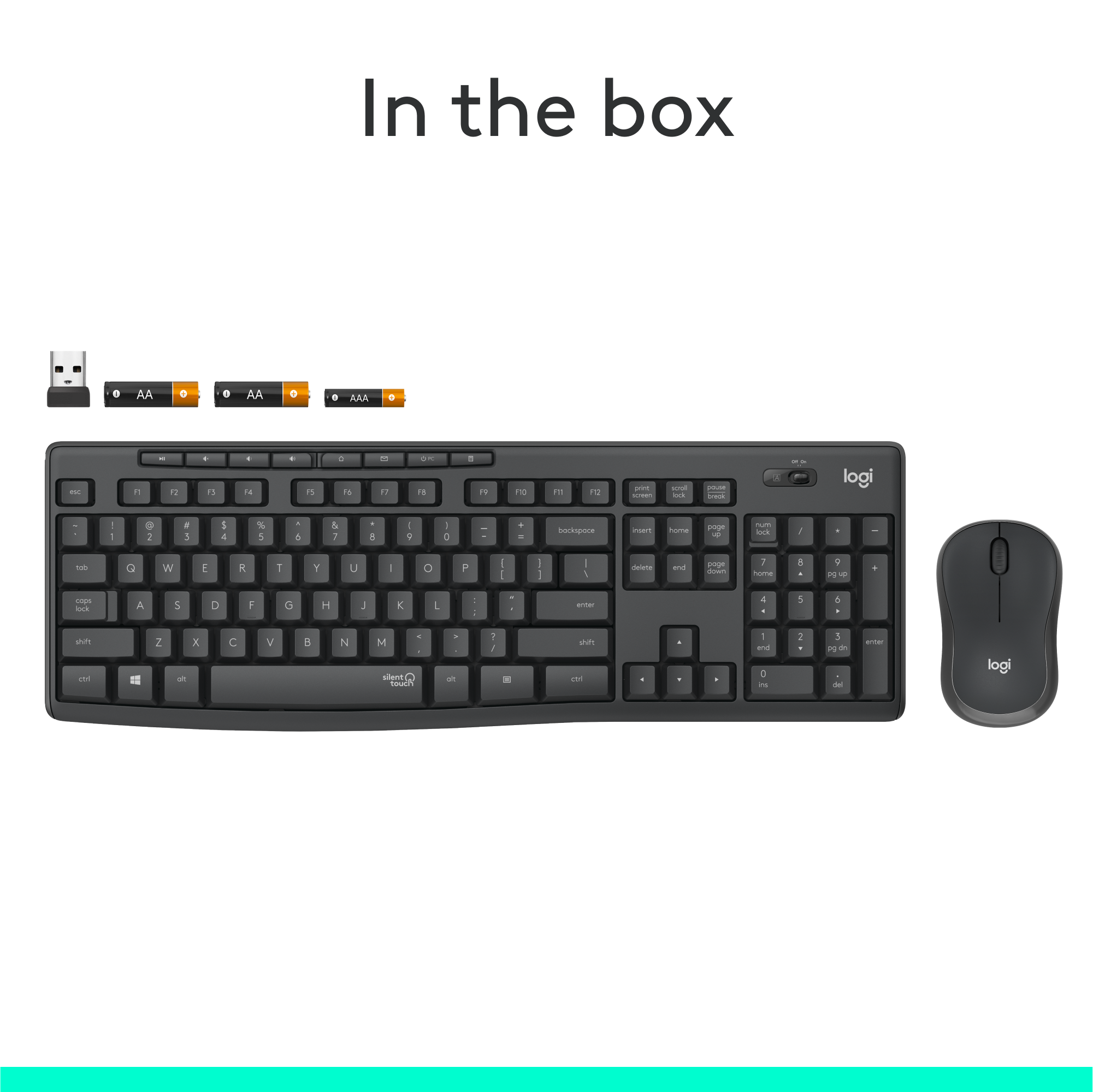
|Posted .This reviewer received promo considerations or sweepstakes entry for writing a review.I generally only buy Logitech when it comes to my computer accessories because I trust the quality, and this keyboard is really good. It's laid out very well ergonomically, the keys are quiet unless you are really banging out a frustrated email, and most importantly, the letters on the keys won't wear out anytime soon like some other manufacturers who shall not be named. Seems relatively well-made for the price point. The plastic doesn't seem excessively cheap at all and the keyboard has a sturdy weight to it. I have tried several other models and found that this keyboard was one of the most comfortable keyboards. My personal favorite one is still Logitech's Wave keyboard which I have used for more than 5 years (don't have that anymore). So that will be my reference for comparing this keyboard in this review. I'm using this very keyboard to write this review and I enjoy this keyboard very much. I like the feeling of typing on this, as I feel I can type much faster when using this as the main keyboard. I've been working from home for months now and don't do well with the small laptop keyboard and touchpad. It has about 10ft range, so if you're planning on using it in a bigger room from further away than that, it won't work or you will experience lag/delayed response. Right from the outset, I was very impressed with it's no-hassle plug and play aspect. Both the keyboard and the mouse are fairly light. I literally removed it from the box (batteries came already installed), plugged the unified receiver into a USB port on my laptop (running Windows 10) and both the keyboard and mouse were recognized and responsive in under 30 seconds. From box to working in a minute or two. That is probably record time for any computer accessory that I've ever installed. KEYBOARD: Normal full-sized keyboard. There is a full range of function keys across the top with default shortcut/media keys displayed as icons (Home, Mail, Search, Calculator, Media Player, Play/Pause). The keys are easy to press. It’s very comfortable, responsive, and has a ton of functionality that I've come to expect from logitech. The keys have a nice amount of travel and bounce which I prefer as I tend to not like the flatter key designs. There is absolutely no lag between the typing and the text appearing on the screen, it's just as fast as my laptop keyboard. This soft quiet touch keyboard cannot be heard. I have had no issues with connectivity, no delayed key typing, nor any issues with simple plug and play. There is an ON/OFF switch on it. I'm assuming to save battery or to help prevent inappropriate keyboard strokes when not in use. There is nothing that alerts you to turn it off, nor does it have a sleep mode. If there is one, there was nothing in the instructions indicating so nor is it marked on the keyboard. MOUSE: Many people comment that the mouse is small. I have used both larger and smaller mice and sometimes it is just a matter of what you are accustomed to. While it may be an issue for some, I do not plan to use the mouse much because of my job profile. I'm a Mechanical Design Engineer and work on 3D CAD software. So I need a powerful and multifunctional mouse to perform my job efficiently. I've been using Logitech's G602 since more than 7 years now & I'm used to it. Don't get me wrong, this is a great mouse to use with a laptop. It has the basic left and right click button and wheel. It does not have any extra buttons that you find on some other mice that are usually programmed to move forwards or backwards through web pages, zoom, etc. It is made of a rubber-like material which gives it a nice feel. BATTERY LIFE: The Keyboard takes 2 AAA batteries and the mouse takes 1 AA battery. Logitech claims that this combo has "Advanced energy-efficient design" which should yield a very generous battery life of 3 years for the keyboard and 18 months for the mouse. Of course there is no way to prove or disprove this just yet. But let me tell you, I've used the wave keyboard for more than 5 years and never ever had to change the batteries one on that. However, my G602 mouse uses 2 AA batteries that I have to replace every 9-10 months. Which is obvious as I use my mouse more than my keyboard. If you are looking for a keyboard for casual use, this might be a good choice. This is an amazing keyboard and is well worth the price, you will not be disappointed. This is a simple middle of the road wireless combo set. I would recommend for casual users. Obviously not for gamers or hardcore office desk warriors. If you're in the sweet spot, do yourself a favor spend up a little bit and get a reliable setup like this from a reliable company like logitech. I can’t speak for longevity but I’ve never been let down by Logitech. I hammer these products daily at work with my fingers and they last. So if you just want a normal keyboard and mouse this is a good product and I would definitely recommend.
I would recommend this to a friendBrand response from Logitech
Posted .Hello MacUser! We're happy to hear you're enjoying the MK295 combo! Feel free to reach out to our support team here https://support.logi.com/hc/en-us/requests/new?ticket_form_id=360000621393 if you ever need any assistance. Thank you for all of the detailed feedback and for shopping Logitech! - Maggie from Logitech
- Pros mentioned:Battery life, Keyboard quality
A winning combo!
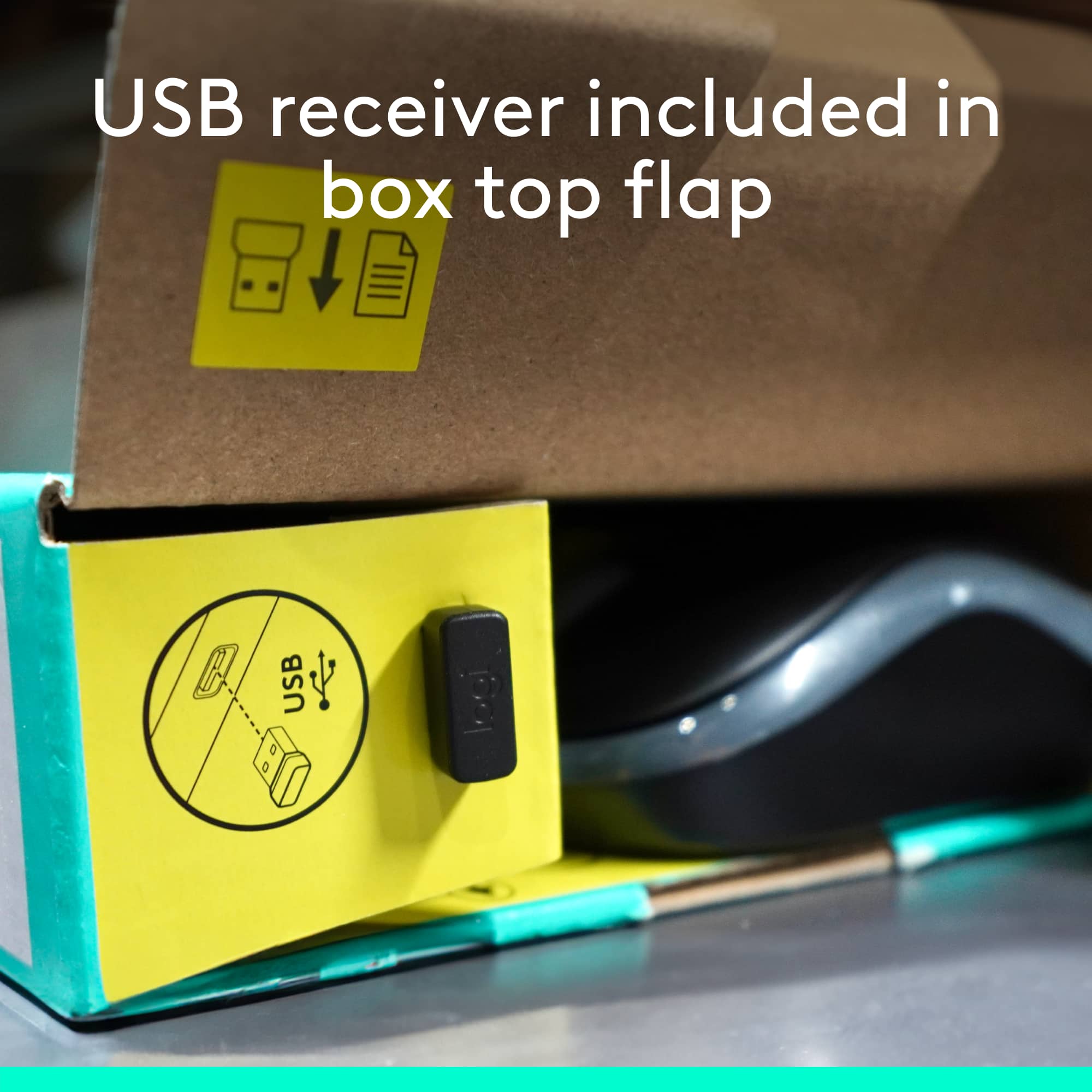
|Posted .This reviewer received promo considerations or sweepstakes entry for writing a review.This is your basic wireless mouse & keyboard with numeric keypad, 12 function keys and a few SPECIAL function keys above the function key row. The keys have a light touch, and strangely it IS silent. To me the travel of the keys is a bit much as I am used to chiclet style keyboards but the feel is good and my wife absolutely loves this keyboard! If you want to do some work while your “other” is asleep, this wouldn’t awaken them. The mouse is small sized which is great and it doesn’t have a click when the left and right buttons are pressed. It’s really rather cool. The set comes with a mini USB (which slips inside the mouse back when not in use) which is awesome and my computer instantly recognized both the mouse and keyboard from the same adapter. It comes in white and graphite; mine is graphic and looks great. For the price, this is definitely a winning keyboard/mouse combo and to me, you just can’t lose with Logitech! Plus it comes ready to go with batteries for both the mouse and keyboard & both have an on/off switch to save battery life. Who does that anymore? Logitech!
I would recommend this to a friend - Pros mentioned:Noise level
Quiet, lightweight, sturdy keyboard and mouse
|Posted .This reviewer received promo considerations or sweepstakes entry for writing a review.Everything functioned straight out of the packaging without a hitch, no drivers needed for my setup. Keyboard is very quiet but has a nice level of pressure when hitting the keys. adjustable height and angle is nice, but the highest angle may still be a little low profile for some. Mouse has an "invisible laser" which is nice, because there is no bright red bean in your eye when you pick it up to switch it off, but also makes it a bit odd when you are checking to see if it is on. I am accustomed to gaming keyboards and mice, so this home office level of function is a bit different, but I liked it and expect a lot of use out of this set. The full size keyboard and layout was nice to see in a wireless portable set.
I would recommend this to a friend - Pros mentioned:Keyboard quality
Occasional lag issues, otherwise nice
Posted .This reviewer received promo considerations or sweepstakes entry for writing a review.I like playing video games and live streaming them to a mild audience. However, people noticed how loud and click-y my keyboard was. There wasn't much I could do, since my keyboard was directly beneath my microphone. Then someone suggested this. And, well, it's not perfectly quiet, but I've had far less comments on keyboard noises ever since I got it. In fact, I think most of my following has forgotten how that used to be a pseudo-joke we used to have! I have two complaints with this device. One minor, one major. Minor - I can't find any way to sync it with a device that already has bluetooth. I wish I could do without the extra receiver clogging up what could be a spare USB port. Major - Input lag. And this isn't something where I play some fast-paced action shooter games - I play more laid back "run trains and enjoy yourself" type of games. I'm fine with some minor latency, but this thing has sometimes spiked up to 2-3 seconds of delay, which is uncomfortable. When the delay resolves, it also often skips inputs, which is especially annoying for me, as I like writing stories for fun. Having words just missing random letters sucks. That might be because I have a fast typing speed (120wpm on a good day), but it's still annoying. I found that not using the mouse mostly fixed the above issue, but not entirely. Good thing I only needed the keyboard, I guess? Also, I had to put my receiver behind my PC. That might contribute to the lag somewhat, though the keyboard is more to the side of the PC than in front of it, so I don't really get how there would be enough stuff blocking wireless communications to cause issues... Despite that huge problem, overall this keyboard has been a positive experience for me. The quiet keys really have made a difference, and it's a simple but sweet design. Great for office work, mediocre for gaming. I think I'd generally recommend this.
No, I would not recommend this to a friend Faulty Mouse
||Posted . Owned for 9 months when reviewed.This reviewer received promo considerations or sweepstakes entry for writing a review.I have had this keyboard and mouse for less than 1 year and the mouse will no longer left click.
No, I would not recommend this to a friendBrand response from Logitech
Posted .Hey there John, I'm sorry to hear that your mk295 isn't working properly anymore. If you haven't done so already I would recommend visiting our support site at the following link for assistance with any issues that you may have as well as warranty information. https://support.logi.com/hc/en-us/ -Weston from Logitech
- Pros mentioned:Noise level
Quiet, Comfortable Keyboard and Mouse
|Posted .This reviewer received promo considerations or sweepstakes entry for writing a review.The Logitech MK295 “Silent” wireless keyboard and mouse combo is easy to set up, comfortable to use, and features *very* quiet operation. There aren’t a whole lot of bells and whistles, just a keyboard and mouse that work well and work quietly. The combo includes a tiny USB receiver in the package. Getting started was as easy as plugging the receiver into an available USB port, turning on the keyboard and mouse, and getting started. My Windows computer recognized the receiver and had it configured in a few seconds, without any action required on my part. I really appreciated the no-hassle setup, and going wireless certainly helped clean up cord-clutter on my desk. Typing on the MK295 keyboard isn’t exactly “silent” (maybe I am a heavy typer), but it’s definitely very quiet. It’s great for sharing a small space with someone else (work from home, school online, etc.). The keys are quick and responsive, but do have a softer feel than other keyboards. That makes sense given the goal of keeping noise levels down, but if you are looking for that satisfying click-click feel as you type, this probably isn’t for you. I particularly appreciate the fact that the shortcut keys (media play/pause, volume, calculator, etc.) are their own buttons at the top of the keyboard, instead of sharing with the F1-F12 function keys. I use those F-keys regularly while crunching numbers on spreadsheets, so it’s refreshing not to have to find a toggle key to jump between regular and “extra features” mode. My one wish would be for an indicator light on the caps lock key so I can tell if it’s engaged without typing. Other than that, though, this is a solid keyboard and mouse combo, especially for the price. The mouse is responsive and comfortable to use. Whether I’m clicking the buttons or scrolling the wheel, there is noticeably less noise than with other mice. Going wireless is particularly great with the mouse -- no more worrying cord dragging about and getting caught up on things as I move the pointer around the screen. Function wise, the mouse is fairly simple – no extra buttons, gestures, etc. Just your basic mouse that happens to be a lot quieter than most. Finally, both the keyboard and mouse have a storage port to stow the receiver if you’re on the go, putting things away for a while, etc. That’s a nice touch, given how small the receiver is (and how likely I’d be to lose it without a dedicated storage area). I’m happy with the MK295 Combo and would recommend it to others who need a simple keyboard and mouse that helps cut down the noise in a shared (or even solo) space.
I would recommend this to a friend - Pros mentioned:Keyboard quality
Quiet and Comfortable
|Posted .This reviewer received promo considerations or sweepstakes entry for writing a review.This is a great, compact keyboard that fits great anywhere, and is comfortable to use. I love having the NUM pad. I also love that they keyboard is so quiet, as I often work in the family room, and the quiet keys prevent me from disturbing everyone's viewing experience. I did not think such a small mouse would be comfortable to use, as I thought it would be too small. In fact, it felt great (I wear a size large glove).
I would recommend this to a friend - Pros mentioned:Keyboard quality
A quiet winner
|Posted .This reviewer received promo considerations or sweepstakes entry for writing a review.The Logitech MK295 wireless keyboard/mouse combo makes a big impression--by not being noticeable. In appearance, it looks like a fairly standard wireless keyboard, with some media controls across the top and a slight curve across the bottom. The mouse is a scrolling mouse that is a bit smaller than a standard mouse--somewhat between a full-size and a travel size mouse in dimensions. The standard tiny USB Logitech receiver is included for wireless functionality. So far, pretty standard... But the real draw of this keyboard is noise. Or the lack thereof. Using a membrane that also gives spill-resistance, the familiar click of a regular keyboard is almost nonexistent. Instead of a sharp clack, you hear something more akin to a dull thump that is difficult to hear unless very close. Even so, the keyboard is still easy to type on and feels good, if slightly stiff. The mouse also enjoys the same noise-minimizing technology, and mouse clicks are even quieter than the keyboard. These are absolutely perfect for noise minimization in an office environment. For work, I can't envision going back to a regular keyboard after using this.
I would recommend this to a friend - Pros mentioned:Noise level
Barely an sound at all
Posted .This reviewer received promo considerations or sweepstakes entry for writing a review.I like it because it’s quiet and usefulness at night is so much better than heard loud mouse rolls and click clack click on the keyboard or too much click sounds. Every keyboard and mouse should have such powerful magic of cutting down pollution.
I would recommend this to a friendBrand response from Logitech
Posted .We truly appreciate you sharing your thoughts. It’s fantastic to hear the product is delivering as expected. Your feedback helps us grow and refine what we do. Thanks for choosing Logitech!

- Pros mentioned:Noise level
Nice feel and very quiet.
|Posted .This reviewer received promo considerations or sweepstakes entry for writing a review.I have been partial to Logitech products, so when I heard that they came out with a new wireless quiet keyboard and mouse, I couldn't wait to try it. I'm very pleased. This keyboard is very quiet with none of the clicking of conventional keys. There is just enough resistance to the keys to make them pleasant to type on. It's a conventional design and after a steady diet of island keyboards with chiclet keys, I'm enjoying a standard keyboard again. The mouse is also a quiet design and is one of Logitech's compact mouse designs. I have used a couple of the compact mice and I really like the feel. Like the keyboard, the mouse keys don't click upon application, just a quiet sound. The mouse key offers just enough resistance to make using it pleasant. Like other Logitech mice, the scroll wheel has a nice feel, clicking on the scroll wheel activates autoscroll. If you're looking for a good basic wireless keyboard, Logitech has another hit with this one.
I would recommend this to a friend - Pros mentioned:Keyboard quality
Great mouse and keyboard combo
|Posted .This reviewer received promo considerations or sweepstakes entry for writing a review.The Logitech - MK295 mouse and keyboard combo works quite well. The unit comes with a USB dongle that makes for easy setup and pairing. Simple plug and play. The mouse is very lightweight. It almost feels like it’s too light at times. The mouse clicks are quiet, but it’s not as quiet as Logitech’s M355 series. The mouse is also somewhat small. It would have been nice if it was a bit larger to contour with my hand. The size of it is comparable to a travel sized mouse. With this combo having a full-sized keyboard and USB dongle, it will most likely be something that you will use mainly at home or at the office. They keyboard comes with several short cut keys, function keys, and a full-sized number pad. Typing on the keyboard seems a bit weird to me. One would either love it or hate it. The keys are the same size as the older keyboards with a lot of key travel, but the keys are silent. When typing the keys do not seem to go down as quickly as a traditional keyboard. My fingers tend to become fatigued after typing for a while, because the keys tend to have somewhat of a heavy feeling when typing. Overall, it’s a good combo and is very quiet. You’ll just have to get used to the keyboard.
I would recommend this to a friend - Pros mentioned:Keyboard quality
As expected, Nice Quiet Keyboard and Mouse Combo
|Posted .This reviewer received promo considerations or sweepstakes entry for writing a review.Pretty much what I've come to expect with Logitech products after having used them for over 2 decades now. Easy setup, plug in the receiver and you're good to go. Things just work without having to monkey around. Keyboard is probably the quietest I have ever used and it is great that it is full size with the number pad. I am an engineer and keyboards without the number pad have no place in my office set up. I find I do need to use the leg support for comfortable typing, but I normally use this on most keyboard anyways. Mouse is good too, a bit smaller than what I am used to and just the basics, in terms of buttons, but this is absolutely fine. The price point is also hard to beat for a wireless keyboard and mouse combo. Being wireless and relatively compact makes this a good choice for travel as well when you need something more than you're laptop has to offer. Not much else to day, this is an easy Mouse & Keyboard to recommend to anyone who is mainly looking for office use (not gaming).
I would recommend this to a friend - Pros mentioned:Battery life, Keyboard quality
Long battery life; quiet keys; small mouse
|Posted .This reviewer received promo considerations or sweepstakes entry for writing a review.No issues in regard to battery life here, which has been very nice. Keyboard is silent enough that I can work in the same room with my child while in virtual class. Tactile enough to still feel reactive. Mouse is sensitive enough, but even feels small in my hand. The size negates any ergonomic bonus.
I would recommend this to a friend Stopped working after 6 months
||Posted . Owned for 5 months when reviewed.This reviewer received promo considerations or sweepstakes entry for writing a review.The 'c' key stopped working after about 6 months. I expected this keyboard to last longer.
No, I would not recommend this to a friendBrand response from Logitech
Posted .Hello, MK3000! I'm sorry to hear about your experience with the MK295 combo! I would recommend reaching out to our support team here https://support.logi.com/hc/en-us/requests/new?ticket_form_id=360000621393 to file a warranty claim. The MK295 has a 2-year limited hardware warranty. Thank you for the feedback! I will be passing this along. - Maggie from Logitech
- Pros mentioned:Keyboard quality
Definitely quiet
|Posted .This reviewer received promo considerations or sweepstakes entry for writing a review.If your main interest in a keyboard and mouse is that they are quiet, this is your set to go for. The keyboard isn't completely silent, but sound is definitely muted quite a bit. I'm a hard typist and I can tell a huge difference. For those that don't pound on the keys like I do, then it would be silent. There's no sound from the mouse clicks at all. Personally I prefer an ergonomic keyboard but it wasn't hard getting used to the layout being straight. The additional buttons at the top are bonus: volume keys, play/pause, desktop, email, power and calculator. The mouse fits my hand well and is very accurate. I wish it had the additional buttons by the thumb that default to back and forward. I'm surprised mice are made today without them, because they are so useful. Overall, if you need quiet, you'll be happy with this set.
I would recommend this to a friend - Pros mentioned:Ease of use
Very good wireless combo - soft keys
|Posted .This reviewer received promo considerations or sweepstakes entry for writing a review.This wireless mouse/keyboard combo works great and was easy to setup. The keys are soft and silent with a good bit of travel. I like this keyboard. Right out of the box it was plug and play-easy to connect and startup. It works off normal windows controls so no special app needed for use. If you are used to shallow clicky laptop keys this is not like that at all. It has the feel of a much more traditional desktop keyboard, with a decent amount of key travel to push and very quiet and soft to the touch. Great keyboard I would recommend.
I would recommend this to a friend - Pros mentioned:Keyboard quality
No Surprises Just Smooth Mouse and Quiet Keyboard
|Posted .This reviewer received promo considerations or sweepstakes entry for writing a review.This mouse & keyboard combo is on the budget price scale but pretty much the quietest keyboard I've had. It was all working seconds after I plugged in the receiver and turned the power buttons on. I had to tweak the mouse in Logitech Options to slow it down as it was really fast. Hoping it works as well months from now, I've noticed with Windows 10 it seems to be unkind with wireless mice and keyboards. Pretty nice for 30 bucks..It did not have dedicated track-forward and reverse buttons for music (you use the regular forward and back keys.)
I would recommend this to a friend - Pros mentioned:Keyboard quality
Solid purchase
Posted .This reviewer received promo considerations or sweepstakes entry for writing a review.This keyboard is a solid purchase. I love the soft keys no loud clicking. Purchase price good for both keyboard & mouse. Logitech is a great computer brand always satisfied with purchases.
I would recommend this to a friendBrand response from Logitech
Posted .We appreciate you taking the time to share your thoughts on the MK295 Silent Wireless Combo. It's great to hear you're enjoying the quiet typing experience and finding the mouse a comfortable fit.
Easy to use and type keyboard.
Posted .This reviewer received promo considerations or sweepstakes entry for writing a review.Its been working good, no issues at all and easy to read and type.
I would recommend this to a friendBrand response from Logitech
Posted .We’re so glad to hear you’re enjoying your Logitech experience. Your input helps us continue to deliver quality and reliability.