Customer Ratings & Reviews


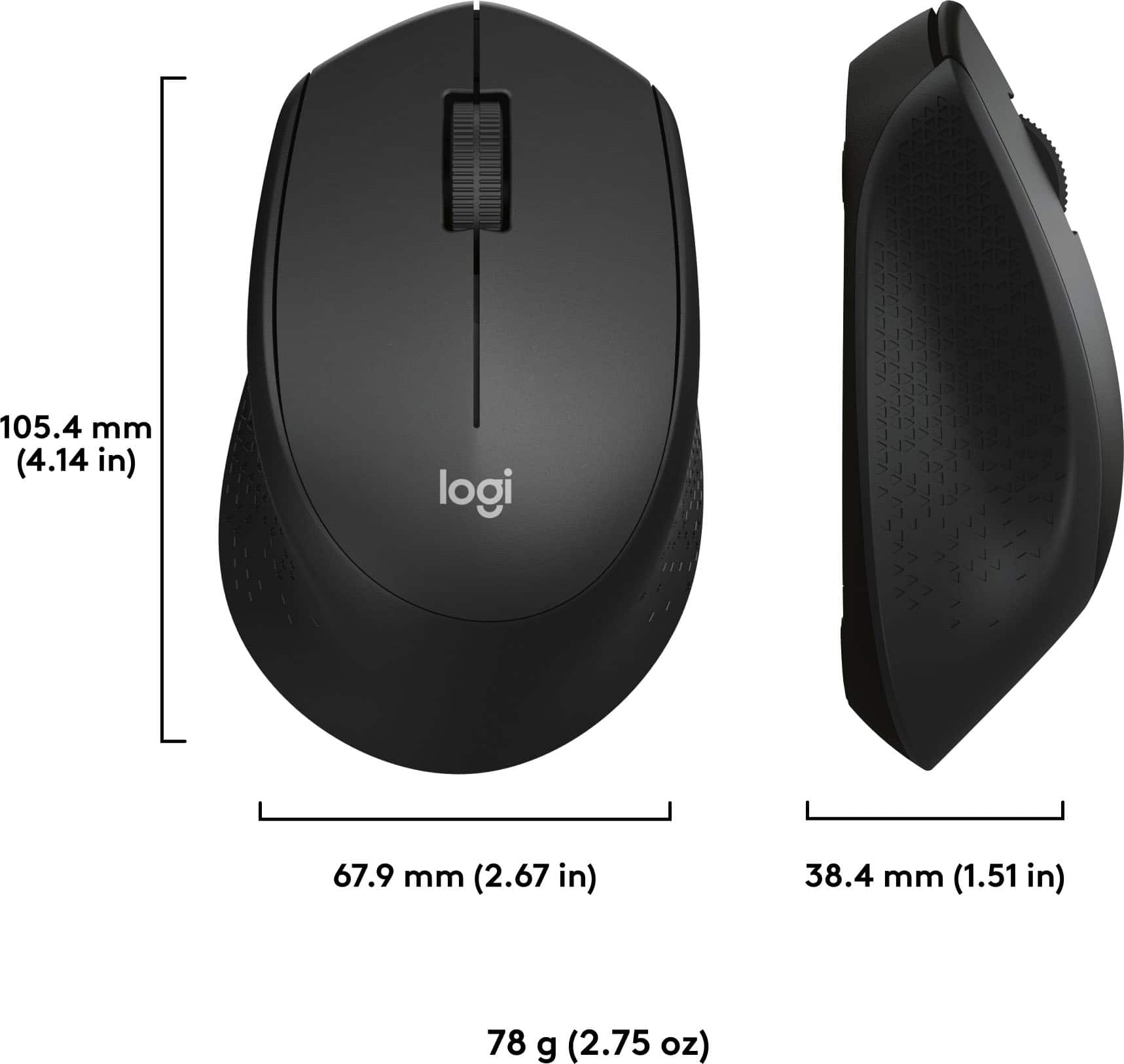

- Model:
- 920-006481
- SKU:
- 10953040
Rating by feature
- Value
Rating 4.6 out of 5 stars
- Quality
Rating 4.5 out of 5 stars
- Ease of Use
Rating 4.6 out of 5 stars
not a fan of the mouse...
||Posted .This reviewer received promo considerations or sweepstakes entry for writing a review.the wheel on the mouse has hard edges and a textured "grip" but what it does instead is irritate my finger. it's not like i have a sweaty finger that need improved grip... my old logitech keyboard and mouse was better but it was dying after many years of good service
No, I would not recommend this to a friendSevere lag after several months
||Posted . Owned for 3 months when reviewed.This reviewer received promo considerations or sweepstakes entry for writing a review.I purchased this combo with the expectation that Logitech is still a reputable brand. Unfortunately I'm experiencing lag with the keyboard that can last up to 10-15 seconds. Even after battery replacement it continues.
No, I would not recommend this to a friendPretty Flimsy
||Posted . Owned for 3 months when reviewed.This reviewer received promo considerations or sweepstakes entry for writing a review.I suppose you get what you pay for. Cheap plastic construction. Tiny super light weight mouse. Battery power lasted less than 1 week of me working from home. I recommend standard corded keyboard and mouse
No, I would not recommend this to a friendBrand response from Logitech
Posted .Hello, we are sorry to hear about the issues you are having with your MK345 devices. At Logitech, it is our goal to ensure you are completely satisfied with your Logitech purchase. We take pride in the products and services we offer, and want our customers to enjoy them just as much as we do. The MK345 comes with a 1 year limited hardware warranty. Please reach out to us on our Logitech Support website so we can take care of this (link attached at the end). Thank you for your review. We look forward to hearing from you with an update on your unit. Have a great day! -Ricky from Logitech. https://support.logi.com/hc/en-us/articles/360024913354-Warranty-Wireless-Combo-MK345
Works most of the time
||Posted . Owned for 3 weeks when reviewed.This reviewer received promo considerations or sweepstakes entry for writing a review.Unfortunately. at least once a day, the mouse "freezes" and will not move the cursor. If I tap it on the pad, it might work temporarily but then freezes again. Another tap and it might work fine the rest of the day.
No, I would not recommend this to a friendKeyboard randomly typs 1 over and over
||Posted . Owned for 3 weeks when reviewed.This reviewer received promo considerations or sweepstakes entry for writing a review.Randomly puts in 1s for no reason. I had to turn off the keyboard and keep restarting it. This mouse also is not good. I threw out tyhe boxes no return able this stinks though. Just beware like most wireless keyboards and mice it is better to save your money.
No, I would not recommend this to a friendBrand response from Logitech
Posted .Hey! We're very sorry to hear that you're experiencing random typing of the number "1" with your Logitech MK345 keyboard and having issues with the mouse as well. We understand your frustration, especially since you no longer have the packaging for a return. In order to help you effectively, please provide your information to our support team via email at socialcare@logitech.com with your
- Name:
- Email Address:
- Country:
- Product Name:
- Brief description of issue:
Not spill resistant
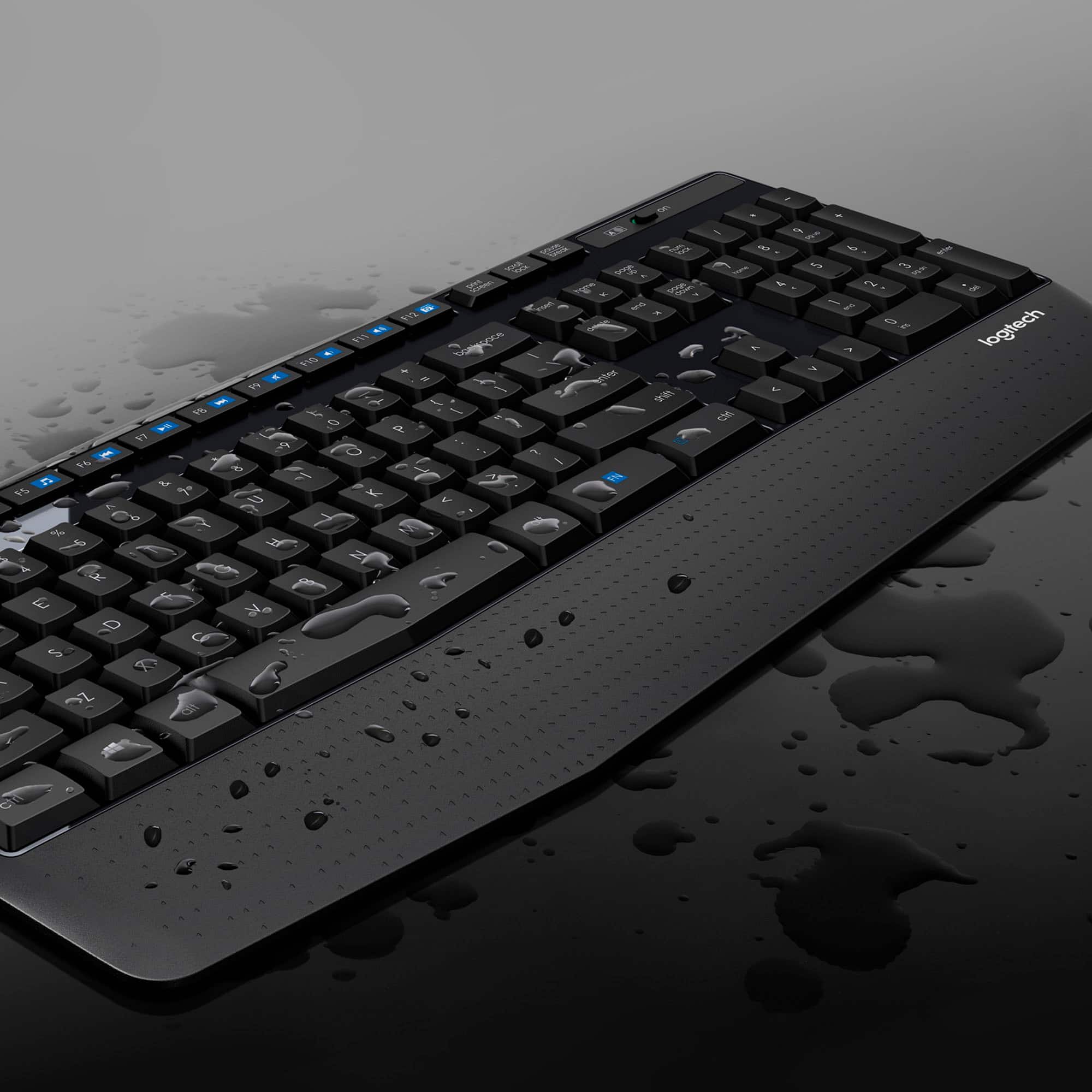
||Posted . Owned for less than 1 week when reviewed.This reviewer received promo considerations or sweepstakes entry for writing a review.Decent design, however it's not spill resistant at all
No, I would not recommend this to a friendBrand response from Logitech
Posted .Please be informed that Logitech MK345 Wireless Keyboard and Mouse Combo has a spill-resistant design. However, we will forward it as a feedback regarding the design. Thanks a lot!
Mouse is not that good.
||Posted . Owned for 9 months when reviewed.This reviewer received promo considerations or sweepstakes entry for writing a review.Mouse is behaving randomly and it's very hard to use customer support. It's single click behaving like double click.
No, I would not recommend this to a friendBrand response from Logitech
Posted .Hello Bipin! I'm sorry to hear you're running into issues with the MK345 combo. Here is the phone number for our tech support (646) 454-3200, this way you don't have to use our website. Thank you so much for this feedback! I will be passing this information along. - Maggie from Logitech
Garbage
||Posted .This reviewer received promo considerations or sweepstakes entry for writing a review.Mouse is way too small and uncomfortable to hold--like it was meant for a child's hands. Keyboard is cheap--back supports used to tilt it up will snap easily.
No, I would not recommend this to a friendmouse is pretty bad
||Posted . Owned for less than 1 week when reviewed.This reviewer received promo considerations or sweepstakes entry for writing a review.When using it with macbook pro connecting to 34 inch screen, the mouse is lagging quite often. It works normally on another windows connecting to 27 inch screen.
No, I would not recommend this to a friendBrand response from Logitech
Posted .Hi Cliff, Sorry to hear about the issue that you're having with lag on the mouse with your MK345. If you haven't done so already, download Logitech's Options Software which allows you not only to customize your devices, but also get updates firmware when they become available to fix bugs. Here's a link: https://support.logi.com/hc/en-us/articles/360024693594--Downloads-Wireless-Combo-MK345. Also on this link are instructions on how to update permissions per a new Apple policy. Hope that this helps and thank you for choosing Logitech.
Great wfh tool
||Posted . Owned for 10 months when reviewed.This reviewer received promo considerations or sweepstakes entry for writing a review.Use my Best Buy rewards to purchase. This is a wonderful item for work
I would recommend this to a friendDavidWorthless product
||Posted . Owned for 3 weeks when reviewed.This reviewer received promo considerations or sweepstakes entry for writing a review.Not a good product but then again not very costly The mouse is useless and donent work
No, I would not recommend this to a friendBrand response from Logitech
Posted .We're sorry to hear you found the mouse in your MK345 set unusable. We apologize for the product's shortcomings and we recommend reaching out to our social care team via email at socialcare@logitech.com with your
- Name:
- Email Address:
- Country:
- Product Name:
- Brief description of issue:
Picture not the same with actual
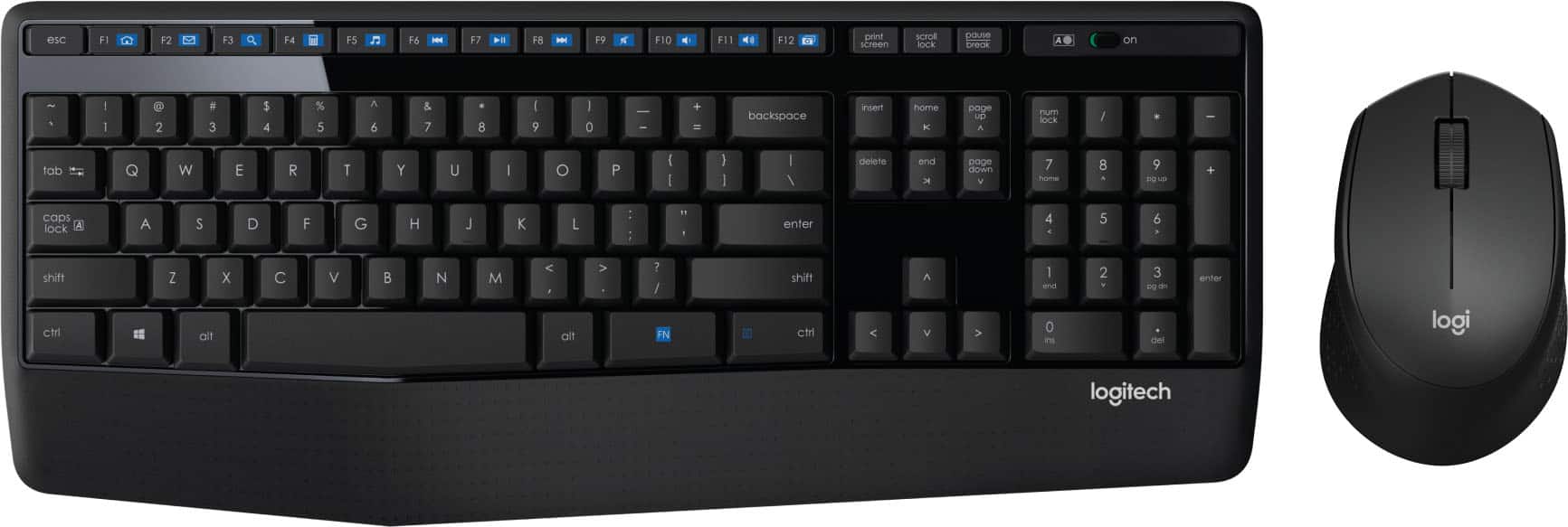
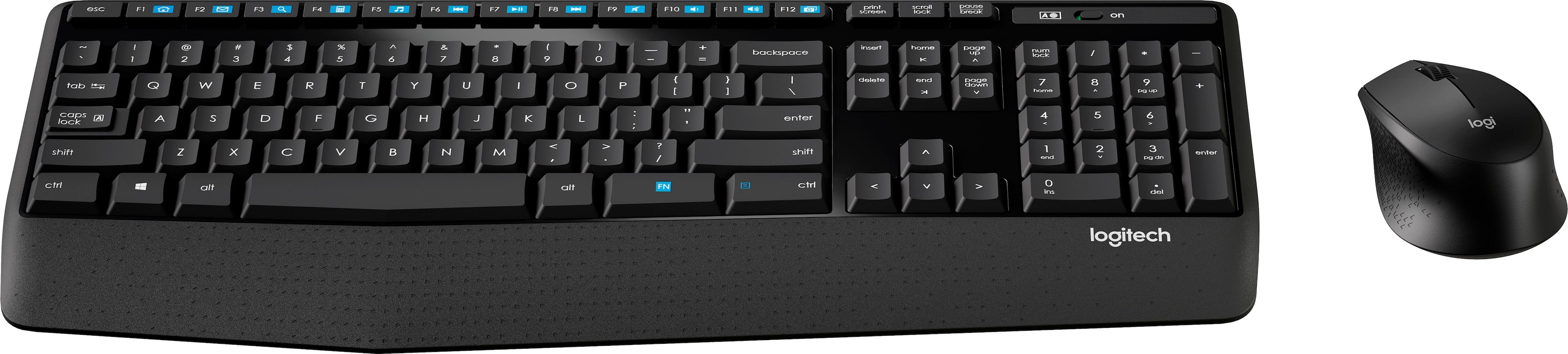
||Posted . Owned for 1 month when reviewed.This reviewer received promo considerations or sweepstakes entry for writing a review.The picture that shows that it capable of unifying features is not the same of what is in the box
No, I would not recommend this to a friendBrand response from Logitech
Posted .Hi Picture,
I am sorry that you had this inconvenience. You are right, the Best Buy website shows pictures of the product with the unify wireless adapter, which is wrong. The MK435 has a wireless adapter that is not Unify technology, as shown in the manufacturer's pictures. Logitech appreciates your input and sincerely apologies for the inconvenience.
- Leo from Logitech
Excellent
||Posted .This reviewer received promo considerations or sweepstakes entry for writing a review.Original intent and main purpose was to use on raspberry pi. Works great there, also whenever I want to use on small laptop.
I would recommend this to a friendBetter to buy separate keyboard and mouse
||Posted . Owned for 7 months when reviewed.This reviewer received promo considerations or sweepstakes entry for writing a review.I would not recommend this combo. Keyboard has often malfunctioned.
No, I would not recommend this to a friendBrand response from Logitech
Posted .Hello, So sorry to hear about the malfunctions that you're experiencing with the keyboard for the MK345. Without knowing the specifics of the malfunction, here are some troubleshooting tips. Check that the receiver is securely plugged into a USB port on your computer. If the receiver is plugged into a USB hub, try plugging it directly into your computer. Try plugging the receiver into a different USB port closer to your keyboard and mouse. Remove any metallic objects between the receiver and your keyboard and mouse. If none of these help to resolve the issue, the MK345 does come with a 1-year limited hardware warranty. Here's a link to File A Claim: https://support.logi.com/hc/en-us/articles/360024913354-Warranty-Wireless-Combo-MK345. Hope that this helps to resolve the malfunction or helps to resolve your problem. Thank you for being a Logitech customer. - Richard from Logitech
Both lag
||Posted . Owned for 1 month when reviewed.This reviewer received promo considerations or sweepstakes entry for writing a review.I will be typing and the keyboard won't pick anything up and then will all of a sudden type 95% of what I was typing. I then have to go back in and fix the 5% it missed. Sometimes it even types the same letter multiple times. The mouse will just stop moving. I've tried it on several surfaces to see if that was causing an issue but no luck.
No, I would not recommend this to a friendBrand response from Logitech
Posted .Hello, I am sorry to hear about the issues you are having with the product. You may need to do a firmware update. This can be found on the support page for this device on Logitech.com, under downloads. I hope this helps! Thank you for your review, we appreciate the feedback.
Not durable at all.
||Posted . Owned for 7 months when reviewed.This reviewer received promo considerations or sweepstakes entry for writing a review.I purchased this product in April 2021 and about 5-6 months later, it stopped working. The keyboard completely went out. Initially I thought it was the batteries, but changed them out and it still did not work.
No, I would not recommend this to a friendBrand response from Logitech
Posted .Hi Roni, we're sorry to see your MK345 Combo is nonfunctional for you. You do have a 1-year limited warranty that can be used to have a replacement sent out to you. You can do that here: https://support.logi.com/hc/en-us/articles/360024913354-Warranty-Wireless-Combo-MK345. Hope that helps. -N from Logitech
Buy something else
||Posted . Owned for 1 month when reviewed.This reviewer received promo considerations or sweepstakes entry for writing a review.Horrible quality. Didn’t last 2 weeks before leg broke.
No, I would not recommend this to a friendWorks efficiently
||Posted .This reviewer received promo considerations or sweepstakes entry for writing a review.Good product, easy to work with. Keys are soft enough.
I would recommend this to a friendBlue tooth connection is slow
||Posted . Owned for 3 weeks when reviewed.This reviewer received promo considerations or sweepstakes entry for writing a review.The keyboard is delayed, sometimes it doesn’t work at all.
No, I would not recommend this to a friendBrand response from Logitech
Posted .Hello Jspenc, we are so sorry to hear about your issues with the MK345. For best results, it's recommended to be within 10m from your connection. Lots of electronics might be interfering with the bluetooth connection as well. For a faster and more reliable connection, the nano receiver will eliminate any connectivity issue you are having.Thanks for being part of the Logitech family, have a great day.
-Ricky from Logitech
Poor quality
||Posted . Owned for 7 months when reviewed.This reviewer received promo considerations or sweepstakes entry for writing a review.Poor quality keyboard. The support point that elevates the keyboard broke within two months.
No, I would not recommend this to a friend