Customer Ratings & Reviews
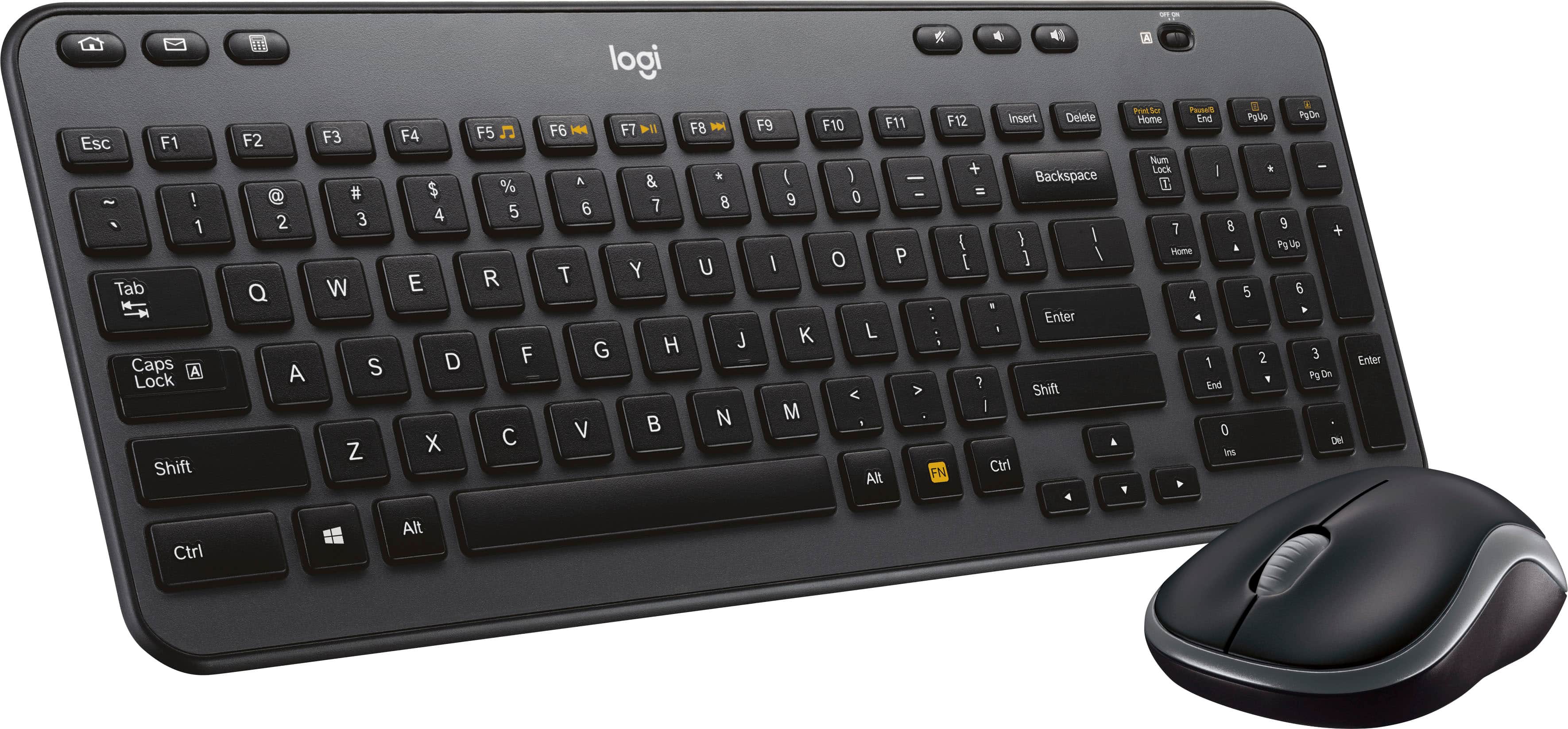
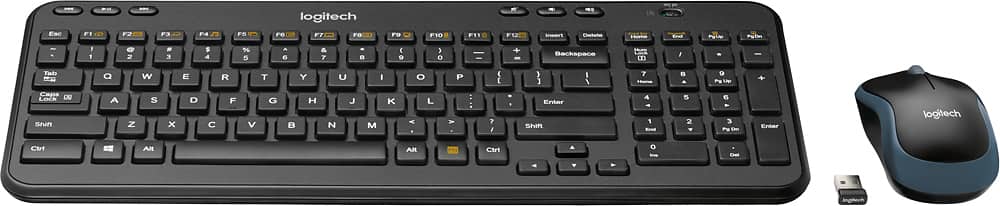
![logi K 2 Esc F1 F2 F3 F4 F5 F6 H F7 F8 I F9 F10 F11 F12 Insert Delete Print Bor Home Pause End PgUp PgDn - ! 1 2 # 3 $ 4 % 5 A 6 & 7 . 8 ( 9 ] 0 - - + = Backspace Num Lock / * - Tab Q W E R T Y U I o P ( [ ) ] I 1 7 Home 8 A 9 Pg Up + Caps Lock A S D F G H J K L : . I Enter 4 4 5 6 Y Shift Z x V N M < > ? / Shift 1 End 2 Y 3 Pg Dn Enter](https://pisces.bbystatic.com/image2/BestBuy_US/images/products/5355/5355200cv12d.jpg)
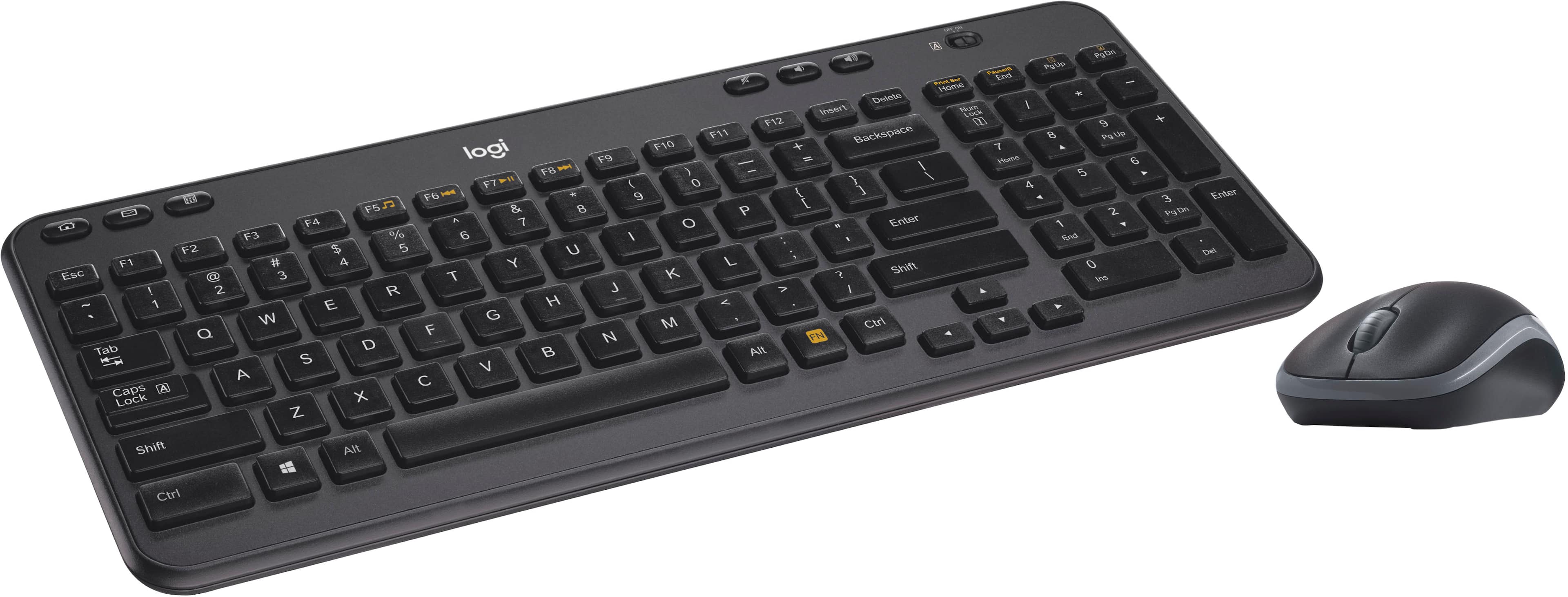
![The text on the image reads:
E ERc B 1 F1 E Fab - F2 S 2 000 F3 5 a n 3 F4 A W S 4 FS S E % U F logi Z R D A 9 F7 X T F & 18 7 G Y o 8 F9 V C H / F10 6 / r 0 F11 N O K - I F1Z M P L + < - Insert { I AR > Backspace Delete ] , ? Home / Enter LOCK Nuen Ctri Shift Home 7 / 4 8 A 4 Y 9 1 5 P End U 0 ? 6 pss PgOn Pg 3 Del Enter End * + Pauio - PaOn C3 logi
The text is a combination of various keyboard keys and functions, including letters, numbers, and symbols. It is not a coherent sentence or message, but rather a representation of the keys on a keyboard.](https://pisces.bbystatic.com/image2/BestBuy_US/images/products/5355/5355200cv14d.jpg)

- Model:
- 920-003376
- |
- SKU:
- 5355200
Customer reviews
Rating 4.5 out of 5 stars with 1463 reviews
(1,463 customer reviews)Rating by feature
- Value4.6
Rating 4.6 out of 5 stars
- Quality4.5
Rating 4.5 out of 5 stars
- Ease of Use4.6
Rating 4.6 out of 5 stars
Customers are saying
Customers enjoy the MK360 keyboard and mouse for its compact size, ease of use, and affordability. Positive feedback frequently highlights the comfortable keyboard feel, reliable wireless connection, and surprisingly good battery life. While some users noted minor connection issues or an adjustment period for the key feel, these concerns were less prevalent than the positive reviews. Overall, the product receives high praise for its value and functionality.
This summary was generated by AI based on customer reviews.
Rated 2 out of 5 stars
Great for Hobbits from the Shire!
||Posted . Owned for 2 weeks when reviewed.This reviewer received promo considerations or sweepstakes entry for writing a review.You get what you pay for. This keyboard would be good for someone with small hands, like a hobbit from the shire or a former President. I can't believe how tiny the keys are. The product works, so I had to throw it a couple stars.
No, I would not recommend this to a friendBrand response from Logitech
Posted .Hi NormalSizedHuman,
Thank you for your feedback. Sorry for any inconvenience. If you ever need assistance, please contact Logitech Support on the website. LaShonda from Logitech
Rated 3 out of 5 stars
Ok
||Posted .This reviewer received promo considerations or sweepstakes entry for writing a review.It works as described, but you definitely get what you pay for.
No, I would not recommend this to a friendRated 3 out of 5 stars
Average
||Posted . Owned for 3 weeks when reviewed.This reviewer received promo considerations or sweepstakes entry for writing a review.Basic small keyboard and mouse . Nothing spectacular
I would recommend this to a friendRated 1 out of 5 stars
DO NOT BUY!!
||Posted . Owned for less than 1 week when reviewed.This reviewer received promo considerations or sweepstakes entry for writing a review.This combo is absolutely horrible! Keyboard doesn't work, lags for minutes! Yes, minutes! Went through 3 set of batteries, restarted computer, and is plugged directly into my computer and still doesn't work!the mouse works great! But not the keyboard! All of this brands products have never worked for me. Going to something better!
No, I would not recommend this to a friendBrand response from Logitech
Posted .That's unfortunate! Refer the mentioned steps and check if that helps to resolve the issue: 1. Verify the product or receiver is connected directly to the computer and not to a hub, extender, switch or something similar. 2. Move the device closer to the USB receiver. If your receiver is in the back of your computer, it may help to relocate the receiver to a front port. In some cases the receiver signal gets blocked by the computer case, causing a delay. 3. Keep other electrical wireless devices away from the USB receiver to avoid interference. 4. Try on a different computer.
Rated 2 out of 5 stars
Very slow response time
||Posted . Owned for 1 month when reviewed.This reviewer received promo considerations or sweepstakes entry for writing a review.I bought this keyboard as a replacement for a Microsoft sculpt keyboard and I found it to be slow and frustrating to use. I have disconnected the mouse and keyboard and have gone back to an old wired set I had lying around. Very disappointing purchase.
No, I would not recommend this to a friend- Pros mentioned:Keyboard quality
Rated 1 out of 5 stars
Keyboard
||Posted . Owned for 10 months when reviewed.This reviewer received promo considerations or sweepstakes entry for writing a review.Keyboard is great but mouse is awful! But buy extra tabs for the ketboard tgey pop ofd.
No, I would not recommend this to a friendBrand response from Logitech
Posted .We're sorry to hear about your experience. Your feedback is important to us and we'll make sure to share it with the right team. Thank you for bringing it to our attention!
Rated 3 out of 5 stars
Nice but hard to turn off
||Posted .This reviewer received promo considerations or sweepstakes entry for writing a review.Num Lock does not light up, hard to turn unit off.
I would recommend this to a friendRated 2 out of 5 stars
Not at all like the picture
||Posted . Owned for 1.5 years when reviewed.This reviewer received promo considerations or sweepstakes entry for writing a review.I went to pickup this item in store only to realize that it looks nothing like the product picture. The picture online makes it look like a modern keyboard, instead you get this really cheap feeling and rattling keyboard.
No, I would not recommend this to a friendBrand response from Logitech
Posted .Hi Sammuel. I'm sorry that you were disappointed in the quality of the product as it related to the picture on the website. I understand that can be frustrating. We do have a support page that you can get additional information about the MK360. Please visit us at support.logi.com to learn more information about the keyboard! Thanks for being a loyal Logitech customer!
Kristi from Logitech
Rated 1 out of 5 stars
Stopped working just after warrenty
||Posted . Owned for 1 year when reviewed.This reviewer received promo considerations or sweepstakes entry for writing a review.Stopped working 3 months after the 1-year warrenty ended! It was not abused in any way, only I used it a few days awek when working from home.
No, I would not recommend this to a friendBrand response from Logitech
Posted .We apologize to hear that your MK360 keyboard has stopped working. It's frustrating when a product fails, especially after a relatively short period of use. While the warranty period has expired, we understand your disappointment. We encourage you to reach out to our support team. They may be able to offer troubleshooting advice or explore potential repair options, even if it's outside the warranty period.
Rated 4 out of 5 stars
Love it
||Posted .This reviewer received promo considerations or sweepstakes entry for writing a review.My wife picked this up for me recently and really like it. I had a TDK bluetooth speaker but the battery life was terrible. This one holds a charge and sounds great. Only issue is it takes a few seconds to connect to our wi-fi but a minor issue.
I would recommend this to a friendRated 2 out of 5 stars
Gaming keyboard
||Posted . Owned for 1 month when reviewed.This reviewer received promo considerations or sweepstakes entry for writing a review.This keyboard isn't the best keyboard for gaming. We bought it for our son to use for his PS4. He says that there seems to be a delay on the keyboard. The mouse no longer works at all.
No, I would not recommend this to a friendBrand response from Logitech
Posted .Hello SaHoskin! I'm sorry to hear about your son's experience with the MK360 combo! Here are somethings you can try to help fix the delay issue! On your PS4/ Pro, go to Settings, Devices, External Keyboard. Now, set Key Repeat (Delay) to “Short”. Then, set Key Repeat (Rate) to “Fast”. This should fix the keyboard delay. As for the mouse, this combo does have a 3-year limited hardware warranty, so I would recommend reaching out to our support team here https://support.logi.com/hc/en-us/requests/new?ticket_form_id=360000621393 to file a warranty claim. Thank you so much for this feedback! I hope this helps. - Maggie from Logitech
Rated 2 out of 5 stars
Just ok
||Posted . Owned for 1 year when reviewed.This reviewer received promo considerations or sweepstakes entry for writing a review.Good price but had to contact Logitech for replacement after 3 months because the on/off switch stopped working. Not the easiest people to work with.
No, I would not recommend this to a friendBrand response from Logitech
Posted .Hello, thank you for sharing your experience with the MK360. I'm sorry that the on/off switch stopped working after a short period of having it. I'm sorry that you had difficulty with the warranty department. I hope you have been able to replace your device to something that works. Thank you for being a Logitech customer. Kristi from Logitech
Rated 2 out of 5 stars
Awful
||Posted . Owned for 3 weeks when reviewed.This reviewer received promo considerations or sweepstakes entry for writing a review.Do not get this keyboard. Get the bigger one this
No, I would not recommend this to a friendBrand response from Logitech
Posted .Thanks for your valuable feedback and inputs. We regret to know that the product did not meet your expectations. We'll make sure to share it with the right team so they can look into it.
- Cons mentioned:Connection
Rated 1 out of 5 stars
Worked great....for a while
||Posted . Owned for 1 month when reviewed.This reviewer received promo considerations or sweepstakes entry for writing a review.The mouse works well, but the keyboard doesn't. It worked great for the first month or so. Now it keeps losing the connection with my computer.
No, I would not recommend this to a friend Rated 2 out of 5 stars
Could be worse
||Posted . Owned for 1 month when reviewed.This reviewer received promo considerations or sweepstakes entry for writing a review.This felt too cheap. I mean I know the price was super low, but if this is all you can afford, then it is not a bad keyboard, if you don't use the angle flaps.
No, I would not recommend this to a friendBrand response from Logitech
Posted .Hello, we are sorry to hear that you are having issues with your MK360 and its tilt legs. You may reach us for support by opening a Technical Support ticket here: https://support.logi.com/hc/en-us/requests/new?ticket_form_id=360000621393
Rated 2 out of 5 stars
Lacking quality
||Posted . Owned for 3 months when reviewed.This reviewer received promo considerations or sweepstakes entry for writing a review.Disappointed with the quality. Significant key lag and connectivity issues and was being used less than 10 feet from the tower. Would not buy again.
No, I would not recommend this to a friendBrand response from Logitech
Posted .Hello Jhughz,
Thank you for choosing Logitech and for taking the time to share your experience with the MK360. I apologize for the frustrations that you have experienced with the mk360 mouse and keyboard combo; I would like to help. If you have not already done so, I recommend downloading the Logitech "SetPoint" software for customization and best experience. If the USB receiver has the Unifying receiver, (small orange/red icon) I recommend running the "Firmware Update Tool" and you can use the "Unifying" software to reestablish a connection. If the USB receiver is the Nano receiver, please run the "Connection Utility Software". (Nano receiver is mostly black, no Unifying icon. You can also reference the model number of the mouse on the "Getting Started" guide that I have attached). For further support, please visit the Logitech website. I hope these suggestions are helpful and that you will enjoy your MK360 mouse and keyboard combo.
Best regards,
John at Logitech
https://support.logi.com/hc/en-us/articles/360023994714
Rated 2 out of 5 stars
I don't write reviews like this ever, but...
||Posted . Owned for less than 1 week when reviewed.This reviewer received promo considerations or sweepstakes entry for writing a review.Simply put, sometimes the keyboard doesn't type, and sometimes the mouse doesn't work. That's not acceptable. Returning tomorrow and buying something else.
No, I would not recommend this to a friendBrand response from Logitech
Posted .Hello Violinguy,
I am sorry that you have experienced issues with your MK360 mouse and keyboard combo; I would like to help. If you have not already done so, I recommend downloading the Logitech “SetPoint” software for customization and updates. I have attached a link to the Logitech support page for your MK360 combo, where you can find Logitech software downloads and further support if you are still experiencing issues. I hope this suggestion is helpful and that you enjoy your MK360 mouse and keyboard combo.
Best regards,
John at Logitech
https://support.logi.com/hc/en-us/articles/360024156754--Getting-Started-Wireless-Combo-MK360
Rated 1 out of 5 stars
Wish I hadn't bought it
||Posted . Owned for 3 months when reviewed.This reviewer received promo considerations or sweepstakes entry for writing a review.Wish I had returned it when I first bought it but I live far away. It lags every few minutes so you have to type and then try it again then what's written is missing the first few letters. I'd rather just have a cord than rely on bad bluetooth. So irritating.
No, I would not recommend this to a friendBrand response from Logitech
Posted .That's sounds like an issue. In order to help you effectively, please provide your information to our support team by emailing socialcare@logitech.com. Name – Email address – Country – Product name – Brief description of the issue –
Rated 1 out of 5 stars
Unreliable Keyboard/Mouse
||Posted . Owned for 1 year when reviewed.This reviewer received promo considerations or sweepstakes entry for writing a review.Bought this item in Nov 2022, when it arrived the keys sounded funny, but I didn't feel like returning it, I should have. Now, the mouse isn't working properly, its like it has a glitch. I have to get another keyboard/mouse. AVOID!!!
No, I would not recommend this to a friendBrand response from Logitech
Posted .That's unfortunate! Refer the mentioned steps and check if that helps to resolve the issue: 1. Verify the product or receiver is connected directly to the computer and not to a hub, extender, switch or something similar. 2. Move the device closer to the USB receiver. If your receiver is in the back of your computer, it may help to relocate the receiver to a front port. In some cases the receiver signal gets blocked by the computer case, causing a delay. 3. Keep other electrical wireless devices away from the USB receiver to avoid interference. 4. Try on a different computer.
- Pros mentioned:Wireless
Rated 1 out of 5 stars
DOES NOT SYNC TO UNIFYING RECEIVER
||Posted . Owned for 1 month when reviewed.This reviewer received promo considerations or sweepstakes entry for writing a review.The keyboard and mouse work great, but they CANNOT be used with a unifying receiver despite what's listed
No, I would not recommend this to a friendBrand response from Logitech
Posted .Hello, I am sorry if there was any confusion regarding this combo. It does work with the unifying receiver but you will need software in order to do so if you are trying to connect it to a different unifying receiver that it does not come with. Here is the link to the software in order to do so: https://support.logi.com/hc/en-us/articles/360025297913. I hope this helps! Thank you for taking the time to write this review, we appreciate the feedback.