Skip to contentGo to Product Search
Gift Ideas
Main Content

Customer Ratings & Reviews

$49.99

Customer reviews

Rating 4.6 out of 5 stars with 3115 reviews

Rating Filter

Rating by feature

  • Value

    Rating 4.6 out of 5 stars

  • Quality

    Rating 4.6 out of 5 stars

  • Ease of Use

    Rating 4.7 out of 5 stars

Pros mentioned filter

Cons mentioned filter

91%would recommend to a friend
The vast majority of our reviews come from verified purchases. Reviews from customers may include My Best Buy members, employees, and Tech Insider Network members (as tagged). Select reviewers may receive discounted products, promotional considerations or entries into drawings for honest, helpful reviews.
Page 152 Showing 3,021-3,040 of 3,115 reviews
  • Pros mentioned:
    Keyboard quality
    Tech Insider Network Member

    Rated 2 out of 5 stars

    Cheap Mouse and Non-Unifying Receiver

    |
    Tech Insider Network Member
    Posted .
    This reviewer received promo considerations or sweepstakes entry for writing a review.

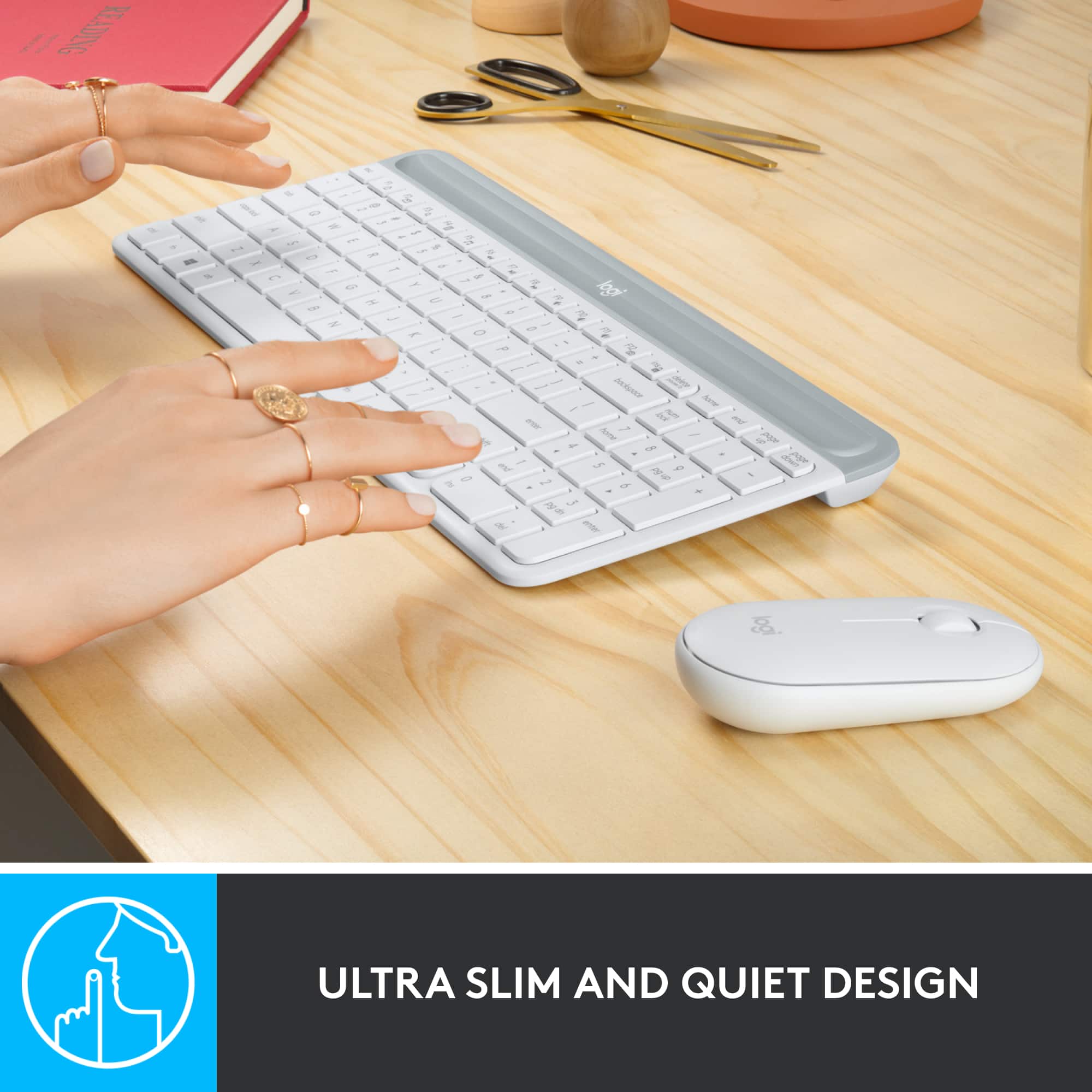
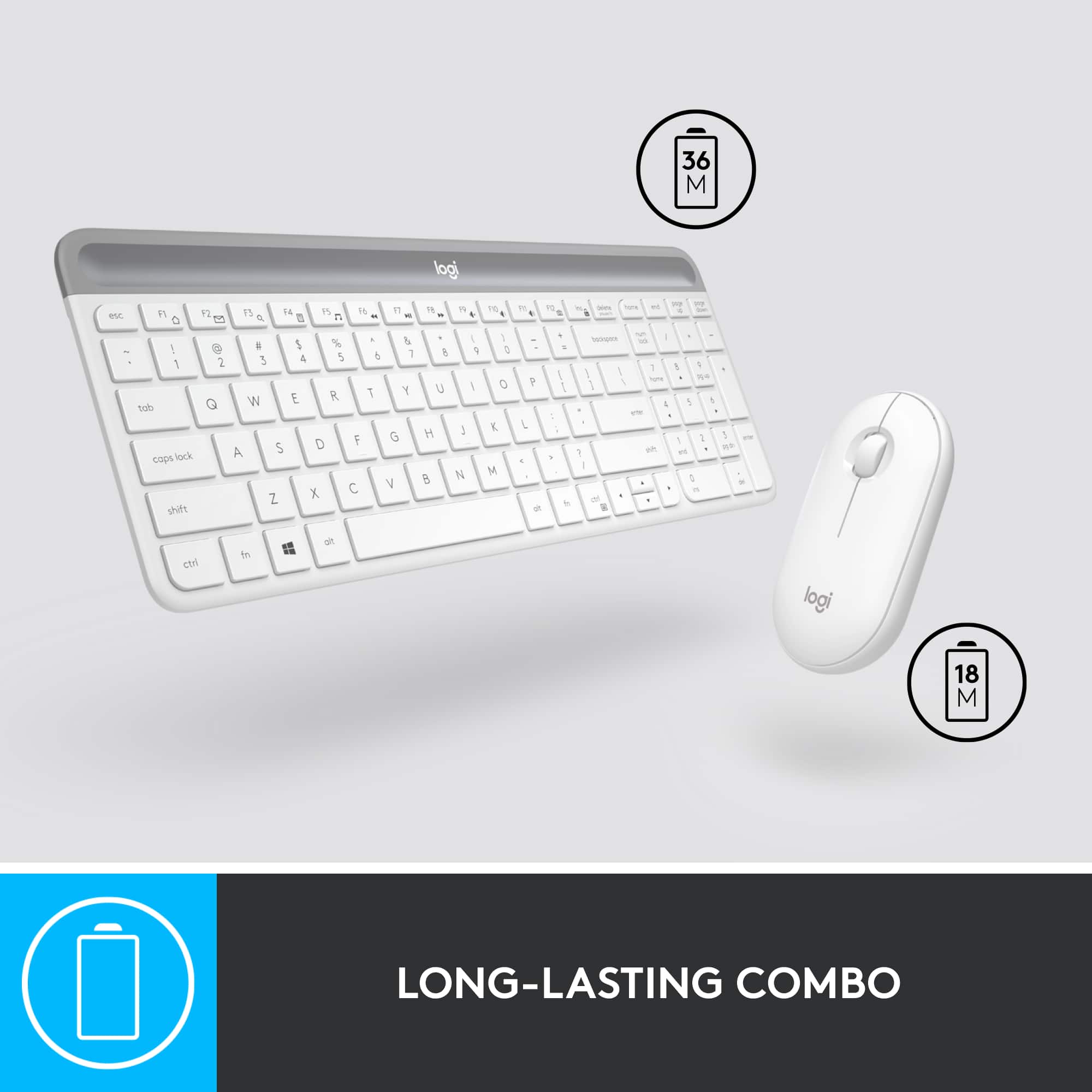
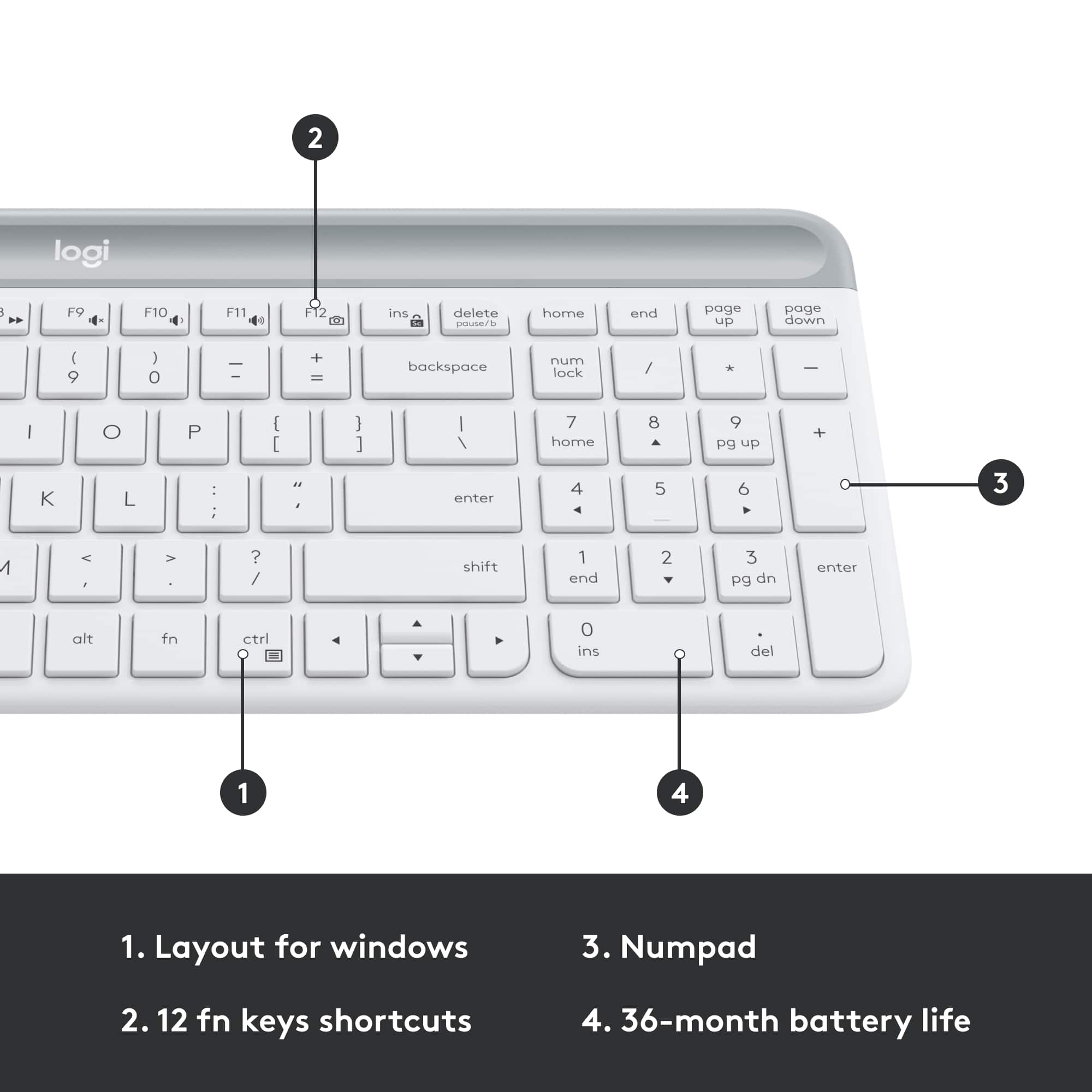
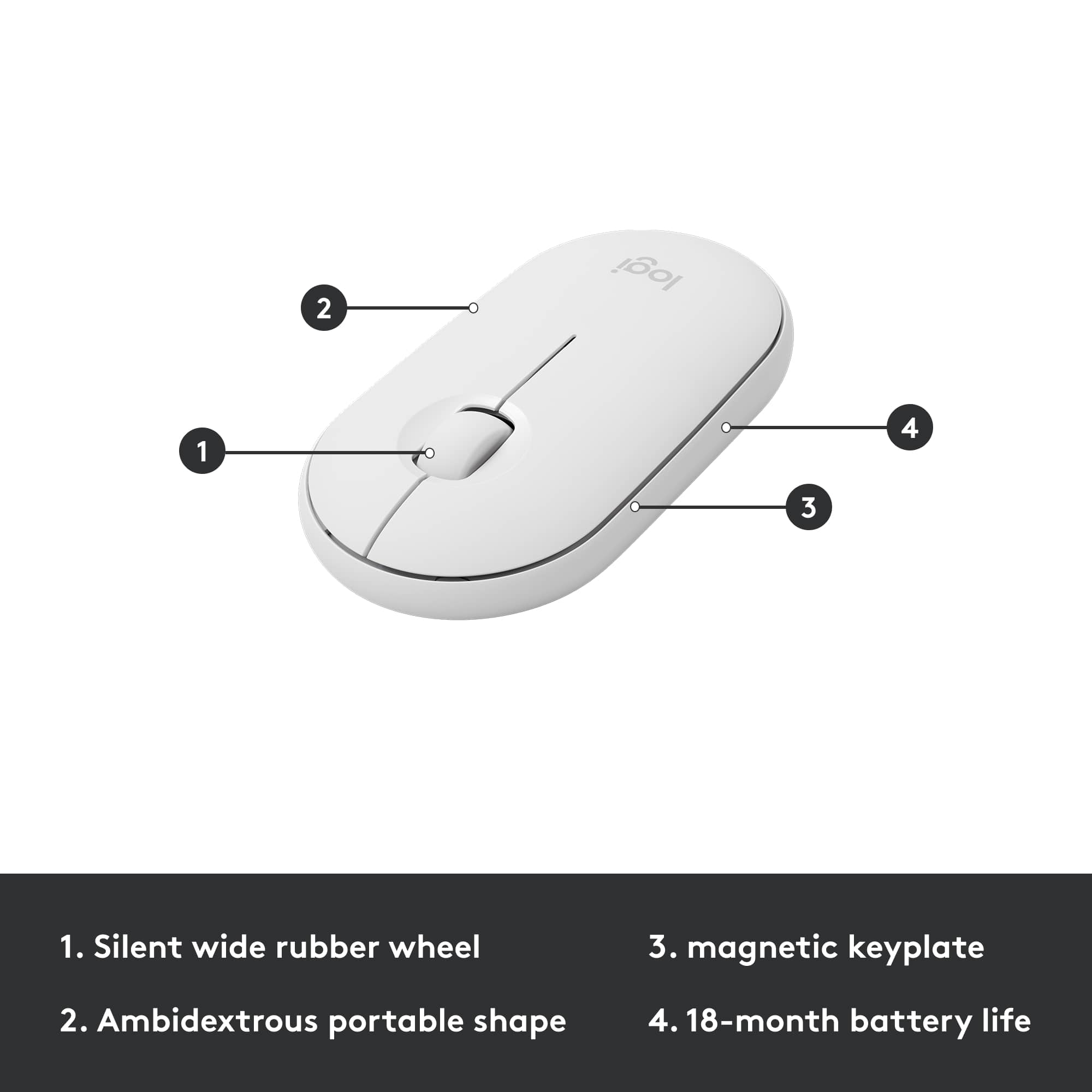
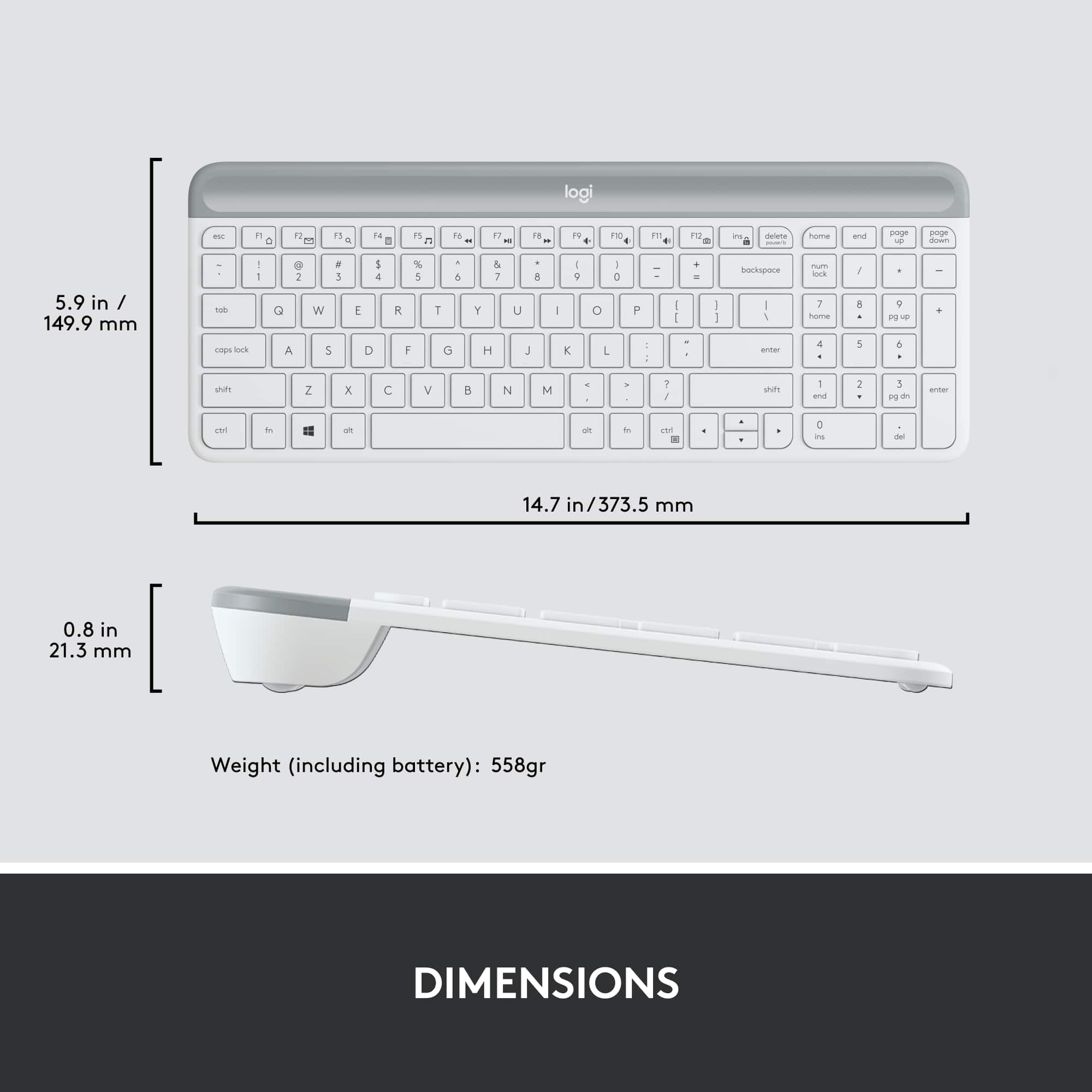
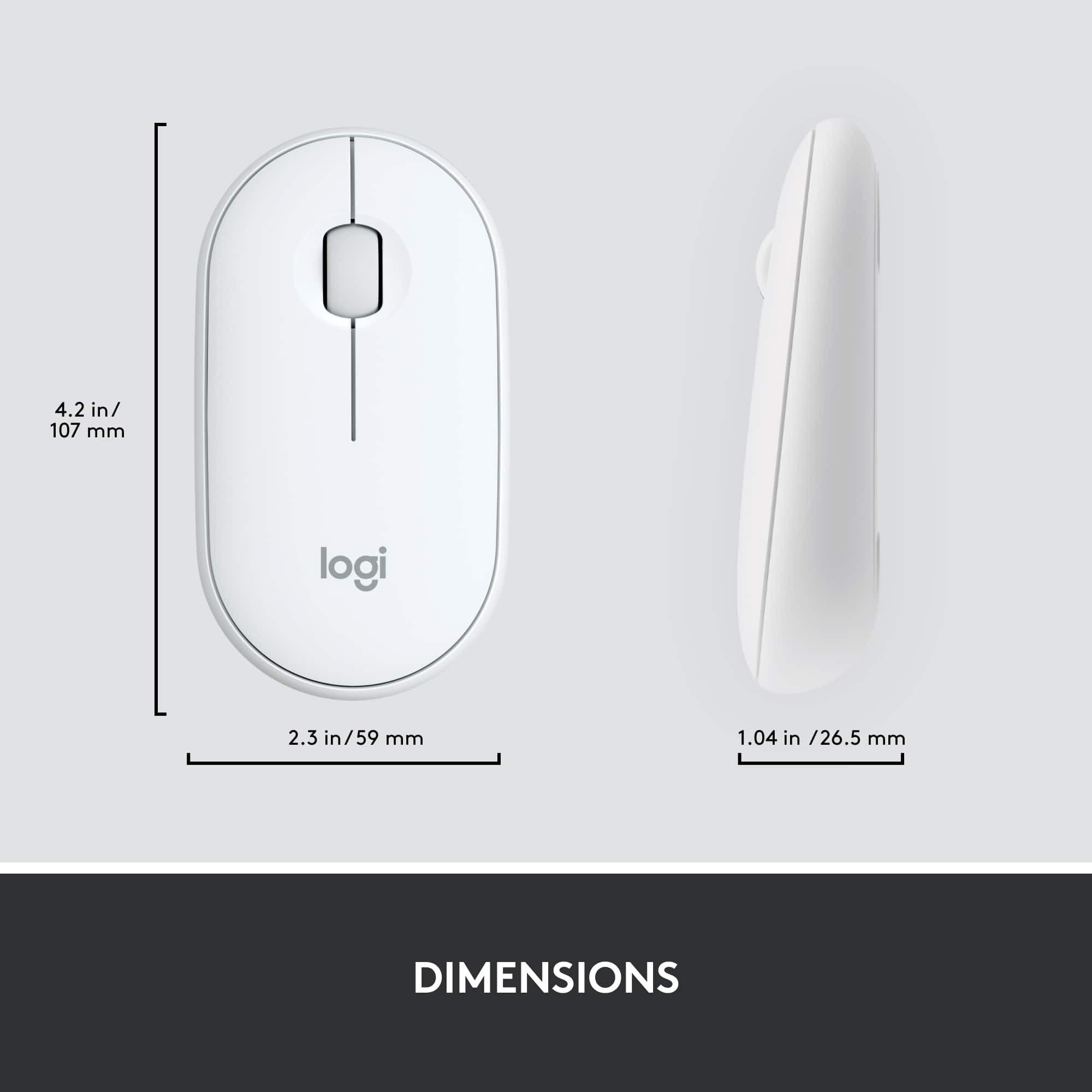
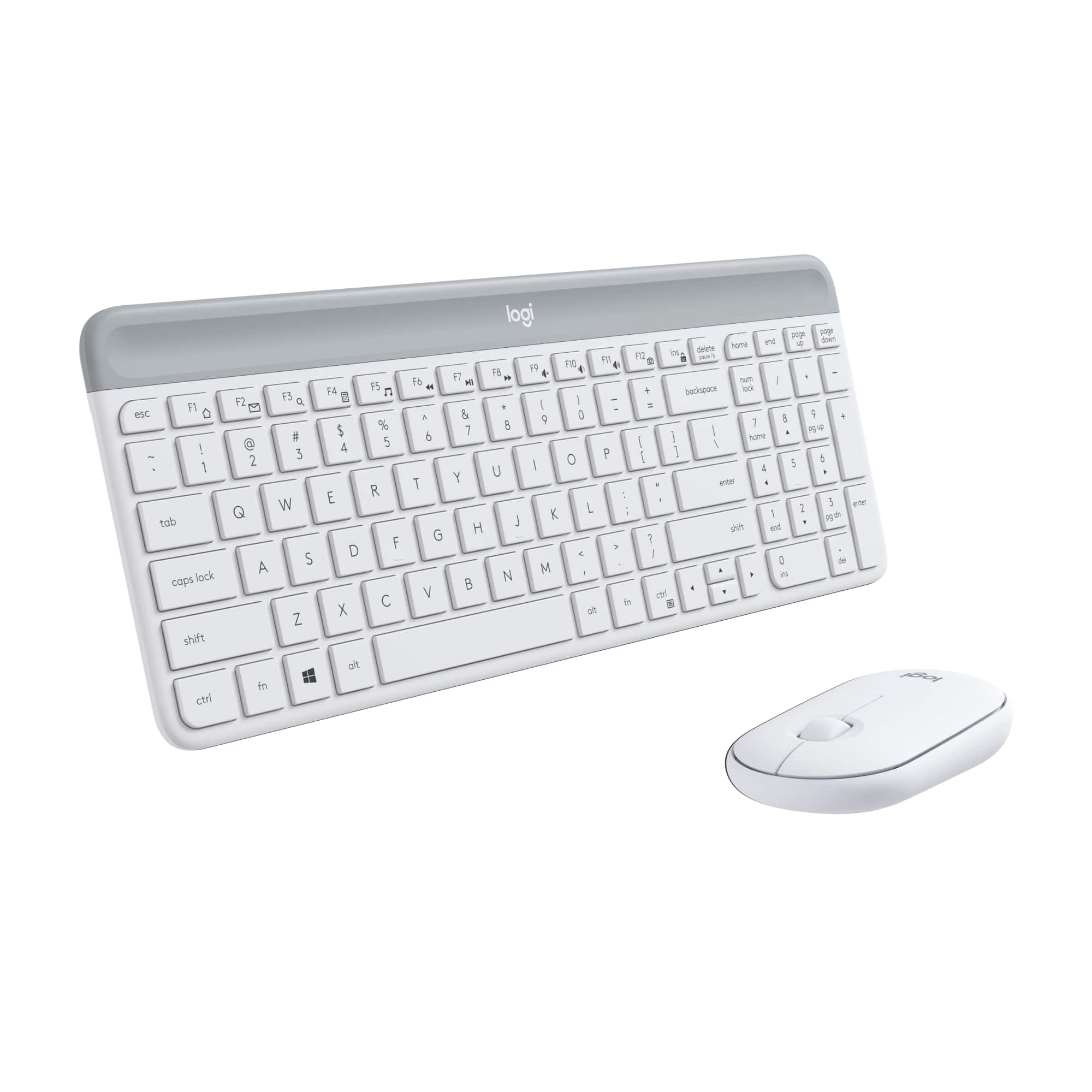
    Keyboard: Thinness of the keyboard is astounding. It needs to be picked up regularly to appreciate. There must be a steel plate in the keyboard to provide rigidity to the thinness. This has given the keyboard some weight and it becomes useful when using on a table so that the keyboard doesn't move away as you're typing. The weight seems very evenly distributed as well. However, I think the steel plate has added too much weight. When actually weighed, the MK470 keyboard is actually 1/4 ounce heavier than a Logitech K360. It thinness belies its weight. I've owned a few compact keyboards. Mostly from Logitech. I like that the MK470 keyboard is very compact. I like the styling. But it comes with a cost. The arrow keys are all placed below the right-hand shift key and they just seem too small. I actually prefer their old K360 keyboard as it separates the arrow keys from the rest of the keyboard just by taking up a little more space. This has the added benefit of being able to find the keys very easily by touch. The MK470 arrow keys are difficult to find since they have no separation from the rest of the keys. Right now, with the MK470, I have a hard time adjusting to the layout of the special keys. At the top of the keyboard is a gray colored cover. The cover has a slight indent to provide some grip in order to remove the cover. I thought the curved channel would allow me to rest a pen there. While it is possible, with careful placement of the pen, I found the overall angle of the keyboard causes pens to roll to the Fn keys. Speaking of the overall angle of the keyboard, there are no adjustable legs to change the angle of the keyboard. Under the cover, on the right side, resides the two AAA batteries that run the keyboard for a reported 36 months. Towards the middle there is a place to store the nano USB receiver. On the left, there is a large void. Unfortunately the cover has a matching extra plastic ribbing underneath. I thought the void could be used to store extra batteries for the system, but the extra plastic ribbing prevents the usage of the void. The typing experience matches most laptop keyboards. It is very smooth and the keys have just enough travel. What surprised me is that there is no power switch for the keyboard, so short of popping out the batteries, there is no way to turn off the keyboard. The keyboard also lacks indicator lights for the caps lock, num lock and scroll lock. Mouse: The mouse is cheap feeling. It is light. Its backend is higher than its front. The backend angle is sharper than it appears, making it jut into my palm a little more than I like. Since it has no arch to it, it doesn't fit nicely into my hand and makes the mouse feel smaller than it is. The cover is magnetic and is easily removed to access the single AA battery used to power the mouse for up to 18 months. The magnets seems strong enough that I don't feel like the cover will pop off in my bag. What's most noticeable about the mouse is its quietness. Its clicking tone sounds like the trackpad buttons on my laptop, only quieter. It's approaching the point where I'm feeling the click more through my finger than I can hear it. Nano-Receiver: Included in the package is a Non-Unifying receiver. It is paired only with the mouse and keyboard in the MK470 combo set. This means that I cannot pair any additional keyboard or mice. This is troublesome as I would like to keep a mouse/keyboard set at home and at work and be able to connect either set without having to swap out the nano-USB receiver. My previous setup had the nano-sized Unifying receiver plugged into my laptop and I had a mouse and keyboard at each location paired to that single receiver. I took the extra step to install Logitech Options to see if there were any additional settings that I could manage. I found there really isn't much use for Logitech Options. In fact, the interface assumes you are using a Unifying or Bluetooth receiver. Since the MK470 does not use either of these protocols, I eventually clicked past the Unifying and Bluetooth pairing and was able to see a couple simple options for this keyboard/mouse combo set. I would recommend skipping the Logitech Options settings for most people. Overall, this set is OK for light occasional use. For all day use, I'd recommend a full size keyboard and a full sized mouse like the M510. With the lack of a Unifying receiver, I'm rather disappointed with this MK470. Having a Unifying receiver opens my choices to mix and match scenarios that would probably fit my needs better. Such as pairing the K360 keyboard with an M510 mouse.

    No, I would not recommend this to a friend
    • Brand response from Logitech
      Posted .

      Hi Bzm3j81,
      Thank you for your feedback. It's greatly appreciated. For further assistance please contact Logitech Support on the website.
      LaShonda from Logitech

  • Pros mentioned:
    Size
    Tech Insider Network Member

    Rated 5 out of 5 stars

    Small But Highly Functional

    |
    Tech Insider Network Member
    Posted .
    This reviewer received promo considerations or sweepstakes entry for writing a review.

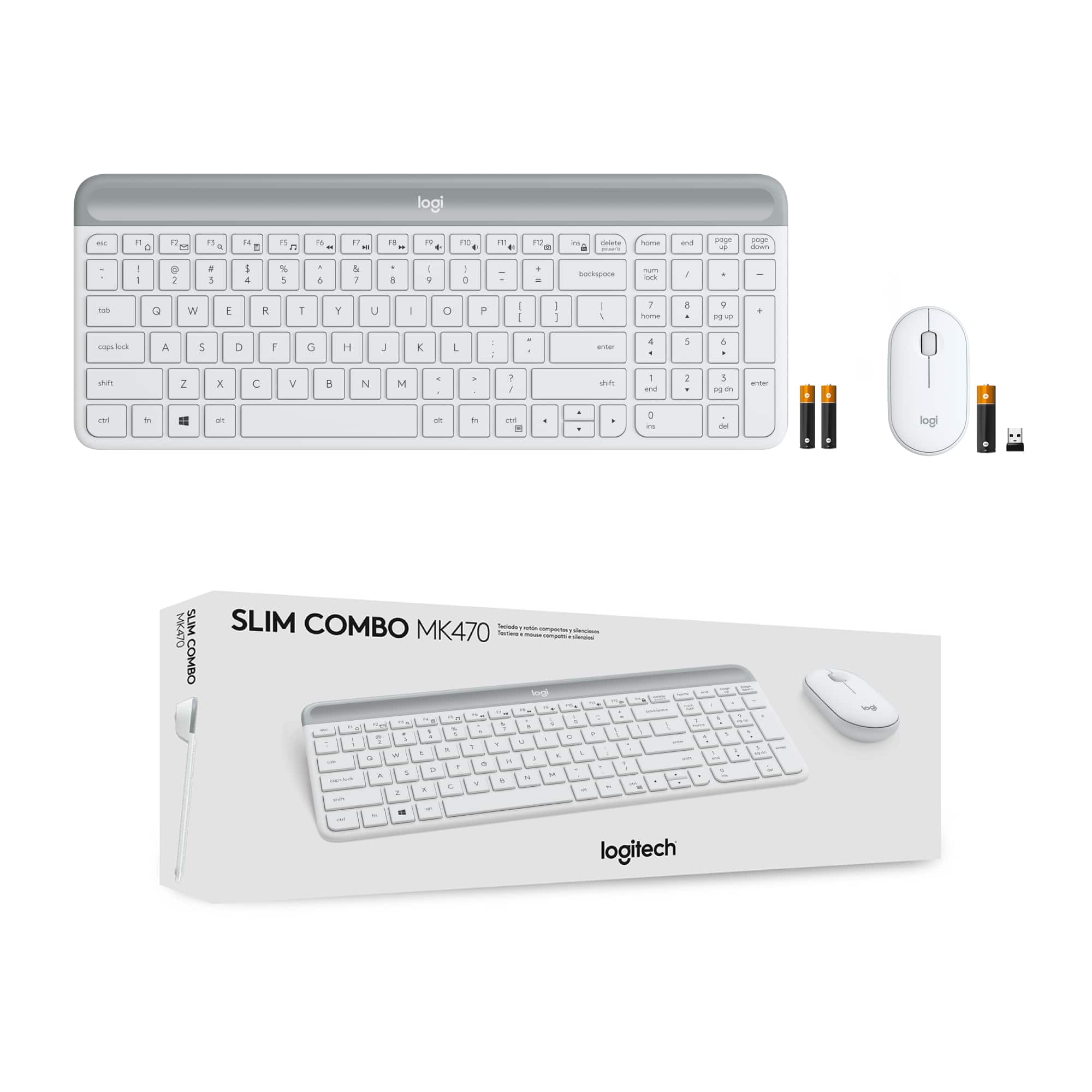
    This is an easy review to write because I am pleased and impressed with this product. As usual, I assess packaging for its environmental effect and in this case the use of recyclable cardboard an excellent one. It’s minimal but more than adequate for protecting the contents. Setup was a snap, as would be expected. Simply remove the battery protectors from the keypad and the mouse and insert the receiver into an available USB port. It took Windows10 about 20 seconds to finish installation. From unboxing to completion took about 4 minutes. This keyboard is small compared to most I have purchased and used (which tend to be larger and ergonomic), but the size of both the keyboard and mouse would be ideal for those who travel a lot and want a lightweight, full-featured wireless set. Note, however, the set does not have Bluetooth connectivity. Despite its relatively diminutive size, the keyboard works well and key spacing, although tight, is easy to adapt to or would be familiar to anyone who uses a small laptop. My biggest “gripe” is that there are two small “DEL” buttons (one above and one below the number set). One is immediately adjacent to the “Insert” key which can create some annoyances for those of us with less than delicate hands. I wish the designers had found a way to provide one larger and easier to access DEL key for this oft-used function. The mouse also is small, but functions well for most purposes. However, were I doing tasks that required a great deal of mouse movement I would check out the fatigue factor of holding/gripping such a small mouse for long periods of time. Among the “benefits” of this set as claimed by Logitech is quiet operation. The claim is valid. I tend to be a bit heavy handed when keyboarding, and the noise level was excellent. I also liked the tactile feel of the keyboard, and only slightly less pleased with the mouse. Overall, it is an excellent set and highly recommended. If a buyer is used to a larger, more-ergonomic set, there will obviously be some transition issues.

    I would recommend this to a friend
  • Pros mentioned:
    Keyboard quality
    Tech Insider Network Member

    Rated 4 out of 5 stars

    Keyboard is a winner. Mouse, not so much.

    |
    Tech Insider Network Member
    Posted .
    This reviewer received promo considerations or sweepstakes entry for writing a review.

    When I first saw Logitech MK470 Slim Wireless Mouse and Keyboard Combo , I did not have high expectations. Not because Logitech does not make good products, they make many great products. It was because the price was only $50. How good could a wireless keyboard and mouse be for $50? Surprisingly, pretty good. First, let’s talk about the keyboard. Slim line, solid and responsive. I was expecting the keyboard to be too light with a plastic, weak feel to it. Not the case with the MK470. Even being about 3/16 of inch thick, there is no flex to the keyboard. It is full size keyboard in a relatively small package, I have it connected to my LG Gram 17 inch and the keyboard is not as wide as the laptop. Typing on it is a pleasure, the keys have decent travel and are very quiet. Honestly , I cannot find anything negative to say about the keyboard. Note there are Logitech models that look similar for only $20 or so ( the K360.) They are not the same. But that brings us to the mouse. Meh, definitely low end. It works as it should but it has a cheap plastic cover and the clicking action is not very positive. I know they were trying to go for the low profile, minimalist look like the keyboard but this is a $10 mouse. I would rather buy the keyboard without the mouse. Even though I was not happy with the mouse, the keyboard is fantastic for an under $50 keyboard. It feels much higher quality than the price tag. The mouse is usable but I would have expected something a bit better from Logitech. It would be nice if they dumped the mouse and made the keyboard from aluminum , even at twice the price it would still be a bargain if they did that. Regardless, this is a great deal and you cannot go wrong with the keyboard at that price. Recommend.

    I would recommend this to a friend
  • Pros mentioned:
    Ease of use
    Tech Insider Network Member

    Rated 5 out of 5 stars

    Does the job and great value for price

    |
    Tech Insider Network Member
    Posted .
    This reviewer received promo considerations or sweepstakes entry for writing a review.

    This does the job and is a great value for the price, but be wary that slim means slim. I personally wouldn't recommend this for regular use at home unless you have a confined space, but this is better for portability in my opinion. The mouse is super tiny for giant hands but again, is good for on the go use. Connectivity is seamless and it does look sleek. It's a good keyboard and mouse combo but I don't recommend it for your at-home set up.

    I would recommend this to a friend
  • Pros mentioned:
    Keyboard quality

    Rated 5 out of 5 stars

    Great product, great price

    Posted .
    This reviewer received promo considerations or sweepstakes entry for writing a review.

    The mouse is a great ergonomic fit for my hand. The keyboard is a great size. Technically, it hooked right up to the computer, easy peezy. It's a great keyboard and mouse for a great price.

    I would recommend this to a friend
    • Brand response from Logitech
      Posted .

      Hello there, Thanks for letting us know you love the MK470! We're glad the ergonomic mouse fits your hand well and the keyboard is a great size for you. Easy setup is always a plus, and we appreciate you finding it to be a great value.

  • Pros mentioned:
    Weight
    Tech Insider Network Member

    Rated 4 out of 5 stars

    Nice wireless mouse / keyboard combo

    |
    Tech Insider Network Member
    Posted .
    This reviewer received promo considerations or sweepstakes entry for writing a review.

    This is a nice quality feeling minimalist slim keyboard and mouse combo. The keyboard has a bit of weight to it and has rubber feet on the bottom that keep it firmly in place. It almost feels like it's an aluminum case but it's plastic. The keyboard has a permanent incline to it, which I like, but some might like a totally flat angle. It's very comfortable to type on. The chic-let keys have a nice feel to them, and are very quiet. The press is firm and has a decent amount of travel. It's comparable to a 15" quality laptop keyboard I would say. It's about 3/4 the length of my full-sized keyboard. The keys are a slightly textured finish as well as the plastic case. I do wish the keys were back-lit. It would really make this keyboard stand out. So, it's best to use in a fairly well lit environment if you want to see the letters on the keys. The top of the keyboard above the keys has a nice indent for putting a pen or pencil, which is a handy feature that you don't see on most keyboards. This is where the batteries are put in and it has a space for the receiver and a space for extra batteries, a couple pencils... whatever will fit. Another handy feature! The mouse is light and low profile. It has a nice feel to it, with a good amount of resistance on the mouse buttons and the roller. I can rest my fingertips on the buttons without them clicking, which is not usually the case. I do wish the mouse had a side back button. The flat profile takes a little getting used to coming from a full profile mouse, but not too much. There is also a power button on the back of the mouse for turning the mouse off. The keyboard automatically sleeps and does not have an on/off switch. Note that the USB receiver is not a Unifying receiver, so if you want to connect this to a Unifying receiver you won't be able to. It also does not have Bluetooth. Overall this is a nice quality mouse / keyboard combo with a quality feel to it. If it had a back-light and back button on the mouse I would've given it 5 stars. I would definitely recommend this to someone looking for a lightweight slim wireless mouse / keyboard combo.

    I would recommend this to a friend
  • Pros mentioned:
    Design
    Tech Insider Network Member

    Rated 5 out of 5 stars

    Sleak & Compact

    |
    Tech Insider Network Member
    Posted .
    This reviewer received promo considerations or sweepstakes entry for writing a review.

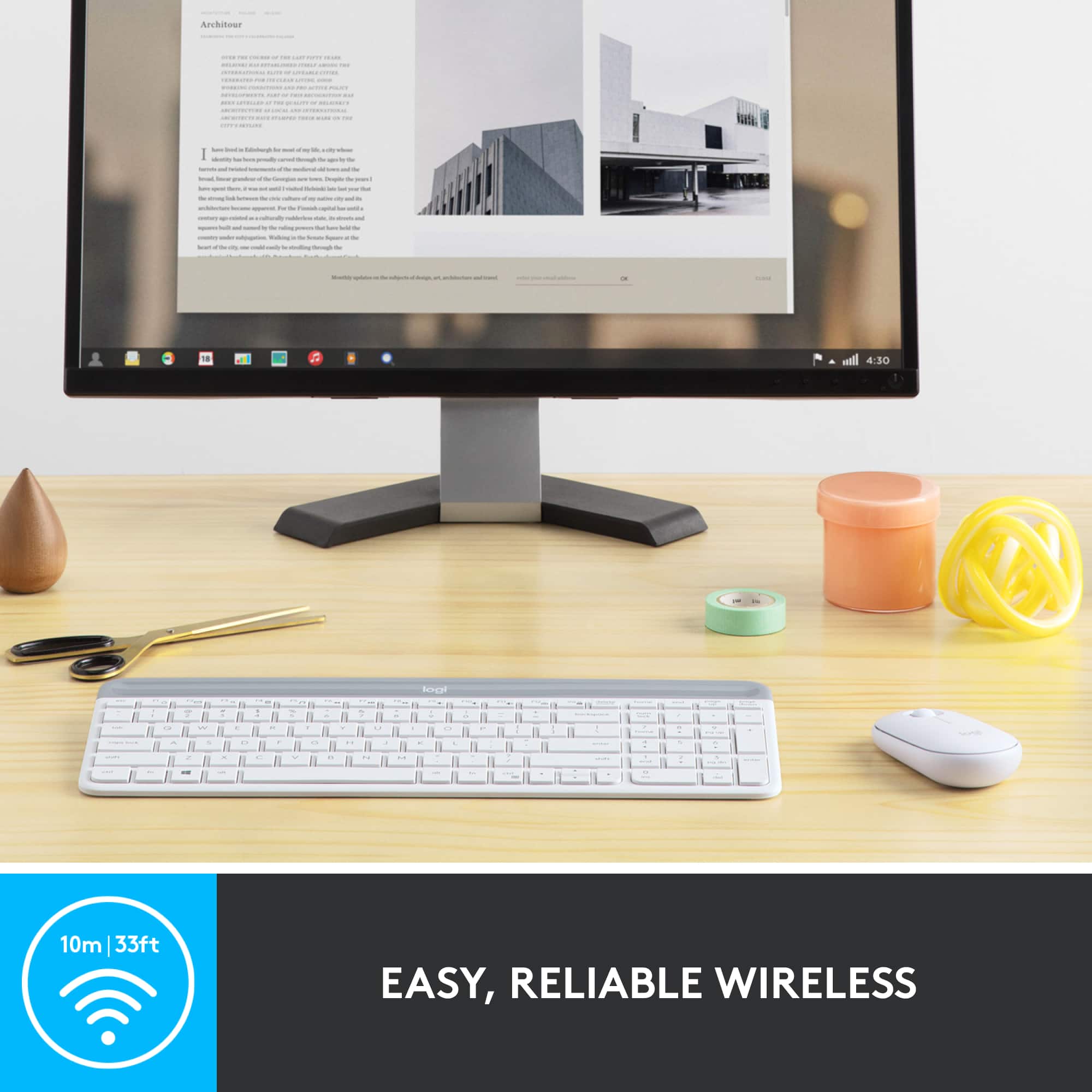
    All desktop computers nowadays seem to come with cheap mice and keyboards and upgrading is almost always neccessary. After using a traditional wireless mouse and keyboard these past couple years, going to this Logitech set is great! Firstly, the slim design is great as it is extremely compact and fits on my smaller desk great and the two toned grey color matches my computer perfectly. The amazing thing with this design is that the full functionality is still there as it still has the full number pad and 12 shortcut keys too. They actual feeling of the keys is great too as it isn`t like the newer butterfly keys where with this keyboard there is a good amount of travel with the keys so it feels comfortable while at the same time the keys are actually pretty quiet when typing compared to a traditional keyboard. The mouse is one item I was hesitant on due to the form factor, but after about an hour I was definitely used to it and I really like the feel of it now because it is so light and just overall easier to move. Overall, for the price I would definitely recommend this mouse and keyboard for anyone both looking for a mouse and keyboard to replace the cheap set that comes with new desktop computers and for those looking for an external mouse and keyboard for mobile devices or laptops as well because the form factor is great and functionality compares to that of a standard keyboard and mouse.

    I would recommend this to a friend
  • Pros mentioned:
    Ease of use, Weight

    Rated 3 out of 5 stars

    Not macbook friendly?

    Posted .
    This reviewer received promo considerations or sweepstakes entry for writing a review.

    I bought this product with a J5Create extension for my MacBook Air and it connected pretty instinctually. I didn't have to do much besides remove the battery sticky. There are some buttons on the keyboard that I can't use for some reason (e.g. FN+F12). Also, not a light up keyboard, not even the CAPS Lock key. BUT, very portable size, lightness, chicness.

    No, I would not recommend this to a friend
  • Pros mentioned:
    Ease of use, Weight
    Tech Insider Network Member

    Rated 4 out of 5 stars

    Thin and Light!

    |
    Tech Insider Network Member
    Posted .
    This reviewer received promo considerations or sweepstakes entry for writing a review.

    The MK470 bundle is the lightest keyboard I have used to date. I love the feel of the keys and the portability of this keyboard is completely unmatched. I use this mainly on my Xbox One and for playing Minecraft and it is so much better than using a controller. The only real issue I have is the arrow keys are too close together to really be functional, that is why it gets 4 stars instead of 5. Overall it's a great bundle and a great price!

    I would recommend this to a friend
  • Pros mentioned:
    Ease of use

    Rated 5 out of 5 stars

    Great item

    Posted .
    This reviewer received promo considerations or sweepstakes entry for writing a review.

    Works great easy setup, works with all computers and easy setup

    I would recommend this to a friend
    • Brand response from Logitech
      Posted .

      Thanks for the encouraging feedback! We’re glad the Logitech MK470 Keyboard and Mouse Bundle is working well for you. Your support helps us keep innovating. Logitech

  • Pros mentioned:
    Keyboard quality

    Rated 5 out of 5 stars

    Favorite keyboard, very high quality

    Posted .
    This reviewer received promo considerations or sweepstakes entry for writing a review.

    This set is so nice. It is my favorite keyboard by far and I think it’s my favorite mouse too. The keyboard and mouse are both super smooth and quiet. The color is cute and clean. It’s comfortable and feels very high quality. Definitely would recommend. It also comes in white or black so if pink isn’t your thing, you have other options.

    I would recommend this to a friend
    • Brand response from Logitech
      Posted .

      Thank you for your amazing review of the Logitech MK470 keyboard and mouse combo! We're thrilled to hear that it's your favorite set and that you love the quality, comfort, and design. We appreciate you taking the time to share your enthusiasm.

  • Rated 5 out of 5 stars

    Keyboard Review

    Posted .
    This reviewer received promo considerations or sweepstakes entry for writing a review.

    “I just purchased a new wireless keyboard and mouse set from Logi, and I’m really impressed. Setup was effortless—just pull the tab, switch it on, and it worked instantly. I love that the keyboard and mouse come as a pair, making it super convenient. The only minor downside is needing to replace the batteries, but I’m confident it will give me a heads-up when it’s time. Overall, I’m very pleased with this order and would definitely recommend it!”

    I would recommend this to a friend
    • Brand response from Logitech
      Posted .

      Hey! We appreciate your kind words and the time you took to share them. Your feedback helps us build better solutions. Thank you for your support. Logitech

  • Pros mentioned:
    Ease of use
    Tech Insider Network Member

    Rated 4 out of 5 stars

    Great Mouse Combo

    |
    Tech Insider Network Member
    Posted .
    This reviewer received promo considerations or sweepstakes entry for writing a review.

    I’ve always been a fan of Logitech PC accessories and that continues with this keyboard and mouse set. This set is absolutely a no frills keyboard mouse combo that gets the job done. There aren’t any fancy features for this set, rather it just works. The set uses one receiver that plugs into a USB port on your computer. I didn’t have any connectivity issues or problems getting started, I just plugged it in and it worked. It also came with batteries which is a huge plus. Keyboard: The keys are pretty flat, as is the whole keyboard. There is decent travel on the keys. Definitely not the best key travel I’ve ever used but, neither is it the worst. The keyboard is very light and easy to type on. I don’t have any major complaints here. Mouse: The mouse is really just ok. It’s a typical 2 button mouse with a scroll wheel. There’s no fancy buttons and don’t expect killer dpi. I don’t really care for the click travel on the mouse, it’s really soft and took me a second to get used to it. But, for a cheap mouse it gets the job done. Pros: - super easy to set up - includes batteries - inexpensive Cons: - mouse taps are too soft - keys too flat Overall if you just want an inexpensive keyboard mouse combo that works, this is the one to get.

    I would recommend this to a friend
  • Pros mentioned:
    Ease of use

    Rated 5 out of 5 stars

    Repeat buyer

    Posted .
    This reviewer received promo considerations or sweepstakes entry for writing a review.

    I bought one for personal use, then one for work use. These travel very well and the batteries last a long time.

    I would recommend this to a friend
    • Brand response from Logitech
      Posted .

      Thank you for sharing your experience with the Logitech - MK470! We appreciate your positive feedback regarding its portability and long battery life.

  • Pros mentioned:
    Keyboard quality
    Tech Insider Network Member

    Rated 5 out of 5 stars

    Perfect for the student needing wireless

    |
    Tech Insider Network Member
    Posted .
    This reviewer received promo considerations or sweepstakes entry for writing a review.

    Couple of notes on my review. First I have been a Logitech fan for 20 years. Second, I ordered this set for my 12 year old grandson as a project we could do together so much of what follows is from his comments and perspective. Like all Logitech products I have ever used, we were able to set this up by simply plugging in the included dongle. The laptop is running windows 10 home and recognition was instant. Really like the silent keys on the keyboard, much quieter than the laptop keyboard. Also impressed with the rapid response of the mouse. My grandson uses these for school work as well as gaming and he loved the response while running his favorite games. Of course because it is wireless, using the set is far more comfortable than using the laptop keyboard and touchpad, this means he can spend more time getting his homework done without becoming fatigued. Highly recommend this set for anyone looking for a reasonably priced set of wireless tools to use with a laptop

    I would recommend this to a friend
  • Pros mentioned:
    Ease of use, Keyboard quality

    Rated 5 out of 5 stars

    Great keyboard mouse combo

    Posted .
    This reviewer received promo considerations or sweepstakes entry for writing a review.

    I love the feel and look of this keyboard and mouse combination. It’s really easy to travel with too.

    I would recommend this to a friend
    • Brand response from Logitech
      Posted .

      That's fantastic! We're glad to hear that you're enjoying the MK470. It's great that it's both stylish and portable. Thank you for sharing your positive feedback!

  • Rated 1 out of 5 stars

    Working title

    |
    |
    Posted . Owned for 1 month when reviewed.
    This reviewer received promo considerations or sweepstakes entry for writing a review.

    Somehow rhe keyboard doesnt work anymore. Its only maybe a month old. Mouse is meh.

    No, I would not recommend this to a friend
  • Pros mentioned:
    Design, Ease of use

    Rated 5 out of 5 stars

    Good product

    Posted .
    This reviewer received promo considerations or sweepstakes entry for writing a review.

    Just what i needed, works great! I would recommend this combo set it made things less cluttered.

    I would recommend this to a friend
    • Brand response from Logitech
      Posted .

      Thank you for your excellent review of the Logitech - MK470 wireless combo. We're thrilled to hear it has helped declutter your workspace and enhance your productivity. We strive to deliver space-saving solutions, and your feedback is valuable.

  • Pros mentioned:
    Keyboard quality
    Tech Insider Network Member

    Rated 5 out of 5 stars

    Logitech MK470 Slim Wireless Mouse & Keyboard

    |
    Tech Insider Network Member
    Posted .
    This reviewer received promo considerations or sweepstakes entry for writing a review.

    So I received this Logitech MK470 Slim Wireless Mouse& Keyboard the other day and been putting it through its paces. So far so good. I'm actually typing on the keyboard at the moment and the keys are very responsive and not hard like some other keyboards. It's very comfortable to type on this keyboard and I love that it has the expanded keypad to the right. Very slimlined and seems like a solid keyboard that can be used for practically anything. Just pop th included Logitech USB adapter in and it automatically connects along with the Slim Wireless Mouse. The mouse is very slim almost flat like. Not totally a dealbreaker but something people with big hands must consider. The mouse is scrolls very easily with no hesitation and glides easily. Great combo from Logitech and I would recommend this to anyone looking to get rid of cords and wires. It just works and works well.

    I would recommend this to a friend
  • Tech Insider Network Member

    Rated 4 out of 5 stars

    Simple, Quiet, Excellent

    |
    Tech Insider Network Member
    Posted .
    This reviewer received promo considerations or sweepstakes entry for writing a review.

    Between work and home, I have used and continue to use several keyboards and mouse combos. This one is different from my others; it is very small both in length and width and is very similar to that of a 13 inch laptop keyboard. It has all of the keys you would expect to see and use on any keyboard but with a slightly smaller form factor. The mouse is good. What I will say is that it is better suited for someone with smaller hands. To use it is the only way you can tell if it is for you. There are several Logitech mouses on the market or part of combo kits; this one is fine but takes some getting used to if you have been using others that may be a bit taller and / or wider as they fit more comfortably in the hand. Both devices have a great response rate and I have not experienced any issues with connectivity. As soon as I plugged in the USB receiver into the port, everything was recognized immediately and without the need to install any additional software or drivers. I would certainly recommend this keyboard and feel that the mouse will work for most users.

    I would recommend this to a friend