Customer Ratings & Reviews
![esc F1 F2 F3 F4 F5 F6 F7 F8 F9 F10 F11 F12 1 2 3 4 5 6 7 8 9 0 - = backspace tab Q W E R T Y U I O P [ ] \ caps lock A S D F G H J K L ; ' shift Z X C V B N M , . / shift ctrl alt logi](https://pisces.bbystatic.com/image2/BestBuy_US/images/products/6411/6411501_sd.jpg)



- Model:
- 920-009443
- SKU:
- 6411501
Rating by feature
- Value
Rating 4.6 out of 5 stars
- Quality
Rating 4.6 out of 5 stars
- Ease of Use
Rating 4.7 out of 5 stars
Customers are saying
Customers are impressed with the excellent keyboard quality, ease of use, and convenient size. They also appreciate its appealing design, quiet operation, and lightweight nature. However, some users noted the absence of a caps lock indicator and occasional compatibility issues.
This summary was generated by AI based on customer reviews.
Not what I wanted at all
||Posted . Owned for less than 1 week when reviewed.This reviewer received promo considerations or sweepstakes entry for writing a review.Issues with connectivity despite being right next to the laptop. Keys stuck for several. Didn't like the flat style mouse at all
No, I would not recommend this to a friendBrand response from Logitech
Posted .Hi Bdr43,
Thank you for your feedback. Sorry you are having issues with your keyboard. Here are possible solutions: The connection between the keyboard and the USB receiver can be lost for several reasons, including:
• Low battery charge
• Moving the USB receiver from one USB port to another
• Moving the USB receiver to another computer
• Plugging the USB receiver into a USB hub, KVM switch or other unsupported device. (NOTE: Your USB receiver must be plugged directly into your computer.)
• Using your wireless keyboard on metal surfaces
• Radio frequency (RF) interference from other sources
Before you clean your device: Unplug it from your computer and make sure it’s turned off. Remove the batteries. Keep liquids away from your device, and don’t use solvents or abrasives. Use compressed air to remove any loose debris and dust between the keys. To clean the keys, use water to lightly moisten a soft, lint-free cloth and gently wipe down the keys. If you need further assistance, please contact Logitech support on the website.
LaShonda from Logitech
Good
||Posted . Owned for 1 week when reviewed.This reviewer received promo considerations or sweepstakes entry for writing a review.Good keyboard and mouse for this computer box thingy
I would recommend this to a friend- Pros mentioned:Design, Ease of use, Keyboard quality
Great Keyboard
Posted .This reviewer received promo considerations or sweepstakes entry for writing a review.This Logitech wireless keyboard is sleek, high performing, and easy to use. I highly recommend.
I would recommend this to a friendBrand response from Logitech
Posted .We’re grateful for your feedback and happy to hear the product is working smoothly. Your experience helps us build better tools for everyone.

lasted six weeks, keyboard won't hold the connecti
||Posted . Owned for 1 month when reviewed.This reviewer received promo considerations or sweepstakes entry for writing a review.This was great for a few weeks, but the keyboard now has persistent connection issues -- to the point of being useless. Unfortunately, it is past the return period. Fortunately, the mouse is excellent -- but it was the keyboard/mouse combination that was my reason for buying this product. I would NOT recommend this.
No, I would not recommend this to a friendBrand response from Logitech
Posted .Hello, I am sorry to hear about the connectivity issues you are experiencing with this combo. That is definitely not normal! Luckily, this combo comes with a 1 year warranty through Logitech. Simply just visit the support page for this item to file a warranty claim. Thank you for taking the time to write this review, we appreciate the feedback.
Worth to buy
||Posted . Owned for 1 month when reviewed.This reviewer received promo considerations or sweepstakes entry for writing a review.I like this keyboard .Mouse and keyboard keys works with soft push.
I would recommend this to a friendBad key board
||Posted . Owned for 3 weeks when reviewed.This reviewer received promo considerations or sweepstakes entry for writing a review.No Good , one of the key board keys is no working!!
No, I would not recommend this to a friendBrand response from Logitech
Posted .We're very sorry to hear that you're experiencing an issue with your Logitech MK470 Full-size Wireless Scissor Keyboard and Mouse Bundle, specifically with one of the keyboard keys not working. That's definitely not the quality or functionality we aim for. In order to assist you effectively, please provide your information to our support team by emailing at socialcare@logitech.com with the following information:
Name –
Email address –
Country –
Product name –
Brief description of the issue –
CAUTION! KEYBOARD FREEZES UP WHEN IN USE
||Posted . Owned for 1 week when reviewed.This reviewer received promo considerations or sweepstakes entry for writing a review.I purchased this wireless keyboard several days ago. What I have found to be most frustrating with this keyboard is its tendency to FREEZE UP for minutes at a time, making the keyboard non-functional. LOGTECH NEEDS TO RESOLVE THIS PROBLEM PRONTO.
No, I would not recommend this to a friendBrand response from Logitech
Posted .Sorry about that and this sounds like a connection issue. Reach out to Logi Support for a tailored solution to this issue.
Would not buy agaib
||Posted . Owned for 3 months when reviewed.This reviewer received promo considerations or sweepstakes entry for writing a review.Did not like this unfortunately. Not comfortable for typing or navigating the mouse. Caused me pain and keyboard is awkward to type on.
No, I would not recommend this to a friendBrand response from Logitech
Posted .Hey! We're sorry to hear you didn't enjoy the Logitech MK470. Comfort is important, and it sounds like the keyboard and mouse didn't meet your expectations. Apologize about the experience and it's surely not what we expect to deliver. We understand your displeasure
Meh…
||Posted . Owned for 7 months when reviewed.This reviewer received promo considerations or sweepstakes entry for writing a review.The mouse quit after about 3 weeks. The keyboard is straight though. But probably wouldn’t buy it again
No, I would not recommend this to a friendBrand response from Logitech
Posted .Hello, Very sorry to hear about the mouse quitting after just 3 weeks of use with the MK470. Fortunately, the MK470 does come with a 1 year limited hardware warranty. Here's a link to begin a claim: https://support.logi.com/hc/en-us/requests/new?ticket_form_id=360000621393. Hope that this was helpful and that all is going better. Thank you for being a Logitech customer. - Richard from Logitech
- Pros mentioned:Ease of use, Keyboard quality, Noise level

Like a High End Laptop Keyboard For Any Computer
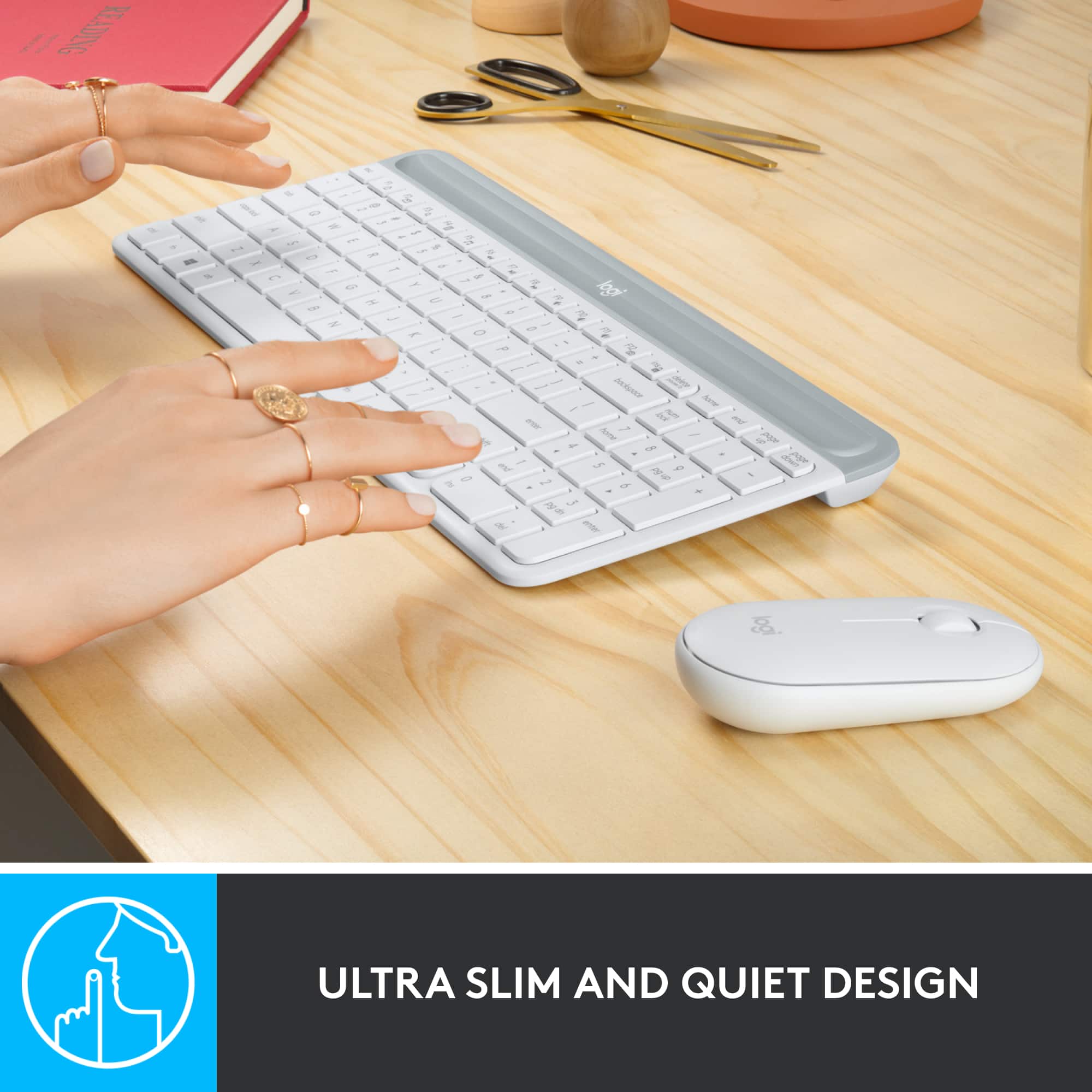
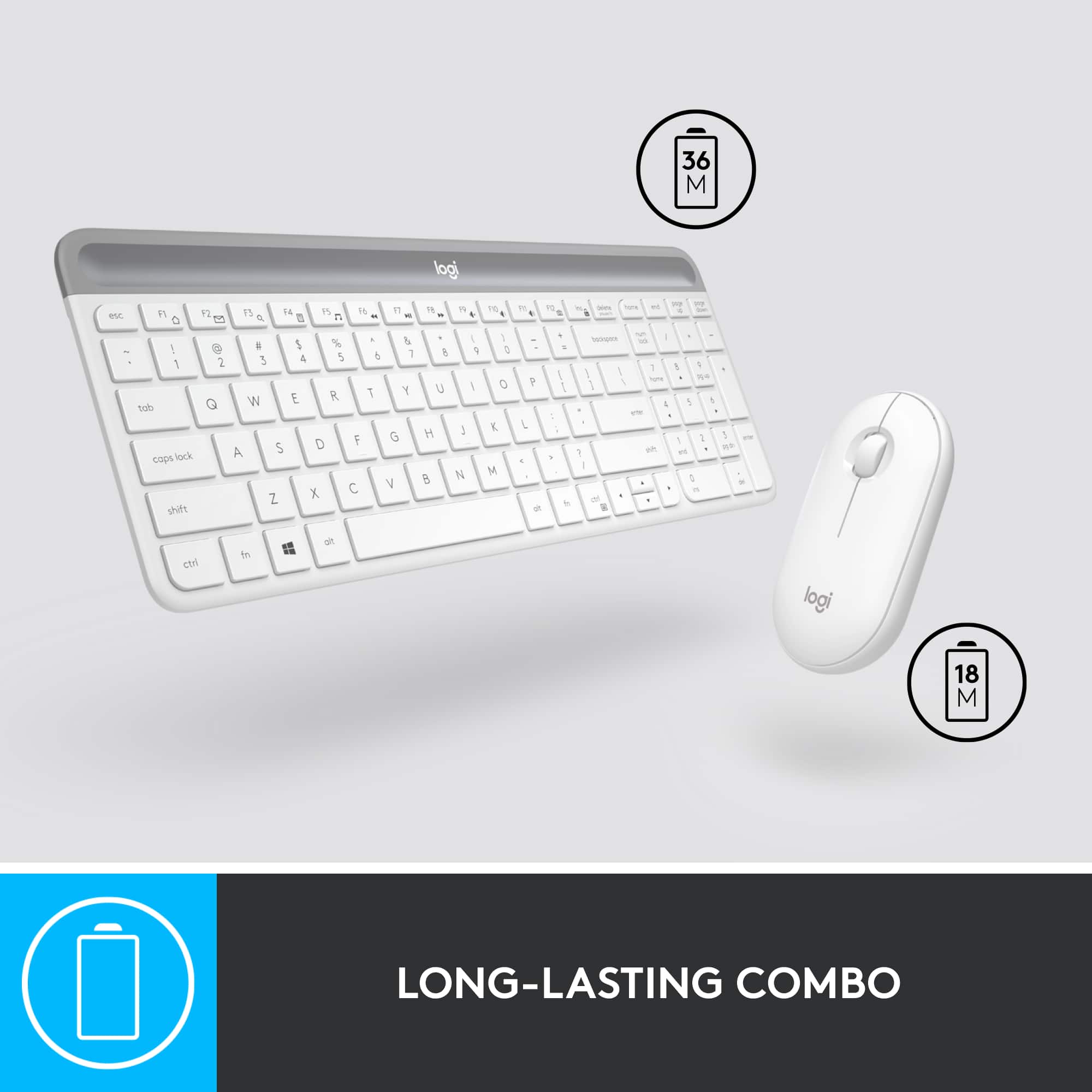
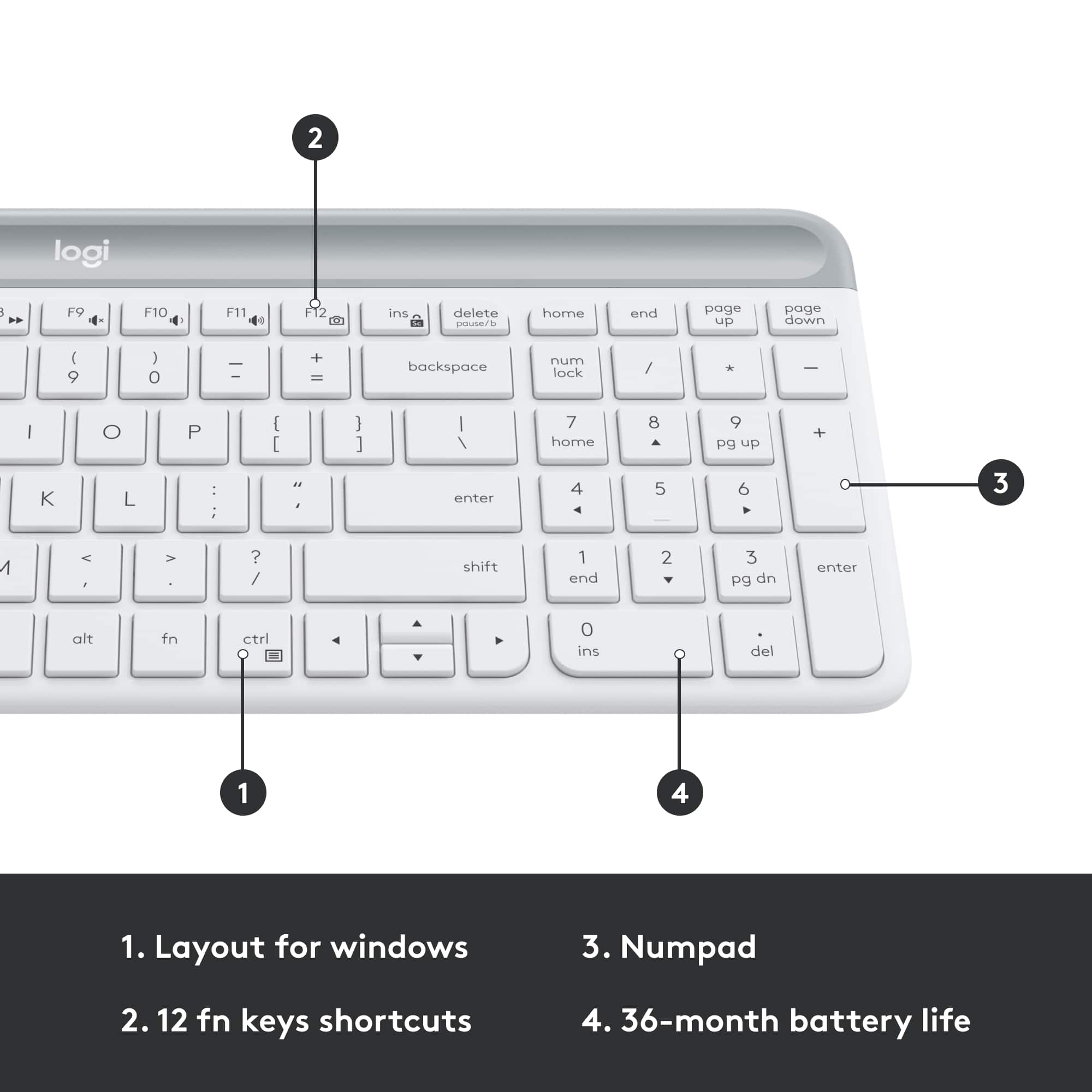
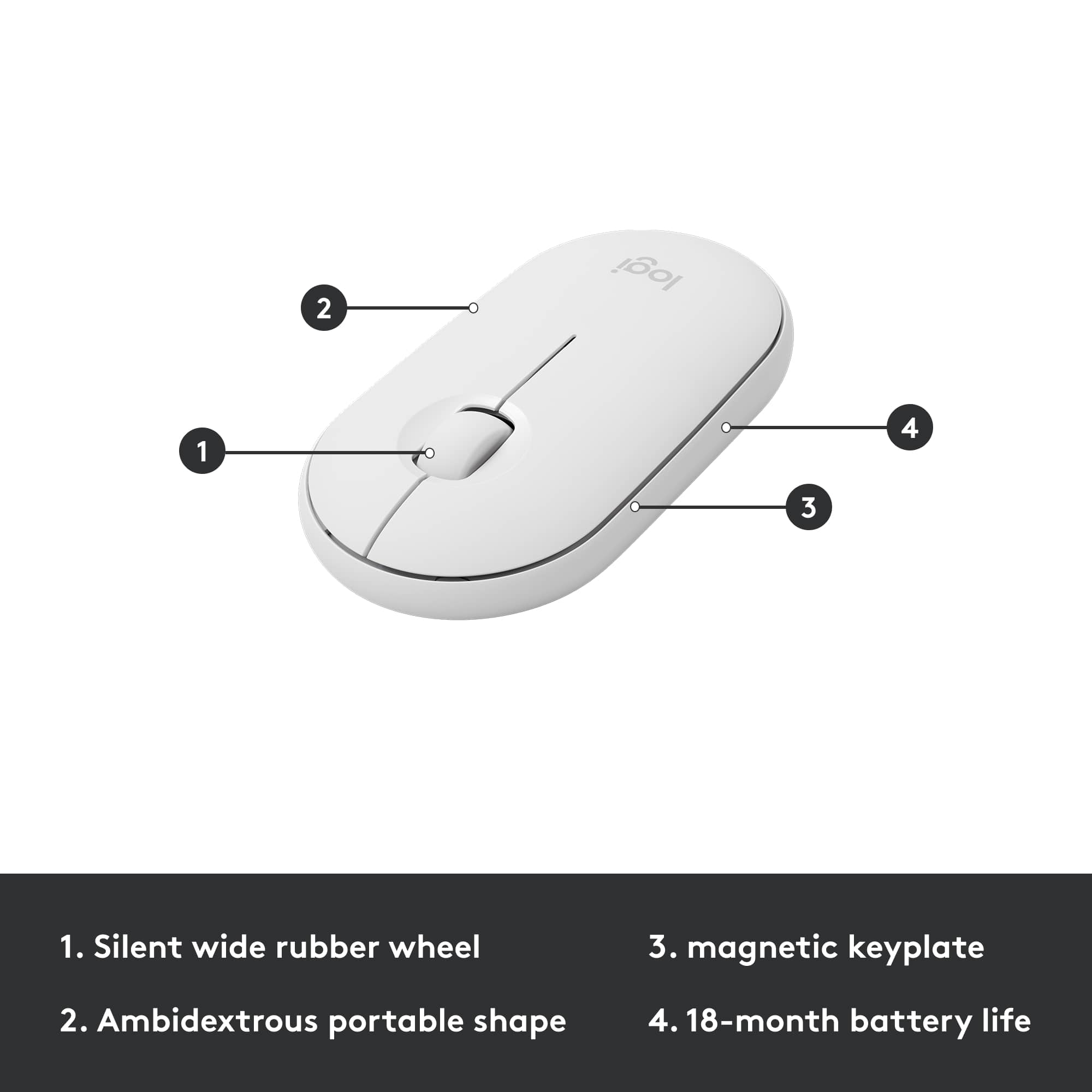
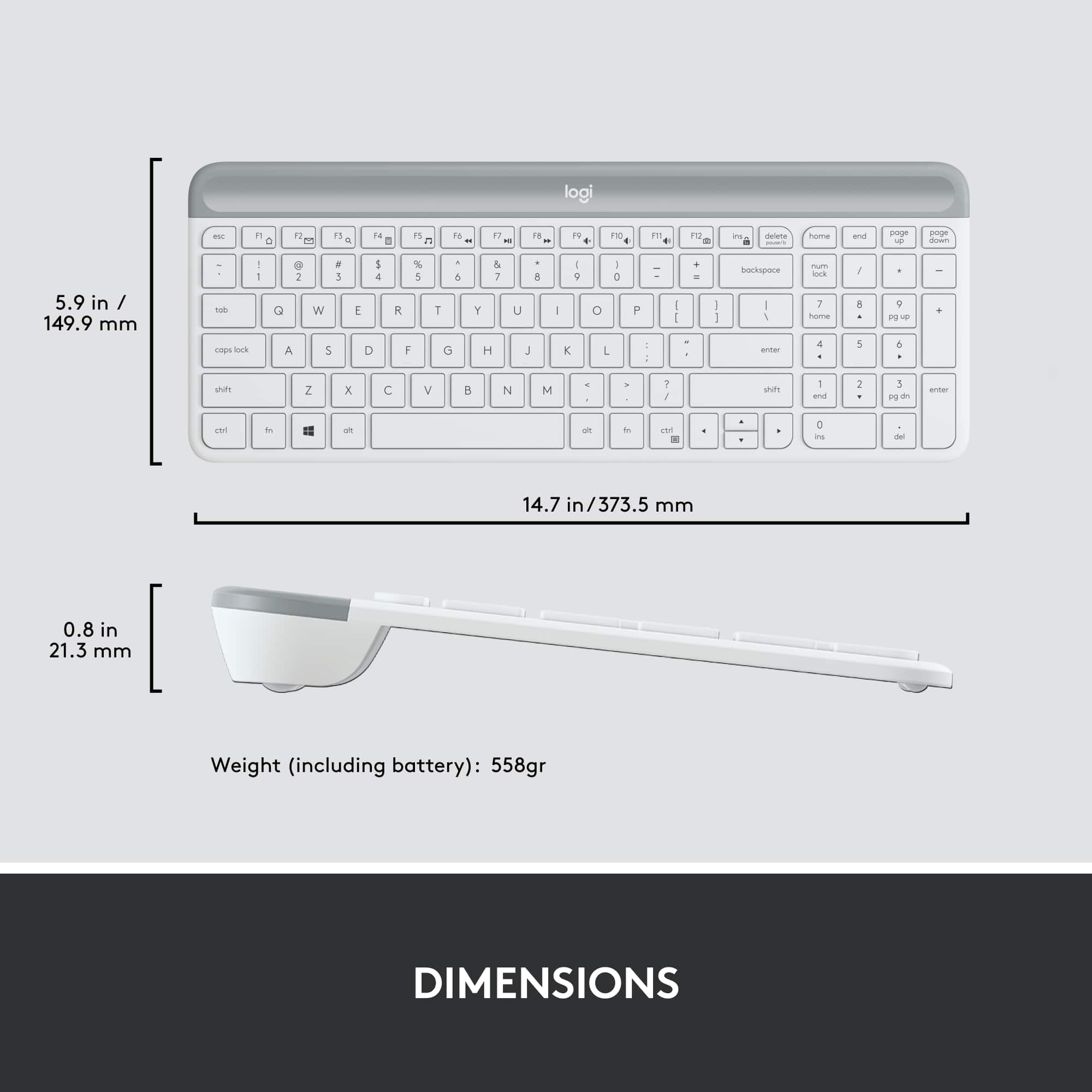
|Posted .This reviewer received promo considerations or sweepstakes entry for writing a review.I waited for this with high expectations and I was not disappointed. I don't do a lot of typing on my PC but when I do I want the keyboard to be nice, solid, quiet and not a space hog. Logitech nailed it. I have had at least 4 of their wireless keyboards and so far this is the quietest. Even though it's small (about 15") there is a number keypad on the right and the QWERTY keys are just about normal size for a computer keyboard. The enclosed literature says the keys are "scissor" style and they sound like hushed tiny scissors. This board would fit into most laptop cases, making it an option for work away from home. The mouse is "ambidextrous" and is simply an oval low-profile wheel mouse with surface-recess left and right buttons. No fancy extra buttons to accidentally press and confuse yourself. It's quiet and smooth. You can tweak the pointer speed and the button swap in the Logitech Options software available on their website. I would withhold one star due to the delete key being a full two inches from the Enter key (another laptop trait!) but the prospect of having the keyboard batteries last 18 months and the mouse batteries as long as 3 years gets the star back. Both items are truly plug-and-play for Windows 10, no problems there. They were working before I sat back down from pushing in the USB receiver into the PC. The retail is higher than the last little wireless set I bought like this but this one seems much better quality, has bigger keys and is way quieter. I really like this keyboard and mouse.
I would recommend this to a friend Slow
||Posted . Owned for 1 month when reviewed.This reviewer received promo considerations or sweepstakes entry for writing a review.Slow to respond when pressing keys. Mouse does not work well with a pad.
No, I would not recommend this to a friendBrand response from Logitech
Posted .Hello,SusanE! I'm sorry to hear about your experience with the MK470 combo! I would recommend reaching out to our support team here https://support.logi.com/hc/en-us/requests/new?ticket_form_id=360000621393 to file a warranty claim. The MK470 has a 1-year limited hardware warranty. Thank you for the feedback on the response time of your MK470 combo! I will be passing this along. - Maggie from Logitech
Lagging and uncomfortable mouse.
||Posted . Owned for 2 weeks when reviewed.This reviewer received promo considerations or sweepstakes entry for writing a review.Purchased on 5/26/2021 and having major issues with keyboard/mouse lagging-unable to work efficiently. Past the time I can return/exchange by a few days. The mouse is not comfortable to use and you cannot switch it out. Major disappointment. Do not recommend. Avoid.
No, I would not recommend this to a friendBrand response from Logitech
Posted .Hello CMH614,
THank you for choosing Logitech, and for taking the time to share your experience with the MK470 mouse and keyboard combo. I apologize for any frustrations that you have encountered. I would like to help. If you have not already done so, I recommend downloading the Logitech "Options" software for customization and best performance. Also please run the "Connection Utility" software where you can check for firmware updates and can reestablish a connection between the USB Nano receiver and MK470 combo. Please check your computer for system updates and restart. I hope these suggestions will resolve the lagging issues that you experienced. I have attached a link to the mk470's "Getting Started" guide where you will find software downloads and further support. If you are still encountering issues, please visit the Logitech website for further assistance.
Best regards,
John at Logitech
https://support.logi.com/hc/en-us/articles/360026084174-Getting-Started-MK470-Slim-Wireless-Keyboard-and-Mouse-Combo
- Cons mentioned:Compatibility
Don't buy for Mac.
||Posted . Owned for 1 month when reviewed.This reviewer received promo considerations or sweepstakes entry for writing a review.Could not get either kb or mouse to work with mac.
No, I would not recommend this to a friendBrand response from Logitech
Posted .Hello MacOnly, Very sorry to hear about the issues you had trying to connect the MK470 to your Mac. The reason why is that this isn't compatible with Mac OS. Logitech does have other combos that work very well with Mac. Here's a link for you to check them out: https://www.logitech.com/en-us/products/combos.html?filters=mac. Hope that you found this helpful and that all is going better. Thank you for being a Logitech customer. - Richard from Logitech
Keyboard ok. Mouse not so much.
||Posted . Owned for 1 month when reviewed.This reviewer received promo considerations or sweepstakes entry for writing a review.Keyboard is ok but was never able to get the mouse to connect. Returning this as a result.
No, I would not recommend this to a friendBrand response from Logitech
Posted .Hi, I'm sorry that you were not able to the mouse from the MK470 combo to connect. The provided Nano Receiver would be preprogrammed to have both the Keyboard and the Mouse paired to it. It should be simple Plug and Play. I'm sorry that this was not the case for you. If you are looking for a smaller combo another good option is the MK360. Thank you for being a Logitech customer. Kristi from Logitech.
Waste of money
||Posted . Owned for 2 months when reviewed.This reviewer received promo considerations or sweepstakes entry for writing a review.As many others have noted, the mouse works great for about a month, then has terrible skipping and lagging, or just doesn't work. I've tried all the manufacturers recommended fixes (new mouse pad, cleaning it, updating, etc), but nothing works.
No, I would not recommend this to a friendKeyboard
||Posted . Owned for 1 month when reviewed.This reviewer received promo considerations or sweepstakes entry for writing a review.Keyboard setting no what I was expecting Difficult to use
No, I would not recommend this to a friendBrand response from Logitech
Posted .Hey there, I'm sorry that you had some issues with your keyboard and mouse combo. If you have any specific issues, please contact us via our support site for assistance as well as warranty information. -Weston from Logitech
Me
||Posted . Owned for 1 month when reviewed.This reviewer received promo considerations or sweepstakes entry for writing a review.was not what I was looking for. It looke like it was missing a part to connect the mouse
No, I would not recommend this to a friendBrand response from Logitech
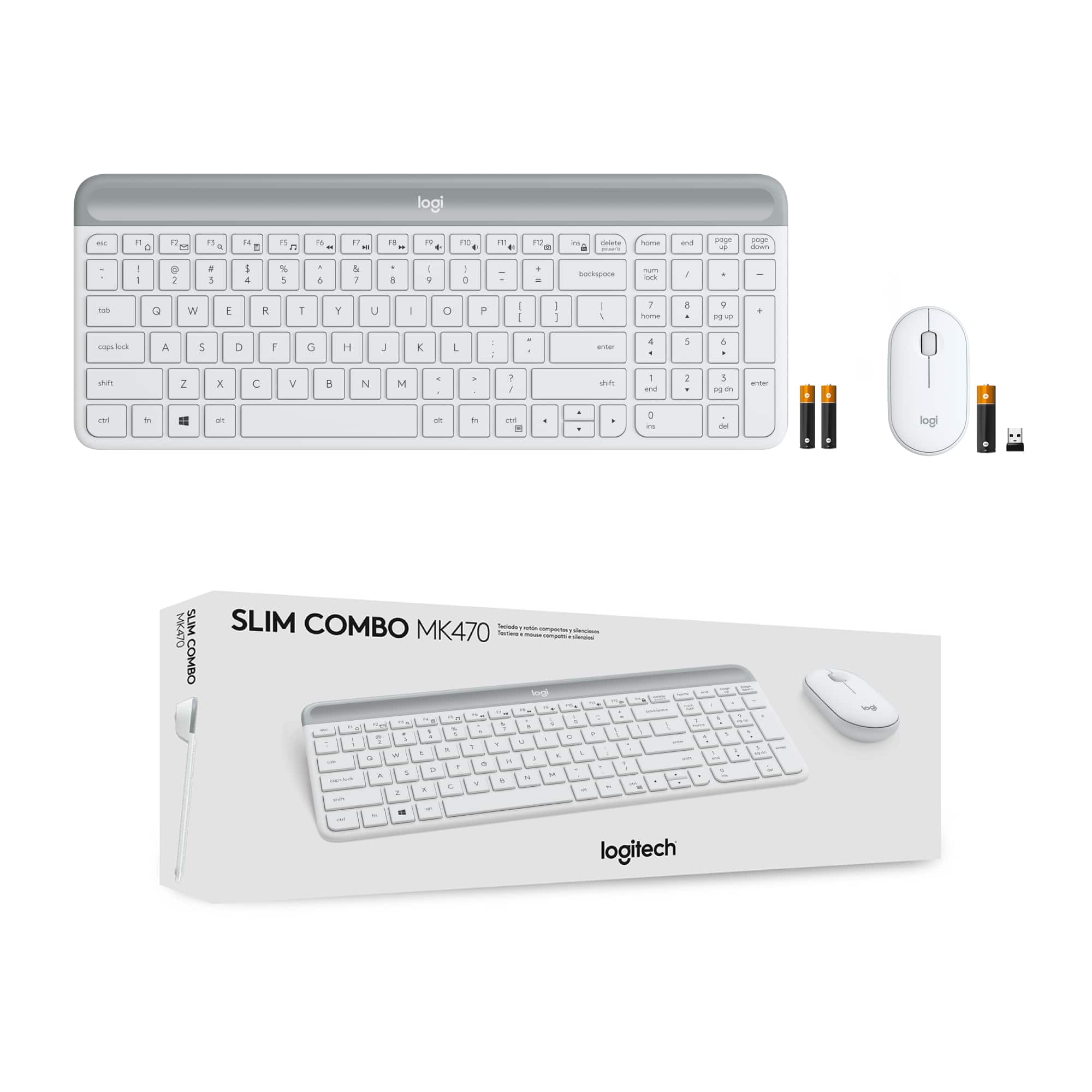
Posted .Hi Murphy, Very sorry to hear about your disappointment with the MK470 Slim Wireless Mouse and Keyboard Combo. In regards to the the missing USB receiver, you can find it by sliding the upper part of the keyboard to reveal the batteries and the receiver in it's storage spot. Here's a link that illustrates how to set up the MK470 https://www.logitech.com/en-us/products/combos/mk470-slim-wireless-keyboard-mouse.920-009443.html?crid=1759. Hope that you found this helpful and that all is going well. Thank you for being a Logitech customer. - Richard from Logitech
Components matter
||Posted . Owned for 3 weeks when reviewed.This reviewer received promo considerations or sweepstakes entry for writing a review.Really slow. Frequent dis-connects. Not especially ergonomic - especially the mouse
No, I would not recommend this to a friendBrand response from Logitech
Posted .Hello Teri,
I am sorry that you have experienced connectivity issues with your MK470 Slim Wireless Mouse and Keyboard Combo; I would like to help. I have attached a link to the support page for your MK470 combo, for your reference. If you have not already done so, I recommend downloading the Logitech "Options" software for customization. You may also want to run the "Connection Utility" software if you are still experiencing connectivity issues. "Connection Utility" is available on the support page in the "Downloads" section located at the top of the page. I hope these suggestions will resolve the issue that you have experienced. For further support please visit the Logitech website.
Best regards,
John at Logitech
https://support.logi.com/hc/en-us/articles/360026087934-Downloads-MK470-Slim-Wireless-Keyboard-and-Mouse-Combo
Good for 1 year
||Posted . Owned for 1.5 years when reviewed.This reviewer received promo considerations or sweepstakes entry for writing a review.Worked for 1 year and then the mouse failed completely
No, I would not recommend this to a friendBrand response from Logitech
Posted .Hello Soso,
I am sorry that the MK470 is not working as expected. Try downloading the firmware update for your device using this link: https://support.logi.com/hc/en-us/articles/360026087934-Downloads-MK470-Slim-Wireless-Keyboard-and-Mouse-Combo. Logitech appreciates your product review. - Leo from Logitech
Wrong keyboard set
||Posted . Owned for 1 month when reviewed.This reviewer received promo considerations or sweepstakes entry for writing a review.It would have been a good set of it was for a Mac computer. I was sold the wrong one. It was for a Windows only. There was no function buttons or compatibility for a Mac. So hope can you rate something that was the wrong kind?
I would recommend this to a friendBrand response from Logitech
Posted .Hello, I am so sorry they sold you the wrong product. Here are our combos that are compatible with mac: https://www.logitech.com/en-us/combos?filters=3975. I hope this helps! Thank you for taking the time to write this review, we appreciate the feedback.
-Danielle from Logitech