Customer Ratings & Reviews
![esc F1 F2 F3 F4 F5 F6 F7 F8 F9 F10 F11 F12 1 2 3 4 5 6 7 8 9 0 - = backspace tab Q W E R T Y U I O P [ ] \ caps lock A S D F G H J K L ; ' shift Z X C V B N M , . / shift ctrl alt logi](https://pisces.bbystatic.com/image2/BestBuy_US/images/products/6411/6411501_sd.jpg)
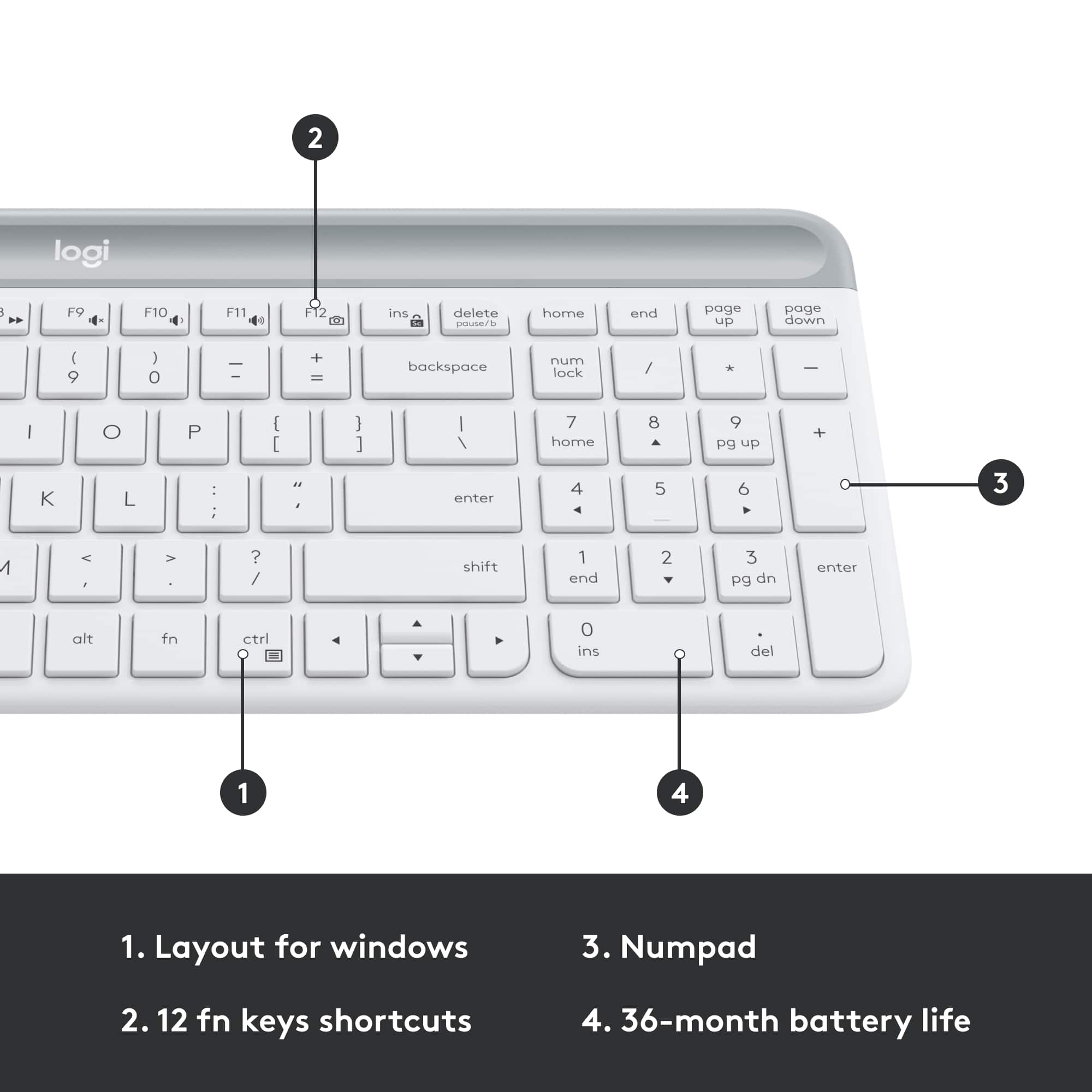
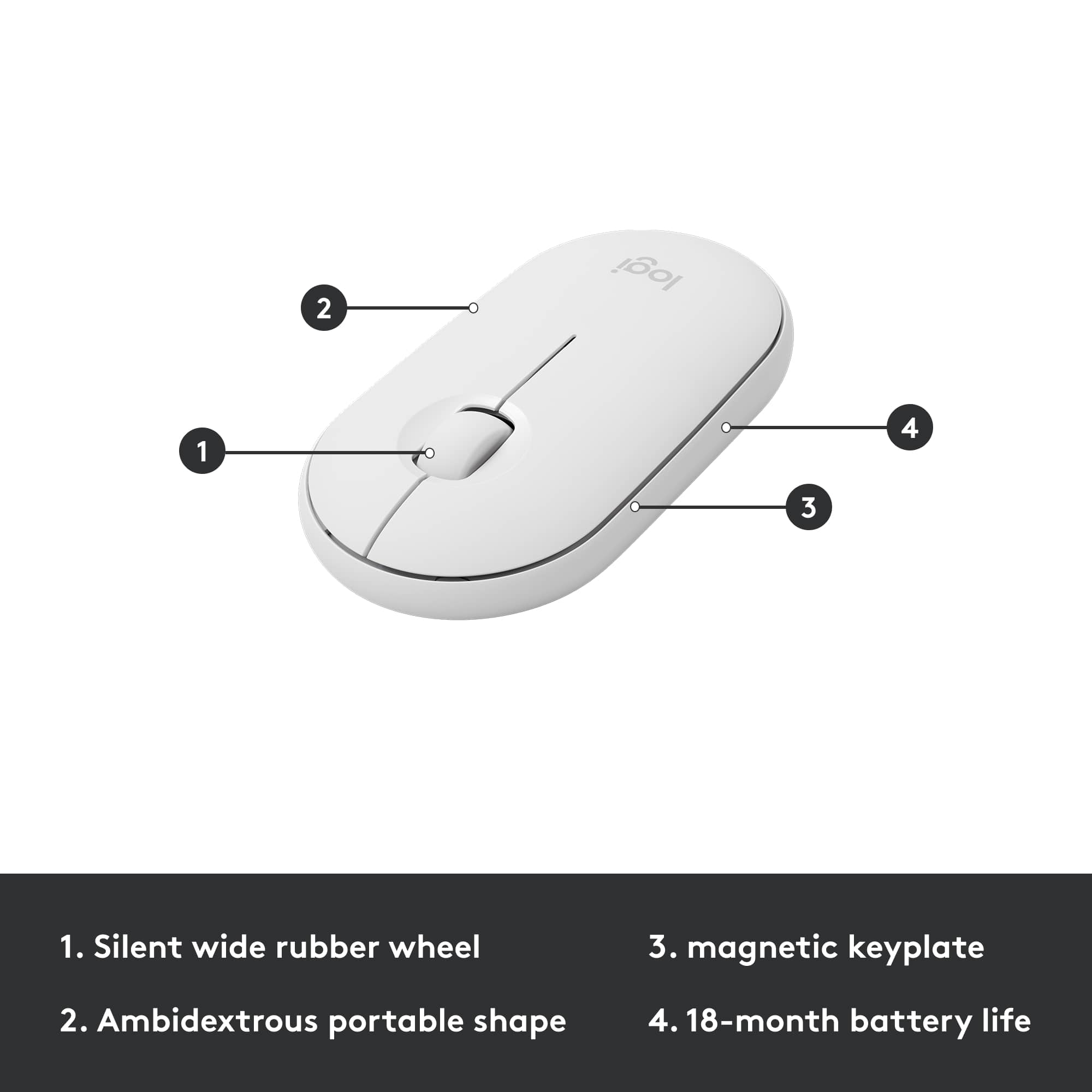
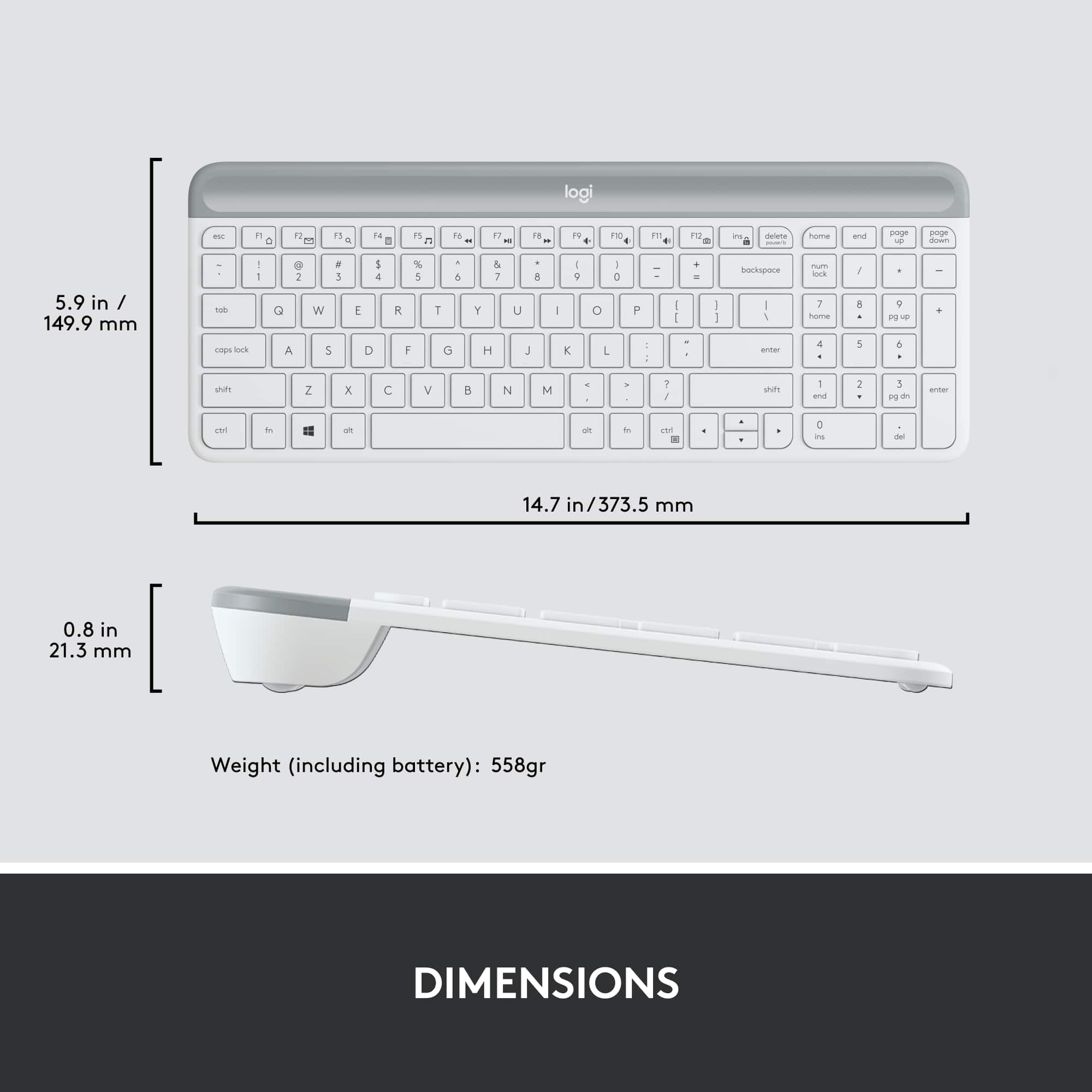
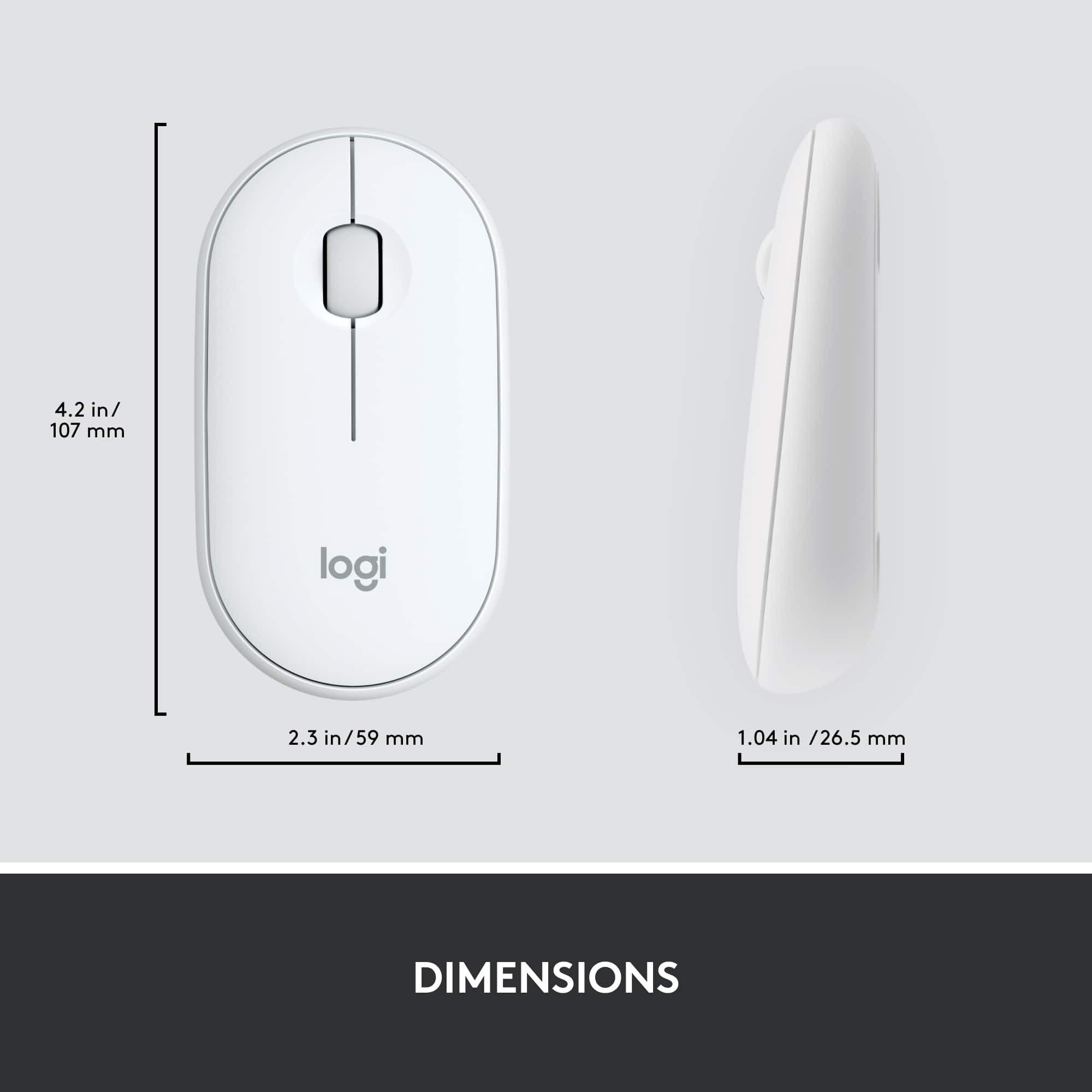
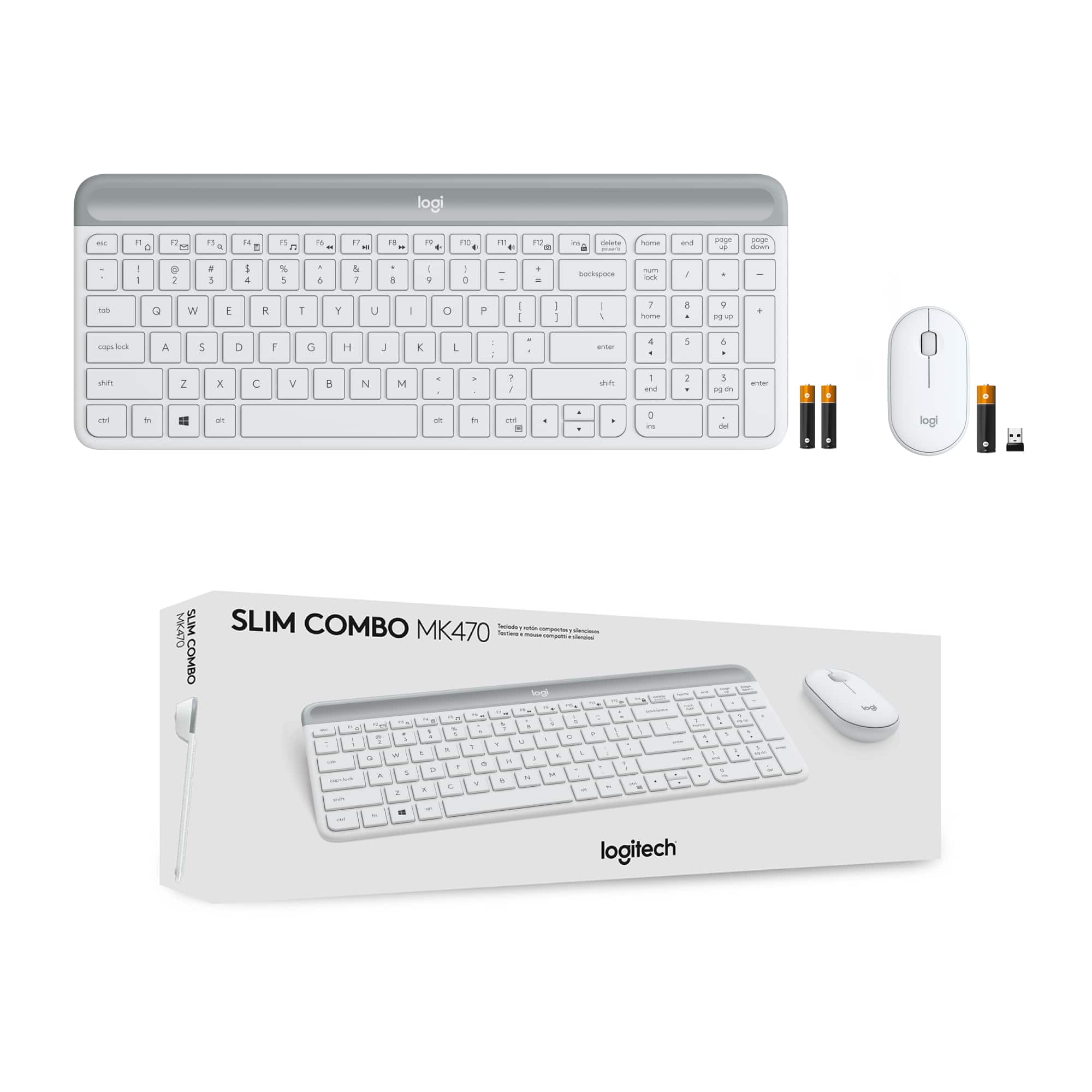


- Model:
- 920-009443
- SKU:
- 6411501
Rating by feature
- Value
Rating 4.6 out of 5 stars
- Quality
Rating 4.6 out of 5 stars
- Ease of Use
Rating 4.7 out of 5 stars
Customers are saying
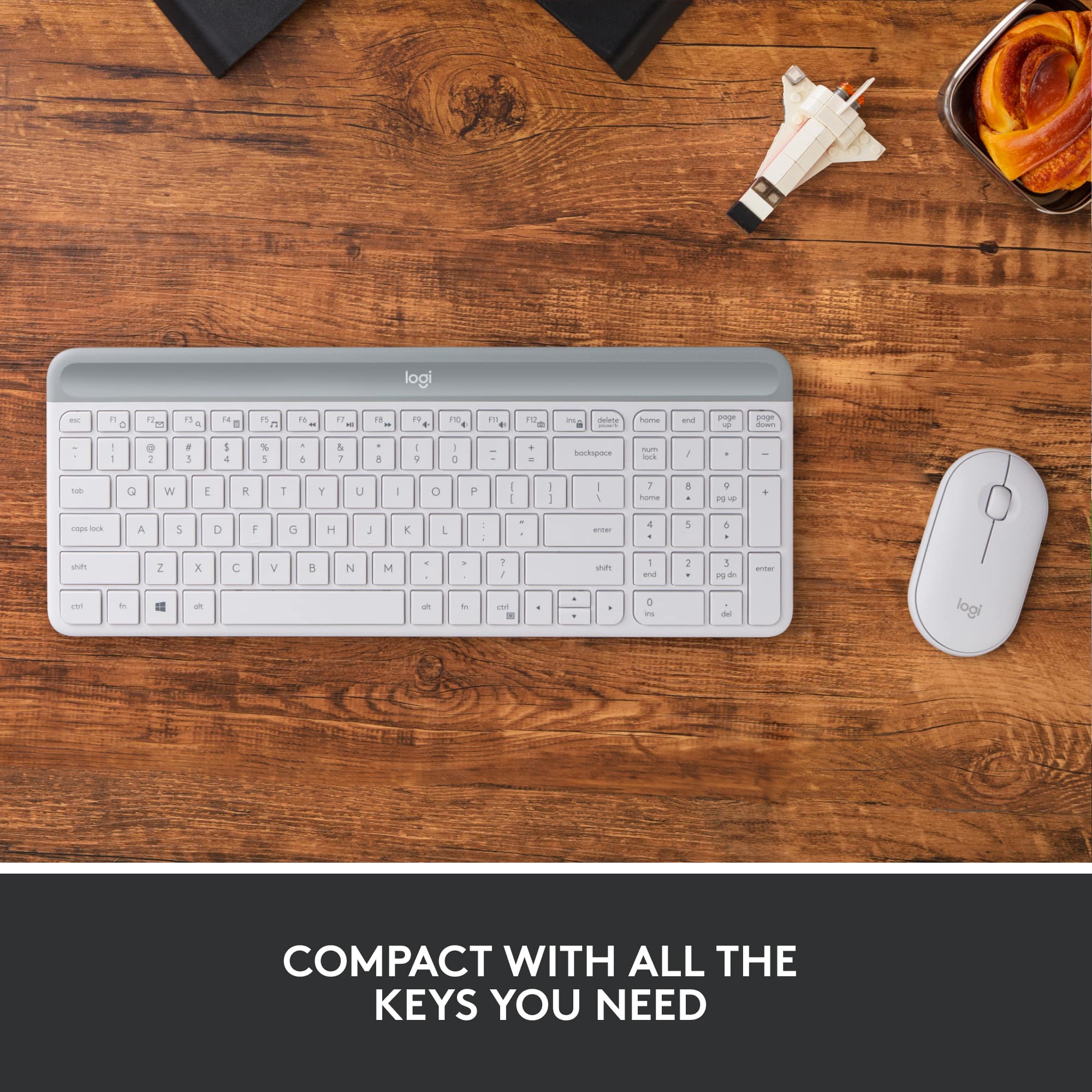
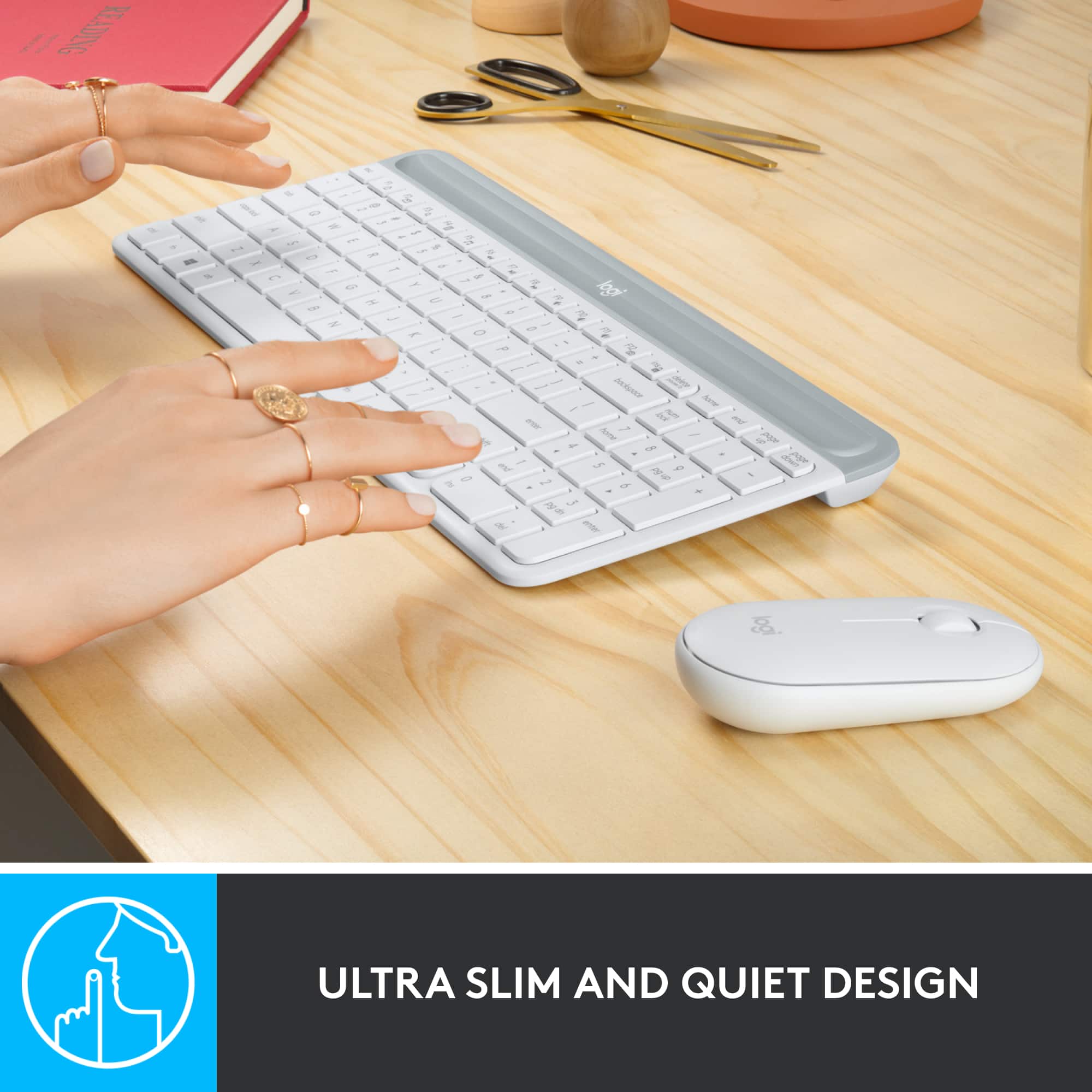
Customers are impressed with the excellent keyboard quality, ease of use, and convenient size. They also appreciate its appealing design, quiet operation, and lightweight nature. However, some users noted the absence of a caps lock indicator and occasional compatibility issues.
This summary was generated by AI based on customer reviews.
- Pros mentioned:Design

Awesome Duo
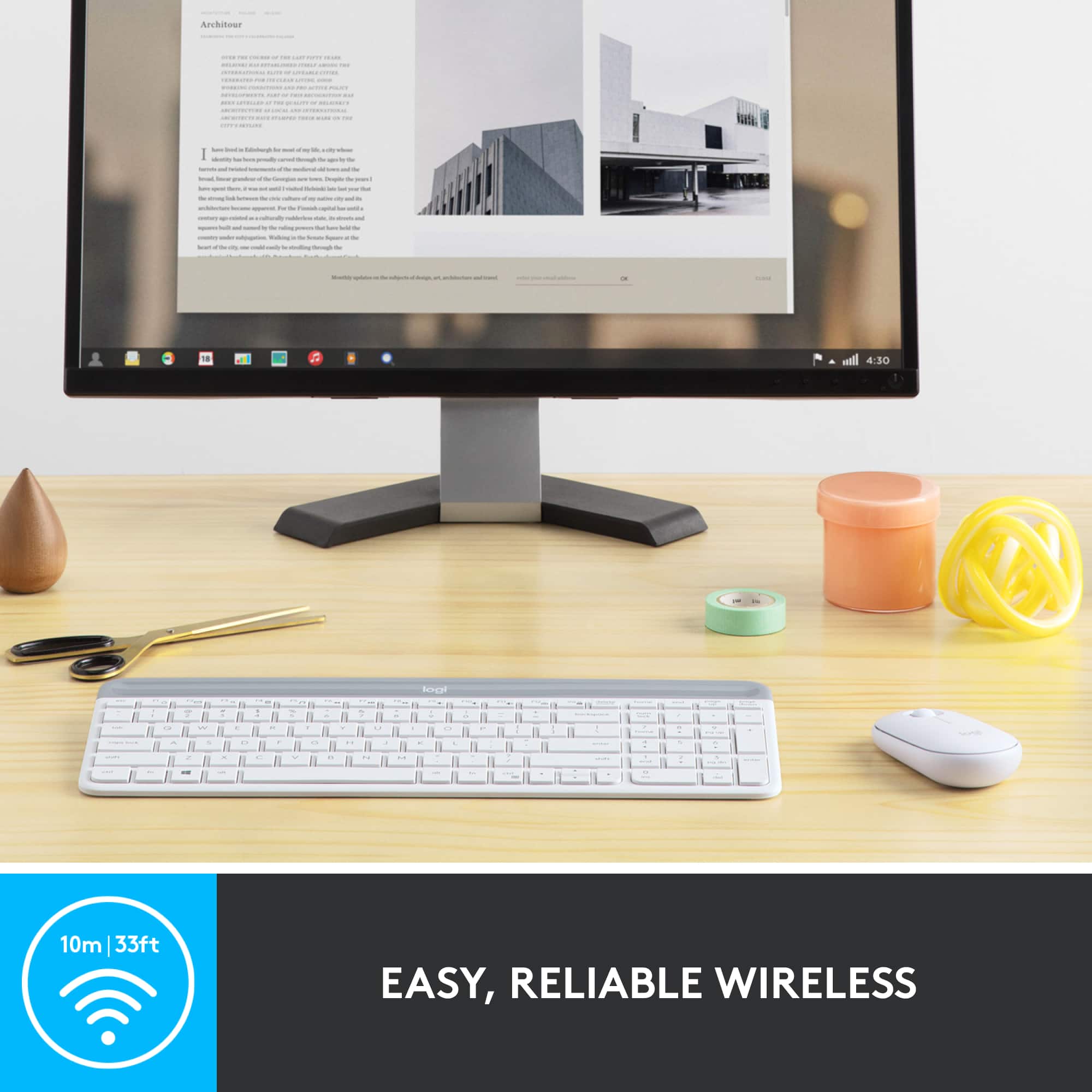
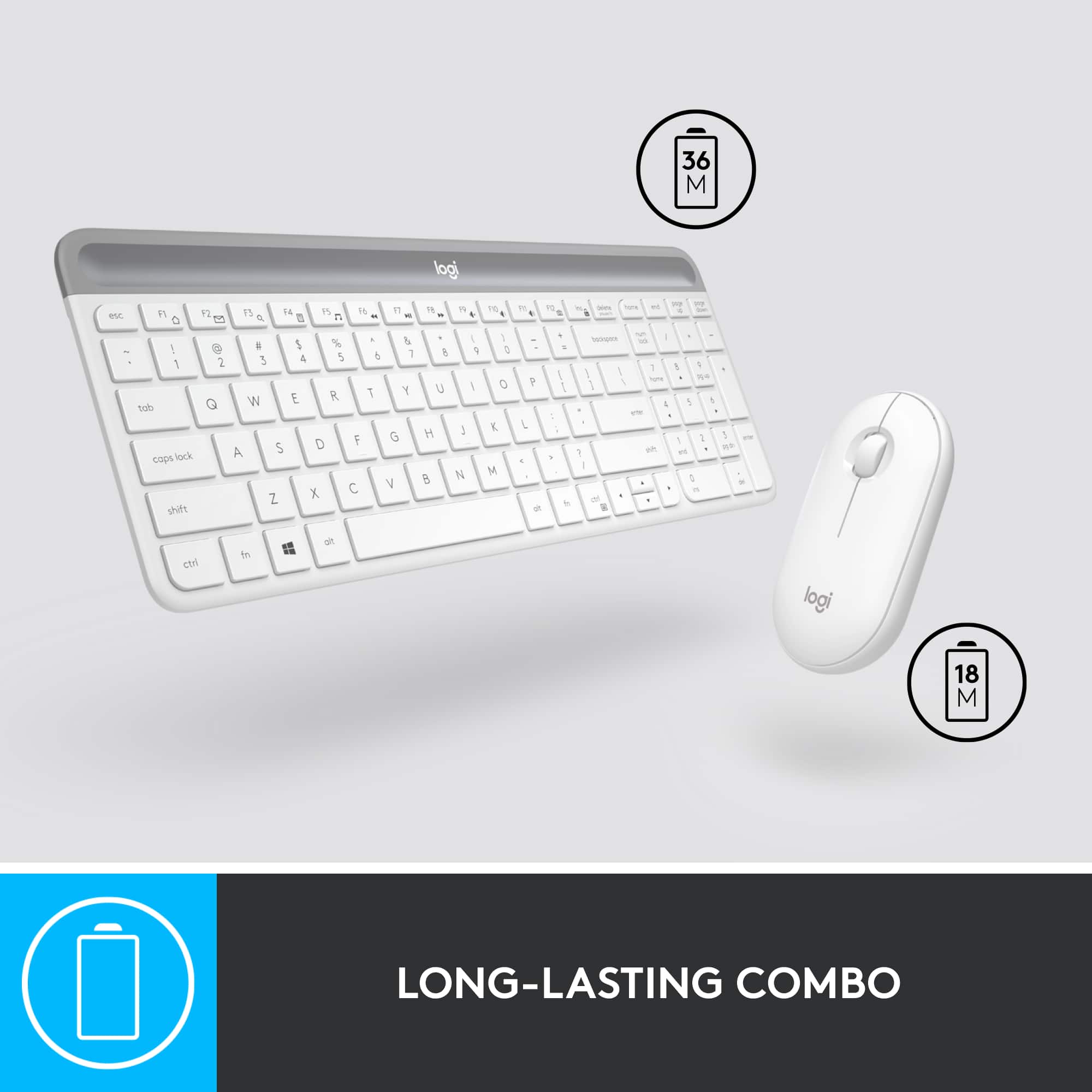
|Posted .This reviewer received promo considerations or sweepstakes entry for writing a review.Logitech - MK470 Slim Wireless Mouse and Keyboard Combo I am loving this Logitech MK470 combo. I feel like I came home with an $80 keyboard & mouse combo for $50. I unboxed it, pulled off the paper to engage the battery connection, installed the unified receiver on my computer’s USB port, turned on the computer and voila! Ready to go. Windows 10 automatically installed the necessary drivers. This also works just as well on Mac computers. In the box you get the keyboard and mouse with their batteries already installed. You also get a receiver that works with both the mouse and keyboard. The receiver works on the 2.4GHz band up to 10 meters. I don’t see myself needing that far of a distance but I’m sure it would be useful for presentations on a big screen. According to Logitech, the keyboard batteries which uses two AAA lasts up 18 months and the one AA battery on the mouse lasts up to 30 month. Works with the Logitech Options app that you can download from Logitech. The Options app lets you personalize your keyboard and mouse. I use it to change the scroll wheel direction on the mouse. I use inverted, natural on Mac. On the keyboard, you can change the functions of the FN shortcuts (F1 - F4), Mac not available. The keyboard is made of plastic with a charcoal and gray color scheme. It has a very low and slim profile but it does have some weight to it so it doesn’t feel cheap. In fact, it feels solidly built. The keys feels just like the keys on the more expensive Logitech Craft keyboard that I have. The keys are chiclet style keys that uses scissor switches. It is a compact full size keyboard with number keypad. The gray part of the keyboard is removable and that is where the batteries are located and also holds the receiver should you need to take this combo with you on your trip. The only thing missing is backlit keys but that would be stretching the $50 value. The mouse is also plastic that’s colored charcoal. It has a flat and low profile with no ergonomics in the design. The bottom glides are not as smooth as my Master 2S but that might be asking for too much. The top is made of very thin plastic that is removable and it is secured with magnets which I thought was pretty ingenious. Makes battery changes easy...every 30 months. It is ambidextrous. I found the clicking and scrolling wheel to be quieter than my MX Master 2S. The build on the mouse is ok but I don’t think you should drop it more than once. Overall, I am very pleased with MK470 Slim Wireless keyboard and mouse combo from Logitech. It functions well and it is very pleasant to look at. The mouse and keyboard are both comfortable enough to use. The battery life will be a big benefit if it holds true. I think it is perfect for novice users but can definitely hold its own for more advanced users. ** Apple Mac users. In my testing, the FN functions only worked for adjusting volume. I am using BETA version of MacOS Catalina.
I would recommend this to a friend - Pros mentioned:Keyboard quality
Keyboard is really amazing. The mouse is just ok
|Posted .This reviewer received promo considerations or sweepstakes entry for writing a review.First, I like the new Logitech branding "Logi". In general, Logitech always a good producer of computer accessories. This MK470 is just as amazing as Logitech products. It has a very slim profile. Very nice typing experience. Wireless connection is fast and has a good range. I tried the combo (keyboard and mouse) with several OS computers (Linux, Win10 and Chrome OS) driver installs with no issues. Mouse and keyboard work with no glitches. Function buttons works very good with Win10 (well pre-defined). Most of them (almost all) work well also with Chrome OS. Linux is a bit tricky but with some extra efforts I think you can get it to do whatever they are intended to. The mouse is too slim (for my big hand) I got used to it after few hours of use but I am used to my other mice to have a big bump to rest the my hand on it. This is a different way of use. It is small enough to be managed. The mouse response is very good. Scrolling is nice the clicks are quite. I even tried using it on some electric design works and it is just fine. But, I love the keyboard more. It is amazing.. The low profile is very ergonomic. The keys travel is very good! You can type very fast without mistakes or confusions. The layout is perfect. Spacing is very good. Keys shape is also good. Another good thing, the keyboard is on the heavy side. Very stable on the using surface. It also gives a premium feeling to the keyboard. This keyboard/mouse combo can be used as main computer's accessory and also as additional (portable kit) to be used with laptops and other devices supporting USB connector.
I would recommend this to a friend unpleased
||Posted . Owned for 1 month when reviewed.This reviewer received promo considerations or sweepstakes entry for writing a review.it wouldn't connect to my devices I also had to returned it
No, I would not recommend this to a friendBrand response from Logitech
Posted .Hi, Thank you for your feedback. Sorry for any inconvenience. If you ever need assistance, please contact Logitech Support on the website. LaShonda from Logitech
DONT BUY THIS!!
||Posted . Owned for 3 months when reviewed.This reviewer received promo considerations or sweepstakes entry for writing a review.It never worked properly, ended up buying a bluetooth one
No, I would not recommend this to a friendKEYBOARD AND MOUSE COMBO
||Posted . Owned for 3 weeks when reviewed.This reviewer received promo considerations or sweepstakes entry for writing a review.I PURCHASED THIS ITEM AND I RECEIVED A DEFECTIVE ITEM AND MISSING A PART.
I would recommend this to a friend- Pros mentioned:Keyboard quality
Wireless Full Numeric Compact Keyboard
|Posted .This reviewer received promo considerations or sweepstakes entry for writing a review.It has been a few hours using the Logitech MK470 and I am happy (and typing this review on the keyboard). This keyboard was an upgrade for a wired keyboard that came with our desktop PC (but I am sure the MK470 would be fine as an external keyboard on a laptop). Setup is plug and play. No drivers, downloads, or installs. It uses the standard Logitech nano USB transmitter/receiver. Things you need to know. It has a full numeric keypad and standard sized keys but it's relatively compact. That said, I didn't suffer any muscle memory typing errors in the changeover. The mouse is dominant hand neutral - so it doesn't care if you're left or right handed. Great in my home when I'm the lefty in the family. Logitech ship the MK470 with AAA batteries and the claim about 18-36 months battery life (mouse / keyboard) which is impressive. Probably the biggest standout though is the keys are very very quiet but have great travel. It's more like typing on a nice laptop keyboard. I'm using this in our home office but would happily take this and use it at work (and I know a few angry typers at work who I would LOVE to give this to). Overall, the MK470 looks nice, frees up room on the desk, wireless functionality is perfect and you can never really fault logitech for quality. Recommended and super happy!
I would recommend this to a friend - Pros mentioned:Keyboard quality
Whisper Quiet and Comfortable
|Posted .This reviewer received promo considerations or sweepstakes entry for writing a review.No matter where I use them, my preference has always been for wireless keyboards. As to mouse, it always depends on what I am working with. What I cannot compromise is quality, precision and reliability. The Logitech MK470 keyboard meets those requirements. It is very quiet compared to most keyboards. It feels very sturdy and heavier than most bigger ones. That is perfect because it does not move while I type. It is also very comfortable, as it does not feel small for my hands and the tactile feedback is good, especially because the keys are of normal size. The position of the cursor keys are not standard but interestingly, I had absolutely no trouble getting used to it. It felt like I had used them before. The mouse is very reliable and its weight is just perfect for most of what I do but I would not use it for serious gaming. The top is also a lid that pops up to replace the battery. I was a bit concerned about that but its strong magnet holds the lid securely and it looks and feels glued there. The whole mouse is slim but not too small. It feels good in your hands but nothing special about it This combo is clearly designed for normal day-to-day work and it does a good job there. It gave me back a lot of room on my desk. Compact and no wires. The promised 18-month of battery life for the mouse and a whopping 36 months for the keyboard almost sounds too good to be true. I would have complained because it uses AA batteries instead of USB charging but with that life span, who cares? There are no LED lights indicating CAPS or NUM locks on. You need to rely on the brief display on the screen. I still miss the LEDs but they would decrease the battery life. I think it is a good compromise. It also uses a dongle that are shared by the keyboard and mouse. It is good that it requires only one USB port. My preference would have been to use Bluetooth, which requires no ports but that has become rare for keyboards and it would probably drain batteries too. Again, it is a good compromise unless you do not have a spare USB port. The dongle (adapter) is slim and is somewhat discreet even in a laptop. Overall, I really like the keyboard but not so sure about the mouse. I ended up using a separate mouse for video/photo editing but for everything else other than gaming, I like it.
I would recommend this to a friend Terrible Key Boarf
||Posted . Owned for 3 weeks when reviewed.This reviewer received promo considerations or sweepstakes entry for writing a review.The keys do not work often, you have to hit them repeatedly.
No, I would not recommend this to a friendBrand response from Logitech
Posted .Hello Elle,
I am sorry that MK470 is not working as it is supposed to. Try downloading the firmware update on the Logitech website, and if that does not work, contact the Logitech support team for personalized assistance. Logitech appreciates your product review. - Leo from Logitech
Returned
||Posted . Owned for 3 weeks when reviewed.This reviewer received promo considerations or sweepstakes entry for writing a review.Very small and thin keyboard. Returned because it was easier to just use my laptop keyboard
No, I would not recommend this to a friendBrand response from Logitech
Posted .Hi L1AS,
Thank you for your feedback. It is greatly appreciated. Sorry for any inconvenience. If you ever need assistance, please contact Logitech Support on the website. LaShonda from Logitech
LOGI KEYBOARD AND MOUSE
||Posted .This reviewer received promo considerations or sweepstakes entry for writing a review.I'd like to return it. It doesn't work. It's so slow and gives me so many issues.
No, I would not recommend this to a friendBrand response from Logitech
Posted .Hello, we are so sorry to hear that the MK470 combo did not work properly for you. At Logitech, it is our goal to ensure you are completely satisfied with your Logitech purchase. We take pride in the products and services we offer, and want our customers to enjoy them just as much as we do. At the end of this message, I have attached a link to some FAQ's that will help troubleshoot your combo unit. We apologize for any inconvenience we may have caused. Thank you for the honest review. We are so grateful to have you in the Logitech family. Have a great day. -Ricky | Logitech
- Pros mentioned:Keyboard quality
Thin and perfect for travel
|Posted .This reviewer received promo considerations or sweepstakes entry for writing a review.This combo has absolutely insane battery life. We are looking at well over a year before needing to change batteries. The keyboard size is just about right when talking a chicklet style keyboards. This is definitely a membrane keyboard, you can feel it with each keystroke. The keyboard is a full sized keyboard with condensed arrow keys. Key travel is about what you would expect, the keys are very shallow so not much travel before bottoming out. I have found a couple issues, one may just be my hardware but I will mention it if someone else runs into the same issue. I had the dongle attached to a USB hub, occasionally the keyboard and mouse would stop working and lock up the laptops keyboard as well. After removing the hub and connecting the receiver direct, I have had no such issues with the built in or the Logitech hardware. This happened with multiple hubs and the laptop I am using. When using a dongle for USB-C connecting the hub that way, no issues so far. It could be the laptop or another driver I have installed. My second issue, this is impossibly thin. Which can be good or bad depending on hand size. I need to sit the keyboard at the end of the desk so I can dangle my meat hooks over the edge so I can have some comfort. The mouse is also very thin and causes my XXL hands to feel like I am overwhelming the mouse and I get the nice hand cramps that come along with such a small device. If you can use a switch controller without hand cramps, you should be good with this mouse. Construction wise this is Logitech and top notch. You have multiple places to store the dongle when not in use, I prefer inside the mouse but there is also a place under the battery cover in the keyboard as well. This keyboard and mouse will find a permanent home in my work backpack. When on call it is nice to not have to use the small laptop keyboard on a 13 inch laptop. I'll probably bust it out when using my Chromebook hooked up to the living room TV when I need to do such things. I knocked one star because of my meaty hands. I did not subtract for the issue with disconnects since I think that is more laptop related than anything. I just like to document in case anyone else has the issue.
I would recommend this to a friend small arrow keys
||Posted .This reviewer received promo considerations or sweepstakes entry for writing a review.I really don't like small arrow keys. It is hard to use them.
No, I would not recommend this to a friendKeys are terrible
||Posted . Owned for 2 months when reviewed.This reviewer received promo considerations or sweepstakes entry for writing a review.I have had this for less than two months and the caps lock key no longer works
No, I would not recommend this to a friendBrand response from Logitech
Posted .Hi UnsatisfiedCustomer, thank you for your feedback! For support, please refer to: https://support.logi.com/hc/en-us/articles/360026084174-Getting-Started-MK470-Slim-Wireless-Keyboard-and-Mouse-Combo - Will, Logitech.
- Pros mentioned:Design, Size
Good for light work
|Posted .This reviewer received promo considerations or sweepstakes entry for writing a review.This is the perfect size to take on vacation or business trip. Nicely spaced keys and not much is missing from a full sized board. Battery life will have to wait to see if it lives up to the rated life. But so far so good and have not had issues with the included batteries. Pros: Light Nice key movement No issues with connection or setup it up comes with mouse and keyboard on same dongle. slim design for easy storage and packing for trips or smaller places. no skipping of letters while typing and keeps up with all my rapid fire backspacing (haha) Cons: Mouse works but flat design hurts my hand after awhile. I can't use with my hand flat so I end up with my hand "floating" above it while in use. Keyboard is not lit and letters are not pure white, so anything other than a well lit room has been a issue. Keyboard does not have a on/off switch. So like most wireless keyboards it will go to sleep to save battery. Issue is if you put in backpack or the like. It will keep turning on every time the keys are hit. Dongle storage area is very tight and you almost break it to get it in. It is only two little plastic fingers that seem to be ready to snap off. Keyboard battery area is easily dislodged and has come off a few times during transport. I still like using it. But right now I am not planning on using it in a lot of places. Instead I will put it in the second room and leave it.
I would recommend this to a friend Space bar
||Posted . Owned for 1 month when reviewed.This reviewer received promo considerations or sweepstakes entry for writing a review.After only 2 monthsthespace bar needs tobe hit harder than isnatural.
No, I would not recommend this to a friendBrand response from Logitech
Posted .Hello, we are sorry to hear that you are having spacebar issues with your MK470. It is possible that the area around the space bar may have debris that needs to be cleared out. If cleaning does not help, you may reach us for support by opening a Technical Support ticket here: https://support.logi.com/hc/en-us/requests/new?ticket_form_id=360000621393
- Pros mentioned:Ease of use, Keyboard quality
Small but does the Job
|Posted .This reviewer received promo considerations or sweepstakes entry for writing a review.I was a bit leary when I first opened the box as the keyboard is quite a bit smaller than the one I was using. Then I realized that it is the same size as my laptop keyboard and I was good to go. It has opened up so much space on my desk and has made typing notes much easier. The F-keys are great shortcuts and I really like the images on the keys to remind you what they do. The touch is very light so typing is fast and smooth. I haven't noticed any lag time as I've done with other wireless keyboards and it can keep up with a fast typist. It is also very quiet which is great. The mouse is slim and took a bit of getting used to but now it feels natural. This was so easy to set up and there was no big download to wait for. Also, it worked in conjunction with my old keyboard and mouse which I found interesting. My only complaint is that there is no indicator when the cap and number locks are on which can really be a problem when trying to type in passwords. Having a cat that likes to walk across keyboards makes knowing if the locks are on or off important. I would also think those keys would be easy to hit if you are handling it to travel. This unit is great for the office or home computers as it really gives you extra space on your desk. It is also light and compact enough that it fits in quite well with a laptop so easy for travel. So, far, I'm loving it.
I would recommend this to a friend Returned
||Posted . Owned for 3 weeks when reviewed.This reviewer received promo considerations or sweepstakes entry for writing a review.Bluetooth connection was terrible had to box up and return.
No, I would not recommend this to a friendBrand response from Logitech
Posted .Hi BESTBUY504, thank you for your feedback! That is unusual. For support, please refer to: https://support.logi.com/hc/en-us/articles/360026084174 - Will, Logitech.
- Pros mentioned:Keyboard quality
Pretty solid mouse/keyboard combo
|Posted .This reviewer received promo considerations or sweepstakes entry for writing a review.Always been a fan of Logitech products as they're pretty reliable and solid performance. This little combo set is no different. Never hurts to have one of these around the house. Obviously for your computer/laptop but this also works well if you have a smart TV with browser. The keyboard is quite slim however it has a bit of heft to it which I like. It doesn't feel like there's a piece of plastic on your lap like with some other brands. Keyboard is pretty smooth operation so no issues so far there. For those seeking a minimalist look/feel, you'll probably like this one. The mouse is okay. Personally, I think it's a bit too low profile. I prefer mice with some decent ergonomic grip to it and this mouse is quite flat compared to others. Other people may like this, however it doesn't suit my tastes. Biggest pro for this is the battery life in that this combo boasts 18 month life for the keyboard and 36 month (3 YEARS) for the mouse without needing to replace the battery. While I can't speak to this, I'm quite intrigued by this as one of the major problems with other mice/keyboard combos is the battery life lasting a few months or so before replacing the batteries. Again, pretty solid set that should appeal to just about anyone.
I would recommend this to a friend - Pros mentioned:Design, Keyboard quality
Super Quiet and a Great Feel
|Posted .This reviewer received promo considerations or sweepstakes entry for writing a review.The Logitech MK470 Wireless Keyboard/Mouse combo is great. I love the sleek, minimalist design, while still having a number pad. Additionally, I did not realize how load my previous keyboard was, bu this keyboard is QUIET! The last element I am excited about is the battery life. The mouse is supposed to last for 36 months, and the keyboard for 18 months.
I would recommend this to a friend - Pros mentioned:Keyboard quality
Sleek, quiet, perfect size
|Posted .This reviewer received promo considerations or sweepstakes entry for writing a review.This keyboard/mouse combo is perfect for the desktop setup. The keyboard is very sleek and slim not taking up any space at all and it has a full size keyboard! The keys are very precise when typing and do not have a plastic rudimentary feel to them. They have a semi firm and quiet depress when typing. The keyboard looks almost high end with a low end price. The batteries are included and has an automatic sleep mode that shuts it down when not in use and saves battery life... so there is no power button to manually turn it off saving a little time when powering off the computer and just walking away. The mouse is very small, a little smaller than I would like for my average to larger hands, but it works. The button function of clicking the right and left bottom is very slight. It almost feels like I’m not pushing the button at all, almost like a touch button of sorts. The scroll and printing motion of the mouse is very precise and has a full range of motion with the slightest movement of the mouse.... very nice. It will be replacing my previous wireless keyboard/mouse combo that has full function of buttons (volume/mute etc.) just because I really like the look, feel, and functionality of this combo that much more. A very good buy if you are in the market!
I would recommend this to a friend