Customer Ratings & Reviews
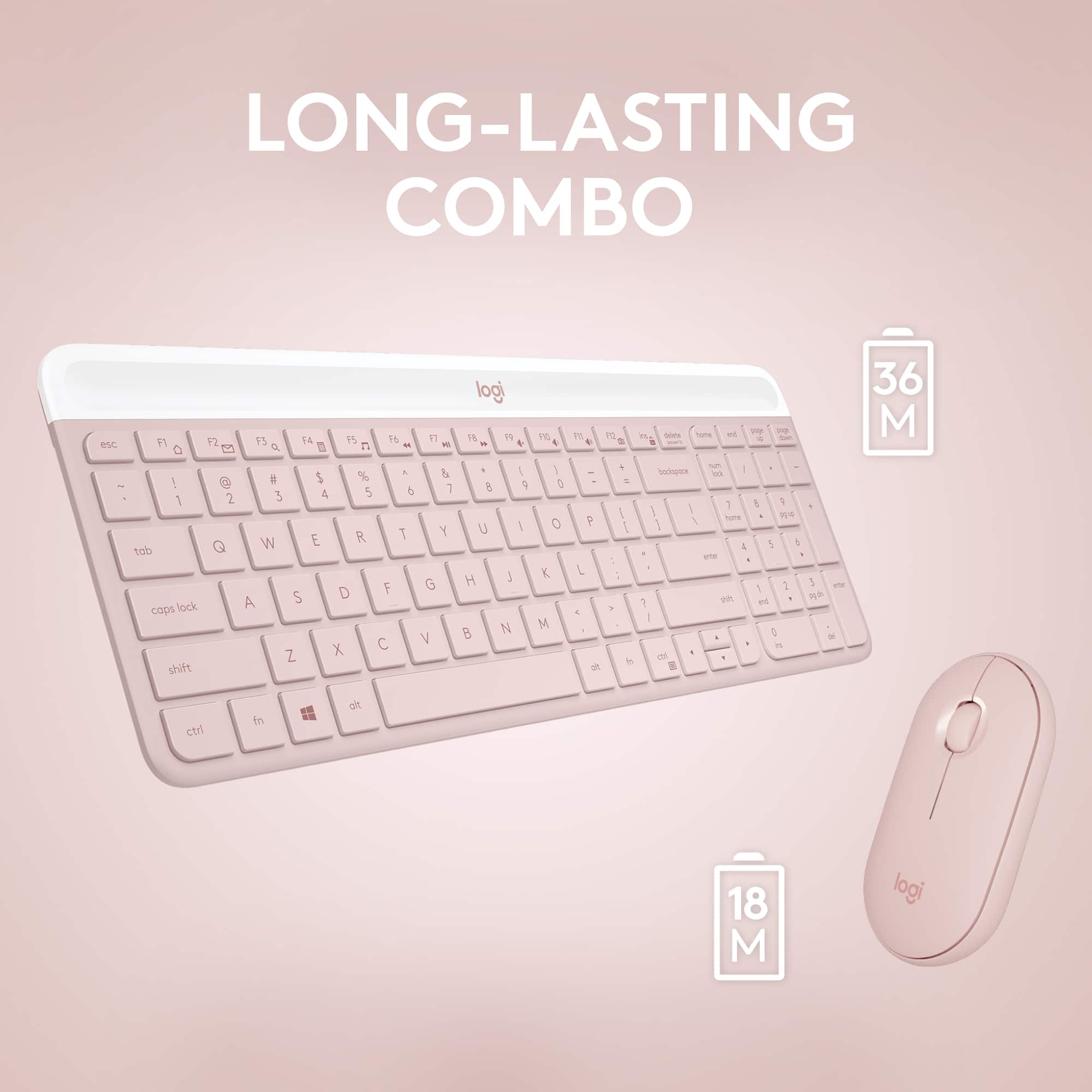
![F1, esc, !, -, 1, tab, caps lock, shift, F2, @, 2, Q, A, F3, Q, #, 3, W, S, Z, F4, $4, E, D, X, F5, %, 5, R, F, C, F6, 44, A, 6, T, G, V, F7, HI &, 7, Y, H, logi, F8, FO, 4, *, (, 8, 9, U, I, J, K, M, N, FI0, 0, O, L, <, -, alt, page up, page down, end, down, delete, home, 1, P, [, ] 5, 5, 4, ., -, enter, :, 1, 3, enter, I, 2, 1, Pg up, [, ] 5, 5, 4, ., -, enter, ?, >, /, 0, del, a, 4, ins, e, ctrl, *, fn, ctrl, fn, alt, logi.](https://pisces.bbystatic.com/image2/BestBuy_US/images/products/6536/6536551_sd.jpg)






- Model:
- 920-011311
- SKU:
- 6536551
Rating by feature
- Value
Rating 4.6 out of 5 stars
- Quality
Rating 4.6 out of 5 stars
- Ease of Use
Rating 4.7 out of 5 stars
Customers are saying
Customers commend the product's excellent keyboard quality, ease of use, and convenient size, often highlighting its suitability for travel. They also appreciate its commendable design, quiet operation, lightweight nature, good battery life, and easy connectivity. However, some users note minor drawbacks, such as the absence of a caps lock indicator and occasional compatibility issues.
This summary was generated by AI based on customer reviews.
Logi keyboard
||Posted . Owned for 3 weeks when reviewed.This reviewer received promo considerations or sweepstakes entry for writing a review.Goes well with my all white aesthetic and i look forward to using it with my content editing
I would recommend this to a friendI’m satisfied
||Posted . Owned for 3 weeks when reviewed.This reviewer received promo considerations or sweepstakes entry for writing a review.I work from home so I use it mainly for work. It’s been working great thus far.
I would recommend this to a friendGreat product
||Posted . Owned for 3 weeks when reviewed.This reviewer received promo considerations or sweepstakes entry for writing a review.Bought it for my wife while she works from home during Covid-19. She’s going to bring it to work when she goes back. Great product!
I would recommend this to a friendBrand response from Logitech
Posted .Hello Tjbutler, thanks for this great review of the Logitech MK470 wireless mouse and keyboard combo! I'm glad it's been as useful as you hoped it would be. If you ever have any issues with the product in the future, please feel free to visit Logitech's support site for troubleshooting tips and tricks as well as warranty information. Thank you for being a Logitech customer. -Weston from Logitech.
Logitech keyboard & mouse set
||Posted . Owned for 7 months when reviewed.This reviewer received promo considerations or sweepstakes entry for writing a review.The ergonomics and aesthetics are great. I like it a lot!
I would recommend this to a friendBrand response from Logitech
Posted .The MK470 is known for its comfort and style. Enjoying it is great!
Very nice product
||Posted . Owned for 3 weeks when reviewed.This reviewer received promo considerations or sweepstakes entry for writing a review.I love how quiet the key board and mouse are, along with the soft touch.
I would recommend this to a friendVery fast and great looking
||Posted . Owned for 3 weeks when reviewed.This reviewer received promo considerations or sweepstakes entry for writing a review.This keyboard is very fast, soft keys and looks great
I would recommend this to a friendBrand response from Logitech
Posted .Thank you for your kind words about the Logitech - MK470 keyboard. We're delighted to hear that you appreciate its speed, comfort, and aesthetics.
Pink keyboard and mouse kit
||Posted . Owned for 1 month when reviewed.This reviewer received promo considerations or sweepstakes entry for writing a review.Cute and nice kewboard and mouse … love it’s performance!!
I would recommend this to a friendMouse and keyboard combo
||Posted . Owned for 3 weeks when reviewed.This reviewer received promo considerations or sweepstakes entry for writing a review.Absolutely love this combo. Very quiet and smooth to the touch
I would recommend this to a friendBad Key
||Posted . Owned for 1 month when reviewed.This reviewer received promo considerations or sweepstakes entry for writing a review.I do like this keyboard and mouse. It’s much smaller than my last one, but don’t mind it. Tyler only thing is that I have one key that makes a loud click sound. I haven’t had it long at all so disappointed it has an issue already. But it’ll work for me because I don’t use it often.
I would recommend this to a friendBrand response from Logitech
Posted .Hi there, that's unexpected! To help you effectively, please email your information to our support team at socialcare@logitech.com.
Name –
Email address –
Country –
Product name –
Brief description of the issue –
200%
||Posted . Owned for 3 weeks when reviewed.This reviewer received promo considerations or sweepstakes entry for writing a review.I am delighted with this keyboard and Mouse are wonderful.
I would recommend this to a friendExtremely slow response times
||Posted . Owned for 3 weeks when reviewed.This reviewer received promo considerations or sweepstakes entry for writing a review.It's a shame because Logitech used to be my absolute go to for office computer accessories. The response time on this set is frustratingly slow. I understand that bluetooth is slower than wired, but I used to get almost instant mouse clicks and keyboard entries, but this set is significantly slower than what Logitech used to create. Im not happy with this purchase and am annoyed I missed the return window. Would love to exchange this because I have literally set it to the side and took my old Razer keyboard and mouse back out.
No, I would not recommend this to a friendBrand response from Logitech
Posted .We apologize for the inconvenience caused by the performance issues you're experiencing with the Logitech MK470 Wireless Keyboard and Mouse Combo. We understand your frustration and appreciate your feedback. To address this issue, we recommend reaching out to our social care team via email at socialcare@logitech.com with your
- Name:
- Email Address:
- Country:
- Product Name:
- Brief description of issue:
Wireless keyboard
||Posted . Owned for 1 week when reviewed.This reviewer received promo considerations or sweepstakes entry for writing a review.I love this keyboard! It gives my office aesthetic look
I would recommend this to a friendlove.
||Posted .This reviewer received promo considerations or sweepstakes entry for writing a review.Love the keyboard. Quite and perfect for my office.
I would recommend this to a friendBrand response from Logitech
Posted .Hello, we are glad to hear that you love your MK470. If you ever have any questions about this or any other Logitech products, feel free to visit us at: https://support.logi.com/hc/en-us
Thank you for your purchase.
Disappointing purchase
||Posted .This reviewer received promo considerations or sweepstakes entry for writing a review.I have multiple Logitech keyboards between my home and office, so when I purchased this one I had really high hopes. I purchased this less than 6 months ago and it’s already missing two keys that I cannot reattach even though they don’t seem to actually be broken. Very disappointing for what is usually a really good brand!
No, I would not recommend this to a friendBrand response from Logitech
Posted .That's unexpected! In order to help you effectively, please provide your information to our support team by emailing socialcare@logitech.com. Name – Email address – Country – Product name – Brief description of the issue –

- Pros mentioned:Design, Noise level, Size
Keyboard with trackpad
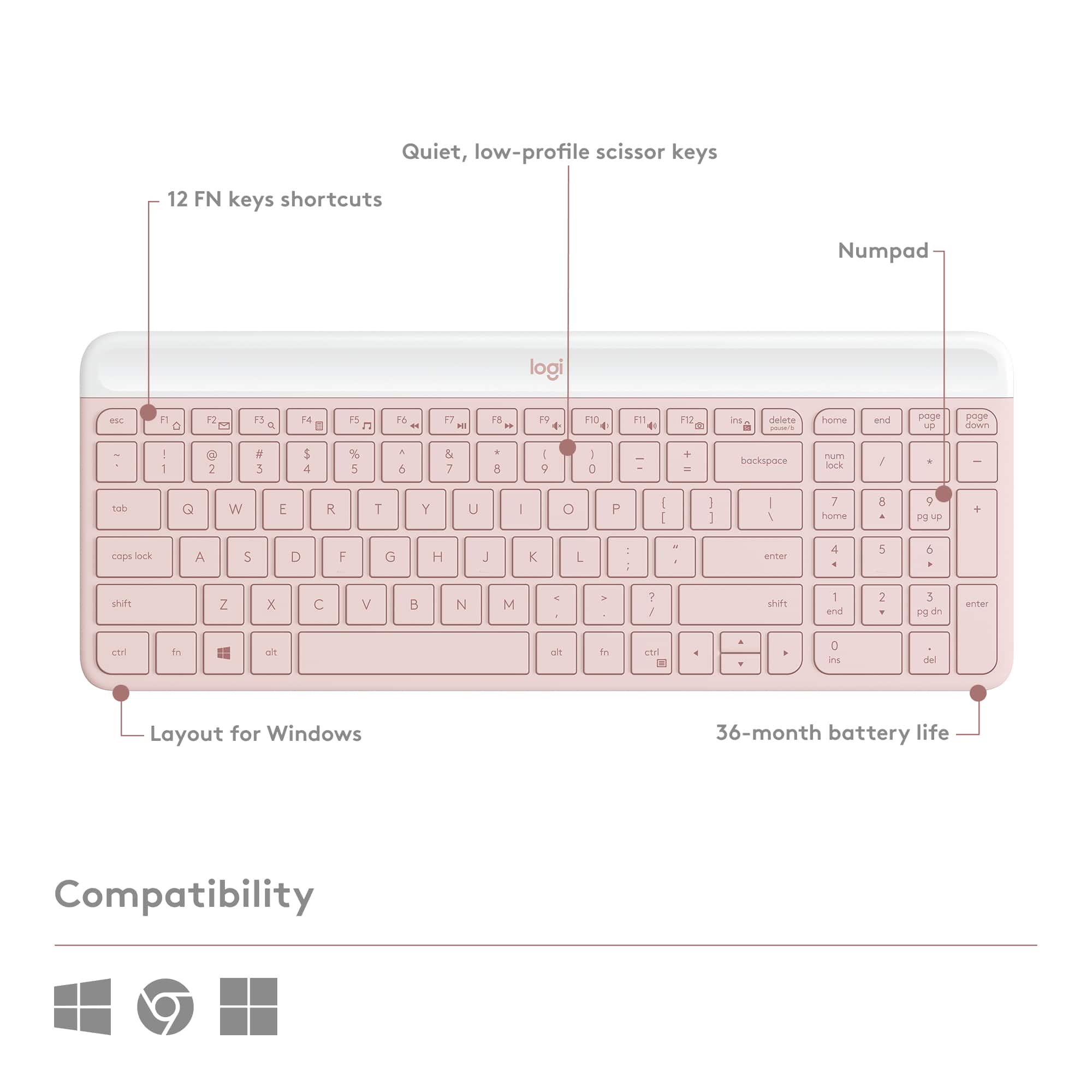
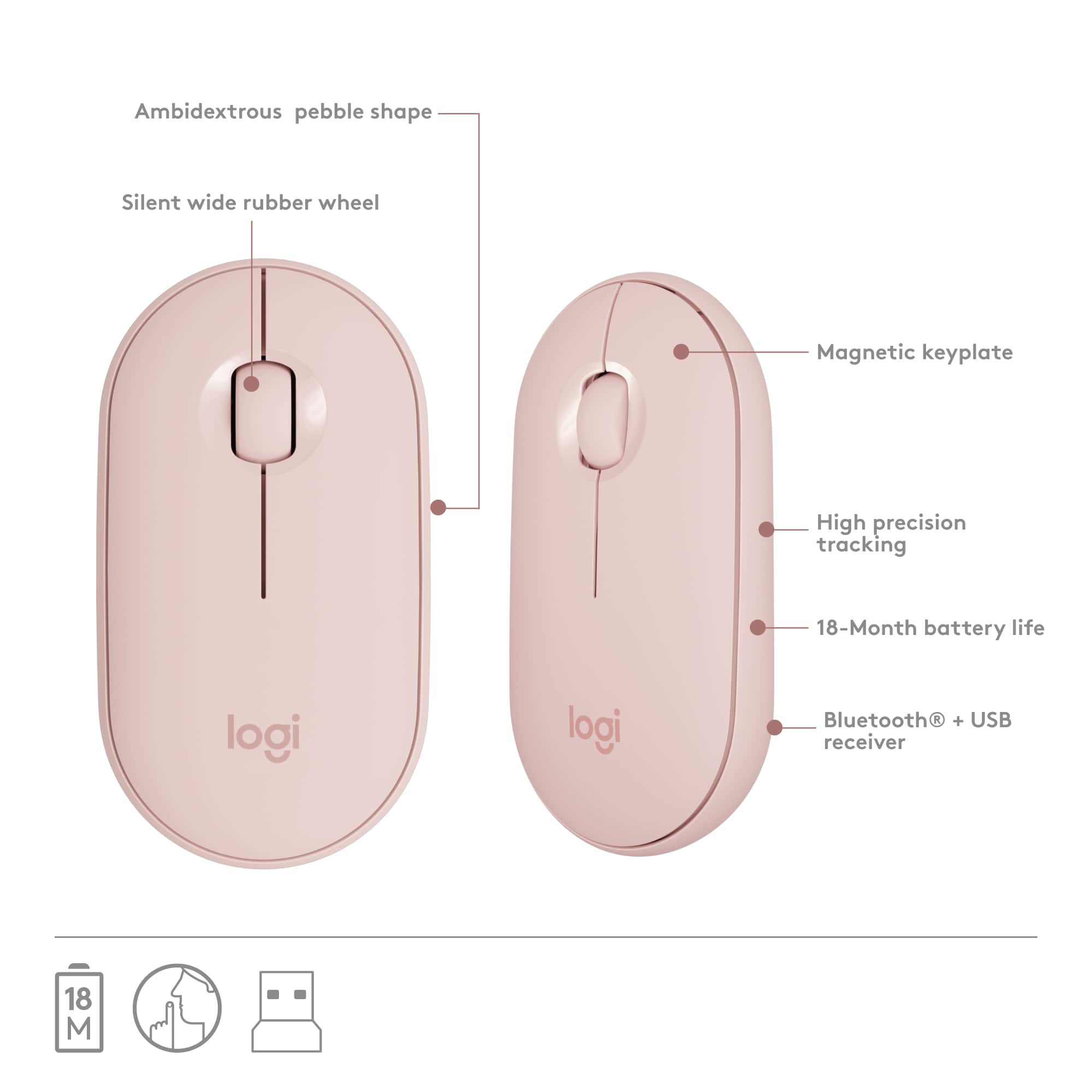
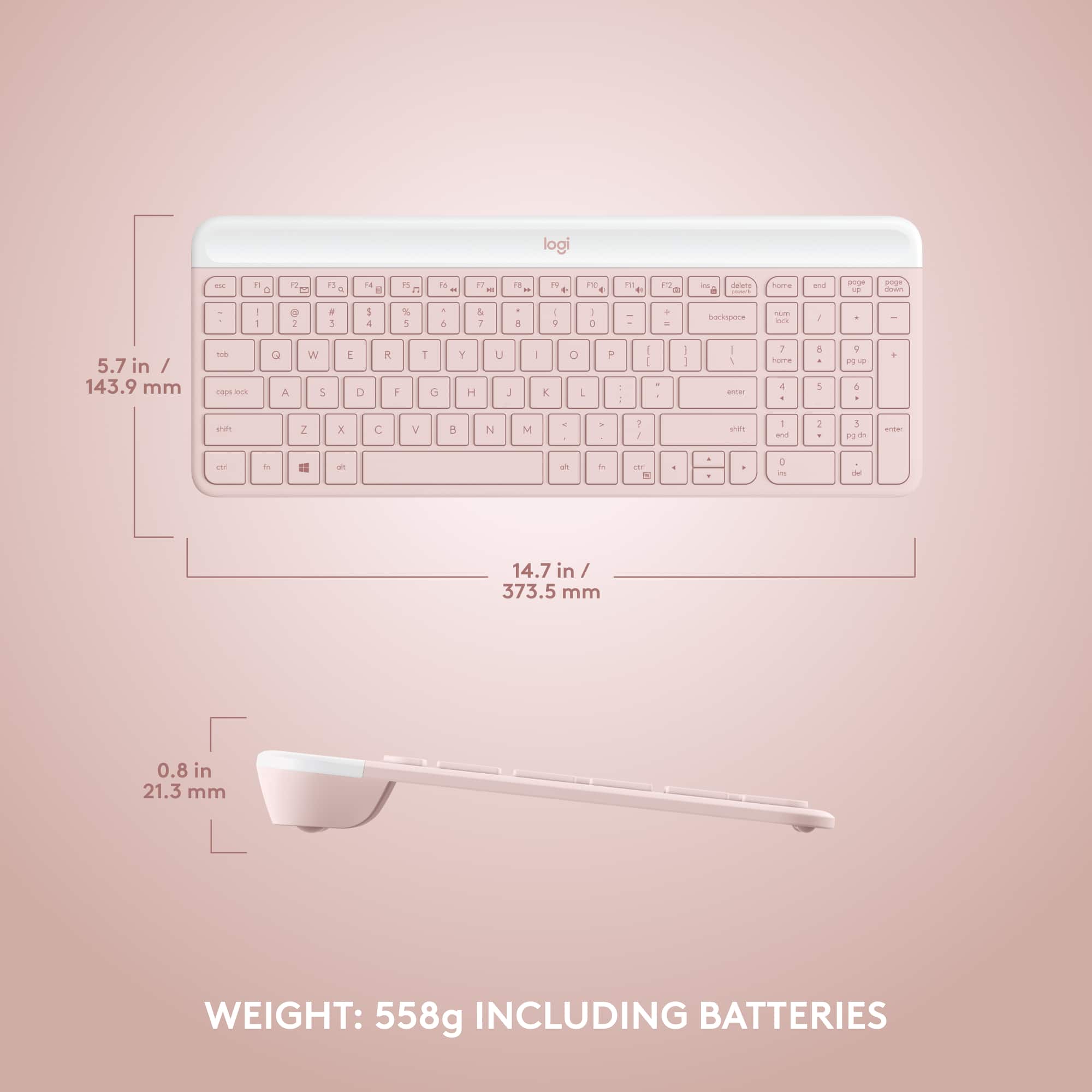
||Posted .This reviewer received promo considerations or sweepstakes entry for writing a review.The Logitech MK470 Full‑size Wireless Scissor Keyboard and Mouse Bundle delivers a slim, minimalist design with whisper‑quiet scissor‑switch keys and mouse buttons—ideal for shared or silent workspaces . Its compact full‑size layout, including numpad and 12 function keys, balances productivity with space‑saving appeal . Battery life is impressive—up to 36 months (keyboard) and 18 months (mouse)—thanks to auto‑sleep modes . The mouse tracks smoothly thanks to a 1000 DPI sensor, though some users find its flat shape less comfortable over long stretches . Connectivity via a single 2.4 GHz USB receiver is reliable, though rare reports mention occasional lag Overall, it’s a great budget-friendly pick for quiet, efficient computing.
I would recommend this to a friendBrand response from Logitech
Posted .The Logitech MK470 Full-size Wireless Scissor Keyboard and Mouse Bundle truly sounds like an ideal choice for quiet, efficient computing. Its slim design, whisper-quiet keys, and compact full-size layout offer a great balance of productivity and space-saving. Impressive battery life and reliable 2.4 GHz connectivity add to its appeal. While the mouse's flat shape might not suit everyone for long use, it remains a fantastic, budget-friendly option for a silent workspace.
- Pros mentioned:Design, Keyboard quality, Noise level

An outstanding wireless keyboard and mouse combo
|Posted .This reviewer received promo considerations or sweepstakes entry for writing a review.If you are like most people, you own or use multiple Logitech items. As for mouse/keyboard units, Logitech is probably the most common brand I see in my travels working on computers. This set is a big distinct from their others, in that the design is less typical and more slimline in design. It is like a MAC computer keyboard, but without the big price tag. And it has many rubber feet to prevent the keyboard from moving around, a huge improvement over many keyboards out there. But it is a slim and attractive design, with a decent feel. The keyboard includes a number keypad too, something I use a lot when crunching numbers on countless spreadsheets. The mouse is a different design, slim and low to the ground. It is unlike others in that your hand can relax and not be pushed up like an arch in your shoe. It takes a couple of hours to get used to, but feels much more comfortable than having one that pushes that "arch" in your hand up - I can appreciate this as my hand will hurt from too much computer work. Both the keyboard and mouse are quieter than others, which is also appreciated as cubicle sizes continue to get reduced and annoying noises like the heavy finger keyboarder or the endless mouse clicker invades your sanity. One thing I noticed with the keyboard, is that the keys were lower therefore requiring less hand movement to go up to hit the keys. Again, with hand pain from too much computer based work, this is greatly appreciated. The battery is rated at 18 months for the keyboard and 36 months for the mouse, and while I cannot speak to that in just a few days, I can tell you they do not over state their battery life on other Logitech wireless devices. You'll find a unifying USB dongle in the box, that allows both units to connect via a single USB double vs. having to use two separate ones for mouse and keyboard. A nice addition to the portfolio of Logitech keyboard and mouse combo units. Give it a try, I'm sure you'll enjoy it and if you like Mac computer keyboards you'll feel right at home with this.
I would recommend this to a friend Wireless Keyboard and Mouse
||Posted . Owned for 2 weeks when reviewed.This reviewer received promo considerations or sweepstakes entry for writing a review.I'm unable to set up this keyboard. I believe a part is missing.
No, I would not recommend this to a friendThe keyboard is slow and doesn’t work for mosttime
||Posted . Owned for 1 month when reviewed.This reviewer received promo considerations or sweepstakes entry for writing a review.The mouse seems to be working fine but the keyboard will frustrate you, it’s so slow and most times literally don’t work. Work isn’t giving me the time to return it. I wish I only bought a mouse and just used my laptop keyboard.
No, I would not recommend this to a friendBrand response from Logitech
Posted .Thank you for your feedback. Your feedback is important to us, and we'll make sure to share it with the right team. We'd recommend you to get in touch with Logi support team and check for the best possible option.
- Pros mentioned:Design, Keyboard quality
Moderate Budget People MUST BUY!!
||Posted . Owned for 3 weeks when reviewed.This reviewer received promo considerations or sweepstakes entry for writing a review.I recently purchased the Logitech MK470 Full-size Wireless Scissor Keyboard and Mouse Bundle in Rose, and I’m thrilled with it! The sleek, minimalist design in the soft rose color looks fantastic on my desk, adding a touch of style to my workspace. The keyboard’s scissor keys are incredibly comfortable to type on, with a responsive, low-profile feel that makes long typing sessions a breeze. Plus, the quiet clicks are a game-changer—perfect for working in shared spaces without disturbing anyone. The mouse is equally impressive, with smooth tracking and a compact shape that fits comfortably in my hand. Both devices connect seamlessly via a single USB receiver, which is super convenient and keeps my desk clutter-free. The wireless performance is flawless, with no lag or connectivity issues, even from a distance. Battery life has been excellent so far, and I love that it’s designed for efficiency. The bundle feels durable and well-made, living up to Logitech’s reputation for quality. Whether for work or casual use, this set is a fantastic choice for anyone seeking a reliable, stylish, and quiet keyboard and mouse combo. Highly recommend!
I would recommend this to a friendBrand response from Logitech
Posted .Thanks for your amazing feedback on the Logitech MK470 Wireless Keyboard and Mouse bundle! We're thrilled you're loving its sleek design, comfortable and quiet typing experience, and seamless wireless performance. It sounds like a perfect fit for your workspace!
- Pros mentioned:Design, Ease of use, Size
Easy install and so cute
||Posted . Owned for 1 month when reviewed.This reviewer received promo considerations or sweepstakes entry for writing a review.Is keyboard was a great price point? The keyboard was easy to install. I love the color it's pink, it matches my décor it's easy to use. I didn't have to do any extra downloading of any type of drivers. It was literally plug in and point would definitely buy again. The size is perfect fits right. Along with my full size laptop cause I don't have a small size laptop, but I love my keyboard. I love my mouse, it's so sleek.
I would recommend this to a friendBrand response from Logitech
Posted .We appreciate your thoughtful review. It’s great to know our product is meeting your needs. Thanks for being a valued customer.