Customer Ratings & Reviews
![The text on the image reads:
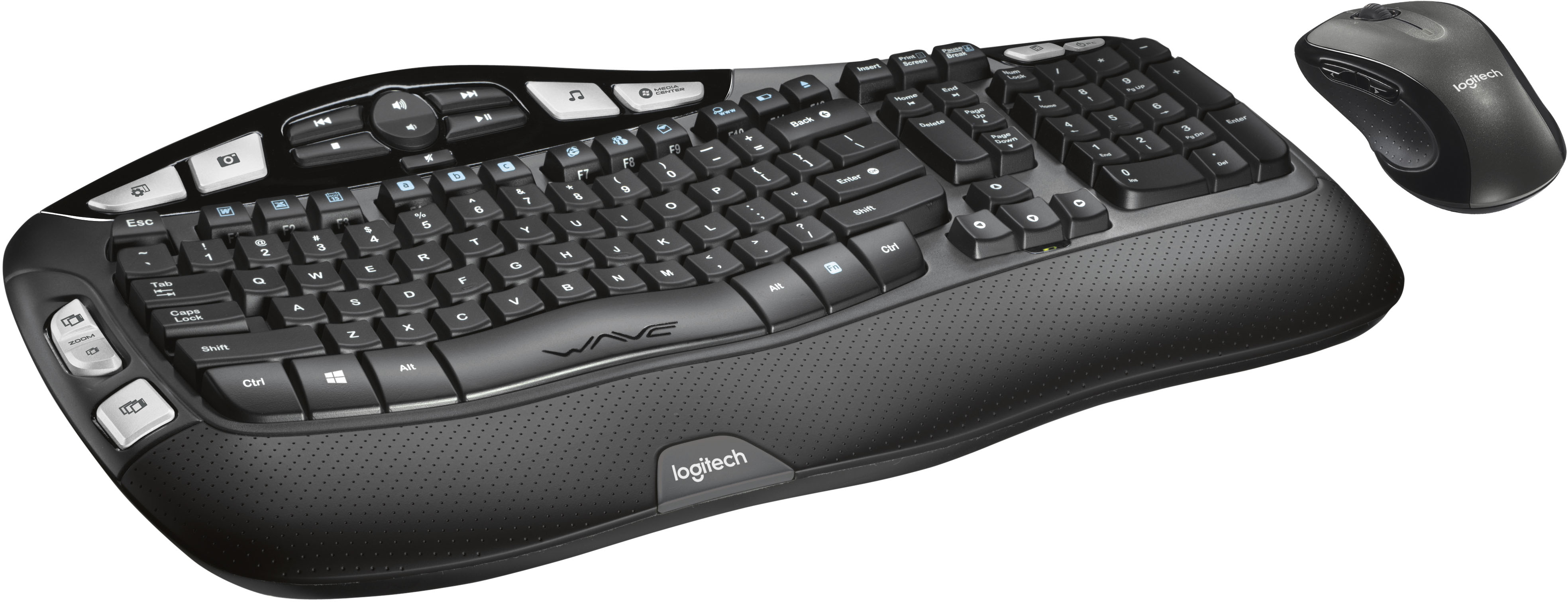
H H4 -CR i2 CENTEN Insert Prunt Screen Causs dreas me - Esc - Tab f Caps Lock Shift ! 1 W F FS a . 2 3 Q W A S Z E x F $ 4 D R 2 PA % 5 T F V D C FS F. A & 6 7 Y U G H N * 8 J F 9 I K M FE 0 o L A FS - P , > F . F18 Back { { ] [ IN Enter ? Shift I I I Home H Delete End - Page Up & Page Down 1 Nium Lock 7 - 4 1 1 t 0 . / 8 5 2 I * 9 Pg UP 6 - 3 Pg - - + Enter Ctrl Alt WAVE Alt n Ctrl logitech logitech](https://pisces.bbystatic.com/image2/BestBuy_US/images/products/1261/1261402_sd.jpg)




- Model:
- 920-002555
- |
- SKU:
- 1261402
Customer reviews
Rating 4.6 out of 5 stars with 4500 reviews
(4,500 customer reviews)Rating by feature
- Value4.6
Rating 4.6 out of 5 stars
- Quality4.6
Rating 4.6 out of 5 stars
- Ease of Use4.7
Rating 4.7 out of 5 stars
Customers are saying
Customers are satisfied with the keyboard's ergonomic design and ease of use, frequently praising its comfort and wireless functionality. Many also appreciate the value for the price. While some users noted the lack of a caps lock indicator and slightly larger-than-expected size, the overall experience appears positive.
This summary was generated by AI based on customer reviews.
Rated 1 out of 5 stars
The new ones are cheaply made
||Posted . Owned for 3 weeks when reviewed.This reviewer received promo considerations or sweepstakes entry for writing a review.I have a set I purchased years ago. The letters were starting to rub off of the keys so I purchased a new set. The new keyboard is a piece of junk. Everything rattles and deals cheap. I stuck it back in the box for return and went back to my old one.
No, I would not recommend this to a friendBrand response from Logitech
Posted .Hello Yarddog96! I'm sorry to hear you're running into issues with the MK550 combo. Thank you so much for this feedback, I will be passing this along. Have a great day! - Maggie from Logitech
Rated 1 out of 5 stars
Missing most important peice
||Posted . Owned for less than 1 week when reviewed.This reviewer received promo considerations or sweepstakes entry for writing a review.Did not come with the USB connection for my server/laptop cannot use mouse or keyboard. I also having a hard time finding support to have a replacement USB connection sent.
No, I would not recommend this to a friendRated 1 out of 5 stars
Keyboard
||Posted . Owned for 2 months when reviewed.This reviewer received promo considerations or sweepstakes entry for writing a review.After 2 months it stopped working. As you typed it would not put the numbers or letters onto the screen, would not register. Nice looking keyboard but disappointed that it stopped operating.
No, I would not recommend this to a friendBrand response from Logitech
Posted .Hello, Golfman! I'm sorry to hear your MK550 has stopped working for you! I would recommend installing our Unifying software here https://support.logi.com/hc/en-us/articles/360025297913 to un-pair and re-pair the keyboard to the receiver. If this doesn't fix the issue, I would then reach out to our support team here https://support.logi.com/hc/en-us/requests/new?ticket_form_id=360000621393 to file a warranty claim. The MK550 has a 3-year limited hardware warranty. Thank you for the feedback! I will be passing this along. - Maggie from Logitech
Rated 1 out of 5 stars
Keyboard
||Posted .This reviewer received promo considerations or sweepstakes entry for writing a review.The keys constantly rub off after month. I'm constantly having to buy new keyboard at $65.00. This is frustrating. Going a different route moving forward. Signed a concern shopper.
No, I would not recommend this to a friendBrand response from Logitech
Posted .Hello FoxxyPeach,
I am sorry that the MK550 is not meeting your expectations. This is not a common issue since this keyboard is very resilient, which is why it comes with a 3-Year Limited Hardware Warranty. So, contact the Logitech support team for a replacement if you feel a manufacturer's defect causes this. Logitech appreciates your product review. - Leo from Logitech
Rated 1 out of 5 stars
Wave Keyboard
||Posted . Owned for 1 month when reviewed.This reviewer received promo considerations or sweepstakes entry for writing a review.This is my 4th or 5th Wave keyboard. I love them BUT this one has a small rip where you lay your hands that I just discovered a few days ago. I am going to return it if I can.
I would recommend this to a friendBrand response from Logitech
Posted .Hello Beth, we are so sorry to hear that you received your product with a small rip. Please go ahead and exchange it for a new one at the original place of purchase. We look forward to hearing from you again. Let us know how you like your new unit :). Thanks for being part of the Logitech family. Have a great day. -Ricky | Logitech
Rated 1 out of 5 stars
The sync Mouse/Keyboard USB plug missing
||Posted . Owned for 2 weeks when reviewed.This reviewer received promo considerations or sweepstakes entry for writing a review.The sync USB plug that is supposed to be inside the mouse compartment is missing. I cannot use this without this part. It has to be inserted into the USB port on my laptop. Very disappointed!
No, I would not recommend this to a friendBrand response from Logitech
Posted .Hello, CoCo! I'm sorry to hear that your MK550 combo is missing the USB receiver. It sounds like you already checked the mouse compartment but there is also a compartment on the bottom of the keyboard. I would recommend checking there and, if you still have the packaging, check in there as well. If you still don't have it, I would then recommend reaching out to our support team here https://support.logi.com/hc/en-us/requests/new?ticket_form_id=360000621393 to possibly get you a replacement. Thank you so much for the feedback! I will be passing this along. - Maggie from Logitech
Rated 1 out of 5 stars
Thrash
||Posted . Owned for 1 month when reviewed.This reviewer received promo considerations or sweepstakes entry for writing a review.I have bought three sets of these and they all stopped working within a month. The first two were refurbished. Thus, I bought the third one brand new. Either these keyboard/mouse are trash or they do not work well with MacBook Pros.
No, I would not recommend this to a friendBrand response from Logitech
Posted .Hi Mundailboy346, thank you for your feedback! The MK550 is designed for Windows, although they may still work with Mac. For support with the MK550, please refer to: https://support.logi.com/hc/en-us/articles/360024327233 - To see Logitech keyboards designed for Mac, please refer to: https://www.logitech.com/en-us/keyboards?filters=3952 - Will, Logitech.
Rated 1 out of 5 stars
Defective right out of the box
||Posted . Owned for less than 1 week when reviewed.This reviewer received promo considerations or sweepstakes entry for writing a review.DEFECTIVE Spent way too much time troubleshooting, the w customer service to finally have them agree to send a replacement . Meanwhile , using screen keyboard .
No, I would not recommend this to a friendRated 1 out of 5 stars
Didn’t get what I ordered!
||Posted . Owned for 2 weeks when reviewed.This reviewer received promo considerations or sweepstakes entry for writing a review.I ordered the MK550. The box was correct but the keyboard in the box was the older model K350. After numerous attempts by phone to get it straightened out, I finally gave up.
No, I would not recommend this to a friendBrand response from Logitech
Posted .Hello tem60,
I am sorry to hear that the MK550 is not what you expected. The MK550 is the K350 with the M510 sold together as a combo. I apologize for the misunderstanding. Logitech appreciates your product review. - Leo from Logitech
Rated 1 out of 5 stars
Keyboard and Mouse are getting stuck !
||Posted . Owned for 6 months when reviewed.This reviewer received promo considerations or sweepstakes entry for writing a review.Keyboard and mouse cursors get stuck every minute and they won't move , tried various things like updating drivers and even with different computers , never worked !
No, I would not recommend this to a friendBrand response from Logitech
Posted .Hello Praneeth,
I am sorry that the MK550 is not working as expected. I recommend downloading the Logitech SetPoint app to see if that solves your problem. Please contact the Logitech support team for personalized assistance if the problem persists. Logitech appreciates your product review. - Leo from Logitech
Rated 1 out of 5 stars
DOESN'T WORK
||Posted .This reviewer received promo considerations or sweepstakes entry for writing a review.Doesn't work. The bluetooth connection cuts out once every 10 seconds, so I had to stop using the keyboard and just use the mouse. Biggest piece of trash i could have wasted money on
No, I would not recommend this to a friendBrand response from Logitech
Posted .Hello Tine, Very sorry to hear about the connectivity issues you're having with the keyboard on your MK550 Wireless Wave Keyboad and Mouse. There are several reasons for poor connection between the Unifying Receiver and your keyboard. Try moving the USB Unifying Receiver into a different USB port and preferably not one that is a USB 3.0 port and one that isn't rear-facing. If you have the Unifying Receiver plugged into a USB hub or other unsupported device such as a KVM switch, the receiver needs to be plugged directly into your computer. If the connection continues to be spotty, then it could be a hardware issue which would be covered by the 3-year limited warranty. Here's a link to File A Claim: https://support.logi.com/hc/en-us/articles/360025080753-Warranty-Logitech-Wireless-Wave-Combo-MK550. Hope that you found this helpful and that all is going well. Thank you for choosing Logitech. - Richard from Logitech
Rated 1 out of 5 stars
Delay
||Posted . Owned for less than 1 week when reviewed.This reviewer received promo considerations or sweepstakes entry for writing a review.The keyboard is very comfortable and worked great for the first couple of days. Now there is a significant delay when typing or it misses most of the letter. The mouse works great.
No, I would not recommend this to a friendBrand response from Logitech
Posted .Hi Mary, thank you for sharing your experience with the MK550. I'm sorry that you are experiencing a delay in the connection between the computer/laptop and the keyboard. You can try to place the USB in a different port with closer proximity to the keyboard or get a USB extender allowing the USB extender to be close to the keyboard. If the keyboard is used in an environment that has many products giving off a signal it can cause an interference. By brining the USB receiver closer to the devices it can reduce the delay. I hope that these steps help resolve the issue. Thank you for being a Logitech customer. Kristi from Logitech
Rated 1 out of 5 stars
bad purchase
||Posted . Owned for 1 year when reviewed.This reviewer received promo considerations or sweepstakes entry for writing a review.it was purchased 13 months ago and both the mouse and keyboard does not respond. batteries changed, turned off and on, restart comuter. what a poor quality product.
No, I would not recommend this to a friendBrand response from Logitech
Posted .Hello! I'm sorry to hear about your experience with the MK550 combo. I would recommend reaching out to our support team here https://support.logi.com/hc/en-us/requests/new?ticket_form_id=360000621393 to file a warranty claim. The MK550 has a 3-year limited hardware warranty. Thank you for the feedback! I will be passing this along. - Maggie from Logitech
- Pros mentioned:Keyboard quality, Wireless
Rated 5 out of 5 stars
Great keyboard!
Posted .This reviewer received promo considerations or sweepstakes entry for writing a review.I hated the keyboard on my laptop because my hand or fingers always touched the mouse pad and caused the cursor to skip. This keyboard eliminates all of that!! It's a full size keyboard that works just like my desktop keyboard with all of the functionality plus it's wireless and sets perfectly in my lap. I wish I had bought this ages ago!!
I would recommend this to a friend Rated 1 out of 5 stars
Will not buy this again
||Posted .This reviewer received promo considerations or sweepstakes entry for writing a review.There was no USB to connect the keyboard/mouse with the computer. Do not know if QC is being done when the supplier put the package together.
No, I would not recommend this to a friendRated 1 out of 5 stars
Disconnects, unresponsive, lags
||Posted . Owned for 3 weeks when reviewed.This reviewer received promo considerations or sweepstakes entry for writing a review.Huge waste of $50. No longer returnable with bestbuy either. I’m going to contact logitech to see how their customer service is and if they will send me a keyboard that actually works.
No, I would not recommend this to a friendBrand response from Logitech
Posted .Hello Mawz! I'm sorry to hear the MK550 you purchased seems to be defective. I would definitely reach out to our support team here https://support.logi.com/hc/en-us/requests/new?ticket_form_id=360000621393 to start a warranty claim. Thank you so much for this feedback. I will be passing this along! - Maggie from Logitech
Rated 1 out of 5 stars
The keys stick constantly.
||Posted . Owned for 1.5 years when reviewed.This reviewer received promo considerations or sweepstakes entry for writing a review.I have suffered through this thing for too long. The keys stick which creates typographical errors requiring constant rework.
No, I would not recommend this to a friendBrand response from Logitech
Posted .Hello Breandan,
I am sorry that the MK550 is not working as expected. If you think this is a manufacturer defect, contact the Logitech support team to claim your product's 3-year limited hardware warranty. Logitech appreciates your product review. - Leo from Logitech
Rated 1 out of 5 stars
Do not buy, product is cheap and uncomfrtable.
||Posted .This reviewer received promo considerations or sweepstakes entry for writing a review.Product is garbage. Was uncomfortable to type on, keys felt cheap as did the mouse. I returned it within 2 days and purchased the MK710
No, I would not recommend this to a friend- Pros mentioned:Battery life, Keyboard quality
Rated 5 out of 5 stars
Super comfortable and intuitive multimedia keys
Posted .This reviewer received promo considerations or sweepstakes entry for writing a review.In simple words, if you got 60 bucks, get this combo...worth it! The keyboard is very comfortable to use, which also comes with a couple of multimedia keys and productivity keys placed intuitively on the keyboard. The mouse is pretty good and responsive...battery has been working very good till now.
I would recommend this to a friend Rated 1 out of 5 stars
Loud
||Posted .This reviewer received promo considerations or sweepstakes entry for writing a review.States whisper quiet keys on the box. Not the case at all, just as loud as my free Dell keyboard. Logitech needs to have their hearing checked. Returning
No, I would not recommend this to a friendBrand response from Logitech
Posted .Hi Notquiet, I'm sorry that you felt that the noise on the keyboard was too loud. I hope you are able to find a solution that works for you and offers a quiet key press. I would recommend looking at the MK540 or the MX Keys. Both are a lower profile key and would have less opportunity to be loud. Thank you for being a Logitech customer. Kristi from Logitech.