Best Buy Tech Fest SaleEnds Sunday. Limited quantities. No rainchecks.Shop now

Skip to contentGo to Product Search
Main Content

Customer Ratings & Reviews

$119.99

Customer reviews

Rating 4.8 out of 5 stars with 194 reviews

Rating Filter

Rating by feature

  • Value

    Rating 4.7 out of 5 stars

  • Quality

    Rating 4.8 out of 5 stars

  • Ease of Use

    Rating 4.8 out of 5 stars

94%
would recommend
to a friend
The vast majority of our reviews come from verified purchases. Reviews from customers may include My Best Buy members, employees, and Tech Insider Network members (as tagged). Select reviewers may receive discounted products, promotional considerations or entries into drawings for honest, helpful reviews.
Page 9 Showing 161-180 of 194 reviews
  • Rated 5 out of 5 stars

    Best Buy stands behind their products.

    |
    |
    Posted . Owned for 1 month when reviewed.
    This reviewer received promo considerations or sweepstakes entry for writing a review.

    Best Buy stands behind their products. Best Buy replaces the product if something goes wrong through the service plan.

    I would recommend this to a friend
    • Brand response from Logitech
      Posted .

      Thank you for your positive feedback on the Logitech MK955 keyboard and mouse combo. We're glad to hear that you appreciate the support provided by Best Buy through their service plan. Your feedback is valuable to us as we continue to provide high-quality products and ensure customer satisfaction.

  • Rated 5 out of 5 stars

    Key Board

    |
    |
    Posted . Owned for 1 month when reviewed.
    This reviewer received promo considerations or sweepstakes entry for writing a review.

    Works very well. Better than HP that came with computer.

    I would recommend this to a friend
    • Brand response from Logitech
      Posted .

      It's great to hear the MK955 outperformed the original. We appreciate the feedback on its improved performance and hope it continues to enhance your setup. Logitech

  • Rated 5 out of 5 stars

    Logitech MK955

    |
    |
    Posted . Owned for 1 month when reviewed.
    This reviewer received promo considerations or sweepstakes entry for writing a review.

    Works very well. Very happy with the performance!!

    I would recommend this to a friend
    • Brand response from Logitech
      Posted .

      That's fantastic! We're delighted to hear you're very happy with the performance of your MK955 Signature Slim Keyboard and Mouse Combo. Thank you for letting us know it's working so well for you! Logitech

  • Rated 5 out of 5 stars

    Surprised and great find.

    |
    |
    Posted . Owned for 1 month when reviewed.
    This reviewer received promo considerations or sweepstakes entry for writing a review.

    Great and works fantastic with three different PCs. Especially if you have a desk with two or three keyboard and mouse combination.

    I would recommend this to a friend
    • Brand response from Logitech
      Posted .

      Hey! The MK955 Signature Slim Combo is a great option for a desk with multiple devices, especially if you tend to switch between them a lot.

  • Rated 5 out of 5 stars

    Awesome product

    |
    |
    Posted . Owned for 1 week when reviewed.
    This reviewer received promo considerations or sweepstakes entry for writing a review.

    Very comfortable keyboard and mouse combo very happy

    I would recommend this to a friend
    • Brand response from Logitech
      Posted .

      Thank you for your positive review of the Logitech - MK955! We're glad to hear that you're enjoying the comfort of the keyboard and mouse. We appreciate your feedback and hope you continue to enjoy using them. Logitech

  • Rated 4 out of 5 stars

    Needs a numlock light.

    |
    |
    Posted . Owned for 1 month when reviewed.
    This reviewer received promo considerations or sweepstakes entry for writing a review.

    Good wireless keyboard and mouse. Only downside is that I can’t figure out if number lock is on or off. No light to indicate this.

    No, I would not recommend this to a friend
    • Brand response from Logitech
      Posted .

      Thanks for the feedback! We understand the frustration of not having a visual indicator for Num Lock. This is something we'll consider for future designs. In the meantime, you can check the status by pressing Num Lock and observing if the number keys function as expected. Logitech

  • Rated 4 out of 5 stars

    Great full size, low profile keyboard!

    |
    |
    Posted . Owned for 1 month when reviewed.
    This reviewer received promo considerations or sweepstakes entry for writing a review.

    Love the full keyboard with the number keypad. Also love the low profile of the keys. Only downside was I didn't realize it had Mac options on the keys as well, but not that big of a deal.

    I would recommend this to a friend
    • Brand response from Logitech
      Posted .

      Hi! Thanks for the feedback on the Logitech MK955 Signature Slim keyboard! We appreciate you highlighting the positive aspects, especially the full-size layout with number pad and the low-profile keys. It's also helpful to know that the Mac keycaps weren't a major drawback for you. We appreciate you sharing your experience!

  • Rated 2 out of 5 stars

    Not a good keyboard

    |
    |
    Posted . Owned for 1 year when reviewed.
    This reviewer received promo considerations or sweepstakes entry for writing a review.

    Not a good keyboard. Keys are not clear enough to see and the size is not what I wanted. I returned and purchased another one.

    No, I would not recommend this to a friend
    • Brand response from Logitech
      Posted .

      Thanks for sharing your experience. We're sorry to hear the keyboard didn’t meet your expectations in terms of key visibility and size. We appreciate you giving it a try and hope your new choice is a better fit for your needs. Your feedback helps us improve—thank you again for taking the time to share it. Logitech

  • Rated 5 out of 5 stars

    Great purchase!

    |
    |
    Posted . Owned for 1 month when reviewed.
    This reviewer received promo considerations or sweepstakes entry for writing a review.

    Great purchase and ergonomically wonderful!! Love the key touch!

    I would recommend this to a friend
    • Brand response from Logitech
      Posted .

      Thank you for your positive review of the Logitech MK955 keyboard and mouse combo! We're glad to hear that you appreciate the ergonomic design and comfortable typing experience.

  • Rated 2 out of 5 stars

    Did not like it

    |
    |
    Posted . Owned for 2 weeks when reviewed.
    This reviewer received promo considerations or sweepstakes entry for writing a review.

    Did not like the touch and feel of the keyboard. Mouse was good though

    No, I would not recommend this to a friend
  • Rated 5 out of 5 stars

    Great combo!

    |
    |
    Posted . Owned for 1 month when reviewed.
    This reviewer received promo considerations or sweepstakes entry for writing a review.

    Bought this for work and love using it! Silent mouse is very nice in office!

    I would recommend this to a friend
    • Brand response from Logitech
      Posted .

      Hi there! That's fantastic to hear! We appreciate you letting us know you love the Logitech MK955 combo for work. Especially the silent mouse - it can definitely make a difference in a quiet office environment.

  • Rated 5 out of 5 stars

    LED keyboards

    |
    |
    Posted . Owned for 1 month when reviewed.
    This reviewer received promo considerations or sweepstakes entry for writing a review.

    I like the keyboard however my daughter took it lol I might buy one more

    I would recommend this to a friend
    • Brand response from Logitech
      Posted .

      We're glad you enjoy the Logitech MK955 Signature! It's always flattering to hear that our products are family favorites. Thank you for your kind words!

  • Rated 5 out of 5 stars

    Added to my Surface Pro

    |
    |
    Posted . Owned for 1 month when reviewed.
    This reviewer received promo considerations or sweepstakes entry for writing a review.

    Added to my Surface Pto 9 and all make a perfect set for travel.

    I would recommend this to a friend
    • Brand response from Logitech
      Posted .

      That's a great point about the Logitech MK955! It sounds like it perfectly complements your Surface Pro 9 for travel. The MK955's compact, low-profile design and quiet typing make it ideal for mobile use, and the long battery life means you won't have to worry about running out of power on the go.
      Happy travels!

  • Rated 3 out of 5 stars

    great for travel

    |
    |
    Posted . Owned for 11 months when reviewed.
    This reviewer received promo considerations or sweepstakes entry for writing a review.

    Build quality isnt the best, but the product is great for a travel setup.

    I would recommend this to a friend
    • Brand response from Logitech
      Posted .

      Thank you for your feedback. We understand build quality is a factor, and we're always looking to improve. We're glad it's working well for your travel setup. Logitech

  • Rated 1 out of 5 stars

    One size fits NONE!

    |
    |
    Posted . Owned for 3 weeks when reviewed.
    This reviewer received promo considerations or sweepstakes entry for writing a review.

    Absolutely the worst experience I have ever had. The instructions are a joke, completely inadequate and the print is so tiny you need a magnifying glass to read them. The Logitech website asks for the Serial number, that is buried on the back of the keyboard. The typical function keys such as “Prt Scrn” or “Num loc” are absent and no information is provided as to how to perform these critical functions. Where are the instructions??

    No, I would not recommend this to a friend
    • Brand response from Logitech
      Posted .

      Thank you for sharing your extremely frustrating experience with the MK955. We sincerely apologize for the inadequate instructions, the difficulty in locating the serial number, and the lack of clarity regarding essential function keys like 'Prt Scrn' and 'Num Lock'. We understand your disappointment with the setup process and the missing information. Logitech

  • Rated 1 out of 5 stars

    Bad keyboard

    |
    |
    Posted . Owned for 2 weeks when reviewed.
    This reviewer received promo considerations or sweepstakes entry for writing a review.

    It stopped working exactly two weeks after we purchased it

    No, I would not recommend this to a friend
    • Brand response from Logitech
      Posted .

      We’re really sorry to hear about your experience with the Logitech - MK955 Signature Slim Full-size Wireless Keyboard and Mouse Combo. That’s not what we aim for. Please contact us at socialcare@logitech.com with your details so we can assist you directly. Logitech

  • Tech Insider Network Member

    Rated 5 out of 5 stars

    Sleek, Solid, and Sustainable

    |
    Tech Insider Network Member
    Posted .
    This reviewer received promo considerations or sweepstakes entry for writing a review.

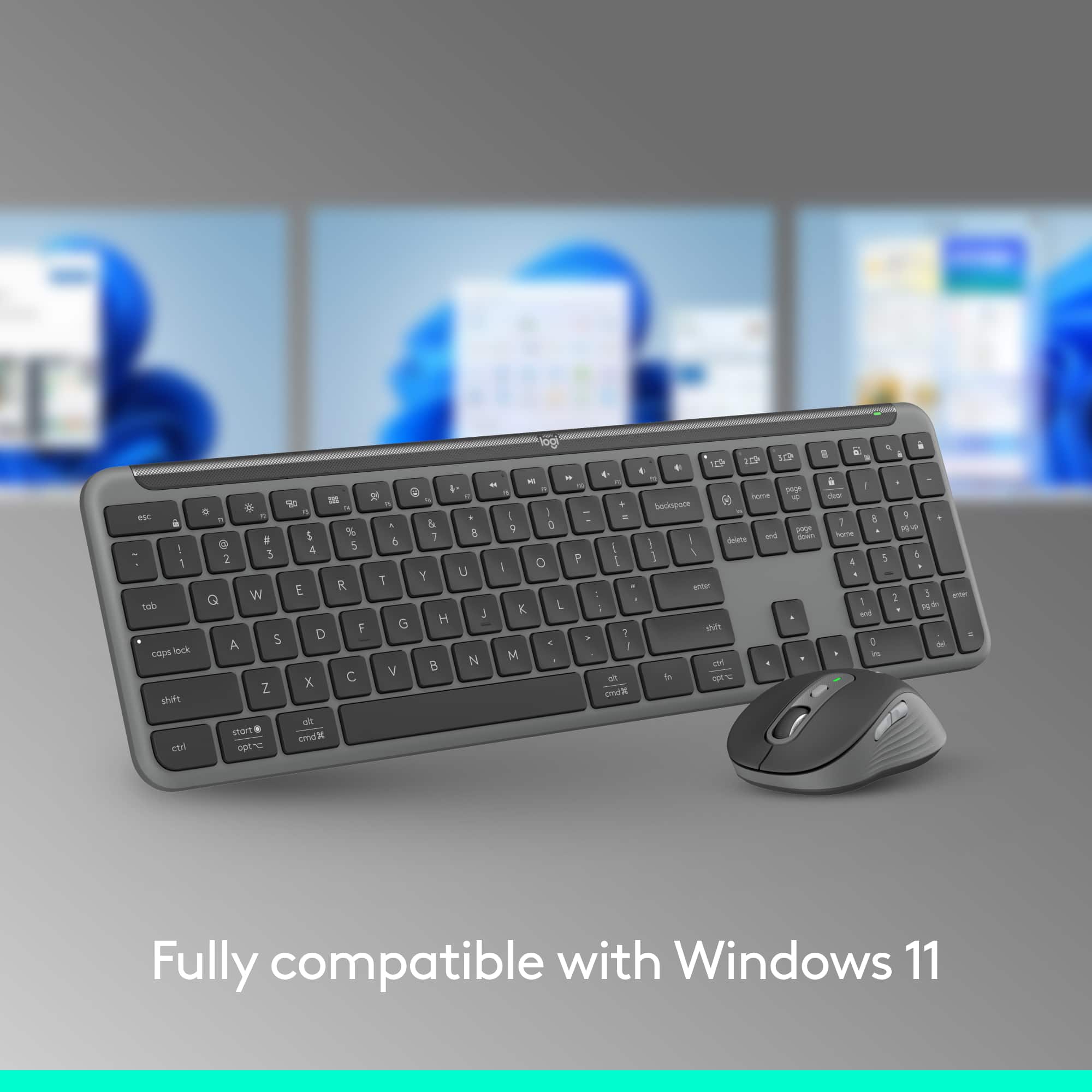
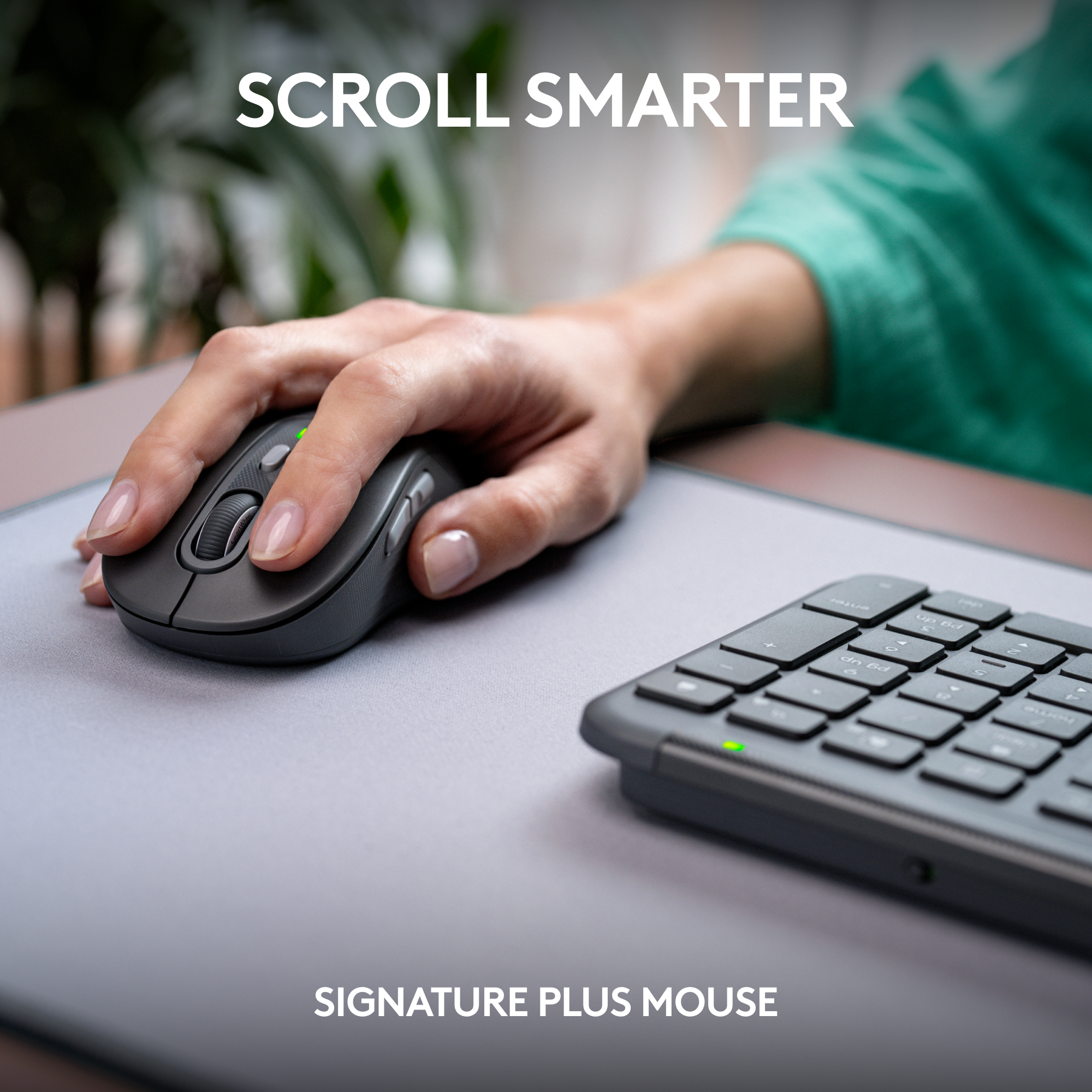
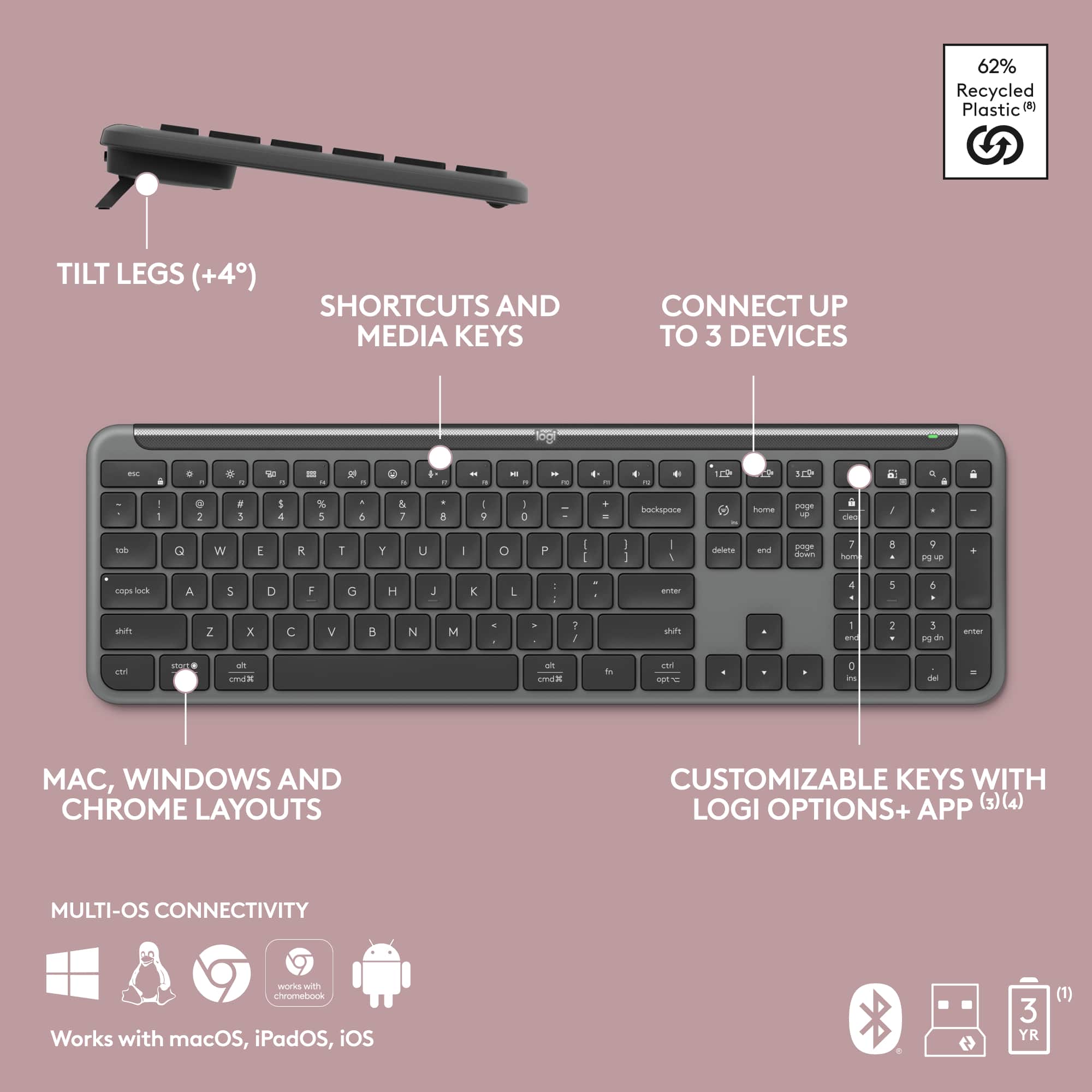
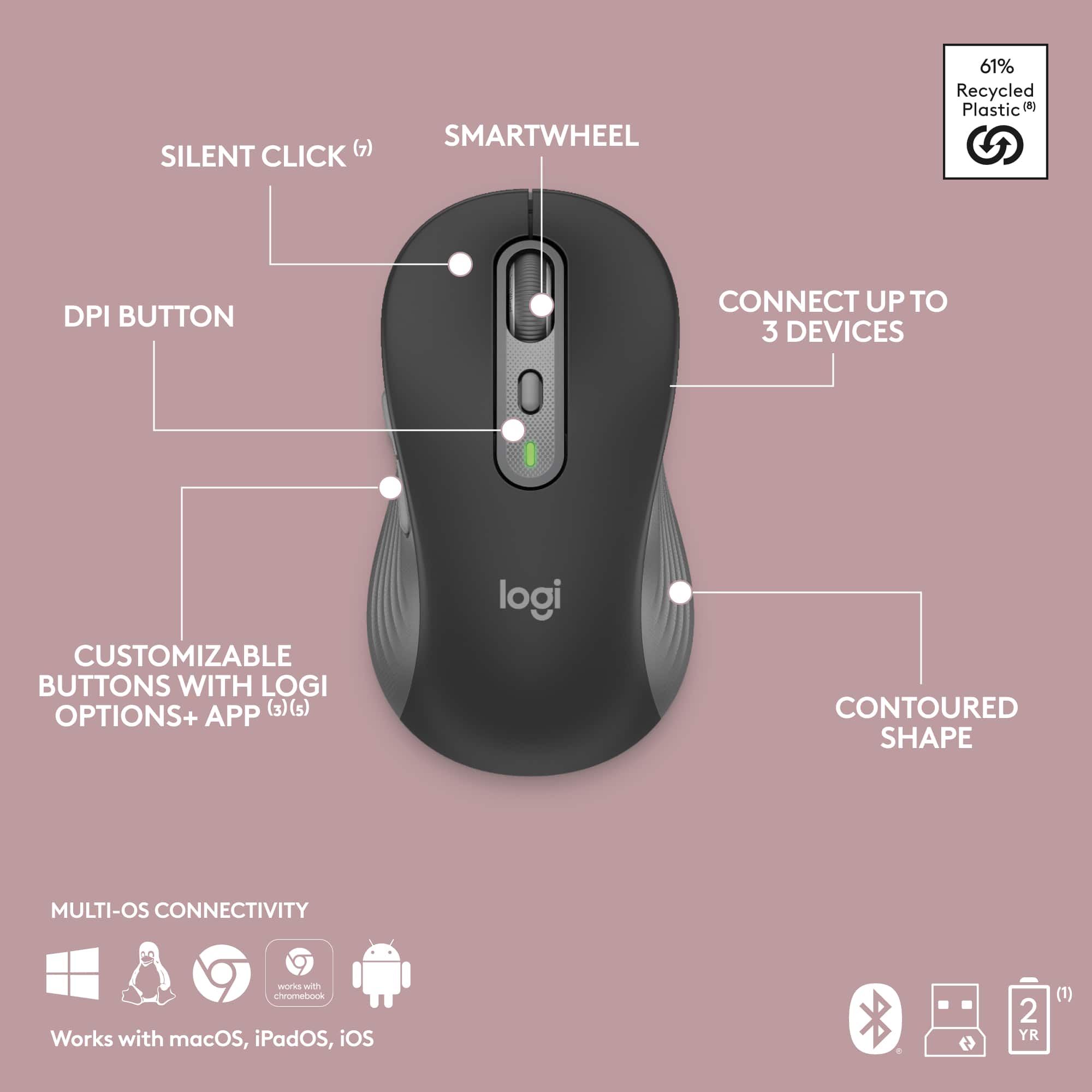
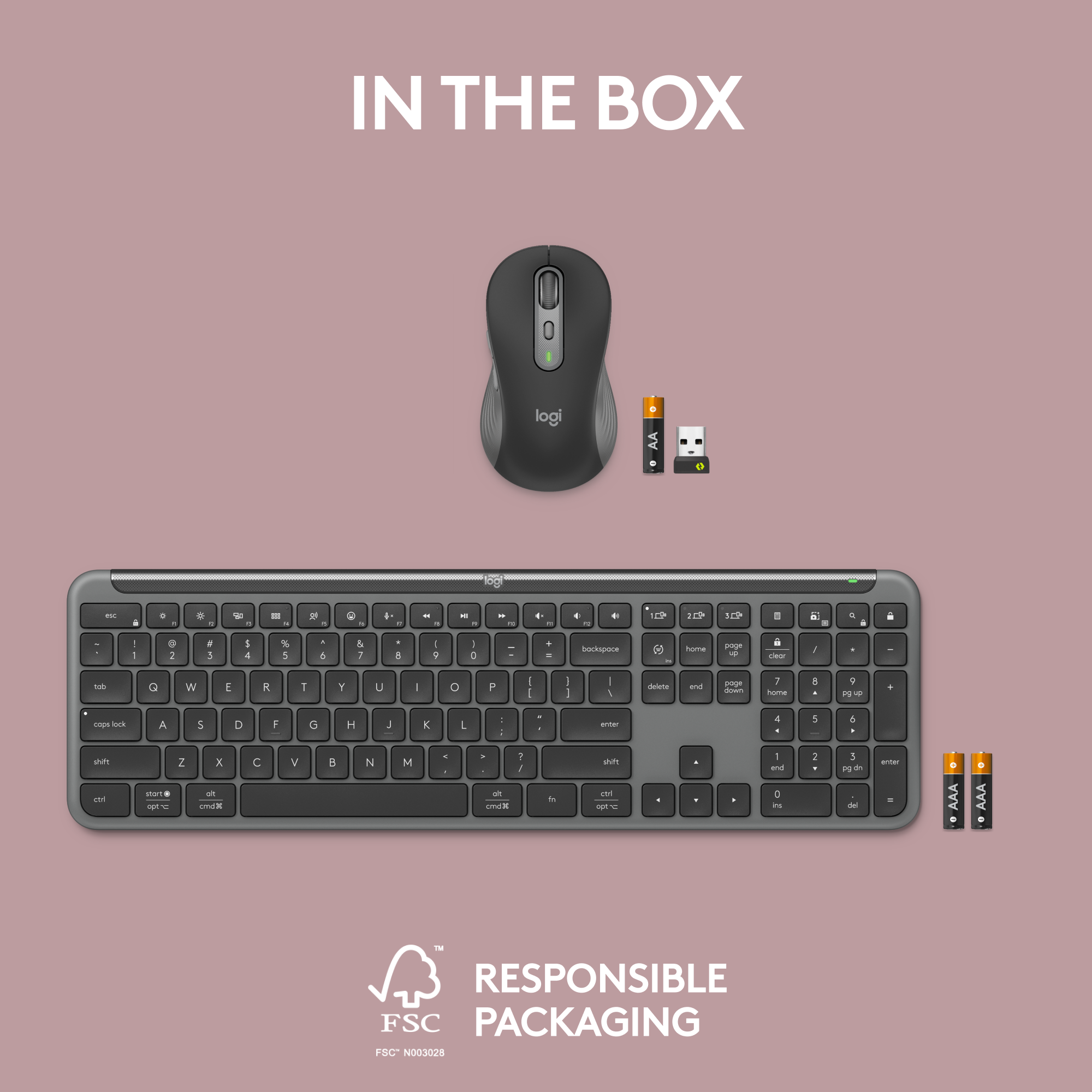
    The Logitech MK955 Signature Slim combo comes with three items. A bolt dongle, K950 keyboard, and M750 mouse. With the one I've got the keyboard is two different tones of grey and the mouse is three different tones of grey. Both have a LED indicator and a on/off switch. I guess they are also made from recycled plastic which is pretty cool. K950 Keyboard: This keyboard supports both Logitech's bolt wireless tech and bluetooth so it can be used with basically any computer. I suggest you use the bolt dongle though as its better and is already paired out of the box. It takes two batteries. They include actual Duracell batteries in the device. The keyboard boasts a reassuring heft thanks to its high-quality build. Its sleek, slim, and overall looks really nice. It has two stances with adjustable legs. In both placements it has rubber feet so it doesn't move while in use. The keys are low profile chicklet style with small amount of travel. It has the overall feel of a laptop but in a full sized keyboard. The keys are responsive and there is a little bit of noise when typing but they dont feel mushy at all. Note that there is no backlight which is probably the reason why its battery life is so long. So if you need to use this in low light environment this might not work well for you. You can flip the F keys without the software by pressing function + escape. I did this right away as I need the F keys as primary. The added options built into the F keys are a lot like what you see on laptops and will pair well with different programs people use in their day to day work. screen brightness, emoji, mute, volume, screen shot, etc. My only real issue with this keyboard is the insert key. I use the insert key quit a bit daily for my work and on this keyboard they decided to make the language key primary and insert key the secondary function which is odd. Meaning if you want to use the insert key you would have to hit both the function key + insert. They should have reversed this with insert being primary but I found you can change this in the Logi Options+ software so not a huge deal. M750 Mouse: The mouse it comes with is a M750 L and I love the mouse. Its a perfect sized for my larger hands. The sides are grippy but yet comfortable. Its basically a upgraded version of the existing Signature M650 which was already a great mouse to begin with. Again it comes included with a Duracell battery. Its labeled as a silent mouse. The buttons produce a barely perceptible soft thud instead of the typical click, making it ideal for quiet work environments. The scroll wheel is completely silent. It also comes with a adjustable DPI button so you can change your pointer speed on the fly or customize it to do other stuff via the app. Logi Options+ Software: While both the keyboard and mouse function perfectly well on their own, Logitech's Logi Options+ software unlocks a new level of personalization. The software provides a comprehensive overview of all your Logitech devices and allows you to customize buttons and keys to your own preferences depending on the device. The app also includes a dark mode. Thank you for that. I was able to get all of my Logitech devices to show in the app including my older ones. Overall thoughts: Logitech delivers once again with the K950 and M750 combo. Both devices offer a premium feel and insane battery life. I see them as a more affordable alternative to the popular MX Keys combo. The slim design makes them perfect for travel, and the single Bolt receiver saves me from having to mess with wires. It all fits in my smaller backpack. I'm going to be using them both at home and on the go at work.

    I would recommend this to a friend
    • Brand response from Logitech
      Posted .

      Thanks for the detailed MK955 review! We appreciate hearing about the quality build, dual connection options, and comfortable typing experience. Glad the M750's silent clicks and customization options fit your needs. The Insert key solution in Logi Options+ is a great tip! We see the MK955 as an affordable and portable option too.

  • Tech Insider Network Member

    Rated 5 out of 5 stars

    Nice KB/Mouse For A Decent Value

    |
    Tech Insider Network Member
    Posted .
    This reviewer received promo considerations or sweepstakes entry for writing a review.

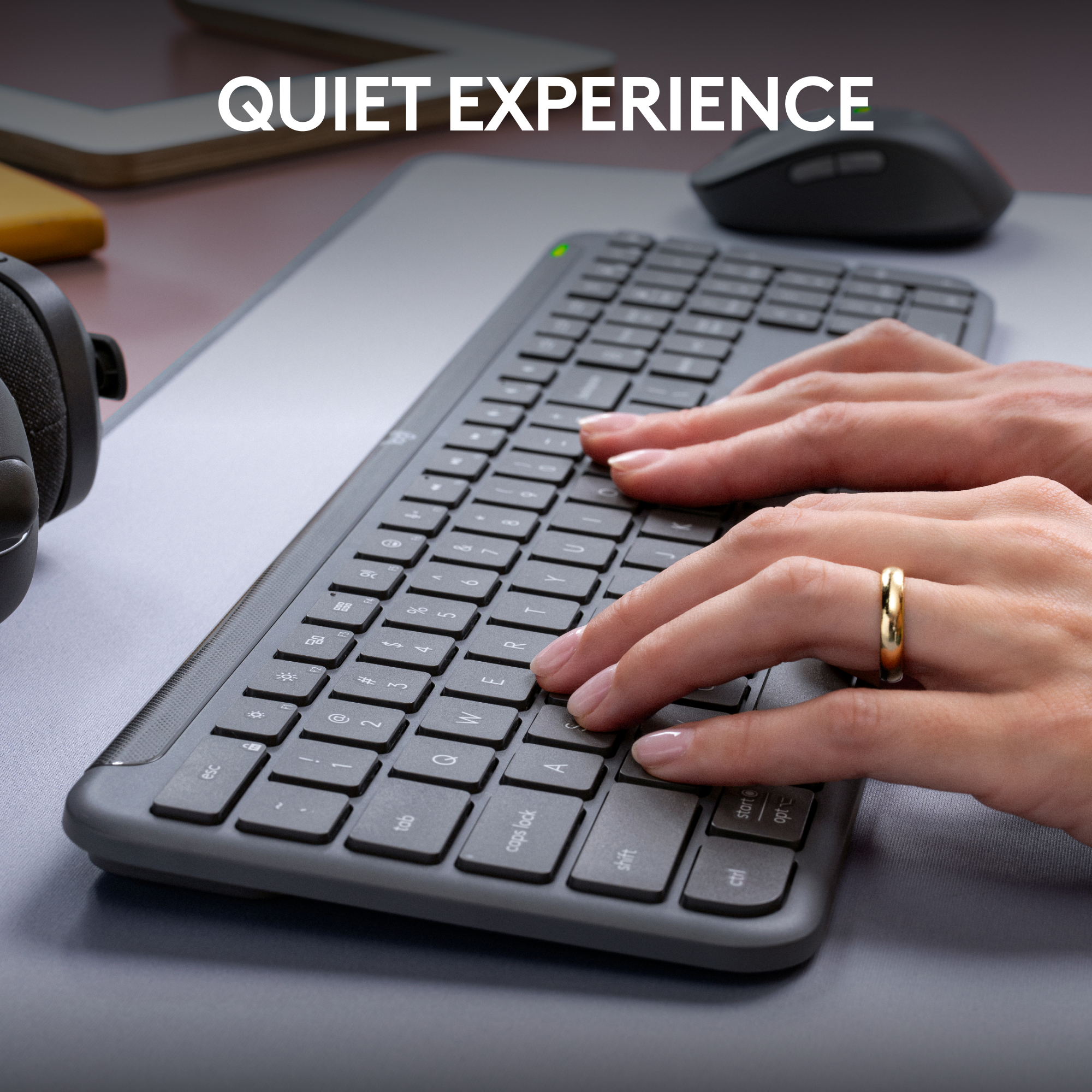
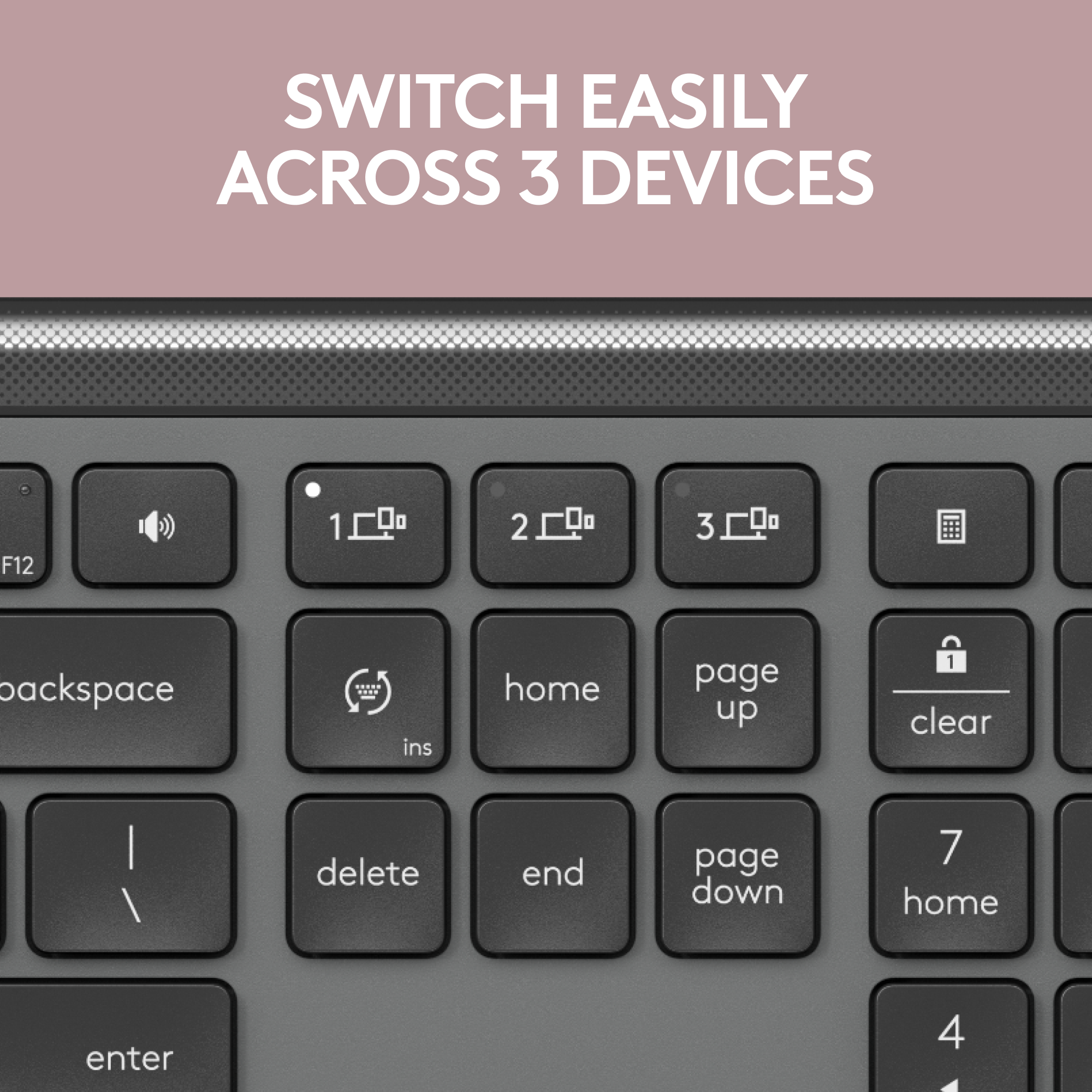
    This Logitech MK955 Signature Slim Wireless Keyboard and Mouse Combo is a great choice! One nice feature is that both the keyboard and mouse can be connected via the included USB reciever or Bluetooth low energy (5.1). I know on a some PC's, the available USB ports can be limited, so these units offer both options. The keyboard is powered by two standard AAA Alkaline batteries (batteries included) and the mouse is powered by one standard AA Alkaline battery (also included). Tech specifications say the keyboard mouse should lasy up to thirty-six months and the mouse twenty-four months. I have no reason to question those spec's as all other Logitech products I have ever tested certainly had impressive battery life. Both the keyboard and the mouse great tactile feel and are also smooth and quiet. They have Multi OS capability and easy-Switch button to connect up to 3 devices. Packiging had a very nice consumer feel and was protective of the units. Set (as to be expected) was simple, and of coirse the use was simple, being a keyboard and a mouse. In all, this is a good choice and a decent value in classic Logitech fashion.

    I would recommend this to a friend
    • Brand response from Logitech
      Posted .

      We're glad to hear you're enjoying the versatility and quiet comfort of the MK955 combo! The multiple connection options and long battery life are definitely user-friendly features. Thanks for sharing your positive experience!

  • Tech Insider Network Member

    Rated 3 out of 5 stars

    Cheaper version of the MX Key with M650L mouse

    |
    Tech Insider Network Member
    Posted .
    This reviewer received promo considerations or sweepstakes entry for writing a review.

    Pro: Long battery life Mouse clicks are quiet Con: Uses AAA batteries Mouse is small and not ergonomic Keys feels like hard plastic Not compatible with older devices using Unifying receiver The Keyboard This is a cheaper and more plasticky version of the Logi MX Keys. It still has the same heft and the ability to connect up to three separate devices, either through the receiver or bluetooth; but there are some differences, however. First, it runs on batteries rather than being rechargeable. It also lacks key illumination and a few of the function keys are changed. It also now has flip out feet. While there’s nothing wrong with the keyboard functionally, and the build quality is still good, the keys just don't feel great to type on. They are harder plastic and the actuation is stiffer so it just feels like I’m hitting the keys harder. The Mouse This is almost identical as the Logi M650L, and simply put, it’s quiet but too small. First the positives. Like the keyboard, it can connect up to three separate devices. The buttons are soft and near silent, much like their other recent mice in the MX line. It has the free spin scroll wheel which is a feature every mouse should have. The negative is that it feels small. I have small hands, and even then only the top part of my palm is on the mouse, with the rest of my hand hanging off. It’s just not ergonomic and my hand will get cramped trying to keep a grip on it. It also needs a battery. Logi Options+ I don’t really use the Options+ other than to change some settings for the devices. Two useful features are the Flow and Smart Actions. Flow lets you use the same devices across multiple computers. Smart Actions are programmable macros. Summary There’s nothing terrible with this set, and it might be alright if you’re not typing for long periods of time and don’t need to constantly use the mouse. Build quality seems good, even though it’s mostly plastic. The keys are hard plastic and typing on it gets uncomfortable after a while. The mouse is too small even though it has nice features. Personally, I’d rather get the MX Keys Slim for a bit more or get a bigger mouse.

    I would recommend this to a friend
    • Brand response from Logitech
      Posted .

      Hey! Thanks for your thorough review of the Logitech MK955 keyboard and mouse combo! Your detailed breakdown of the pros and cons, including the long battery life, quiet clicks, and multi-device connectivity, is very helpful. We especially appreciate your insights on the areas for improvement, like the key feel and mouse size. This feedback helps us understand user preferences and inform future product designs for a better user experience.

  • Tech Insider Network Member

    Rated 5 out of 5 stars

    Very versatile keyboard/mouse combo

    |
    Tech Insider Network Member
    Posted .
    This reviewer received promo considerations or sweepstakes entry for writing a review.

    I recently got this as an additional keyboard and mouse combo for my office computer and my handheld windows gaming device. For both needs, I feel that Logitech really hit it out of the ballpark with this. Logitech has been a very trusted and reliable brand for me for many years now, and the MK955 combo is so perfect of me. I really enjoy at how thin, or "slim" this keyboard is. It feels really good to type on, with am amazing key travel. Despite being on the slim side, it feels really strong and durable for me, as I am hard typer. Keys feel great when typing and accuracy for me is essential. The function keys are really good to have for shortcuts or when you need easy access to tasks such as screen diming, player controls, and volumes. The numbers keypad at the right is always a great addition to have. The mouse feels great to palm and with multiple key functions on there as well, they feel natural to my finger layout. What is even great about this is the ability to have this connected to three different computers at the same time. I have this for my office desktop and also for my windows handheld gaming device. Because the screen is so small, I needed an additional keyboard/mouse to help as the touchscreen wasn't as responsive as I had wanted it to be. Having this bluetooth keyboard/mouse combo allows me greater freedom to type. The downside for me is wishing this keyboard was backlit. But that is the only think that I did not like about this keyboard. So overall, this is great to have and enhances your typing/home office experience.

    I would recommend this to a friend
    • Brand response from Logitech
      Posted .

      Thanks for the MK955 review! Glad it's perfect for your office & handheld device. Love that it's comfy, feature-packed & easy to switch between them. We hear you on the backlight.