Customer Ratings & Reviews
![esc ! i 1 tab caps lock shift F1 2 Q A aas E4 F3 F2 $ % # 4 5 3 E R W F S D X C Z FS A 6 T G V F6 & 7 Y H B 17 * 8 U J N logi HI FI0 P9 FB ) - ( - 9 0 o P I K L > < M I P + = { [ A : I : ? I alt cmd3 2 0 3 10% 1 F12 page home up backspace ins page I delete end down } ] / enter shift ctrl fn opt^= Q I * / clear 8 9 + 7 pg up home 5 6 4 , 4 2 3 enter 1 dn pg end = 0 del ins ctrl start opt alt cmd](https://pisces.bbystatic.com/image2/BestBuy_US/images/products/6571/6571662_sd.jpg)







- Model:
- 920-012425
- SKU:
- 6571662
Rating by feature
- Value
Rating 4.7 out of 5 stars
- Quality
Rating 4.8 out of 5 stars
- Ease of Use
Rating 4.8 out of 5 stars
Customers are saying
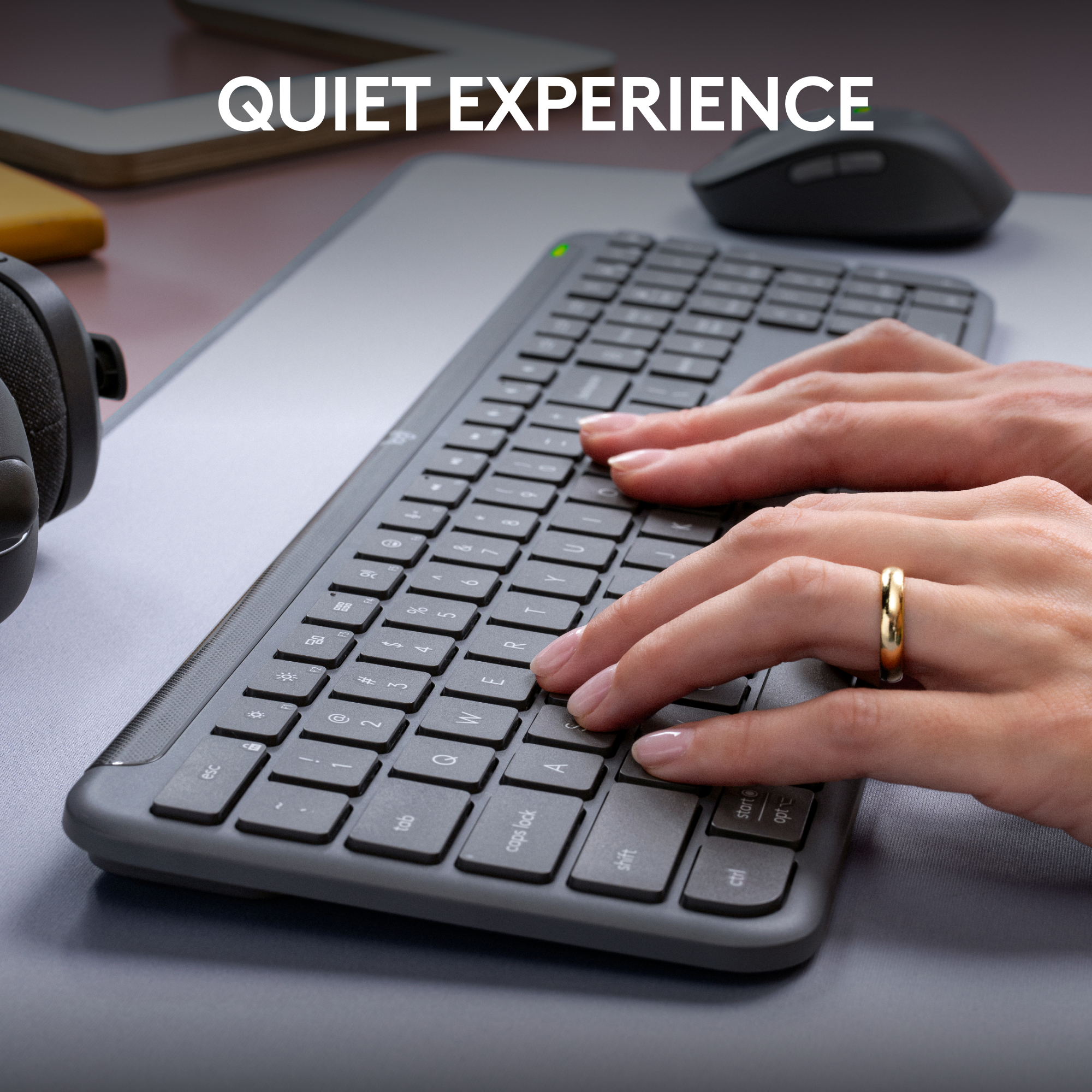
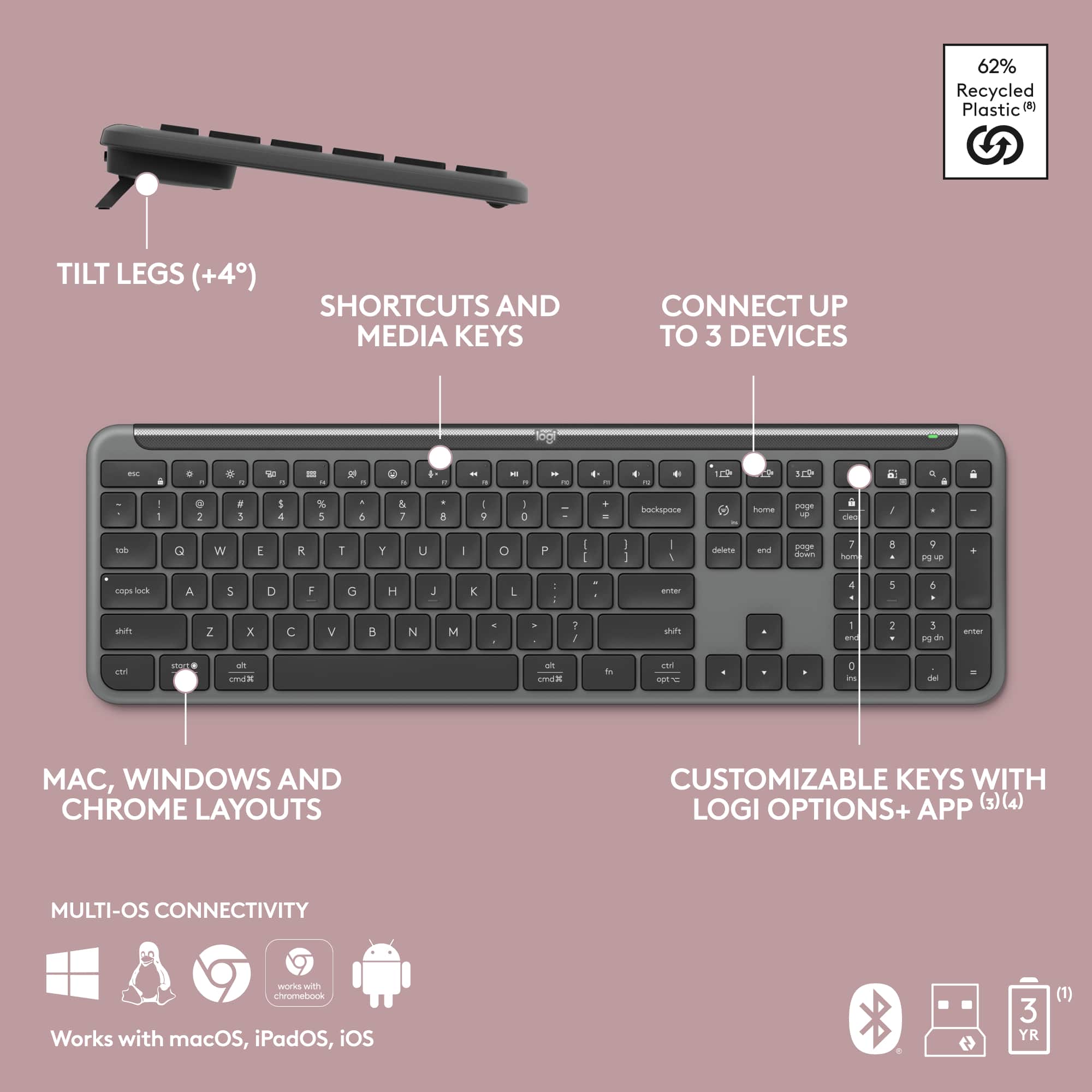
Customers enjoy the product's impressive keyboard quality, seamless connectivity across multiple devices, and excellent battery life. They also appreciate its quiet operation, ease of use, and slick design. However, some customers have noted that the keys feel like hard plastic.
This summary was generated by AI based on customer reviews.
- Pros mentioned:Keyboard quality
Excellent Quiet Keyboard and Mouse Combo – Clean,
||Posted . Owned for 11 months when reviewed.This reviewer received promo considerations or sweepstakes entry for writing a review.I recently purchased the Logitech MK955 Signature Slim Keyboard and Mouse Combo in Graphite, and I am very impressed with the overall quality and performance. The slim design looks clean and modern on my desk, and it feels solid without being bulky. The quiet typing and clicking are a huge plus. The keyboard is comfortable for long typing sessions, and the keys feel smooth and responsive. The mouse is also very quiet and fits comfortably in my hand, making it great for both work and everyday use. Setup was simple and quick, and switching between devices works seamlessly. Overall, this combo delivers exactly what it promises: reliability, comfort, and quiet performance. I would definitely recommend it to anyone looking for a professional, minimalist keyboard and mouse setup for Windows or Mac.
I would recommend this to a friendBrand response from Logitech
Posted .Thank you for such a detailed and thoughtful review! We’re delighted to hear that the Logitech MK955 Signature Slim Combo impressed you with its clean design, quiet performance, and seamless setup. Your recommendation means a lot, and we’re thrilled it delivers the reliability and comfort you were looking for.

- Pros mentioned:Ease of use

Exceptional Keyboard/Mouse Design
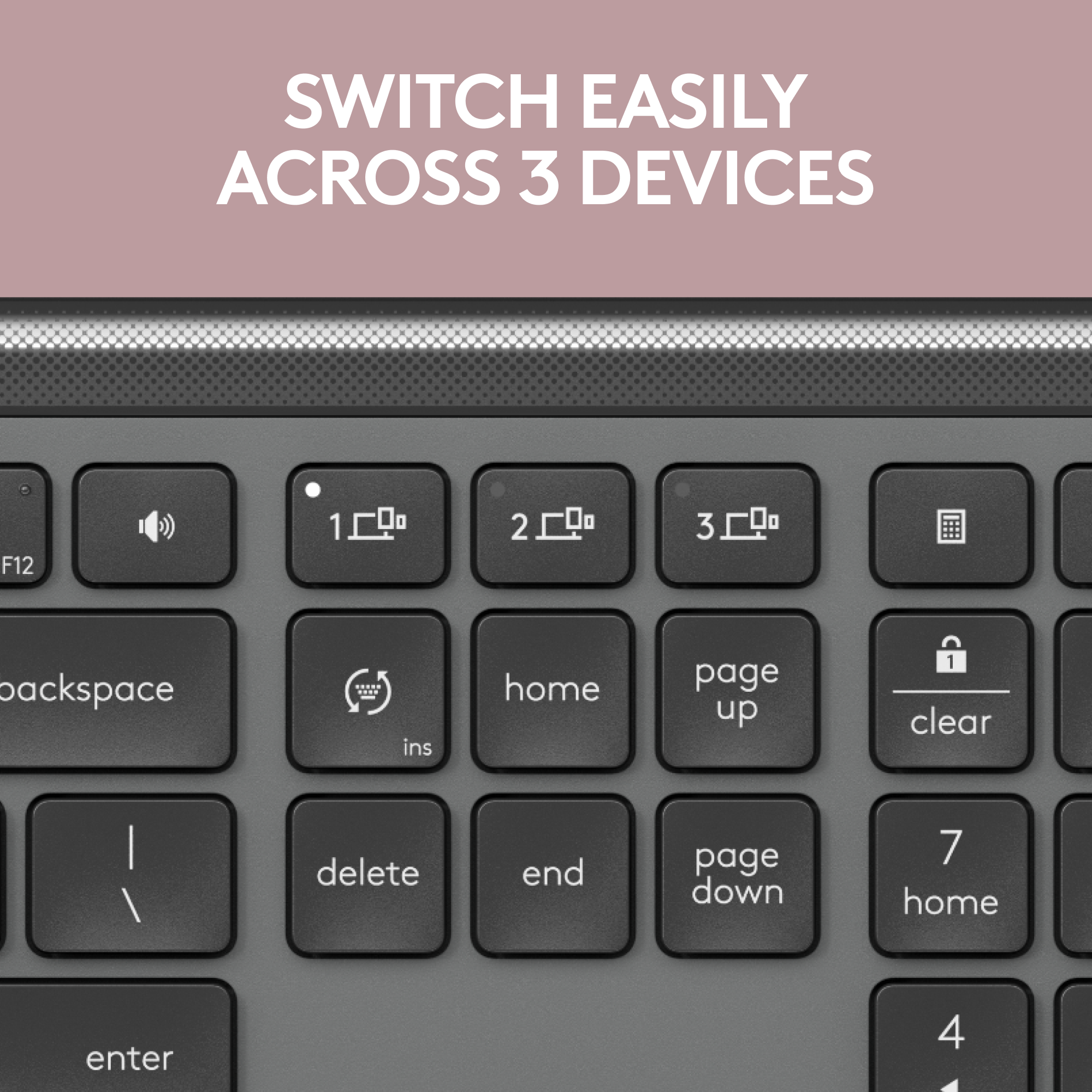
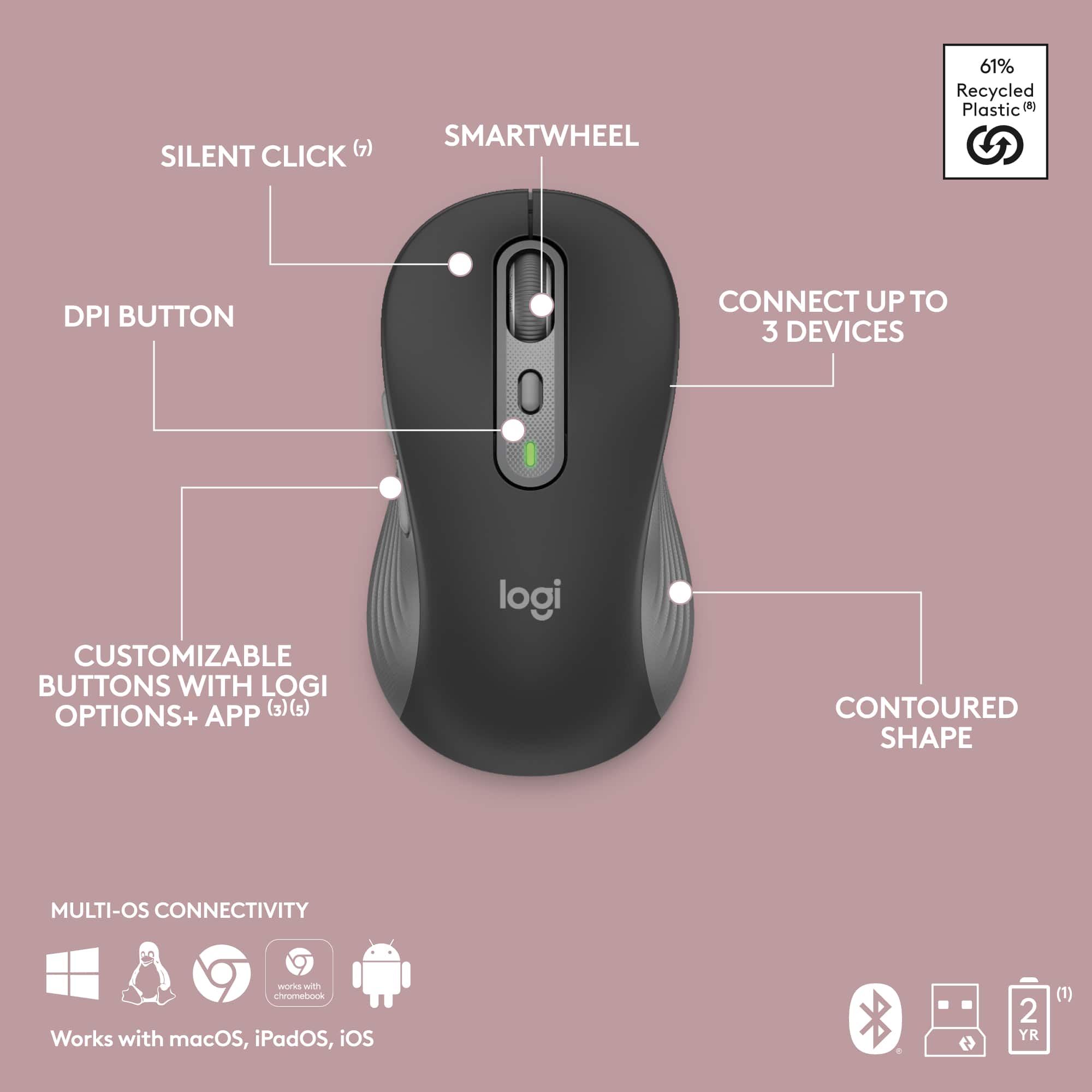
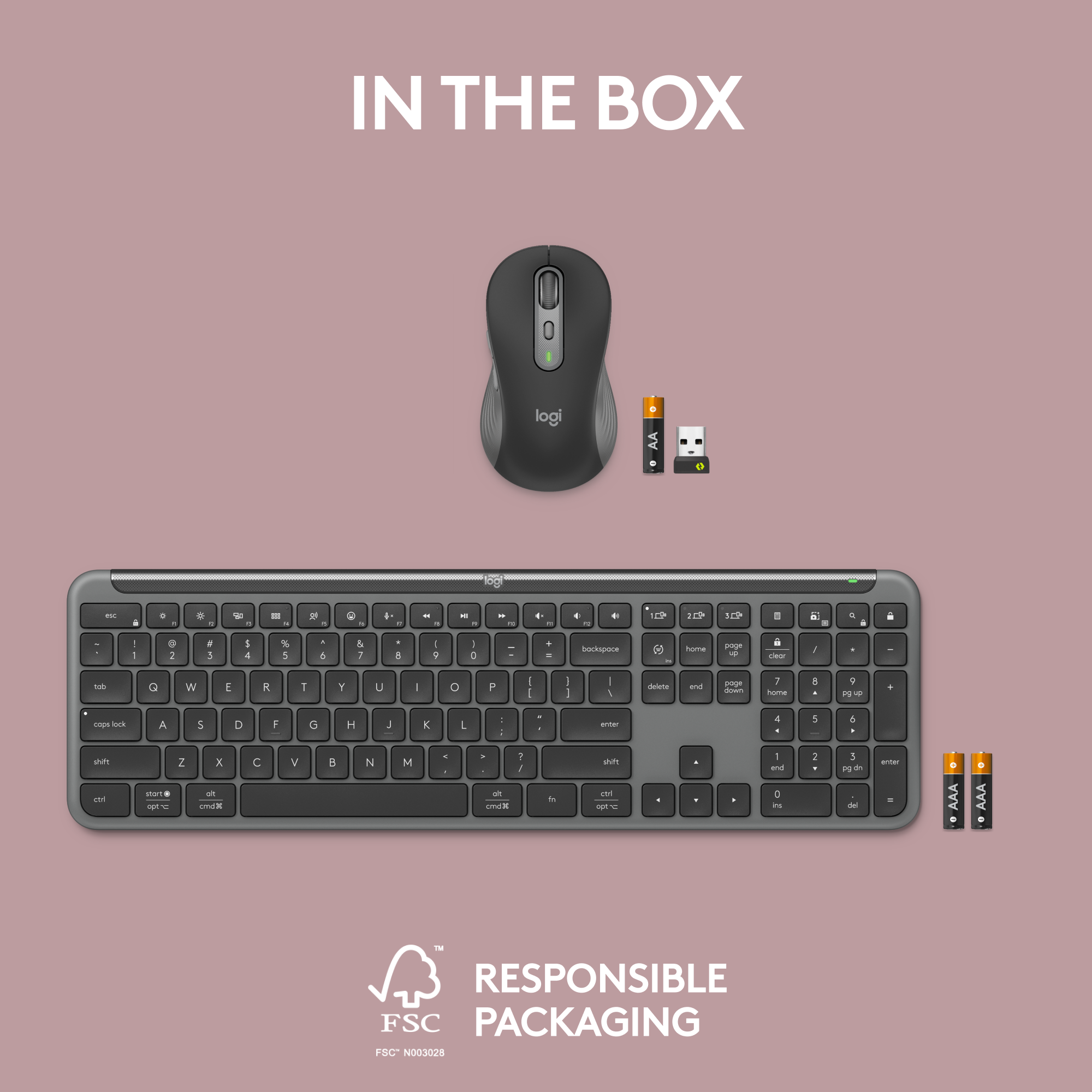
|Posted .This reviewer received promo considerations or sweepstakes entry for writing a review.The MK955 Logitech Signature Slim Keyboard and Mouse Combo incorporates years of the best in proven ergonomic design for computer peripherals. The lightweight portability, keyboard layout, and integrated numeric keypad offers a glimpse into the basic features that makes most other keyboards obsolete. Easily pair both the keyboard and the mouse to three different devices and switch easily between Windows, macOS, iPadOS, iOS, Android, ChromeOS and Linux operating systems. This combo provides the ability to type and click across my devices providing me the ability to work between my desktop and laptop, etc. The quiet full-size keyboard feels smooth and is ideal for typing speed. Function keys are programmable and easily configured with the use of the Logitech Logi Options+ app which is available for both iOS and Windows operating systems. The top half of the keyboard can be raised slightly by using the levelers on the underneath. This gives just the right angle to allow your wrist to be straightened and to help alleviate any unnecessary strain to the wrist area during prolonged periods of typing. The keyboard uses two (2) AAA batteries which are included in the box. The mouse allows for quick and easy access to the function keys and scrolling wheel primarily because the design cups comfortably in the palm of most sized hands. Together, the programmable functions, scrolling wheel, and size allow for increased precision and speed in doing computerized tasks. The mouse operates on one (1) AA battery which is also included. Both the keyboard, and the mouse, can either connect to devices by using Bluetooth or by using the included Logi Bolt if a USB is available on your computerized equipment. I am sure that you could spend more money and find a different keyboard and mouse with a higher retail price, but with the design and layout of the MK 955 Combo there is no need to do that. This keyboard and mouse combo has all the features, and more than needed, and I highly recommend it if your computerized needs have you looking for a quality keyboard/mouse combo. This product has replaced all my other keyboards at home and in my home office.
I would recommend this to a friendBrand response from Logitech
Posted .Wow, that's a fantastic review! We're thrilled to hear the MK955 is a perfect fit for your multi-device workflow. We appreciate you highlighting the comfort features and customization options - it helps users create a truly personalized experience.
- Pros mentioned:Noise level
Not Perfect Yet
|Posted .This reviewer received promo considerations or sweepstakes entry for writing a review.I paired this keyboard/mouse with my HP Envy notebook (Windows 12), my Apple (macOS 14.1) MacBook Air and my Lenovo P12 Tablet (Android 13) via Bluetooth. I like having a full size keyboard with my devices, and I almost always use a mouse versus a trackpad. I've been doing this for over 20 years. Improvements keep happening. Many of my past keyboards were very light or very thin. The Logitech K830 is one of my favorite keyboards (I must have 5 or 6) but I can only pair it with a single computer and the keys have too little of an indentation and there is no kbd inclination (and is not a full size kbd). The MK995 Keyboard has some weight too and it has little feet that pop-up out from under the bottom to give some kbd inclination. And the keys have a bit more travel than any of my notebooks and the K830. The keyboard is powered by 2 alkaline batteries that they claim should last 3 years. The mouse is powered by a single alkaline battery that they say should last 2 years. The keyboard has a great feel to it, and is VERY quiet. The bit of weight that it has gives it a solid stiff feel, no twist (again more solid then the K830). Switching between different computers is done by simply hitting one of three keys over where the pgUp/pgDn are located. Because the different OS's deal with the "windows" or "option"/"cmd" key differently Logitech has labeled the key key more like an Apple keyboard than a windows keyboard (but the number of keys is more like a windows keyboard). There's really no right answer, but their approach felt comfortable, yet I had to look at the keys adjacent to the space bar as they are not the same physical layout as an Apple keyboard. The one thing that I missed was a keyboard backlight. As soon as my office got dark, I looked for a key or sequence to turn it on, well don't bother, it does not have back lighting (like the K830 does). I've been traveling with a Logitech MX Anywhere 2 for quite some time. I don't mind it as my desktop mouse, but it is a tad small for my hand. However the mouse with the MK995 is a huge improvement. It is almost an inch longer and probably 1/2" taller. Overall it better supports my hand without me cupping my fingers. In addition the texture around the side of the mouse feels nicer to the touch than the texture on the MX mouse. And the wheel on the mouse is taller and longer than the MX mouse, and it spins more freely (but no right left scrolling (which I rarely used, so I don't miss, and it's not supported by Apple or Android)); it just feels better. And the MK995 has a bit more weight to it than the MX mouse. However, to switch the mouse to another computer you have to turn the mouse over and push a single button that moves from computer 1 to 2 to 3 to 1... Not nearly as easy as pushing a single key on the keyboard. I'd think that with their supplied software, it should be possible for a single button to be set up to switch both at the same time. Having to turn the mouse over is a hassle. When selling the keyboard and mouse together Logitech could better unify the packaged pair. But using the mouse on any of the 3 OS's it worked exceptionally. I changed my notebook to use the Logi Bolt receiver to see if I could tell the difference from the BT connection, I really could not. And I could not try it on my MacBook Air as it only has USB-C connections. In summary the keyboard is excellent (but does not have backlighting), it feels better than almost any keyboard I've ever used. The mouse is excellent, but changing between computers is clumsy, it should be possible from the top of the mouse or unify with keyboard changes. The size of the mouse is much better for a desktop setting (not a travel mouse).
I would recommend this to a friendBrand response from Logitech
Posted .Hey! Thanks for your in-depth review of the Logitech MK995 keyboard and mouse combo! Your insights are valuable, especially for highlighting the pros and cons of using it with different devices and operating systems. We appreciate you mentioning the comfortable typing experience, quiet keys, solid build quality, and larger mouse size. Feedback on areas for improvement, like the lack of keyboard backlight and cumbersome multi-device switching on the mouse, is also helpful for future product development.
- Pros mentioned:Keyboard quality
Minimalist keyboard/mouse combo
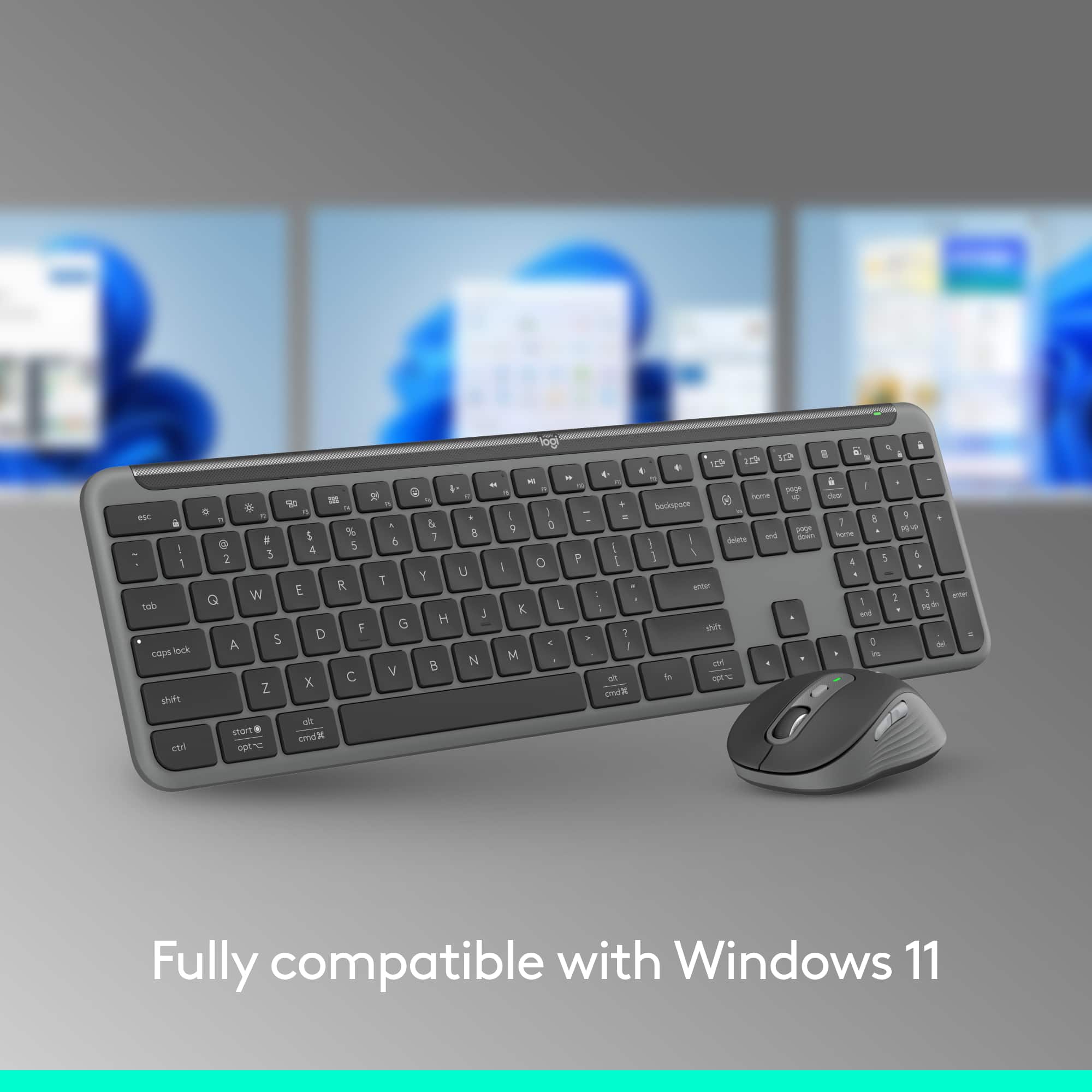
|Posted .This reviewer received promo considerations or sweepstakes entry for writing a review.For those looking for that minimalist mouse/keyboard combo, this is a great pickup. The fit and finish of this combo is really nice. The keyboard has an ultra low profile which looks/works really nice. The mouse, is a bit larger than you typical mouse but really works well with this setup. I've been using the normal wired mouse/keyboard for a bit but opted to change things up when rearranging my setup. For my work station, it was a bit cluttered with monitors and such and changed that with monitor arms. The mouse/keyboard I'd been using was just antiquated and didn't look "clean ". This setup allowed me A) a nice upgrade in hardware and B) and much more cleaner looking station to work from. The keyboard is battery powered however there is an On/Off switch. The keys provide good audible feedback without the click/clack of your normal keyboard. Personally, I liked the number pad on my keyboard for the work I do so this full size keyboard fits in nicely. There is a bit of heft to the keyboard however I find it to be quite good in that it provides enough weight so the keyboard doesn't slide around when using it. The mouse is a perfect size for me. I have a MX Anywhere mouse I've been using for my laptop but I have slightly larger hands. This mouse is their full size mouse so it fits much better in my hand than the MX did. Good DPI on the mouse and customizable thumb buttons as well. Simply, the mouse just fits better which is great. The combo itself is great for your typical workstation however it also works really well with your smart TV too. I tested it out on my LG 65" smart TV and it worked great for browsing the web there. All in all, I really dig this setup as it's much more streamlined and minimalist. Works great for any setup although I don't have a Mac to test it on. However, I know these Logitech peripherals are usually a go-to for Mac users.
I would recommend this to a friendBrand response from Logitech
Posted .Love the clean setup vibes! Thanks for such a detailed review of the MK955 Signature Combo. It sounds like it perfectly complements your minimalist aesthetic, with the low-profile keyboard, quiet keys, and comfortable full-size mouse. We're happy to hear it also elevates your workstation functionality and even works seamlessly with your smart TV!
- Pros mentioned:Keyboard quality
MX keys lite keyboard and mouse
|Posted .This reviewer received promo considerations or sweepstakes entry for writing a review.This Logitech set is lower priced version of the MX keys set. Same quality build, but with changes to cost down on costs. The main difference being the MK955 set comes with regular replaceable batteries, 1xAA and 2xAAA, vs the MX Keys coming with built in rechargeable batteries. The mouse doesn’t have the vertical scroll or gestures button either. But everything else on from the higher end set is in the MK955. The MK955 set is lightweight and can easily be carried. The MK955 comes with a Bolt receiver for plug and play use. The mouse and keyboard can be assigned to up to 3 difference devices, I used PC and Android with no issues. I had no issues connecting through Bluetooth or using the supplied Bolt receiver. The keyboard and the mouse both have a slot to store the receiver when you need to travel with the set or one piece at a time. The slot is in the battery compartment for both. The keyboard is full sized with a keypad. It is designed to feel like a laptop keyboard and it does. Travel and response are good on the keys. Travel is short like on a laptop. The keys backlight as you approach the keyboard to be ready as you start to type. Backlighting is at a nice brightness. The keyboard is very quiet. The mouse, M750L is a good size and meant for larger hands. It felt fine in mine. It has left, right, middle/ scroll wheel, forward and back buttons. The mouse tracked well with no issues in the OS, office, or games. The function of some buttons and keys can be changed in the Options Plus software. The MK955 keyboard and mouse set looks nice and has all of the features you’d want at less than the MX Keys price. At full size, you get all of the keyboard keys you need. Wireless and lightweight, the set will work on multiple OS devices with no issues. This is another solid mouse and keyboard from Logitech.
I would recommend this to a friendBrand response from Logitech
Posted .Thanks for the detailed review of the MK955 Signature Slim! It sounds like a great alternative to the MX Keys set, offering similar quality at a lower price point. The replaceable batteries, multi-device connectivity, and convenient storage for the Bolt receiver are all valuable features. We're glad you find the typing experience comfortable, the mouse responsive, and the overall design sleek and functional. Thanks for choosing Logitech!
- Pros mentioned:Keyboard quality
Nice Little Office Combo. Next Time Do USB-C.
|Posted .This reviewer received promo considerations or sweepstakes entry for writing a review.The Logitech MK955 Signature Slim Keyboard, like most Logitech keyboards, is genuinely a game-changer for anyone who's constantly toggling between multiple devices. Its triple device pairing makes it a breeze to switch from your laptop to your tablet and then to your smartphone. I was particularly in search of a keyboard that included a number pad, and the inclusion of quick-access buttons for tasks like spotlight search and screenshot capture was a thoughtful touch. The keyboard boasts of quiet keys, which, while true, didn't particularly blow me away. It's a nice feature, sure, but it seems to be par for the course rather than a standout innovation. Interestingly, it was the quiet click of the mouse that came with it that I found more impressive. The integration with Logi Options+ software for button customization on the mouse offers a lot of potentials, even though I'm still getting used to incorporating these shortcuts into my daily routine. However, the keyboard is not without its drawbacks. The lack of backlighting is a significant oversight, as working in low light conditions is pretty common for me. Also, the reliance on AAA batteries over a rechargeable USB-C option feels like a miss. It's a bit of an inconvenience and feels slightly out of step with the modern push towards rechargeable tech. All things considered, the Logitech MK955 Signature Slim Keyboard does offer good value, especially for those setting up their first office or work-from-home space. It checks a lot of boxes in terms of functionality and ease of use. Yet, the shortcomings around backlighting and battery type are areas where future iterations could improve. If you're in the market for a versatile keyboard and can overlook these issues, it's certainly worth considering.
I would recommend this to a friendBrand response from Logitech
Posted .Thanks for the in-depth MK955 review! We appreciate the feedback on multi-device switching, quiet keys (mouse!), and customization options. Backlight and battery type are valuable insights for future designs. MK955 is a great starter option, but for backlight & rechargeable batteries, explore our Signature series! Happy typing!
- Pros mentioned:Keyboard quality, Noise level
Great keyboard
||Posted .This reviewer received promo considerations or sweepstakes entry for writing a review.This keyboard has a great build quality, slim design, and quiet typing. Paired with a comfortable mouse that has no lag, makes it a great office set up.
I would recommend this to a friendBrand response from Logitech
Posted .We’re thrilled to know you’re satisfied with your Logitech product. Your input helps us shape better experiences for everyone. Thanks for your continued support!
- Pros mentioned:Keyboard quality
Feature-rich Wireless Keyboard And Mouse Combo
|Posted .This reviewer received promo considerations or sweepstakes entry for writing a review.I've been using the Logitech MK955 Signature Slim Wireless Keyboard and Mouse Combo for about a week now. Overall, I'm very impressed with the styling, build quality, comfort, features, and performance. The keyboard is excellent. It has a low-profile design similar to a laptop keyboard and incorporates many features from Logitech's MX line. I appreciate that it's lightweight, quiet, and allows me to switch between computers with a single keypress. Additionally, it has a ton of built-in shortcut keys, including buttons for emojis, application switching, desktop switching, screenshots, and voice dictation. I can even remap any of the quick keys to launch specific applications. The only thing missing from this keyboard is backlighting. The mouse is equally impressive. In terms of look and feel, it's nearly identical to Logitech's MX series mice. Just like the keyboard, it's lightweight, virtually silent, and comfortable to hold. It also allows for switching between computers, and with the help of the Logi Options+ app, I can remap the buttons to perform specific actions. If you're looking for a feature-rich wireless keyboard and mouse combo, look no further than the Logitech MK955 Signature Slim. It's an excellent choice.
I would recommend this to a friendBrand response from Logitech
Posted .Hey, That's a fantastic review of the Logitech MK955 Signature Slim Wireless Keyboard and Mouse Combo! It's very helpful for you to break down all the features you find impressive, especially the quiet typing, multi-device switching, and customization options. Thanks for sharing your experience!
- Pros mentioned:Keyboard quality
Great Keyboard and Mouse set, weak on instructions
|Posted .This reviewer received promo considerations or sweepstakes entry for writing a review.The Logitech MK 955 keyboard and mouse combination are extremely useful when you have multiple devices. You can set the keyboard and mouse up two different ways. The first way is to use the included dongle for connecting both the keyboard and the mouse. The second way is to use Bluetooth. When connecting with Bluetooth, you can connect to three different devices, all using different operating systems. I was able to successfully connect my Window Desktop, iPad 11 Pro and a second windows PC. Switching between each connected device is quite easy, on the Keyboard there are three buttons that represent each of the connected devices. On the bottom of the mouse there is a button that I used to toggle between the three connected devices. The MK955 Keyboard is extremely easy to type on with great feedback while typing and the keys themselves are large and comfortable while typing. The M750L mouse is contoured to fit in your hand naturally and comfortably. The buttons on the mouse respond well as did the scroll wheel. One of the best features to make this combination stand out from others is the ability to customize the buttons on the mouse and the keys on the keyboard. By downloading the Logi Options + App from Logitech to your PC, you can customize how the buttons and scroll wheel work on the mouse. On the Keyboard you can customize the top row of keys by selecting the key you wish to change from the drop-down box using the Logi Options + App. It is really that simple to make changes. The one area that I found to be an issue was the instructions. The instructions printed on the box are extremely basic. The instructions are fine for setting up a PC using the dongle, but not for using the instructions with Bluetooth. Logitech assumes that the person that is using the MK955 combo has some degree of computer knowledge and would be able to decipher the symbols that are used. I had no problem with this, but my older family members did. When adding my iPad 11 Pro with Bluetooth, the iPad presents you with a code that needs to be keyed on the MK955 but does not tell you to hit the enter button after keying the code in on the keyboard. It was only by chance that I hit the enter button to complete the set up. The Signature Slim Combo MK955 is an outstanding keyboard and mouse set to use on multiple devices. Having the ability to use a full-size keyboard for my PC, iPad, iPhone, etc. is a great convenience. I highly recommend it to anyone looking to upgrade or in need of a change
I would recommend this to a friendBrand response from Logitech
Posted .Hey, Thanks for the fantastic review of the MK955! We appreciate you highlighting its strengths and customization options. We'll consider your feedback about improving the Bluetooth setup instructions. Sounds like a great fit for you!
- Pros mentioned:Keyboard quality
Slim, quiet and well built.
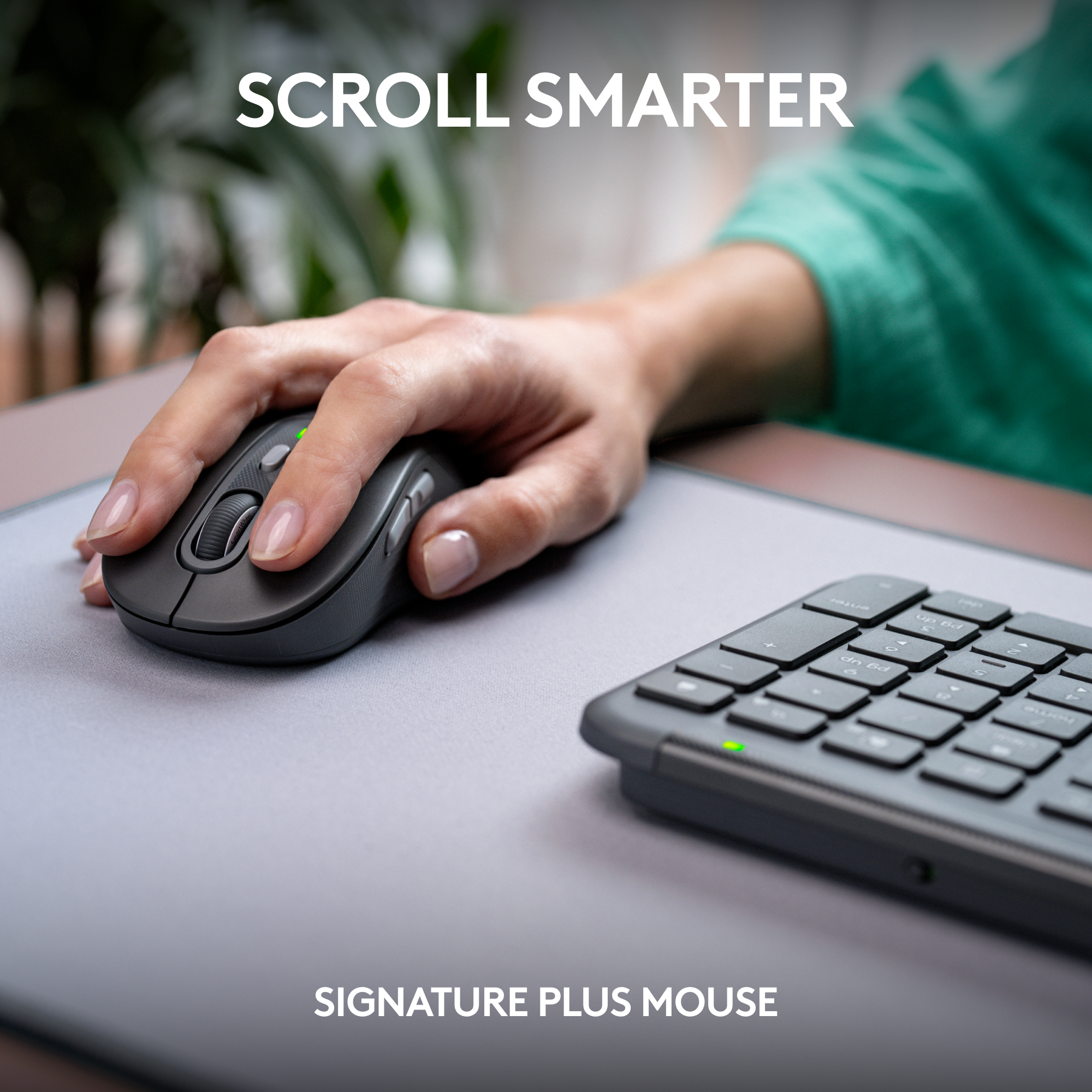
|Posted .This reviewer received promo considerations or sweepstakes entry for writing a review.The keyboard is a slim and compact full-size keyboard. It is sleek and solidly built. Because of this, I don't need a wrist rest. Typing on the keyboard has a very nice feel, the travel is perfect and very confident. By default, the insert key of the keyboard is set to switch language, switch between English and Japanese for example. I am used to using that key for copy and paste so that is weird for me, luckily, the Logi Option+ app allows me to change it back to being an insert key. The mouse is perfectly sized for my hand, ergonomic too. Very comfortable to hold. The mouse left and right buttons are sturdy and quiet. Making muffled low frequency thud sound. Other buttons do not have the same characteristic though. The mouse sensor tracks movement very well, I can feel it is linear when you move slowly and accelerate when you move fast but there is no setting to adjust the acceleration/deceleration, the Logi Option+ only allows you to adjust one parameter, speed. The scroll wheel of this mouse has SmartWheel feature, you can scroll line by line, good for computer games and if you flick it or try to scroll fast, it switches to fast and smooth mode like flywheel though I wish there is a button for me to manually switch the mode because scrolling up is difficult to have it switch to fly mode. The Flow feature let me use two computers with just one keyboard and mouse, when I move the mouse pointer to the edge, and beyond, the mouse and keyboard automatically switches to the other computer. Setting up this feature is very easy too. Just install Logi Option+ to first computer, pair the mouse and keyboard to the first computer then install Logi Option+ to the second computer, pair the mouse and keyboard to the second computer. Make sure both computers are on the same network and click on the Flow tab in the Logi Option+ app and follow the instruction on screen. The mouse and keyboard can pair up to three computers so setting up Flow is just another simple steps. When switching computer using Flow, it does show 1 or 2 seconds of delay. Sometime the keyboard did not switch back and you have to press the Easy-switch button. One big thing making this not the best keyboard is it has no back light, it may not be important to some but it is to me. For this and also because there is no way to manually switch the scroll wheel to fly mode, I am not giving five stars.
No, I would not recommend this to a friendBrand response from Logitech
Posted .Hello, Thanks for the detailed review of the MK855 combo! We appreciate you mentioning the features you like and areas for improvement, like backlighting and scroll wheel control. We'll share this feedback with the product team.
- Pros mentioned:Keyboard quality, Noise levelCons mentioned:Key feel
nice upgrade but seems a little overpriced
||Posted . Owned for 2 weeks when reviewed.This reviewer received promo considerations or sweepstakes entry for writing a review.nice quality but a little overpriced. keys on keyboard feel and sound cheap. mouse is smooth and quiet, works well. don't really see the need for double the price of others that compare
I would recommend this to a friendBrand response from Logitech
Posted .Thank you for sharing your honest thoughts on the MK955 combo! We’re glad you appreciate the mouse’s smooth performance, and your feedback on pricing and keyboard quality is truly valuable to us.
- Pros mentioned:Battery life, Keyboard quality
Great wireless keyboard/mouse for PC & Mac
||Posted . Owned for less than 1 week when reviewed.This reviewer received promo considerations or sweepstakes entry for writing a review.I have both a PC and Macbook and use them in conjunction with a dock from work and I hated using different keyboards for both. I had already tried a KVM switch and moving the USB hub for the keyboard/mouse to the docking station and both ended up with lag while using my Mac. I searched and Googled, used Reddit, read reviews and RTINGS and settled on this guy. I actually returned my MX Keys S and MX Master 3S as this combo works PERFECTLY switching between both systems with just the touch of a button. Connects via bluetooth so no more ridiculous usb dongle. My friends from work as jealous as I'm over here living in 2024 with this set up and their are still in 2018 with their USBs. The keys on the keyboard are quiet, the lift is good, the mouse is responsive and best of all..no lag. Another great thing is that it uses batteries, not like the MX Keys S and Master S3, can you imagine having to charge your keyboard and mouse? Might as well be wired if you have to use it then, no thanks. Exactly what I was searching for. If you use multiple computers and want ease of use for a good price, this is your set.
I would recommend this to a friendBrand response from Logitech
Posted .Thank you for your amazing review of the Logitech MK955 Signature Slim Full-size Wireless Keyboard and Mouse Combo! We're thrilled to hear that it's the perfect solution for your multi-computer setup and has exceeded your expectations. Your positive feedback means a lot to us as we continue to create exceptional products that enhance your computing experience.
Great Sleek, Comfortable, Multi-Use Keyboard
||Posted . Owned for 1 month when reviewed.This reviewer received promo considerations or sweepstakes entry for writing a review.Really sleek and slim design, low-profile so it feels quite comfortable. The mouse fits in my hand quite well. The keyboard & mouse combo allows you to sync up-to 3 different systems for uses which is very convenient for that that toggle from work computer to personal computer.
I would recommend this to a friendBrand response from Logitech
Posted .Thanks for the great review! We’re thrilled our product is meeting your expectations. Your support helps us continue to innovate and improve.
- Pros mentioned:Battery life, Keyboard quality
Excellent Full-Size But Compact Keyboard and Mouse
||Posted . Owned for 3 weeks when reviewed.This reviewer received promo considerations or sweepstakes entry for writing a review.It took a few days to get use to the action of the keys. It is more like the action on the new MacBook Air. This is a much better combination than the previous version which I replaced with this. The mouse fits my hand perfectly. The scroll wheel has unobtrusive clicking motion. I like that the keyboard uses two AAA batteries and the mouse a single AA. Only complaint is the keyboard’s power switch is small and hidden on the back. The wireless mouse can be paired with up to 3 devices.
I would recommend this to a friendBrand response from Logitech
Posted .Thank you for your detailed feedback on the Logitech MK955 Signature Slim Wireless Keyboard and Mouse Combo! We're thrilled to hear that you're enjoying the improved typing experience, especially the similarity to the MacBook Air keys, and that the mouse fits your hand comfortably.
- Pros mentioned:Connectivity, Noise level
Keyboard & mouse combo
||Posted . Owned for 1 month when reviewed.This reviewer received promo considerations or sweepstakes entry for writing a review.This is an additional keyboard and mouse combo, for another system. Quiet keys and connection is great.
I would recommend this to a friendBrand response from Logitech
Posted .Thank you for your thoughtful feedback! We’re delighted to hear that the MK955 Signature Slim combo is serving your needs well, with quiet keys and a smooth connection making your setup even better.
- Pros mentioned:Keyboard quality, Noise level
Great product
||Posted . Owned for 1 month when reviewed.This reviewer received promo considerations or sweepstakes entry for writing a review.“It's a great product. There is no unnecessary noise, keys feel great to type on, and it just works perfectly.”
I would recommend this to a friendBrand response from Logitech
Posted .It’s wonderful to hear that our product is meeting your needs. Your feedback is incredibly valuable and helps us continue to innovate. Thanks for being part of the Logitech community.
- Pros mentioned:Connectivity, Noise level
Nice keyboard and mouse set
||Posted . Owned for 2 weeks when reviewed.This reviewer received promo considerations or sweepstakes entry for writing a review.Very quiet and smooth, connects easily, battery operated.
I would recommend this to a friendBrand response from Logitech
Posted .Thanks for taking a moment to share your experience. We’re so glad the product is working well for you. Your support means a lot and helps us keep improving.
- Pros mentioned:Ease of use, Noise level
Exactly what I wanted!
||Posted . Owned for 2 months when reviewed.This reviewer received promo considerations or sweepstakes entry for writing a review.Great slim keyboard and mouse. Keys are quiet. Not big and bulky. Super happy with this purchase.
I would recommend this to a friendBrand response from Logitech
Posted .We’re so glad to hear you’re enjoying your Logitech experience. Your input helps us continue to deliver quality and reliability.
- Pros mentioned:Connectivity

Great keyboard and mouse!
|Posted . Owned for 1 week when reviewed.This reviewer received promo considerations or sweepstakes entry for writing a review.Great product that connects to multiple devices and switches between them easily. Typing is easy, and the keys feel good. Mouse moves smoothly.
I would recommend this to a friendBrand response from Logitech
Posted .Thanks for letting us know how things are going. We’re happy the product is performing as expected. Your support means everything.
- Pros mentioned:Connectivity, Keyboard quality
Great set!
||Posted .This reviewer received promo considerations or sweepstakes entry for writing a review.Great keyboard and mouse! Solid, easy to connect, mouse fits my hand well.
I would recommend this to a friendBrand response from Logitech
Posted .Thank you for your great feedback on the Logitech MK955 Signature Slim Combo! We’re glad you enjoy its solid build, easy connectivity, and comfortable mouse fit.