Customer Ratings & Reviews
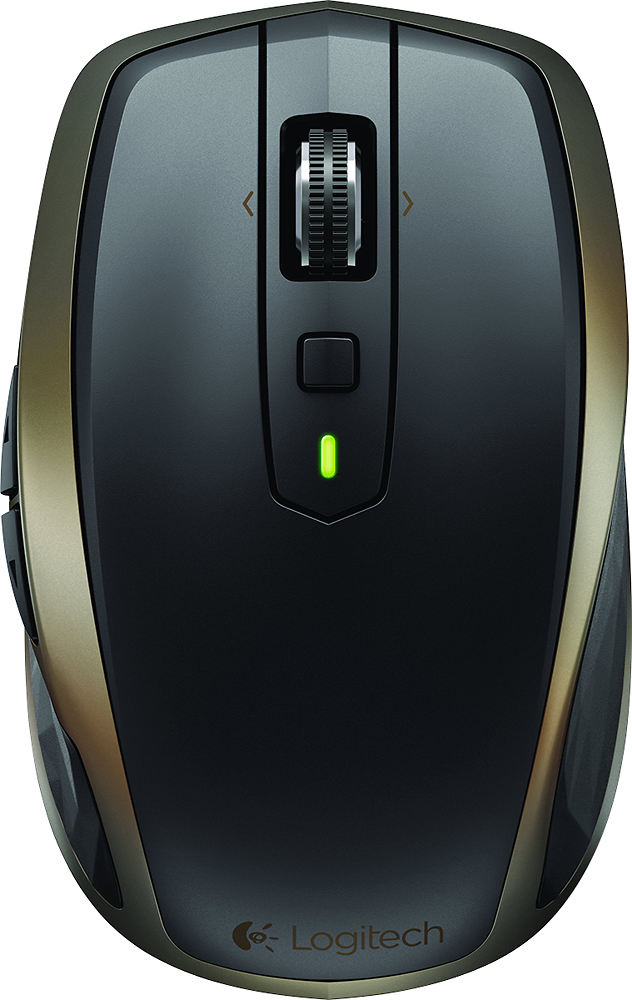
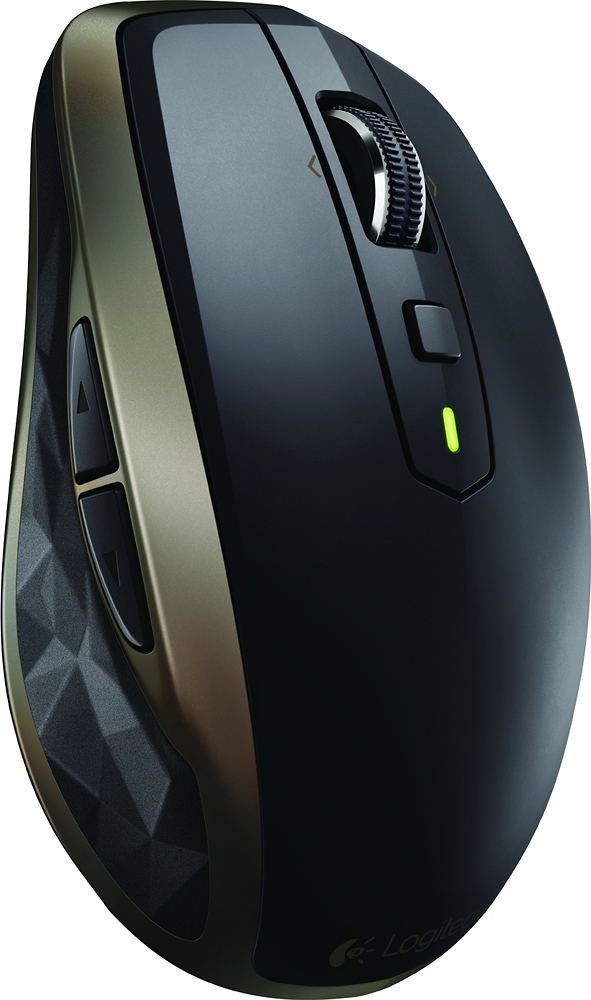
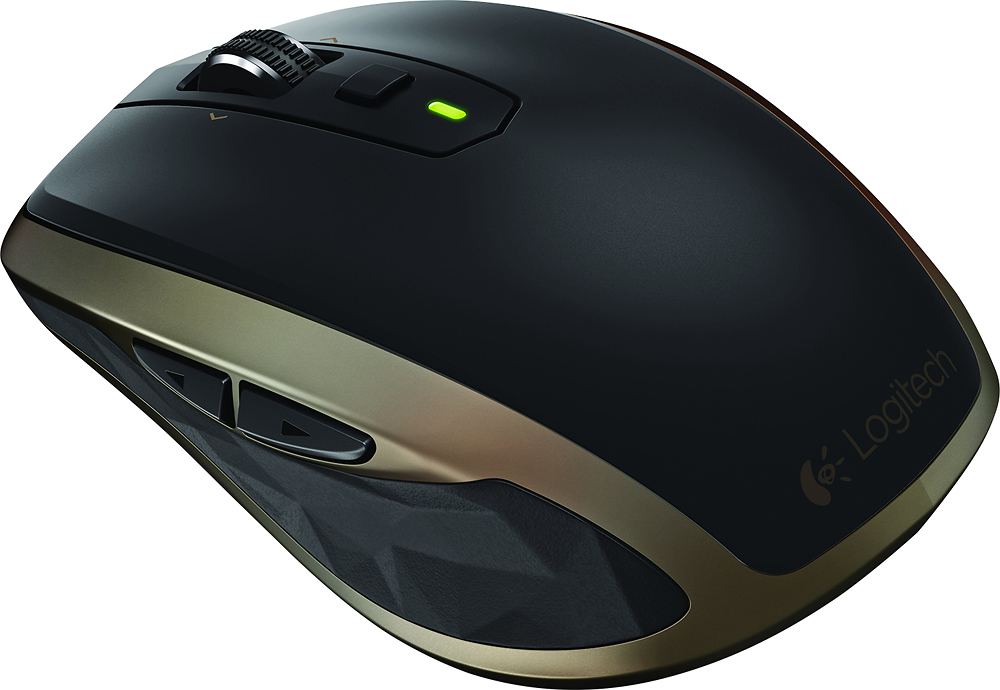
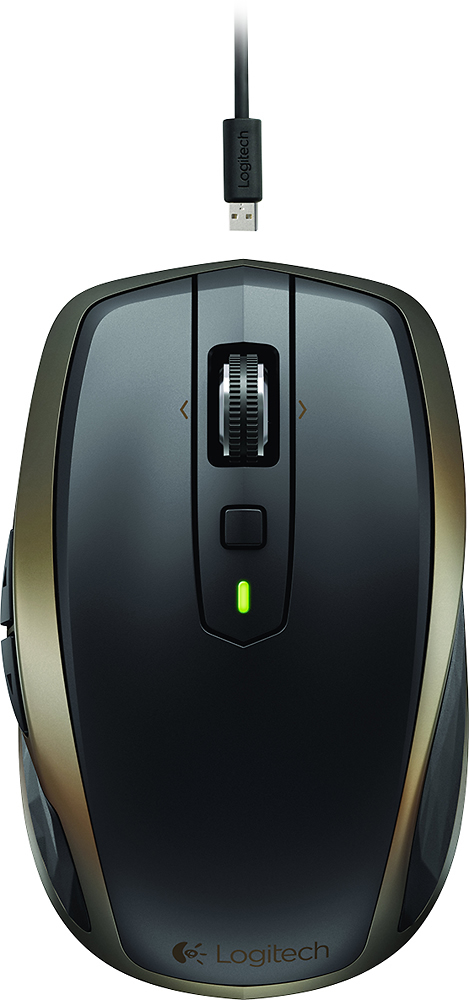
- Model:
- 910-004373
- |
- SKU:
- 7198154
Customer reviews
Rating 4.7 out of 5 stars with 1040 reviews
(1,040 customer reviews)Rating by feature
- Value4.3
Rating 4.3 out of 5 stars
- Quality4.6
Rating 4.6 out of 5 stars
- Ease of Use4.6
Rating 4.6 out of 5 stars
Customers are saying
Customers commend the MX Anywhere 2 Wireless Laser Mouse for its exceptional battery life, reliable Bluetooth connectivity, and ease of use. Many appreciate its compatibility with various surfaces, compact size, and precise tracking capabilities, while some find the price point to be a drawback. A few users noted minor concerns regarding occasional lag and software functionality.
This summary was generated by AI based on customer reviews.
Rated 5 out of 5 stars
Perfect bluetooth mouse
||Posted .This reviewer received promo considerations or sweepstakes entry for writing a review.I bought this a month ago and have had no issues. It charges via a micro USB cable and if you're an android user, you don't have to carry a extra charger. I plugged in the receiver once and have never taken it off. I do not yet know of the charge cycle but i can assure you it feels pretty good in the hand. Its slightly small than the palm of my hand but that makes it portable.
I would recommend this to a friend- Pros mentioned:Rechargeable
Rated 4 out of 5 stars
Quality feel. Works without problem
||Posted .This reviewer received promo considerations or sweepstakes entry for writing a review.Great product. Feels rich. Has never had a problem connecting. Worried that it was rechargeable instead of batteries but hasn't been a concern.
I would recommend this to a friend - Pros mentioned:Wireless
Rated 5 out of 5 stars
great mouse
||Posted .This reviewer received promo considerations or sweepstakes entry for writing a review.Love the mouse. Works great with blue tooth and can use with 3 different devices.
I would recommend this to a friend Rated 5 out of 5 stars
Great Mouse.
||Posted .This reviewer received promo considerations or sweepstakes entry for writing a review.This was a replacement for the older model MX anywhere that developed the infamous double click. I hope that this one will not be affected with it. Love this new mouse since there is no need to use USB port on the laptop connecting via Bluetooth. The mini unifier can be used if no Bluetooth is present. Mouse responds very well, perfect size and perfect for a Laptop and any other devices.
I would recommend this to a friend- Pros mentioned:Rechargeable, Wireless
Rated 5 out of 5 stars
Best mouse I have ever bought
||Posted .This reviewer received promo considerations or sweepstakes entry for writing a review.I love wireless products. This Logitech Mouse is by far the best I have bought. I love the Bluetooth as well as the Unifying rf signal. Small enough but not too small. Also it's rechargeable and hold the charge for over 30 days on regular use.
I would recommend this to a friend - Pros mentioned:Rechargeable, Wireless
Rated 5 out of 5 stars
This is the best wireless mouse!
||Posted .This reviewer received promo considerations or sweepstakes entry for writing a review.The Logitech Anywhere 2 mouse with dark field technology is the best wireless mouse you can buy. They added rechargeble lithium batteries and bluetooth and connections to 3 devices making it super easy to use with my laptop, desktop and ipad.
I would recommend this to a friend - Cons mentioned:Pricey
Rated 5 out of 5 stars
Great Mouse
||Posted .This reviewer received promo considerations or sweepstakes entry for writing a review..Slightly pricy and smaller but great mouse all the way around.
I would recommend this to a friend Rated 5 out of 5 stars
Great mouse
||Posted .This reviewer received promo considerations or sweepstakes entry for writing a review.Great mouse if you're looking for something cordless. You are able to connect 3 devices to a single mouse, and switching between devices is only a touch of a button. Also comes with a unifying USB connector if you do not have bluetooth on your computer. The connector can also connect multiple Logitech devices so that you do not have multiple connectors taking up space.
I would recommend this to a friend- Pros mentioned:Rechargeable, Wireless
Rated 5 out of 5 stars
Great mouse
||Posted .This reviewer received promo considerations or sweepstakes entry for writing a review.This wireless mouse operates smoothly, the great thing about besides being wireless is the rechargeable batteries. When it gets low on powere you can plug in the provided USB cord and continue to use it while it charges. Love it.
I would recommend this to a friend - Pros mentioned:Wireless
Rated 5 out of 5 stars
Awesome compact mouse.
||Posted .This reviewer received promo considerations or sweepstakes entry for writing a review.Great compact mouse. Love the Bluetooth and wireless option. Works great.
I would recommend this to a friend - Pros mentioned:Long battery life
Rated 5 out of 5 stars
Keeps a good charge
||Posted .This reviewer received promo considerations or sweepstakes entry for writing a review.I bought this for use with my laptop, it keeps a good charge.
I would recommend this to a friend Rated 5 out of 5 stars
Great Mouse
||Posted .This reviewer received promo considerations or sweepstakes entry for writing a review.Such a great mouse! I love the feel and how well it works on any surface.
I would recommend this to a friend- Pros mentioned:Wireless
Rated 5 out of 5 stars
Great Wireless Laser Mouse
||Posted .This reviewer received promo considerations or sweepstakes entry for writing a review.Wireless Laser Mouse is perfect for my business meetings and travels
I would recommend this to a friend - Pros mentioned:Wireless
Rated 5 out of 5 stars
works great just as advertised
||Posted .This reviewer received promo considerations or sweepstakes entry for writing a review.nice wireless mouse, just as advertised and east to set up
I would recommend this to a friend - Pros mentioned:Size
Rated 5 out of 5 stars
Love it
||Posted .This reviewer received promo considerations or sweepstakes entry for writing a review.Perfect size, lots of options, charges via USB, bluetooth connection
I would recommend this to a friend Rated 5 out of 5 stars
Cool Mouse
||Posted .This reviewer received promo considerations or sweepstakes entry for writing a review.I have used Version 1 of the MX Anywhere for over three years, for an average of 45 hours a week. I sincerely believe that the MX Anywhere 1 was the best mouse at any price for laptop users. So naturally, I jumped on the refreshed MX Anywhere 2. Here is my guide to whether the upgrade is worth your hard-earned dollars. Warranty: The warranty on this mouse is incredibly important. The biggest problem that I (and many other users) had with V1 of this mouse was that the left click—either double click, or click and drag—would mysteriously stop working after a certain period of time. This was typically around the 12-18 month mark, based on my own experiences and those of my coworkers with the same device. That said, the V1 had a 3-year warranty and Logitech Customer Service was great at sending the two replacements that I have needed over the past three years. The V2 coincidentally has a truncated 1-year warranty. Will the left click have issues on V2 of the product? Time will tell and I will update this review if that time comes. Scroll: The biggest selling point of the MX Master was the smart speed-adaptive scroll wheel that would intelligently switch between click-by-click and smooth scroll. Sorry, despite the similar styling, the MX Anywhere V2 does not have that feature. It retains the switching mechanism of the V1 mouse: press down on the scroll wheel to switch between the two modes. It’s a bummer—but it’s still the best scroll mechanism on any portable mouse to date. Connectivity: V2 adds Bluetooth connectivity so that the mouse may be paired with up to 3 devices (laptop, tablet, PC). You’ll know whether this is important to you. Personally, I use this mouse only with my laptop because I prefer full-featured mice for desktop and no mice for tablet. Power Button: The V2 features a small power switch on the underside that you’ll use to turn off the mouse for storage/transportation. I find this switch to be much less convenient than that on the V1, which was a large, easy-to-actuate spring-loaded tab that slid over the laser. With the original design, there was no searching or fiddling. Yes, first world problems at their finest. Gestures: While the button below the click wheel offers access to the gestures feature found on the MX Master (ex. swipe up to maximize window), I have always set this button to be a middle-click button using the Logitech software because this mouse otherwise will lack a middle-click. You may still set one of the side buttons to activate gestures if that’s important to you. But I prefer using those for Ctrl+Pg Up/Down to scroll through tabs in Excel and Chrome. Ultimately, personal preference. Battery: Two month advertised battery life is quite good—right around what you’d yield with V1 of the mouse which took two AA batteries. The rechargeable battery is admittedly an improvement to AA batteries because while almost nobody carries spare batteries on them, it is easy to borrow a micro USB cable from someone in the office in a pinch. Receiver: The Pico Unifying Receiver from the V2 is lower-profile than the original Unifying Receiver on the V1. However, the big downside is that there is no internal storage for the receiver now because there’s no need to open the mouse to change batteries. That was one of my favorite design features of the V1. While you won’t be removing the receiver often, a safe place to store it was a godsend in the past. Appearance: From most angles, the V2 is supposed to be more attractive with its Logitech’s new MX design language. The top is matte, unlike the [later generations of] V1 mice which featured gloss finishes. That said, it’s not a dramatic mouse and actually looks quite “corporate” in person, so it doesn’t really draw attention in the office. Personally, I think the silver trim and gloss on the V1 might have been more distinctive. Carrying Pouch: Non existent in V2. This is fine because I stopped using the carrying pouch after a while for the V1, and just slipped the mouse into a safe compartment in my bag, but with a matte finish, the V2 might pick up more scratches this way. Price: The MSRP for V2 and V1 respectively are $79 and $59. So you’re looking at about $20 extra for a refreshed design, rechargeable battery, and Bluetooth/switching functionality. (Note that the street price for Logitech mice tends to drift down to as low as 50% of MSRP over the product life cycle—watch for sales.) Conclusion: If you do not need the Bluetooth connectivity for separate devices, I would easily advise against this mouse. Go for the V1 at a lower price with the longer warranty and same key features. On the other hand the V2 does feature rechargeable batteries which is nice for all of those who couldn’t find AA batteries when they needed them the most. If the scroll wheel had been updated as well, that would have been a major selling point. Time will reveal the left-click durability of the V2. But frankly, while I do not regret my purchase, there are not many features pushing early-adopters to this mouse.
I would recommend this to a friend- Pros mentioned:Rechargeable, Wireless
Rated 5 out of 5 stars
Better than the original!
||Posted .This reviewer received promo considerations or sweepstakes entry for writing a review.I have the original MX Anywhere and that mouse was just the right size for travel. This mouse takes all of the ideas that were great about the MX, and adds a rechargeable battery and Bluetooth to it! Best of both worlds!!
I would recommend this to a friend Rated 4 out of 5 stars
Works great with my MacBook Pro
||Posted .This reviewer received promo considerations or sweepstakes entry for writing a review.I was looking for a good mouse that would work with my Mac. This fits the bill. Works on any surface, responsive, no lag.
I would recommend this to a friend- Pros mentioned:Rechargeable
Rated 5 out of 5 stars
best mouse ever
||Posted .This reviewer received promo considerations or sweepstakes entry for writing a review.I love the weight and feel. Also like the rechargeable feature.
I would recommend this to a friend - Pros mentioned:Wireless
Rated 5 out of 5 stars
Bluetooth > Wireless/USB Dongle For Me
||Posted .This reviewer received promo considerations or sweepstakes entry for writing a review.I had a wireless mouse with the USB dongle. The dongle stopped working on a work trip and I had no use of my mouse. I thought I could plug it in via USB, but nope - it didn't work. I went to the local Best Buy and purchased a Bluetooth mouse hoping it would work better for me. In short, it's replaced my Performance MX mouse all the way around. I find the small size to be the only slight disadvantage, but at the same time it's nice to have something taking up less space in my travel bag. The Anywhere 2 mouse via bluetooth is easy to connect - I've used it both on PC/Windows 10 and Macbook/Sierra OS with the results I'd expect. I appreciate the availability of different technologies and find that Bluetooth works best for my needs - and perhaps yours as well.
I would recommend this to a friend