Customer Ratings & Reviews
- Model:
- 910-005132
- SKU:
- 5870714
Rating by feature
- Value
Rating 4.6 out of 5 stars
- Quality
Rating 4.7 out of 5 stars
- Ease of Use
Rating 4.7 out of 5 stars
Customers are saying
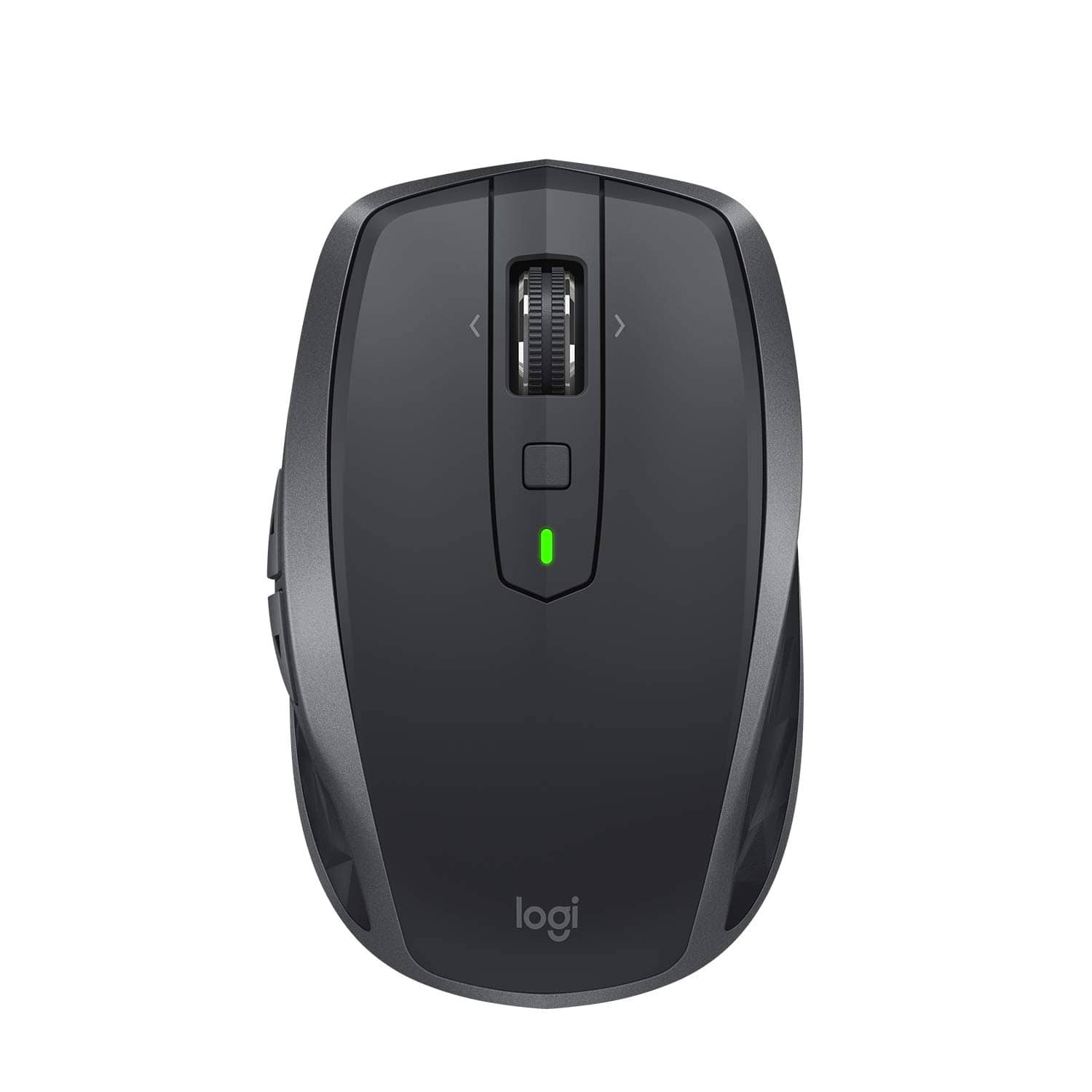
Customers find value in the MX Anywhere 2S Wireless Laser Mouse's ease of use, long battery life, and Bluetooth connectivity. Many appreciate its compact size, compatibility with various surfaces, and precise tracking. Positive feedback also highlights the responsiveness, lightweight design, and comfortable ergonomics. However, some customers express concerns about the price and occasional clicking sounds.
This summary was generated by AI based on customer reviews.
Clunky Mouse
||Posted . Owned for 1 month when reviewed.This reviewer received promo considerations or sweepstakes entry for writing a review.Clunky feel, not very comfortable.Thin plastic makes it feel cheap for the money it costs.
No, I would not recommend this to a friendBrand response from Logitech
Posted .Hello MouseBandit, Very sorry to hear about your disappointment with the MX Anywhere 2S and how uncomfortable it feels for you. Fortunately, Logitech has a host of other wireless mice that you may find better suited for you. Here's a link to check them out: https://www.logitech.com/en-us/products/mice.html. Hope that you find this helpful and that all is going better. Thank you for being a Logitech customer. - Richard from Logitech
- Pros mentioned:Wireless

PERFECT Mouse!!
|Posted .This reviewer received promo considerations or sweepstakes entry for writing a review.This mouse has the same functionality as my old M510, only better. It feels higher end and the size is just perfect. It's a little flatter and the angle of my fingers is more natural. The scroll wheel is soooo fast and accurate. I can go one click at a time or zoom right down the page. I love the button on the top middle of the mouse. I click the botton and swipe the mouse to the left, and my window locks left, right, locks right. So much easier than pushing down on the actual wheel itself as in previous versions. The side buttons that I assign to copy and paste are positioned more naturally too. Being able to use one mouse across two PC's is really convenient too.
I would recommend this to a friend - Cons mentioned:Size
Mouse of the highest quality
|Posted .This reviewer received promo considerations or sweepstakes entry for writing a review.This mouse is one of the highest quality mouses I have ever used. For some reason the wheel feels really solid and smooth for a "plain" mouse like this. The buttons all have a very nice snap to them. Plus the mouse works on every surface I could test it on. I then downloaded the software to program the buttons. This made the mouse experience even better. I programmed all of the buttons to my linking and away I went. The mouse feels a little small in my hand but for some reason is not an issue at all. I can also hook up the mouse to 3 different computers but have not had the chance to do so yet. This is a very high quality mouse and my new every day mouse.
I would recommend this to a friend - Pros mentioned:Long battery life
Excellent Mouse - Game Changer
|Posted .This reviewer received promo considerations or sweepstakes entry for writing a review.This is absolutely the coolest mouse I have ever used. You can use with 3 computers and can copy and paste from one computer onto the other. Very cool feature. This also allows me to only carry one mouse in my briefcase (I carry both personal and business laptops). The buttons can be programmed to do almost anything. You can connect with very small USB dongle or Bluetooth This is a rechargeable mouse. They say it lasts up to 70 days on a charge. I have not had it that long, but that is better than I get from the batteries on my current mouse. It also appears to track on any surface. This is a great buy. Don't hesitate.
I would recommend this to a friend No happy
||Posted . Owned for 3 weeks when reviewed.This reviewer received promo considerations or sweepstakes entry for writing a review.Tried multiple times to connect to new laptop and will not recognize system
No, I would not recommend this to a friendSolid, smooth multitasking mouse!
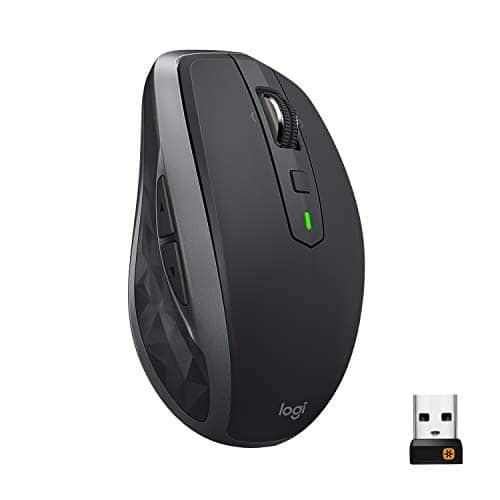
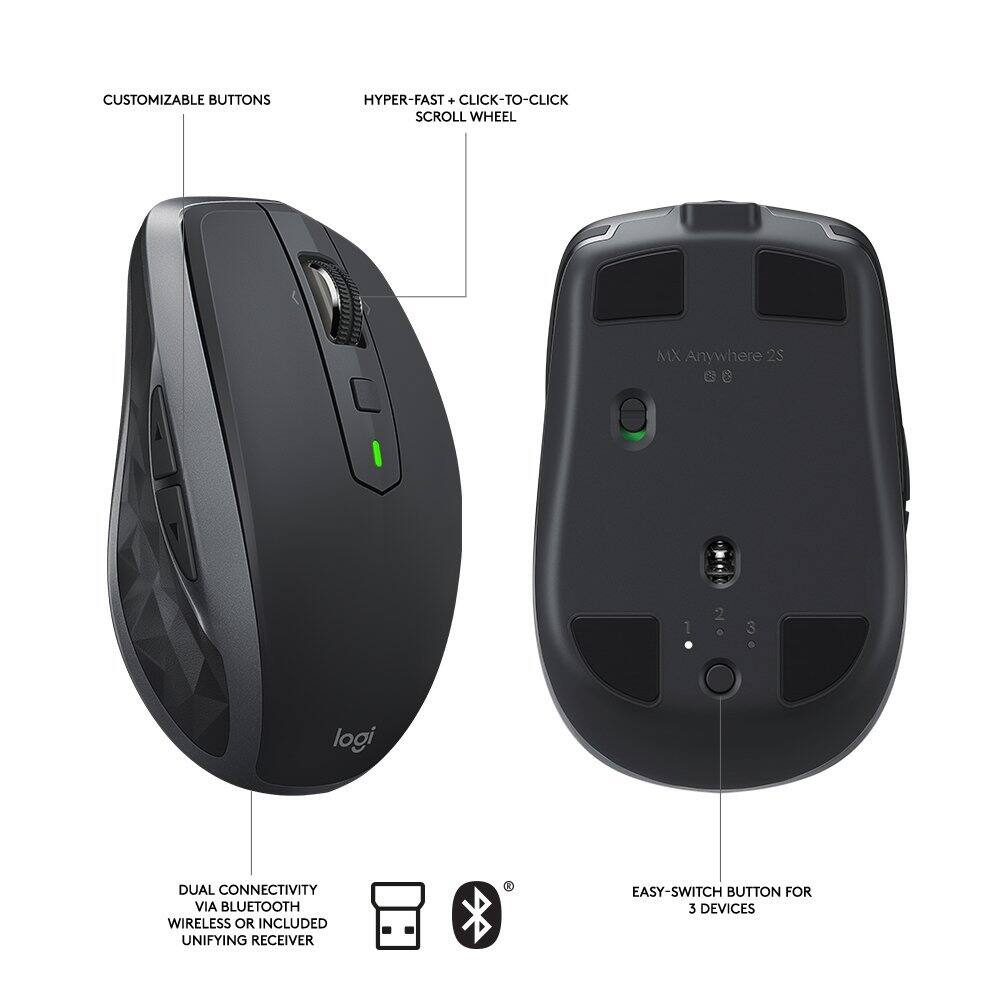
|Posted .This reviewer received promo considerations or sweepstakes entry for writing a review.As can be seen via a nearby label, I was given a free device in exchange for an unbiased review. For general purpose computing (unless you need a specialized input device for a niche application), this is the mouse you've been waiting for. Even if you forget the extra buttons that are a part of the mouse, two things immediately come to mind when handling the device: smooth and solid -- and this from a wireless device! This mouse is most certainly smooth, in that no matter what surface it's laid upon, connectivity and on-screen movement don't miss a bit. I've dealt with previous mice that have issues "keeping up" with my screen movements or left-clicking-and-highlighting; this device has absolutely no issues here. Exceptional movement across the screen, stopping and clicking precisely where desired. The device is also solid -- to me, it seems somewhat heavier (enough to notice a difference) than other mice. To me, that's what helps with the smoothness -- it sits squarely wherever it's located, and there are no issues with steadiness. For connectivity, the device comes with both a USB-based receiver (very small dongle) as well as integrated Bluetooth connectivity. Because I profusely use my USB ports, I try to keep anything new from hogging yet another port to a minimum, and this mouse deals with Bluetooth in spades. On the bottom-rear of the mouse, there is a button that corresponds to three fanned-out LED lights. This intentionally represents up to three machines to which you can pair the mouse. All it takes is to press the button to enable a given light, press and hold for about 3 seconds (to put in pairing mode), make sure the machine sees the mouse, and pair -- that simple. I've done this on my work PC (a Windows 10-based unit) as well as my mid-2012 non-Retina MacBook Pro. In both cases, the mouse was easily paired. The only "drawback" (if you can call it that) is that you have to press the button to correspond to which light represents which machine. However, once selected, it simply works -- in real time. While there is a "Flow" function that's said to be included with the mouse (allowing you to cut-and-paste between machines, even between Windows and macOS), I wasn't interested in loading further software on either my work laptop nor my MacBook Pro, so that went untested. Regardless, I actually needed a new mouse for work, and this unit came just in time. So, for general, all-purpose mousing activities, this unit has become my favorite go-to input device. It comes with a lithium ion rechargeable battery which Logitech claims can provide 70 days' worth of charge (I've only just gotten the mouse, so I can't currently speak to that), so at least there's not AA or AAA batteries to always have to change out. If you need a good mouse that works cross-platform, this is it! And Bluetooth connectivity is excellent.
I would recommend this to a friendBad Batter life
||Posted . Owned for 5 months when reviewed.This reviewer received promo considerations or sweepstakes entry for writing a review.Great design but bad battery life. I have to constantly recharge it.
No, I would not recommend this to a friendDependable Again...
|Posted .This reviewer received promo considerations or sweepstakes entry for writing a review.I’m a Mac user but since they introduced the awful Magic Mouse, I’ve been using Logitech mice, particularly the MX Series. This new MX Anywhere 2S does not disappoint. It’s light, perfectly fits in my hand and has very useful assignable buttons... just like the previous version, the MX 2. I don’t have an opportunity to use the cut/paste function since I have one computer so I can’t comment on that function. As far as I can tell, that and possibly longer battery life are the differentiation points of the 2S from the previous model. The performance is still fantastic and the desktop app is helpful in fine tuning its usefulness. Oh, and I really like the new graphite color. The warmer color of the previous model wasn’t my favorite...but I’ve always liked graphite. So, overall it’s great and I am enjoying using it everyday but there’s nothing noticeably different from the MX2. Just as good and just as dependable.
I would recommend this to a friend- Cons mentioned:Size
Amazing
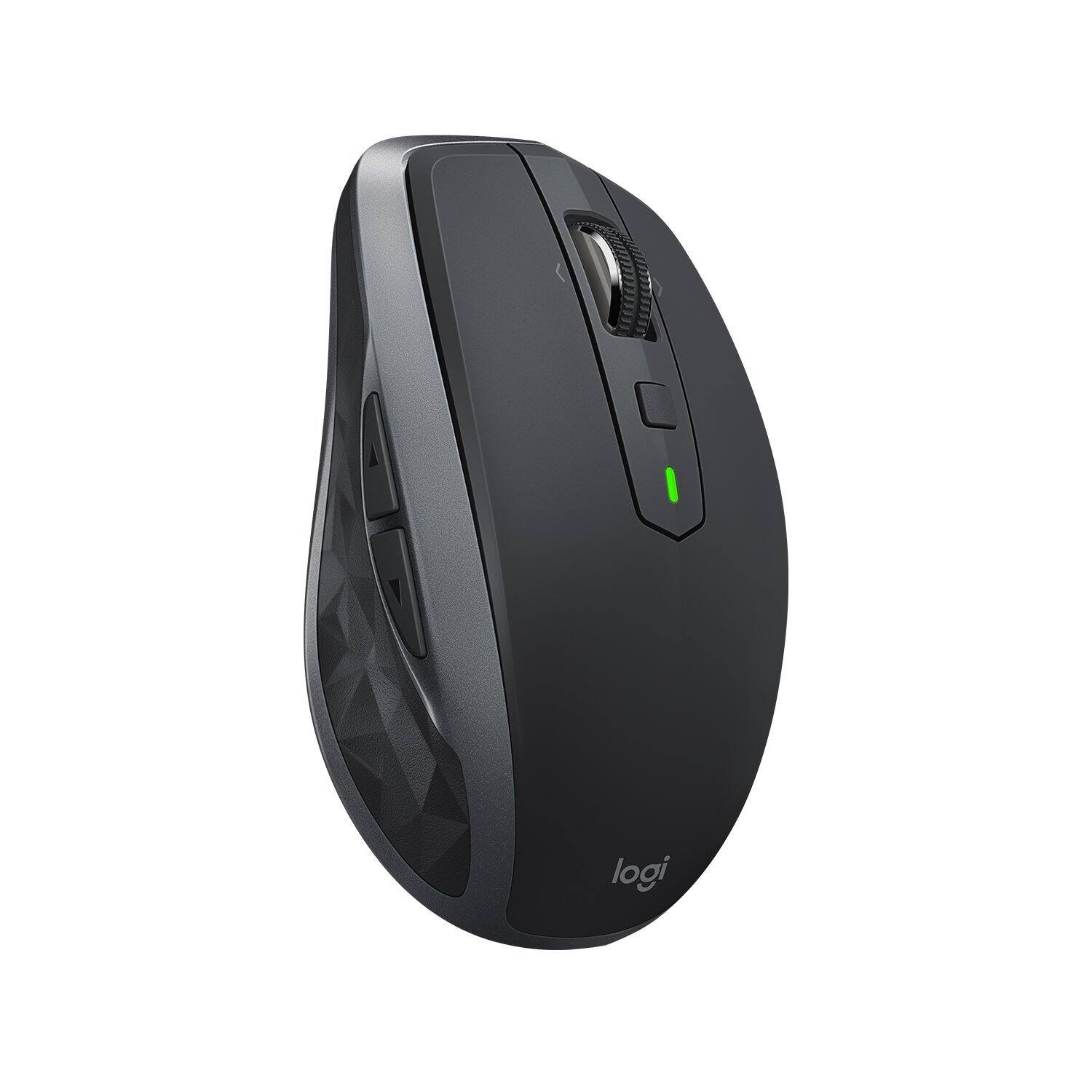
|Posted .This reviewer received promo considerations or sweepstakes entry for writing a review.Simply amazing. First off I must say that I typically love anything made by Logitech. That being said, I love this mouse. It's so smooth and sleek and scrolling through pages and screen is buttery smooth. The scroll wheel can also scroll from left the right. It also has forward and backward buttons on the left side of the mouse, making it easier to move forwards/backwards to other pages. The designated gesture button is cool, however, I would have liked the scroll wheel to also act as a gesture button. And FLOW is pretty darn cool. The ability to transfer files from one computer to another is awesome. Before I would have to email the files myself and drag them to a usb drive and then access them on the other computer. FLOW makes that simple and fast. My only other con would be that I wish the mouse was a little bigger as I have big hands.
I would recommend this to a friend Meh
||Posted . Owned for 3 months when reviewed.This reviewer received promo considerations or sweepstakes entry for writing a review.This product sucks. Don’t waste your money honestly.
I would recommend this to a friendBrand response from Logitech
Posted .Hey there Ryguy, I'm really sorry to hear that you didn't like the MX Anywhere 2S. If you're having technical issues, I would recommend navigating to our support site where you can get direct assistance with any issues you may be having as well as warranty information. I hope we can solve your issue quickly. -Weston from Logitech.
Great mouse
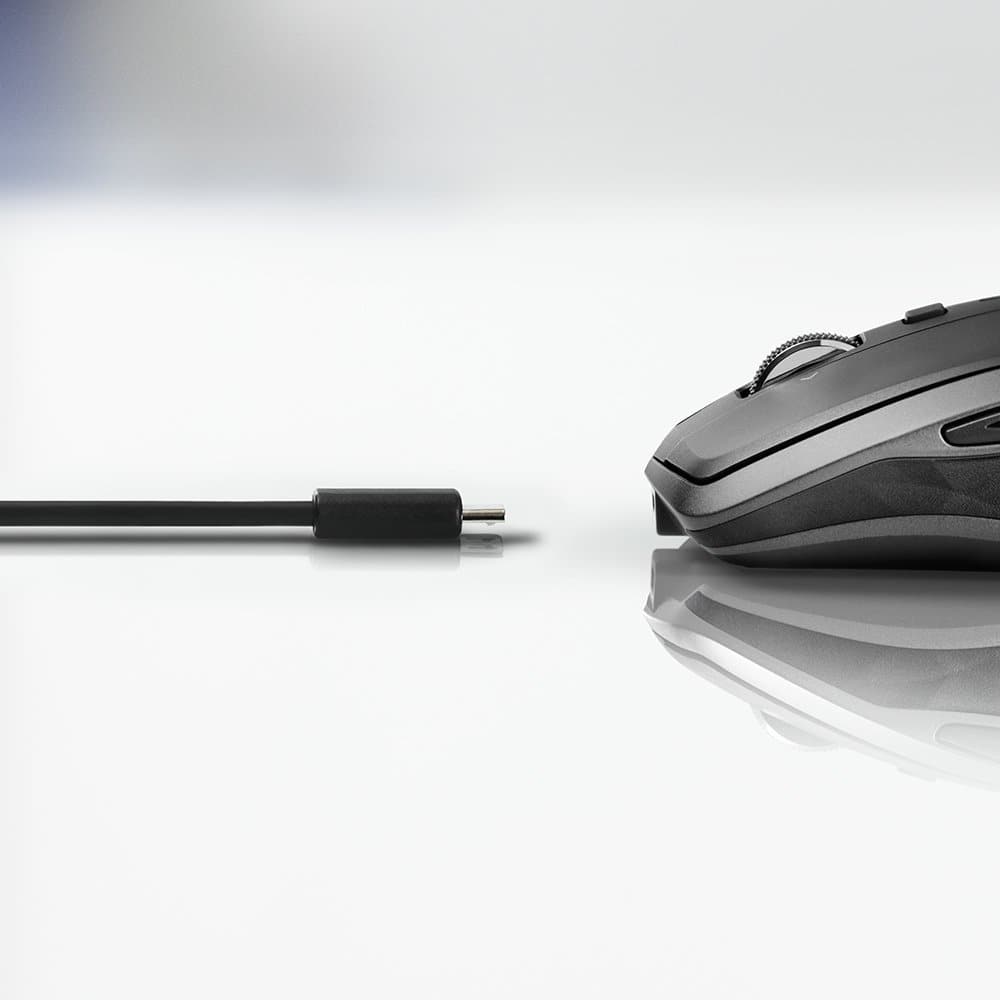
|Posted .This reviewer received promo considerations or sweepstakes entry for writing a review.I use an Apple Retina iMac and I had an earlier version of this mouse. The mouse, worked well, but getting the iMac to recognize the mouse was a pain, especially when ever the OS was updated. Logitech has solved this issue. I was able to pair the mouse with the iMac with no problems at all and the mouse was fully functional. There are directions on a sticker on the bottom of the mouse that walks you through the entire process and it couldn't have been any easier. The mouse is able to control content on up to three different computers. I used my wife's Dell Laptop too and I was able to copy and paste between the two computers. The mouse is very accurate and smooth, there is no lag or tank when moving the mouse around. The wheel hub on top of the mouse works well and is also smooth when scrolling through long web pages, word docs and especially excel files. You also have the choice of pairing the mouse either via bluetooth or the usb receiver. Make sure you download the software for this device, it allows you to customize your mouse to fit your needs. There are too many customizations that you can make, to list, but you can customize what you want the right/left buttons and the forward and back side buttons do. The only thing I wish logitech did was use a USB C to charge the mouse in stead of a micro usb charger. The mouse is compact, but not too small for my hands (I can palm a basketball). It is designed to comfortably fit in most people's hand. If you need a new mouse and you want one that you can customize, this is the mouse for you.
I would recommend this to a friendDoesn't work
||Posted .This reviewer received promo considerations or sweepstakes entry for writing a review.Does not work on my ACER. Tried and tried , but it doesn't work. Can't open it to change batteries.
No, I would not recommend this to a friendPortable, accurate, with useful bonus features
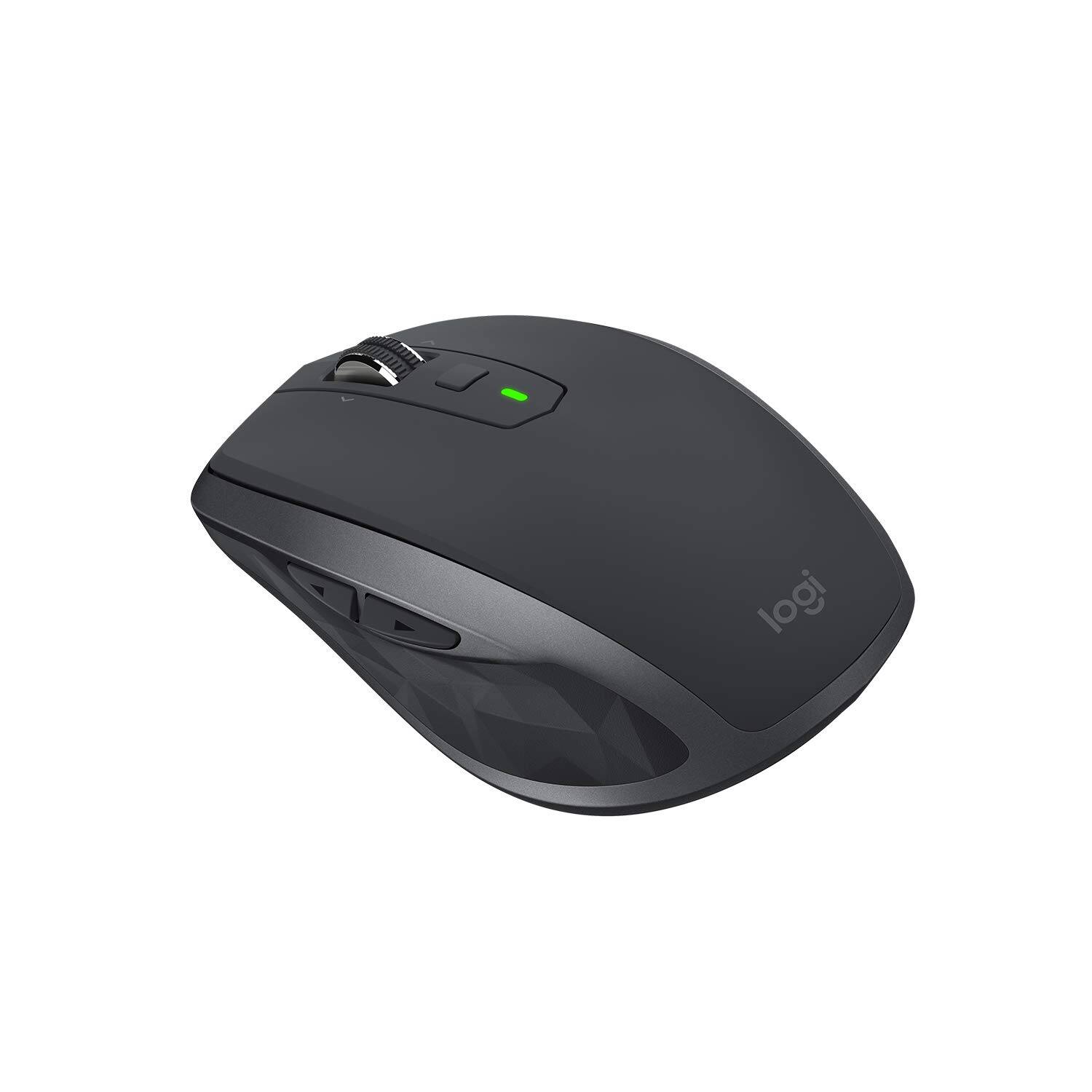
|Posted .This reviewer received promo considerations or sweepstakes entry for writing a review.I've been using the MX Anywhere 2S for a few days now, and have been very happy with it. Size/Form: I travel frequently with two different laptop computers (work and personal), and I really like how portable this mouse is. It's a bit lighter and smaller than I'd prefer on a permanent desktop, but for on-the-go use, it's a great size, and not too small to use comfortably. The on-off switch on the bottom is also great for preserving battery life when it's stowed in a laptop bag. Connectivity: Both of my computers have Bluetooth, so I connected that way. Pairing was quick and easy, and I used the selector button on the bottom to switch between computers. For computers without Bluetooth, there's a receiver in the box that plugs into a USB port and adds wireless connectivity for this mouse and other Logitech accessories. Functionality: I was able to connect and use basic mouse functions (pointer, left button, right button, scroll) on my Windows computer and my Chromebook, all with no software installation or configuration necessary. Just pair and go. The extra buttons (two on the side, one beneath the scroll wheel, and two activated by pushing the scroll wheel to one side or the other) can be customized, but I was only able to find the software to do so for Windows and Mac, not Chromebook. The default actions are very intuitive, though. The scroll wheel has a very useful function -- the mechanical "click" that limits scrolling to several lines at a time can be disengaged by pressing down on the wheel. Once that's done, you can spin the wheel freely, scrolling large amounts of long pages or documents at a time. When you're ready to return to the more traditional scrolling method, just press down again and the mechanical clicks are re-engaged. Mouse tracking was very accurate on a variety of surfaces. I haven't tried the Flow software (which allows seamless use across multiple computers) because only one of my machines is compatible with the software. Potential drawbacks: Some may not like how light the mouse is, but since I value portability, I found it very useful. The shape is comfortable, but specific to right-hand use. I can't imagine using it lefty.
I would recommend this to a friendNo Instructions
||Posted .This reviewer received promo considerations or sweepstakes entry for writing a review.How are you supposed to get this to work if they supply zero instructions on its use and set up?
No, I would not recommend this to a friendcannot connect
||Posted . Owned for 1 month when reviewed.This reviewer received promo considerations or sweepstakes entry for writing a review.mouse should auto load/connect when plugged in. this is terrible execution
No, I would not recommend this to a friendTerrible
||Posted .This reviewer received promo considerations or sweepstakes entry for writing a review.Purchased 2 neither worked longer than 1 month buy a 15 dollar one will last longer
No, I would not recommend this to a friendFine mouse but advanced features hard to use
|Posted .This reviewer received promo considerations or sweepstakes entry for writing a review.The main reason that I wanted to try out the MX Anywhere 2S mouse was for its Darkfield high-precision tracking, which means that the mouse is supposed to work at 4,000 DPI on any surface, even glass. I found that the mouse does indeed track beautifully on any surface—my couch arm, my knee, and even glass. And not just glass with a solid surface directly underneath, but even a pane of glass suspended in the air several feet off the floor. This is the best-tracking mouse I have ever used. One small drawback, which I was aware of before I got the mouse, was that you cannot store the USB receiver inside of it, like you can with a number of Logitech mice, including the M525 that I have been using. Without such storage, you have to either leaver the receiver in your laptop, where it might be damaged when moving the laptop (this happened to me before), or finding some other place to store the receiver and hope that it does not get lost. I had a pleasant surprise on reading the features of the MX Anywhere 25 that reduced some of my concern about losing or damaging the receiver. It turns out that you have a choice of connecting either with the USB receiver or through Bluetooth. It is nice to have that choice. I found that the mouse worked well either way, and that it was easy to pair the mouse with the Logitech Options software (which must be downloaded from Logitech). I had not used the Logitech Options software before, and found that it was a great way to choose the options for the left/right click, two buttons on the left side of the mouse, the scroll wheel (which also clicks left and right), and a square button on top called the gesture button. The options are basically the same as Logitech software from 20 years ago, but the graphic user interface is much easier to use than navigating through text-based menus. I had not used a gesture button before. The way it works is that you hold it down while moving the mouse forward, backward, left, or right. The default gestures are things like bringing up the Windows menu or task manager or going to the desktop, and the gesture button did work for issuing the commands. I don’t know if I would ever use it, though, as pointing and clicking on the Windows menu, for example, seems just as easy to me. I wish I could assign the <CTRL> key to the gesture button—that could really be useful for things like opening a link in a new tab or window. Alas, that assignment is not possible. A feature I found somewhat odd is that the mouse uses a rechargeable battery. The documentation says that plugging in the mouse to your computer with the provided USB cable for 4 minutes will charge the mouse for one day, and a full charge will last for 70 days. I don’t see the advantage—the two AA batteries in my M525 are supposed to be sufficient for three years’ use. Seems a little gimmicky to me. The feature I was most curious to try was the ability to use the mouse simultaneously with two computers, enabling one to copy text or files from one computer and pasting them to the other. This would be the coolest mouse feature ever, if I could get it to work. But here is what happened. First, it seemed that I would have to use Bluetooth connections for both computers, since you can use either the USB receiver or Bluetooth, and there is only one receiver. From the Logitech Options software (which must be run on bother computers for the dual-control to work) documentation, it looked like the mouse should function just like it does on a dual monitor set-up. That is, moving off the edge of one screen will make the cursor appear on the next screen. The trouble was, as soon as I moved off one screen, the mouse would not work on the other computer until I changed Bluetooth channels by pushing a button on the bottom of the mouse. This made moving back and forth extremely awkward and time-consuming. I got this feature to work, but it seems too cludgy to be useful. Maybe there’s a better way to do this, but if there is the documentation does not explain it well. So, aside from the disappointment of not getting the coolest feature to work well, I was very happy with the performance of the mouse, and I would definitely recommend it to anyone who understands its capabilities and limitations.
I would recommend this to a friendDid not give a very good description of what it di
||Posted .This reviewer received promo considerations or sweepstakes entry for writing a review.Couldn’t use for laptop since it was made to use with a gaming setup.
No, I would not recommend this to a friendYou just can't beat Logitech mice
|Posted .This reviewer received promo considerations or sweepstakes entry for writing a review.This is a well made mouse with lots of features. I've used many Logitech mice in the past and they are by far my favorite. This one is on the small side so it goes great with a laptop. The USB transmitter is the smallest I've ever seen, so it's perfect to leave installed in your portable computer. You don't have to remove it because you're worried about it breaking off. Even though it's not a big mouse, it has good weight to it. It doesn't feel light and cheap. The buttons, as always, have a great feel and a solid click. The mouse wheel is weighted and can be in either one of two different modes. You can have it click when you roll it like most mice do, or you can set it in free wheel mode which removes the click indents and allows you to spin it as fast as you can. This is great for surfing and will get you to the top or bottom of a web page in about half a second. You can also scroll left and right by pushing the wheel in either of those directions. There's also two buttons by your thumb that are great for going to the last or next web page. There's also a center button. All the buttons can be user configured and the downloaded Logitech app is easy and intuitive to use. This mouse is rechargeable and comes with a USB charging cable so you get everything you need. Very precision mousing without any slop, no matter what surface you're on. I do a lot of graphics development, and spend hours on my machine. This mouse feels comfortable the entire time and does a good job of becoming an extension of your hand, like it should. A great mouse for casual to professional users.
I would recommend this to a friendBest Mouse I've Ever Used
|Posted .This reviewer received promo considerations or sweepstakes entry for writing a review.I honestly didn't think i would be impressed by a mouse, but this one is fun to use, and has more features than I've been able to use yet! Battery power is great and the mouse appears to be able to track across almost ANY surface. I've used it on my knee, a bunched up blanket (don't ask), and various other surfaces with excellent tracking. The funnest part of the mouse is the roller wheel in the center. It can switch between a free-spin mode and a standard click-by-click tracking mode. As i am a PC gamer, this flexibility comes in particularly handy, as does its ability to connect to a PC via blue tooth or through a standard cordless USB dongle. The back-FWD buttons on the mouse come in handy as well, and can be assigned for other purposes as needed. I have not had a chance to use some of the other features, like connecting to multiple PCs SIMULTANEOUSLY and transferring files directly from one PC to another through the mouse, but those I see as just added bonuses on top of what is already an absolutely FANTASTIC mouse. There is no need to hesitate. Buy one NOW! You will be glad you did!
I would recommend this to a friend