Customer Ratings & Reviews


- Model:
- 910-005899
- SKU:
- 6424892
Rating by feature
- Value
Rating 4.5 out of 5 stars
- Quality
Rating 4.8 out of 5 stars
- Ease of Use
Rating 4.8 out of 5 stars
Customers are saying
Customers admire the MX Anywhere 3’s ease of use, long battery life, and compact size. The smooth scroll wheel and compatibility with Mac systems are also frequently praised, along with its Bluetooth connectivity and high-quality build. While some users find the click sound noticeable, the overall positive feedback highlights its excellent ergonomics and lightweight design.
This summary was generated by AI based on customer reviews.
Great mouse. Very happy
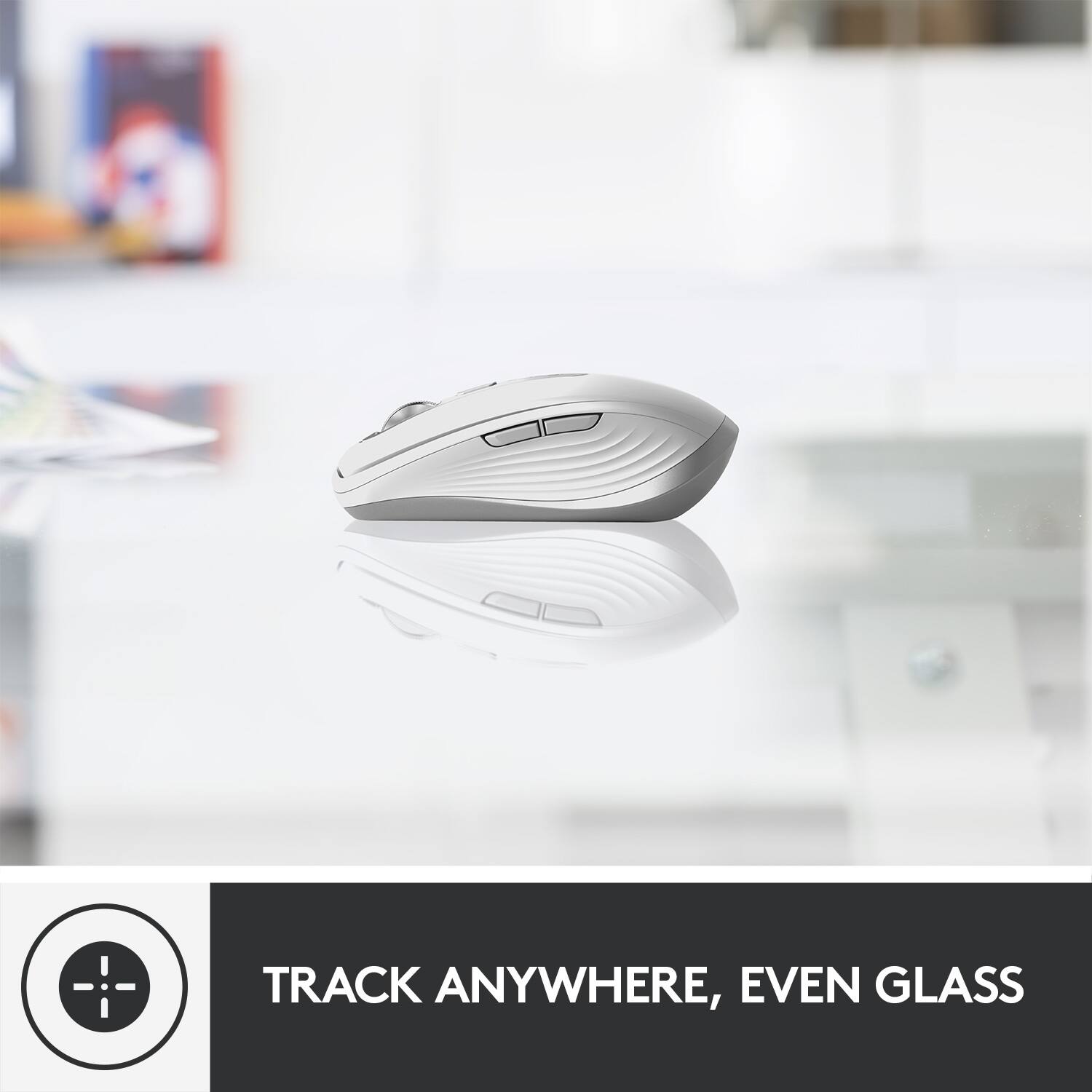
||Posted . Owned for 4 months when reviewed.This reviewer received promo considerations or sweepstakes entry for writing a review.I really like this mouse. Very responsive. Feels very well made. It even worked on a clear glass table.
I would recommend this to a friendBrand response from Logitech
Posted .Responsive and ready! We're glad you love the responsiveness and quality build of the MX Anywhere 3. The fact that it works on glass surfaces is a big plus for portability!
Simple and aesthetic
||Posted . Owned for 2 months when reviewed.This reviewer received promo considerations or sweepstakes entry for writing a review.Great product but I wouldn’t have paid that much. I got it using my rewards before it expired. It has some weight to it so it feels good in the hands and not plastic like.
I would recommend this to a friendYou can’t go wrong with this mouse.
||Posted . Owned for 3 weeks when reviewed.This reviewer received promo considerations or sweepstakes entry for writing a review.This mouse is top shelf! Left click right click scroll smooth as silk!
I would recommend this to a friendIT Specialist
||Posted .This reviewer received promo considerations or sweepstakes entry for writing a review.Easy setup mouse working very good until now without issue.
I would recommend this to a friend
Compact, Comfortable and Fully-Featured
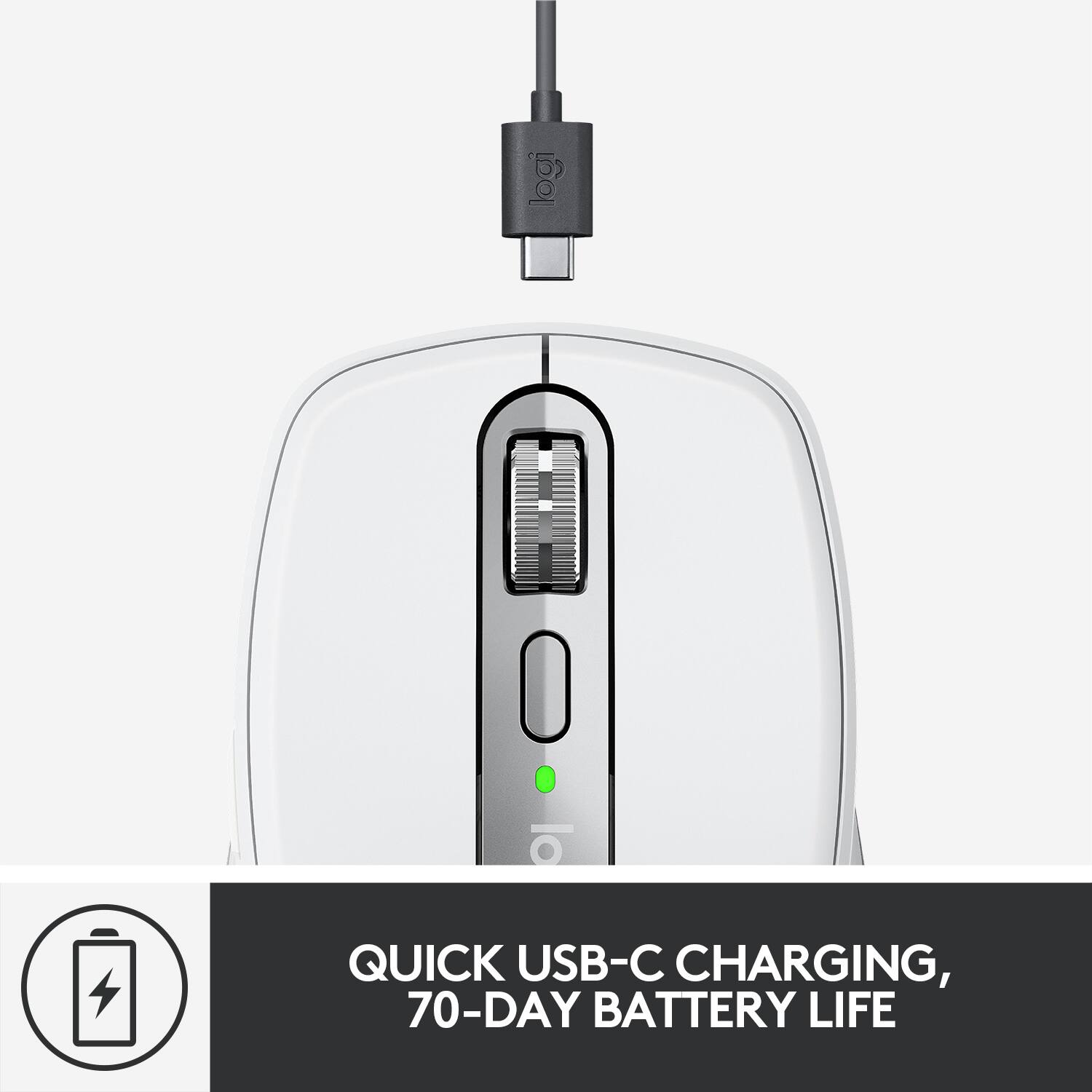
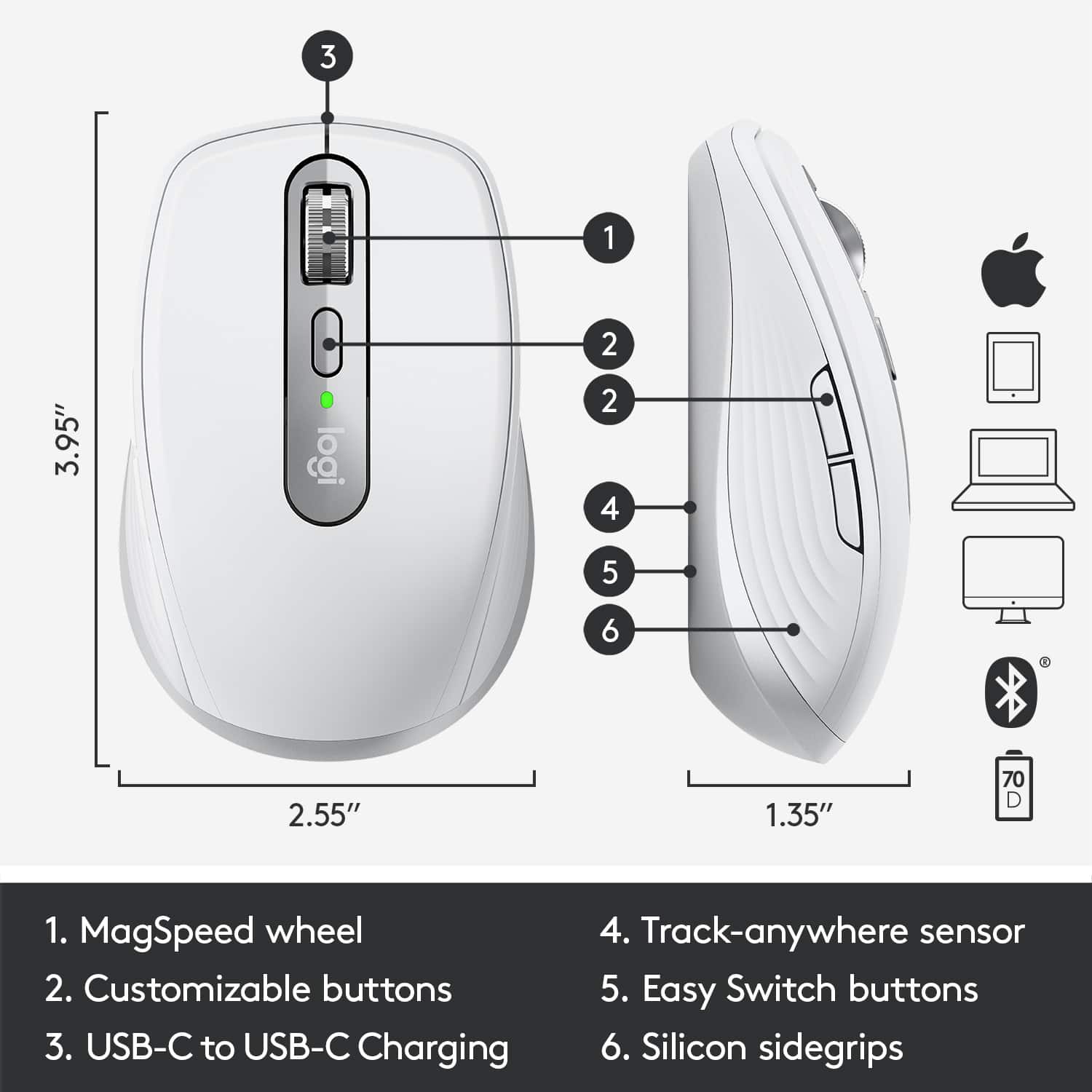
|Posted .This reviewer received promo considerations or sweepstakes entry for writing a review.Pros: * Compact and travel-friendly. * Comfortable to hold and use. * Great battery life with USB-C charging. * Useful multi-speed scroll wheel. * Configurable for individual applications. * Easy to swap between up to 3 Bluetooth devices including iPad. Cons: * Designed primarily for right-handed users. My Review: There are tons of Bluetooth mice to choose from, so for me, the main criteria for a top mouse choice are comfort, battery life and features. The MX Anywhere 3 Mouse excels at all three! My daily-driver is normally an Apple Magic Mouse, but this MX Anywhere 3 has some really useful tricks up its rodent sleeves. Firstly, it’s comfortable to hold and compact to carry. The range is what you’d expect from a BT mouse which is basically that it stays connected when near the device you’re trying to control. The battery life is exceptional, and when it’s time to charge, you’ve got USB-C which is more common and much easier to connect. A quick charge will get you plenty of time to get your task done. The specs say that the laser tracks on any surface; even glass. So far, I have not found anything that this mouse won’t work on. This mouse is compatible with both standard Bluetooth and Logitech’s USB Unifying dongle if you have one already. There are the usual two main buttons on top plus two side buttons, a multi-speed scroll wheel and another top button - all configurable from the Logi Options software. The scroll wheel is similar to that on their full-size MX Master mice. It’s nicely-weighted and has a cool feature where you can scroll line-by-line if you roll is slowly and feel it click-click per line, but give it a flick and the wheel freely rolls and you can scroll really fast. You can even hold one of the side buttons to switch the scroll wheel from its normal vertical scrolling to horizontal scrolling. It’s worth noting that while the mouse’s shape is symmetrical and supports ambidextrous use but the two side buttons are only on the left edge so they’re not really useable when the mouse is held with the left hand. Thus, if you’re a lefty, you might want to look elsewhere unless you’re OK with mousing in your right hand or pressing those side buttons with your ring finger instead of your thumb in your left hand. Back to the Logi Options software for Mac - you can set up tons of customizations for the mouse including the ability to configure special settings for major applications like the MS Suite (Word, etc.), the Adobe Suite (Photoshop, etc.) plus many others. On the bottom of the mouse is a button to switch between up to 3 different devices that it pairs with. Tap the button to switch connections easily. I have mine paired to a MacBook Pro 16” and an iPad Pro 11”. When connected to the iPad (running iOS 14 now), the mouse works as you’d expect. It’s not necessarily easier to use than your finger, but it’s an option - especially if you’re seated a bit more than arm’s length from the iPad yet still want to control it. Overall, there are absolutely no complaints about this mouse! It works great and even has some features that the Apple Magic Mouse doesn’t. Logitech makes some consistently great stuff and this meets those standards well.
I would recommend this to a friendLogitech Quality Beats Apple Magic Mouse
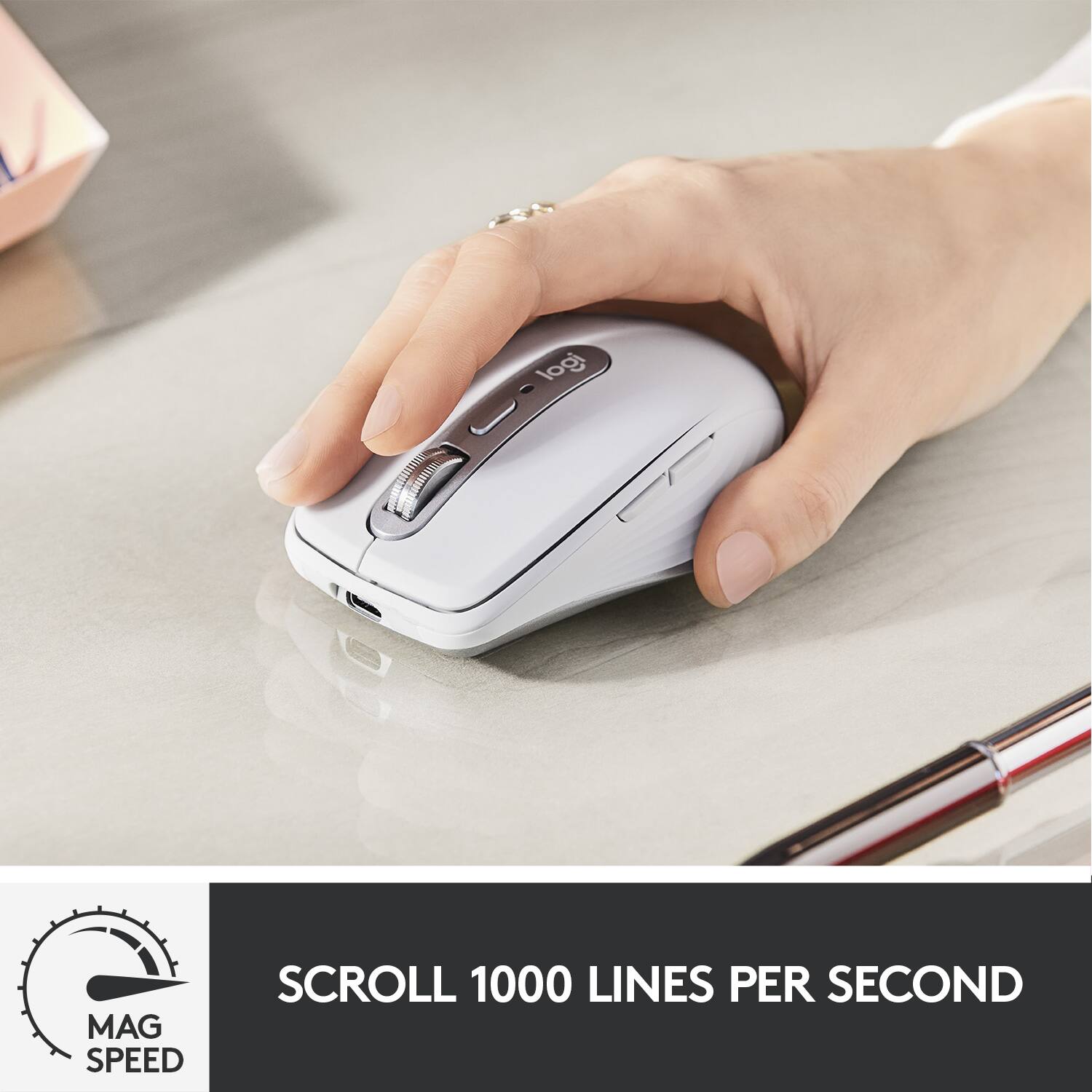
|Posted .This reviewer received promo considerations or sweepstakes entry for writing a review.This is a review for the Logitech MX Anywhere 3. This is my first experience with the Anywhere series and i am going to compare this this mouse to my Magic Mouse 2 (which i abandoned). I had a chance to connect this thing to my macbook air and my Ipad and i can tell you that this is a wonderful piece of quality equipment Pros —— Battery life -70 days on full charge on a typical usage (About a month on the magic mouse 2) USB Type C charging , basically you can use your macbook charger Scroll-wheel - scrolls up-to 1000 lines per second (Magic Mouse 2 does not have a scroll-wheel) works on any surface (I struggle constantly with Magic Mouse 2 on wood Available in Pale Gray, Graphite and Pink (Rose) Cons —— Would love to have a 6 month battery in exchange for size increase. BUILD QUALITY Logitech is king of quality on build. Like every other product i have owned from logitech, it never breaks!! i dont have a good excuse of replacing logitech products. This Mouse - MX Anywhere 3 for Mac is no different, it can easily take a few throws on the wall. The buttons are made of very good quality and the mouse has a good weight to it. The scroll-wheel is made of metal. CONNECTION Connection is through a bluetooth connection and it can connect to 3 devices. you can change the device it connects to using a button on the bottom of the mouse. The mouse can be turned ON and OFF using a different button. CUSTOMIZATION You can use the logitech control center to customize the buttons. For example, i use the side buttons for copy and paste. Pressing the side button and using the scroll wheel will give you horizontal scrolling (This is by default). There is no customization with the magic mouse 2. USAGE As the name goes, this mouse is small/compact and it can be used on any surface and still operate with high precision. Hence it is a great travel companion without having to take a mouse pad. you can use it on airports (Once covid ends). Magic mouse 2 lasts for a month which is half the battery life of the Logitech MX Anywhere 3. I also had a lot of trouble using the magic mouse 2 even on wood, this logitech mouse coasts on any surface!! 1 minute charges gives you 3 hours of usage and the best part is that you do not need a lightening cable like the magic mouse 2. This one can be charged using your macbook charger… Overall i think it is a great buy and will last a lifetime.
I would recommend this to a friendBrand response from Logitech
Posted .Hi India.
Thank you for your five-star review! It is greatly appreciated. Continue to enjoy your device. If you ever need assistance, please contact Logitech Support on the website.
LaShonda from Logitech
Compact and Versatile
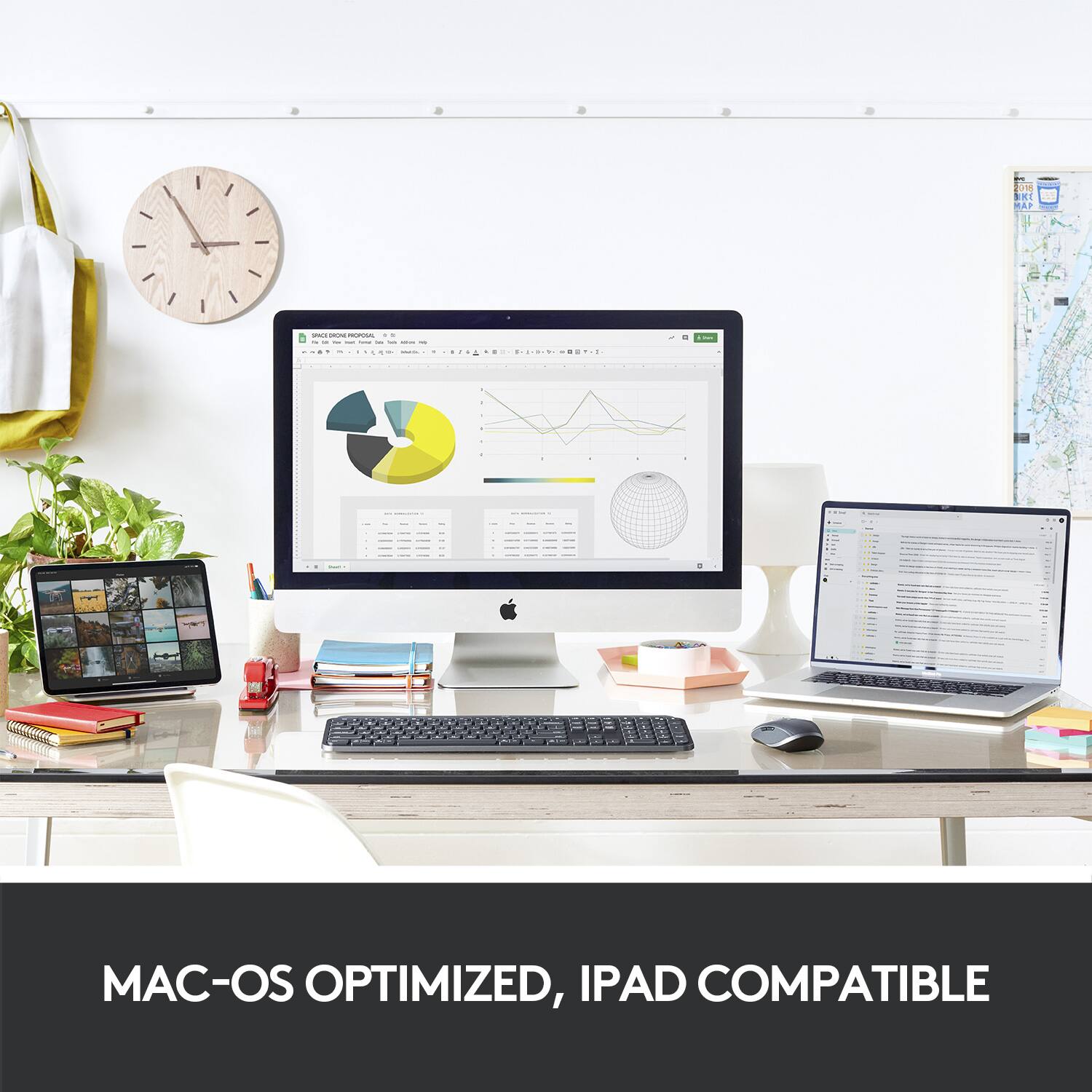
|Posted .This reviewer received promo considerations or sweepstakes entry for writing a review.As compact mice go, the MX Anywhere 3 for Mac by Logitech is one of the better ones I've used. While not perfect, the slim design and form factor, along with the feature set, make this, a great little portable mouse. I installed this mouse on both a MacBook Air and iPad Pro 2018. Bluetooth setup for both devices was quick and easy. Make sure bluetooth is on for the device you are pairing. Power on the mouse by sliding the toggle button on the underside, then touch the easy-switch button which will automatically place the mouse into pairing mode.For the second and third device you will need to push the easy-switch button until you get to the corresponding 2 or 3. That's it. Once your device sees the mouse in the list of available bluetooth devices, select the MX Anywhere 3 and click connect. You're off and running. Logitech also offers a Logi Options for Mac, which is a downloadable program (unfortunately not available for iPad OS) that allows you to customize the MX Anywhere 3 to fit your needs. This robust program is a gem and I highly recommend the download. With this you are able to customize nearly every part of mouse. Swap left and right buttons, adjust pointer and scroll speeds, change scroll direction, enable smooth scrolling and horizontal scroll, as well as adjust the scroll force. Additionally you can setup different mouse button actions for individual and specific apps, which is amazing. These profiles are downloaded to the mouse so they are remembered for each device you use. Logitech has created what they call Logitech Flow which allows you to move the MX Anywhere 3 cursor across multiple computers. This feature must first be enabled inside of Logi Options, and all computers you wish to use Logitech Flow with must also have Logi Options installed. Additionally, all computers must be on the same network. Once enabled, you have the ability to drag and drop files, and move text or images between computers by simply moving your mouse to the edge of the screen onto the next, much like a multiple monitor setup. Vertical scrolling is line-by-line by rolling the scroll wheel as you would do for typical mouse scrolling (Ratchet scrolling). However, if you free-spin the scroll wheel the MX Anywhere 3 automatically turns to what Logitech has termed, MagSpeed. According to Logitech this will scroll up to 1000 lines per second. Horizontal, or side scrolling, is accomplished by holding down either one of the side buttons while using the scroll wheel. The MX Anywhere 3 performs all of the standard and more advanced mouse functions just as intended. Scrolling is fantastic, cursor movements are fluid and accurate, and tracking is flawless. Speaking of tracking, I have not found anything this device isn't able to track on. I have tried different surface types, colors, and transparencies such as wood, laminates, pads, glass, metal, painted, reflective, heck I even used my pants and the accuracy is unrivaled. Logitech claims an approximate 70 day battery life from a full charge, which is via USB-C by the way. I have not owned the mouse long enough to verify the accuracy of this claim. What I can say is I did not initially charge this mouse. I took it from the box, performed setup, and began using it. After a week of heavy use between two devices, the battery indicates a full charge remaining. Side note - battery life can be found inside Logi Options. One area I wasn't as impressed was the click noise. Now this is not the loudest mouse I've ever used, but it is far from the most quiet. In a noisy environment you're not likely to notice, however in a quiet area with low ambient noise, you'll definitely notice. I would love to have the much lower click noise of the Logitech Pebble M350 built into the MX anywhere 3. I want to speak specifically about how this mouse functions with iPad OS. Holy cow! I absolutely LOVE using this mouse with my iPad Pro. If it weren't for the Logitech branding you would almost think this mouse was designed by Apple. Not because of the form factor, but how well this mouse functions within the operating system. I have been able to pull down notifications, trigger Spotlight search, pull up the multi-tasking windows, and perform the typical use-case functions such as selecting text, copy, paste, scrolling, etc. I am truly impressed by how well this works with my iPad Pro. The form factor is compact and lightweight making this easily portable. I keep this in a small pocket inside my shoulder pack along with my iPad Pro and MacBook Air. No additional charger needed due to the lengthy battery life and the ability to use the USB-C charger from my iPad if needed. Overall this is a rather fantastic mouse. Customizable, portable, and easy to use and setup. This has become my daily driver. I have no issues recommending the MX anywhere 3 to friends, family, or co-workers.
I would recommend this to a friendCompact Performance Next gen Mac Anywhere Mouse
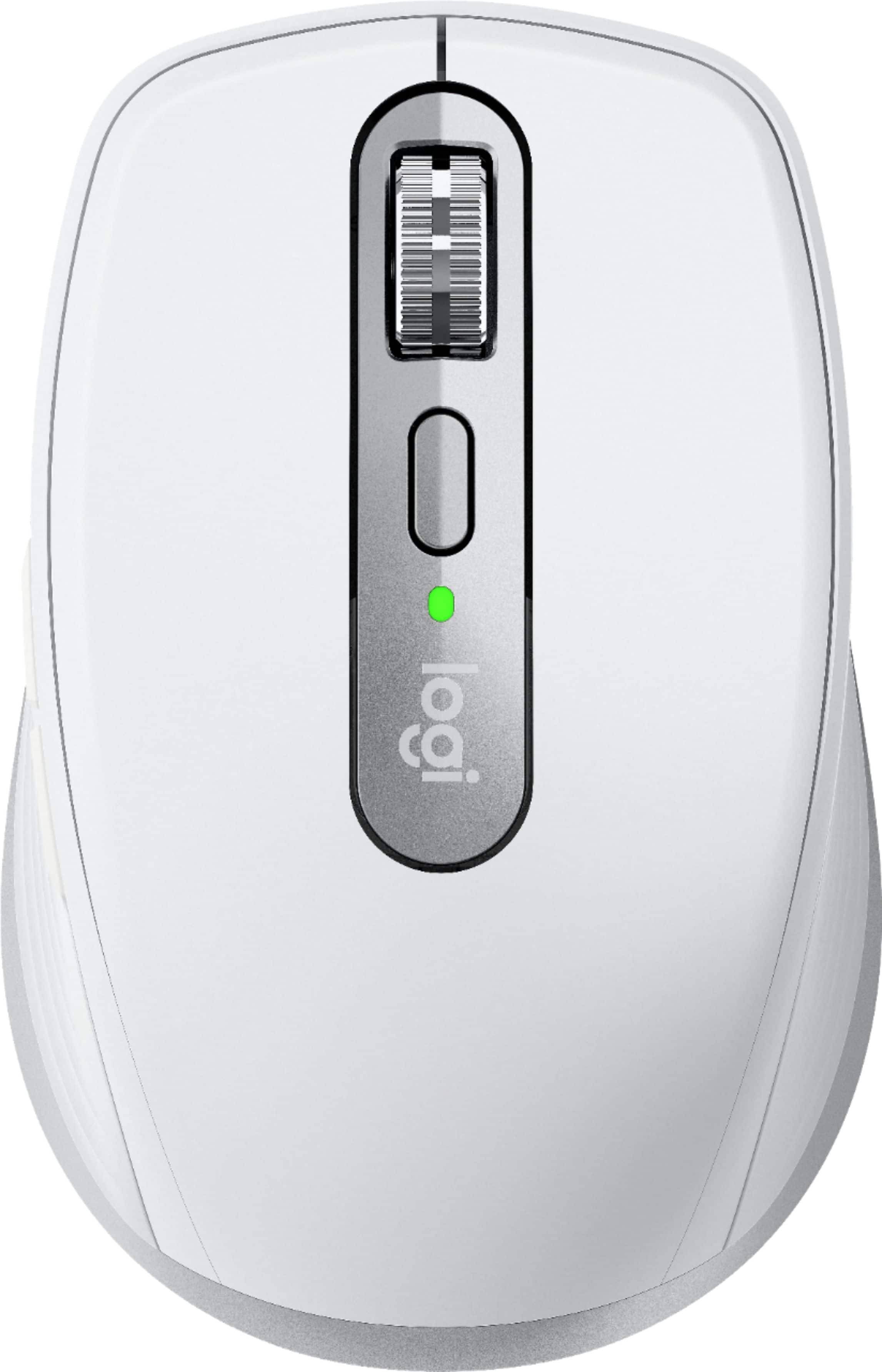
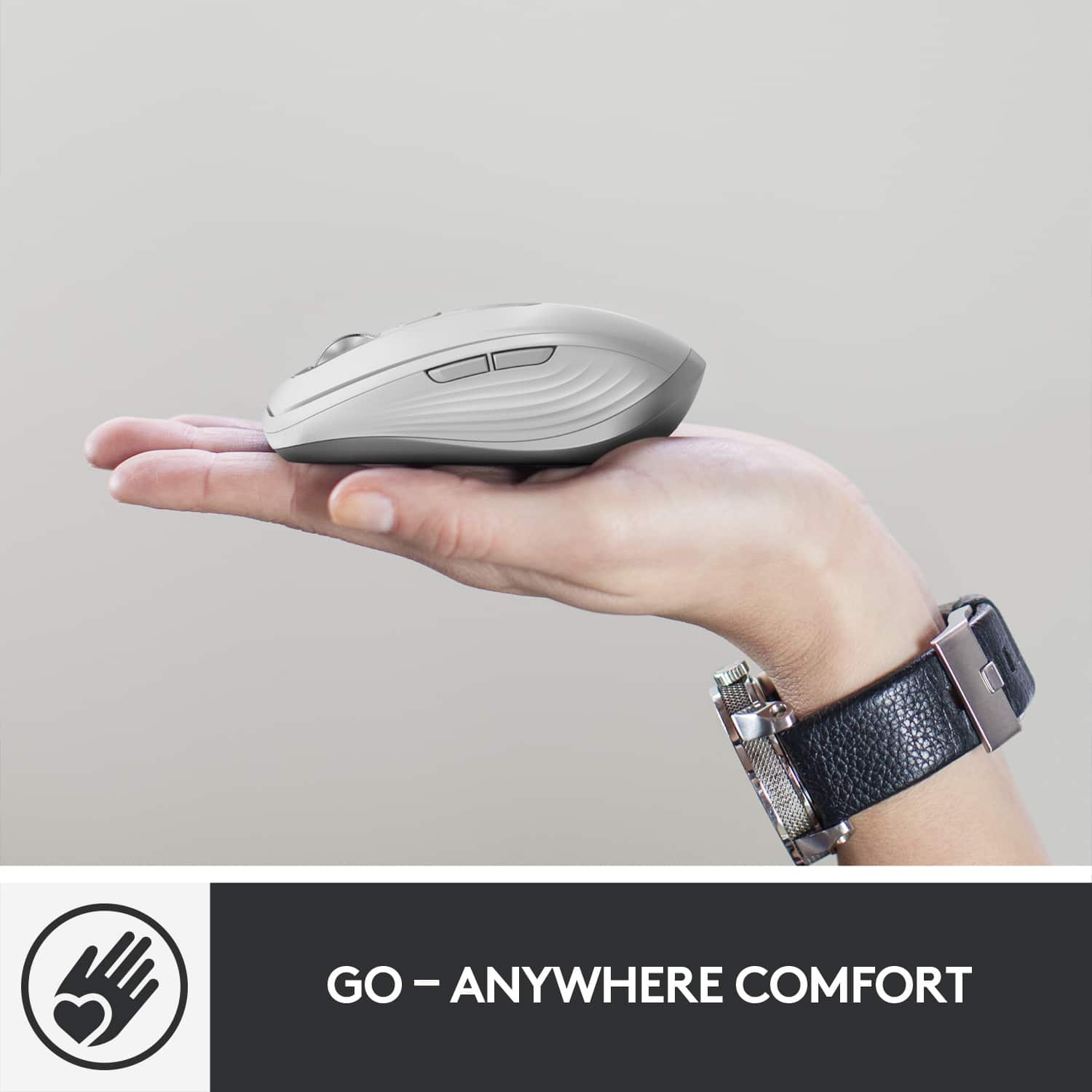
|Posted .This reviewer received promo considerations or sweepstakes entry for writing a review.This version of MX Anywhere 3 is designed for Mac & iPad users that features a cool pearl white finish to complement the finish of my white desk setup. This mouse is very compact and portable, designed ergonomically contoured and is very comfortable to hold featuring soft silicone side grips. Also, has a thumb area with back and forward buttons, gesture buttons and a thumbwheel. It comes with next generation MagSpeed scroll wheel similar to MX 3 for mac which is fast, precise, silent and automatically shifts between line by line scrolling and can track anywhere. You can also switch between the ratchet and hyper-fast free spin scrolling by a touch of button. It has lot of customization options that can programmed to different applications via Logitech options software. Like previous MX this mouse can be connected up to 3 devices using Bluetooth (doesn’t come with usb dongle as this is designed for mac). It works as expected with Windows OS with no functionality loss. I have paired this mouse with 2020 MacBook air, iPad7 and Windows 10 and it works great with no lag. Also, this mouse uses the gesture button to emulate the three finger gestures from the magic trackpad for mac users due to 4000 DPI sensor for flawless control and accuracy anywhere. Works on my glass table without any mouse pad and works on any surface with no flaw. Battery is advertised by Logitech to last 70 days of use on a full charge and 3 hours of use from one minute of charging. Hope it’s similar to the MX master3 for Mac but will update the review once fully tested after 70 days. Also, the charging cable that includes in the package is USB-C to USB-C. Overall, great ergonomic, customized mouse with lot of features for mac and for someone looking for the alternative to apple magic mouse 2. Highly recommend this anywhere mouse that is compact, portable, performance for apple fan boys.
I would recommend this to a friendImpressive comfortable travel mouse
|Posted .This reviewer received promo considerations or sweepstakes entry for writing a review.The Logitech MX Anywhere 3 mouse truly lives up to its name. It boasts being able to track on any surface, including glass, so I was naturally skeptical. I’ve historically used a variety of gaming mice and have had some tracking issues on some surfaces, like a reflective countertop and glass topped desk. I was very impressed with the tracking ability of this mouse, and, not that it’s practical in any way, even was able to track while held against the bright monitor screen. If you’re looking for a mouse that will reliably work on any surface you may encounter, this is a solid choice. I was able to easily pair the mouse to my Mac over Bluetooth, and it has the ability to pair up to 3 different devices. Switching between them requires holding a button on the underside of the mouse for a few seconds. I have a 2 computer setup in my home office, and I would prefer to be able to toggle the mouse between them with some kind of side button over a button on the bottom of the mouse, but it gets the job done. Logitech also offers software which reportedly allows you to copy / paste and move items between computers but I was unfortunately unable to test this due to security concerns with the access permissions it requires. Understandably, it requests access to keyboard input (in order to copy/paste I presume), but it wasn’t a permission I was comfortable providing. The design itself is impressive, with a comfortable, metallic-looking scroll wheel, and ridges on inner and outer sides of the mouse which are both aesthetically pleasing and comfortable to grip. I received the white mouse and my wife exclaimed “it’s so cute!” when she first saw it. It really is well designed for both form and function. I’ll probably look into Logitech’s larger Anywhere mouse for all day office use, but for anyone looking for a smaller mouse, or a travel mouse that easily connects with up to 3 devices, this is something I happily recommend.
I would recommend this to a friendPerfect for On-the-Go
||Posted . Owned for 1.5 years when reviewed.This reviewer received promo considerations or sweepstakes entry for writing a review.The Logitech MX Anywhere 3 Wireless Compact Mouse for Mac in Pale Gray is an exceptional choice for anyone looking for portability, precision, and speed in a compact design. This mouse is perfect for people who are always on the go. It fits comfortably in the hand and is small enough to easily slip into a laptop bag, making it ideal for travel. The Ultrafast Scrolling feature is a game-changer, allowing me to zip through long documents or webpages with ease. The tactile feel of the scroll wheel is smooth and responsive, and I’ve found it makes tasks like editing and browsing much quicker and more efficient. Its seamless Bluetooth connection works perfectly with my Mac, and I love that it also supports multi-device pairing, so I can easily switch between my laptop, tablet, and even my phone without missing a beat. The battery life is fantastic—one charge lasts for weeks, and when it does need charging, it’s quick and easy via USB-C. Overall, the MX Anywhere 3 is a top-notch, reliable, and stylish mouse that I highly recommend for anyone in need of a compact, high-performance device. Perfect for Mac users!
I would recommend this to a friendPerfect Match for My 16in Pro!
|Posted .This reviewer received promo considerations or sweepstakes entry for writing a review.Personally, I love the trackpads on the MacBooks, there is no one else who comes close to its perfection. The last Apple mouse I owned was in 2015 when I had an iMac and honestly it was not that great. I ended up buying the Apple trackpad to use with it instead. I have never owned a mouse for a MacBook before, but I wanted to try one out since I am using my personal computer more and more since I am currently working from home and I am doing my masters online. My first impression was the presentation of the mouse. Logic really went out of their way to almost make this feel like an Apple product. It connected to my 16in Pro in a matter of seconds and came out of the box charge. I have been using it for a week now and still hasn't need a charge yet. The mouse itself also feels and looks like if it is an Apple product. The white color is nearly identical to that white Apple gives us. It feels great in the hands and the feedback is responsive. The scroll speed is good. I am surprised at how fast I got used to using a mouse on my MacBook since it's been like 5 years without using one. I highly recommend this product for anyone looking for a better looking and smaller mouse than the one Apple provides. I'm loving mine!
I would recommend this to a friendGreat for travel, basic features but done well
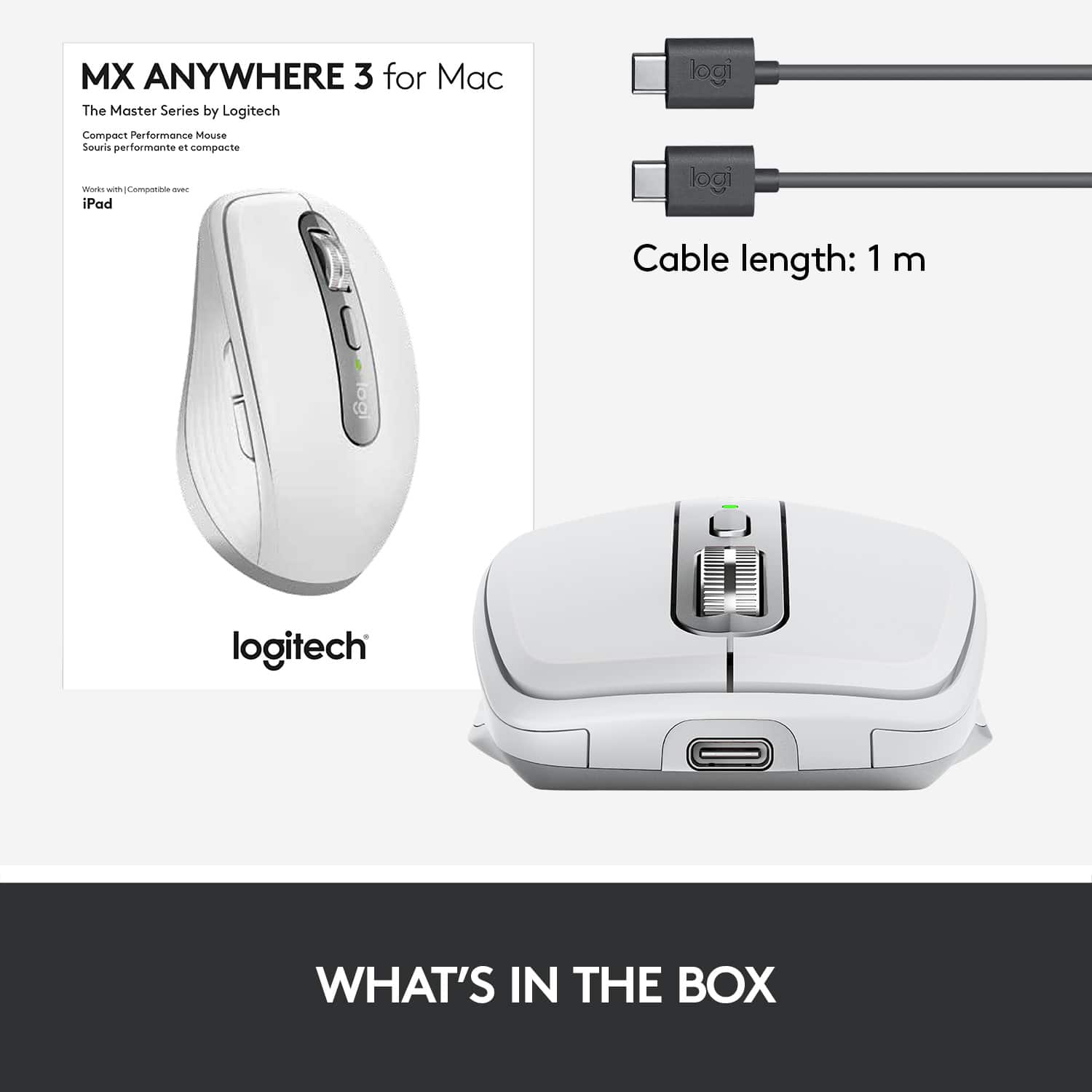
|Posted .This reviewer received promo considerations or sweepstakes entry for writing a review.Summary: I have been slowly integrating myself into the Mac ecosystem and this mouse makes travel great with my MacBook Pro. Pros: - Easy pairing - USB C - Outstanding wheel - Great design - Accurate movement Cons: -No horizontal wheel Unboxing: The box is not very large. In it, you will find documentation, a USB C to USB C cable, and the mouse. Set up: I paired this mouse with my mac. You will need to go in the Bluetooth menu on your computer and pair it with one of the three available devices for the mouse. Yes, you can pair it with up to three computers with a button underneath to switch computer connections. Use: Its size is perfect for tossing into a backpack. There are left, right click buttons, a forward / back browsing button set near the thumb, a school wheel and a button to dictate if the scroll wheel will have a smooth scroll or a “click” scroll. I found the “click” scrolling to be a little better overall as the smooth one can overshoot what you are looking at as it is not as accurate as a two-finger swipe on the track pad. Accuracy over Bluetooth is outstanding, and I could not notice any lag whatsoever in daily use. Reconnecting when turning on is fast as long as your Bluetooth is already on. The only downside is there is no horizontal wheel so if you want to scroll left/right you will not find it.
I would recommend this to a friendBrand response from Logitech
Posted .Hi, glad to see you're enjoying the versatile and portable MX Anywhere 3s mouse! Be sure to download Logitech Options so you can customize the button functionality if you choose too. But if you have any questions, check out the Logitech support page at https://support.logi.com/hc/en-us/articles/360053831934. Continue to enjoy!
Great mouse for a MacBook
|Posted .This reviewer received promo considerations or sweepstakes entry for writing a review.Having used the previous MX Anywhere 2S on a PC, this improves in several aspects an already very well designed mouse. While being a travel mouse, this is very comfortable for daily, extended use. It feels comfortable in hand. The ribbed sides provide better grip. The 'for Mac' edition is white (cream) with a silver-painted plastic base. Also it does not come with the MX USB receiver. Otherwise is the same as the universal (black) version. First, this mouse comes with an USB-C charging port and USB-C cable, so it can be used directly with the MacBook charger or charge from the computer, and it still works while being charged. It has the two standard left and right button, two buttons (typically backwards and forward) on the left side, the scroll wheel which is clickable (as in middle button) and another configurable center button. Tracking is precise in any surface I tried, including glass. The scroll wheel is a standout feature in this mouse: When the 'SmartShift' mode is enabled via the Logi Options application, the wheel starts by tracking in steps, however, if scrolling faster, it automatically switches to freewheel mode. Useful when scanning large pages for example. When the wheel starts rolling slower, it switches back to step mode. This is controlled with magnets inside the mouse. The center button also controls the wheel scroll mode. Unlike the older model, the wheel does not move left/right, but when the 'Horizontal Scroll' mode is configured on the Options application, it works by simultaneously holding one of the side buttons while scrolling. It took little time for me to get used to this. Like other 'MX' mouses and keyboards, it can be simultaneously paired to three devices at the same time (Mac, PC, Android, Chromebook, iPad) be either Bluetooth Smart (Does not work with legacy Bluetooth) or with the 'Unifying' USB receiver, that sadly, is not included with the Mac version of the mouse, but if you're already using one, it will pair just fine. For iPad, it needs iPadOS 13 or 14. The Logitech Options software that is also used through the MX line provides customization that goes beyond the control panel. It's very well designed with images, animations, and tool tips through the app. Particularly when it's first used. When used with this mouse, the application can be configured to alter the mouse settings depending on the application being used. This includes web browsers, Microsoft Office suite, teams and Zoom. For example, the default template for Zoom is to use the side buttons to mute audio or video. Another standout feature is the 'Flow' mode. This requires that one has a compatible Logitech keyboard, one of the MX series mouse, and two or three computers. Both computers also need to be on the same network (although one can be wired and another wireless as long as they are on the same network), and not on a VPN. When both the keyboard and mouse are simultaneously synced to these computers, Flow allows to switch both the mouse and keyboard automatically between computers (It changes the actual pairing selector on both keyboard and mouse, and also lets share clipboard and drag files between computers (copying from one to another). A minor annoyance is that unlike the previous model, it doesn't work as an USB mouse when plugged via USB-C. Also I did not appreciate that it doesn't come with the unifying USB connector (although Logitech is only providing USB-A versions for it). I find the USB adapter more reliable than the Bluetooth pairing on the MacBook. Particularly, it doesn't work in boot prompts with FileVault. I'm using the receiver that came with the MX keys keyboard, which can simultaneously pair to multiple keyboard and mouse. The mouse does work while charging though, which is useful.
I would recommend this to a friendGood quality
||Posted . Owned for 1 year when reviewed.This reviewer received promo considerations or sweepstakes entry for writing a review.Small enough for my to throw into my backpack, and I appreciate the higher quality feel of the mouse. The battery lasts a long time between charges, and I like I can switch between different computers with ease.
I would recommend this to a friendWorks flawlessly
Posted .This reviewer received promo considerations or sweepstakes entry for writing a review.The MX Anywhere 3 has worked flawlessly with my Mac computer. I like that it connects directly to the laptop without any USB receiver needing to be plugged into the laptop. It simply connects with bluetooth. I'd but it again!
I would recommend this to a friendBrand response from Logitech
Posted .Hey there! We're glad to hear that you're loving your MX Anywhere 3 and that it's working flawlessly with your Mac computer. The Bluetooth connectivity is definitely a plus for keeping things clean and clutter-free on your desk.
Perfect for use with MacBook
||Posted . Owned for 4 months when reviewed.This reviewer received promo considerations or sweepstakes entry for writing a review.Amazing mouse. Great size for traveling with a laptop. Rechargeable battery is long lasting. Works well with newest macOS devices. The only “con” is the mouse is on the small size. It might be cramped for anyone with large hands.
I would recommend this to a friendSolid Performance. Could Be Improved.
||Posted . Owned for 1 month when reviewed.This reviewer received promo considerations or sweepstakes entry for writing a review.Works well with my MacBook Pro. Paired easy using Bluetooth option and Logitech app. Battery life great. Have only charged one since purchasing. Would like to see mouse improve the roller wheel to move mouse left and right. Seems this feature works only on Windows platform computers for me. For comfortable I give 3 of 5 stars. For me the mouse feels small and I notice wrist discomfort.
I would recommend this to a friendThe best mouse for iPad. No contest.
||Posted . Owned for less than 1 week when reviewed.This reviewer received promo considerations or sweepstakes entry for writing a review.I’m very glad I chose this mouse over the one offered by Apple. I’m using this with my iPad 7, which also has the Logitech keyboard cover. It’s the ultimate in portability and usefulness. This mouse connects instantly and never loses the connection. I don’t know yet about battery because after a few days of use it’s still got a good charge. If it ever does lose its charge while I’m using it, then it can be used while charging (which is impossible with the Apple version). It feels good in my hand and is very responsive. The scroll direction and speed are easily adjusted in the settings. Finally this little iPad feels like a full blown computer on the internet which is where I do the majority of my work. It does cost more than the average mouse but the value I’m getting is worth it. I can’t think of any cons so far.
I would recommend this to a friend- Pros mentioned:Compatibility
Recommend this mouse, even for die-hard Apple user
||Posted . Owned for 1 month when reviewed.This reviewer received promo considerations or sweepstakes entry for writing a review.Excellent mouse! I admit I was reluctant to try it because I normally stick to genuine Apple accessories, but Apple's latest mouse design isn't good (can't use while charging, for example), so took Best Buy's Apple advisor's advise to give this mouse a try... very impressed and satisfied with it. USB charge lasts a long time (even though I've forgotten to turn it off overnight several times). I haven't actually used the multiple (assignable) buttons yet, but likely will at some point. Totally recommend this mouse, even if you're a traditional Apple mouse user.
I would recommend this to a friend There needs to be 4.5 Stars! So CLOSE!
|Posted .This reviewer received promo considerations or sweepstakes entry for writing a review.In the market for a new mouse and I've been a very satisfied Logitech customer so I figured I'd five the MX Anywhere 3 a shot! The light grey aesthetic blended nicely with my iMac and other Apple OEM accessories. Any iMac owner knows that the included mouse is fantastic, but it's minimalistic. The first thing that struck me about the Logi is that there are 3 customizable buttons. I quickly downloaded the software and made the thumb buttons copy/paste and the top button below the scroll wheel a shortcut to the screen clip feature. So far I LOVE having those shortcuts at my fingertips and makes all three functions so much faster. The next thing that jumped out at me was the USB-C charging and the charging location at the tip of the mouse. My iMac doesn't have USB-C, but I can only assume that i could use the mouse plugged in, as opposed to the other mouse in my life that has the charger located at the bottom of the device. Definitely another win here! The ergonomics felt great in the hand and I even kind of liked the way that the rubber sides felt. It is a plastic housing. For me this price point I would imagine that's fair. It didn't feel light or cheap which is great! The only reason I would deduct a half star is because I quickly began to miss horizontal scroll functionality. True, there is horizontal scrolling if you hold a side button and scroll the wheel but it doesn't feel as intuitive as swiping your finger right and left across the top of the mouse that I'm used to. For me I think I'm OK with that considering the excellent convenience of the 3 shortcut buttons. Other things that I liked was the easy pairing and the ability to add it to my iPad or MacBook should the need arise. Overall I'm happy with the MXA3 and would recommend!
I would recommend this to a friend