Customer Ratings & Reviews



- Model:
- 910-005899
- SKU:
- 6424892
Rating by feature
- Value
Rating 4.5 out of 5 stars
- Quality
Rating 4.8 out of 5 stars
- Ease of Use
Rating 4.8 out of 5 stars
Customers are saying
Customers admire the MX Anywhere 3’s ease of use, long battery life, and compact size. The smooth scroll wheel and compatibility with Mac systems are also frequently praised, along with its Bluetooth connectivity and high-quality build. While some users find the click sound noticeable, the overall positive feedback highlights its excellent ergonomics and lightweight design.
This summary was generated by AI based on customer reviews.
Good and overrated
||Posted . Owned for 1 week when reviewed.This reviewer received promo considerations or sweepstakes entry for writing a review.It’s good but I feel it’s little expensive than other mouses.
I would recommend this to a friendNot good with mac mini
||Posted . Owned for 1 month when reviewed.This reviewer received promo considerations or sweepstakes entry for writing a review.Bought for a mac mini and had nothing but problems.
No, I would not recommend this to a friend- Pros mentioned:Compatibility

No reason not to.
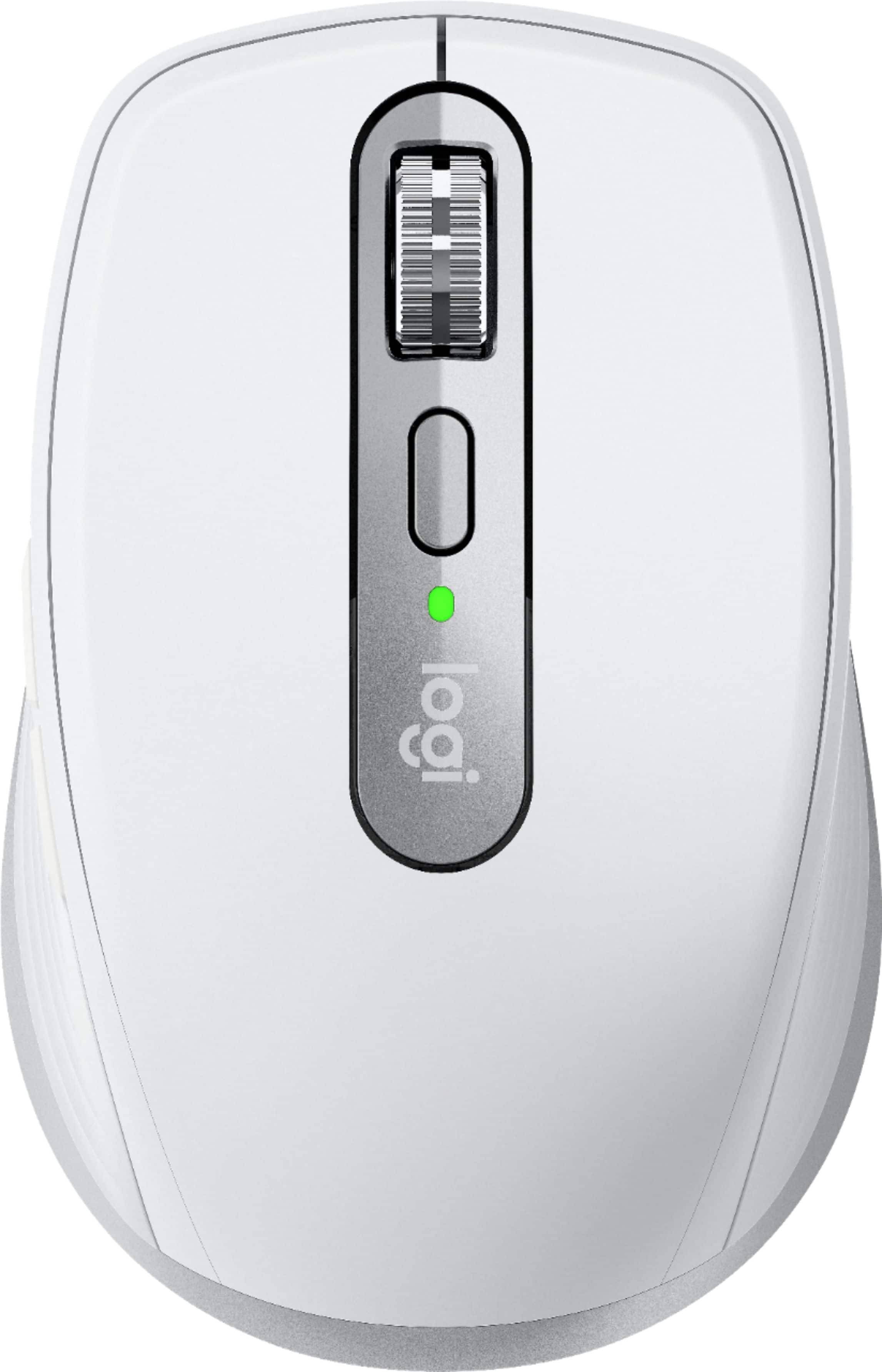
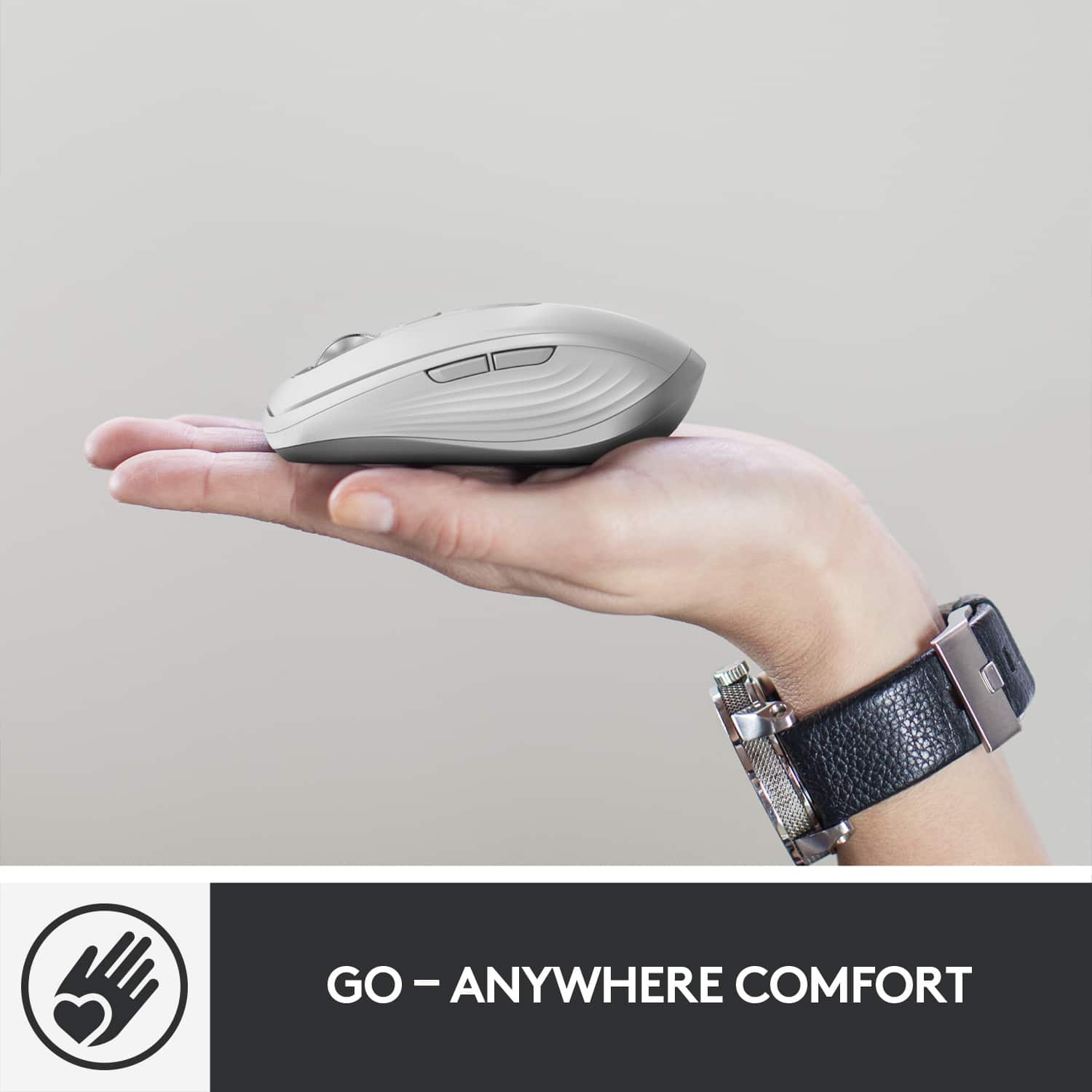
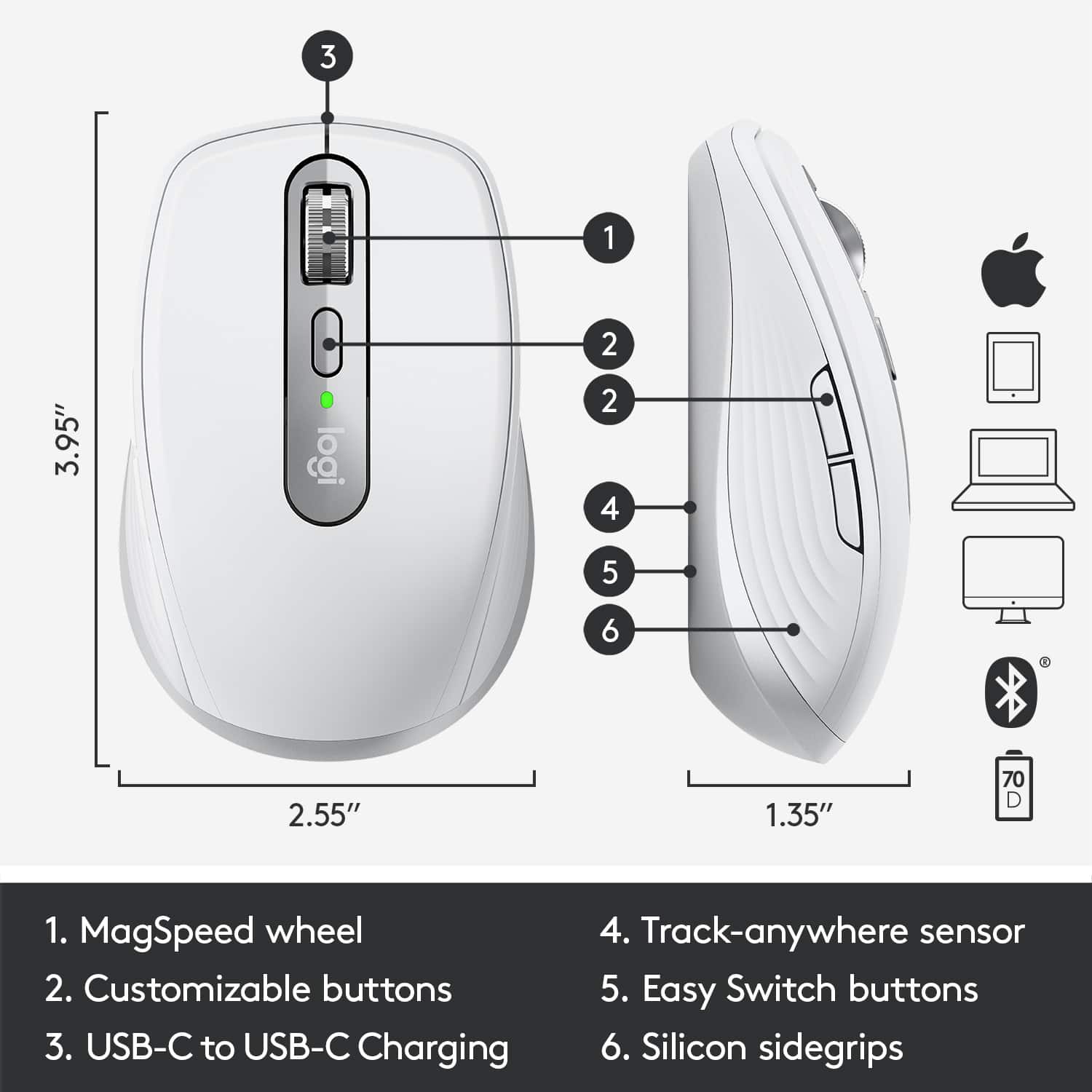
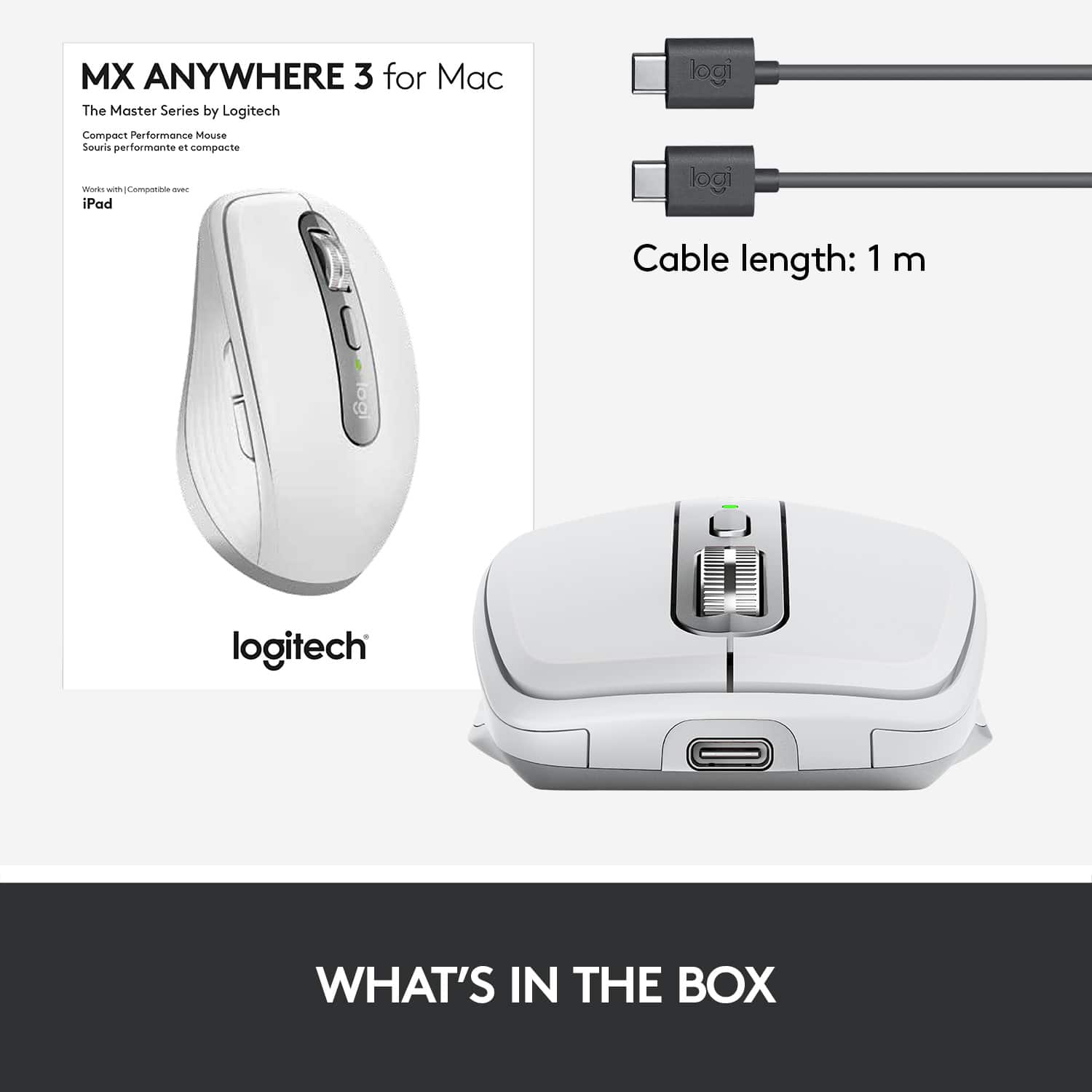
|Posted .This reviewer received promo considerations or sweepstakes entry for writing a review.I pride myself on my ability to construct well written, well thought out reviews that are long and enjoyable to read. However, there are two situations where that becomes difficult. The first is with a very simple, unexciting product...like a lamp, or a toothbrush...and to be honest, in most cases I avoid those products for review purposes. The second is when a simple, extremely mature product is released that I find is just really, really good at doing the one thing they’re designed to do (my 11th-grade English teacher may appreciate my use of foreshadowing here). Reviewing a product that is of this second type may result in a shorter review, but that rarely means the review is not well thought out. Logitech makes a solid product and they’ve been “in the game” for quite some time, and I’ve found that their flagship devices are often crowd favorites with very few criticisms. In fact, I’ve been using my MX Master 2S mouse now for 3 years—and haven’t replaced it with the latest version because it’s just sSO DANG GOOD. Likewise, the MX Anywhere series of mice have been a longstanding favorite of folks who want a reliable mouse that feels great, looks great, and is small enough to toss in a bag and take, well, anywhere. And as premium as the mouse may be, I would not consider the unboxing experience to be the most premium out there—the packaging was extremely simple and will provide good kindling the next time I use my fire pit. Included in the box is a USB-C cord for charging, but (apparently) gone are the days of the included Unifying receiver, perhaps because Bluetooth doesn’t suck anymore. The mouse itself has a simple and clean design; it is small compared to the gargantuan MX Master series or even the not-so-massive Marathon and Triathlon mice that I have a handful of lying around my house. It has a scroll wheel which is delightful and smooth, as I’ve come to expect from Logitech’s mice (although, no side-scrolling options). There are a couple of buttons on the left side of the mouse, and one below the scroll wheel, all of which are generically customizable, as well as customizable by app provided you install the Logi Options software. This is a Bluetooth mouse primarily, although it’s worth noting that if you do have an old Unifying receiver lying around, it is compatible...but my experience with it wasn’t as stable as Bluetooth, interestingly enough. The mouse can be connected to up to 3 devices, and a button on the bottom of the mouse allows for switching between those devices. The product’s full name is the Logitech MX Anywhere 3 for Mac, which implies specific application for Mac users (iPad included). While I’m sure there is some optimization for those environments, as Logitech suggests, functionally speaking I don’t really notice a difference. Ironically enough, I had trouble connecting it to a Dell laptop, but I suppose that’s not a situation you’ll often find yourself in when you buy a product specifically designed for Mac. Still, the included manuals suggest that the device is also compatible with Windows and Linux, so maybe the mouse was resisting out of spite. One of the things I always try to mention about Logitech peripherals is a feature included in the Options software called Flow, wherein you can use your mouse or keyboard across multiple devices as if they were a single device with multiple monitors. When Flow first came out, it was buggy and not a great experience, but over the years it has gotten better and better. Sadly, while the mouse is compatible (and quite enjoyable to use) with the iPad, Flow is not yet an option there...but connecting the Anywhere 3 to multiple devices, and moving back and forth between those devices (even with copy/paste functionality) is pretty slick. Take that, KVM switches. So as I eluded to early on, this is a pretty short review—if for no other reason than, it’s a great product. Notice how I didn’t talk about using the mouse at all? That says something about how good it is; the nature of mice is that they become an extension of our hands, like keyboards are extensions of our fingers—and provided they don’t get in the way or have noticeable flaws, everything just....flows (pun intended). So, the price tag...it’s $80. That’s not cheap for a wireless mouse by any means, but honestly, and simply, there’s really no good reason NOT to buy it...except, perhaps, if you are going with another ‘flagship’ Logitech mouse like the MX Master series.
I would recommend this to a friend it didn't work for me
||Posted . Owned for 1 month when reviewed.This reviewer received promo considerations or sweepstakes entry for writing a review.it did not work as well as the original apple mouse.
I would recommend this to a friendBrand response from Logitech
Posted .Sorry to hear that you are unsatisfied with your MX Anywhere 3 for Mac. We are always looking for ways to improve our products, so we appreciate your review.
If you haven't already, install Logitech Options software.
Download Logitech Options to customize your mouse and benefit from advanced shortcuts and all the possibilities this mouse has to offer. To download and learn more about the full range of features, go to logitech.com/options. This is a great platform to truly customize your mouse to make it your own.
If you ever have additional feedback or questions regarding Logitech products, feel free to visit https://support.logi.com/hc/en-us
Thanks,
-Logitech
High Quality Form and Function
|Posted .This reviewer received promo considerations or sweepstakes entry for writing a review.When it comes to mobile devices a wireless mouse is one fo the most underrated accessories. You can find cheap mice, but this mouse from Logitech is the perfect complement both in form factor and function to that of any Apple product. First, the build quality is very solid, but also lightweight at the same time for ease of use. You can definitely tell that Logitech did not cut major corners to get a lower price with this mouse. The features and ease of use with Apple products are what makes this mouse great. It is easy to switch between multiple devices since you just are clicking one button and don`t have to go into any settings to switch as I ended up syncing it to my MacBook, iPad, and iPhone. It may seem overkill for a phone, but for the Macbook and iPad it was definitely beneficial as a cursor appears on the iPad for ease of use when it is synced to the iPad. The feel of the mouse is very comfortable and fits in the hand well and the scroll wheel is extremely smooth and quiet. The separate application on the mac to customize the various button actions, scroll speed, etc was very easy to use as well and the ability to have app-specific customizations is a nice touch especially when it comes to Word documents. The other item I have to mention is how future proof this mouse is as it implements plenty of modern-day technology. The main two items are that there is no Bluetooth dongle needed and no batteries needed either as these two things are definitely annoying with the cheap mice you can find. The fact that it comes with a USB-C charging cable is a nice touch as well and the fact that it uses USB-C is also a definite plus. Overall, if you have an Apple product you can`t go wrong with this mouse as it fits right in with the Apple quality you would expect and builds off of those things that set Apple products apart from the rest.
I would recommend this to a friendMighty Mouse
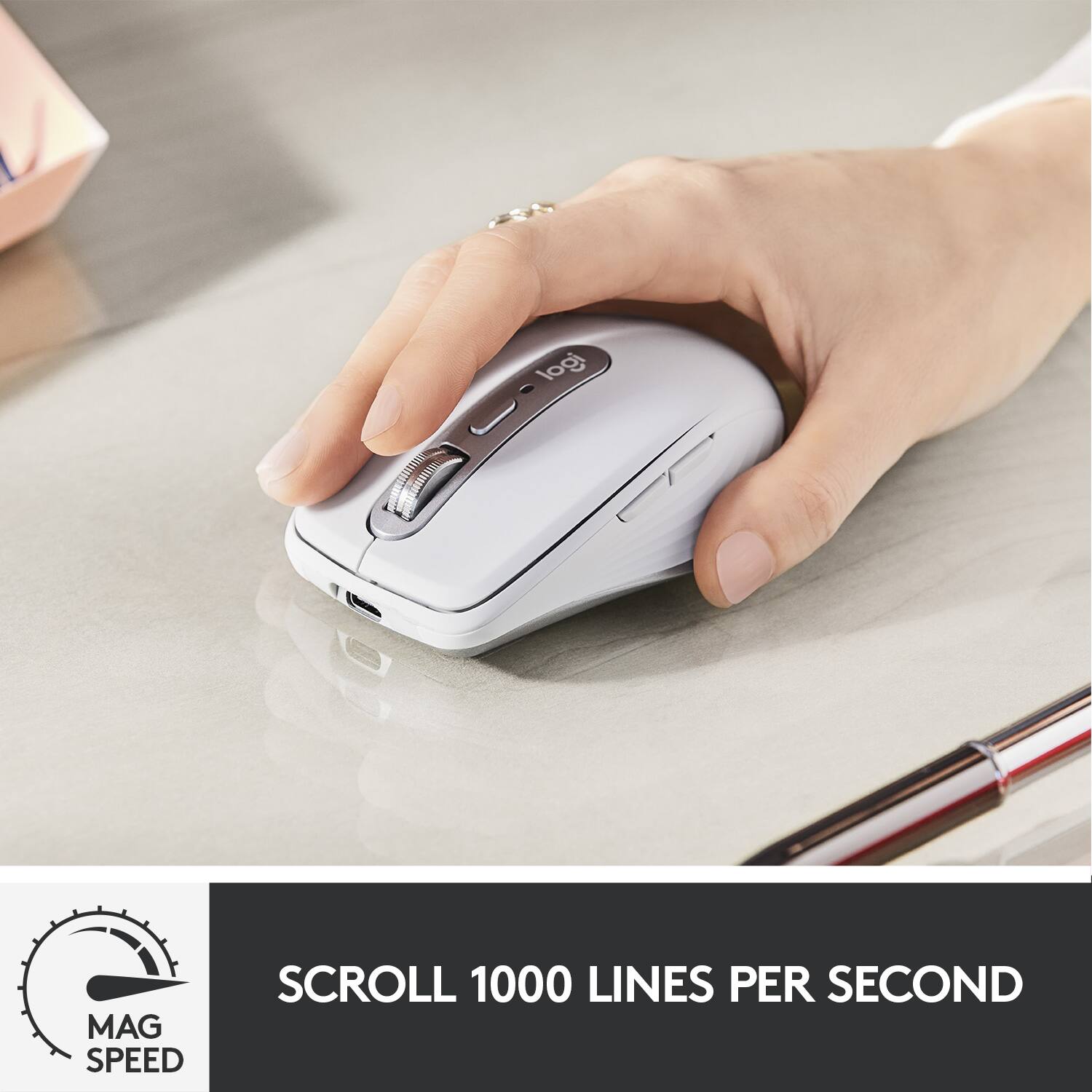
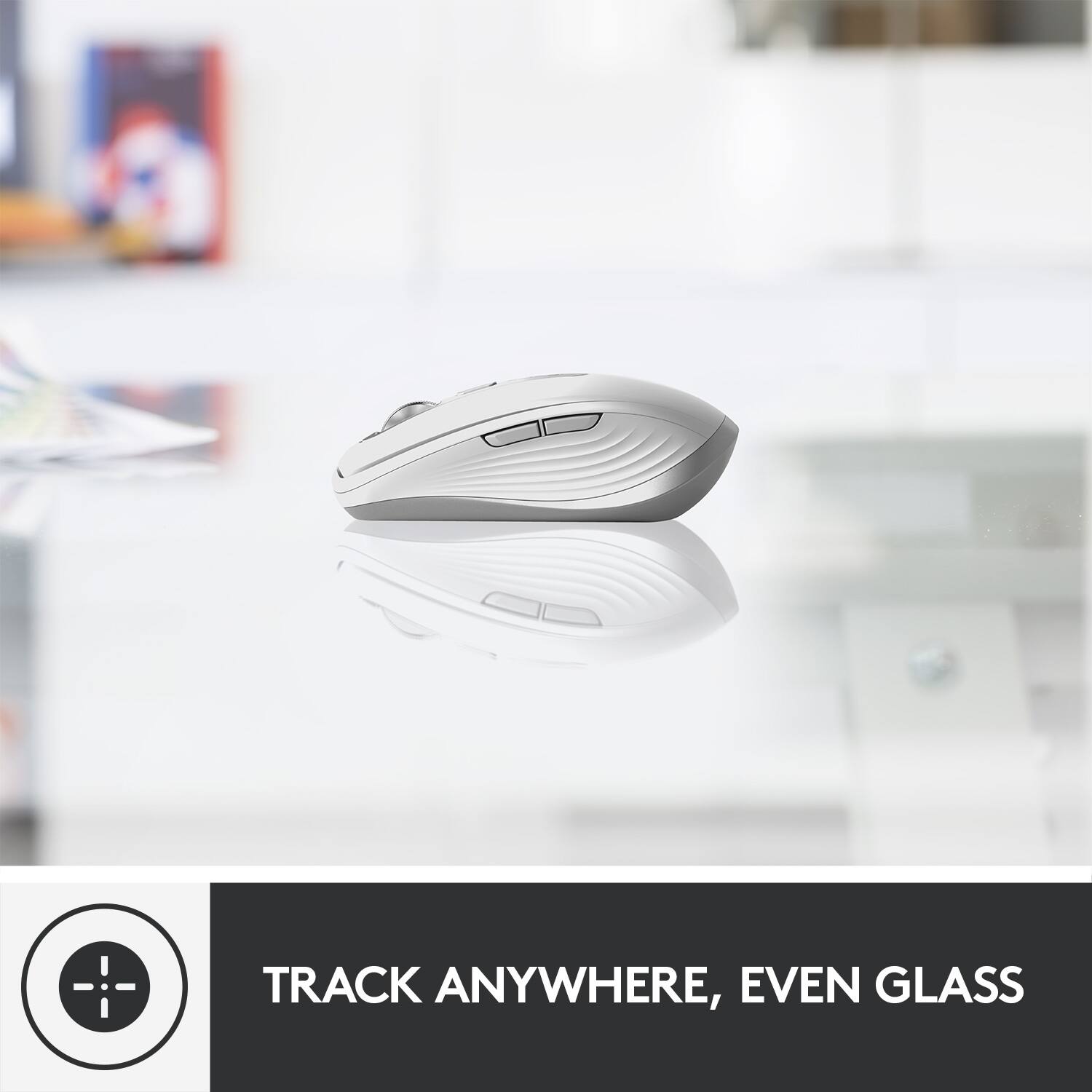
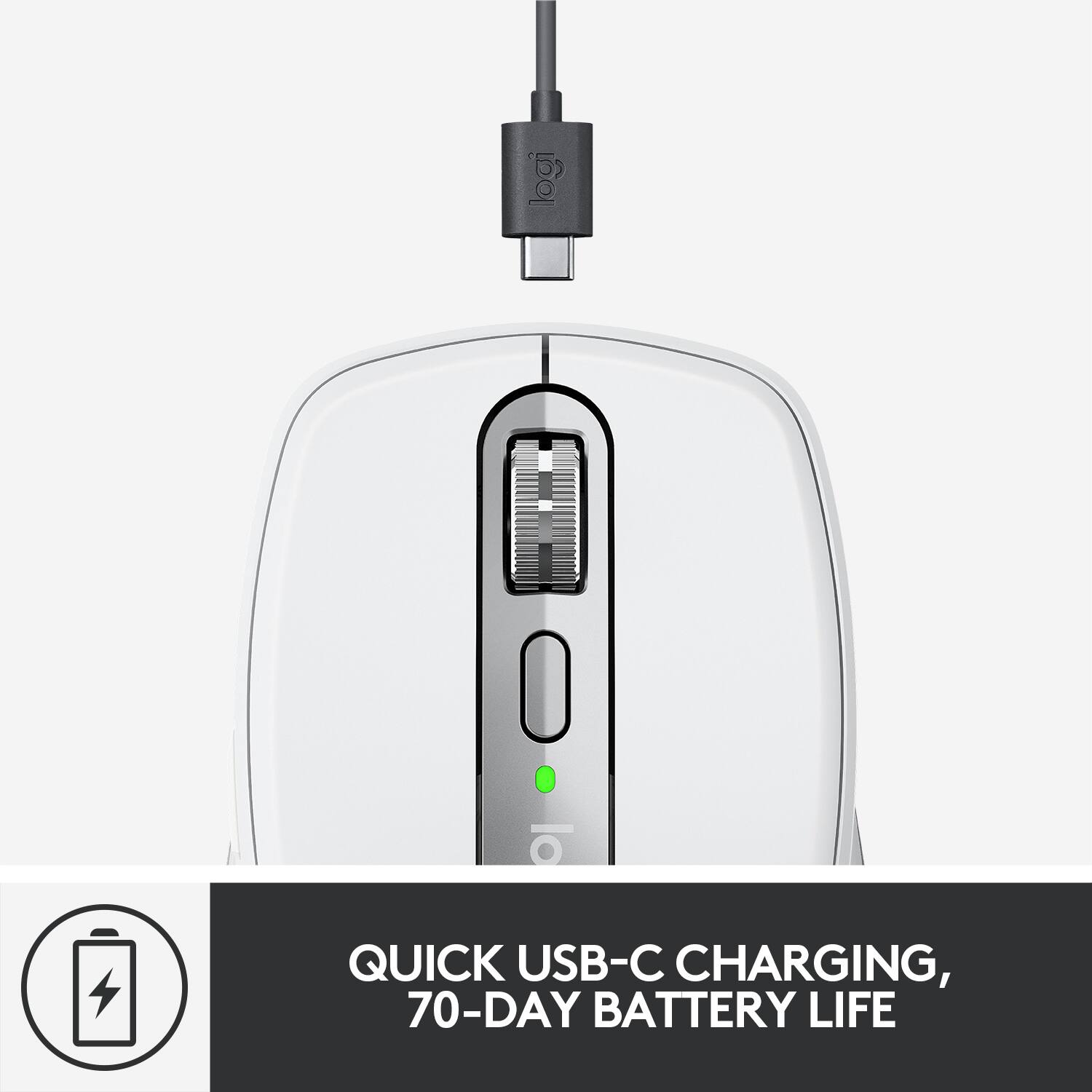
|Posted .This reviewer received promo considerations or sweepstakes entry for writing a review.I recently acquired the Logitech MX Anywhere 3 Wireless Mouse for Mac. I was in need of a compact portable mouse that could be used with an iPad, specifically for NTI, and this mouse fit the bill. It uses Bluetooth Low Energy and requires macOS 10.15 or later or iPadOS 13.4 or later. I actually had to upgrade to macOS Catalina in order to use this mouse. The MX Anywhere 3 is part of a series of computer peripherals that Logitech calls The Master Series. They’re available for both Mac and PC and my experience with its MX Keys for Mac gave me high expectations for this product-and this mighty mouse definitely delivered. It arrived charged and included a USB-C to C quick charging cable which Logitech advertises will provide 3 hours of use after a 1 minute quick charge and dependent on the conditions of use, up to 70 days use on a full charge. I’ve only been using this mouse for 3 days and have not required a charge so I’m unable to validate this claim. Unlike other wireless mice I have used, this one does not require or allow the use of disposable batteries. It runs solely off of a USB charge. It paired quickly and easily via Bluetooth with a click of the on/off button located on the bottom. The taupe/off-white color and silver accents do not match my other components, which are space gray in color, but rather complements them. The shape of the mouse is contoured to fit perfectly in the palm of your hand and the silicone sides make extended use very comfortable. Until using this mouse, I would not have thought that the silicone would make a notable difference-but it does. The placement of the 3 buttons (2 on the left side and 1 on top) allows you to utilize them with very little effort. They can all be reached without lifting your hand off of the mouse. Logitech offers the ability to customize the actions of these three buttons, the cursor speed, and numerous other customizations on their website logitech.com/options. The MagSpeed wheel allows for very precise scrolling and tracking with the advertised ability to scroll up to 1000 lines per second. I have no way to confirm this claim but I do know that when free spinning, the mouse can get away from you very quickly. The MX Anywhere 3 is one of the quietest mice I’ve ever owned. It maneuvered equally smoothly on my wooden desktop, silicone mouse pad, kitchen counter, and glass tabletop. It is also capable of seamlessly switching between 3 devices by using the one-click Easy-Switch button located on the bottom of the mouse. Overall this product performs as promised with some surprisingly useful extras. While it is a bit more expensive than others, in this case you definitely “get what you pay for”.
I would recommend this to a friendHORRIBLE CLICK!
||Posted .This reviewer received promo considerations or sweepstakes entry for writing a review.I love the feel of it and how fast it is but the noise of the click is unbearable to me. What a shame for the price you pay for this. And like everything else, the feel of it is CHEAPLY MADE!
No, I would not recommend this to a friendBrand response from Logitech
Posted .Hello, I am sorry if there was any confusion regarding the mouse. It is not considered a silent mouse. Here are some that are: https://www.logitech.com/en-us/mice?filters=3886. I hope this helps! Thank you for taking the time to write this review, we appreciate the feedback.
Was not compatible
||Posted . Owned for 2 weeks when reviewed.This reviewer received promo considerations or sweepstakes entry for writing a review.For some reasons products like this simply don’t work with my iMac. I’ve tried numerous times and only the actual apple track pad proved to work.
No, I would not recommend this to a friendBrand response from Logitech
Posted .Hi kozzykozz,
I am sorry that you didn't like your new Logitech mouse. This issue is not common, so I suggest you contact Geek Squad support for technical assistance or the Logitech support team. Logitech appreciates your product insight. http://support.logitech.com/contact
- Leo from Logitech
Doesn't work on Macbook 2011
||Posted . Owned for 2 weeks when reviewed.This reviewer received promo considerations or sweepstakes entry for writing a review.Doesn't work on a 2011 Mac Book. It would of been nice if the computer rep knew that. I was given incorrect information.
No, I would not recommend this to a friendBrand response from Logitech
Posted .Hi KazB, the MX Anywhere 3 connects via Bluetooth to a laptop. The Macbook would need to be running macOS® 10.15 or later. I'm sorry that you did not receive correct information on this device for your set up. Thank you for being a Logitech customer. Kristi from Logitech.
Excellent Mouse for Travel or Everyday Use
|Posted .This reviewer received promo considerations or sweepstakes entry for writing a review.Logitech does it again! From unboxing to initial use, this is a really good all around mouse. The packaging was neat and clean and was nice to open up. Maybe it shouldn’t be that important to me but I feel like there is a quality product coming out. It’s a usb-c rechargeable device and it was ready to go right away with at least 50% charge so I could use it from the start. I used it for about 20 hours so far for work and leisure and have not had to charge it. It says you can get about 70 hours in one charge and it’s looking good so far. It paired to my MacBook Pro immediately and without any issues. On the bottom is a small button which allows you to pair it to a total of three devices and I have used it on my iPad Pro also and although it takes some getting used to, it works well on that also. You can customize the buttons on both the MacBook and iPad and have them work the way YOU want them to. The device itself is well made. Nice rubberized sides, solid right and left buttons and the scrolling wheel is great as it allows for fast scroll with just a flick of the finger or slower with the traditional click feel you have with most mice. Overall, great device and certainly one I will keep with me wherever I go.
I would recommend this to a friendWorth the money, Versatile & Long Lasting
Posted .This reviewer received promo considerations or sweepstakes entry for writing a review.This mouse is great. Best thing about it is I pretty much never have to charge it, even though I use it almost daily. I may charge it once every few months, just because I felt like it and not because the battery ran out. I have three different computers that I use this mouse with, there's a button on the back that lets you switch between connections. On all three computers (2 Mac, 1 Windows) I've had no issues. Also very useful being wireless since I ran my PC display to my TV, and even being 5-10 feet away from the PC I've had no bluetooth connection lag.
I would recommend this to a friendBrand response from Logitech
Posted .Thank you for your insightful feedback about Logitech - MX Anywhere 3 ! We're delighted to hear it performs flawlessly across your MacOS and Windows machines, and that the wireless range meets your needs even at extended distances.
Solid durable mouse for Mac!
|Posted .This reviewer received promo considerations or sweepstakes entry for writing a review.Connection on the mouse is quite simple and easy. This mouse can connect to three different devices at a time and the connection can be switched using button. power on and off is using a different button. USB type-C charging is very comfortable and can be connected even to a MacBook. One minute of charge is sufficient enough for hours of usage. Scroll sensitivity is excellent and the response is great. One full charge is supposed to last for more than 3 months. Overall, this is a solid mouse with a good built of great quality. Logitech provides a way to configure the buttons on the mouse for various functionalities - this is done though Logitech control center. The only request to Logitech is that they could offer different colors and designs for the mouse. I would definitely recommend this product to my friends.
I would recommend this to a friendThe MX Series Keeps Getting Better
|Posted .This reviewer received promo considerations or sweepstakes entry for writing a review.I've owned every generation of the MX Master Mouse series, and the weighted scroll wheel of the MX Master 3 was the only thing that prompted me to upgrade from the 2S. If you loved the weighted scroll wheel of the 3, then you're going to love the MX Anywhere 3. The mouse feels great in the hand, now uses USB C (which works while plugged in or wirelessly), you. can still pair with up to 3 devices and switch instantly between them. As you'd expect from a travel mouse, the MX Anywhere 3 is substantially smaller than its full-sized namesake. With the size reduction, you also lose the thumb button and thumb scroll wheel found on the full-sized version and instead have a nice ribbed contour on both sides. The weighted scroll wheel alone is what makes this mouse the best, though I confess to liking the flat storage of my MS Arc mouse a little bit more for travel. You'll still have the center button that allows you to switch the scroll wheel from ratchet to free spin mode and scrolling is smooth as butter. I use the Logitech Options app on my personal Macbook, but since the application is not InfoSec approved by my company for my work Macbook, I have to stick with the default button settings (the default options are still fantastic). The grey color is meh. It doesn't really match the space gray of my Macbooks or add anything to the 'coolness factor' of the mouse, but I don't hate it either. There isn't a battery level indicator on the mouse itself, so unless you're using the Logitech Options app, you'll have no idea what your battery level is at. Since the battery seems to last a lifetime (or a couple of months) this isn't a big deal. Plus, since it uses USB-C like most of our phones and our Macbooks, you'll rarely be caught without a charging cable if the battery does run out while you're on the road. Bluetooth interference still persists, but in fairness- I have the same problem with my MX Master 3. Moving other devices that may be interfering with the connection (iPad, phone, etc) helps reduce interference. Both of my desk surfaces are black and tracking works flawlessly when interference isn't a problem. Overall this is a great travel companion for MX Master users and I highly recommend the purchase.
I would recommend this to a friendExcellent Mouse
|Posted .This reviewer received promo considerations or sweepstakes entry for writing a review.Having not used a mouse with macbook pro I thought I'd give an actual mouse a try on it. The MXAnywhere for Mac is great. It's not too small and not too heavy. I use an MX pro for work on my workstation so I knew going with another logitech mouse would be easy. The battery life isn't bad on this, I've only had to charge once within the last 4 days (tonight). The intellizoom and additional buttons are great. Overall great mouse for light browsing on a laptop or when you're on the go. Finally, the best part is not needing a USB receiver since this is bluetooth. Set up took about 5 seconds, highly recommend this mouse.
I would recommend this to a friendPerfect on the Road
|Posted .This reviewer received promo considerations or sweepstakes entry for writing a review.I just purchased a new laptop for my graduate studies. I was in the market for a new mouse since my old one gave out on me a few weeks. The first impression of this mouse was how sturdy it felt. Very durable material was used in this mouse. I simply took the mouse out of the box, charged it for 30 minutes, synced it with my laptop and that was it! I did not have to use the bluetooth USB. I have an extra USB slot now for my limited type-C connections. The scroll wheel the stop of the mouse is very smooth and responsive. You can control up to 3 devices (not at once) with this mouse. So far I've only used this mouth with my new Macpro laptop and my late 2018 iPad. I've had no problems with either. I am currently using this mouse specifically for school. I carry my laptop around a lot and have limited spacing in my laptop bag. The mouse is so portable that it fits with all my other cables and USB connectors without a problem. I've only used this mouse in wood surfaces. The mouse has Darkfield tracking, which states that it can track on any surface including glass. I don't have class tables so I cannot comment on it. The mouse has six buttons, which can be used for custom commands. I haven't programmed these buttons yet, but you can go to Logitech's MX Anywhere 3's website for customization options. The mouse if very smooth and has a comfortable grip. I have developed early stages of carpel tunnel so I sometimes get soreness or light pain when typing or using the mouse. The quick responsiveness of this mouth makes it easier for me to navigate. Logitech states the mouse battery life lasts 70 days on a full charge. I've only had it for 1 week so I cannot comment on the battery longevity but so far no issue. I did a full charge on the first day only. I really like this mouth. It's functional, durable, responsive, and stylish. I will definitely be using throughout my graduate studies. I recommend!
I would recommend this to a friendBrand response from Logitech
Posted .Hello Mark! We're happy to hear you're enjoying the MX Master 3 for Mac! This is my go to mouse for work as well! I have it paired to my iPad, desktop, and work laptop and it switches beautifully between the three. Feel free to reach out to our support team here https://support.logi.com/hc/en-us/requests/new?ticket_form_id=360000621393 if you ever need any assistance. Thank you for your feedback and for shopping Logitech! - Maggie from Logitech
An Outstanding Addition To The Logitech Stable
|Posted .This reviewer received promo considerations or sweepstakes entry for writing a review.For years now I have exclusively used Logitech MX series mice with both my home and work computers (even buying the work one for myself because the one they gave me was terrible). My most recent mouse was the MX Master 2S and it was a great mouse for doing work in all kinds of programs. The Logitech Options software allowed me to map commands to the mouse (that weren't already part of a profile for many popular programs) and the variety of rollers allowed me to quickly scroll both vertically as well as horizontally. I loved that mouse but it has finally gone to the Best Buy in the sky and I needed a new mouse. I no longer work in the office any more and my setup isn't at all the same so I really don't need many of the options that the MX Master 2S offers. Also, I'm a little more cramped for space around my computer, so smaller is definitely better. In comes the MX Anywhere 3 and I am extremely happy. Clicks are sharp and precise and the scroll wheel is much better than my dear departed Master 2S. I liked the click-step of the roller on the Master 2S, especially when working down Excel spreadsheets but doing page after page got annoying with the sound of it. The MX Anywhere 3 gives me the same control but is absolutely SILENT! And I can still flip the roller to take me back to the top with a single flick of my finger. I also like that it is gray so that it matches my Mac and Mac keyboard a bit better. Yes, I know the Magic Mouse matches too but I hate that thing and it's glass top. I also like that it works on anything, including glass, which is great because my desk at home has a glass top with a leather-like pad in the middle so I can go from the pad to the glass top with no problem. I only have two minor complaints about the Logitech MX Anywhere 3: 1: I had to Download Logitech Options again because the version I had for my Master 2S didn't recognize it and I HAD to have it because out of the box, the back button on the side of the mouse actually gave me 'open link in a new tab' instead of taking me back a page. 2. I wish it had slightly bigger silicone pads on the bottom. I know the MX Master 2S is a much larger mouse and has correspondingly larger pads but those larger pads made the mouse glide much easier over a variety of surfaces. The MX Anywhere 3 doesn't glide nearly as well. All in all, I am once again impressed by another Logitech product. If you need a compact, precise, and powerful mouse, you can't go wrong with the MX Anywhere 3. Oh, and if you have a Mac like I do, this should be the mouse that Apple makes, not that abomination the Mac comes with.
I would recommend this to a friendMighty Mouse
|Posted .This reviewer received promo considerations or sweepstakes entry for writing a review.I love Logitech devices especially the MX series mice and keyboards. This MX Anywhere 3 is no exception. It is well built, solid with quality metal and plastic. The scroll wheel is made of steel. The silicon side grips feels nice and soft. Lives up to its Anywhere name where I couldn’t find a surface that it didn’t work on. It even worked on my glass sliding door and my favorite leather arm rest. You can connect up to 3 different devices and easily switch between devices with a button on the bottom of the mouse. I connected my iPad and MacBook. Note that it does not work on the Lock Screen on the MacBook, it does not connect until you log on so you need to use the trackpad there. There is a bit of lag sometimes but not a big a deal unless you plan to use this as a gaming mouse, not recommended. Even my MX Master lags and it probably depends on your own surroundings where mine is full of electronic devices. Limited customization on iPad (track speed, natural scrolling and secondary click) and the side buttons are basically useless. Scrolling speed was inconsistent on my iPad Pro but it worked fine on my MacBook. With the Options app on the Mac, you can make a slew of customization features. One feature I like is you can make the middle button a gesture button and when you hold it down and move the move the mouse to control windows navigation, media control, app navigation and many more. Again, a lot of customization for many different types of users. Click sound is a bit loud but I’m just being too critical. I have a $20 Logi mouse and the clicking action is near silent. Although, the scrolling wheel is virtually silent. You can set it to smooth scrolling or a ratchet feel, line by line scrolling and switching is easy with the mode button below the wheel. You can set the scrolling direction and I use the natural scrolling where it feels like you are flicking the screen of an iPad. It comes with a USB-C to USB-C cable for charging, NO power adapter. According to Logitech, one minute of charge for 3 hours of use and a full charge gives 70 days of use. You can use the mouse while it is charging and it looks like a wired mouse. Gives you a kind of nostalgic feeling. Overall, I really like this mouse especially with my iPad Pro. I never really found a mouse that really felt good in my hand, closest would be the MX Master, but this is a lot more comfortable than the Apple mouse that I’ve been using. I just wish that it was more customizable with the iPad where I can use all the buttons.
I would recommend this to a friendRechargeable, plus button customization
|Posted .This reviewer received promo considerations or sweepstakes entry for writing a review.I've been using the Logi M355 mouse, but thought I'd upgrade to the new MX Anywhere 3. So far, I'm really loving it. The ergonomical shape is more comfortable, and the MagSpeed scrolling is great for quickly getting around Slack messages (or whatever long list you might be scrolling through). I was kind of surprised at how "loud" the mouse clicking is again after getting used to the M355. The quiet clicking in that model is really the only thing I miss from it, though. (And by "loud" for this model, I mean it's just a normal mouse click sound.) Having a quickly rechargeable battery is a nice step up from having to find batteries to put in. Now, I just have to find a standard USB-C charging cable, of which there are plenty around my desk these days. Another great feature is the ability to switch between three different devices by clicking a button underneath. Paired with a Logi keyboard that has the same capability, it's super easy to use my work Macbook, switch over to my personal Windows laptop to send a quick email or whatever, then switch right back to the Macbook. It couldn't be much easier. One other feature that I haven't played with too much yet, but shows a lot of promise, is the ability to customize the buttons for various apps. After you download the Logitech software you can set this up. One option that grabbed my attention was the ability to make the side buttons mute/unmute audio and video in Zoom. While I won't be scrambling to click on the unmute in the app and can simply click the mouse button, I'm a little worried I might accidentally hit the button sometime and unmute at an inauspicious moment. Even if I end up not keeping the Zoom customizations, though, it still has use for other apps. Logitech seems to have really figured out how to make great keyboards and mice lately, and this is another great one in their lineup.
I would recommend this to a friendExcellent
Posted .This reviewer received promo considerations or sweepstakes entry for writing a review.Excellent mouse. Love the wireless feature. Its great!
I would recommend this to a friendFantastic little mouse
|Posted .This reviewer received promo considerations or sweepstakes entry for writing a review.I used the previous versions of this mouse for years since it's Darkfield optics allowed it to work on virtually any surface. Last year, I shifted to the MX Master 3 which introduced the Magspeed scrolling, which I love. Now, the 3rd iteration of the Anywhere Mouse for Mac contains both of these options and I was eager to try it out. Plus, I use Macs all day, everyday and this Mac specific version allows more refined button assignment options tuned specifically for the Mac. First off, the Anywhere 3 Mac edition mouse is colored differently than my previous versions. It's a super light gray and brushed metal that better aligns with Mac product design. It's nice looking but I fear it will show signs of dirt easily and honestly, I prefer the dark color schemes for mice. It's not really an issue but should be mentioned. After using the MX Master 3 for quite a while now, I immediately noticed that this mouse is obviously not only smaller but it's super light! It even seems lighter than my previous Anywhere Mouse V2. I love the weight as it makes shifting the mouse around on the pad effortless. One other design change is that the sides of the mouse are a ribbed silicone and feel super soft but grippy. It's a nice touch. It charges via the included USB C cable and it now offers a Quick Charge feature that allows 3 hours of use from just a single minute of charge...pretty impressive! Usage of this mouse is very similar to the previous version but since it's tuned for Macs, programming of the buttons is better for me. The 3 buttons are the same as the older version and they all can be programmed to do certain things when clicked. It's very useful and even application specific actions can be assigned after downloading their profiles via Logitech's Logi Options desktop app. That means when you are using one of these apps, the buttons can be specific to actions within each application. I believe these application specific profiles were first introduced on the Logitech Craft keyboard. It's nice to see this is now being adapted for mice as well. The Magspeed scroll wheel feels great. The wheel can automatically shift from a ratcheted scrolling feel when scrolling short distances, to free-spin scrolling that allows you to quickly scroll through thousands of lines a second. It is a feature that can be configured in the Logi Options desktop app, along with the many other mouse fine tuning options. I really like this scroll wheel and it has been super useful many times already. Overall, this is a great mouse. I've always loved the Anywhere Mouse line by Logitech and V3 Mac version is an excellent addition/successor in that line. I really like it so far and it has now become my day to day mouse. Thanks Logitech!
I would recommend this to a friend