Customer Ratings & Reviews







- Model:
- 910-005899
- SKU:
- 6424892
Rating by feature
- Value
Rating 4.5 out of 5 stars
- Quality
Rating 4.8 out of 5 stars
- Ease of Use
Rating 4.8 out of 5 stars
Customers are saying
Customers admire the MX Anywhere 3’s ease of use, long battery life, and compact size. The smooth scroll wheel and compatibility with Mac systems are also frequently praised, along with its Bluetooth connectivity and high-quality build. While some users find the click sound noticeable, the overall positive feedback highlights its excellent ergonomics and lightweight design.
This summary was generated by AI based on customer reviews.
My Two Cents Worth...
Posted .This reviewer received promo considerations or sweepstakes entry for writing a review.All of the good reviews are valid for this mouse, I just wanted to add two things I dislike about it: 1). It doesn't send battery info to the MacOS to be displayed in Bluetooth. i.e. When I hold the Option key and click on my BT icon in the menu bar I get the mouse's address and signal strength but not battery percentage. Additionally, there is no battery percentage displayed in the mouse control panel either. I know that the Logi control panel shows battery percentage but do I really have to open that just to see how much battery life I have left? 2). Scrolling doesn't work in Apple calendar. Using Apple's Magic Mouse I can scroll the calendar using the mouse scroll function but using the scroll wheel on this mouse does not scroll the calendar. I tried to change this in the Logi control panel but to no avail. This is supposed to be the Mac version of this mouse but it doesn't seem to be very Mac specific to me.
I would recommend this to a friend
Easy Setup
|Posted .This reviewer received promo considerations or sweepstakes entry for writing a review.The setup of this mouse out of the box took 3 clicks on my Mac, as well as, my iPad. The beauty of this device is how easy it toggles between devices, is able to charge while in use (charging port is on the front of the device), and the battery lasts long enough that it hasn't died in the week that I have had it. I would highly recommend this mouse to anyone with a Mac or iPad that wants to update to a new mouse.
I would recommend this to a friendThree in one mouse…perfect!
Posted .This reviewer received promo considerations or sweepstakes entry for writing a review.Love that i can use for 3 different computers. Easy to switch between them. One pc for watching lessons and second older pc for following along in photoshop. Third for fixing the hubby’s pc mistakes.
I would recommend this to a friend- Pros mentioned:Compatibility
Smooth and Intuitive
Posted .This reviewer received promo considerations or sweepstakes entry for writing a review.Great product with an intuitive smooth feel. linked up easily with my iPad pro and Macbook pro.
I would recommend this to a friendBrand response from Logitech
Posted .Hello! Thanks for the great feedback on the MX Anywhere 3! We're thrilled you love the smooth, intuitive feel and easy connection to your iPad Pro and Macbook Pro. MX Anywhere 3 is designed for exactly this kind of versatility, so we're glad it's working well for you across multiple devices.
Comparing to the Mac Norm
|Posted .This reviewer received promo considerations or sweepstakes entry for writing a review.Ok, the standard Mac desktop comes with a very particular mouse. That's what I've always used with my Mac since getting it. I have other computers and use other mice but when it comes to my Mac, that's always been it. I have a lilttle bit of mixed feelings about this. This is a good mouse and has great functionality. Logitech really never fails there in my opinion. It also feels very comfortable in my hand much more so than the standard Mac mouse, which has always been my biggest complaint about it. However, I love the touch and swipe ability that it offers compared to the Logitech (or any other mouse for that matter). The Logitech offers similar features/functions that substitute for that, but it's just not quite the same. All of this to say, this is a solid, well-functioning mouse. However, if you're used to a particular feel/style/function when using a Mac, this may take some getting used to. The Logitech still has a sleek, clean look and feel and sacrifices nothing in terms of quality...it just feels and works differently. Totally worth buying but in my opinion, also something to consider if you're used to a particular feel when using a Mac.
I would recommend this to a friendHappy with my purchase
Posted .This reviewer received promo considerations or sweepstakes entry for writing a review.works well with my new apple computer, trusted brand Logitech
I would recommend this to a friendBrand response from Logitech
Posted .Thank you for your review about Logitech - MX Anywhere 3 Mouse! We appreciate you highlighting Logitech's compatibility with Apple computers, and your feedback is valuable.
A few welcomed improvements
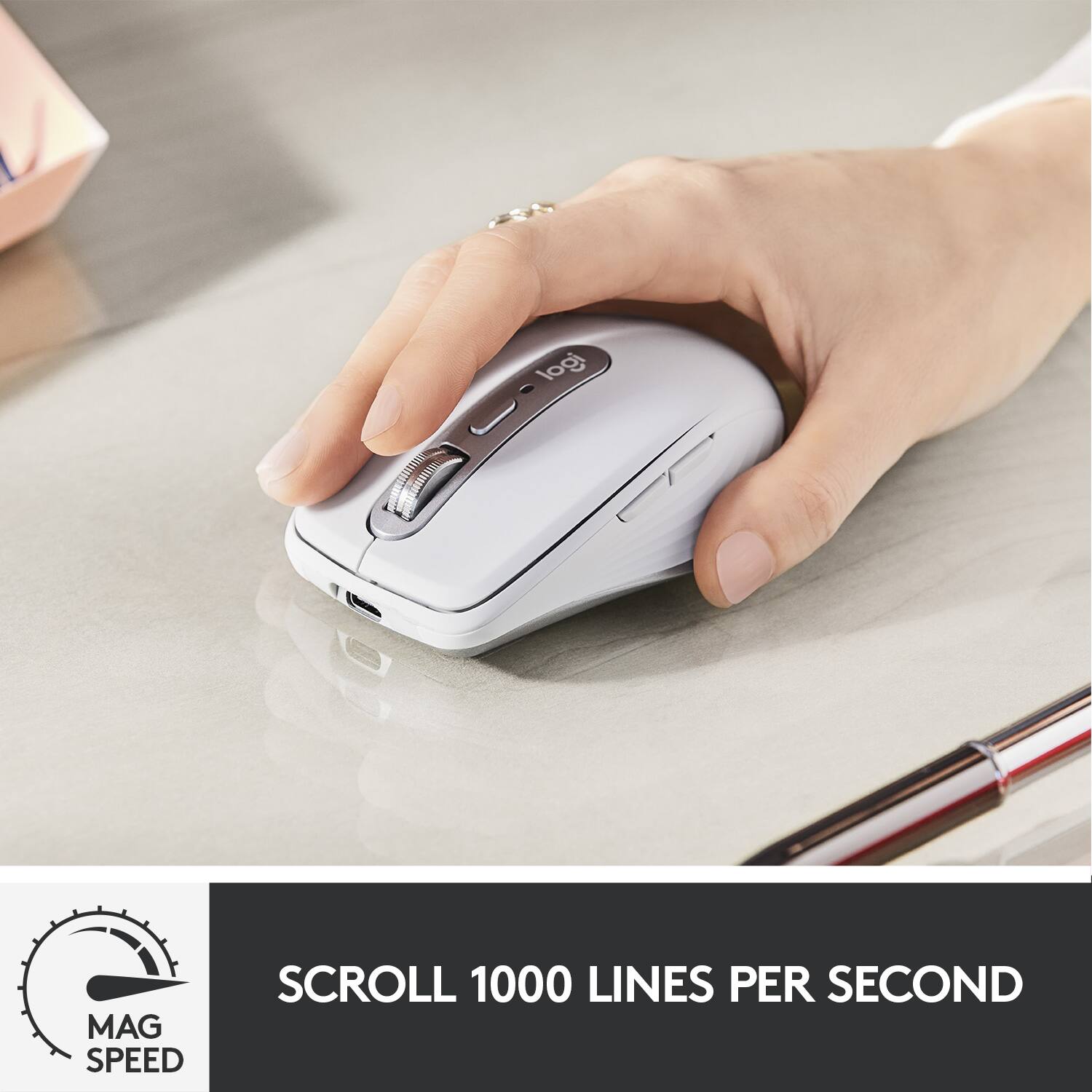
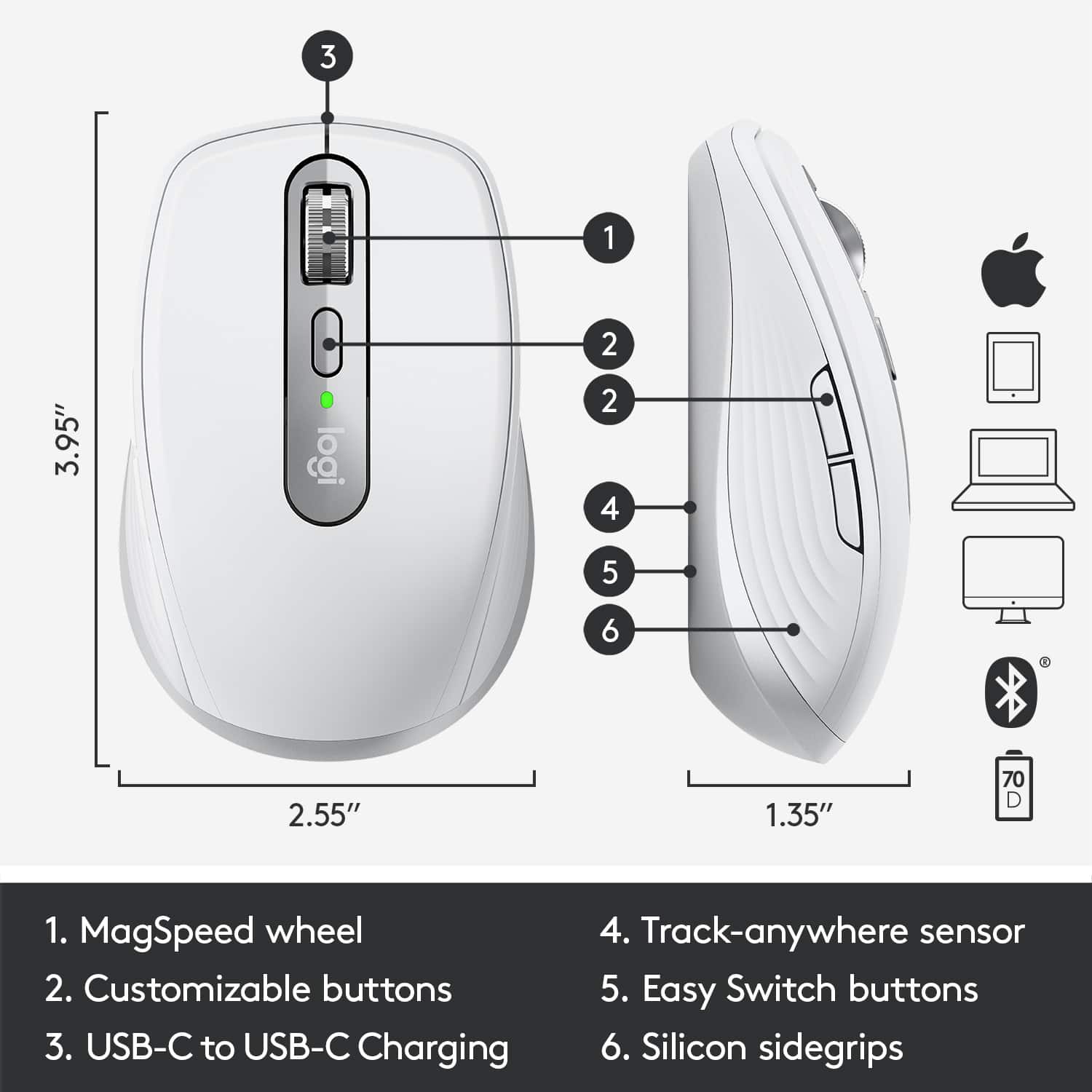
|Posted .This reviewer received promo considerations or sweepstakes entry for writing a review.First off, what makes this mouse "For Mac" is what you can configure using the Logitech Options companion software, but the mouse still works fine with a PC. What makes this mouse a bit better than its predecessor (MX Anywhere 2S) are a few welcomed changes: 1) A useful middle mouse button. On the 2S, pressing down on the mouse wheel simply changes how the wheel spins. Now the 3 can actually function as a middle mouse click. This is great for 3D/design work. 2) MagSpeed scrolling is fantastic. 3) USB-C charging (vs. micro USB). The Logitech Options software really brings the mouse to life, and switching between my Macbook and iPad was seamless (yes it works well on an iPad too!) I only have two complaints: The light color doesn't match any of my Space Gray hardware; also, the 2S has left/right side scrolling directly on the mouse wheel, whereas, on the 3, you must press a side button along with scrolling in order to get the same function. It's a rather small mouse, but still very comfortable - making it a good addition for taking on the road.
I would recommend this to a friendA Dream Come True!
|Posted .This reviewer received promo considerations or sweepstakes entry for writing a review.Logitech’s new mouse is a dream come true. It’s a versatile mouse that can be paired and used with an iMac, a Windows Laptop, and an iPad Pro. Compared to Apple’s Magic Mouse, this mouse fits well in the hand and doesn’t require a lot of force to click. Scrolling is smooth. The Logi Options software was a little difficult to set up. I recently had purchased the Logitech MX Keys Wireless keyboard, so I already had the software installed. It took about 24 hours for the software app to update itself, so that I could access all the customizable functionality on the mouse. There are application specific customizations for the mouse. The only fault I can find with the app is that the battery indicator is positioned too low in the screen on a 21” iMac, and it would be nice to see a percentage indicator rather than 3 dots for low/medium/high. The mouse and keyboard go very well together.
I would recommend this to a friendLiking my wireless mouse
Posted .This reviewer received promo considerations or sweepstakes entry for writing a review.I like this better than the Apple product. Two modes on the thumb wheel are occasionally handy. Main thing I like is the ergonomic design. Also it charges up quickly and drains slowly.
I would recommend this to a friendGreat mouse with great features
|Posted .This reviewer received promo considerations or sweepstakes entry for writing a review.This is a great mouse that works really well out of the box with my MacBook Pro. My only complaint is that it suffers from the bugs other Logitech mice do in terms of advanced settings. Despite extensive troubleshooting, I can’t get the Logi Options app to detect the mouse and therefore manage it. This seems to be a widespread issue, but the mouse works great out of the box which is why I only removed one star from my review.
I would recommend this to a friendMy mouse
Posted .This reviewer received promo considerations or sweepstakes entry for writing a review.Great addition to my iMac Book, easier to maneuver, less stress . Worth the price.
I would recommend this to a friendGreat mouse!
Posted .This reviewer received promo considerations or sweepstakes entry for writing a review.Great mouse for my MacBook Air! Easy to set up and works great!
I would recommend this to a friendnew mouse
Posted .This reviewer received promo considerations or sweepstakes entry for writing a review.can be either connected by cable or wireless. scrolls smoothly.
I would recommend this to a friendBrand response from Logitech
Posted .Great to hear about the versatility and smooth scrolling of the Logitech MX Anywhere 3! The option for both wired and wireless use is convenient. Enjoy your mouse!
MX Anywhere
Posted .This reviewer received promo considerations or sweepstakes entry for writing a review.Excellent device for all Mac devices … easy installation
I would recommend this to a friendClicks are too loud, very pricey
Posted .This reviewer received promo considerations or sweepstakes entry for writing a review.why is the $80??? clicking is too loud for me. ive been using a silent click mouse for years i think ive gotten used to it. ergonomics are good and buttons are convenient, but price is too high and clicks are too loud. Please consider making a silent version i would definitely buy but i am returning this one
No, I would not recommend this to a friendBrand response from Logitech
Posted .Your feedback has not gone unnoticed and we're sorry to hear that the product did not match your expectations. We value your input, therefore we will forward it along to the right team so they can look into it.
Awesome mouse!!
Posted .This reviewer received promo considerations or sweepstakes entry for writing a review.Super lightweight and easy to use. Fits in my palm perfectly
I would recommend this to a friendGreat product
Posted .This reviewer received promo considerations or sweepstakes entry for writing a review.All good !!! Loving my upgraded mouse. Would recommend it
I would recommend this to a friendSo disappointing
Posted .This reviewer received promo considerations or sweepstakes entry for writing a review.I don't understand companies that "improve" their products by removing features. For some reason they decided not to include the tilt wheel function, a programmable feature I use dozens of times a day (on my old Anywhere 2S mouse). If you've never used that function and won't miss it, it's a great mouse, but unfortunately that's a deal breaker for me.
I would recommend this to a friendBrand response from Logitech
Posted .Hello, sorry to hear that you are unsatisfied with your MX Anywhere 3. We are always looking for ways to improve our products, so we appreciate your review. MX Anywhere 2S has 5 programmable buttons whereas MX Anywhere 3 has 4. Perhaps the gesture you used to use on your MX Anywhere 2S can be replicated on the MX Anywhere 3 through Logitech Options. If you ever have additional feedback or questions regarding Logitech products, feel free to visit https://support.logi.com/hc/en-us Thanks, -Logitech