Customer Ratings & Reviews




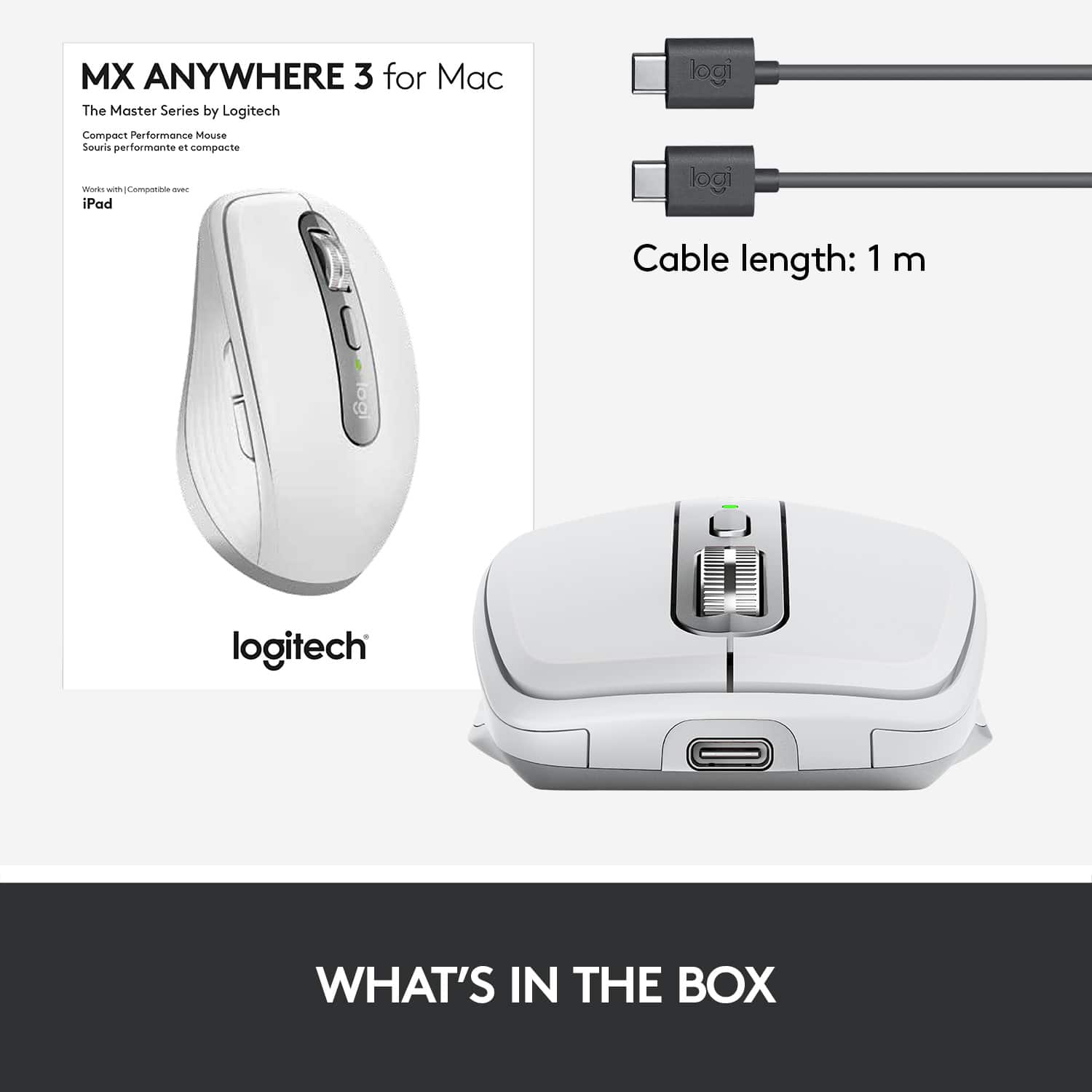

- Model:
- 910-005899
- |
- SKU:
- 6424892
Customer reviews
Rating 4.7 out of 5 stars with 638 reviews
(638 customer reviews)Rating by feature
- Value4.5
Rating 4.5 out of 5 stars
- Quality4.8
Rating 4.8 out of 5 stars
- Ease of Use4.8
Rating 4.8 out of 5 stars
Customers are saying
Customers admire the MX Anywhere 3’s ease of use, long battery life, and compact size. The smooth scroll wheel and compatibility with Mac systems are also frequently praised, along with its Bluetooth connectivity and high-quality build. While some users find the click sound noticeable, the overall positive feedback highlights its excellent ergonomics and lightweight design.
This summary was generated by AI based on customer reviews.
- Pros mentioned:Compatibility
Rated 5 out of 5 stars
Best Mouse Ever
||Posted . Owned for 2 months when reviewed.This reviewer received promo considerations or sweepstakes entry for writing a review.Best mouse Ever! Works wonderfully with my Mac book pro M1. As stated, works well on any surface. Fits nicely in the had and very smooth glide. The programable buttons are a real plus. A bit pricy for me, but it was worth the money.
I would recommend this to a friend Rated 5 out of 5 stars
Best Compact Mouse Anywhere
||Posted . Owned for 2 months when reviewed.This reviewer received promo considerations or sweepstakes entry for writing a review.I love the small ergonomic style of this mouse. It is now my go to mouse for my rMacBook Pro. With the customizeable feature set using the Logi options software this mouse will do anything you want. If you want a compact mouse, buy it!
I would recommend this to a friendRated 5 out of 5 stars
If you don’t like Apple’s Magic Mouse
||Posted . Owned for 3 weeks when reviewed.This reviewer received promo considerations or sweepstakes entry for writing a review.If you don’t like the Apple Magic Mouse this is a great alternative. It can be used for multiple machines. Easy connection and a power switch to save battery life.
I would recommend this to a friendRated 5 out of 5 stars
Amazing battery life on this mouse
||Posted . Owned for less than 1 week when reviewed.This reviewer received promo considerations or sweepstakes entry for writing a review.Works great on any surface, battery life will last longer than you can remember to charge it. Only downside is the scroll wheel which doesn’t work well on the MacBook. Overall I would definitely recommend this.
I would recommend this to a friendRated 3 out of 5 stars
Hardware brilliant. Software not so much.
||Posted . Owned for 1 week when reviewed.This reviewer received promo considerations or sweepstakes entry for writing a review.Fantastic build quality and the MagSpeed wheel is incredible. My issue is Flow and Logitech Options which enables working between multiple systems. I’ve got a new MacMini M1 and a 2017 iMac 27” both running Big Sur and Flow just doesn’t, umm, flow. Switching between the systems is cloogy to me. Installing the Logitech Options was an exercise in frustration as well on both systems. Ideally the mouse should flow between the systems seamlessly but it just doesn’t. And the physical button to Flow between both systems is under the mouse. All that said, the mouse is still amazing and I’m now using it on my MacMini having returned to Apple OEM inputs for the iMac and uninstalled the Logitech Options software. Yet keeping this mouse which is the same price as a Magic Mouse 2 is making me question the purchase. The acceptable up charge was for the Flow technology. I’m not sure I’ll keep it.
No, I would not recommend this to a friendBrand response from Logitech
Posted .Hello tank! I'm sorry to hear you're running into issues with Flow and Options. I would recommend checking to see if the mouse is up to date and your Macs are running the same operating system. You can also change all of the Flow settings in the Options software. Sometimes uninstalling and reinstalling Options will help as well. I'm glad you're still enjoying the mouse, however. Feel free to reach out to our support team here https://support.logi.com/hc/en-us/requests/new?ticket_form_id=360000621393 if you ever run into any other issues. Thank you for this feedback. I'll be passing this along. Have a great day! - Maggie from Logitech
Rated 5 out of 5 stars
Perfect!
||Posted . Owned for 1 week when reviewed.This reviewer received promo considerations or sweepstakes entry for writing a review.I have a mac and i was wanting a mouse. This is everything i could have wanted. And its portable and rechargeable. Couldn’t be happier!
I would recommend this to a friendRated 5 out of 5 stars
go for it
||Posted . Owned for 1 month when reviewed.This reviewer received promo considerations or sweepstakes entry for writing a review.easy and smooth, wire or no wire left or right no repeated adjustment on pad
I would recommend this to a friendBrand response from Logitech
Posted .The Logitech MX Anywhere 3 is a fantastic choice for those who need a portable and versatile mouse. Its compact design, multi-device connectivity, and smooth tracking make it a great option for working on the go.
Rated 5 out of 5 stars
Excellent Product
||Posted . Owned for 3 weeks when reviewed.This reviewer received promo considerations or sweepstakes entry for writing a review.An excellent mouse with light weight,wireless,rechargeable battery & reasonable price。
I would recommend this to a friendBrand response from Logitech
Posted .I definitely hear you! The Logitech MX Anywhere sounds like a fantastic option for a mouse, especially considering the features you mentioned.
Rated 5 out of 5 stars
10/10
||Posted . Owned for 1 month when reviewed.This reviewer received promo considerations or sweepstakes entry for writing a review.Great mouse for a modest price. 10/10 recommend. Love that you can charge the mouse and don't need external batteries.
I would recommend this to a friendRated 5 out of 5 stars
Logitech MX Anywhere 3
||Posted . Owned for 1 week when reviewed.This reviewer received promo considerations or sweepstakes entry for writing a review.Very comfortable to use and compact. Battery life seems pretty good, even after forgetting to turn it off a few times.
I would recommend this to a friendRated 5 out of 5 stars
Good Logitech quality
||Posted . Owned for 3 months when reviewed.This reviewer received promo considerations or sweepstakes entry for writing a review.I was on the road and needed a mouse for my MacBook Pro. Picked this up and it worked better than I expected. A little pricy but worth it. Smaller that is good for packing but large enough for my big hands.
I would recommend this to a friendRated 5 out of 5 stars
Limited ports
||Posted . Owned for 3 weeks when reviewed.This reviewer received promo considerations or sweepstakes entry for writing a review.Replaced a mouse that used a plug in piece to work. Port space on my computer is limited so this works better for me
I would recommend this to a friendRated 5 out of 5 stars
Perfect Multifunctional Bluetooth Mouse
||Posted . Owned for 1 month when reviewed.This reviewer received promo considerations or sweepstakes entry for writing a review.Perfect for your Apple Products. The switch on the bottom so you can connect it to three different products is perfect. I have it connected to my PS5, MacBook Air, and my iPad Pro. Seem less intervention on all three
I would recommend this to a friendRated 5 out of 5 stars
Great mouse
||Posted . Owned for 3 weeks when reviewed.This reviewer received promo considerations or sweepstakes entry for writing a review.Excellent mouse. It has a very long battery life (or you can use it while plugged in). It is comfortable and easy to adjust the settings.
I would recommend this to a friendRated 5 out of 5 stars
the best portable mouse
||Posted . Owned for 1 week when reviewed.This reviewer received promo considerations or sweepstakes entry for writing a review.MX Anywhere 3 has been designed with Mac users in mind, for those users that are looking for a cheaper price but a good tool that works perfectly with your iMac, MacBook, and iPad. Truly recommended!
I would recommend this to a friendRated 5 out of 5 stars
Smooth like butter
||Posted . Owned for 2 months when reviewed.This reviewer received promo considerations or sweepstakes entry for writing a review.Great mouse. Lightweight and smooth to use. Lots of great features
I would recommend this to a friendBrand response from Logitech
Posted .Hey! Thanks for the kind words about the MX Anywhere 3! We're glad you find it lightweight, smooth to use, and packed with features.
Rated 5 out of 5 stars
Love it!
||Posted . Owned for 1 week when reviewed.This reviewer received promo considerations or sweepstakes entry for writing a review.I did not have good luck with other wireless mouse in the past but this one is great and with good battery life!
I would recommend this to a friendRated 5 out of 5 stars
Great product!
||Posted . Owned for 1 week when reviewed.This reviewer received promo considerations or sweepstakes entry for writing a review.I use this for my iMac, its small yet extremely functional. I took the time to set it up through the website/app and was able to customize it to my needs
I would recommend this to a friendRated 5 out of 5 stars
Recommend this product
||Posted . Owned for 3 months when reviewed.This reviewer received promo considerations or sweepstakes entry for writing a review.Use this mouse with my MacBook Pro and it works like a champ! Super-long battery life and functions great on many surfaces.
I would recommend this to a friendRated 5 out of 5 stars
Cute n comfy
||Posted . Owned for 1.5 years when reviewed.This reviewer received promo considerations or sweepstakes entry for writing a review.Best laptop mouse, easy to use, comfy for smaller hands
I would recommend this to a friendBrand response from Logitech
Posted .That's wonderful to hear! We know how important it is to have a comfortable and easy-to-use mouse, especially for smaller hands. Thanks for letting us know the Logitech MX Anywhere 3 fits the bill perfectly!