Last Chance 48-Hour Flash SaleEnds Dec. 24. Limited quantities.Shop now

Skip to content
Gift Ideas
Main Content

Customer Ratings & Reviews

Your price for this item is $104.77

Customer reviews

Rating 4.7 out of 5 stars with 500 reviews

Rating Filter

Rating by feature

  • Value

    Rating 4.5 out of 5 stars

  • Quality

    Rating 4.7 out of 5 stars

  • Ease of Use

    Rating 4.8 out of 5 stars

94%
would recommend
to a friend
The vast majority of our reviews come from verified purchases. Reviews from customers may include My Best Buy members, employees, and Tech Insider Network members (as tagged). Select reviewers may receive discounted products, promotional considerations or entries into drawings for honest, helpful reviews.
Page 24 Showing 461-480 of 500 reviews
  • Rated 2 out of 5 stars

    Beware No Dongle Included

    |
    |
    Posted . Owned for 3 weeks when reviewed.
    This reviewer received promo considerations or sweepstakes entry for writing a review.

    I bought this mouse for use with my work laptop. I was excited about the 8k dpi laser tracking on almost any surface including glass. The mouse does not come with a dongle / fob for non-bluetooth connection. I am restricted from dowloading software so I had to return the mouse. You would think Logitech would have included a dongle for the price.

    No, I would not recommend this to a friend
    • Brand response from Logitech
      Posted .

      We're sorry to disappoint you. The MX Anywhere 3S does not come with a receiver. However, we'll surely take this as feedback and share it with our team. Thank you for your valuable feedback.

  • Rated 3 out of 5 stars

    Good

    |
    |
    Posted . Owned for 1 month when reviewed.
    This reviewer received promo considerations or sweepstakes entry for writing a review.

    This mouse is good ,if you are looking for a mouse.

    I would recommend this to a friend
  • Rated 1 out of 5 stars

    Overpriced piece of crap

    |
    |
    Posted . Owned for 2 weeks when reviewed.
    This reviewer received promo considerations or sweepstakes entry for writing a review.

    Can't recommend this mouse. The scroll wheel is awful, very inconsistent scroll speed, scrolling down often doesn't move more than a single line or two. Mouse also goes completely unresponsive for 5-10 seconds occasionally. Tried updating the firmware through logitechs software and it doesnt recognize the mouse... An absolutely overpriced piece of crap.

    No, I would not recommend this to a friend
    • Brand response from Logitech
      Posted .

      That's disappointing to hear and it's surely not what we expect to deliver. In order to help you effectively, please provide your information to our support team by emailing socialcare@logitech.com. Name – Email address – Country – Product name – Brief description of the issue –

  • Rated 1 out of 5 stars

    Started out great but it’s giving me issues now

    |
    |
    Posted . Owned for 10 months when reviewed.
    This reviewer received promo considerations or sweepstakes entry for writing a review.

    Only had this mouse for 10 months and it’s already beginning to have issues. First it would randomly disconnect every 4-5 days. Now the mouse disconnects every minute for a few seconds. Absolutely unacceptable for a $90 mouse.

    No, I would not recommend this to a friend
    • Brand response from Logitech
      Posted .

      We apologize for the inconvenience you're experiencing with the Logitech MX Anywhere 3S. It's unexpected to encounter connectivity issues with a product of this quality, especially within such a short timeframe. To address this issue, we recommend reaching out to our social care team via email at socialcare@logitech.com with your
      - Name:
      - Email Address:
      - Country:
      - Product Name:
      - Brief description of issue:

  • Rated 2 out of 5 stars

    Won't stay connected

    |
    |
    Posted . Owned for less than 1 week when reviewed.
    This reviewer received promo considerations or sweepstakes entry for writing a review.

    Even when I don't use the $85 keyboard that goes with it I still can't get this mouse to stay connected

    No, I would not recommend this to a friend
    • Brand response from Logitech
      Posted .

      It's disappointing to hear and it's surely not what we expect to deliver. In order to help you effectively, please provide your information to our support team by emailing socialcare@logitech.com. Name – Email address – Country – Product name – Brief description of the issue –

  • Tech Insider Network Member

    Rated 5 out of 5 stars

    Great bag friendly version of Logitech's mice

    |
    Tech Insider Network Member
    Posted .
    This reviewer received promo considerations or sweepstakes entry for writing a review.

    I use an MX Master as my primary "pointing" device on the desk at the office, but that's way too large and bulky to throw in a bag and take with you on the go. The MX Anywhere is a great option for that. This mouse has what feels like a semi ergonomic design, that could also be used right or left handed. I'm right, but my partner is left, and she sometimes grabs my computer mouse, so this works out well for her. Surprisingly a magnetic haptic scroll wheel is included in such a small package. The only downside was that this package is bluetooth only, as I see it's compatible with logitech receivers, but one wasn't included. In retrospect, this might be okay, since I have a bunch of these laying around at home now that almost all my devices are bluetooth capable, and the receiver isn't needed anyway. This becomes even more important with the thin form factor of lots of today's laptops and the low number of usb ports, or even my newest one with NO usb A ports at all. Charging over USB C and the ability to connect to 3 different devices are just added features. Logitech has the brushed plastic luxe feel down, and not many can recreate it as nicely as this one feels in the hand. Would recommend this mouse!

    I would recommend this to a friend
  • Rated 1 out of 5 stars

    Save yourself from having to buy twice!

    |
    |
    Posted . Owned for 1 month when reviewed.
    This reviewer received promo considerations or sweepstakes entry for writing a review.

    Please save yourself from having to buy twice by not buying this mouse. Even spending fractionally more money for a better mouse is 100% worth it. This thing just isn't a good product.

    No, I would not recommend this to a friend
    • Brand response from Logitech
      Posted .

      We regret to know that the product did not meet your expectations. We'll make sure to share it with the right team so they can look into it. Thanks for your valuable feedback and inputs.

  • Rated 1 out of 5 stars

    No

    |
    |
    Posted . Owned for 3 weeks when reviewed.
    This reviewer received promo considerations or sweepstakes entry for writing a review.

    USB receiver was missing from all packages, verified by Best Buy associate.

    No, I would not recommend this to a friend
    • Brand response from Logitech
      Posted .

      We're sorry to hear that the USB receiver was missing from all packages, as verified by a Best Buy associate. We understand this is an inconvenience. Please double-check the battery compartment of the device, as the receiver is sometimes stored there. If it's still missing, we recommend reaching out to your place of purchase (Best Buy) for a replacement or further assistance. Logitech

  • Rated 1 out of 5 stars

    No Bluetooth

    |
    |
    Posted . Owned for 1 month when reviewed.
    This reviewer received promo considerations or sweepstakes entry for writing a review.

    Apparently, I just bought the only computer in the world that does not have bluetooth, so this $80 purchase is worthless to me.

    No, I would not recommend this to a friend
    • Brand response from Logitech
      Posted .

      That's sad to hear! However, MX Anywhere 3S is compatible with Logi Bolt USB Receiver (not included).

  • Rated 1 out of 5 stars

    Doesn't work

    |
    |
    Posted . Owned for 3 weeks when reviewed.
    This reviewer received promo considerations or sweepstakes entry for writing a review.

    The mouse continually looses Bluetooth connection and stops working. I have to stop and go through the connection process which requires getting another mouse to control the computer. Support is of no help. Would not buy again

    No, I would not recommend this to a friend
    • Brand response from Logitech
      Posted .

      We're sorry to hear about the experience. Ensure that your Logitech device is in close range of your computer. If the problem persists, feel free to reach out to our support team for further assistance.

  • Rated 1 out of 5 stars

    Not worth the price

    |
    |
    Posted . Owned for 2 months when reviewed.
    This reviewer received promo considerations or sweepstakes entry for writing a review.

    Clicks are to sensitive especially if you have the roller wheel resistance turned up.

    No, I would not recommend this to a friend
    • Brand response from Logitech
      Posted .

      That shouldn't be the case. However, In order to help you effectively, please provide your information to our support team by emailing socialcare@logitech.com. Name – Email address – Country – Product name – Brief description of the issue –

  • Tech Insider Network Member

    Rated 5 out of 5 stars

    Excellent low-profile mouse with great feature set

    |
    Tech Insider Network Member
    Posted .
    This reviewer received promo considerations or sweepstakes entry for writing a review.

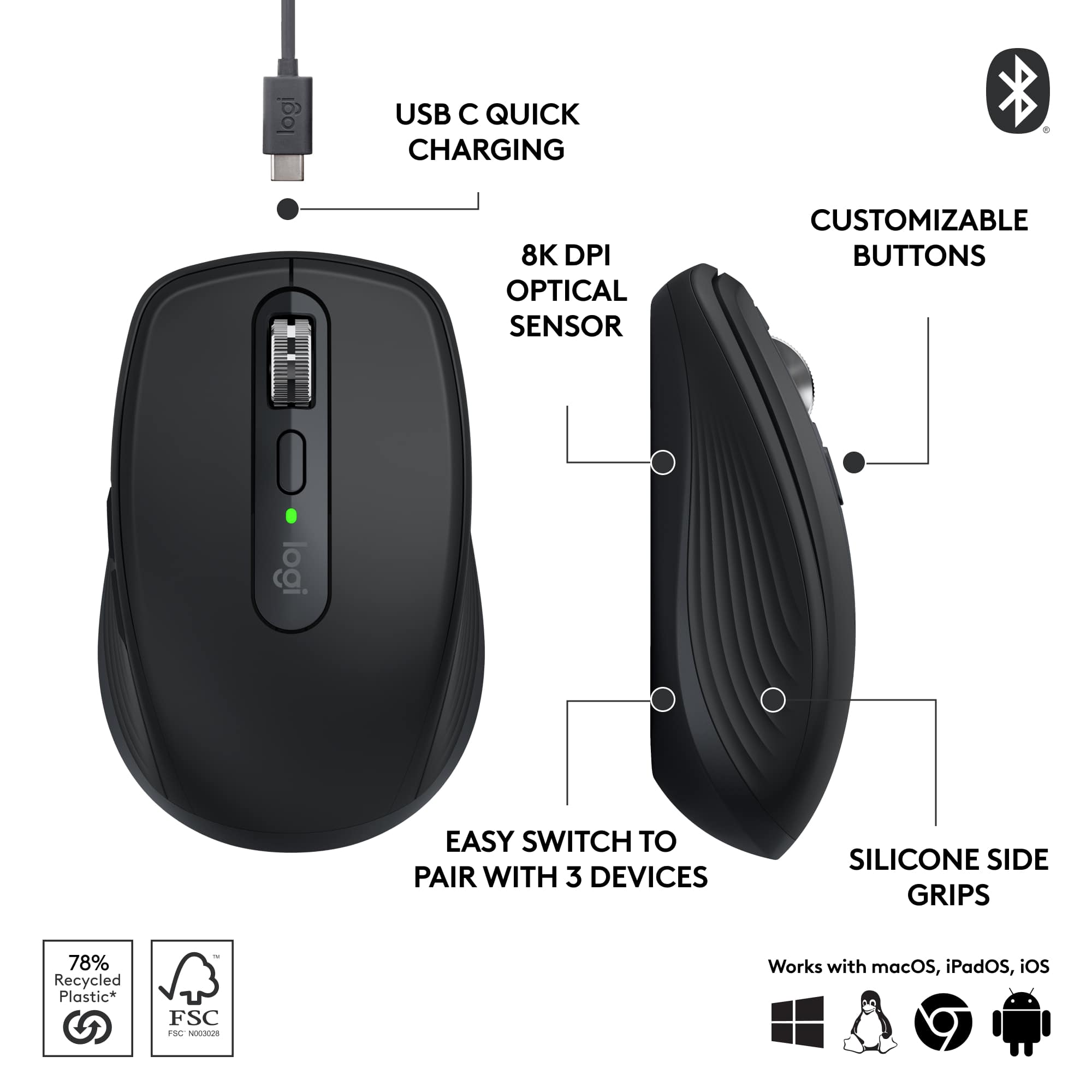
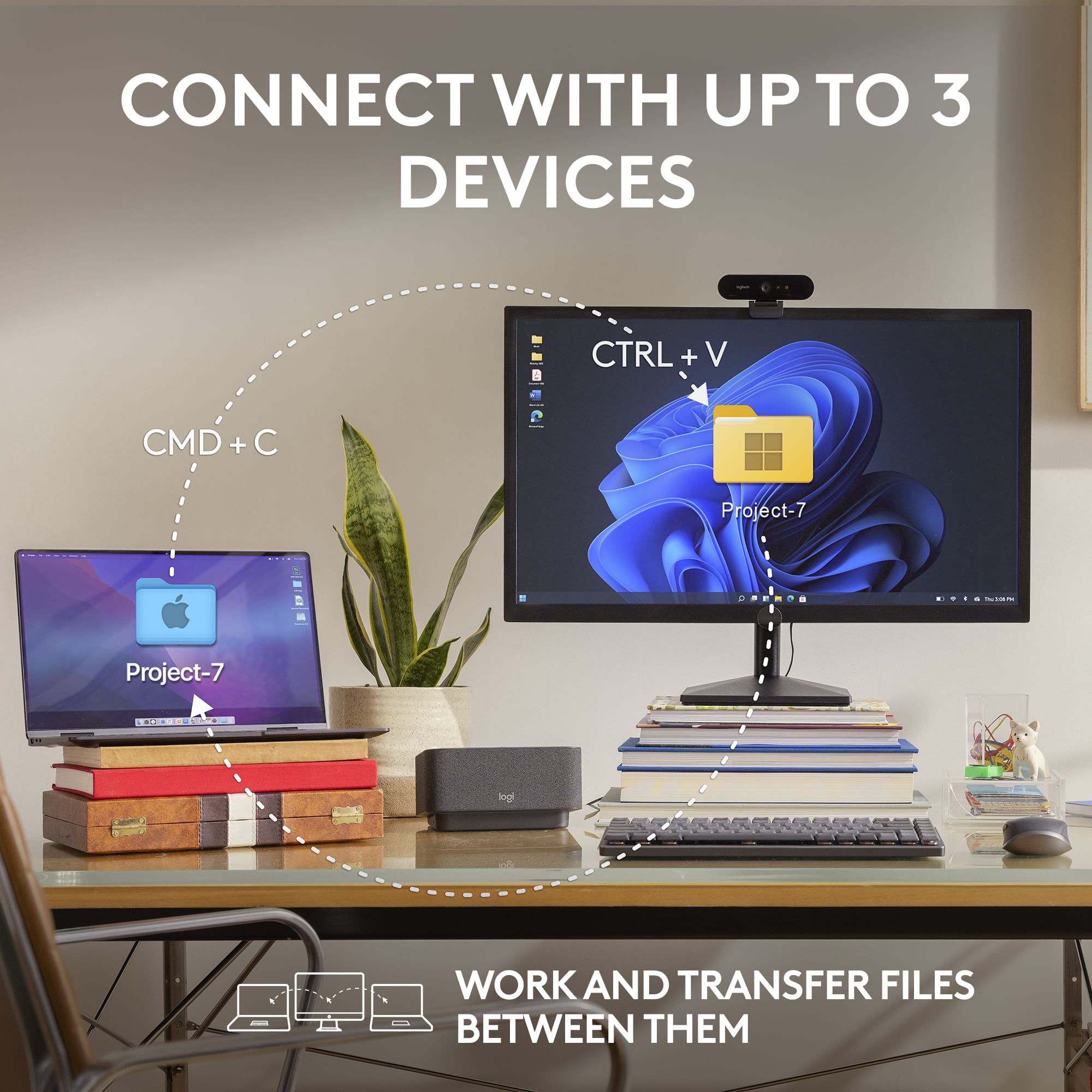
    I bought an MX Anywhere 2 a long time ago. I still have it and use it for travel. It works great and the battery is still very good on it. I was excited to upgrade to the latest version, the MX Anywhere 3S. Design and comfort The MX Anywhere 3S is a great, small mouse. It's comfortable to use and has a few great features. I find it very comfortable to use and it works well. There is a scroll wheel that you can use as a third mouse button, no conventional lateral movement with the scroll wheel but I'll get to that later. It has two buttons on the left hand side. The primary two mouse buttons work great, giving a solid click but it's not too hard to press and not too loud. The mouse wheel is probably my favorite feature for a few reasons. For now, the feel is excellent and it works great! Features First, this little travel mouse has an 8,000 dpi sensor!!! I was excited to find that out. Plenty to handle my desktop width equal to that of five 1080p displays. It's great to have a small and comfortable mouse that's that versatile. Second, the wheel can scroll line-by-line, like most mouse wheels do, or it can scroll in free-spinning mode. There is a toggle button or, if you flick it, it automatically switches into free-spinning mode and then switches back when it stops. My old MX Anywhere 2 had the mode switching but only with a button press. Third, I mentioned that the mouse wheel doesn't have the lateral press to go left or right, like in a spreadsheet for instance. The cool thing is that it's just implemented a different way. You hold down either of the two side buttons and then scroll with the wheel and it will go left or right. It works the same way but I find it easier control. I really like this! Fourth, The "Easy-Switch button" allows you to switch between three different computers with the press of a three-way toggle button. Each one lets you setup a Bluetooth connection independently of the others. This is a features I used and loved on my old MX Anywhere 2. Options+ App You will want the app to adjust the dpi, "Scroll Force", and how easily it switches between scroll modes automatically. There are a number of settings you can customize and it also offers specific customizations you can enable for specific applications you ay have installed. Options+ is easy to use and has lots of pictures to walk you through what you're doing. Battery life So far the battery life appears to be excellent! They claim 70 days between charges and I can see that as very possible. You need to enable 8K mode for the DPI over 4000 so I'm guessing that battery life may not be as good over that threshold but even if it cuts it in half, 35 days of normal use on a charge is pretty excellent. Summary The MX Anywhere 3S does not come with a USB transceiver like previous versions did, but it does supports a Logi Bolt USB transceiver so you can buy that for it if you want. I love the excellent feature set, it's comfortable to use for me even though it's small, and I'm very impressed by the battery life.

    I would recommend this to a friend
  • Rated 1 out of 5 stars

    mice away 2

    |
    |
    Posted . Owned for 3 weeks when reviewed.
    This reviewer received promo considerations or sweepstakes entry for writing a review.

    i wouldnt give this mouse away for free but logitech has my heart.

    No, I would not recommend this to a friend
    • Brand response from Logitech
      Posted .

      We truly appreciate your feedback and are delighted to know you enjoyed our product as much as we do. Your satisfaction is our top priority. Thanks so much!

  • Rated 5 out of 5 stars

    Dang fine peripheral

    Posted .
    This reviewer received promo considerations or sweepstakes entry for writing a review.

    I've always used Logitech peripherals, but I've never loved them. Until now. I love this mouse. No IR fob, clean tracking over every surface, comfortable in my fat hands. And it goes where my laptop goes. It's pricey, but it's worth it.

    I would recommend this to a friend
  • Tech Insider Network Member

    Rated 5 out of 5 stars

    The Best Small/Travel Mouse

    |
    Tech Insider Network Member
    Posted .
    This reviewer received promo considerations or sweepstakes entry for writing a review.

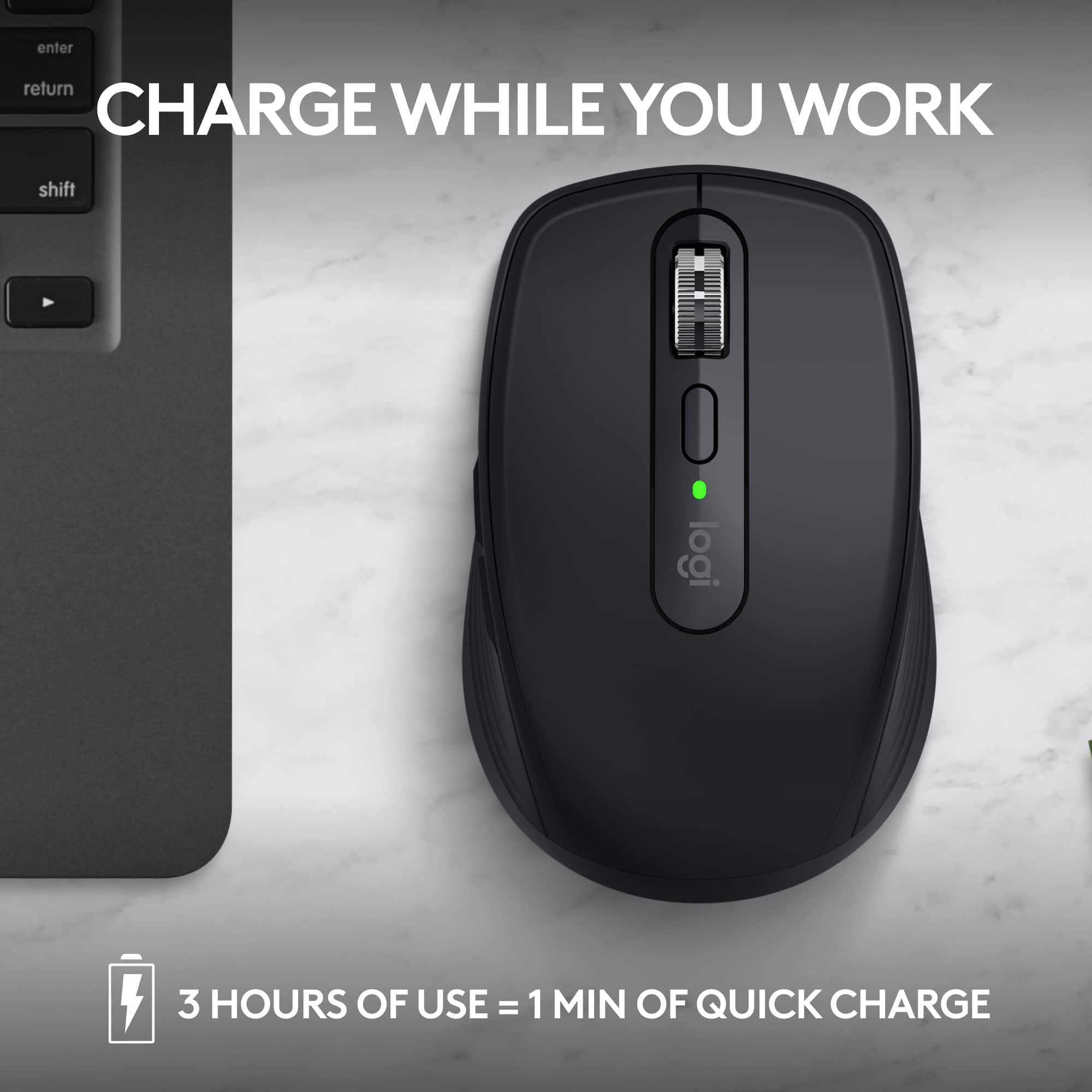
    PROS: - Pair to 3 devices (regardless of OS) - SUPER quiet mouse clicks - Customizable buttons (need the Logi Options+ app) - Compatible with existing Logi Bolt USB receiver(s) - Works on multiple surface types - Very long battery life - USB-C charging CONS: - I doubt the switches are optical (Logitech doesn’t specify) == SETUP == If you’re going to pair your mouse via Bluetooth, it couldn’t be easier. The first time you select a device on the bottom of the mouse (numbered 1 through 3) it will automatically enter pairing mode, just find the MX Anywhere 3S on your PC/laptop/tablet/phone to pair. If you’re going to pair your mouse using an existing Logi Bolt receiver, you can do it using the Logi Bolt application (it’s the same process for any Logi Bolt compatible device). This saves the device details on the mouse, making it really handing for switching between your desktop (mine has the Logi Bolt) and laptop/tablet. To get the most out of the mouse, you can customize the buttons using Logitech’s “Logi Options+” application (on Windows and macOS). I’m fine with the default forward+backward mappings, but you might prefer something different or macros for your workflow. == PERFORMANCE == Logitech claims that you can get up to 70 days of battery life on a full charge, and get up to 3 hours of use from just 1 minute of charging. I haven’t owned mine long enough to test this claim, but I’m sure it’s close. Having a USB-C charging port is great, so I can just use the same cable for my phone/tablet/laptop to charge up the mouse two months from now! The tracking on the mouse is great! I’ve used it on multiple surfaces (even glass) and haven’t run into any issues. The pads on the bottom are very slick, so there’s very little effort to move the mouse around. What I love the most about this mouse is just how QUIET it is while using it. I don’t know what switches Logitech is using, but they are the quietest ones I have ever used. I would have no problems clicking away with it in a library. Switching between devices is as seamless as it can get. Just make sure your laptop/desktop/tablet/phone has Bluetooth on (or the receiver is plugged in), and instantly switch between each device. I personally like using it with my iPad and laptop. I haven’t run into any issues using it between Windows, Linux, macOS, or iPadOS. == BOTTOM LINE == I really don’t think you’ll find a better compact/travel mouse out there. It’s comfortable to use (even with my big, fat hands), battery life is great (the USB-C port lets you use one cable between all your devices), and has the quietest button clicks I’ve ever heard on a mouse.

    I would recommend this to a friend
  • Tech Insider Network Member

    Rated 4 out of 5 stars

    Excellent quality, low on quantity

    |
    Tech Insider Network Member
    Posted .
    This reviewer received promo considerations or sweepstakes entry for writing a review.

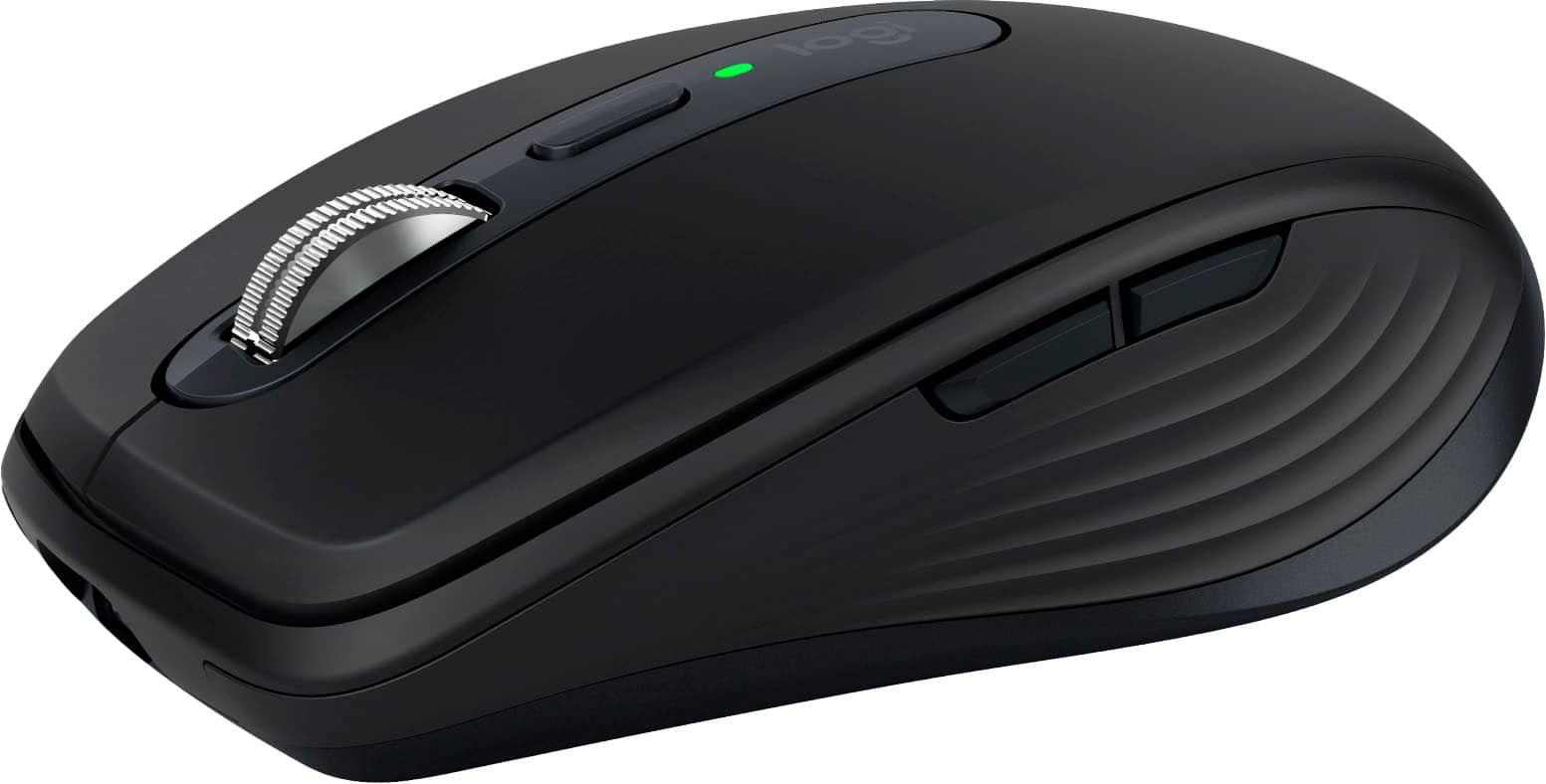
    I wanted to love this mouse; I really did. It's clearly very well made in terms of build quality and engineering - especially of the control surfaces. The satin finish and rubberized plastics feel really nice to the touch, like a high-end luxury car from 15-20 years ago. It (and by extension the screen cursor) moves smoothly and cleanly, with excellent precision, on all my obvious test surfaces of desk veneer; mousepad; palm; pant leg; even the computer monitor itself - though with some minor difficulty on the "palm" and "leg" test cases owing to their uneven contours. (I kid, but those surfaces genuinely do offer topographic challenges.) I did not attempt to test it on glass as in their marketing literature claims, as I lack a suitable flat glass surface within practical range of the computer. Clicks are crisp, and are as quiet as the manufacturer's marketing literature claims - which seems a really odd thing specifically to point out (no pun intended), but is actually surprisingly noticeable once you're listening for it. The scroll wheel is *buttery* smooth and a genuine joy to use. It's relatively straightforward to pair via Bluetooth, with only a minor hiccup of pairing with multiple devices requiring an extra non-intuitive step (which also comes up if you need to *re*pair it with a device with which it already has been paired, but that device has forgotten it for whatever reason). The manufacturer claims the battery is good for something like 70 days of use (whatever a "day of use" means, specifically) off a single full charge that took somewhere between 1-3 hours (I wasn't watching it closely) on my 1 amp charger, and something like 2-3 hours off only a couple of minutes of charge (which I didn't test). I've only had it now for a little over 8 full days, so I haven't been (and likely won't be) able to probe the depths of its battery life during this review horizon. For whatever it's worth, I've deliberately not turned it off since my initial pairing tests, so it's technically been "on" for basically that entire time regardless of my actual usage patterns. But dang if it isn't just too blasted small for me, personally, to be comfortable using it as an "everyday" mouse. At a hair over 6" stem-to-stern (from heel of palm to tip of middle finger) and basically only 2" of thumb, I have *extremely* small hands for an adult of either gender (male and female averages respectively are 7.6" and 6.8" for hands, and 2.74" and 2.49" for thumbs). Flagship smartphones for the last 5 or so years have been too large for me to comfortably use one-handed without having to juggle them around awkwardly to reach the far side (let alone top corner) with my thumb. I'm generally perfectly comfortable with "short" watch straps, and actually have to worry about certain things larger than a "regular" length falling off over my hand. All that being said, I still feel like this mouse is uncomfortably small for me. The entire mouse is only about an inch longer than my fingers, leading to some form of awkward discomfort no matter how I hold it. If I "choke up" so that my palm rests on its "body," then I can't use the buttons or scroll wheel without sharply curling my fingers like I'm desperately trying to hold onto the rail of a helicopter in an '80s action movie. If I "choke down" so that I can easily use the buttons and wheel, then my wrist (along with something like ¾ of my palm) is resting on the desk surface in open invitation to carpal tunnel. The other Logitech mouse I've used literally every day for the last 5+ years before I started testing this one is quite literally twice the size of this one by volume (with an ergonomic design contoured to the natural asymmetrical shape of the human hand at rest, to boot), and I personally strongly prefer that larger ergonomic form factor for comfort. Bottom line? For me, personally, this is a 3-star product at best for the issues I have with its size, but I'm rounding up to the extra star out of the benefit of the doubt for its obvious quality; it's not the mouse's fault that I personally find it too small. Heck, a lot of people clearly love teensy little mice given how prevalent these compact models are on the market, and I suppose this would be roughly comparable to complaining that a Mini Cooper doesn't have the cargo space to haul a sofa or some such. The fact of the matter is, for someone who spends well over 8 hours per day using a computer as I do, the extra comfort and ergonomics afforded by a larger product is an absolute necessity, and the lack thereof in this model is a deal-breaker. I'm willing to concede that it would make a fine "emergency" replacement, or be useful for travel where space is at an extreme premium, but I simply cannot use it as a regular everyday mouse.

    I would recommend this to a friend
  • Tech Insider Network Member

    Rated 5 out of 5 stars

    It really is great for anywhere

    |
    Tech Insider Network Member
    Posted .
    This reviewer received promo considerations or sweepstakes entry for writing a review.

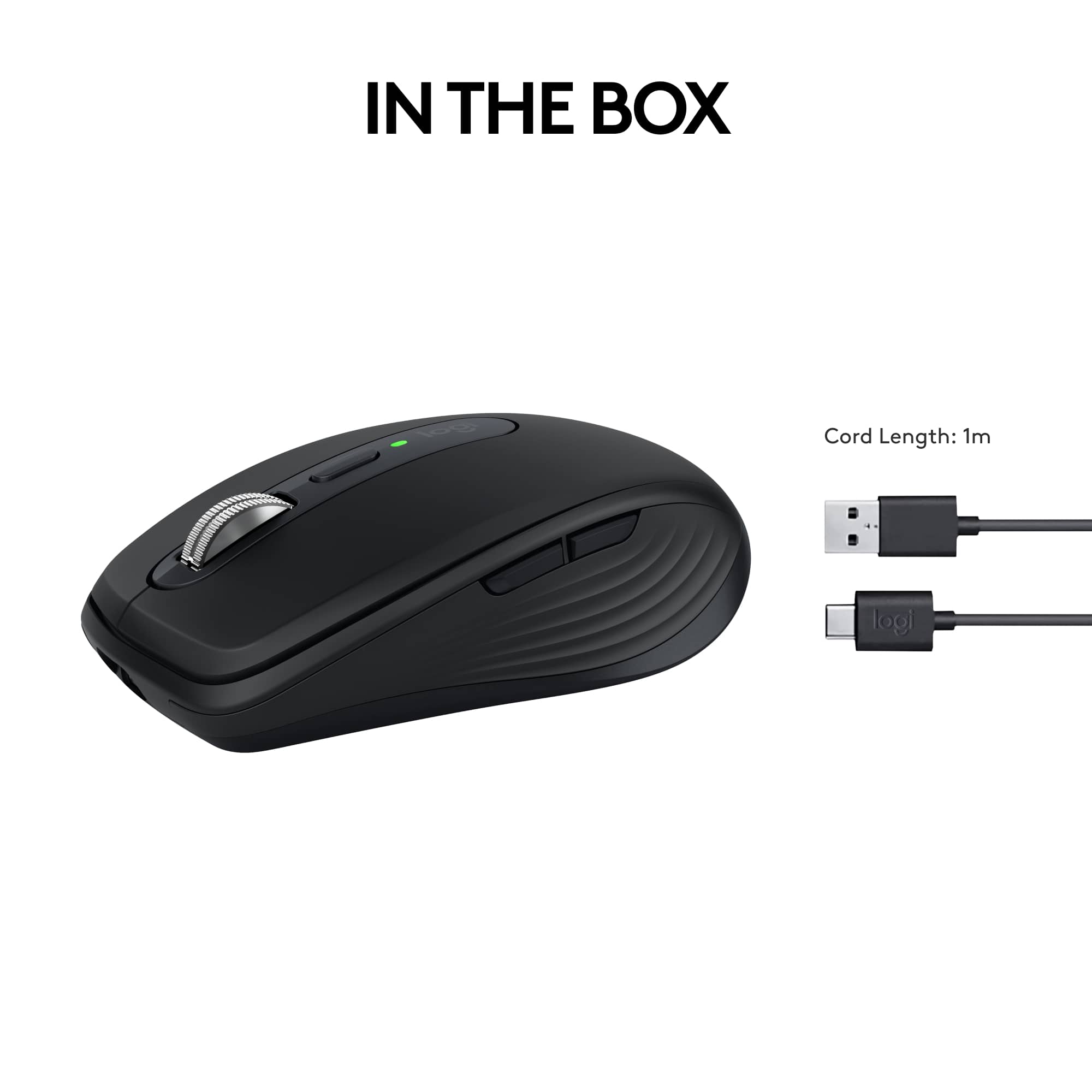
    The mouse is very comfortable and fits in the hand nicely, though it is on the smaller side. The buttons are all well placed and they have a high quality feel to them when clicked, especially the scroll wheel. You can change the setting of the wheel so it clicks or spins freely. It glides over the mousepad nicely and doesn't stick. It's a very simple mouse and just has the basics, but is all that you need for an office mouse. It's easy to set up and figure out. However, the cord is short and will make it difficult to use and charge simultaneously. You can use this mouse wirelessly for a long period of time via bluetooth, or when it's time to charge, plug it in and continue using it wired. Overall, this is a high quality mouse that is good in about every aspect and I would definitely recommend it. Pros- This mouse will work on any surface, so it's great for any set up. MagSpeed scrolling allows 1000 lines per second. Customizer your settings and buttons for the best optimization. A long battery life - holds a charge up to 70 days. Cons- A bit small depending on your hand size and preference. The USB-C cord is a tad short.

    I would recommend this to a friend
  • Tech Insider Network Member

    Rated 5 out of 5 stars

    A perfect compact mouse!

    |
    Tech Insider Network Member
    Posted .
    This reviewer received promo considerations or sweepstakes entry for writing a review.

    I have owned both the MX anywhere 2 and the master 3s and now have the privilege to own this MX3s. If you have never experienced a mouse that can be used on any surface (including glass) you have been likely very frustrated at times with your mouse. When logitech says "anywhere" they mean it. I have tested this MX3s on granite, carpet, concrete sidewalk, couch, and bed linens. This mouse never misses a beat and tracks so incredibly fast and accurate. I tried my best to make it fail to do so but actually, I failed. I am happy to say they updated the charging to the more industry standard USB type c. This should allow faster charging and while I have not tested this yet - I have used this as my main mouse for 7 full days at work - 8 hours a day and the charge is still at 50%. The fit and finish are what you would expect from Logitech - premium feel, weight and hand position. All buttons are customizable which is a plus. A nice compact design which can fir it any backpack or bag easily. Logitech never disappoints with their mice - they simply just work; all the time and the battery lasts a long time. You won't be displeased.

  • Tech Insider Network Member

    Rated 5 out of 5 stars

    Sleek and Fast

    |
    Tech Insider Network Member
    Posted .
    This reviewer received promo considerations or sweepstakes entry for writing a review.

    Been using this for about a week and a half now. Set up is essentially plug and play. Took merely minutes. Out of the box the settings for me were simply too fast. From the scrolling to the speed of the cursor. This isn't a complaint, just a personal observation. Once I accessed the settings, things went fine and I was able to slow both down. I find the mouse to be very comfortable to use and it is also very responsive. It is just the right size and does not feel too bulky or too small. It comes with a USB cable and is also just plug and play to charge. The small USB adapter plugs right in and it sets itself up or of course via bluetooth. It of course is wireless, so once its charged up, simply unplug the cable and you are on your way. The mouse buttons are easily set up to your preference and you have the option to select left or right handed use. I am using this with an HP laptop and hqve had no issues whatsoever. This replaced a previous Logitech mouse and I find this new one has better control and responsiveness. I would recommend this product.

    I would recommend this to a friend
  • Tech Insider Network Member

    Rated 5 out of 5 stars

    Operates smooth with light effort

    |
    Tech Insider Network Member
    Posted .
    This reviewer received promo considerations or sweepstakes entry for writing a review.

    The Logitech MX Anywhere 3S – Black is a mouse with a great compact fit for my hand that gives me smooth control of my clicks and my navigation through my icons and all of the many types of documents that I work on from time to time. It easily set up as soon as I plugged it into my computer’s USB port. I went to my settings and turned on the Bluetooth command and the search for the Bluetooth of the Logitech MX Anywhere 3S – Black began immediately. Once installed, the Logitech MX Anywhere 3S – Black mouse took over the cursor pointer and I could then execute commands. The Logitech MX Anywhere 3S – Black operates smoothly and silently, with no difficulty. Navigation with the Logitech MX Anywhere 3S – Black is comfortable and smooth flowing. I can scroll through pages very quickly and perform every task effortlessly with the Logitech MX Anywhere 3S – Black. I like how it fits inside my hand, with its smaller compact design. The Logitech MX Anywhere 3S – Black is great to have for travelling with my laptop or using at home on my desktop.

    I would recommend this to a friend