Customer Ratings & Reviews










- Model:
- 910-006928
- SKU:
- 10954241
Rating by feature
- Value
Rating 4.5 out of 5 stars
- Quality
Rating 4.7 out of 5 stars
- Ease of Use
Rating 4.8 out of 5 stars
Customers are saying
Customers consistently note the product's ease of use, long battery life, and ideal size. Many appreciate its smooth performance, effortless scrolling, and reliable connectivity across various surfaces. However, some customers have expressed concerns about the click noise and price point.
This summary was generated by AI based on customer reviews.
- Pros mentioned:Battery life, Size

Great addition to any traveling work setup
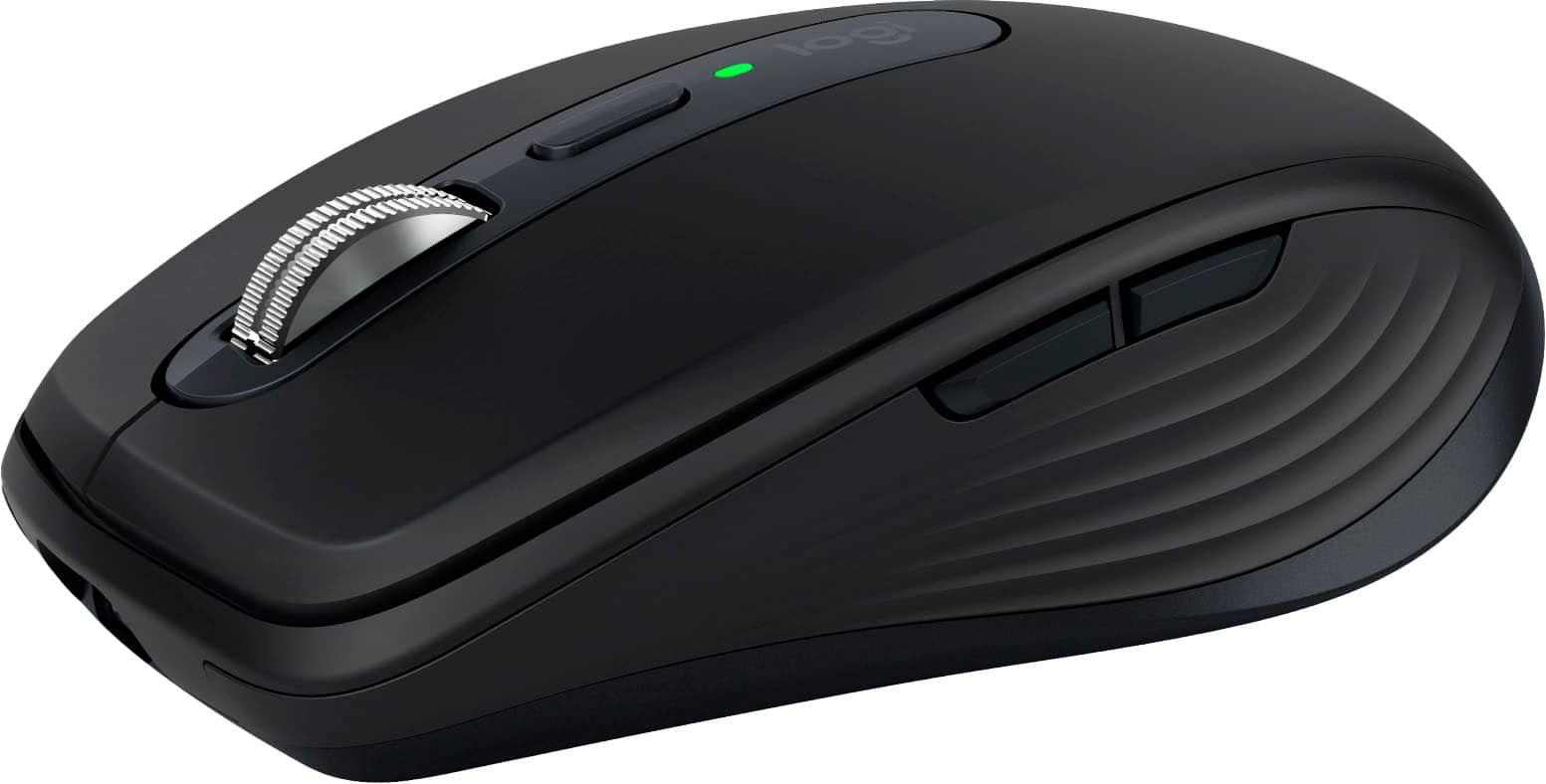
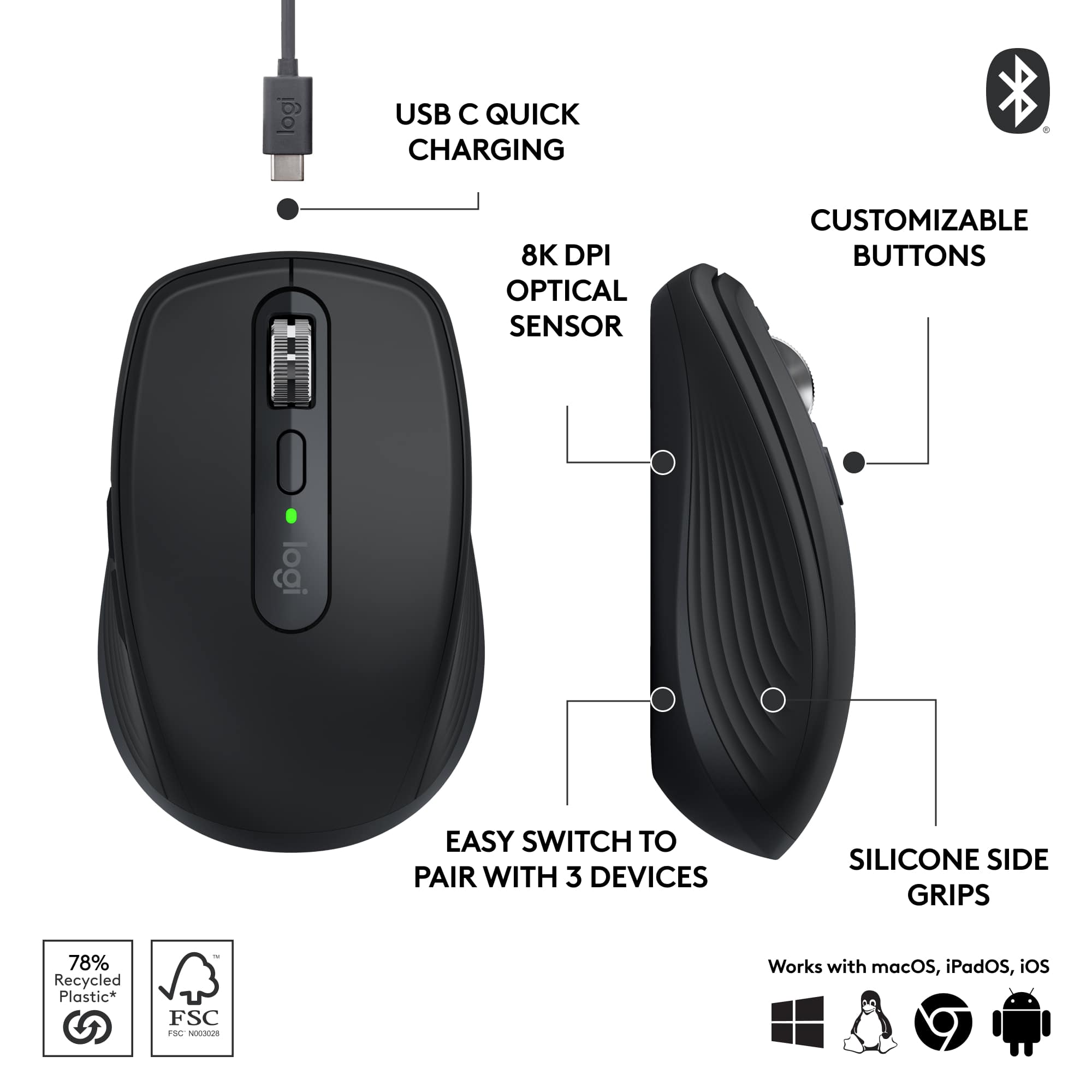
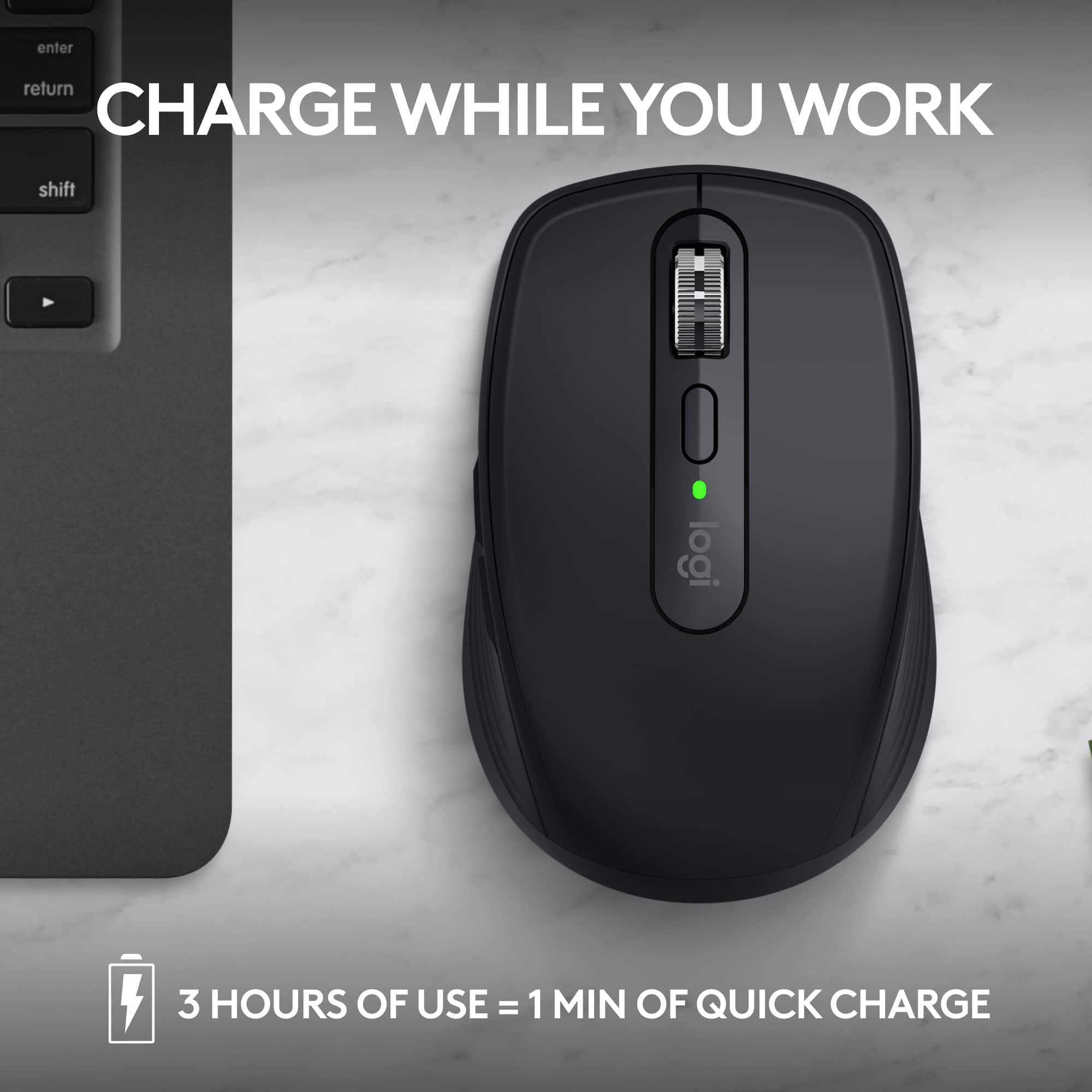
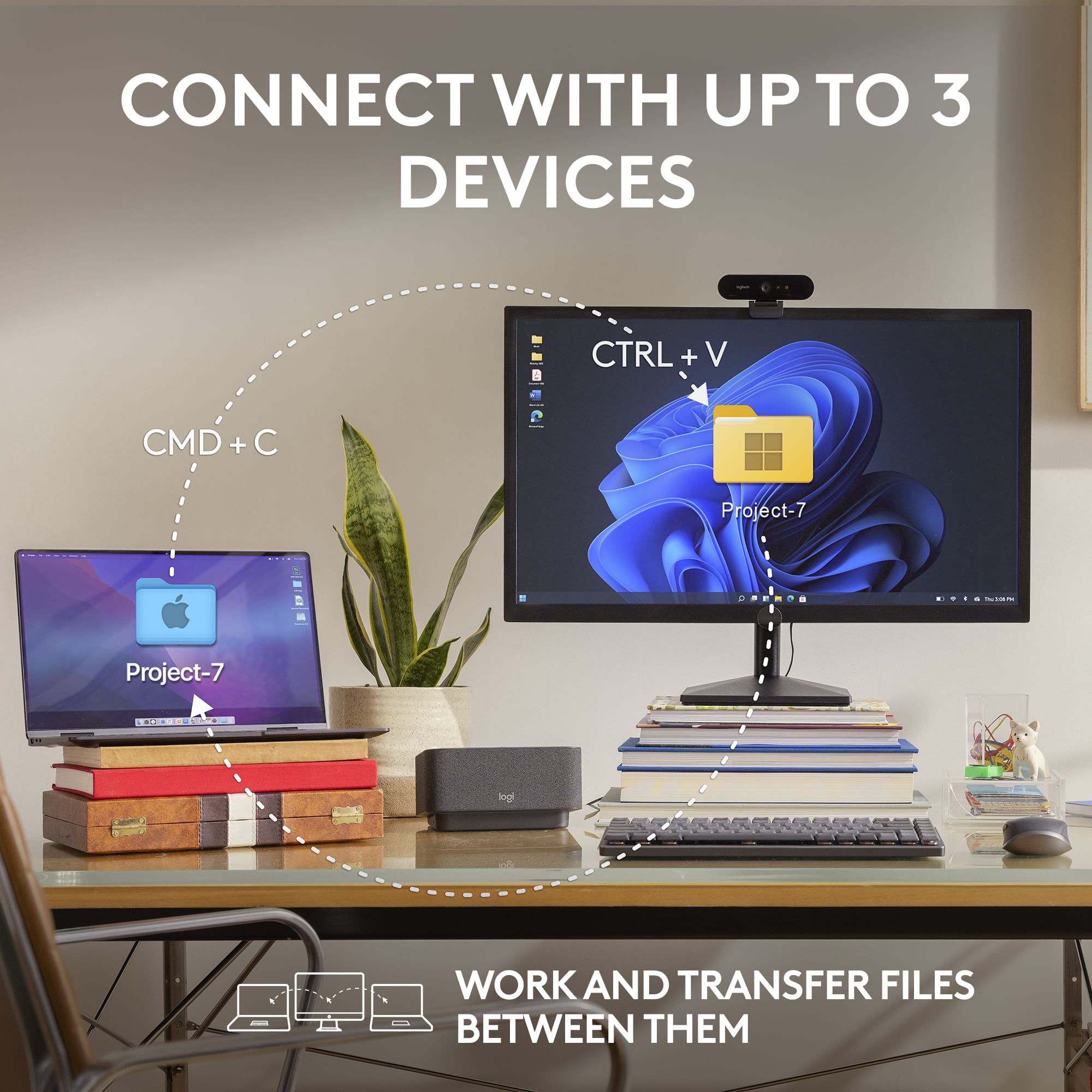
|Posted .This reviewer received promo considerations or sweepstakes entry for writing a review.The Logitech MX Anywhere 3S is the little mouse that could and will. I’ve used a lot of different mice for both work and play over the years, but the Logitech MX series is one of my favorites overall. The feel of the series is quality, feature rich, and just always works. I’ve been using the MX Master 2S as my primary work mouse for over 4 years to use as a baseline comparison to the MX Anywhere 3S too, but for travel and just anywhere use, the MX Anywhere 3S is by far preferable. Pro • Size, Shape, and weight in hand feel good. • Ease of switching between paired devices. • Quick charge Con • Might be too small for larger hands. The MX series all come with the ability to pair with up to 3 devices, that can be switched between with a simple push of a button. I Bluetooth paired it with my personal desktop and work laptop with ease, simply click the pair button to an unpaired slot and add via Bluetooth settings. The Logi Options+ app allows you to also do this but is not required to use the mouse. Which I particularly like, as I want less background software running for my simple peripherals. All the added buttons worked out of the box without needing updates/changes; back, forward, scroll, scroll lock. The mouse is on the smaller side, but just fits into your hand perfectly. It is extremely smooth on most surfaces, I have yet to find something it has an issue with! The MX Anywhere 3S improves over the prior model by more than doubling the DPI settings, from 4,000 DPI to 8,000 DPI! This makes the mouse feel precise and snappy, this is up there in in mouse sensitivity allowing for easy use with multi monitor setups or even for gaming in a pinch. I played a few rounds of Fortnite with this mouse and had no issues besides my lack of skill with a mouse and keyboard. The MX Anywhere 3S features a quick charge feature that allows you to charge the mouse using a USB C connection for up to 3 hours of use on 1 min of charge. At full charge, the mouse has been rated for 70 days of use. I have been using it as my main work and play mouse for the past week, and it has only dropped by 10% with 14+ hours of daily use. Overall, I am extremely happy with this mouse, it will always be added to my travel bag when heading into the office or out of town as the size and features make it perfect for on the go! It might even replace my aging MX Master 2S. The improvements to the MX Anywhere 3S over prior models on DPI sensitivity and quick charge make it a must add to any laptop worker or travel professionals list of must have devices. 10/10 will be recommending this one.
I would recommend this to a friend - Pros mentioned:Battery life, Ease of use
Best Mouse
||Posted .This reviewer received promo considerations or sweepstakes entry for writing a review.This mouse feels really nice in your hand and glides across any surface that it’s on. It will remember three devices. With a simple little button on the bottom, you can click it and switch to whatever device you’re using. I use this for an HP computer and a MacBook Pro and switch between the two easily. I love that I don’t have to have the USB dongle anymore. And it’s a USB-C charger in so I can hook up to any device and charge and use it at the same time. It’s really nice to use with Lightroom classic to edit photos as well. The battery last really long as well.
I would recommend this to a friendBrand response from Logitech
Posted .We're glad to hear you're enjoying the comfort and versatility of your MX Anywhere 3S! It's fantastic that the multi-device switching and USB-C charging are enhancing your workflow, especially with creative applications like Lightroom Classic. Your feedback on its seamless performance is greatly appreciated.

- Pros mentioned:Battery life
Love this!
||Posted . Owned for 1 week when reviewed.This reviewer received promo considerations or sweepstakes entry for writing a review.I recently purchased the Logitech MX Anywhere 3S Wireless Mouse for my MacBook Pro, and I couldn't be more impressed! This mouse is a game-changer in terms of efficiency and effectiveness, making it an essential tool for both work and play. From the moment I unboxed it, the sleek design and high-quality build made a great impression. The black finish looks modern and professional, perfectly complementing my MacBook. It fits comfortably in my hand, allowing for hours of use without any discomfort. The fast scrolling feature is fantastic! Whether I'm browsing through long documents or scrolling through endless web pages, it glides smoothly and saves me so much time. The ability to switch between different devices seamlessly has made multitasking a breeze. I can easily connect it to my MacBook and my iPad without any hassle. One of my favorite features is the programmable buttons. Customizing them to perform specific tasks has made my workflow significantly more efficient. I can now execute commands with a single click, which has improved my productivity immensely. Battery life is another area where this mouse excels. I’ve been using it for weeks on a single charge, and it quickly powers back up with just a short charging session. Overall, the Logitech MX Anywhere 3S is nothing short of amazing. It seamlessly blends functionality, comfort, and style, making it a must-have for anyone who values efficiency. If you’re looking to elevate your workspace, this mouse is undoubtedly worth every penny!
I would recommend this to a friendBrand response from Logitech
Posted .Thanks for sharing such a detailed and enthusiastic take! The MX Anywhere 3S such a standout—sleek design, seamless multi-device connectivity, and those ultra-useful programmable buttons.
- Pros mentioned:Ease of use, Scrolling
Definitely lives up to it's name!
|Posted .This reviewer received promo considerations or sweepstakes entry for writing a review.Using this mouse has basically spoiled using any other mouse that isn't an MX with how nice it is (coming from using a lower cost Logitech mouse)! This mouse is the perfect low profile mouse to take with you anywhere if you are a student, remote worker, or someone who travels a lot and wants to be productive on the go. With excellent build quality focused on comfort and tactility in a small form factor, the buttons are very clicky and responsive, the scroll wheel is extremely satisfying, tactile and precise, and there are extremely handy forward and back buttons on the side that are a must have for improved productivity. The hand shape and arch of the mouse is not as tall as other MX/general Logitech mice, but it honestly works perfectly for this mouse, as it's form factor is perfect for portability while maintaining comfort when using the mouse. The mouse connects via bluetooth, which, while technically has a "slower" response rate in terms of tracking as compared to wired or dongled mice, is actually relatively unnoticable to the untrained eye (you can see it more noticeably on high refresh rate screens, as it seems to run closer to 60FPS on my 144Hz display) and is perfectly fine to keep the mouse dongle-free and still very accurate and performant! The mouse can also remember 3 computers you've connected to at a time as well for seamless computer switching! One of the best parts of the mouse is that it tracks excellent on any surface - better than any mouse I have ever used because of it's special tracking sensor and 4 smooth pads underneath the corners of the mouse! This mouse is a must-have for on the go productivity!
I would recommend this to a friend Logitech MX wireless Bluetooth mouse review
||Posted . Owned for 3 weeks when reviewed.This reviewer received promo considerations or sweepstakes entry for writing a review.It came smaller than I thought. It functions as a mouse should. Scroll button tends to be a little sensitive from time to time. I do appreciate that i do not have to connect a reciever for it to work with my laptop. Battery life is above and beyond. Overall, it works and thats all that matters to me.
No, I would not recommend this to a friendBrand response from Logitech
Posted .Thank you for sharing your experience with the Logitech MX Anywhere 3S. We truly appreciate your honest feedback and are glad to hear that the battery life and Bluetooth connectivity have been working well for you. Your insights help us continue improving!
- Pros mentioned:Battery life
Fantastic mouse
Posted .This reviewer received promo considerations or sweepstakes entry for writing a review.Fantastic mouse. Can use it on almost any surface. Buttons are clicking and responsive. Battery life is superb
I would recommend this to a friendBrand response from Logitech
Posted .Thank you for your kind words! We’re delighted the product is performing well for you. Thanks for choosing Logitech!
- Pros mentioned:Battery life
Slick M3 mouse has it all
|Posted .This reviewer received promo considerations or sweepstakes entry for writing a review.The Logitech MX Anywhere 3S mouse is a slick accessory that is adaptable to up to 3 different devices at one time. I was impressed with the look and feel of the mouse when I unboxed it and could tell that it would be a device that should last quite a while due to the quality of the product materials. I was able to quickly set it up and pair it with two different laptops since I saw the instructions on how to pair it and switch between several different devices. The nice feature of this particular mouse that I liked was that it would work on a glass mousepad type of surface which I recently upgraded to. I like how quickly and smoothly the mouse slides over the glass surface and has great precision on the screen. Later I saw the details of the rechargeable battery in it being able to last up to 70 days from one charge. I was impressed with the longevity of the battery but also that you can get up to 3 hours of use by quick charging it for one minute via the USB-C cable that is included. I have only been using the mouse for a few days but it has already become my favorite out of several different models I regularly use.
I would recommend this to a friend - Pros mentioned:Battery life, Scrolling
Great for PC or Apple devices.
||Posted .This reviewer received promo considerations or sweepstakes entry for writing a review.Arguably, the best medium-size mouse in the market now. It is very smooth and works on any surface with no issues. It charges via Usb C but I do it very infrequently, maybe once in two months of use, the battery is that good. It is fully Bluetooth, with no Usb receiver included. The wheel is perfect for scrolling, no adjustment needed. I got used to it on a PC but then ended up buying a white and silver version for my Mac Mini system and I can tell that it looks great and is way better and more practical than the native Apple mouse. It is not cheap but I strongly recommend it.
I would recommend this to a friendBrand response from Logitech
Posted .We truly appreciate you taking the time to share your positive experience with the MX Anywhere 3S! It's fantastic to hear that you're finding it to be the "best medium-size mouse in the market" and that its smooth tracking on any surface is working well for you.
- Pros mentioned:Battery life
A hefty all around mouse!
|Posted .This reviewer received promo considerations or sweepstakes entry for writing a review.The Logitech MX Anywhere 3S is the follow up model to the highly popular MX Anywhere series. Compared the the previous MX Anywhere 3, this is a minor upgrade. But since this is a replacement model any upgrade is welcome. First it maintains its ambidextrous design though the side buttons are only found in the left side. And like its predecessor it is still small and can be charged via USB-C of which a charging cable is included in the box. Logitech claims that like its predecessor, this mouse can be charged via a USB-C cable. No more batteries! And since Logitech claims the battery life is seventy days, I cannot verify this since I’ve had this product for only a few weeks. But honestly, having other Logitech mice can make good on this claim since Logitech mice are known to be power sippers and one AA battery can even last up to one year for certain mouse models. The MX 3S now deals away with a dongle and is connected via bluetooth. Up to three devices can be connected to this mouse. Switching from one device is as simple as tapping on the toggle button located at the bottom of the mouse. Pressing the toggle buttons then allows you to assign a device. The mouse in general operates in Windows or Mac OS and can also be used in tablets. The one highlight for this mouse also is called Logitech Flow wherein you can use the mouse across several devices. You have to download the app though. But in my case I have to specific use for this function but it is nice to have for those who would need it. One thing about this mouse is that it has an 8K DPI sensor meaning that it is much easier to scroll across larger screens. I have a 32” screen and adjusting the speed of this mouse definitely makes it easier for me. Like the Flow feature, it is best to adjust the settings on the app itself. The performance of this mouse is such that it is ideal as your “one mouse to run them all”. Having the ability to connect to several devices negate the need to for several high performance mice. This product in essence is an all around performer that it can be used for business/schoolwork and even some gaming! I would highly recommend this product!
I would recommend this to a friendBrand response from Logitech
Posted .Hello msumulong, we are so happy to hear that you are loving the MX Anywhere 3s mouse! At Logitech, it is our goal to ensure you are completely satisfied with your Logitech purchase. We take pride in the products and services we offer, and want our customers to enjoy them just as much as we do. Thank you so much for the 5-star review! If you ever need help with your mouse, don't hesitate in reaching out to us on our support page. I'll attach the link at the end of this message. Thank you for being part of the Logitech family, have a great day. -Ricky from Logitech. https://support.logi.com/hc/en-us/articles/12895016873495-Getting-Started-MX-Anywhere-3S
- Pros mentioned:Battery life, Ease of use
Easy and comfortable product.
||Posted . Owned for 1 month when reviewed.This reviewer received promo considerations or sweepstakes entry for writing a review.Easy to use mouse. Comfortable. No batteries required, just holds a charge for a lomg time. Blue tooth capable.
I would recommend this to a friendBrand response from Logitech
Posted .It’s always a pleasure to hear from satisfied users. Thanks for sharing your experience—it helps us keep doing what we love.
- Pros mentioned:Battery life, Scrolling, Size
Best Mouse for Work
||Posted . Owned for less than 1 week when reviewed.This reviewer received promo considerations or sweepstakes entry for writing a review.Returned the awful Apple mouse and replaced it with this far superior mouse. Better sensitivity, scrolling and unmatched ergonomics. It’s small enough to travel with, rechargeable (and holds its charge for a looooong time), Bluetooth connected (no adapter needed) and doesn’t need a mousepad. If you are on the fence just get off already and buy this mouse.
I would recommend this to a friend - Pros mentioned:Battery life, Scrolling, Size
Great portable mouse
||Posted . Owned for less than 1 week when reviewed.This reviewer received promo considerations or sweepstakes entry for writing a review.I've only had this mouse for a few days but so far its been great. I was a little reluctant to make this purchase because of the price, however I made use of a 20% off coupon if you turn in old logitech devices to Best Buy for recycling which made the purchase a bit more palatable. I wanted a rechargeable battery because I've have AAs leak before. I'm a big fan of the quick bluetooth pairing and the button on the bottom that allows switching between my personal and work laptops, it is a nearly instant process. The magscroll function is awesome, easy to blast through PDFs with a many pages. The the anywhere 3s is sleek but not too small. The quiet clicks are a nice touch although I don't think it is as quiet as the master 3s demo that was in store, not bothersome at all just an observation. No USB reciever is a plus too.
I would recommend this to a friend - Pros mentioned:Battery life
Perfect for my workstation!
|Posted .This reviewer received promo considerations or sweepstakes entry for writing a review.I work from home and my company gave me a loud and bulky mouse that honestly made me just want to use the trackpad, and we know how bad trackpads are on most laptops. This mouse feels so good and it’s the perfect size for my home office or even for traveling I go to the office. The color matches my workspace perfectly, and visually this makes me super happy. For those of us who work from home, you know that having a visually pleasing work environment helps with productivity (at least for me!). This mouse adds the final touch to my set up and I am very happy! Here are scores based on some of the features: Design 5/5 Absolutely love the design and feel! Although is mostly plastic, it feels slick and a there is some weight to it but I actually like that very much. The color is beautiful. It’s like a mate finish. Battery 5/5 I have used the mouse for about 2 weeks every workday from 9-5 and the battery is still going strong. Absolutely no concerns with the battery for me. Controls and precision 5/5 It has enough options to customize even for gaming, but I am just using this for work so I am using the traditional buttons and it’s flawless. Extremely happy! I highly recommend this product.
I would recommend this to a friend - Pros mentioned:Battery life, Overall performance
Best office user mouse out there!
||Posted .This reviewer received promo considerations or sweepstakes entry for writing a review.This mouse is awesome! I can program it to all three of my systems so i can easily swap between work and home devices. Battery change lasts a long time and is charged with a USB C like all my devices. Paired with the wireless keyboard as well this is the ebat mouse / keyboard combo ive ever had for my home office in the last 15 yrs.
I would recommend this to a friendBrand response from Logitech
Posted .We truly appreciate you sharing your thoughts. It’s fantastic to hear the product is delivering as expected. Your feedback helps us grow and refine what we do. Thanks for choosing Logitech!
- Pros mentioned:Battery life, Ease of use
PERFECT MOUSE for me, but can be for you too!
||Posted .This reviewer received promo considerations or sweepstakes entry for writing a review.I have been using the MX Master 3S Wireless Mouse for a couple years now and my goodness it is such a comfortable mouse, but it does have some downfalls compared to this MX Anywhere 3S Wireless Mouse. I barely picked up this mouse today and I have got to say that this mouse is perfect for every lifestyle. Whether you're on the go as a student, working in an office, or going on vacation but needing to stay wired to your studies/research. This mouse is sleek, comfortable, portable, long-lasting, and a perfect companion to your choice of tablet, laptop, etc. The one thing I will say that completely surprises me is the seamless connectivity, for my previous mouse I would use the given 2.4GHz receiver, but this mouse connects via bluetooth and its smooth as butter. To be honest with you I don't think I will ever go back to the MX Master series and will continue to invest in the MX Anywhere series from here on out! Also I'd like to mention that the bluetooth connectivity for the MX Master 3S I had was giving me issues for quite some time so that is the reason why I chose to use the receiver (not as versatile though).
I would recommend this to a friendBrand response from Logitech
Posted .Thank you for your amazing review of the Logitech MX Anywhere 3S Wireless Mouse! We're thrilled to hear that it's the perfect mouse for your lifestyle and that you're so impressed with its features and performance. We appreciate you taking the time to share your enthusiasm.
- Pros mentioned:Battery life, Scrolling
Great!
||Posted . Owned for 2 weeks when reviewed.This reviewer received promo considerations or sweepstakes entry for writing a review.Logitech has once again outdone itself with the release of the MX Anywhere 3S Bluetooth Mouse, a high-performance mouse that redefines the boundaries of portability and functionality. Boasting an impressive 8K DPI sensor, it provides precise control and flawless operation on any surface, even glass. This feature deserves the full five stars! The MX Anywhere 3S truly shines in its emphasis on user comfort and focus. The introduction of Quiet Clicks is a major leap forward, offering the same tactile satisfaction without the distracting click noise. The result is a deeper, more immersive workflow that will surely be appreciated by professionals and casual users alike. The MagSpeed scroll wheel adds an element of lightning-fast precision that's simply awe-inspiring. The capability to scroll through a whopping 1000 lines per second is a testament to Logitech's commitment to delivering top-tier performance. Multi-device and multi-OS compatibility is another game-changer. Whether you're using Windows, macOS, Chrome OS, or Linux, the MX Anywhere 3S can effortlessly connect to up to three devices via Bluetooth. The hassle-free connectivity, further enhanced by its engineering for Intel Evo, ensures a seamless and smooth experience. Customization is made easy with the Logi Options+ app, enabling users to tweak settings for optimal workflow. The long-lasting battery life, offering up to 70 days on a full charge and up to 3 hours from a 1-minute quick charge, is another thoughtful inclusion. Furthermore, Logitech's commitment to the environment is commendable, with a significant proportion of the mouse's plastic components made from certified post-consumer recycled plastic. In conclusion, the MX Anywhere 3S Bluetooth Mouse offers unbeatable precision, silent operation, speedy scrolling, and unparalleled compatibility. It's a perfect fusion of innovative technology and eco-conscious design, earning it a solid 5-star rating.
I would recommend this to a friend - Pros mentioned:Battery life, Size
Look no further
||Posted . Owned for 1 week when reviewed.This reviewer received promo considerations or sweepstakes entry for writing a review.The best mouse on the market. It works on all surfaces which is very important if you travel a lot or don't want to use a mouse pad. It is small enough to fit in a pocket but big enough for large hands. The ability to change the button functions is great if you are left-handed. The battery lasts forever and when it finally needs to be charged the recharging is very fast. I would highly recommend this to anyone.
I would recommend this to a friend - Pros mentioned:Battery life, Ease of use
Great Mouse
||Posted . Owned for 2 weeks when reviewed.This reviewer received promo considerations or sweepstakes entry for writing a review.Good Compact mouse Ir Works on any surface I like the long battery life. Some times I forget to charge it. I have a 3 laptops and I can use the same mouse on all 3 just change the setting on the bottom of the mouse The mouse is great for travel. MX Anywhere 3S Wireless Bluetooth and a MX Anywhere 3 Wireless Bluetooth. I like the tracking better on the MX Anywhere 3 Wireless over the MX Anywhere 3S
I would recommend this to a friend - Pros mentioned:Ease of use, Scrolling
Small Mouse, Mighty Scroll
||Posted . Owned for 3 weeks when reviewed.This reviewer received promo considerations or sweepstakes entry for writing a review.The MX Anywhere 3S is the perfect balance between portability and functionality. Its compact size makes it incredibly easy to carry, whether I'm working from a café or moving between meetings. But the standout feature is definitely the customizable MagSpeed scroll wheel — smooth, precise, and surprisingly satisfying to use. Scrolling through long pages or documents is now almost fun. It’s a great little mouse that punches well above its weight.
I would recommend this to a friendBrand response from Logitech
Posted .That's awesome feedback! We're thrilled your MX Anywhere 3S strikes the perfect balance of portability and functionality for you.
So glad the MagSpeed scroll wheel is a standout, making even long scrolls satisfying! "Small mouse, mighty scroll" truly captures it. Thanks for the great review!
- Pros mentioned:Ease of useCons mentioned:Click noise
Logitech mouse works great
||Posted . Owned for 2 weeks when reviewed.This reviewer received promo considerations or sweepstakes entry for writing a review.Pricey but well made and easy to use; smooth operation but the mouse clicks seem a little loud.
I would recommend this to a friendBrand response from Logitech
Posted .Hey! It’s rewarding to know our product is meeting your needs. Your review helps us improve and stay connected to our users. Thanks for your support.