Customer Ratings & Reviews










- Model:
- 910-006928
- SKU:
- 6539506
Rating by feature
- Value
Rating 4.5 out of 5 stars
- Quality
Rating 4.7 out of 5 stars
- Ease of Use
Rating 4.8 out of 5 stars
Customers are saying
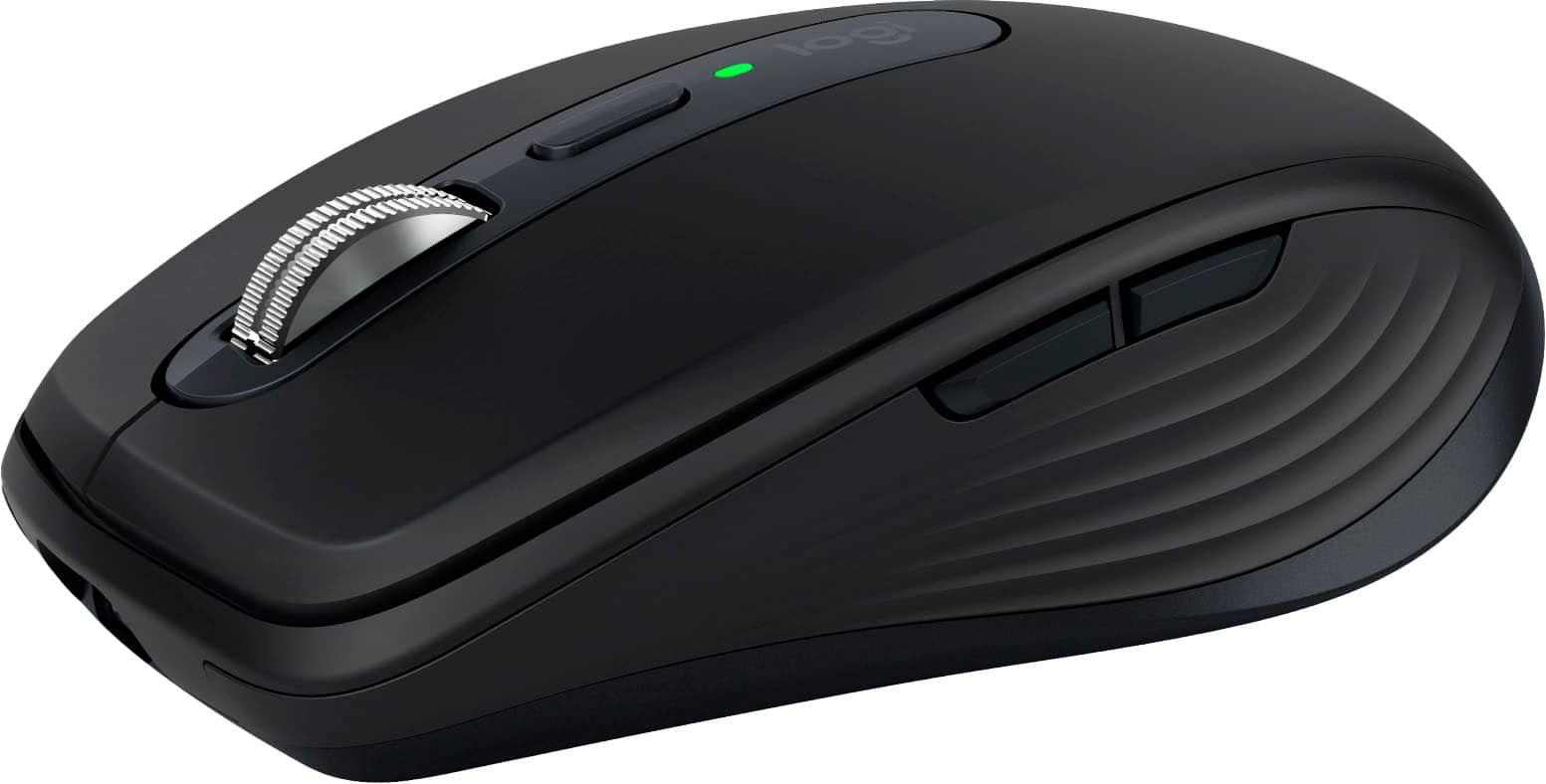
Customers often highlight the MX Anywhere 3S mouse for its ease of use, long battery life, convenient size, and smooth scrolling. Many appreciate its compatibility with various surfaces and reliable Bluetooth connectivity. While some find the price a bit high and are not fully satisfied with the click noise, the mouse is generally praised for its overall performance and ergonomic design.
This summary was generated by AI based on customer reviews.
No Bluetooth
||Posted . Owned for 1 month when reviewed.This reviewer received promo considerations or sweepstakes entry for writing a review.Apparently, I just bought the only computer in the world that does not have bluetooth, so this $80 purchase is worthless to me.
No, I would not recommend this to a friendBrand response from Logitech
Posted .That's sad to hear! However, MX Anywhere 3S is compatible with Logi Bolt USB Receiver (not included).
- Pros mentioned:Battery life, Ease of use

Great little mouse
|Posted .This reviewer received promo considerations or sweepstakes entry for writing a review.The Logitech MX Anywhere 3s is a great little mouse, it is ergonomically friendly and is very easy to set up. Right out of the box, the mouse needs to be charged, but while it is charging, you can set it up to use with your computer (This makes the mouse worth it for sure). While the mouse is charging, you can download the software from Logitech's website and begin to customize the mouse. Once the software is downloaded, you have so many different options on ways that you can customize the mouse to fit your needs. As a photographer this does make life a lot easier, especially since while the mouse is charging you can still use it. The mouse has a very smooth and ergonomic feel, and here's another great feature, you can use the mouse for up to three computers as well. Overall it's a great mouse, the only reason it does not receive five stars is because you can't just swipe left or right on the top of the mouse like you can with the magic mouse, but other than that this mouse is great and I highly reccomend it to anyone.
I would recommend this to a friend - Pros mentioned:Battery life, Scrolling
Excellent low-profile mouse with great feature set
|Posted .This reviewer received promo considerations or sweepstakes entry for writing a review.I bought an MX Anywhere 2 a long time ago. I still have it and use it for travel. It works great and the battery is still very good on it. I was excited to upgrade to the latest version, the MX Anywhere 3S. Design and comfort The MX Anywhere 3S is a great, small mouse. It's comfortable to use and has a few great features. I find it very comfortable to use and it works well. There is a scroll wheel that you can use as a third mouse button, no conventional lateral movement with the scroll wheel but I'll get to that later. It has two buttons on the left hand side. The primary two mouse buttons work great, giving a solid click but it's not too hard to press and not too loud. The mouse wheel is probably my favorite feature for a few reasons. For now, the feel is excellent and it works great! Features First, this little travel mouse has an 8,000 dpi sensor!!! I was excited to find that out. Plenty to handle my desktop width equal to that of five 1080p displays. It's great to have a small and comfortable mouse that's that versatile. Second, the wheel can scroll line-by-line, like most mouse wheels do, or it can scroll in free-spinning mode. There is a toggle button or, if you flick it, it automatically switches into free-spinning mode and then switches back when it stops. My old MX Anywhere 2 had the mode switching but only with a button press. Third, I mentioned that the mouse wheel doesn't have the lateral press to go left or right, like in a spreadsheet for instance. The cool thing is that it's just implemented a different way. You hold down either of the two side buttons and then scroll with the wheel and it will go left or right. It works the same way but I find it easier control. I really like this! Fourth, The "Easy-Switch button" allows you to switch between three different computers with the press of a three-way toggle button. Each one lets you setup a Bluetooth connection independently of the others. This is a features I used and loved on my old MX Anywhere 2. Options+ App You will want the app to adjust the dpi, "Scroll Force", and how easily it switches between scroll modes automatically. There are a number of settings you can customize and it also offers specific customizations you can enable for specific applications you ay have installed. Options+ is easy to use and has lots of pictures to walk you through what you're doing. Battery life So far the battery life appears to be excellent! They claim 70 days between charges and I can see that as very possible. You need to enable 8K mode for the DPI over 4000 so I'm guessing that battery life may not be as good over that threshold but even if it cuts it in half, 35 days of normal use on a charge is pretty excellent. Summary The MX Anywhere 3S does not come with a USB transceiver like previous versions did, but it does supports a Logi Bolt USB transceiver so you can buy that for it if you want. I love the excellent feature set, it's comfortable to use for me even though it's small, and I'm very impressed by the battery life.
I would recommend this to a friend Not worth the price
||Posted . Owned for 2 months when reviewed.This reviewer received promo considerations or sweepstakes entry for writing a review.Clicks are to sensitive especially if you have the roller wheel resistance turned up.
No, I would not recommend this to a friendBrand response from Logitech
Posted .That shouldn't be the case. However, In order to help you effectively, please provide your information to our support team by emailing socialcare@logitech.com. Name – Email address – Country – Product name – Brief description of the issue –
- Pros mentioned:Battery life
The Best Small/Travel Mouse
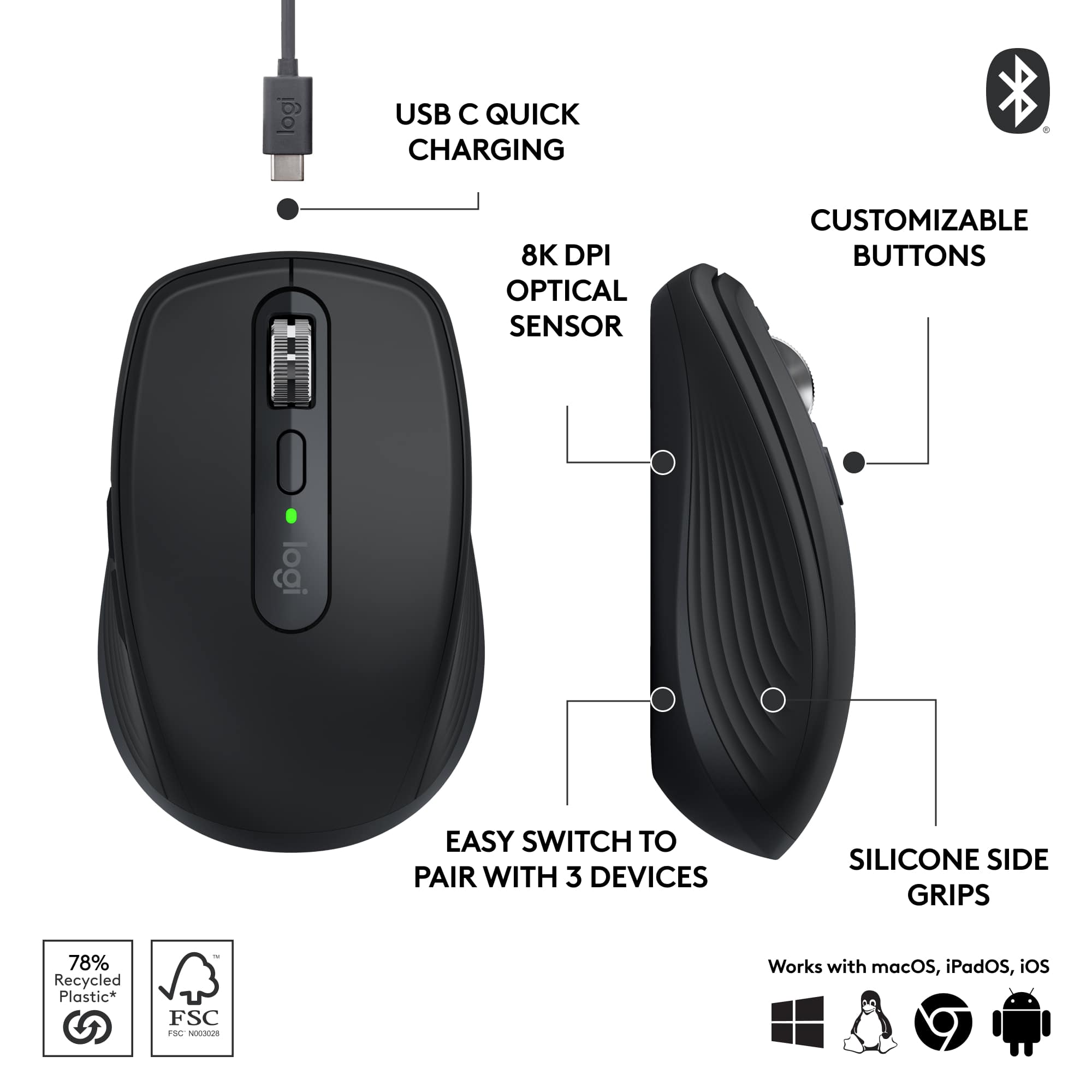
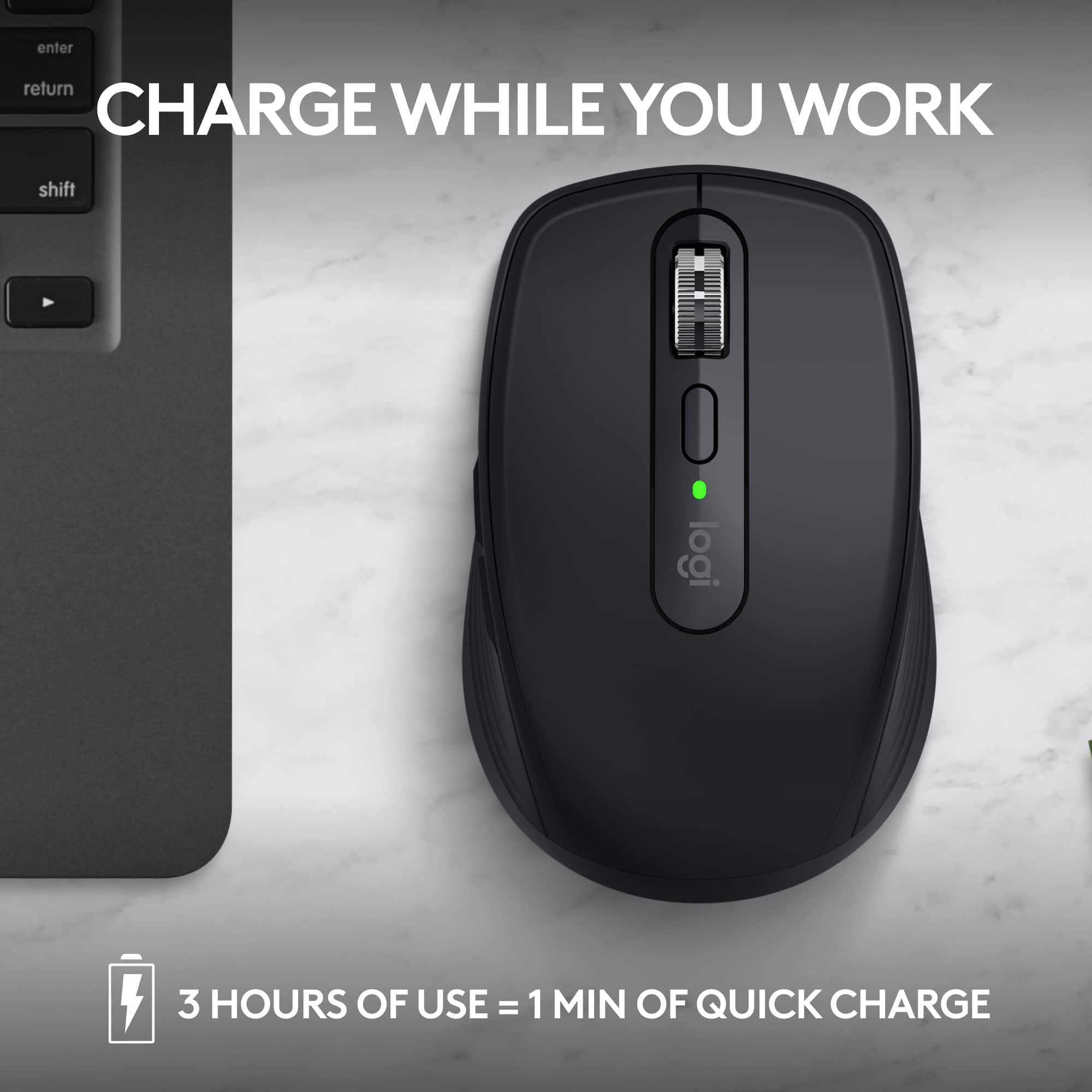
|Posted .This reviewer received promo considerations or sweepstakes entry for writing a review.PROS: - Pair to 3 devices (regardless of OS) - SUPER quiet mouse clicks - Customizable buttons (need the Logi Options+ app) - Compatible with existing Logi Bolt USB receiver(s) - Works on multiple surface types - Very long battery life - USB-C charging CONS: - I doubt the switches are optical (Logitech doesn’t specify) == SETUP == If you’re going to pair your mouse via Bluetooth, it couldn’t be easier. The first time you select a device on the bottom of the mouse (numbered 1 through 3) it will automatically enter pairing mode, just find the MX Anywhere 3S on your PC/laptop/tablet/phone to pair. If you’re going to pair your mouse using an existing Logi Bolt receiver, you can do it using the Logi Bolt application (it’s the same process for any Logi Bolt compatible device). This saves the device details on the mouse, making it really handing for switching between your desktop (mine has the Logi Bolt) and laptop/tablet. To get the most out of the mouse, you can customize the buttons using Logitech’s “Logi Options+” application (on Windows and macOS). I’m fine with the default forward+backward mappings, but you might prefer something different or macros for your workflow. == PERFORMANCE == Logitech claims that you can get up to 70 days of battery life on a full charge, and get up to 3 hours of use from just 1 minute of charging. I haven’t owned mine long enough to test this claim, but I’m sure it’s close. Having a USB-C charging port is great, so I can just use the same cable for my phone/tablet/laptop to charge up the mouse two months from now! The tracking on the mouse is great! I’ve used it on multiple surfaces (even glass) and haven’t run into any issues. The pads on the bottom are very slick, so there’s very little effort to move the mouse around. What I love the most about this mouse is just how QUIET it is while using it. I don’t know what switches Logitech is using, but they are the quietest ones I have ever used. I would have no problems clicking away with it in a library. Switching between devices is as seamless as it can get. Just make sure your laptop/desktop/tablet/phone has Bluetooth on (or the receiver is plugged in), and instantly switch between each device. I personally like using it with my iPad and laptop. I haven’t run into any issues using it between Windows, Linux, macOS, or iPadOS. == BOTTOM LINE == I really don’t think you’ll find a better compact/travel mouse out there. It’s comfortable to use (even with my big, fat hands), battery life is great (the USB-C port lets you use one cable between all your devices), and has the quietest button clicks I’ve ever heard on a mouse.
I would recommend this to a friend - Pros mentioned:Scrolling
Probably the best compact mouse for 2023
|Posted .This reviewer received promo considerations or sweepstakes entry for writing a review.The TL:DR version of my review: Great compact mouse—maybe even the best on the current market—that shines against lesser competition. However, several nice features are missing that were once included. I’m going to up-front about the Logitech Anywhere MX 3S mouse. On one hand, it’s one of the nicest mice you can buy on today’s (2023) market. On the other hand, it’s missing several useful features that the Anywhere MX 2S had…and I’m definitely missing those features. The mouse has a lot going for it. It’s practically silent—no audible button clinks or wheel turns. The buttons click with an affirming ‘click’, as do the side buttons (forward/back for most of us). The mouse turns on instantly and connects to via Bluetooth to my 12th Gen Intel Asus laptop in less than 2 seconds (which is much faster than the MX 2S that I own). Tracking is spot-on. This thing points exactly where it’s meant to, even on the stock Windows 12 settings. Likewise, scrolling is very smooth with the scroll wheel…and super quiet, as I mentioned previously. It even feels more accurate than my MX 2S. So why not a 5-star rating? I’ve used the Logitech Anywhere MX 2S for the last several years, and I honestly don’t feel like the 3S is an upgrade. My first gripe is the 3S’s scroll wheel not moving from side-to-side to control right and left scrolling. I often keep my laptop screen divided in two, making webpages too wide for the split screen view. With my MX 2S, I can scroll either page from top to bottom and right to left. The 3S doesn’t have the right to left scrolling. Second: The 3S doesn’t have the same solid feeling or ‘heft’ that the 2S does. I’m guessing that they both have about the same overall weight, but the 2S has a bit of weight on the bottom that makes it feel sturdier/weightier during use. And my final gripe is the software that Logitech hopes you install. No matter what I did, including reinstalling the software, I could not get the software to read that the mouse was connected to my PC. So, for me, the software was completely useless. Now, this isn’t to say that the Logitech Anywhere MX 3S isn’t a nice mouse—trust me, it is! It’s just missing a few key components that I happen to use frequently. If you’re like me and use the side-to-side scrolling, then you might keep looking. But if you’re like the majority of people and don’t care about the sideways scrolling, then I can confidently recommend this mouse, as it’s probably the nicest compact mouse on the market today.
I would recommend this to a friend - Pros mentioned:Scrolling
Great bag friendly version of Logitech's mice
|Posted .This reviewer received promo considerations or sweepstakes entry for writing a review.I use an MX Master as my primary "pointing" device on the desk at the office, but that's way too large and bulky to throw in a bag and take with you on the go. The MX Anywhere is a great option for that. This mouse has what feels like a semi ergonomic design, that could also be used right or left handed. I'm right, but my partner is left, and she sometimes grabs my computer mouse, so this works out well for her. Surprisingly a magnetic haptic scroll wheel is included in such a small package. The only downside was that this package is bluetooth only, as I see it's compatible with logitech receivers, but one wasn't included. In retrospect, this might be okay, since I have a bunch of these laying around at home now that almost all my devices are bluetooth capable, and the receiver isn't needed anyway. This becomes even more important with the thin form factor of lots of today's laptops and the low number of usb ports, or even my newest one with NO usb A ports at all. Charging over USB C and the ability to connect to 3 different devices are just added features. Logitech has the brushed plastic luxe feel down, and not many can recreate it as nicely as this one feels in the hand. Would recommend this mouse!
I would recommend this to a friend mice away 2
||Posted . Owned for 3 weeks when reviewed.This reviewer received promo considerations or sweepstakes entry for writing a review.i wouldnt give this mouse away for free but logitech has my heart.
No, I would not recommend this to a friendBrand response from Logitech
Posted .We truly appreciate your feedback and are delighted to know you enjoyed our product as much as we do. Your satisfaction is our top priority. Thanks so much!
- Pros mentioned:Battery life, Scrolling
It really is great for anywhere
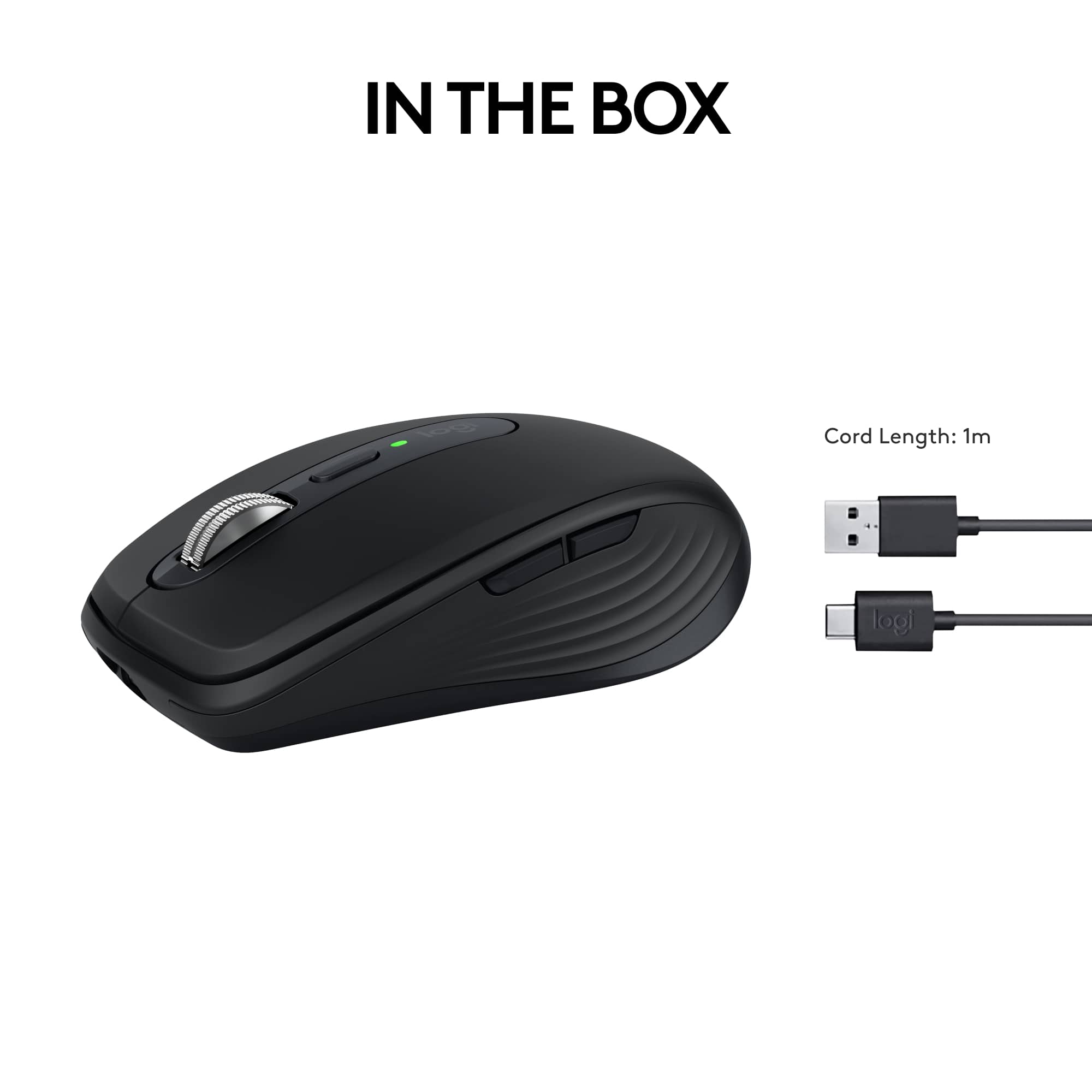
|Posted .This reviewer received promo considerations or sweepstakes entry for writing a review.The mouse is very comfortable and fits in the hand nicely, though it is on the smaller side. The buttons are all well placed and they have a high quality feel to them when clicked, especially the scroll wheel. You can change the setting of the wheel so it clicks or spins freely. It glides over the mousepad nicely and doesn't stick. It's a very simple mouse and just has the basics, but is all that you need for an office mouse. It's easy to set up and figure out. However, the cord is short and will make it difficult to use and charge simultaneously. You can use this mouse wirelessly for a long period of time via bluetooth, or when it's time to charge, plug it in and continue using it wired. Overall, this is a high quality mouse that is good in about every aspect and I would definitely recommend it. Pros- This mouse will work on any surface, so it's great for any set up. MagSpeed scrolling allows 1000 lines per second. Customizer your settings and buttons for the best optimization. A long battery life - holds a charge up to 70 days. Cons- A bit small depending on your hand size and preference. The USB-C cord is a tad short.
I would recommend this to a friend - Pros mentioned:Ease of use, Size
Sleek and Fast
|Posted .This reviewer received promo considerations or sweepstakes entry for writing a review.Been using this for about a week and a half now. Set up is essentially plug and play. Took merely minutes. Out of the box the settings for me were simply too fast. From the scrolling to the speed of the cursor. This isn't a complaint, just a personal observation. Once I accessed the settings, things went fine and I was able to slow both down. I find the mouse to be very comfortable to use and it is also very responsive. It is just the right size and does not feel too bulky or too small. It comes with a USB cable and is also just plug and play to charge. The small USB adapter plugs right in and it sets itself up or of course via bluetooth. It of course is wireless, so once its charged up, simply unplug the cable and you are on your way. The mouse buttons are easily set up to your preference and you have the option to select left or right handed use. I am using this with an HP laptop and hqve had no issues whatsoever. This replaced a previous Logitech mouse and I find this new one has better control and responsiveness. I would recommend this product.
I would recommend this to a friend - Pros mentioned:Battery life, Scrolling
1 mouse to rule them all!
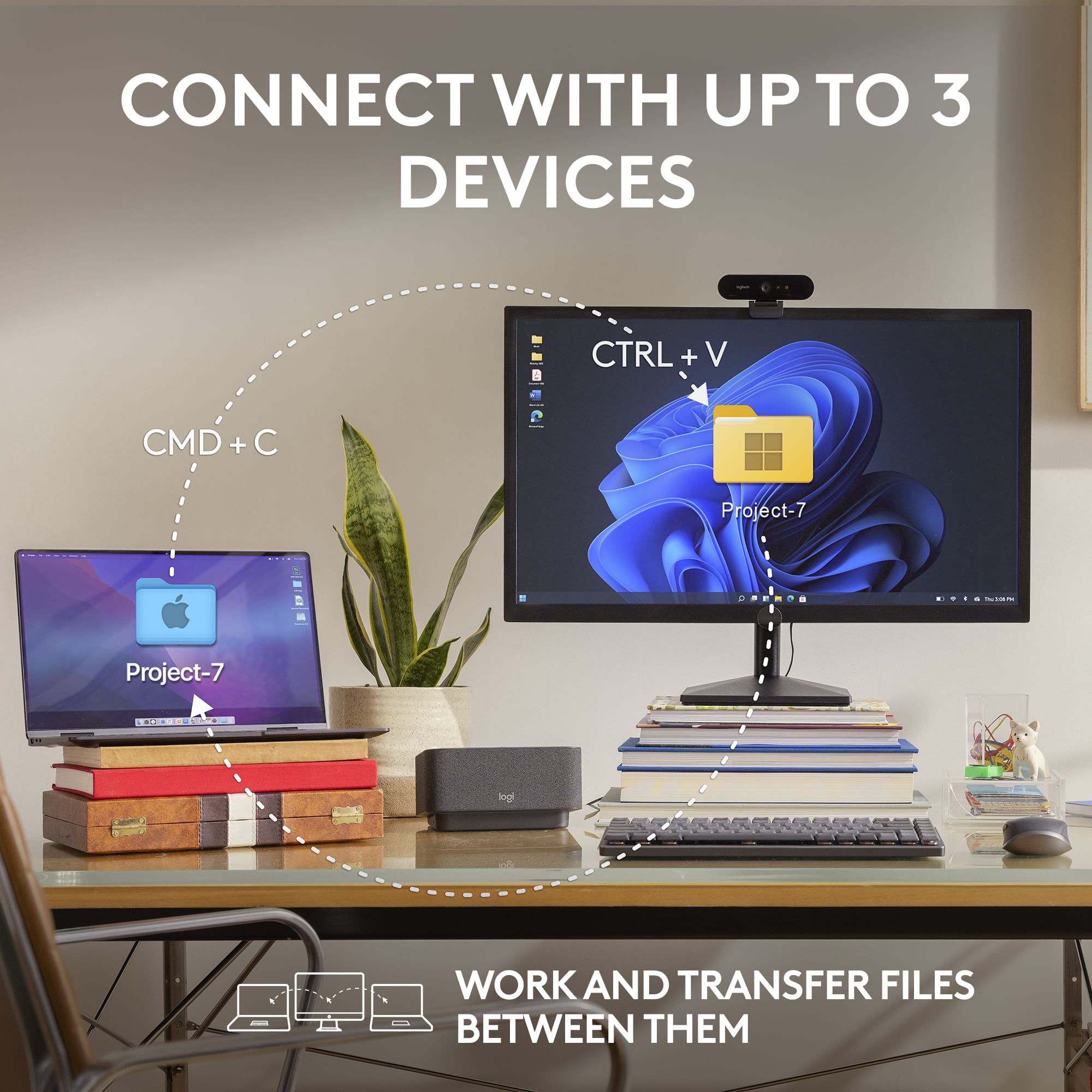
|Posted .This reviewer received promo considerations or sweepstakes entry for writing a review.This mouse will connect to up to 3 devices, and switch between them by pressing a button. The mouse can connect via Bluetooth or via the included dongle to Windows, macOS, iPadOS, Chrome OS and Linux. It charges via USC-C and has a stated battery life of 70 days and up to 3 hours from a 1-minute charge. The scroll wheel works by MagSpeed Electromagnetic scrolling and is capable of up to 4,000 DPI in increments of 50 from 200-4000 DPI. There is a button on top of the mouse to toggle the wheel between free-spinning and ratchet responses. There are 6 buttons, and it is programable with app-specific customizations. This is one of the better feeling mice I’ve used, and I haven’t noticed any hand fatigue. It’s built from quality materials and is designed to take a beating during travel or switching from device to device. The sides have silicone grips to give you a secure feel, and the mouse is the quietest I’ve ever used. The mouse features can be customed with the Logi Options+ app available for download on the Logitech site.
I would recommend this to a friend - Pros mentioned:Size
Another home run by Logitech
|Posted .This reviewer received promo considerations or sweepstakes entry for writing a review.The Logitech MX Anywhere 3S is an exceptionally good mouse and I thoroughly enjoying using it for my laptop and desktop. Before I received the MX Anyhwere 3S, I had used the MX Master 2 from Logitech for a few years and it was always my favorite product. The Anyhwere 3S is small but fits comfortable in my hands, tracks excpetionally well, has satisyfing clicks and is super responsive. Bluetooth connectivity is probably the fastest that I have ever encountered with a product. The mouse can connect to three different computers and switches very seamlessly. I comfortably have used this mouse for a few weeks and it has almost replaced the MX Master for my desktop. It certainly has replaced it for my laptop. Traveling with this mouse (as its intended) is a breeze as its super light and durable. I highly recommend this mouse to anyone in need of a multi-purpose mouse for intense desk work or travel work. I would also recommend anything from the MX line of products as I believe Logitech is the best mouse peripheral company.
I would recommend this to a friend - Pros mentioned:Ease of use
Simple mouse that works well
Posted .This reviewer received promo considerations or sweepstakes entry for writing a review.It works well with a mac air laptop. Easy to connect
I would recommend this to a friendBrand response from Logitech
Posted .Thank you for the fantastic feedback! We're glad to know the Logitech MX Anywhere 3S Mouse provides a seamless and easy connection, especially with your Mac Air laptop. Your experience highlights its simple, effective functionality!

- Pros mentioned:Battery life
Great Bluetooth mouse
Posted .This reviewer received promo considerations or sweepstakes entry for writing a review.My favorite mouse of all time (well…at least up to now…lol). Connection easy and solid. Switches between laptops exactly as advertised. Battery lasts 6-8 weeks of daily usage.
I would recommend this to a friendBrand response from Logitech
Posted .We’re grateful for your kind words. It’s wonderful to know our product is helping you out. Thanks for choosing Logitech!
- Pros mentioned:Scrolling
Another good mouse from Logitech.
|Posted .This reviewer received promo considerations or sweepstakes entry for writing a review.Logitech MX Anywhere 3S While being on the small side (since it is designed as a mobile mouse) it has a great feel. I like the ability to switch between click and smooth scrolling like some of the other Logitech products by clicking the small button just behind the scroll wheel, on top of the mouse. This mouse has the familiar Logitech satin finish, side buttons for moving back and forth in a webpage and has a nice contrast with the weighted, metal scroll wheel. I am using this mouse to replace my daily driver - an older MX Master mouse - that is getting kind of worn out. The movement is very smooth and the buttons have a very positive “click” to them without being hard to press. The laser reads on every surface I have tried it on. The button on the bottom allows it to b e configured for three different devices and can switch between them with a simple press of the button. It uses either Bluetooth or the new Bolt receiver. I do not have one of the receivers (non is supplied in the box) so I cannot say how well it works, but the new sensors work very well to give the user a solid, precise feel to every movement. Because of the size, it actually fits my space better than the very comfortable mouse it is replacing. I might miss the shape that fit my hand so well, but the precision of the new mouse is so great that I am happy with my swap! I can once again select multiple items with a simple swipe instead of losing the first few as it reset itself halfway through the motion. Logitech has proven itself with quality products for decades. This new version in their Anywhere line is a fitting example of the continual evolution of their designs. I look forward to many years of use for this mouse, as I have had from so many other Logitech mice, since the 90’s.
I would recommend this to a friend - Pros mentioned:Ease of use, Size
Wow its a great mouse
Posted .This reviewer received promo considerations or sweepstakes entry for writing a review.The quietness is impressive ... Makes it seem high quality... Nice small size... Easy setup.... Usb c charging... Again, the quiet clicks is nice
I would recommend this to a friendBrand response from Logitech
Posted .We're thrilled to hear that you're loving the Logitech MX Anywhere 3S! Its quiet operation, compact size, easy setup, and USB-C charging make it a fantastic choice for everyday use. Thank you for your positive feedback.
Works well with MX Anywhere keyboard.
Posted .This reviewer received promo considerations or sweepstakes entry for writing a review.I purchased this to match the MX Anywhere keyboard. I'm still learning all of the features bur so far so good.
I would recommend this to a friendBrand response from Logitech
Posted .We’re so glad to hear you’re enjoying your Logitech experience. Your input helps us continue to deliver quality and reliability.
A really great, portable mouse for all systems
|Posted .This reviewer received promo considerations or sweepstakes entry for writing a review.I have always found Logitech products to be well-designed and well-constructed, and the MX Anywhere 3S is no exception. It's a great mouse for all platforms. Setup was a breeze. I already had the Logitech app installed on my laptop. When I powered the unit on the app immediately recognized a new Logitech device and asked if I wanted to connect it via Bluetooth. Seconds later, it was ready to go. It has the ability to switch between three different devices, across operating systems, with the push of a button or using Logitech’s software to track your movements across screens. The ability to use the mouse across multiple devices is great if you have a multi-system setup – including a tablet. I have two PCs and an iPad, and it really is handy not having to swap devices to go from screen to screen. It takes a bit of practice to smoothly manage the transition between devices, but the control software works remarkably well once you get the flow of it. The 3S tracks really well on any surface; I used it on wood, paper, a smooth desk surface, and I was even able to use it on a glass tabletop with no issues. I tried it on uneven surfaces where my other mouses get stuck, and it tracked smoothly without any hesitation. Scrolling is fast and smooth. Logitech claims the ability to scroll 1,000 lines per second, and based on my experience I believe this is a realistic number. While the 3S is somewhat small, the silicone grips and shape of the MX Anywhere are comfortable. I found it comfortable to work with, even with my large hands. Overall, an excellent product.
I would recommend this to a friend- Pros mentioned:Overall performance
Perfect
Posted .This reviewer received promo considerations or sweepstakes entry for writing a review.Excellent product maybe a little expensive, but good
I would recommend this to a friendBrand response from Logitech
Posted .Hey! Totally fair take! The MX Anywhere 3S packs premium features like 8K DPI tracking, MagSpeed scrolling, and quiet clicks into a compact, travel-ready design. A bit pricey, but the performance and versatility make it worth it.
Good mouse for the price
Posted .This reviewer received promo considerations or sweepstakes entry for writing a review.I really like this mouse. Feels very good the material
I would recommend this to a friendBrand response from Logitech
Posted .Thanks for your thoughtful review. It’s great to know our product is living up to your expectations. Your support helps us keep delivering quality.