Customer Ratings & Reviews








- Model:
- 910-006926
- SKU:
- 10839824
Rating by feature
- Value
Rating 4.5 out of 5 stars
- Quality
Rating 4.7 out of 5 stars
- Ease of Use
Rating 4.8 out of 5 stars
to a friend
mice away 2
||Posted . Owned for 3 weeks when reviewed.This reviewer received promo considerations or sweepstakes entry for writing a review.i wouldnt give this mouse away for free but logitech has my heart.
No, I would not recommend this to a friendBrand response from Logitech
Posted .We truly appreciate your feedback and are delighted to know you enjoyed our product as much as we do. Your satisfaction is our top priority. Thanks so much!
Dang fine peripheral
Posted .This reviewer received promo considerations or sweepstakes entry for writing a review.I've always used Logitech peripherals, but I've never loved them. Until now. I love this mouse. No IR fob, clean tracking over every surface, comfortable in my fat hands. And it goes where my laptop goes. It's pricey, but it's worth it.
I would recommend this to a friend
The Best Small/Travel Mouse
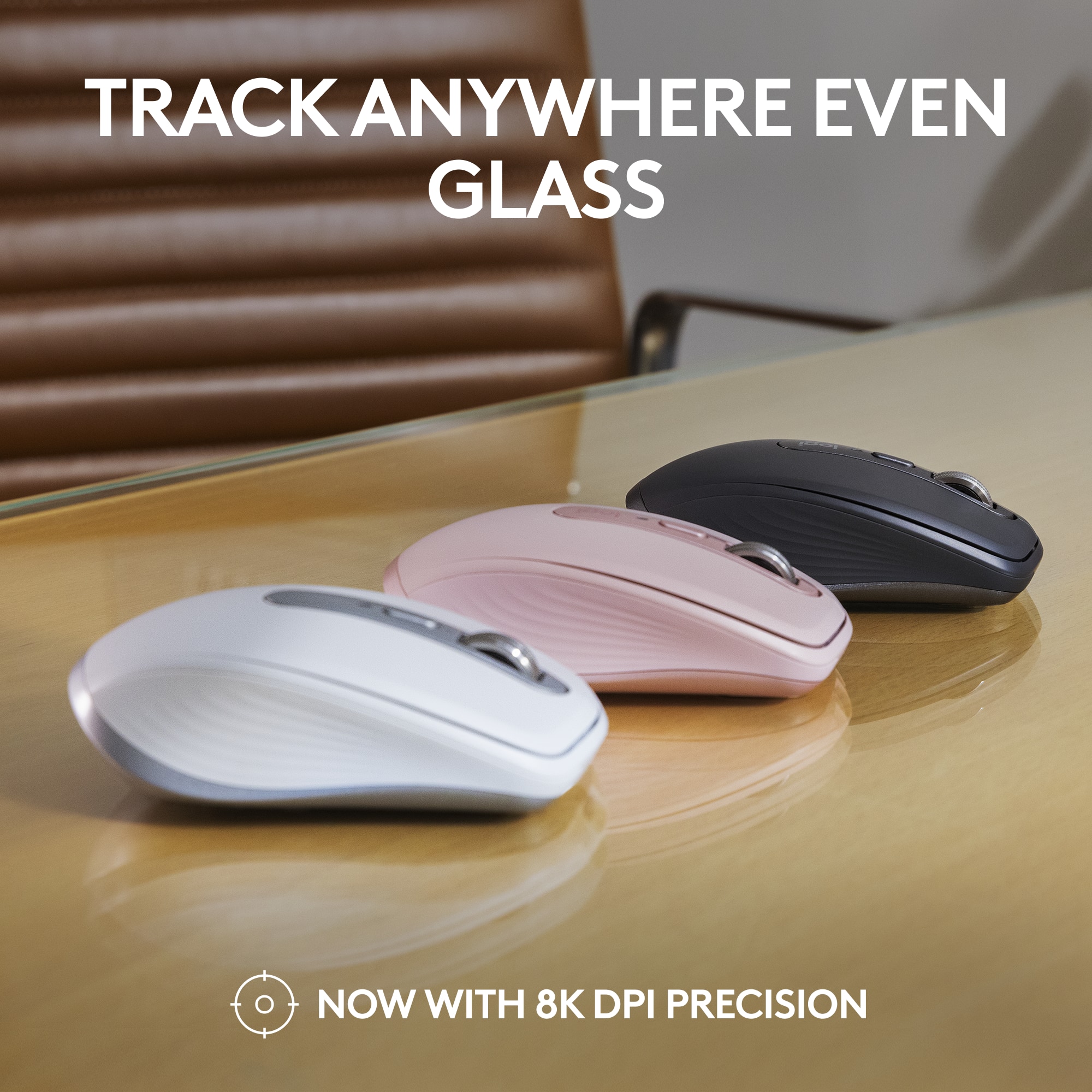
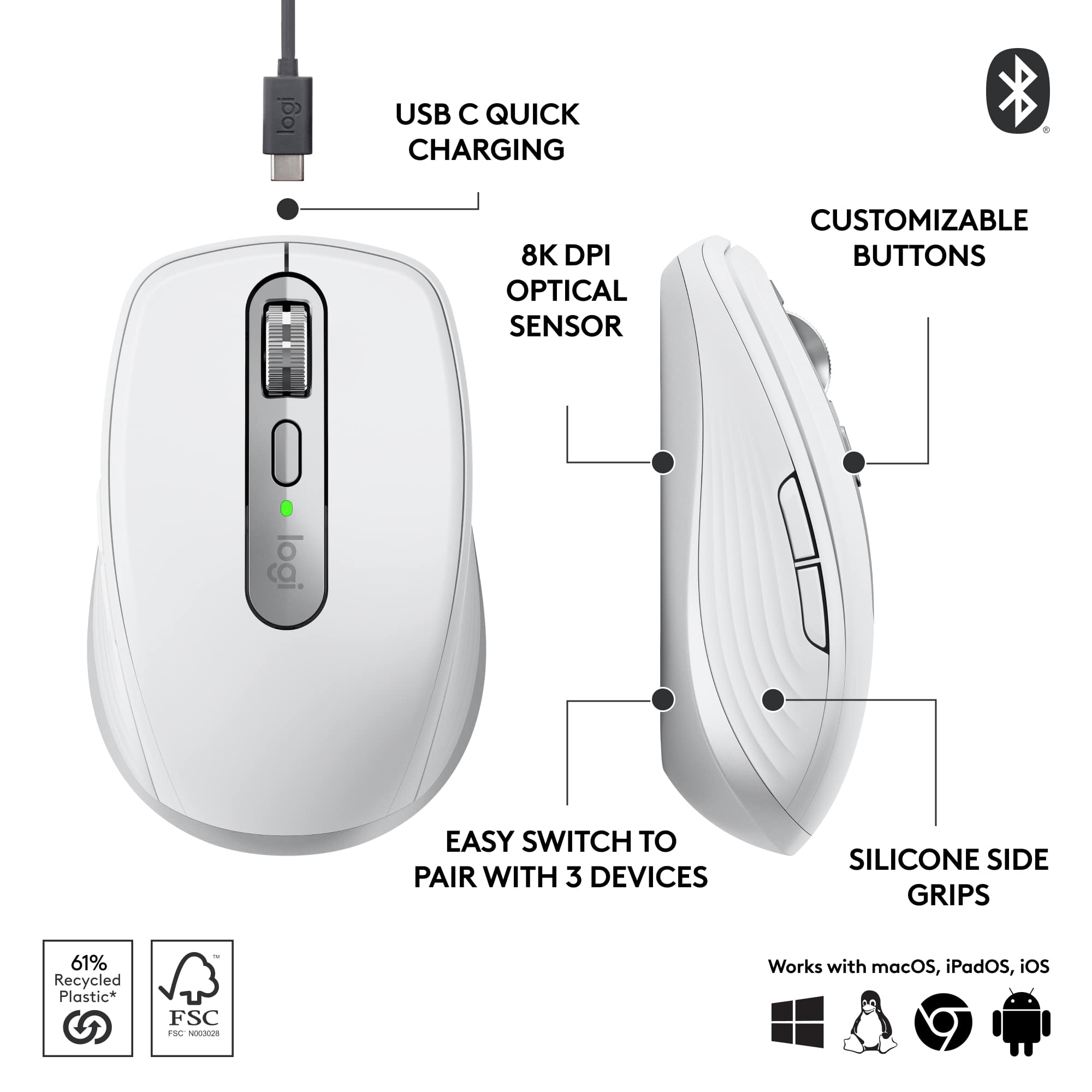
|Posted .This reviewer received promo considerations or sweepstakes entry for writing a review.PROS: - Pair to 3 devices (regardless of OS) - SUPER quiet mouse clicks - Customizable buttons (need the Logi Options+ app) - Compatible with existing Logi Bolt USB receiver(s) - Works on multiple surface types - Very long battery life - USB-C charging CONS: - I doubt the switches are optical (Logitech doesn’t specify) == SETUP == If you’re going to pair your mouse via Bluetooth, it couldn’t be easier. The first time you select a device on the bottom of the mouse (numbered 1 through 3) it will automatically enter pairing mode, just find the MX Anywhere 3S on your PC/laptop/tablet/phone to pair. If you’re going to pair your mouse using an existing Logi Bolt receiver, you can do it using the Logi Bolt application (it’s the same process for any Logi Bolt compatible device). This saves the device details on the mouse, making it really handing for switching between your desktop (mine has the Logi Bolt) and laptop/tablet. To get the most out of the mouse, you can customize the buttons using Logitech’s “Logi Options+” application (on Windows and macOS). I’m fine with the default forward+backward mappings, but you might prefer something different or macros for your workflow. == PERFORMANCE == Logitech claims that you can get up to 70 days of battery life on a full charge, and get up to 3 hours of use from just 1 minute of charging. I haven’t owned mine long enough to test this claim, but I’m sure it’s close. Having a USB-C charging port is great, so I can just use the same cable for my phone/tablet/laptop to charge up the mouse two months from now! The tracking on the mouse is great! I’ve used it on multiple surfaces (even glass) and haven’t run into any issues. The pads on the bottom are very slick, so there’s very little effort to move the mouse around. What I love the most about this mouse is just how QUIET it is while using it. I don’t know what switches Logitech is using, but they are the quietest ones I have ever used. I would have no problems clicking away with it in a library. Switching between devices is as seamless as it can get. Just make sure your laptop/desktop/tablet/phone has Bluetooth on (or the receiver is plugged in), and instantly switch between each device. I personally like using it with my iPad and laptop. I haven’t run into any issues using it between Windows, Linux, macOS, or iPadOS. == BOTTOM LINE == I really don’t think you’ll find a better compact/travel mouse out there. It’s comfortable to use (even with my big, fat hands), battery life is great (the USB-C port lets you use one cable between all your devices), and has the quietest button clicks I’ve ever heard on a mouse.
I would recommend this to a friendExcellent quality, low on quantity
|Posted .This reviewer received promo considerations or sweepstakes entry for writing a review.I wanted to love this mouse; I really did. It's clearly very well made in terms of build quality and engineering - especially of the control surfaces. The satin finish and rubberized plastics feel really nice to the touch, like a high-end luxury car from 15-20 years ago. It (and by extension the screen cursor) moves smoothly and cleanly, with excellent precision, on all my obvious test surfaces of desk veneer; mousepad; palm; pant leg; even the computer monitor itself - though with some minor difficulty on the "palm" and "leg" test cases owing to their uneven contours. (I kid, but those surfaces genuinely do offer topographic challenges.) I did not attempt to test it on glass as in their marketing literature claims, as I lack a suitable flat glass surface within practical range of the computer. Clicks are crisp, and are as quiet as the manufacturer's marketing literature claims - which seems a really odd thing specifically to point out (no pun intended), but is actually surprisingly noticeable once you're listening for it. The scroll wheel is *buttery* smooth and a genuine joy to use. It's relatively straightforward to pair via Bluetooth, with only a minor hiccup of pairing with multiple devices requiring an extra non-intuitive step (which also comes up if you need to *re*pair it with a device with which it already has been paired, but that device has forgotten it for whatever reason). The manufacturer claims the battery is good for something like 70 days of use (whatever a "day of use" means, specifically) off a single full charge that took somewhere between 1-3 hours (I wasn't watching it closely) on my 1 amp charger, and something like 2-3 hours off only a couple of minutes of charge (which I didn't test). I've only had it now for a little over 8 full days, so I haven't been (and likely won't be) able to probe the depths of its battery life during this review horizon. For whatever it's worth, I've deliberately not turned it off since my initial pairing tests, so it's technically been "on" for basically that entire time regardless of my actual usage patterns. But dang if it isn't just too blasted small for me, personally, to be comfortable using it as an "everyday" mouse. At a hair over 6" stem-to-stern (from heel of palm to tip of middle finger) and basically only 2" of thumb, I have *extremely* small hands for an adult of either gender (male and female averages respectively are 7.6" and 6.8" for hands, and 2.74" and 2.49" for thumbs). Flagship smartphones for the last 5 or so years have been too large for me to comfortably use one-handed without having to juggle them around awkwardly to reach the far side (let alone top corner) with my thumb. I'm generally perfectly comfortable with "short" watch straps, and actually have to worry about certain things larger than a "regular" length falling off over my hand. All that being said, I still feel like this mouse is uncomfortably small for me. The entire mouse is only about an inch longer than my fingers, leading to some form of awkward discomfort no matter how I hold it. If I "choke up" so that my palm rests on its "body," then I can't use the buttons or scroll wheel without sharply curling my fingers like I'm desperately trying to hold onto the rail of a helicopter in an '80s action movie. If I "choke down" so that I can easily use the buttons and wheel, then my wrist (along with something like ¾ of my palm) is resting on the desk surface in open invitation to carpal tunnel. The other Logitech mouse I've used literally every day for the last 5+ years before I started testing this one is quite literally twice the size of this one by volume (with an ergonomic design contoured to the natural asymmetrical shape of the human hand at rest, to boot), and I personally strongly prefer that larger ergonomic form factor for comfort. Bottom line? For me, personally, this is a 3-star product at best for the issues I have with its size, but I'm rounding up to the extra star out of the benefit of the doubt for its obvious quality; it's not the mouse's fault that I personally find it too small. Heck, a lot of people clearly love teensy little mice given how prevalent these compact models are on the market, and I suppose this would be roughly comparable to complaining that a Mini Cooper doesn't have the cargo space to haul a sofa or some such. The fact of the matter is, for someone who spends well over 8 hours per day using a computer as I do, the extra comfort and ergonomics afforded by a larger product is an absolute necessity, and the lack thereof in this model is a deal-breaker. I'm willing to concede that it would make a fine "emergency" replacement, or be useful for travel where space is at an extreme premium, but I simply cannot use it as a regular everyday mouse.
I would recommend this to a friendIt really is great for anywhere
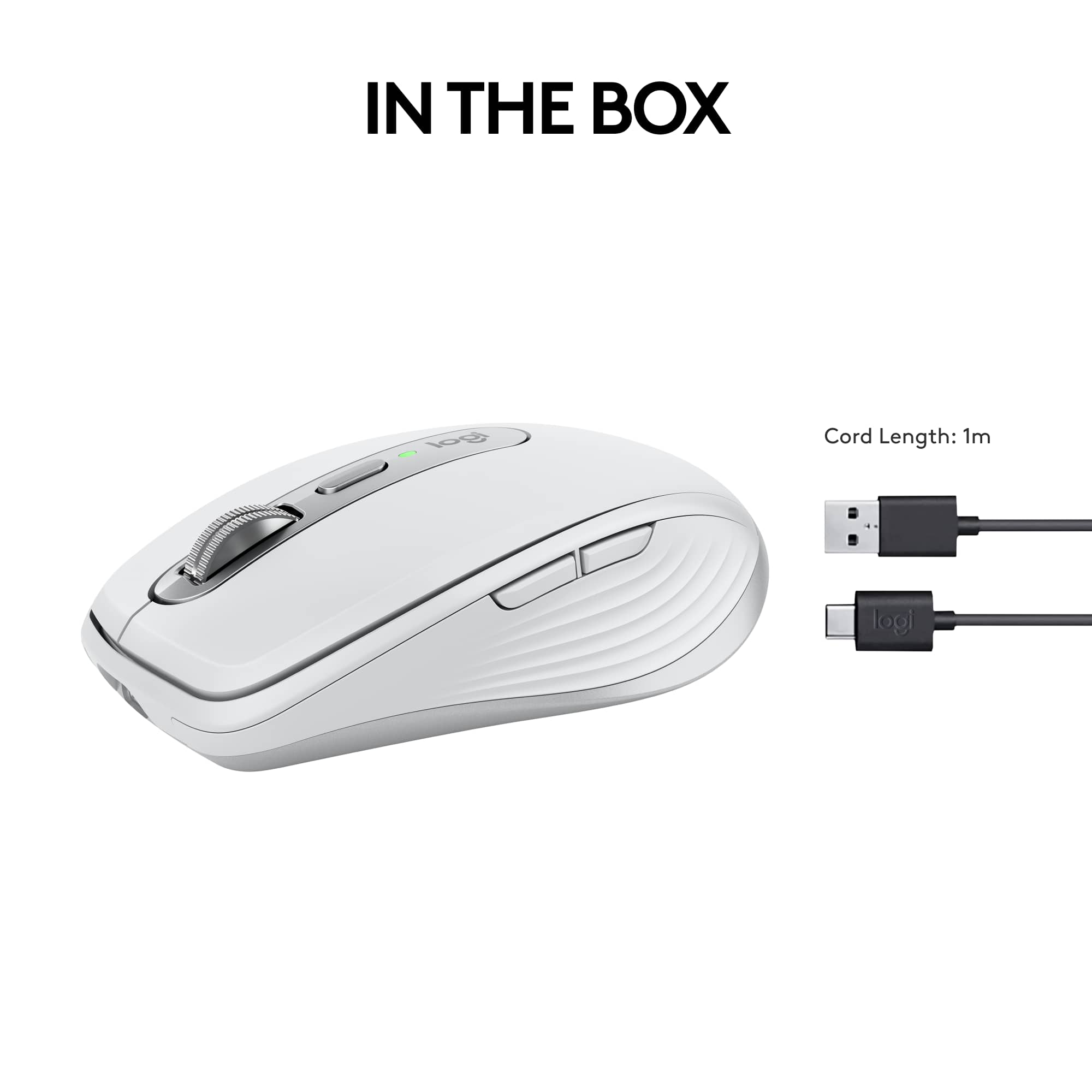
|Posted .This reviewer received promo considerations or sweepstakes entry for writing a review.The mouse is very comfortable and fits in the hand nicely, though it is on the smaller side. The buttons are all well placed and they have a high quality feel to them when clicked, especially the scroll wheel. You can change the setting of the wheel so it clicks or spins freely. It glides over the mousepad nicely and doesn't stick. It's a very simple mouse and just has the basics, but is all that you need for an office mouse. It's easy to set up and figure out. However, the cord is short and will make it difficult to use and charge simultaneously. You can use this mouse wirelessly for a long period of time via bluetooth, or when it's time to charge, plug it in and continue using it wired. Overall, this is a high quality mouse that is good in about every aspect and I would definitely recommend it. Pros- This mouse will work on any surface, so it's great for any set up. MagSpeed scrolling allows 1000 lines per second. Customizer your settings and buttons for the best optimization. A long battery life - holds a charge up to 70 days. Cons- A bit small depending on your hand size and preference. The USB-C cord is a tad short.
I would recommend this to a friendA perfect compact mouse!
|Posted .This reviewer received promo considerations or sweepstakes entry for writing a review.I have owned both the MX anywhere 2 and the master 3s and now have the privilege to own this MX3s. If you have never experienced a mouse that can be used on any surface (including glass) you have been likely very frustrated at times with your mouse. When logitech says "anywhere" they mean it. I have tested this MX3s on granite, carpet, concrete sidewalk, couch, and bed linens. This mouse never misses a beat and tracks so incredibly fast and accurate. I tried my best to make it fail to do so but actually, I failed. I am happy to say they updated the charging to the more industry standard USB type c. This should allow faster charging and while I have not tested this yet - I have used this as my main mouse for 7 full days at work - 8 hours a day and the charge is still at 50%. The fit and finish are what you would expect from Logitech - premium feel, weight and hand position. All buttons are customizable which is a plus. A nice compact design which can fir it any backpack or bag easily. Logitech never disappoints with their mice - they simply just work; all the time and the battery lasts a long time. You won't be displeased.
Sleek and Fast
|Posted .This reviewer received promo considerations or sweepstakes entry for writing a review.Been using this for about a week and a half now. Set up is essentially plug and play. Took merely minutes. Out of the box the settings for me were simply too fast. From the scrolling to the speed of the cursor. This isn't a complaint, just a personal observation. Once I accessed the settings, things went fine and I was able to slow both down. I find the mouse to be very comfortable to use and it is also very responsive. It is just the right size and does not feel too bulky or too small. It comes with a USB cable and is also just plug and play to charge. The small USB adapter plugs right in and it sets itself up or of course via bluetooth. It of course is wireless, so once its charged up, simply unplug the cable and you are on your way. The mouse buttons are easily set up to your preference and you have the option to select left or right handed use. I am using this with an HP laptop and hqve had no issues whatsoever. This replaced a previous Logitech mouse and I find this new one has better control and responsiveness. I would recommend this product.
I would recommend this to a friendOperates smooth with light effort
|Posted .This reviewer received promo considerations or sweepstakes entry for writing a review.The Logitech MX Anywhere 3S – Black is a mouse with a great compact fit for my hand that gives me smooth control of my clicks and my navigation through my icons and all of the many types of documents that I work on from time to time. It easily set up as soon as I plugged it into my computer’s USB port. I went to my settings and turned on the Bluetooth command and the search for the Bluetooth of the Logitech MX Anywhere 3S – Black began immediately. Once installed, the Logitech MX Anywhere 3S – Black mouse took over the cursor pointer and I could then execute commands. The Logitech MX Anywhere 3S – Black operates smoothly and silently, with no difficulty. Navigation with the Logitech MX Anywhere 3S – Black is comfortable and smooth flowing. I can scroll through pages very quickly and perform every task effortlessly with the Logitech MX Anywhere 3S – Black. I like how it fits inside my hand, with its smaller compact design. The Logitech MX Anywhere 3S – Black is great to have for travelling with my laptop or using at home on my desktop.
I would recommend this to a friend1 mouse to rule them all!
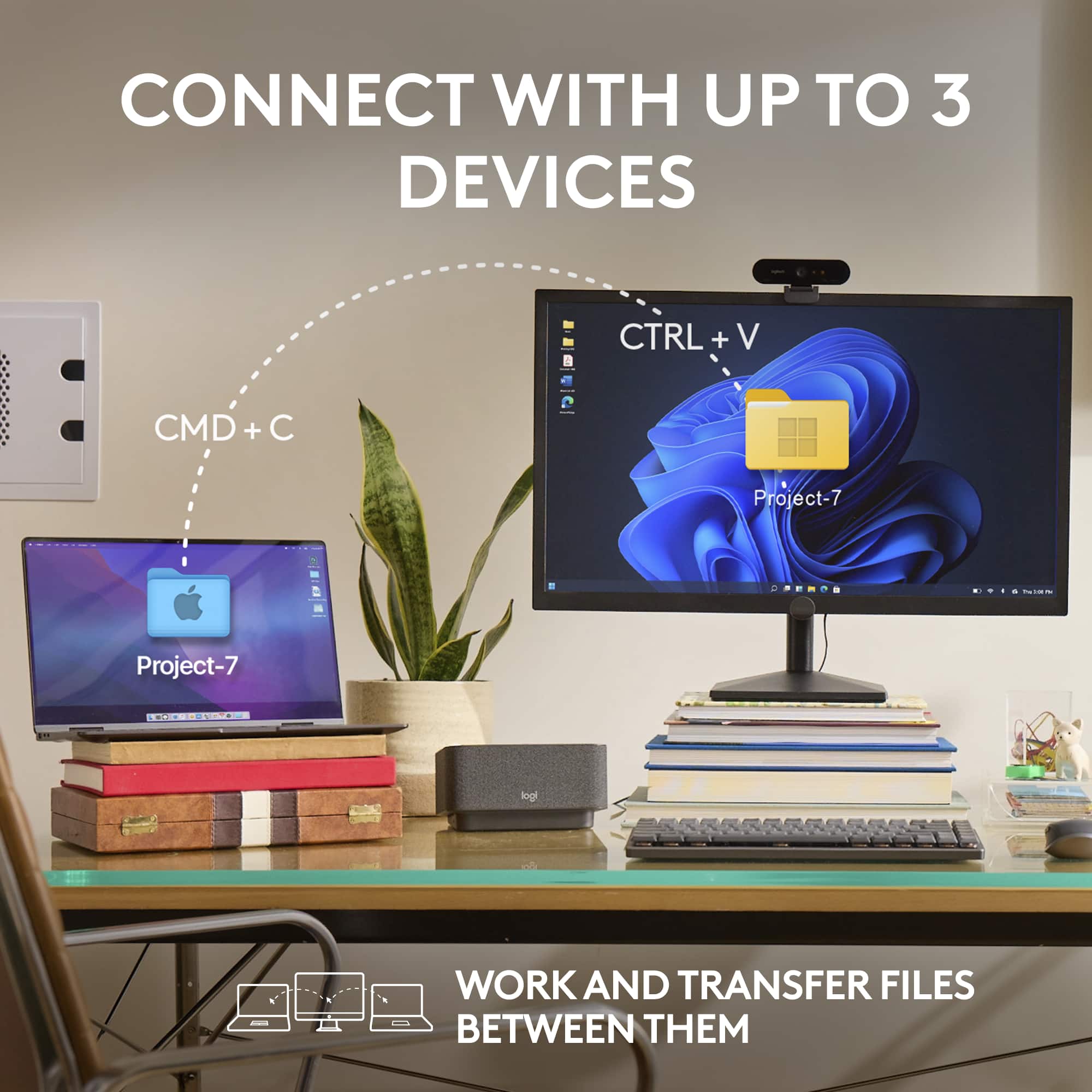
|Posted .This reviewer received promo considerations or sweepstakes entry for writing a review.This mouse will connect to up to 3 devices, and switch between them by pressing a button. The mouse can connect via Bluetooth or via the included dongle to Windows, macOS, iPadOS, Chrome OS and Linux. It charges via USC-C and has a stated battery life of 70 days and up to 3 hours from a 1-minute charge. The scroll wheel works by MagSpeed Electromagnetic scrolling and is capable of up to 4,000 DPI in increments of 50 from 200-4000 DPI. There is a button on top of the mouse to toggle the wheel between free-spinning and ratchet responses. There are 6 buttons, and it is programable with app-specific customizations. This is one of the better feeling mice I’ve used, and I haven’t noticed any hand fatigue. It’s built from quality materials and is designed to take a beating during travel or switching from device to device. The sides have silicone grips to give you a secure feel, and the mouse is the quietest I’ve ever used. The mouse features can be customed with the Logi Options+ app available for download on the Logitech site.
I would recommend this to a friendAnother home run by Logitech
|Posted .This reviewer received promo considerations or sweepstakes entry for writing a review.The Logitech MX Anywhere 3S is an exceptionally good mouse and I thoroughly enjoying using it for my laptop and desktop. Before I received the MX Anyhwere 3S, I had used the MX Master 2 from Logitech for a few years and it was always my favorite product. The Anyhwere 3S is small but fits comfortable in my hands, tracks excpetionally well, has satisyfing clicks and is super responsive. Bluetooth connectivity is probably the fastest that I have ever encountered with a product. The mouse can connect to three different computers and switches very seamlessly. I comfortably have used this mouse for a few weeks and it has almost replaced the MX Master for my desktop. It certainly has replaced it for my laptop. Traveling with this mouse (as its intended) is a breeze as its super light and durable. I highly recommend this mouse to anyone in need of a multi-purpose mouse for intense desk work or travel work. I would also recommend anything from the MX line of products as I believe Logitech is the best mouse peripheral company.
I would recommend this to a friendAnother good mouse from Logitech.
|Posted .This reviewer received promo considerations or sweepstakes entry for writing a review.Logitech MX Anywhere 3S While being on the small side (since it is designed as a mobile mouse) it has a great feel. I like the ability to switch between click and smooth scrolling like some of the other Logitech products by clicking the small button just behind the scroll wheel, on top of the mouse. This mouse has the familiar Logitech satin finish, side buttons for moving back and forth in a webpage and has a nice contrast with the weighted, metal scroll wheel. I am using this mouse to replace my daily driver - an older MX Master mouse - that is getting kind of worn out. The movement is very smooth and the buttons have a very positive “click” to them without being hard to press. The laser reads on every surface I have tried it on. The button on the bottom allows it to b e configured for three different devices and can switch between them with a simple press of the button. It uses either Bluetooth or the new Bolt receiver. I do not have one of the receivers (non is supplied in the box) so I cannot say how well it works, but the new sensors work very well to give the user a solid, precise feel to every movement. Because of the size, it actually fits my space better than the very comfortable mouse it is replacing. I might miss the shape that fit my hand so well, but the precision of the new mouse is so great that I am happy with my swap! I can once again select multiple items with a simple swipe instead of losing the first few as it reset itself halfway through the motion. Logitech has proven itself with quality products for decades. This new version in their Anywhere line is a fitting example of the continual evolution of their designs. I look forward to many years of use for this mouse, as I have had from so many other Logitech mice, since the 90’s.
I would recommend this to a friendCompact, comfortable, multi-device support
|Posted .This reviewer received promo considerations or sweepstakes entry for writing a review.The Logitech MX Anywhere 3S is a compact mouse that features accurate, precise tracking, good battery life, and can be connected to up to three devices. As someone who travels with both my work and personal computers, this is a great addition to my bag. I will note right up front that the MX Anywhere 3S is small. I find it comfortable to use with my “fingertip” mouse grip, but those with larger hands, or who prefer a “palm” grip might find it less comfortable. The next thing I’ll mention is the precise tracking. I like being able to move the cursor quite a bit with relatively small movements of the mouse, and the MX Anywhere 3S works great for that. I also want to comment on the scroll wheel. Like many others, there’s a haptic “clicky” feeling to give you feedback as you scroll with the wheel. However, instead of a mechanical implementation, the MX Anywhere 3S takes some sort of electromagnetic approach. That means the clicky feedback can be turned on or off quickly using the button on top of the mouse, it can be made more or less intense using the Options+ software, and it automatically disappears once you begin to scroll quickly, allowing for smoother, faster movement along many pages. It’s very intuitive to use. As far as connectivity goes, I was able to get the MX Anywhere 3S working with both computers right away, out of the box. There’s a small button on the bottom to toggle between paired devices. Also, I’ve only had it a few days, but the battery life seems great, and charging via USB-C port right up front seems very convenient. Overall, I like the MX Anywhere 3S, and would recommend it to anyone who doesn’t mind a fairly compact form factor in their mouse.
I would recommend this to a friendGood mouse for the price
Posted .This reviewer received promo considerations or sweepstakes entry for writing a review.I really like this mouse. Feels very good the material
I would recommend this to a friendBrand response from Logitech
Posted .Thanks for your thoughtful review. It’s great to know our product is living up to your expectations. Your support helps us keep delivering quality.

A really great, portable mouse for all systems
|Posted .This reviewer received promo considerations or sweepstakes entry for writing a review.I have always found Logitech products to be well-designed and well-constructed, and the MX Anywhere 3S is no exception. It's a great mouse for all platforms. Setup was a breeze. I already had the Logitech app installed on my laptop. When I powered the unit on the app immediately recognized a new Logitech device and asked if I wanted to connect it via Bluetooth. Seconds later, it was ready to go. It has the ability to switch between three different devices, across operating systems, with the push of a button or using Logitech’s software to track your movements across screens. The ability to use the mouse across multiple devices is great if you have a multi-system setup – including a tablet. I have two PCs and an iPad, and it really is handy not having to swap devices to go from screen to screen. It takes a bit of practice to smoothly manage the transition between devices, but the control software works remarkably well once you get the flow of it. The 3S tracks really well on any surface; I used it on wood, paper, a smooth desk surface, and I was even able to use it on a glass tabletop with no issues. I tried it on uneven surfaces where my other mouses get stuck, and it tracked smoothly without any hesitation. Scrolling is fast and smooth. Logitech claims the ability to scroll 1,000 lines per second, and based on my experience I believe this is a realistic number. While the 3S is somewhat small, the silicone grips and shape of the MX Anywhere are comfortable. I found it comfortable to work with, even with my large hands. Overall, an excellent product.
I would recommend this to a friendProbably the best compact mouse for 2023
|Posted .This reviewer received promo considerations or sweepstakes entry for writing a review.The TL:DR version of my review: Great compact mouse—maybe even the best on the current market—that shines against lesser competition. However, several nice features are missing that were once included. I’m going to up-front about the Logitech Anywhere MX 3S mouse. On one hand, it’s one of the nicest mice you can buy on today’s (2023) market. On the other hand, it’s missing several useful features that the Anywhere MX 2S had…and I’m definitely missing those features. The mouse has a lot going for it. It’s practically silent—no audible button clinks or wheel turns. The buttons click with an affirming ‘click’, as do the side buttons (forward/back for most of us). The mouse turns on instantly and connects to via Bluetooth to my 12th Gen Intel Asus laptop in less than 2 seconds (which is much faster than the MX 2S that I own). Tracking is spot-on. This thing points exactly where it’s meant to, even on the stock Windows 12 settings. Likewise, scrolling is very smooth with the scroll wheel…and super quiet, as I mentioned previously. It even feels more accurate than my MX 2S. So why not a 5-star rating? I’ve used the Logitech Anywhere MX 2S for the last several years, and I honestly don’t feel like the 3S is an upgrade. My first gripe is the 3S’s scroll wheel not moving from side-to-side to control right and left scrolling. I often keep my laptop screen divided in two, making webpages too wide for the split screen view. With my MX 2S, I can scroll either page from top to bottom and right to left. The 3S doesn’t have the right to left scrolling. Second: The 3S doesn’t have the same solid feeling or ‘heft’ that the 2S does. I’m guessing that they both have about the same overall weight, but the 2S has a bit of weight on the bottom that makes it feel sturdier/weightier during use. And my final gripe is the software that Logitech hopes you install. No matter what I did, including reinstalling the software, I could not get the software to read that the mouse was connected to my PC. So, for me, the software was completely useless. Now, this isn’t to say that the Logitech Anywhere MX 3S isn’t a nice mouse—trust me, it is! It’s just missing a few key components that I happen to use frequently. If you’re like me and use the side-to-side scrolling, then you might keep looking. But if you’re like the majority of people and don’t care about the sideways scrolling, then I can confidently recommend this mouse, as it’s probably the nicest compact mouse on the market today.
I would recommend this to a friendSimple mouse that works well
Posted .This reviewer received promo considerations or sweepstakes entry for writing a review.It works well with a mac air laptop. Easy to connect
I would recommend this to a friendBrand response from Logitech
Posted .Thank you for the fantastic feedback! We're glad to know the Logitech MX Anywhere 3S Mouse provides a seamless and easy connection, especially with your Mac Air laptop. Your experience highlights its simple, effective functionality!
Great little mouse
|Posted .This reviewer received promo considerations or sweepstakes entry for writing a review.The Logitech MX Anywhere 3s is a great little mouse, it is ergonomically friendly and is very easy to set up. Right out of the box, the mouse needs to be charged, but while it is charging, you can set it up to use with your computer (This makes the mouse worth it for sure). While the mouse is charging, you can download the software from Logitech's website and begin to customize the mouse. Once the software is downloaded, you have so many different options on ways that you can customize the mouse to fit your needs. As a photographer this does make life a lot easier, especially since while the mouse is charging you can still use it. The mouse has a very smooth and ergonomic feel, and here's another great feature, you can use the mouse for up to three computers as well. Overall it's a great mouse, the only reason it does not receive five stars is because you can't just swipe left or right on the top of the mouse like you can with the magic mouse, but other than that this mouse is great and I highly reccomend it to anyone.
I would recommend this to a friendPerfect
Posted .This reviewer received promo considerations or sweepstakes entry for writing a review.Excellent product maybe a little expensive, but good
I would recommend this to a friendBrand response from Logitech
Posted .Hey! Totally fair take! The MX Anywhere 3S packs premium features like 8K DPI tracking, MagSpeed scrolling, and quiet clicks into a compact, travel-ready design. A bit pricey, but the performance and versatility make it worth it.
Wow its a great mouse
Posted .This reviewer received promo considerations or sweepstakes entry for writing a review.The quietness is impressive ... Makes it seem high quality... Nice small size... Easy setup.... Usb c charging... Again, the quiet clicks is nice
I would recommend this to a friendBrand response from Logitech
Posted .We're thrilled to hear that you're loving the Logitech MX Anywhere 3S! Its quiet operation, compact size, easy setup, and USB-C charging make it a fantastic choice for everyday use. Thank you for your positive feedback.
Great quality
Posted .This reviewer received promo considerations or sweepstakes entry for writing a review.Smooth easy to use. Fits well in hand. Very happy with purchase
I would recommend this to a friendBrand response from Logitech
Posted .We're glad you're enjoying the smooth and comfortable experience of the MX Anywhere 3S! We're always striving to create products that enhance your workflow. If you have any questions or need assistance, please don't hesitate to reach out to our support team.