Skip to contentGo to Product Search
Main Content

Customer Ratings & Reviews
$169.99
Save $30
Comp. Value: $199.99

Customer reviews

Rating 4.7 out of 5 stars with 341 reviews

Rating Filter

Rating by feature

  • Value

    Rating 4.5 out of 5 stars

  • Quality

    Rating 4.8 out of 5 stars

  • Ease of Use

    Rating 4.8 out of 5 stars

Pros mentioned filter

Cons mentioned filter

94%would recommend to a friend

Customers are saying

Customers express satisfaction with the MX Brio Ultra HD 4K Webcam's outstanding image quality, ease of use, and versatile connectivity options. The built-in privacy feature and great field of view are also welcomed. However, some customers have noted the mounting options could be improved with the addition of a tripod thread. Overall, the webcam seems to be well-received for its features.

This summary was generated by AI based on customer reviews.

The vast majority of our reviews come from verified purchases. Reviews from customers may include My Best Buy members, employees, and Tech Insider Network members (as tagged). Select reviewers may receive discounted products, promotional considerations or entries into drawings for honest, helpful reviews.
Page 16 Showing 301-320 of 341 reviews
  • Rated 5 out of 5 stars

    Good Purchase

    |
    |
    Posted . Owned for 3 weeks when reviewed.
    This reviewer received promo considerations or sweepstakes entry for writing a review.

    This turned out to be a great webcam with a ton of features. Very happy with my purchase!

    I would recommend this to a friend
    • Brand response from Logitech
      Posted .

      Hey there! We love to hear that you're enjoying your MX Brio Ultra HD 4K webcam – it really is packed with features to make your video calls and streams look amazing!

  • Rated 5 out of 5 stars

    Netter than the rest

    |
    |
    Posted . Owned for 1 month when reviewed.
    This reviewer received promo considerations or sweepstakes entry for writing a review.

    Been trying a few if these for oersonal and home youe. This one is the best of the webcams.

    I would recommend this to a friend
    • Brand response from Logitech
      Posted .

      We're thrilled to hear that you've found the MX Brio Ultra HD webcam to be the best of the best for your personal and home use!

  • Rated 5 out of 5 stars

    Recommend!

    |
    |
    Posted . Owned for 1 month when reviewed.
    This reviewer received promo considerations or sweepstakes entry for writing a review.

    Been serving me quite well for my streams and video recording needs!

    I would recommend this to a friend
    • Brand response from Logitech
      Posted .

      Thanks for the recommendation! We're thrilled to hear the MX Brio Ultra HD 4K is meeting your needs for streaming and video recording.

  • Rated 5 out of 5 stars

    Works great - love the manual shutter

    |
    |
    Posted . Owned for 1 month when reviewed.
    This reviewer received promo considerations or sweepstakes entry for writing a review.

    I love the ability to manually close and open the shutter.

    I would recommend this to a friend
    • Brand response from Logitech
      Posted .

      Thank you for your positive review of the Logitech MX Brio Ultra HD 4K webcam! We're glad to hear that you appreciate the manual shutter feature.

  • Rated 3 out of 5 stars

    It’s ok

    |
    |
    Posted . Owned for 3 weeks when reviewed.
    This reviewer received promo considerations or sweepstakes entry for writing a review.

    I thought this was going to be an upgrade in quality from my Brio, but its about the same. It has a few more features but none that i use

    No, I would not recommend this to a friend
    • Brand response from Logitech
      Posted .

      Thank you for sharing your experience with the MX Brio Ultra. We're sorry to hear it didn’t meet your expectations in terms of noticeable upgrades. Your feedback is appreciated and will help guide future improvements. Logitech

  • Rated 5 out of 5 stars

    Cam your

    |
    |
    Posted . Owned for 1 week when reviewed.
    This reviewer received promo considerations or sweepstakes entry for writing a review.

    5 stars Great product and recominded yes too my frienss

    I would recommend this to a friend
    • Brand response from Logitech
      Posted .

      Thanks for the 5-star review of the MX Brio Ultra HD! We're thrilled you're impressed and recommend it to your friends. The MX Brio offers exceptional image quality, making it a great choice for video conferencing and streaming. We appreciate you sharing your experience!

  • Rated 3 out of 5 stars

    Ok quality

    |
    |
    Posted . Owned for 3 weeks when reviewed.
    This reviewer received promo considerations or sweepstakes entry for writing a review.

    Ok but expensive. Wait for a sale and then is ok. No adapter includede from a usbc to usb.

    I would recommend this to a friend
    • Brand response from Logitech
      Posted .

      We appreciate your feedback on the MX Brio webcam. We're sorry to hear that the included accessories and price point did not fully meet your expectations. Your comments regarding the USB-C to USB adapter and pricing are valuable as we continuously work to improve our products and offerings. Logitech

  • Rated 4 out of 5 stars

    Definitely need to tweak settings first

    |
    |
    Posted . Owned for 2 weeks when reviewed.
    This reviewer received promo considerations or sweepstakes entry for writing a review.

    Video quality will need to be adjusted before streaming. 4k only works if the program recognizes 4k.

    No, I would not recommend this to a friend
    • Brand response from Logitech
      Posted .

      Thanks for the feedback! Our free G HUB software simplifies 4K settings for MX Brio. Download it here: [https://www.logitechg.com/innovation/g-hub.html] and enjoy hassle-free streaming!

  • Pros mentioned:
    Connectivity, Image quality, Privacy feature
    Cons mentioned:
    Mounting
    Tech Insider Network Member

    Rated 5 out of 5 stars

    Wide view and excellent image

    |
    Tech Insider Network Member
    Posted .
    This reviewer received promo considerations or sweepstakes entry for writing a review.

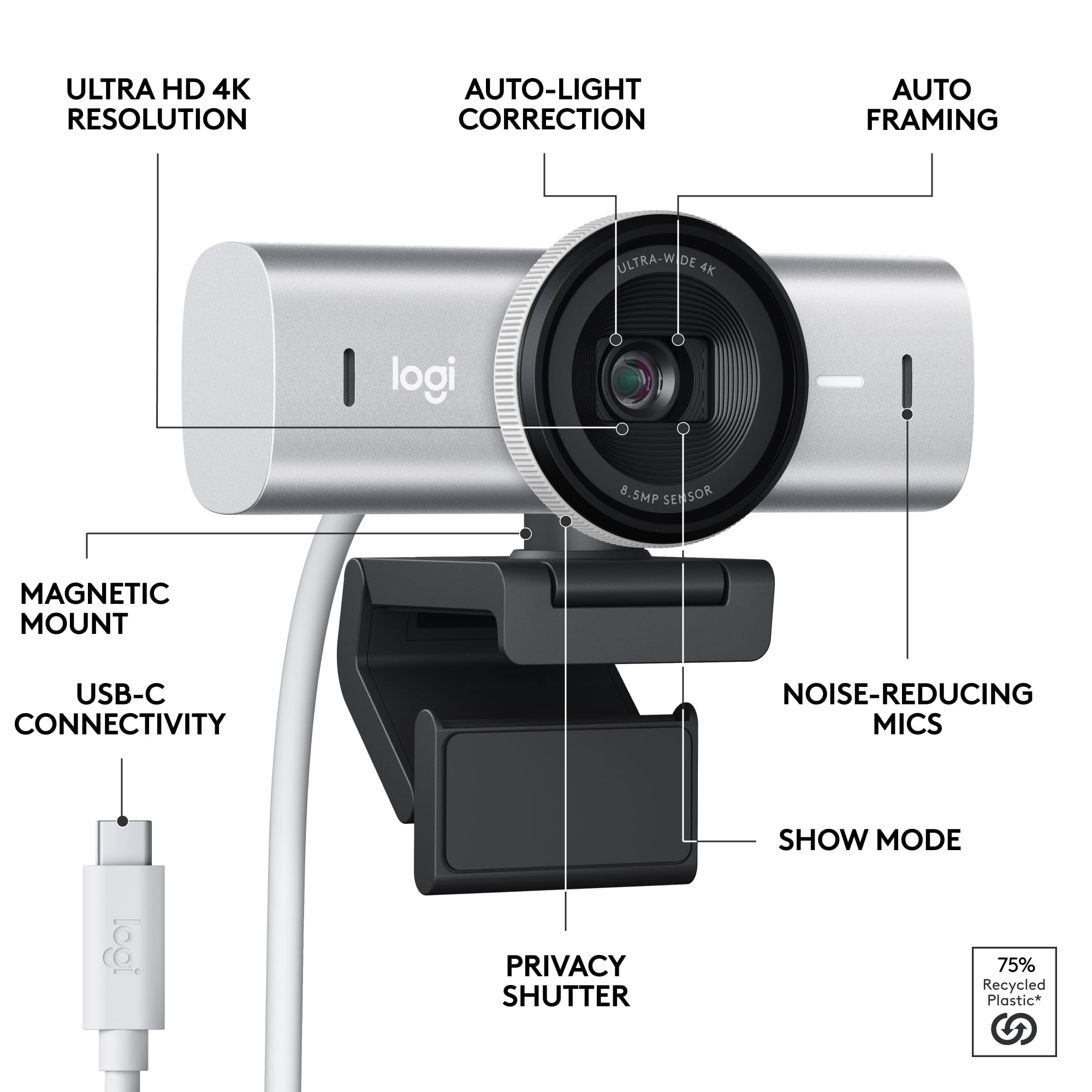
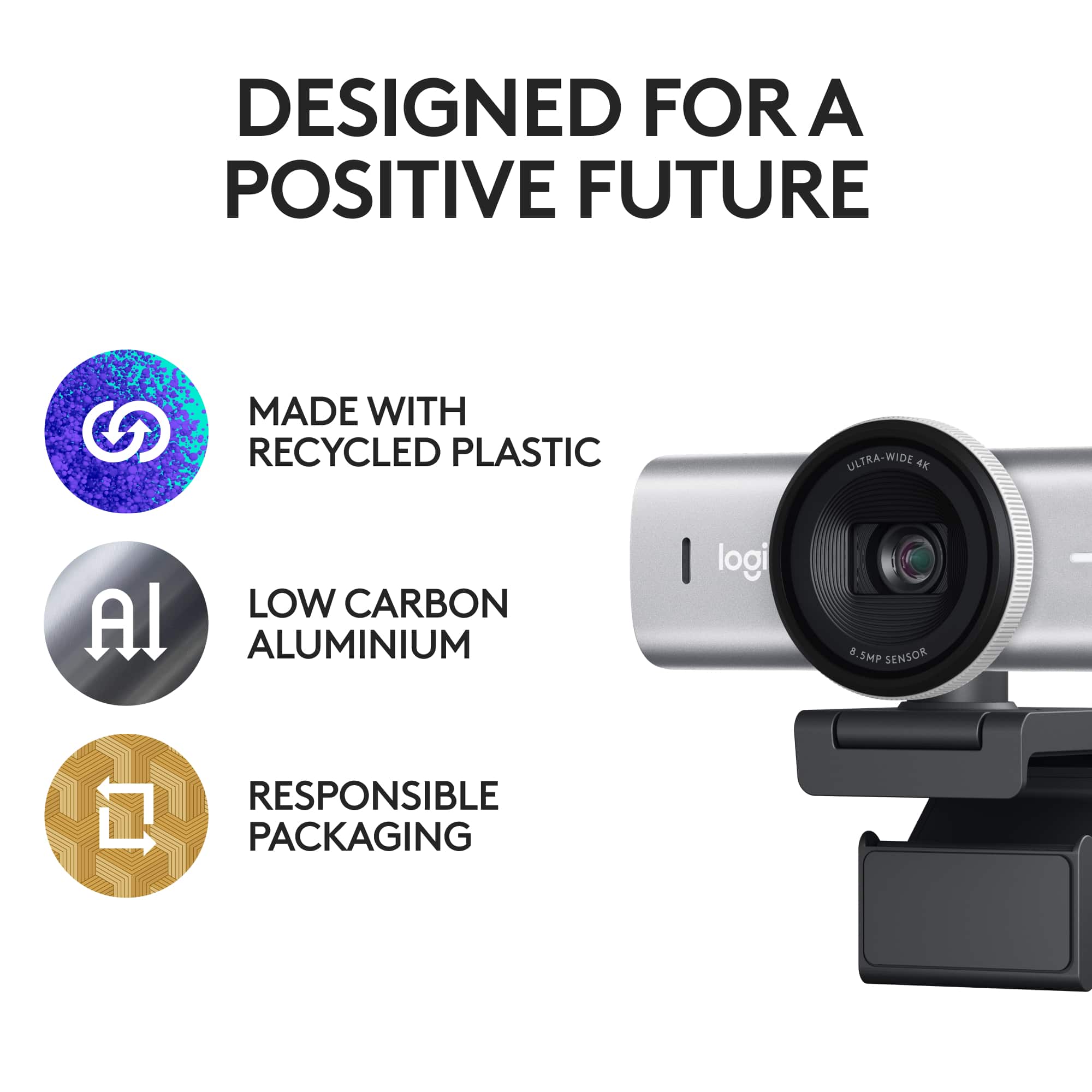
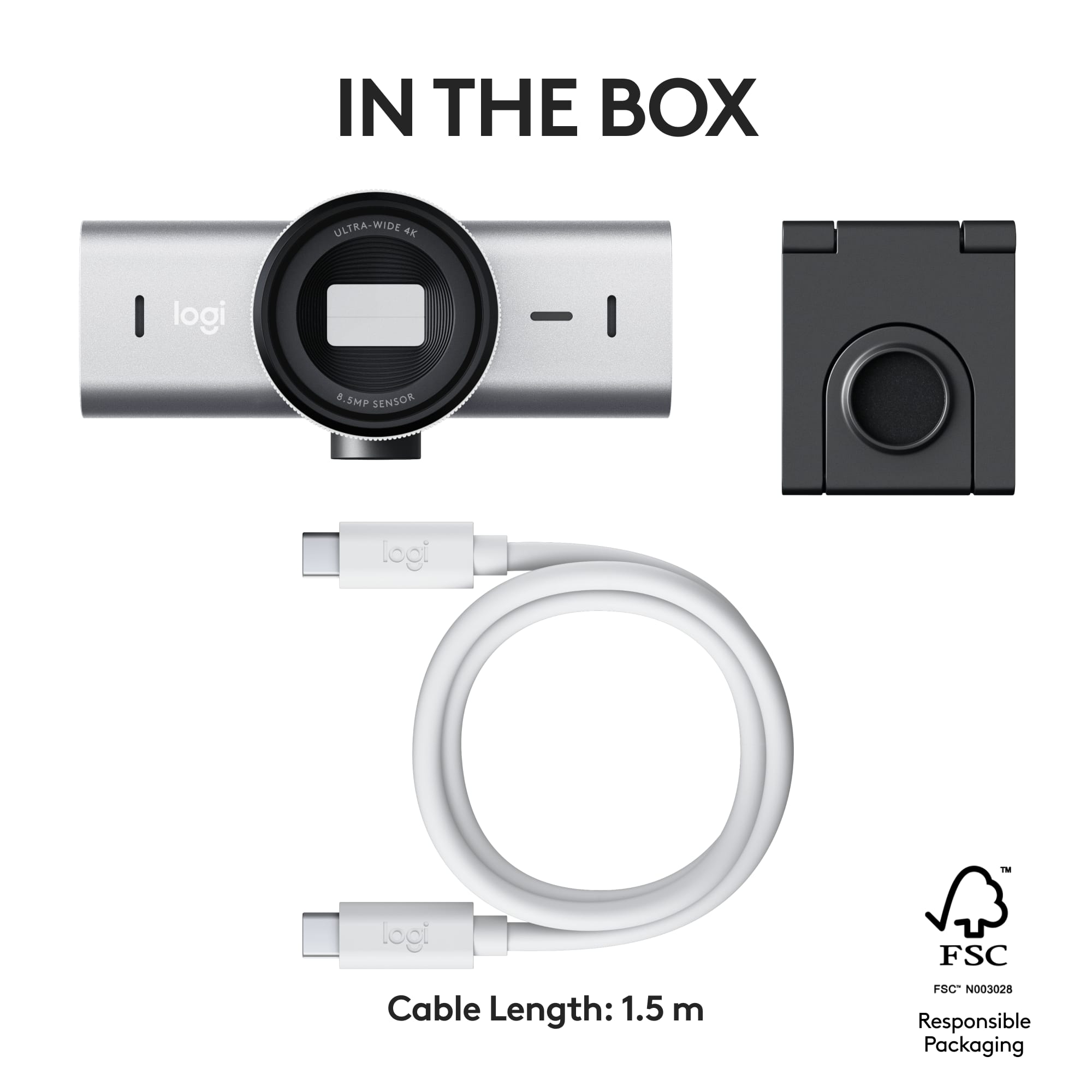
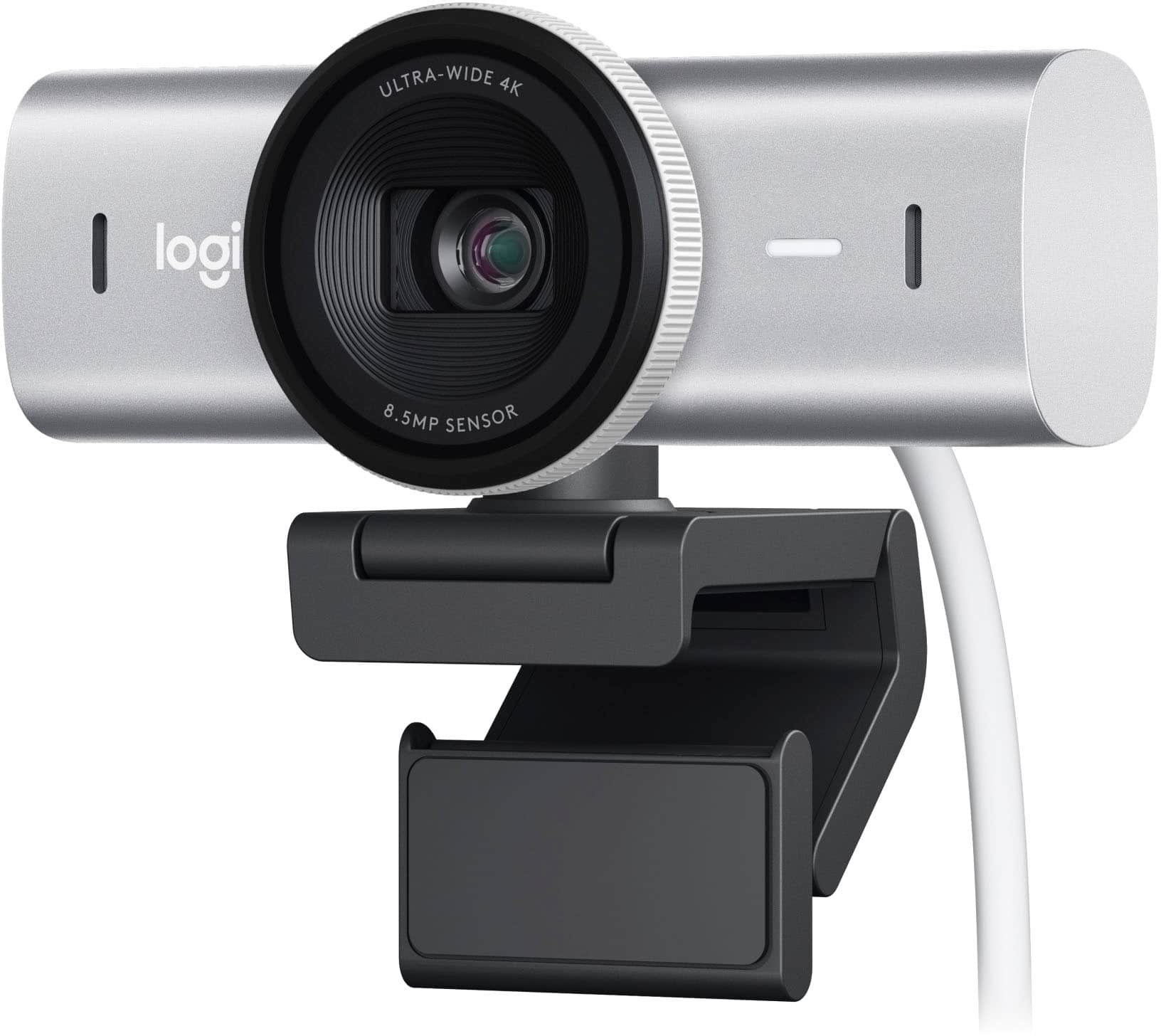
    I've used Logitech cameras for many years consider them among the best. This is a step above anything else they had so far. The camera itself feel very solid with an aluminum body. The optical components are behind a glass filter and has an mechanical privacy shutter that opens by twisting the lens. Feels in ways like a photo camera. Audio comes from two microphones (at each side). The camera detaches from the monitor mount and accepts regular camera mounts, so it can be set on a tripod, etc. The monitor mount is an evolution from previous Logitech mounts which were already good. It can optionally be glued to the monitor. I don't like that if I don't want to use the glue, it's already set on one side of the mount, that can be flipped out, but it's still there. The camera can flip downwards so it can be pointed to a desk, so to show documents or other objects or to be used as a scanner. Connectivity is via USB-C. The cable is not attached to the camera so one can replace the USB-C cable it came with. The connection speed is 5Gbs, and also works, if needed, with an USB-A 3.0 to USB-C (Adapter not included). Since this is an 'MX' series device, if one already has the Logi Options+ software that's also used to configure the camera. This is not required but highly recommended on macOS and Windows. Since this camera is ultra-wide, one can reduce the field of view and position, change exposure, white balance and auto focus. It also caught my attention that this camera is certified for both Zoom and Teams, and it also works on Google Meet and on Chomebooks. On Chomebooks, it doesn't use any additional software. The OS lets you crop similarly to how it works with the Options+ software. On macOS, it also works great for Facetime. For gaming or streaming, it can also be used with G Hub, which also provides the same level of control as Options+. Have both installed and both work. The USB-C cable that it comes with is fairly long and good quality. It's also a bit thick so it's not as flexible. This is because this camera needs more bandwidth than older models. I also appreciate that it came in a paper box with no plastic.

    I would recommend this to a friend
    • Brand response from Logitech
      Posted .

      Thanks for the in-depth review of the MX Brio! We're thrilled you see it as a step above the rest. The premium build, 4K image quality, and versatile features make it a great choice for professionals and creators. Enjoy using it!

  • Rated 2 out of 5 stars

    Doesn't check all the boxes for me.

    |
    |
    Posted . Owned for 1 month when reviewed.
    This reviewer received promo considerations or sweepstakes entry for writing a review.

    There are others if you are looking for a high-quality web camera. The camera suffers from artifacts while streaming, which might not bother 95% of users. Still, when you're in the business of streaming professional-quality videos, you want to make sure you look fabulous, which this camera does not do well. Likes: Integrated Shutter Integrated Stereo Mics Magnetic Mount Dislikes: Poor video quality *I also own the Brio 4K, the predecessor to this camera, which performed much better.

    No, I would not recommend this to a friend
    • Brand response from Logitech
      Posted .

      Thank you for your valuable feedback. We will forward it as a feedback to the appropriate team so they can look into it.

  • Rated 3 out of 5 stars

    Bought and returned…

    |
    |
    Posted . Owned for 1 week when reviewed.
    This reviewer received promo considerations or sweepstakes entry for writing a review.

    For $200 I wasnt wasnt impressed. Didnt see the value for business calls vs. last year’s model or lower models. The latter may not have the latest features but still high resolution, and good enough for half the price or less

    No, I would not recommend this to a friend
    • Brand response from Logitech
      Posted .

      We appreciate your feedback on the MX Brio. We're continually working to improve our products and offer the best value to our customers. Thank you for sharing your experience.

  • Rated 2 out of 5 stars

    Very Poor in low light

    |
    |
    Posted . Owned for 2 weeks when reviewed.
    This reviewer received promo considerations or sweepstakes entry for writing a review.

    The camera isn’t bad. But it’s not worth the premium price. I upgraded from the Logitech stream cam to this and I feel this camera actually did worse… way worse in lower light. It seems the camera adds A LOT of grain in low light settings. The stream cam does not do this. It took a 4k sharp looking image and made it look like a laptop camera. I have returned it and sticking with my stream cam until I upgrade to something else.

    No, I would not recommend this to a friend
    • Brand response from Logitech
      Posted .

      Hello, We're very sorry to hear the MX Brio Ultra HD 4K webcam's low-light performance wasn't what you expected, especially coming from the Stream Cam. We understand your frustration and appreciate you sharing your feedback. Our goal is to continuously improve our products, and your experience will help us do that.

  • Rated 2 out of 5 stars

    Not worth the price for me

    |
    |
    Posted . Owned for 3 weeks when reviewed.
    This reviewer received promo considerations or sweepstakes entry for writing a review.

    Poor overall interaction with settings. Not a lot of changes and personalization can be made. Much less expensive to use phone app.

    No, I would not recommend this to a friend
    • Brand response from Logitech
      Posted .

      Thank you for your feedback on the MX Brio Ultra HD 4K Webcam. We’re sorry to hear the customization options didn’t meet your expectations and regret any inconvenience caused. Your input is appreciated and helps guide future improvements. Logitech

  • Rated 3 out of 5 stars

    Nice camera!

    |
    |
    Posted . Owned for 1 week when reviewed.
    This reviewer received promo considerations or sweepstakes entry for writing a review.

    Lovely Camera! Only down side is when you move the camera it can flip on screen and it is hard to correct it.

    I would recommend this to a friend
    • Brand response from Logitech
      Posted .

      We're thrilled you love the MX Brio's image quality! We're always looking for ways to improve our products, so thanks for letting us know about the camera angle adjustment.

  • Rated 2 out of 5 stars

    Camera

    |
    |
    Posted . Owned for 1 month when reviewed.
    This reviewer received promo considerations or sweepstakes entry for writing a review.

    Not too good Could have way more worth of money though

    No, I would not recommend this to a friend
    • Brand response from Logitech
      Posted .

      Thank you for your feedback. We're sorry the experience didn’t meet expectations and appreciate your thoughts as we strive to improve. Logitech

  • Pros mentioned:
    Connectivity, Field of view, Image quality
    Tech Insider Network Member

    Rated 5 out of 5 stars

    Excellent webcam

    |
    Tech Insider Network Member
    Posted .
    This reviewer received promo considerations or sweepstakes entry for writing a review.

    The Logitech MX Brio Ultra HD 4K Webcam stands out as a premium offering in the realm of webcams, boasting top-tier specifications and features that cater to professionals, content creators, and anyone seeking the highest quality video conferencing experience. The image quality is so good that you'll wish the Logi+ options app offered the option to blur your face a little more. Design & Build Quality: The MX Brio showcases Logitech's commitment to sleek design and robust build quality. Its minimalist yet elegant design seamlessly blends with any setup, while the sturdy construction ensures durability, making it suitable for both office and home environments. With its sleek design and sturdy build, it's like the James Bond of webcams – sophisticated yet ready for action. Whether you're decking out your home office or adding some flair to your streaming setup, this bad boy fits right in. The webcam has a high-quality metal casing and some heft to it. I wish that they'd offer an under-monitor mount option or a side clamp designed to accomodate the larger monitors most of us use today. The auto-rotate when you lower the cam to share something on your desk workspace is pretty slick, I'm sure that can be adapted to Video Quality: The standout feature of the MX Brio is undoubtedly its stunning 4K Ultra HD resolution. Delivering crisp, clear, and lifelike imagery, this webcam elevates video conferencing, streaming, and content creation to a new level. The high dynamic range (HDR) support enhances contrast and color accuracy, resulting in vivid and realistic visuals even in challenging lighting conditions. Performance: Equipped with advanced optics and a high-quality sensor, the MX Brio excels in capturing every detail with exceptional clarity. Its autofocus feature ensures sharp focus on subjects, while the 90-degree field of view enables wider coverage, perfect for group meetings or capturing more of your surroundings during streams or presentations. Connectivity & Compatibility: The MX Brio offers versatile connectivity options, including USB-C and USB-A compatibility, ensuring seamless integration with a wide range of devices, from laptops to desktops. The cable is high-quality and fits right in with my Mac Studio setup. Conclusion: In summary, the Logitech MX Brio Ultra HD 4K Webcam sets a new standard for webcam performance, delivering unparalleled video quality, reliability, and versatility. Whether you're conducting professional meetings, creating content, or simply staying connected with friends and family, the MX Brio offers an exceptional experience that truly stands out in the crowded webcam market. If you're looking to upgrade your video setup to the next level, the MX Brio undoubtedly deserves consideration.

    I would recommend this to a friend
    • Brand response from Logitech
      Posted .

      Thanks for feedback on the MX Brio! We designed it with high-quality video conferencing and content creation in mind, so we're thrilled you find it perfect for those uses. The 4K resolution and HDR are especially helpful for achieving crisp visuals in various lighting conditions.

  • Pros mentioned:
    Field of view, Image quality, Privacy feature
    Tech Insider Network Member

    Rated 5 out of 5 stars

    It's good with surprising video quality

    |
    Tech Insider Network Member
    Posted .
    This reviewer received promo considerations or sweepstakes entry for writing a review.

    This is definitely a webcam worthy to invest in. It starts from a quick setup to instant gratification as you see how clear your captured video looks. Their software cuts out on a lot of noise, and even in lower light your image will look amazingly crisp. Starting with the hardware itself, it is a nice design that incorporates a lot of features. Preferably, they want you to use the provided tape to hard mount it to your monitor. That way, you are able to easily detach it from the magnetic base to do any sort of camera movement you'd like. For example, if you need to show stuff around your desk, or just get a closer look at something you are able to do so easily. There is also a physical lid on the camera to give you peace of mind, but during operation there are also indicator lights when either the camera or mic is recording. Overall, no complaints on the hardware other than maybe the cord that it comes with is a little stiff. Moving on to the software and camera, this is where things get extremely configurable. To begin, the field of view is incredible. Because of this, you are able to use the software to really crop and zoom to exactly where you want. There is also exposure levels to and color temperature to adjust to get the perfect image. It is kind of amazing the dynamic range that is displayed in the videos. I am able to differentiate between shades of black objects on a black table, something I was never able to do with my previous webcam. I would have also liked to see an AI setting to configure how much is being done. Currently there are no ways to even turn off the AI assisted image. The included mic is not the best, but I would still rate it higher than most PC laptop mics. It does not beat a MacBook mic by any means. At the end of the day, I am completely satisfied with this webcam. I can confidently say that during conference calls, I seemingly have the best video quality. It does make me feel more conscience of minor details that used to get lost in the pixels, so that is something to keep in mind.

    I would recommend this to a friend
    • Brand response from Logitech
      Posted .

      Thanks for the in-depth review of the MX Brio! We're thrilled you love the crystal-clear video, low-light performance, and extensive customization options. Sounds like a conferencing champion!

  • Pros mentioned:
    Connectivity, Image quality, Privacy feature
    Tech Insider Network Member

    Rated 5 out of 5 stars

    Elevating Video Conferencing

    |
    Tech Insider Network Member
    Posted .
    This reviewer received promo considerations or sweepstakes entry for writing a review.

    Being someone who spends a significant portion of my day in virtual meetings, I’ve been looking for a better webcam. I upgrade to the Logitech MX Brio Ultra HD 4K, and its been a good choice Design and Build Quality The first thing that struck me about the MX Brio is its sleek design. The build quality feels robust and durable doesn’t feel like cheap plastic. Has a solid weight a feel to it Video Quality The MX Brio's Ultra HD 4K resolution truly blew me away. The clarity and sharpness of the image are on a whole new level compared to my previous webcam. (well this is what others have been saying since I cant really see myself on the other side Integrated Features One feature that I've come to rely on heavily is the MX Brio's autofocus. As someone who tends to move around during video calls, having autofocus ensures that I always remain in clear focus, regardless of my distance from the camera. Low-Light Performance The webcam adapts dynamically to make sure that I always appear well-lit and professional on camera. Its just nice to know that I look “ok” on the other side of the video and not washed out. Connectivity and Compatibility Setting up the MX Brio was a breeze, thanks to its USB-C connectivity. The plug-and-play functionality meant that I was up and running. Not issues during setup Privacy and Security I appreciate the MX Brio's integrated privacy shutter. Being able to physically cover the lens when the webcam is not in use should be the standard The Logitech MX Brio Ultra HD 4K has truly transformed my video conferencing experience. It's clear that Logitech has spared no expense in delivering a webcam that exceeds expectations. If you're someone who relies on video communication for work, investing in the MX Brio is a decision you won't regret.

    I would recommend this to a friend
    • Brand response from Logitech
      Posted .

      Sounds like the MX Brio checks all the boxes for you! We're happy you love the design, image quality, autofocus, low-light performance, and user-friendly features. The MX Brio is a feature-packed webcam designed to elevate your video calls, and it seems to be doing just that! Thanks for choosing Logitech!

  • Pros mentioned:
    Connectivity, Image quality, Privacy feature
    Tech Insider Network Member

    Rated 5 out of 5 stars

    4K Webcam with Style and Elegance

    |
    Tech Insider Network Member
    Posted .
    This reviewer received promo considerations or sweepstakes entry for writing a review.

    The all-new Logitech MX Brio is a business class webcam that punches well above its class. Opening the box, you are treated to a great presentation. The lid opens to showcase the MX Brio front and center. Nice touch indeed! Pulling the webcam out of the box, you will instantly notice the build quality. The MX Brio feels very solid and has some heft to it. Feels very premium. The webcam base is magnetic and connects to webcam effortlessly. Also, in the box you will find the USB-C cable for connecting the webcam to your computer. Once placing the webcam base to your monitor, place the MX Brio on the base to connect. Plug in the USB-C cable to the webcam and your PC or Mac. Next go to www.logitech.com website and download Logitech Options + application. Once installed, open the Logitech Options + Application and you will be presented with all the webcam controls. Be sure to click on the update firmware link to install the latest firmware version. Now you are ready to open your favorite web conference application and start enjoying crystal clear 4K video and audio. When not in use, there is a privacy shutter to close off the webcam lens. Simply turn the dial counterclockwise and it will close the lens. If you need a new webcam, the Logitech MX Brio is certainly up to the task!

    I would recommend this to a friend
    • Brand response from Logitech
      Posted .

      Thank you for the detailed and informative review of the MX Brio! Your insights into the product's design, features, and performance are valuable to other potential buyers. We appreciate you taking the time to share your experience!

  • Pros mentioned:
    Field of view, Image quality
    Tech Insider Network Member

    Rated 5 out of 5 stars

    High Quality Webcam

    |
    Tech Insider Network Member
    Posted .
    This reviewer received promo considerations or sweepstakes entry for writing a review.

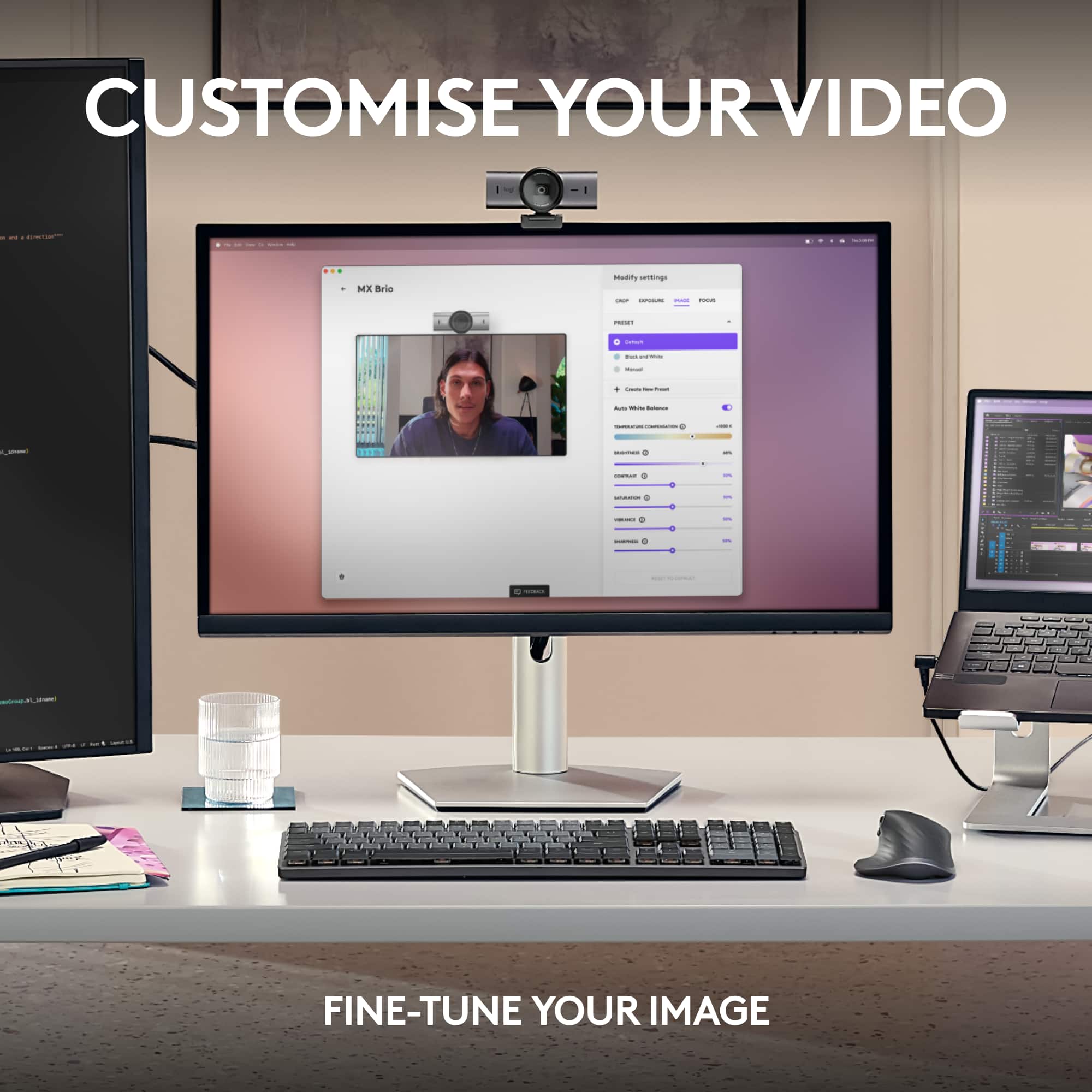
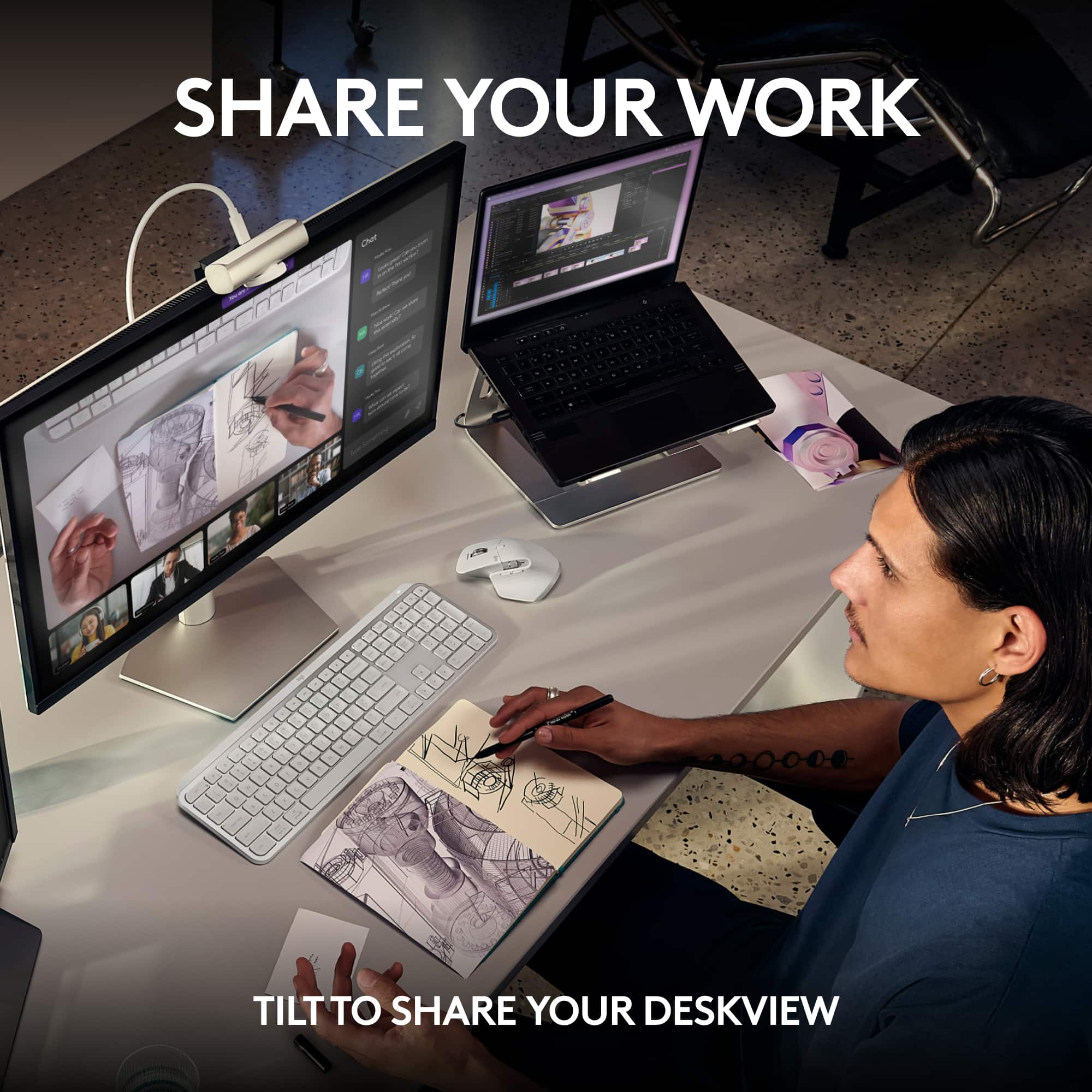
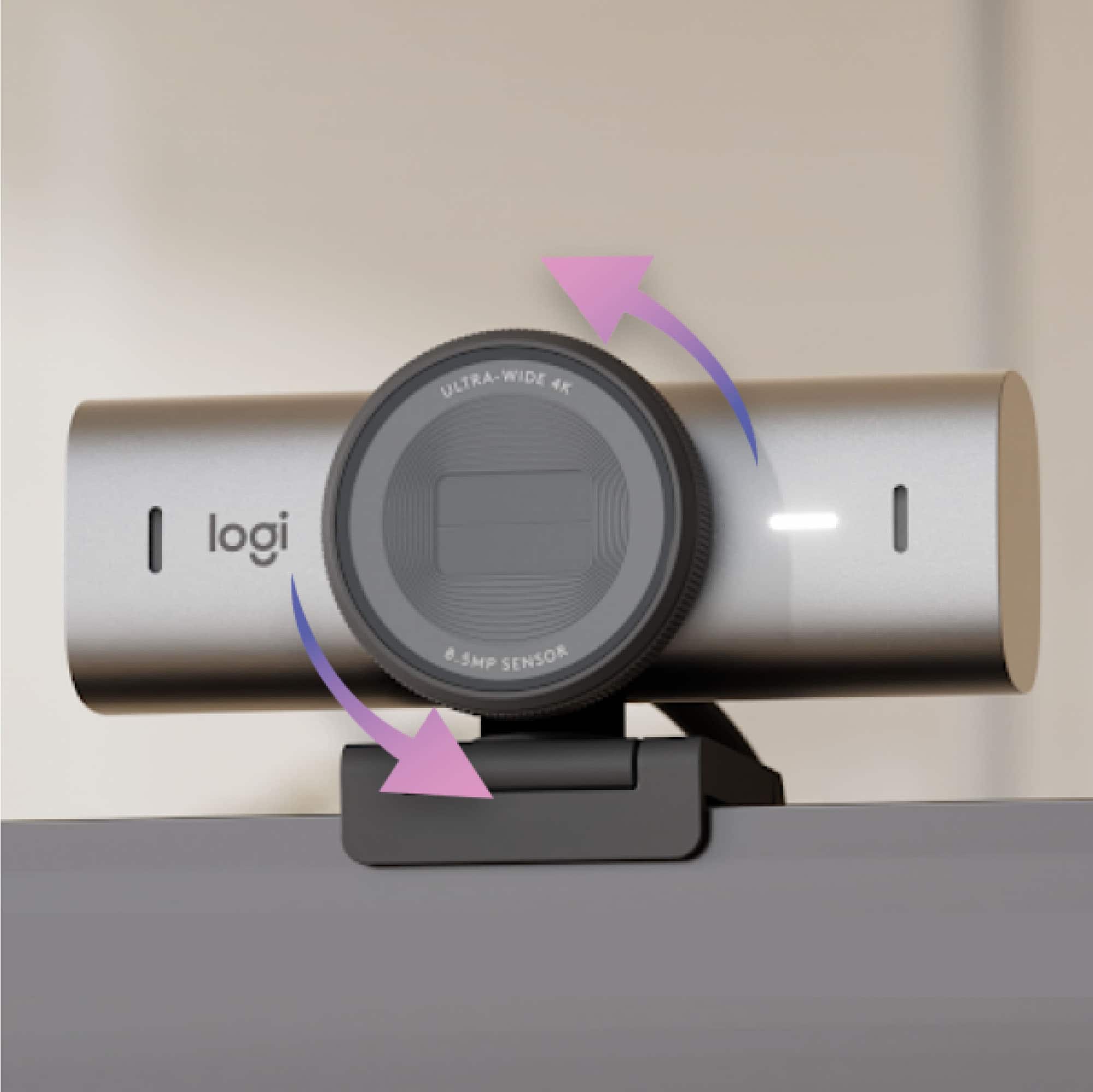
    Video conferencing became a necessity for my job during the pandemic. I’ve conducted countless streaming meetings, interviews, and presentations, and as the pandemic has passed, its advantages have made it an indispensable tool for workplace communication. I think that having good image quality and good lighting is essential for a professional videoconference. I’ve used Logitech webcams for many years and have always found them to be great but in an effort to improve video quality even further, I was excited to try the new Logitech MX Brio Ultra HD 4K webcam with its 8.5 megapixel sensor it can do 4K at 30fps and 1080p at 60 fps. In the box you get the Brio, a usb C cable, and some documentation. The camera is surprising heavy and has a great quality feel to it. The body is mostly metal with some plastic on the rear. The camera mount is also very nice with a swivel feature and a reusable sticky pad to securely mount it to the rear of your monitor. This comes in handy when using the Brio Show Mode. This feature allows you to tilt the camera forward and down toward your desk in order to display items to other participants during a presentation. The camera attaches to the mount clip magnetically and holds strongly when attached. The Brio can also be mounted to a tripod since the underside of the cam has a threaded mount. The lens is glass and is quite large. Rotating the outside edge of the lens opens and closes the privacy shutter. On the front of the camera are 2 integrated dual beam-forming noise-reducing microphones. Here you also find an LED light to let you know when the camera is on. To connect the camera to your computer you just connect the included usb C cable. This cable is heavy duty and is probably the thickest usb cable I’ve seen. No doubt in an effort to better transmit the 4K video. This cable is unfortunately a bit short for my liking. The Logitech software can be found by scanning the QR code in the box. At the link you can download the Logi Options + software and / or the G Hub software. Both software have the same camera configuration options but I think the G Hub software is much nicer to use. The camera video looks great out of the box but adjusting the image settings significantly improves the image quality. Here you have a bunch of settings to tweak. On the Crop tab you can adjust the field of view to 65°, 78°, or 90°. I love this feature to adjust the camera view. Here you can also zoom the camera and adjust position. On the Exposure tab you can use auto exposure or adjust it manually. There is a low light compensation feature and you can also toggle HDR. On the Image tab you can configure a full range of color and brightness settings. On the Focus tab you can turn auto focus on or off. After playing with the brightness, color temperature, contrast, saturation, and sharpness the Brio image quality was significantly improved at least to my preferences. Once configured, you can also name and save your settings for future use. The Brio MX also uses AI to further automatically improve image and sound quality. I find the resulting image quality superior to any other webcam I’ve previously used. The 4K image is crisp and detailed and the Brio performs very well in challenging low light situations. The Logitech Brio MX is great solution for your professional looking streaming and videoconferencing needs.

    I would recommend this to a friend
    • Brand response from Logitech
      Posted .

      Thank you for your kind words! We appreciate you taking the time to share your experience. We’re glad you’re enjoying your Logitech product.