Customer Ratings & Reviews
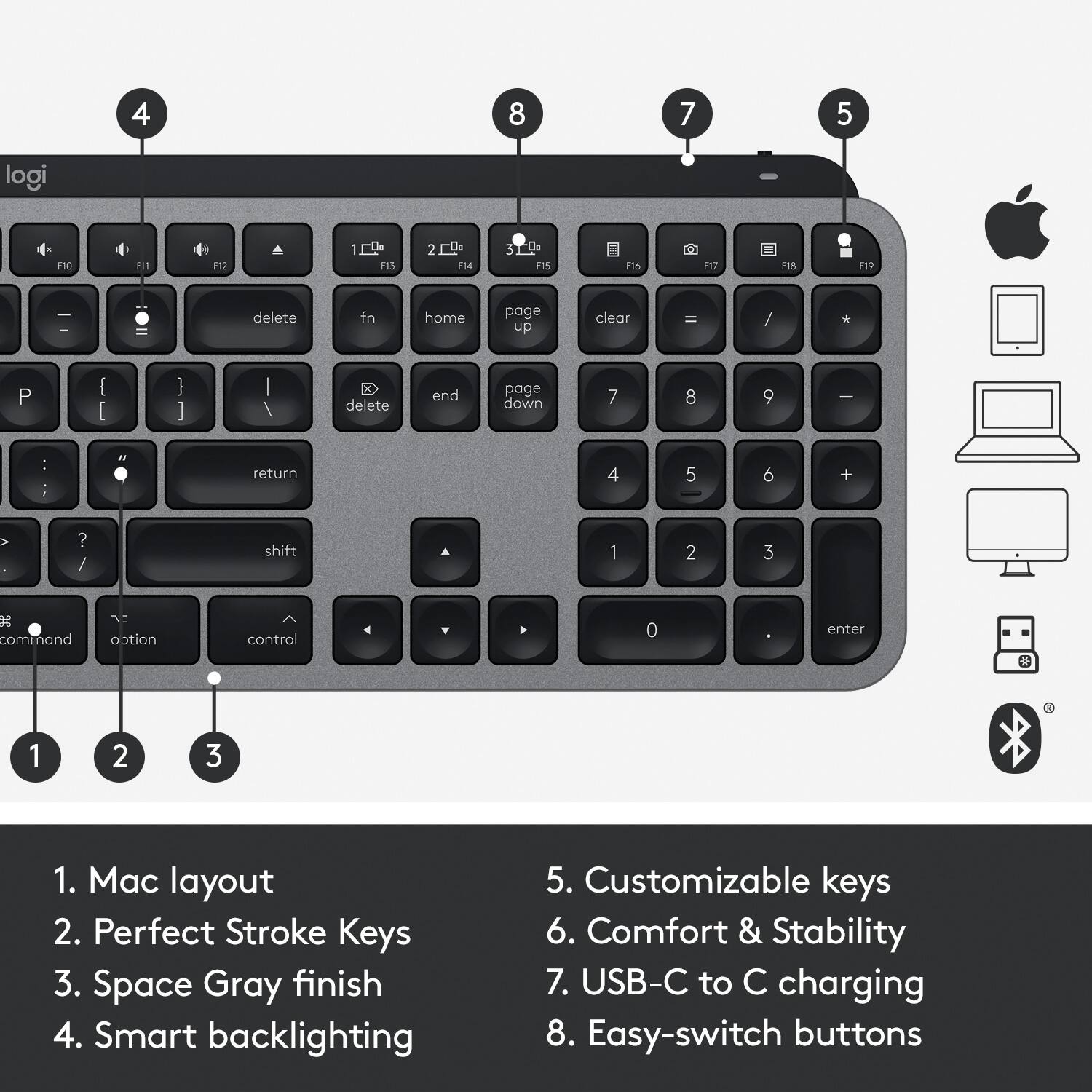
![F4 13 esc F2 n $ % # ! 4 5 - 2 3 . 1 E R Q W tab D F A S caps lock C X Z shift x command option control I A 6 T G V logi 32 D 109 1 Fa F 4 m 4 - M F - d N 18 page up clear ) - . = & 0 8 9 page down 7 7 I end doan I ) delete I o P [ ] U I Y return . K L : H J shift ? A < N M B control option command . F = I - 8 + 5 6 4 2 1 0 enter #](https://pisces.bbystatic.com/image2/BestBuy_US/images/products/6404/6404203_sd.jpg)
- Model:
- 920-009552
- SKU:
- 10111564
Rating by feature
- Value
Rating 4.6 out of 5 stars
- Quality
Rating 4.9 out of 5 stars
- Ease of Use
Rating 4.8 out of 5 stars
to a friend
Not worth the money
||Posted . Owned for 3 weeks when reviewed.This reviewer received promo considerations or sweepstakes entry for writing a review.I immediately returned it, it is the same price as the Apple one but it is a lot more bulky. The keys are not smooth and easy to press. For this high of cost go with the Apple brand.
No, I would not recommend this to a friendBrand response from Logitech
Posted .Hello Oceanblue94,
Thank you for choosing Logitech and for taking the time to write this review. Thank you for your feedback. Please feel welcome to visit the Logitech website for product support with any of your Logitech products.
Best regards,
John at Logitech
https://support.logi.com/

Best Typing Experience Ever
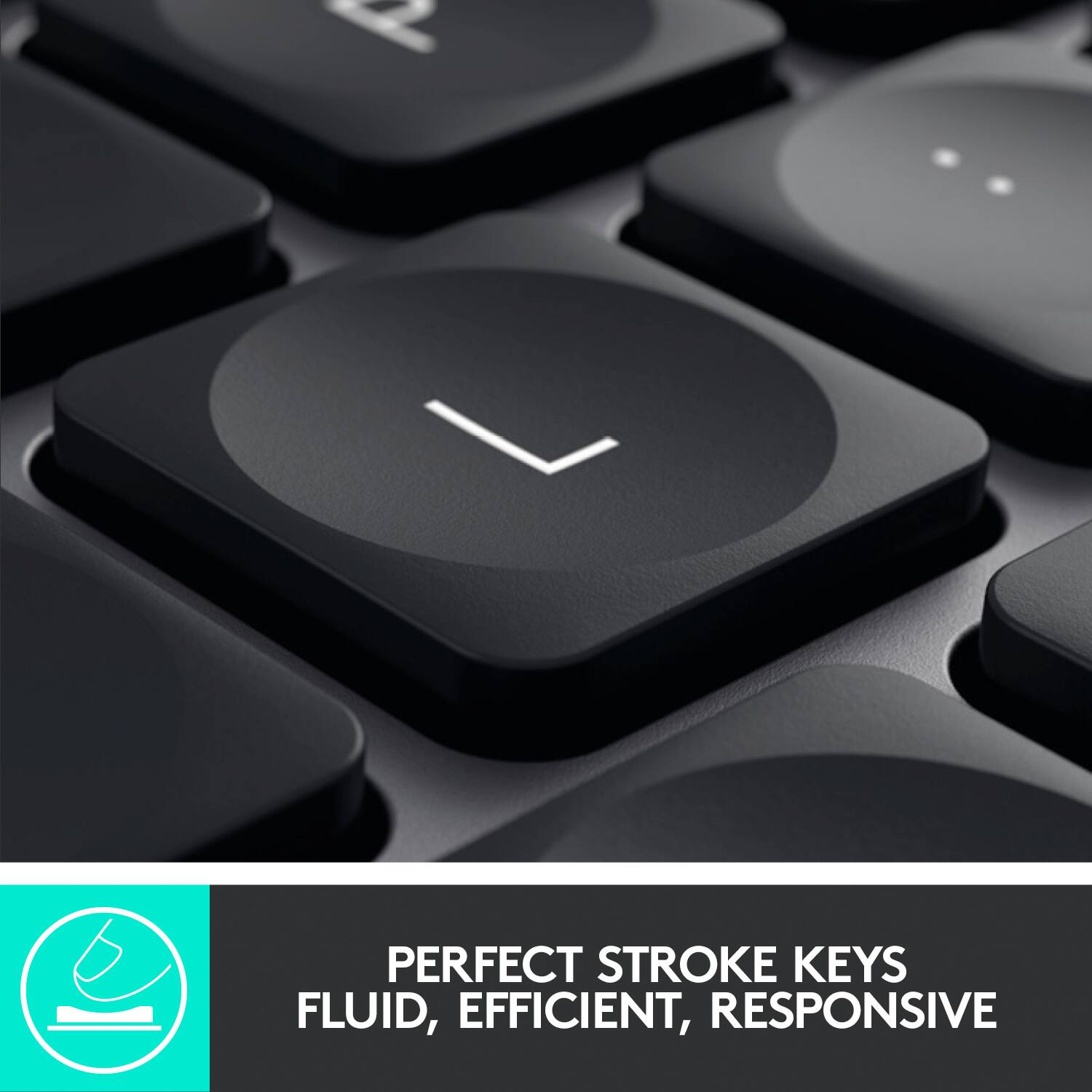
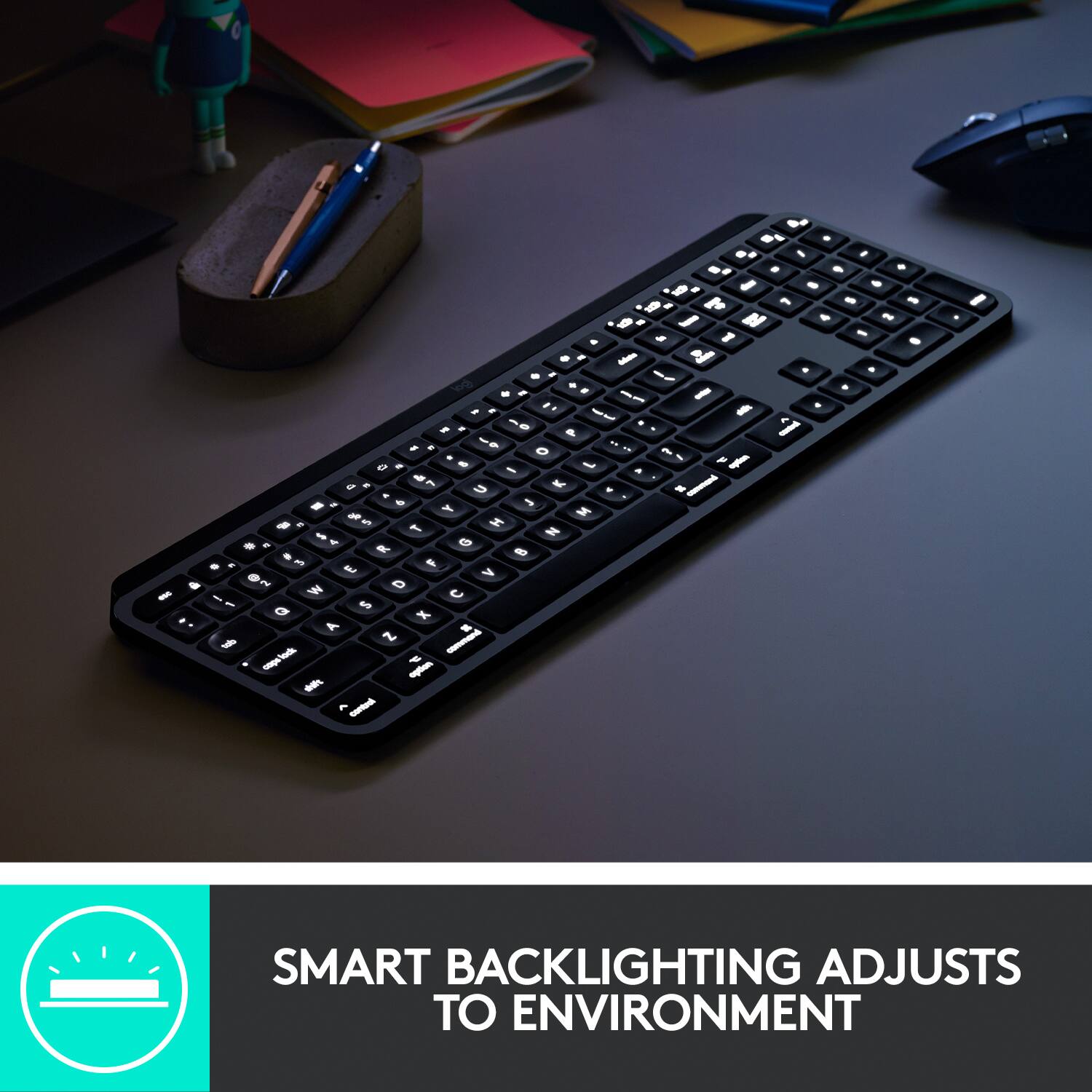
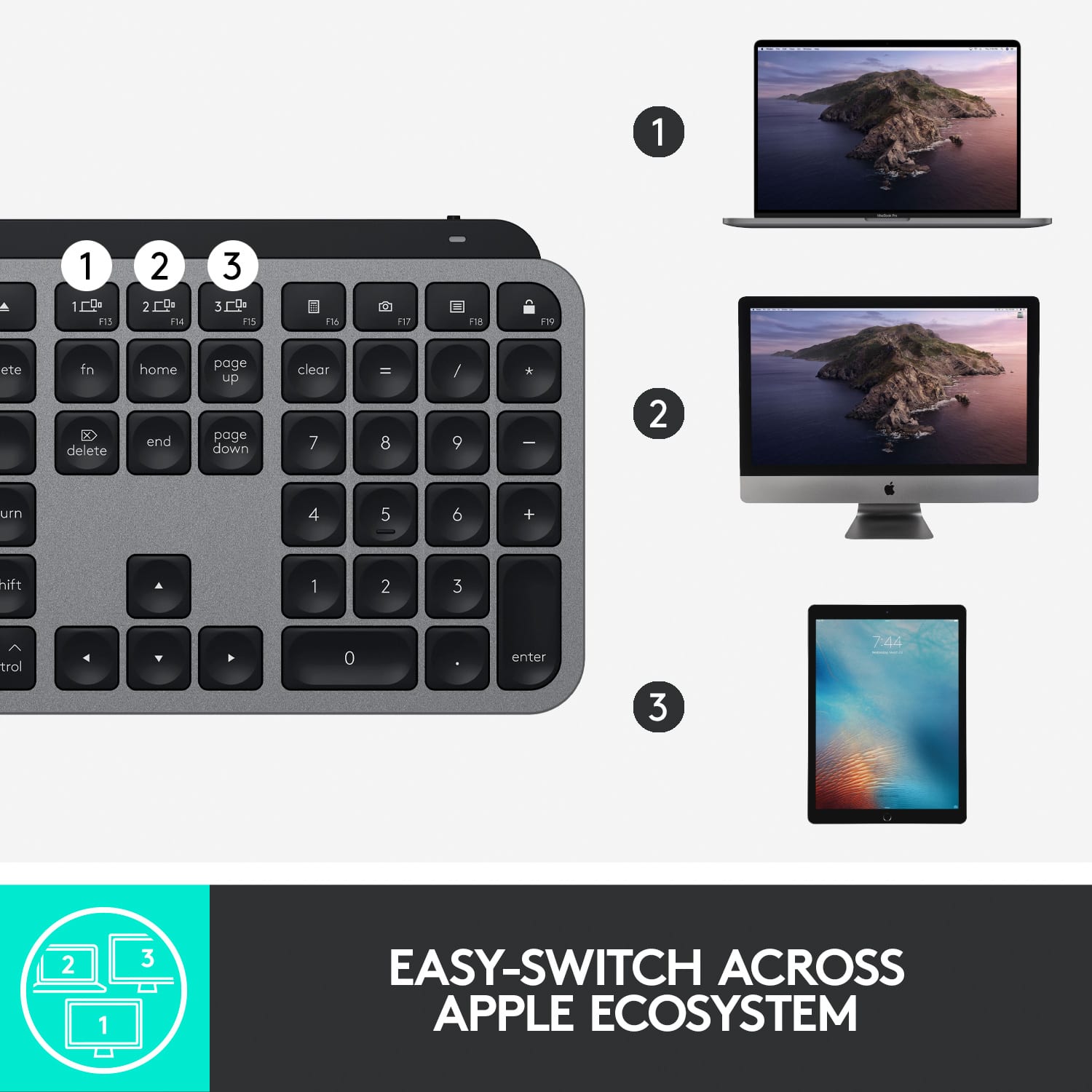
|Posted .This reviewer received promo considerations or sweepstakes entry for writing a review.From the first key I pressed, I could tell this would going to be a great experience. So you can actually pair this to 3 different devices. That is great for when you want to is it with your iPad and then also with your Mac or Macbook. It is super easy to pair. Enable the bluetooth on your device and then press and hold one of the 3 sync buttons on the keyboard. BAM! You are now connected. And let the fun begin. The keyboard actually was a bit heavier then I was expecting but that is a good thing. It has a great "weight" to it. It feels solid, sturdy, and well made. I love the backlight of the keys. So many times I am working in the low light setting and need to see the keys. You can easily see what you are typing now. Another awesome feature... the backlight goes off about 5 seconds of inactivity which is great but the real magic.... as your hands approach the keyboard the lights come back on... you do not need to actually press any keys to activate the lights. WOW! GENIUS! MIND BLOWN! So often on keyboards with a back light you have to press a key first to activate it. Well how often do you actually press the key you want the very first time? Problem solved. These lights come on before you press any keys. Way to go Logitech for figuring this out. Now, the keys... they have almost a rubber feel to them (not plastic) and the curve of the key is perfect for my fingers. I hit the center of the key each time. The typing experience is like heaven. So nice to type with the perfect amount of resistance. AND this one has the keypad on the side... love this for data entry. You can download the Logitech software too and then customize the function keys to your liking.
I would recommend this to a friendExactly What I Wanted
|Posted .This reviewer received promo considerations or sweepstakes entry for writing a review.I've thought about getting a new keyboard for my Mac for a while but didn't like most of the options. I wanted it to be wireless and have a 9 key but to also match my Mac (color and sleek design). For whatever reason, that was hard to find. I'm very happy with the Logitech keyboard and feel like it's exactly what I was looking for. The silver and black design match my Mac (even it's not the traditional white keyboard that comes with Macs). Plus, not having a 9 key number pad drives me crazy. I've gotten used to it but am so glad to finally have one again! I had no trouble connecting the keyboard to my Mac by Bluetooth; the included receiver was not needed. I simply turned on the keyboard (ready to go out of the box), selected it from my Bluetooth settings, typed in the number code, and good to go. I love the feel of the keys as well. They aren't flat like on a typical Mac keyboard, but instead concave and fit my fingers very well. I also appreciate that all of the same keys are available in the same layout as my Mac keyboard (like play, pause, settings, etc.) so I don't have to learn a new keyboard all over again. There are some differences, but they're minor. My one complaint would be that the keyboard is a little heavy, which is very different from a Mac keyboard, but it's sturdy and fits all of my other criteria.
I would recommend this to a friendThis product sucks
||Posted . Owned for 3 weeks when reviewed.This reviewer received promo considerations or sweepstakes entry for writing a review.This product sucks, the Bluetooth connection was horrible.
No, I would not recommend this to a friendBrand response from Logitech
Posted .Hello IHateItHere,
I am sorry that you are having issues with the MX Keys. This is not a common issue, but connectivity may vary depending on your workspace setup and system and hardware compatibility. I suggest you use the Bolt USB receiver if you have connectivity issues. The Boly USB receiver has a 10-meter signal range and a preparatory frequency that will not get contaminated, and you will not have connectivity uses due to signal interference. Logitech appreciates your product review. - Leo from Logitech
V key came off
||Posted . Owned for 5 months when reviewed.This reviewer received promo considerations or sweepstakes entry for writing a review.Letter V key broke and it came off. Now gotta buy a replacement.
No, I would not recommend this to a friendBrand response from Logitech
Posted .Hi abyel26, we're sorry to see you're having some durability related issues with your MX Keys Bluetooth Keyboard. You do have a 1 year warranty that can be used to have a replacement sent out to you. You can do that here: https://support.logi.com/hc/en-us/articles/360035471534-Warranty-MX-Keys-Wireless-Illuminated-Keyboard. Hope that helps. -N from Logitech
High Quality Keyboard with a Few Quirks
|Posted .This reviewer received promo considerations or sweepstakes entry for writing a review.I've typed on many keyboards throughout the years and this MX Keys feels good. It's not a mechanical keyboard, but the switches and tactile feel of the keys is pleasing. The keyboard itself is built well, it's heavy and solid, with absolutely no flex like other keyboards I've used in the past. The backlight option is neat, but I don't use it often due to how much it affects battery life. The keyboard is currently paired with a 2015 MacBook and works well except when you perform a reboot or power down of the laptop. When this happens the keyboard will not work when connected via bluetooth like the official Apple Magic Keyboard. The workaround for this as suggested by Logitech is to use the USB dongle, but that could be an issue when USB ports are harder to come by these days on laptops and ruins the aesthetic look of a notebook for some. I was not able to test the multiple PC functionality of this keyboard, but find this option to be a pretty niche one as I don't think most people would ever use this function. Overall I really like this keyboard, but I'll also break down the pros and cons below. Pros: ------- One of the more solid keyboards I've ever used. Backlit keys will be great for some. Works via bluetooth or USB dongle. Keys feel fantastic to type on. All your media keys are there and the dedicated screen lock button is fantastic. Battery life is great with the backlight off. Cons: -------- Battery goes down to 10 days from 5 months with the backlight turned on. On reboot the keyboard is not recognized when connected via bluetooth (use USB dongle instead). Let's not forget the elephant in the room, this is a pricey keyboard.
I would recommend this to a friendSmooth keys and BACKLIT
|Posted .This reviewer received promo considerations or sweepstakes entry for writing a review.This is the keyboard that Apple should have produced for my 2019 iMac 5K but did not! This is a well thought out layout with the special Mac keys that have a silky smooth clicks and beautiful backlit illumination. The keys are laid out so your familiarity with apple keyboard is not lost. The backlit keys with different levels of illumination make working in lowlight conditions a pleasure along with the quiet clicks so as to not disturb sleeping family members. Logitech keeping with its MX tradition, allows this device to be linked/ paired with up to 3 apple devices, that is a real pleasure to use with my 2018 12.9 iPad Pro. Battery life is very good, I have yet to charge it and I have been using it for about 4-6 hours a day for over a week now. I wish like my other Logitech keyboards that they included a slot to store the wireless dongle, I do not use it but would hate to lose it.
I would recommend this to a friendHardware is great, software again a let down
|Posted .This reviewer received promo considerations or sweepstakes entry for writing a review.Logitech (Logi) knows how to make great hardware. I've used their peripherals with my Mac in the past, my son has their gaming keyboard and mouse and we've always been very happy with build quality, etc. Nothing is new in that respect as it relates to this keyboard. I love the feel of the keyboard, the angle is perfect, the concave keys are a great idea, the key travel is just right and everything functions as it should. However, the 'Logi Options' software leaves a lot to be desired. I had immense trouble just trying to get Options to recognize the keyboard was present and connected via Bluetooth to my Mac. Many attempts of quitting the software, turning off and on the keyboard, 'forgetting' the keyboard from the Mac's BT preference could not get Options to even know that a new keyboard was present. What I finally had to do was uninstall/delete Options and re-download it from their website after which it was finally able to recognize the keyboard as even just being present. Granted the keyboard is fully functional without having to install the Logi Options software, but then you can't customize it and take advantage of the features that Logitech is trying to make the keyboard stand above the crowd from the rest of the competition. We had an even tougher experience getting my son's gaming keyboard to be recognized by Logitech's PC software, so this problem is not new for Logi or solely an issue with this particular product. I would love for their software and hardware to work better on whatever platform one is using. If that happened, then this would have definitely been a 5 star review.
I would recommend this to a friendWonderfully Built Keyboard
|Posted .This reviewer received promo considerations or sweepstakes entry for writing a review.This is a welcome surprise of a keyboard! Most detached keyboards feel flimsy and really cheap, this Logitech keyboard is beautiful and sturdy! I love the weight to the keyboard, it stays in place on my desk and paired perfectly to my IPad. The Logitech keyboard works well with my iPad when typing up reports, reviews, and emails. Much nicer and easier than using the on screen iPad keyboard. The backlighting of the keys is very helpful when working in a dimly lit room. The curved keys with the home finger buttons is a welcome addition! I enjoy the full sized keyboard with a regular number pad as well as the Apple shortcut keys. Battery life has been fantastic, only charge the keyboard once a week. If you are looking for a full sized keyboard for your Mac or iPad, this would be a great addition!
I would recommend this to a friendSleek, Responsive, and an Absolute Joy for Mac Use
Posted .This reviewer received promo considerations or sweepstakes entry for writing a review.From the moment the Logitech MX Keys keyboard was unboxed, it was clear that this was going to be a game-changer for my daily computing tasks. The full-size layout provides ample room for comfortable typing without feeling cramped. Each key press is met with a satisfying tactile response, allowing for rapid typing with minimal errors. The smart illumination is a standout feature — the keys light up as my fingers approach, which not only feels futuristic but is extremely practical in low-light conditions. The wireless Bluetooth connectivity is seamless, ensuring a clean and wire-free setup, and it pairs effortlessly with my Mac, integrating like an extension of the system itself. The Space Gray finish matches perfectly with my Macbook, creating a cohesive and stylish workspace. Battery life has been impressive; I often forget it's a wireless device that needs charging. Additionally, the ability to connect to multiple devices and switch between them with the Easy-Switch buttons increases productivity for those who juggle between a computer, tablet, and smartphone. In conclusion, the Logitech MX Keys has elevated my typing experience to new heights. It's not just a tool; it's a part of my daily interaction with technology that I can no longer do without. If you're in the market for a reliable, feature-rich keyboard for your Mac, this is the one to get.
I would recommend this to a friendBrand response from Logitech
Posted .Thanks for the detailed review! It sounds like the Logitech MX Keys is a great fit for you, especially with the comfortable typing experience and easy switching between devices. The backlit keys sound really useful too!
Solid Bluetooth keyboard for Apple users
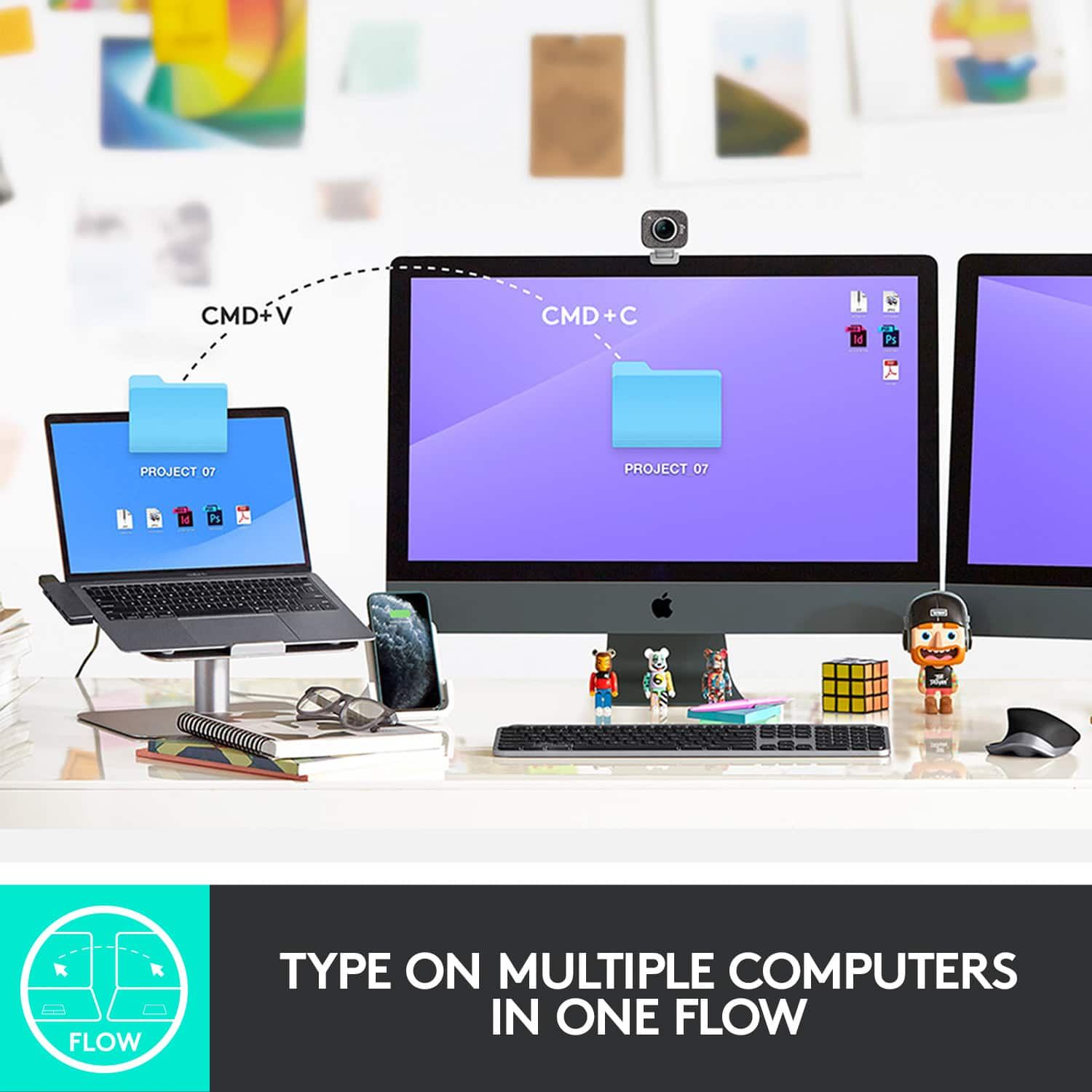
|Posted .This reviewer received promo considerations or sweepstakes entry for writing a review.This new iteration of the Logitech MX Keys for Mac keyboard is a solid choice for those who need/want a sleek, long-lasting, bluetooth keyboard for on-the-go use. Unboxing and setup is very easy, thanks to guided instructions for different types of devices. Once connected, a unique feature of the MX Keys is Flow, which pairs up with Mac devices to automatically switch computers based on where your mouse is. Backlighting turns on once your hands get close to the keyboard, which is actually nicer than just having backlight on the whole time (and saves battery life). Speaking of battery life, Logitech claims 10-days of use, and I’ve gone 7-days thus far on the same charge, so seems close to that number. Typing is solid (better than the previous MacBook Pro keyboard, for sure), and feels nicer than a standard membrane keyboard thanks to dish-shaped keys. The Space Grey version looks sleek and perfectly matches any other Space Grey Apple device. Overall, there aren’t really any cons to the keyboard, except possibly price if you think $100 is too rich for something like this. Plus, it is heavy due to the metal construction (can be a pro or a con depending on what you need in a wireless keyboard.) That said, I’d happily recommend this to anyone.
I would recommend this to a friendGET IT! WONT REGRET IT! Upgraded from K800
Posted .This reviewer received promo considerations or sweepstakes entry for writing a review.Accidently found this one while wanted to get twice more expensive gaming G915TKL, and glad I chose MX Keys instead. Who needs this color blinking keys while gaming? are you looking at them and dance? this is straight to the point amazing keyboard, illuminated, silent keys just like if you have a laptop. No lag in gaming. Its compact but not small, you can actually get a palm rest for 20$, but I am so fine without it though. Bye K800, hello MX Keys.
I would recommend this to a friendThis keyboard makes me smile, daily.
Posted .This reviewer received promo considerations or sweepstakes entry for writing a review.I'm a MacBook user who relies on external peripherals incl the keyboard. I did a lot of online research when choosing between this and the Apple keyboard and am so glad I went for this unit. I've been using it for several months now and continue to love the sculpted soft-touch/low-noise keys. I generally turn the backlighting off and have only had to charge it a couple times (tho the smart lighting is pretty nifty!) The bluetooth works flawlessly - no need for the dongle, for me. I love the angle this unit provides vs the Apple version, helps my wrists feel more natural when typing esp because I use a mechanical keyboard at my office. It's cool to be able to switch between my Mac and iPhone via the multi-pairing option, even if I don't use that often. Though it's not actual metal, the heft and finish of this unit tricks my mind. The rubber bumpers on the bottom mean it doesn't slide around on my desk, yet it's easy to push out of the way when needed. Plus there's some cool function buttons like the screengrab (F17) and computer lock (F19) which I use frequently. Honestly this is the best keyboard I've ever used. It ranks up there with the MS Arc mouse as my favorite peripheral. Feels good, man!
I would recommend this to a friendGreat feel. Great build. I like it.
|Posted .This reviewer received promo considerations or sweepstakes entry for writing a review.I have a 2016 MacBook Pro with the fancy (at the time) new keyboard that ends up hurting my fingers after long sessions with it. I haven't been using this keyboard for a super long time but it already feels a TON better than the standard keyboard. I've used the wireless keyboard that Apple sells as well and I'd say I prefer this keyboard to that as well. Setup was kind of a breeze. I turned on the keyboard with the switch on the back and it lit up and started flashing in pairing mode. The only hiccup I had came when I failed to read the screen and didn't enter the code on the keyboard when it popped up. Tried again when actually reading and it connected just fine. I also tried out the wireless dongle by connecting it to my Windows 10 machine and the connection process was completely seamless by holding the device 2 key for a few seconds. This is one of my favorite parts of the keyboard is the seamless transition that's possible between devices. I can use this same keyboard for my MacBook Pro, my iPad and my Windows 10 device (I'll probably end up changing to another device since I already have a decent keyboard on my gaming machine). You just tap the key for the device you want to use and it switches over instantly. It's also advertised that if you have a mouse that's compatible with "Flow", your mouse will switch along with your keyboard so you can use the same mouse and keyboad on up to 3 devices. Big fan. Another favorite feature of mine is the proximity illumination of the keys. It just feels so natural and feels like something that Apple should have done a decade ago. You just move your hands close to your keyboard and the whole thing lights up. This is in stark contrast to my least favorite keyboard that exists on a gaming laptop I have which doesn't light up for anything but a key press with no option to keep the backlight on at all. This really makes the MX Keys feels quite polished and futuristic. Build quality on this guy feels fantastic. It's deceptively heavy. For a wireless keyboard that doesn't look very bulky or anything, this thing is not light at all. If your main use for this is keyboard is to take it with you in a backpack and use it in multiple locations, you'll probably need to check out how much it actually weighs to see if it'll make a huge difference on your carry weight. It probably won't but it's something to consider. I only mention it because when I removed the keyboard from the box, the first thing that entered my head was "wow, this feels heavy". Typing on this keyboard feels pretty good. The keys are firm but not hard to press. There's a little bit of travel to the key so it doesn't feel like you're typing on a table top or something. I don't think it feels better (for me) than a nice mechanical keyboard but there's a lot of preference that goes into that so it might feel wonderful to you. For me, it's pretty good. Definitely better than the 2016-2019 keyboards on the MacBook Pros. There's a software that is recommended to install that allows you some extra customization as well. You can assign custom shortcuts or specific system functions to your F-keys. The software is completely optional and the keyboard works fine without it but it's there for you if you want some added functionality and customization. All in all I'm a big fan of this keyboard and it will probably replace my built in keyboard on my MacBook Pro when I'm at a desk and have room to add a keyboard. I haven't even scratched the surface of the full potential of this keyboard as I probably have a half dozen (easy) devices I can think of in my house that could use a nice, wireless, portable keyboard. Being able to switch between 3 devices is going to be amazing but I think the only problem I can think of now is that I'm going to have an issue with ONLY being able to link 3 devices. First world problems.
I would recommend this to a friendWonderful iPad Keyboard Solution
|Posted .This reviewer received promo considerations or sweepstakes entry for writing a review.I love using this keyboard on my iPad Pro, it really changed the game for me. I have never been a fan of the keyboard cases, so this is perfect for my desk at home where I dock my Ipad into monitors. The backlighting is fantastic and the keys feel great to type on. As a bonus this also syncs up to my Mac and Windows PC so I can use one keyboard for everything!
I would recommend this to a friendPremium & Professional
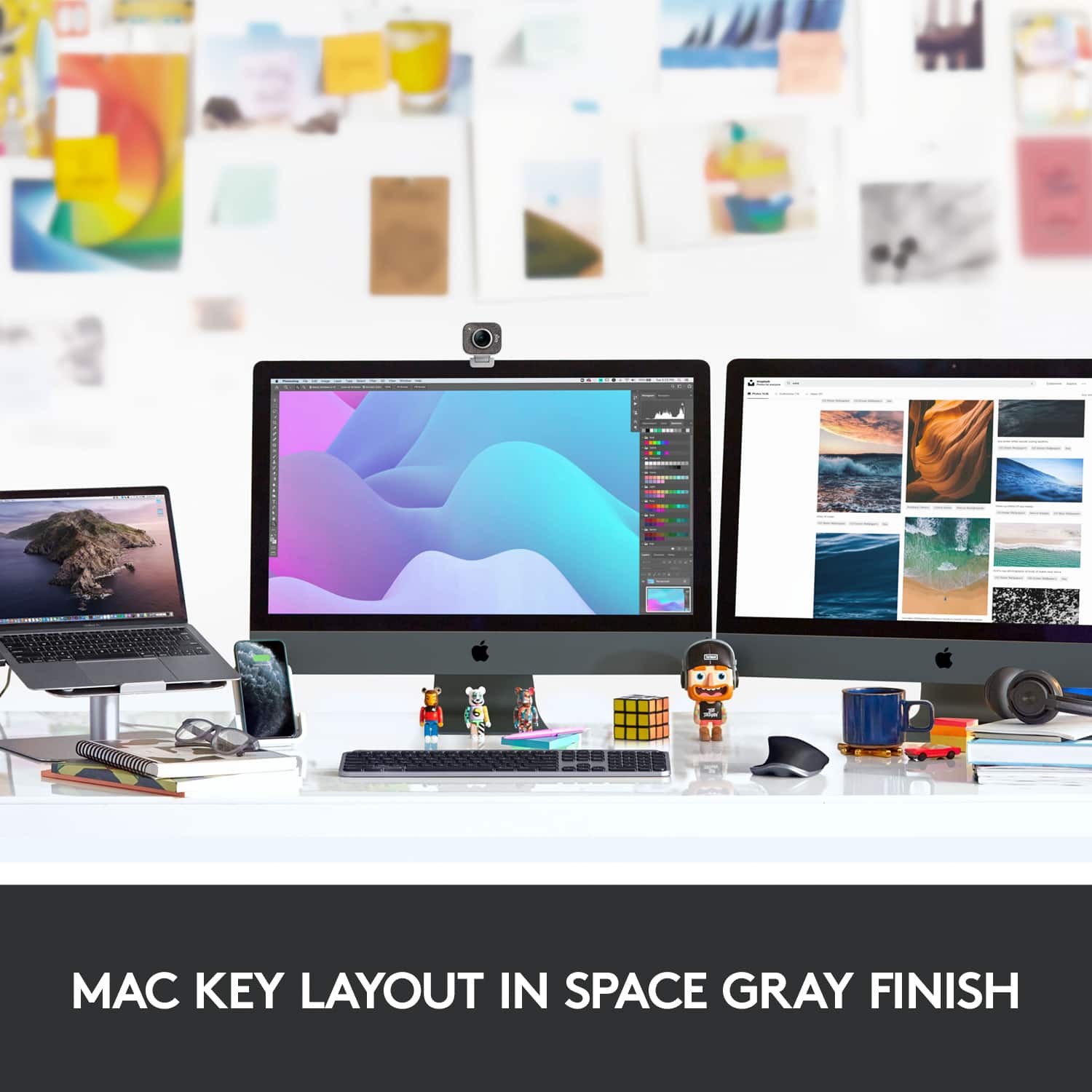
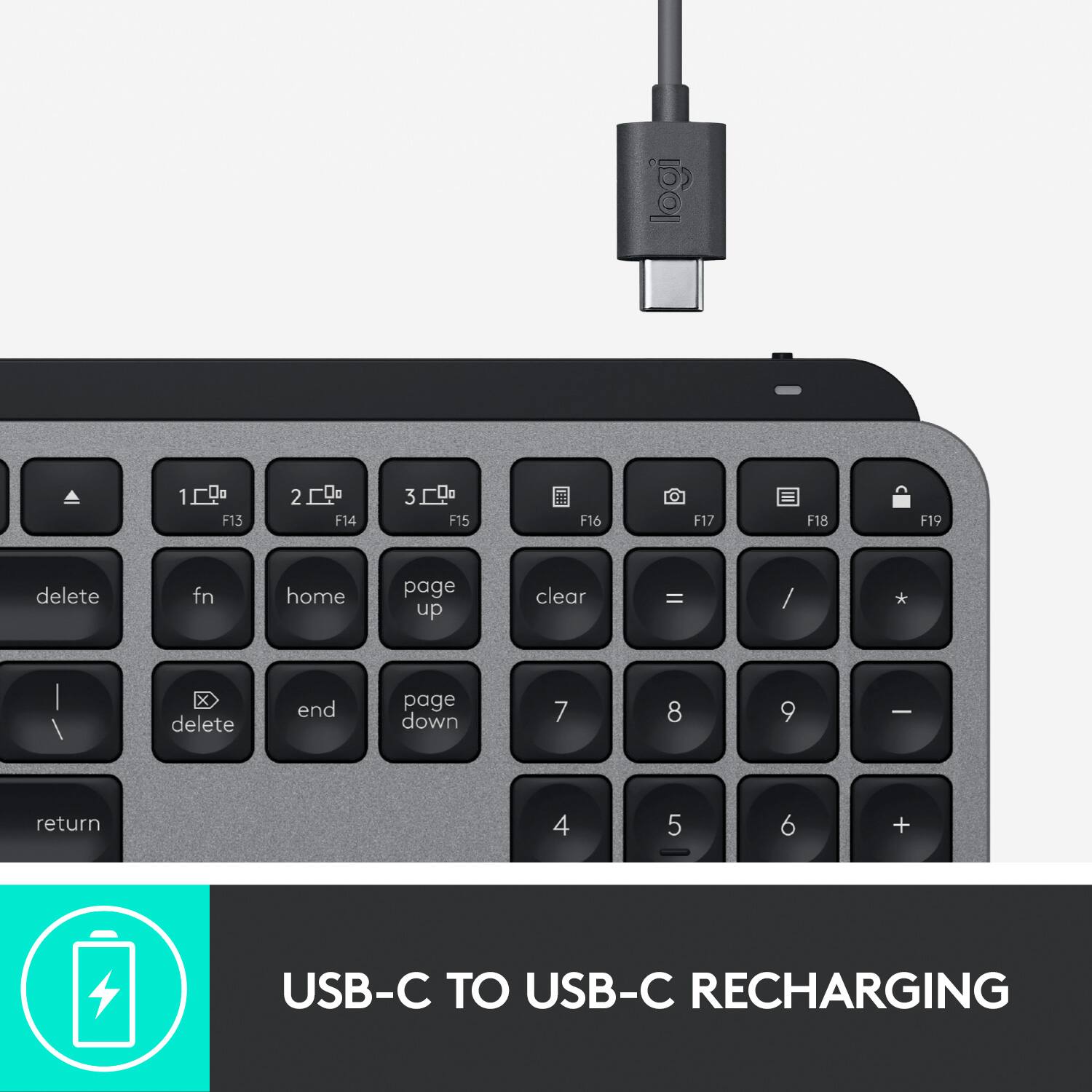
|Posted .This reviewer received promo considerations or sweepstakes entry for writing a review.Being an avid Apple devotee I was very interested in taking this keyboard for a test drive. My use of the Magic Keyboard and other Apple products had conditioned me to be used to a scaled down version of a keyboard and I wasn’t sure how adapting to this full-sized version would go. I was pleasantly surprised! Everything about this keyboard-its sleek space gray/black metallic finish (which accents my iMac and computer desk perfectly), the ease of connection (insert dongle in USB port and turn on keyboard), the hefty feel of the keyboard in your hands and the way the spherically-dished keys mold themselves to your fingertips, the automatic backlighting of the keys when your hands advance toward it (which I didn’t realize would be so practical until I saw it in action), all scream Premium and Professional. The key placement is well thought out and the spacing of the keys allows for extremely comfortable typing. The keys emit very little noise when depressed and are extremely responsive, easily keeping pace with rapid typing. This keyboard charges using an included USB-C cord in place of batteries. Who knew this keyboard would be so nice? I will definitely be retiring my trusty Magic Keyboard. Now I must have the matching wireless mouse.
I would recommend this to a friendBest Keyboard I have ever used.
Posted .This reviewer received promo considerations or sweepstakes entry for writing a review.bought this to use with a mini mac. it is so well built and so easy to use. not cheasy plastic like most keyboards. it will not slide around while you use it. the backlit buttons are nice also.
I would recommend this to a friendsome annoying setup quirks, but great otherwise
|Posted .This reviewer received promo considerations or sweepstakes entry for writing a review.Overall, this is a nice wireless keyboard that fits into the Apple environment. It matches my space grey MacBook Pro, and the keys feel nice. You also get apple keys such as command, and shortcuts for brightness volume, play/pause etc. I love that this keyboard can work with 3 devices, without having to unpair it first. There are 3 keys that relate to its own device, so you can switch between a computer, iPad, another computer etc. Once set up it works very well. The function keys along the top are customizable, although I didn't find a need to do that, as the default settings is exactly what I like to use anyway, and matches the apple keyboards. If you want, though, you can change these to do almost whatever you want them to do. The keys have a very nice feel to them while typing. I enjoy typing on this more than I do the MacBooks built in keyboard. Setup: Here is where I had some annoyance, and why I rated it 4 stars. The manual wants you to pair it first, then install the software. This is where it got complicated. It took a few attempts to pair it, and after I did my Mac gave me a message saying "unknown device" and I had to tell it that it was a keyboard with the American type layout. I then downloaded and installed the software. The software then told me no keyboard was found and wanted me to pair one. But then the bluetooth settings said one was already pared. I ended up turning the keyboard off and on again, and closing/reopening the software, and it finally all synced up. I feel that if the software was downloaded first, then walked through the paring settings, It would have been much easier. The manual should probably be changed to reflect this. Other than the annoying setup, I love the keyboard.
I would recommend this to a friendBrand response from Logitech
Posted .Hello Alex! Thanks for your feedback and for being a loyal Logitech customer. We're happy to hear you're enjoying your new MX Keys for Mac keyboard, and that it matches your Apple environment. Will definitely pass along your feedback about the installation! - Mathieu from Logitech
The keyboard Apple should have made.
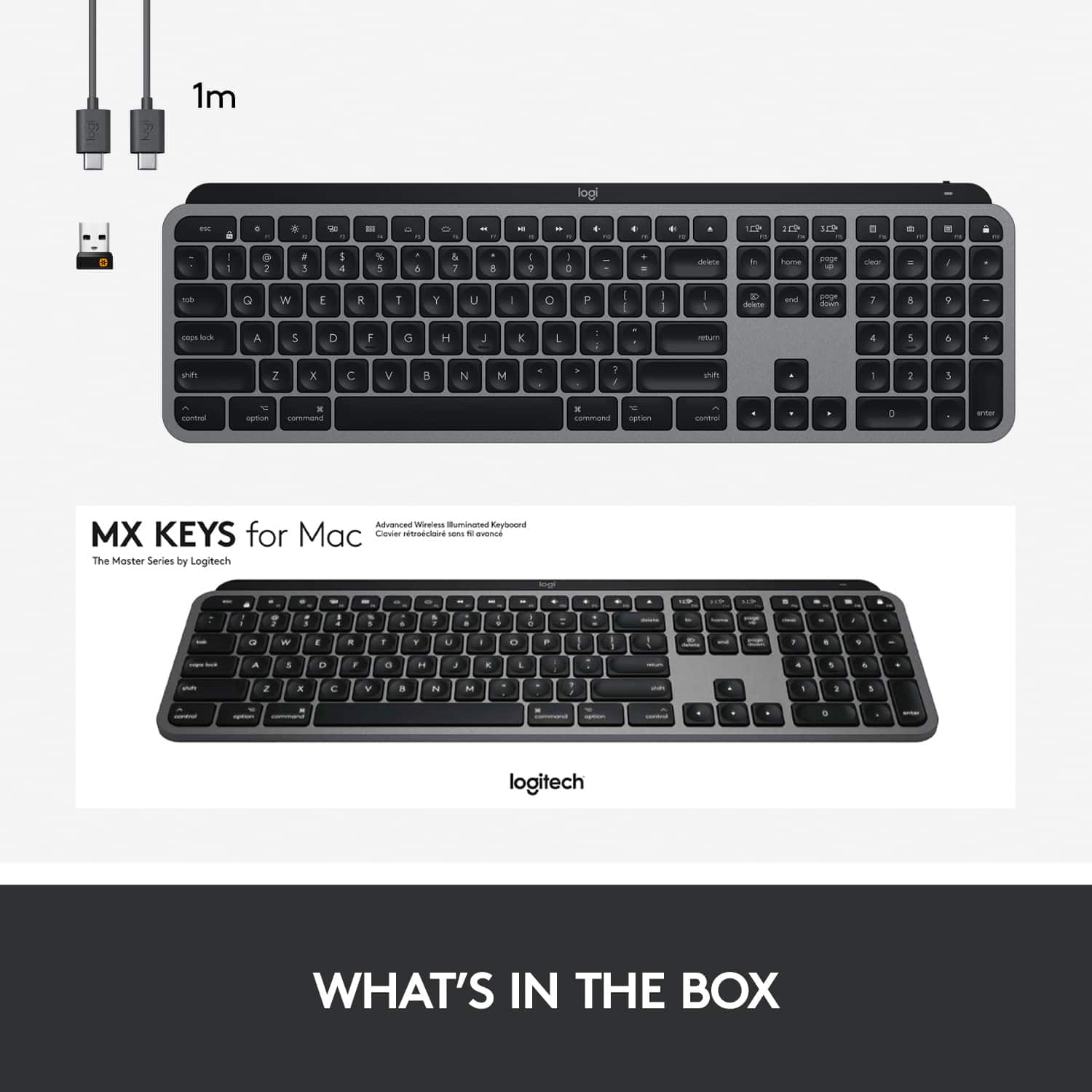
|Posted .This reviewer received promo considerations or sweepstakes entry for writing a review.I've received this product in exchange for my fair and unbiased opinion. TL;DR - The Logitech MX Keys for Mac is almost the keyboard that Apple should have put out instead of the Magic Keyboard. While the keys don’t feel as good as the Apple Wireless Bluetooth Keyboards with aluminum bodies and powered by AA batteries, the amount of travel and it’s overall quietness make up for the softness of the keys. The backlighting is perfect for darker rooms and adjustable, the function keys are assignable within the Logitech Options software, and it charges via USB-C (or you can just leave it powered via USB if you’d like to). The only other disappointment is that Logitech only included a USB-C to USB-C cable to charge it with, meaning owners of older Macs (anything previous to 2015) or any other computing device lacking USB-C will need to get a USB-A to USB-C cable to charge this keyboard using their computer. First impressions and unboxing: The packaging is simple enough. The keyboard itself is packed in tissue paper inside of its box (which is a refreshing change from plastic – thank you Logitech!), and you’ll find simple instructions, a Logitech Unifying Receiver (which is unneeded with any Mac you’ll use this keyboard with), and a box containing the USB-C cable and warranty information. The first thing you’ll notice about the MX Keys for Mac is that it’s Heavy for a keyboard. While it’s no IBM Model M or Apple Extended Keyboard II when it comes to weight, it’s definitely not keyboards that you’d typically buy today light either. Thanks to the weight, it doesn’t move around on pretty much any surface you’d put it on. Connecting to my Mac was easy enough – I did have to pair it with my iPhone first for some reason though, but after that pairing it was fine. Pairing to my iPhone was also pretty easy, as was pairing it to my Windows 10 computer. Speaking of the multiple pairings, I can switch between devices pretty quickly. While it does take a few seconds to switch over devices, it’s otherwise seamless with just pressing a button and waiting for the keyboard to stop flashing at you as it connects. This is one way to justify the price tag for the MX Keys if your workstation is like mine and you have two different devices you regularly use a keyboard with. Key feel is alright. I’m coming from years of using higher-quality keyboards – things like the IBM Model M, the Apple Extended II, and several different “gaming” keyboards with Cherry and Alps switches instead of membrane contact pads. While the membrane here isn’t bad, it could use a little more force to be perfectly comfortable to me. Compared to other thin keyboards, however, it’s nice to have this much key travel in a small package. One of the cool features that Logitech included happens to be the entire Logitech Options software package. On top of being able to control the backlighting feature of the keyboard, it’s also able to change the settings of most of the function keys (the top row of keys). For Macs without an optical drive, you can switch the Eject button to a Sleep key, for example. I changed the screenshot key to open Photobooth and the Lock key to open System Notifications. I don’t know of a single other keyboard for Mac that allows changing the functionality of these keys without a 3rd party program. If I were to make any changes to the MX Keys for Mac, I’d start with key feel; I like the keyboard to not be so soft. I’d also include a USB-A to USB-C adapter or a USB-A to USB-C cable for those people who don’t have USB-C/Thunderbolt 3 ports on their Macs, or don’t want to waste a USB-C/Thunderbolt 3 port to charge their keyboard. Finally, I'd put a FN button either between F12/volume up and the eject key or to the left of the left Control key. Otherwise, Logitech is reminding us with the MX Keys for Mac that they know how to make a great keyboard after all of these years. Solidly built and feature-packed, it’s an upgrade worth buying.
I would recommend this to a friendLogitech - MX keyboard is awesome
|Posted .This reviewer received promo considerations or sweepstakes entry for writing a review.I have had the keyboard for a week and it is a breeze to setup and to switch between my MacBook Pro, iPad Pro and iPhone. I have used it for all three devices without fail. I would give it high marks for all aspects of a keyboard. Keys feel good and presses are accurate. I have no issues typing on this keyboard and it gives us the number keypad as well to do quick calculations. I would highly recommend this keyboard to anyone with an older MacBook especially since these keys work as I would expect and feels amazing.
I would recommend this to a friend