Customer Ratings & Reviews



![IN THE BOX logi logi esc a 1 2 1 3 Fl 1 da 2 4 11 18 4 IN HI 15 - 11 i i del 2 I 1 2 # 3 $ 4 % 5 A 6 & 7 * 8 ( 9 ( 0 I = + - backspace tab W E R T Y U et O P [ : I ] I I cops lock A S D F G H J K L : : & - enter shift Z X C V B N M < V ? / shift ctri fn Pot opt x alt cmd x alt cmd ctri opt TM Responsible FSC Packaging FSC" N003028](https://pisces.bbystatic.com/image2/BestBuy_US/images/products/765af771-c695-4e58-949d-e01634d5d664.png)
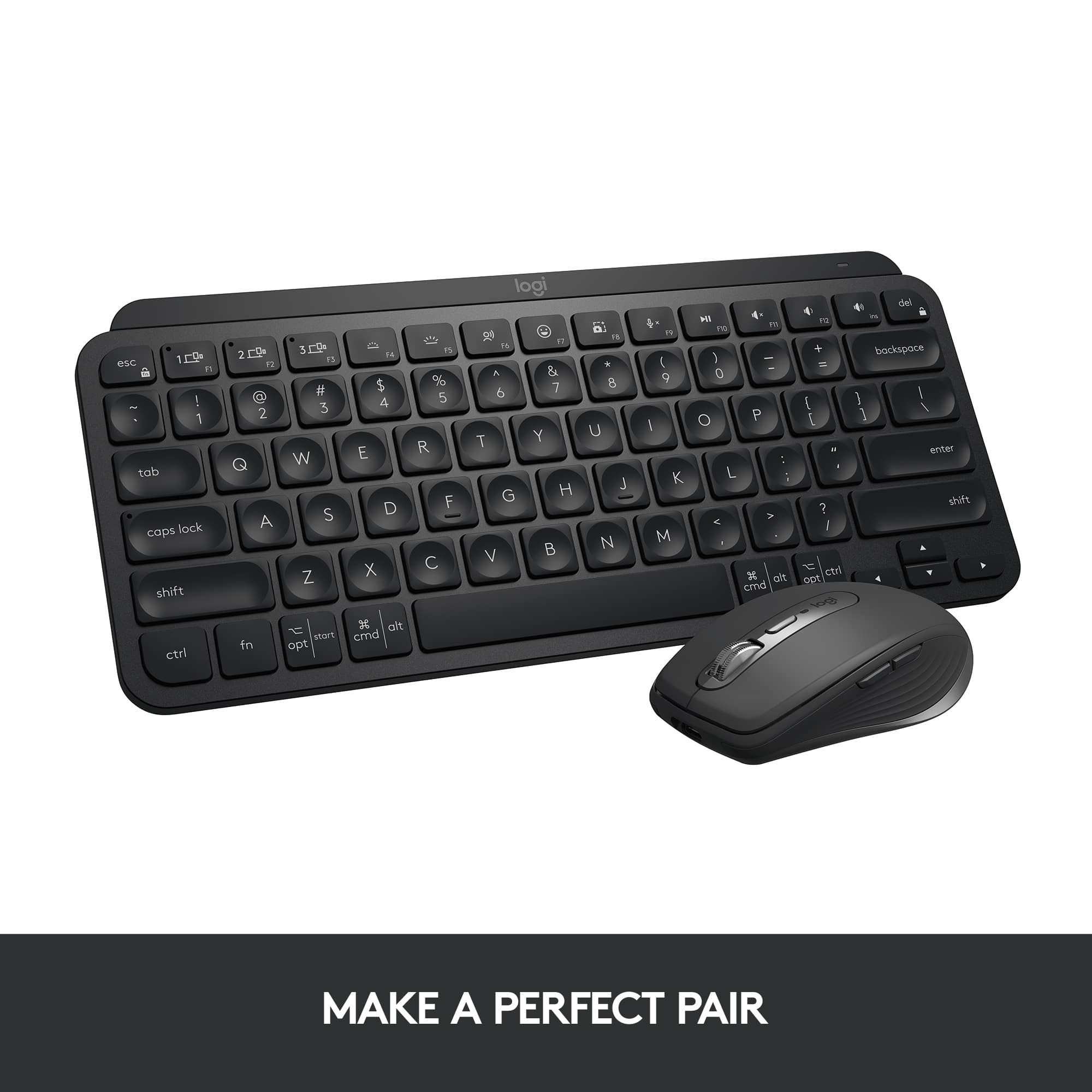

- Model:
- 920-010475
- SKU:
- 11275470
Rating by feature
- Value
Rating 4.5 out of 5 stars
- Quality
Rating 4.8 out of 5 stars
- Ease of Use
Rating 4.7 out of 5 stars
to a friend

Perfect Mac Keyboard
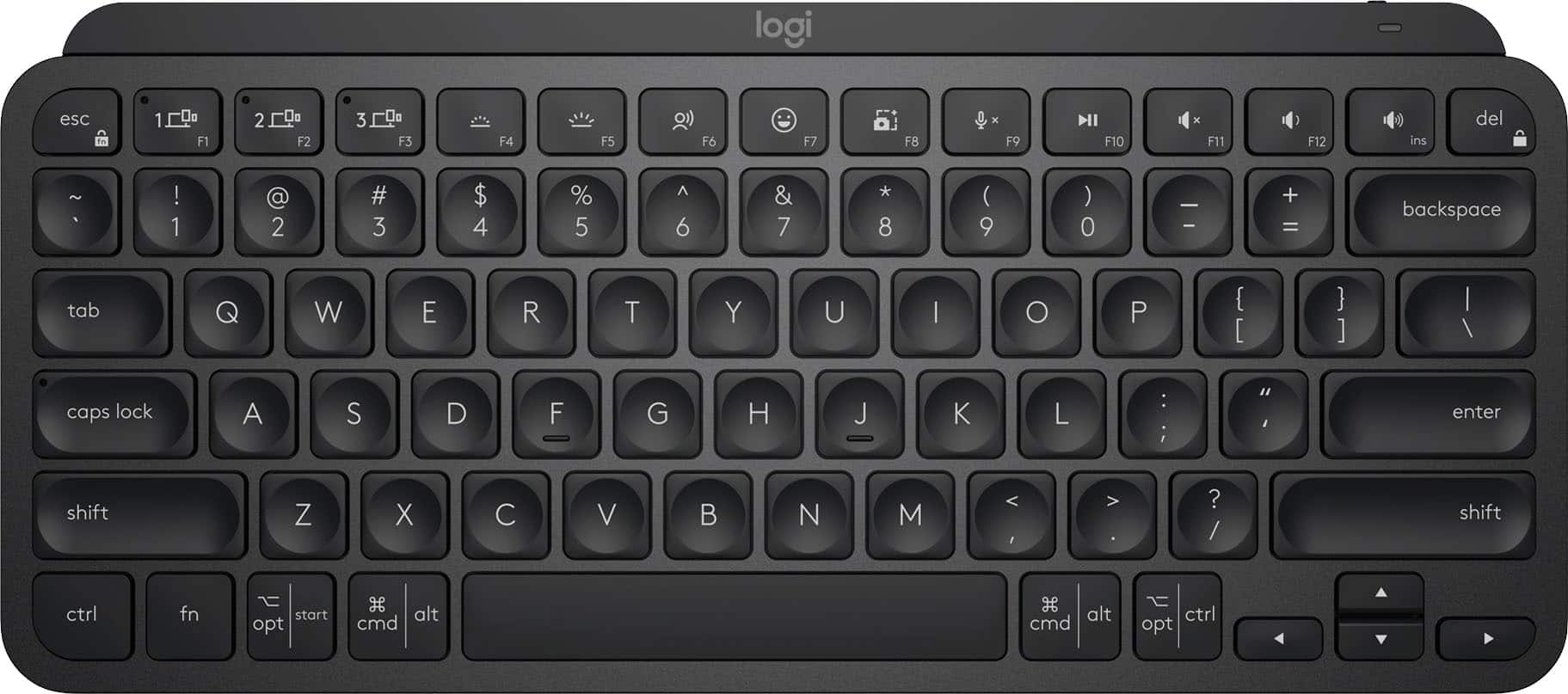
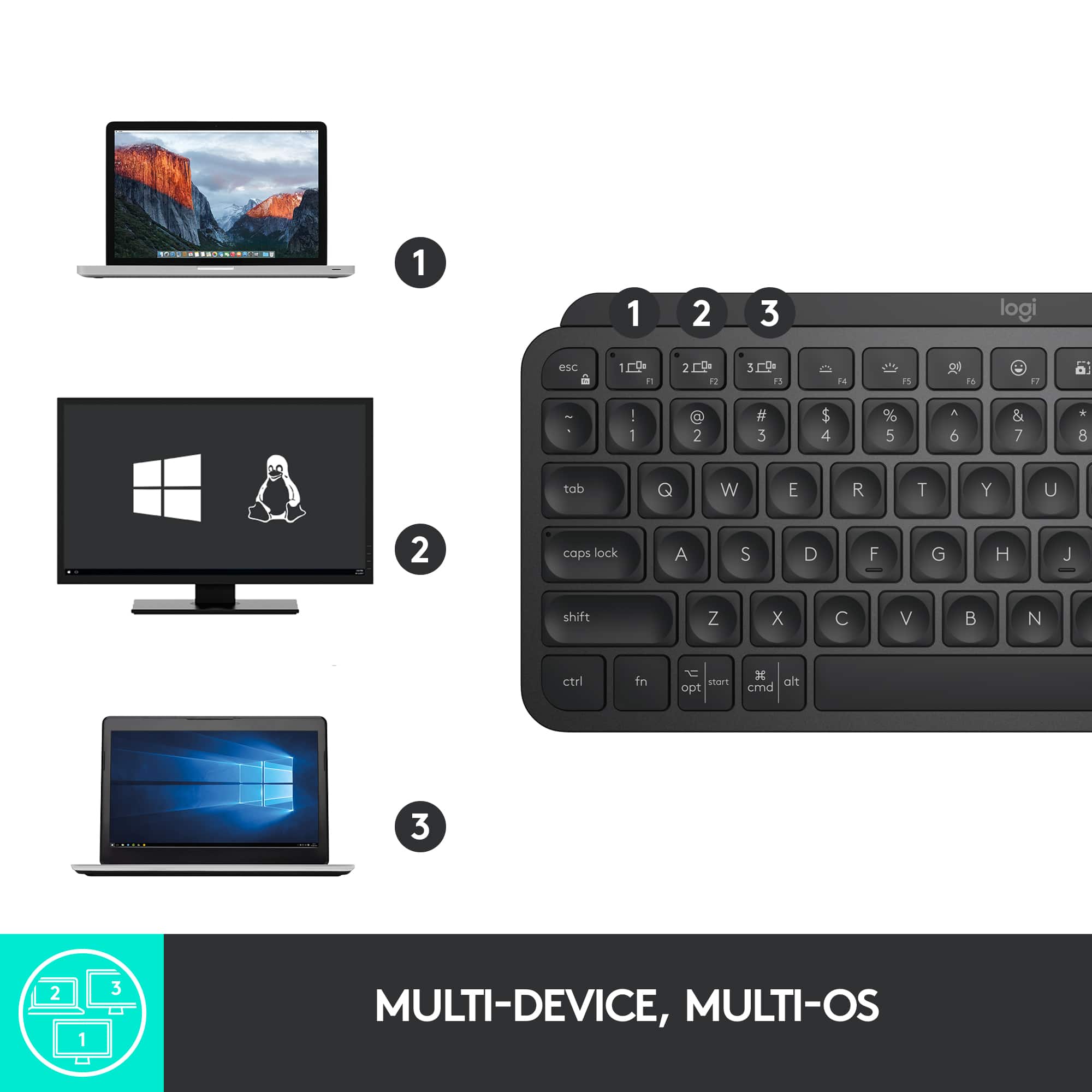
|Posted .This reviewer received promo considerations or sweepstakes entry for writing a review.I've really enjoyed the Logitech MX series products. They provide some of the most well built and feature rich computer accessories on the market and this new keyboard is no exception. It offers great features, great build quality and works great on a Mac, so it checks all the boxes I could want. The most important aspect of a keyboard is how well does it type? Here the MX Keys does a pretty good job. It uses scissor switches so you get some level of clickiness. Nowhere near a mechanic keyboard, but the key travel feels nice and the tactile feel of the clicks are good. The keys themselves do have an odd concave shape which did take a little getting used to, but once you get past the weird feel it is really easy to type on. The layout itself is just like any other full size keyboard with a full set of function keys and number pad that all work great. Overall this is a really well done typing experience. Feature wise I love this keyboard. My biggest struggle with bluetooth keyboards is how hard it is to switch between computers. With the MX keys you have dedicated buttons to switch between up to 3 bluetooth connections. This is a game changer to me since I don't have to go through any goofy bluetooth paring when I switch between work and personal computers. Again here, paired with the MX mouse that can do the same thing, this is my go to keyboard. The only thing I found annoying was that the keyboard doesn't work when logging into my macbook. I think this is some security feature with macbooks but it is one drawback. Overall, this is a great keyboard. It's well built, types well, has great battery life and has some really cool features to set it apart.
I would recommend this to a friendBrand response from Logitech
Posted .Hi there! Thanks for the detailed review of the Logitech MX Keys S for Mac! We really appreciate you highlighting its strengths like the build quality, feature set, and Mac compatibility.
Good Keyboard
||Posted . Owned for 3 weeks when reviewed.This reviewer received promo considerations or sweepstakes entry for writing a review.Pretty decent wireless/Bluetooth keyboard, meets my needs.
I would recommend this to a friendOutstanding Keyboard That Is Ultra Useful
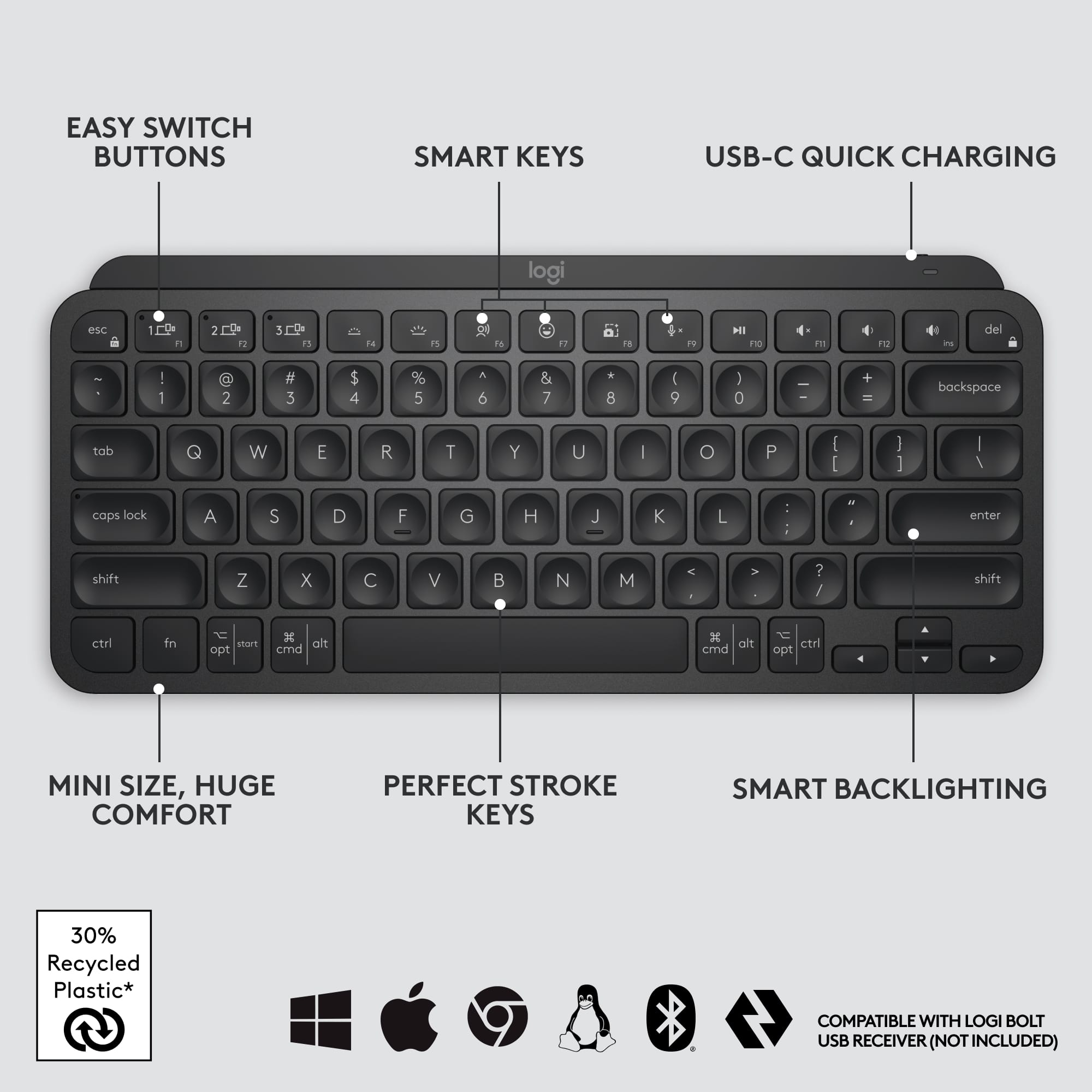
|Posted .This reviewer received promo considerations or sweepstakes entry for writing a review.As usual, Logitech has hit another home run with this MX Keys S wireless keyboard for Macs. This is my third keyboard in this class from Logitech I’ve owned and used and each one has not disappointed me in any way. First off the build quality of the keyboard is second to none. Once you pick it up it feels really solid in your hands. Sure, it’s made of plastic but just about every keyboard made today is. The difference comes from how it’s built and feels to use. There is no flex when handling it and once sitting on your desk or table top (or lap) it doesn’t wobble or seem to shift around. Key travel is as close to prefect feeing as it gets. The built in backlighting is impressive and gets more than bright enough for use making this easy to use in darker environments. The fact that you can have is set to connect to three different devices is rather handy if you’re like me and have a multi Apple device home. This connects to my MacBook, my iPad, and my iPhone it no issues. In fact I’m using it to write this review and I love it. It charges by USB-C and has outstanding battery life. There are extra function keys above the number pad that brings up the calculator, screen capture, Spotlight search, put the device it’s connected to sleep, There are three numbered keys on the function key row where you select device to connect to. Overall Logitech has done an outstanding job of putting a lot of thought in how people typically use a keyboard and implement the design in such a way to make it extra useful.
I would recommend this to a friendBrand response from Logitech
Posted .Hey! Thanks for the detailed review of the Logitech MX Keys S for Mac! It's great to hear that you're a long-time Logitech customer and that the MX Keys S continues to meet your expectations for build quality, functionality and usability. We especially appreciate you highlighting the features that are most important to you - the solid build quality, comfortable key travel, bright backlight, ability to connect to 3 devices and long battery life. Sounds like a great keyboard!
Gets the job done
||Posted . Owned for 3 weeks when reviewed.This reviewer received promo considerations or sweepstakes entry for writing a review.It’s a little confusing at first but once connected it works great
I would recommend this to a friendWould not pair with Bluetooth
||Posted . Owned for 1 month when reviewed.This reviewer received promo considerations or sweepstakes entry for writing a review.I’ve spent multiple hours trying to get the keyboard to pair with my Surface. Still can’t fix it, no tech help available
No, I would not recommend this to a friendBrand response from Logitech
Posted .Hello DrGrr, we are sorry to hear that the MX Keys Mini did not meet your expectations. At Logitech, it is our goal to ensure you are completely satisfied with your Logitech purchase. We take pride in the products and services we offer, and want our customers to enjoy them just as much as we do. At the end of this message, I have attached a link to our support page. There, you'll be able get more info on your Keyboard and also be able to Download our free Logi options + software. You'll be able to customize and fully take ownership of what your keyboard can do. Again, we apologize for any inconvenience we may have caused. Thank you for being part of the Logitech family, have a great day.- Ricky from Logitech. https://prosupport.logi.com/hc/en-us/articles/4408438292375-Getting-Started-MX-Keys-Mini-for-Business
Comfortable and Slim
|Posted .This reviewer received promo considerations or sweepstakes entry for writing a review.Take the MX Keys keyboard and chop off the right side after the "Enter" key. If you don't need a numeric keypad and the extra Insert/Home/End/PgUp/PgDn keys, then this keyboard may suit you. It's very low and thin, raised up a bit in the back. It's also not a feather light keyboard - it has a little weight to it. This thing feels sturdy. But really, the most important thing is that it just feels great to type on. The keys are well-sized and responsive, nothing is weirdly placed, and the backlighting works great. The keyboard has the added benefit of storing connections to 3 devices, just like its bigger sibling - and I've had no problems connecting it to Mac, Windows and Android laptops and tablets.
I would recommend this to a friendOutstanding
|Posted .This reviewer received promo considerations or sweepstakes entry for writing a review.I am a longtime Mac user, and have always relied on the expanded Apple keyboard upgrade for my Mac Since my keyboard that came (upgrade) with my Mac was having issues with the "#6" not reacting, I started looking at alternatives Logitech has always done me well with their line of work-from-home headphones, I decided to give them a try The packaging and unboxing is what you would expect from a tier 1 supplier, with ease and instructions packaged well and documented clearly After unboxing, installation (if you could even call it that) was a breeze. Literally plug & play The keyboard is colored a nice "space grey" which is very similar to what you would see on your iPhone. The keyboard does not exactly have the clicks from generations past, but definitely a tactile feel when a letter is pressed. Also, after the first touch, there is s soothing backlight helping those that still need to see the keyboard to type in low light situations Weight and feel of the product is extremely solid, and the battery life is likely measured in months Yes, I am typing this review on the keyboard right now I expect this to last well beyond the life of this Mac, and will be used for the next generation
I would recommend this to a friendBrand response from Logitech
Posted .Hello there! Thanks for your glowing review of the MX Keys S for Mac! We especially appreciate you highlighting the ease of setup, comfortable typing experience, and long battery life. It's wonderful to hear you find it a worthy replacement for the Apple keyboard and expect to use it for years to come!
Logitech MX Series keyboards are exceptional
|Posted .This reviewer received promo considerations or sweepstakes entry for writing a review.I have been a fan of Logitech keyboards for years. My main keyboard for my work and personal computers has been the Windows’ version for as long as I can remember. Logitech thinks of everything when it comes to functionality and usability. I have been using the smaller Logitech K800 series keyboards and was excited to get my hands on this larger MX Keys 5 keyboard. It’s so nice having a great keyboard specifically for my Apple computers. I’ll start with its capabilities to control three different devices. I have two different Mac computers, an iPhone and two iPads. The keyboard easily paired with all of my devices. I am typing this review using the keyboard on my iPhone. The keyboard has a great feel and is wide and the keys are spaced perfectly for comfortable typing. It has a separate number pad and the control buttons work for each individual device. I am able to control the background lighting with the keyboard on my phone as well as my MacBook Pro. The keyboard is rechargeable, so there is no need to replace batteries. Battery life is very good and it charges quickly. These are a quality product with a lot of functionality. It’s like having 3 keyboards in one.
I would recommend this to a friendBrand response from Logitech
Posted .Thank you for your in-depth review of the Logitech MX Keys S for Mac! We especially appreciate you highlighting its ability to seamlessly connect and function across multiple Apple devices. It sounds like a great fit for your multi-device workflow!
Perfect Full Sized Keyboard
|Posted .This reviewer received promo considerations or sweepstakes entry for writing a review.I'm a fan of Logitech's accessories, and have been for years. I've had the Craft, which I loved but it wasn't compatible with Logitech's new Options+ software or Bolt receiver. So then went to the MX Mechanical Mini, which is awesome, but my job situation changed and began doing more data entry and analysis, so I wanted a keyboard that had the 10-key setup. So I went with the MX Keys S because I've had a great experience with my MX Master S3 mouse. I love this keyboard! It's got a great balance of weight, sleek feel, and responsive keys. The main differences between the Mac versions and the PC version comes down to 2 main points: - There are several keys that are reformatted for Mac specific OS commands - There's no Bolt receiver in the box, Bluetooth is the only default connection option The lack of an included Bolt receiver is the only reason I docked a star off the review, and that's because the Mac's bluetooth is temperamental, no fault of Logitech here... but with the Bolt receiver, the connection is rock solid. I've been using this keyboard for about a week now. I have a mixed environment set up, everything plugs into my monitor and I run a single USB-C cable to my personal Mac. When it's time to work, I simply unplug my personal Mac and plug in my work one. I also have a Windows gaming laptop that I use as well. The keyboard worked great on all devices, since the Bolt receiver I paired it with stays plugged into the monitor. Even after a week of regular use, the keyboard's battery is still going strong. It does come with a single USB-C to USB-C for charging, but there's no power brick, so you'll need a power brick, or open USB-C port that supplies power to recharge the keyboard. The typing experience is sublime. The keys have a convex top, that basically invites your finger tips to type with ease and certainty. If you're looking for a great Mac keyboard, then this is probably the best one to get!
I would recommend this to a friendBrand response from Logitech
Posted .Hi! Thanks for your in-depth review of the MX Keys S for Mac! We appreciate you highlighting the balance of weight, sleek feel, and responsive keys, and especially appreciate you calling it "probably the best one to get" for Mac users. We're glad you found the MX Keys S to be a great fit after using the MX Master S3 mouse.
Got broken one.
||Posted . Owned for less than 1 week when reviewed.This reviewer received promo considerations or sweepstakes entry for writing a review.Did not get a chance to use it since one key fell off as soon as i took keyboard out of the box. Poor quality control.
No, I would not recommend this to a friendBrand response from Logitech
Posted .Hey! We're very sorry to hear that a key fell off your MX Keys Mini TKL as soon as you took it out of the box. That sounds incredibly frustrating, and we apologize for the inconvenience this has caused. In order to help you effectively, please provide your information to our support team via email at socialcare@logitech.com with your
- Name:
- Email Address:
- Country:
- Product Name:
- Brief description of issue:
An Excellent, Wireless Backlit Keyboard
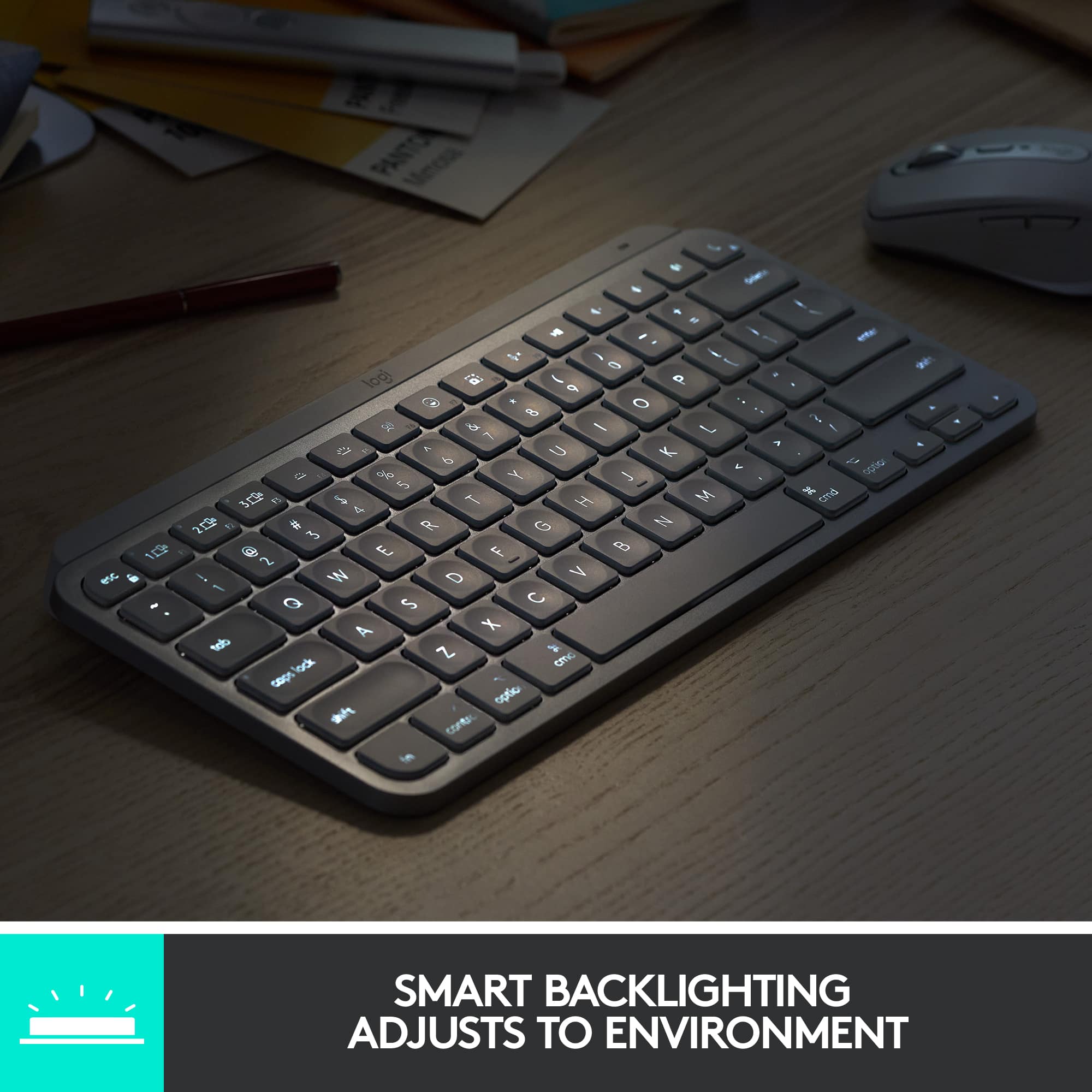
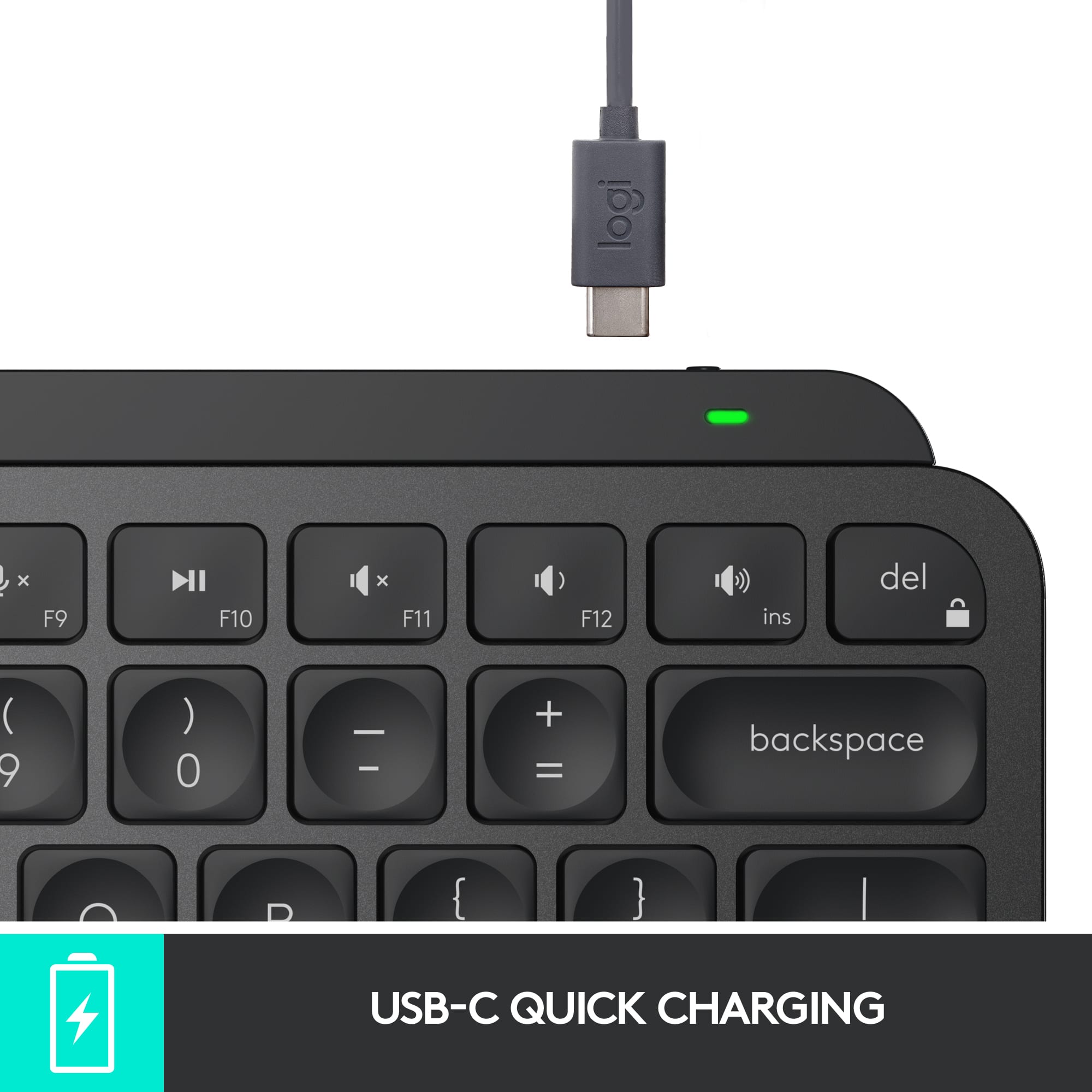
|Posted .This reviewer received promo considerations or sweepstakes entry for writing a review.The MX Keys S for Mac, Masters from the Master series by Logitech line, is a fully featured wireless keyboard optimized for Mac OS and iPad OS. It has a simple sleek design, and does include a num pad, which is very important for me in being able to do my work from home and on the go. Additionally, not only does it have backlit keys, but the brightness adjusts based on your lighting conditions, which is very useful. I can't live without backlit keys anymore. It charges with a USB C cable, which I am also thankful for, no more AA batteries, which have plagued all of my other wireless keyboards. On a full charge, this keyboard is supposed to last 10 days if using the back lights, or 5 months without the back lights. As is the trend with many Bluetooth devices now, this allows you to save up to three Bluetooth devices to be paired to and easily switch between them. This is fantastic! If you might be switching between a laptop or tablet and your home computer, or if you were using this with Apple TV or anything like that.
I would recommend this to a friendBrand response from Logitech
Posted .Hello there! Thanks for your informative review of the MX Keys S for Mac! We appreciate you calling out the Mac-optimized features, backlit keys with auto-adjustment, USB-C charging, and easy multi-device switching.
Awesome Multi-Device Wireless Keyboard
|Posted .This reviewer received promo considerations or sweepstakes entry for writing a review.The Logitech MX Keys Mini Wireless Bluetooth Scissor Keyboard is an excellent multi-device keyboard. Setup is very quick and switching between up to 3 devices is a breeze. The keyboard, although mini, is a great size for every day typing. I use the keyboard as my primary work device and it works well, and quietly, all day long. Battery life is great as it takes several weeks for the battery to run low (I leave it turned on 24/7). The keyboard quickly charges via USB C when needed. Overall, this is an excellent multi-device keyboard that can easily serve as your daily driver.
I would recommend this to a friendCute little keyboard
||Posted . Owned for 2 weeks when reviewed.This reviewer received promo considerations or sweepstakes entry for writing a review.I bought this as a gift for christmas for my wife but best buy wants me to review this now and it's not christmas yet. So i have high hopes that she will like it because she liked it in the store.
I would recommend this to a friendUsed and dirty keyboard with hair on it
||Posted . Owned for less than 1 week when reviewed.This reviewer received promo considerations or sweepstakes entry for writing a review.BestBuy sent me a used and dirty keyboard. It even had hair on it. In the middle of a pandemic. Disgraceful.
I would recommend this to a friendMac Keyboard Loaded With Features
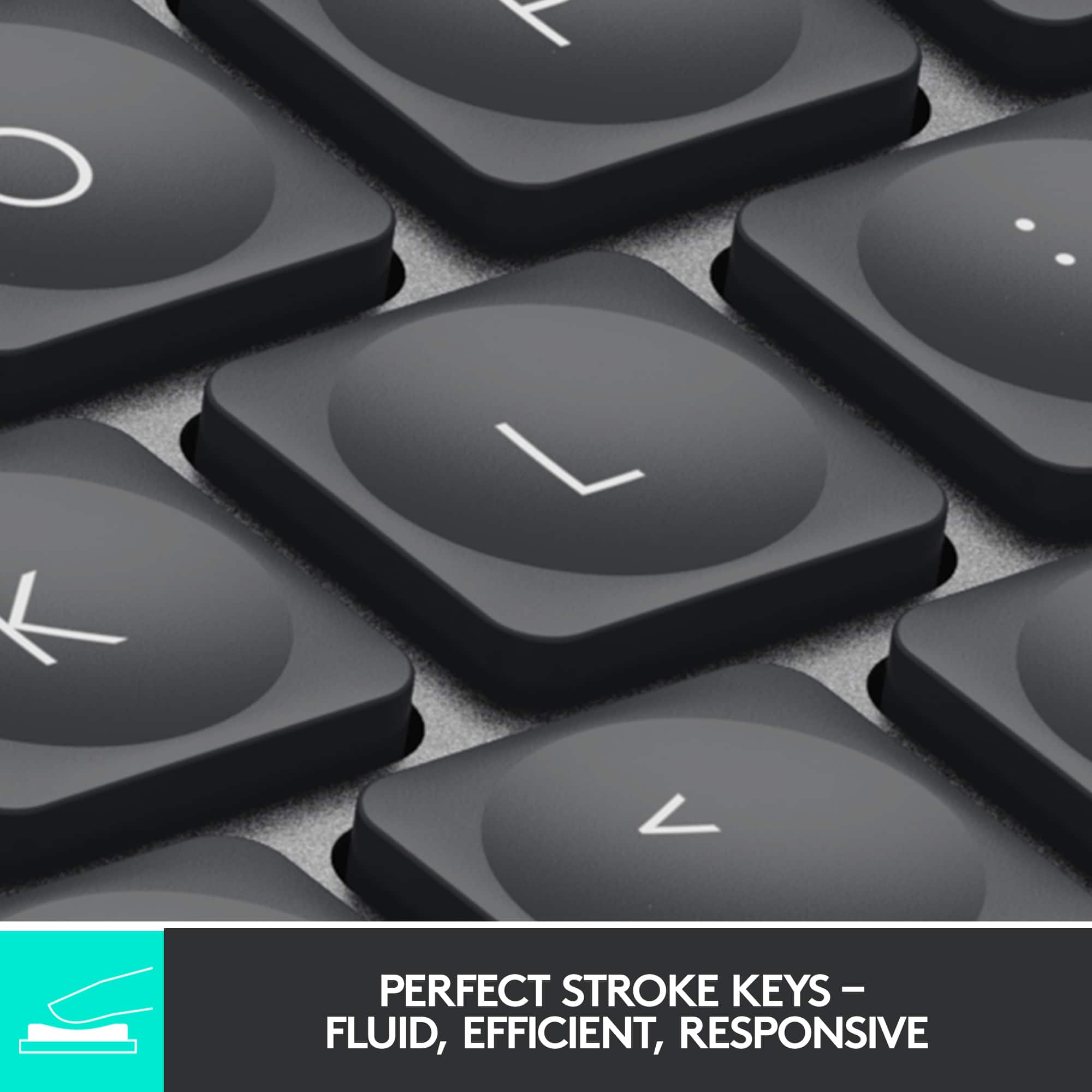
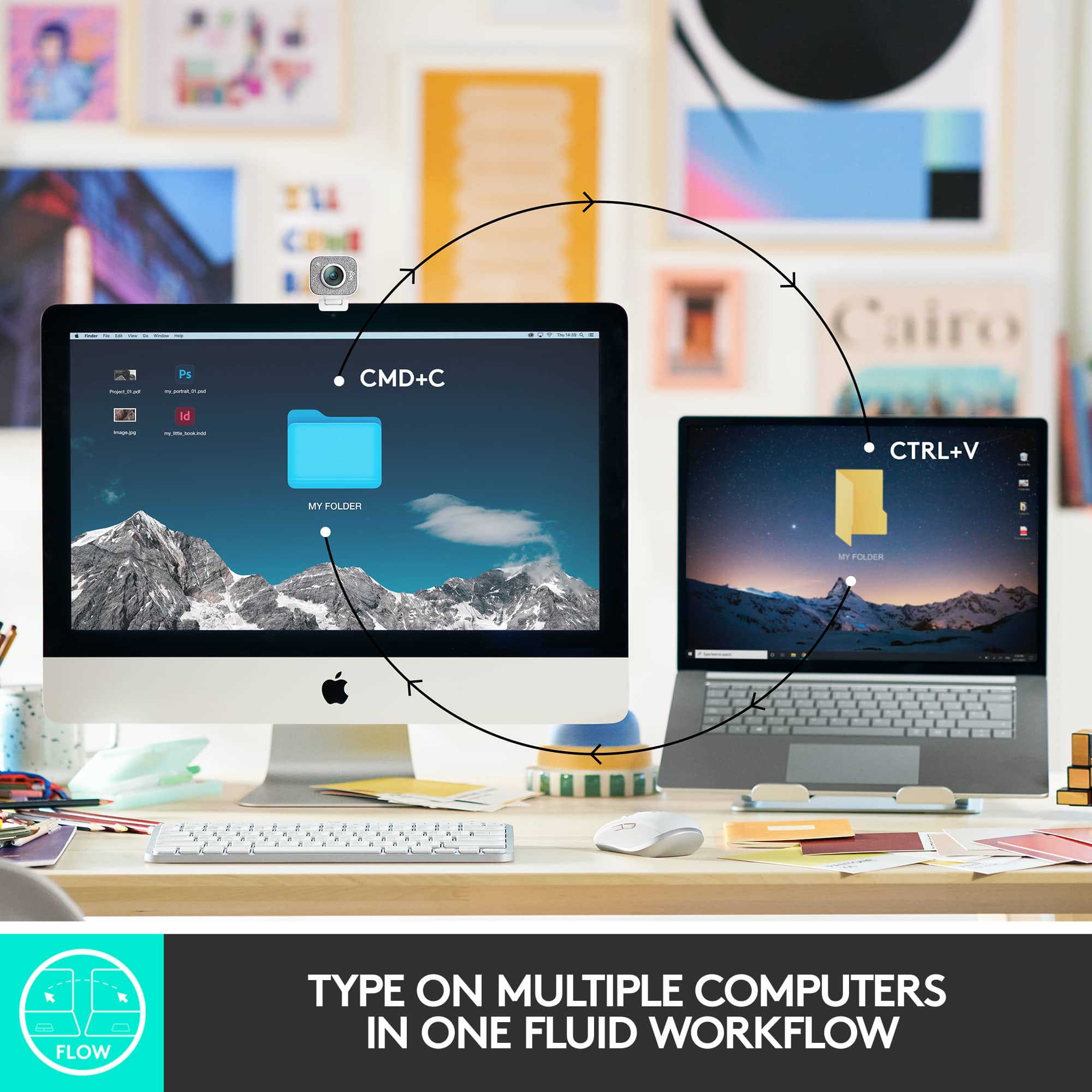
|Posted .This reviewer received promo considerations or sweepstakes entry for writing a review.Add a sleek new style to the home or work environment with a keyboard that features backlit keys in the Logitech MX Keys Keyboard for Mac (920-011621). This is the keyboard that does it all. The MX Keys keyboard offers multi-device control so you can type on up to 3 Apple devices in 1 fluid workflow. This keyboard follows your cursor from one device to another. The “S” in the name of this keyboard refers to silent operation of the keys. Featuring Perfect Stroke keys that are spherically-dished to match the shape of your fingers providing a fluid and ultra-precise typing experience. Backlit keys light up the moment your hands approach, and automatically adjust to changing lighting conditions. You can also manually adjust the brightness level. This keyboard is USB-C rechargeable. A full charge lasts 10 days—or up to 5 months with backlighting off. Logitech offers you 2 connection options: (1) Bluetooth® or (2) RF receiver. Keep in mind that this Mac keyboard only includes a USB cable for Bluetooth® operation. However, you can also use a Logitech Bolt receiver purchased separately. As a previous owner of the Logitech MX Keys keyboard, the only upgrade is that the keys are designed expressly for Mac users. All other features are identical. With the previous keyboard, you do get a Logitech Bolt receiver along with the USB-C cable at no extra charge. My only negative is the keyboard’s cost. For half the price, you can purchase a keyboard with some of these features—but not all. If price is not a concern, this keyboard will please most Mac users at a price even less than Apple’s own Magic keyboard.
I would recommend this to a friendBrand response from Logitech
Posted .Hi! Thanks for the detailed review of the Logitech MX Keys S for Mac keyboard! We appreciate your insights. Great summary of the pros and cons - feature-rich, silent keys, backlit, but pricey with no Bolt receiver included. Overall, a great option for Mac users who value those features, but consider the cost.
Backlighting Useless
||Posted . Owned for 3 weeks when reviewed.This reviewer received promo considerations or sweepstakes entry for writing a review.Backlighting is useless. .........................
No, I would not recommend this to a friendBrand response from Logitech
Posted .Sorry to hear that. If you have any issues with the backlighting, Please reach out to our Logi Support team for further assistance. They will be more than happy to help you resolve any issues or concerns you may have.
The best gets smaller
|Posted .This reviewer received promo considerations or sweepstakes entry for writing a review.The MX keys mini is another fantastic addition to the Logitech lineup. I have used the full sized version of the MX keys and this mini is similar in all the ways that are important. It has the same phenomenal key travels that balance the difference between something like a gaming keyboard and a laptop. Typing on this just feels perfect. It has a large number of shortcut keys at the top for volume, brightness, and much more. The biggest difference between this mini and it’s big brother is the lack of the 10-key pad. It has nearly the same size and shape in every other way and that’s a good thing. Another small change is while it still supports being synced to up to 3 devices simultaneously, it does not support or include the Logitech unifying USB adapter, and only runs on Bluetooth. So if you are running a computer without Bluetooth capability you will be out of luck without an additional Bluetooth adapter to make it work. In this day and age that situation is likely to be rare so it makes sense that Logitech would opt to simplify. It feels great to place your hands over this keyboard and find that it lights up automatically reacting to your proximity. Using Logitech’s options app you can also turn that feature off it you wish to save on battery life. Personally I see no reason not to have the backlight working as the battery life is very good. I have been using it regularly for several days right out of the box and it still has over 50% life remaining. USB-C charging is the standard used here and it includes a 3ft cable for the deed. The options app also allows other shortcut customization, battery reporting, and can save and sync settings across devices. Since I also own the larger version I can sync settings between both keyboards for example which is another nice feature. If you’re looking for the best series of keyboards on the market you have arrived. This version takes what is already happening and simplifies it just enough to arrive at a size and shape that is more portable and manageable. I appreciate a keyboard in this case that is perfect for laptop users wanting a better solution for typing, although it would also be perfect for anyone else who wants the best and does not want or need a 10-key pad. I cannot recommend the MX Keys enough. Do yourself a favor, get one, and type away in bliss.
I would recommend this to a friendI love typing on the this keyboard!
|Posted .This reviewer received promo considerations or sweepstakes entry for writing a review.I consider myself a keyboard snob. I spent years waiting for the perfect keyboard and that day came when I got the Logitech MX Keys keyboard last year. It was sturdy, was comfortable to type on and worked great with my MacBook Pro and my Dell XPS. When I saw this new mino version of that keyboard, I was psyched to give it a try. Much like the larger version, this is a really sturdy keyboard with good weight to it. It never moves on my desk and the keys hit perfectly. This version loses the numeric keypad and I gotta say, I really don't miss it. I like having a little extra space on my desk and it makes the keyboard much lighter and more portable. I love the backlit keyboard, the typing experience is one of the best i've ever had. The keys are stable and I'm confident that this keyboard was built to last. I can connect bluetooth to 3 separate devices and switching between them has been seamless. It also has all of the multimedia keys plus a couple of surprises. I love the screen snipping shortcut key and it works perfectly on both my Mac and my Windows PC. The dictation key is great as well, though it only works for me on my Windows laptop, in fact, the keyboard does not show up in logitech Options on my Mac. On the Windows laptop I can customize the function keys, on Mac I cannot, but no biggie. It also has a handy mute button for video calls, as well as an emoji button, which I actually kind of like, though I can't use emoji's in my review :( This is my new favorite keyboard, I don't think Logitech has ever disappointed me with the keyboard and mouse products.
I would recommend this to a friendBrand response from Logitech
Posted .Hello Josh76, thank you so much for the 5-star review! We are so happy to hear that the MX Keys Mini is treating you so well! The MX Keys Mini is great on so many levels! And since it's still new, the update for Logitech Options to work with the Mini on mac will come. We are so grateful for the honest feedback, this will help so many people with questions. Thank you for being part of the Logitech family, have a great day! -Ricky | Logitech
not satisfied.
||Posted .This reviewer received promo considerations or sweepstakes entry for writing a review.within a month of use. the delete stopped working.
No, I would not recommend this to a friendBrand response from Logitech
Posted .Hello zack,
I am sorry that the MX Keys Mini is not working as expected. Make sure you use the Logitech Options+ App to access advanced settings and update the firmware. Contact the Logitech support team to receive personalized assistance if the issue persists. Logitech appreciates your product review. - Leo from Logitech
Great little keyboard!
|Posted .This reviewer received promo considerations or sweepstakes entry for writing a review.I work from home so I have my home computer, my work computer, and also my cell phone. Before I got this keyboard I had to have 2 separate keyboards on my desk taking up space. Now I can easily use one keyboard and switch between whichever computer I am using. As a bonus, if I need to type something on my phone, I can switch over to that too and have a full sized keyboard instead of having to awkwardly type with my thumbs on a little screen. There are 3 different devices you can set up and then just by pressing a key, you can easily switch to a different device! That feature alone makes this one of the best keyboards I've ever used! Right when you take this out of the box you can tell that its not a cheap keyboard. It has a very solid feel and appears to be made of some good high quality plastic. It has a built in rechargeable battery that easily gets me through a couple weeks work. The keyboard has a cool backlight on all the keys that comes on only when it senses you are close to the keyboard or typing on it. If you turn that off, the battery lasts exponentially longer (they claim up to 5 months)! I leave it on, just cause it looks cool and helps to see the keys better. Which brings me to the next cool feature, the keys themselves! Most normal keyboards are concave in just one direction. These keys have a circular indentation on them so it kind of guides your finger to the center of the key as you're typing. I found that I had a lot less mistakes to correct while using this keyboard because of that feature. The keys have a great feel to them when pushing them down and they are very responsive. I would very highly recommend this to anyone who uses multiple devices during their day. It saves a ton of desk space, and is very functional!
I would recommend this to a friend