Customer Ratings & Reviews
- Model:
- 920-010475
- |
- SKU:
- 12151960
Customer reviews
Rating 4.7 out of 5 stars with 958 reviews
(958 customer reviews)Rating by feature
- Value4.5
Rating 4.5 out of 5 stars
- Quality4.8
Rating 4.8 out of 5 stars
- Ease of Use4.7
Rating 4.7 out of 5 stars
to a friend
Rated 5 out of 5 stars
love!
||Posted . Owned for 3 weeks when reviewed.This reviewer received promo considerations or sweepstakes entry for writing a review.cute and functional. I love the backlite keyboard!
This review is from Logitech - MX Keys Mini TKL Wireless Bluetooth Scissor Keyboard with Backlit Keys - Rose
I would recommend this to a friendRated 5 out of 5 stars
Perfect
||Posted . Owned for 2 weeks when reviewed.This reviewer received promo considerations or sweepstakes entry for writing a review.Works perfect along with the mouse that was purchased.
This review is from Logitech - MX Keys Mini TKL Wireless Bluetooth Scissor Keyboard with Backlit Keys - Rose
I would recommend this to a friendRated 5 out of 5 stars
Geat Keyboard for IPad
||Posted . Owned for 1 month when reviewed.This reviewer received promo considerations or sweepstakes entry for writing a review.I saw this in store and was able to purchase online.
This review is from Logitech - MX Keys Mini TKL Wireless Bluetooth Scissor Keyboard with Backlit Keys - Rose
I would recommend this to a friendRated 1 out of 5 stars
Very annoying to use
||Posted . Owned for 3 weeks when reviewed.This reviewer received promo considerations or sweepstakes entry for writing a review.I was using it to game with and if you don’t touch the keys for half a second then it turns off and you have to press the key again to register. Very annoying and I’m throwing it out
This review is from Logitech - MX Keys Mini TKL Wireless Bluetooth Scissor Keyboard with Backlit Keys - Black
No, I would not recommend this to a friendBrand response from Logitech
Posted .Hello Fink,
I am sorry to hear that you are having trouble using the MX Keys Mini properly. The MX Keys Mini is not a gaming keyboard, which is why it has features that are counterproductive for gaming, such as the battery-saving mode that shuts off the keyboard. Try downloading the Logitech Options+ app from the Logitech website so you can adjust the sleep time intervals. Ideally, I suggest you get one of Logitech's gaming keyboards that has many more features for gaming purposes. Logitech appreciates your product review. - Leo from Logitech
Rated 1 out of 5 stars
CHeck your Bluetooth Version
||Posted . Owned for 3 weeks when reviewed.This reviewer received promo considerations or sweepstakes entry for writing a review.Did not work with the older IMAC that I had even though the sales person said that it would. Too old a version of Bluetooth on the IMAC. But I returned it to the Geek Squad and got one that worked.
This review is from Logitech - MX Keys Mini TKL Wireless Bluetooth Scissor Keyboard with Backlit Keys - Rose
No, I would not recommend this to a friendRated 5 out of 5 stars
Great addition to my logitech office ecosystem!
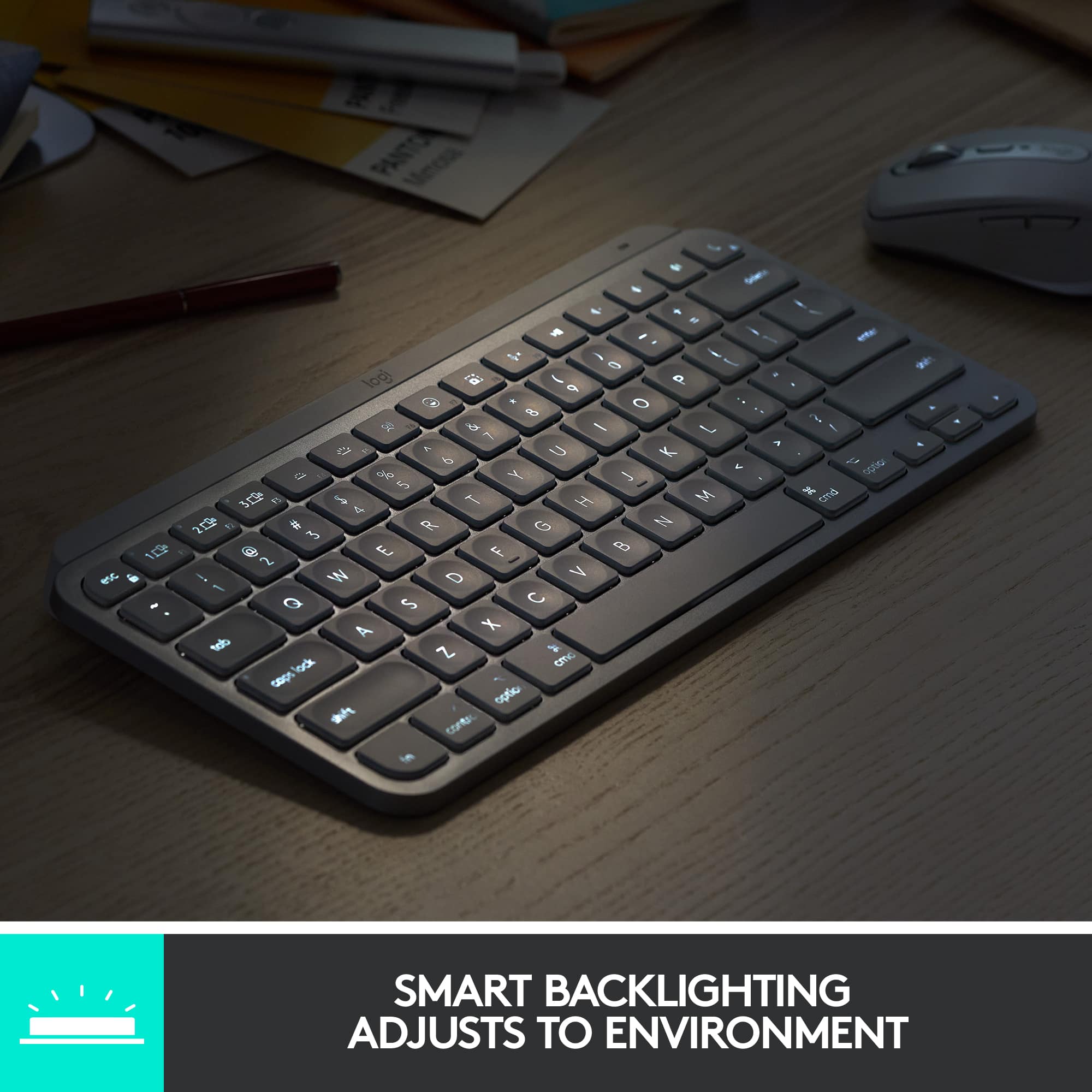
|Posted .This reviewer received promo considerations or sweepstakes entry for writing a review.Excellent KEYBOARD!!! Better than any Apple keyboard with more functionality at cheaper the cost!!! This is the keyboard that Apple should have brought out for their Macs. It has many nice features. The one that I find really nice is the key back lighting. It's quite handy under lower light conditions. My previous Logitech products have lasted many years, which makes this keyboard purchase a worthy investment considering the quality and features. Right out of the box I was amazed at the solid workmanship. This thing feels sturdy and heavy. It has a classy dark metal gray finish. It's curved edges and slight tilt, along with the silent keys make it a pleasure to use. The lights go out if your hands are away from the keyboard for long, but respond immediately to your fingers touching the keys with lighting up. The construction seems very good, and the keys with their sculptured tops are nice to type on. The programable key functions are also handy for adding some user defined command to certain keys. Overall and nice keyboard I've been using this keyboard for a couple days now and I love it. It has a nice heavy/solid feel, so it doesn't slip around on my desk and the keys have a nice tactile "break" at the end of the keystroke. Very easy to use for hours at a time. The only thing missing from this is the numeric keypad but that's why it's called "mini" in the first place. I have no complains about that but something to consider if you are a big time numeric keypad user. It also doesn't come with the Logitech unifying receiver and is not supported to work with one. If you are planning to use it with the unifying receiver, you better get the full fledged MX Masters keyboard which works with the unifying receiver. I have the MX Master 2S mouse but have to use this keyboard via bluetooth. Not a big deal since my previous keyboard (also Logitech) was also connected via bluetooth. Never had any issues with that. It has a rechargeable batter that charges up via the included USB-C to USB-A cable; you'll need a USB-A type power adapter which is not included. I only had to charge it once and plugged it into my laptop. Logitech claims a battery life of up to 10 days on a full charge or up to 5 months with the backlighting turned off, which is way less than my MX Master 2S mouse but that is understandable as the keyboard draws more power than the mouse. This Logitech keyboard is just much much better than all of the keyboards I've used so far. Some of it is the small form factor that leaves more space on my desk. Some of it is the super sleek look that makes my desk look like I'm an elite designer. But more than anything, it's how smoothly the keys actuate, how they travel just enough (not too little, not too far), and how the concave circle shape on each key is built to welcome your fingers. This keyboard is not without faults, but these faults pale in comparison with how good the keys are.
This review is from Logitech - MX Keys Mini TKL Wireless Bluetooth Scissor Keyboard with Backlit Keys - Black
I would recommend this to a friendRated 4 out of 5 stars
Good Keyboard
||Posted . Owned for 3 weeks when reviewed.This reviewer received promo considerations or sweepstakes entry for writing a review.Pretty decent wireless/Bluetooth keyboard, meets my needs.
This review is from Logitech - MX Keys Mini TKL Wireless Bluetooth Scissor Keyboard with Backlit Keys - Rose
I would recommend this to a friendRated 5 out of 5 stars
Great mini keyboard with solid features
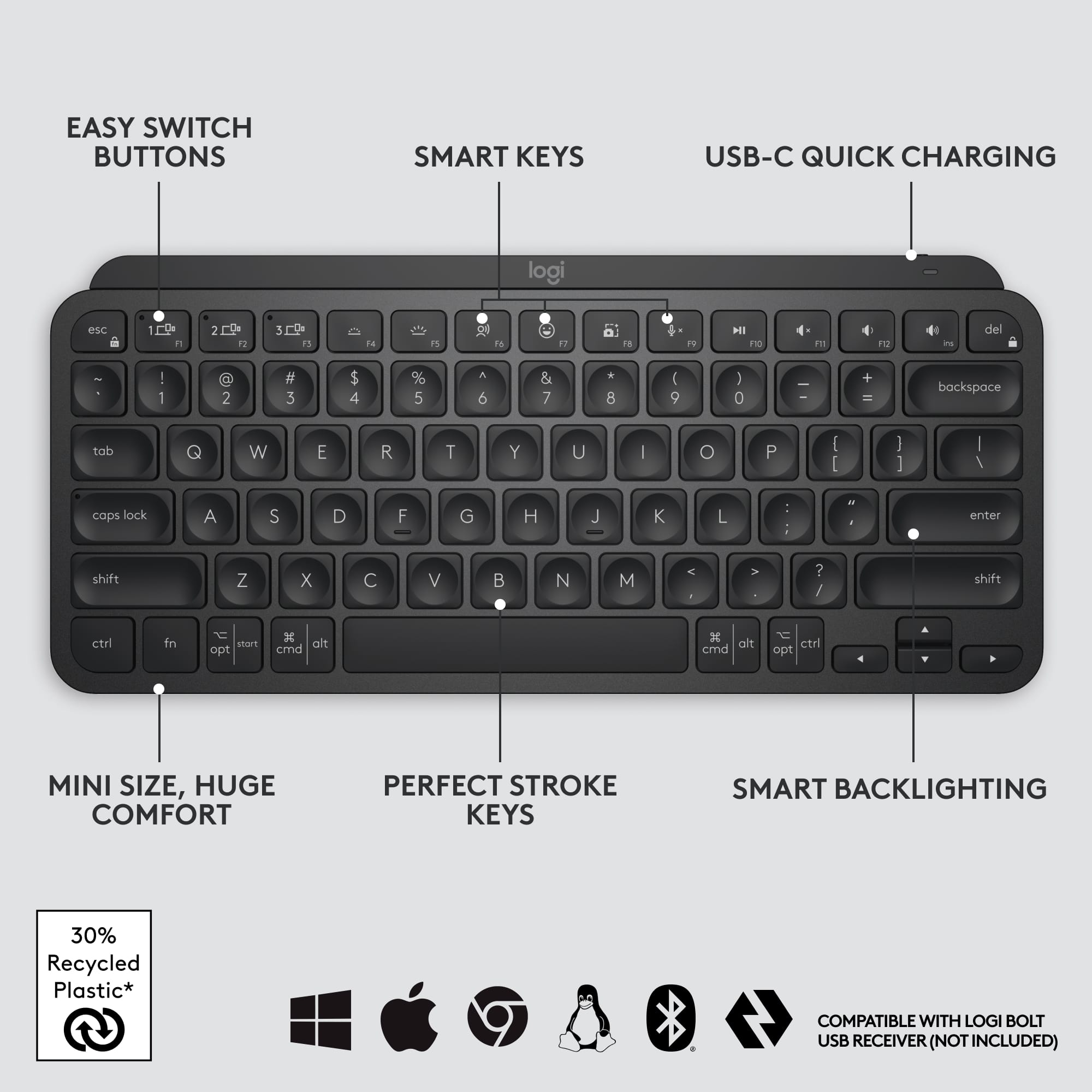
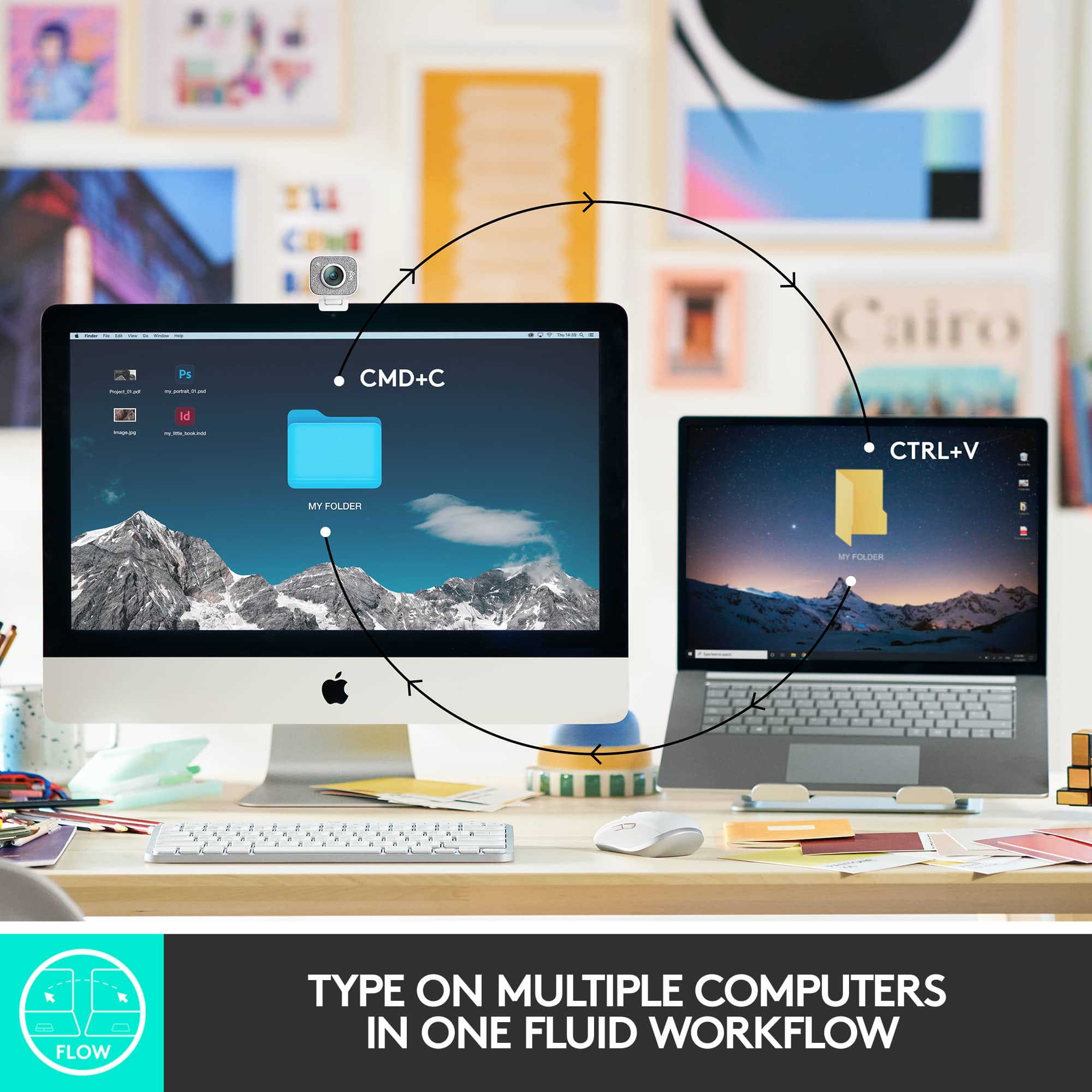
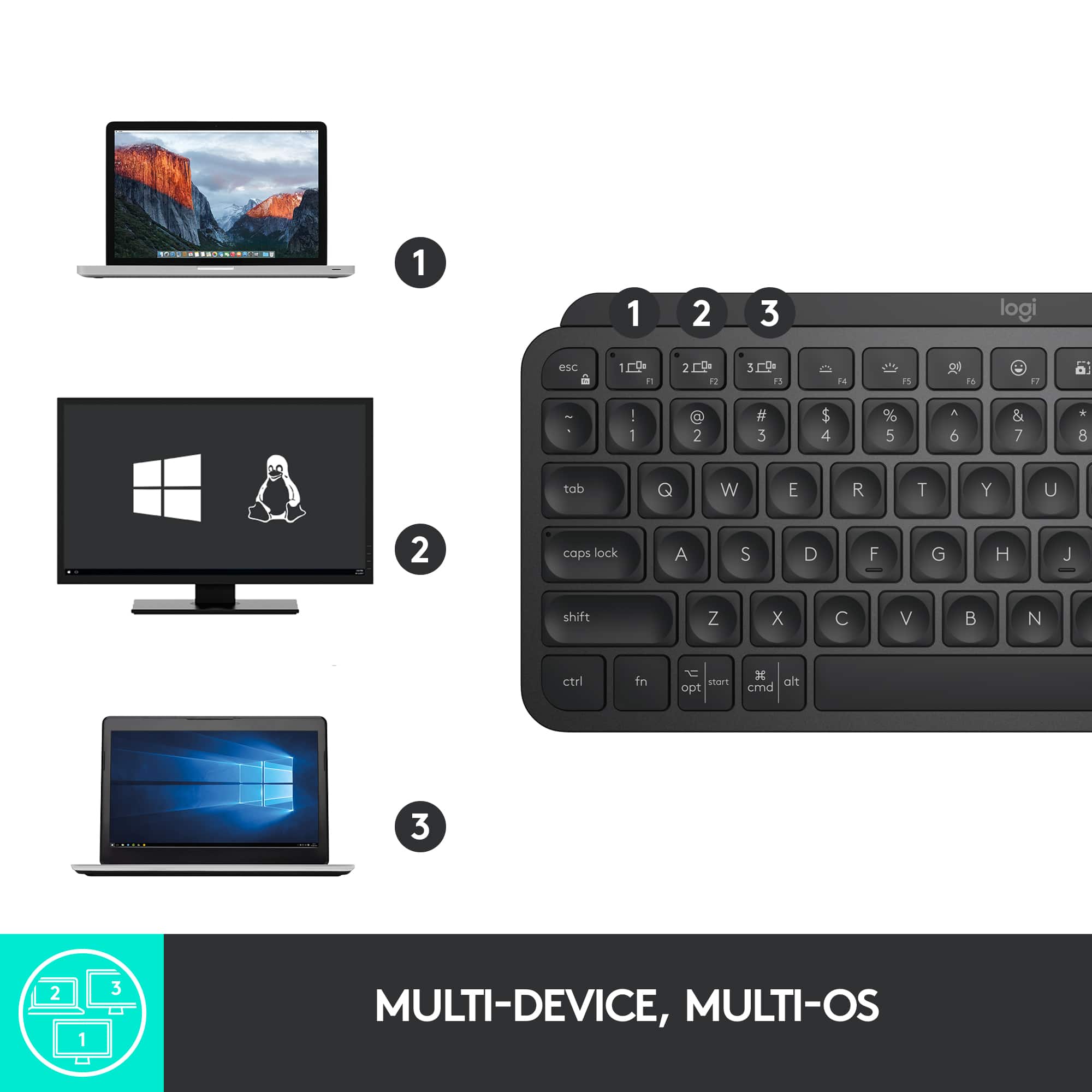
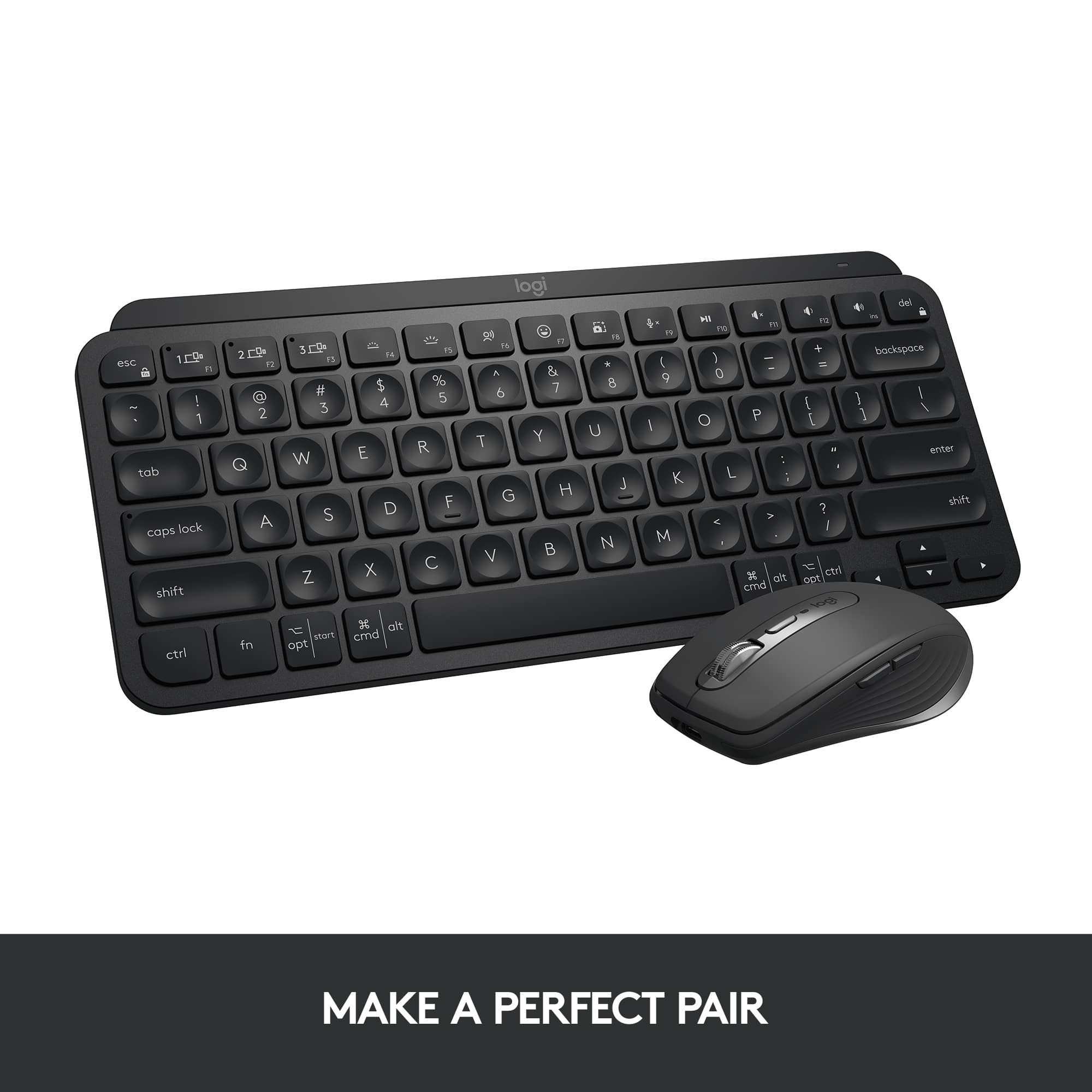
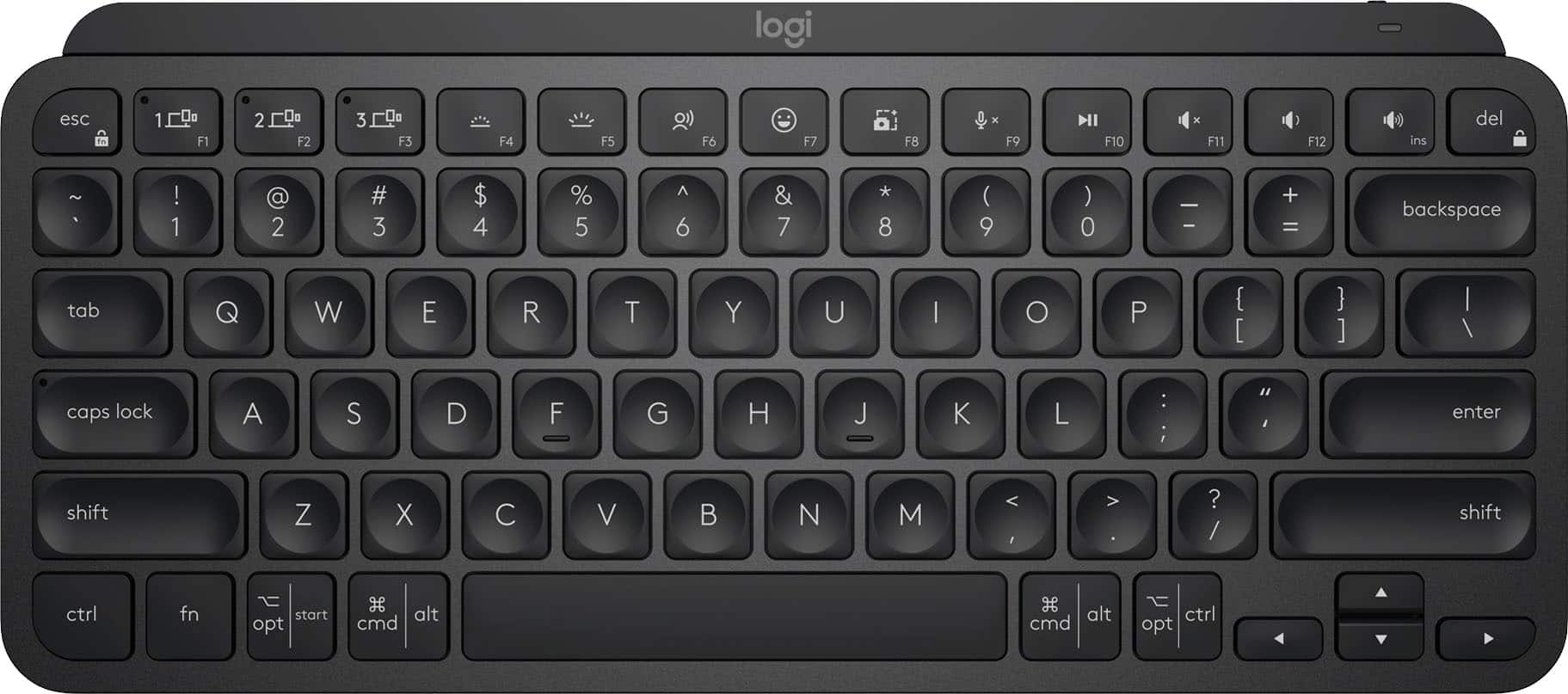
|Posted .This reviewer received promo considerations or sweepstakes entry for writing a review.The Logitech MX Keys Mini is a small focused cross platform, multi-device keyboard. It combines a layout that many Mac users will find familiar, but also in a world of increasing mobile device usage, is more familiar for everyone. Paying homage to the Craft keyboard, for which it shares many features, it includes smart backlighting, 3 device connections, and multi-OS support. While it shares many features with the Craft, this is by far a budget keyboard. That isn’t to say it’s cheap quality, but it doesn’t have the same aluminum construction, touch sensitive dial, or full layout. Instead you find a fairly competent chassis with minimal flex and just the core keys. The layout includes relevant function keys including device switching, keyboard backlight, dictation, emoji, screenshots, and audio controls. The bottom row sports dual function keys that are detected by the OS, mapping Windows as the third key in, followed by an ALT and swapping them respectively for CMD and OPT. So Mac users rejoice, you can use a proper layout without remapping. This is especially important if you augment your primary Windows setup with an iPad, as it keeps consistency when swapping devices. The rest of the keys fill QWERTY up, and are uniquely divoted to holding your fingers. Despite being a keyboard fanatic (with multiple switch types, and preferences in my collection), I found the scissor switch to be instantly familiar. I was impressed that I could hit my average of around 80 WPM the first try with minimal typing beforehand. Many keyboard have had an adjustment period, but obviously Logitech is sticking with a tried and true design, bringing lessons learned on the Craft keyboard. The backlighting using proximity sensors is pretty g-whiz, but also a wonderful feature for a wireless keyboard. Beyond the keys, there is a single USB-C port for charging, along with a power switch. On the underside of the keyboard, large friction rubber feet keep the keyboard in place. There is a distinct lack of LEDs on this keyboard, including an indicator for function lock. It’s easy enough to turn on and off, but knowing what state it is currently locked is something only experimentation can show. There are LEDs for each bluetooth connection on F1-F3. This keyboard can support up to 3 pairings and swap between them at the touch of a button (or Flow enabled mice). Something to note: this keyboard out of the box requires bluetooth. While you can use Logitech’s Logi Bolt receivers, they are brand new and the only receivers compatible with this keyboard. Logitech is really pushing Flow enabled mice - which allow this keyboard to follow a mouse that moves from computer to computer automatically. While I didn’t have an MX Anywhere Flow enabled mouse to test this with, this is a really great idea to bring native to your devices. While others have had software solutions for years, seeing Logitech go the extra mile to make it a first class citizen is pretty awesome. Logitech rates the battery life at 10h and up to 5 months with the backlight off. If you work in a bright office environment this might be perfect for you. Otherwise you’ll find yourself charging the keyboard every day. That said, it could easily be part of your routine. Overall, why would you choose this over the similarly priced MX Keys? That’s a good question. If you’re used to this layout, by either using an ultrabook, or Mac as your primary keyboard, then this will feel quite familiar. If you’re a coder or programmer, you may miss the lack of dedicated Home/End keys (although, FN+arrows serve home/end on the Mini). I’m a little disappointed there is no USB receiver out of the box, but bluetooth has become pretty prolific. Overall, this keyboard brings excellent core features, solid layout, and a solid bluetooth connection. It types better than similar first party accessories from fruit based companies, while also adding some great multi-device features.
This review is from Logitech - MX Keys Mini TKL Wireless Bluetooth Scissor Keyboard with Backlit Keys - Black
I would recommend this to a friendRated 1 out of 5 stars
Would not pair with Bluetooth
||Posted . Owned for 1 month when reviewed.This reviewer received promo considerations or sweepstakes entry for writing a review.I’ve spent multiple hours trying to get the keyboard to pair with my Surface. Still can’t fix it, no tech help available
This review is from Logitech - MX Keys Mini TKL Wireless Bluetooth Scissor Keyboard with Backlit Keys - Rose
No, I would not recommend this to a friendBrand response from Logitech
Posted .Hello DrGrr, we are sorry to hear that the MX Keys Mini did not meet your expectations. At Logitech, it is our goal to ensure you are completely satisfied with your Logitech purchase. We take pride in the products and services we offer, and want our customers to enjoy them just as much as we do. At the end of this message, I have attached a link to our support page. There, you'll be able get more info on your Keyboard and also be able to Download our free Logi options + software. You'll be able to customize and fully take ownership of what your keyboard can do. Again, we apologize for any inconvenience we may have caused. Thank you for being part of the Logitech family, have a great day.- Ricky from Logitech. https://prosupport.logi.com/hc/en-us/articles/4408438292375-Getting-Started-MX-Keys-Mini-for-Business
Rated 4 out of 5 stars
Gets the job done
||Posted . Owned for 3 weeks when reviewed.This reviewer received promo considerations or sweepstakes entry for writing a review.It’s a little confusing at first but once connected it works great
This review is from Logitech - MX Keys Mini TKL Wireless Bluetooth Scissor Keyboard with Backlit Keys - Rose
I would recommend this to a friendRated 1 out of 5 stars
Got broken one.
||Posted . Owned for less than 1 week when reviewed.This reviewer received promo considerations or sweepstakes entry for writing a review.Did not get a chance to use it since one key fell off as soon as i took keyboard out of the box. Poor quality control.
This review is from Logitech - MX Keys Mini TKL Wireless Bluetooth Scissor Keyboard with Backlit Keys - Pale Gray
No, I would not recommend this to a friendBrand response from Logitech
Posted .Hey! We're very sorry to hear that a key fell off your MX Keys Mini TKL as soon as you took it out of the box. That sounds incredibly frustrating, and we apologize for the inconvenience this has caused. In order to help you effectively, please provide your information to our support team via email at socialcare@logitech.com with your
- Name:
- Email Address:
- Country:
- Product Name:
- Brief description of issue:
Rated 1 out of 5 stars
Backlighting Useless
||Posted . Owned for 3 weeks when reviewed.This reviewer received promo considerations or sweepstakes entry for writing a review.Backlighting is useless. .........................
This review is from Logitech - MX Keys Mini TKL Wireless Bluetooth Scissor Keyboard with Backlit Keys - Black
No, I would not recommend this to a friendBrand response from Logitech
Posted .Sorry to hear that. If you have any issues with the backlighting, Please reach out to our Logi Support team for further assistance. They will be more than happy to help you resolve any issues or concerns you may have.
Rated 3 out of 5 stars
Cute little keyboard
||Posted . Owned for 2 weeks when reviewed.This reviewer received promo considerations or sweepstakes entry for writing a review.I bought this as a gift for christmas for my wife but best buy wants me to review this now and it's not christmas yet. So i have high hopes that she will like it because she liked it in the store.
This review is from Logitech - MX Keys Mini TKL Wireless Bluetooth Scissor Keyboard with Backlit Keys - Rose
I would recommend this to a friendRated 1 out of 5 stars
Used and dirty keyboard with hair on it
||Posted . Owned for less than 1 week when reviewed.This reviewer received promo considerations or sweepstakes entry for writing a review.BestBuy sent me a used and dirty keyboard. It even had hair on it. In the middle of a pandemic. Disgraceful.
This review is from Logitech - MX Keys Mini TKL Wireless Bluetooth Scissor Keyboard with Backlit Keys - Black
I would recommend this to a friendRated 5 out of 5 stars
Awesome Multi-Device Wireless Keyboard
|Posted .This reviewer received promo considerations or sweepstakes entry for writing a review.The Logitech MX Keys Mini Wireless Bluetooth Scissor Keyboard is an excellent multi-device keyboard. Setup is very quick and switching between up to 3 devices is a breeze. The keyboard, although mini, is a great size for every day typing. I use the keyboard as my primary work device and it works well, and quietly, all day long. Battery life is great as it takes several weeks for the battery to run low (I leave it turned on 24/7). The keyboard quickly charges via USB C when needed. Overall, this is an excellent multi-device keyboard that can easily serve as your daily driver.
This review is from Logitech - MX Keys Mini TKL Wireless Bluetooth Scissor Keyboard with Backlit Keys - Black
I would recommend this to a friendRated 5 out of 5 stars
The best gets smaller
|Posted .This reviewer received promo considerations or sweepstakes entry for writing a review.The MX keys mini is another fantastic addition to the Logitech lineup. I have used the full sized version of the MX keys and this mini is similar in all the ways that are important. It has the same phenomenal key travels that balance the difference between something like a gaming keyboard and a laptop. Typing on this just feels perfect. It has a large number of shortcut keys at the top for volume, brightness, and much more. The biggest difference between this mini and it’s big brother is the lack of the 10-key pad. It has nearly the same size and shape in every other way and that’s a good thing. Another small change is while it still supports being synced to up to 3 devices simultaneously, it does not support or include the Logitech unifying USB adapter, and only runs on Bluetooth. So if you are running a computer without Bluetooth capability you will be out of luck without an additional Bluetooth adapter to make it work. In this day and age that situation is likely to be rare so it makes sense that Logitech would opt to simplify. It feels great to place your hands over this keyboard and find that it lights up automatically reacting to your proximity. Using Logitech’s options app you can also turn that feature off it you wish to save on battery life. Personally I see no reason not to have the backlight working as the battery life is very good. I have been using it regularly for several days right out of the box and it still has over 50% life remaining. USB-C charging is the standard used here and it includes a 3ft cable for the deed. The options app also allows other shortcut customization, battery reporting, and can save and sync settings across devices. Since I also own the larger version I can sync settings between both keyboards for example which is another nice feature. If you’re looking for the best series of keyboards on the market you have arrived. This version takes what is already happening and simplifies it just enough to arrive at a size and shape that is more portable and manageable. I appreciate a keyboard in this case that is perfect for laptop users wanting a better solution for typing, although it would also be perfect for anyone else who wants the best and does not want or need a 10-key pad. I cannot recommend the MX Keys enough. Do yourself a favor, get one, and type away in bliss.
This review is from Logitech - MX Keys Mini TKL Wireless Bluetooth Scissor Keyboard with Backlit Keys - Black
I would recommend this to a friendRated 1 out of 5 stars
not satisfied.
||Posted .This reviewer received promo considerations or sweepstakes entry for writing a review.within a month of use. the delete stopped working.
This review is from Logitech - MX Keys Mini TKL Wireless Bluetooth Scissor Keyboard with Backlit Keys - Black
No, I would not recommend this to a friendBrand response from Logitech
Posted .Hello zack,
I am sorry that the MX Keys Mini is not working as expected. Make sure you use the Logitech Options+ App to access advanced settings and update the firmware. Contact the Logitech support team to receive personalized assistance if the issue persists. Logitech appreciates your product review. - Leo from Logitech
Rated 5 out of 5 stars
I love typing on the this keyboard!
|Posted .This reviewer received promo considerations or sweepstakes entry for writing a review.I consider myself a keyboard snob. I spent years waiting for the perfect keyboard and that day came when I got the Logitech MX Keys keyboard last year. It was sturdy, was comfortable to type on and worked great with my MacBook Pro and my Dell XPS. When I saw this new mino version of that keyboard, I was psyched to give it a try. Much like the larger version, this is a really sturdy keyboard with good weight to it. It never moves on my desk and the keys hit perfectly. This version loses the numeric keypad and I gotta say, I really don't miss it. I like having a little extra space on my desk and it makes the keyboard much lighter and more portable. I love the backlit keyboard, the typing experience is one of the best i've ever had. The keys are stable and I'm confident that this keyboard was built to last. I can connect bluetooth to 3 separate devices and switching between them has been seamless. It also has all of the multimedia keys plus a couple of surprises. I love the screen snipping shortcut key and it works perfectly on both my Mac and my Windows PC. The dictation key is great as well, though it only works for me on my Windows laptop, in fact, the keyboard does not show up in logitech Options on my Mac. On the Windows laptop I can customize the function keys, on Mac I cannot, but no biggie. It also has a handy mute button for video calls, as well as an emoji button, which I actually kind of like, though I can't use emoji's in my review :( This is my new favorite keyboard, I don't think Logitech has ever disappointed me with the keyboard and mouse products.
This review is from Logitech - MX Keys Mini TKL Wireless Bluetooth Scissor Keyboard with Backlit Keys - Black
I would recommend this to a friendBrand response from Logitech
Posted .Hello Josh76, thank you so much for the 5-star review! We are so happy to hear that the MX Keys Mini is treating you so well! The MX Keys Mini is great on so many levels! And since it's still new, the update for Logitech Options to work with the Mini on mac will come. We are so grateful for the honest feedback, this will help so many people with questions. Thank you for being part of the Logitech family, have a great day! -Ricky | Logitech
Rated 5 out of 5 stars
Great little keyboard!
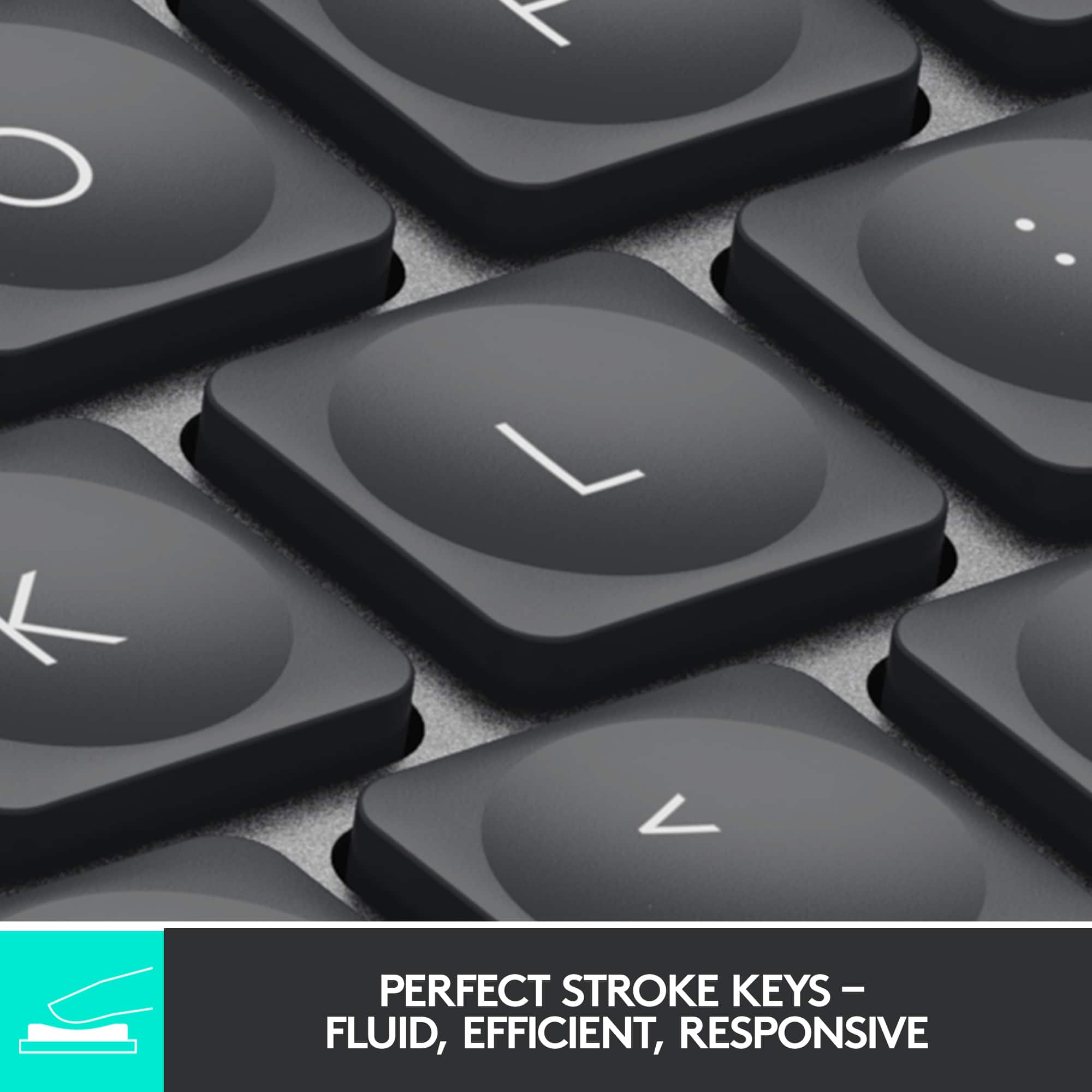
|Posted .This reviewer received promo considerations or sweepstakes entry for writing a review.I work from home so I have my home computer, my work computer, and also my cell phone. Before I got this keyboard I had to have 2 separate keyboards on my desk taking up space. Now I can easily use one keyboard and switch between whichever computer I am using. As a bonus, if I need to type something on my phone, I can switch over to that too and have a full sized keyboard instead of having to awkwardly type with my thumbs on a little screen. There are 3 different devices you can set up and then just by pressing a key, you can easily switch to a different device! That feature alone makes this one of the best keyboards I've ever used! Right when you take this out of the box you can tell that its not a cheap keyboard. It has a very solid feel and appears to be made of some good high quality plastic. It has a built in rechargeable battery that easily gets me through a couple weeks work. The keyboard has a cool backlight on all the keys that comes on only when it senses you are close to the keyboard or typing on it. If you turn that off, the battery lasts exponentially longer (they claim up to 5 months)! I leave it on, just cause it looks cool and helps to see the keys better. Which brings me to the next cool feature, the keys themselves! Most normal keyboards are concave in just one direction. These keys have a circular indentation on them so it kind of guides your finger to the center of the key as you're typing. I found that I had a lot less mistakes to correct while using this keyboard because of that feature. The keys have a great feel to them when pushing them down and they are very responsive. I would very highly recommend this to anyone who uses multiple devices during their day. It saves a ton of desk space, and is very functional!
This review is from Logitech - MX Keys Mini TKL Wireless Bluetooth Scissor Keyboard with Backlit Keys - Black
I would recommend this to a friendRated 5 out of 5 stars
portable mini backlit keyboard, comes in handy
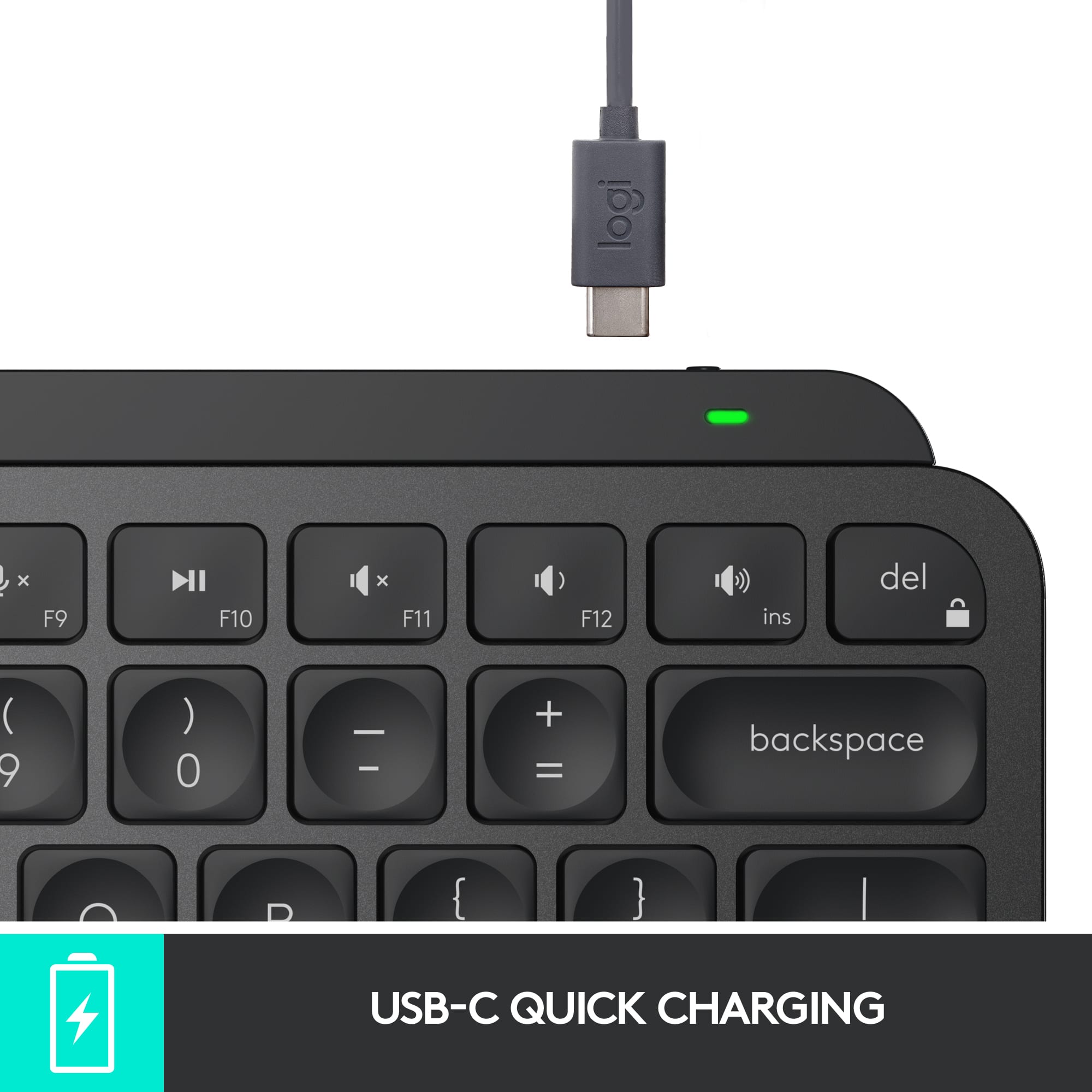
|Posted .This reviewer received promo considerations or sweepstakes entry for writing a review.I often find myself struggling with the on screen keyboard for my iPhone and iPad. The Logitech MX Keys mini keyboard solves a number of problems for me. First off, it is compact yet easy to type on, unlike other keyboards which have issues with key spacing, my hands naturally pressed the tactile and responsive keys. In addition, this model is back lit and has an integrated rechargeable battery. The keyboard can be charged using the USB-C plug on the edge of the top right corner, near the on off switch. Logitech definitely has the ergonomics down on this model. It also includes shared function buttons which can be used to switch between three paired devices, this was especially handy when using with my iPad and iPhone. Battery life is pretty good and is rated 10 days (not sure the hours) when using the backlit functionality and “months” with it disabled. Regardless since this is rechargeable in comparison to my Logi K380 mini keyboard battery life is not really an issue. Overall I am pretty happy with this Bluetooth keyboard. Certainly, this would be more than adequate to use with any of my devices. You could get by with going on a trip with just this keyboard and your mobile device and have confidence that if you had to type anything substantial, this keyboard would be more than adequate to handle the situation. Pros: • Lightweight and small • Keys are spaced well, not unlike using a laptop keyboard • Well built • Back lit • Rechargeable built in battery Cons: • None yet
This review is from Logitech - MX Keys Mini TKL Wireless Bluetooth Scissor Keyboard with Backlit Keys - Black
I would recommend this to a friend


![IN THE BOX logi logi esc a 1 2 1 3 Fl 1 da 2 4 11 18 4 IN HI 15 - 11 i i del 2 I 1 2 # 3 $ 4 % 5 A 6 & 7 * 8 ( 9 ( 0 I = + - backspace tab W E R T Y U et O P [ : I ] I I cops lock A S D F G H J K L : : & - enter shift Z X C V B N M < V ? / shift ctri fn Pot opt x alt cmd x alt cmd ctri opt TM Responsible FSC Packaging FSC" N003028](https://pisces.bbystatic.com/image2/BestBuy_US/images/products/765af771-c695-4e58-949d-e01634d5d664.png;maxHeight=54;maxWidth=54;format=webp)