Year-End SaleEnds 1/1/26. Limited quantities. No rainchecks.

Main Content

Customer Ratings & Reviews

Your price for this item is $89.99
The comparable value price is $99.99

Customer reviews

Rating 4.7 out of 5 stars with 625 reviews

Rating Filter

Rating by feature

  • Value

    Rating 4.5 out of 5 stars

  • Quality

    Rating 4.8 out of 5 stars

  • Ease of Use

    Rating 4.7 out of 5 stars

Pros mentioned filter

Cons mentioned filter

94%would recommend to a friend

Customers are saying

Customers find value in the MX Keys Mini's high-quality build, ease of use, and long battery life. Many appreciate its compact size and the pleasant feel of the keys, while some wish for a lower price point and the inclusion of a number pad. The backlit keys are a frequently praised feature. A few users noted compatibility concerns with certain devices.

This summary was generated by AI based on customer reviews.

The vast majority of our reviews come from verified purchases. Reviews from customers may include My Best Buy members, employees, and Tech Insider Network members (as tagged). Select reviewers may receive discounted products, promotional considerations or entries into drawings for honest, helpful reviews.
Page 3 Showing 41-60 of 625 reviews
  • Rated 1 out of 5 stars

    Lower Volume Key Fails with Mac

    |
    |
    Posted . Owned for 11 months when reviewed.
    This reviewer received promo considerations or sweepstakes entry for writing a review.

    I've had a couple of these now, they work good for a couple months, and then the F12/Lower Volume key starts opening a debugging side screen instead of controlling the volume. It's the only key that fails. The exact same thing has happened on two of these.

    No, I would not recommend this to a friend
    • Brand response from Logitech
      Posted .

      In order to help you effectively, please provide your information to our support team by emailing [email protected]. Name – Email address – Country – Product name – Brief description of the issue –

  • Pros mentioned:
    Battery life, Keyboard quality, Size
    Tech Insider Network Member

    Rated 5 out of 5 stars

    A Little Pro

    |
    Tech Insider Network Member
    Posted .
    This reviewer received promo considerations or sweepstakes entry for writing a review.

    I’ve been using Logitech’s Craft keyboard for some time, and a couple of times I even decided to carry it from home to work with me, but it normally stays parked on my desk at home. It was just too bulky to lug around. Enter in the little and capable brother, the MX Keys Mini. This gives you just about all the same typing experience as the larger MX/Craft, with a couple of compromises. Setup is a breeze, especially if you have the Logitech Options software already installed. My PC at home had a little notification pop up when I powered up the MX Keys Mini and in a couple of seconds, it was connected to my computer. I also connected it to my PC at work, and another laptop. Typing experience is top notch! It feels so great using this keyboard, it does not feel cramped, and the feel of the keys is awesome. The typing feel is the same as what I get on the Craft keyboard. I love the backlight keys and that they illuminate as soon as it senses your hands, approaching they keys. You get easy to access media keys, and a new emoji key that my Craft keyboard doesn’t have. I’ve used it a couple of times in some meetings. I love that the mic mute button is not for the software that you are currently using, but it mutes the mic at the system level. So far, the battery life has been great. I’ve been using it daily for the last week and it is still going strong. It is easy to stow, not quite as portable as my Keys-to-Go keyboard, but this experience is much better, that I don’t mind the extra weight. The only compromise that some folks might not like is the lack of number keypad. You still get the top row of number keys, but if you use the number keypad frequently, this does not have one. Obviously, this is omitted to reduce size and weight, and I am totally fine with it, I just thought it was worth mentioning. I love this little keyboard. It’s comfortable to use, allows you to quickly switch between 3 paired devices, and has all the bells and whistles you would expect from a high-quality keyboard. This is an easy recommendation for anyone looking for a great portable typing experience.

    I would recommend this to a friend
  • Pros mentioned:
    Battery life, Keyboard quality, Size
    Cons mentioned:
    Number pad

    Rated 5 out of 5 stars

    A Productivity Keyboard at its Finest

    |
    |
    Posted . Owned for 3 months when reviewed.
    This reviewer received promo considerations or sweepstakes entry for writing a review.

    - Harder to keep clean because of key shape - Backlight auto turns off - Sturdy Build, Plastic Prominent - Pairs well with Logitech Options App. Lots of functionality within app - Battery Life is Really Good - Concave keys make typing more confirmatory - Color Options are nice - Dual Mac/Windows/Bluetooth - Charges Via USB-C - No Number Pad - Relatively Inoffensive Design - Takes up very little desk space - Pairs perfectly with other Logitech Products - Device switching is quick and accurate - No Touch ID, Not first party - On the heavier side but still light - No USB Receiver, Connect By BlueTooth - No Charging Brick Included - Non-Adjustable Back Stand

    I would recommend this to a friend
    • Brand response from Logitech
      Posted .

      Thank you for your detailed feedback on the MX Keys Mini TKL Wireless Bluetooth Scissor Keyboard. We appreciate your time and insights.

  • Pros mentioned:
    Battery life, Keyboard quality
    Tech Insider Network Member

    Rated 5 out of 5 stars

    Performance Comfortable Mini MX keyboard for creat

    |
    Tech Insider Network Member
    Posted .
    This reviewer received promo considerations or sweepstakes entry for writing a review.

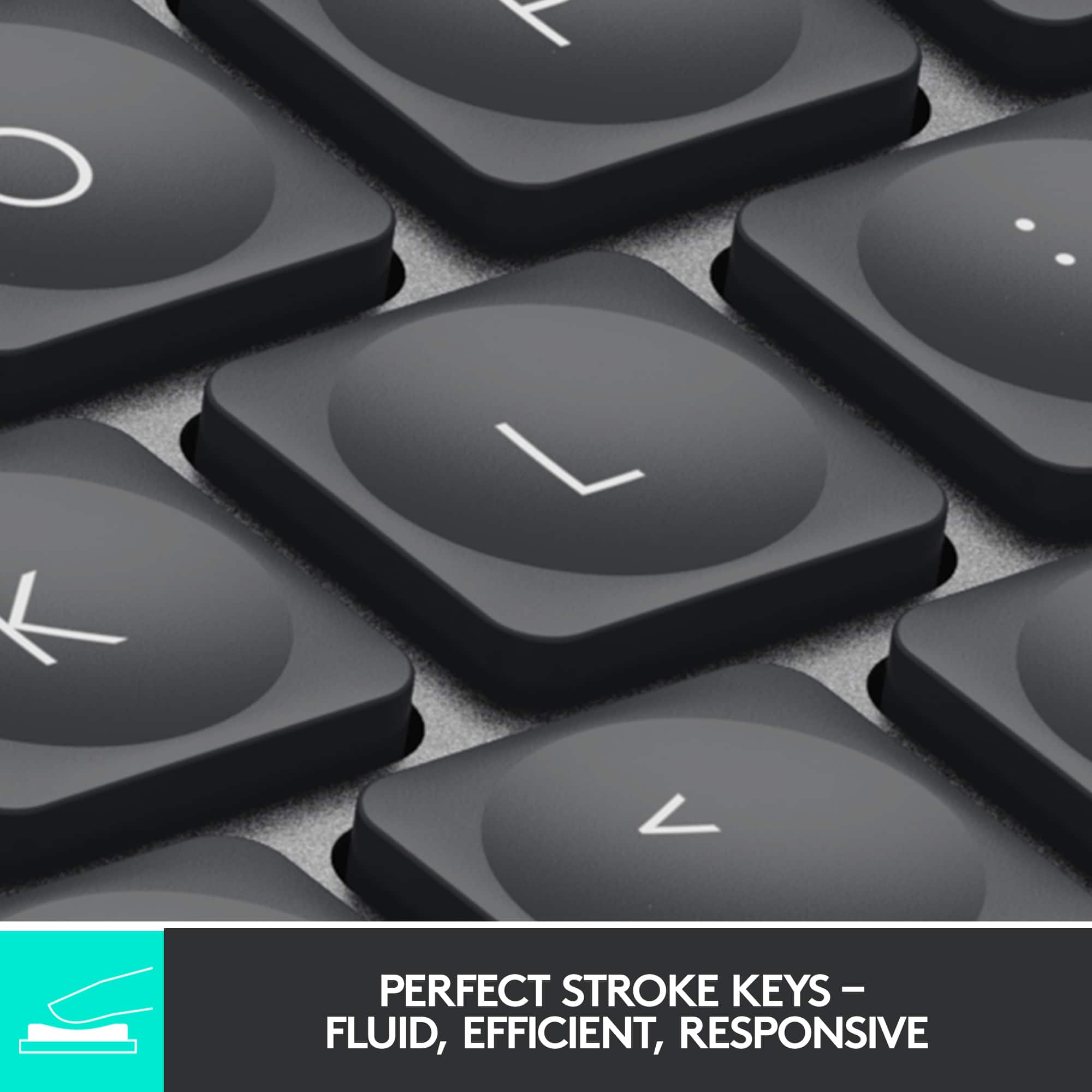
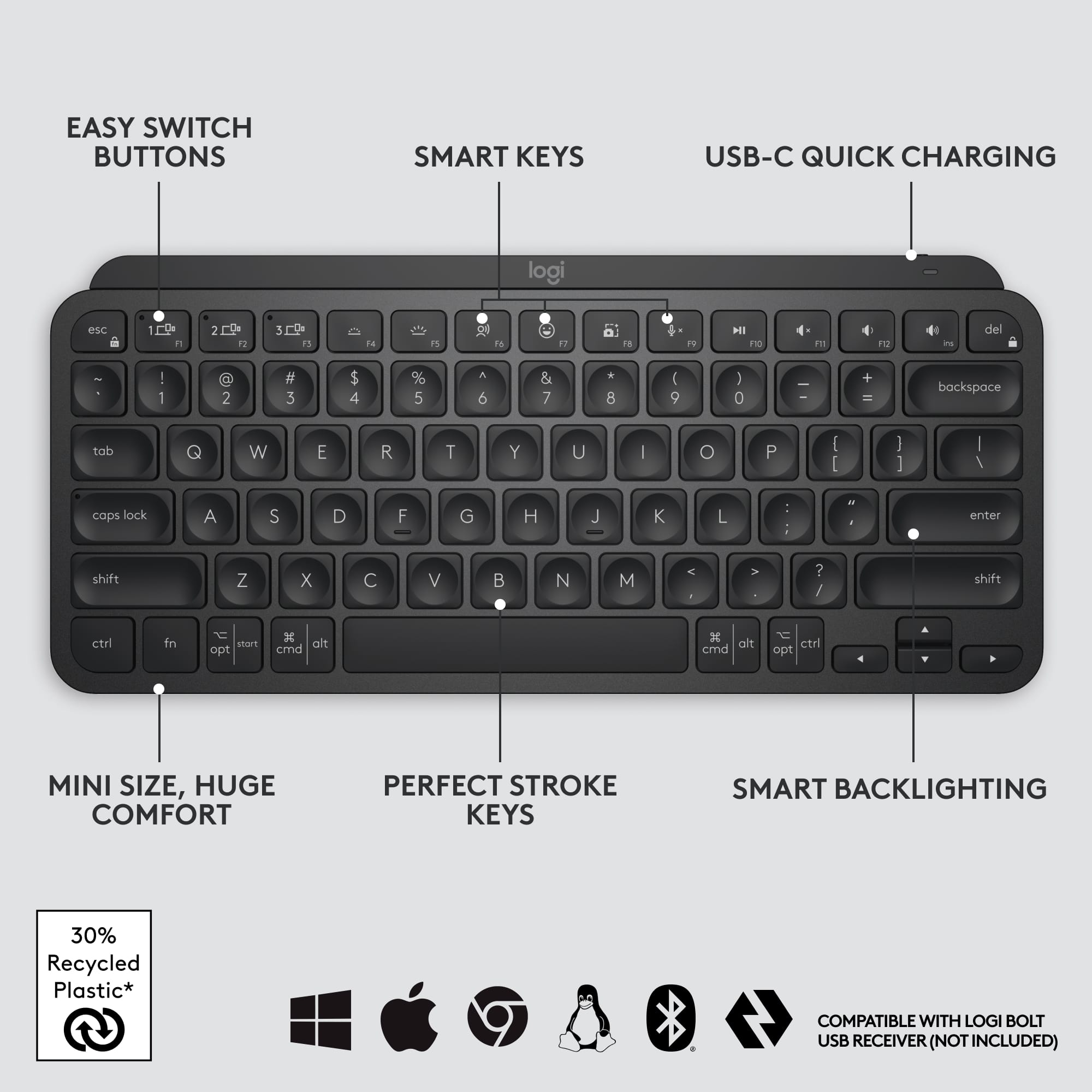
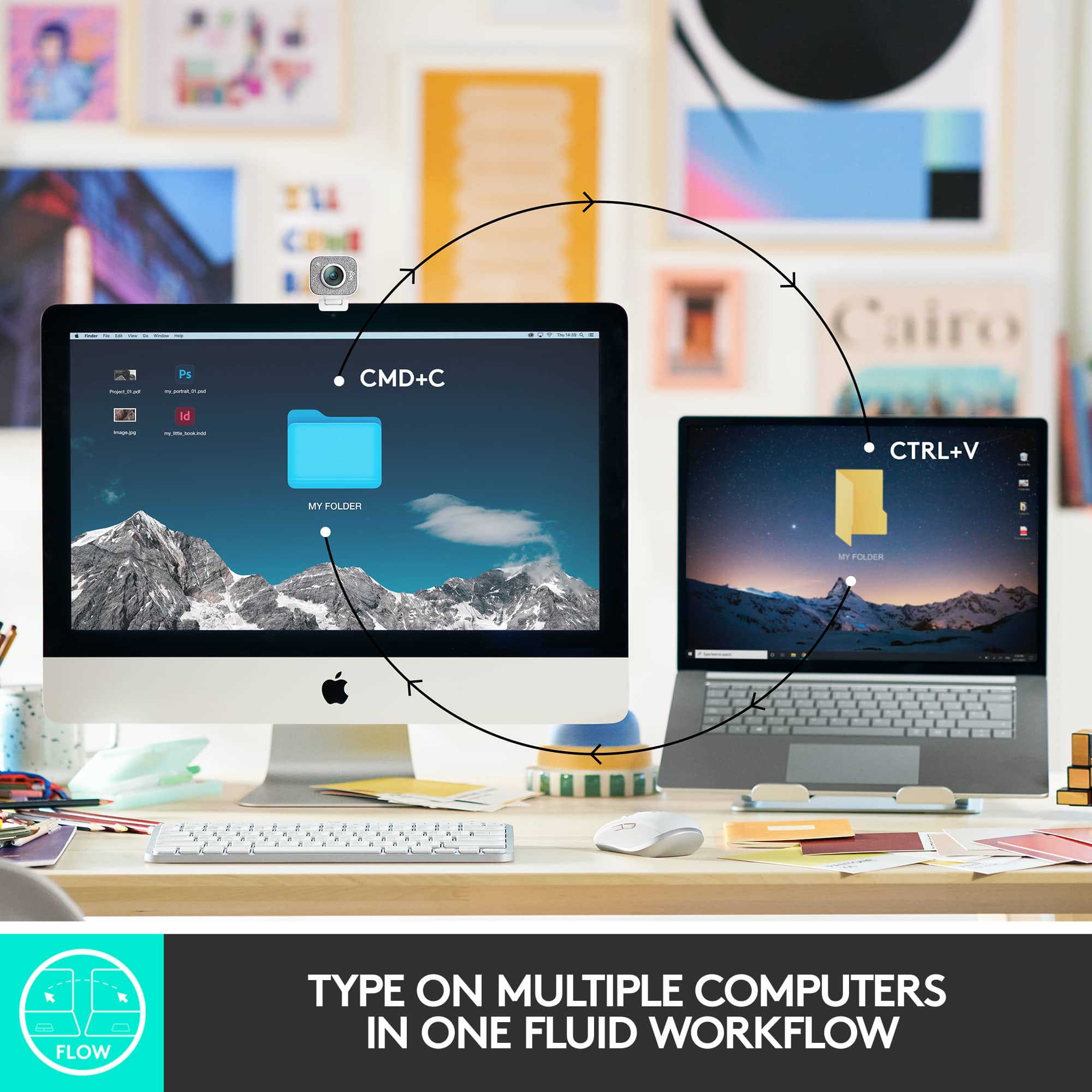
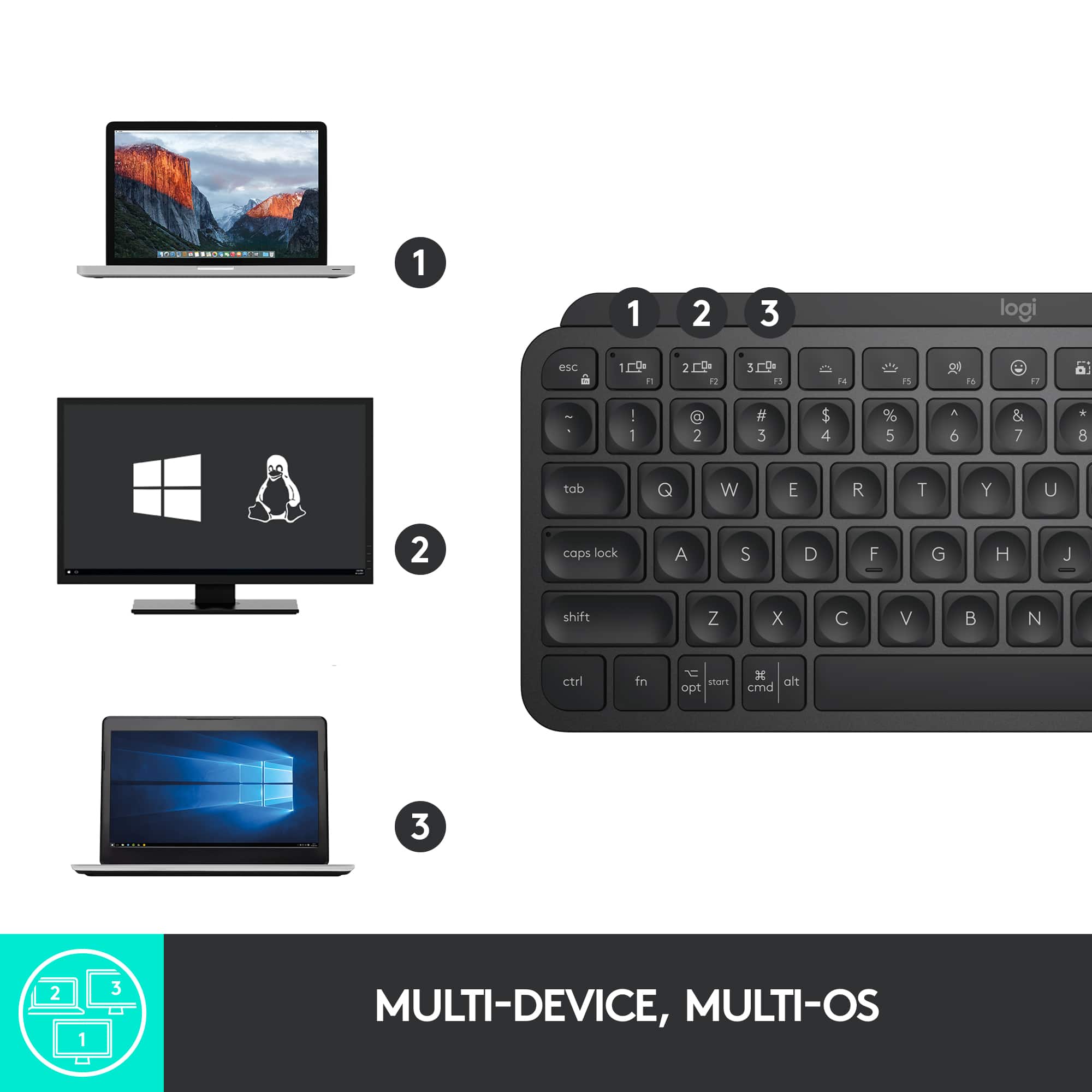
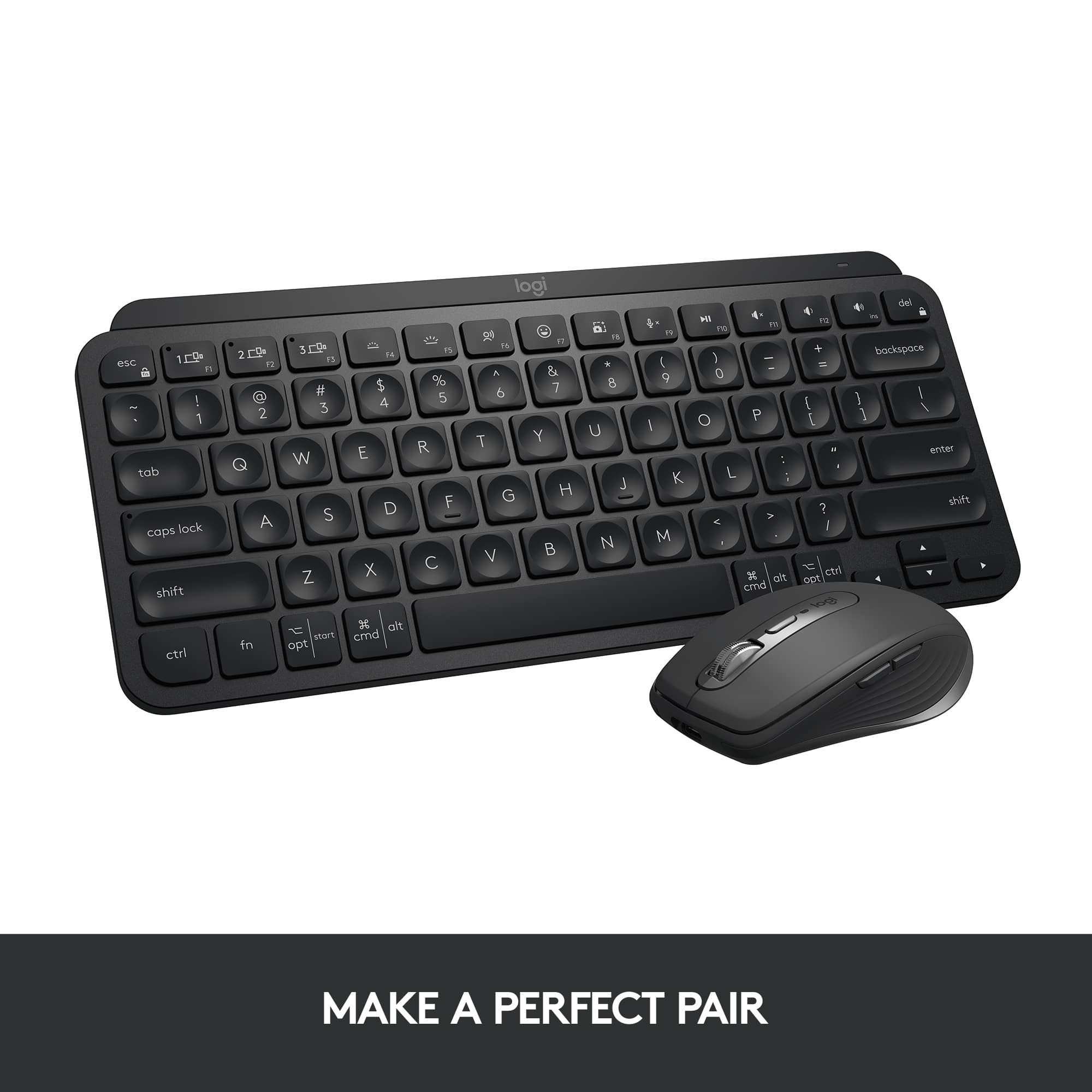
    Logi MX keys Mini is minimalist 70% form factor wireless illuminated keyboard intended to take anywhere on the go or for minimizing desk space and targeted for everyday productivity. It takes less space on your desk and looks awesome when paired with MX master3 and MX speakers(see pic). Unboxing and What’s included: In the box, MX Mini keyboard, USB C to A cable for charging in box with safety, compliance, and warranty info papers. Keyboard’s minimalistic design is excellent with 75% ergonomic form factor and measures 11.65 x 5.19x 0.82 inches and weighs around 506 grams. Setup is simple. It does not come with the new compatible Logi Bolt receiver that was released recently and this keyboard will not pair or work with unifying receiver. So, if you are planning to purchase this to use with your unifying receiver you are out of luck and may need to purchase the new Bolt USB receiver. Connection via Bluetooth is simple and uses Bluetooth low energy and is compatible with windows 10 or Mac or iOS or iPad OS or Android OS. Just go the settings and search for available nearby devices after turning the switch on and select the MX keys mini to get connected. You can connect max of 3 devices and switch between them with the tap of the easy switch keys located on the top row. Very seamless and fluid switching between devices once configured and connected. To connect different devices after connecting one device, press and hold the another easy-switch buttons on top for few seconds until it blinks to complete the setup process for other device. Once configured, just with the tap of the easy switch keys you can navigate to different devices. For my setup, I have my work laptop and personal gaming laptop connected to the Samsung 49-inch G9 monitor on a sit stand desk and this new mini keyboard paired with MX Master 3 works great for productivity. You can customize this keyboard with various functions by downloading the Logitech options software and setup functions keys and setup voice to text dictation. By default, the first row of 3 keys is assigned with easy switch keys to switch to various devices (1 to 3), decreasing /increasing brightness for backlighting for keyboard, dictation and emoji keys, screen capture keys, mic off keys and multimedia keys (play/pause, volume mute, volume decrease, volume increase). All these keys can be easy switched between Fn keys by pressing Fn+Esc and all this without holding the Fn button. Keystroke is perfect with the keys shaped for fingertips and is very comfortable ergonomically. Batteries will last up to 10 days on a full charge, and it again depends on the usage and the backlight brightness. If you need more than few months of battery life, suggest turning off the backlighting in the logi options software or reduce the brightness to save battery. This mini MX keys will definitely save desk space and when paired with MX Master 3 it can switch and operate multiple computers on the same network seamless using the Logitech flow software. Overall, if you are looking for a productive, compact (space saving), performance, comfortable, portable (easy to take anywhere you go), wireless, multi device connection keyboard without losing the full keyboard functions and have no need for dedicated number pad then this is the keyboard for you and won’t regret the purchase.

    I would recommend this to a friend
    • Brand response from Logitech
      Posted .

      Hi TechGuru, we're glad to see you're loving the premium productivity features of your ultra portable MX Keys Mini Bluetooth Keyboard! Continue to enjoy! -N from Logitech

  • Pros mentioned:
    Battery life, Keyboard quality
    Tech Insider Network Member

    Rated 5 out of 5 stars

    Great for long typing sessions

    |
    Tech Insider Network Member
    Posted .
    This reviewer received promo considerations or sweepstakes entry for writing a review.

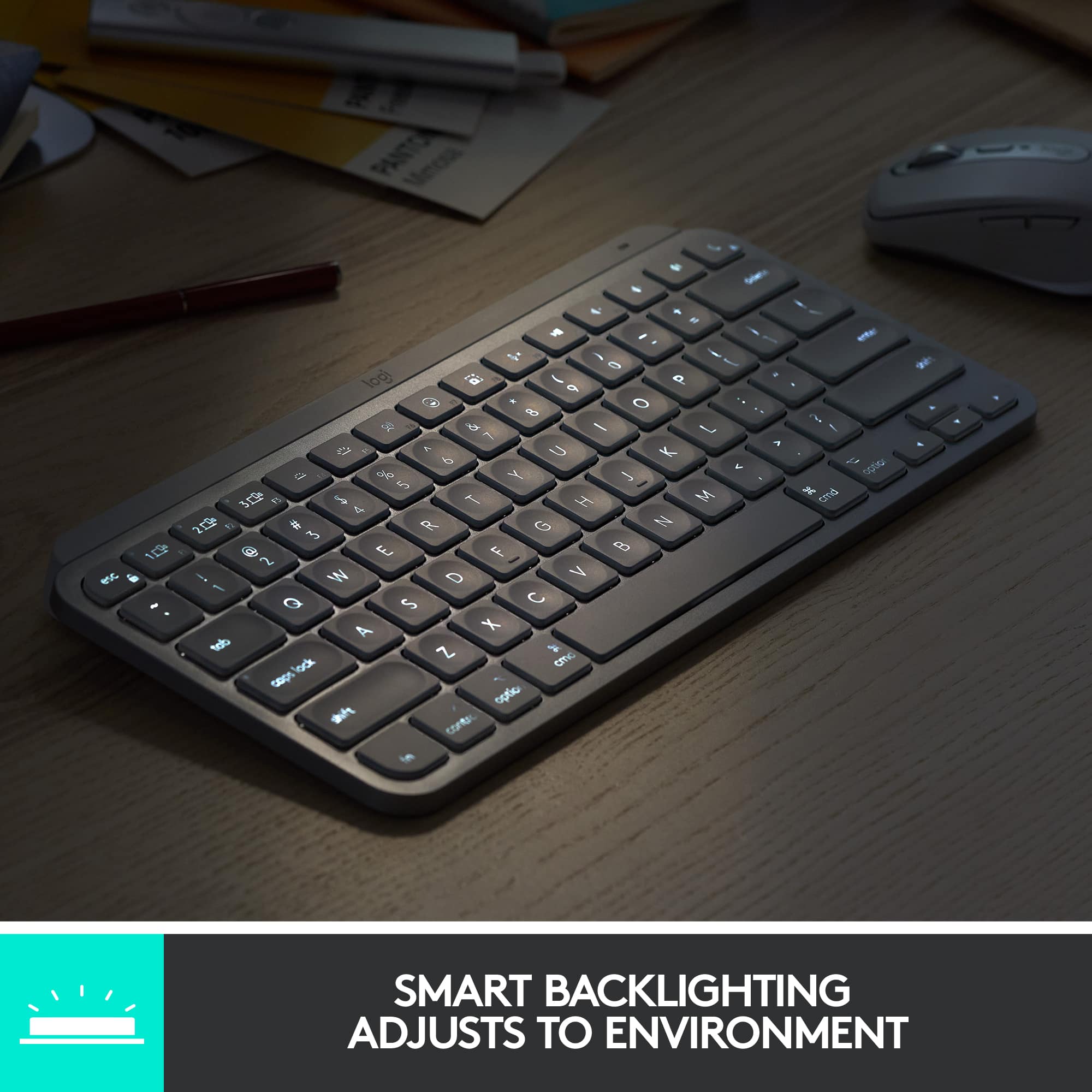
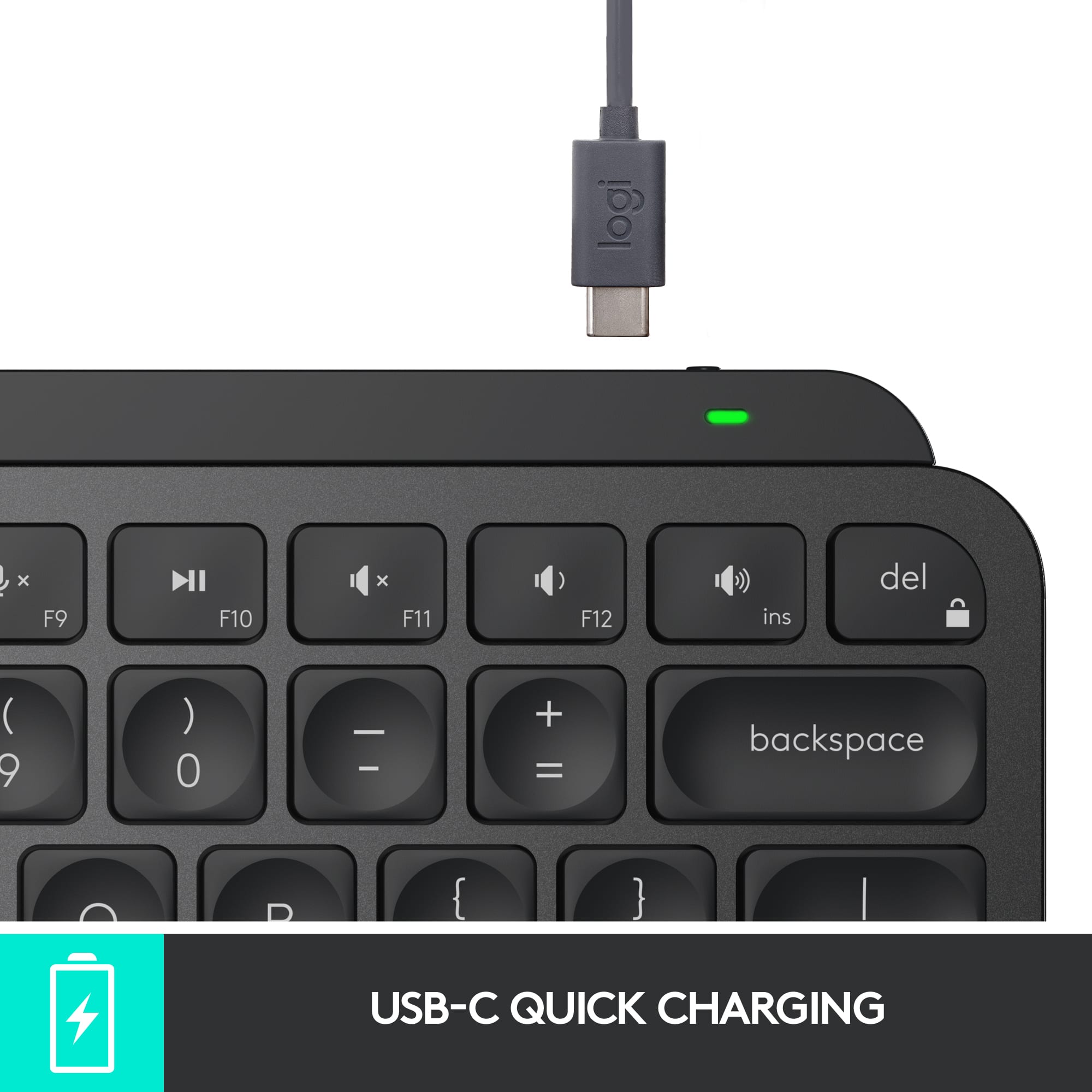
    ## Design I’m a big fan of the full-size version of the Logitech MX Keys keyboard, so I was happy to see that Logitech makes a smaller version now as well. The MX Keys Mini drops the numeric keyboard and reconfigures the layout a bit, making the arrow keys smaller and shrinking the CTRL, FN and other related keys, while keeping the letters and numbers at full size. The keys are backlit and impressively light up as your hand approaches the keyboard, making it easy to see where your hands should “land” in a dark room. On the row of function keys are dedicated media and volume controls. ## Performance Like its larger sibling, the Logitich MX Keys Mini still has a satisfying feel when typing. It’s not “clicky” like a typical mechanical keyboard, but the keys do provide nice tactile feedback when pressed. I find the keyboard very comfortable for long typing and coding sessions. Battery life seems to be very good as I’ve only had the keyboard for a few days, but I haven’t needed to recharge it yet, even with the backlight on. ## Features Wireless: Oddly, there was no Logitech Unifying Receiver included with this keyboard (although the full size keyboard did include one). Therefore, your only option of connecting the keyboard is via Bluetooth. The USB-C port appears to be “charge only” as I was not able to use the keyboard via a wired connection. Backlighting: As mentioned earlier, the backlight seems to sense that your hand is approaching and lights up before you even touch a key. There is only a white LED backlight, so there is no option to change between different colors. Multiple machine support: There are 3 dedicated buttons for switching between devices. So you can pair the keyboard via Bluetooth to your laptop, phone and tablet and then switch between devices easily. Emoji key: Maybe one of my favorite new features, there is a dedicated key for emojis on the F7 key that allows you to easily bring up iOS’ Emoji keyboard. Screenshot key: There is also a dedicated screenshot key that invokes iOS’ screenshot function. Dictation key: There is also a key for voice dictation that invokes iOS’ dictation feature. USB-C Recharging: You can use the included USB-C to charge the kayboard, but not to connect it to your computer as a wired keyboard. ## Summary Overall, the Logitech MX Keys Mini keyboard is great for using your laptop in “clamshell” mode, or for connecting to your phone, tablet, or any device with Bluetooth keyboard support. The backlight feature works very well and the dedicated Emoji, screenshot and dictation keys are very convenient. Unfortunately, a wireless USB adapter is not included with this version of the keyboard, so it will need a Bluetooth connection.

    I would recommend this to a friend
    • Brand response from Logitech
      Posted .

      Hi TechnicallyWell, we're glad to see you're loving the premium productivity features of your ultra portable MX Keys Mini Bluetooth Keyboard! This is one keyboard that can do a lot in a small form factor. Continue to enjoy and thank you for your feedback! -N from Logitech

  • Pros mentioned:
    Battery life, Keyboard quality
    Tech Insider Network Member

    Rated 5 out of 5 stars

    Excellent Typing Experience on a Small Keyboard

    |
    Tech Insider Network Member
    Posted .
    This reviewer received promo considerations or sweepstakes entry for writing a review.

    I’ve been using the Logitech Craft for work for a few years now. I don’t make much use of the multi-function input dial, but I’ve loved the feeling of typing on it and the MX Keys Min delivers an even better experience. I won’t be using it for work unfortunately because I need the ten-key, but if you don’t need that it’s a really solid keyboard that can live on a desk or your bag. The function keys at the top are minimal, but all very useful and it’s a great companion for my MX Anywhere 3. The first thing I noticed about the Mini was how light it was compared to my Craft keyboard. Obviously it’s much smaller, but even still I wasn’t expecting it to be so light. It feels just as solid though. The key layout is almost exactly the same size as the Craft keyboard, minus the arrow keys and ten-keypad. The keys are universal and can be used on Mac or Windows. It charges via USB-C. Logitech calls this a minimalist keyboard and I think that’s a fair description. There’s not an egregious amount of extra function keys here and the ones that are there are all generally very useful to me. If you’re somebody like me who cares about the aesthetics of what you use I think you’ll appreciate the design. The keyboard connects primarily via Bluetooth, though it can also be connected via Logitech’s new Bolt dongle, which is not included in the box. The Bolt is different from the Unifying Receiver that has been in use for the past several years, so if you’ve already got some Logitech accessories this will not connect to the same receiver. I found the Bluetooth connection to my Surface Book to be solid, no complaints at all there. I have a largish hands and found the experience of typing on this keyboard to feel just a little cramped compared to my Craft, but I think that has less to do with the key spacing and more to do with the fact that the frame is so small that it feels like I might slide off the side if I reach over too far. The typing experience is similar to the Craft, but with a little bit more key travel. The difference is noticeable and I don’t feel like I’m bottoming out the keys nearly as much as I do sometimes when I’m furiously typing away on the Craft. The keys all have circular indentations that make them easy to settle on by feel with my fingers. I mostly used this with my Surface Book and while I didn’t typically use an external keyboard with it before, it was nice to actually push the laptop back a little bit and not hunch into it to type. The battery life is rated up to 10 days with backlighting and 5 months with the backlight turned off. I don’t do much of my typing in the dark, so will likely leave the backlight off, but it does look good and seems to adjust itself to the appropriate level. I’m happy with this keyboard overall. I love what Logitech is doing with their Master series and I’m glad I have this to compliment my mouse. For power users I’d go with the full size MX Keys, especially since it’s the same price, but for if you’re looking for a compact keyboard this is a great high quality choice and much better than something like Apple’s Magic Keyboard.

    I would recommend this to a friend
  • Pros mentioned:
    Battery life, Keyboard quality

    Rated 5 out of 5 stars

    Great Keyboard

    |
    |
    Posted . Owned for 5 months when reviewed.
    This reviewer received promo considerations or sweepstakes entry for writing a review.

    This is a great keyboard for the price. Very well built and from a brand that has been in the industry for years and is well respected. Pairs up to 3 different devices and has a backlit keyboard. Very long battery life but really depends on your activity. Easily last for months on a charge. I find it comfortable to type on and will highly recommend Logitech products.

    I would recommend this to a friend
    • Brand response from Logitech
      Posted .

      Thank you for the thoughtful review! The Logitech MX Keys Mini is a premium compact keyboard—sleek, durable, and packed with smart features like multi-device pairing and backlit keys. Its impressive battery life and comfortable typing experience make it a standout choice for productivity. Logitech

  • Pros mentioned:
    Battery life, Keyboard quality
    Tech Insider Network Member

    Rated 4 out of 5 stars

    Fantastic if it matches your needs

    |
    Tech Insider Network Member
    Posted .
    This reviewer received promo considerations or sweepstakes entry for writing a review.

    I’m a big fan of Logitech’s MX series. I have the full-sized MX Keyboard and both the MX Anywhere and the MX Pro mouse. They are my go-to devices for both desktop and laptop use. This “mini” version is just what it says, a small version of the full MX keyboard with a few significant changes. What hasn’t changed is the excellent feel and quality build. It has the same key action which is my favorite. It also has the MX series ability to pair with up to three devices and switch between them at the touch of the dedicated 1/2/3 keys. It also can use the Logitech Flow system to drag and drop things between those devices. As with the full-sized version, the keyboard lights come on only when your hands are in proximity thus conserving battery. Depending on how bright you set things, the internal rechargeable battery life is anywhere from 10 days to several months. It charges with the included USB C to A cable from any source. The alpha keys are full size, so it gets its diminutive size by omitting the Numpad and a few other keys. There are also differences in its pairing ability. The previous MX devices could pair with the ubiquitous Logitech Unifying Receiver dongle or directly via Bluetooth. This new device supports Bluetooth but does not support the Unifying dongle. It can pair the newer Logitech Bolt dongle. However, they did not include one, and they are an additional $20. Be aware that none of your existing Logitech products can use the Bolt since it’s not backward compatible. Considering I have other MX products, that’s a notable issue. There are also some new dedicated F-key functions … dictation, emojis, and mic mute. To get these you give up a few … task view, action center, show/hide desktop, previous track, next track, calculator, and app menu. It does have the basic arrow keys, but missing along with the num-key section are some important navigation keys … insert, home, end, page up, and page down. The mini is marketed as a “creator’s keyboard”, so it’s up to you to decide if the keys added compensate for those removed. The touch and feel are superb. The build is top quality. The battery life is great. The size is definitely small. If the key selection meets your needs and the smaller size is a plus, you’ll love it, and I recommend it with those qualifications.

    I would recommend this to a friend
  • Pros mentioned:
    Keyboard quality
    Tech Insider Network Member

    Rated 5 out of 5 stars

    Mighty and Awesome

    |
    Tech Insider Network Member
    Posted .
    This reviewer received promo considerations or sweepstakes entry for writing a review.

    Logitech has hit another home room with this one. Let’s start with unboxing UNBOXING In the box you will get the keyboard, and a USB C to USB A charging cable. Right out of the box the device was charged and ready to be connected for use. My first reaction to lifting the keyboard out of the box was wow, great weight. Often keyboards feel light and flimsy but this had the perfect weight to it and it is definitely compact. But the keys are perfectly spaced for my typing. The keys fit my fingers and are curved just right for me to hit the center of the key ever time, CONNECTION As soon as you turn this on, the top left key for computer 1 will be blinking. It is in pair mode. Find the Bluetooth settings on your device and follow the prompts on your device to connect to the MX Keys keyboard. You can connect up to 3 devices via Bluetooth. To connect to a different device simply press (and hold for 3 seconds) the 2 or 3 key in the upper left and you will be in pair mode to connect another device. SWITCHING between devices is as simple as 1, 2, 3. Simple press the corresponding key that you have assigned to each device and you will be connected to that device (if it is in range), SMART BACKLIGHTING Another WOW feature for me is the Smart Backlighting. As you type the keys are backlit. When you stop typing the light will go out after about 5 seconds of inactivity. If you move your hands back towards the keys, before you get to them it senses the movement and lights the keys up as your hands approach. If you have ever tried to type in low light settings and the backlight does not come on until you press a key you wil under sat and how AWESOME this feature is, CUSTOMIZE You can download the Logitech Options at Logitech.com/options to customize the F-keys and set up VOICE TO TEXT Dictation. There is a function key (F7) that open the Emoji Keyboard, get instant access to Emojis as you type. You can even control how bright the backlight is on the keyboard using the brightness function keys (F4 and F5). There is a screenshot function key (F8) that is perfectly handy to get those must have screen captures with th push of a button. SYSTEM REQUIREMENTS Bluetooth, Windows 10 or later, macOS 10.15 or later, Linux, Chrome OS, iOS 3.4 or later, iPadsOS 14 or later, Android 5.0 or later.

    I would recommend this to a friend
    • Brand response from Logitech
      Posted .

      Hi pMurphy, we're glad to see you're loving the premium productivity features of your ultra portable MX Keys Mini Bluetooth Keyboard! This is one keyboard that can do a lot in a small form factor. Continue to enjoy and thank you for your feedback! -N from Logitech

  • Pros mentioned:
    Battery life, Size
    Cons mentioned:
    Number pad

    Rated 4 out of 5 stars

    pretty nice

    |
    |
    Posted . Owned for 3 weeks when reviewed.
    This reviewer received promo considerations or sweepstakes entry for writing a review.

    small size and decent weight and will remain on one knee while you peck if you wanted to. great battery life. only missing number key pad. sleeps and wakes quickly but probably not for online gamers, though there is an option called battery saving mode which i havent turned off.

    I would recommend this to a friend
    • Brand response from Logitech
      Posted .

      Thank you for your feedback on the MX Keys Mini TKL Wireless Bluetooth Scissor Keyboard. We appreciate your positive comments regarding its size, weight, battery life, and quick sleep/wake functionality. We understand that the lack of a number pad may be a consideration for some users. We'll take your feedback into account as we continue to develop our product line.

  • Pros mentioned:
    Ease of use

    Rated 5 out of 5 stars

    This Mini is much more MIGHTY

    Posted .
    This reviewer received promo considerations or sweepstakes entry for writing a review.

    This small wireless keyboard has been better than I ever expected. I use it everyday both at home and when traveling. With the bluetooth capabilities I am able with the push of a button to connect to 3 separate systems.

    I would recommend this to a friend
    • Brand response from Logitech
      Posted .

      Thanks for your enthusiastic review! It’s fantastic to hear the keyboard has surpassed your expectations and fits seamlessly into both your home and travel setups. Effortless multi-device connectivity really makes it a versatile companion—glad it’s powering your productivity wherever you go! Logitech

  • Pros mentioned:
    Battery life, Keyboard quality, Size

    Rated 5 out of 5 stars

    GREAT Keyboard in a Small Form Factor

    |
    |
    Posted . Owned for 3 weeks when reviewed.
    This reviewer received promo considerations or sweepstakes entry for writing a review.

    I have the full-sized MX Keys keyboard for my desktop computer at home and absolutely love it. So, when Logitech introduced this smaller version - which happens to be almost exactly the width of my Samsung Galaxy Tab S7+ - making the purchase was a no brainer. Like its larger sibling, the 'mini' combines backlit keys, solid build quality, great tactile feel, great battery life and a great set of convenient features into a great looking product. The mini is small and light enough to travel well and paired with the S7+, comes really close to giving me all the functionality of a laptop but with less weight to slog around. If you're looking for a great keyboard to travel with ... or even to use for your needs at home - look no further! This is a great one that you'll be very happy with for a long time to come!

    I would recommend this to a friend
  • Pros mentioned:
    Keyboard quality
    Tech Insider Network Member

    Rated 5 out of 5 stars

    Logitech tiny keyboard built better than most full

    |
    Tech Insider Network Member
    Posted .
    This reviewer received promo considerations or sweepstakes entry for writing a review.

    Wow this little keyboard is awesome! Straight out of the box you can feel its well made. Not cheap or plastic but weighted and made of some type of light weight aluminum! Stealthy and black with Backlit keyboard!! (Although not RGB) which would made this perfect! USB C charger port, three quick connect buttons for different types of devices to connect too. I'm connected to my Samsung tablet right now doing this review with it as we speak. I have an Otter box defender case on mine so I'm unable to use the keyboard case for it at the same time because of figment issues. Well problem solved now I can use this on not only my tablet, but phone, and whatever else I can find to connect though Bluetooth. Only downside which I was really hoping it would connect to was PlayStation 4 but is not a device able to connect. So tired of using the controller for typing so this would have been a God send for that reason alone. Overall I love it and would highly recommend it to others

    I would recommend this to a friend
    • Brand response from Logitech
      Posted .

      Hi GameOverSuckas, we're glad to see you're loving the premium productivity features of your ultra portable MX Keys Mini Bluetooth Keyboard! This is one of our newest keyaboards that I was very excited to use as well. For connectivity to a Playstation, contact Sony to see if they support using a keyboard or mouse for search inquiries on the console. Otherwise, continue to enjoy and thank you for your feedback! -N from Logitech

  • Pros mentioned:
    Ease of use
    Tech Insider Network Member

    Rated 5 out of 5 stars

    Great little keyboard

    |
    Tech Insider Network Member
    Posted .
    This reviewer received promo considerations or sweepstakes entry for writing a review.

    Over the years I’ve really grown to like the products that Logitech puts out. This one is no exception. I have three wireless keyboards from Logitech including this one and a two wireless MX mice as well. I have two of the big brother to this keyboard, one for home and one for work and the only difference between those and the mini is the number pad. The options one this keyboard are far and above what any other brand that I’ve come across offers. One of my favorite features is the backlit keypad. When you move your hands over it, it lights up and then shuts off when you remove them a lot of other brands basically keep the light on or you turn it off. I also like the fact that I can switch between multiple devices at the click of a button. No more unplugging and plugging in to the other device. If you download the software packet, you can really customize the keyboard to your hearts desire. With my work laptop, I cannot download unapproved software, but even in spite of this, it still functions better than most of the offerings available. This keyboard is a great addition to an already fantastic lineup of devices for both the MAC and PC. I highly recommend this keyboard. It’s highly portable, functional and looks great to boot.

    I would recommend this to a friend
  • Rated 5 out of 5 stars

    Remarkable!!

    |
    |
    Posted . Owned for 3 weeks when reviewed.
    This reviewer received promo considerations or sweepstakes entry for writing a review.

    I own the full-size Logitech MX Keys and I have been a loyal customer for years! I absolutely love the MX Keys Mini. I was using it as an external keyboard for my Lenovo Idea Tab Plus. Worked flawless just like all of their MX series keyboards. Solid material build quality. I don't know what material they use for their keys, but it is remarkable. I have owned my full-size MX Keys for 5 years. After having it for about 1.5 years. I have an issue and Logitech replaced it as an exception. They went above and beyond. The replacement, I have had it for 3.5 years and has works flawlessly. Like it's bigger brother, the MX Keys using USB-C charging, backlight controls and perfect key spacing. Again, I don't know what material they use for their keys but it doesn't fade. The mini I would imagine using the same material/composition. I loved it until Lenovo sent me a marketing email for their external integrated folio/keyboard that was designed for my Idea Tab Pro. I chose convenience and one less item to carry around if that makes sense. Otherwise, I highly recommend the MX Keys Mini. I regrettable returned it for the sake of convenience but not to demish the quality of this keyboard. It is a quality build, and I would highly recommend it!

    I would recommend this to a friend
    • Brand response from Logitech
      Posted .

      Thank you for being such a loyal member of the Logitech family! We truly appreciate your high praise for the MX Keys Mini’s build quality and are glad our team could go above and beyond for you in the past. While we’re sad to see it go, we completely understand choosing the convenience of an integrated folio for your tablet! Logitech

  • Pros mentioned:
    Ease of use, Keyboard quality

    Rated 5 out of 5 stars

    Fantastic Mobile Keyboard

    |
    |
    Posted . Owned for 1 month when reviewed.
    This reviewer received promo considerations or sweepstakes entry for writing a review.

    I'm very happy with this keyboard. It's small enough to travel in my laptop case. Construction is robust. Low-travel keys have just enough resistance.

    I would recommend this to a friend
    • Brand response from Logitech
      Posted .

      We truly appreciate you sharing your thoughts. It’s fantastic to hear the product is delivering as expected. Your feedback helps us grow and refine what we do. Thanks for choosing Logitech! Logitech

  • Pros mentioned:
    Key feel, Keyboard quality

    Rated 5 out of 5 stars

    Well worth its price

    |
    |
    Posted .
    This reviewer received promo considerations or sweepstakes entry for writing a review.

    This was an upgrade from a cheapo Bluetooth keyboard, I had. The key feel and comfort of using is pretty much equal to the MacBook Pro internal keyboard. Nicely lighted, and comes on automatically when you hand hovers over the keyboard, then turns off automatically in the number of seconds that you can set. Very good job by Logitech!

    I would recommend this to a friend
    • Brand response from Logitech
      Posted .

      That's absolutely fantastic to hear! We're thrilled that your Logitech MX Keys Mini TKL has been such a worthwhile upgrade, and it's especially great to know you find its key feel and comfort comparable to your MacBook Pro's internal keyboard. We're delighted you're appreciating the smart backlighting feature! Thank you for the wonderful feedback! Logitech

  • Pros mentioned:
    Keyboard quality, Size

    Rated 5 out of 5 stars

    Convenience

    |
    |
    Posted . Owned for 10 months when reviewed.
    This reviewer received promo considerations or sweepstakes entry for writing a review.

    This keyboard is a great addition to my electronics. It connects to 3 of my devices with ease(PC, ipad, raspberry pi 4). It's a heavy but small keyboard that is well built.

    I would recommend this to a friend
    • Brand response from Logitech
      Posted .

      We're thrilled to hear that the MX Keys Mini TKL has seamlessly integrated into your tech setup! Thank you for highlighting its versatility, build quality, and compact design. Your positive feedback is truly appreciated.

  • Pros mentioned:
    Battery life, Key feel, Keyboard quality

    Rated 5 out of 5 stars

    MX Mini Keyboard

    |
    |
    Posted . Owned for 1 month when reviewed.
    This reviewer received promo considerations or sweepstakes entry for writing a review.

    I have the full-sized MX Keys keyboard for my desktop computer at home and absolutely love it. So, when Logitech introduced this smaller version - which happens to be almost exactly the width of my Dell laptop. Like its big brother, the Mini combines backlit keys, solid build quality, great tactile feel, excellent battery life and a great set of convenient features into a great looking product. This is a great keyboard to travel with or even to use for your needs at home. This is a great one that you'll be very happy with for a long time to come!

    I would recommend this to a friend
  • Pros mentioned:
    Size

    Rated 5 out of 5 stars

    Awesome keyboard

    Posted .
    This reviewer received promo considerations or sweepstakes entry for writing a review.

    Exactly what I was looking for. I need a keyboard that is compatible with my personal MacBook Pro and my work HP Probook. This keyboard allows me to seamlessly switch between the two without having to mess with the bluetooth settings each time. It's just the push of a key to designate which machine I want to type on (up to three can be pre-set, so I also added my iPad). Keys have a good amount of bounce. I got the mini and I love that it takes up a minimal amount of space on my desk, but for those who want the full size keyboard, those are available, too. Very happy with my purchase. The only complaint I have is the instructions included in the box were pretty lacking/non-existent. I'm wondering if there are features I don't know about.

    I would recommend this to a friend
Sponsored