Customer Ratings & Reviews
![logi esc 1 F1 2 F2 3 F3 F4 F5 F6 F7 F8 x F9 NI F10 x F11 F12 ins del ~ ! 1 2 # 3 $ 4 % 5 ^ 6 & 7 8 ( 9 ) 0 e - + = backspace tab Q W E R T Y U I O P { [ } ] I / caps lock A S D F G H J - K L : ; " enter shift Z X C V B N M < > ? / shift ctrl fn L start opt H alt cmd alt cmd ctrl opt](https://pisces.bbystatic.com/image2/BestBuy_US/images/products/6478/6478163_sd.jpg)



![IN THE BOX logi logi esc a 1 2 1 3 Fl 1 da 2 4 11 18 4 IN HI 15 - 11 i i del 2 I 1 2 # 3 $ 4 % 5 A 6 & 7 * 8 ( 9 ( 0 I = + - backspace tab W E R T Y U et O P [ : I ] I I cops lock A S D F G H J K L : : & - enter shift Z X C V B N M < V ? / shift ctri fn Pot opt x alt cmd x alt cmd ctri opt TM Responsible FSC Packaging FSC" N003028](https://pisces.bbystatic.com/image2/BestBuy_US/images/products/765af771-c695-4e58-949d-e01634d5d664.png)

- Model:
- 920-010475
- SKU:
- 6478163
Rating by feature
- Value
Rating 4.5 out of 5 stars
- Quality
Rating 4.8 out of 5 stars
- Ease of Use
Rating 4.7 out of 5 stars
Customers are saying
Customers admire the excellent keyboard quality, long battery life, and incredible ease of use. Many also appreciate its compact size, pleasant scissor key feel, and reliable Bluetooth connectivity. However, some customers find the product to be a bit pricey, and a few have expressed a desire for a number pad or reported compatibility challenges.
This summary was generated by AI based on customer reviews.
Doesnt link to mac studio
||Posted .This reviewer received promo considerations or sweepstakes entry for writing a review.Doesn't link to apple mac studio. Im sure it works great but not for what i have.
No, I would not recommend this to a friendBrand response from Logitech
Posted .Your feedback regarding the Logitech MX Keys S and its connectivity with your Mac Studio is duly noted. It is certainly challenging when a product doesn't seamlessly integrate into a specific ecosystem as anticipated, despite its strong general performance. While the MX Keys S is designed for broad compatibility, your experience highlights the nuances of diverse setups. We value your candor as it assists us in understanding real-world user challenges.

Keys too small in corners.
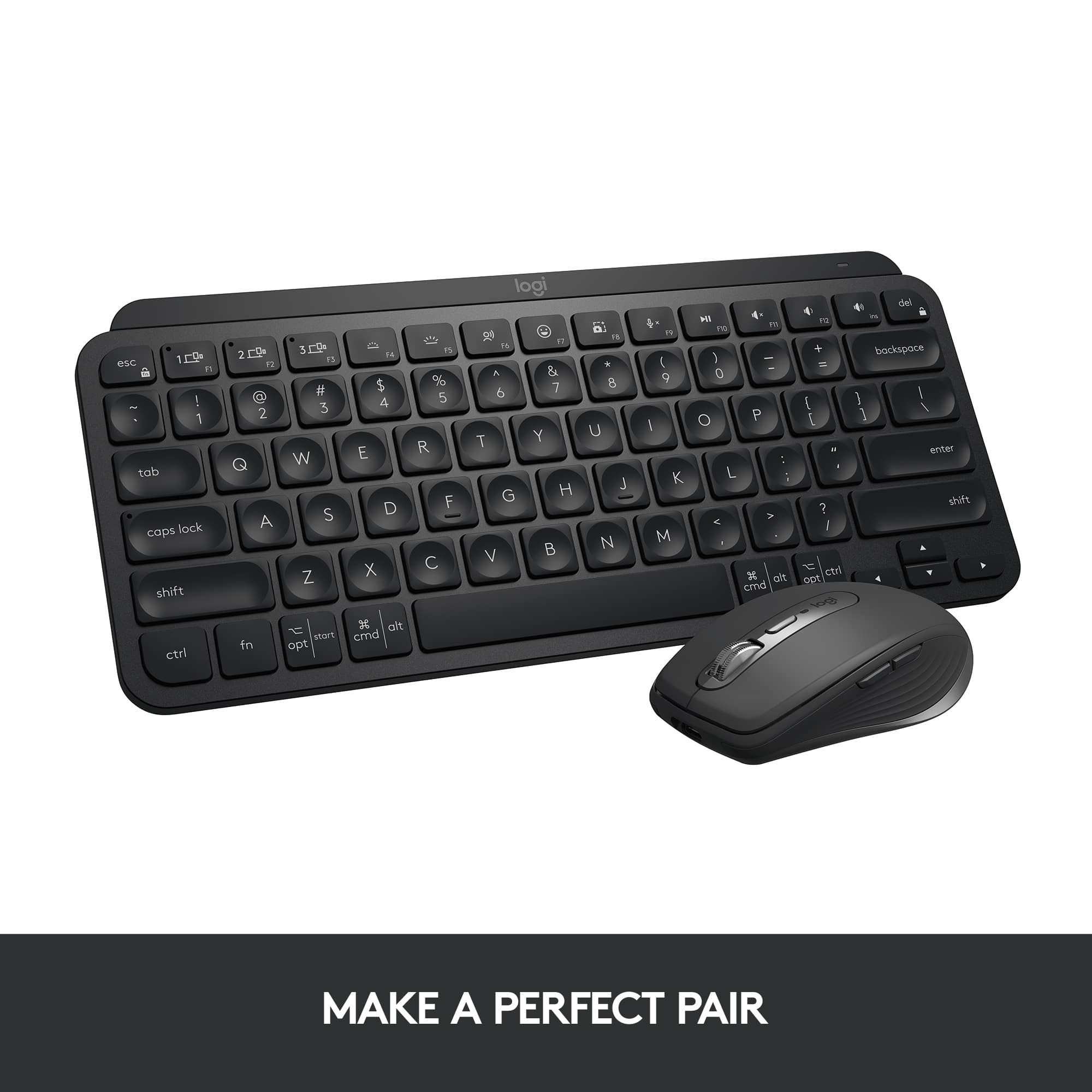
||Posted . Owned for 3 weeks when reviewed.This reviewer received promo considerations or sweepstakes entry for writing a review.Returned it. The host switch buttons are to close to the very small escape key and I kept switching host from 2 to 1 inadvertently when I meant to hit the escape key. The left and right arrow keys are very small. The keys in the corner are two small. Compare to an apple keyboard and you will see what I'm talking about.
No, I would not recommend this to a friendBrand response from Logitech
Posted .Hello, HarrySeldon! I'm sorry to hear that the design of the MX Keys Mini was not the right fit for you. Thank you so much for this design feedback! I will be passing this along. - Maggie from Logitech
- Pros mentioned:Battery life, Size

Slim full-featured Bluetooth keyboard for Macs
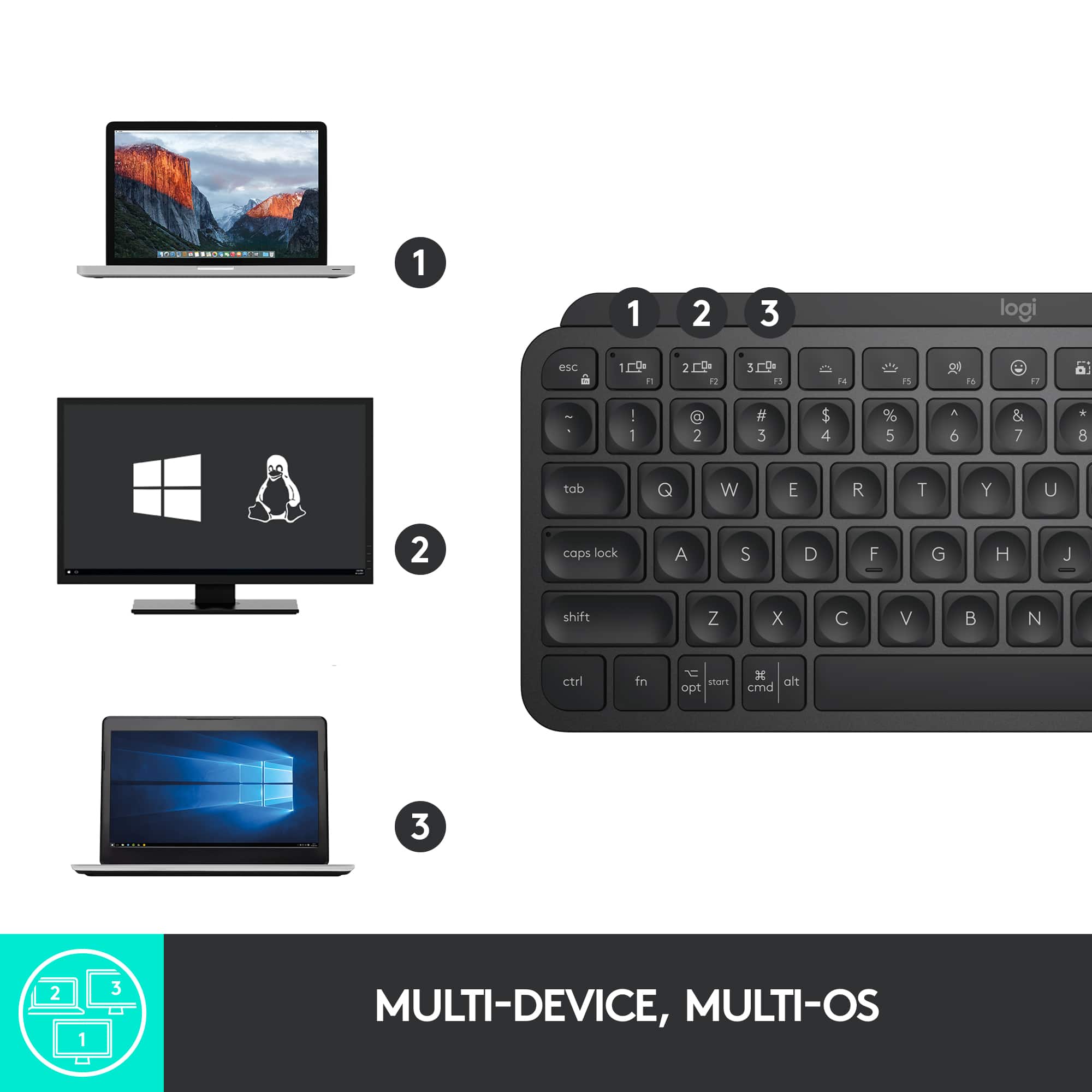
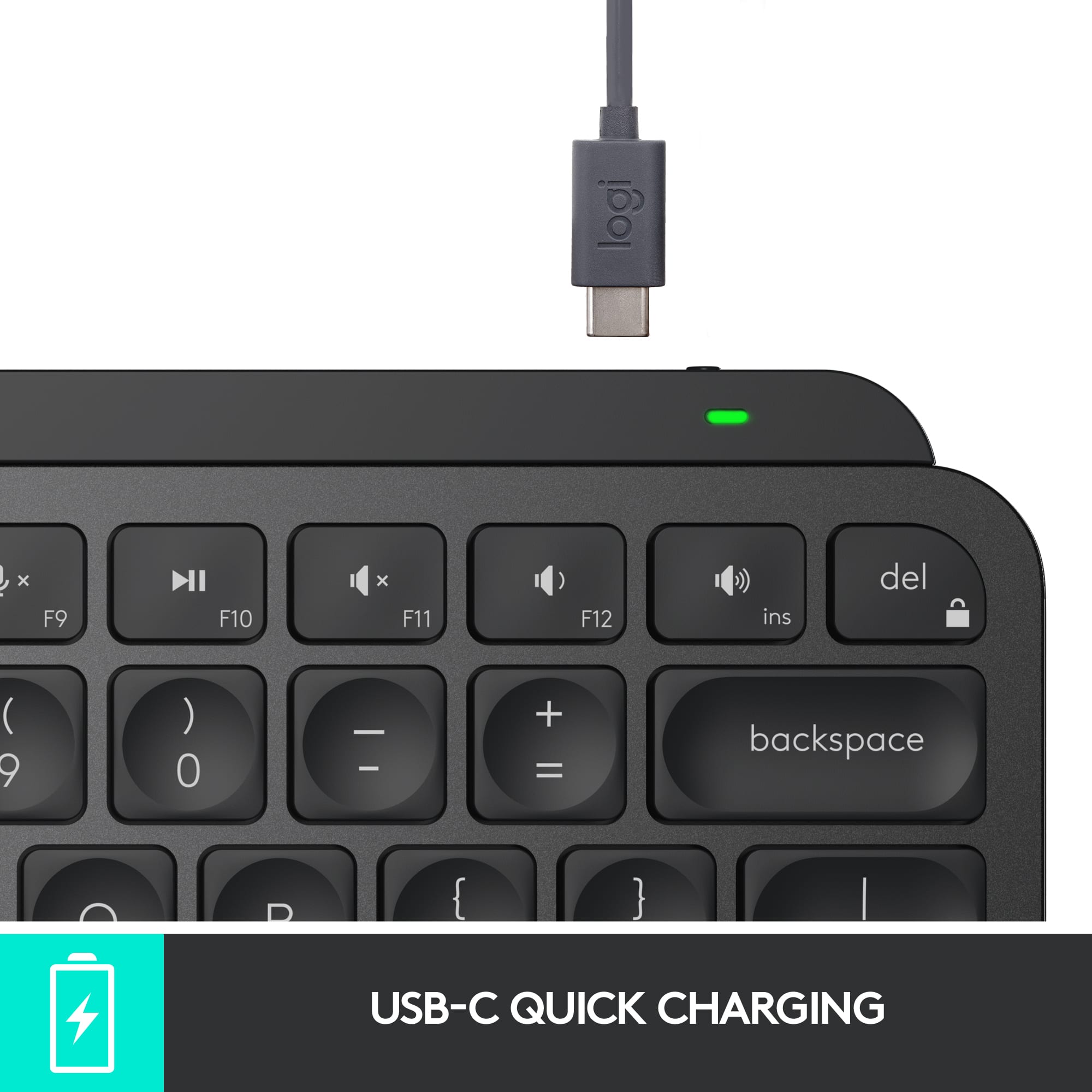
|Posted .This reviewer received promo considerations or sweepstakes entry for writing a review.The Logitech MX Keys S for Mac is a slim, full-sized keyboard that connects seamlessly with your Mac. You can connect it to up to three devices and switch among the devices—e.g., laptop, tablet, and desktop computers. MX Keys S for Mac is ready to go out of the box. Connect the USB-C cord to your Mac to charge the keyboard, turn it on, and connect with Bluetooth. The Logi keypad is slightly raised in the back and sits on rubber bumpers so it does not slide on your work surface. The keys are quiet and comfortable with round depressions. It has a small footprint yet provides full functionality. It is small enough to take on the road. This full-sized keyboard boasts: - a full-sized alphanumeric keyboard with Mac designated keys like control, option, and command. - a full-sized number keypad with clear, decimal, and enter keys. - an area between the alpha and number keypads with home, function, page up, page down, end, and forward delete, and cursor keys. - 12 standard function keys that default to media keys for screen brightness, keyboard backlighting, dictation, emojis, mic, video play, and sound levels. - Four more function keys (F13, 14, 15) allow you to toggle among three devices. - Four added function keys (F16, 17, 18, 19) that open the calculator, screenshot, spotlight search, and do not disturb apps. - The ability to lock function keys on or off (default is media and apps) or to press the [fn] key with each key. - A forward delete key. - Standard Mac keys--control, option, command--with clear markings and symbols - A rechargeable battery that should last for days, even in low power mode. Download the Logitech Options+ Software for Mac for additional keyboard customization. The software lets you customize setting on multiple Logitech keyboards, mice, etc. from a single dashboard. This software is optional. I recommend this keyboard for Mac enthusiasts.
I would recommend this to a friendBrand response from Logitech
Posted .Hey! Thanks for the detailed review of the Logitech MX Keys S for Mac! Great summary for Mac users looking for a Bluetooth keyboard. Key points: slim, quiet, connects to 3 devices, easy Mac switching, long battery life. Thanks!
- Pros mentioned:Ease of use
Wi-Fi keyboard
||Posted .This reviewer received promo considerations or sweepstakes entry for writing a review.Nice keyboard that matches the wife’s MacBook. She likes the portability of it.
I would recommend this to a friend Okay
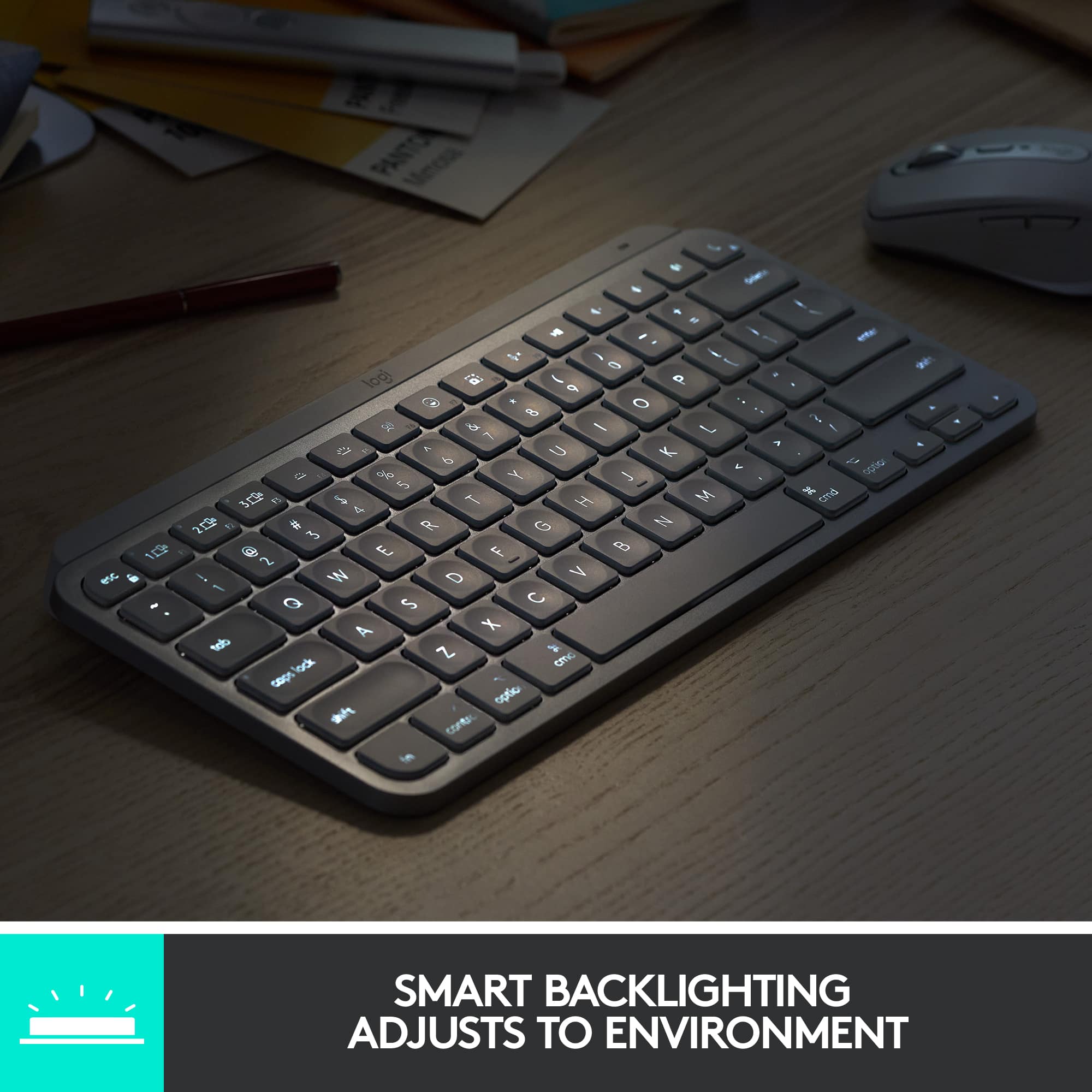
||Posted . Owned for 1 month when reviewed.This reviewer received promo considerations or sweepstakes entry for writing a review.Back-lit keyboard goes off too quickly after typing
No, I would not recommend this to a friend- Pros mentioned:Keyboard quality
backlit keyboard
||Posted . Owned for 1 week when reviewed.This reviewer received promo considerations or sweepstakes entry for writing a review.works very well, backlit keyboard was just what we were looking for
I would recommend this to a friend - Pros mentioned:Keyboard quality
High price for the bare minimum
||Posted . Owned for 6 months when reviewed.This reviewer received promo considerations or sweepstakes entry for writing a review.The build quality is decent enough, but the fact that these use scissor switches means that you must keep your deskspace immaculate; otherwise, dust and other particles could fall into the keys and it would be difficult/impossible to clean. The fact this keyboard only support bluetooth and doesn't connect to their reliable unifying receiver is a head-scratcher, as many of their other keyboards and legacy products use it. I would only recommend this product if it is deeply discounted; for its price you could do a lot better with any cheap mechanical keyboard.
No, I would not recommend this to a friendBrand response from Logitech
Posted .Thanks for your feedback. The MX Keys mini is compatible with Bluetooth and Logi Bolt receivers, this keyboard is not compatible with Unifying receivers. Regarding the price, we'll surely take this feedback and share it with the right team.
MX Keys Mini
||Posted . Owned for 1 month when reviewed.This reviewer received promo considerations or sweepstakes entry for writing a review.Love how they can sync wirelessly to my laptop (Mac) and Ipad pro with no issues or lag. Key functions are easy to use and keys are smooth. The cool feature from the previous model it is rechargeable no need for batteries.
I would recommend this to a friend- Pros mentioned:Battery life, Keyboard quality
Wonderful typing feel and features
|Posted .This reviewer received promo considerations or sweepstakes entry for writing a review.Review for Logitech - MX Keys S for Mac Advanced Full-size Wireless Scissor Keyboard with Backlit keys. I’ve been looking for a new extended keyboard for my Mac because I want to use the numeric keyboard instead of the number keys along the top of my current, smaller keyboard. I found just what i was looking for in the Logitech - MX Keys S for Mac Advanced Full-size Keyboard. The look is very Mac-like with colors and textures that match my MacBook, but even better, the keys on the keyboard are the perfect blend of form and function. They have a very nice, quiet feel when I’m typing, without the clicky-clacky response often found on third-party products. I’ve always been a fan of almost anything that Logitech makes; they pay attention to the smallest of details and produce quality, long-lasting products. I like this keyboard for several reasons. Most of all, as I mention, is the feel when typing, but it also allows me to use it with up to three devices. I can use it with the MacBook in our house or either iPad. Once I set up the Bluetooth connection for the device, which is fast and simple, the devices recognize the keyboard easily after that. Finally, the backlighting feature is just about as perfect as you could hope for. In low lighting, the keys light up as I move my hands over it. The light level also adjusts automatically to the current light conditions. The keyboard uses Low Energy Bluetooth tech which means the keyboard runs for a long time without recharging. It also comes with a C-to-C charging cable that plugs right into my MacBook.
I would recommend this to a friendBrand response from Logitech
Posted .Hi there! Thanks for sharing your detailed review of the MX Keys S for Mac! It's great to hear that you found the perfect extended keyboard for your needs. We appreciate you highlighting the quiet typing feel, multi-device compatibility, and convenient backlighting with auto-dimming features. Your feedback helps others understand the benefits of the MX Keys S for Mac!
Awful Backlighting. Junk
||Posted . Owned for 7 months when reviewed.This reviewer received promo considerations or sweepstakes entry for writing a review.Replaced my K810 I've been using for years which I loved but wanted to upgrade all my tech to USB-C. The backlighting on this is awful. In the dark, sometimes you have to hit several keys before the lights turn on. I can pick it up and shake it before the lights come on sometimes. Sometimes the lights come on for only a second then go back off so you have to screw around with it till the lights stay on. Makes it feel like a piece of junk.
No, I would not recommend this to a friendBrand response from Logitech
Posted .Hello Evel,
I am sorry to hear you are having an issue using your MX Keys Mini as intended. I suggest you download the Logitech Options+ software to customize the keyboard features. From there, you can set the time it takes to go dormant and other settings. Logitech appreciates your product review. - Leo from Logitech
Only OK.
||Posted . Owned for 10 months when reviewed.This reviewer received promo considerations or sweepstakes entry for writing a review.Product worked Ok, but nothing special. Some connectivity problems.
No, I would not recommend this to a friendFell short of expectations.
||Posted . Owned for 1 month when reviewed.This reviewer received promo considerations or sweepstakes entry for writing a review.I dislike the fact that I have to pair the keyboard every-time I reboot the machine or try to change from my MAC to my Windows machine. The mac keyboard I have is bluetooth too but does not require pairing after a reboot. I think this is a serious flaw. Logitech has to fix it. Once paired, its a joy using the keyboard thought.
No, I would not recommend this to a friend- Pros mentioned:Battery life, Keyboard quality
MX Keys S makes real magic out of a Mac Keyboard
|Posted .This reviewer received promo considerations or sweepstakes entry for writing a review.The Logitech - MX Keys S for Mac Advanced Full-sized keyboard is another win for Logitech in the secondary market for accessories. This OEM rival provides all the exact specifications needed from the original keyboard, but does it better. Clean, sleek, and precise, the MX Keys S for Mac feels good when typing will less misses similar to the flat keys on the OEM. Providing better tactile experience, your typing is more comfortable and precise. Boasting a solid build, this metal/plastic combination offers better weight and stability for your keyboard that won't run away from you over time and stays put due to its grips. I found this aftermarket keyboard to be a better fit for me than the Magic keyboard. I alway found the OEM to be flat and I often found myself making simple typing mistakes due to its flat profile. This MX Keys S by Logitech gives me the same keyboard layout I need, but masterfully does it better the the OEM by providing more tactile responsiveness and remains appealing to the Apple branding of my computer desk. PROS - Logitech brand, quality, and design - Perfectly matches the Mac keyboard environment - Solidly built and feels good for extended period of typing - Charges quick and lasts a long time between charges (rivals the OEM) - Wireless or wired connectivity, seamless integration with iOS - Coloring and design complements other Apple products and design CONS - None at this time.
I would recommend this to a friendBrand response from Logitech
Posted .Thanks for the detailed review of the Logitech MX Keys S for Mac! It sounds like you find it to be a superior alternative to the Apple Magic Keyboard, especially in terms of typing comfort and feel. We appreciate you highlighting the solid build quality, long battery life, and seamless integration with iOS devices.
Ok keyboard
||Posted . Owned for 3 weeks when reviewed.This reviewer received promo considerations or sweepstakes entry for writing a review.it's a bit small and heavy however does the job...
No, I would not recommend this to a friendlogitech service
||Posted . Owned for 2 months when reviewed.This reviewer received promo considerations or sweepstakes entry for writing a review.best buy did try to help, but the customer service from logitech was very bad. I tried on three different days and still couldn't get it pair with my computer. This is the last logitech I will ever buy from logitech./
No, I would not recommend this to a friendBrand response from Logitech
Posted .Thank you for sharing your experience. We're sorry to hear about the challenges you've faced with your MX Keys Mini TKL. We appreciate your feedback and regret any inconvenience caused. To address this issue, we recommend reaching out to our social care team via email at socialcare@logitech.com with your
- Name:
- Email Address:
- Country:
- Product Name:
- Brief description of issue:
Back lit function stopped working less than 2 week
||Posted . Owned for 2 weeks when reviewed.This reviewer received promo considerations or sweepstakes entry for writing a review.Placed online order on June 16th 2024. Keyboard was delivered on June 26th. The back lit function stopped working a week after that and the return period ended on July 3rd - less than 2 weeks after the receipt of the keyboard! What a waste of money!!! I chose this keyboard for its back lit function.
No, I would not recommend this to a friendBrand response from Logitech
Posted .Hi! We're incredibly sorry to hear that the backlight on your MX Keys Mini TKL stopped working within two weeks, especially since the backlit function was a key factor in your decision. To get that issue resolved, we recommend reaching out to our social care team via email at socialcare@logitech.com with your
- Name:
- Email Address:
- Country:
- Product Name:
- Brief description of issue:
Can’t see the keyboard with lights on(white keyb)
||Posted . Owned for 1 month when reviewed.This reviewer received promo considerations or sweepstakes entry for writing a review.Great product but the white color with the backlight makes the keys impossible to see. I can type with out looking most of the time but if you get to a special character or code I find my self rolling my eyes trying to find a simple key. Finding my self turning off the backlight completely off to be able to see or you have to shut the light. One star because it’s something that should have never left production. “Apple like keyboard” apple have a black keys with back light and desktop Mac keyboard are not backlight enable.
No, I would not recommend this to a friendBrand response from Logitech
Posted .Hello, Jack! I'm sorry to hear about your experience with the MX Keys Mini. Thank you so much for the feedback on the back lighting with the transparent keys! I will be passing this along. - Maggie from Logitech
Best keyboard
||Posted . Owned for 2 weeks when reviewed.This reviewer received promo considerations or sweepstakes entry for writing a review.This keyboard is perfect. Helps you type more efficiently and faster. The smart backlight really helps also. Perfect for at home and travel
I would recommend this to a friend- Pros mentioned:Battery life, Keyboard quality, Size
A Mighty Mini Keyboard!
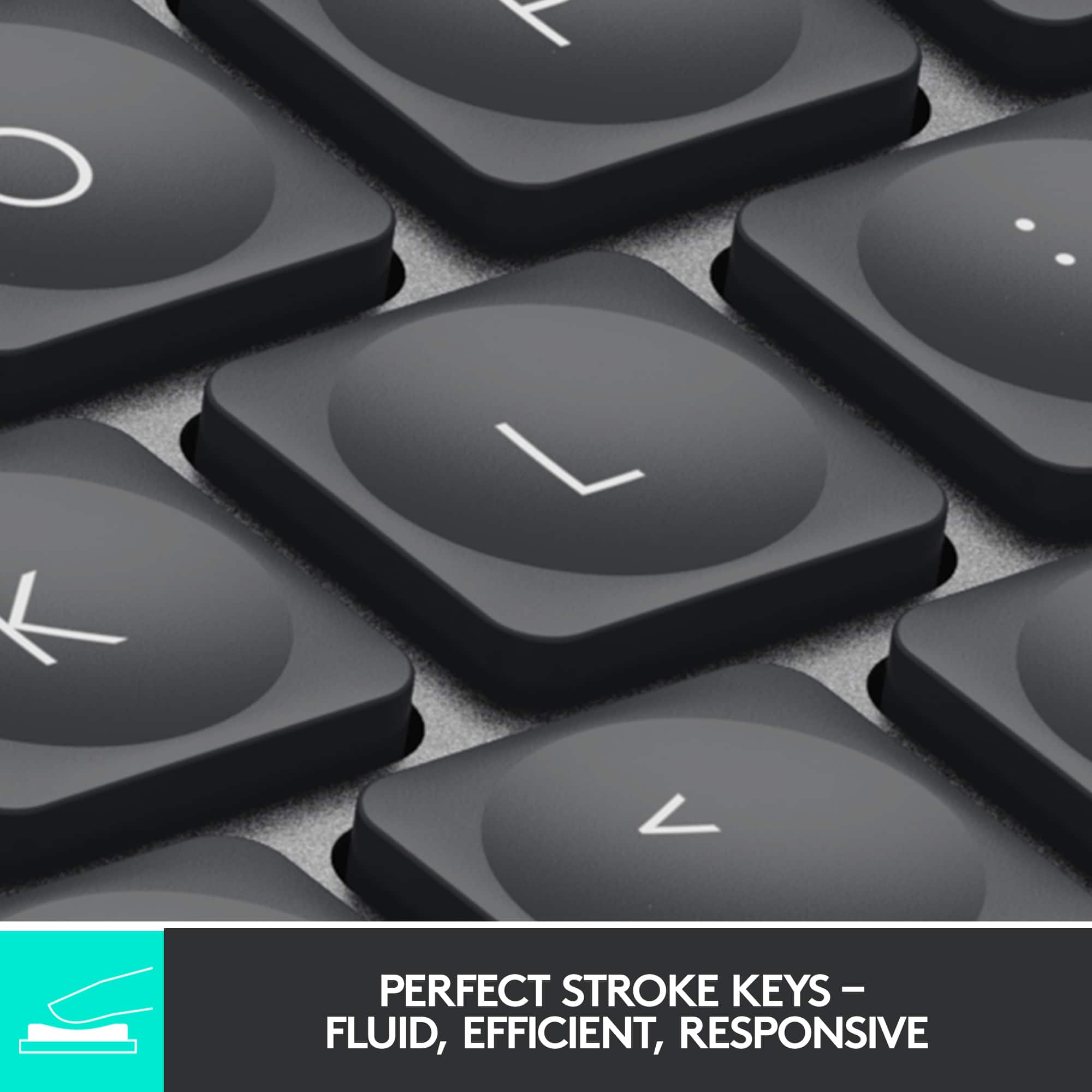
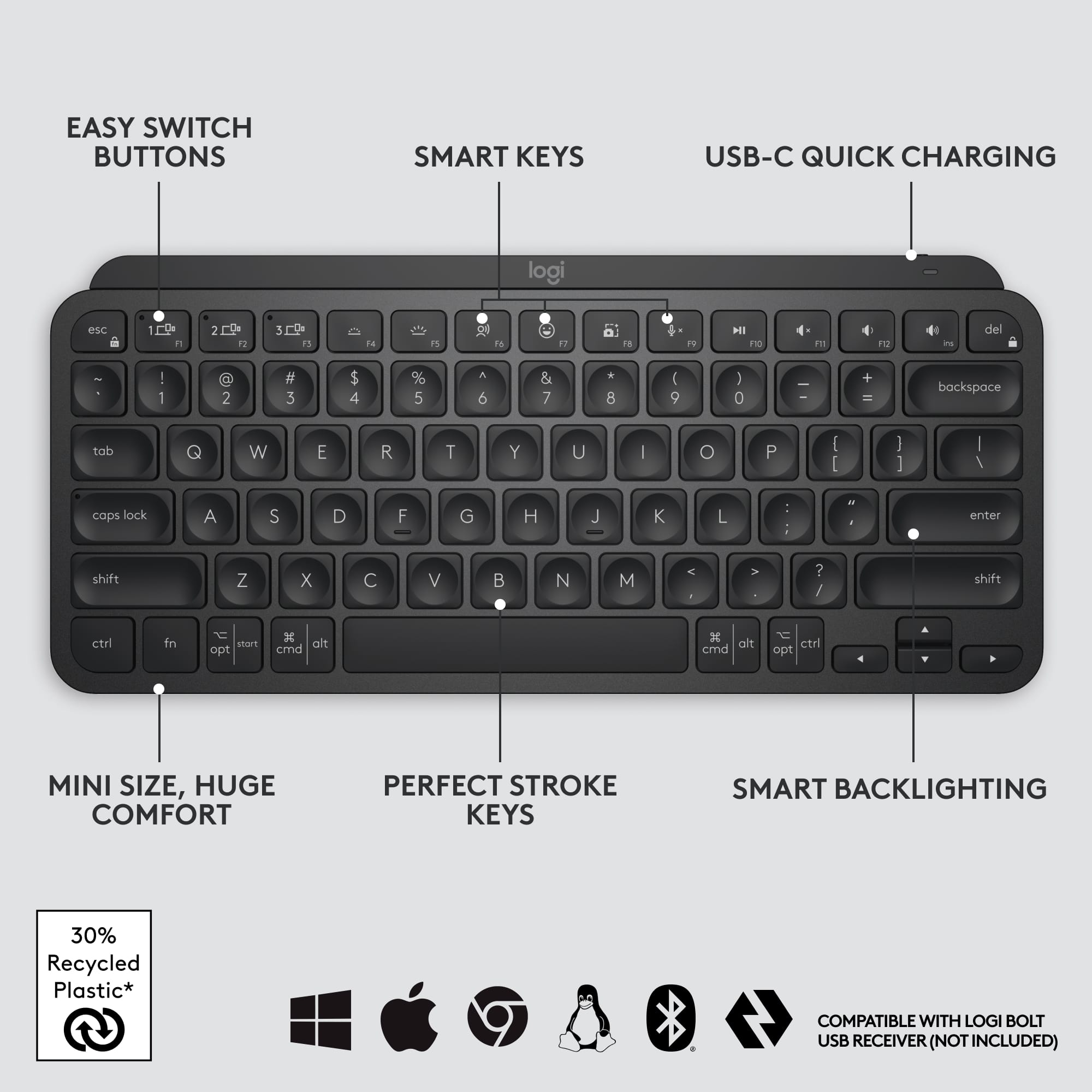
|Posted .This reviewer received promo considerations or sweepstakes entry for writing a review.This keyboard is a perfect size to use with tablets, smartphones, or as a secondary keyboard with laptops or desktops. I like using it with my iPad Pro 12.9 inch (5th Generation 2021) tablet and my iPad mini (6th Generation 2021) tablet as well. It also paired flawlessly with my iPhone 12 Pro Max, my husband's iPad (8th Generation), and his Samsung laptop, and my daughter's Dell Inspiron laptop. I like using it with my iPads because I tend to take my iPads on the go or around the house, and this keyboard is light--I also have the folio-style Magic Keyboard for my 12.9 inch iPad Pro and while I like using it, it's pretty hefty and gets heavy fast. This keyboard is so light, doesn't take up a lot of room, yet packs a punch! I like the backlit keyboard and how it turns off to save energy when you're not using it, but turns on automatically once it senses your hands approaching above it. I love the dish-shaped individual keys; they are very ergonomic and pleasant to type on--not too loud but still has the satisfying clicking sounds while typing. There are many additional features that really make this keyboard stand out--good functional keys for volume control, brightness control, seamlessly switching between up to three different paired devices. It charges up via a USB-C connection (with a rechargeable battery)--the cable is a USB-C to USB-A connection that is included; you'll need a USB-A type power adapter (it's not included) in order to charge the keyboard periodically. I have the MX Keys for Mac by Logitech that's practically a twin of this keyboard (it's just bigger, with a numeric keypad) and the battery lasts for a long, long time between charges. I charge it up maybe twice a year, and that's with the backlight on! This version is also compatible with pretty much all devices--Apple, Google Chrome, Windows. It pairs via Bluetooth, but doesn't drain the device it is paired to. All in all, highly recommended!
I would recommend this to a friendBrand response from Logitech
Posted .Hi kltmom, we're glad to see you're loving the premium productivity features of your ultra portable MX Keys Mini Bluetooth Keyboard! This is one keyboard that can do a lot in a small form factor. Continue to enjoy and thank you for your feedback! -N from Logitech
Returning
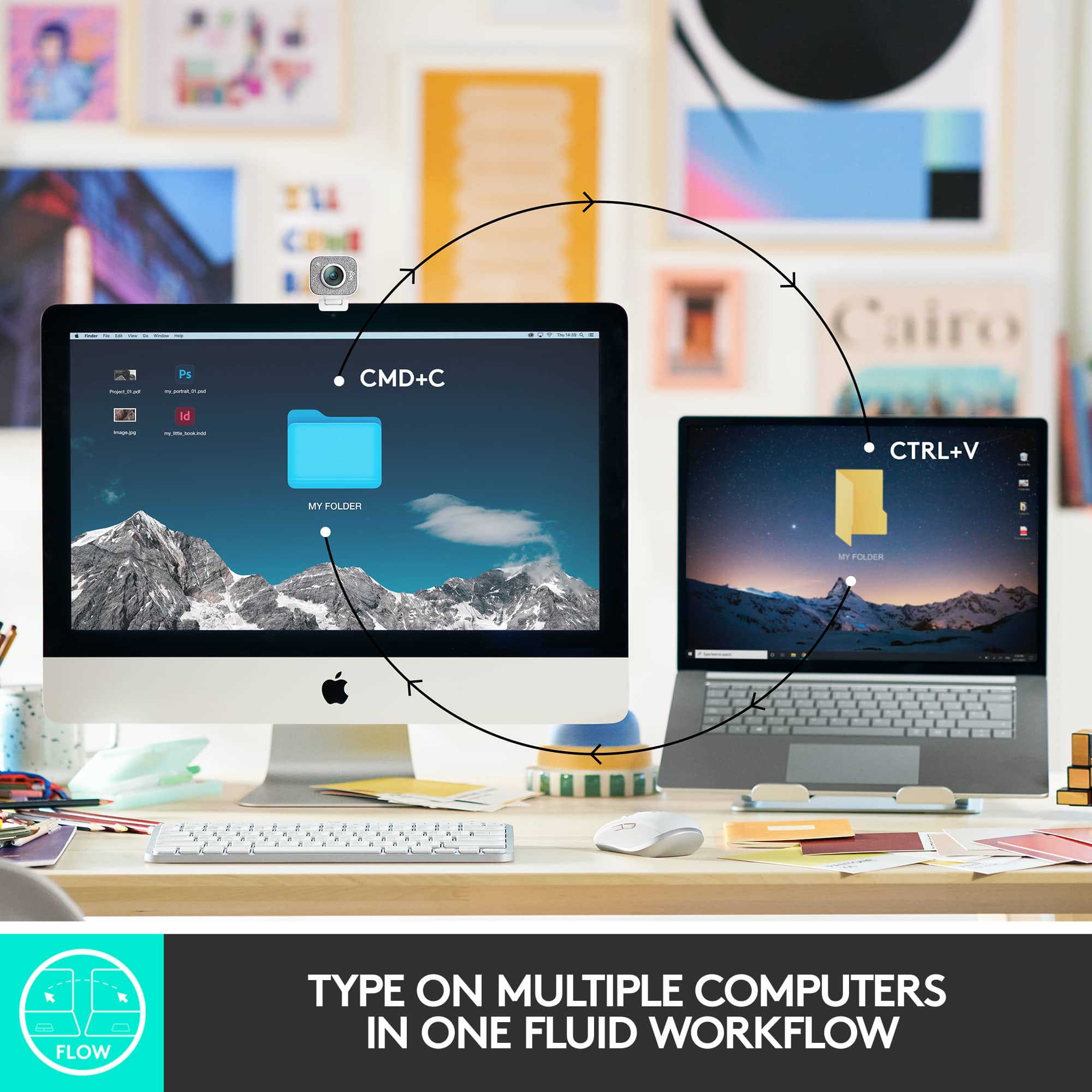
||Posted .This reviewer received promo considerations or sweepstakes entry for writing a review.This is a product design fail. I have a Mx anywhere 3 mouse and bought this keyboard to use with it. The mouses uses the unifying receiver and the keyboard uses the new bolt receiver so they arent usable with logitech flow together. I will be returning the keyboard tomorrow and wish i could return the mouse that ive had about a year already due to them not working together as intended with flow. Pretty disappointed
No, I would not recommend this to a friendBrand response from Logitech
Posted .Hi Brad, thank you for sharing your experience with the MX Keys Mini. MX Keys Mini is Logitech Flow capable using its Bluetooth connection. If you are using a computer that does not offer Bluetooth this would obviously prevent connectivity. I'm sorry that the new MX Keys Mini is not Unifying receiver capable. It does work Logitech's new Bolt receiver that is designed to be a better connection. The Receiver can be purchased on Logitech.com and using Logitech options you can pair the Bolt Receiver with the MX Keys Mini. I hope this helps to allow you to use the device. If you need additional information about MX Keys Mini and Flow please visit: https://www.logitech.com/en-us/products/keyboards/mx-keys-mini.920-010473.html Thank you for being a Logitech customer. Kristi from Logitech