Customer Ratings & Reviews
![logi esc 1 F1 2 F2 3 F3 F4 F5 F6 F7 F8 x F9 NI F10 x F11 F12 ins del ~ ! 1 2 # 3 $ 4 % 5 ^ 6 & 7 8 ( 9 ) 0 e - + = backspace tab Q W E R T Y U I O P { [ } ] I / caps lock A S D F G H J - K L : ; " enter shift Z X C V B N M < > ? / shift ctrl fn L start opt H alt cmd alt cmd ctrl opt](https://pisces.bbystatic.com/image2/BestBuy_US/images/products/6478/6478163_sd.jpg)



![IN THE BOX logi logi esc a 1 2 1 3 Fl 1 da 2 4 11 18 4 IN HI 15 - 11 i i del 2 I 1 2 # 3 $ 4 % 5 A 6 & 7 * 8 ( 9 ( 0 I = + - backspace tab W E R T Y U et O P [ : I ] I I cops lock A S D F G H J K L : : & - enter shift Z X C V B N M < V ? / shift ctri fn Pot opt x alt cmd x alt cmd ctri opt TM Responsible FSC Packaging FSC" N003028](https://pisces.bbystatic.com/image2/BestBuy_US/images/products/765af771-c695-4e58-949d-e01634d5d664.png)

- Model:
- 920-010475
- SKU:
- 6478163
Rating by feature
- Value
Rating 4.5 out of 5 stars
- Quality
Rating 4.8 out of 5 stars
- Ease of Use
Rating 4.7 out of 5 stars
Customers are saying
Customers admire the excellent keyboard quality, long battery life, and incredible ease of use. Many also appreciate its compact size, pleasant scissor key feel, and reliable Bluetooth connectivity. However, some customers find the product to be a bit pricey, and a few have expressed a desire for a number pad or reported compatibility challenges.
This summary was generated by AI based on customer reviews.
- Pros mentioned:Connectivity, Keyboard quality
Best Mac keyboard
||Posted . Owned for 3 weeks when reviewed.This reviewer received promo considerations or sweepstakes entry for writing a review.by far, one of the best Mac keyboards types really nice connects very very easily. Also seem to be able to connect to multiple devices. I have not personally used that but definitely seems like it doesn’t easy. I really have no complaints. Build quality feels great.
I would recommend this to a friendBrand response from Logitech
Posted .Your feedback means a lot to us, and we’re so glad to hear you’re enjoying your Logitech device. We work hard to create products that make life easier and more enjoyable, and it’s great to know we hit the mark. Thanks again for your support!

- Pros mentioned:Keyboard quality

The Perfect Mac Keyboard!
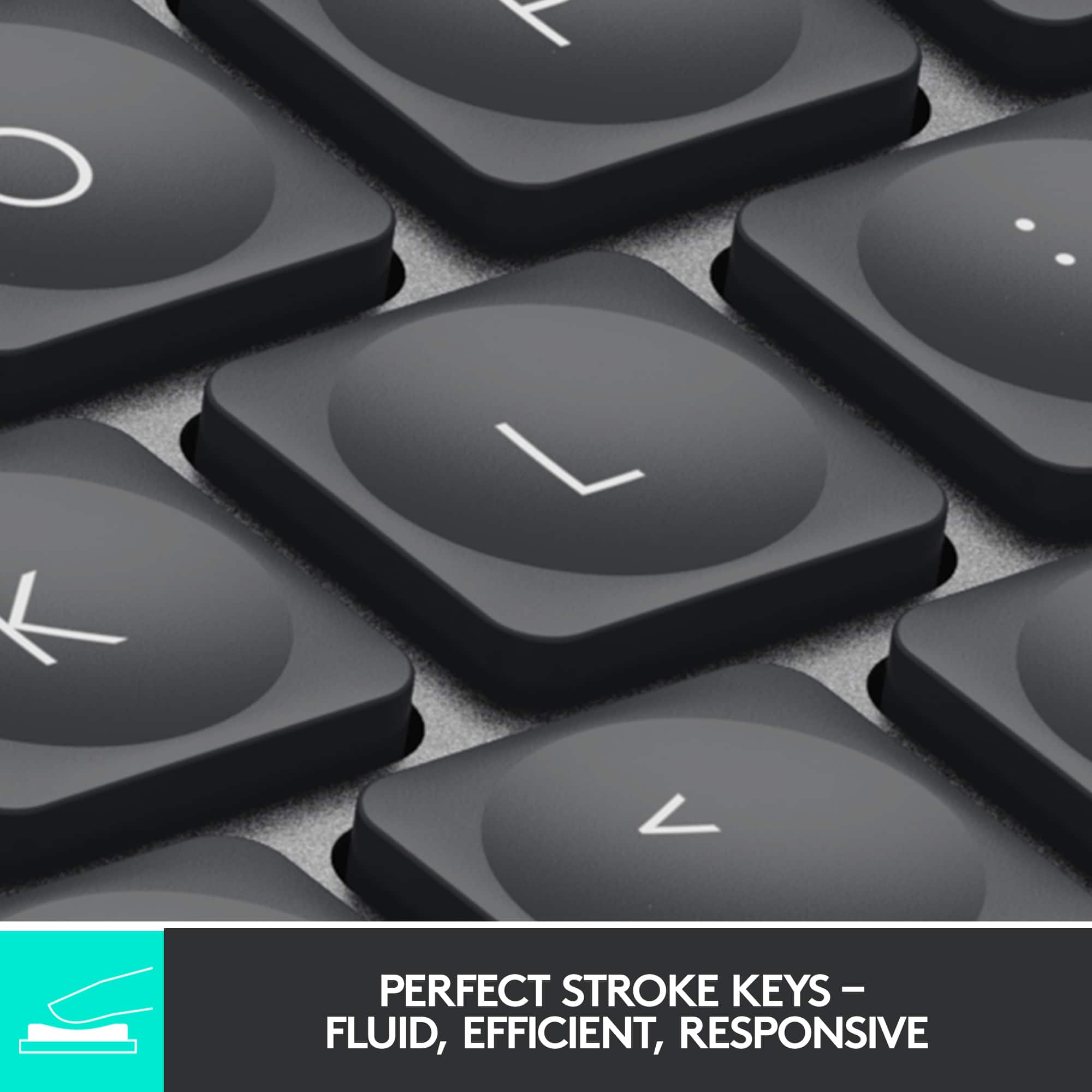
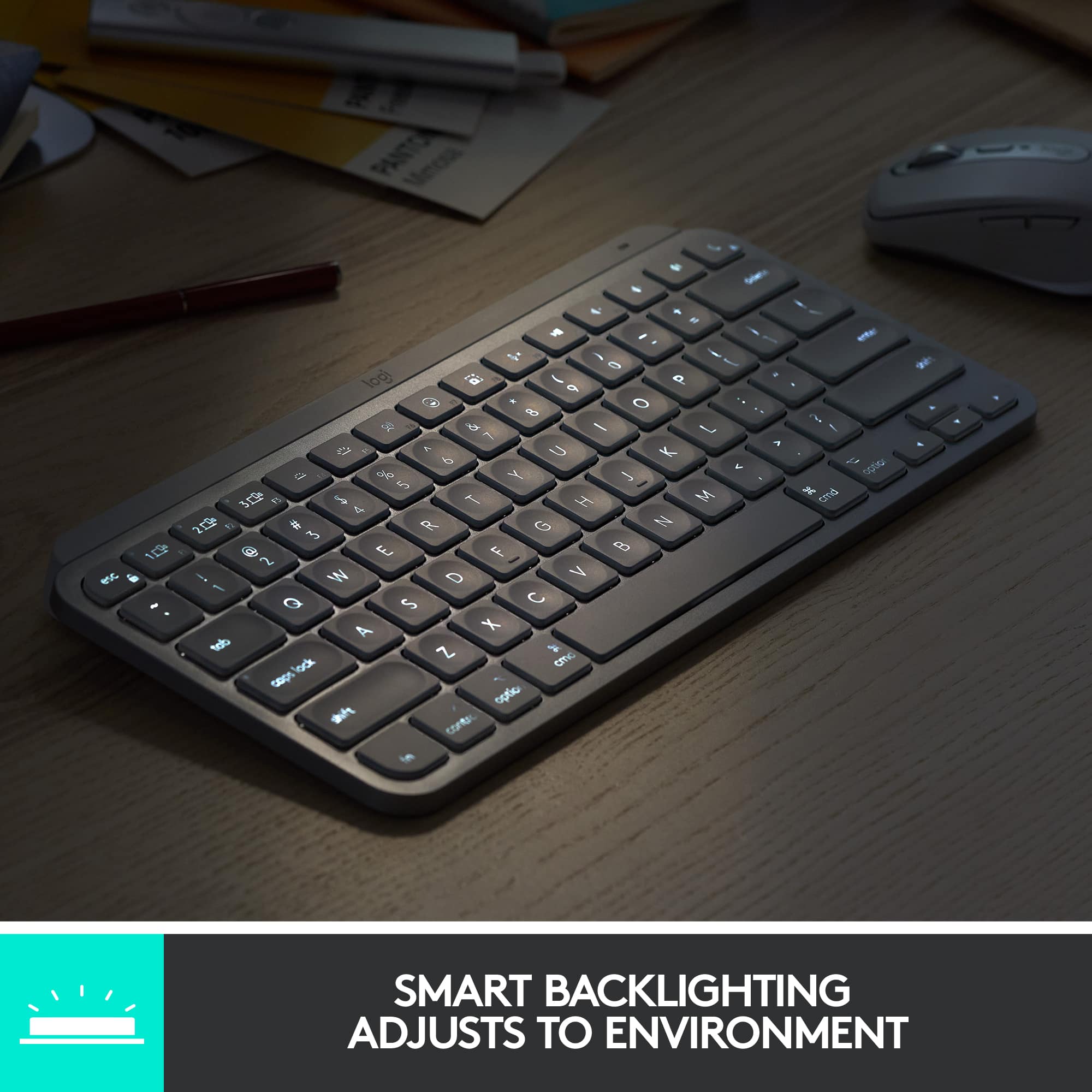
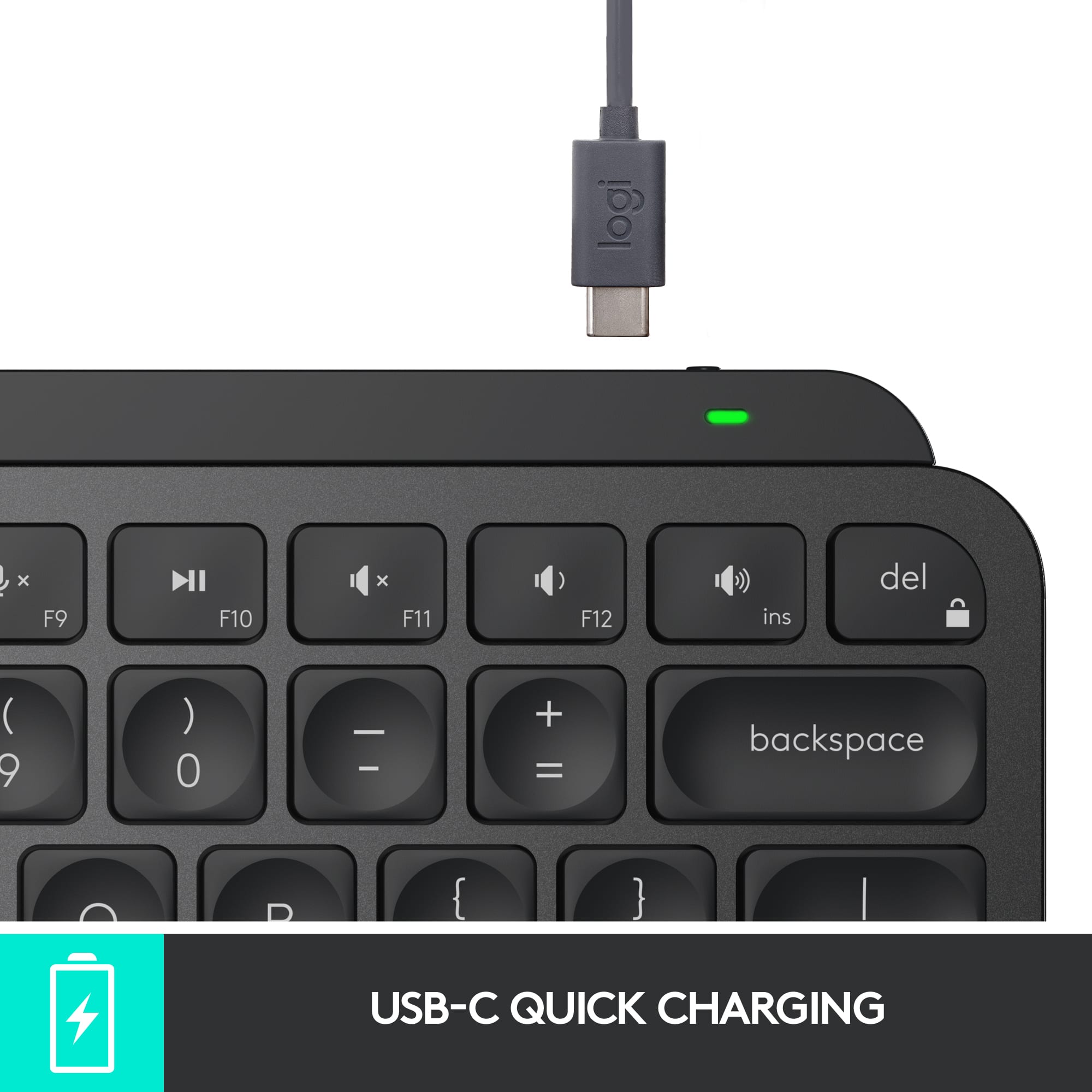
|Posted .This reviewer received promo considerations or sweepstakes entry for writing a review.Keyboards are definitely something super important when it comes to buying for a computer. I love this Logitech! It is the perfect companion for my Mac Mini. First off, it is packaged incredibly well. Easy to unbox and unpack. Everything arrived safely and neatly. A USB-C cable is included to charge it. With the cable I could plug it in directly to my Mac to charge. Love that! Wow, a backlit keyboard! These to me are almost necessary in today's computer world. The backlit keys help in the evening and even dim light situations. Unboxing to using the keyboard was under 5 minutes. It takes up about the same space as the official Mac keyboard, which is great. This has a slight elevation to it which makes it easier to type. The feel of the keys is excellent. Smooth and reactive. They feel great and I find it easier to use than the keyboard I was using. To me, the numeric keypad is a must! So much easier than finding numbers along the top. There are also many function keys on the Logitech that were not found on the keyboard I was using. Very handy! The keyboard is not loud and can be used in an office environment. I already replaced my other keyboard with this and do not plan on going back. I also love the color which matches my Mac Mini Silver. Perfect combination of function and style! I even love the gray cable! The power switch is also conveniently located. Logitech hit a home run with this keyboard and is truly perfect for the Mac! Way to go and highly recommended!
I would recommend this to a friendBrand response from Logitech
Posted .Hi there! Thanks for the enthusiastic review of the Logitech MX Keys S for Mac! It sounds like a great fit for your Mac Mini, especially considering the easy setup, backlit keys, comfortable typing experience, numeric keypad, function keys, quiet operation, and stylish design.
- Pros mentioned:Keyboard quality
Mighty and Awesome
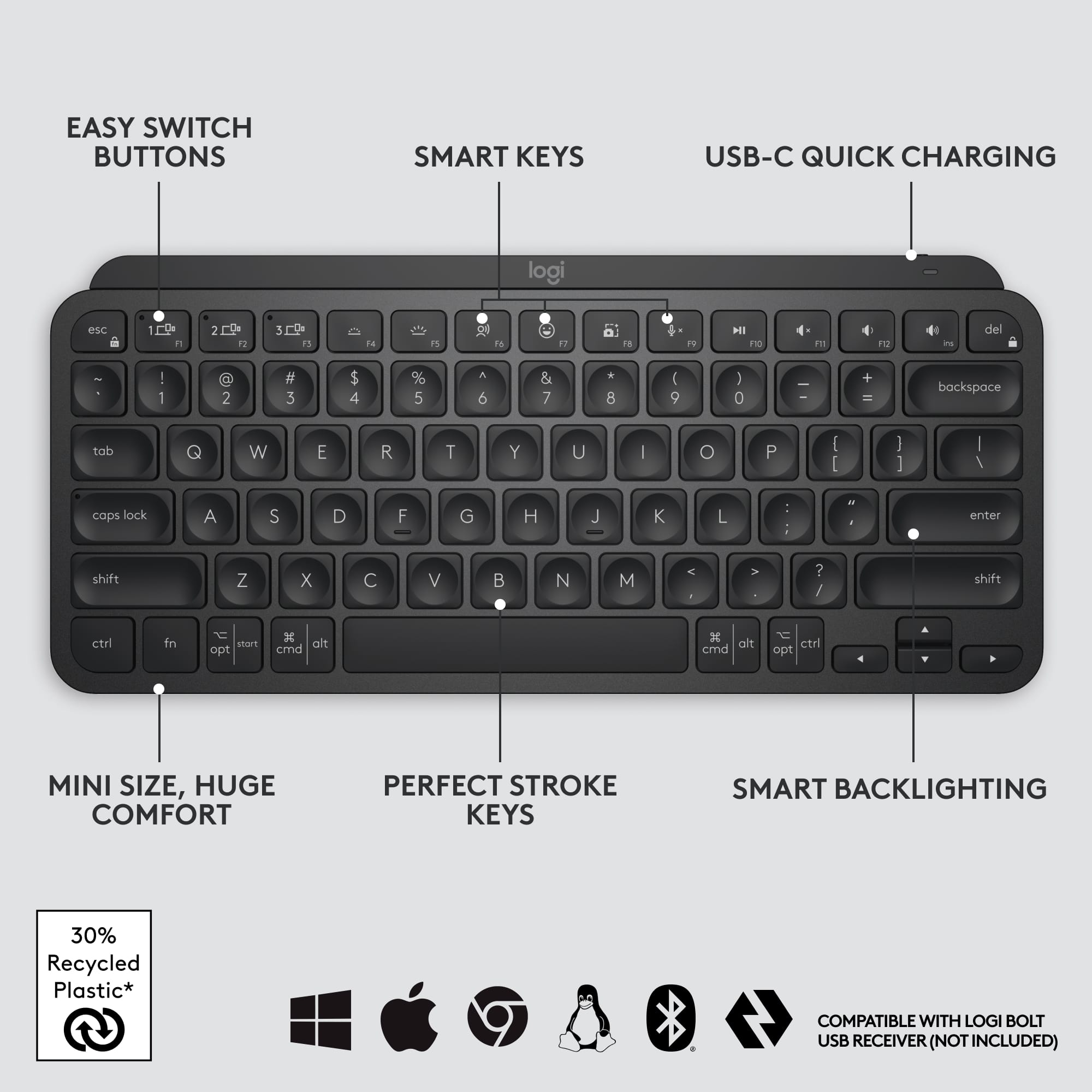
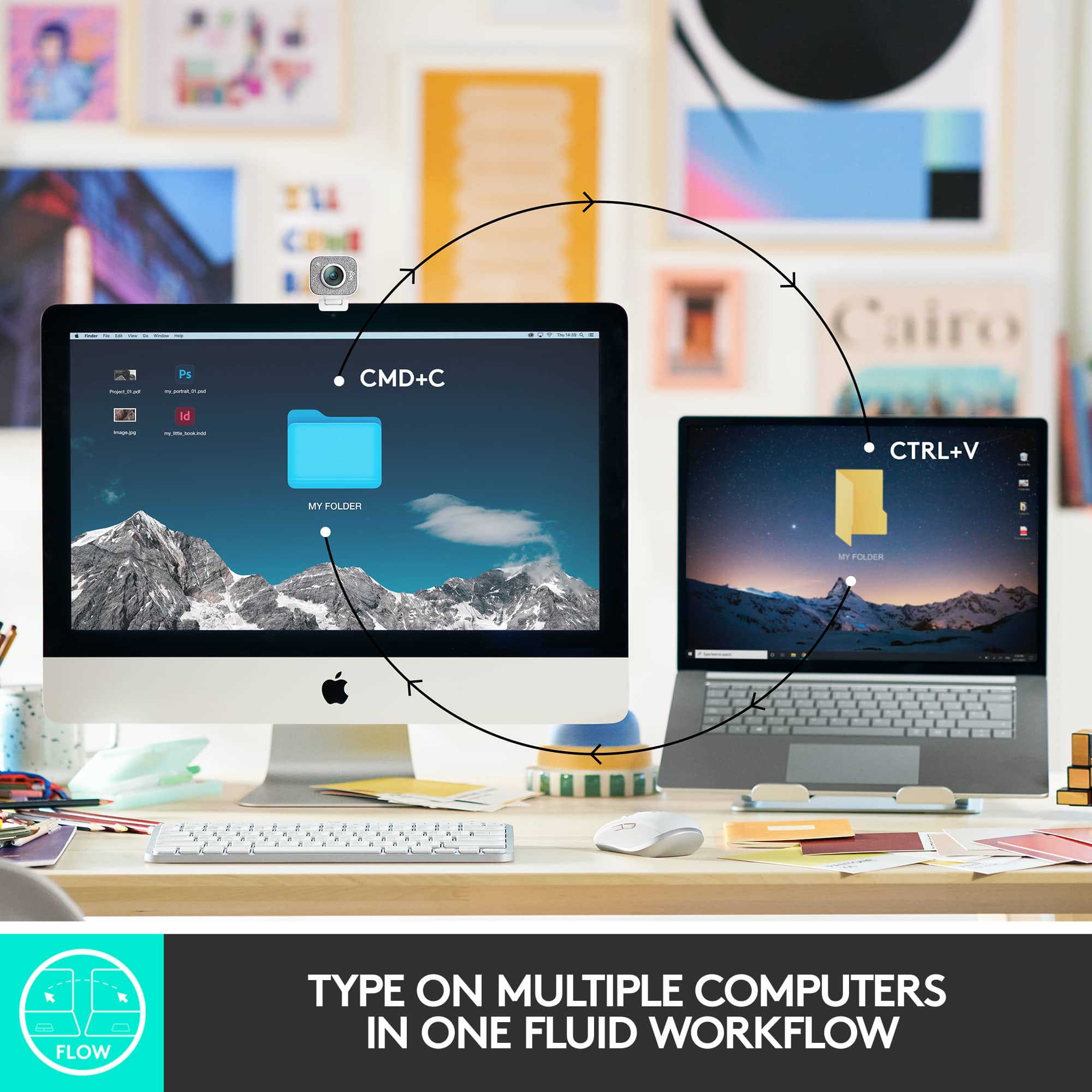
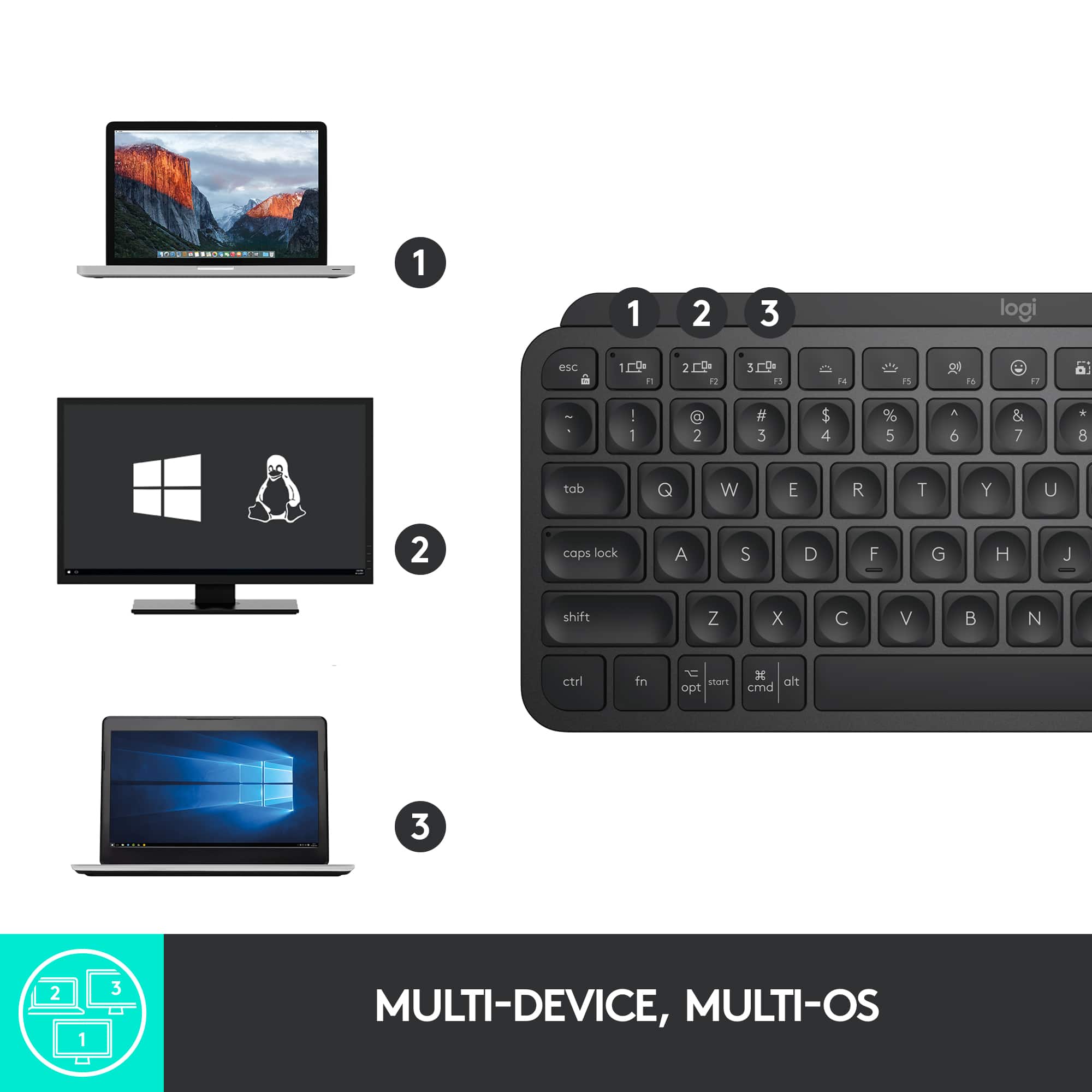
|Posted .This reviewer received promo considerations or sweepstakes entry for writing a review.Logitech has hit another home room with this one. Let’s start with unboxing UNBOXING In the box you will get the keyboard, and a USB C to USB A charging cable. Right out of the box the device was charged and ready to be connected for use. My first reaction to lifting the keyboard out of the box was wow, great weight. Often keyboards feel light and flimsy but this had the perfect weight to it and it is definitely compact. But the keys are perfectly spaced for my typing. The keys fit my fingers and are curved just right for me to hit the center of the key ever time, CONNECTION As soon as you turn this on, the top left key for computer 1 will be blinking. It is in pair mode. Find the Bluetooth settings on your device and follow the prompts on your device to connect to the MX Keys keyboard. You can connect up to 3 devices via Bluetooth. To connect to a different device simply press (and hold for 3 seconds) the 2 or 3 key in the upper left and you will be in pair mode to connect another device. SWITCHING between devices is as simple as 1, 2, 3. Simple press the corresponding key that you have assigned to each device and you will be connected to that device (if it is in range), SMART BACKLIGHTING Another WOW feature for me is the Smart Backlighting. As you type the keys are backlit. When you stop typing the light will go out after about 5 seconds of inactivity. If you move your hands back towards the keys, before you get to them it senses the movement and lights the keys up as your hands approach. If you have ever tried to type in low light settings and the backlight does not come on until you press a key you wil under sat and how AWESOME this feature is, CUSTOMIZE You can download the Logitech Options at Logitech.com/options to customize the F-keys and set up VOICE TO TEXT Dictation. There is a function key (F7) that open the Emoji Keyboard, get instant access to Emojis as you type. You can even control how bright the backlight is on the keyboard using the brightness function keys (F4 and F5). There is a screenshot function key (F8) that is perfectly handy to get those must have screen captures with th push of a button. SYSTEM REQUIREMENTS Bluetooth, Windows 10 or later, macOS 10.15 or later, Linux, Chrome OS, iOS 3.4 or later, iPadsOS 14 or later, Android 5.0 or later.
I would recommend this to a friendBrand response from Logitech
Posted .Hi pMurphy, we're glad to see you're loving the premium productivity features of your ultra portable MX Keys Mini Bluetooth Keyboard! This is one keyboard that can do a lot in a small form factor. Continue to enjoy and thank you for your feedback! -N from Logitech
- Pros mentioned:Battery life, Connectivity, Keyboard quality
Great Keyboard
||Posted . Owned for 5 months when reviewed.This reviewer received promo considerations or sweepstakes entry for writing a review.This is a great keyboard for the price. Very well built and from a brand that has been in the industry for years and is well respected. Pairs up to 3 different devices and has a backlit keyboard. Very long battery life but really depends on your activity. Easily last for months on a charge. I find it comfortable to type on and will highly recommend Logitech products.
I would recommend this to a friendBrand response from Logitech
Posted .Thank you for the thoughtful review! The Logitech MX Keys Mini is a premium compact keyboard—sleek, durable, and packed with smart features like multi-device pairing and backlit keys. Its impressive battery life and comfortable typing experience make it a standout choice for productivity.
Great keyboard except battery quality
||Posted . Owned for 1 year when reviewed.This reviewer received promo considerations or sweepstakes entry for writing a review.The keyboard is extremely lightweight and quiet to type on. However, only when I recently bought a second exact keyboard from Logitech’s website did I know that the one bought from BestBuy had a much shorter battery life for each charge. Not sure if this inconsistency is due to the brand or BestBuy product quality.
I would recommend this to a friendBrand response from Logitech
Posted .We’re happy you enjoy the typing experience, though we regret the inconsistency in battery performance. To investigate further, kindly reach out to Logitech Support at socialcare@logitech.com with:
- Name:
- Email address:
- Country:
- Product name:
- Brief description of the issue:
- Pros mentioned:Connectivity, Keyboard quality
Just buy it!
||Posted . Owned for 9 months when reviewed.This reviewer received promo considerations or sweepstakes entry for writing a review.I bought this keyboard as a way to take with me to coffee shops to work remotely or just study. I love how heavy duty this keyboard is! It does not feel cheap at all!!! The keys are smooth and I love that I can have 3 different devices paired to the keyboard. I have my work, personal and my wife’s laptop paired and it’s easy to switch with a push of a button. Definitely recommend!!!
I would recommend this to a friendBrand response from Logitech
Posted .Thanks for the great review! We’re thrilled our product is meeting your expectations. Your support helps us continue to innovate and improve.
- Pros mentioned:Connectivity, Ease of use
Great travel keyboard
||Posted . Owned for 3 months when reviewed.This reviewer received promo considerations or sweepstakes entry for writing a review.I got this as a secondary keyboard when travelling and for my home office. It is a great keyboard and feels just as good as the full sized version. I really enjoy the key indentations and the weight of the keyboard, with other options I felt that it would break when traveling, which is not an issue with it. The ability to connect to more than one device has proven useful, even though I seldom use that feature.
I would recommend this to a friendBrand response from Logitech
Posted .We are pleased to know you are satisfied with your Logitech - MX Keys Mini TKL Wireless Keyboard. Thank you for sharing your thoughts.
- Pros mentioned:Ease of use, Keyboard quality
Best keyboard
||Posted . Owned for 1 month when reviewed.This reviewer received promo considerations or sweepstakes entry for writing a review.I love how portable and well-built this keyboard is. It fits easily in my backpack and switches seamlessly between my work and personal laptops. I use it for school and work rather than gaming, and the keys are impressively quiet — perfect for shared spaces.
I would recommend this to a friendBrand response from Logitech
Posted .Hey! We’re grateful for your kind words and thoughtful review. It’s encouraging to know our product is serving you well. Thanks for being part of our community.
- Pros mentioned:Keyboard qualityCons mentioned:Price
A sold and enjoyable keyboard!
||Posted . Owned for 3 weeks when reviewed.This reviewer received promo considerations or sweepstakes entry for writing a review.I love this keyboard. It's the perfect size, without being too small. The keys have a nice feel with indents that help with the typing. The scissor switches offer a good amount of travel and click without being too loud and mushy. All of the function keys work properly with my MacBook Air. The build quality is very nice making it feel like a premium keyboard. My only con would be the price. Although I was okay spending this much on a Logitech keyboard, I feel the price range could be around the $75 range for this specific keyboard. I chose this keyboard over the Apple Magic Keyboard based on the feel of the keys, but if I didn't try it and saw the Apple and Logitech keyboard were the same price, I would likely have bought the Apple one to stay with the ecosystem. But, I am glad I bought this one!
I would recommend this to a friend - Pros mentioned:Connectivity, Keyboard quality, Size
Best keyboard ever
||Posted . Owned for 2 months when reviewed.This reviewer received promo considerations or sweepstakes entry for writing a review.Ive tried multiple small back lit keyboards for my home theater. This one by far is the best. Conectivity could not be easier. Size and function is also perfect
I would recommend this to a friendBrand response from Logitech
Posted .Your feedback means a lot to us, and we’re so glad to hear you’re enjoying your Logitech device. We work hard to create products that make life easier and more enjoyable, and it’s great to know we hit the mark. Thanks again for your support!
- Pros mentioned:Battery life, Connectivity
Charming
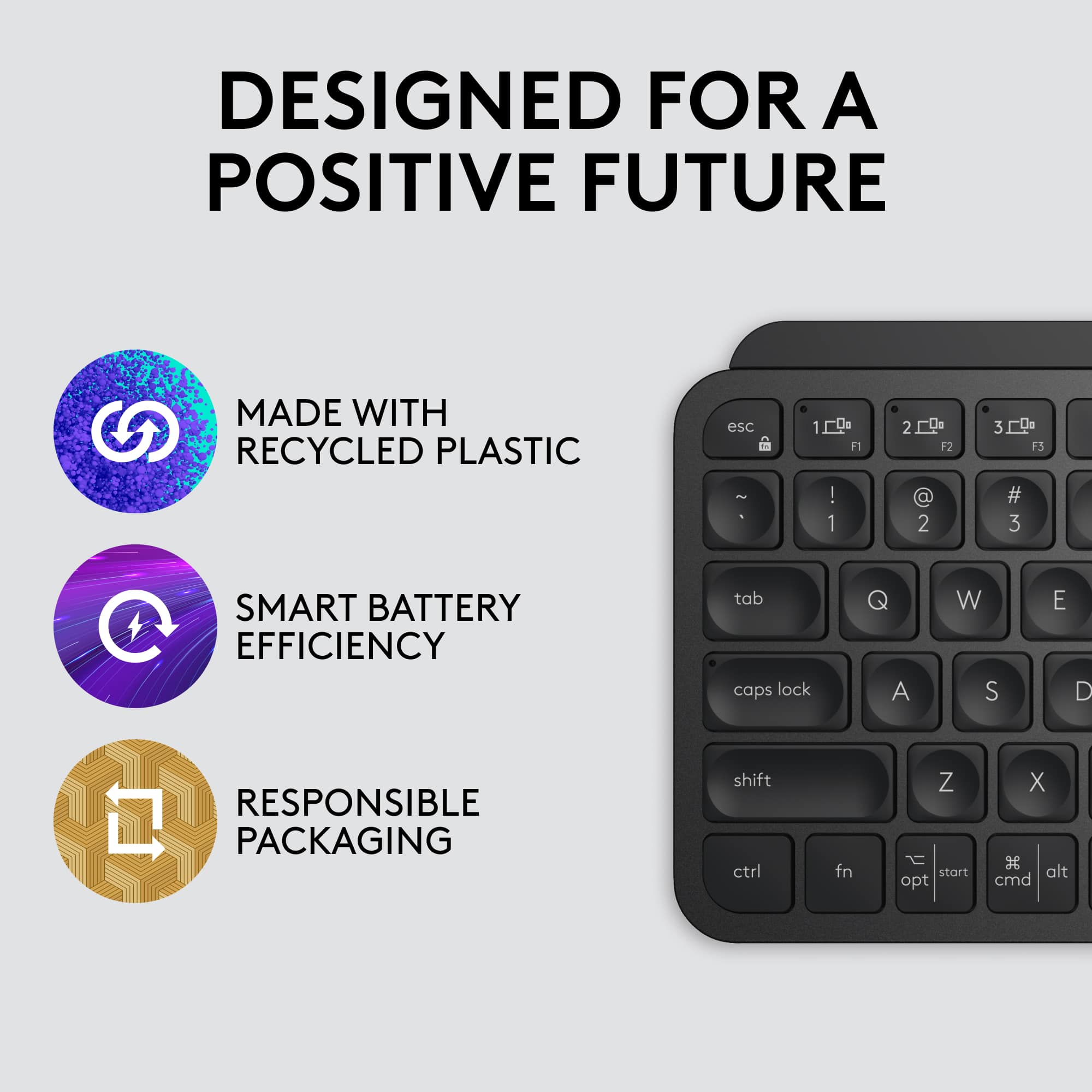
||Posted .This reviewer received promo considerations or sweepstakes entry for writing a review.I really liked this keyboard! The key feel is great—smooth and satisfying to type on. It’s cute, elegant, and super easy to connect. Typing is a breeze, and the built-in charge lasts well—definitely a better option than battery-powered ones. I am glad that I didn’t go with a 90 dollars one.
I would recommend this to a friendBrand response from Logitech
Posted .We're so happy to hear you're loving your MX Keys Mini! It's fantastic to know you appreciate the comfortable typing experience, elegant design, and seamless connectivity. We agree – that built-in rechargeable battery is a game-changer! Thanks for sharing your positive experience and for choosing Logitech.
Can't recommend this keyboard enough!
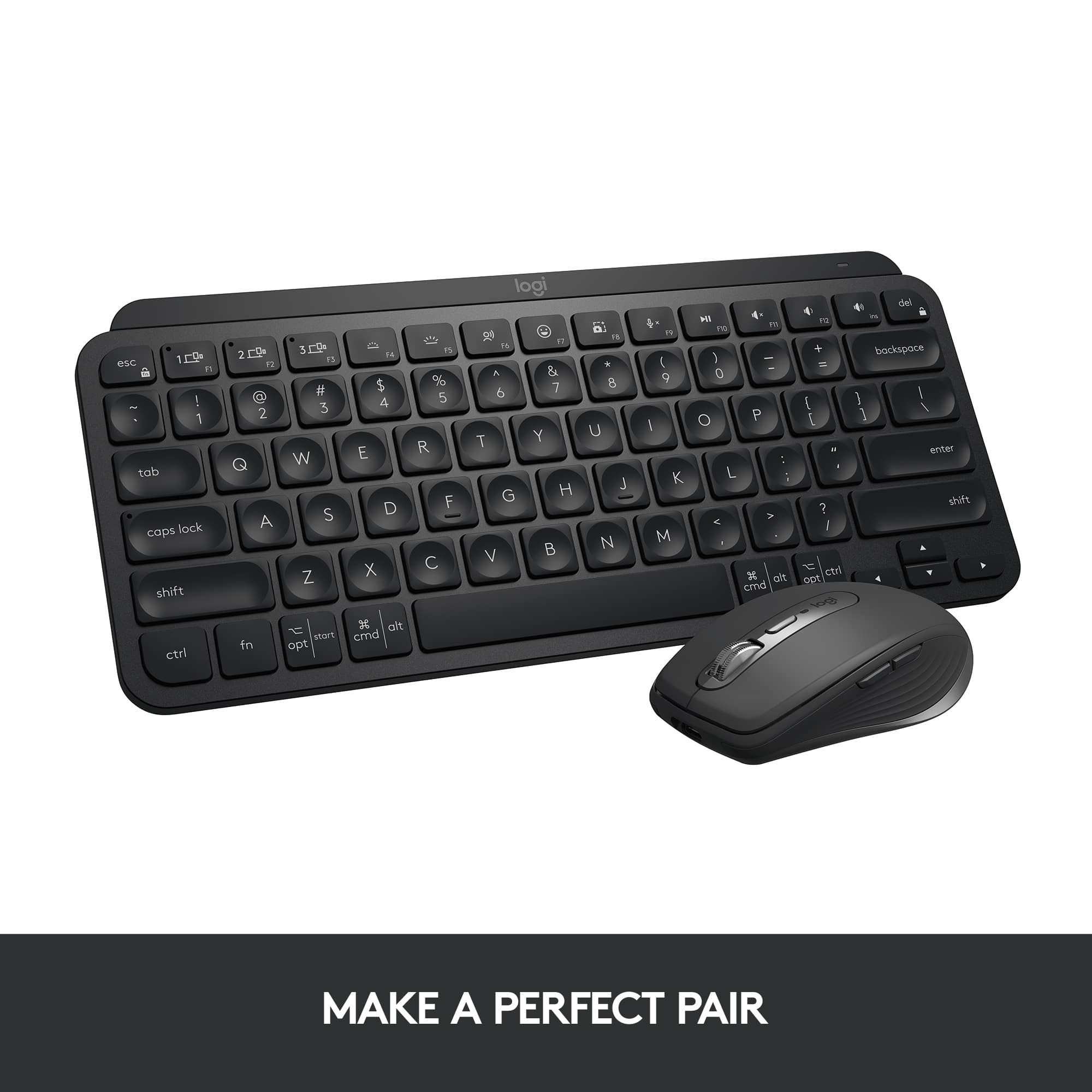
||Posted .This reviewer received promo considerations or sweepstakes entry for writing a review.I’ve been using the Logitech MX Keys Mini for a while now, and it’s honestly one of the best upgrades I've made to my desk. The first thing you’ll notice is the key feel. The keys have these slight fingertip indentations that make typing feel incredibly precise and satisfying. It’s got that premium, snappy response you usually only find on high-end laptops, but in a solid, standalone build. The pre-mapped smart keys are actually super useful in daily life. Having dedicated buttons for emojis and dictation sounds like a small thing, but it’s a total time-saver once you get used to it. Plus, the Logi Options+ software is great if you’re like me and want to tweak things; you can customize almost everything to fit exactly how you work. Another lifesaver is the multi-device switching. I constantly jump between two laptops and being able to swap connections with one tap makes the whole process seamless. As for the battery, it’s basically a beast. If you turn off the backlighting, you can go months without a charge. I’ve legit forgotten where I put the charging cable because I use it so rarely. And if you're using this keyboard, I'd also recommend getting the matching mouse as they work so well together! The only tiny gripe I have is the spacebar, which has a slight creaky sound when you hit it a certain way. It’s not a dealbreaker, but it’s the one small flaw in an otherwise perfectly quiet and solid keyboard.
I would recommend this to a friendBrand response from Logitech
Posted .Thank you so much for sharing your detailed experience with the MX Keys Mini! We truly appreciate your thoughtful feedback and are glad to hear how much it’s enhanced your workflow. Your insights help us continue improving and delivering the best possible experience.
- Pros mentioned:Battery life, Keyboard quality
Logitec Rocks!
||Posted . Owned for 3 months when reviewed.This reviewer received promo considerations or sweepstakes entry for writing a review.Amazing keyboard! It’s hard to find good 3rd Party keyboards for Mac, especially quality backlit ones. I also have the Bluetooth Apple Magic Keyboard with Touch ID, however, I prefer this keyboard over it. The typing is far smoother and the backlighting is great in low light. Battery lasts for an extremely long time. The Apple keyboard is not backlit and the tiny chiclet keys have barely any travel. This is a far better keyboard for less money! You’ll be pleased.
I would recommend this to a friendBrand response from Logitech
Posted .Thanks for taking a moment to share your experience. We’re so glad the Logitech MX Keys S for Mac Keyboard is working well for you. Your support means a lot and helps us keep improving.
- Pros mentioned:Connectivity, Size
Great Keyboard for the Mac
||Posted . Owned for 1 week when reviewed.This reviewer received promo considerations or sweepstakes entry for writing a review.This is my third MX Key keyboard and the first one made specifically for the Mac. So obviously, I like these keyboards. Here are a few highlights of what I like about them: They have a good keyboard "feels" - I am a big fan of mechanical keyboards for their "feels" and I own many mechanical keyboards (IBM Model M anybody?). Yet, the MX Keys are my daily drivers. The reason why is that they give nice "feels" that I like in mechanical keyboards but in a much more manageable size. The keys are not mushy and have a nice "clicky" action that makes using the keyboard a joy. They are quiet. They allow for switching among 3 different devices - have this one connect to my Mac, iPhone and iMac. Comes in handy for sure when working on multiple devices. They are backlit. Earlier versions of the MX Keys had issues with flashing backlighting but it appears Logi figured it out and fixed the problem. No flashing on any of my MX Keys The only con for this specific version of the MX Keys is that this one is Bluetooth only. There is no dongle like my other MX Keys. Yes, you can argue that this is Mac specific so Bluetooth only make sense but not having a dongle seems to me a bit of a miss. Minor con for sure. 10/10
I would recommend this to a friendBrand response from Logitech
Posted .Thank you for your kind words about the MX Keys S for Mac! We appreciate you highlighting the features you enjoy, such as the feel of the keys, quiet operation, and multi-device connectivity. We understand your point about the lack of a Unifying receiver. This design decision was made to align with the Mac ecosystem. We value your feedback and will continue to refine our products based on customer input
- Pros mentioned:Battery life, Keyboard quality, Size
GREAT Keyboard in a Small Form Factor
||Posted . Owned for 3 weeks when reviewed.This reviewer received promo considerations or sweepstakes entry for writing a review.I have the full-sized MX Keys keyboard for my desktop computer at home and absolutely love it. So, when Logitech introduced this smaller version - which happens to be almost exactly the width of my Samsung Galaxy Tab S7+ - making the purchase was a no brainer. Like its larger sibling, the 'mini' combines backlit keys, solid build quality, great tactile feel, great battery life and a great set of convenient features into a great looking product. The mini is small and light enough to travel well and paired with the S7+, comes really close to giving me all the functionality of a laptop but with less weight to slog around. If you're looking for a great keyboard to travel with ... or even to use for your needs at home - look no further! This is a great one that you'll be very happy with for a long time to come!
I would recommend this to a friend - Pros mentioned:Keyboard quality
Logitech tiny keyboard built better than most full
|Posted .This reviewer received promo considerations or sweepstakes entry for writing a review.Wow this little keyboard is awesome! Straight out of the box you can feel its well made. Not cheap or plastic but weighted and made of some type of light weight aluminum! Stealthy and black with Backlit keyboard!! (Although not RGB) which would made this perfect! USB C charger port, three quick connect buttons for different types of devices to connect too. I'm connected to my Samsung tablet right now doing this review with it as we speak. I have an Otter box defender case on mine so I'm unable to use the keyboard case for it at the same time because of figment issues. Well problem solved now I can use this on not only my tablet, but phone, and whatever else I can find to connect though Bluetooth. Only downside which I was really hoping it would connect to was PlayStation 4 but is not a device able to connect. So tired of using the controller for typing so this would have been a God send for that reason alone. Overall I love it and would highly recommend it to others
I would recommend this to a friendBrand response from Logitech
Posted .Hi GameOverSuckas, we're glad to see you're loving the premium productivity features of your ultra portable MX Keys Mini Bluetooth Keyboard! This is one of our newest keyaboards that I was very excited to use as well. For connectivity to a Playstation, contact Sony to see if they support using a keyboard or mouse for search inquiries on the console. Otherwise, continue to enjoy and thank you for your feedback! -N from Logitech
- Pros mentioned:Ease of use
Great little keyboard
|Posted .This reviewer received promo considerations or sweepstakes entry for writing a review.Over the years I’ve really grown to like the products that Logitech puts out. This one is no exception. I have three wireless keyboards from Logitech including this one and a two wireless MX mice as well. I have two of the big brother to this keyboard, one for home and one for work and the only difference between those and the mini is the number pad. The options one this keyboard are far and above what any other brand that I’ve come across offers. One of my favorite features is the backlit keypad. When you move your hands over it, it lights up and then shuts off when you remove them a lot of other brands basically keep the light on or you turn it off. I also like the fact that I can switch between multiple devices at the click of a button. No more unplugging and plugging in to the other device. If you download the software packet, you can really customize the keyboard to your hearts desire. With my work laptop, I cannot download unapproved software, but even in spite of this, it still functions better than most of the offerings available. This keyboard is a great addition to an already fantastic lineup of devices for both the MAC and PC. I highly recommend this keyboard. It’s highly portable, functional and looks great to boot.
I would recommend this to a friend - Pros mentioned:Connectivity
Keyboard of all trades.
||Posted . Owned for 1 month when reviewed.This reviewer received promo considerations or sweepstakes entry for writing a review.This keyboard that Logitech has put out on the market is undoubtedly the best in the market when it comes to working with multiple computers at the same time. In a work environment where sometimes work-lifestyle is hybrid. Instances where someone, like myself needs to take work/or even school projects home. This is a lifesaver. When havin a desktop and a laptop that we carry everyday to school, having a tool like this will help us ease the switch between the computers. Sometimes the app LogiOptions+ is a bit finicky with the updates for the drivers for the devices. But Overall this is a must buy. Buy both MX Keys and the MX Master 4 for the combo of a lifetime geared towards productivity and efficiency.
I would recommend this to a friendBrand response from Logitech
Posted .Thanks for the awesome feedback! We're glad the MX combo is a "lifesaver" for your hybrid setup and makes switching between your desktop and laptop a breeze. We appreciate the honest word on the software updates stay productive and enjoy that ultimate efficiency!
- Pros mentioned:Keyboard quality
Remarkable!!
||Posted . Owned for 3 weeks when reviewed.This reviewer received promo considerations or sweepstakes entry for writing a review.I own the full-size Logitech MX Keys and I have been a loyal customer for years! I absolutely love the MX Keys Mini. I was using it as an external keyboard for my Lenovo Idea Tab Plus. Worked flawless just like all of their MX series keyboards. Solid material build quality. I don't know what material they use for their keys, but it is remarkable. I have owned my full-size MX Keys for 5 years. After having it for about 1.5 years. I have an issue and Logitech replaced it as an exception. They went above and beyond. The replacement, I have had it for 3.5 years and has works flawlessly. Like it's bigger brother, the MX Keys using USB-C charging, backlight controls and perfect key spacing. Again, I don't know what material they use for their keys but it doesn't fade. The mini I would imagine using the same material/composition. I loved it until Lenovo sent me a marketing email for their external integrated folio/keyboard that was designed for my Idea Tab Pro. I chose convenience and one less item to carry around if that makes sense. Otherwise, I highly recommend the MX Keys Mini. I regrettable returned it for the sake of convenience but not to demish the quality of this keyboard. It is a quality build, and I would highly recommend it!
I would recommend this to a friendBrand response from Logitech
Posted .Thank you for being such a loyal member of the Logitech family! We truly appreciate your high praise for the MX Keys Mini’s build quality and are glad our team could go above and beyond for you in the past. While we’re sad to see it go, we completely understand choosing the convenience of an integrated folio for your tablet!
- Pros mentioned:Keyboard quality
Better than Apple's
||Posted . Owned for 2 months when reviewed.This reviewer received promo considerations or sweepstakes entry for writing a review.This is the first wireless keyboard I have had that doesn't feel like a cheap piece of junk. If you like the MacBook keyboard then you will love this keyboard. This beats Apple's keyboard options in my opinion. It looks really slick as well. All of the MacBook keyboard functions are native on the keyboard. The lighting is very nice. I love this thing. There is a single keypress lag when you first start while the keyboard connects. but after it is connected you can use all day without that happening again.
I would recommend this to a friendBrand response from Logitech
Posted .Thanks for taking the time to share your experience. We’re delighted the product is working well for you. Your feedback means a lot.