Customer Ratings & Reviews
- Model:
- 920-010474
- |
- SKU:
- 10840948
Customer reviews
Rating 4.7 out of 5 stars with 964 reviews
(964 customer reviews)Rating by feature
- Value4.5
Rating 4.5 out of 5 stars
- Quality4.8
Rating 4.8 out of 5 stars
- Ease of Use4.7
Rating 4.7 out of 5 stars
to a friend
Rated 5 out of 5 stars
The best gets smaller
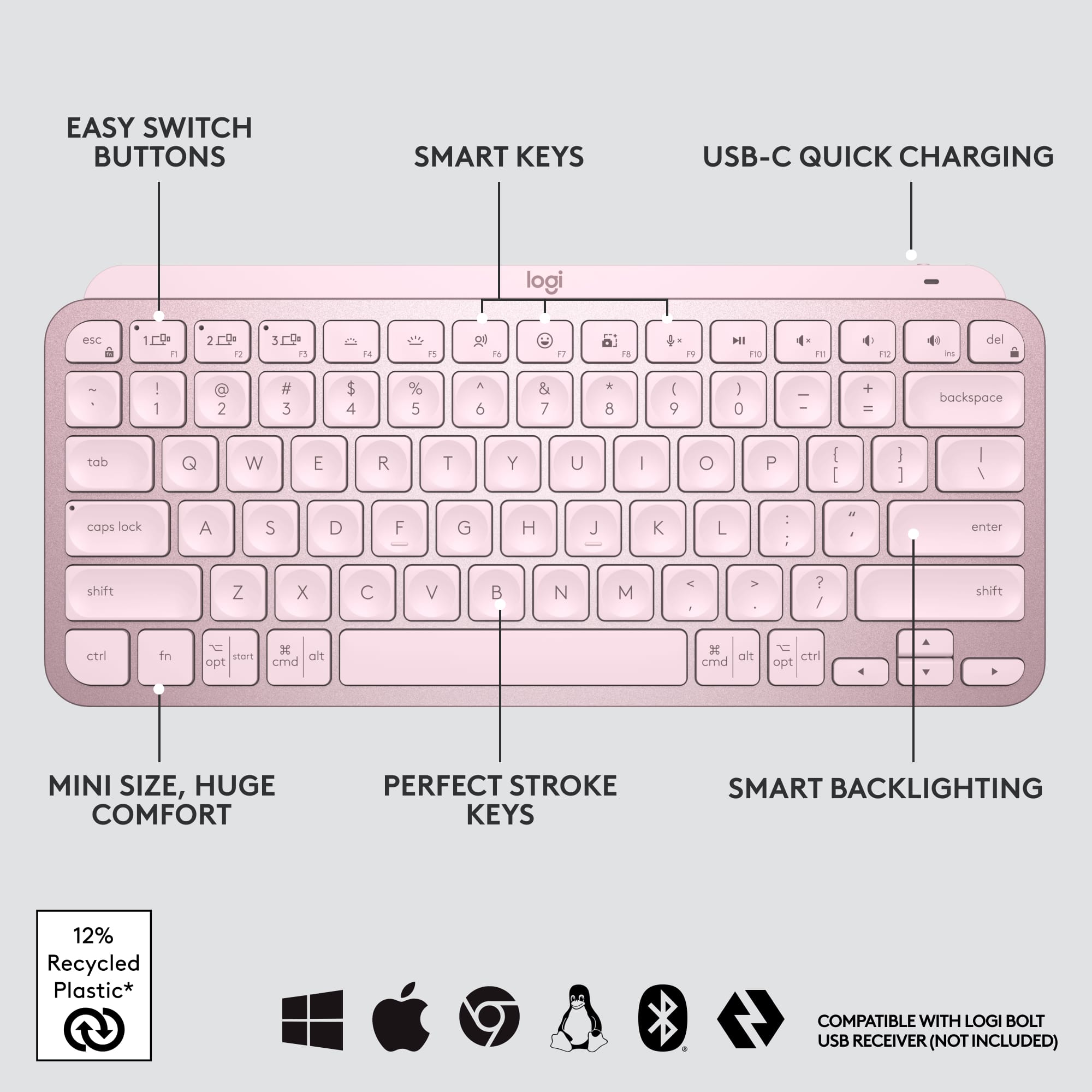
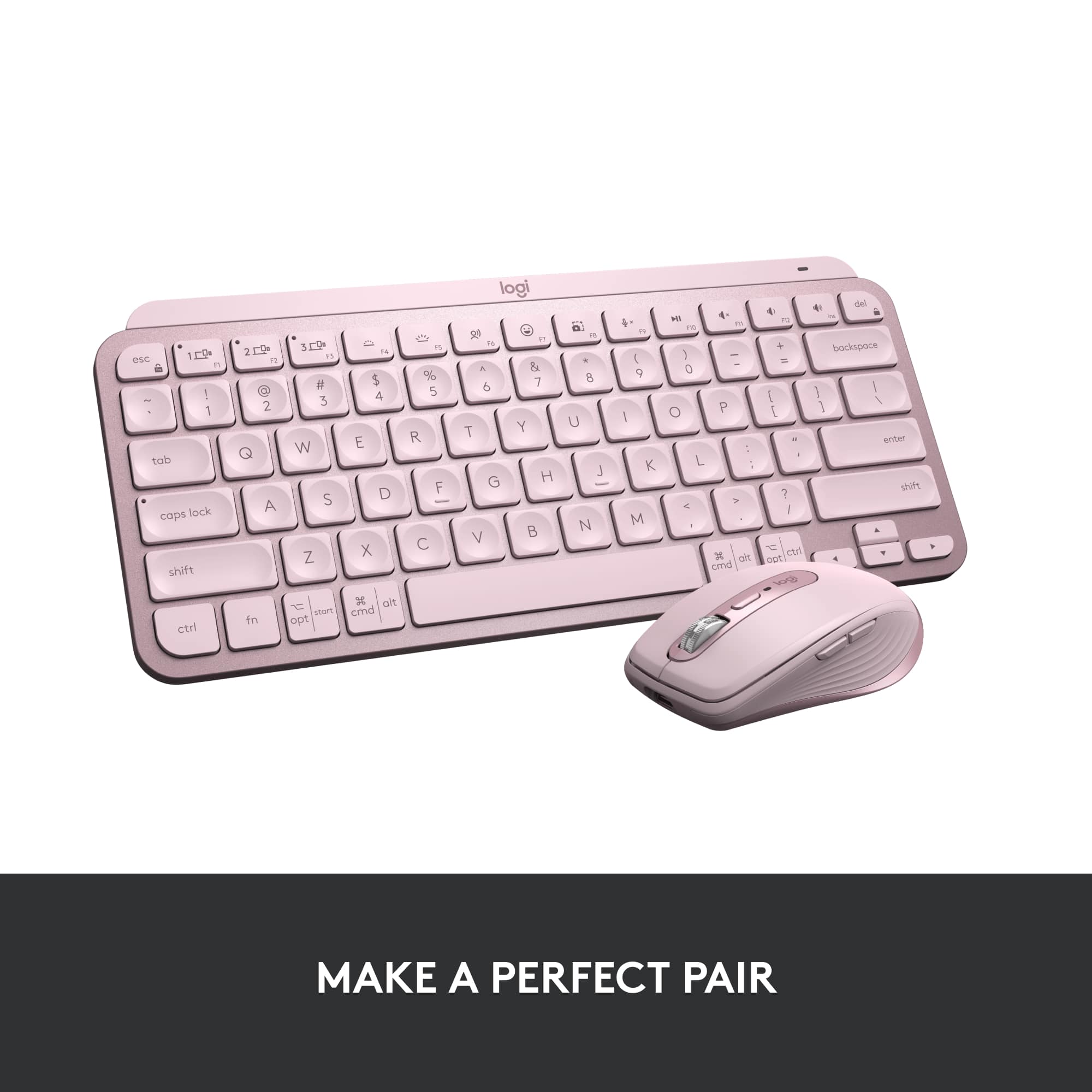
|Posted .This reviewer received promo considerations or sweepstakes entry for writing a review.The MX keys mini is another fantastic addition to the Logitech lineup. I have used the full sized version of the MX keys and this mini is similar in all the ways that are important. It has the same phenomenal key travels that balance the difference between something like a gaming keyboard and a laptop. Typing on this just feels perfect. It has a large number of shortcut keys at the top for volume, brightness, and much more. The biggest difference between this mini and it’s big brother is the lack of the 10-key pad. It has nearly the same size and shape in every other way and that’s a good thing. Another small change is while it still supports being synced to up to 3 devices simultaneously, it does not support or include the Logitech unifying USB adapter, and only runs on Bluetooth. So if you are running a computer without Bluetooth capability you will be out of luck without an additional Bluetooth adapter to make it work. In this day and age that situation is likely to be rare so it makes sense that Logitech would opt to simplify. It feels great to place your hands over this keyboard and find that it lights up automatically reacting to your proximity. Using Logitech’s options app you can also turn that feature off it you wish to save on battery life. Personally I see no reason not to have the backlight working as the battery life is very good. I have been using it regularly for several days right out of the box and it still has over 50% life remaining. USB-C charging is the standard used here and it includes a 3ft cable for the deed. The options app also allows other shortcut customization, battery reporting, and can save and sync settings across devices. Since I also own the larger version I can sync settings between both keyboards for example which is another nice feature. If you’re looking for the best series of keyboards on the market you have arrived. This version takes what is already happening and simplifies it just enough to arrive at a size and shape that is more portable and manageable. I appreciate a keyboard in this case that is perfect for laptop users wanting a better solution for typing, although it would also be perfect for anyone else who wants the best and does not want or need a 10-key pad. I cannot recommend the MX Keys enough. Do yourself a favor, get one, and type away in bliss.
This review is from Logitech - MX Keys Mini TKL Wireless Bluetooth Scissor Keyboard with Backlit Keys - Black
I would recommend this to a friendRated 1 out of 5 stars
not satisfied.
||Posted .This reviewer received promo considerations or sweepstakes entry for writing a review.within a month of use. the delete stopped working.
This review is from Logitech - MX Keys Mini TKL Wireless Bluetooth Scissor Keyboard with Backlit Keys - Black
No, I would not recommend this to a friendBrand response from Logitech
Posted .Hello zack,
I am sorry that the MX Keys Mini is not working as expected. Make sure you use the Logitech Options+ App to access advanced settings and update the firmware. Contact the Logitech support team to receive personalized assistance if the issue persists. Logitech appreciates your product review. - Leo from Logitech
Rated 5 out of 5 stars
I love typing on the this keyboard!
|Posted .This reviewer received promo considerations or sweepstakes entry for writing a review.I consider myself a keyboard snob. I spent years waiting for the perfect keyboard and that day came when I got the Logitech MX Keys keyboard last year. It was sturdy, was comfortable to type on and worked great with my MacBook Pro and my Dell XPS. When I saw this new mino version of that keyboard, I was psyched to give it a try. Much like the larger version, this is a really sturdy keyboard with good weight to it. It never moves on my desk and the keys hit perfectly. This version loses the numeric keypad and I gotta say, I really don't miss it. I like having a little extra space on my desk and it makes the keyboard much lighter and more portable. I love the backlit keyboard, the typing experience is one of the best i've ever had. The keys are stable and I'm confident that this keyboard was built to last. I can connect bluetooth to 3 separate devices and switching between them has been seamless. It also has all of the multimedia keys plus a couple of surprises. I love the screen snipping shortcut key and it works perfectly on both my Mac and my Windows PC. The dictation key is great as well, though it only works for me on my Windows laptop, in fact, the keyboard does not show up in logitech Options on my Mac. On the Windows laptop I can customize the function keys, on Mac I cannot, but no biggie. It also has a handy mute button for video calls, as well as an emoji button, which I actually kind of like, though I can't use emoji's in my review :( This is my new favorite keyboard, I don't think Logitech has ever disappointed me with the keyboard and mouse products.
This review is from Logitech - MX Keys Mini TKL Wireless Bluetooth Scissor Keyboard with Backlit Keys - Black
I would recommend this to a friendBrand response from Logitech
Posted .Hello Josh76, thank you so much for the 5-star review! We are so happy to hear that the MX Keys Mini is treating you so well! The MX Keys Mini is great on so many levels! And since it's still new, the update for Logitech Options to work with the Mini on mac will come. We are so grateful for the honest feedback, this will help so many people with questions. Thank you for being part of the Logitech family, have a great day! -Ricky | Logitech
Rated 5 out of 5 stars
Great little keyboard!
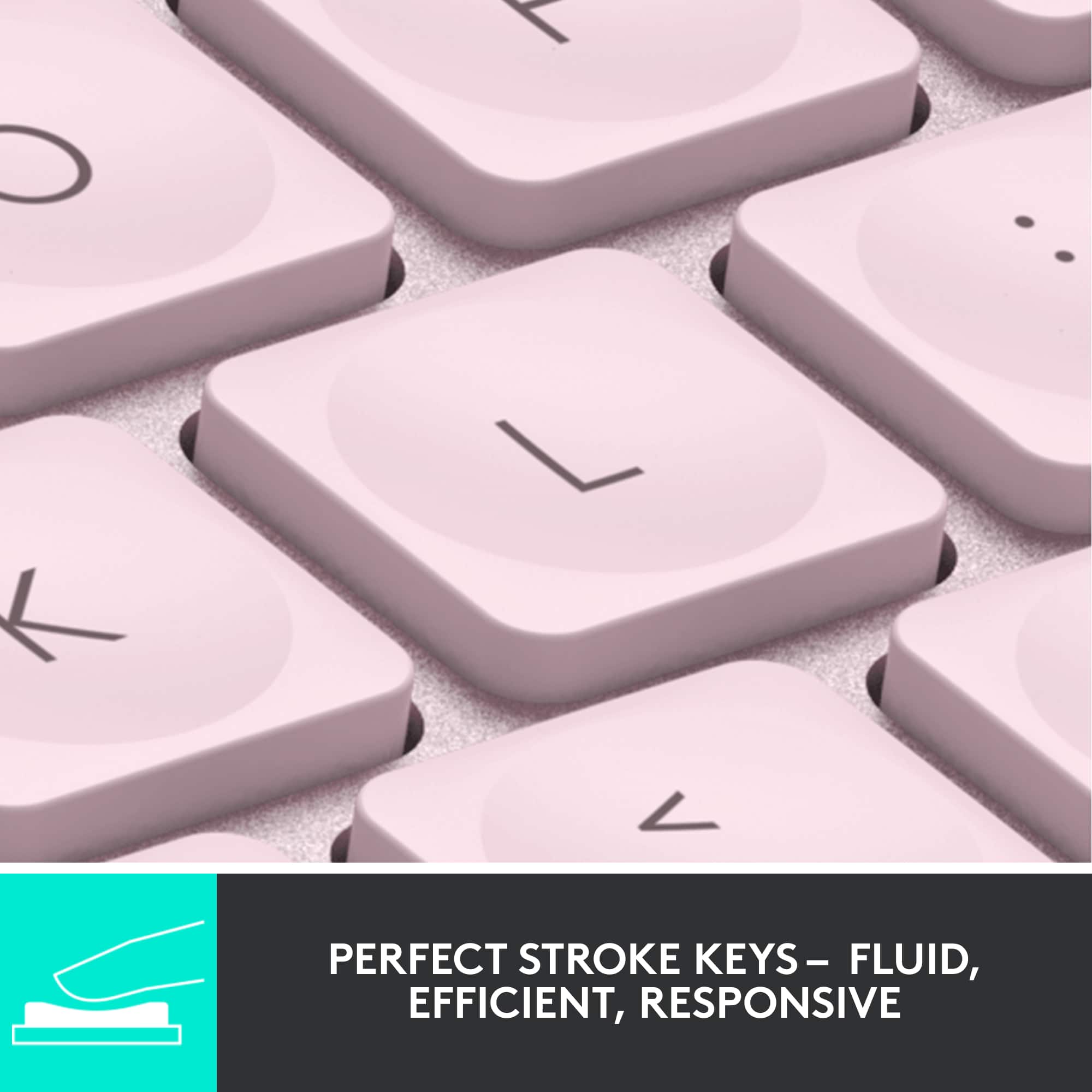
|Posted .This reviewer received promo considerations or sweepstakes entry for writing a review.I work from home so I have my home computer, my work computer, and also my cell phone. Before I got this keyboard I had to have 2 separate keyboards on my desk taking up space. Now I can easily use one keyboard and switch between whichever computer I am using. As a bonus, if I need to type something on my phone, I can switch over to that too and have a full sized keyboard instead of having to awkwardly type with my thumbs on a little screen. There are 3 different devices you can set up and then just by pressing a key, you can easily switch to a different device! That feature alone makes this one of the best keyboards I've ever used! Right when you take this out of the box you can tell that its not a cheap keyboard. It has a very solid feel and appears to be made of some good high quality plastic. It has a built in rechargeable battery that easily gets me through a couple weeks work. The keyboard has a cool backlight on all the keys that comes on only when it senses you are close to the keyboard or typing on it. If you turn that off, the battery lasts exponentially longer (they claim up to 5 months)! I leave it on, just cause it looks cool and helps to see the keys better. Which brings me to the next cool feature, the keys themselves! Most normal keyboards are concave in just one direction. These keys have a circular indentation on them so it kind of guides your finger to the center of the key as you're typing. I found that I had a lot less mistakes to correct while using this keyboard because of that feature. The keys have a great feel to them when pushing them down and they are very responsive. I would very highly recommend this to anyone who uses multiple devices during their day. It saves a ton of desk space, and is very functional!
This review is from Logitech - MX Keys Mini TKL Wireless Bluetooth Scissor Keyboard with Backlit Keys - Black
I would recommend this to a friendRated 5 out of 5 stars
portable mini backlit keyboard, comes in handy
|Posted .This reviewer received promo considerations or sweepstakes entry for writing a review.I often find myself struggling with the on screen keyboard for my iPhone and iPad. The Logitech MX Keys mini keyboard solves a number of problems for me. First off, it is compact yet easy to type on, unlike other keyboards which have issues with key spacing, my hands naturally pressed the tactile and responsive keys. In addition, this model is back lit and has an integrated rechargeable battery. The keyboard can be charged using the USB-C plug on the edge of the top right corner, near the on off switch. Logitech definitely has the ergonomics down on this model. It also includes shared function buttons which can be used to switch between three paired devices, this was especially handy when using with my iPad and iPhone. Battery life is pretty good and is rated 10 days (not sure the hours) when using the backlit functionality and “months” with it disabled. Regardless since this is rechargeable in comparison to my Logi K380 mini keyboard battery life is not really an issue. Overall I am pretty happy with this Bluetooth keyboard. Certainly, this would be more than adequate to use with any of my devices. You could get by with going on a trip with just this keyboard and your mobile device and have confidence that if you had to type anything substantial, this keyboard would be more than adequate to handle the situation. Pros: • Lightweight and small • Keys are spaced well, not unlike using a laptop keyboard • Well built • Back lit • Rechargeable built in battery Cons: • None yet
This review is from Logitech - MX Keys Mini TKL Wireless Bluetooth Scissor Keyboard with Backlit Keys - Black
I would recommend this to a friendRated 1 out of 5 stars
It alright for certain OSes but not for PS4/PS5
||Posted . Owned for 1 month when reviewed.This reviewer received promo considerations or sweepstakes entry for writing a review.Does not work with PS5 even with the additional USB Adapter so its not universally used like the old model was.
This review is from Logitech - MX Keys Mini TKL Wireless Bluetooth Scissor Keyboard with Backlit Keys - Black
No, I would not recommend this to a friendRated 5 out of 5 stars
Saves my shoulder
|Posted .This reviewer received promo considerations or sweepstakes entry for writing a review.I do not have this keyboard to save space on my desk—although it does. My work area is plenty large, and I have room for a full layout. I have this keyboard to save my neck and shoulder. You may not realize how unnatural it is to wing your arm out all day to manipulate a mouse sitting several inches outside your keyboard placement. It puts constant strain on tensions that shouldn’t move that way repetitively. Having your mouse inhabit the same space directly in front of you as the keys is so much more comfortable!! My shoulder isn’t up at my ear anymore. Love it. That said—Logitech has raised the bar for quality with this particular model. As soon as I took it out of the box and felt the weighted build quality, it was obviously high end. Someone put thought into the way the keys are angled and even how steady it sits on a surface. The travel is perfect and the keys are shaped for fingers. Backlight can be dimmed or turned off for battery life and preference. Function keys can be turned on or off with a quick combo stroke as shortcuts are needed or not. Shortcuts can be left as is, or assigned to open programs or complete actions. For example, I prefer my own print screen program to Logitech’s, and it’s easy to change that. If you absolutely must have a number pad, this design is not for you. But if you can live without that, want a high quality full Key size typing experience, and to avoid mouse shoulder—highly recommend!!
This review is from Logitech - MX Keys Mini TKL Wireless Bluetooth Scissor Keyboard with Backlit Keys - Black
I would recommend this to a friendRated 5 out of 5 stars
Great little keyboard
|Posted .This reviewer received promo considerations or sweepstakes entry for writing a review.Logitech‘s newest keyboard, the MX keys mini wireless keyboard, is a great keyboard for anyone looking for more of a miniature keyboard. In my opinion this is perfect to use with tablets, you can stick this in a backpack with your tablet and keep the weight and space to a minimum. It’s also great for kids or anyone that just wants a small keyboard. Connecting this keyboard to my PC was fairly simple, just connected like you would any other Bluetooth device, the keys and keyboard feel great, it does not feel cheap at all. A great feature is the backlit keys. Only time will tell how great the battery on this thing is but logitech claims that it will last 10 days with the backlight on, or five months with the back lighting turned off. Overall I’m very happy with this keyboard, I wanted something small that I can lug around with me to use with my tablet, it’s definitely not cheaply made, and my kids seem to prefer this over a full-size keyboard.
This review is from Logitech - MX Keys Mini TKL Wireless Bluetooth Scissor Keyboard with Backlit Keys - Black
I would recommend this to a friendRated 5 out of 5 stars
Great keyboard - HIGHLY RECOMMEND
Posted .This reviewer received promo considerations or sweepstakes entry for writing a review.Great keyboard and the fact that you can switch between different devices in a snap of a finger is so useful when always on the move. I think a great purchase if you are either working at home or on the move since it is light and doesn't take up much space. Did I mention the build quality.....it is second to none and Logitech hardware and devices never disappoint and would recommend anyone that is looking for a new keyboard to go with this.
This review is from Logitech - MX Keys Mini TKL Wireless Bluetooth Scissor Keyboard with Backlit Keys - Black
I would recommend this to a friendRated 5 out of 5 stars
Great keyboard for on the go!
|Posted .This reviewer received promo considerations or sweepstakes entry for writing a review.I needed a small but comfortable keyboard to put in my backpack with my laptop that would allow me to push my laptop back a little further (I can't read it when it's too close) - this keyboard allowed me to do just that, without wires, and without losing the backlight that my laptop's keyboard has. Keys are like that of a high-end laptop , but not mechanical. They are "scissor" switches that give a pleasant click when typed on. Backlight doesn't stay on all the time, it senses when your hands are near and comes on. Battery life is great with the backlight on, roughly 10 days, but if you can go without the backlight you'll squeeze 5 months out of it - that's exceptional! Charging is done via USB-C cable.
This review is from Logitech - MX Keys Mini TKL Wireless Bluetooth Scissor Keyboard with Backlit Keys - Black
I would recommend this to a friendRated 5 out of 5 stars
Great for working across multiple computers.
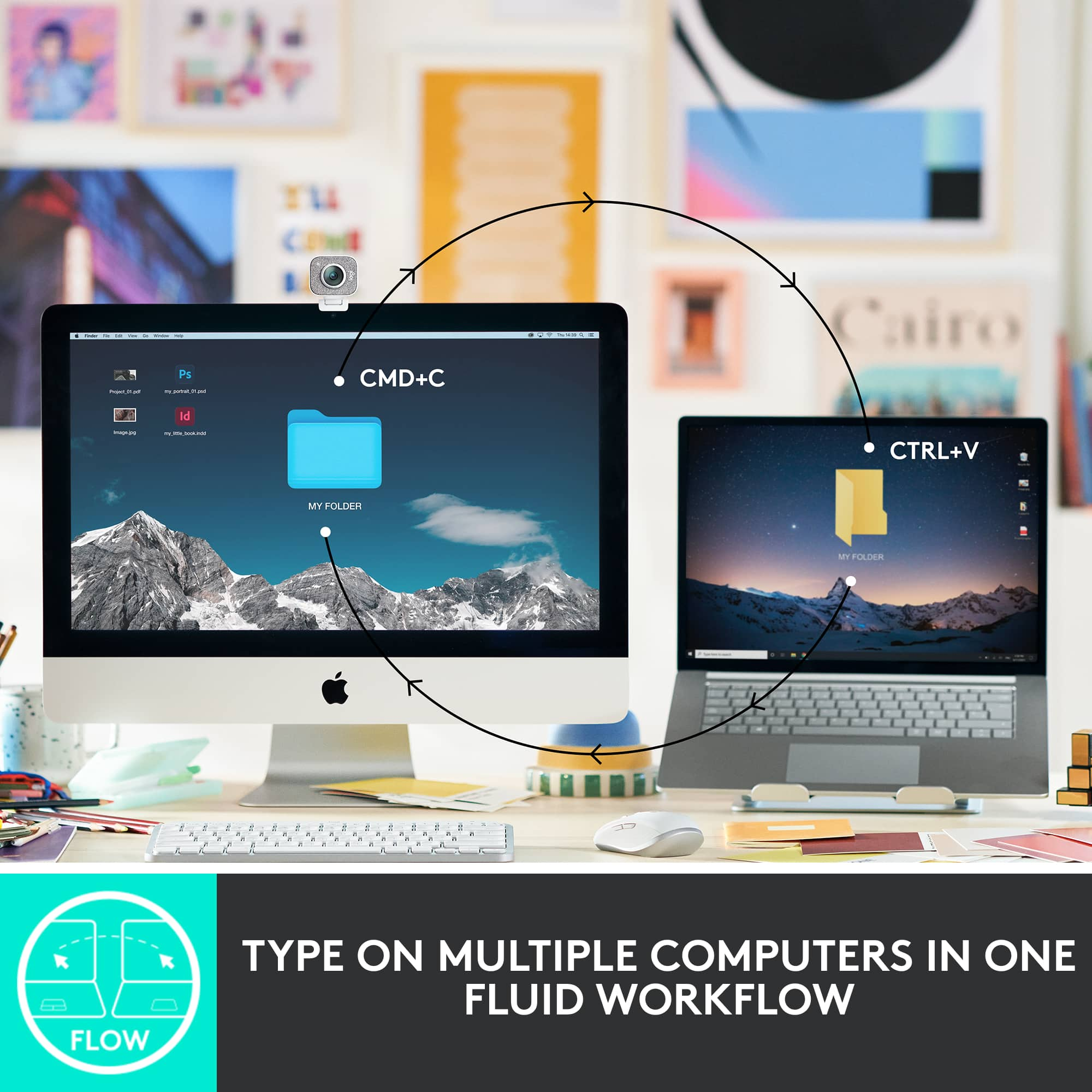
|Posted .This reviewer received promo considerations or sweepstakes entry for writing a review.I absolutely love this keyboard. In my office I have multiple computers. With my previous set up, I had to manually switch my keyboard and mouse dongles from one computer to another. With the MX mini keyboard, I no longer have to do that. I was able to pair 3 computers and easily switch between the computers by pressing and holding one of the F-keys for a few seconds. Everytime I switched computers, the keyboard connected in seconds and definitely improved my workflow. I loved it so much that I went out and purchased a matching Logitech MX2 mouse, which has similar features. Overall, I highly recommend this keyboard especially if you also perform work on multiple computers. You won't be disappointed.
This review is from Logitech - MX Keys Mini TKL Wireless Bluetooth Scissor Keyboard with Backlit Keys - Black
I would recommend this to a friendRated 4 out of 5 stars
Perfect tiny keyboard
|Posted .This reviewer received promo considerations or sweepstakes entry for writing a review.I am so glad I got this little gem. I recently got a new laptop and was was having a hard time typing since it has a 10 key on the side. Which makes all the letters not quite centered as I am used to. So when I saw this keyboard ( I have many from this brand) I knew I needed to get it. I am so happy I did. 1. keys are lit and are easy to see in low light and normal light 2. rechargeable and lasts a long time per charge 3. special keys for extra fun. Like Emoji and voice dictation (uses on board mic) 4. light and compact 5. all keys are nicely spaced and have a great travel so I can feel like I am typing not just poking. 6. software lets you customize to your liking and style. 7. media keys work perfect and are located in easy to reach spots for quick volume and mute control. There is nothing negative that I can say about this keyboard. I would recommend to anyone that needs a bluetooth (no dongle) keyboard with backlit keys.
This review is from Logitech - MX Keys Mini TKL Wireless Bluetooth Scissor Keyboard with Backlit Keys - Black
I would recommend this to a friendRated 5 out of 5 stars
Simply the best non-mechanical keyboard I've used
|Posted .This reviewer received promo considerations or sweepstakes entry for writing a review.The MX Keys Mini is an AWESOME keyboard. Since receiving my review sample, I've used it for two work from home days and then decided to bring it to my office to be my permanent office keyboard (since I can't use MX Blues at the office). I definitely prefer mechanical keyboards over membrane for actual typing speed and comfort, but in situations where you can't have a mechanical keyboard due to noise, the MX Keys has a really great, consistent feel to the keypresses that is easily the best I've used. It also has some extra features that increase it's usefulness significantly. Out of the box, first thing I noticed is that the keyboard does not include a unifying dongle - this is designed to pair using Bluetooth LE and it does so quite easily with multiple windows laptops and a chromebook - every device that I have tested so far. The keyboard includes the ability to easily switch between multiple devices, with three keys dedicated to this on the Fx row. This is a unique feature that I have not seen on a Bluetooth based keyboard before, and it works well. In my job I often have to switch between computers, and without a dongle I was worried the MX Keys Mini might be unusable since I couldn't switch through my KVM. Turns out it's just an extra keypress, but very easy. The MX Keys Mini DOES support a dongle, a new security-enhanced one from Logitech called Bolt that doesn't seem to be readily available yet. When paired with certain other Ergo and MX Master devices you can use the dongle for a single, stronger security connection than traditional BTLE or Unifying can handle. Build quality of the MX Keys is awesome - it's truly an impressive product in your hands. It does not have adjustable lifting feet in the back and it set at a slight incline by design. I typically raise my keyboards to max height in the rear and I did not find the angle of the MX Keys to be difficult to adjust to, so it seems to be a good middle ground. Where this comes in handy is slipping the keyboard into your bag - you no longer have to worry about a leg catching something and breaking off, permanently banishing you to the flat keyboard shadow realm. Probably the coolest visual feature of the MX Keys Mini is that it seems to use the chassis of the keyboard as a capacitance detector for the backlighting - it lights up as soon as you touch the keyboard, rather than requiring that you press a key to 'wake up.' This has come in really handy working from home in a dimly lit room. It's a really nice touch that I hope finds its way to Logitech gaming keyboards in the future. Overall this is a great keyboard and will be making my list for recommendations to coworkers and friends who are looking to upgrade without going to a noisy mechanical keyboard.
This review is from Logitech - MX Keys Mini TKL Wireless Bluetooth Scissor Keyboard with Backlit Keys - Black
I would recommend this to a friendRated 5 out of 5 stars
Great for travel and multimedia keyboard.
|Posted .This reviewer received promo considerations or sweepstakes entry for writing a review.Logitech always make keyboards for different type of lifestyles. I always appreciate these low minimalist keyboards that can work extremely well with all types of media devices. MX is really well constructed with no flex or creaking when applying force to each side, first impressions are really good. Keystrokes and travel are nice when using the actual keyboard. My fingertips love touching the keys on this board. It’s also very responsive with no delay between connections. This one is made to be ergonomic with shoulders that keeps the mouse closer to the keyboard without your arm extending far. It feels nice to use a wireless mouse along side of it. Fun part about this keyboard is that it automatically adjust the backlit keyboard. I love this feature because it’s dynamic turns on when you are using the keyboard. Setup was easy. Just connect the keyboard though Bluetooth. No need for a USB dongle to lose. I’ve mostly used the device on Windows but also used the MX on Android and iOS. It streamlines your workflow on mobile devices I believe the most. You can pair it with up to three devices. There are other keys like Smart Dictation, Mute/Unmute, and Emoji keys. These all work flawlessly on mobile devices and it’s great they added them on here. Design is nice with no whims here, it’s small, light, and comfortable to use. Quickly you can place it around a desk or move it for travel. I like this keyboard. I am a mobile user and always on the go. Using this in a hotel room and typing reviews on iOS was a breeze. It’s as minimalistic keyboard that does the job with a strong connection. Another win for Logitech and one that’s perfect for my uses. No issues here.
This review is from Logitech - MX Keys Mini TKL Wireless Bluetooth Scissor Keyboard with Backlit Keys - Black
I would recommend this to a friendRated 4 out of 5 stars
Nice little mobile keyboard
|Posted .This reviewer received promo considerations or sweepstakes entry for writing a review.This keyboard came at just about the perfect time. I already have the original MX Keys keyboard and like it fine but don't use it a ton lately. I was going to start using it again as a keyboard for my AppleTV while I stream games to it via SteamLink. It works great but since it's going to be stashed near the TV in the living room I'm really happy this is basically the same keyboard in a smaller package (minus the numpad). Setup is simple. It connects via bluetooth and you have three different connection options making it also great for using the same keyboard for multiple computers. So I can use this keyboard on all 3 of my AppleTVs and switch between them with a keypress. The keys feel pretty good. They're scissor style keys. I didn't have any problems adjusting to typing on it while my main computer has a very sensitive mechanical keyboard with MX Cherry Silver Speed keys. I don't know if I'll want to type on it for huge things but for some gaming so I can play some games that really need a keyboard and mouse on the couch, it feels pretty good. The construction of the whole keyboard also feels really good. It's not super light for the size. It's got some weight to it which I like. It's not a lot but it's more than I thought when I first looked at the keyboard. Overall, it's a keyboard. It connects to 3 separate devices and it works well. If you need a small keyboard you can take with you to various devices then this one might be the one for you.
This review is from Logitech - MX Keys Mini TKL Wireless Bluetooth Scissor Keyboard with Backlit Keys - Black
I would recommend this to a friendRated 5 out of 5 stars
Great Keyboard!
Posted .This reviewer received promo considerations or sweepstakes entry for writing a review.I had been using a Mini Apple Magic Keyboard for years but was frustrated because it did not light up. This is a great keyboard, I love that I can switch between my work and personal Macs with the quick switch buttons. Only issue is that the control key and fn key on the left side are switched from my Macbooks, so, its easy to mix those keys up a lot and I haven't been able to find a way to switch them yet (though there are other ways to switch other keys).
This review is from Logitech - MX Keys Mini TKL Wireless Bluetooth Scissor Keyboard with Backlit Keys - Pale Gray
I would recommend this to a friendBrand response from Logitech
Posted .Hello, Thanks for the detailed feedback on the MX Keys Mini TKL! We appreciate you switching from an Apple Magic Keyboard and finding the MX Keys Mini a great fit, especially with the multi-device switching and backlighting.
Rated 5 out of 5 stars
FINALLY A BACKLIT KEYBOARD FOR 3 DEVICES!!!
Posted .This reviewer received promo considerations or sweepstakes entry for writing a review.This keyboard is what I've been asking Logitech - a keyboard that can be used by all 3 devices - my computer, my iphone and my ipad!! But FINALLY LOGITECH MADE THE BACKLIT KEYBOARD FOR ALL 3 DEVICES!!! It is the same size as the regular Logitech keyboard but just the number pad isn't there. So all in this mini keyboard that backlit is just not having the keyboard - but the spacing of the keys are the same to me. So I can still type like a wiz! It was driving me crazy with the 3 device Logitech that did not backlit since I tend to watch TV while I do my work - and like it dim while I'm typing - but sometimes have to see the keys! Thank you Logitech for listening to my comments!
This review is from Logitech - MX Keys Mini TKL Wireless Bluetooth Scissor Keyboard with Backlit Keys - Black
I would recommend this to a friendRated 5 out of 5 stars
The greatest thing
Posted .This reviewer received promo considerations or sweepstakes entry for writing a review.Nice tiny and the light it's the great thing i like
This review is from Logitech - MX Keys Mini TKL Wireless Bluetooth Scissor Keyboard with Backlit Keys - Black
I would recommend this to a friendBrand response from Logitech
Posted .Thanks so much for sharing your thoughts! We're thrilled to hear you're enjoying the compact design and backlighting—it really does make a difference. Glad it’s hitting the mark for you. Happy typing!
Rated 5 out of 5 stars
MX Keys Mini
Posted .This reviewer received promo considerations or sweepstakes entry for writing a review.Logitech MX keys great typing board with backlit keys.
This review is from Logitech - MX Keys Mini TKL Wireless Bluetooth Scissor Keyboard with Backlit Keys - Rose
I would recommend this to a friendRated 5 out of 5 stars
Keyboard
Posted .This reviewer received promo considerations or sweepstakes entry for writing a review.Perfect fit smaller size, works great and it is wireless.
This review is from Logitech - MX Keys Mini TKL Wireless Bluetooth Scissor Keyboard with Backlit Keys - Black
I would recommend this to a friend
![The text on the image is a list of keys on a keyboard. Here is the corrected and grouped text:
1. Esc
2. F1
3. F2
4. F3
5. F4
6. F5
7. F6
8. F7
9. F8
10. F9
11. F10
12. F11
13. F12
14. Ins
15. Del
16. ~
17. !
18. 1
19. @
20. 2
21. #
22. 3
23. $
24. %
25. ^
26. &
27. 7
28. *
29. 8
30. (
31. )
32. 0
33. -
34. +
35. =
36. backspace
37. tab
38. Q
39. W
40. E
41. R
42. T
43. Y
44. U
45. I
46. O
47. P
48. {
49. [
50. ]
51. caps lock
52. S
53. D
54. F
55. G
56. H
57. J
58. -
59. K
60. L
61. :
62. ;
63. "
64. J
65. enter
66. shift
67. Z
68. X
69. V
70. B
71. N
72. M
73. ,
74. >
75. ?
76. /
77. shift
78. ctrl
79. fn
80. start
81. opt
82. H
83. alt
84. cmd
85. H
86. alt
87. cmd
88. ctrl
89. opt](https://pisces.bbystatic.com/image2/BestBuy_US/images/products/6478/6478159_sd.jpg;maxHeight=54;maxWidth=54;format=webp)


![1. logi
2. esc 1 2 3 4 5 6 7 8 9 0 - = backspace
3. tab Q W E R T Y U I O P [ ] \
4. caps lock A S D F G H J K L ; ' enter
5. shift Z X C V B N M , . / shift
6. ctrl fn opt alt cmd
7. MULTI-DEVICE, MULTI-OS](https://pisces.bbystatic.com/image2/BestBuy_US/images/products/e563c254-4b09-453f-a596-db8b270b59a9.jpg;maxHeight=54;maxWidth=54;format=webp)
![USB-C QUICK CHARGING
F9 F10 F11 F12 ins del
( 9 ) 0 - + = backspace O P { [ } ] \](https://pisces.bbystatic.com/image2/BestBuy_US/images/products/4ba47143-9573-4c40-9018-df94b6892919.jpg;maxHeight=54;maxWidth=54;format=webp)

![IN THE BOX
logi
esc 1 2 3 4 5 6 7 8 9 0 - = backspace tab Q W E R T Y U I O P [ ] \ caps lock A S D F G H J K L ; ' enter shift Z X C V B N M , . / shift ctrl fn opt alt cmd
Responsible Packaging FSC™ FSC® N003028](https://pisces.bbystatic.com/image2/BestBuy_US/images/products/6177db92-9bf5-4933-9264-5b70b886f806.jpg;maxHeight=54;maxWidth=54;format=webp)