Customer Ratings & Reviews
![logi esc to 1 F1 2 F2 3 F3 F4 F5 F6 F7 F8 x F9 NI F10 x F11 F12 Ins del ~ ! 1 @ 2 # 3 $ 4 % 5 ^ 6 & 7 * 8 ( 9 ) 0 - + = backspace tab Q W E R T Y U | O P { [ } ] caps lock A S D F G H J - K L : ; " " J enter shift Z X V B N M V , > ? / shift ctrl fn start opt H alt cmd H alt cmd ctrl opt](https://pisces.bbystatic.com/image2/BestBuy_US/images/products/6478/6478159_sd.jpg)


![1. logi
2. esc 1 2 3 4 5 6 7 8 9 0 - = backspace
3. tab Q W E R T Y U I O P [ ] \
4. caps lock A S D F G H J K L ; ' enter
5. shift Z X C V B N M , . / shift
6. ctrl fn opt alt cmd
7. MULTI-DEVICE, MULTI-OS](https://pisces.bbystatic.com/image2/BestBuy_US/images/products/e563c254-4b09-453f-a596-db8b270b59a9.jpg)
![USB-C QUICK CHARGING
F9 F10 F11 F12 ins del
( 9 ) 0 - + = backspace O P { [ } ] \](https://pisces.bbystatic.com/image2/BestBuy_US/images/products/4ba47143-9573-4c40-9018-df94b6892919.jpg)

![IN THE BOX
logi
esc 1 2 3 4 5 6 7 8 9 0 - = backspace tab Q W E R T Y U I O P [ ] \ caps lock A S D F G H J K L ; ' enter shift Z X C V B N M , . / shift ctrl fn opt alt cmd
Responsible Packaging FSC™ FSC® N003028](https://pisces.bbystatic.com/image2/BestBuy_US/images/products/6177db92-9bf5-4933-9264-5b70b886f806.jpg)
- Model:
- 920-010474
- SKU:
- 6478159
Rating by feature
- Value
Rating 4.5 out of 5 stars
- Quality
Rating 4.8 out of 5 stars
- Ease of Use
Rating 4.7 out of 5 stars
to a friend
Customers are saying
Customers admire the product's excellent keyboard quality, which is particularly easy to use at night, along with its long battery life, incredible ease of use, and compact size. They also appreciate its connectivity via Bluetooth and the satisfying scissor key feel. On the other hand, some customers found the product to be pricey and wished it included a side number pad. A few users also reported compatibility issues.
This summary was generated by AI based on customer reviews.

Wonderful typing feel and features
|Posted .This reviewer received promo considerations or sweepstakes entry for writing a review.Review for Logitech - MX Keys S for Mac Advanced Full-size Wireless Scissor Keyboard with Backlit keys. I’ve been looking for a new extended keyboard for my Mac because I want to use the numeric keyboard instead of the number keys along the top of my current, smaller keyboard. I found just what i was looking for in the Logitech - MX Keys S for Mac Advanced Full-size Keyboard. The look is very Mac-like with colors and textures that match my MacBook, but even better, the keys on the keyboard are the perfect blend of form and function. They have a very nice, quiet feel when I’m typing, without the clicky-clacky response often found on third-party products. I’ve always been a fan of almost anything that Logitech makes; they pay attention to the smallest of details and produce quality, long-lasting products. I like this keyboard for several reasons. Most of all, as I mention, is the feel when typing, but it also allows me to use it with up to three devices. I can use it with the MacBook in our house or either iPad. Once I set up the Bluetooth connection for the device, which is fast and simple, the devices recognize the keyboard easily after that. Finally, the backlighting feature is just about as perfect as you could hope for. In low lighting, the keys light up as I move my hands over it. The light level also adjusts automatically to the current light conditions. The keyboard uses Low Energy Bluetooth tech which means the keyboard runs for a long time without recharging. It also comes with a C-to-C charging cable that plugs right into my MacBook.
I would recommend this to a friendBrand response from Logitech
Posted .Hi there! Thanks for sharing your detailed review of the MX Keys S for Mac! It's great to hear that you found the perfect extended keyboard for your needs. We appreciate you highlighting the quiet typing feel, multi-device compatibility, and convenient backlighting with auto-dimming features. Your feedback helps others understand the benefits of the MX Keys S for Mac!
logitech service
||Posted . Owned for 2 months when reviewed.This reviewer received promo considerations or sweepstakes entry for writing a review.best buy did try to help, but the customer service from logitech was very bad. I tried on three different days and still couldn't get it pair with my computer. This is the last logitech I will ever buy from logitech./
No, I would not recommend this to a friendBrand response from Logitech
Posted .Thank you for sharing your experience. We're sorry to hear about the challenges you've faced with your MX Keys Mini TKL. We appreciate your feedback and regret any inconvenience caused. To address this issue, we recommend reaching out to our social care team via email at socialcare@logitech.com with your
- Name:
- Email Address:
- Country:
- Product Name:
- Brief description of issue:
Awful Backlighting. Junk
||Posted . Owned for 7 months when reviewed.This reviewer received promo considerations or sweepstakes entry for writing a review.Replaced my K810 I've been using for years which I loved but wanted to upgrade all my tech to USB-C. The backlighting on this is awful. In the dark, sometimes you have to hit several keys before the lights turn on. I can pick it up and shake it before the lights come on sometimes. Sometimes the lights come on for only a second then go back off so you have to screw around with it till the lights stay on. Makes it feel like a piece of junk.
No, I would not recommend this to a friendBrand response from Logitech
Posted .Hello Evel,
I am sorry to hear you are having an issue using your MX Keys Mini as intended. I suggest you download the Logitech Options+ software to customize the keyboard features. From there, you can set the time it takes to go dormant and other settings. Logitech appreciates your product review. - Leo from Logitech
MX Keys S makes real magic out of a Mac Keyboard
|Posted .This reviewer received promo considerations or sweepstakes entry for writing a review.The Logitech - MX Keys S for Mac Advanced Full-sized keyboard is another win for Logitech in the secondary market for accessories. This OEM rival provides all the exact specifications needed from the original keyboard, but does it better. Clean, sleek, and precise, the MX Keys S for Mac feels good when typing will less misses similar to the flat keys on the OEM. Providing better tactile experience, your typing is more comfortable and precise. Boasting a solid build, this metal/plastic combination offers better weight and stability for your keyboard that won't run away from you over time and stays put due to its grips. I found this aftermarket keyboard to be a better fit for me than the Magic keyboard. I alway found the OEM to be flat and I often found myself making simple typing mistakes due to its flat profile. This MX Keys S by Logitech gives me the same keyboard layout I need, but masterfully does it better the the OEM by providing more tactile responsiveness and remains appealing to the Apple branding of my computer desk. PROS - Logitech brand, quality, and design - Perfectly matches the Mac keyboard environment - Solidly built and feels good for extended period of typing - Charges quick and lasts a long time between charges (rivals the OEM) - Wireless or wired connectivity, seamless integration with iOS - Coloring and design complements other Apple products and design CONS - None at this time.
I would recommend this to a friendBrand response from Logitech
Posted .Thanks for the detailed review of the Logitech MX Keys S for Mac! It sounds like you find it to be a superior alternative to the Apple Magic Keyboard, especially in terms of typing comfort and feel. We appreciate you highlighting the solid build quality, long battery life, and seamless integration with iOS devices.
Only OK.
||Posted . Owned for 10 months when reviewed.This reviewer received promo considerations or sweepstakes entry for writing a review.Product worked Ok, but nothing special. Some connectivity problems.
No, I would not recommend this to a friendFell short of expectations.
||Posted . Owned for 1 month when reviewed.This reviewer received promo considerations or sweepstakes entry for writing a review.I dislike the fact that I have to pair the keyboard every-time I reboot the machine or try to change from my MAC to my Windows machine. The mac keyboard I have is bluetooth too but does not require pairing after a reboot. I think this is a serious flaw. Logitech has to fix it. Once paired, its a joy using the keyboard thought.
No, I would not recommend this to a friendOk keyboard
||Posted . Owned for 3 weeks when reviewed.This reviewer received promo considerations or sweepstakes entry for writing a review.it's a bit small and heavy however does the job...
No, I would not recommend this to a friendBack lit function stopped working less than 2 week
||Posted . Owned for 2 weeks when reviewed.This reviewer received promo considerations or sweepstakes entry for writing a review.Placed online order on June 16th 2024. Keyboard was delivered on June 26th. The back lit function stopped working a week after that and the return period ended on July 3rd - less than 2 weeks after the receipt of the keyboard! What a waste of money!!! I chose this keyboard for its back lit function.
No, I would not recommend this to a friendBrand response from Logitech
Posted .Hi! We're incredibly sorry to hear that the backlight on your MX Keys Mini TKL stopped working within two weeks, especially since the backlit function was a key factor in your decision. To get that issue resolved, we recommend reaching out to our social care team via email at socialcare@logitech.com with your
- Name:
- Email Address:
- Country:
- Product Name:
- Brief description of issue:
Can’t see the keyboard with lights on(white keyb)
||Posted . Owned for 1 month when reviewed.This reviewer received promo considerations or sweepstakes entry for writing a review.Great product but the white color with the backlight makes the keys impossible to see. I can type with out looking most of the time but if you get to a special character or code I find my self rolling my eyes trying to find a simple key. Finding my self turning off the backlight completely off to be able to see or you have to shut the light. One star because it’s something that should have never left production. “Apple like keyboard” apple have a black keys with back light and desktop Mac keyboard are not backlight enable.
No, I would not recommend this to a friendBrand response from Logitech
Posted .Hello, Jack! I'm sorry to hear about your experience with the MX Keys Mini. Thank you so much for the feedback on the back lighting with the transparent keys! I will be passing this along. - Maggie from Logitech
Best keyboard
||Posted . Owned for 2 weeks when reviewed.This reviewer received promo considerations or sweepstakes entry for writing a review.This keyboard is perfect. Helps you type more efficiently and faster. The smart backlight really helps also. Perfect for at home and travel
I would recommend this to a friendA Mighty Mini Keyboard!
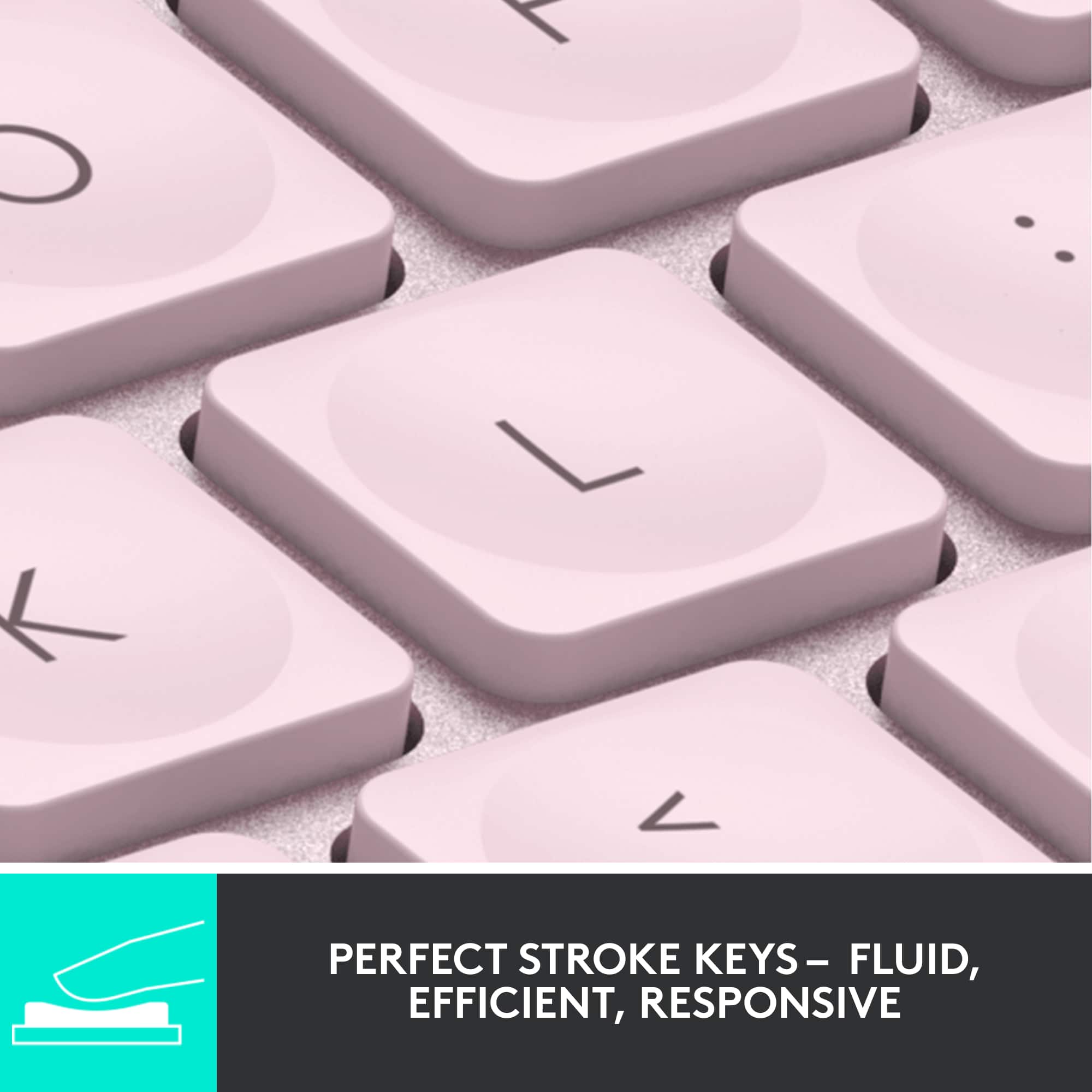
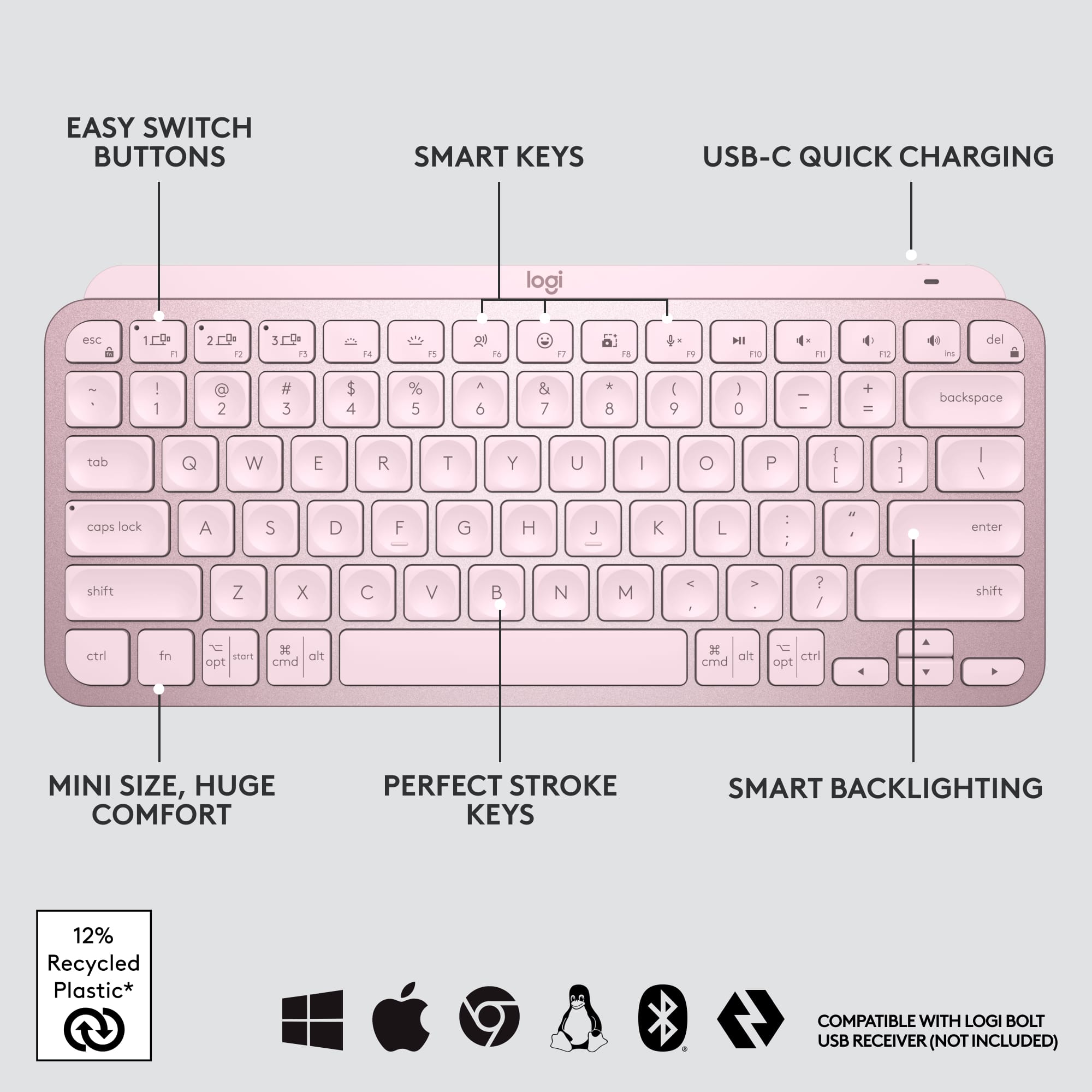
|Posted .This reviewer received promo considerations or sweepstakes entry for writing a review.This keyboard is a perfect size to use with tablets, smartphones, or as a secondary keyboard with laptops or desktops. I like using it with my iPad Pro 12.9 inch (5th Generation 2021) tablet and my iPad mini (6th Generation 2021) tablet as well. It also paired flawlessly with my iPhone 12 Pro Max, my husband's iPad (8th Generation), and his Samsung laptop, and my daughter's Dell Inspiron laptop. I like using it with my iPads because I tend to take my iPads on the go or around the house, and this keyboard is light--I also have the folio-style Magic Keyboard for my 12.9 inch iPad Pro and while I like using it, it's pretty hefty and gets heavy fast. This keyboard is so light, doesn't take up a lot of room, yet packs a punch! I like the backlit keyboard and how it turns off to save energy when you're not using it, but turns on automatically once it senses your hands approaching above it. I love the dish-shaped individual keys; they are very ergonomic and pleasant to type on--not too loud but still has the satisfying clicking sounds while typing. There are many additional features that really make this keyboard stand out--good functional keys for volume control, brightness control, seamlessly switching between up to three different paired devices. It charges up via a USB-C connection (with a rechargeable battery)--the cable is a USB-C to USB-A connection that is included; you'll need a USB-A type power adapter (it's not included) in order to charge the keyboard periodically. I have the MX Keys for Mac by Logitech that's practically a twin of this keyboard (it's just bigger, with a numeric keypad) and the battery lasts for a long, long time between charges. I charge it up maybe twice a year, and that's with the backlight on! This version is also compatible with pretty much all devices--Apple, Google Chrome, Windows. It pairs via Bluetooth, but doesn't drain the device it is paired to. All in all, highly recommended!
I would recommend this to a friendBrand response from Logitech
Posted .Hi kltmom, we're glad to see you're loving the premium productivity features of your ultra portable MX Keys Mini Bluetooth Keyboard! This is one keyboard that can do a lot in a small form factor. Continue to enjoy and thank you for your feedback! -N from Logitech
Problems
||Posted . Owned for less than 1 week when reviewed.This reviewer received promo considerations or sweepstakes entry for writing a review.I can't get this keyboard to work with it sister mouse no matter what I do it drops the keyboard it drops the mouse that won't pair they won't stay connected
No, I would not recommend this to a friendBrand response from Logitech
Posted .That's unfortunate! In order to help you effectively, please provide your information to our support team by emailing socialcare@logitech.com. Name – Email address – Country – Product name – Brief description of the issue –
Returning
||Posted .This reviewer received promo considerations or sweepstakes entry for writing a review.This is a product design fail. I have a Mx anywhere 3 mouse and bought this keyboard to use with it. The mouses uses the unifying receiver and the keyboard uses the new bolt receiver so they arent usable with logitech flow together. I will be returning the keyboard tomorrow and wish i could return the mouse that ive had about a year already due to them not working together as intended with flow. Pretty disappointed
No, I would not recommend this to a friendBrand response from Logitech
Posted .Hi Brad, thank you for sharing your experience with the MX Keys Mini. MX Keys Mini is Logitech Flow capable using its Bluetooth connection. If you are using a computer that does not offer Bluetooth this would obviously prevent connectivity. I'm sorry that the new MX Keys Mini is not Unifying receiver capable. It does work Logitech's new Bolt receiver that is designed to be a better connection. The Receiver can be purchased on Logitech.com and using Logitech options you can pair the Bolt Receiver with the MX Keys Mini. I hope this helps to allow you to use the device. If you need additional information about MX Keys Mini and Flow please visit: https://www.logitech.com/en-us/products/keyboards/mx-keys-mini.920-010473.html Thank you for being a Logitech customer. Kristi from Logitech
Bluetooth Error
||Posted . Owned for 3 weeks when reviewed.This reviewer received promo considerations or sweepstakes entry for writing a review.It’s a great wireless keyboard but sometimes connecting it to various devices is difficult and the buttons don’t change easily. Soo for the price I feel like it should function better.
No, I would not recommend this to a friendWorks great until it doesn't
||Posted . Owned for 3 months when reviewed.This reviewer received promo considerations or sweepstakes entry for writing a review.Like others have said - works great for a couple of months and then the volume down button on my Macbook Pro stops working (reset it) Then it stops connecting to my PC. I love the keyboard when it works. This is my third one and the last.
No, I would not recommend this to a friendBrand response from Logitech
Posted .Hey! We sincerely apologize for your repeated experience with the MX Keys Mini TKL malfunctioning after a few months. We understand your frustration, especially since this is your third keyboard. We value your feedback and take quality concerns seriously. In order to help you effectively, please provide your information to our support team via email at socialcare@logitech.com with your
- Name:
- Email Address:
- Country:
- Product Name:
- Brief description of issue:
Almost the best keyboard for most users.
|Posted .This reviewer received promo considerations or sweepstakes entry for writing a review.I love this keyboard for all my Apple needs or even for my PC needs but the only negative was that they don't come with a USB dongle. I get it that they are sold for Apple products which I give it an easy 99 out of 100 scale. The build quality is great. I like the feel of the keys and the lighting. They keys feel very natural and has become my go to keyboard for all my devices. The software lets me control the time out on the keys. The battery life is really good and it comes with a basic cable to charge the keyboard. I like the fact that I can tell it how to define the function keys, it is flexible for lots of different users. I know from personal usage that this keyboard is pretty good for casual or the regular gamer. I especially like that I can use this keyboard for work and it never feels uncomfortable. I have big fingers and it is still very comfortable. I would highly recommend this keyboard for all users and all uses unless you need the secure bold dongle then it will not work.
I would recommend this to a friendBrand response from Logitech
Posted .Hey! Thanks for the detailed review of the MX Keys S for Mac! We really appreciate you highlighting its strengths like the build quality, key feel, lighting, customizability, and comfort for extended use. It's valuable feedback to know that the lack of a USB dongle is the only downside for you. We'll definitely consider this feedback for future product iterations.
Perfect Keyboard for Multiple Apple Devices
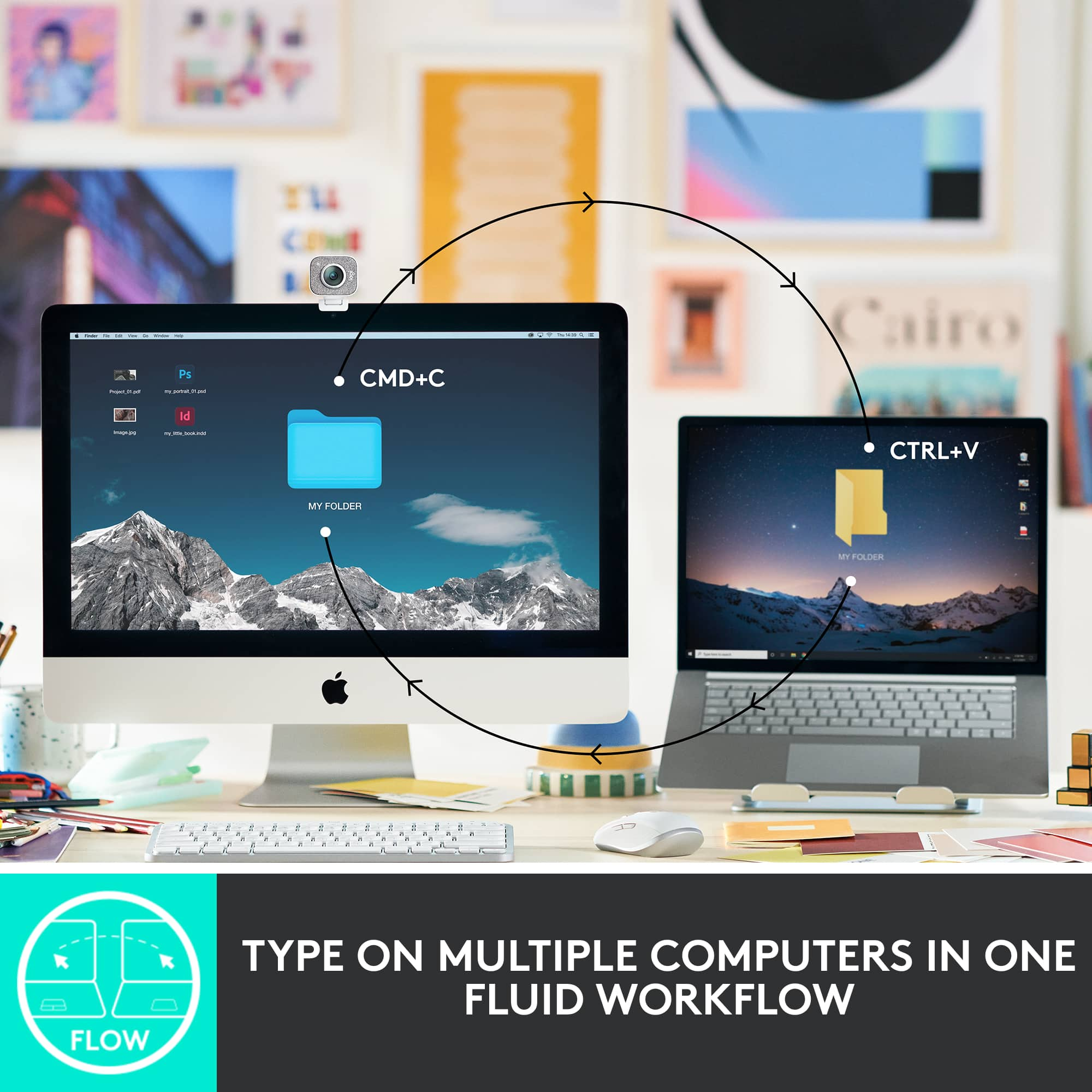
|Posted .This reviewer received promo considerations or sweepstakes entry for writing a review.I love this keyboard! Honestly, there are no flaws that I've encountered. For me, the ability to connect to different computers is a major plus (I have a MX mouse as well that can do the same). With the push of a button, the ability to switch between my Mac Mini, MacBook Air, or even my iPad Air is really slick. I have all 3 connected via Bluetooth as well so no need to use a USB dongle. Typing and responsiveness of the keys is accurate and comfortable. Solid feeling keyboard, sturdy, and sleek. Holds a really good charge as well (10-14 days for my use) and can easily use and re-charge with a USB-C cable. Highly recommended for any user, and definitely if you want to easily toggle between multiple computers, laptops, or even an iPad.
I would recommend this to a friendBrand response from Logitech
Posted .Hello! Thanks for your fantastic review of the MX Keys S for Mac! It sounds like it perfectly fits your needs, especially with the ease of switching between multiple Apple devices. We appreciate you highlighting the comfortable typing experience, long battery life, and overall convenience.
Horrible connection issues
||Posted . Owned for 2 months when reviewed.This reviewer received promo considerations or sweepstakes entry for writing a review.I'd give this a higher rating if it weren't for the terrible signal on the latest macOS Ventura. My laptop is literally right next to the keyboard and it constantly falls asleep and fails to wake and suffers from lag and stuttering issues. I can't even connect it via cable because it doesn't support that.
No, I would not recommend this to a friendBrand response from Logitech
Posted .Apologize about the experience and it's surely not what we expect to deliver. We understand your displeasure and we will forward it along to the right team so they can look into it. Thanks for bringing this to our attention.
wish it supported connected to legacy adapter
||Posted . Owned for 1 month when reviewed.This reviewer received promo considerations or sweepstakes entry for writing a review.keys are fine, but it wasn't clear at all that this only connects by Bluetooth and Bolt, not the legacy Logitech unifying adapter. My mouse uses the old adapter and I don't want to have to plug two in
No, I would not recommend this to a friendBrand response from Logitech
Posted .Hello robg,
I am sorry that the MX Key Mini does not work as you expected. I will record your product insight and pass it along. Logitech appreciates your product review. - Leo from Logitech
Aesthetically Pleasing & Superb Usability
|Posted .This reviewer received promo considerations or sweepstakes entry for writing a review.External Keyboards are nearly a must nowadays with how much added benefit they provide versus stock keyboards. Logitech has always been at the top of the mountain when it comes to computer peripherals and that is no different here as they have packed nearly everything you could ask for in this keyboard. First, right when unboxing this keyboard it has that premium feel to it that matches that of an Apple product. The form factor of the keyboard is perfect as it fits the traditional Apple key layout. As the keyboard is Bluetooth, getting it connected is a breeze and you are up and running in under a minute. Upon getting it connected the performance here hits every mark. The first thing I noticed were the dished keys which were a little different for me, but I absolutely think they are perfect as they fit my fingertips perfectly when typing and the typing process was just extremely fluid. The overall comfort when typing was perfect as though the keyboard has a low profile the angle of the keyboard felt very natural. There are a couple features I do have to highlight with the biggest one for me being the backlit keys. This is not simply the fact that yea the keyboard is backlit, but the great feature here is that the keyboard senses when your hands approach and then light up. Additionally, there is also a sensor that adapts to the lighting in your room to determine the necessary brightness for the keys. Another item I have to mention are both the ability to easily toggle between up to three devices as I am used to this with a Logitech mouse, but the added feature to this keyboard is a nice addition. Then also the "Logi Options+" is a great feature as it not only allows you to customize your F row, but also can act like a macro where the click of a button can be mapped to perform a string of actions. For instance, I have one that I click right when I login to my computer each morning that brings up a variety of windows for me. Overall, yea it may just be a keyboard, but Logitech has thought of everything here and then some from the aesthetics to the performance and each little added nuance. Whether you may be concerned with the appearance of your keyboard or the ability to efficiently type and get your ideas down Logitech has ensured that this keyboard will meet those needs and for that reason I would definitely recommend this keyboard to anyone looking for that perfect keyboard to pair with their Mac device.
I would recommend this to a friendBrand response from Logitech
Posted .Hello there! Thank you for your insightful review of the MX Keys S for Mac! We are thrilled you find it aesthetically pleasing and appreciate the benefits it offers over a standard keyboard. We put a lot of thought into the design and features, from the premium feel to the backlit keys with smart illumination and multi-device connectivity. We're glad you find the Logitech Options+ software a valuable tool to customize your workflow. This comprehensive feedback will definitely help other users decide if the MX Keys S for Mac is the right fit for them.