Customer Ratings & Reviews
![F5 F4 F3 esc F2 F1 A $ % @ # 6 ! 4 5 ~ 3 1 2 R T W E Q tab F G S D - lock A caps V C X Z shift x command option control & F7 F6 * & 7 8 Y U H J B N logi MI PV FB ( ) 9 0 I O K L < M 100 200 300 P PA P F12 FM FIO page clear fn home up + delete - = - page 7 I end down I ] ] I P [ return : I ; A shift ? > / > control 3C option command Q F FS = I 8 9 4 5 - 1 2 0 PS * - 6 3 + enter](https://pisces.bbystatic.com/image2/BestBuy_US/images/products/6587/6587876_sd.jpg)
![Key layout for Mac:
1. 5: esc
2. 1: q
3. 2: w
4. 3: e
5. 4: r
6. 5: t
7. 6: y
8. 7: u
9. 8: i
10. 9: o
11. 0: p
12. -: j
13. =: k
14. @: l
15. [: ;
16. ]: ctrl
17. \: shift
18. |: option
19. : : control
20. j: cmd
21. i: fn
22. e: cmd
23. g: cmd
24. d: cmd
25. l: cmd
26. c: cmd
27. t: cmd
28. s: cmd
29. q: cmd
30. x: cmd
31. a: cmd
32. z: cmd
33. cmd: cmd
34. shift: shift
35. option: option
36. control: control
37. cmd: cmd
38. fn: fn
39. fast fluid precision typing: fast fluid precision typing](https://pisces.bbystatic.com/image2/BestBuy_US/images/products/668b36a6-74a2-4b65-9612-cd52dd54ba7a.png)




- Model:
- 920-011622
- SKU:
- 6587876
Rating by feature
- Value
Rating 4.5 out of 5 stars
- Quality
Rating 4.8 out of 5 stars
- Ease of Use
Rating 4.7 out of 5 stars
Customers are saying
Customers are satisfied with the product's excellent keyboard quality, long battery life, and ease of use. They also appreciate its compact size, reliable Bluetooth connectivity, and comfortable key feel. However, some customers find the product to be pricey and express a desire for a dedicated number pad. A few users also reported compatibility issues.
This summary was generated by AI based on customer reviews.
Good keyboard for Mac users
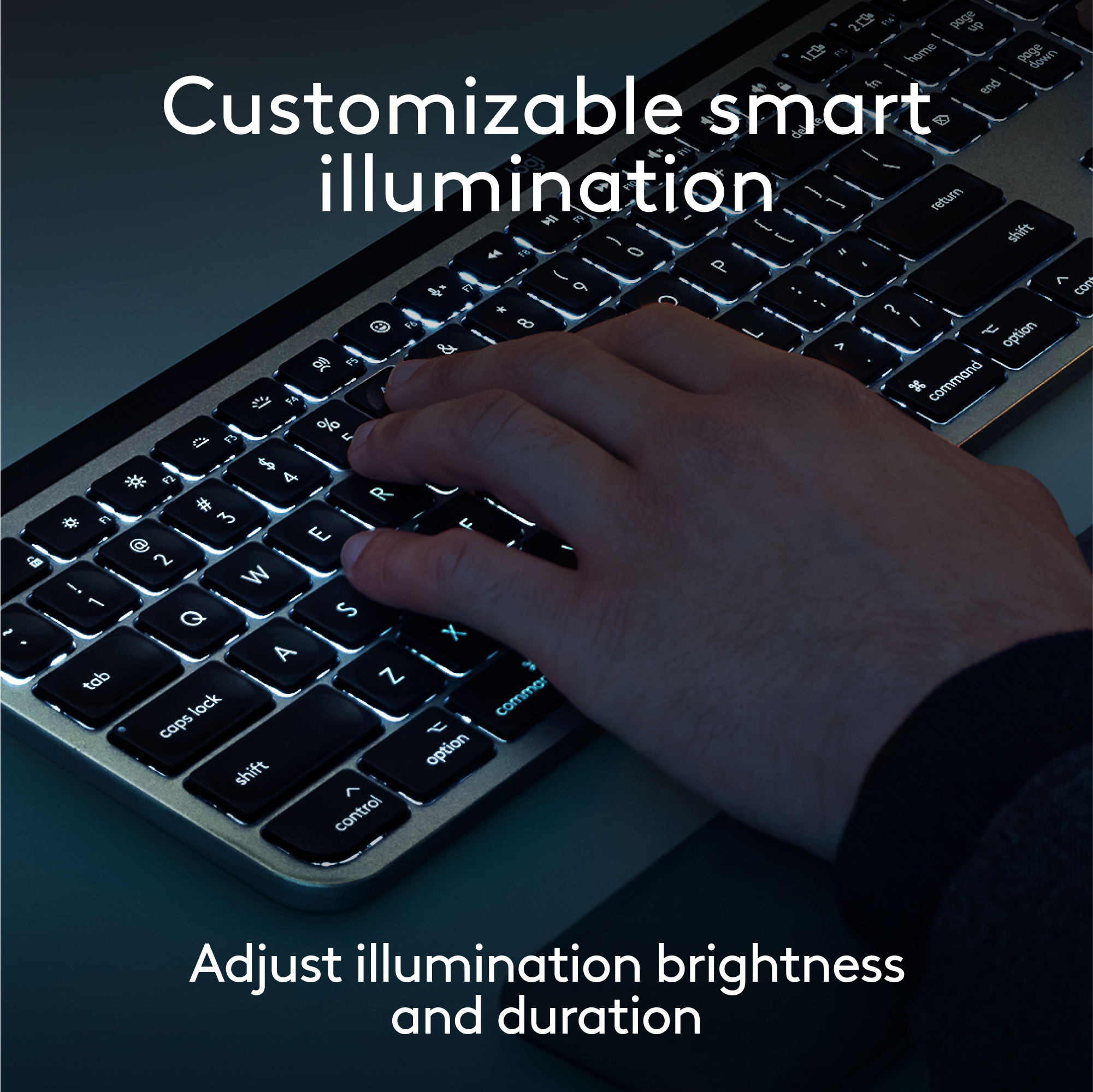
||Posted . Owned for 1 week when reviewed.This reviewer received promo considerations or sweepstakes entry for writing a review.Nice keyboard. Wish the backlight did not bleed so much and it had Touch ID and an aluminum construction like the Apple Magic Keyboard but this is a really nice alternative especially with the mx palm rest.everyone complaining about it not being for Mac is forgetting that this is just a Bluetooth keyboard. If you want to use it with your Mac desktop get the wireless receiver for no interruptions.
I would recommend this to a friendBrand response from Logitech
Posted .Thank you for your valuable feedback on the Logitech - MX Keys S. We appreciate your insights on the backlight bleeding and your preference for Touch ID and an aluminum construction. We're glad you find it a great alternative, especially with the MX Palm Rest.

- Pros mentioned:Ease of use, Keyboard quality
Sleek Design
||Posted . Owned for 1 week when reviewed.This reviewer received promo considerations or sweepstakes entry for writing a review.Great keyboard. Easy to connect and big enough that my hands don't feel cramped. Great for my minimalistic desk!
I would recommend this to a friendBrand response from Logitech
Posted .Thank you for your positive review of the Logitech MX Keys S for Mac keyboard! We're thrilled to hear that you appreciate its sleek design, ease of connection, and spacious layout. Your feedback is valuable to us as we continue to provide high-quality products that enhance your computing experience.
- Pros mentioned:Ease of use, Keyboard quality
Best All Around Keyboard
||Posted . Owned for 1 week when reviewed.This reviewer received promo considerations or sweepstakes entry for writing a review.I love this keyboard. The build quality is top tier. The ability to quickly switch between my MacBook and PC never fails to impress.
I would recommend this to a friendBrand response from Logitech
Posted .Hi there! We are thrilled you love the MX Keys S for Mac! It's built to last and its multi-device switching is a real time-saver for many users.
- Pros mentioned:Keyboard quality
Quality small profile external keyboard.
||Posted . Owned for 3 weeks when reviewed.This reviewer received promo considerations or sweepstakes entry for writing a review.A superb item. My 88 y/o Mom wanted a replacement for her old worn-out keyboard that did not take up as much room on her desk. The MX Keys Mini met the compact size requirement well while also hitting the mark on touch and weight/stability. The indentation on the keys just feels good to the touch and the keyboard as a whole is nicely weighted, providing a sense of stability on the desk. I noticed the feel and weight as I examined the store display model and was confident Mom would appreciate them as well. The keyboard lighting is an added bonus as Mom sometimes goes online very early in the a.m. darkness. She was most pleased seeing the keyboard light up when she touched it the morning after we brought it to her assisted living center. The price point is certainly above bargain keyboards, but we are well-satisfied with the value of the MX Keys Mini. We strongly recommend it to anyone needing a quality external keyboard with a small profile.
I would recommend this to a friend - Pros mentioned:Keyboard quality, Size
Great little keyboard
||Posted . Owned for 6 months when reviewed.This reviewer received promo considerations or sweepstakes entry for writing a review.Love the backlit keys small size and easy to connect and switch between device.
I would recommend this to a friendBrand response from Logitech
Posted .Thank you for the great review of the Logitech MX Keys Mini TKL! We're thrilled to hear you love the backlit keys, compact size, and easy device switching. We appreciate you taking the time to share your positive feedback.
- Pros mentioned:Battery life, Ease of use
Best keyboard
||Posted . Owned for 1.5 years when reviewed.This reviewer received promo considerations or sweepstakes entry for writing a review.- Favorite keyboard - Device switch lets you work on multiple devices, even between apple vs non-apple - Battery lasts long on single charge - Comfy typer
I would recommend this to a friendBrand response from Logitech
Posted .We're so glad to hear that the Logitech MX Keys Mini TKL wireless keyboard is your favorite! It's wonderful to know that you appreciate the multi-device compatibility, long battery life, and comfortable typing experience.
Your insights might be helpful for others who are considering purchasing a similar keyboard. Thanks again for taking the time to share your feedback.
- Pros mentioned:Battery life, Keyboard quality
Excellent Keyboard for Programming/gaming/typing
||Posted . Owned for 1 week when reviewed.This reviewer received promo considerations or sweepstakes entry for writing a review.I got this at the recommendation from a friend who uses this version at home and the larger version for work. Took some getting used to since I normally use a microsoft ergonomic keyboard, but it works well for programming. I don't have to constantly move my keyboard to use the mouse comfortably. I do have particularly big hands and I don't have any issues typing which was something else I was worried about. Battery lasts quite awhile. Its long enough that I forgot when I charged it last until it started flashing red. I don't turn it off at night and I use it a lot for both work and gaming. It would last longer if I just disabled the lights on it, but I quite like the subtly lighted keys when its used since I tend to work in the dark. Swapping between laptop and pc takes a second with the switch keys F1 to F3. I also have one assigned to my linux fedora 36 beta install and I've had no issues. I didn't reassign any keys so I have no feedback on that. I thought using the home/end/pgup/pgdown would take longer to get used to, but overall works seemless after using them. My only complaint so far isn't even the keyboard's fault. Works out of the box with bluetooth like any other bluetooth device, but that also means you can't use the keyboard until its at an OS login screen or to the desktop. So for fedora I need to login first, and for windows I can use it to actually login. I have my old keyboard connected for logging into fedora and for anything I need to access in BIOS or changing between dual boot systems. Once its in an OS, its fine. Again, this isn't the keyboards fault exactly. Its because it needs Bluetooth drivers to be loaded for the pc to make Bluetooth connections. Logitech does have its Bolt dongle which probably would fix this issue since it'll probably connect as a normal usb keyboard with that dongle. I just haven't bought it yet. That's another product and I'm just guessing how it would work, so that's not included in my scoring. The keyboard sold as is with its description and all works quite well. No complaints. Price is iffy at shy of 100$, but still, its very reliable, sturdy, feels good to type on without hurting my wrists. So I don't regret buying it. It's worth it to me. I do have a large 36" desk/mouse pad. I'm not sure to what extent that matters. Highly recommend if you need a TKL/mini keyboard. Side Note: For the purpose of testing for this review, I did connect this keyboard to my phone just now and it works flawlessly. I'm quite surprised. Moto G7 Power I think it is. I've no doubt it'll work with an apple phone as well.
I would recommend this to a friend - Pros mentioned:Connectivity
I Love This Keyboard
||Posted .This reviewer received promo considerations or sweepstakes entry for writing a review.I’m happy with my purchase. I really love the touch of the keys and the backlight that lights up once you touch the keys. The wireless connection is great as well, all you have to do is connect it through Bluetooth to pair it with your computer.
I would recommend this to a friendBrand response from Logitech
Posted .That's fantastic to hear! We're thrilled you're so happy with your Logitech MX Keys S for Mac Keyboard. It sounds like you really appreciate the feel of the keys, the convenient backlighting that reacts to your touch, and the seamless Bluetooth wireless connection. Enjoy your top-notch typing experience!
- Pros mentioned:Battery life
Amazing mini keyboard
||Posted . Owned for 1 month when reviewed.This reviewer received promo considerations or sweepstakes entry for writing a review.Works amazing low typing sounds long lasting battery and wonderful lighting on it as well
I would recommend this to a friendBrand response from Logitech
Posted .Thank you for your kind words and for letting us know how our product is working for you. We’re thrilled that it’s meeting your needs and making a positive impact. Your feedback is incredibly valuable to us, and we’re grateful you chose Logitech.
- Pros mentioned:Ease of use, Keyboard quality
Productivity Enhancing
||Posted . Owned for 2 months when reviewed.This reviewer received promo considerations or sweepstakes entry for writing a review.easy to transport and use daily. ability to connect to multiple devices makes multitasking easy. use for both Mac and PC is a win. Great to pair with MX Anywhere. Keys feel snappy and easy to use,
I would recommend this to a friend Great Keyboard
||Posted . Owned for 4 months when reviewed.This reviewer received promo considerations or sweepstakes entry for writing a review.I use the keyboard for work in MacOs and, recently, in Windows! Worked fine!
I would recommend this to a friendBrand response from Logitech
Posted .Thanks for the great review! We’re thrilled our product is meeting your expectations. Your support helps us continue to innovate and improve.
Best Keyboard Ever!!!
||Posted .This reviewer received promo considerations or sweepstakes entry for writing a review.Best Keyboard Ever!!! Smooth doesn't make loud noises.
I would recommend this to a friendBrand response from Logitech
Posted .We sincerely appreciate your wonderful feedback on the Logitech - MX Keys S Wireless Keyboard! We're thrilled to know it’s meeting your expectations. Thank you for your ongoing support—it truly means everything to us.
- Pros mentioned:Battery life
Great MX Keys Mini, just no USB dongle.
||Posted . Owned for 1 week when reviewed.This reviewer received promo considerations or sweepstakes entry for writing a review.Switching Devices: Pro: Great and ideal. Con: It is in FN mode, so you have to do FN+ESC to enable F1-12 mode. Easy to accidentally switch devices without trying. Battery Life: Pro: Excellent battery life. Haven't charged it yet and it still going strong. Con: Color light indicate the battery life, so it won't give you a rough estimate of battery life. Typing: Pro: So smooth and nifty. Evenly spaced, and have a nice feel to it. Con: None Backlight: Pro: Nifty sensor that detect the lights and auto backlight if needed. Con: No way to enable or disable it. USB Dongle: Pro: None Con: No USB dongle were included, so if you already have a MX Mouse, you can use that to pair it. The only negative part is that, unlike some of their better series, there also no way to store that USB dongle on the go, so you either have to buy a carry case for your mouse and USB and hope you don't forget it.
I would recommend this to a friend - Pros mentioned:Battery life
Logitech - GREAT
||Posted . Owned for 3 months when reviewed.This reviewer received promo considerations or sweepstakes entry for writing a review.Every Logitech product I have purchase works flawlessly. It comes out of the box and sets up and functions just as the information says I highly recommend this product and would recommend the carry casey for easy travel, easy recharge and long lasting battery lif. Great Product. Installs on IOS and Windows devices.
I would recommend this to a friendBrand response from Logitech
Posted .Wow, thank you for your incredibly positive feedback on your experience with Logitech products and the MX Keys Mini! We're thrilled to hear that every purchase has worked flawlessly for you right out of the box and across both iOS and Windows. It's fantastic that you highly recommend the product and the carry case. We truly appreciate your loyalty and enthusiastic endorsement!
- Pros mentioned:Keyboard quality
Enjoying this as a Tablet Keyboard!
||Posted . Owned for less than 1 week when reviewed.This reviewer received promo considerations or sweepstakes entry for writing a review.The features on this are pretty neat. I like how it works well with my Samsung Galaxy Tab S9+ with the functions on the keyboard. In terms of how it feels to type, I do really enjoy the indents for your fingers and makes a smooth and satisfying way to type. It looks great too. To my surprise, it has some weight to it, just a bit than what I imagined but feel like it's sturdier or more quality made. Glad I went with this keyboard instead of opting for a more expensive one that are fixed into cases.
I would recommend this to a friendBrand response from Logitech
Posted .Hey! We're glad you're enjoying the MX Keys Mini TKL! It sounds like a perfect fit for you and your Samsung Galaxy Tab S9+. The indented keys and smooth typing experience are some of the most popular features users love, and we're happy to hear you find the quality build surprising and sturdy.
- Pros mentioned:Battery life, Ease of use
Great Product for the Price
||Posted . Owned for 1 month when reviewed.This reviewer received promo considerations or sweepstakes entry for writing a review.This Keyboard is amazing for the price. Compact, Easy to use, lights up in low light, stays charged for a long time! Love it! Simple to add to any computer!
I would recommend this to a friend - Pros mentioned:Connectivity, Keyboard quality
well-built work keyboard!
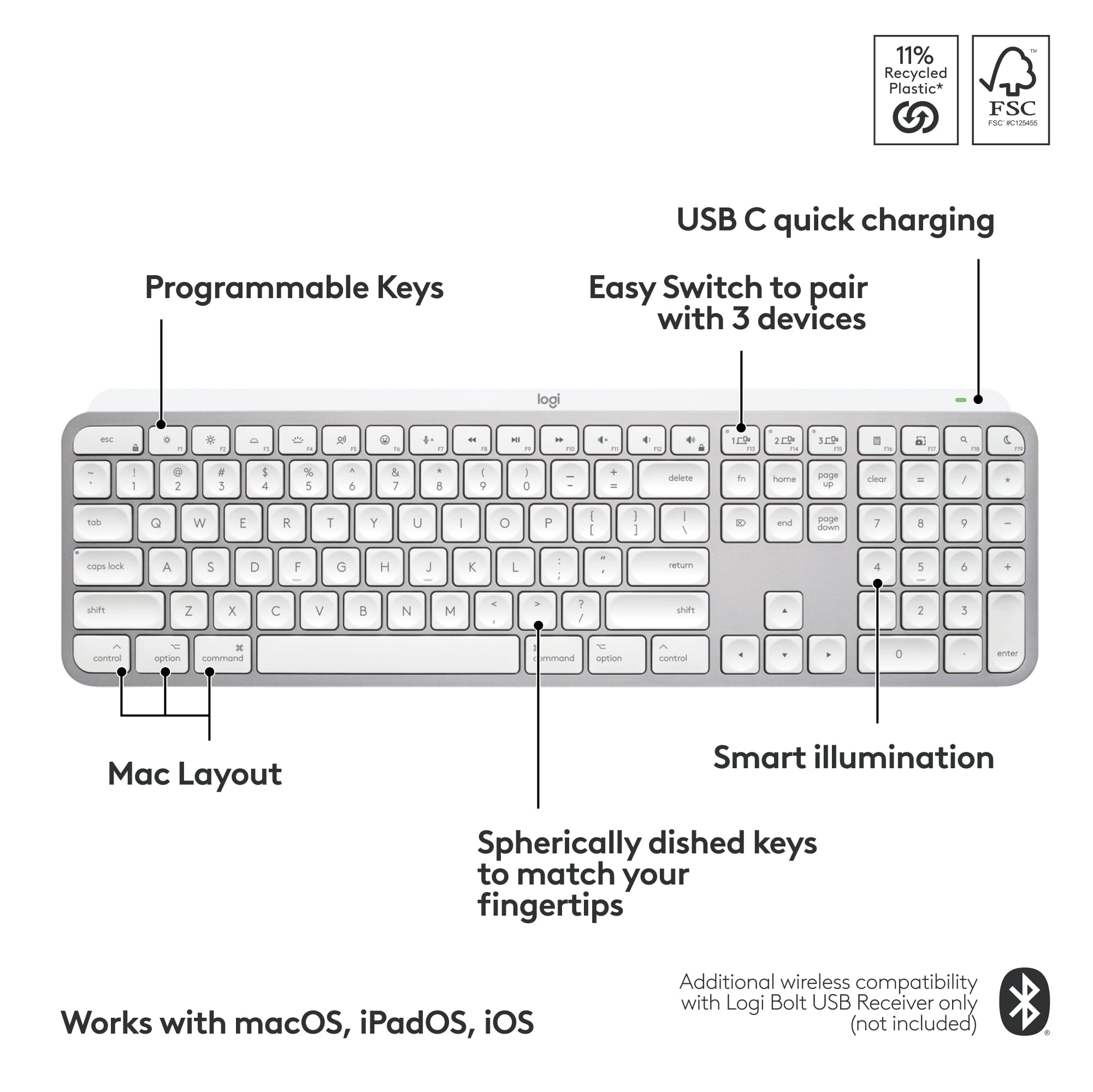
||Posted . Owned for 1 week when reviewed.This reviewer received promo considerations or sweepstakes entry for writing a review.keyboard is well built and sturdy. the keys are responsive and connects to any device seamlessly. you can choose to connect up to three devices via bluetooth or the included logi bolt.
I would recommend this to a friend - Pros mentioned:Battery life, Keyboard quality
The best of the best
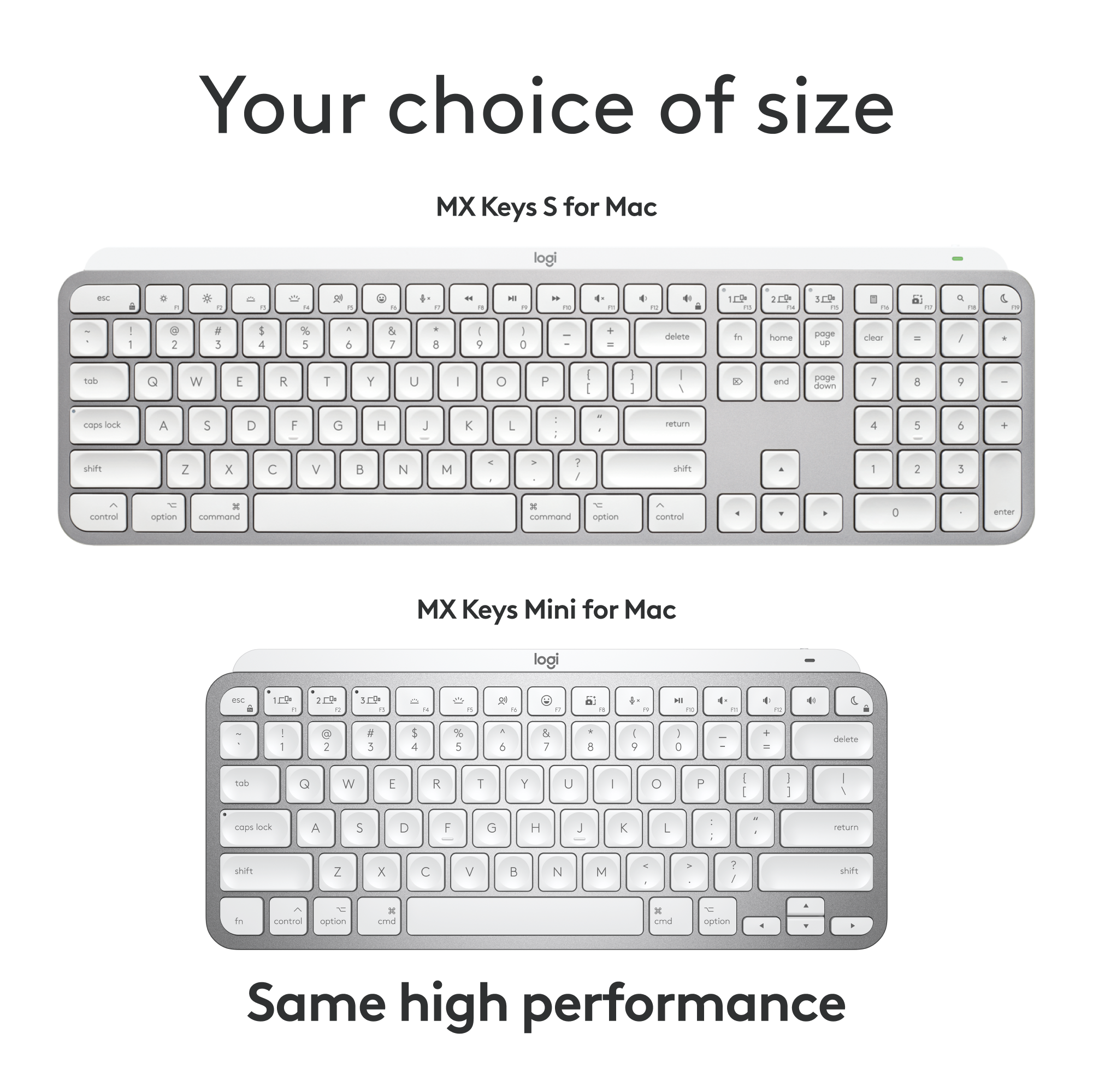
||Posted . Owned for 2 months when reviewed.This reviewer received promo considerations or sweepstakes entry for writing a review.Love the size but miss the number keypad from time to time. I had the full-size MX before this and it was great but was a bit bulky for me. I prefer the size of a laptop keyboard and this mx mini does the trick. Keys feel great and batttery last for weeks.
I would recommend this to a friend Really good going between Mac and Windows
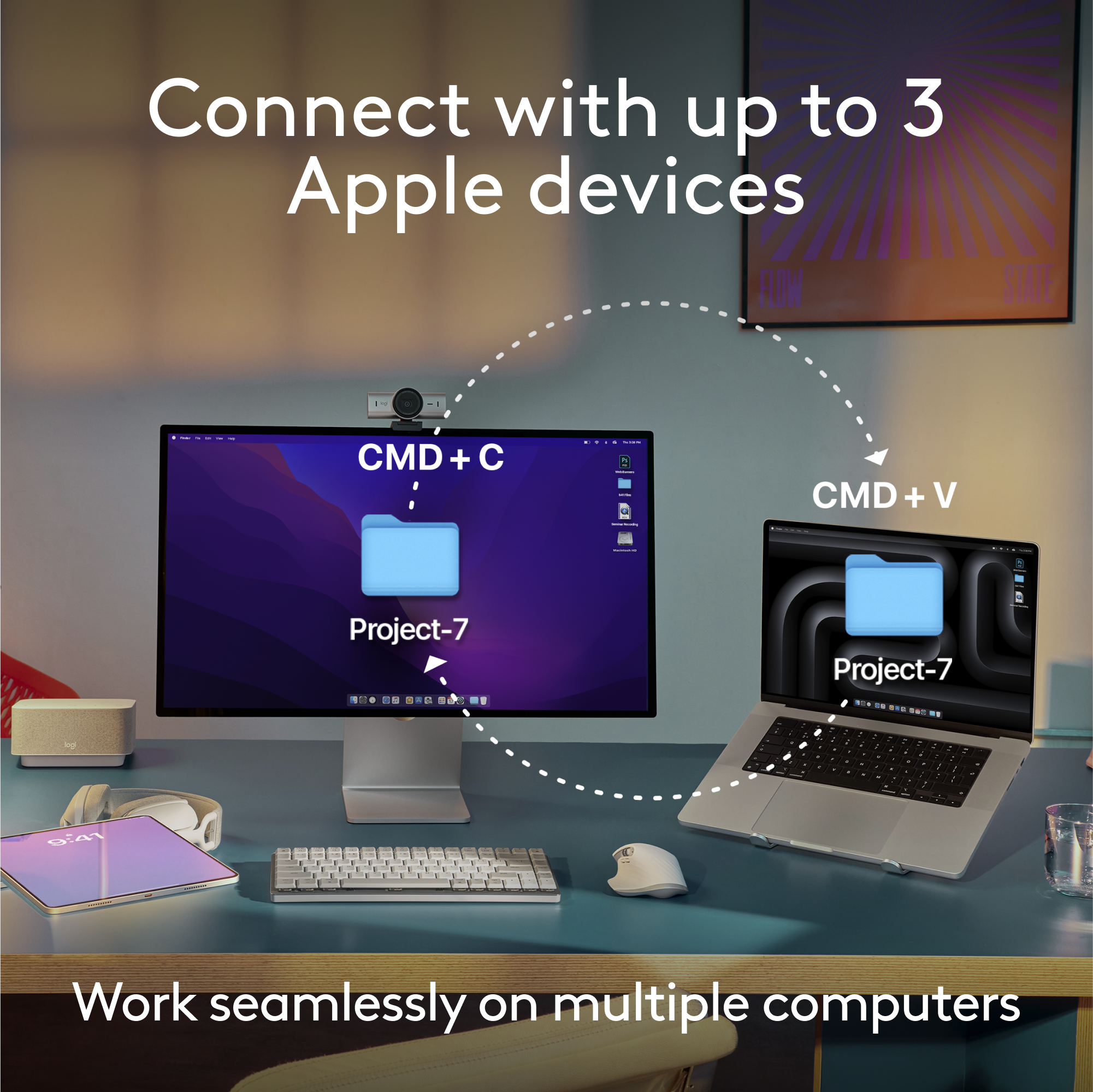
||Posted . Owned for 2 weeks when reviewed.This reviewer received promo considerations or sweepstakes entry for writing a review.Really like this keyboard. I switch between Mac and windows a lot and with a touch of a key I am on the other platform. Still getting used to the Mac so I probably am not using this to its full potential. So far it’s great.
I would recommend this to a friendBrand response from Logitech
Posted .Thanks for sharing your experience—it’s always a pleasure to hear from happy customers. We’re delighted that our product is serving you well and making a difference in your day-to-day routine. We appreciate your trust in Logitech.
- Pros mentioned:Battery life, Connectivity
Excellent keyboard!
||Posted . Owned for 1 week when reviewed.This reviewer received promo considerations or sweepstakes entry for writing a review.Long lasting battery life, easy connections, and the back light makes it a winner over Apple keyboards!
I would recommend this to a friendBrand response from Logitech
Posted .We're thrilled to hear that the Logitech MX Keys S for Mac has exceeded your expectations! Its combination of long battery life, seamless connectivity, and backlit keys make it a fantastic alternative to Apple keyboards. Thank you for sharing your positive experience.