Customer Ratings & Reviews
- Model:
- 920-011621
- |
- SKU:
- 6578481
Customer reviews
Rating 4.8 out of 5 stars with 200 reviews
(200 customer reviews)Rating by feature
- Value4.6
Rating 4.6 out of 5 stars
- Quality4.8
Rating 4.8 out of 5 stars
- Ease of Use4.8
Rating 4.8 out of 5 stars
Customers are saying
Customers consistently note the excellent keyboard quality, long battery life, and key feel that closely resembles a Macbook keyboard. Users also appreciate the ease of use and seamless compatibility with Apple products. The primary drawback mentioned is the absence of Touch ID functionality.
This summary was generated by AI based on customer reviews.
- Pros mentioned:Battery life, Key feel, Keyboard quality
Rated 5 out of 5 stars
Almost the best keyboard for most users.
|Posted .This reviewer received promo considerations or sweepstakes entry for writing a review.I love this keyboard for all my Apple needs or even for my PC needs but the only negative was that they don't come with a USB dongle. I get it that they are sold for Apple products which I give it an easy 99 out of 100 scale. The build quality is great. I like the feel of the keys and the lighting. They keys feel very natural and has become my go to keyboard for all my devices. The software lets me control the time out on the keys. The battery life is really good and it comes with a basic cable to charge the keyboard. I like the fact that I can tell it how to define the function keys, it is flexible for lots of different users. I know from personal usage that this keyboard is pretty good for casual or the regular gamer. I especially like that I can use this keyboard for work and it never feels uncomfortable. I have big fingers and it is still very comfortable. I would highly recommend this keyboard for all users and all uses unless you need the secure bold dongle then it will not work.
I would recommend this to a friendBrand response from Logitech
Posted .Hey! Thanks for the detailed review of the MX Keys S for Mac! We really appreciate you highlighting its strengths like the build quality, key feel, lighting, customizability, and comfort for extended use. It's valuable feedback to know that the lack of a USB dongle is the only downside for you. We'll definitely consider this feedback for future product iterations.
- Pros mentioned:Battery life, Key feel, Keyboard quality
Rated 5 out of 5 stars
Perfect Keyboard for Multiple Apple Devices
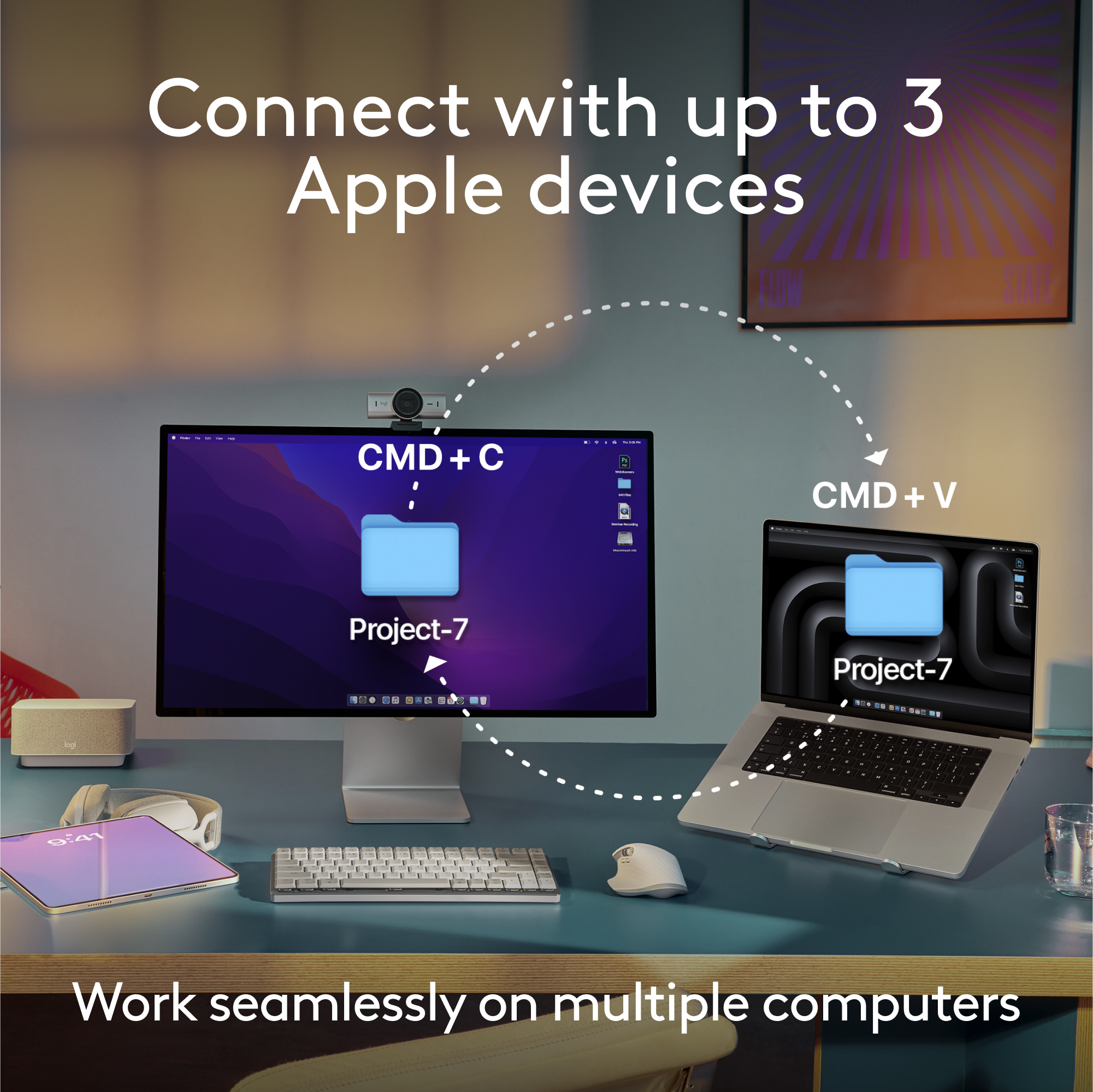
|Posted .This reviewer received promo considerations or sweepstakes entry for writing a review.I love this keyboard! Honestly, there are no flaws that I've encountered. For me, the ability to connect to different computers is a major plus (I have a MX mouse as well that can do the same). With the push of a button, the ability to switch between my Mac Mini, MacBook Air, or even my iPad Air is really slick. I have all 3 connected via Bluetooth as well so no need to use a USB dongle. Typing and responsiveness of the keys is accurate and comfortable. Solid feeling keyboard, sturdy, and sleek. Holds a really good charge as well (10-14 days for my use) and can easily use and re-charge with a USB-C cable. Highly recommended for any user, and definitely if you want to easily toggle between multiple computers, laptops, or even an iPad.
I would recommend this to a friendBrand response from Logitech
Posted .Hello! Thanks for your fantastic review of the MX Keys S for Mac! It sounds like it perfectly fits your needs, especially with the ease of switching between multiple Apple devices. We appreciate you highlighting the comfortable typing experience, long battery life, and overall convenience.
- Pros mentioned:Connectivity, Key feel
Rated 5 out of 5 stars
Aesthetically Pleasing & Superb Usability
|Posted .This reviewer received promo considerations or sweepstakes entry for writing a review.External Keyboards are nearly a must nowadays with how much added benefit they provide versus stock keyboards. Logitech has always been at the top of the mountain when it comes to computer peripherals and that is no different here as they have packed nearly everything you could ask for in this keyboard. First, right when unboxing this keyboard it has that premium feel to it that matches that of an Apple product. The form factor of the keyboard is perfect as it fits the traditional Apple key layout. As the keyboard is Bluetooth, getting it connected is a breeze and you are up and running in under a minute. Upon getting it connected the performance here hits every mark. The first thing I noticed were the dished keys which were a little different for me, but I absolutely think they are perfect as they fit my fingertips perfectly when typing and the typing process was just extremely fluid. The overall comfort when typing was perfect as though the keyboard has a low profile the angle of the keyboard felt very natural. There are a couple features I do have to highlight with the biggest one for me being the backlit keys. This is not simply the fact that yea the keyboard is backlit, but the great feature here is that the keyboard senses when your hands approach and then light up. Additionally, there is also a sensor that adapts to the lighting in your room to determine the necessary brightness for the keys. Another item I have to mention are both the ability to easily toggle between up to three devices as I am used to this with a Logitech mouse, but the added feature to this keyboard is a nice addition. Then also the "Logi Options+" is a great feature as it not only allows you to customize your F row, but also can act like a macro where the click of a button can be mapped to perform a string of actions. For instance, I have one that I click right when I login to my computer each morning that brings up a variety of windows for me. Overall, yea it may just be a keyboard, but Logitech has thought of everything here and then some from the aesthetics to the performance and each little added nuance. Whether you may be concerned with the appearance of your keyboard or the ability to efficiently type and get your ideas down Logitech has ensured that this keyboard will meet those needs and for that reason I would definitely recommend this keyboard to anyone looking for that perfect keyboard to pair with their Mac device.
I would recommend this to a friendBrand response from Logitech
Posted .Hello there! Thank you for your insightful review of the MX Keys S for Mac! We are thrilled you find it aesthetically pleasing and appreciate the benefits it offers over a standard keyboard. We put a lot of thought into the design and features, from the premium feel to the backlit keys with smart illumination and multi-device connectivity. We're glad you find the Logitech Options+ software a valuable tool to customize your workflow. This comprehensive feedback will definitely help other users decide if the MX Keys S for Mac is the right fit for them.
- Pros mentioned:Battery life, Keyboard quality
Rated 5 out of 5 stars
Near perfect keyboard for easy personal/office use
|Posted .This reviewer received promo considerations or sweepstakes entry for writing a review.The MX Keys line from Logitech is one of my favorite product lines in computer accessories. The new MX Keys S is a great addition to the line that matches Space Gray Macs and uses the Logi Bolt receiver which is more secure than the previous Unifying receivers. #First Impressions and Look and Feel# The MX Keys S fits within the MX Keys line above the Mini and below the Mechanical versions. This is a dedicated keyboard for Mac without labeling for Windows layout on its keys. I was a little bummed that the MX Keys S doesn't include the leatherette wrist pad that the old MX Keys keyboard came with. One thing I noted immediately is that this is a very heavy keyboard vs the MX Keys Mini that I've been using for a few years. The full size MX Keys S has additional heft that isn't directly explained by the full numberpad included vs my old Mini. The keyboard is still exceptionally thin as well as just wide enough for the full size keyboard, thus fits in a backpack pretty well. The MX Keys S has fantastic backlighting that turns on as soon as you touch any part of the keyboard. This allows it to turn off quickly to save battery life but still turn back on quickly enough to be able to see as you place your hands on the keys. The timeout is customizable in the Logi Options+ app. #Usage# The typing experience on the MX Keys S is about as good as you can get on a scissor membrane keyboard. The keys are smooth and responsive with a small tactile bump just as you bottom out. The keyboard is very quiet and perfect for use in a crowded office environment. The Logi Options+ software allows you to easily pair it to a Logi Bolt receiver and you can switch between up to 3 computers/tablets/iPads with easy buttons near the right end of the keyboard. Logi Options+ lets you set layouts to match Windows or Mac as well as customize the backlight settings and update firmware. #Final thoughts# The MX Keys S is a great keyboard to pair with a Space Gray Mac and is easy to switch between multiple devices. I love using it with my work computer and then being able to tap a single key to switch and connect via Bluetooth to an iPad or personal Mac.
I would recommend this to a friendBrand response from Logitech
Posted .Hey! Absolutely, thanks for the detailed review of the Logitech MX Keys S for Mac! Your breakdown will be helpful for us as we continuously strive to improve our offerings.
Rated 1 out of 5 stars
Not for mac mini m4!
||Posted . Owned for less than 1 week when reviewed.This reviewer received promo considerations or sweepstakes entry for writing a review.I just got the mac mini M4 today. I got this keyboard. This keyboard is not compatible! Nor is the mouse. Please find ask for help.
No, I would not recommend this to a friendBrand response from Logitech
Posted .We apologize for the inconvenience caused by the incompatibility of the Logitech MX Keys S for Mac with your Mac mini M4. While the MX Keys S is designed for Mac devices, specific compatibility issues may arise with newer models.
- Pros mentioned:Battery life, Key feel
Rated 5 out of 5 stars
Slim full-featured Bluetooth keyboard for Macs
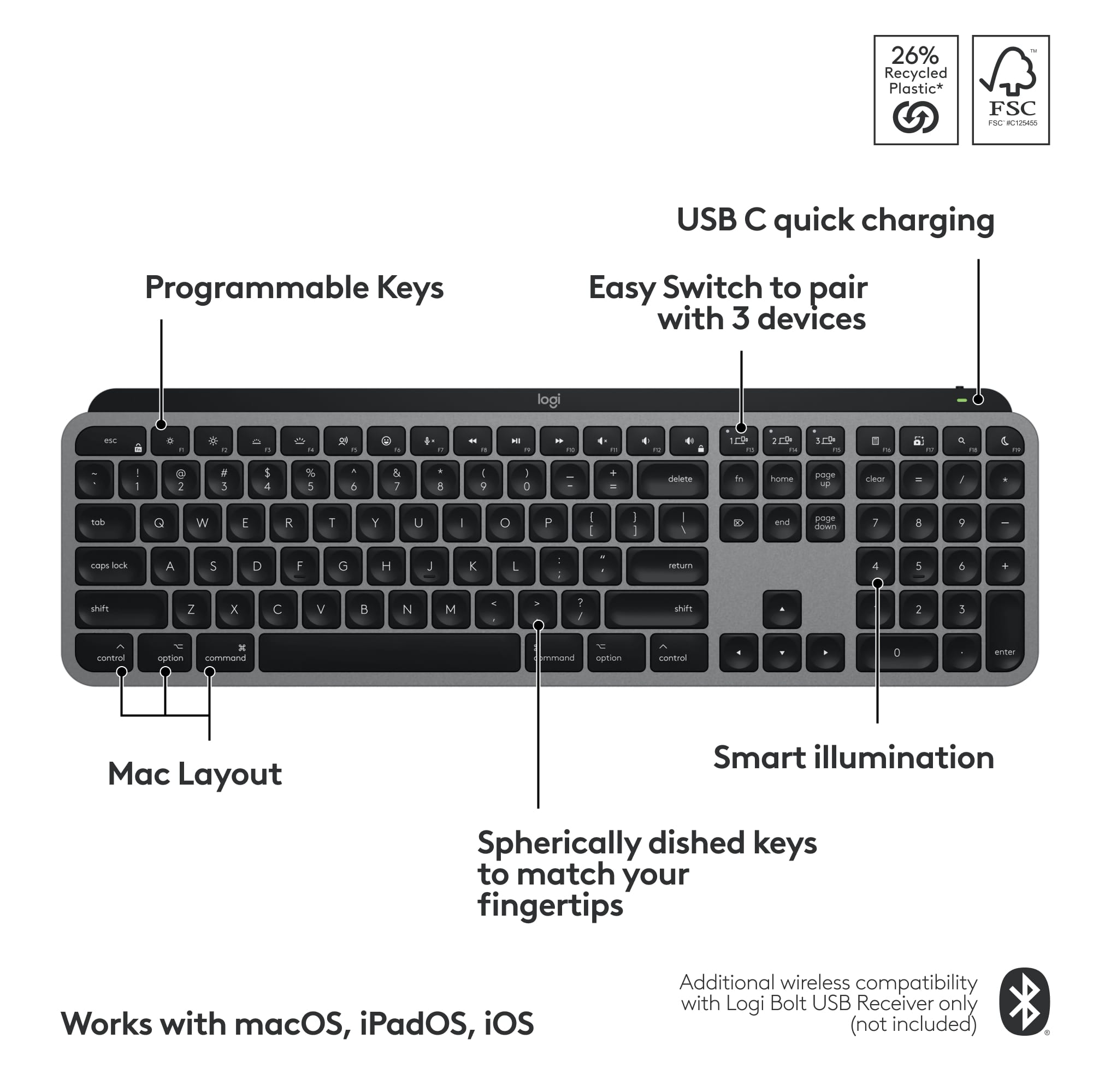
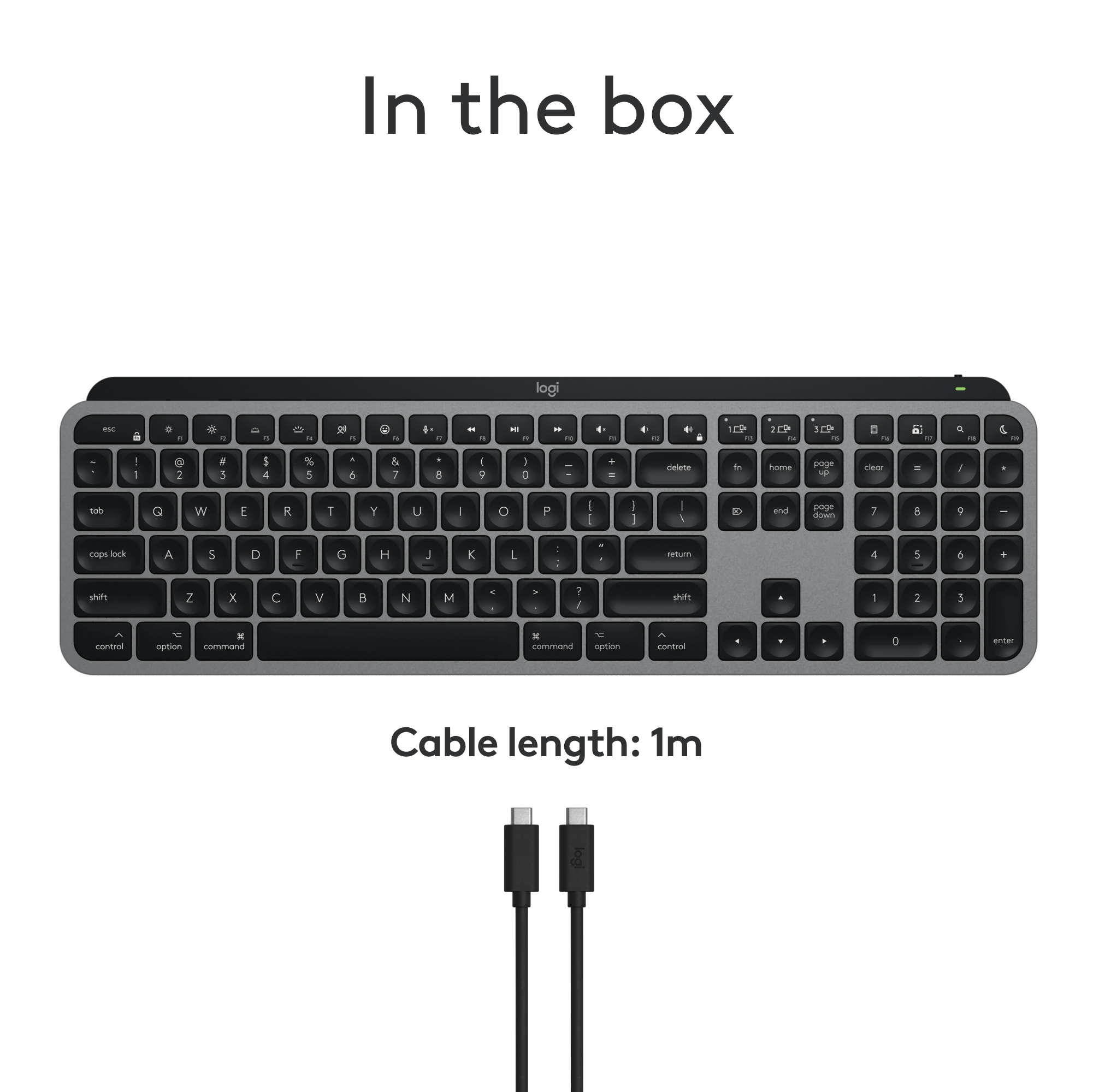
|Posted .This reviewer received promo considerations or sweepstakes entry for writing a review.The Logitech MX Keys S for Mac is a slim, full-sized keyboard that connects seamlessly with your Mac. You can connect it to up to three devices and switch among the devices—e.g., laptop, tablet, and desktop computers. MX Keys S for Mac is ready to go out of the box. Connect the USB-C cord to your Mac to charge the keyboard, turn it on, and connect with Bluetooth. The Logi keypad is slightly raised in the back and sits on rubber bumpers so it does not slide on your work surface. The keys are quiet and comfortable with round depressions. It has a small footprint yet provides full functionality. It is small enough to take on the road. This full-sized keyboard boasts: - a full-sized alphanumeric keyboard with Mac designated keys like control, option, and command. - a full-sized number keypad with clear, decimal, and enter keys. - an area between the alpha and number keypads with home, function, page up, page down, end, and forward delete, and cursor keys. - 12 standard function keys that default to media keys for screen brightness, keyboard backlighting, dictation, emojis, mic, video play, and sound levels. - Four more function keys (F13, 14, 15) allow you to toggle among three devices. - Four added function keys (F16, 17, 18, 19) that open the calculator, screenshot, spotlight search, and do not disturb apps. - The ability to lock function keys on or off (default is media and apps) or to press the [fn] key with each key. - A forward delete key. - Standard Mac keys--control, option, command--with clear markings and symbols - A rechargeable battery that should last for days, even in low power mode. Download the Logitech Options+ Software for Mac for additional keyboard customization. The software lets you customize setting on multiple Logitech keyboards, mice, etc. from a single dashboard. This software is optional. I recommend this keyboard for Mac enthusiasts.
I would recommend this to a friendBrand response from Logitech
Posted .Hey! Thanks for the detailed review of the Logitech MX Keys S for Mac! Great summary for Mac users looking for a Bluetooth keyboard. Key points: slim, quiet, connects to 3 devices, easy Mac switching, long battery life. Thanks!
- Pros mentioned:Battery life, Keyboard quality
Rated 5 out of 5 stars
Excellent Build quality and Battery Life.
|Posted .This reviewer received promo considerations or sweepstakes entry for writing a review.I do remote work as a Tier 2 Support technician for a very large Financial institution and it had recently befallen to me the turn to support our limited MacOS users. I've worked previously on Mac before but really only had very limited knowledge. This Keyboard came along at an excellent time since I had recently taken position of one of our companies later M2 Pro MacBook Pro's. I had up until getting this keyboard been using a mechanical Wireless Windows based keyboard and even with adjusting the controls within the System Preferences it was still a challenge to use. Getting this keyboard has been nothing short of delightful. It's response, very easy to type on as I do a lot of typing between Incident notes, Chats and Knowledge articles. It's very well built. The weight of it is surprising. This is by no means a light keyboard and I've used and own plenty, wired and wireless and this one takes the cake, and feels like it ate it too lol. It definitely feels like a quality keyboard, not something cheap that may fall apart or stop working after a month. It required very little effort to setup, no software download needed. I powered it on, and my MacBook recognized it and paired after entering a 6 digit pin. Battery life is incredible. I've only charged it once. It had quite a bit of charge right out of the box. I decided to let it fully charge overnight. It's been probably 5 or so days and it likely has at least a week, if not more of a work week left. I know I'll be using it for as long as I have possession of my MacBook as it's been absolutely brilliant to work with. If you want something built to last but don't want to break the bank and something that's simple to setup and use for your Mac, this definitely should be of your consideration.
I would recommend this to a friendBrand response from Logitech
Posted .Hi! Thanks for the detailed review of the Logitech MX Keys S for Mac! It sounds like a great fit for you, especially since you transitioned from a Windows keyboard. We appreciate you highlighting the ease of use, excellent build quality, and long battery life. This is a helpful review for Mac users who are looking for a new keyboard!
- Pros mentioned:Battery life, Keyboard quality
Rated 5 out of 5 stars
Perfect Mac Keyboard
|Posted .This reviewer received promo considerations or sweepstakes entry for writing a review.I've really enjoyed the Logitech MX series products. They provide some of the most well built and feature rich computer accessories on the market and this new keyboard is no exception. It offers great features, great build quality and works great on a Mac, so it checks all the boxes I could want. The most important aspect of a keyboard is how well does it type? Here the MX Keys does a pretty good job. It uses scissor switches so you get some level of clickiness. Nowhere near a mechanic keyboard, but the key travel feels nice and the tactile feel of the clicks are good. The keys themselves do have an odd concave shape which did take a little getting used to, but once you get past the weird feel it is really easy to type on. The layout itself is just like any other full size keyboard with a full set of function keys and number pad that all work great. Overall this is a really well done typing experience. Feature wise I love this keyboard. My biggest struggle with bluetooth keyboards is how hard it is to switch between computers. With the MX keys you have dedicated buttons to switch between up to 3 bluetooth connections. This is a game changer to me since I don't have to go through any goofy bluetooth paring when I switch between work and personal computers. Again here, paired with the MX mouse that can do the same thing, this is my go to keyboard. The only thing I found annoying was that the keyboard doesn't work when logging into my macbook. I think this is some security feature with macbooks but it is one drawback. Overall, this is a great keyboard. It's well built, types well, has great battery life and has some really cool features to set it apart.
I would recommend this to a friendBrand response from Logitech
Posted .Hi there! Thanks for the detailed review of the Logitech MX Keys S for Mac! We really appreciate you highlighting its strengths like the build quality, feature set, and Mac compatibility.
- Pros mentioned:Key feel, Keyboard quality
Rated 5 out of 5 stars
One of the best productivity keyboards
|Posted .This reviewer received promo considerations or sweepstakes entry for writing a review.I have reviewed dozens and dozens of keyboards and nearly all of them were decent, but most were nothing really special. Logitech keyboards were no different - good but nothing special. That changes with the Logitech - MX Keys S for Mac. For me, it comes down to the typing experience. I do not use keyboards for much gaming, I use them for productivity. That means it all comes down to the typing experience. The spacing, the overall size, the key travel , the responsiveness are all paramount to me. The Logitech - MX Keys S keyboard nails all of them. It truly is a pleasure to type on - quiet, responsive and the spacing is just perfect. In comparison to the significantly more expensive Apple keyboards, the Logitech Mx Keys S beats it hands down. The attention to detail is everywhere -right down to the concave keys that minimize mistypes. The keyboard in total is very solid and at just the right angle to make typing comfortable. Of course, it is backlit, but it has the unique feature of adjusting to the light conditions. For me, I could not care less about that, but I could see some people liking it. Since the keyboard is designed for Apple, you can customize macros ( called Smart Actions) that can combine multiple actions into one short. In conclusion, I cannot find any flaws. It is priced right, built well and the typing is a dream. I have to confess that I am probably not going to use it on my Apple but use it for my Windows work computer - I just love the typing experience. The Logitech MX Keys S is that good.
I would recommend this to a friendBrand response from Logitech
Posted .Thanks for the detailed review of the Logitech MX Keys S for Mac! It sounds like you're a keyboard connoisseur, and we really appreciate you sharing your experience. Especially highlighting how the MX Keys S for Mac excels in typing experience at a competitive price point compared to Apple keyboards. We'll definitely pass this feedback along to the product team!
- Pros mentioned:Battery life, Keyboard quality
Rated 5 out of 5 stars
Logitech MX Series keyboards are exceptional
|Posted .This reviewer received promo considerations or sweepstakes entry for writing a review.I have been a fan of Logitech keyboards for years. My main keyboard for my work and personal computers has been the Windows’ version for as long as I can remember. Logitech thinks of everything when it comes to functionality and usability. I have been using the smaller Logitech K800 series keyboards and was excited to get my hands on this larger MX Keys 5 keyboard. It’s so nice having a great keyboard specifically for my Apple computers. I’ll start with its capabilities to control three different devices. I have two different Mac computers, an iPhone and two iPads. The keyboard easily paired with all of my devices. I am typing this review using the keyboard on my iPhone. The keyboard has a great feel and is wide and the keys are spaced perfectly for comfortable typing. It has a separate number pad and the control buttons work for each individual device. I am able to control the background lighting with the keyboard on my phone as well as my MacBook Pro. The keyboard is rechargeable, so there is no need to replace batteries. Battery life is very good and it charges quickly. These are a quality product with a lot of functionality. It’s like having 3 keyboards in one.
I would recommend this to a friendBrand response from Logitech
Posted .Thank you for your in-depth review of the Logitech MX Keys S for Mac! We especially appreciate you highlighting its ability to seamlessly connect and function across multiple Apple devices. It sounds like a great fit for your multi-device workflow!
- Pros mentioned:Battery life, Keyboard quality
Rated 5 out of 5 stars
An Excellent, Wireless Backlit Keyboard
|Posted .This reviewer received promo considerations or sweepstakes entry for writing a review.The MX Keys S for Mac, Masters from the Master series by Logitech line, is a fully featured wireless keyboard optimized for Mac OS and iPad OS. It has a simple sleek design, and does include a num pad, which is very important for me in being able to do my work from home and on the go. Additionally, not only does it have backlit keys, but the brightness adjusts based on your lighting conditions, which is very useful. I can't live without backlit keys anymore. It charges with a USB C cable, which I am also thankful for, no more AA batteries, which have plagued all of my other wireless keyboards. On a full charge, this keyboard is supposed to last 10 days if using the back lights, or 5 months without the back lights. As is the trend with many Bluetooth devices now, this allows you to save up to three Bluetooth devices to be paired to and easily switch between them. This is fantastic! If you might be switching between a laptop or tablet and your home computer, or if you were using this with Apple TV or anything like that.
I would recommend this to a friendBrand response from Logitech
Posted .Hello there! Thanks for your informative review of the MX Keys S for Mac! We appreciate you calling out the Mac-optimized features, backlit keys with auto-adjustment, USB-C charging, and easy multi-device switching.
- Pros mentioned:Battery life, Keyboard quality
Rated 4 out of 5 stars
Perfect Full Sized Keyboard
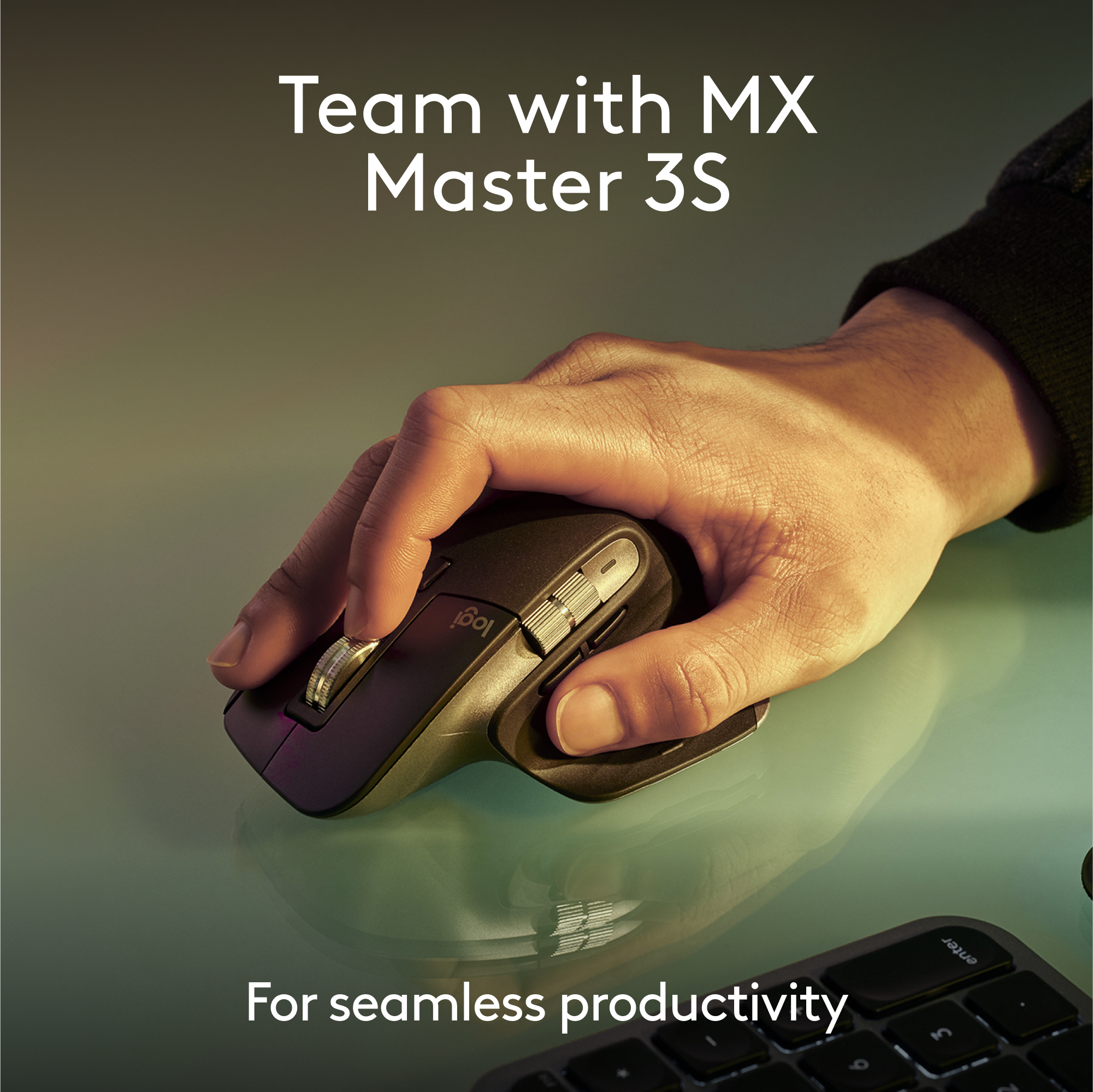
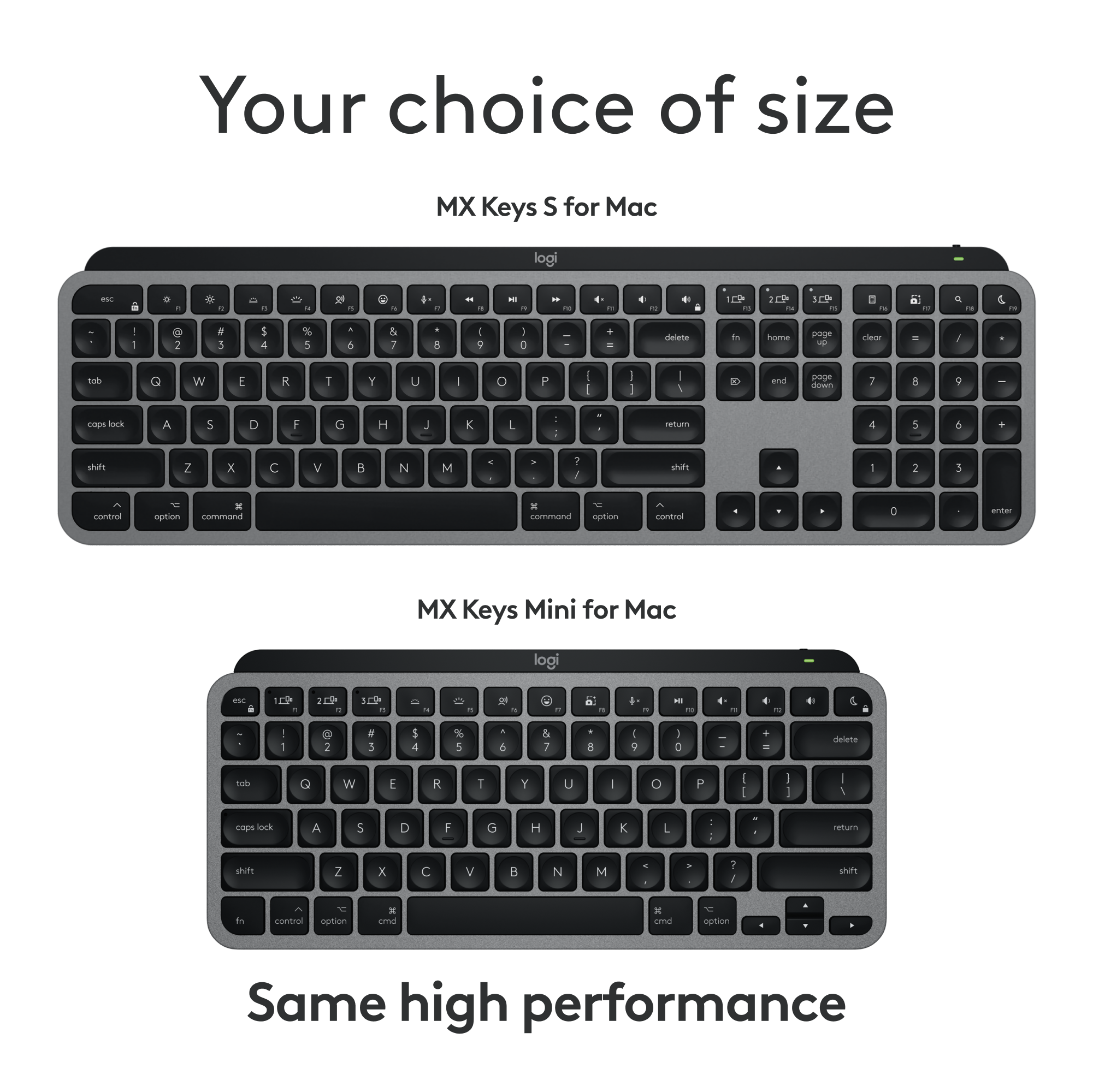
|Posted .This reviewer received promo considerations or sweepstakes entry for writing a review.I'm a fan of Logitech's accessories, and have been for years. I've had the Craft, which I loved but it wasn't compatible with Logitech's new Options+ software or Bolt receiver. So then went to the MX Mechanical Mini, which is awesome, but my job situation changed and began doing more data entry and analysis, so I wanted a keyboard that had the 10-key setup. So I went with the MX Keys S because I've had a great experience with my MX Master S3 mouse. I love this keyboard! It's got a great balance of weight, sleek feel, and responsive keys. The main differences between the Mac versions and the PC version comes down to 2 main points: - There are several keys that are reformatted for Mac specific OS commands - There's no Bolt receiver in the box, Bluetooth is the only default connection option The lack of an included Bolt receiver is the only reason I docked a star off the review, and that's because the Mac's bluetooth is temperamental, no fault of Logitech here... but with the Bolt receiver, the connection is rock solid. I've been using this keyboard for about a week now. I have a mixed environment set up, everything plugs into my monitor and I run a single USB-C cable to my personal Mac. When it's time to work, I simply unplug my personal Mac and plug in my work one. I also have a Windows gaming laptop that I use as well. The keyboard worked great on all devices, since the Bolt receiver I paired it with stays plugged into the monitor. Even after a week of regular use, the keyboard's battery is still going strong. It does come with a single USB-C to USB-C for charging, but there's no power brick, so you'll need a power brick, or open USB-C port that supplies power to recharge the keyboard. The typing experience is sublime. The keys have a convex top, that basically invites your finger tips to type with ease and certainty. If you're looking for a great Mac keyboard, then this is probably the best one to get!
I would recommend this to a friendBrand response from Logitech
Posted .Hi! Thanks for your in-depth review of the MX Keys S for Mac! We appreciate you highlighting the balance of weight, sleek feel, and responsive keys, and especially appreciate you calling it "probably the best one to get" for Mac users. We're glad you found the MX Keys S to be a great fit after using the MX Master S3 mouse.
- Pros mentioned:Battery life, Keyboard quality
Rated 4 out of 5 stars
Mac Keyboard Loaded With Features
|Posted .This reviewer received promo considerations or sweepstakes entry for writing a review.Add a sleek new style to the home or work environment with a keyboard that features backlit keys in the Logitech MX Keys Keyboard for Mac (920-011621). This is the keyboard that does it all. The MX Keys keyboard offers multi-device control so you can type on up to 3 Apple devices in 1 fluid workflow. This keyboard follows your cursor from one device to another. The “S” in the name of this keyboard refers to silent operation of the keys. Featuring Perfect Stroke keys that are spherically-dished to match the shape of your fingers providing a fluid and ultra-precise typing experience. Backlit keys light up the moment your hands approach, and automatically adjust to changing lighting conditions. You can also manually adjust the brightness level. This keyboard is USB-C rechargeable. A full charge lasts 10 days—or up to 5 months with backlighting off. Logitech offers you 2 connection options: (1) Bluetooth® or (2) RF receiver. Keep in mind that this Mac keyboard only includes a USB cable for Bluetooth® operation. However, you can also use a Logitech Bolt receiver purchased separately. As a previous owner of the Logitech MX Keys keyboard, the only upgrade is that the keys are designed expressly for Mac users. All other features are identical. With the previous keyboard, you do get a Logitech Bolt receiver along with the USB-C cable at no extra charge. My only negative is the keyboard’s cost. For half the price, you can purchase a keyboard with some of these features—but not all. If price is not a concern, this keyboard will please most Mac users at a price even less than Apple’s own Magic keyboard.
I would recommend this to a friendBrand response from Logitech
Posted .Hi! Thanks for the detailed review of the Logitech MX Keys S for Mac keyboard! We appreciate your insights. Great summary of the pros and cons - feature-rich, silent keys, backlit, but pricey with no Bolt receiver included. Overall, a great option for Mac users who value those features, but consider the cost.
- Pros mentioned:Keyboard quality
Rated 5 out of 5 stars
Fantastic keyboard
|Posted .This reviewer received promo considerations or sweepstakes entry for writing a review.This Logitech MX Key S replaced my Logitech Craft Keyboard which was nice, but I always felt was too bulky niche with its knob. Since the MX Key S doesn’t have a knob, its profile is smaller, taking up less space on my desk. Unboxing and set up was a breeze. PROs - Keys are smooth. There’s just enough resistance so that you don’t accidentally press a key when resting your fingers on the keyboard. But not so much resistance that you need to exert a lot of pressure either. The keys also snap back without a lot of noise or squeaking, which is prone to happen in lower quality keyboards. - I really like that there is a dedicated button to mute/unmute the mic. When muted, a red icon appears on the right side of the screen, and an icon is also present in the menu bar on top. I wish there was a way, however, to make the icons more obvious when the mic is muted. This button is a Godsend for my Zoom calls. - Bluetooth for connecting up to 3 devices. There are also 3 dedicated buttons to switch quickly to those devices. The best part is that no dongle is needed. - Additional keyboard configuration options are handled with the Logi Options+ app. Using this app, the keyboard’s top row Fn keys can be reconfigured to a huge number of functions, settings, or actions. For example, the F5 key out of the box toggles dictation. If you don’t usually enter text via dictation, you can remap or reconfigure this key to do something else like launch a favorite app. The app is far more powerful than I describe here. It really requires a review of its own. CONs - The white print of the keys is less bright than my old Craft keyboard, making it harder to see in glare or fading light. This means I have to turn on the backlight, draining the rechargeable battery faster. - I still need two Logitech apps for different devices. The Logi Options+ app does not configure the Logitech Blue Yeti microphone. Hopefully Logitech will unify the experience across all their products under one app. - No Touch ID button. This is really Apple’s fault as they have not allowed 3rd parties access to Touch ID. All in all I give this keyboard 4.5 stars. The lettering being less white than my old Logitech keyboard keeps me from giving it a full 5 stars. Regardless, I still recommend it.
I would recommend this to a friendBrand response from Logitech
Posted .Hi! Thanks for the detailed Logitech MX Keys S for Mac review! We appreciate you highlighting both the strengths and weaknesses, especially the thoughtful points on key feel, mute button, and customization options through Logi Options+. The feedback about the keycap lettering brightness is valuable and will help others decide if this keyboard is the right fit for them.
- Pros mentioned:Battery life
Rated 5 out of 5 stars
Outstanding
|Posted .This reviewer received promo considerations or sweepstakes entry for writing a review.I am a longtime Mac user, and have always relied on the expanded Apple keyboard upgrade for my Mac Since my keyboard that came (upgrade) with my Mac was having issues with the "#6" not reacting, I started looking at alternatives Logitech has always done me well with their line of work-from-home headphones, I decided to give them a try The packaging and unboxing is what you would expect from a tier 1 supplier, with ease and instructions packaged well and documented clearly After unboxing, installation (if you could even call it that) was a breeze. Literally plug & play The keyboard is colored a nice "space grey" which is very similar to what you would see on your iPhone. The keyboard does not exactly have the clicks from generations past, but definitely a tactile feel when a letter is pressed. Also, after the first touch, there is s soothing backlight helping those that still need to see the keyboard to type in low light situations Weight and feel of the product is extremely solid, and the battery life is likely measured in months Yes, I am typing this review on the keyboard right now I expect this to last well beyond the life of this Mac, and will be used for the next generation
I would recommend this to a friendBrand response from Logitech
Posted .Hello there! Thanks for your glowing review of the MX Keys S for Mac! We especially appreciate you highlighting the ease of setup, comfortable typing experience, and long battery life. It's wonderful to hear you find it a worthy replacement for the Apple keyboard and expect to use it for years to come!
- Pros mentioned:Battery life, Keyboard quality
Rated 5 out of 5 stars
Great keyboard for your Mac book.
Posted .This reviewer received promo considerations or sweepstakes entry for writing a review.Easy setup. Nice weight and response from the keys. Charging is easy and lasts.
I would recommend this to a friendBrand response from Logitech
Posted .Thank you for your positive review of the MX Keys S for Mac! We're thrilled to hear you're enjoying the easy setup, the satisfying weight and key response, and the convenient, long-lasting charging. We appreciate your feedback and hope you continue to enjoy your keyboard.
Rated 4 out of 5 stars
It’s good not great but definitely good
|Posted .This reviewer received promo considerations or sweepstakes entry for writing a review.First and foremost, you need to know that you cannot set up a Mac Studio with this. It flatly will not connect. You must use either an Apple keyboard or a wired keyboard, and no, you cannot wire this one in and have that work for this either. I'm posting this exact same review to both keyboards. The second big caveat is that if you do like me and have both the large and smaller mx keys keyboards for Mac, you cannot simply turn one off and switch to the other. You will have to re-pair every time you want to switch. Bummer, but not overly hard to do at any rate. The keys are among the best of this type I've ever used. I use a mechanical all day and switching to this isn't really a big deal like it is with some of my laptops. Pairing has been pretty much effortless aside from the first point I made above. I pretty much hate the disco backlight. It will flash on and off all over the place and there is nothing you can do about it. Sometimes, you have to turn the keyboard off and back on to get the backlight working semi-correctly again. When I run update, it never even sees this keyboard so far. That may be normal or not, I don't know. Overall, I would still recommend this keyboard it definitely gets the job done.
Brand response from Logitech
Posted .Hi! Thanks for the MX Keys S for Mac review! Great points on Mac Studio incompatibility, key feel, and backlight. Consider including this info in your purchase decision.
Rated 5 out of 5 stars
The right size
Posted .This reviewer received promo considerations or sweepstakes entry for writing a review.I like the bigger keyboard. With hand tremors I make fewer mistakes.
I would recommend this to a friendBrand response from Logitech
Posted .Hey! That’s a powerful benefit so glad the MX Keys S for Mac is helping you type with more ease and confidence. Its full-size layout and stable scissor switches really do make a difference for precision and comfort. Thoughtful design that truly supports your needs.
Rated 5 out of 5 stars
A great option
Posted .This reviewer received promo considerations or sweepstakes entry for writing a review.This keyboard is now connected to my iMac, my MacBook, and my iPad. So helpful! I love the backlighting and comfortable angle.
I would recommend this to a friendBrand response from Logitech
Posted .Thank you for your excellent feedback on the MX Keys S for Mac! We're thrilled to hear it's become such a versatile tool for your iMac, MacBook, and iPad. It's wonderful to know you're enjoying the convenience of seamless connectivity, as well as the backlighting and comfortable angle. We appreciate you sharing how helpful it's been in your workflow!
Rated 1 out of 5 stars
Bought a LG 55 on The 14th
Posted .This reviewer received promo considerations or sweepstakes entry for writing a review.The kid that had no idea made a mistake with whom i am. I’ve bought a lot of junk at the 22 nd and have had sales people not tell you the truth. My last purchase sent me my email and said “not you”. The kid that pushed me into buying extra. The paperwork for the extra stuff was sent to a Mexican company and i got nothing but the ticket that was very useless.
No, I would not recommend this to a friendBrand response from Logitech
Posted .Thank you for your feedback on the MX Keys S for Mac. We understand your frustration with your recent purchase experience. We value your feedback and will use it to improve our customer service and overall shopping experience.
![The image shows a close-up of a black keyboard with white letters. The text on the image is as follows:
1.0% r FI3 FQ2 Fl F10 fn + delete - = - 3 I { / P [ ]
2. A return : I ; shift ? > I control option command
3. 2 10 300 3 F PS F1 page clear home up page 7 end down Q P F F8 = I 8 9 4 5 1 2 0 F9 * 1 + 6 3 enter
To group and correct the text, we can combine the sentences and correct any errors. Here's the corrected text:
1.0% r FI3 FQ2 Fl F10 fn + delete - = - 3 I { / P [ ] A return : I ; shift ? > I control option command
2. 2 10 300 3 F PS F1 page clear home up page 7 end down Q P F F8 = I 8 9 4 5 1 2 0 F9 * 1 + 6 3 enter
The corrected text is now grouped and organized for better understanding.](https://pisces.bbystatic.com/image2/BestBuy_US/images/products/6578/6578481_sd.jpg;maxHeight=54;maxWidth=54;format=webp)