Customer Ratings & Reviews
![esc ~ ! 1 tab caps lock shift ctrl F2 Fl # 2 3 Q W A S Z start opt L F3 $ 4 E D X alt cmd3 ) FS F4 A % 5 6 R T F G V C logi 44 HI & F9 FID FB F7 F6 * ) - - & 0 8 9 7 O P U I Y K L H J > < N M 1 B PM + = { [ : I ; ? I alt cmd D 2 4 300 3 1 F12 . * page I insert home up clear backspace 8 9 + 7 page A pg up end down home } I delete ] / 6 4 5 4 enter 2 3 enter 1 dn Pg end shift = 0 del ins etrl fn opt](https://pisces.bbystatic.com/image2/BestBuy_US/images/products/6539/6539505_sd.jpg)

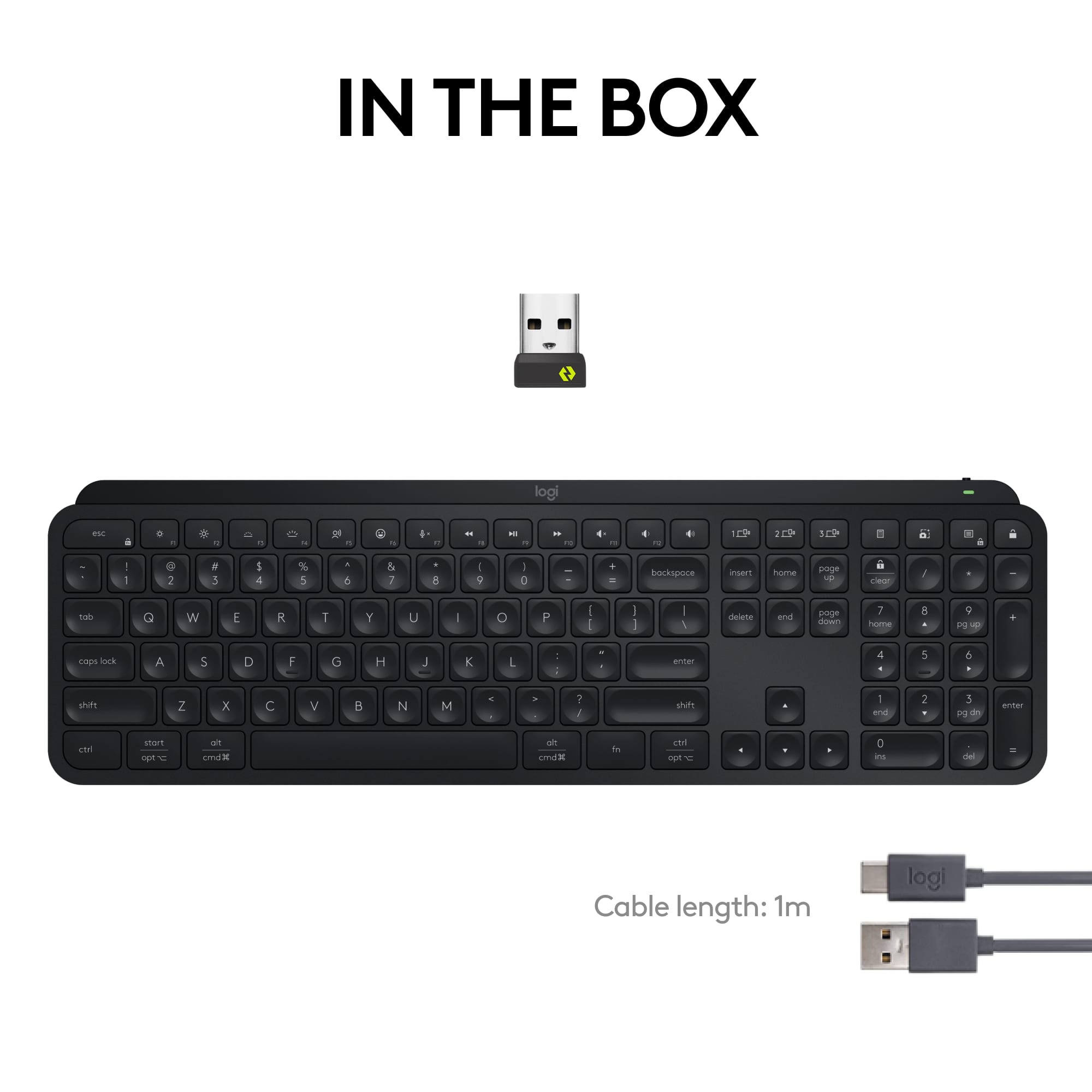
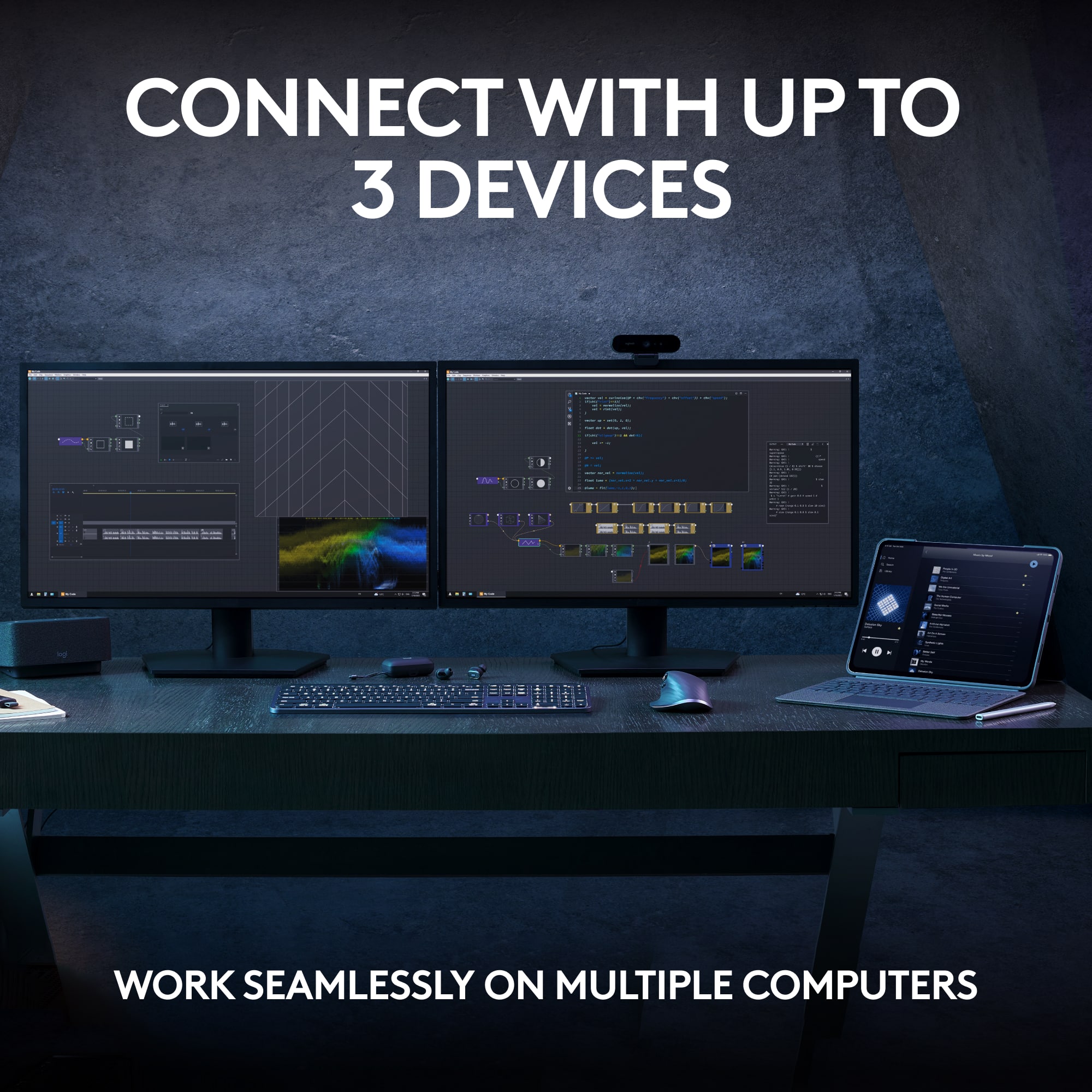





- Model:
- 920-011406
- SKU:
- 10116872
Rating by feature
- Value
Rating 4.5 out of 5 stars
- Quality
Rating 4.8 out of 5 stars
- Ease of Use
Rating 4.7 out of 5 stars
- Pros mentioned:Battery life, Keyboard quality

Solid full featured keyboard with great lighting!
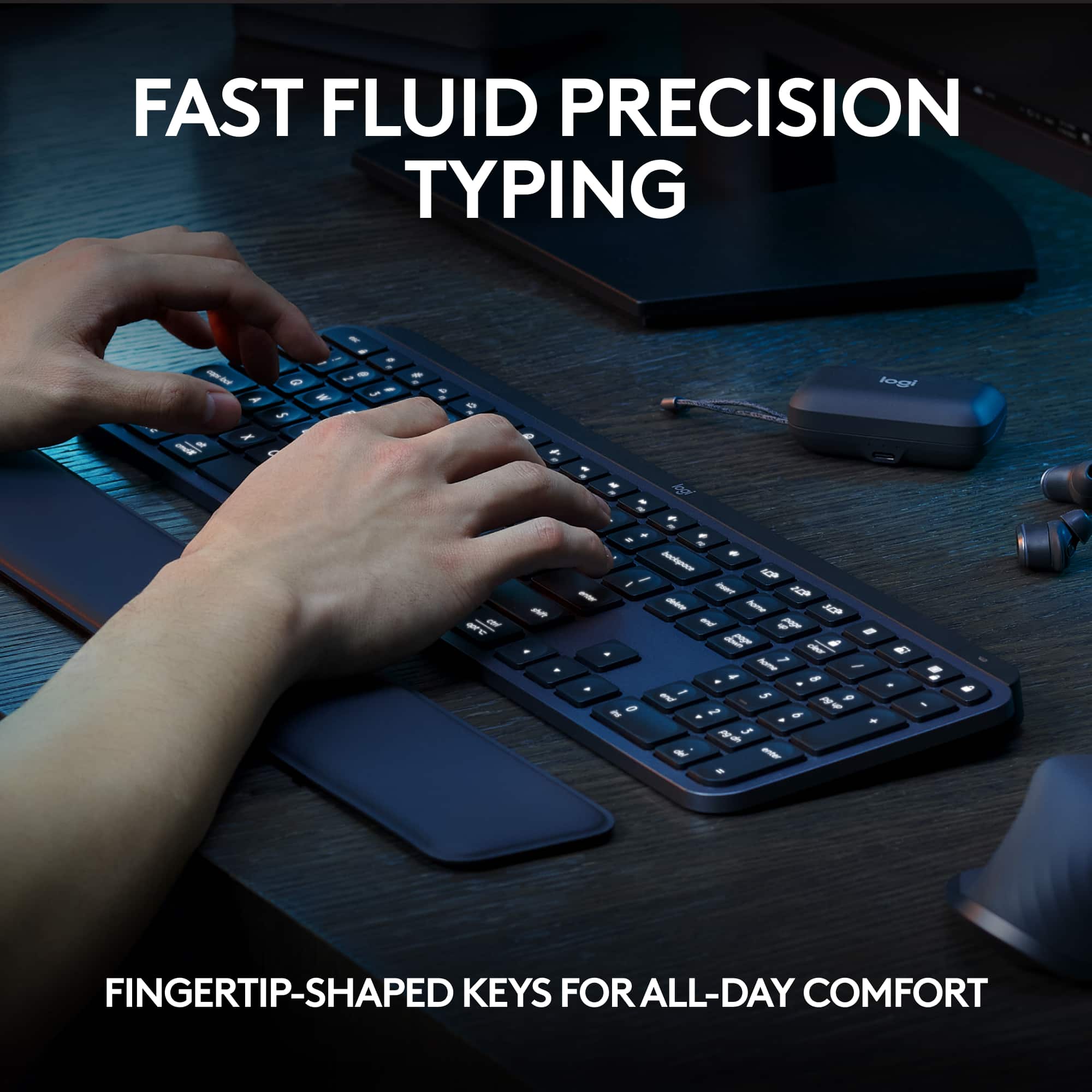
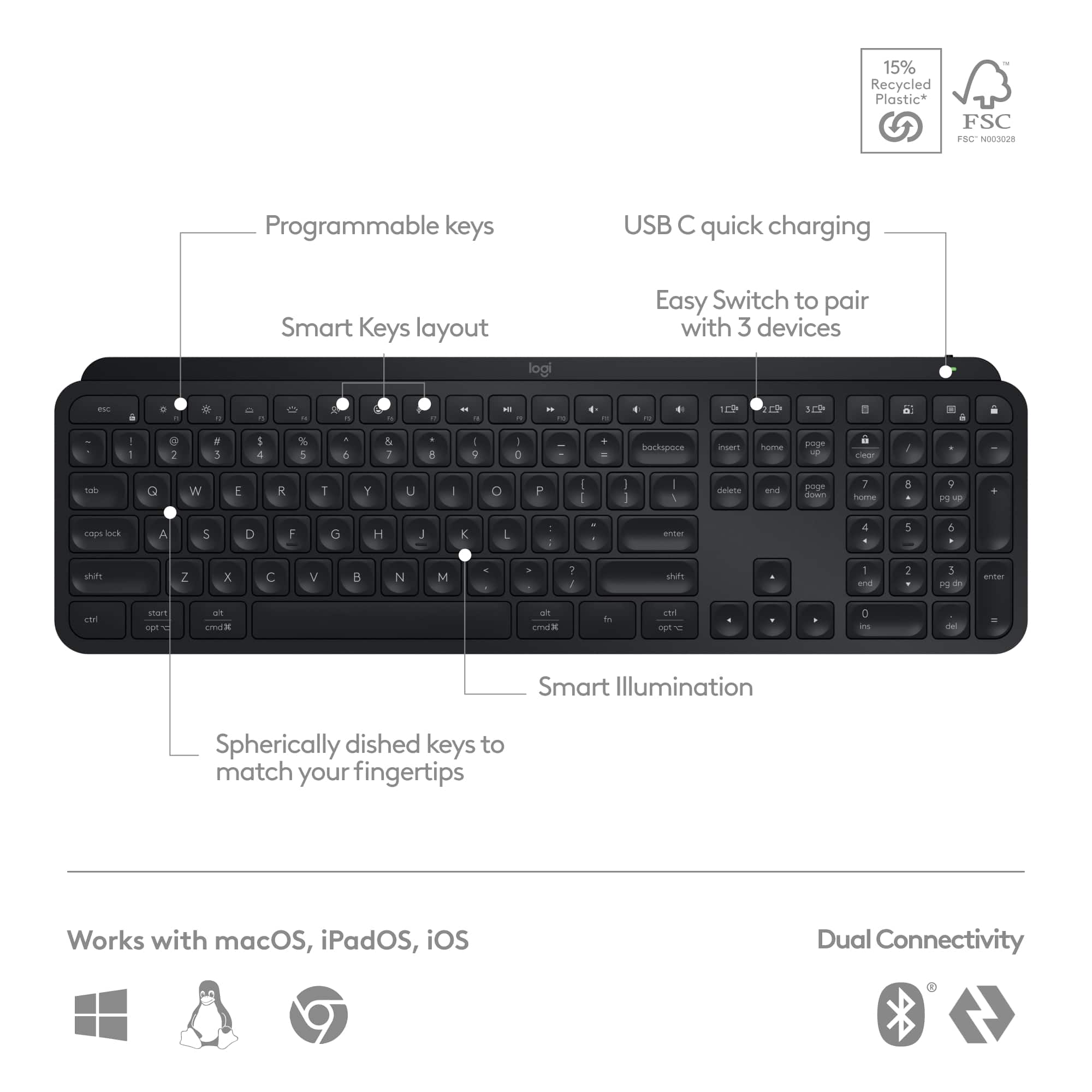
|Posted .This reviewer received promo considerations or sweepstakes entry for writing a review.I was excited when the new Logitech MX Keyboard showed up at my door as I was in need of a replacement device for a previous mechanical keyboard that wasn’t wireless. Right out of the box, I was immediately impressed by how split the unit felt and how completely comfortable the low profile keys with “finger shape” were to type on. Setup is basically one and done - plug in the USB dongle and the computer automatically does the rest. There’s additional software you can install to further customize the experience, including the ability to connect with multiple computers at the same time. This is especially helpful since the unit pairs easily with both PC and Mac without any issues. Battery performance is top notch, as I’ve had the unit almost two weeks and it hasn’t required a charge after regular use. The smart illumination is well executed and very smart - coming on when it’s needed and turns off when it isn’t. Key throw is a little different as the low profile makes it different then the mechanical setup I’m used to. The greatest benefit to this design is that it’s MUCH quieter when I’m on conference calls and attempting to multi-task without a lot of clack clack clack. All in all Id say this was a definite must buy for anyone needing a full featured wireless keyboard that’s easy to use.
I would recommend this to a friend - Pros mentioned:Battery life, Keyboard quality
Beautiful, comfortable, rechargable keyboard.
|Posted .This reviewer received promo considerations or sweepstakes entry for writing a review.The MX Keys S Logitech Wireless Keyboard is one of the most comfortable keyboards I have used. Plus it has more features than any other keyboard I have ever used. It is a very professional looking keyboard that will leave an impression on your desk. Your fingers will fit into the spherically-dished shaped keys for a nice fluid typing experience. The keyboard is quiet, fluid and fast. The low-profile design and keyboard angle is comfortable when typing for long periods of time. The best feature of this keyboard is that it is rechargable. No more batteries! You can charge the keyboard via the USB C charging cable. It will stay powered up to 10 days on a full charge or up to 5 months (backllighting turned off). Another feature that I like on this keyboard is that you can pair it with multiple devices. You can pair it with up to three devices (on Windows, Mac, or Linux) via Bluetooth or the Logi Bolt USB receiver. You can also pair any MX mouse with Logi Options+. The backlighting on this keyboard is so nice - especially if you have to work/play in low lighting situations. A must have on all future keyboards. Wireless keyboard is the only way to go! This is a keyboard I would definitly recommend!
I would recommend this to a friend - Pros mentioned:Ease of use, Keyboard quality
Still the best!
|Posted .This reviewer received promo considerations or sweepstakes entry for writing a review.The Logitech MX Keys S - Black is a great keyboard in my opinion. It is super easy to set up and get working on various platforms. It comes with an included USB dongle for communication with computers that don't have built in Blue Tooth, but the easy button is connecting via Blue Tooth. I was able to connect the keyboard to several of my Windows lap tops with just a click of the install keyboard button and a quick search of nearby blue tooth devices. On my Windows computers the drivers and required software also just seemed to download themselves and install with no fuss and a few clicks of the mouse to grant permissions. On my Mac computer it was still really simple, but I did have to grant permissions a few times and I did have to download software. On my MAC installs I did have to grant some detailed permissions about the keyboard working in the background, and some suspicious sounding phone home requests that I think I said no to, but I don't really feel comfortable that I understood the questions being asked... Other than that, the keyboard works great. Things I would change to give it 5 stars instead of 4... 1. It does not work on my Windows 7 PC which is my favorite PC (HTPC build) That I use the most often of all my computers, and also which benefits most from a wireless light up keyboard... I have an older version of this keyboard that works just fine, so I'm confused why Logitech would discontinue support for computers that millions of people still own?? I would also like to see replaceable batteries as an option as these keyboards cost over $100 but I'm supposed to throw it away when the battery gets weak? And the last thing I would like to see is an illumination on/off switch... I would like the ability to lock the illumination in the on setting as I primarily use this keyboard in the dark when browsing from my recliner while streaming on my HTPC... This is my 3rd version of this keyboard, and I still haven't found anything better !
I would recommend this to a friend - Pros mentioned:Ease of use, Keyboard quality
Extremely Pleased
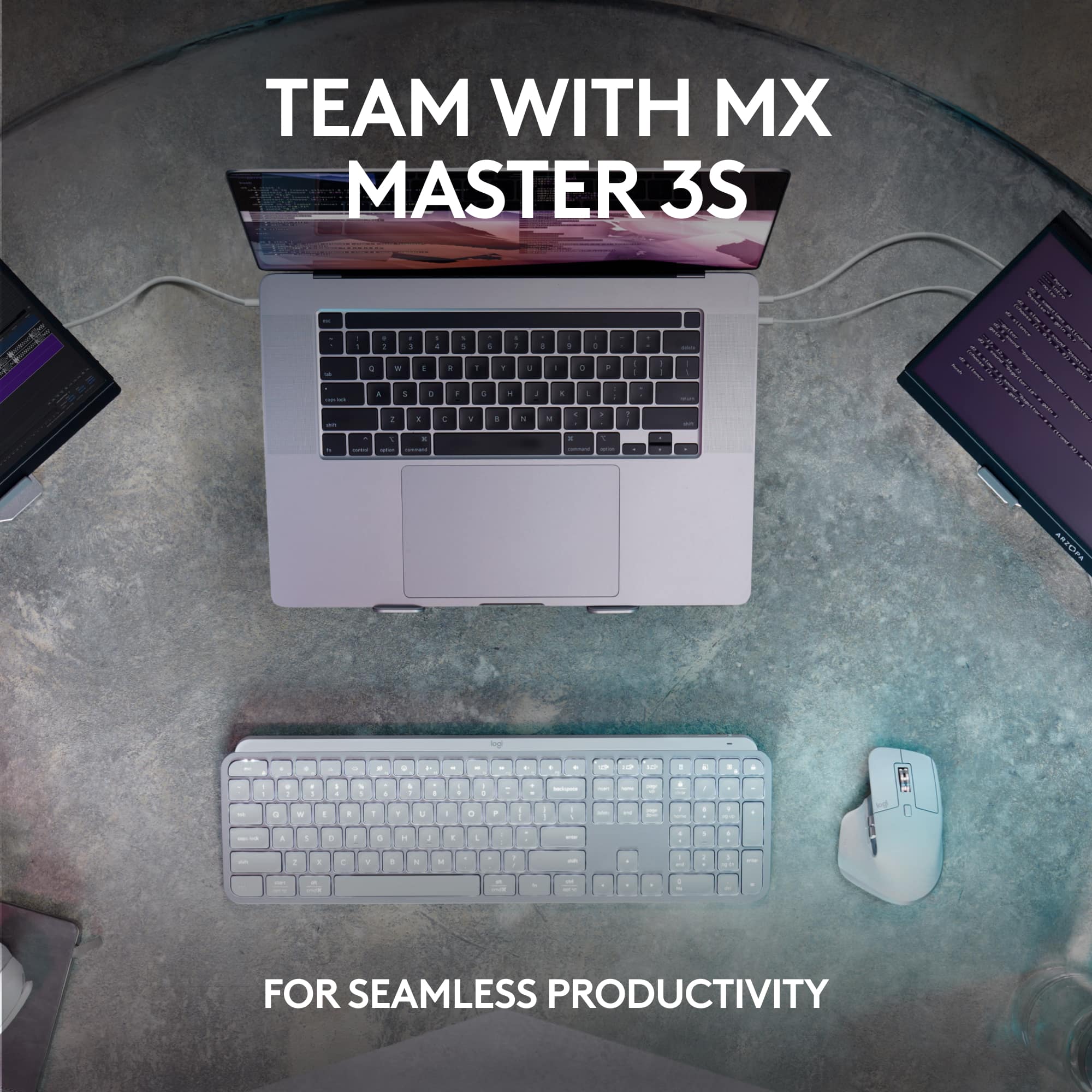
Posted .This reviewer received promo considerations or sweepstakes entry for writing a review.I recently purchased the Logitech MX Keys S Combo and couldn't be happier. My setup is a Mac Mini and a Windows-based tower connected to the same monitor on different inputs. The keyboard is sleek and stylish, fitting in perfectly with my workspace. The setup was easy enough and reasonably intuitive for my moderate technical ability. The keys are incredibly comfortable to type on, and the backlighting is a nice touch for working in low-light situations. The mouse is equally impressive, with smooth and precise movements. Mouse clicks are also very soft and quiet and the device is very comfortable in the hand. Switching seamlessly between multiple devices has also been incredibly convenient for me. Switching between the devices takes 2-3 seconds. It's not lightning-fast, but fast enough for the convenience of only having one mouse and keyboard in my workspace. Overall, I highly recommend the Logitech MX Keys S Combo to anyone needing a high-quality keyboard and mouse combo.
I would recommend this to a friend - Pros mentioned:Battery life, Keyboard quality
Perfect Keyboard for Multiple Setups
|Posted .This reviewer received promo considerations or sweepstakes entry for writing a review.I love this keyboard! Honestly, there are no flaws that I've encountered. For me, the ability to connect to different computers is a major plus (I have a matching MX mouse as well that can do the same). With the push of a button, the ability to switch between my Mac Mini, MacBook Air, or Dell laptop (Windows) is really slick. I have all 3 connected via Bluetooth as well so no need to use a USB dongle (there is one included in case you do need it). Typing and responsiveness of the keys is accurate and comfortable. Solid feeling keyboard, sturdy, and sleek. Holds a really good charge as well (10-14 days for my use) and can easily use and re-charge with a USB-C cable. Highly recommended for any user, and definitely if you want to easily toggle between multiple computers (or even an iPad).
I would recommend this to a friend - Pros mentioned:Keyboard quality
Great High Quality Keyboard
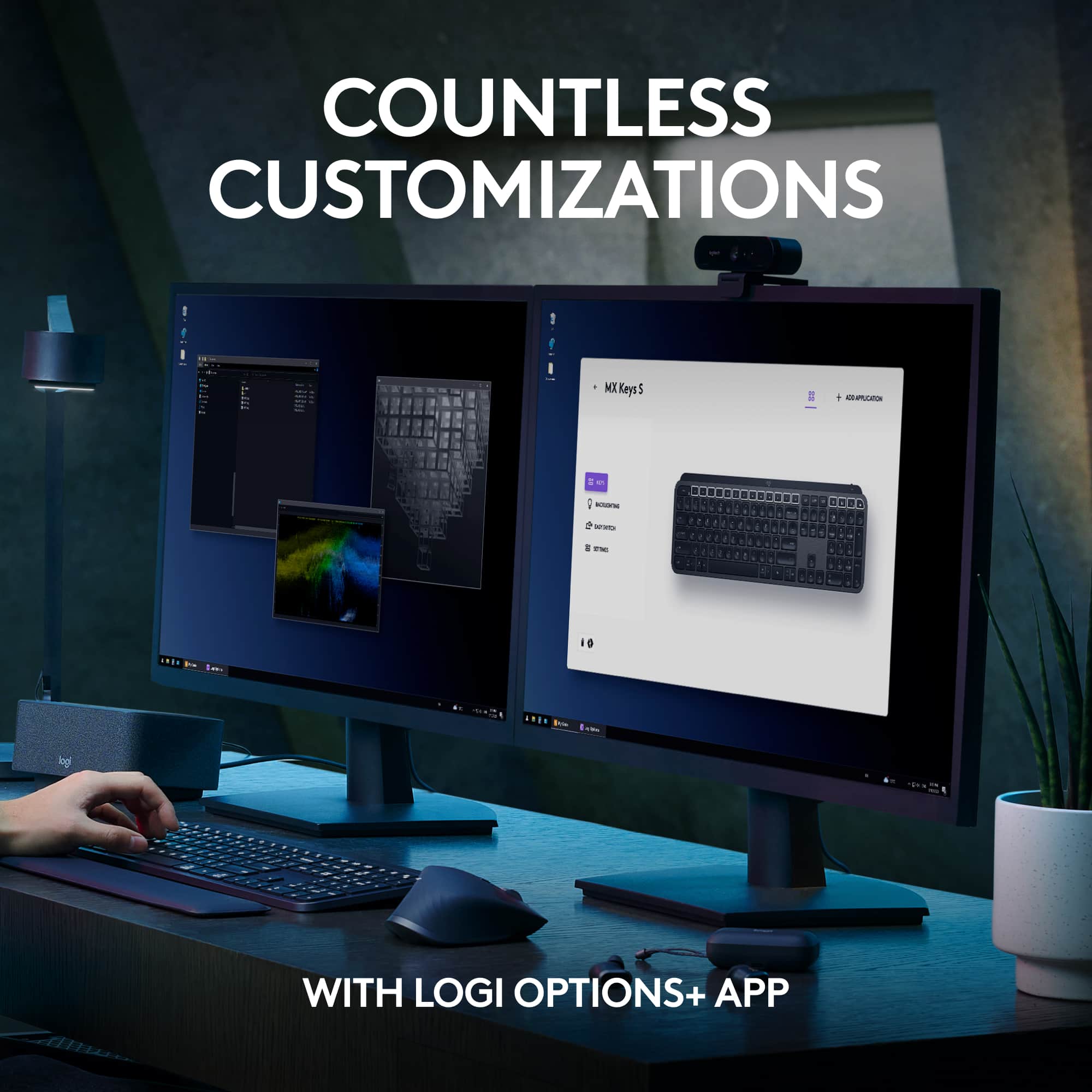
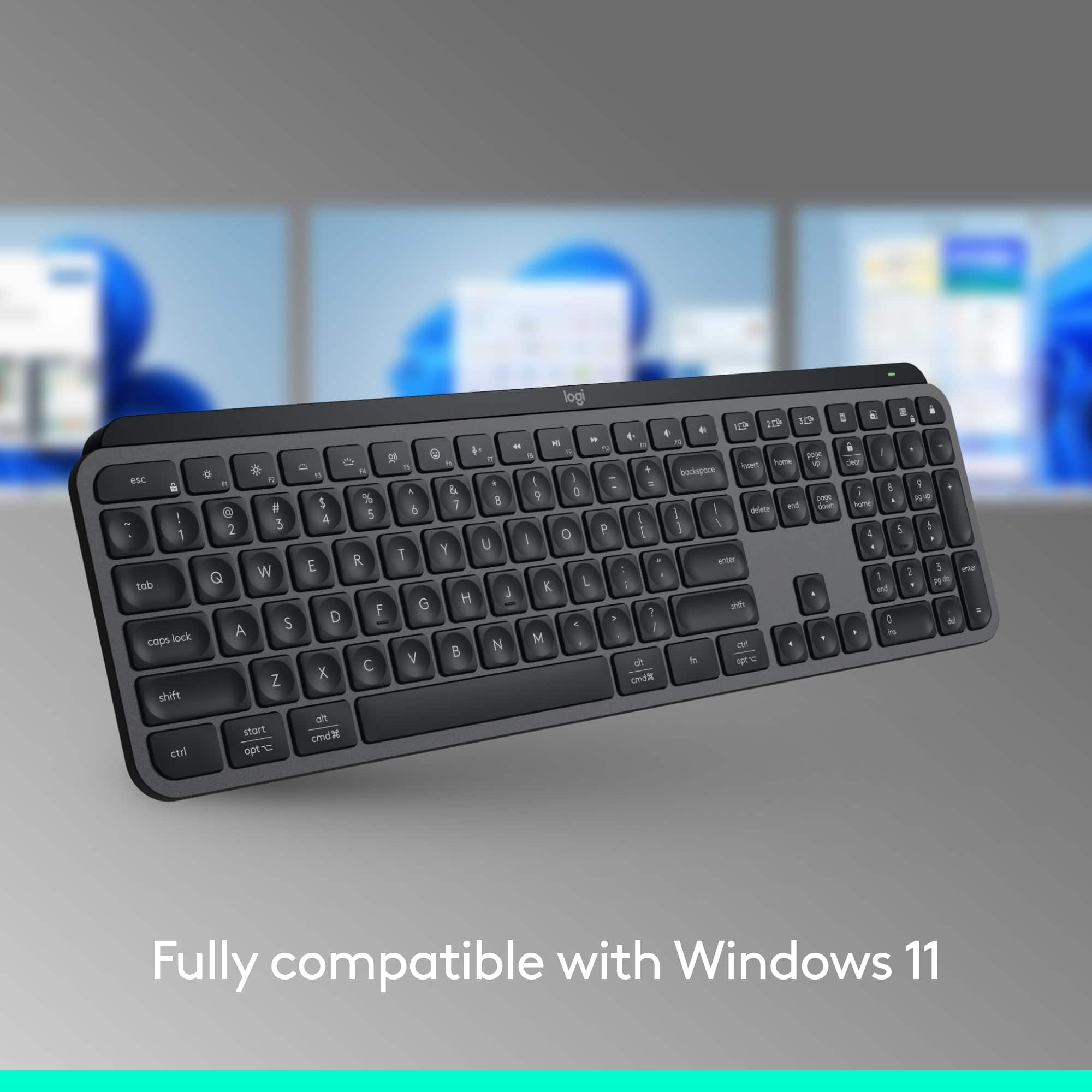
|Posted .This reviewer received promo considerations or sweepstakes entry for writing a review.I am typing this review on this keyboard. Thoughtful design, quality materials and rock-solid build all add up to a high-end experience. It’s got clean styling and a lack of gaudy branding. I like it a lot. The keyboard is weighty, well balanced, and stays put on my desk offering a firm typing surface, has a full-size backspace key, media control keys, and a one key lock on the top right corner. It would be nice to have the customary Windows logo on the Win key rather than the word “start” but I can understand why a cross platform device might avoid that. I’m a big keyboard kind of user. I’ve always gravitated toward luxe boards since my keyboard and mouse are notably the only parts of my computer that I actually touch when using the computer. Why folks skimp on their tools is an eternal mystery and I’m hardly going to be the one who solves it. I usually use a Logitech G910 mechanical keyboard with linear keys. It is not quiet. The MX Keys is very quiet, sounds more like a nice laptop or Mac keyboard. Online calls will be easier for me now without being worried about my keyboard noise coming through the mic. Speaking of online calls, this board has a microphone mute programmed on the top row, way better than mousing around the window looking for the mute in whatever app I’m using. I would have preferred a rotary volume knob on the top right corner, but tapping volume keys on the F row works too, it’s just nice to have that volume control where I don’t have to look down to adjust. The number pad area has a dedicated key for Windows Screen Snip, one key for taking screenshots, windows, or selected areas of the screen is quite useful. In fact, there is no PrintScreen key on this board and good riddance, there’s a new and better way. A dictation key on F5 opens Windows voice recognition feature and allows you to type by speaking. Lack of a wrist rest makes it uncomfortable for me for long typing sessions. Without the wrist rest and the keyboard being forced into an angle by the battery stack across the rear of the board makes extended use for me uncomfortable, but my hands will adjust once I get the wrist rest. I think I might just be spoiled? For touch typists, home row is easy to find and the key indents make this an easier board to touch type with than the Apple keyboards with the flat keys. The way that the keyboard lights up when my hands move towards it is cool, I wish every keyboard did that. This is another thoughtful design touch that maintains full functionality with the wireless keyboard while maximizing battery life. The backlighting is consistent across the keys and has 7 steps from no backlight to full brightness, also a nice feature. Logitech’s Logi Options+ software lets you customize the top row keys to a wide selection of pre-defined functions, or you can make a custom function such as launching an app at your pleasure. The software is simple and intuitive, I like it. I had no problems with using it on my iPad, it paired via Bluetooth and worked great. The Xbox did not fare as well, but my couch is perhaps too far to overcome all the other transmitters and Wi-Fi stuff that’s stuffed in the cabinet. Go ahead and buy it, wireless keyboards don’t get better than this.
I would recommend this to a friend - Pros mentioned:Key feel
What the original MX Keys *should have been*
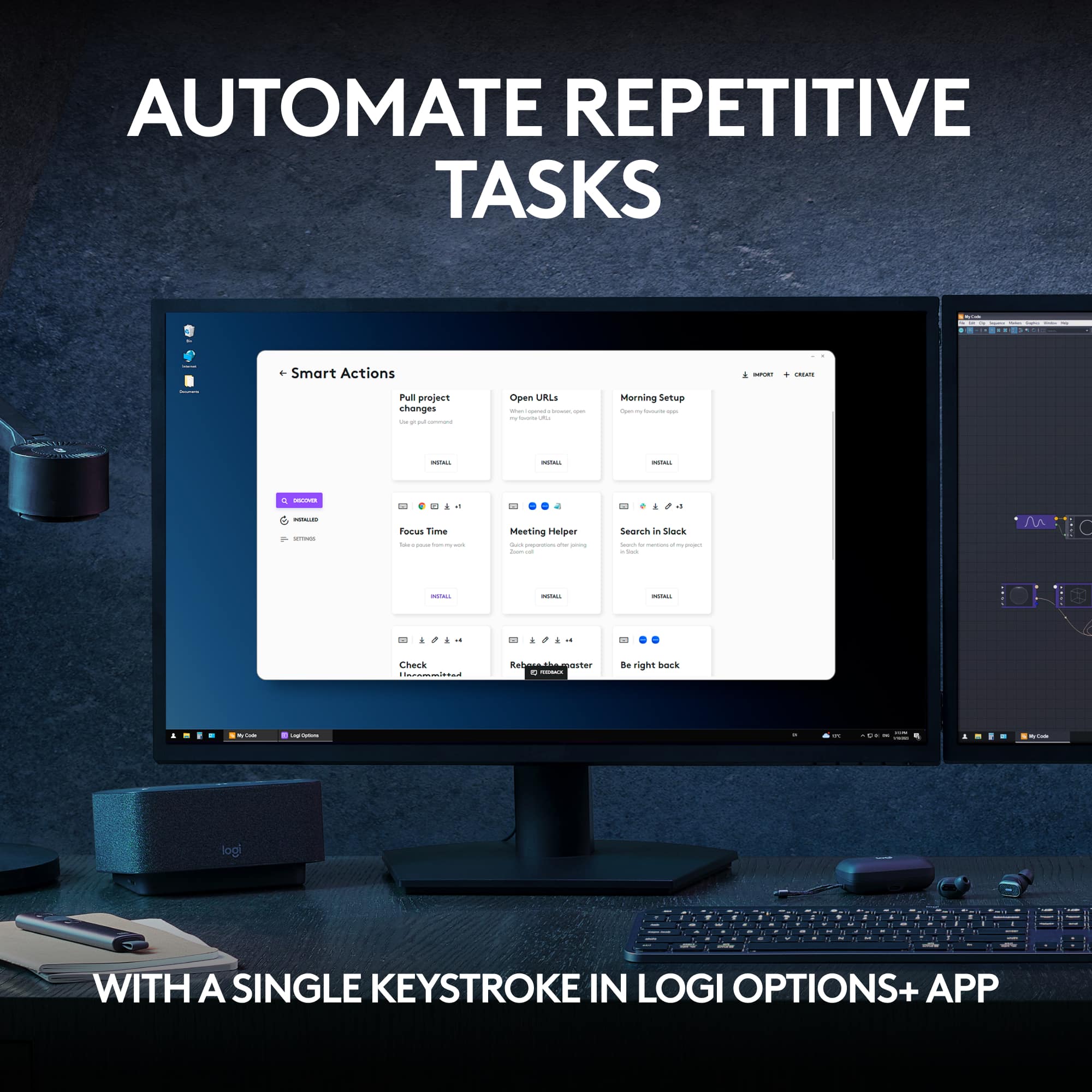
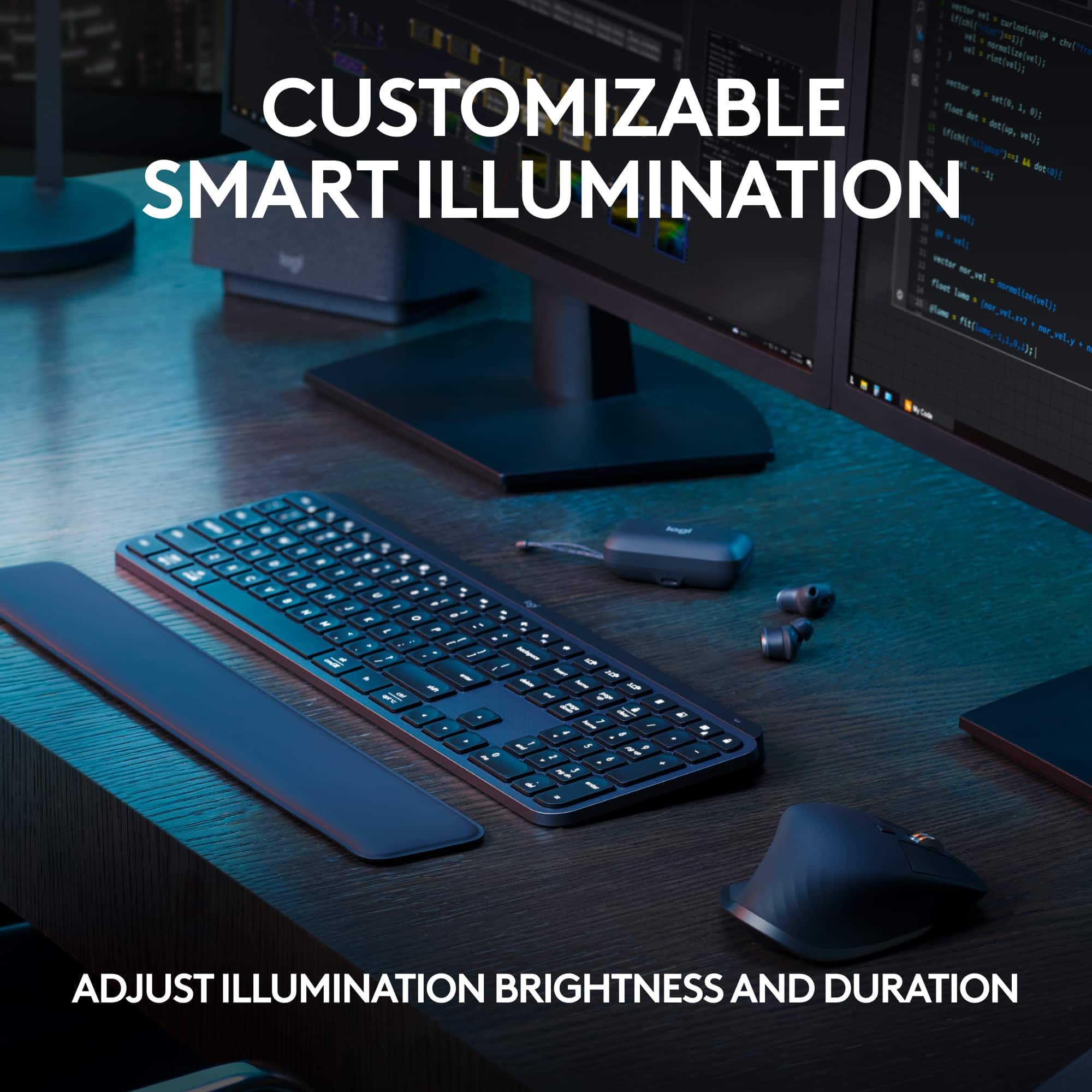
|Posted .This reviewer received promo considerations or sweepstakes entry for writing a review.16.75 x 5 x .25" (front) / .75" (back) 1 lbs 12 ounces The MX Keys S keyboard is nearly identical to the MX Keys and even moreso to the MX Keys for Business since that version used the Bolt receiver instead of Logitech's older less reliable Unifying receiver. It does come with an upgrade that will make you willing to trade up if you're already an owner of one of them. And if you're not, with the MX Keys S, this is one I can finally recommend getting. I'm not going to bury the lede. I'm going to straight to it. The MX Keys S finally allows Backlighting customization. This is what many, myself included, have been waiting for. Asking for. BEGGING for. It's not perfect, and I'm betting it will still anger some with the way Logitech settled. But it will work for most. With the Options+ software the MX Keys S allows you to keep the backlighting on for up to 30 minutes. And THANKFULLY, it's very generous with the customization of backlight's duration. You adjust the backlight duration using a slider and from 5 to 60 seconds, the selections are 5 seconds apart. From 1 minute to 30 minutes, the selections are 1 minute apart. With this, you can combat the finicky behavior of the proxity sensor and eliminate the flashing. The proximity sensor will only come to play to wake the keyboard after a lengthy period of time of your choosing (up to 30 minutes) instead of relying on it to detect activity while you're in the middle of typing. There is no "Always On" option unfortunately. Not even for while the keyboard is plugged in and charging. There's also a caveat to this setting: When plugged into USB C, the MX Keys S ignores this setting and will automatically hibernate after 5 minutes of inactivity. The proximity sensor will turn off. To wake the keyboard back up, you would need to press a key on the keyboard. It's a step in the right direction. Logitech's other full sized wireless backlight keyboard, the K800, never had it this good. You can toggle backlighting on or off. You can also toggle Automatic Brightness. With Automatic Brightness on, MX Keys S will manage the brightness according to the amount of light in your environment. With Automatic Brightness off, you have the option of setting the brightness to one of its 7 levels of brightness. And the MX Keys S gets very bright. For comparison, somewhere between the MX Keys S's level 2 and 3 brightness is the max brightness of Logitech's K740. Unlike with my old K740, the lowest brightness on the MX Keys S is very usable. But I prefer mine on level 2. Besides being close to the max brightness of my K740, it lessens the intensity of the light bleed that you get coming from underneath the keys of the MX Keys S. If your keyboard on a surface low enough and easily looking over the keys, the light bleed won't be a problem at all. But I have a tall desk, where the surface is almost up to my chest. Because of this, I can see the gaps underneath the keys, hence the distracting light bleed. You can toggle the Battery saving mode. When enabled, this automatically turns off backlighting when the battery level drops below 10%. Finally with the Options+ backlight settings, there is a Reset Backlighting button to restore the backlight settings back to the factory settings. Unlike the original retail version of MX Keys, the MX Keys S is finally running off of the Bolt USB receiver. Despite it being compatible with bluetooth, the USB receiver is a preferred option for desktop users because BIOS cannot recognize bluetooth devices. Of course, Logitech already has something similar to Bolt with its Unifying receiver, but the technology is so old, and susceptible to interference in certain environments. Bolt is based on the newer Bluetooth Low Energy 5.0 standard operating on a different set of channels, which helps combat the already congested 2.4 GHz spectrum that's home to microwave ovens, phones, wifi signals, etc. Unifying will eventually become obsolete and be replaced by Bolt as no newly released devices are using it. Everything else the MX Keys S has to offer is about the same as its original. The form factor and size is the same. It's low profile with no wrist rest, so it may be uncomfortable or take some getting used to for some. If you've used Apple's Magic Keyboard, you know exactly what you're in for. Of course a wrist rest can be bought, including one from Logitech specifically for the MX Keys but keep in mind, that also takes away part of what makes the MX Keys series attractive: it doesn't take up a lot of space. The build of the MX Keys S is made of plastic but with how sturdy the base feels, you would think it's metal. It's not. It's a very hard premium plastic. However, it's lined on the outside with a thinner plastic that isn't as sturdy. In some areas of the lining, when I'm squeezing it from holding the keyboard, it creaks. Fortunately the keys are atop the sturdy plastic so you never get any creaking noise while typing on it. In fact, the keys are pretty quiet. Some will say silent, but I perceive silence as no noise. You can still hear the keys while typing. But it's very quiet. The travel on the keys is great for typing with a satisfying tactile response. It's good enough for gaming too but clearly nowhere near the kind of tactile response you'd get from a mechanical keyboard. In its effort to accomodate use across multiple devices it compromises its layout: -For Windows, the MX Keys S is missing the Print Screen and Pause/Break keys. You can program these funtions to any of its 17 programmable keys using the Options+ app but out of the box, these buttons do not exist. This is a huge problem for users that rely on those keys and work with computers where they're not allowed to install software on them. Logitech made the curiously poor decision of mapping its Screen capturing key specifically to Windows' Snipping Tool app. So without Options+ you can't perform the Print Screen function or have apps map to the print screen key because it doesn't exist on the MX Keys S. There is also no Pause/Break key, which can be a hassle for programmers and terminal users. Logitech's out of the box workaround shortcut for this function is pressing Fn + B. While you can program both functions with Options+, the software doesn't even list either function in a way that's intuitive. If you try to map Print Screen to a key, Print Screen isn't among one of the selectable options on Options+. It's listed as "Screen capture". It makes sense, but there's already been a name for it since forever. By listing it as Screen capture, it's not clear if it's the Print Screen key function or another Screen capturing function the way the default function opens Windows' Snipping Tool. The Pause/Break function is completely absent from its list. You need select "keyboard shortcut" when mapping the key and use Fn+B as the keyboard shortcut. When you do, you'll see that Options+ recognizes the shortcut you entered as "Break". But again, this is only possible with the Options+ app installed. Out of the box, these keys do NOT exist. -For macOS, to the right of the space bar are the Command, Fn, and Option keys, in that order. Whereas the traditional Mac keyboard layout goes: Command, Option, Control. The MX Keys S, like Logitech's Master MX mice series, can pair with up to 3 compatible devices by either Bolt or bluetooth. Switching between devices is as easy as pressing the numbered device button on the keyboard. If you have a mouse that's compatible with Logitech Flow you can link that mouse to MX Keys S in the Options+ app. With Logitech Flow, you can operate your paired computers with the same mouse like a multi-monitor setup. The mouse seamlessly moves across the screen to the next paired device as if they were the same computer. And you can arrange them like monitors within Options+. The clipboard is also shared. With MX Keys linked to the mouse, it will automatically switch devices (no matter the OS) to the same one as the mouse without needing to press the device key. With the Options+ app, you can map the 17 programmable keys per application as well. Something that's currently in beta is "Smart Actions", which are basically macros programmed with If this then that instructions, similar to Samsung's Routines. You'll be able to assign these Smart Actions you create to keys. Conditional triggers will range from Application, Device, and System but they're presently not all available yet. Battery life is advertisted to last for 10 days with the backlight on its default settings: 30 second backlight duration, Automatic brightness on, battery saving mode on. With backlight off, it's 5 months. I haven't had the time to test it but it seems feasible from my short testing of the default settings. It stayed at 100% then at 95% for several hours. What I did test was battery life with the max settings. Max brightness (level 7), 30 minute brightness duration, battery saver disabled. It lasted about 24 hours on continuous use; a little over 24 in real time when I went out to eat for breakfast and lunch, and slept for 5 hours. Charging the MX Keys S from 0% to 100% took about 4 hours (3 hours and 57 minutes) using my 100W laptop charger. So there's no fast charging. It won't take advantage of higher wattage adapters. You can use the keyboard while it's charging but the USB cable is for charging only. It's not transporting data or operating as a wired keyboard. It's still running wirelessly while charging. As far as portability goes, while its minimalist design makes it really slim, it's relatively heavy from the materials and battery. Due to its length, it will only fit lengthwise inside a laptop bag made for a 17" laptop. Now that we're able to extend the backlight duration for longer than 5 seconds, I can safely recommend the MX Keys S. This is the keyboard most of us have been waiting for. But Logitech shouldn't stop here. We need always on backlighting while the keyboard is charging, PLEASE!
I would recommend this to a friend - Pros mentioned:Keyboard quality
good keyboard
Posted .This reviewer received promo considerations or sweepstakes entry for writing a review.This has been a great keyboard. I tried the Apple keyboard supplied with the iMac and the upgraded keyboard. But this one is so much nicer./
I would recommend this to a friendBrand response from Logitech
Posted .We’re so pleased to hear your experience has been positive. Your input helps us build better products for everyone.

- Pros mentioned:Ease of use, Keyboard quality
Fantastic
Posted .This reviewer received promo considerations or sweepstakes entry for writing a review.This keyboard is great. I enjoy the black light that only works when touching the keys, easy to click, slick design. I have this keyboard for work and one at home for personal use.
I would recommend this to a friendBrand response from Logitech
Posted .We're delighted to hear that you're so pleased with your Logitech MX Keys S! It's wonderful to know that you've incorporated it into both your work and personal life. Thank you for your kind words and for choosing Logitech!
- Pros mentioned:Keyboard quality
Logitech is the Leader in Keyboards
|Posted .This reviewer received promo considerations or sweepstakes entry for writing a review.Having used various third-party keyboards with both PCs and Macs (and iPads) over the years, I’ve had extensive experience with high-end, low-end, middle of the road keyboards, you name it. Logitech never fails to bring it on! They just simply make the best keyboards out there. This one’s no exception. Just the look of it is so sleek and classy, with the low profile making my desk setup look clean and minimalist. And it’s a good, hefty weight which will not slide easily around on a surface, nor is it cheap or plasticky feeling at all. The shape of the keys makes it easy to type, with a good tactile feel and bounce back when typing. I like the backlighting of the keys, and how they can sense when you position your hands above them and they turn on automatically. And no batteries to worry about, as it recharges with a USB-C connection. Setup via Bluetooth was a breeze. I tried this keyboard with my iMac, MacBook, ASUS and Dell laptops, and my iPads—worked perfectly with all of them, and I was able to hook it up with a max of three devices at once and switch seamlessly between them when warranted.
I would recommend this to a friend - Pros mentioned:Keyboard quality
Finally Goes Bolt
|Posted .This reviewer received promo considerations or sweepstakes entry for writing a review.I've been waiting for this update to Logitech's MX Keys series. Whereas the previous version only worked with the Unified Receiver, this one is fully supported by their Bolt adapter. But there's more than just that. There are new key layouts that are better suited to those that do a lot of video/remote conferencing. Essentially, this keyboard appears to almost exactly the same as their MX Keys for Business keyboard, but now in all black. This is great, because now the keyboard matches their MX Master 3S mouse and can use the same Bolt adapter. With all of this said, this keyboard is a total pleasure to type on. The travel isn't too shallow, it's quiet, and the indented keys help your fingers find the sweet spot. The elevation of the keyboard isn't adjustable, but I find the angle to be perfect for me. Key backlighting is configurable directly or updated through the Option+ app. It's useful to save power - which I didn't notice to last any longer than its predecessors. And as before, it uses USB-C to charge and can accommodate 3 different devices connected to it.
I would recommend this to a friend - Pros mentioned:Key feel, Keyboard quality
LOVE IT !!
Posted .This reviewer received promo considerations or sweepstakes entry for writing a review.Love it! I've tried several in search of a good wireless, backlit keyboard to replace my discontinued Logitec K800. Finally found this that has all of those features and has good key-feel.
I would recommend this to a friend Impressed to say the least
Posted .This reviewer received promo considerations or sweepstakes entry for writing a review.Nice keyboard. A little louder than what I anticipated but not too annoying. I like lighted keys feature a a lot. The looks match my decor as well.
I would recommend this to a friendBrand response from Logitech
Posted .Thanks for the encouraging feedback! We’re glad the product is working well for you. Your support helps us keep innovating.
- Pros mentioned:Keyboard quality
Best Keyboard
Posted .This reviewer received promo considerations or sweepstakes entry for writing a review.I love this keyboard more than I thought I would! It has a satisfying sound without being noisy, I love the backlit keys, and it's so nice being able to switch devices with one key
I would recommend this to a friendBrand response from Logitech
Posted .Your feedback means a lot to us, and we’re so glad to hear you’re enjoying your Logitech device. We work hard to create products that make life easier and more enjoyable, and it’s great to know we hit the mark. Thanks again for your support!
- Pros mentioned:Keyboard quality
4.5, some issues but overall great
Posted .This reviewer received promo considerations or sweepstakes entry for writing a review.It's more like a 4.5 stars but there are some annoying issues. There should be more backlight settings such as always on and the sensor to turn the light back on after a while aren't always responsive, at least not immediately. There are some issues with the caps locks being too close to "A". The software that allows you to customize the keyboard isn't the best and could use some serious improvements especially with allowing you to program the keys. When using the usb reciever, there are some issues with connection as sometimes the keyboard will disconnnect and it will take a while to work again. The solution to this is just switching up ports, but why is this a problem in the first place. Might be missing on or two things, but besides that, the keyboard is amazing. Looks nice, feels smooth, sounds nice, and has several cool features.
I would recommend this to a friendBrand response from Logitech
Posted .Hello, Thanks for the thorough review of the MX Keys S! We appreciate you taking the time to share your experience, both the positives and negatives. It sounds like you really enjoy the keyboard's design, feel, sound, and features, but there's room for improvement in backlighting options, software customizability, and occasional connection issues. Your feedback is valuable to us as we work to make our products even better.
- Pros mentioned:Battery life
Almost perfect
Posted .This reviewer received promo considerations or sweepstakes entry for writing a review.Very good -- an older keyboard I loved failed, and this one is a better, very similar, replacement. No batteries, USB C charging which lasts at least a week even with heavy use, and several levels of back illumination, My only complaint is that when backlight off the key lettering is very faint, and since I'm not a typist, finding the keys requires me to have backlighting on.
I would recommend this to a friendBrand response from Logitech
Posted .It's great to hear the MX Keys S is proving to be a better replacement for your old keyboard, especially with the convenience of USB-C charging and the adjustable backlighting! We appreciate your feedback regarding the faint key lettering when the backlight is off. We understand how that can be an issue for non-typists and rely on visual cues. Thanks for sharing your experience!
- Cons mentioned:Size
Keyboard not for me.
Posted .This reviewer received promo considerations or sweepstakes entry for writing a review.Keyboard was just too small for me, and it lies flat which made it difficult to use and, since it was a Marketplace product, it was extremely difficult to return.
No, I would not recommend this to a friend - Pros mentioned:Keyboard quality
Amazing!!
Posted .This reviewer received promo considerations or sweepstakes entry for writing a review.This keyboard is awesome! It’s small enough to fit in my backpack, so I bring it back and forth from work to home. I was going to buy a cheaper version for home but transporting is the way to go since it’s so amazing. I’m not the best at typing, however this keyboard helps me to type faster and better than those standard large keyboards that my work provides. Expensive but definitely worth it!
I would recommend this to a friend - Pros mentioned:Ease of use
Logitech Keyboard
Posted .This reviewer received promo considerations or sweepstakes entry for writing a review.This keyboard is easy to set up and works great. Very light so it’s easy to transport.
I would recommend this to a friend - Pros mentioned:Keyboard quality
Great keyboard estimation point
Posted .This reviewer received promo considerations or sweepstakes entry for writing a review.It's a terrific keyboard. The backlit keys make a big difference. The connection to my laptop is easy and fast.
I would recommend this to a friendBrand response from Logitech
Posted .That's wonderful to hear you're finding the keyboard terrific! We're so glad the backlit keys are making a big difference for you and that the connection to your laptop is easy and fast. Thanks for sharing your positive experience!