Customer Ratings & Reviews
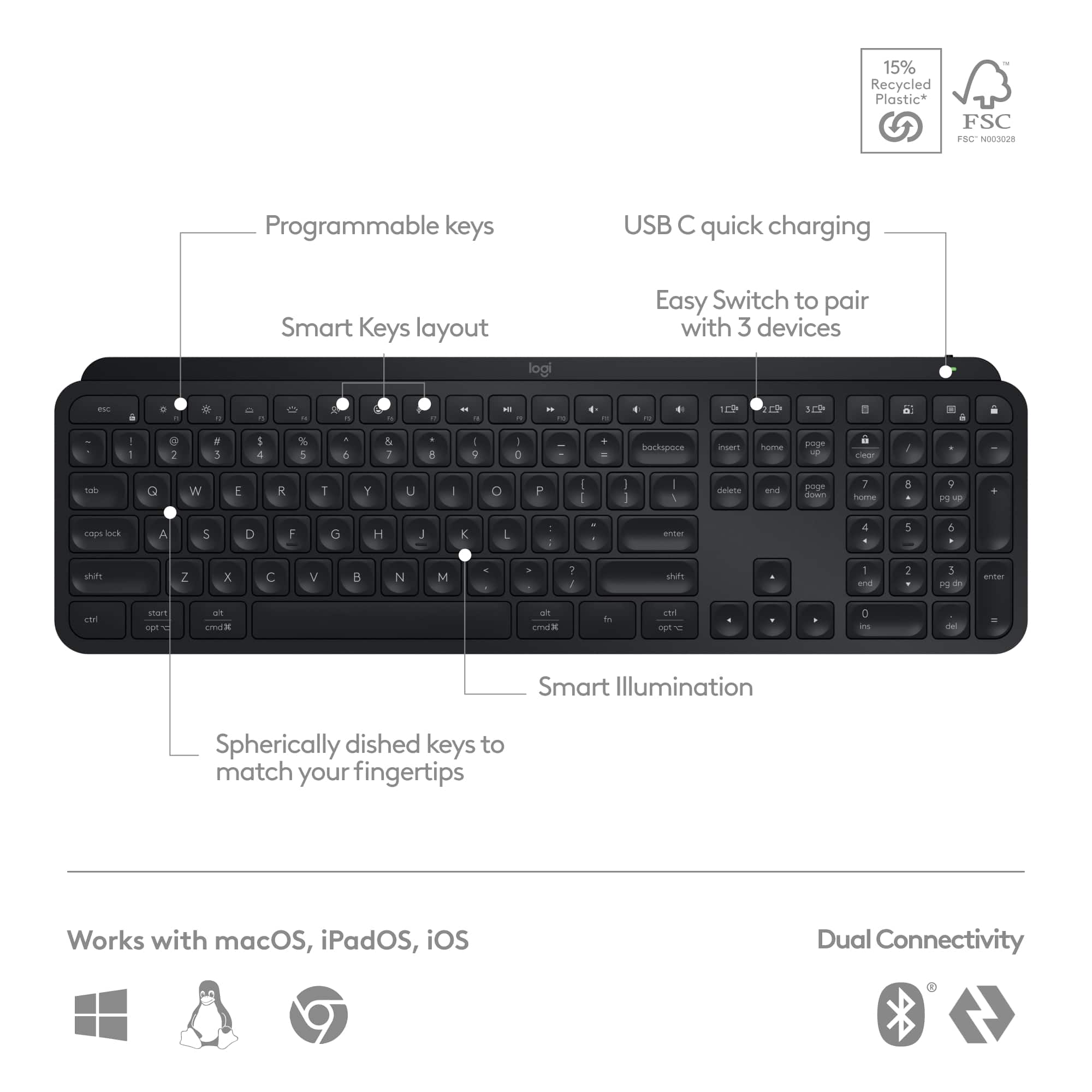
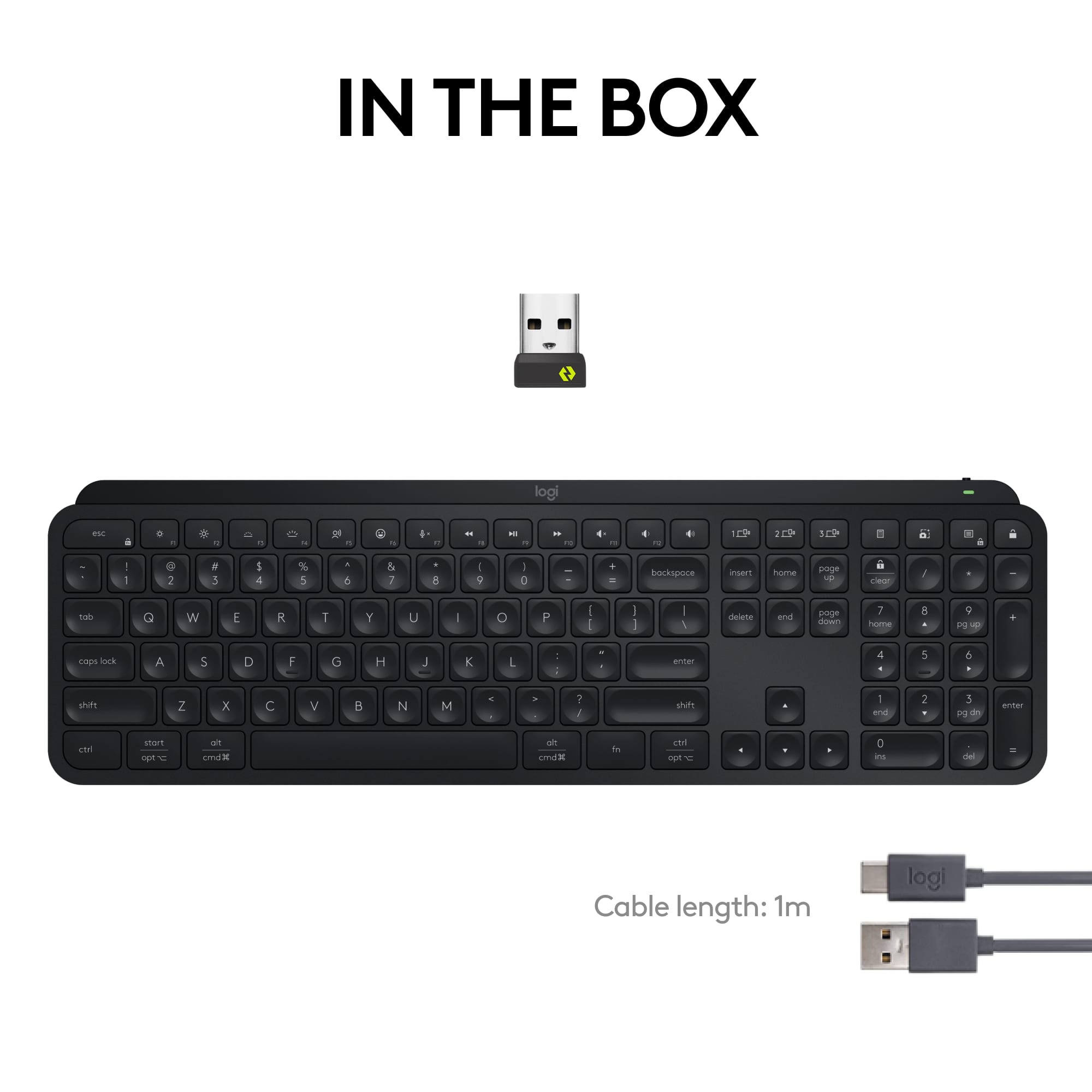
![esc ~ ! 1 tab caps lock shift ctrl F2 Fl # 2 3 Q W A S Z start opt L F3 $ 4 E D X alt cmd3 ) FS F4 A % 5 6 R T F G V C logi 44 HI & F9 FID FB F7 F6 * ) - - & 0 8 9 7 O P U I Y K L H J > < N M 1 B PM + = { [ : I ; ? I alt cmd D 2 4 300 3 1 F12 . * page I insert home up clear backspace 8 9 + 7 page A pg up end down home } I delete ] / 6 4 5 4 enter 2 3 enter 1 dn Pg end shift = 0 del ins etrl fn opt](https://pisces.bbystatic.com/image2/BestBuy_US/images/products/6539/6539505_sd.jpg)





- Model:
- 920-011406
- SKU:
- 10116872
Rating by feature
- Value
Rating 4.5 out of 5 stars
- Quality
Rating 4.8 out of 5 stars
- Ease of Use
Rating 4.7 out of 5 stars
- Pros mentioned:Connectivity, Keyboard quality
Really Good
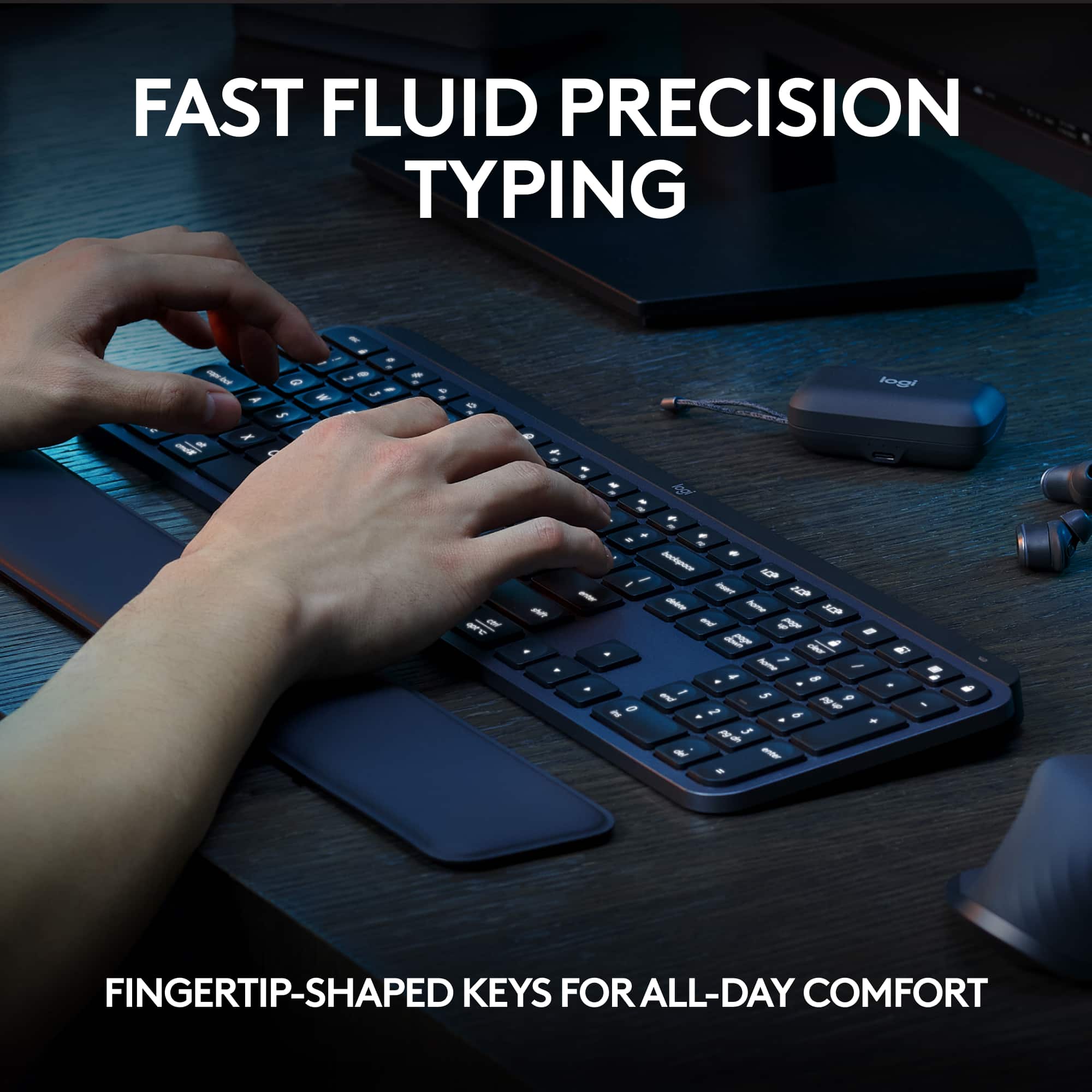
||Posted . Owned for 2 weeks when reviewed.This reviewer received promo considerations or sweepstakes entry for writing a review.High quality. Love this quiet keyboard. Can use on multiple PCs, which is a seamless experience. Good job.
I would recommend this to a friendBrand response from Logitech
Posted .We're so pleased you're experiencing the premium quality and quiet comfort of the MX Keys S! We put a lot of focus into making the multi-PC experience seamless, and we're thrilled you're finding it so. Thank you for your kind words and for recognizing our efforts!

The best you could possibly buy
||Posted .This reviewer received promo considerations or sweepstakes entry for writing a review.This is the best keyboard I've ever used. I try now and then to switch but always come back to the MX Keys. It's quiet and low-profile. I can swap between controlling different computers in a blink -- or even pair it to my phone, which I've done several times to provide more comprehensive responses to text messages. The price is worth it to me because of the great build quality and features. I wish it came in more colors, though -- give a girl a brilliant pink or purple keyboard Logitech.
I would recommend this to a friendBrand response from Logitech
Posted .We truly appreciate you sharing your thoughts. It’s fantastic to hear the product is delivering as expected. Your feedback helps us grow and refine what we do. Thanks for choosing Logitech!
- Pros mentioned:Keyboard quality
Switched from Apple Keyboard
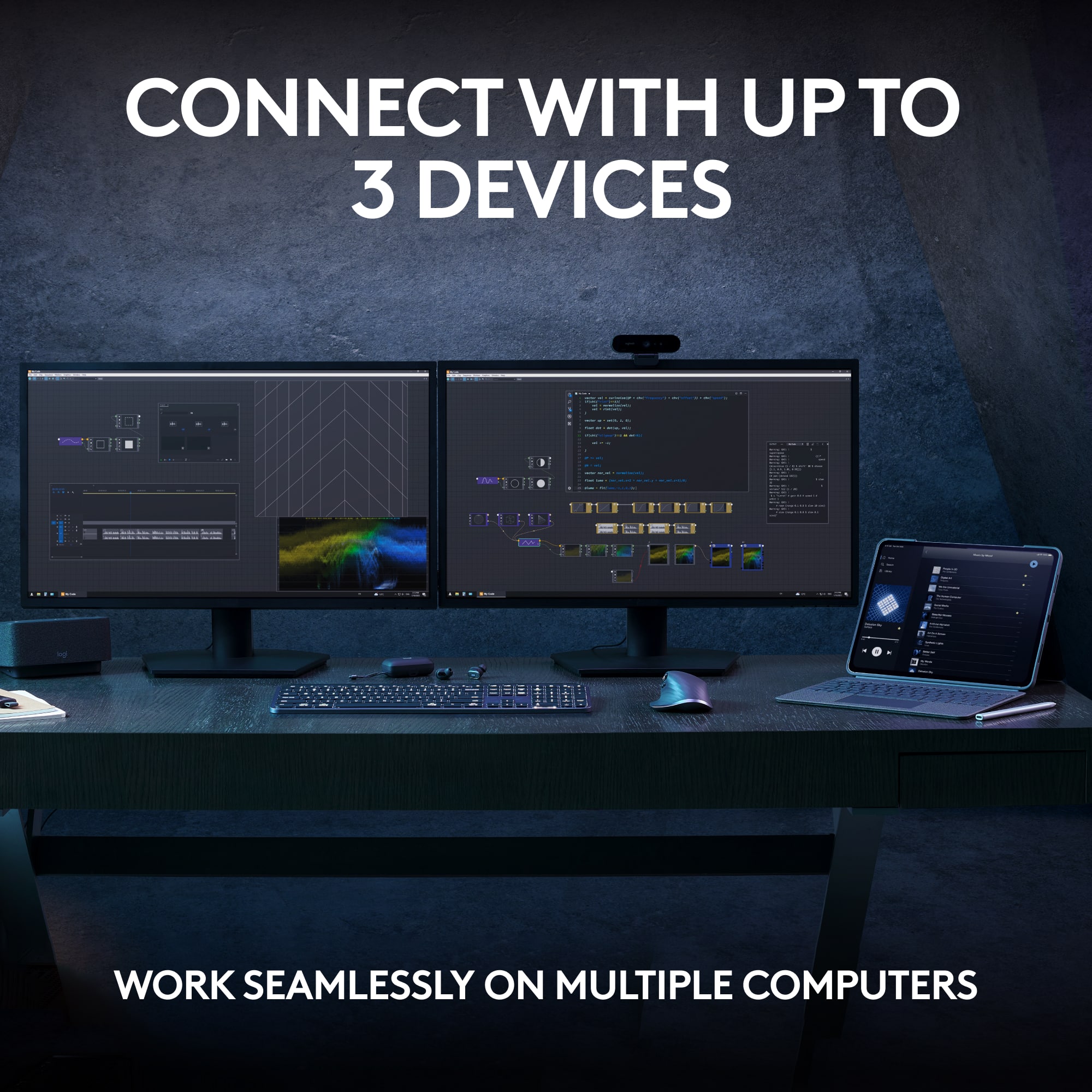
||Posted . Owned for 1 month when reviewed.This reviewer received promo considerations or sweepstakes entry for writing a review.I was not happy with the Apple keyboard because it slid all over the place. Contemplated the change for a long time and finally decided to switch once I was able to get a feel on a model. Keyboard has more weight and better key feel. The downside was it has no legs to change the keyboard angle so I use a wrist pad to lift the keyboard to a better angle that suits me. A positive is that I can connect three different devices to the one keyboard which is great when I go from my work laptop to my personal laptop. It seems to connect faster to a Windows device than Apple. You can connect to phone as well but haven’t tried this yet. Real happy that I made the change
I would recommend this to a friendBrand response from Logitech
Posted .We appreciate your detailed feedback on your switch to the MX Keys S! It's great to hear you're happy with the weight, key feel, and multi-device connectivity. We understand your point about the lack of adjustable legs and appreciate you sharing your workaround. We're glad you're enjoying the keyboard!
Best keyboard I've ever owned — on my 3rd one
||Posted . Owned for 9 months when reviewed.This reviewer received promo considerations or sweepstakes entry for writing a review.I've owned this keyboard for about a year now and use it every single day, both for everyday life and in my studio for work. I can honestly say this is the best keyboard I've ever used — I've liked it so much that this is actually my third one. Everything about it is excellent. The typing feel is satisfying, the clicks are just right, and it's comfortable enough to use for long sessions without any fatigue. Whether I'm grinding through a long work day in the studio or just browsing at home, it never lets me down. The build quality is exactly what you'd expect from Logitech — solid, reliable, and built to last. The backlit keys are a great touch, especially working in a studio environment where lighting isn't always ideal. I highly recommend this keyboard to anyone looking for a premium daily driver. The fact that I keep coming back to buy another one says everything. Don't hesitate — just get it.
I would recommend this to a friendBrand response from Logitech
Posted .Thank you for such a detailed and thoughtful review! We’re thrilled to hear that the Logitech MX Keys S keyboard has become your go-to choice, delivering satisfying typing feel, reliable build quality, and comfort for both work and everyday use. Your continued trust in this keyboard truly means a lot to us!
- Pros mentioned:Keyboard quality
Smooth, Comfortable, and Incredibly Convenient
||Posted . Owned for 1.5 years when reviewed.This reviewer received promo considerations or sweepstakes entry for writing a review.The MX Keys S has been flawless for me—quiet, comfortable typing and easy switching between up to three devices. The smart backlighting is a nice touch, and the build feels premium. Easily the best (albeit and most expensive) keyboard I’ve owned.
I would recommend this to a friendBrand response from Logitech
Posted .Your feedback means a lot to us, and we’re so glad to hear you’re enjoying your Logitech device. We work hard to create products that make life easier and more enjoyable, and it’s great to know we hit the mark. Thanks again for your support!
- Pros mentioned:Connectivity, Keyboard quality
Perfect! Just what I needed.
||Posted . Owned for 2 weeks when reviewed.This reviewer received promo considerations or sweepstakes entry for writing a review.Excellent, worth the prince, feel, sturdy, perfect size keys, bluetooth, easy & fast pairing
I would recommend this to a friendBrand response from Logitech
Posted .Thank you for your kind words! We’re delighted the Logitech MX Keys S Keyboard is performing well for you. Your feedback inspires us to keep pushing forward.
- Pros mentioned:Connectivity
Keyboard Review
||Posted . Owned for 1 month when reviewed.This reviewer received promo considerations or sweepstakes entry for writing a review.I would like to share my experience with this keyboard based on its functionality and performance. During my usage, I noticed a few important aspects regarding the Flow feature. When using Bluetooth to connect with both the keyboard and mouse, I experienced a noticeable delay. However, when I switched to the USB dongle that came with the keyboard, this delay was completely eliminated. Additionally, it is possible to switch between computers (Windows and Mac) if one device is connected through the dongle while the other uses Bluetooth. It's worth noting that this setup also introduces some delay. For optimal performance, I recommend connecting both devices using the supplied dongle to ensure the best switching experience. Beyond this, I found the keyboard to be excellent, offering a comfortable typing experience, and the mouse performs well too. Having used various keyboards and mice in the past, I can confidently say that this model stands out for its features and comfort.
I would recommend this to a friendBrand response from Logitech
Posted .Thank you for taking the time to share such a detailed and insightful review of your experience with the MX Keys S! We greatly appreciate you highlighting the nuances of the Flow feature with both Bluetooth and the USB dongle across different operating systems. Your recommendation for optimal performance using the dongle for both devices is valuable feedback for other users. We're thrilled to hear you're enjoying the comfortable typing experience and the mouse performance overall.
- Pros mentioned:Battery lifeCons mentioned:Size
Amazing
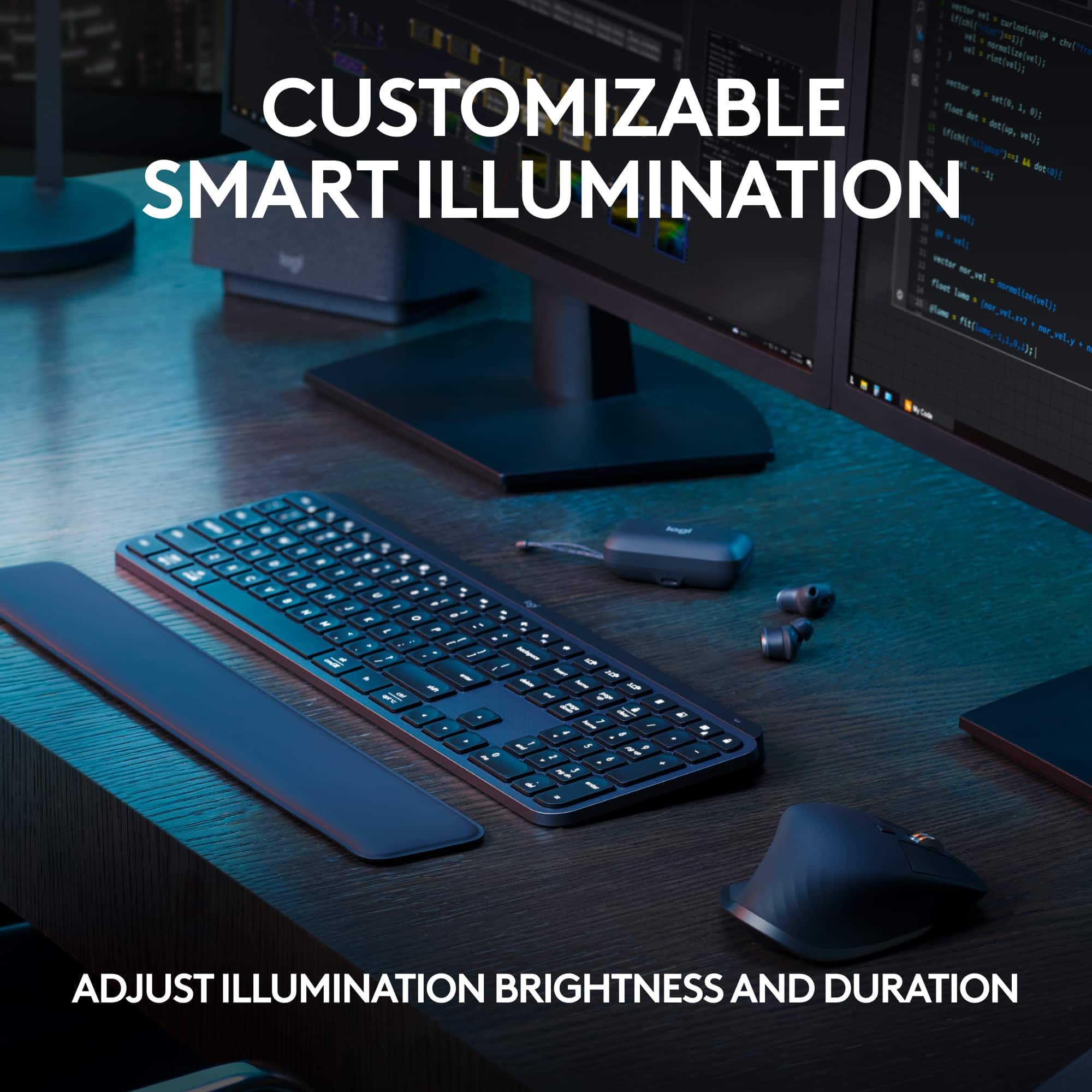
||Posted . Owned for 1 year when reviewed.This reviewer received promo considerations or sweepstakes entry for writing a review.Love this keyboard, you can change the brightness so it last longer and dont be to bright at night. It know when your fingers are near the keys and power for the light lay for awhile on one charge. Only thing i woud say is make it a.bit bigger not a fan of the slim but thats it.
I would recommend this to a friendBrand response from Logitech
Posted .That's great to hear you love the MX Keys S! It's good to know you're appreciating the adjustable brightness for battery life and nighttime use, as well as the smart illumination feature and long battery life on a single charge. Thanks for your feedback about the size – that's valuable for our design considerations!
- Pros mentioned:Battery life, Keyboard quality
Perfect for productivity
||Posted . Owned for 2 weeks when reviewed.This reviewer received promo considerations or sweepstakes entry for writing a review.I had been considering the MX Keys and saw the Keys S version, which was a bit cheaper and has improved backlighting over the original. The keys are smooth and have a short press, so if you're used to traditional/longer press it'll take a bit to get accustomed to it. It charges with USB C and has lasted a couple weeks before getting down to 50% battery with a mix of brightness. I also like that it has a proximity sensor to turn the lighting off after inactivity and back on when you put your hands over the keyboard again. The keyboard also feels very substantial and well built, despite still being plastic on the exterior. I also like that it can switch between 3 devices with a button press. The one annoyance I've found is that if you're in a bright room, i.e. under florescent lights in an office, the backlighting will likely turn off completely, which can be fixed by putting tape over the sensor. Otherwise, in a dimmer setting, the lighting seems to work pretty well.
I would recommend this to a friend - Pros mentioned:Battery life, Connectivity, Keyboard quality
Couldn't be better!
||Posted . Owned for 1 month when reviewed.This reviewer received promo considerations or sweepstakes entry for writing a review.This is a wonderful keyboard. The spacing and tactile response of the keys makes it a pleasure to use, it connects without even opening settings, and is easily recharged. Also, the backlit keys are excellent for working in dim light.
I would recommend this to a friend - Pros mentioned:Keyboard quality
logitech wireless keyboard
||Posted . Owned for 2 weeks when reviewed.This reviewer received promo considerations or sweepstakes entry for writing a review.solid keyboard, weighted correctly so it stays well positioned on the desk. light touch easy to use keys. the ability to toggle to use the keyboard for PD, ipad or phone is a great feature. no delays with wireless. great purchase
I would recommend this to a friendBrand response from Logitech
Posted .Thank you for your thoughtful feedback! We’re delighted to hear that the Logitech MX Keys S keyboard impressed you with its solid build, smooth typing experience, and versatile multi-device connectivity. Your appreciation truly means a lot to us!
- Pros mentioned:Keyboard quality
Definitely a good buy for MacBooks
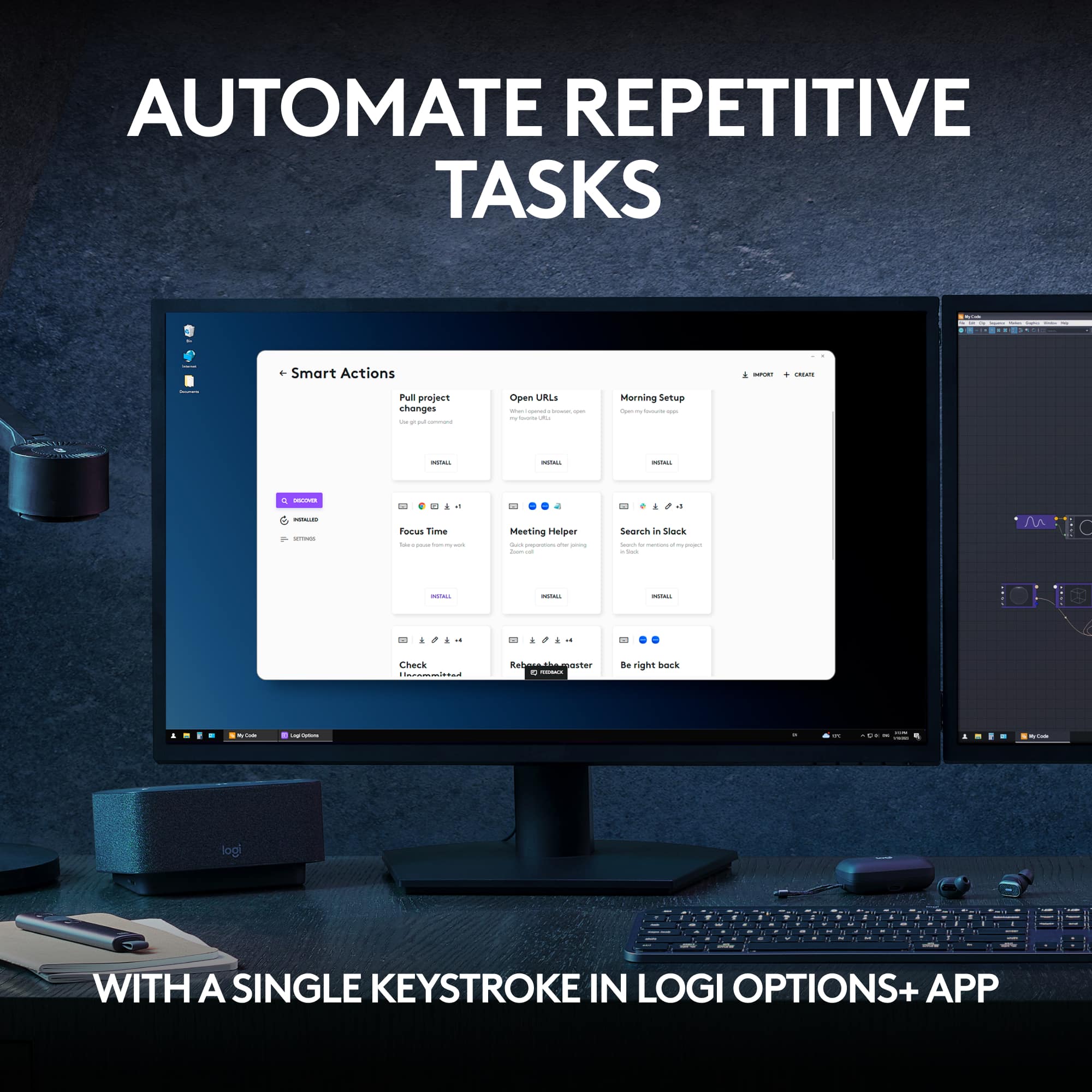
||Posted . Owned for less than 1 week when reviewed.This reviewer received promo considerations or sweepstakes entry for writing a review.Use case: software engineer, MacBook Pro TLDR: enjoying this keyboard, it has a nice tactile feel, quiet operation, and the customizable buttons are very handy. It is also great that it has Mac compatibility out of the box without having to remap keys manually or needing to swap caps/labels. long version: Getting to this keyboard was a little bit of a journey. For several years now I have used a mechanical tenkeyless wired keyboard that I really loved. Maybe 5 or 6 years? But since beginning a new job last year I have been regretting the lack of a numpad. The keyboard brand I was using sells a separate numpad that cost as much as a whole keyboard, so I decided to just buy their full keyboard. Since they (and most keyboards) are meant for PC users, it meant buying some new keycaps and remapping Windows-specific keys... also a few keys were there that don't really fit Mac users. Yet their proprietary software (and most others) doesn't work with Mac so changing that isn't easy always simple. The keyboard had a slightly awkward layout and one of the keys had issues, so after a while I returned it and decided to give the Apple keyboard a try. Turns out the new Mac keyboard only lets the latest MacBooks use Touch ID and I was really disliking the keyboard's lack of tactile feedback and general flatness. So, after giving that one a month I returned it as well and decided to give this one a try after testing every keyboard in the store. I already had the MX mouse, so that was a bonus. (highly recommend that mouse as well btw) I have really been enjoying this keyboard. The keys give me a nice tactile feedback that is reminiscent of the mechanical board I have loved the past several years. Not the same of course, but so much better than Apple's keyboard. There are four specialized buttons over the numpad that are easy to program (with Logitech's software) to do just about anything you could want. It is super handy that I now have ChatGPT and screenshots using my favorite screen capture software with the press of one button compared to the usual series of clicks/key presses. It also has plenty of features that make it friendly to use with a MacBook - like controlling the brightness of the screen, locking the system, controlling volume, emojis, etc. There are features I haven't even tapped into yet as well, like linking automated task sequences to those keys. Theoretically I could program it to do everything I manually do on reboot/start up to be automated with a single button press... but given I am a lazy user that typically doesn't reboot until MacOS reminds me it would be a good idea at least seven times, I would rather map the keys to things I do multiple times a day.
I would recommend this to a friendBrand response from Logitech
Posted .Wow, thank you for this incredibly detailed and helpful review! Your insights into the keyboard's features and your comparison to other options are invaluable to potential customers. We're thrilled you found the MX Keys S to be the perfect fit for your needs as a software engineer. Your enthusiasm for the product is contagious!
- Pros mentioned:Ease of use, Keyboard quality
Wish I could give 5 stars
||Posted . Owned for 1 month when reviewed.This reviewer received promo considerations or sweepstakes entry for writing a review.This keyboard is pretty good, but there’s a few major issues that prevent me from giving it a full star rating. First, the good. It’s backlit, easy to type on, feels sturdy, and gives you the ability to connect via Bluetooth or USB receiver. Since I use it interchangeably with my work laptop and personal MacBook connected to an external monitor, I’ve opted for Bluetooth. No problems there. Unfortunately, the volume control buttons do not work with my MacBook at all. It seems minor, but it is frustrating. I realize this may well be an issue on Apple’s end, but I wish I had known before purchasing. The second issue is with the backlit keyboard. There is a handy Logitech app you can install to further customize your keyboard experience. By default, the key lights are set to turn off after 30 seconds of inactivity. In the app, you can adjust this to set them to stay on over 30 minutes. I keep it plugged in most of the time, so prefer to have the lights on for long periods, even if not using it. After some research, I’ve discovered the keyboard totally ignores this setting and will turn off the backlight after 5 minutes of inactivity, regardless. There’s no known workaround and it’s unbelievable the option is even there if it’s never going to work. Other than those 2 issues, it’s great, but I probably wouldn’t have bought if I knew these things beforehand.
I would recommend this to a friend - Pros mentioned:Battery life, Keyboard quality
Great Keyboard
||Posted . Owned for 10 months when reviewed.This reviewer received promo considerations or sweepstakes entry for writing a review.Keyboard is great, worth the price. Backlighting is bright when needed, long battery life with daily work from home use.
I would recommend this to a friendBrand response from Logitech
Posted .Thank you for sharing your positive feedback about the Logitech MX Keys S keyboard! We're glad to hear it's a great value and meets your needs for work from home.
- Pros mentioned:Keyboard quality
What a pleasure, a perfect keyboard!
||Posted . Owned for 3 weeks when reviewed.This reviewer received promo considerations or sweepstakes entry for writing a review.I have tried many different keyboards in the past two years, including mechanical with RGB light effects and a bunch of lower cost keyboards. Most of them were adequate, but there was always something with each one that made me look for yet another one! I've had several Logitech peripherals along the way and one of them was an MX Anywhere 2S mouse that I bought back when it was first introduced. That mouse was and still is one of my favorites. I use it with a desktop, two different laptops, three different smartphones and several tablets. It is relatively small and was easy to take on trips around the world before I retired. I have added a 27" iMac and a Herk Orion1 mini-PC to my bevy of computers and needed to get another mouse because I was using the 2S with everything. Same story as the keyboard, I tried several, but none felt just right. Based on the positive experience over a long time using the 2S I already knew I had to try the MX Master 3S mouse and decided to mate that with the MX Keys full-sized keyboard. After more than a half-dozen mouses & keyboards, some of which were pretty inexpensive, the Logitech solution seemed expensive. After a few months waiting for them to go on sale (which did not happen!), I finally bit the proverbial bullet and bought them both. I could not be MORE pleased with my decision. They are both "Cadillac" devices. They look, feel and work as perfectly as anything I have tried, and I have been working with computers since the mid-1970s. Over that time, I have seen and used every kind of keyboard and mouse that came along, and this combination feels great. The keyboard has a significant physical weight and stays put. The layout and keycap shapes make it a joy under your fingers. The backlighting and letters on keycaps ae perfect. My ONLY "complaint" is that the backlight goes off after a bit, so in a darkened room I sometimes have difficulty when I start typing, so I put my hand close to it to get the LEDs going. I leave it plugging in to a USB-C port so no worries about battery. Other than that, everything is roses with this thing!
I would recommend this to a friendBrand response from Logitech
Posted .Thank you for your amazing review of the Logitech MX Keys S keyboard! We're thrilled to hear that it's the best keyboard you've ever used and has exceeded your expectations. Your positive feedback means a lot to us as we continue to create exceptional products that elevate your computing experience.
- Pros mentioned:Connectivity
Works Great
||Posted . Owned for 2 months when reviewed.This reviewer received promo considerations or sweepstakes entry for writing a review.Easily the most comfortable keyboard I’ve used in years. The keys are quiet, but clicky and it pairs so well with my MX Master 3s
I would recommend this to a friendBrand response from Logitech
Posted .Hey! Hearing that our product is serving you well is incredibly rewarding. Your feedback helps us grow and improve. Thanks for being a valued member of the Logitech family.
Quiet Work Space
||Posted . Owned for 2 weeks when reviewed.This reviewer received promo considerations or sweepstakes entry for writing a review.Love this keyboard. i love how it can change quickly between devices with just the tap of a button. Super quiet. People forget I am in my office so I hear things I shouldn’t hear.
I would recommend this to a friendBrand response from Logitech
Posted .Thanks for your thoughtful words! We’re proud to know our product is working well for you. Your support means everything.
- Pros mentioned:Battery life
Logitech Keyboard
||Posted .This reviewer received promo considerations or sweepstakes entry for writing a review.Love this keyboard! So quiet and smooth and stays charged for a long time
I would recommend this to a friendBrand response from Logitech
Posted .That's wonderful to hear! We are delighted that you are enjoying the quiet, smooth, and long-lasting charge of your Logitech MX Keys S Keyboard. Thank you for sharing your positive experience!
- Pros mentioned:Battery life, Key feel, Keyboard quality
Excellent keyboard, quiet and soft
||Posted . Owned for 1 month when reviewed.This reviewer received promo considerations or sweepstakes entry for writing a review.Love the feel and quiet of this keyboard. All buttons I need. Easy to toggle between Mac and PC. Smooth buttons. Love the rechargeable battery and alert when to charge. Backlighting is also subtle and soft.
I would recommend this to a friend Best Quiet Low Profile Keyboard on the Market
||Posted . Owned for 1 month when reviewed.This reviewer received promo considerations or sweepstakes entry for writing a review.If you like soft(quiet) satisfying keys and short cuts this is the keyboard for you. It has many shortcut keys that only require a single key instead of multiple for one command like the lock screen and snipit tool. It has an intuitive backlight sensor and will light up the keys or dim down based on brightness of the room you are in and of course you can turn brightness up or down. It is also motion activated, if you move your hand over the keyboard it will illuminate if the backlight is off. I'm a project manager and this keyboard is great for work, I take it with me to the office as well. It also has the perfect weight to it so it stays in place while typing. Pressing the keys is very satisfying if you like quiet low profile keyboards, 100% worth the money spent
I would recommend this to a friendBrand response from Logitech
Posted .This is truly fantastic feedback about your Logitech MX Keys S! It sounds like this keyboard is absolutely perfect for your needs as a project manager.
It's excellent to learn you appreciate the quiet, satisfying keys and the convenience of those single-key shortcuts for functions like the lock screen and snippet tool. The intuitive backlight sensor with its automatic adjustments and motion activation certainly adds a touch of brilliance to your workflow. Knowing it has the ideal weight to stay put while you're typing away, whether at home or in the office, and that you find the low-profile keys so satisfying, truly confirms its value. Thank you for sharing such a detailed and enthusiastic review – we're thrilled it's 100% worth the money spent for you!