Early Black Friday DealsNew Doorbusters every Friday.Shop now

Main Content

Customer Ratings & Reviews

Your price for this item is $129.99

Customer reviews

Rating 4.7 out of 5 stars with 929 reviews

Rating Filter

Rating by feature

  • Value

    Rating 4.5 out of 5 stars

  • Quality

    Rating 4.8 out of 5 stars

  • Ease of Use

    Rating 4.7 out of 5 stars

Pros mentioned filter

Cons mentioned filter

94%would recommend to a friend

Customers are saying

Customers are enthusiastic about the MX Keys S keyboard quality, long battery life, and comfortable key feel. Users appreciate its ease of use, compatibility with both PC and Mac, and convenient wireless connectivity. The keyboard's weight is also seen as a positive attribute. Some customers find the price to be a drawback, and a few feel the size is smaller than expected for the cost.

This summary was generated by AI based on customer reviews.

The vast majority of our reviews come from verified purchases. Reviews from customers may include My Best Buy members, employees, and Tech Insider Network members (as tagged). Select reviewers may receive discounted products, promotional considerations or entries into drawings for honest, helpful reviews.
Page 3 Showing 41-60 of 929 reviews
  • Rated 5 out of 5 stars

    Great, affordable keyboard

    |
    |
    Posted . Owned for 3 weeks when reviewed.
    This reviewer received promo considerations or sweepstakes entry for writing a review.

    Bought this to replace my solar keyboard of the past decade or so. So far I really like it. The "click" of the keys is nice and not too loud, but tactile enough to feel familiar. The adjustable backlighting is also a very nice feature, since sometimes I like to throw on some "ambiance" in my office in the darker months.

    I would recommend this to a friend
    • Brand response from Logitech
      Posted .

      We're happy to hear about your positive experience with the MX Keys S and we are grateful that you took the time out to leave us a review. We appreciate all the insights that you have shared. At Logitech, our goal is to make sure that our customers enjoy the products as much as we do. Thanks so much!

  • Pros mentioned:
    Battery life

    Rated 5 out of 5 stars

    Nice!

    |
    |
    Posted . Owned for 3 weeks when reviewed.
    This reviewer received promo considerations or sweepstakes entry for writing a review.

    So far it’s good! Silent and minimalistic. The battery charge lasts a long time too.

    I would recommend this to a friend
  • Pros mentioned:
    Battery life

    Rated 5 out of 5 stars

    Great buy!!!!

    |
    |
    Posted . Owned for 1 week when reviewed.
    This reviewer received promo considerations or sweepstakes entry for writing a review.

    Very good spend, great battery life, connects to all my devices easily. Backlit keyboard works amazingly

    I would recommend this to a friend
  • Pros mentioned:
    Compatibility

    Rated 5 out of 5 stars

    Logi keyboard

    |
    |
    Posted . Owned for 1 month when reviewed.
    This reviewer received promo considerations or sweepstakes entry for writing a review.

    Awesome Keyboard with dimmable backlight. Works perfectly with my Mac and Widows laptops

    I would recommend this to a friend
  • Rated 5 out of 5 stars

    Good for productivity

    |
    |
    Posted . Owned for 1 month when reviewed.
    This reviewer received promo considerations or sweepstakes entry for writing a review.

    Very good keyboard, switches between computers quickly, sharp and reliable. 10/10

    I would recommend this to a friend
    • Brand response from Logitech
      Posted .

      Thank you for your positive feedback on the Logitech - MX Keys S. We're glad to hear you're enjoying its seamless computer switching and reliable performance. Your satisfaction is our priority. Logitech

  • Pros mentioned:
    Keyboard quality

    Rated 5 out of 5 stars

    Awesome keyboard

    |
    |
    Posted . Owned for 3 weeks when reviewed.
    This reviewer received promo considerations or sweepstakes entry for writing a review.

    Excellent keyboard and super comfortable to type on!

    I would recommend this to a friend
  • Pros mentioned:
    Keyboard quality

    Rated 4 out of 5 stars

    Great crispy keyboard

    |
    |
    Posted . Owned for 1 week when reviewed.
    This reviewer received promo considerations or sweepstakes entry for writing a review.

    Great to type on, super slim and satisfying A little bit mushier than an apple keyboard but on par. The stealth black looks great

    I would recommend this to a friend
  • Rated 5 out of 5 stars

    Great buy

    |
    |
    Posted . Owned for 3 weeks when reviewed.
    This reviewer received promo considerations or sweepstakes entry for writing a review.

    I was looking for a keyboard with the ability to connect via Bluetooth to multiple devices without any lag, and it works wonderfully!

    I would recommend this to a friend
    • Brand response from Logitech
      Posted .

      We're delighted to hear that it's meeting your needs and providing a seamless Bluetooth connection experience across multiple devices. Thank you for your positive feedback on the MX Keys S!

  • Rated 5 out of 5 stars

    Amazing deal

    |
    |
    Posted . Owned for 3 weeks when reviewed.
    This reviewer received promo considerations or sweepstakes entry for writing a review.

    The keyboard is lightweight and the divers in the keys are fantastic, it’s the best keyboard I’ve ever owned and I don’t think I’ll ever buy anything else

    I would recommend this to a friend
  • Rated 5 out of 5 stars

    Best Keyboard

    |
    |
    Posted . Owned for 3 weeks when reviewed.
    This reviewer received promo considerations or sweepstakes entry for writing a review.

    This keyboard is the best compared to apple keyboard and now I can literally see the keys better at age 65.

    I would recommend this to a friend
    • Brand response from Logitech
      Posted .

      A Brighter Typing Experience! We're thrilled that the MX Keys S keyboard is a winner for you! It sounds like it offers several advantages.

  • Rated 3 out of 5 stars

    Offset function keys a little annoying

    |
    |
    Posted . Owned for 1 month when reviewed.
    This reviewer received promo considerations or sweepstakes entry for writing a review.

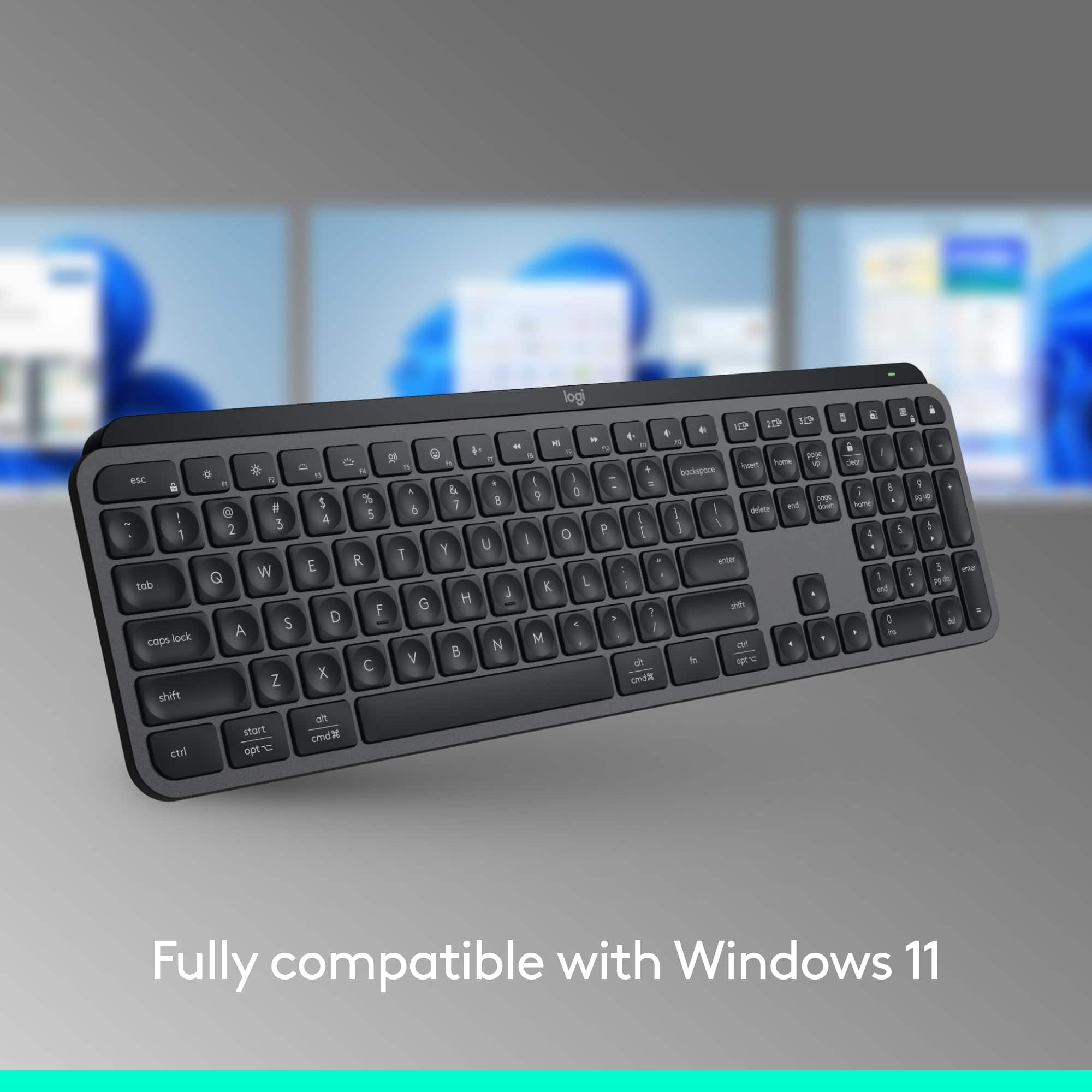
    two things about this keyboard I don’t like which are pretty minor, but you are spending $100 the esc key is extra large which means Function keys are not aligned with the number. I end up hitting F3 when I mean hitting F4. This might not be an issue if this is your only keyboard but if you are switching between home and work setups it takes a little to get used to. other things is that this requires the new logitech software, so if you have another logitech mouse from previous generations it might require you to have both software to be able to customize button on both mouse and keyboard.

    No, I would not recommend this to a friend
    • Brand response from Logitech
      Posted .

      Your feedback has not gone unnoticed. We value your input, therefore we will forward it along to the right team so they can look into it.

  • Rated 5 out of 5 stars

    Happy Customer

    |
    |
    Posted . Owned for 3 weeks when reviewed.
    This reviewer received promo considerations or sweepstakes entry for writing a review.

    I'm very happy with my purchase of the keyboard. I have it connected via the Bluetooth and it was an easy set-up process.

    I would recommend this to a friend
  • Rated 5 out of 5 stars

    Logitech Keyboard

    |
    |
    Posted . Owned for 1 month when reviewed.
    This reviewer received promo considerations or sweepstakes entry for writing a review.

    Great product. I even bought another one in white. I love it much cheaper than Apple keyboard

    I would recommend this to a friend
  • Rated 4 out of 5 stars

    Almost perfect

    |
    |
    Posted . Owned for 2 weeks when reviewed.
    This reviewer received promo considerations or sweepstakes entry for writing a review.

    Backlight sensor is great addition but it often misses the motion, you need to hover over keyboard to make it alive.

    I would recommend this to a friend
  • Pros mentioned:
    Battery life, Compatibility, Ease of use
    Tech Insider Network Member

    Rated 5 out of 5 stars

    Simply Put - The Best Typing Experience I’ve Had!

    |
    Tech Insider Network Member
    Posted .
    This reviewer received promo considerations or sweepstakes entry for writing a review.

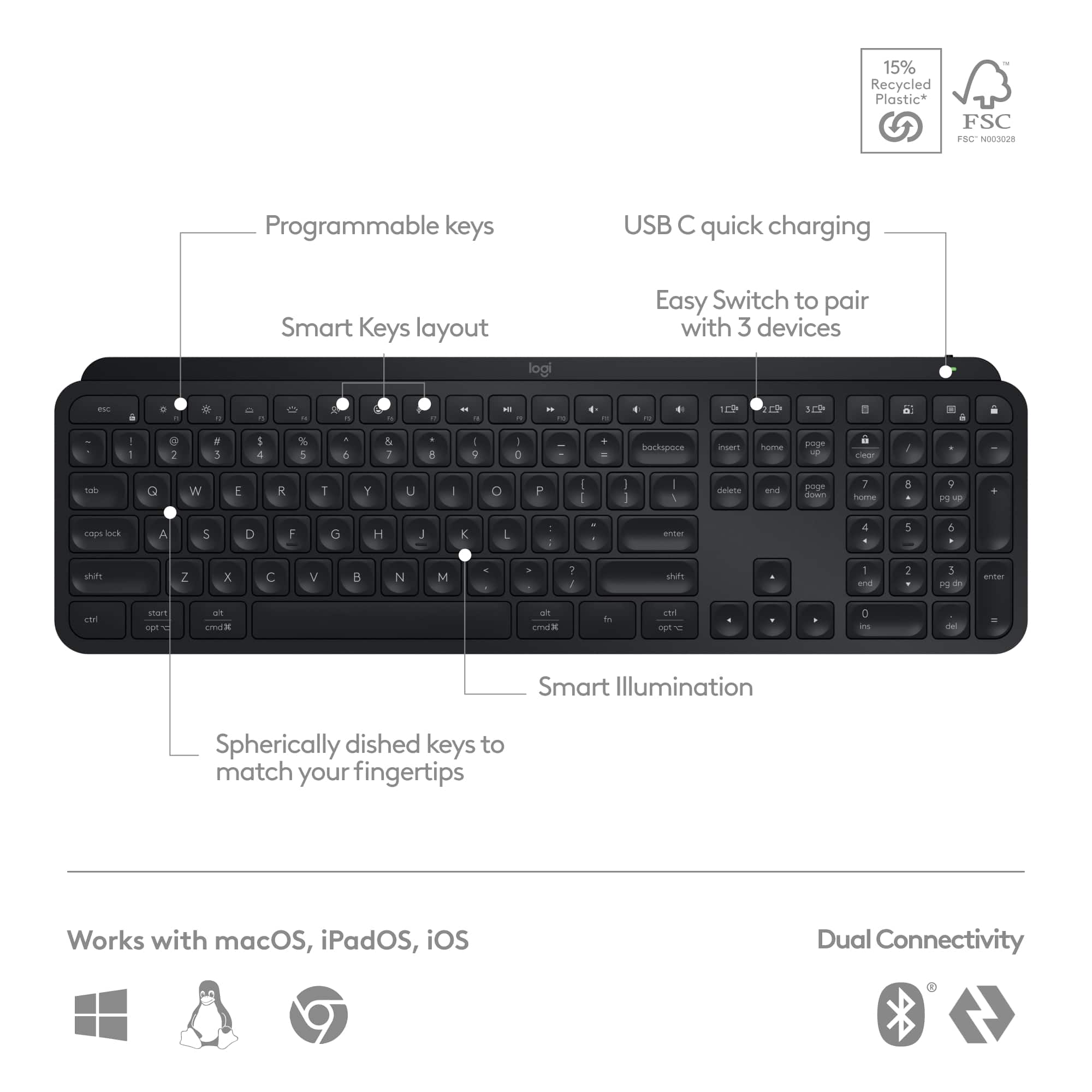
    It might be something we don’t think about, but having a high quality keyboard is something that can really improve your overall experience on a computer! Whether you are a creator, business owner, entrepreneur, or someone who works from home everyday - you use your keyboard a lot! The Logitech MX Keys S is an exceptional performer in this world! PROS: - The look and feel of this keyboard is very premium! Has a really nice build, love the profile of it, and overall makes for a stylish look. - Setup is also very easy! Either use the Bolt Receiver or the Bluetooth connection and you are good to go. - The biggest difference between the previous MX Keys and the MX Keys S is that the “S” model comes with a Bolt receiver instead of a unifying receiver. The Bolt receiver provides a stronger connection and more secure connection as well which is important in the workspace! - The typing experience itself is fantastic! The keys feel great and are really responsive, everything is really fluid, and the response rate is great. The profile also really helps with my wrist comfort and overall I feel like I can type much fast with this keyboard based on how easy it is to use. - Connection versatility is also a big hit! You can use the Bolt receiver or the 3 Bluetooth options. So overall you can be connected to 3 devices at once and use the buttons to switch between the three devices easily. - Along with that, the illumination is super cool. The keyboard can sense when your hands are near and it will backlit the keyboard! Very nice feature. - I also like how this charges via USB-C and the battery is long lasting. Much easier to charge it then have to get new batteries. - Lastly, this works with almost anything: Windows, Mac, iPad, Chromebook! CONS: - Really none I can think of. Very pleased with this! BOTTOM LINE: - If you want a high end premium typing experience, the MX Keys S is simply the best! It has great fluid responsive keys, strong secure connections, and works with whatever you need it on. As someone who types a lot I can say I have thoroughly enjoyed using this keyboard and look forward to us being my daily driver!

    I would recommend this to a friend
  • Pros mentioned:
    Battery life, Key feel, Keyboard quality
    Tech Insider Network Member

    Rated 4 out of 5 stars

    Great keyboard, but with some changes

    |
    Tech Insider Network Member
    Posted .
    This reviewer received promo considerations or sweepstakes entry for writing a review.

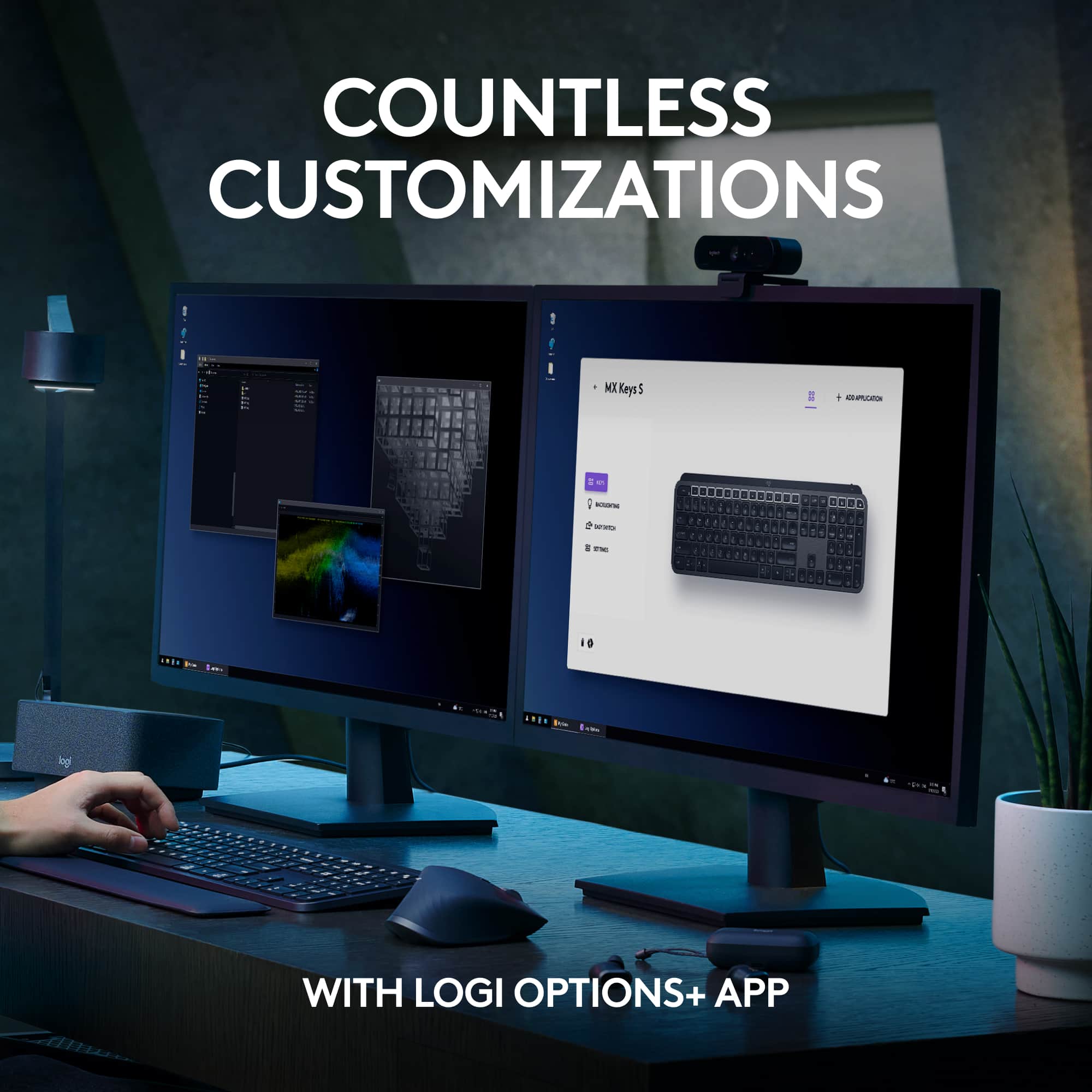
    Anyone who spends a lot of time on a computer typically has a preference, whether weak or strong, for a keyboard with certain features and styles. The Logitech MX Keys S keyboard is a good choice for you if... - You prefer low profile keys - Backlighting is important (this one has multiple levels of lighting) - You like the ability to customize keys on your keyboard (up to 17 keys you can customize) - You want to be able to use the same keyboard with multiple devices, especially if you want both Windows and Mac OS compatibility (up to 3 devices) - You hate dealing with batteries and prefer a rechargeable device - Your preferred aesthetic is a thin, compact, light-weight keyboard This is not the keyboard for you if... - You don't have or don't want to use Bluetooth - You only want to rely on Logitech Unifying receivers. --- Used the old model before? --- The Logitech MX Keys S keyboard has some fantastic features. If you have previously used the Logitech MX Keys (without the "S" in the name), you will notice only slight variations in the keyboard, specifically with the default programming with the keys. The Function keys still have the display brightness adjustments (one for "up", one for "down"), the keyboard backlight adjustment buttons (one for "up", one for "down"), and the volume and play control buttons. However, now there is the addition of: - A dictation button (one button to switch to voice to text, permissions required in your operating system) - A microphone mute button (handy for things like video calls) - An emoji button (super handy if use emojis) As is common with most keyboards, these extra functions are on as the default, and to access the normal Function keys (F1, F2, F3, etc), you hold down the "fn" key before pressing one. You can quickly change to the normal Function keys being the default simply by pressing "fn" + "esc" if you need these regularly. Otherwise, the keyboard is the same in terms of hardware. --- No experience with the old model? --- If you do not have experience with the Logitech MX Keys keyboard, this keyboard is unique in it's design in a couple of ways. The keys are low profile, although a little less so than on most laptops. However, the keys seem to have a little more travel and a satisfying click. They are quite effortless to use when typing, although they have enough resistance to not be tapped too easily. With the exception of the top-most row of keys, all of the keys have dimples or round impressions in them, which really helps in giving feedback about how centered your fingers are over each key. The low travel and design of the keys also helps to limit the noise, so this is a rather quiet keyboard. The multi-device feature has become a lot more common in keyboards. This one is compatible with both Mac OS (and Apple's other mobile devices) along with everything else (Windows, Linux, Chromebooks, Android, etc). The keys are labeled with both CTRL and ALT, along with OPT and CMD, so regardless of which OS you are using, you have the proper labeling. Additionally, this is a rechargeable keyboard. The battery life seems really good so far, although this depends on the strength of the backlighting, and how quickly the lighting times out. It has a unique feature in that it can sense when your hand approaches and lights up (assuming the backlight has gone out). However, I found this to be a little less reliable than my old Logitech MX Keys (the old model without the "S"). I could actually touch the spacebar without the light turning on, but I could hold my entire hand 1.5-2 inches above the keyboard and it would trigger the lighting. In a dark setting, you really want the backlighting to be on before you approach the keyboard or you have to devote more time trying to align your hands, so while this is a cool feature, I don't find it that useful. There is also a setting that allows the backlighting to adjust according to the room lighting, but I found this annoying and disabled it (which you can do) because I found it wasn't consistent and would sometimes go to full brightness when the room was dim, and I don't want more than the lowest light setting anyway. Also note that the backlighting on this keyboard is not consistent. By that I mean that larger keys that display a longer label (such as Backspace, Page Up and Page Down, Delete, etc) are not evenly lit. It's less noticeable on a brighter setting, but my Backspace key is a little dimmer around the "ks" in the word. Overall, for the physical keyboard, I highly recommend the design of this one if you are not interested in a very manual, which I like to call a "click-clack" keyboard. It's a slim design, doesn't take up a lot of space, and has a standard key layout that doesn't require relearning the placement of anything. And of course, it's very easy to switch from one device to another by just pressing a single key. --- Now for the software (and connectivity) --- The software and connectivity is where some major changes have been made by Logitech. Long-time users of Logitech keyboards and mice have become very familiar with the Unifying receiver, that well-known USB connector that, combined with the Unifying software, makes it easy to add additional devices to your setup using the same USB receiver already plugged in. Logitech hasn't done away with this, but now it looks like they are changing the standard, introducing the new Logi Bolt connector. This is likely to introduce new technology, but be aware that these two connection methods are not compatible. This keyboard will not connect to your Unifying receiver. It does come with the new Logi Bolt connector, which in time will have greater device compatibility. You can also connect this keyboard via Bluetooth. This is the option I have chosen and I did not have any issues with it, and any standby in the connection was regained almost immediately. Additionally, the Logitech Options software is slowly being replaced by Logi Options +. Again, likely to introduce new features or just new ways to manage your Logitech devices. At the time of this writing, it wasn't very easy to find this software. I ultimately found it by opening the Logitech Options app and seeing a link there to upgrade to this new application (it's separate, so it doesn't replace Logitech Options). In Logi Options +, you can customize your devices, along with monitoring things like battery life. You can fully customize the entire top row of keys on this keyboard (minus the ESC key and the device selection keys), which is really useful if you like to do this because this gives you so many keys to customize. Along with a very long list of commands you can assign to these keys (including things like opening a specific application), you can also assign keyboard shortcuts to them. Obviously the labels on the keys will no longer apply if you do this, but there is sufficient surface space above these keys if you wanted to use a label maker to label them. --- SUMMARY --- If you are not already invested in Logitech devices, or if you're not bothered by using either a Bluetooth connection or an additional USB receiver (the new Logi Bolt receiver), this is an excellent keyboard. It has much greater customization than most keyboards do, and provides a comfortable typing experience. While the price is a bit high, it's a sturdy and well-made keyboard that provides a lot more in features and flexibility.

    I would recommend this to a friend
  • Pros mentioned:
    Compatibility, Key feel, Keyboard quality
    Tech Insider Network Member

    Rated 5 out of 5 stars

    The perfect keyboard for work environments

    |
    Tech Insider Network Member
    Posted .
    This reviewer received promo considerations or sweepstakes entry for writing a review.

    After taking this keyboard out of the box, giving it a quick charge, and setting up, the first thing I noticed when using this keyboard is the weight. This keyboard is a sturdy, metal, perfectly weighted keyboard that doesn't move around while you're clicking keys. At work, I used both a macbook and pc virtual module and it adapts to both without a hitch. (It's much better than my macbook pro keyboard) There's software that you can access to customize your keyboard but I was using a mechanical blue switch keyboard at work and after switching to the Logitech MX I realized my hands weren't fatigued in the afternoon from typing. The typing experience for me is very smooth. I type about 50 to 60 wpm and it was effortless on this keyboard. The keys have a nice curve and there's a light tactile feedback while typing. Ergonomics are good, matte finish stays cleaner than most, and it's simplistic design blends right in with my desk. The backlighting is subtle while typing but does the job. There are keys to switch between computers and the emoji key is a nice modern addition. This is a full size keyboard that keeps your hands fresh, switches seamlessly between computers, and gives me everything I need and nothing I don't. I would highly recommend this keyboard for any type of work environment. It also looks great on my desk : )

    I would recommend this to a friend
  • Rated 1 out of 5 stars

    Worse keyboard ever

    |
    |
    Posted . Owned for 4 months when reviewed.
    This reviewer received promo considerations or sweepstakes entry for writing a review.

    I changed to this keyboard having the same MX Keys without the S thinking that they just have a better performance in speed but no. This keyboard is almost 6 months that I having use less than the other but you know what? Keys are getting stick but really the other keyboard it was awesome but this one have this big issue that at the beginning thought it was just dirt on the keyboard but nothing. Worse keyboard ever. Why!!!!! I changed my MX Keys for this with S why!!!!

    No, I would not recommend this to a friend
    • Brand response from Logitech
      Posted .

      We appreciate your feedback on the Logitech MX Keys S. We're sorry to hear that you've encountered issues with the keys sticking. To address this issue, we recommend reaching out to our social care team via email at [email protected] with your
      - Name:
      - Email Address:
      - Country:
      - Product Name:
      - Brief description of issue:

  • Rated 2 out of 5 stars

    Backlighting kills the purpose

    |
    |
    Posted . Owned for less than 1 week when reviewed.
    This reviewer received promo considerations or sweepstakes entry for writing a review.

    The keyboard was good to use, until the backlight turned on. The markings on the key get camouflaged with the white keys when the white backlights turn on. Had to return them. Attaching pictures, with and w/o backlighting

    No, I would not recommend this to a friend
    • Brand response from Logitech
      Posted .

      We regret to hear that you had to return the product and we apologize for any inconvenience caused. We'll surely take this feedback and make sure to share it with the right team. Thanks for bringing it to our notice.

  • Pros mentioned:
    Battery life, Key feel, Keyboard quality
    Tech Insider Network Member

    Rated 5 out of 5 stars

    Great premium build quality and functionality.

    |
    Tech Insider Network Member
    Posted .
    This reviewer received promo considerations or sweepstakes entry for writing a review.

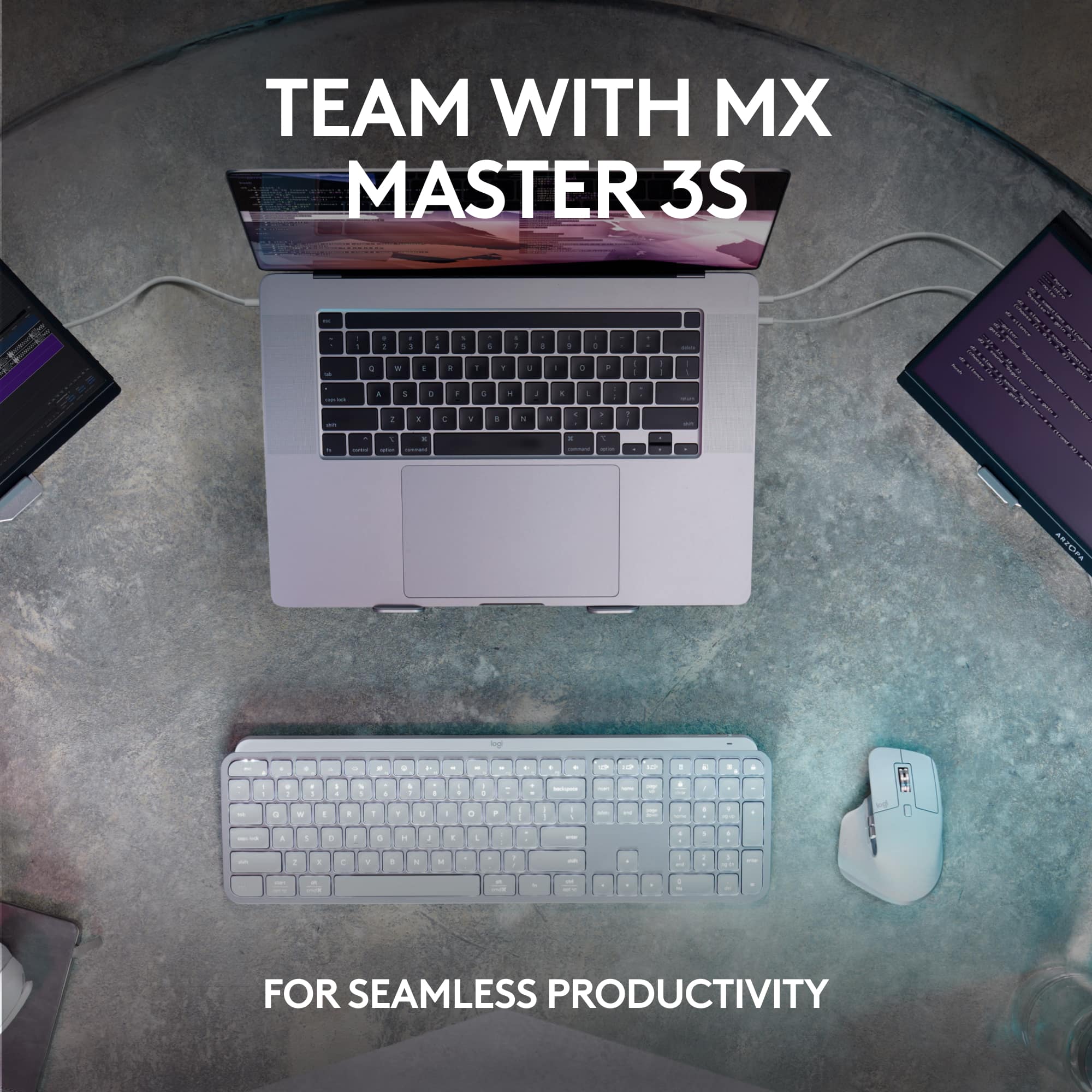
    First, I appreciate the conscious packaging and the easy-to-follow instructions printed on the box’s lid. The keyboard itself is beautiful. It’s sleek, professional, thin, and surprisingly heavy. It feels premium for sure. The metal chassis is built like a tank with no flex at all. I feel that the keyboard will last for a long time. The keys are well separated, have decent travel, and feel smooth to the touch. The typing experience is satisfying and I love how quiet it is. The keystrokes feel precise and there is no wobble. I will say that there was an adjustment period since I was used to traditional and mechanical keyboards. Not only that, but the layout can be a bit distracting. However, once acclimated, typing became responsive and fluid. The full-fledge function row and the nifty features such as dictation, emojis, and playback control are certainly welcome. Ergonomically, the keyboard is slightly tilted and very comfortable. Still, some may need a wrist pad. Although I would not recommend this keyboard exclusively for gaming, but it is excellent for productivity. I easily connected the keyboard to 3 completely different devices -an iPad, an Android, and a Windows Laptop. I am happy to report that all devices connected seamlessly via Bluetooth, and I was able to switch effortlessly between them via the quick-switch keys. I also own an MX Master 3S mouse. I connected both to the same 2.4Hz adapter to see how the unifying option works. I downloaded the Logi Options + software and was able to get them both on a single adapter. The Logi Options + app is quite robust. There, you can fully customize the keyboard (and the mouse). From simple actions to full macros, and that applies to specific applications. Plus, you can also check the battery status and update the firmware. The battery life goes from normal to amazing, depending on the lighting. We are talking about 10 days with lights on and 5 months with it off -nice! To extend battery life, the backlight automatically adjusts to ambient light and turns off after a while. Then, the backlight comes on when you hover your palm over it, which is pretty cool in my opinion. Yes, this device comes with a premium price tag. But based on my experience, from build quality to functionality, it is totally worth it. It will now replace my office’s current setup for the foreseeable future.

    I would recommend this to a friend
Sponsored