Customer Ratings & Reviews
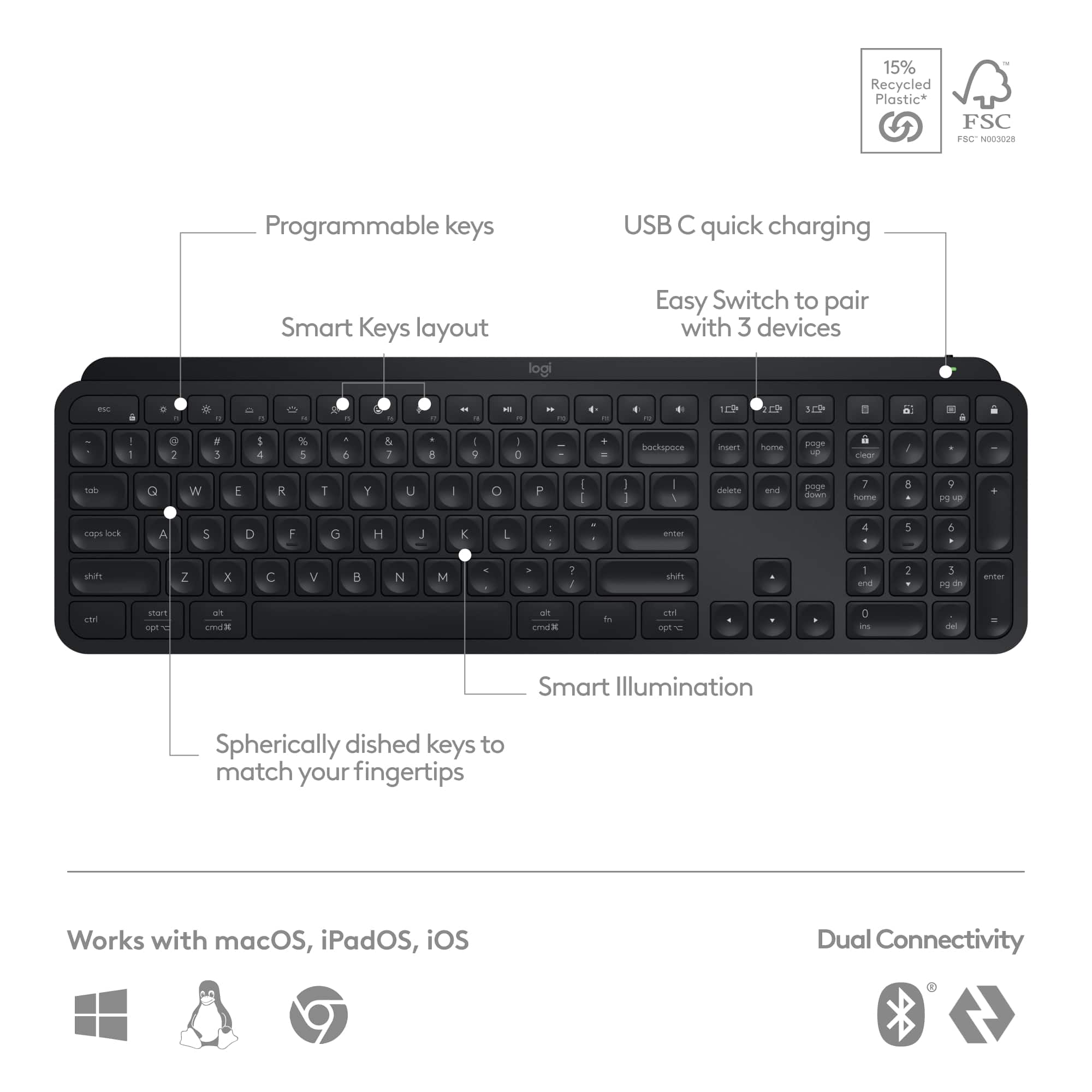
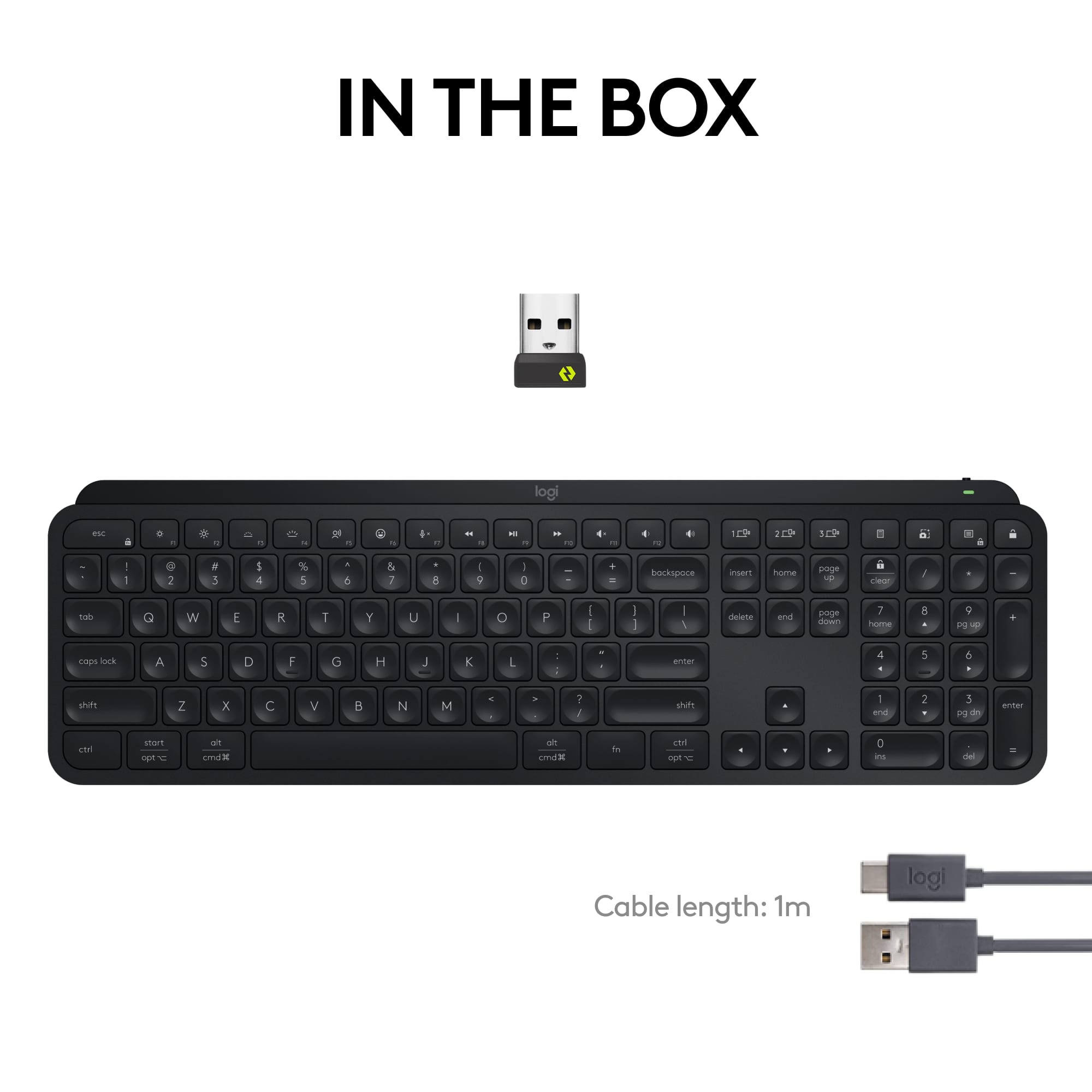
![esc ~ ! 1 tab caps lock shift ctrl F2 Fl # 2 3 Q W A S Z start opt L F3 $ 4 E D X alt cmd3 ) FS F4 A % 5 6 R T F G V C logi 44 HI & F9 FID FB F7 F6 * ) - - & 0 8 9 7 O P U I Y K L H J > < N M 1 B PM + = { [ : I ; ? I alt cmd D 2 4 300 3 1 F12 . * page I insert home up clear backspace 8 9 + 7 page A pg up end down home } I delete ] / 6 4 5 4 enter 2 3 enter 1 dn Pg end shift = 0 del ins etrl fn opt](https://pisces.bbystatic.com/image2/BestBuy_US/images/products/6539/6539505_sd.jpg)





- Model:
- 920-011406
- SKU:
- 6539505
Rating by feature
- Value
Rating 4.5 out of 5 stars
- Quality
Rating 4.8 out of 5 stars
- Ease of Use
Rating 4.8 out of 5 stars
Customers are saying
Customers admire the MX Keys S keyboard for its quality, comfortable key feel, and ease of use with both PC and Mac. The long battery life and wireless connectivity are also appreciated. Some find the keyboard to be expensive compared to alternatives, while others feel the size is smaller than expected for the price. Overall, the keyboard's positive attributes seem to outweigh the concerns.
This summary was generated by AI based on customer reviews.
General
||Posted . Owned for 3 months when reviewed.This reviewer received promo considerations or sweepstakes entry for writing a review.It’s a keyboard works as Intended not sure what else is needed
I would recommend this to a friendBrand response from Logitech
Posted .Thanks for your feedback! We're glad the MX Keys S is working well for you. We're always looking for ways to improve, so your input is valuable.

Love the size and feel of the keys
||Posted . Owned for 3 weeks when reviewed.This reviewer received promo considerations or sweepstakes entry for writing a review.I like the low profile keys and the size of the keyboard is perfect for my desk.
I would recommend this to a friendBrand response from Logitech
Posted .Thank you for your kind words about the Logitech - MX Keys S. We appreciate you sharing that the low-profile keys and compact size suit your workspace perfectly. We wish you continued productivity and enjoyment with your MX Keys S!
Xmas gift for Mac
||Posted . Owned for 1 month when reviewed.This reviewer received promo considerations or sweepstakes entry for writing a review.It’s ok it gets the job done……………………………………………………… they needed 50 characters sorry y’all
I would recommend this to a friendLogitech MX keyboard
||Posted . Owned for 1 month when reviewed.This reviewer received promo considerations or sweepstakes entry for writing a review.Does everything you would expect it to do and probably more..
I would recommend this to a friendBrand response from Logitech
Posted .Hey there! We're thrilled to hear you're loving the MX Keys S! It's designed to elevate your typing experience, and we're glad it's exceeding your expectations.
- Pros mentioned:Keyboard quality
Could be better
||Posted . Owned for 1 year when reviewed.This reviewer received promo considerations or sweepstakes entry for writing a review.Great looking, fun to type on. Randomly and frequently after using this keyboard for ~6 months, it stops connecting to your system and will take a couple of key taps to reconnect. Not good for gaming. Doesn't matter if you use the dongle or bluetooth.
No, I would not recommend this to a friendBrand response from Logitech
Posted .That's unexpected! To help you effectively, please email your information to our support team at socialcare@logitech.com.
Name –
Email address –
Country –
Product name –
Brief description of the issue –
Keyboard
||Posted . Owned for 3 weeks when reviewed.This reviewer received promo considerations or sweepstakes entry for writing a review.Best keyboard I’ve owned. Keys are almost to sensitive but I’m getting used to them quickly.
I would recommend this to a friend5-Star....!
||Posted . Owned for 1 month when reviewed.This reviewer received promo considerations or sweepstakes entry for writing a review.Love the feel and responsiveness. No issues with connecting to bluetooth. Great build quality.
I would recommend this to a friendAmazing
||Posted . Owned for 2 weeks when reviewed.This reviewer received promo considerations or sweepstakes entry for writing a review.Love the keyboard. Great for my job.***************
I would recommend this to a friendBrand response from Logitech
Posted .Great to hear that the Logitech MX Keys S is a great fit for your work! It's known for its comfortable typing experience, sleek design, and versatile features.
The best keyboard ever
||Posted . Owned for 2 months when reviewed.This reviewer received promo considerations or sweepstakes entry for writing a review.Id say this keyboard is the best for work and home office. Perfection.
I would recommend this to a friendKeyboard
||Posted . Owned for 1 month when reviewed.This reviewer received promo considerations or sweepstakes entry for writing a review.Good Choice!!!! The backlight keyboard is very nice
I would recommend this to a friendBrand response from Logitech
Posted .Hey there! Thanks for reaching out about the MX Keys S! We're glad you're enjoying the backlit keyboard - it's a crowd favorite for a reason.
Great product
||Posted . Owned for 3 months when reviewed.This reviewer received promo considerations or sweepstakes entry for writing a review.Love my new keyboard. I wouldn’t shop anywhere else.
I would recommend this to a friendBrand response from Logitech
Posted .Hey there! We're so glad to hear you're loving your new MX Keys S Advanced Keyboard! It's designed to elevate your typing experience, and we're thrilled that you're enjoying it.
Just Ok
||Posted . Owned for 1 month when reviewed.This reviewer received promo considerations or sweepstakes entry for writing a review.Keyboad was to lowfor me .. I keep hitting the volume keys rather than backspace
I would recommend this to a friendBrand response from Logitech
Posted .We are sorry to hear that the MX Keys S keyboard did not meet your expectations for height, leading to accidental key presses. We appreciate your feedback, and we regret any frustration or inconvenience this may have caused. Your input is valuable as we continuously work to improve our product designs.
Logitech MX S Advanced Keyboard
||Posted . Owned for 1 week when reviewed.This reviewer received promo considerations or sweepstakes entry for writing a review.Excellent functional keyboard. A bit pricey but worth the money. Doesn't make too much noise like others
I would recommend this to a friendLove it!
||Posted . Owned for 3 weeks when reviewed.This reviewer received promo considerations or sweepstakes entry for writing a review.Love all the features of this keyboard. Very universal!
I would recommend this to a friendBrand response from Logitech
Posted .That's awesome to hear! The MX Keys S is packed with features designed to work seamlessly across various devices and platforms.
Great keyboaed
||Posted . Owned for 1 month when reviewed.This reviewer received promo considerations or sweepstakes entry for writing a review.Outstanding…. Glad sales rep at Best Buy recommended it
I would recommend this to a friendBrand response from Logitech
Posted .We're thrilled you're enjoying the MX Keys S Advanced! It's a fantastic keyboard, and we're glad the sales rep at Best Buy pointed you in the right direction.
Love it
||Posted . Owned for 3 weeks when reviewed.This reviewer received promo considerations or sweepstakes entry for writing a review.Great multi-device keyboard with low profile keys.
I would recommend this to a friendBrand response from Logitech
Posted .Multi-Device Master! We love that you find the MX Keys S works great with multiple devices and has low-profile keys for a comfortable typing experience.
MX Keys S Wireless KB
||Posted . Owned for 3 weeks when reviewed.This reviewer received promo considerations or sweepstakes entry for writing a review.Love the full size and number keypad on the right side. Set up is a snap
I would recommend this to a friendLogitech Keyboard
||Posted . Owned for 1 month when reviewed.This reviewer received promo considerations or sweepstakes entry for writing a review.Wish it ran off of batteries instead of having to charge it.
I would recommend this to a friendBrand response from Logitech
Posted .Thanks for your feedback on the Logitech - MX Keys S. While we understand the convenience of replaceable batteries, the MX Keys S utilizes a long-lasting, rechargeable battery for reduced waste and extended lifespan.
Very good
||Posted . Owned for 3 weeks when reviewed.This reviewer received promo considerations or sweepstakes entry for writing a review.Good keyboard to have, should have for ther family.
I would recommend this to a friendBrand response from Logitech
Posted .Happy to hear you love the MX Keys S and recommend it to others. It offers a comfortable typing experience that the whole family can appreciate.
Love it
||Posted . Owned for 1 week when reviewed.This reviewer received promo considerations or sweepstakes entry for writing a review.I feel so productive! I used to have apple’s magic keyboard and this is definitely an upgrade
I would recommend this to a friend