Customer Ratings & Reviews




- Model:
- 910-005693
- SKU:
- 6404201
Rating by feature
- Value
Rating 4.5 out of 5 stars
- Quality
Rating 4.8 out of 5 stars
- Ease of Use
Rating 4.7 out of 5 stars
Customers are saying
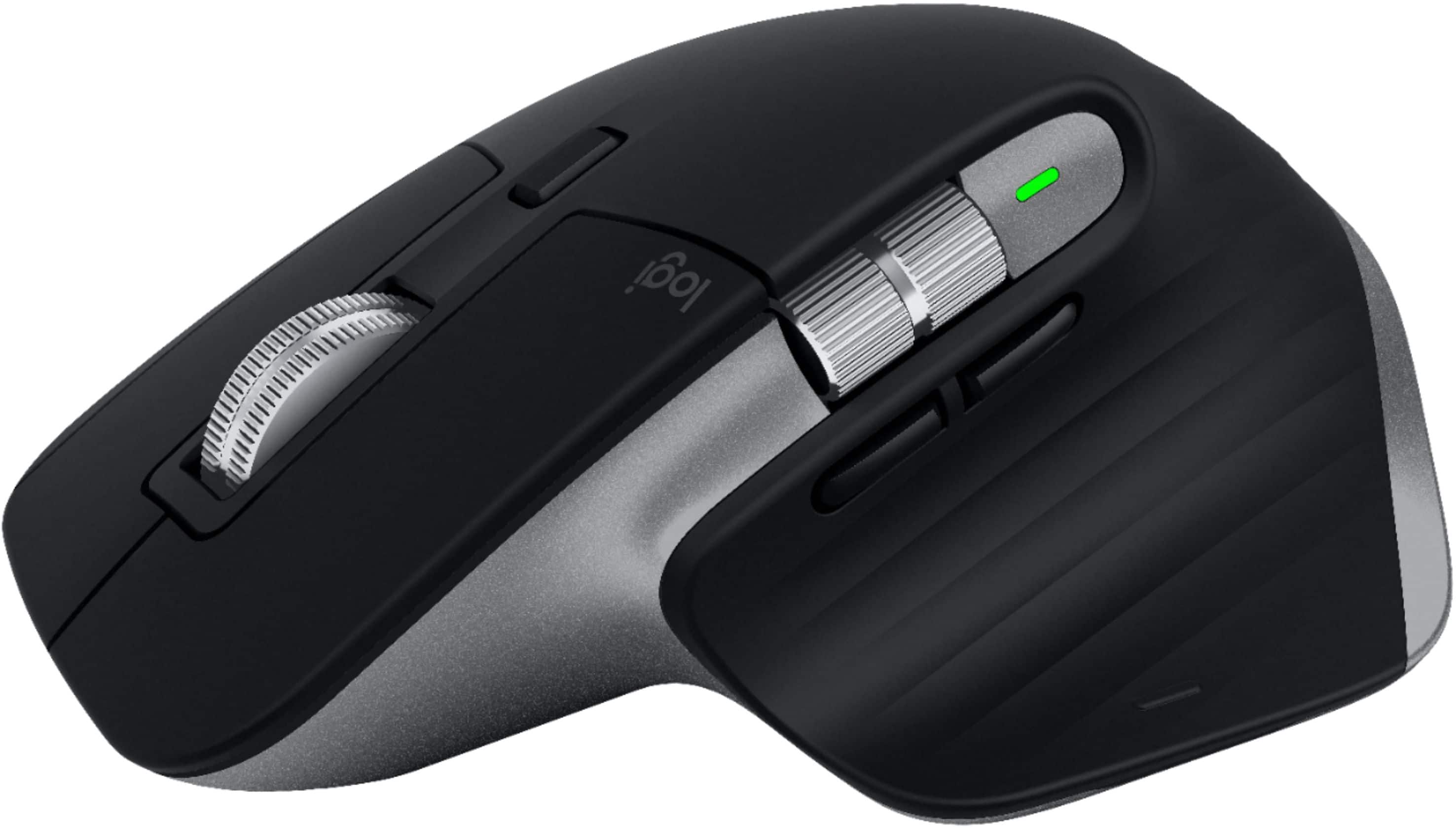
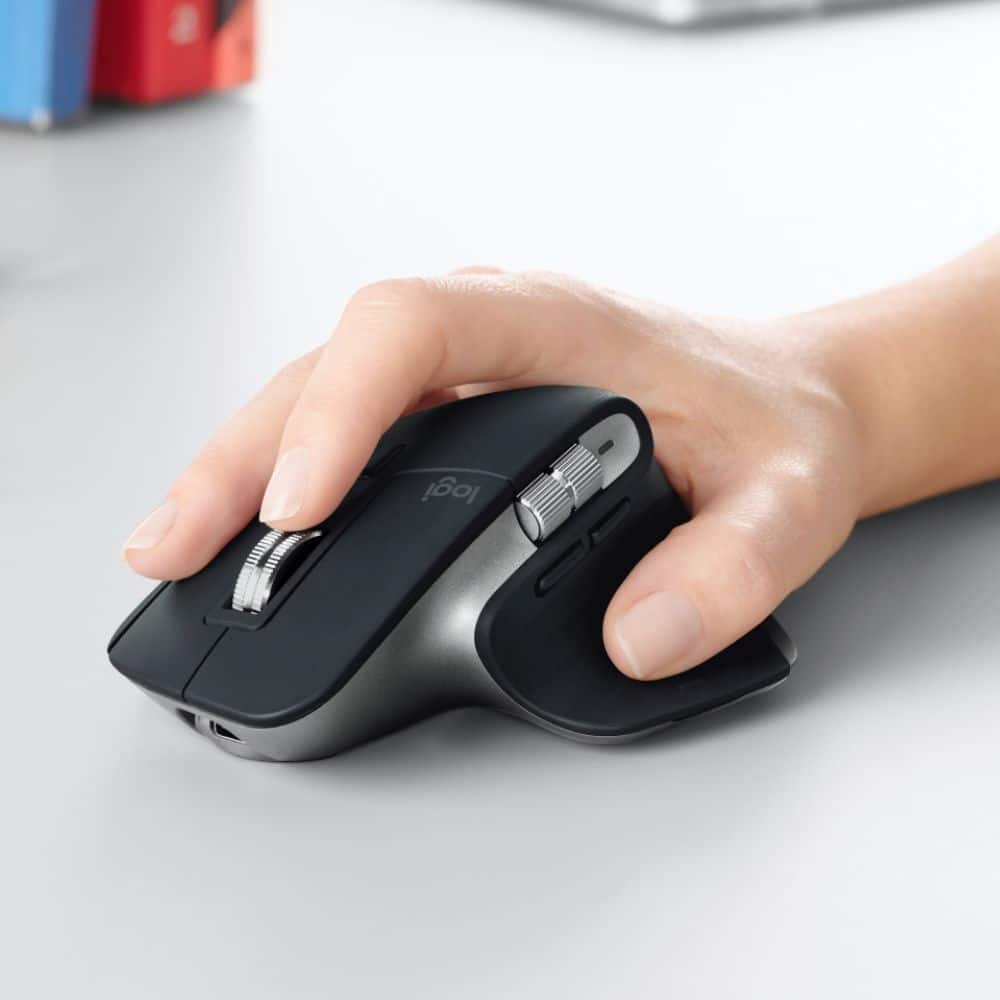
Customers enjoy the ergonomic design, ease of use, and impressive battery life of the MX Master 3 mouse. The scroll wheel and customization options also receive high praise, with many appreciating the precision and responsiveness. However, some find the mouse too large and heavy for their preference, and a few have noted concerns about the software's performance. The price point is also a factor for some customers.
This summary was generated by AI based on customer reviews.
Great mouse but a good fit for me
||Posted . Owned for 3 months when reviewed.This reviewer received promo considerations or sweepstakes entry for writing a review.I returned this mouse for a smaller mouse that felt more comfortable in the hand. This one has great features but just seems a little too bulking for CAD drafting. But, that is purely a preference. Definitely ask to try one in the store before purchase.
No, I would not recommend this to a friend- Pros mentioned:Customization, Ergonomic, Multi-device

The Best Mouse Is Now The Best Mouse For The Mac!
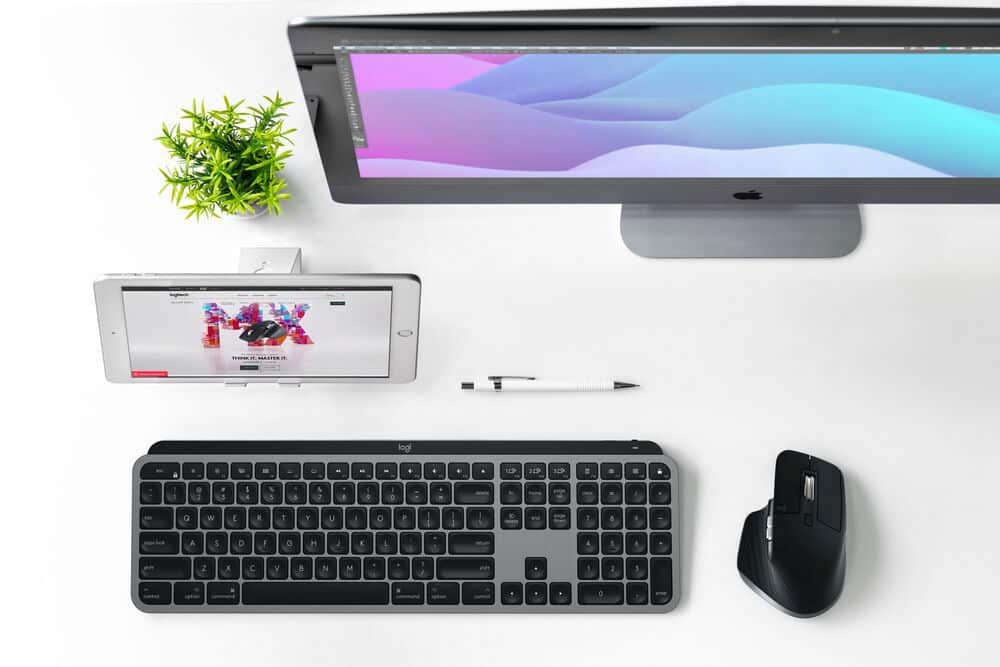
|Posted .This reviewer received promo considerations or sweepstakes entry for writing a review.This mouse is awesome. Why is it so awesome? Ergonomically it's great. I get no aches or pains at all using this device, It just feels so comfortable no matter how long i use it. It has all the customization to make your computing easier. As it's for the Mac line you can doanload profiles. I use Final Cut Pro X a lot and downloaded the profile for this on to the mouse. It's wonderful as I have shortcuts direct on the mouse. You can also use this with the iPad. Now iPad OS has mouse support this takes using the iPad to another level in laptop replacement. I use this device on the 16" Macbook Pro and the 2020 12.9" iPad Pro and it works flawlessly on both. There is a reason many people swear by the MX Master range and its because this is hands down the best mouse available.
I would recommend this to a friend Great product
||Posted . Owned for 1 week when reviewed.This reviewer received promo considerations or sweepstakes entry for writing a review.I like it so far. No issues. I have no lag issues.
I would recommend this to a friend- Pros mentioned:Customization, Multi-device
Good mouse
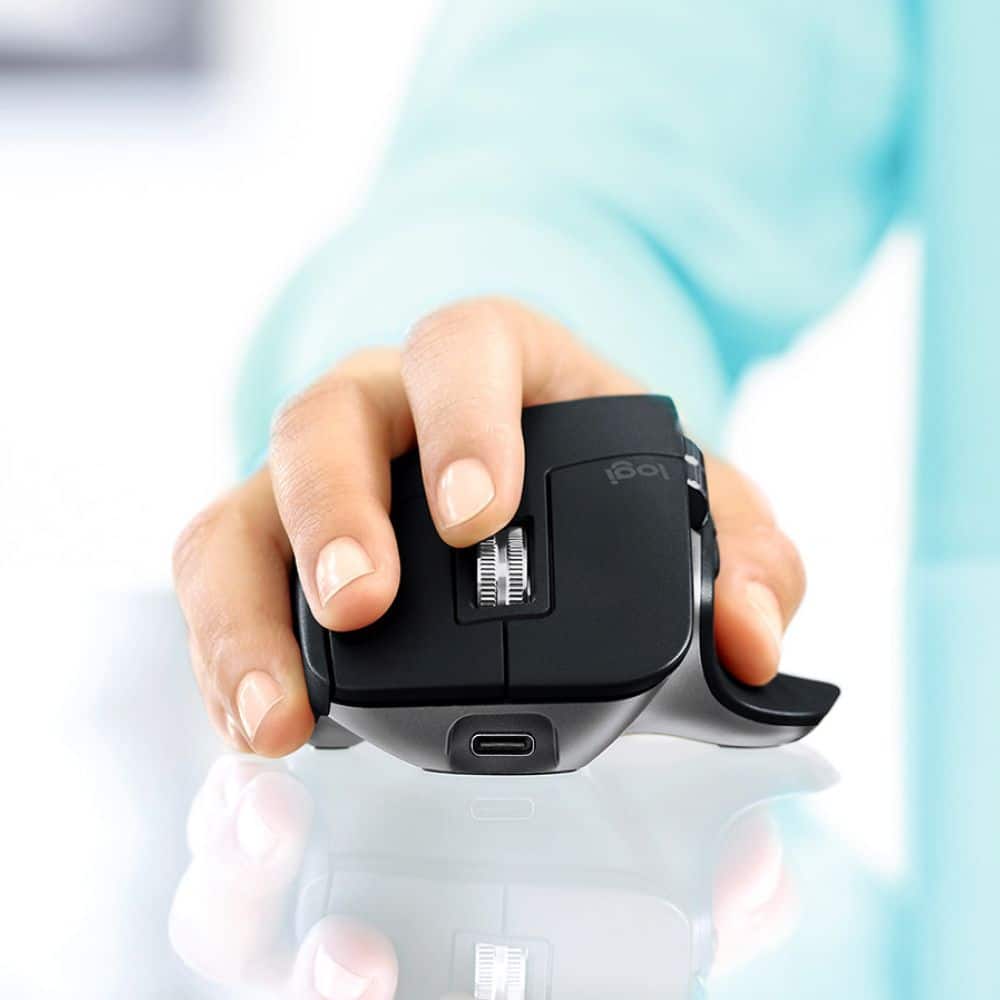
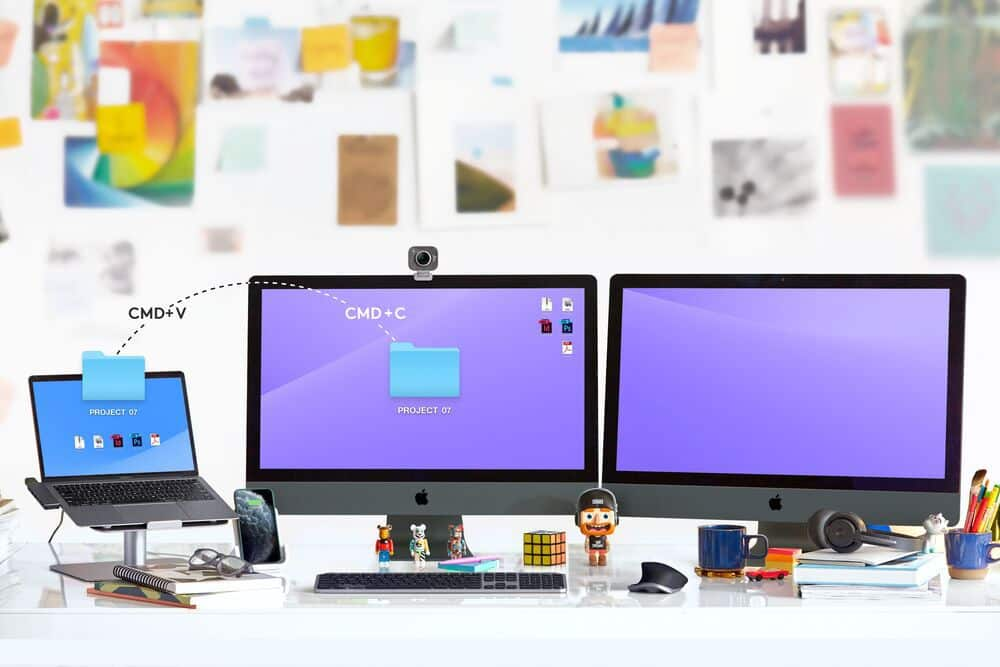
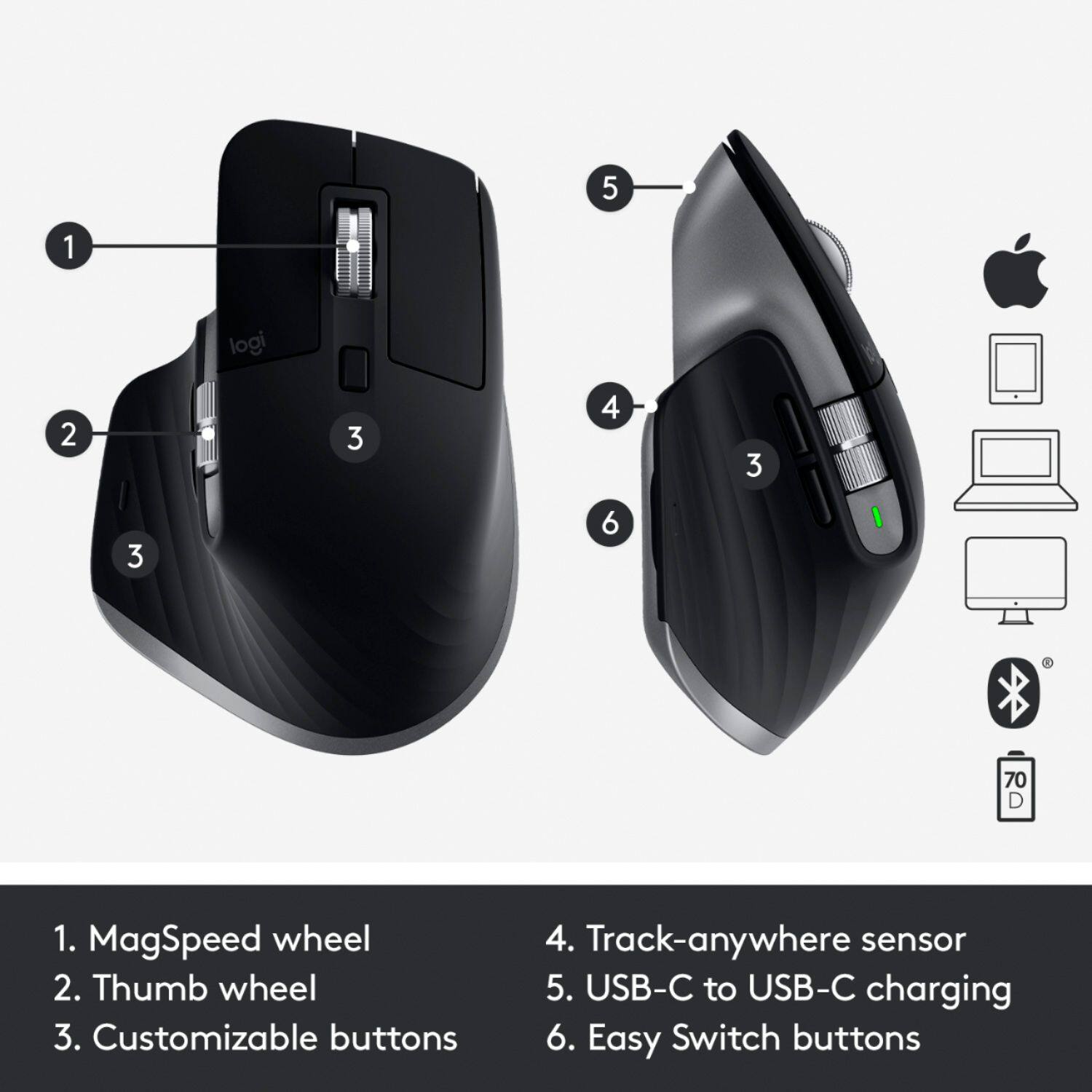
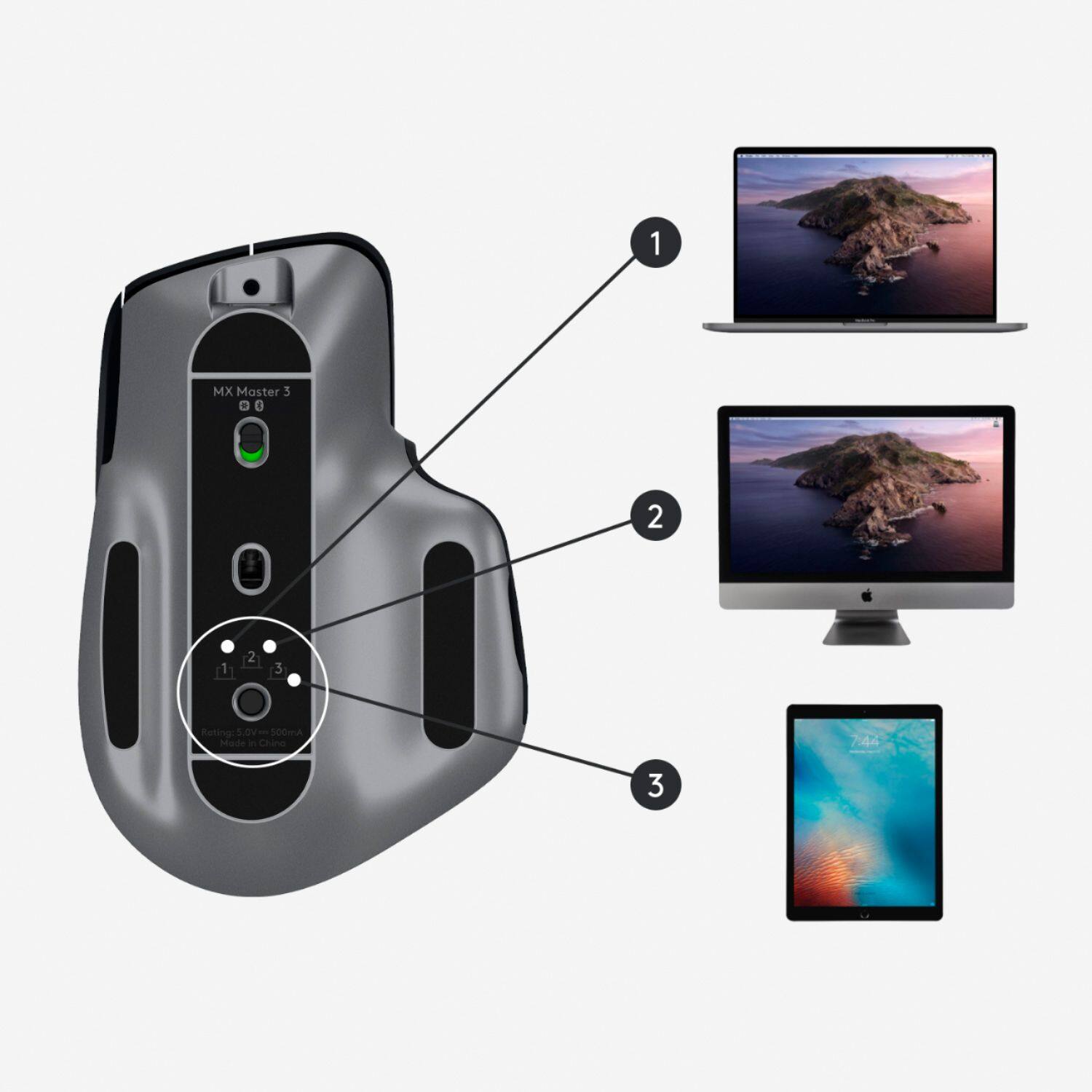
|Posted .This reviewer received promo considerations or sweepstakes entry for writing a review.The Logitech MX Master 3 for Mac is a good mouse with plenty of extra features not seen before in a mouse. To start off, the design of the mouse is stellar. The mouse is curved to fit in your hand very comfortably with all the buttons in perfect reach. The additional thumb scroll wheel is an awesome feature that's very convenient. The space gray detail is a nice bonus that matches your Mac very nicely. There are actually 6 different buttons to this mouse that can all be customized to your own liking, including a gesture button that can hold 4 different gestures. There are also 2 scroll wheels as well. With the Logitech Options software, customizing the mouse is very easy, plus it already has pre programed buttons to work with apps that are built in to your computer. For example in Photoshop, the thumb scroll wheel can be used to zoom in, or can be used to change the brush size. There is a problem that I noticed about the software though, if you close the software, your mouse automatically switches back to the default button layout. So in order to use your custom settings, you need to leave the app open in the background. The mouse connects to 3 different devices simultaneously through bluetooth. In order to switch to a different device there is a button on the bottom of the mouse that lights up on the number 1, 2, or 3. This makes switching to a different computer or tablet very convenient. A new feature that Logitech added, is called flow. Flow allows you to connect 2 Mac computers to the same network and it lets you drag files from one screen to the other using the same mouse. This feature would be awesome, if they enabled it for use with the iPad as well. Sadly, you can't. But you can use this mouse with your tablet or iPhone, and the gestures work as well, (but are limited to only switching apps and minimizing apps). The last and my personal favorite, this mouse has an extremely good tracking ability. Yes this mouse will work on glass with no problem. In fact, I was able to ditch my mouse pad and use it on my glass table which makes for a much smoother scrolling experience. Overall, the Logitech MX Master 3 for Mac is a really good mouse. It has lots of feats, impeccable scrolling capabilities, motion gestures, customizable buttons ( and wheels), and so much more. I definitely would recommend this mouse to anyone who own a Mac.
I would recommend this to a friend Not what i expected
||Posted . Owned for 2 months when reviewed.This reviewer received promo considerations or sweepstakes entry for writing a review.not as comfortable as everyone says ... i wanted a mouse that was very comfortable for a great experience but i like my 10 $ mouse better. the wireless connectivity though is very high quality
No, I would not recommend this to a friendOverrated, Overpriced, and Not Comfortable
||Posted . Owned for 2 weeks when reviewed.This reviewer received promo considerations or sweepstakes entry for writing a review.This is one of the most popular and highest rated mice out there and I just don't get it. It is not comfortable and it is big. The scroll wheel is okay and the side wheel is not useful. The scroll wheel doesn't have where you can assign tasks by pushing it left or right. For being considered the ultimate task oriented mouse, Logitech has better ones like the triathlon and marathon that are better shapes and have better customization options. The gestures do not work well.
No, I would not recommend this to a friendBrand response from Logitech
Posted .Hello Austriak,
Thank you for choosing Logitech. I am sorry that the MX Master 3 for Mac did not fit your personal preferences; I would like to help. If the size of the MX Master 3 feels uncomfortable, you may prefer the MX Anywhere 3. Both of these mice have the MagSpeed wheel, which I personally love. These mice do not have a tilt wheel, but on MX Master 3 there is a horizontal scroll wheel and on MX Anywhere 3 you can press and hold a side button and scroll the wheel for horizontal scroll. You may find the horizontal scroll useful for the tilt wheel functions that you mentioned. There are options to customize the functions on the MX Master3, MX Anywhere3, as well as the M720 Triathlon and M705 Marathon mice that you mentioned. M720 and M705 are great options as well. If you prefer the tilt wheel, and the feel of M705/M720 those options may be a better fit for your preferences. Please feel welcome to visit the Logitech website for product support. I hope you will find a Logitech mouse that is a perfect fit for your preferences.
Best regards,
John at Logitech
https://support.logi.com
- Cons mentioned:Size
Too big and uncomfortable
||Posted . Owned for 2 months when reviewed.This reviewer received promo considerations or sweepstakes entry for writing a review.Too big and not comfortable at all. Sad that my return period is off
No, I would not recommend this to a friendBrand response from Logitech
Posted .Hello Darsh,
I am sorry that the MX Master 3 is not meeting your expectations. Try the MX Anywhere 3; it is smaller and made with the same quality materials. I will record your product insight and pass it on for further investigation. Logitech appreciates your product review. - Leo from Logitech
Too big
||Posted .This reviewer received promo considerations or sweepstakes entry for writing a review.Too big in my hand so my hand became sore after a lot of use but loved the functionality. Also does not work with mac at all just a fyi.
I would recommend this to a friendDid not work on my mac
||Posted . Owned for less than 1 week when reviewed.This reviewer received promo considerations or sweepstakes entry for writing a review.I tried to get it paired but couldn't, it may have had the paired missing or something, no matter what I did, it would not pair with my Mac
No, I would not recommend this to a friendGreat functions on a terrible shape/size design
||Posted . Owned for less than 1 week when reviewed.This reviewer received promo considerations or sweepstakes entry for writing a review.This mouse was so attractive to me at first. Great support to Mac, easy switch between several macs, customized functions for different buttons, rechargeable with a USB c cable. However, it fails on one and the most critical thing: the shape/size design. It simply hurts to use it. I bought it for my wife and she is 5' 5''. In two days she complained to me that the mouse was uncomfortable to use because it is too big and she couldn't reach the middle rolling wheel comfortably. I then took it and used it for about an hour, and I felt it uncomfortable as well, and I am 5' 10''. Neither of us considers our hands as small. We have had many different models/makes of mouse and we never found one that is such uncomfortable to reach the rolling wheel. Knowing the mouse app can customize functions for different buttons, we tried to use the wheel on the side, but failed because the app only allows limited customization and the wheel on the side can only roll a page side by side, not up and down. I am returning this product and I am very disappointed. To Logitech: It it may be hard to redesign the shape and size of the mouse, but please redesign your app so that people can use the wheel on the side to roll page up and down. Thanks!
No, I would not recommend this to a friendBrand response from Logitech
Posted .Hi JZzz,
Thank you for your feedback. It is greatly appreciated. Sorry for any inconvenience . If you ever need assistance, please contact Logitech Support on the website.
LaShonda from Logitech
- Pros mentioned:Battery life, Multi-device
Best Mouse I’ve Ever Owned
|Posted .This reviewer received promo considerations or sweepstakes entry for writing a review.Logitech continues to impress me with their products. From keyboards to cases to remotes and mice. Working from home these days, it is taxing on all of my hardware but having devices I can trust is extremely important. This mouse delivers on that and then some. You need to try this mouse out if you are a Mac owner. It is awesome and the best one I have ever for use on any OS platform. The standard settings right out of the box are great but with some basic setting tweaks via the “Logitech Options” application, you can truly make this your own in just a few minutes. Using my thumb, I can use the scroller on the side of the mouse to slide across open safari tabs with a quick up or down gesture; also, by pushing my thumb down, I can bring up Mission Control and choose the app I need to switch to in an instant. Also, there are back and forward buttons that I can also use via my thumb to further navigate Safari. The wheel is one of my favorites; you can go a couple rows at a time or simply give it a spin and it will go flying down or up the page as you need until you stop it or you hit the end of the document / website. It seems mechanically controlled inside as you can feel it switch back to the click setting as soon as it is stopped. Being that it connects using Bluetooth, I am usually pretty skeptical about battery life. So far, it is lasting several days between charges. I have had it for about 2 weeks and have only charged it one time and that was out of the box. Also, I was able to use it while it was charging which is a plus. In regards to the BT connectivity, you can connect to three devices at once, including your iPad. Awesome! If you have a Mac or MacBook, you need to try this mouse, you will not be disappointed. Great job once again, Logitech!
I would recommend this to a friend Very comfortable, stopped working quickly
||Posted . Owned for 1 week when reviewed.This reviewer received promo considerations or sweepstakes entry for writing a review.Very confortable mouse, but wheel stopped working after few days. Returned, exchanged.
I would recommend this to a friendAmazing mouse... All Marketing
||Posted . Owned for 1 week when reviewed.This reviewer received promo considerations or sweepstakes entry for writing a review.!!!PLEASE READ!!! My actual rating for the MX Master 3 is 5/5 stars! The reason I rated 1 star is to bring your attention to the fact that this mouse is almost completely identical to the non-mac MX3. Logitech is selling a copy of the MX3 and rebranding it to fake exclusivity. These are the only differences... you can decide for yourself: 1. The connection cable with the MX3 Mac has a USB-C to C. The regular MX3 includes a USB-C to USB-A cable... BUT the mouse has the same USB-C connection on both models and same fast charging. 2. The mac version has a space grey color trim. This is the only visual difference. 3. The mac version does NOT come with the USB dongle found in the standard MX3, leaving you with only bluetooth to connect. Why? Who knows. 4. System requirements for this mouse are WRONG. I used it on a pre 10.15 OSX system, and it's also able to sync with windows systems just like the standard MX3. There are however some features like app-specific control mapping that may work better in Catalina than Mojave, so your mileage may vary. Overall, both are amazing. But mac users can rest assured that if they buy the standard MX3 they'll have largely the same experience.
I would recommend this to a friendBrand response from Logitech
Posted .Hi BobLoblaw, Thank you for the feedback and for comparison and contrasts of the MX Master 3 and the MX Master 3 for Mac. They are both pretty much the same mouse as you pointed out, but the Mac version was made to benefit Mac users. Since writing your review, the system requirements were changed, but we weren't able to say that it worked for the macOS 10.15 then and you kind of confirmed the point by saying you had the pre 10.15 OSX. I've included a breakdown chart of both mice for your perusal https://www.logitech.com/en-us/mice?view=498&compProducts=13461,13326. Again, we appreciate the feedback and thank you for being a Logitech customer. - Richard from Logitech
Starts reverse scrolling intermittently
||Posted . Owned for less than 1 week when reviewed.This reviewer received promo considerations or sweepstakes entry for writing a review.This mouse doesn't work at all when my macbook wakes up from sleep. It will start reverse scrolling and all the custom gestures I have set, resets to mission control in each button. I have even talked to logitech customer service but they don't seem to know what's going on and couldn't help. It happens so many times in a week and won't work until I restart my mbp. This is super annoying. I have been using this mouse for 2 months now, meanwhile I even got this mouse replaced from Best Buy since it was during the return period but the issue doesn't seem to go. So I am guessing this has something to do with the firmware and not hardware. I have given all privacy permission to Logitech Daemon and even did a clean install of Logitech Options. If I uninstall the Logitech Options app then the problem seems to happen less frequently then when the app is installed. I have googled a lot about it and went through reddit comments but couldn't find a solution. This product and logitech customer care is a shame!
No, I would not recommend this to a friendBrand response from Logitech
Posted .Hello UnsatisfiedUser! Sorry to hear you're having issues with your MX Master 3 Wireless Laser Mouse for Mac. I see that you've already tested uninstalling and reinstalling Logitech Options, that would have been my first recommendation. I would then suggest trying to unpair the mouse from your Bluetooth paired devices in your computer, check you MacOS for any software updates, reboot, then try doing the pairing once more, setting it to #1 under the mouse. If you're still experiencing issue having done the pairing once again, then know that you have a 1 year warranty from Logitech on it, so simply go on the product page https://www.logitech.com/en-us/products/mice/mx-master-3-mac-wireless-mouse.910-005693.html, and click Support. - Mathieu from Logitech
Need to play with it
||Posted . Owned for 3 months when reviewed.This reviewer received promo considerations or sweepstakes entry for writing a review.Meh. I’m not loving this one. I need to spend a little time getting to know some of the features.
No, I would not recommend this to a friendGood
||Posted . Owned for 1 month when reviewed.This reviewer received promo considerations or sweepstakes entry for writing a review.I’m somewhat satisfied with purchase also didn’t come with charger but we used another we had on hand
I would recommend this to a frienddisapproval
||Posted . Owned for 1.5 years when reviewed.This reviewer received promo considerations or sweepstakes entry for writing a review.Product Failed to meet approval with disappointment
No, I would not recommend this to a friend- Pros mentioned:Ergonomic
A Very Handy Mouse
|Posted .This reviewer received promo considerations or sweepstakes entry for writing a review.The Logitech MX Master 3 mouse for Mac is a truly excellent mouse! This is by far the most expensive and feature packed mouse I've ever owned and after using it for the better part of a week I see just why this model mouse is so highly rated. When you first remove it from the bos you can feel a bit of heft. This is no light and dinky discount mouse. The first time you put you hand on it it just feels right. Very ergonomic and my wrist feels less fatigued after a long session at my desk. Prior to this mouse I had been using the external Magic Trackpad with my MacBook Pro. I still use it but not for everything, more as a supplement to the mouse. You can either plug the included USB dongle into your computer or connect using Bluetooth. I prefer the latter because, well MacBook Pro! No regular type A USB ports built in. Pairing was easy peasy and once I installed the Logitech connecting app I had access to TONS of program specific functionality. Seriously, this is one impressive piece of kit! I really like that it recharges via USB-C, just like the companion keyboard from Logitech. I like that with the push of a button I can go from clicky scroll wheel to buttery smooth scrolling. The horizontal scroll wheel is a nice added feature that comes in rather handy on large spreadsheets. I've barely scratched the surface with this new mouse but every day I'm finding something else to love about it.
I would recommend this to a friend none
||Posted .This reviewer received promo considerations or sweepstakes entry for writing a review.decent buy great mouse could be priced better just decent buy overall nothing more
No, I would not recommend this to a friendDealbreaker
||Posted . Owned for 5 months when reviewed.This reviewer received promo considerations or sweepstakes entry for writing a review.The mouse is comfortable and all but the magnetic mechanism the scroll wheel uses is a dealbreaker because it can’t actually track how fast you scroll at even a moderate speed. It just skips lines. Logitech said this is normal behavior as well. Lets just say I got a refund
No, I would not recommend this to a friendBrand response from Logitech
Posted .Hello Momma,
I am sorry that the MX Master 3 did not perform as you expected. I will make a note of your product insight and pass it on. Logitech values your product input. - Leo from Logitech