Customer Ratings & Reviews




- Model:
- 910-005693
- SKU:
- 6404201
Rating by feature
- Value
Rating 4.5 out of 5 stars
- Quality
Rating 4.8 out of 5 stars
- Ease of Use
Rating 4.7 out of 5 stars
Customers are saying
Customers enjoy the ergonomic design, ease of use, and impressive battery life of the MX Master 3 mouse. The scroll wheel and customization options also receive high praise, with many appreciating the precision and responsiveness. However, some find the mouse too large and heavy for their preference, and a few have noted concerns about the software's performance. The price point is also a factor for some customers.
This summary was generated by AI based on customer reviews.
MacR review.
||Posted . Owned for 1 year when reviewed.This reviewer received promo considerations or sweepstakes entry for writing a review.Decent mouse. seamless when switching between computers.
I would recommend this to a friend- Pros mentioned:Compatibility, Ergonomic

Logitech makes great Accessories
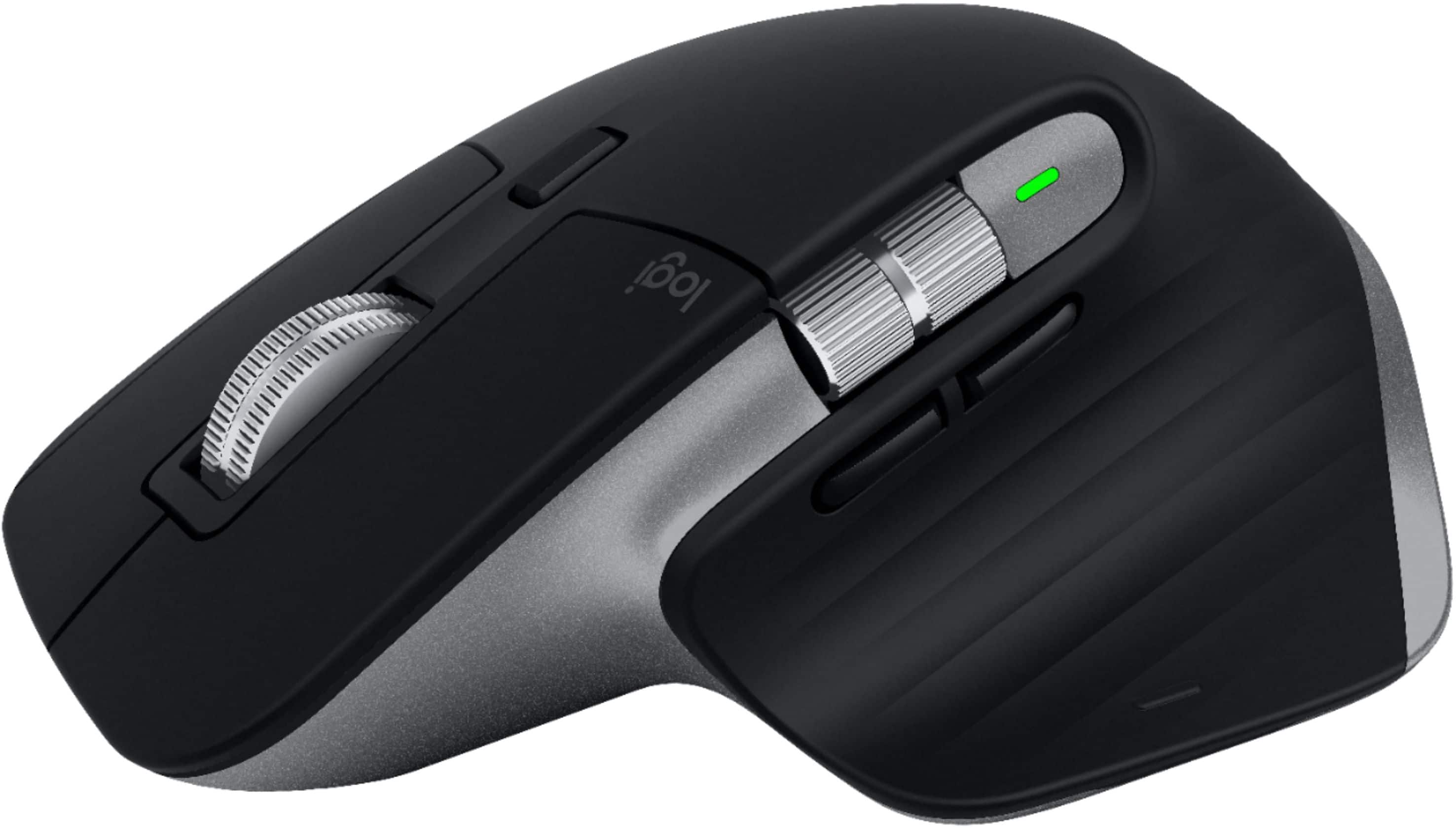
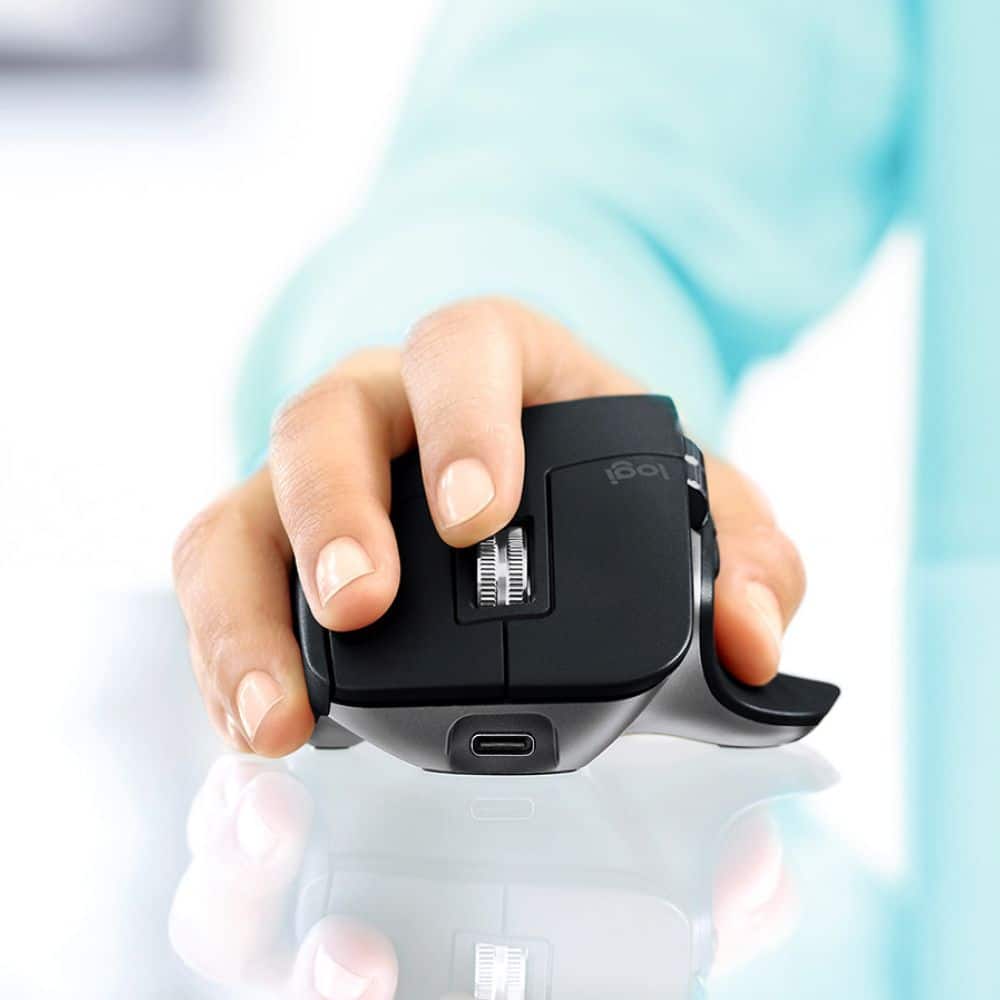
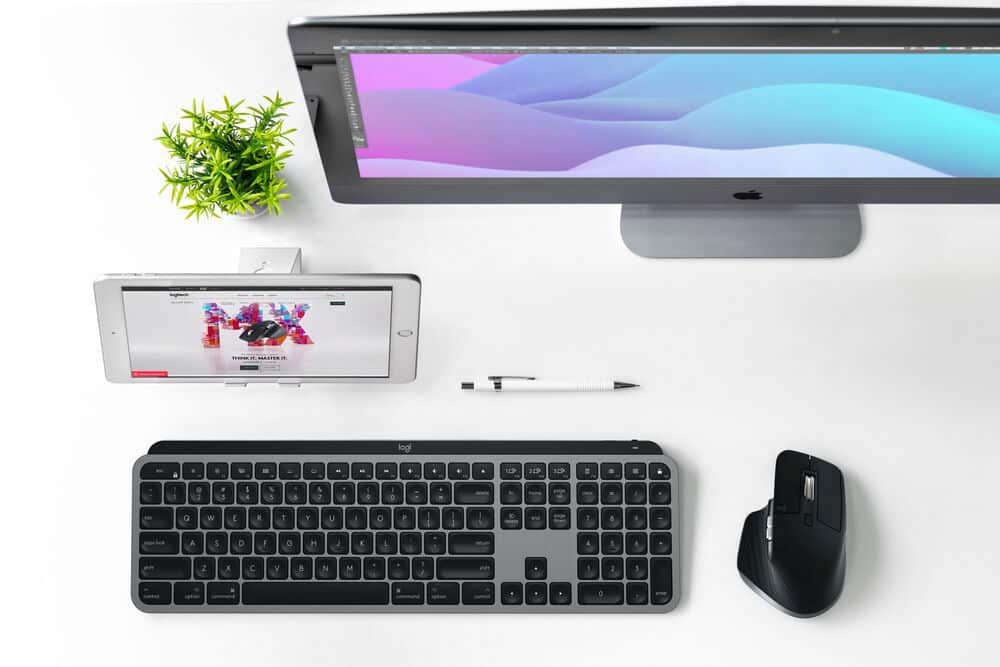
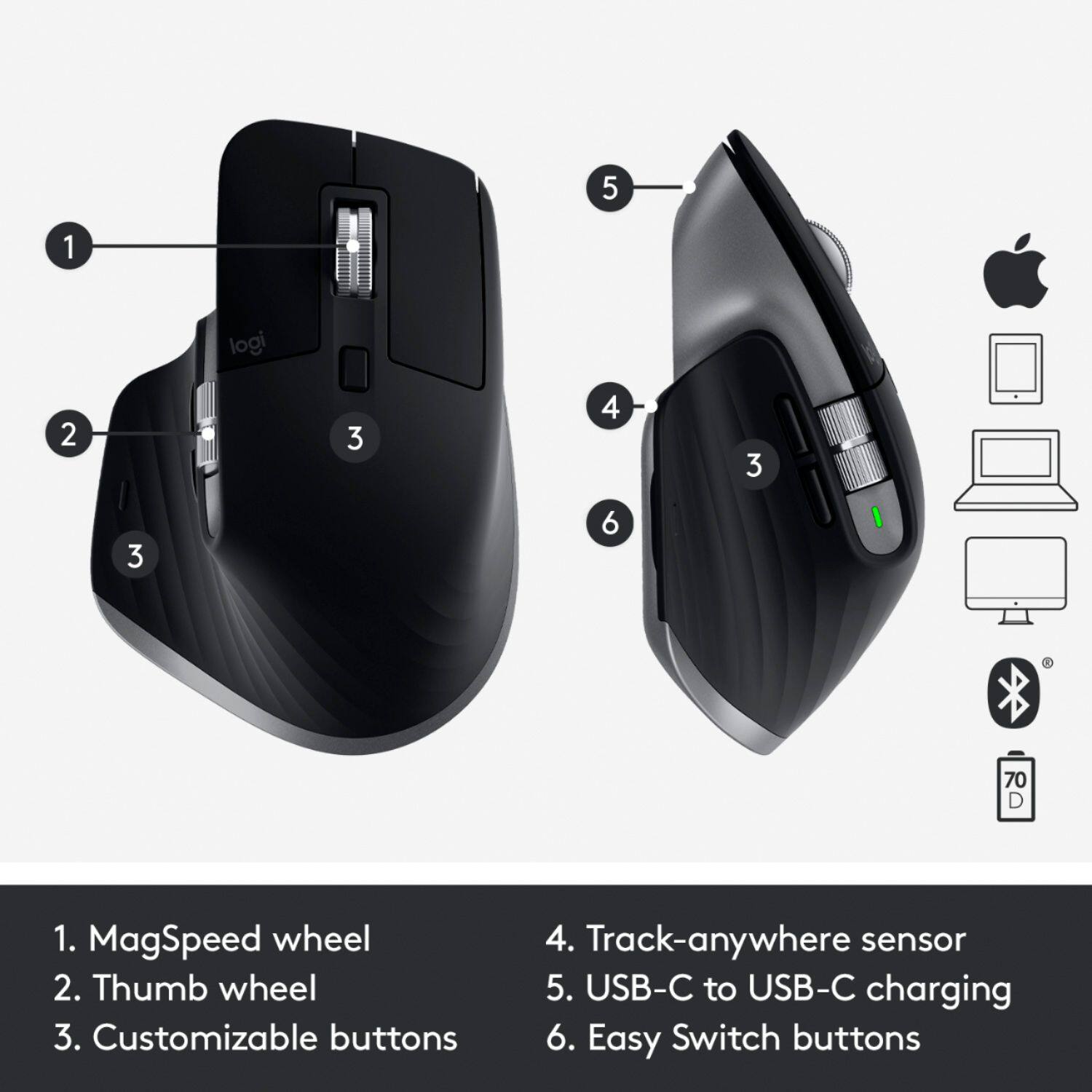
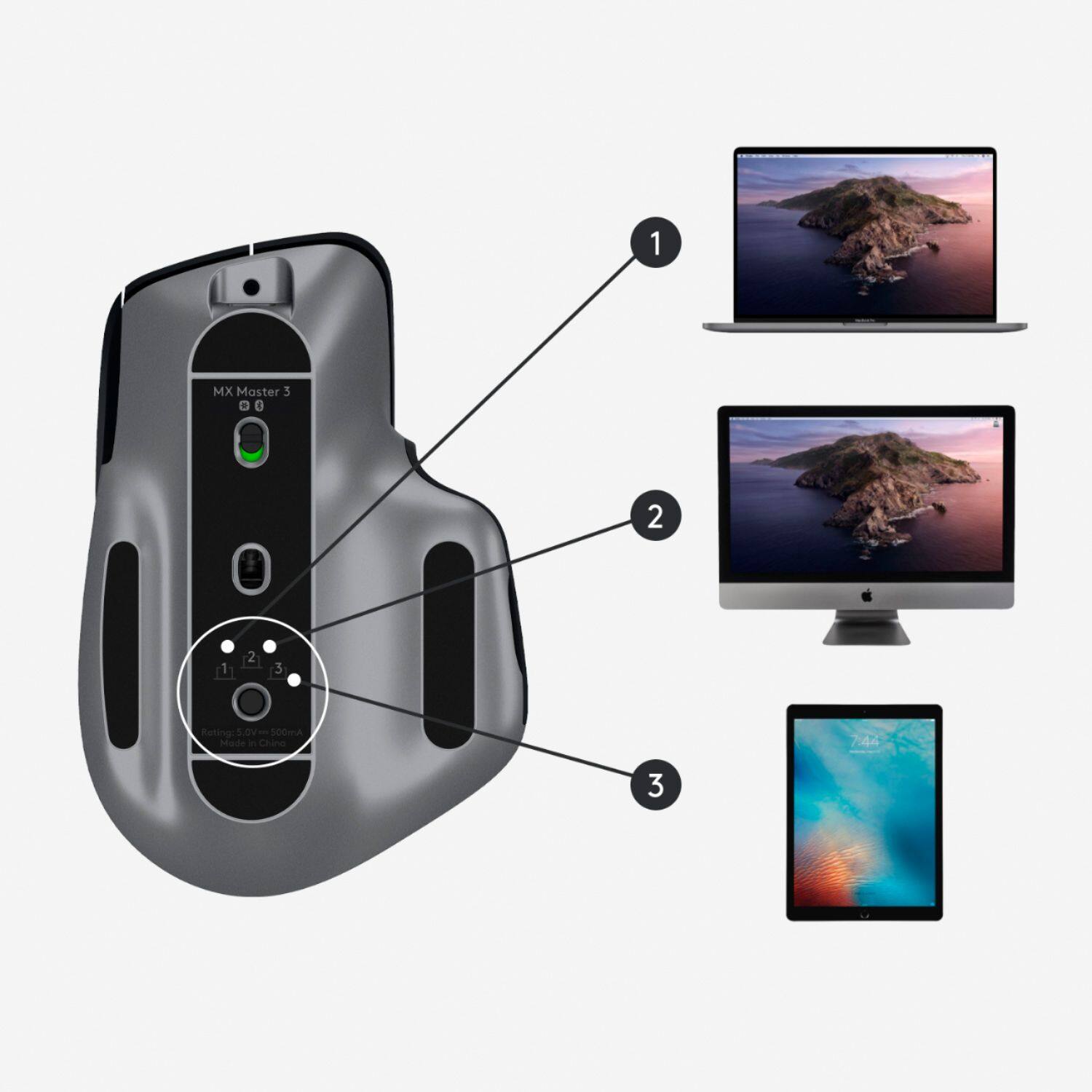
|Posted .This reviewer received promo considerations or sweepstakes entry for writing a review.Logitech is one of the leaders in making accessories for devices. This mouse is no exception. After using it for some time now it lives up to the high quality Logitech is known for. This mouse is optimized for Mac and iPad which makes it even better for those user. It is finished in space Grey color fo match the Mac and it also has a button where the thumb rests that allows for you to pull up the multi task function. One of my favorite features of this mouse is that it can easily be used with multiple devices. It can be connected to three Bluetooth devices and has a button to simply switch between devices. I have never found another mouse that makes it so simple to use with multiple devices. With the included software you can also use it to share files between devices. There are extra buttons that you can customize with the included software. The best part is that it is a larger sized mouse but feels great in the hand. It has a built in battery that last a long time and can be charged via USB-C. The only downside I have found is that it does not come with a USB connection option but it really isn’t necessary. Overall this is a high quality mouse and I would recommend for anyone using a Mac or someone that has multiple computers/iPad.
I would recommend this to a friend Not for me
||Posted . Owned for 11 months when reviewed.This reviewer received promo considerations or sweepstakes entry for writing a review.Wasn't for me. I ended up getting the MX Vertical instead.
I would recommend this to a friendMouse
||Posted . Owned for 2 months when reviewed.This reviewer received promo considerations or sweepstakes entry for writing a review.Works ok. It is just as easy to use the touch pad on the lap top.
No, I would not recommend this to a friend- Pros mentioned:Battery life, Compatibility
The "Cadillac" version of a mouse
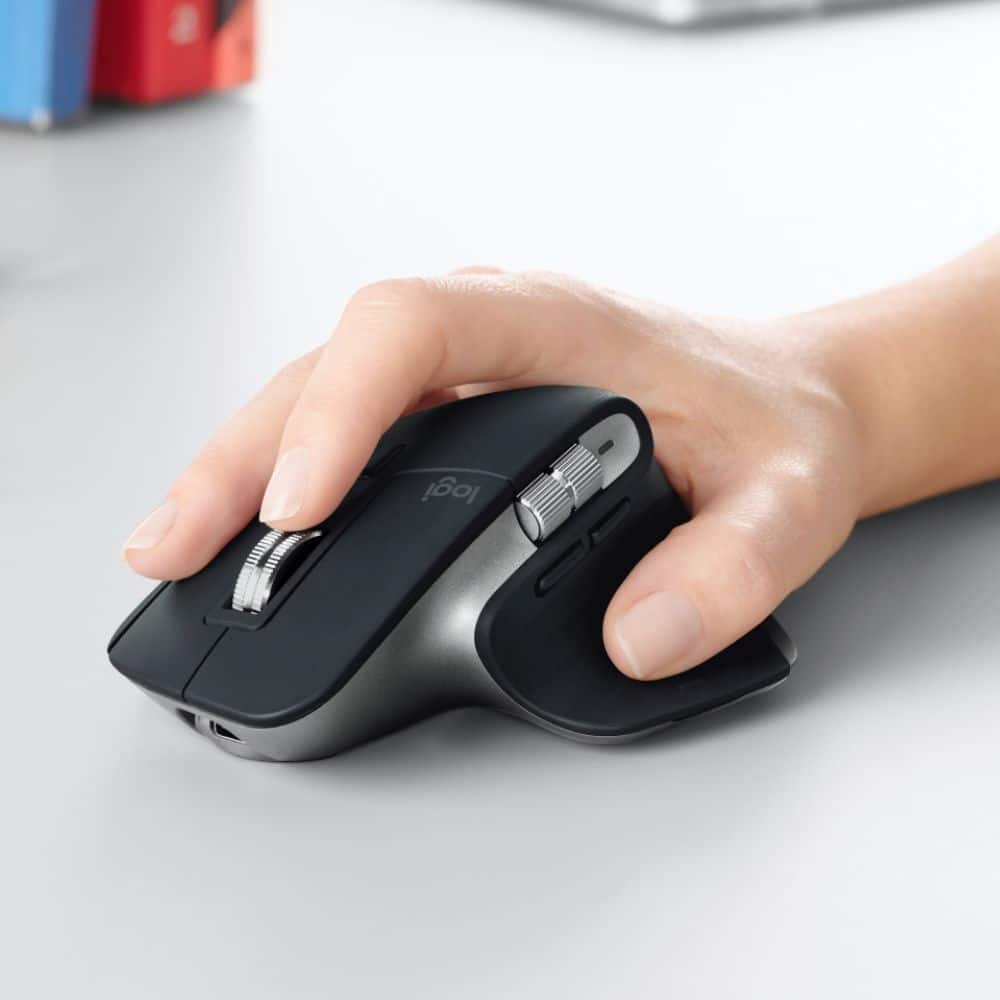
|Posted .This reviewer received promo considerations or sweepstakes entry for writing a review.Long story short, all I have to say about this mouse is WOW! I have never used a more comfortable mouse in all my years. The overall feel of it is a nice velvety smooth plastic. The scrolling rollers seem to be made of metal and have a just enough drag to them. Movement is very responsive and accurate. It's light weight but doesn't feel cheap at all. It is definitely made only for right handers- it is curved precisely to fit a right hand. My husband is a lefty and said it was way too uncomfortable to use especially because there are thumb buttons and horizontal scroller. Battery life is exceptional with up to 70 days on a full charge and a quick charge feature of 3 hours of use for 1 minute of charging. ITs built for MAc but also works seamlessly with Windows. Logitech has always been a go-to brand for me. They quality is very dependable and they are typically easy to use and set up. This is by far the nicest accessory I've ever used. The MX Master 3 for Mac has all the features you never thought you would need, but after using it, can't live without. Definitely worth the buy if you're in the market for a quality mouse!
I would recommend this to a friend When connected it works great. It doesn’t always
||Posted . Owned for 3 weeks when reviewed.This reviewer received promo considerations or sweepstakes entry for writing a review.Has issues connecting. When it is connected it works great.
No, I would not recommend this to a friendWorthless (so far)
||Posted . Owned for 1 week when reviewed.This reviewer received promo considerations or sweepstakes entry for writing a review.This and the matching MX Keyboard are SPECIFICALLY designed to work for Mac. It says it on the packaging and the items themselves. And yet, neither one will connect to my brand new Mac Mini. I bought them along with the Mac and monitor because of their great reviews. Took my Mac to the Apple Store, confirmed it to work with regular keyboard and mouse, but the Logitech won’t connect. What’s the frickin’ point of a peripheral being designed to work for the Mac if you can’t even connect without an absurd workaround of having to use analog mouse/keyboard first. For this price, things should just work. You shouldn’t have to buy a third product just to get these products to work. Absurd. Logitech Support is also a series of hoops to jump through. So far, totally regretting the purchase.
No, I would not recommend this to a friendBrand response from Logitech
Posted .Hi apb86, thank you for your feedback! The MX Master 3 is compatible with macOS 10.15 or later and iPadOS 13.4 or later. MX Keys is compatible with macOS 10.15 or later, iPadOS 13.1 or later, iOS 9 or later. They can Bluetooth connect to almost any device. For support, please refer to: https://support.logi.com/hc/en-us/articles/360051303933 - Will, Logitech.
Connector sold separately
||Posted . Owned for 1 week when reviewed.This reviewer received promo considerations or sweepstakes entry for writing a review.I would not buy this mouse again. I have the craft keyboard and the MX 2s.... I wanted USB C on the 3 so I picked it up.... I learned quickly that the “for Mac” version just means same price no usb connector. As someone with the new Mac mini. That has not so good Bluetooth. I am having issues..... otherwise great mouse and the issues aren’t Logitech’s fault but not including the connector and charging the same price..... that’s a total Apple move and sucks for someone in my position. I know given that I have these other two products... I should have connectors laying around.... I moved ten hours and cannot seem to find one now..... will be returning and buying the one just for a connector..... annoying to say the least!
No, I would not recommend this to a friendBrand response from Logitech
Posted .Hello TaxGuyBri,
I apologize for any troubles that you have experienced with your new MX Master 3 for Mac. The MX Master 3 is available in as MX Master 3 (Black or Mid Grey) and Mac version (Space Grey). Both versions support PC and Mac, can connect to up to 3 devices, and both have a USB-C input on the mouse. MX Master 3 comes with a USB-A to USB-A charging cable with USB-A Unifying receiver while the Mac version has a USB-C to USB-C charging cable, and the Space Grey finish. Both versions can connect via Bluetooth or Logitech Unifying USB receiver. I have attached a link to the MX Master 3 for Mac's "Getting Started" guide for your reference. Please feel welcome to visit the Logitech website for product support. Thank you for choosing Logitech and for sharing your feedback. I hope you enjoy your MX Master 3.
Best regards,
John at Logitech
https://support.logi.com/hc/en-us/articles/360051303933-Getting-Started-MX-Master-3-for-Mac
Great build, great design, poor connection
||Posted . Owned for less than 1 week when reviewed.This reviewer received promo considerations or sweepstakes entry for writing a review.I have no idea, but this mouse makes my 2018 MBP crash. At random points it will stop working, when it started doing it in the middle of designs and edits I looked further into the issue. I first thought it was the software, nope, thought it was having issues with my Wacom, nope. After I uninstalled all the software and drivers. The problem continued. So I decided to use an old Magic Mouse. Two days with no issues, going on day three. Obviously its the MX Master mouse. But I do not have time to trouble shoot and figure out the problem. That's Logitech's job. As for now, I am returning it.
No, I would not recommend this to a friendGood luck
||Posted . Owned for 2 months when reviewed.This reviewer received promo considerations or sweepstakes entry for writing a review.Bought the MX Master 3 for Mac a month ago. Didn’t really start using it until 2 wks ago. Every 5-10seconds it stops tracking then eventually works again after a few seconds. I can’t return it through Best Buy because it’s been too long. I reached out to Logitech support. They tried to diagnose the issue and came up with that it’s a hardware issue. I’ve now been waiting 9 days for a reply if they’ll issue me a new mouse. I’ve reached out a few times since and received nothing. It’s a great mouse, when it actually works. If you have issues, good luck.
No, I would not recommend this to a friendNothing spectacular
||Posted . Owned for 3 weeks when reviewed.This reviewer received promo considerations or sweepstakes entry for writing a review.Read a lot of glowing reviews about this mouse and gave it a try. I didn’t have the same results. Bluetooth needed to be set up each time I turned on my computer and it didn’t work any better than other mice I have used.
No, I would not recommend this to a friendBrand response from Logitech
Posted .Hello John. Thank you for writing a review for the MX Master 3 for Mac at Best Buy. I'm sorry to hear about the connectivity issues you are having with your mouse. The "for Mac" version doesn't come with the 2.4GHz USB receiver so it is Bluetooth only (you can pair it to one of our Unifying receivers though). If you would prefer the USB, the regular MX Master 3 is the exact same mouse on the inside and comes with the USB-A receiver. Do you have Logitech Options installed on your computer? If not, that might help some of the issues as well. It also gives you all of the plethora of customization options that makes the MX Master 3 so popular. You can download it here: https://support.logi.com/hc/en-us/articles/360025297893
-Charlton at Logitech
Didn't love the knurled scrolling wheel.
||Posted . Owned for 3 weeks when reviewed.This reviewer received promo considerations or sweepstakes entry for writing a review.I didn't love the little knurled wheel. The tracking of mac mouse is smoother and I find the lower profile a more relaxed hand position. I returned this one and returned to my old Mac mouse.
No, I would not recommend this to a friendBrand response from Logitech
Posted .Hello, Very sorry to hear that you didn't like the scroll wheel for the MX Master 3 Advanced Mouse---your feedback is greatly appreciated. We appreciate you giving Logitech a try and hope that you will check back again with us later. Thank you for choosing Logitech. - Richard from Logitech
Doesn't work for macOS login screen.
||Posted . Owned for 1 month when reviewed.This reviewer received promo considerations or sweepstakes entry for writing a review.The mouse feels great, and has good features, unfortunately there is a critical flaw... It doesn't work after rebooting macOS until after you log in. This means you need to get another mouse out first and use that to log in, then the MX Master 3 will work. Very disappointed. I reached out to Logi support, and their response was terrible. They took a couple of days to send troubleshooting tips on a webcam. I'm still waiting on a proper response.
No, I would not recommend this to a friendBrand response from Logitech
Posted .Hello Ryan,
I am sorry that you are having issues with the MX Master 3. I understand your frustration, and I hope the Logitech support team can give you the solution you expect. In the meantime, I suggest you use the tab key instead of another mouse before logging in. Logitech appreciates your product review. - Leo from Logitech
- Pros mentioned:Customization
Best in class ergonomics with great customization
|Posted .This reviewer received promo considerations or sweepstakes entry for writing a review.This review is from the perspective of a long-time Master 2S owner so I compare it a lot to that mouse. Setup was extremely quick and easy. It pairs just like any other bluetooth device to your Mac and then you’ll use Logi Options for customization. During the setup process, it guides you through all the functions of the device including the app specific button setups for apps like Adobe Premiere Pro, Google Chrome, and Safari. As mentioned, I am coming from an MX Master 2S and before that, a Performance Mouse MX, so I am very familiar with the shape that Logitech has employed on their high end productivity focused mice. I could not imagine using any other mouse than the 3, 2S, or Performance MX for day to day use. My main use cases are web browsing, photo editing, and video editing. The shape of the mouse has largely remained the same from the 2S, however the volume has increased on the portion that sits below your Thenar eminence (I had to google that - the muscular portion below your thumb). For me, that change makes the 3 more form fitting than the 2S. Also, the portion of the mouse that sits beneath the base knuckle of your index finger is higher which also feels more comfortable for me. The 3 appears to be slightly narrower than the 2S but this sort of makes sense considering it has a taller shape, so your hand will curve a bit more. The thumb buttons now sit below the thumb scroll wheel and this a welcomed change for the the functionality of the thumb buttons making them more accessible and easy to use than the 2S where the thumb buttons sat behind the thumb wheel, but that results in the thumb wheel being above the buttons on the 3. At first, this took a little getting used to but after using it for a while, I would prefer this over the 2S configuration of the thumb buttons being behind the thumb wheel. App specific functions that I particularly found useful were: - Thumb wheel for scrolling through open tabs in Chrome/Safari - Back/Forward page navigation with thumb buttons in Chrome/Safari - Thumb wheel for changing brush size in Photoshop - Undo/Redo with thumb buttons in Photoshop - Pan by holding down scroll wheel in Photoshop and Premiere Pro - Horizontal scrolling of timeline in Premiere Pro with thumb wheel I find that the MX Master 3 has just enough buttons to aid in productivity without having so many that you may forget what some of those buttons actually do. The comfort and ergonomics is what really sets this mouse apart and that’s why I have been a very long-time user of Logitech’s top of the range mice including the Master 2S and the Performance Mouse MX.
I would recommend this to a friend - Pros mentioned:Ergonomic
Best mouse out there
|Posted .This reviewer received promo considerations or sweepstakes entry for writing a review.I wasn’t sure what to expect from this when I received it. I have never used a mouse designed for Mac other than ones designed by apple and reliant on gestures. After a day of use, I have to say that this is probably the highest quality mouse I have ever used! Unboxing: The packaging is very Apple-esque. The materials are high quality and neatly packaged. Inside there is the mouse, a USB-C cable and documentation. Setup: I went the bluetooth route. The device appears to support Logitech’s Unifying device dongle, but I did not see one in the box. Bluetooth setup on my MacBook Pro was simple enough adding it in the bluetooth menu. The package states you should download the “Logitech Options” software from Logitech. I was unable to get it working on my Mac initially but was notified of an update after installing which fixed the issue. The software should allow you to customize buttons for use in software such as Photoshop. Use: It is great! The ergonomics are outstanding for right-handed individuals. There are three buttons on the top (wheel included), a button to change the wheel from smooth scrolling to course, two buttons above the thumb, a horizontal scroll wheel (smooth scrolling), and a small button under the thumb. I was a little confused by the last button, but I noticed in the instructions in the Logitech software that it is a gesture button. You have to hold it down and move the mouse to get things like mission control, switching desktops, and so on. Once you get the hang of it it is very useful. The mouse is highly accurate, the wheels feel like they are floating as it uses what they call “magspeed”. I found the horizontal wheel a little strange. It feels nice and I thought it would be great for Mac, but it has a few quarks as well as amazing features. First, using the wheel in spreadsheets, browsing photos and large documents allows easy scrolling. In Lightroom, it will allow you to control navigation a little easier, Word will use it for zoom, Photoshop will use it for brush sizes, Word will use it for zoom, Premiere will use it to scroll through the timeline. The side buttons are also remapped depending on the app. I liked how in Premiere and Office apps, they will undo-redo actions. The supported apps are low right now, but I am sure more will come with time. Right now, they are mostly limited to Safari, Chrome, Office apps, Photoshop and Premier. Summary: This phone takes a little getting used to, but once you got it, it is a productivity powerhouse. It will make your workflow faster and be easier on the hands than a trackpad. This thing is amazing.
I would recommend this to a friendBrand response from Logitech
Posted .Hi Psyclopps,
Thank you for your five-star review! It is greatly appreciated. Continue to enjoy your device. If you ever need assistance, please contact Logitech Support on the website.
LaShonda from Logitech
Not as good as apples.
||Posted . Owned for 3 weeks when reviewed.This reviewer received promo considerations or sweepstakes entry for writing a review.Great Mouse hardware wise ONLY. The connectivity is not good and is way worse than the apple Magic Mouse. Since it’s Bluetooth it gets laggy and skips around.
No, I would not recommend this to a friendJust Get the Regular Version
||Posted . Owned for 11 months when reviewed.This reviewer received promo considerations or sweepstakes entry for writing a review.Not sure what the goal for Logitech was when they made this. Literally the only difference between this mouse and the regular one (Besides the color) is that it does not come with the USB dongle; it's Bluetooth only. That actually makes this a worse choice for your Mac, because for some reason these mice have been having connectivity issues with Macs via Bluetooth, but using the dongle cures that. You don't have that option with this mouse.
No, I would not recommend this to a friendBrand response from Logitech
Posted .Hello Macminipro, Very sorry to hear about your disappointment with the MX Master 3 for Mac and it not having a USB receiver. In regards to your connectivity issues, that could be due to FileVault encryption. When FileVault is enabled, Bluetooth mice and keyboards will only re-connect after login. If you're really wanting to use the USB Unifying receiver---found with the PC version of the MX Master 3, which is compatible Mac OS---the good news is that it is compatible with your MX Master for Mac. You can purchase one here on the Logitech website: https://www.logitech.com/en-us/products/mice/unifying-receiver-usb.910-005235.html?crid=7. If you already have a Unifying Receiver, you will need to install Logitech Options Software and click on “Add Devices” in order to pair your MX Master 3 for Mac with the unifying receiver. Here's the link to the download: https://support.logi.com/hc/en-us/articles/360050549994-Download-MX-Master-3-Wireless-Mouse-for-Mac. Hope that you find this helpful and that all is going better. Thank you for being a Logitech customer. - Richard from Logitech
Not for me
||Posted . Owned for 1.5 years when reviewed.This reviewer received promo considerations or sweepstakes entry for writing a review.Was not happy with this mouse and ended up returning it. It skipped way too easily and the scroll wheel was unmanageable.
No, I would not recommend this to a friendBrand response from Logitech
Posted .Hello Tracke,
I am sorry that the MX Master 3 did not meet your expectations. Try using the Logitech Options+ next time. This app is designed for you to be able to adjust the mouse to fit your need perfectly. Also, feel free to contact the Logitech support team whenever you need assistance with your Logitech products. Logitech appreciates your product review. - Leo from Logitech
Middle Mouse Button Problems
||Posted . Owned for less than 1 week when reviewed.This reviewer received promo considerations or sweepstakes entry for writing a review.Love the ergo design and weight, but when I click the middle mouse button to launch Mission Control it only works some of the time. Uninstalled, reinstalled, turned mouse off and on. The rest of the mouse's connectivity is fine, but the middle button is wonky. There's also a lengthy reddit thread that confirms this behavior, which seems to be remedied by restarting my mac ... not a good user experience. Will be returning.
No, I would not recommend this to a friendBrand response from Logitech
Posted .Hi flugel, thank you for sharing your experience with the MX Master 3. I'm sorry that you are experiencing a problem with the middle button on the mouse. It looks like you've done a great job investigating the issue and troubleshooting it yourself. I'm sorry that the problem can only be resolved with restarting the device. The M705 Marathon mouse might be a good option for you, it offers a nice ergo design and has a middle click button that you can program to launch Mission Control. I hope you're able to find a mouse that fits your needs. Thank you for being a Logitech customer. Kristi from Logitech
Connectivity issues.
||Posted . Owned for 3 months when reviewed.This reviewer received promo considerations or sweepstakes entry for writing a review.Feels great but keeps disconnecting. I've tried reinstalling the software but nothing is helping. Worst mouse from Logitech I've ever had.
No, I would not recommend this to a friendBrand response from Logitech
Posted .Hello Jake, I'm sorry to hear that you've been having some issues with your MX Master 3. For starters, try to make sure the mouse is fully charged, as it could be disconnecting due to a battery issue. Next, if you're using bluetooth, try using the USB instead, and vice versa if you're using the USB. Then try to minimize obstructions between the mouse and the computer, as this can sometimes cause connectivity issues.