Customer Ratings & Reviews




- Model:
- 910-005693
- SKU:
- 6404201
Rating by feature
- Value
Rating 4.5 out of 5 stars
- Quality
Rating 4.8 out of 5 stars
- Ease of Use
Rating 4.7 out of 5 stars
Customers are saying
Customers enjoy the ergonomic design, ease of use, and impressive battery life of the MX Master 3 mouse. The scroll wheel and customization options also receive high praise, with many appreciating the precision and responsiveness. However, some find the mouse too large and heavy for their preference, and a few have noted concerns about the software's performance. The price point is also a factor for some customers.
This summary was generated by AI based on customer reviews.
- Pros mentioned:Customization

Awesome mouse, but it has a learning curve
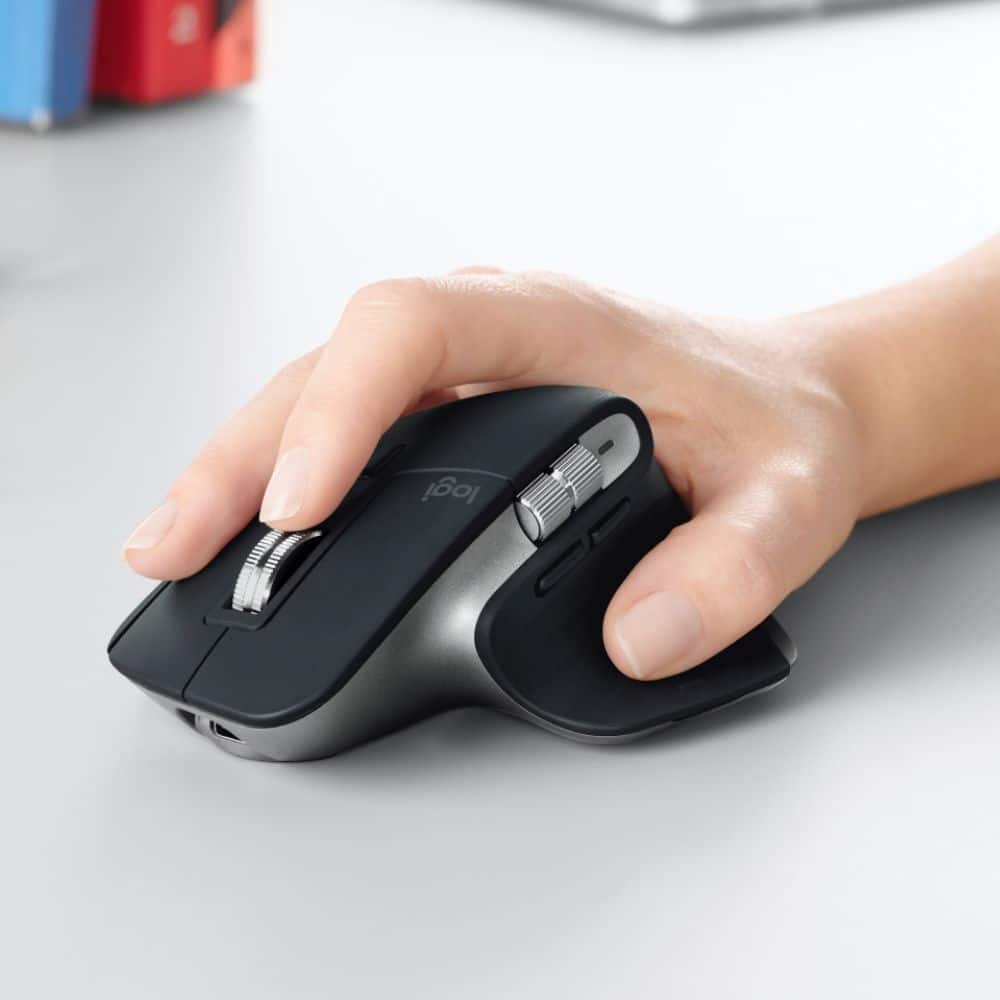
|Posted .This reviewer received promo considerations or sweepstakes entry for writing a review.This is a great mouse, but it definitely has a learning curve. Like many Logitech keyboards and mice, it has a ton of customizations, and these features will seem awesome when you first use them, but then you have to remember to use them because muscle memory kicks in and you forget they're there. Once the muscle memory starts kicking in with the extra features, though, it's hard to go back to not having them. Note that this mouse is designed for a Mac. I believe it will function similarly on Windows (I haven't tried), but it is designed for Mac users. The mouse itself is a bit big and bulky. Ergonomic, but if you have small hands, you may have to stretch a bit to reach the buttons firmly. If you have large hands or longer fingers (all of you piano and string players out there!), you may have a similar problem where your fingers overshoot certain buttons and you have to retract your grip to reach them. I definitely recommend trying out a demo of this mouse in the store if you are able. One feature I'm not a fan of is the material. The left and right mouse buttons are plastic, but the body of the rest of the mouse (NOT the base that rests on the desk or other surface) is a robber-like material. It's great for grip, but this material tends to attract and hold onto particles (such as crumbs) and you have to keep wiping it down to remove the debris. In my experience, this type of material also becomes sticky as it ages, and there is NO getting rid of that. Of course, the selling point of this mouse are the extra features (and the extra buttons that bring them). Like many, but not all mice, this one has a back and forward button. These are useful for web browsing. Again, you have to remember they are there and to use them, but once you get use to them, browsing the web with them is a pain. I personally can't use a mouse that doesn't have at least a back button. Of course, like all buttons on this mouse, these are customizable and you can assign other functions to them. I actually reversed them from their default because I have long fingers and the default forward button is where my thumb most easily reaches, and I use back much more than forward. You can also assign other functions to them, including combo keystroke assignments. As a Photoshop user, these two buttons provide something no other mouse I have used has - Undo and Redo. This was one feature I absolutely loved, but after a few minutes, muscle memory kicked in and I was back to hitting Command + Z. However, the longer I reminded myself to use the mouse buttons, the more natural it became, and the more efficient I became. The other unique feature of this mouse is the side scroll wheel. This is used for horizontal scrolling by default in the web browser, or in spreadsheet and word processing programs. This is a feature I believe most regular users of such programs will actually find almost no learning curve, It is SO much easier than having to click a scrollbar or arrow to move, and extremely intuitive. For Photoshop users, the default for this button is to change the brush size, and it is a true time saver! I found the best part of all with this feature was the ability to place my mouse cursor exactly where I needed it. Then, because the side scroll wheel is so effortless, I could change my brush size without the cursor moving one bit, meaning I could get the size exactly right on the first try! One feature I think is lacking for Photoshop users is the top scroll button (the traditional one). Also customizable, and it can be used for zooming in and out, but not both. This is because the action assigned to it is for clicking the wheel, not scrolling it. I have never used a mouse where I found clicking the scroll wheel to be easy, this one included. I could understand it not being an always-on feature of the scroll wheel, but maybe combining it with the gesture button (next paragraph). Finally, the flat extension off the side of the mouse has a default setting of a gesture button, which can perform actions by holding the button and moving the mouse itself forward, backward, left, or right. Great feature, but I found it hard to use. The issue is that the button itself is actually rather small, and because my fingers are long, my thumb overshoots it. Therefore, I have to retract my grip to press it, making the whole motion difficult to perform. I understand the need to require some pressure to activate it, as it to prevent unwanted functions to be performed, but it definitely needs to be a lot bigger than it is. One comment I will add before concluding is the left and right mouse buttons are TOO sensitive. I accidentally clicked the left mouse button as I was reaching for the mouse, and it caused my to click on one of my browser bookmarks, which took me away from the page I was typing the review on, and I had to start all over again. I wish I could rate with half-stars, because I would take away a half-star for that. Overly sensitive is almost worse than not sensitive enough. Overall though, most users will find at least some of the features of this mouse helpful. Those that work with programs such as Photoshop and Premiere may need to train themselves a bit, but will find this mouse extremely useful, especially for repetitive tasks that require adjustments (working with brushes, moving back and forth through timelines, etc). It's a bit pricey, but if you are a power user, this is a device you need to have.
I would recommend this to a friend Does not come with unifying adaptor
||Posted .This reviewer received promo considerations or sweepstakes entry for writing a review.Buy the universal MX 3 instead - Exact same mouse with the exact same price but comes with the adaptor
No, I would not recommend this to a friendBrand response from Logitech
Posted .Hello, I am sorry if there was any confusion about this mouse. Since it is made for Mac, it does not come with the Unifying receiver since Mac does not have USB-A ports. This mouse is however compatible with the Unifying receiver if you wanted to purchase one. I hope this helps. Thank you for taking the time to write this review, we appreciate the feedback.
Not worth the money.
||Posted . Owned for 1 week when reviewed.This reviewer received promo considerations or sweepstakes entry for writing a review.The bluetooth isnt that good with my macbook air 2020, has noticeable but now awful input lag. and the wheel is very uncomfortable to use. Its certainly ergonomic, but not worth $100 in my opinion. Scrolling experience is awful. Returned.
No, I would not recommend this to a friendBrand response from Logitech
Posted .Hi Raul, thank you for sharing your experience with the MX Master 3. I'm sorry that you had difficulty with the Bluetooth connection to your MacBook Air. Bluetooth connection lag/delay can be caused by interference from other signals in the area. The MX Master 3 does come with a Unifying receiver that can be used to give a strong connection. I'm sorry that the scrolling experience was not a good one for you. I understand that you have already returned the product. I hope you were able to find a mouse that works for you and your set up. Thank you for being a Logitech customer. Kristi from Logitech
- Pros mentioned:Compatibility
Finally the mouse I needed!
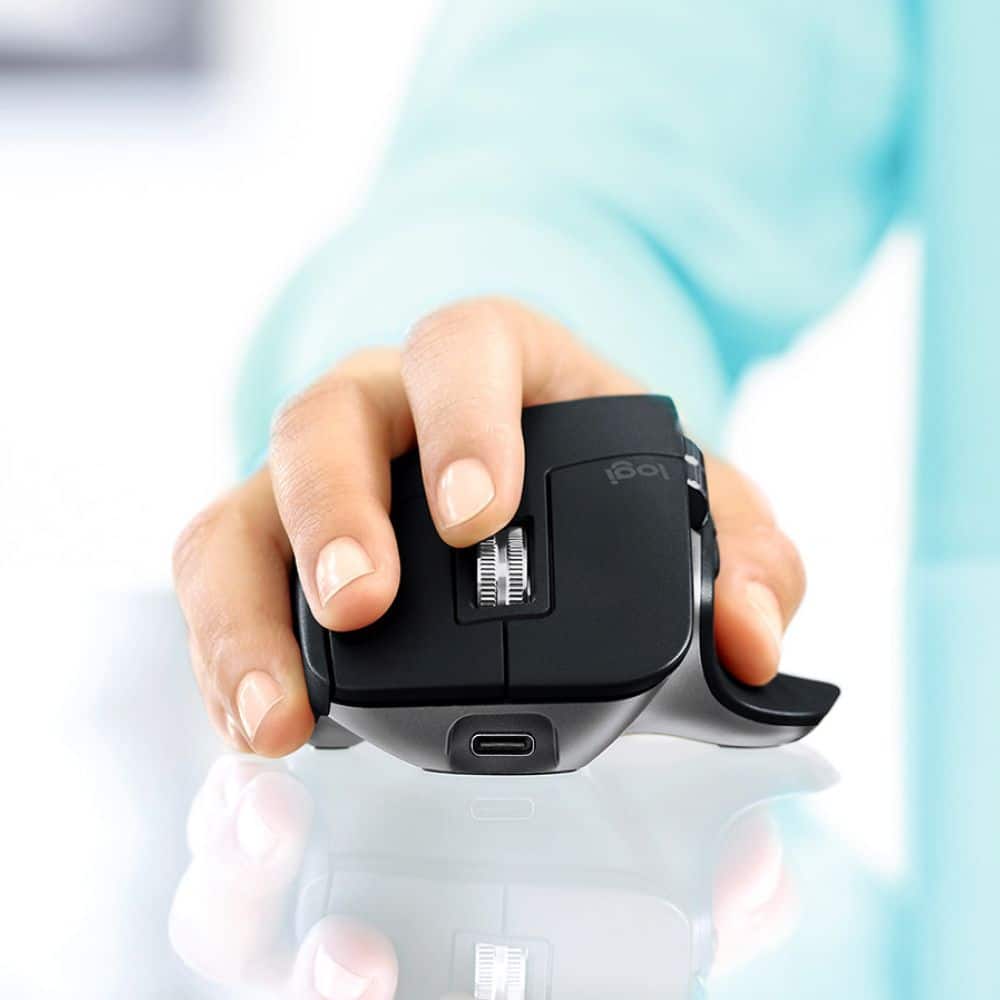
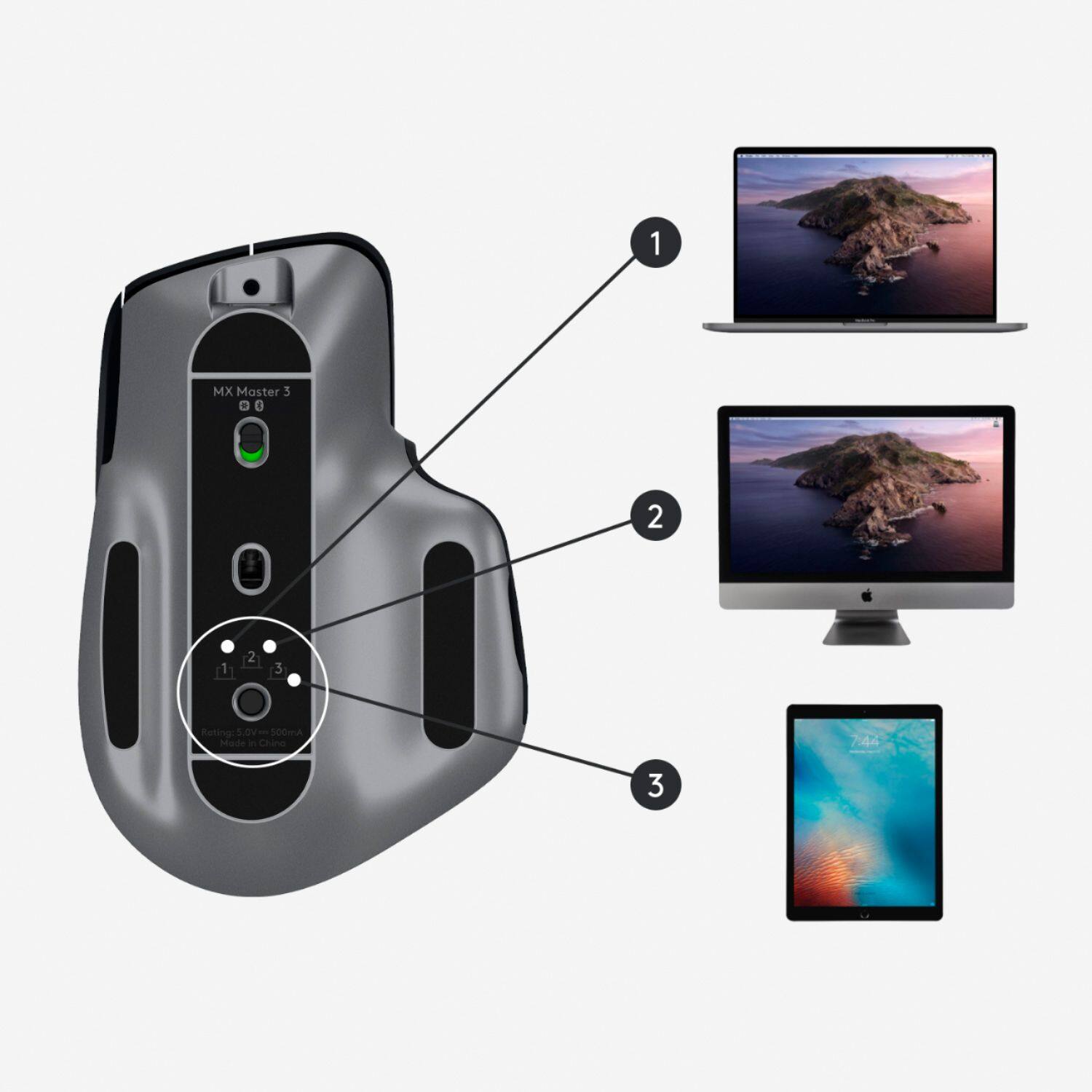
|Posted .This reviewer received promo considerations or sweepstakes entry for writing a review.I have to say that I'm impressed, this mouse has a great look, more buttons and very good precision. Unboxing it is so simple, open the box, take the mouse out, turn it on, connect it to your mac and is ready to go. If you want to modify the functions of the extra buttons the Logitech app will help you step by step. The app is easy to use and explains in which situation the side buttons will work and how customize the settings. I have to say that the only thing that is not that cool is the weight, if you are use to work with basic or simple mice, this one is a little heavier, of course is not a big deal but it is noticeable. With the side buttons you can move pages in horizontal, exchange between desktops, show the menu bar etc., it's pretty cool and comes in a gray color to match the Mac color :) If you have or use more then one mac or even an iPad, the mouse can be connected to different devices and there's a button underneath to select the device you want to use your mouse with. For Mac users this is a great option, comes with a usb-c wire to charge the mouse and the battery last a lot, I would definitely recommend this mouse.
I would recommend this to a friend - Pros mentioned:Battery life
So fast, accurate, and comfortable!
|Posted .This reviewer received promo considerations or sweepstakes entry for writing a review.Review for Logitech - MX Master 3 Wireless Laser Mouse for Mac - Space Gray As a video editor, I’ve tried a number of mice, searching for one that gives you the control you need to quickly and accurately navigate video editing software. I think I’ve found the ideal candidate in the Logitech - MX Master 3 Wireless Laser Mouse. It fits your hand so well, my days of carpel tunnel issues may be over. It responds so smoothly, that scrolling though hundreds of video assets, or trying to fine-tune a clip is dramatically improved. The mouse works with several apps, like MS Excel, Adobe Premiere, and Adobe Photoshop right out of the box, providing great shortcuts for navigating these programs. It was amazing to fly through a huge spreadsheet, find an area to be worked on, and then have super-fine control over navigation! You can also program the mouse buttons to match your preferences. This mouse should run for 70 days on a full charge or three hours on a one minute charge, The USB-C charging cable is included. I’d say this is just about the most well-thought out mouse I’ve ever used for improving productivity.
I would recommend this to a friend Great until the cursor started jumping
||Posted . Owned for more than 2 years when reviewed.This reviewer received promo considerations or sweepstakes entry for writing a review.I enjoyed this MX Master 3 mouse until the cursor began jumping everywhere. And to my luck, it was 1 month after the warranty expired. I'd take your money else where.
No, I would not recommend this to a friendScrolling Wheel Ruins The Mouse
||Posted .This reviewer received promo considerations or sweepstakes entry for writing a review.The scrolling experience immensely devalues what the mouse should cost. The scroll wheel is not responsive at times and is very inconsistent. If the scrolling wheel did not have these problems then this would have been a perfect mouse.
No, I would not recommend this to a friendBrand response from Logitech
Posted .Hello, we are sorry to hear that you are having issues with your scroll wheel on the MX Master 3. You may reach us for support by opening a Technical Support ticket here: https://support.logi.com/hc/en-us/requests/new?ticket_form_id=360000621393
Grate Non-Apple option for mouse
|Posted .This reviewer received promo considerations or sweepstakes entry for writing a review.Do you like a mouse, and not a trackpad... and not the white expensive mouse from apple? Then this is a serious contender for you... The design of this mouse, just fits nicely in the palm. with a soft surface, my hand fits comfortably on it. The top wheel allows you to quickly scroll through the screens... And the BUTTONS!!! if you are someone that navigates between a Mac and a Windows machine... YES to physical buttons again. But where this really shines, is the HORIZNTAL scroll wheel... This allows me to quickly scroll in both directions, without moving the pointer... SWEET!!! A neat feature, that I haven't tried (because I only have one Mac), is that this can pair with more then one system... you just need to tap a selector on to which device you are using this with. Charges with the included USB-C charging cable, and it is designed that you can have the cord connected and STILL USE THE MOUSE at the same time. So if you die or forget to charge it, you are not stuck. Smooth optical scrolling... no issues moving the pointer very slow for detailed work. This is a great addition to my Mac
I would recommend this to a friend- Pros mentioned:Ergonomic, Multi-device
Logitech MX Master 3
|Posted .This reviewer received promo considerations or sweepstakes entry for writing a review.This is my new favorite mouse. The shortcuts and comfortable feeling it gives me makes me enjoy working at my computer SO much more than I used to. Ergonomically correct hand positioning feels like driving a luxury car. The ability to easily switch between as many as 3 computers is a big plus.
I would recommend this to a friend Sucks…
||Posted . Owned for 6 months when reviewed.This reviewer received promo considerations or sweepstakes entry for writing a review.1/2 a star. The mouse keeps disconnecting from the Bluetooth and the scroll functions don’t work. Only way to fix the issue is to restart the computer. Terrible../
I would recommend this to a friendBrand response from Logitech
Posted .Hello CorduroyBilly, Very sorry to hear about the Bluetooth connection issues that you're experiencing with the MX Master 3 for Mac Wireless Mouse. Here are some easy to more advanced troubleshooting steps to resolve Bluetooth wireless issues. First, make sure you have the latest version of the macOS since Apple is regularly improving the way macOS handles Bluetooth devices. Next, make sure you have the right Bluetooth parameters. Navigate to the Bluetooth preference pane in System Preferences and go to Apple Menu > System Preferences > Bluetooth. Make sure that Bluetooth is turned ON. If it is, in the bottom-right corner of the Bluetooth Preference window, click Advanced. Make sure all three options are checked: 1) Open Bluetooth Setup Assistant at startup if no keyboard is detected; 2) Open Bluetooth Setup Assistant at startup if no mouse or trackpad is detected; and 3) Allow Bluetooth devices to wake this computer. Click OK. NOTE: These options ensure that Bluetooth-enabled devices can wake your Mac and that the OS Bluetooth Setup Assistant will launch if a Bluetooth keyboard, mouse or trackpad is not detected as connected to your Mac. If this doesn't help, then here is a link to Logitech's technical support: https://support.logi.com/hc/en-us/requests/new?ticket_form_id=360000621393. Hope that you found this helpful and that things are going better. Thank you for being a Logitech customer. - Richard from Logitech
- Pros mentioned:Battery life
I love this thing.
|Posted .This reviewer received promo considerations or sweepstakes entry for writing a review.I connected it to my 2020 iPad Pro, and it's flawless. This is my second one, I have one I use for my Mac Mini. These are GREAT, as they last on battery for MONTHS. They feel great, because I have big hands. Controls are easy, and work great too. Using this with any Mac or iPad is a breeze, and connection is strong. Buttons are clicky, and have good feedback in daily use. The scroll wheels are stiffer than I'd like, but it's totally worth the trade-off when it comes to all the other Pros this mouse has. You will love it.
I would recommend this to a friendBrand response from Logitech
Posted .Hello, I am so glad to hear you are satisfied with the product! Thank you for being a Logitech customer, and taking the time to write this review!
Not for New Macbook
||Posted . Owned for 1 month when reviewed.This reviewer received promo considerations or sweepstakes entry for writing a review.With the M1 Max Macbook Pro this mouse was horrible. I wanted it for the side scroll wheel, but the lag was too difficult to overcome. Not worth buying.
No, I would not recommend this to a friend- Pros mentioned:Ergonomic
Great wireless mouse
|Posted .This reviewer received promo considerations or sweepstakes entry for writing a review.Toss that old mouse of yours away and never look back. The Logitech - MX Master 3 wireless mouse feels great in my hands. Gripping the mouse in a much natural way makes doing homework and online classes SO much easier and tolerable. The Logitech - MX Master 3 mouse is not your average mouse. You have the ability to adjust controls in various programs, or keep the pre-programmed settings right out of the box. The Logitech - MX Master 3 wireless mouse really feels like a quality mouse that is easy to maneuver. You have the ability to choose between free-spin scrolling and ratcheting scrolling with the push of a button. I know that the mouse is intended for Mac computers, but I just had to try it with my PC, and I must say that it worked just as well. So, the Logitech - MX Master 3 can be your go-to mouse for all of your computers. The only issue that I noticed is with the scroller. It tends to lag a bit when set to the ratchet scrolling setting. Although a bit annoying at times, I'll just switch over to free-spin and deal with it that way. I would definitely recommend the Logitech - MX Master 3 wireless mouse to anyone.
I would recommend this to a friend will not buy again
||Posted . Owned for 1 month when reviewed.This reviewer received promo considerations or sweepstakes entry for writing a review.worst mouse I ever own keeps loosing connection with imac best buy will not refund money because we’re 2 days outside return policy
No, I would not recommend this to a friendBrand response from Logitech
Posted .Hi Summer, Very sorry to hear about your losing connection with your iMac while using your MX Master 3 for Mac. There is a very helpful FAQ on the product support page that will bring to light why the connection may not be working properly. Here's the link to check that out: https://support.logi.com/hc/en-us/articles/360051303693-FAQs-MX-Master-3-for-Mac. Hope that this helps and that all is going well. Thank you for choosing Logitech. - Richard from Logitech
- Pros mentioned:Customization
Comfort Fit, Smooth movement!
|Posted .This reviewer received promo considerations or sweepstakes entry for writing a review.The connection of the mouse thru bluetooth is very smooth and the fact that i can transfer between devices is very convenient for switching between mac's. I really enjoyed the shape and mold of the mouse, it is very comfortable and i didn't experience hand fatigue after using it for hours on end. I have not had it long enough to assess the battery life. The specific controls and ability to blend their use w my mac and it's software is seamless. Allmost as if it were made by apple. The only downside i have encountered so far is the file transfer option. Although very convenient in theory it isn't very convenient in practice. The file trasfer speeds of just dragging and dropping between mac's is capped by the bluetooth transfer speeds. So be prepared to wait awhile for the transfers to complete and i experience a little bit of lag as the file transferred and i used the mouse simultaneously. I dont transfer much between macs and if i do i use a USB drive so this concern isn't a big issue for me. OVERALL a very nice mouse, great fit, cool customization and seamless integration!
I would recommend this to a friend Uncomfortable.
||Posted . Owned for 1 month when reviewed.This reviewer received promo considerations or sweepstakes entry for writing a review.Uncomfortable. Didn't think this was an upgrade to the normal Apple mouse.
No, I would not recommend this to a friendBrand response from Logitech
Posted .Hello dpetey,
I am sorry that the MX Master 3 did not meet your expectations. Logitech understands that everyone has unique needs, which is why they offer a wide arrange of products with different designs and features to choose from. If you like flat minimalistic designs, it is understandable that the MX Master 3 is not for you. Also, the MX Master 3 is a high-productivity mouse with features such as Logi Flow that are highly valuable for high-productivity users. Still, not everyone will benefit from its productivity features. Logitech appreciates your product review. - Leo from Logitech
Logitech MX Master 3
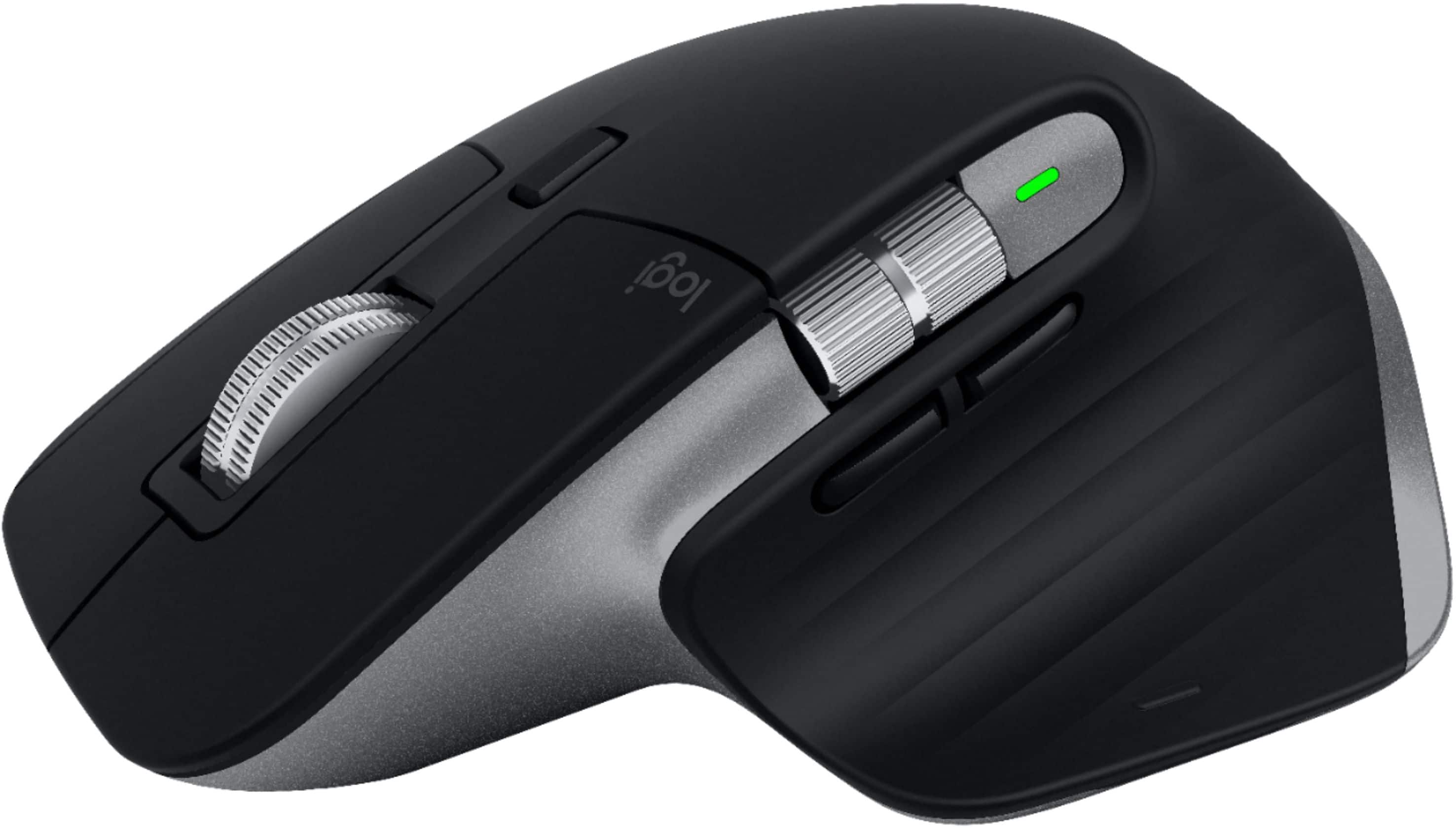
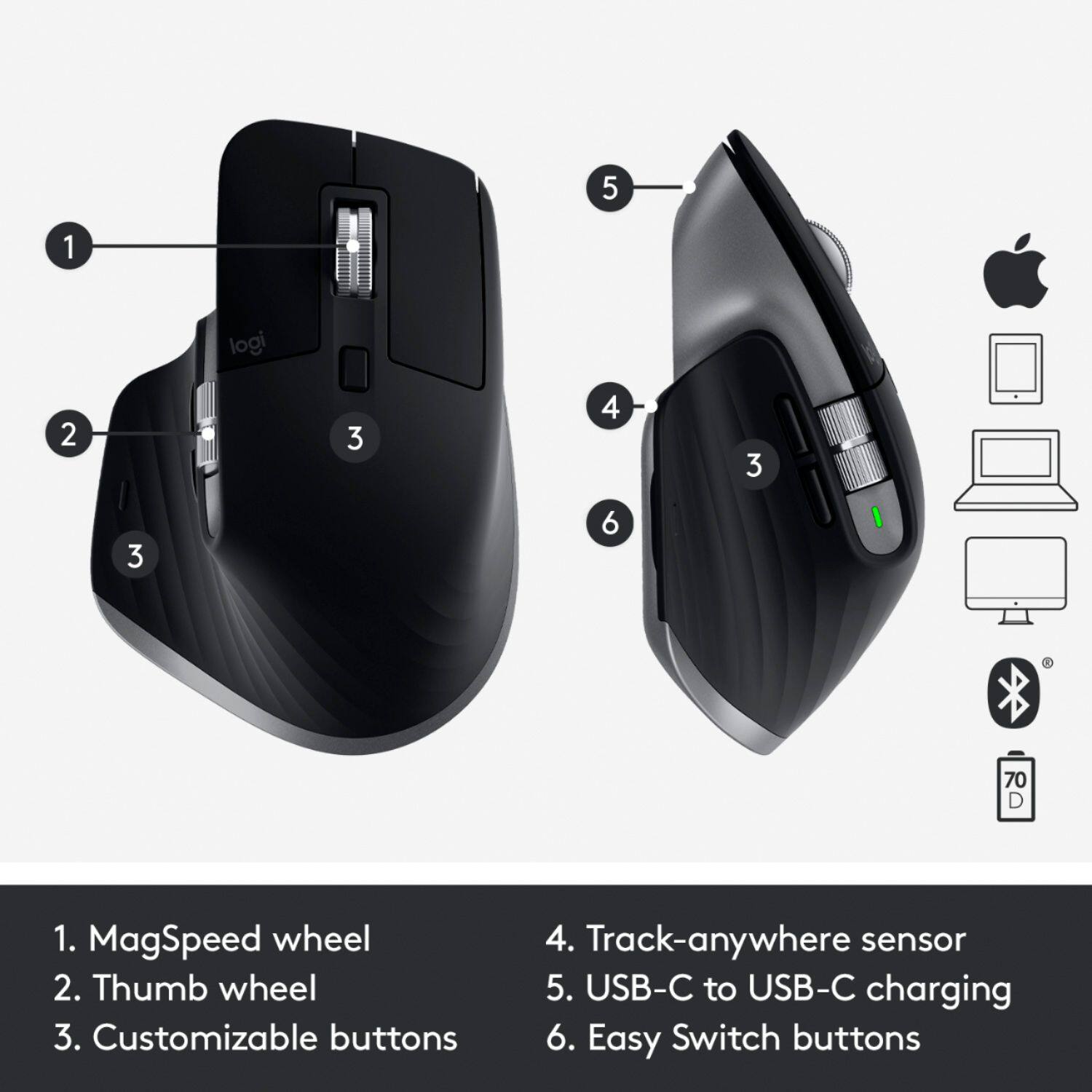
|Posted .This reviewer received promo considerations or sweepstakes entry for writing a review.So I just received my Logitech MX Master 3 mouse last week and I've been putting it through it's paces. This mouse couldn't have come at a better time as I was looking to replace my current Logitech mouse with another one. Inside the box comes the Logitech MX Master 3 mouse, along with a USB-A to USB-C charging cable, USB receiver, and user manual documentation. The mouse came partially charged. To fully charge the mouse, expect to charge it for about 2 hours. Logitech states that charging the mouse for 1 minute will give you about 3 hours of battery life on the mouse. I basically plugged the USB receiver in an empty USB port and plugged the USB charging cable up to the mouse on the front and left it alone pretty much all day as I was out running errands. Upon returning home later that evening, the Logitech MX Master 3 mouse was fully charged and ready to go. According to Logitech this should yield about 70 days worth of use. We'll test that theory over the next couple of months. The mouse has several buttons all of which are fully functional with Windows, Mac, and Linux operating systems. Over the last week I've tested the mouse on both my Windows 10 Lenovo 920 laptop, and my MacBook Air. On top of the mouse is the standard left/right click buttons, a MagSpeed Wheel that's also a click button, Mode Shift button which allows you to switch between more of a ratchet scroll or a free flywheel scroll of the MagSpeed Wheel, a Thumb Wheel on the side allows you to scroll through any open tabs on your browser, Back/Forth buttons that sit below the Thumb Wheel that allows you to go back and forth between pages within the browser, and a Gesture Button that switches to Task View or Mission Control. The Back/Forth buttons on the side can also be used to work with specific programs such as Photoshop, Safari, Edge, Chrome, or any of Microsoft Office programs. This mouse has been a lifesaver for me over the last week with its speed and quickness of the MagSpeed Wheel. I have mine set to the free spinning flywheel, which has allowed me to speed through my daily scrolling while working on line. I love being able to quickly scroll to the bottom of each screen to get to the dialog buttons that I click on day in and day out for work. It glides across the screen very smoothly with ease and feel nice in my hand. The Thumb Wheel on the side, has allowed me to easily switch between open tabs. Although I have not tweaked or made any changes to the default mouse settings, I did download the Logitech Options software from Logitech's website. However, you can customize the different settings to your liking. This is a very nice mouse and I fully recommend it to anyone looking for a nice smooth mouse with a ton of bells and whistles. I love that I don't have to change batteries every so often and that I can just plug it up and let it charge up fully. Another feature that I've not tested is that it is also compatible via bluetooth.
I would recommend this to a friendDon't buy with Mac mini m1
||Posted . Owned for 1 month when reviewed.This reviewer received promo considerations or sweepstakes entry for writing a review.Bought it with Mac mini m1. Has severe Bluetooth issues. Giving one star probably not for its fault.
No, I would not recommend this to a friendBrand response from Logitech
Posted .Hi Ssss, thanks for taking the time to write the review. I'm sorry that you experienced some Bluetooth connections with this device to your Mac. Using a Bluetooth connection does have its draw backs and is dependent on the surrounding areas. I hope you were able to experience some of the features before returning/exchanging the MX Master 3. The MX Master 3 can pair with the provided Unifying receiver if you have a hub for the Mac Mini M1. It would probably alleviate some of the connection issues you were experiencing with the Bluetooth. Thank you for being a Logitech customer. Kristi from Logitech.
Get the Geek warranty
||Posted .This reviewer received promo considerations or sweepstakes entry for writing a review.Broke after less than 3 months of use. Scroll wheel would lock it up and shut off.
No, I would not recommend this to a friendBrand response from Logitech
Posted .Hello, Lillyspops! I'm sorry to hear your MX Master 3's scroll wheel started locking up on you! I would recommend reaching out to our support team here https://support.logi.com/hc/en-us/requests/new?ticket_form_id=360000621393 to file a warranty claim. The MX Master 3 has a 1-year limited hardware warranty. Thank you so much for this feedback! I will be passing this along. - Maggie from Logitech
- Pros mentioned:Battery life
Logitech Is The Best
|Posted .This reviewer received promo considerations or sweepstakes entry for writing a review.I absolutely love Logitech's MX mouse. The best in the business. (The keyboard is top notch also) The precision and good looks of this mouse makes it the best mouse on the market. Charging only needs to happen every 72 days! I use it with my iPad as well as my Mac. I could also use it for a 3rd device if needed. I have yet to learn all of the different possibilities of this mouse. Can't wait.
I would recommend this to a friend