Customer Ratings & Reviews




- Model:
- 910-005693
- |
- SKU:
- 6404201
Customer reviews
Rating 4.7 out of 5 stars with 896 reviews
(896 customer reviews)Rating by feature
- Value4.5
Rating 4.5 out of 5 stars
- Quality4.8
Rating 4.8 out of 5 stars
- Ease of Use4.7
Rating 4.7 out of 5 stars
Customers are saying
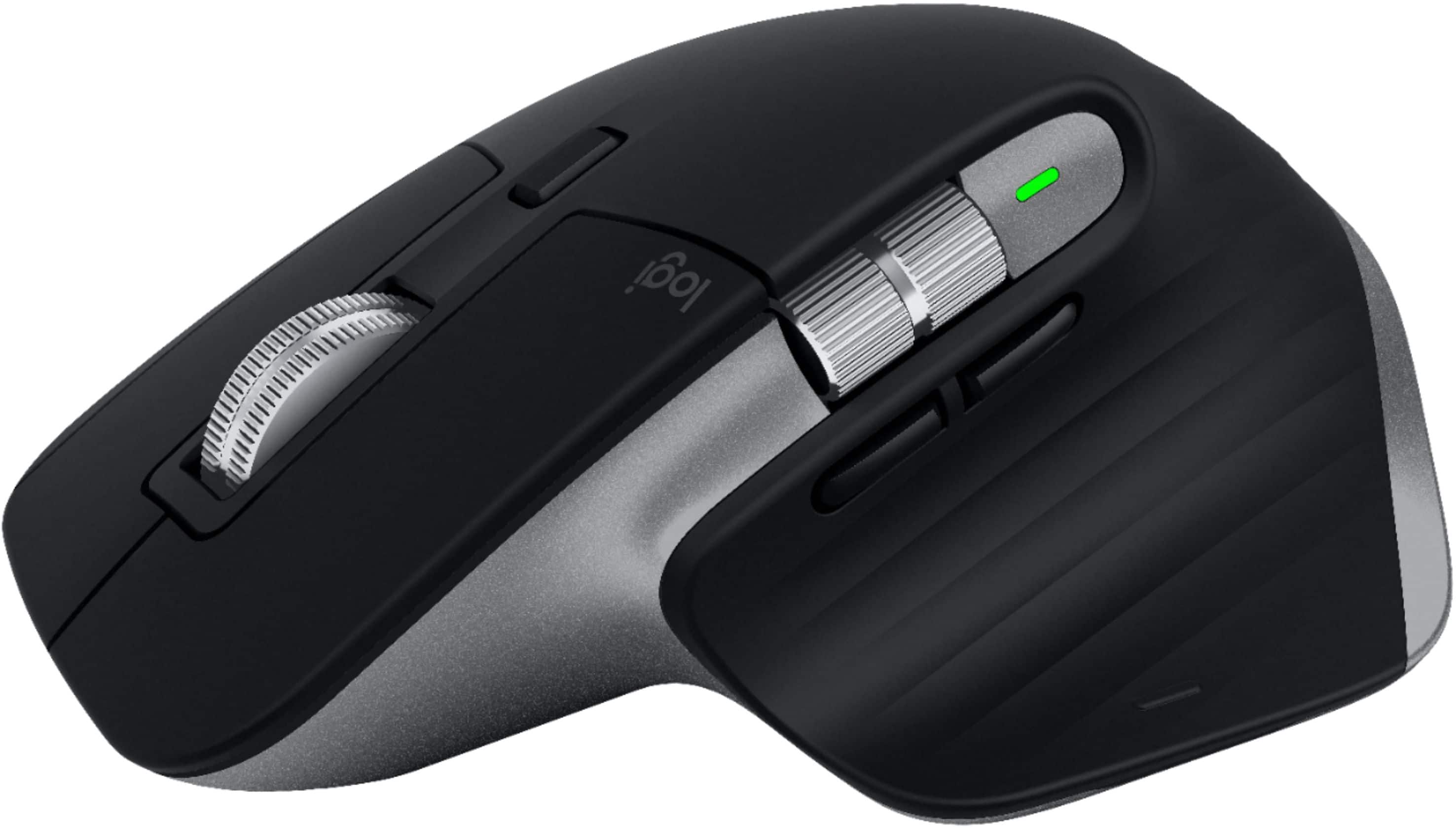
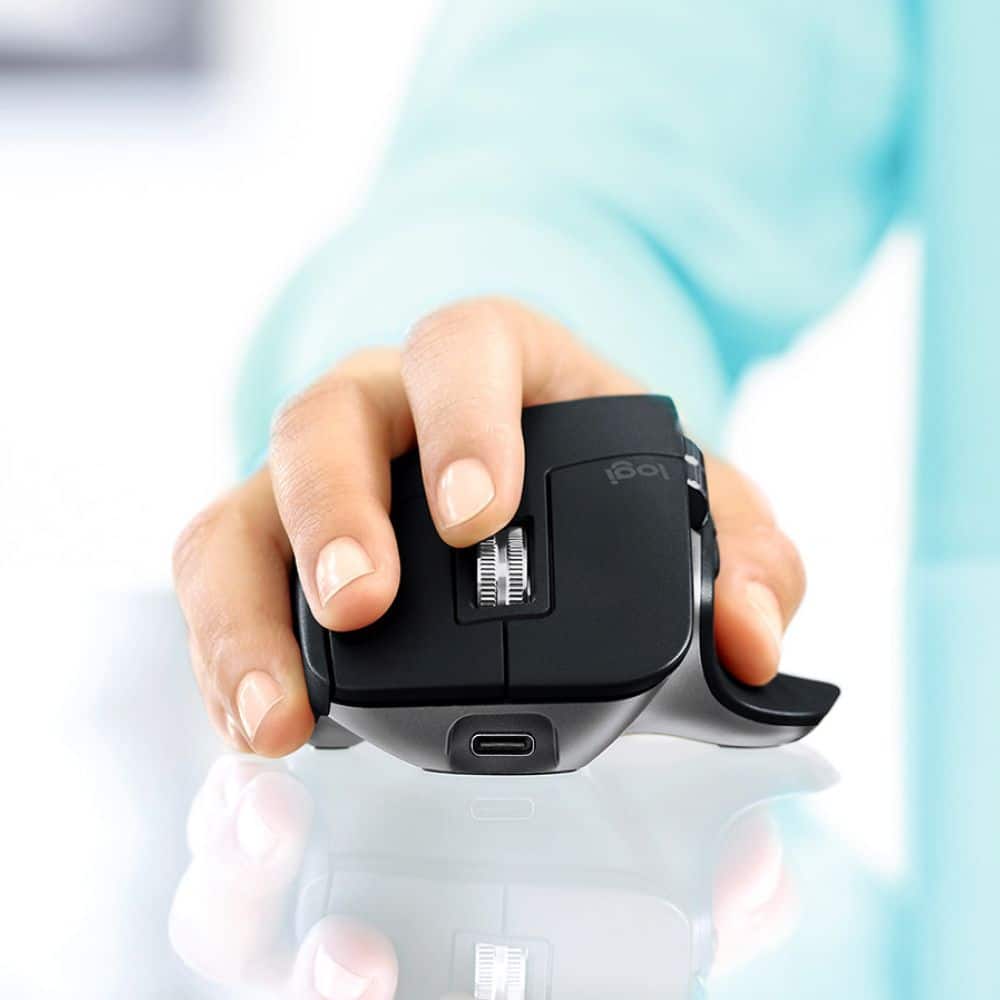
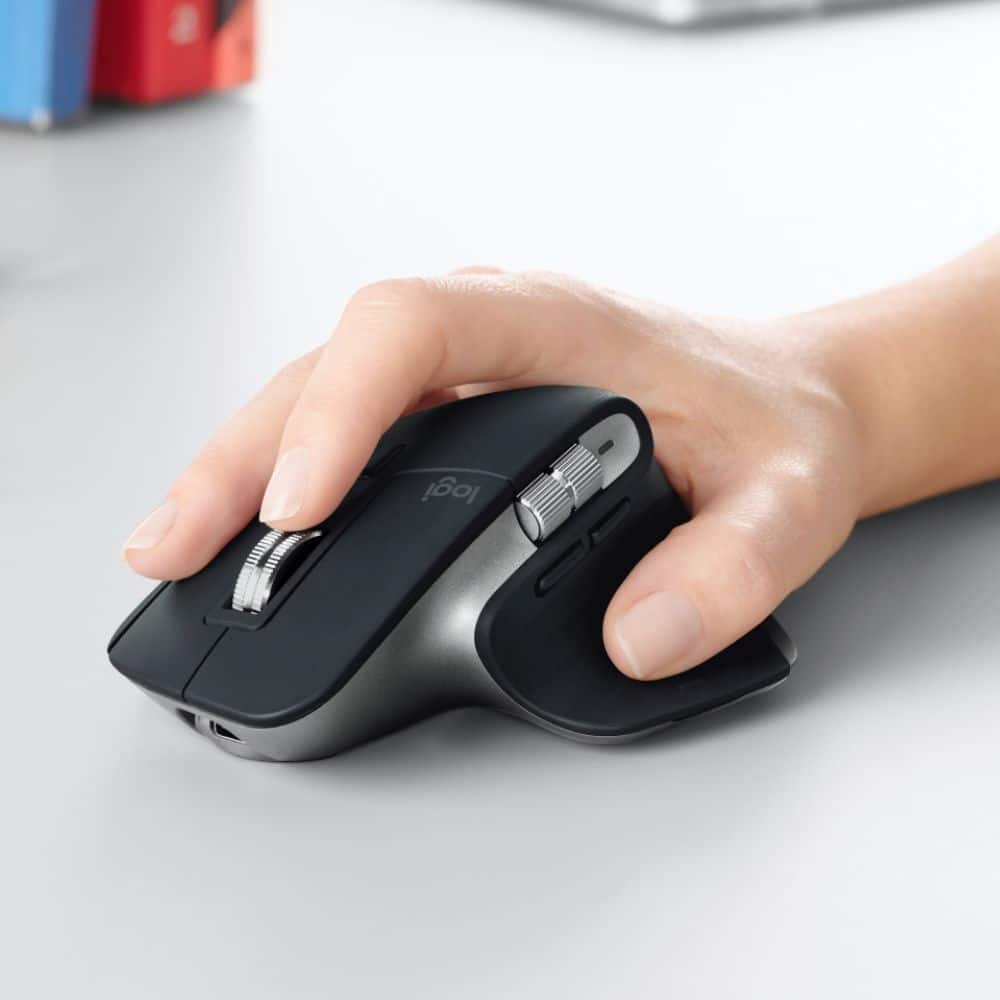
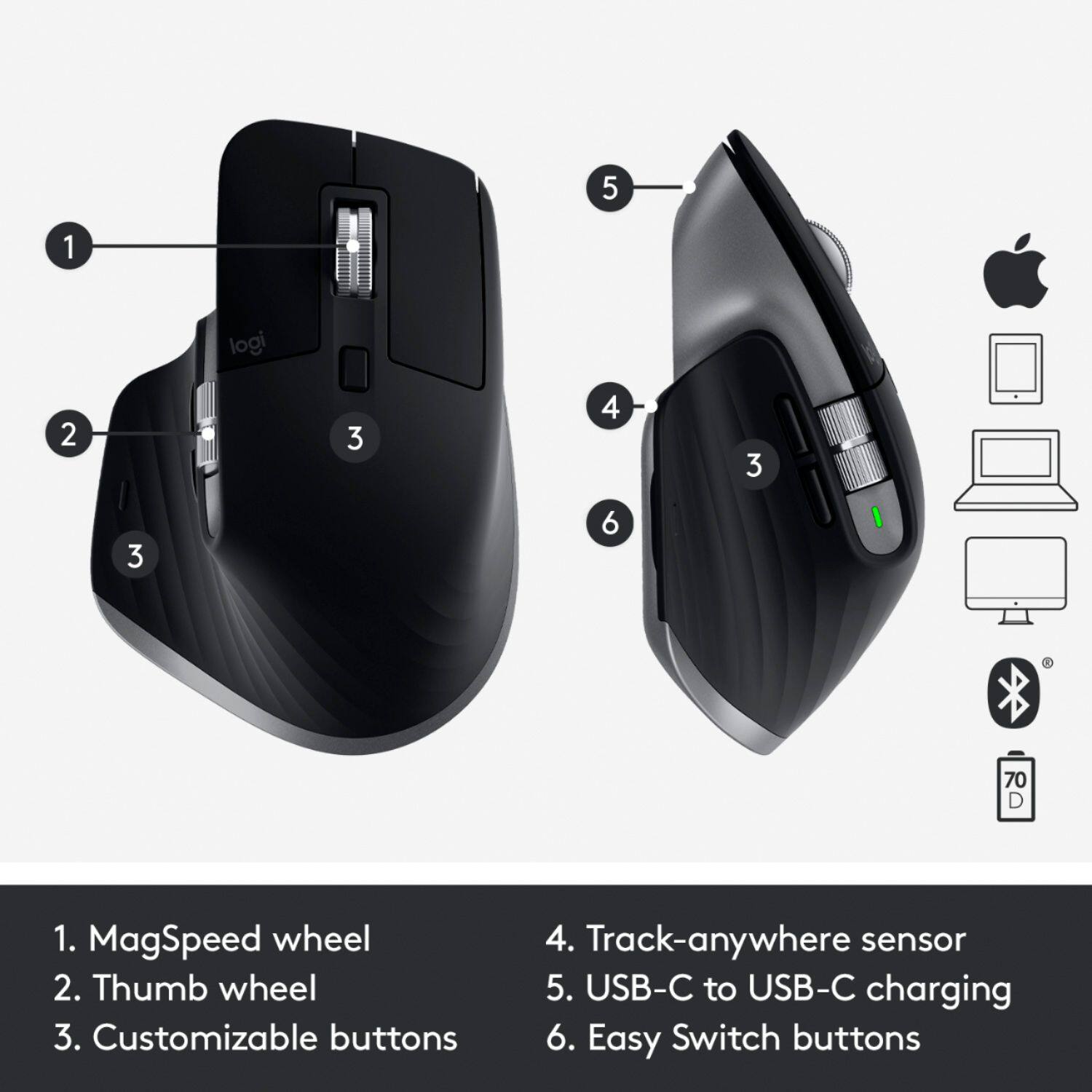
Customers enjoy the ergonomic design, ease of use, and impressive battery life of the MX Master 3 mouse. The scroll wheel and customization options also receive high praise, with many appreciating the precision and responsiveness. However, some find the mouse too large and heavy for their preference, and a few have noted concerns about the software's performance. The price point is also a factor for some customers.
This summary was generated by AI based on customer reviews.
Rated 4 out of 5 stars
Great yet may be bulky
||Posted . Owned for more than 2 years when reviewed.This reviewer received promo considerations or sweepstakes entry for writing a review.smooth, fast connecting, relatively bulky, fits well in my hand, likely not suitable for small hands
I would recommend this to a friend- Pros mentioned:Ergonomic
Rated 5 out of 5 stars
Awesome Build Quality / Worth Every Penny.
||Posted . Owned for 1 week when reviewed.This reviewer received promo considerations or sweepstakes entry for writing a review.Needed a mouse that wasn’t as gimmicky as the Magic Mouse for Mac, I also wanted something that had some semblance to a traditional mouse since I’m so accustomed. This mouse has it all, a feature set built to function seamlessly with my Mac, and the feel and traditional button placements that I have grown accustomed too. On top of it all, the ergonomics make it one of the most comfortable mice I’ve ever owned. If it breaks I’m getting another, the price is well worth, and better than apple’s proprietary peripherals.
I would recommend this to a friend Rated 5 out of 5 stars
Best quality and functionality ever!
||Posted . Owned for more than 2 years when reviewed.This reviewer received promo considerations or sweepstakes entry for writing a review.The best mouse out there. Don’t hesitate. It is actually one of the best mouse I’ve tried.
I would recommend this to a friend- Pros mentioned:Ergonomic
Rated 5 out of 5 stars
Game changing mouse for the Mac
||Posted . Owned for 1 month when reviewed.This reviewer received promo considerations or sweepstakes entry for writing a review.This mouse not only feels great in your hand, but it's snappy, quick and efficient. Programming the mouse is super simple and no issues connecting with the Mac. The bluetooth technology is spot on and battery life is amazing. I don't think I can use a different mouse after using this one. Although it is expensive, the quality is great and built to last. You wouldn't have to replace a mouse for a few years to come.
I would recommend this to a friend - Pros mentioned:Battery life
Rated 5 out of 5 stars
Fantastic Mouse!
||Posted . Owned for 3 months when reviewed.This reviewer received promo considerations or sweepstakes entry for writing a review.Best mouse ever. Super comfortable and once you get the software running (which was quite a challenge on my 2020 iMac) it works beautifully. It’s a bit more expensive than other mice but once you get used to using it, you’re spoiled for life. I use this mouse all day every day and the battery never seems to run out. I typically charge it once a month whether it needs it or not. It would be great if they made a left handed version!
I would recommend this to a friend Rated 5 out of 5 stars
Best Bet for a Mouse
||Posted . Owned for more than 2 years when reviewed.This reviewer received promo considerations or sweepstakes entry for writing a review.Nothing better than this mouse. Seriously, very responsive and the buttons are placed in the best spots.
I would recommend this to a friend- Pros mentioned:Battery life
Rated 5 out of 5 stars
Great Mouse
||Posted . Owned for 2 months when reviewed.This reviewer received promo considerations or sweepstakes entry for writing a review.An excellent mouse for Macs. I especially love the scroll wheel. Battery life is excellent.
I would recommend this to a friend - Pros mentioned:Ergonomic
Rated 3 out of 5 stars
Don't buy the Mac version before reading this!
||Posted . Owned for 3 weeks when reviewed.This reviewer received promo considerations or sweepstakes entry for writing a review.The only real difference between the Mac version of this mouse and the standard version (besides the slightly different color) is that the Mac version does not include a dongle. You are paying basically the same amount for bluetooth only connectivity. The downside to this is that Bluetooth is much slower and less reliable than the dongle connection. I have personally noticed a bit of a lag/delay in using the mouse over bluetooth versus using it with the dongle. That being said, you can still use the non Mac version with bluetooth only as well, so you might as well get the dongle and have it even if you don't plan to use it. As far as the mouse itself goes... it's great! The software gets the job done (although it's not quite as good as some of their gaming peripheral software). The ergonomics of the mouse really fit my hand nicely. Compared to the MX Master 2S this mouse feels better to hold and has nicer button placement (such as the back and forward buttons on the side). The scroll wheel is improved over previous generation models but still feels very smooth and refined. I primarily use mine with Mac computers and it's capable of all the tricks you can do with a Magic Mouse thanks to the gesture button. The Magic Mouse is slightly better with the gestures but at the cost of being annoying to charge, far less ergonomic (not really ergonomic at all), missing a middle mouse button (useful for a lot of software... can be added with third party apps but difficult to find since you just have to guess where the spot is on the flat top of the mouse), and no dedicated buttons for right click/forward/back. Thanks to a second scroll wheel you can still manipulate scrolling in any direction with this mouse. When it comes to productivity the MX Master is the best you can get in my experience. I'm only docking this mouse because of the lack of dongle. I exchanged mine for the regular dongle included model.
No, I would not recommend this to a friend - Pros mentioned:Customization
Rated 5 out of 5 stars
Perfect Productivity Mouse
||Posted . Owned for 4 months when reviewed.This reviewer received promo considerations or sweepstakes entry for writing a review.The best productivity mouse there is IMO. Scroll wheel is great for large docs, and the customization is great.
I would recommend this to a friend - Pros mentioned:Battery life
Rated 5 out of 5 stars
Seriously can't live without it
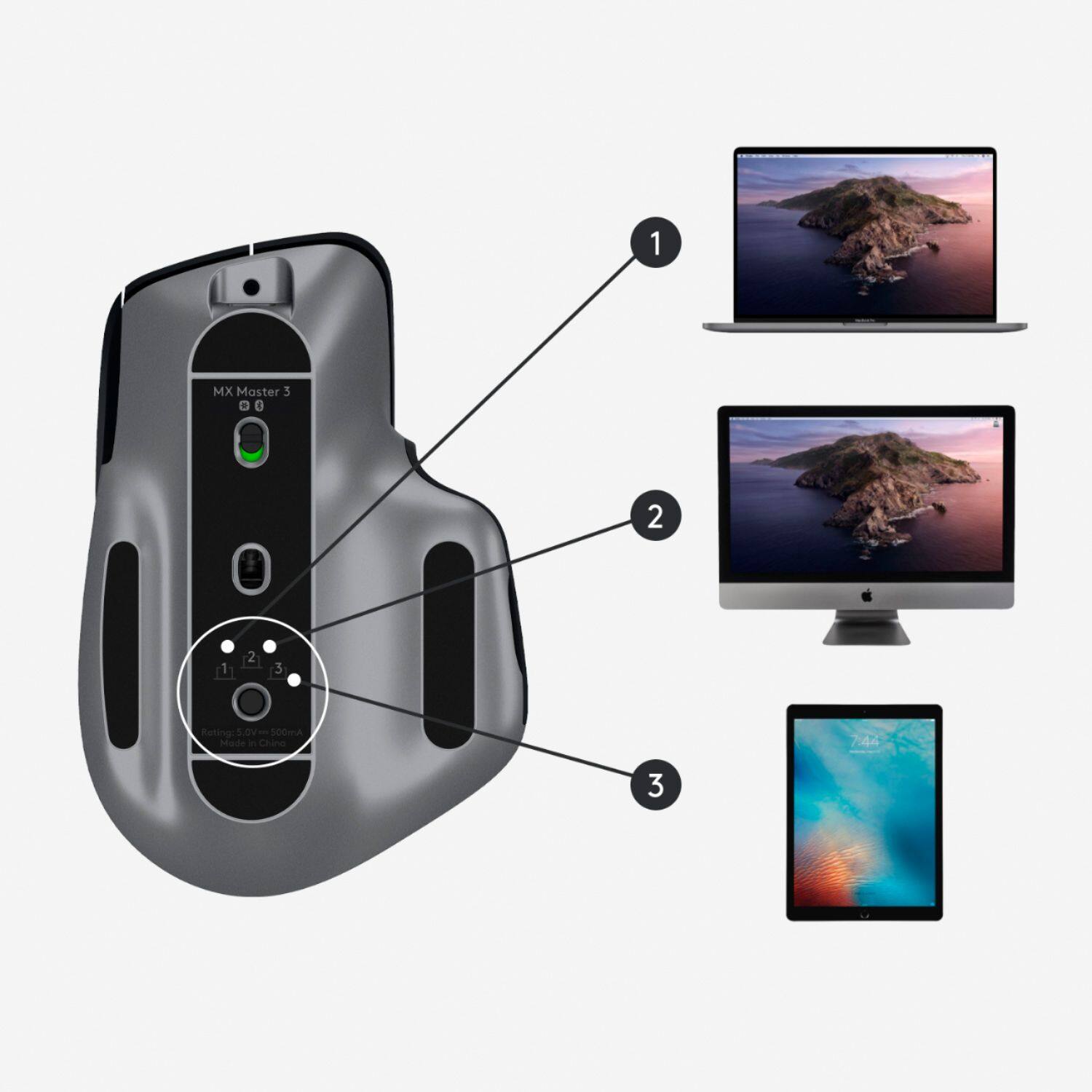
||Posted . Owned for 6 months when reviewed.This reviewer received promo considerations or sweepstakes entry for writing a review.I am a graphic designer. I don't really use the Logi Options features (custom hotkeys and actions) because Logitech needs to improve their plugin update, but the bidirectional scrolling is excellent, battery life is so good I have only charged it 3-4 times since I bought it 6 months ago, and I LOVE the feature that lets me pair it with up to 3 different computers/devices and toggle between them with the simple button on the bottom of the mouse.
I would recommend this to a friend - Pros mentioned:ErgonomicCons mentioned:Pricey
Rated 5 out of 5 stars
Love it!
||Posted . Owned for 1 month when reviewed.This reviewer received promo considerations or sweepstakes entry for writing a review.Nice I love the mouse. It’s pricey but if you work on a computer all day then do your hand a favor and get the best!
I would recommend this to a friend - Pros mentioned:Customization
Rated 5 out of 5 stars
Best mouse ever
||Posted . Owned for 11 months when reviewed.This reviewer received promo considerations or sweepstakes entry for writing a review.Easy to customize, great build quality, easy to change between devices
I would recommend this to a friend - Pros mentioned:ErgonomicCons mentioned:Size
Rated 5 out of 5 stars
Great mouse for Mac
||Posted . Owned for 1 week when reviewed.This reviewer received promo considerations or sweepstakes entry for writing a review.Great to use with Mac. Love the finger space to rest your thumb. Little on big side but great to use
I would recommend this to a friend - Cons mentioned:Heavy, Size
Rated 4 out of 5 stars
Too big for small hands.
||Posted . Owned for 1 week when reviewed.This reviewer received promo considerations or sweepstakes entry for writing a review.Con: Too big for small hands. The hand starts paining after 5-10 mins of use. Also, it's really heavy. Rest the functionalities, tracking everything is great. just not for me.
No, I would not recommend this to a friend - Pros mentioned:Ergonomic, Multi-device
Rated 5 out of 5 stars
Great multidevice mouse
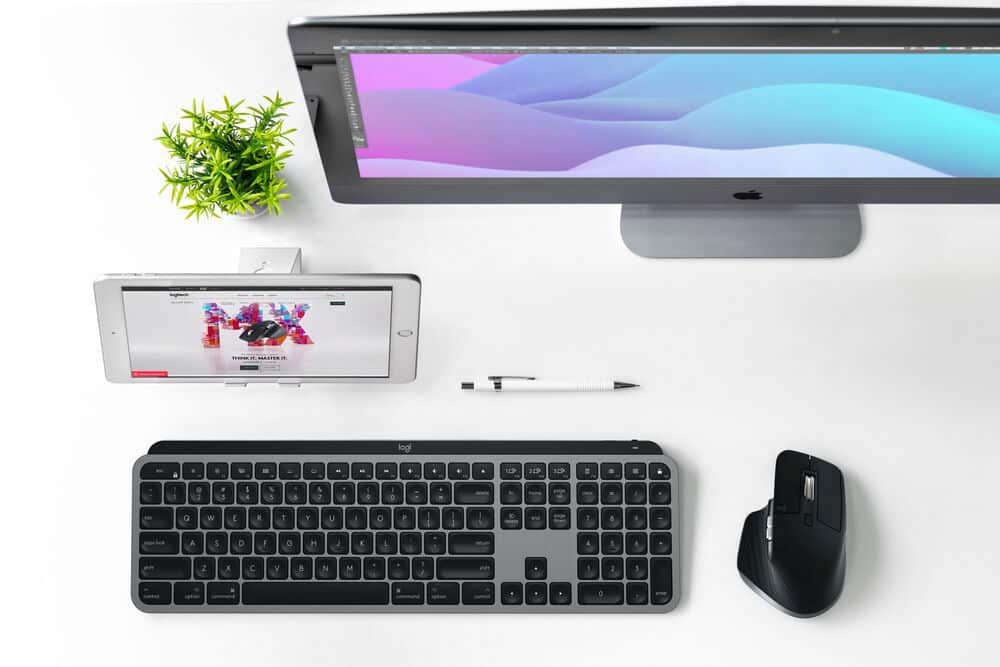
||Posted . Owned for 1 month when reviewed.This reviewer received promo considerations or sweepstakes entry for writing a review.Great ergo designed mouse, that I set up with the MX keyboard. Handle Mac, PC and iPad easily.
I would recommend this to a friend Rated 5 out of 5 stars
MX Master 3 for Mac vs previous MX Master 3 & 2S
||Posted . Owned for less than 1 week when reviewed.This reviewer received promo considerations or sweepstakes entry for writing a review.To start, I'm very happy with the MX Master 3 for Mac purchase. Using this on a MacBook Pro 16. I previously had the MX Master 2S and had also briefly owned the MX Master 3 to use with the MacBook. For both, I tried the Bluetooth vs USB Unifying receiver connections. While the Unifying connections were smooth and flawless with the 2S and vanilla 3, the Bluetooth connections with the MacBook had intermittent jitters and jerky cursor movements. I had the Logitech Options Software installed. With the MX Master 3 for Mac, the Bluetooth connection with the same MacBook and software is rock solid; smooth, consistent, and not a single jitter in cursor movement. The differences between the different versions of the mice are not well advertised (different color scheme, omitted the Unifying receiver while selling for the same price), but the improved connectivity is an important improvement for Mac users. Now, for the MX Keys keyboard, I'm still trying to figure out what the differences are between the previous vanilla version vs the one for the Mac only.
I would recommend this to a friendBrand response from Logitech
Posted .Hello, I am so glad to hear you love the mouse! For the differences between the Mx keys and mx keys for mac: the Mx keys for mac has Mac specific keys on it. Where as the regular mx keys are universal since it can be used on multiple systems. The MX keys for mac also has a USB-C to USB-C charging cable. I hope this helps! Thank you for being a Logitech customer and taking the time to write this review!
Rated 4 out of 5 stars
Minor issue but overall a great buy.
||Posted . Owned for 3 weeks when reviewed.This reviewer received promo considerations or sweepstakes entry for writing a review.One major I face everyday is that the Logitech daemon process needs to killed and restarted often to keep the fancy buttons working. The initial setting of using the Gesture button to scroll desktops is terrible. I almost returned my mouse. Thank God, these assignments can be tweaked. You need to spend a couple of days messing up with the settings on the Logi options app to love this mouse. I really like the scroll wheel in this mouse since it combines coarse and smooth scrolling in one wheel. Silent click (and fixing the daemon issue) would make this mouse perfect.
I would recommend this to a friendRated 5 out of 5 stars
5 stars
||Posted . Owned for 1.5 years when reviewed.This reviewer received promo considerations or sweepstakes entry for writing a review.Love this mouse. Great ergonomics, easy setup, met all my expectations
I would recommend this to a friendRated 5 out of 5 stars
Feeling Good!
||Posted . Owned for 3 months when reviewed.This reviewer received promo considerations or sweepstakes entry for writing a review.Soo comfortable. Do you fingers ache form clicking that old mouse too many times? Get this Mouse and feel better!
I would recommend this to a friend- Pros mentioned:Customization
Rated 5 out of 5 stars
This mouse increases productivity
||Posted . Owned for 1 month when reviewed.This reviewer received promo considerations or sweepstakes entry for writing a review.I got this mouse to help me switch tabs easily. It has exceeded my expectations. I dont use the gesture feature much but do plan to program my own commands. This mouse lets you personalize every button. The scroll wheel is as smooth as a high quality fidget spinner. Besides my computer, this is the best tech investments that I have made. Initially I had some trouble connecting the device to the software but figured it out on my own.
I would recommend this to a friend