Customer Ratings & Reviews



- Model:
- 910-005692
- |
- SKU:
- 6404089
Customer reviews
Rating 4.8 out of 5 stars with 3344 reviews
(3,344 customer reviews)Rating by feature
- Value4.5
Rating 4.5 out of 5 stars
- Quality4.9
Rating 4.9 out of 5 stars
- Ease of Use4.8
Rating 4.8 out of 5 stars
Customers are saying
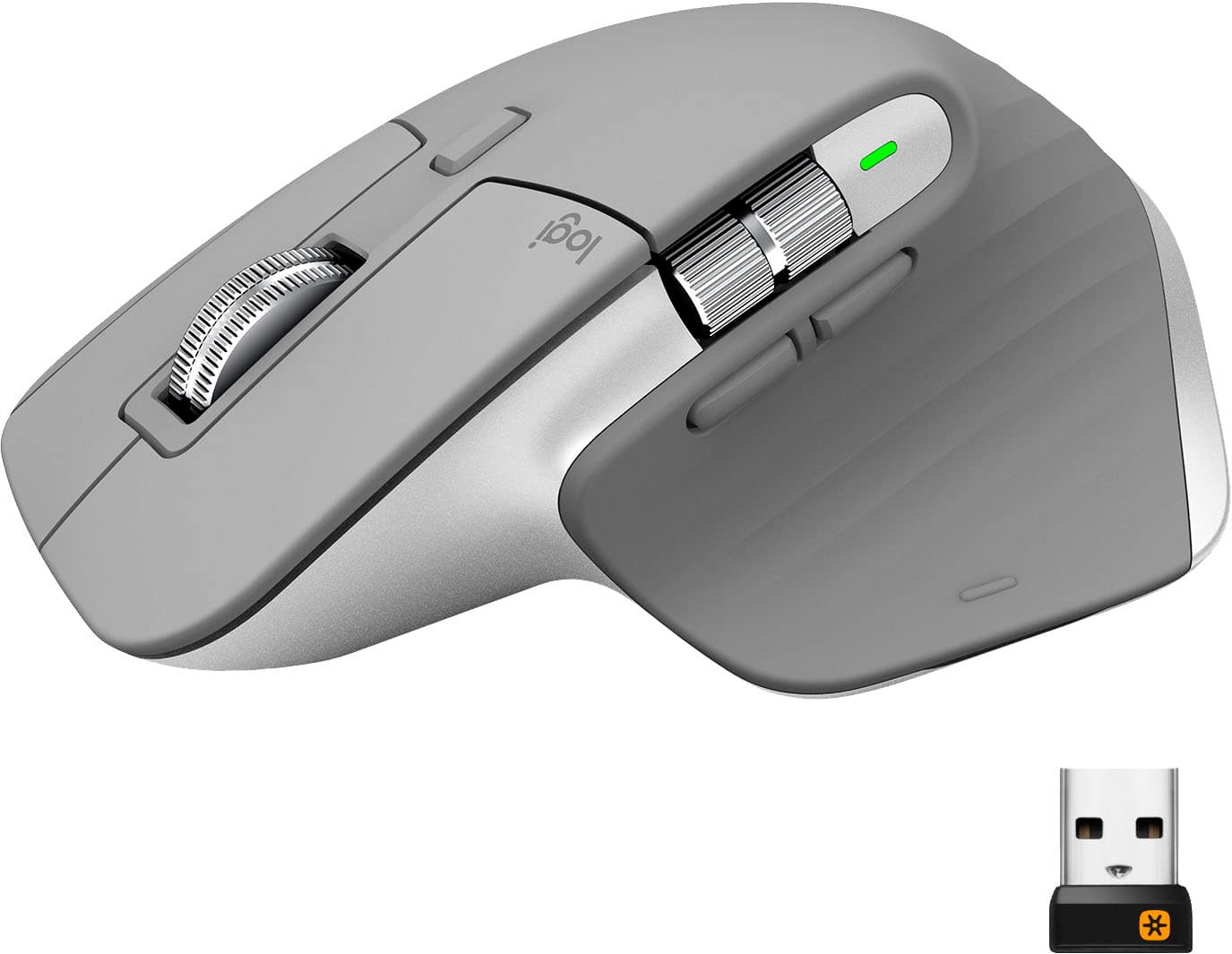
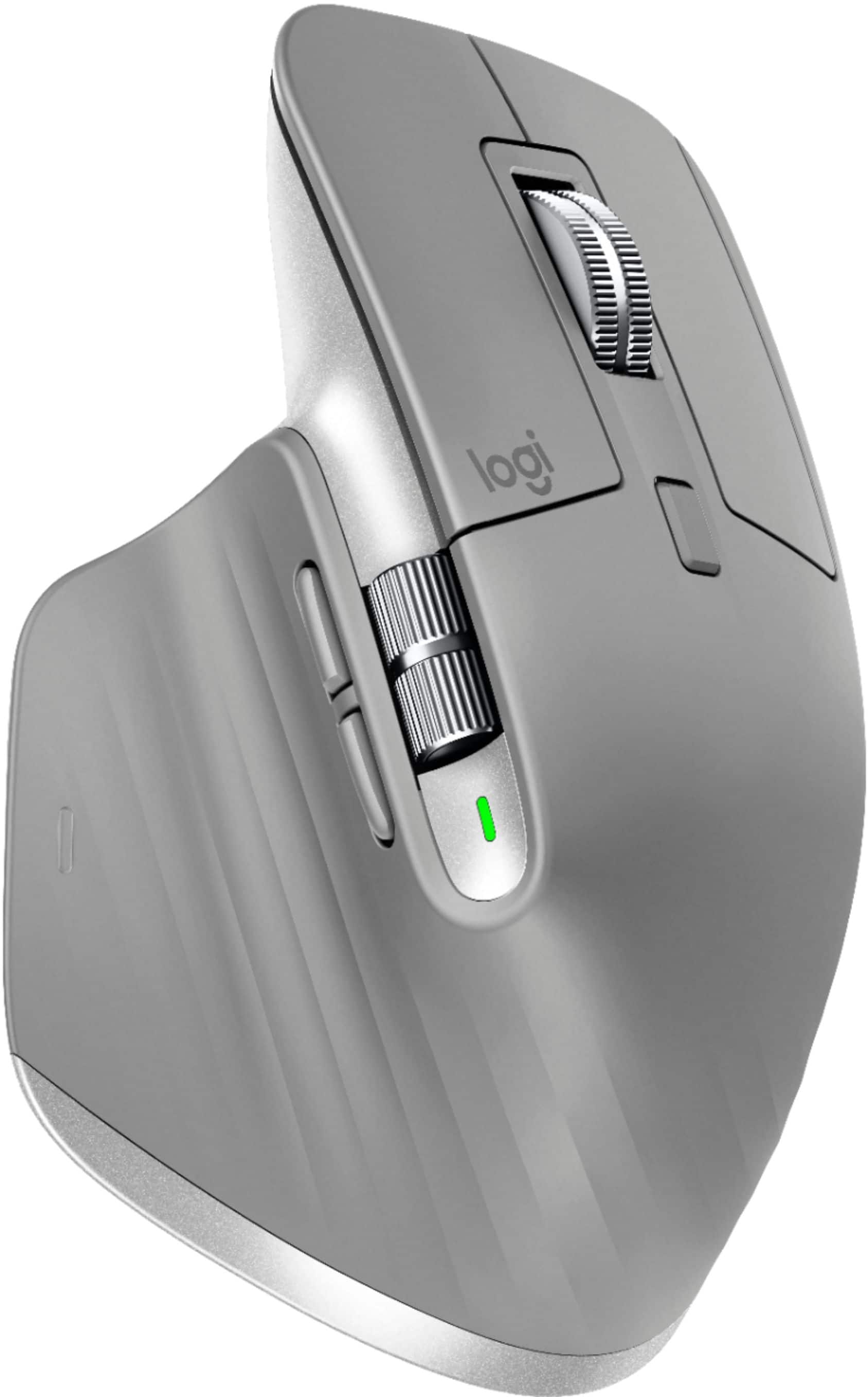
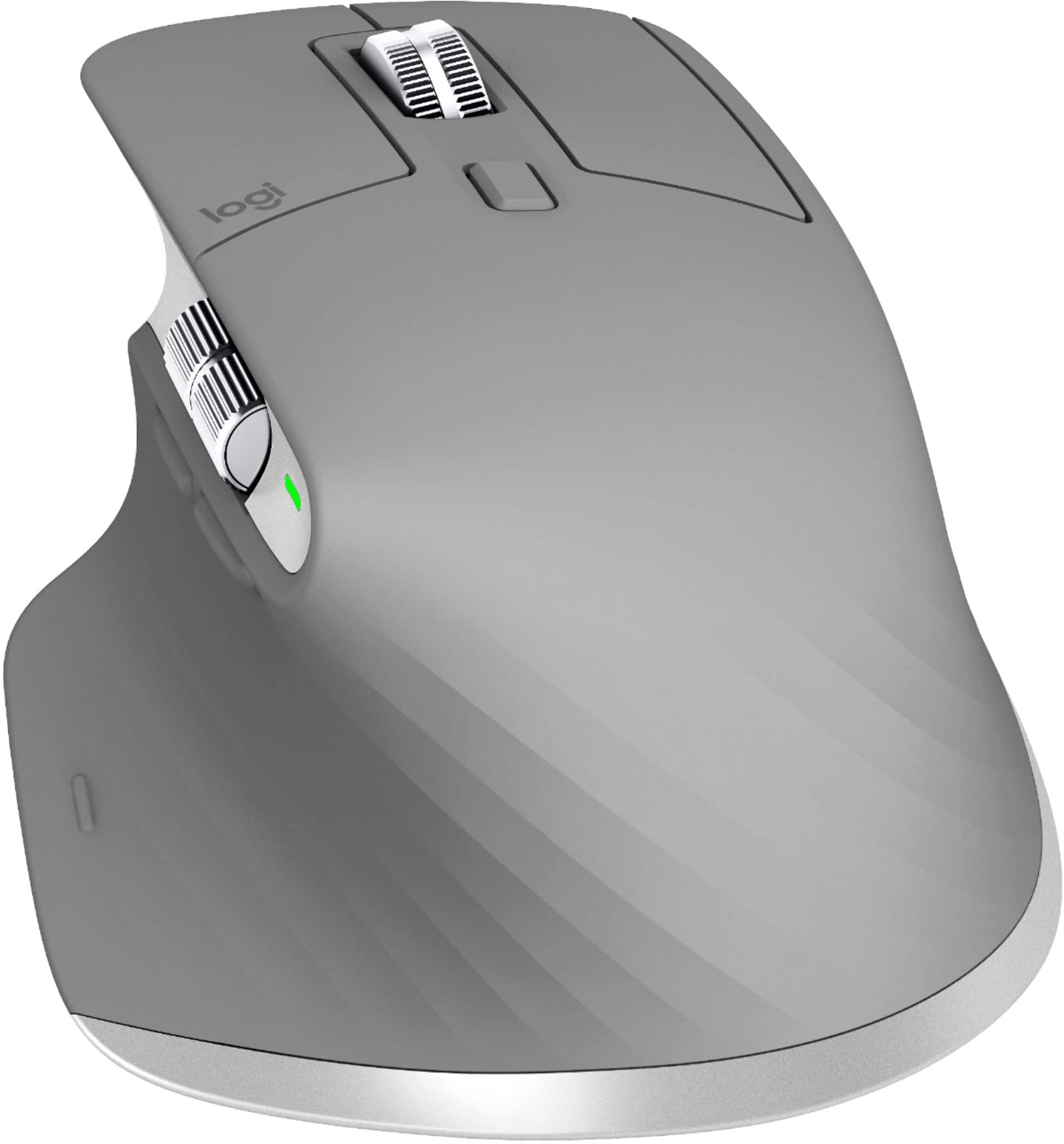
Customers enjoy the ergonomic design, smooth scroll wheel, and excellent battery life of the MX Master 3 mouse. Many appreciate the high-quality build and the extensive customization options, along with its Bluetooth connectivity and multi-device capabilities. However, some find the mouse to be large and heavy. A few users have also reported issues with software consistency and occasional lag.
This summary was generated by AI based on customer reviews.
- Pros mentioned:Comfortable, Customizable
Rated 5 out of 5 stars
Best mouse I've ever owned!
||Posted . Owned for 3 weeks when reviewed.This reviewer received promo considerations or sweepstakes entry for writing a review.I thoroughly enjoy this mouse. It's very comfortable and feels sturdy in hand. The customizable buttons are fantastic and they have a hearty click, which I like. This plays nicely on a Mac so don't bother buying the "Mac" version.
This review is from Logitech - MX Master 3 Advanced Wireless USB/Bluetooth Laser Mouse with Ultrafast Scrolling - Black
I would recommend this to a friend - Pros mentioned:Comfortable, Long battery life
Rated 5 out of 5 stars
Worth the upgrade
||Posted . Owned for 3 weeks when reviewed.This reviewer received promo considerations or sweepstakes entry for writing a review.This mouse is very comfortable to use and lasts a long time between charges. Pair this with the MX keyboard and you have a great multi-computer setup between the two. It is very easy to switch between systems. Mouse feels well made also.
This review is from Logitech - MX Master 3 Advanced Wireless USB/Bluetooth Laser Mouse with Ultrafast Scrolling - Black
I would recommend this to a friend - Pros mentioned:Comfortable
Rated 5 out of 5 stars
Phenomenal Mouse
||Posted . Owned for 3 weeks when reviewed.This reviewer received promo considerations or sweepstakes entry for writing a review.This mouse has to be thee most comfortable mouse I've ever used. I've never been a fan of Logitech's software to customize their devices, but the software required for this is not too cumbersome. Definitely recommend this to designers and creators.
This review is from Logitech - MX Master 3 Advanced Wireless USB/Bluetooth Laser Mouse with Ultrafast Scrolling - Black
I would recommend this to a friend - Pros mentioned:Comfortable, Long battery life
Rated 5 out of 5 stars
So worth it
||Posted .This reviewer received promo considerations or sweepstakes entry for writing a review.Excellent capabilities with this mouse. It improved my workflow tremendously and I’ve only used its default settings so far. Battery life is huge. Super comfortable to hold in your hand. Can’t recommend this enough.
This review is from Logitech - MX Master 3 Advanced Wireless USB/Bluetooth Laser Mouse with Ultrafast Scrolling - Black
I would recommend this to a friend - Pros mentioned:Comfortable, Multi-device
Rated 5 out of 5 stars
Awesome!
||Posted . Owned for 3 weeks when reviewed.This reviewer received promo considerations or sweepstakes entry for writing a review.MX Master 3 mouse. At first I was skeptical about how it would feel because of how it looks. To my surprise, the mouse is very comfortable. Also, I like how I can connect up to three devices and switch in between
This review is from Logitech - MX Master 3 Advanced Wireless USB/Bluetooth Laser Mouse with Ultrafast Scrolling - Black
I would recommend this to a friend - Pros mentioned:Long battery lifeCons mentioned:Price
Rated 5 out of 5 stars
Excellent
||Posted . Owned for 3 weeks when reviewed.This reviewer received promo considerations or sweepstakes entry for writing a review.Battery has lasted a loooooooong time. Only had to charge it once so far and it’s been almost a month. I use it fairly regularly, so it’s been nice! It’s ergonomic and the device switching is quite useful. 9.8/10 price is the only con.
This review is from Logitech - MX Master 3 Advanced Wireless USB/Bluetooth Laser Mouse with Ultrafast Scrolling - Black
I would recommend this to a friend - Pros mentioned:Multi-device
Rated 5 out of 5 stars
Best mouse I’ve ever owned.
||Posted . Owned for 1 week when reviewed.This reviewer received promo considerations or sweepstakes entry for writing a review.I love this mouse especially in the nee “work from home” regime where you are interacting with both your work devices and home devices. The ability to quickly switch between 3 devices with the touch of a button is super clutch and makes life so much easier, and cleaner (less clutter). The side scrolling wheel is something I’ve never experienced before and comes in incredibly handy especially in Excel. My only wishlist item is that, in combination with the MX keys keyboard, I wouldn’t have to press the buttons on both the mouse and the keyboard… I wish the button press on the keyboard would sync with the mouse and switch between devices together. By the way, I use this for both my PC workstation and also my personal MacBook. Works flawlessly on both (MacBook Air M1).
This review is from Logitech - MX Master 3 Advanced Wireless USB/Bluetooth Laser Mouse with Ultrafast Scrolling - Black
I would recommend this to a friend - Pros mentioned:Comfortable
Rated 5 out of 5 stars
One Mouse to rull them all!
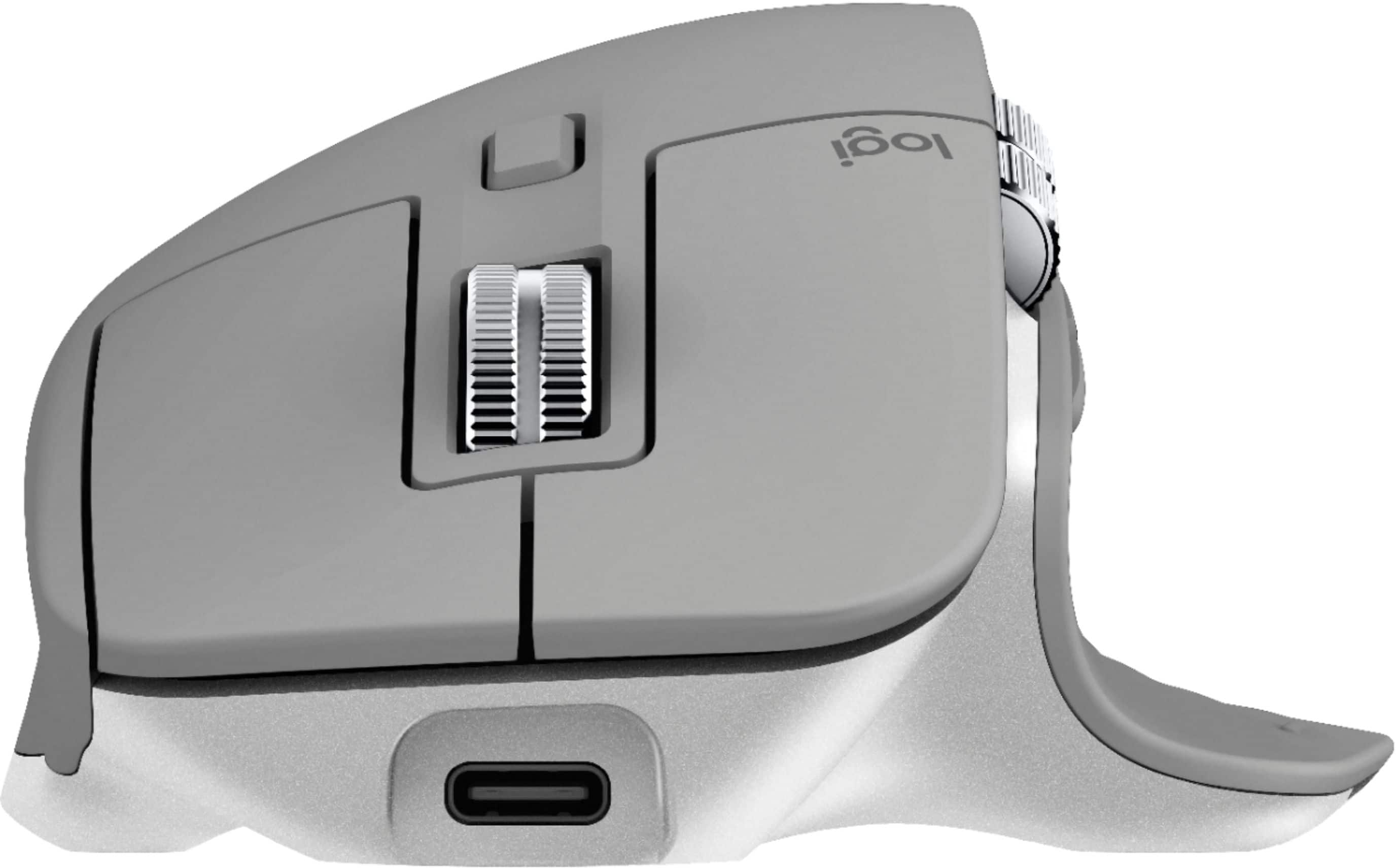
||Posted .This reviewer received promo considerations or sweepstakes entry for writing a review.I cannot believe I've taken this long to finally try this mouse. Goodness, me. It's very well built. The weight is perfect. It glides to easily across several types of surfaces I've tried. It has more buttons that I need but I'm glad they are there if I need to map some app or action to them at a later time. The angle that my hand rests on this mouse is very comfortable. I love how precise the buttons are when you click them. I feel total confidence when I right or left click, it will do so smartly. USB-C charging can really be so underrated. I love that I can just the same charging cable I use for my headphones, phone, tablet and this mouse. I love, love, love this mouse!
This review is from Logitech - MX Master 3 Advanced Wireless USB/Bluetooth Laser Mouse with Ultrafast Scrolling - Black
I would recommend this to a friend - Pros mentioned:ComfortableCons mentioned:Expensive
Rated 5 out of 5 stars
Comfortable and precise
||Posted . Owned for 1 week when reviewed.This reviewer received promo considerations or sweepstakes entry for writing a review.I've used two previous generations and this one is the most comfortable so far. Comfortable to hold and move and precise even on glass surface. It finally use a USB-C so another big improvement. The price is a bit high though.
This review is from Logitech - MX Master 3 Advanced Wireless USB/Bluetooth Laser Mouse with Ultrafast Scrolling - Black
I would recommend this to a friend - Cons mentioned:Price
Rated 3 out of 5 stars
$100 Mouse=$60 Value+$40 Disappointment
||Posted .This reviewer received promo considerations or sweepstakes entry for writing a review.I've owned this mouse for about four hours and I can honestly say that I'm a bit disappointed. I'll give it a little more time, but here's the breakdown of why I'm not having the experience that so many YouTube reviewers claim to have. I should start off by saying that there were three initial reasons I bought this mouse: Horizontal Scroll Wheel, Bluetooth, and USB-C (more on why I wanted both in a second). First, the good: Logitech's software suite offers a ton of flexibility regarding button customization for specific applications. For example, you might want to use the back and forward buttons for Chrome navigation in default setup, but change them to switch tabs in Edge instead (for whatever reason). And that's okay, you can do it if you need to. There's also the ability to change the button which toggles the hyperfast mag scrolling function between smooth and SmartShift (which is what the scroll wheel on this thing is all about). Yes, you can do that as well. SmartShift basically switches the ratcheting motion into free-spinning motion once it reaches a speed threshold (which you can adjust) so the toggle is somewhat redundant if you would prefer that extra button. I'm using that button to activate Windows Screenshot tool, which is much easier to use than a three-key combo since I use a lot of screenshots. Another nice feature is the hyperfast mag scrolling. As I described briefly, it provides automatic free spinning mode for fast scrolling through long documents, zooming in on Google Earth, whatever... if you've ever used a free-spinning mouse wheel, this will come more naturally for you if you often switch between "cogging" or "detented" (or the incorrectly dubbed "ratcheting") mechanism. The wheel also does not have a rubber wrap around it, giving it a bit more professional look and feel. It's also quite heavily weighted, which helps overcome the magnetic cogging to allow for longer scrolls with fewer flicks. The Mediocre: The thumb wheel is a nice addition, but I've got to be honest: even though it is exactly why I bought this mouse, it doesn't work as well as I like. USB-C is also a great way to charge up your mouse, since the MX Master 3 comes with a lithium-polymer battery pack instead of relying on disposable cells. The included cable is USB A on the other end, though... just thought I'd point that out in case it wasn't clear. Finally, the MX Master 3, like several other Bluetooth mice, also comes with an RF unifying receiver for USB-A. That's kinda nice to have for devices without Bluetooth, or if you're looking to avoid the remote possibility of it getting hacked via Bluetooth (though I might argue RF hacking IS actually a thing). Sadly, the mouse does not have its own little storage pocket inside for the receiver. The Bad: A lot of reviewers claim that this mouse is big. Well, that's sorta true... it's definitely bigger in the sense that it has a large footprint with its gesture button skirt on the left. And it's definitely bigger in the sense that it is quite tall. But I think what other reviewers are trying to say when they call it "big" is that the height pretty much forces you to conform your hand around this thing. The mouse body is very arched, meaning you've almost got to palm this thing. At least with my hands, that makes reaching the back and forward buttons a lot more strained. Compared to my Logitech Triathalon and my trusty old first-gen Anywhere MX, this is a mouse that fills your hand like more like a sculpture, rather than something you can manipulate easily with your fingers. The contact with your skin will become much more evident as the rubbery texture (which is an effort to add mass to a very low-density mouse, not an effort to make it more comfortable) rubs against your hand and echoes a scraping sound. It's weird to describe, but when you hear your hand moving around this thing to reach all of the buttons, it "sounds cheap." The striated aesthetic texture only compounds this strange design flaw. Another gripe is that the USB-C cable does not transmit any data. Plugging this into your computer will not instantly allow you to begin using it. You've got to install the unifying receiver or pair via Bluetooth... which took my computer a complete restart in order to process. Their software did something to my Asus Vivobook 15's Bluetooth profile that turned off the radios temporarily, making pairing a complete pain in the neck. All of this could have been avoided had the mouse contained the drivers and transmitted its profile to the laptop the minute I plugged it in to begin charging it. Then there's the thumbwheel. This thing is, well, a bit overly sensitive? It's fine for switching tabs in Chrome, once you lower the sensitivity (that's "to the left" in the software, mind you...) but no matter what I do, one complete swipe with my thumb takes me all the way past Column Z in Excel (that's with 100% zoom factor on a 1080 screen) no matter where the sensitivity. The thumbwheel, which is more like a barrel, is also a bit resistive. Not the most terrible, but since it is so far out of the way I would have preferred it to be nearly frictionless. There's little risk of accidentally bumping it anyway. The gesture button, for some reason, is on a very wide skirt and needs to be depressed more downward than inward. On the Triathlon, this gesture button is more or less squeezed with the pad of your thumb, but on the MX Master 3, it's pushed down with the outer edge of your thumb... or in my case, my thumb knuckle, considering the way I have to hold it. I wish they would have stuck with the Triathlon shape in that regard. Sensitivity adjustments are VERY strange. When adjusting the SmartShift sensitivity, you actually want to adjust the slider LEFT to make it engage and disengage at a lower speed... that means it's MORE sensitive to motion. But that's just me nitpicking. Also, as previously mentioned, the thumbwheel sensitivity leaves much to be desired. Adjustments are not very useful, but at least necessary for using as a tab switcher for browsers. When using the main scroll wheel for zooming, at least my experience is that you MUST TURN OFF the Smooth Scrolling function when zooming in on browser windows. For example, if you are looking at an image of a census on Ancestry, and you have Smooth Scrolling engaged, then zooming in on the image is going to take you from "every name in the book" to one person in the whole lot filling up your screen instantly. Overall, it's a 3-star mouse. Regarding the price: It's quite pricey for the experience. I bought mine because I received a gift card from a customer to thank us for delivering them bad news and then not charging them for my services. So we will see in a week how well I do with this thing. I'll give it a spin (no pun intended) at work and at home and OH YEAH ONE MORE COMPLAINT! Back when I bought my MX Anywhere, it was the most I paid for a mouse ever, and it came with a nice little soft zipper pouch. I thought that was absolutely silly, until I started taking my mouse to work with me. I plan on taking this with me too, but no pouch! My Triathlon didn't come with a pouch either, but I leave it at work (for now) so that's fine. We will see how we do with this thing while trying to do actual work. Summary: Too arched, lackluster thumbwheel, pain in the neck initialization, a lot of missed details. I have a feeling they'll come out with an "S" revision and it will address these details, which is why I may actually return this after a week.
This review is from Logitech - MX Master 3 Advanced Wireless USB/Bluetooth Laser Mouse with Ultrafast Scrolling - Black
No, I would not recommend this to a friend - Pros mentioned:Comfortable
Rated 5 out of 5 stars
A Very Good Mouse
||Posted . Owned for 2 months when reviewed.This reviewer received promo considerations or sweepstakes entry for writing a review.I had a difficult time getting it and the MX keyboard to work with the Flow software. Logitech support was great even though I was very frustrated. It turned out that previous Logitech software had to be uninstalled. It seems simple now, but even their support was baffled for a while. It came down to trying anything we could imagine. Now that it's working (and I understand how it works), this mouse and its companion keyboard with the Flow software are great. They're very comfortable to use. I'll give a special shout out to the support folks who were very patient and helpful. After I worked with them, they invited me to join their beta program. That was nice. I doubt I'm a good candidate for that, though.
I would recommend this to a friend - Cons mentioned:Price
Rated 5 out of 5 stars
Great mouse for mobile productivity
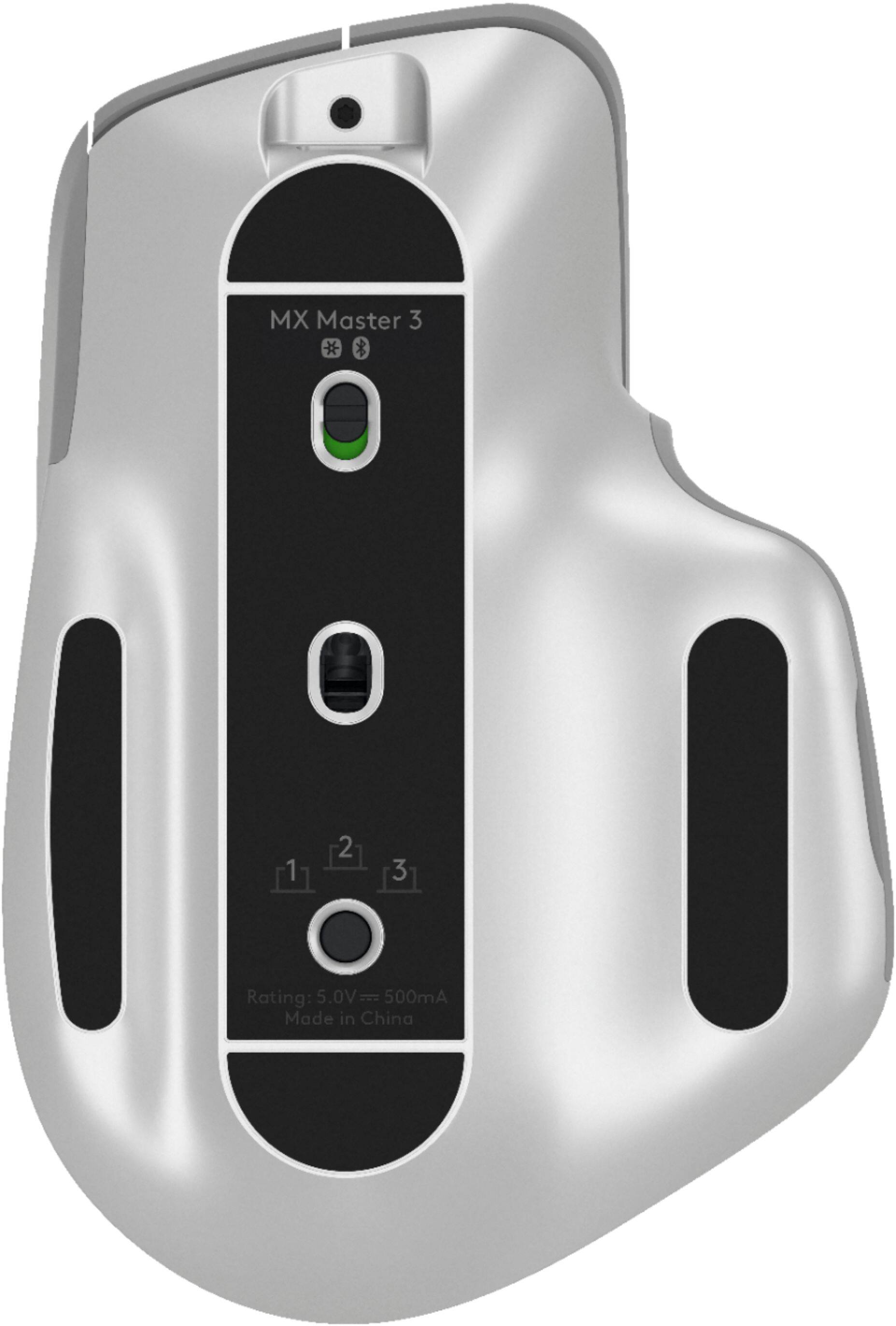
||Posted . Owned for 1 week when reviewed.This reviewer received promo considerations or sweepstakes entry for writing a review.Pricey, but worthwhile for some use cases. I have a personal laptop and a business laptop that I use this mouse with, and occasionally my workstation, and changing which computer it's connected to is as simple as pushing a button on the bottom, or scrolling to the side of the screen with the Logitech Flow software (though that software is Windows/Mac only). I thought it was a bit gimmicky at first until I tried it. If it could connect to four computers instead of three that would be perfect for my particular use case, but I realize that I'm a weirdo. I bought this one when the last model's thumb button gave out (thank you Geek Squad Protection), and on this new model the side scrolling wheel is vastly improved, and I don't find myself hitting the back button by mistake the way I did on the previous version either. 9/10, do recommend.
This review is from Logitech - MX Master 3 Advanced Wireless USB/Bluetooth Laser Mouse with Ultrafast Scrolling - Black
I would recommend this to a friend - Pros mentioned:ComfortableCons mentioned:Size
Rated 5 out of 5 stars
Excellent
||Posted .This reviewer received promo considerations or sweepstakes entry for writing a review.Didn't need it as my MX Master 2 has been working flawlessly. But grabbed it with the MX Keys to have the full bluetooth connection. Very comfortable to use, but with it was a little bit wider.
This review is from Logitech - MX Master 3 Advanced Wireless USB/Bluetooth Laser Mouse with Ultrafast Scrolling - Black
I would recommend this to a friend - Pros mentioned:Customizable, Multi-device
Rated 5 out of 5 stars
Best Mouse I've Ever Had
||Posted . Owned for 1 month when reviewed.This reviewer received promo considerations or sweepstakes entry for writing a review.This is the best mouse I've ever had. I connect to 3 different computers with this mouse, and I can switch back and forth. 2 are PCs and 1 is a Mac. Chock full of buttons and switches and spinners, this is the best mouse you can buy!
This review is from Logitech - MX Master 3 Advanced Wireless USB/Bluetooth Laser Mouse with Ultrafast Scrolling - Black
I would recommend this to a friend - Pros mentioned:Customizable
Rated 5 out of 5 stars
Great mouse, might be more than you need though
||Posted . Owned for 1 month when reviewed.This reviewer received promo considerations or sweepstakes entry for writing a review.I am happy with this mouse, it's probably more than I needed and I am I don't think I am even using all the capabilities it provides, but I am glad I purchased it. Being able to connect via Bluetooth and it being rechargeable are definitely a plus for me. I am still getting used to the side scroller, and some of the other features, since this is the first mouse I've had that have those functions and have not built the muscle memory to use it often, but starting to use it more. I primarily use this on my work laptop, to which I do not have admin rights to add software, so I am unable to customize functions, but I will pair it with my personal Macbook to see what other options exist that might make it more useful for me.
This review is from Logitech - MX Master 3 Advanced Wireless USB/Bluetooth Laser Mouse with Ultrafast Scrolling - Black
I would recommend this to a friend - Pros mentioned:Comfortable, Customizable
Rated 5 out of 5 stars
Best mouse I’ve ever used!
||Posted . Owned for 1 week when reviewed.This reviewer received promo considerations or sweepstakes entry for writing a review.I’m a photographer and edit for sometimes up to 6 hours at a time. This mouse is not only comfortable, but has so many customizable functions. $100 seems like a lot for a mouse, but just use it for one day and you’ll love it.
This review is from Logitech - MX Master 3 Advanced Wireless USB/Bluetooth Laser Mouse with Ultrafast Scrolling - Black
I would recommend this to a friend - Pros mentioned:Customizable, Long battery life
Rated 5 out of 5 stars
Fantastic
||Posted . Owned for 3 months when reviewed.This reviewer received promo considerations or sweepstakes entry for writing a review.This is a fantastic mouse. Use the beta software, it is way better than the main software. Battery lasts a long time and the app configurable button assignments are a productivity dream.
This review is from Logitech - MX Master 3 Advanced Wireless USB/Bluetooth Laser Mouse with Ultrafast Scrolling - Black
I would recommend this to a friend Rated 4 out of 5 stars
MX Master 3 & Easy Switch issue.
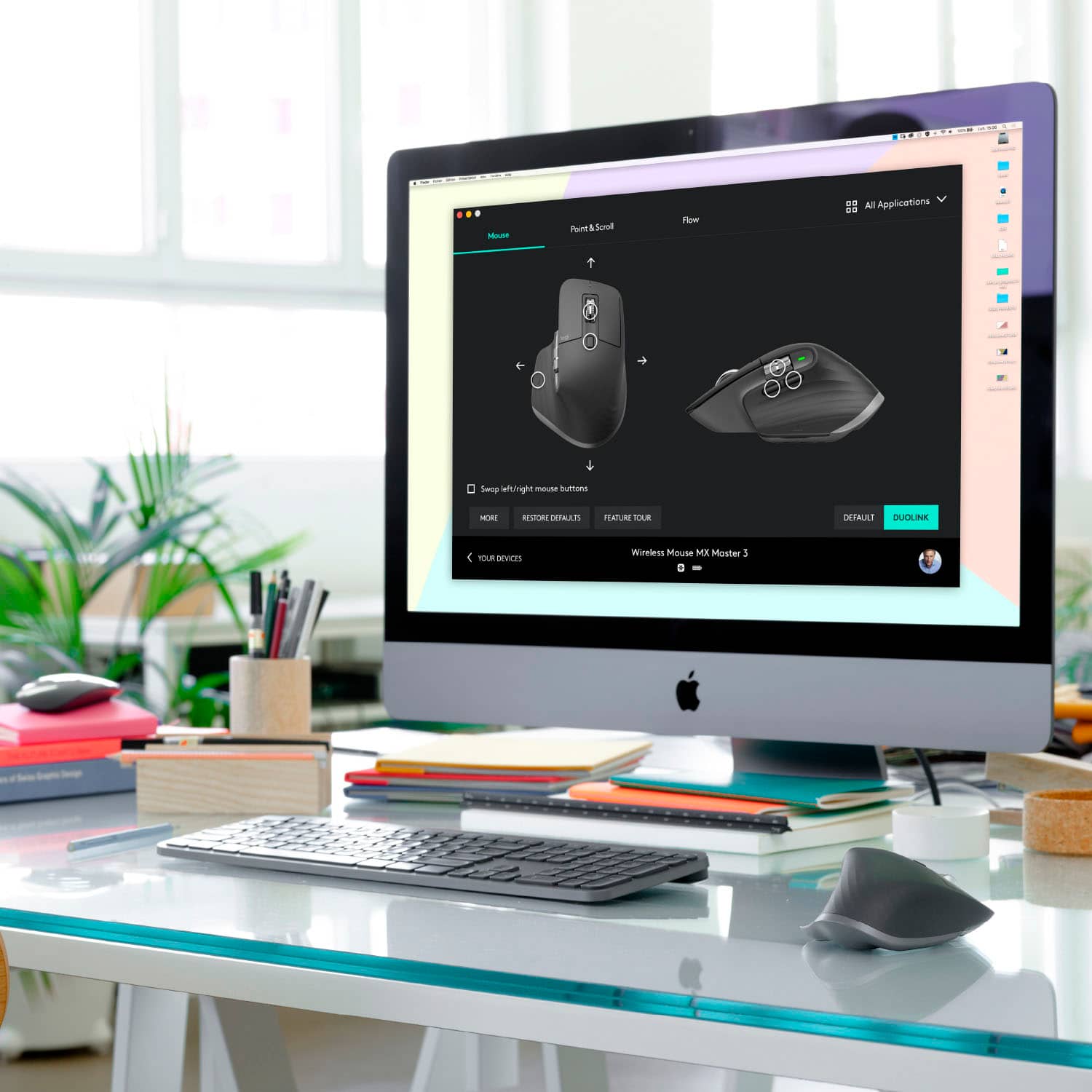
||Posted . Owned for 2 weeks when reviewed.This reviewer received promo considerations or sweepstakes entry for writing a review.This mouse had drastically changed my work performance due to its customization options. I personally deal with data entry for a living and have found the mouse to be a time saver. MX Master 3 can have customized setting per program in your computer. For me I have Excel to have both thumb button as “Copy” and the middle button as “Paste”. But then in PDF as the default settings. It feels great in hand, slightly weighted down which is a nice touch. Takes a minute to get used the gesture options if you are not familiar. The only thing that bugs me is that the easy shift button does not communicate to its sibling, “MX Keys.” The easy switch is on the bottom of the mouse. So, if you have two or more separate devices connected via Bluetooth, that does not support the “FLOW” features, you must physically pick up your mouse and then toggle between devices. The MX KEYS keyboard is in the same line of MX Series through Logitech. They are meant to compliment each other through FLOW features. However, if you toggle on you MX Key’s to switch devices via Bluetooth on devices not supporting FLOW or vice versa on your MX Master 3, it cannot tell/communicate to one another to switch devices simultaneously. I’ve reached out to Logitech Help Centers and they have confirmed this to be true, and unless the devices are connected through FLOW, you must switch both MX Keys and MX Master 3 separately. Overall, this Mouse is such a great mouse to have for productivity!
This review is from Logitech - MX Master 3 Advanced Wireless USB/Bluetooth Laser Mouse with Ultrafast Scrolling - Black
I would recommend this to a friend- Pros mentioned:Long battery life
Rated 4 out of 5 stars
Best mouse on the market for productivity / work.
||Posted . Owned for 6 months when reviewed.This reviewer received promo considerations or sweepstakes entry for writing a review.Always been a fan of Logitech products and was in the market for a new daily driver for work. Started looking for a new mouse and at first, was hoping to do a gaming one that could also be used for work, and unfortunately finding one that is good for both was near impossible. Once I decided on just a work one I decided on the MX Master 3. I have used the MX Anywhere 2 for a few years and loved the interface and the fact I can use a single receiver with multiple devices. I paired the mouse with an MX Keys keyboard and it was like they were meant to be used together oh that's right they were. Using the Logitech Options software is easy and straight forward. The pairs of the mouse with multiple devices or receivers is painless and simple. The battery life on the mouse is crazy to think mine lasted like 4 months plus 10 - 12 hours a day of use 5 days a week. Remember this is my daily driver for work and even use it for personal use as well. The grip of the mouse is very comfortable is it perfect no but everyone's hands are different for my hand the hump on the top/back is a bit high, this likely is due to the electronics and battery they needed to fit, and its not that it's uncomfortable just that my Logitech G602 gaming mouse is a bit more comfortable but again to each their own. In conclusion, would I buy this again 100% would I suggest it to someone else without a doubt I would!
This review is from Logitech - MX Master 3 Advanced Wireless USB/Bluetooth Laser Mouse with Ultrafast Scrolling - Black
I would recommend this to a friend - Pros mentioned:Comfortable, Multi-device
Rated 5 out of 5 stars
Awesome Mouse
||Posted . Owned for 1 month when reviewed.This reviewer received promo considerations or sweepstakes entry for writing a review.Great mouse I love using it for work as it connects to my work laptop and personal laptop at a click of a button. Super smooth and very comfortable. Definitely recommend it.
This review is from Logitech - MX Master 3 Advanced Wireless USB/Bluetooth Laser Mouse with Ultrafast Scrolling - Black
I would recommend this to a friendBrand response from Logitech
Posted .Hi AlfredoJC! Glad to see you're enjoying the seamless switch ability of your MX Master 3 mouse! If you have any questions, check out the Logitech Support page for more tips https://support.logi.com/hc/en-us/articles/360035271133 Continue to enjoy!