Customer Ratings & Reviews
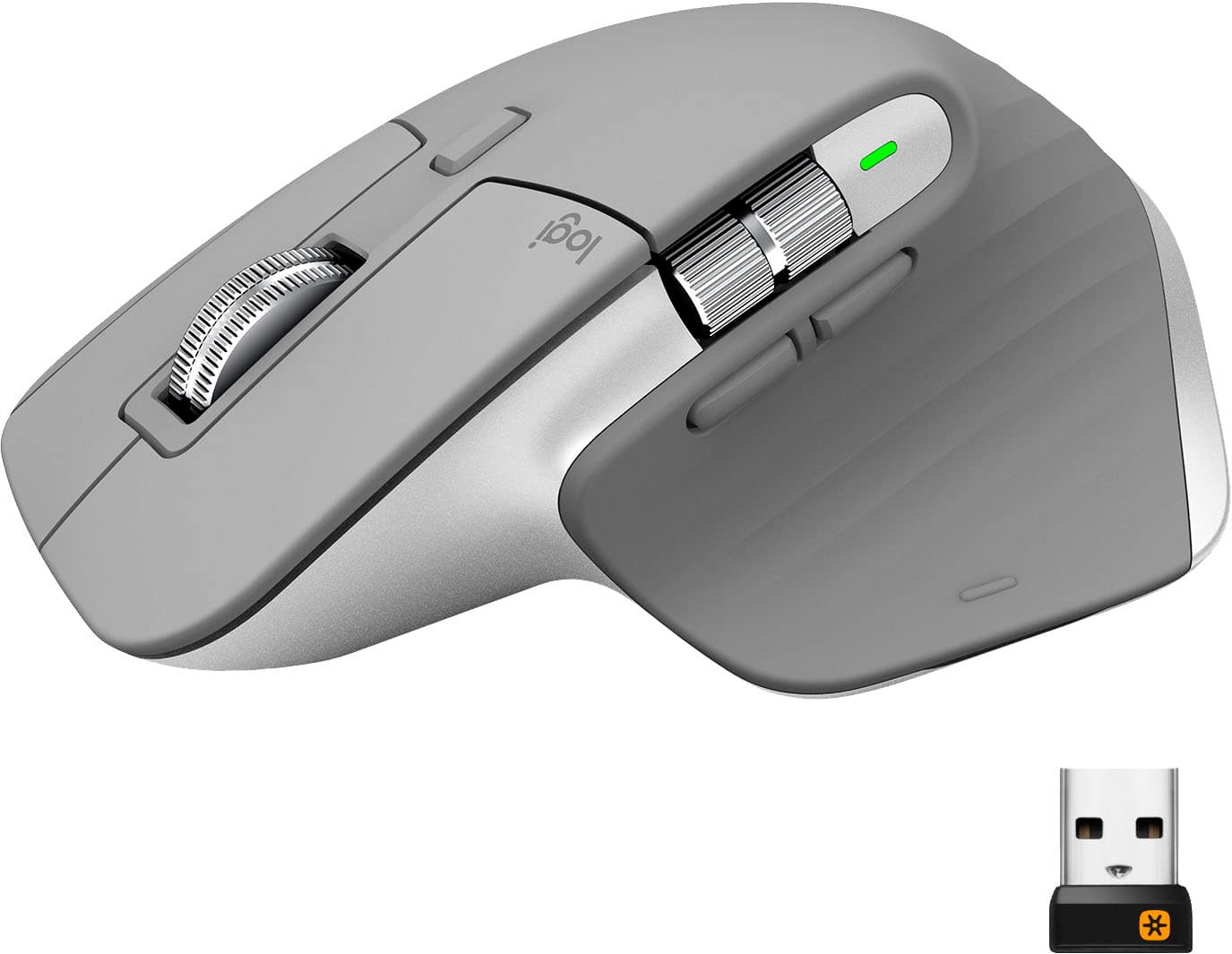
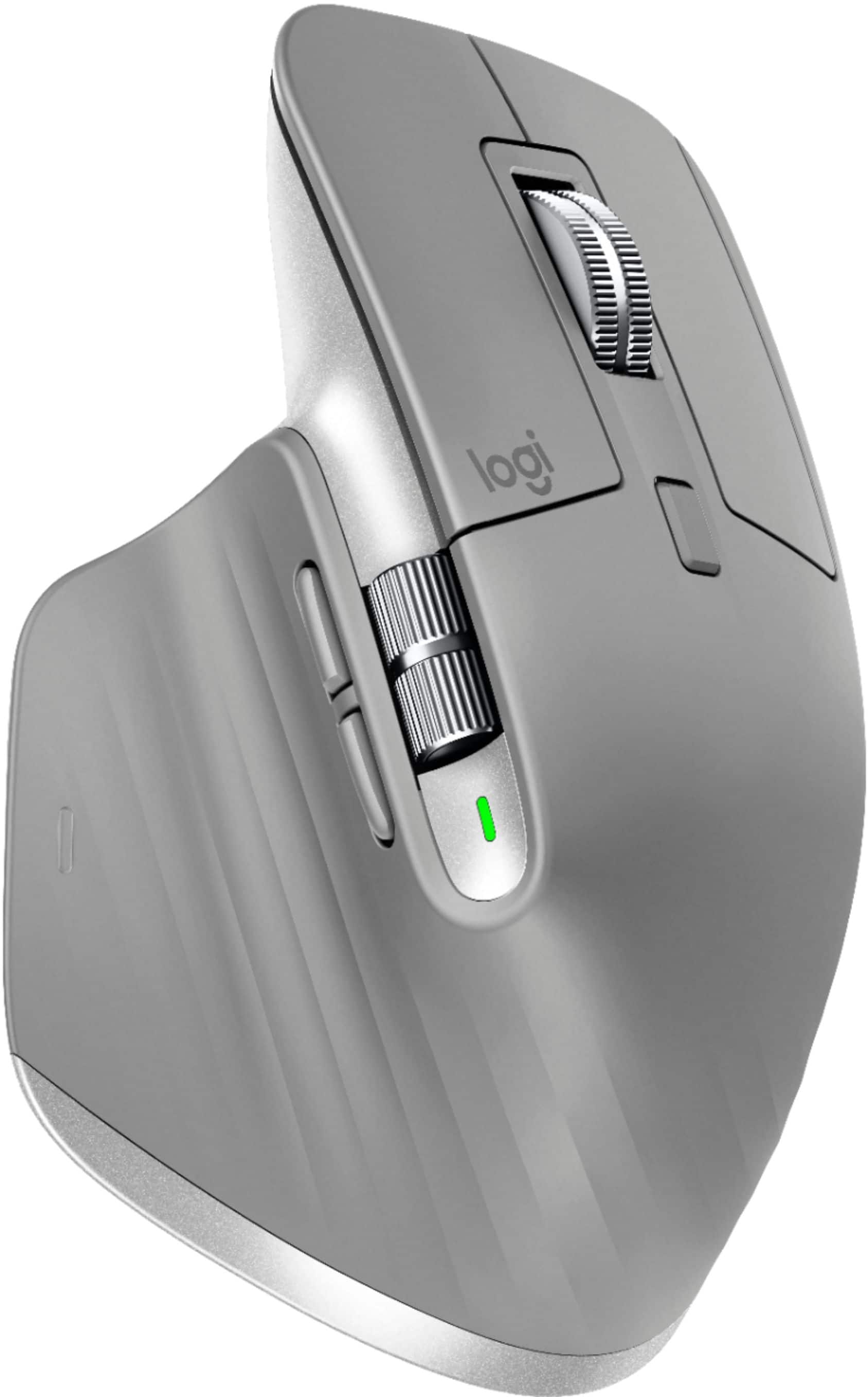
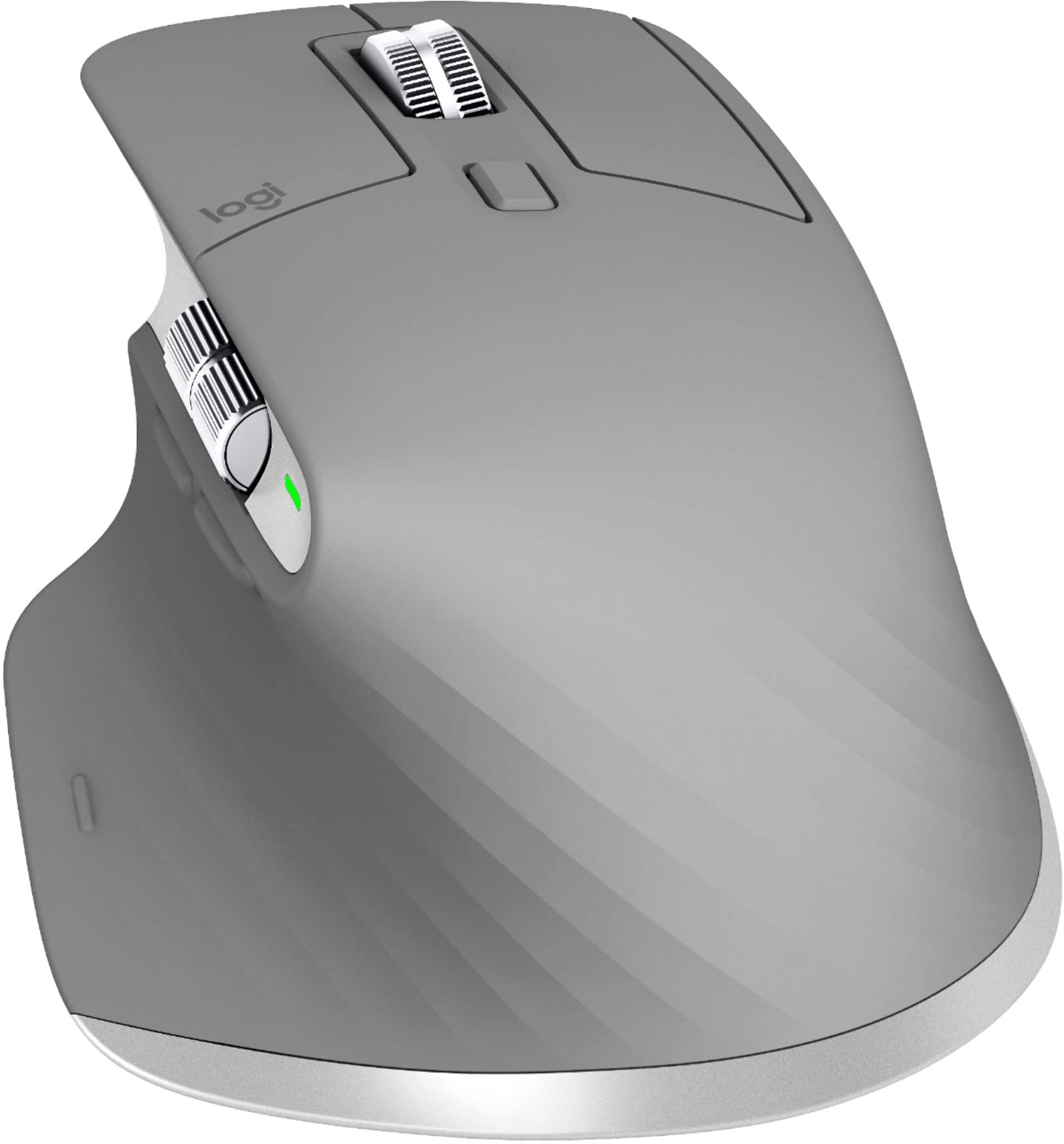

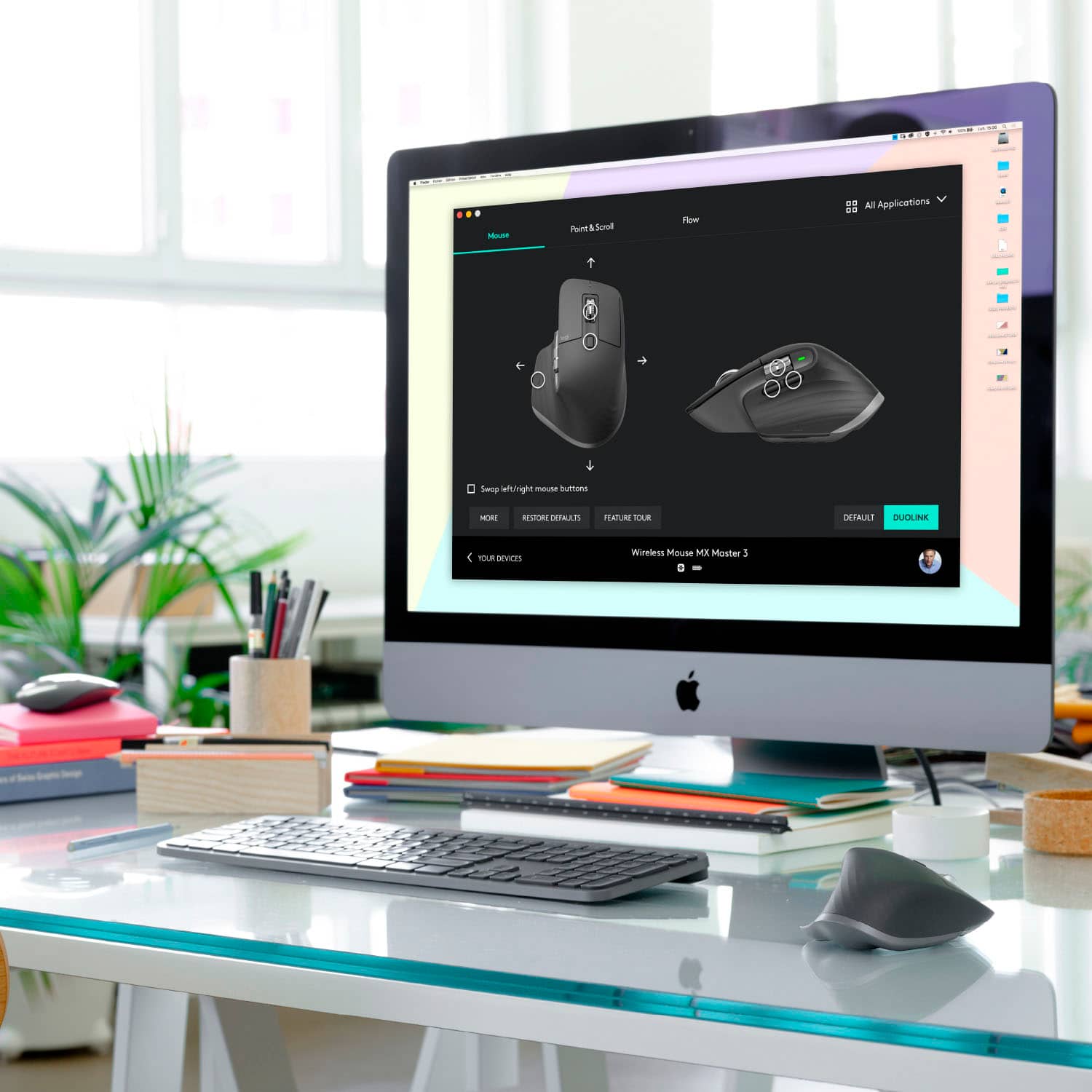


- Model:
- 910-005692
- SKU:
- 6404089
Rating by feature
- Value
Rating 4.5 out of 5 stars
- Quality
Rating 4.9 out of 5 stars
- Ease of Use
Rating 4.8 out of 5 stars
Customers are saying
Customers enjoy the ergonomic design, smooth scroll wheel, and excellent battery life of the MX Master 3 mouse. Many appreciate the high-quality build and the extensive customization options, along with its Bluetooth connectivity and multi-device capabilities. However, some find the mouse to be large and heavy. A few users have also reported issues with software consistency and occasional lag.
This summary was generated by AI based on customer reviews.
- Pros mentioned:Long battery life, Multi-device

Finally the best mouse
|Posted .This reviewer received promo considerations or sweepstakes entry for writing a review.I have been using the Logitech Wireless Anywhere Mouse MX for a long time because I was not able to find a replacement until now, the MX Master 3. It has all the feature I need such as fly wheel / ratchet mode switch, connect to 3 devices via bluetooth and usb receiver, thumb wheel, thumb buttons, thumb rest, comfortable right hand design at the right size etc. Tracking is very precise and responsive, this is very important because otherwise, your hand will feel fatigue due to constant back tracking. If your hand feel tired at the end of the day, try this mouse. Battery last a long time, I have been using this for about a month and the battery still at full. Sharing mouse between 2 computers is very convenient, no more KVM switch. The only thing I don't like is it does not have storage for the usb receiver.
I would recommend this to a friend - Pros mentioned:Customizable, Multi-device
Nice multi-function mouse with decent ergonomics
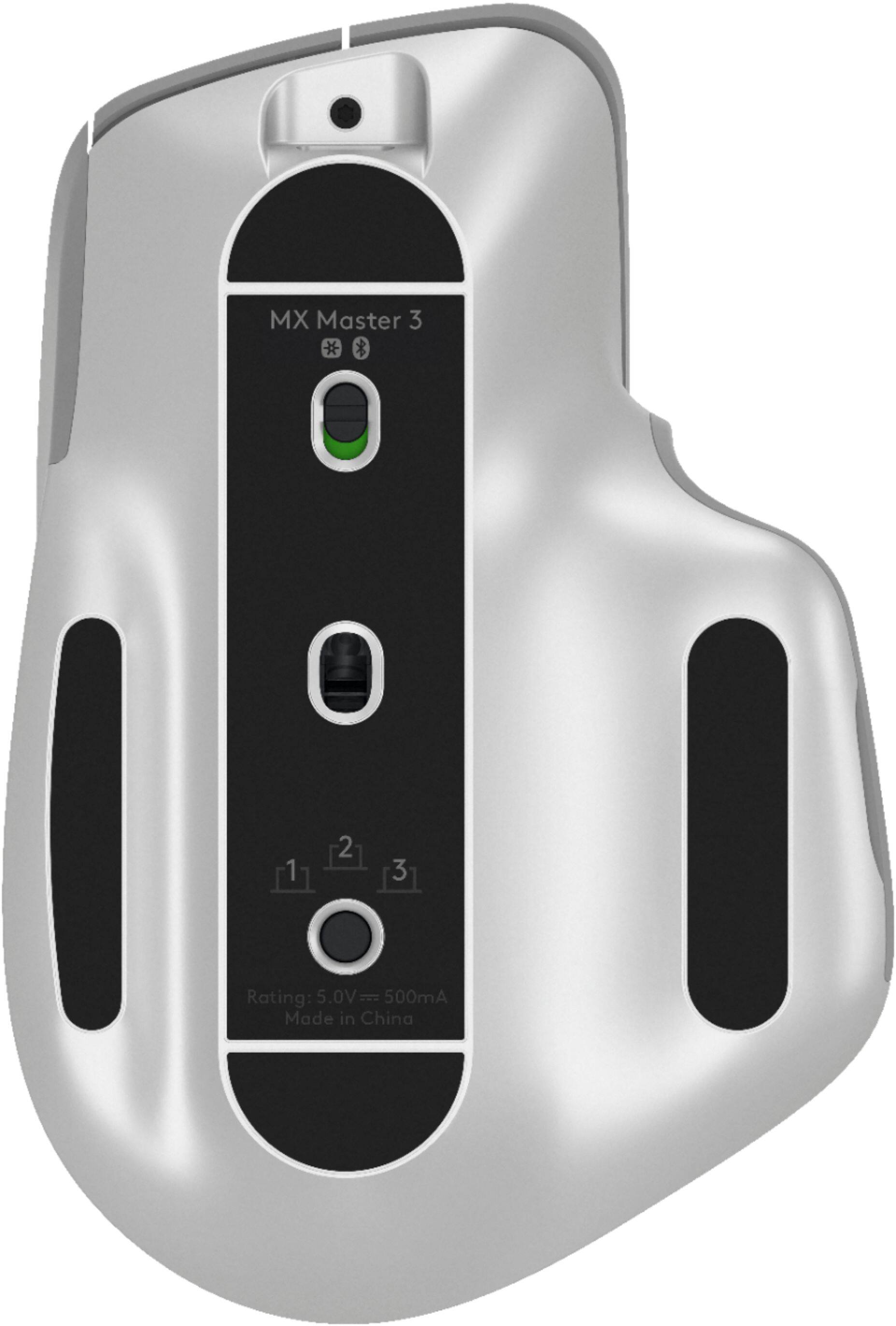
|Posted .This reviewer received promo considerations or sweepstakes entry for writing a review.Logitech has packed a lot of features into this mouse. The thumb has access to forward/back buttons and a scroll wheel. These are customizable. There is also a configurable button where the thumb rests. This is all in addition to the usual scroll wheel (which is also a button) and the left/right mouse buttons. You configure the mouse to your liking using the Logitech application for your Mac or PC. The mouse glides easily and is very responsive. You can pair it with up to three devices, and toggle between them using a button on the bottom of the mouse. Ergonomics are very good, but would be nice if the mouse had an adjustable angle. It is a little flat for me, but it is fine. This is an excellent professional, high performance mouse,. I plan to get another for the office. Highly recommended!
I would recommend this to a friend Good mouse for excell
||Posted . Owned for 1 week when reviewed.This reviewer received promo considerations or sweepstakes entry for writing a review.Purchased on the recomendation of a friend, worth it.
I would recommend this to a friend- Cons mentioned:Bluetooth connectivity
Mouse stopped working consistently.
||Posted . Owned for 1 month when reviewed.This reviewer received promo considerations or sweepstakes entry for writing a review.After about 2 months mouse would stop working while connected to my laptop using bluetooth. The laptop would show the mouse as connected when the mouse was not working.
No, I would not recommend this to a friendBrand response from Logitech
Posted .Hi Tech,
Thank you for your feedback. Sorry you are having issues with your mouse. Here are possible solutions:
If your mouse is not working, the problem is likely to be a lost connection. The connection between the mouse and Unifying USB receiver can be lost for several reasons. Make sure you have fresh batteries in your mouse and is turned on. Make sure the Unifying USB receiver is securely plugged directly into a working USB port on your computer. Turn your computer on. Finally, download the correct version of Logitech SetPoint mouse and keyboard software. If you need further assistance, please contact Logitech support on the website.
LaShonda from Logitech
Not a pro product
||Posted . Owned for 5 months when reviewed.This reviewer received promo considerations or sweepstakes entry for writing a review.Thought this would be a good "developer mouse" that's easy on the wrist. It's mildly comfy... can't complain or praise it much. But this mouse does not function over the USB cable at all... it must only be used through Bluetooth, which is just horrible. Don't use it outside of Windows, in any environment that doesn't have access to Bluetooth (like installing windows or doing something in your BIOS). It's wireless connection also lags often for a minute or so... making me wish I had known about this huge design flaw so I could just leave it plugged in forever and not worry about it.
No, I would not recommend this to a friendBrand response from Logitech
Posted .Hello Jason. Thank you for taking the time to write your review of the MX Master 3 mouse. The USB cable that came with the mouse is for charging only. It does not transmit data. You can connect up to 3 devices using Bluetooth or the included Unifying USB receiver. If you do not have Logitech Options software installed yet, please download that and it will update any firmware and drivers that may be missing. You can also customize the buttons and gesture controls using Options. You can download it here: https://support.logi.com/hc/en-us/articles/360025297893
-Charlton at Logitech
- Pros mentioned:Comfortable, Long battery life
Next Level
|Posted .This reviewer received promo considerations or sweepstakes entry for writing a review.This MX Master 3 has the easiest setup via the device and the software. It pairs right out of the box and pairs instantly with the software and allows you to customize the pre-programmable buttons. The movement of the scroll wheel is super smooth due to the magnetic aspect...it glides. The ergonomic grip and actual tactile feel of the mouse is very comfortable for extended use. The battery life is as advertised, it lasts forever and charges quickly. The option to connect directly via Bluetooth or usb unifying receiver is a nice option. The only aspect I don't like is the data transfer as it takes long due to the wireless Bluetooth transfer speeds. Overall an amazing mouse!!!
I would recommend this to a friend BEWARE - WON'T WORK OVER VPN
||Posted . Owned for less than 1 week when reviewed.This reviewer received promo considerations or sweepstakes entry for writing a review.I purchased this mouse in hopes that it would wirelessly connect and flows over 3 connected computers. I was wrong. It will not flow if the computer is connected to VPN. Come on, all companies use VPN to securely connect to their systems. Also it's a pain in the rear to use the buttons located in the back of the mouse to switch between computers. This product is a EPIC FAIL.
No, I would not recommend this to a friendBrand response from Logitech
Posted .Hello RajkumarRam,
I am sorry that you are not satisfied with your new Logitech MX Master 3. If you are using Logitech Flow over VPN, you must allow a local LAN connection. If this does not help, please contact the Logitech support team for personalized assistance. http://support.logitech.com/contact. Logitech appreciates your input. - Leo from Logitech
- Pros mentioned:Long battery life
Fits like a glove. Performs like a champ.
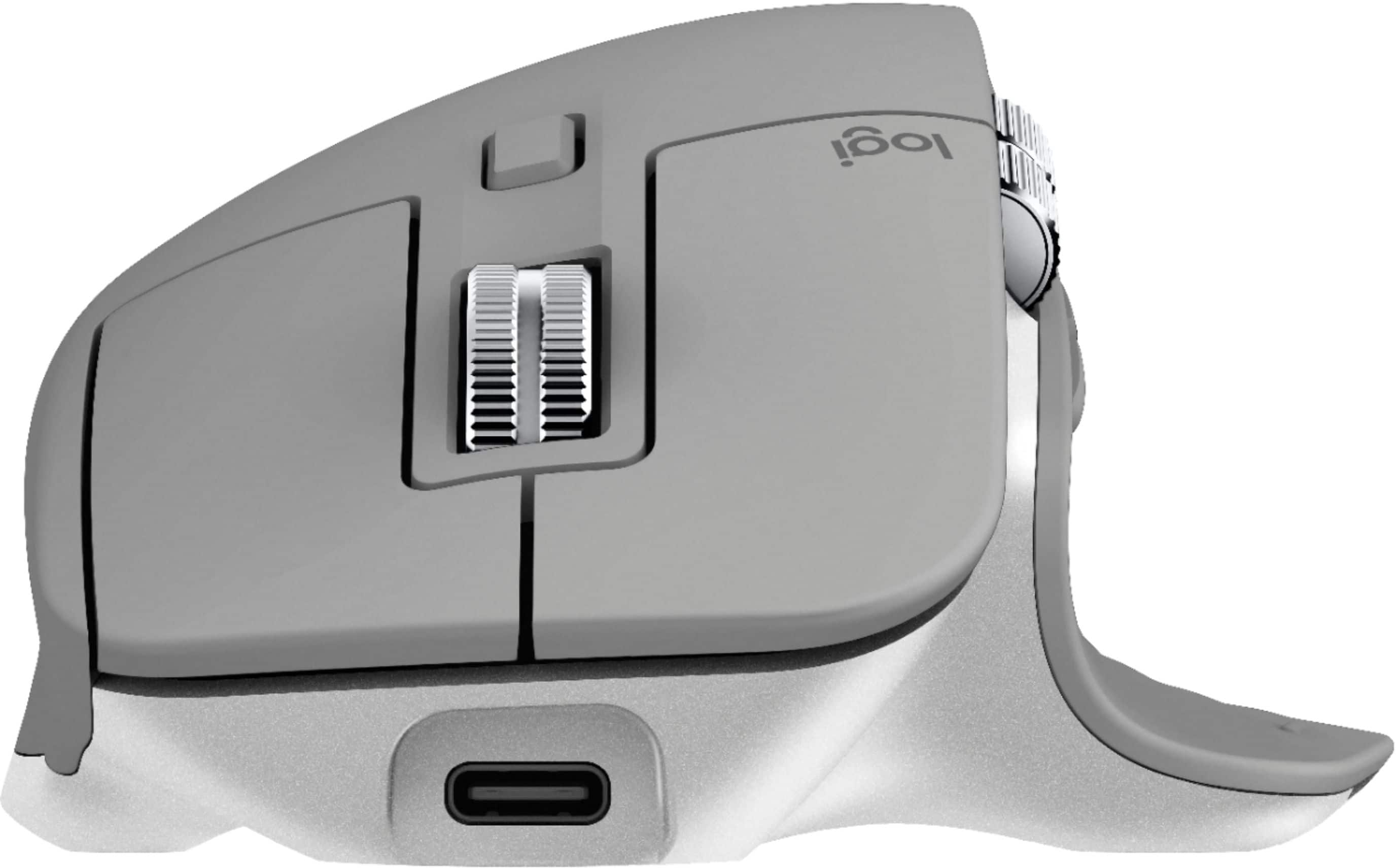
|Posted .This reviewer received promo considerations or sweepstakes entry for writing a review.Not too long ago, I upgraded my mouse game to the Logitech MX series, and it was one of the best decisions I’ve made in years. With the Logitech MX Master 3 release, I’ve had the opportunity to use this mouse for the past month, and I cannot praise it enough. Logitech has crafted all the good from the MX 2S with changes that make the MX 3 a worthy upgrade. Based on appearance, it’s sculpted very similarly to the previous version, with the ever so slight refinements. Instead of the standard graphite color scheme, the MX 3 is all black with silver scroll wheel accents. Overall, it just looks a bit more professional. It is worth mentioning this mouse is designed for right-handed users. If you’re a lefty, you will have to look elsewhere as this mouse is not for you. Compared to the MX 2S, I prefer the placement of the horizontal scroll wheel and two forward/back buttons on the MX 3. Instead of these buttons previously all being in line with each other, the MX 3 has the horizontal scroll wheel above the forward/back buttons. Also, the positioning of these buttons is better compared to the previous version, eliminating errors in which one you’re clicking (in my opinion). With the new software, customizing buttons on the mouse is awesome based on various apps. For example, you can change what each button does based on the various Adobe Creative Suite apps. Super cool. Connectivity is simple as you can easily connect this mouse to up to three devices via Bluetooth or the included USB-A dongle. The mouse does have a USB-C port like many newer devices do these days, so you can use your own cable to charge the mouse or use the included USB-A to -C cable. With that said, you won’t have to charge it often. It supposedly lasts upwards of 70 days on a charge, so I’m about halfway there — no complaints from me on that. Overall, if you want a mouse that feels very good in your hand, has a wonderful battery life, can connect to multiple devices, and is customizable… the Logitech MX Master 3 is the mouse to get. You won’t regret it.
I would recommend this to a friend - Cons mentioned:Durability
Beware. Scroll breaks after 2 days
||Posted . Owned for less than 1 week when reviewed.This reviewer received promo considerations or sweepstakes entry for writing a review.Purchased new and after 2 days of minimal use, the ratchet scrolling mode stopped working. Going back to the store.
No, I would not recommend this to a friendBrand response from Logitech
Posted .Hi, thank you for sharing your experience with the MX Master 3. I'm sorry that the ratchet scroll mode stopped working. I hope you are able to resolve the issue at the retailer. If you are not, Logitech offers a 1 year limited hardware warranty on the MX Master 3. You can file a warranty claim by visiting https://support.logi.com/hc/en-us/articles/360035969313-Warranty-MX-Master-3-Wireless-Mouse-with-Hyper-fast-Scroll-Wheel Thank you for being a Logitech customer. Kristi from Logitech
- Pros mentioned:Multi-device
Another superb Logitech mouse!
|Posted .This reviewer received promo considerations or sweepstakes entry for writing a review.I have always been a big fan of the Logitech line of mice and keyboards and I feel like this trend will certainly continue into the future after my experience with this Logitech MX Master 3 Advanced Wireless Mouse. Setup was very easy and straightforward. You can either connect via Bluetooth or use the included Unifying USB receiver. If you are already using a Logitech keyboard with a Unifying USB receiver, you can add the mouse to the existing receiver via the downloadable Logitech Options Software that is available on the Logitech website. I did not detect any sort of input lag via either of the connection options after testing both. Feature-wise, I am very pleased with this mouse. I really like its shape which makes it easy and comfortable to use, even for long periods at a time. The thumb wheel and one-click controls right below the thumb wheel are conveniently located and easy to use. I especially like how the thumb wheel can be used to easily scroll through open webpage tabs. The all-new electromagnetic scroll wheel feels great and you can even switch it to a smooth scroll or tactile scroll by simply pressing the Scroll Mode Shift Button which is located just below the main scroll wheel. This is a very unique feature that I haven’t experienced with any other mouse before and it really shows how Logitech continues to be innovative. Another unique feature is the ability to use the mouse with up to 3 different computers by simply pressing the Easy-Switch button located on the bottom of the mouse. I personally don’t really have much need for this particular feature but I can definitely see how it could come in handy for others and this is just another example of Logitech’s ingenuity. The mouse has a built-in rechargeable battery which is charged via a USB-C cable (one is included). The days of having to replace your mouse’s batteries are long gone and it is quite easy for me to recharge the mouse when needed since my monitor has a USB output. This makes it exceptionally easy and convenient for me to recharge when necessary. Overall, the Logitech MX Master 3 Advanced Wireless Mouse is another amazing mouse in the long list of Logitech’s superb connectivity devices and I highly recommend it!
I would recommend this to a friend - Pros mentioned:Comfortable, Long battery life
My new favorite mouse
|Posted .This reviewer received promo considerations or sweepstakes entry for writing a review.The small improvements over the previous mx master mouse make it a must buy. This feels great in my hand and the placement of the side buttons are located perfectly and make them easier to use. The scroll wheel is smooth and goes from click to smooth rotation on its own when needed. The best feature to me is the ability to change using a USB C cable. I can use my phone cable instead of carrying around a separate cable. The battery life has been great. I've used it for about a couple weeks and still have not charged it.
I would recommend this to a friend Scrolling issues - avoid!
||Posted . Owned for less than 1 week when reviewed.This reviewer received promo considerations or sweepstakes entry for writing a review.This mouse has severe scrolling issues(Mac) that I was not aware of before buying, There are multiple complaints and no resolution from Logitech. Replacing the device does not fix the issue. When you attempt to use the scroll wheel, the scrolling is very inconsistent and would intermittently ignore the "ticks". This is very frustrating to use and I am going back to my MX Master 2 and will likely be returning this mouse and perhaps buying another MX Master 2.
No, I would not recommend this to a friendBrand response from Logitech
Posted .Hello, I am sorry to hear about the scrolling issues you are having with the mouse. You may need to do a firmware update in order to get the mouse to function properly. This can be found on the support page for this item on Logitech.com. I hope this helps! Thank you for taking the time to write this review, we appreciate the feedback.
Expensive mouse
||Posted . Owned for 3 weeks when reviewed.This reviewer received promo considerations or sweepstakes entry for writing a review.This mouse is over priced. I did not see any difference on my wrist. I was not able to get the extra functions to work.
No, I would not recommend this to a friendBrand response from Logitech
Posted .Hello! I'm sorry to hear the MX Master 3 is not improving your wrist comfort and the extra functions aren't working for you. I would recommend reaching out to our support team here https://support.logi.com/hc/en-us/requests/new?ticket_form_id=360000621393 to file a warranty claim for extra assistance on the extra functions. Thank you so much for this feedback! I will be passing this along. - Maggie from Logitech
Too heavy and bulky,
||Posted .This reviewer received promo considerations or sweepstakes entry for writing a review.Too heavy and bulky, angle not really ergonomic, hard to move around.
No, I would not recommend this to a friendNot worth the money
||Posted . Owned for 1 month when reviewed.This reviewer received promo considerations or sweepstakes entry for writing a review.Not worth the money. The software (logitech options) is super buggy and won't work on a corporate computer. On top of that the battery life is not what's advertised. Mine started running low after 33 days (just after it was no longer returnable) and was only in use for about half of those 33 days. The build quality is also what I'd expect out of a $20 mouse, nowhere near the premium $100 you have to pay.
No, I would not recommend this to a friendBrand response from Logitech
Posted .Hello, we are sorry to hear that you are having issues with your MX Master 3 mouse. In some instances you may need to contact your IT administrator to get Logitech Options fully working. The battery can last up to 40 days, depending on usage and if the mouse has been left powered on/off. Your mouse comes with our manufacturer warranty. You may reach us for support by opening a Technical Support ticket here: https://support.logi.com/hc/en-us/requests/new?ticket_form_id=360000621393
- Cons mentioned:Size
Solid construction and excellent performance
|Posted .This reviewer received promo considerations or sweepstakes entry for writing a review.This is by far the best mouse I’ve ever used. He MX Master 3 combines high quality construction, precision, and flexible customization options to make for package that’s hard to beat. Pros: - Top quality materials and construction. - Works with Bluetooth or Logitech’s unifying USB transceivers and can easily switch between them. - Accurate and smooth motion tracking. - Flexible customization allows you to assign the various additional buttons and horizontal roller to almost any function you choose. - App-specific customization options allow you to make the most of the available controls in each specific use case. For example, the horizontal wheel could scroll sideways in Excel and switch between tabs in Edge. - Rechargeable battery offers solid battery life and easy charging via USB-C - Integrates with Logitech keyboard so that, for instance, you can set different scroll wheel behavior if the ‘fn’ key is held down. Cons: - Perhaps a little too big to easily take along on business travel. - Using a rechargeable battery means you can’t just swap in a fresh set of batteries in a pinch. In practice, the mouse is a joy to use. Tracking is highly accurate and smooth as silk. Button action is excellent and the customizable button options are a genuine boost to productivity. The metal scroll wheels both have some heft and momentum to them, along with haptics which allow you to easily scroll just one or two entries. If you rapidly move the scroll wheel, the haptics disengage and it rolls freely and with enough momentum to keep turning after you lift your finger. Logitech really nailed it with these controls. Overall, there’s very little not to like about this mouse and the “cons” above are nits. This is a beautifully made and highly functional device that you will enjoy and appreciate each time you use it.
I would recommend this to a friend - Pros mentioned:Long battery life
Excellent mouse
|Posted .This reviewer received promo considerations or sweepstakes entry for writing a review.This is a uniquely shaped mouse and at first glance my impression was that I wouldn’t like it. After using it I have grown to love the little gadget. It is lightening fast and turbo scrolls. The only issue was that it is taller than my old mouse so when I moved my hand to the right to grab the mouse, it flew off my desk. It took about 5 days to train my hand to move higher. It does land on the wood floor nice and didn’t break so that was an added bonus. The thumb rest is very comfortable. Even after a full day of use my hand / wrist feels good. Not recommended for gaming, it was slow and awkward when I tried it. App specific customizations are possible with Microsoft Office products, some Adobe products and Chrome, Edge and Safari. You can use the mouse on pretty much any surface - no mouse pad required. Nice Velcro fastener on the charging cable. Just plug into your USB port and it takes a few hours to fully charge. You can still use the mouse while charging. Very easy to charge and has lasted over 3 weeks. Highly recommended.
I would recommend this to a friend Not what I expected
||Posted . Owned for 2 weeks when reviewed.This reviewer received promo considerations or sweepstakes entry for writing a review.The shape is amazing just didn’t do what I expected. The side wheel can only do so many things.
I would recommend this to a friendBrand response from Logitech
Posted .Hello, I am sorry to hear you are not satisfied with the mouse. If you have an technical issues with your mouse please visit the support page for this item on Logitech.com. Thank you for the review, we appreciate the feedback.
Returned
||Posted . Owned for 1 week when reviewed.This reviewer received promo considerations or sweepstakes entry for writing a review.The horizontal scroll is useless. The sensitivity of it cannot be adjusted correctly with the Logitech software. This technology has not been fully developed and I will expect the next gen to be better. I returned it.
No, I would not recommend this to a friendBrand response from Logitech
Posted .Hello Bruce,
Thank you for choosing Logitech and for taking the time to share your experience with the MX Master 3 Advanced Wireless USB/Bluetooth Laser Mouse with Ultrafast Scrolling. I am sorry that you were not pleased with the response of the horizontal scroll wheel, I would like to help. In the Logitech "Options +" software, there is an option under "buttons" to adjust the function of the Horizontal scroll. There is another menu titled "point and scroll" where the thumb wheel speed can be adjusted. There are also options for application specific customization. On the main page of "Options +" you can check "settings" through the gear icon located on the upper right. In settings you can check for updates and choose to set "Options +" for automatic updates. The Logitech "Firmware Update Tool" may also be used to check for Firmware updates. I have attached a link to the MX Master 3's "Getting Started" guide where you will find product guides, software downloads and further support. Please feel welcome to visit the Logitech website for product support with Logitech products.
Best regards,
John at Logitech
https://support.logi.com/hc/en-us/articles/360035271133-Getting-Started-MX-Master-3
Not passive device/requires constant hand pressure
||Posted . Owned for 2 weeks when reviewed.This reviewer received promo considerations or sweepstakes entry for writing a review.Using it is not passive. To use this, you have to add constant grip on the mouse. Your hand doesn't just rest on the mouse, it requires constant grip pressure. Maybe if it fits your hand perfectly, it would be better. This thing had my arm in so much pain after a week, it's not for me at all.
No, I would not recommend this to a friendBrand response from Logitech
Posted .Hi kc99, thank you for your feedback! Work comfortably with a silhouette perfectly crafted for the shape of your palm. But one size will never fit all, you may prefer one of our other MX mice designs. I have been using the MX Vertical, one of our best ergonomic mouse and it is my new favorite. MX Anywhere 3 will be a smaller and flatter profile: https://www.bestbuy.com/site/searchpage.jsp?_dyncharset=UTF-8&id=pcat17071&iht=y&keys=keys&ks=960&list=n&qp=brand_facet%3DBrand~Logitech&sc=Global&st=mx%20mice&type=page&usc=All%20Categories - Will, Logitech.