Customer Ratings & Reviews
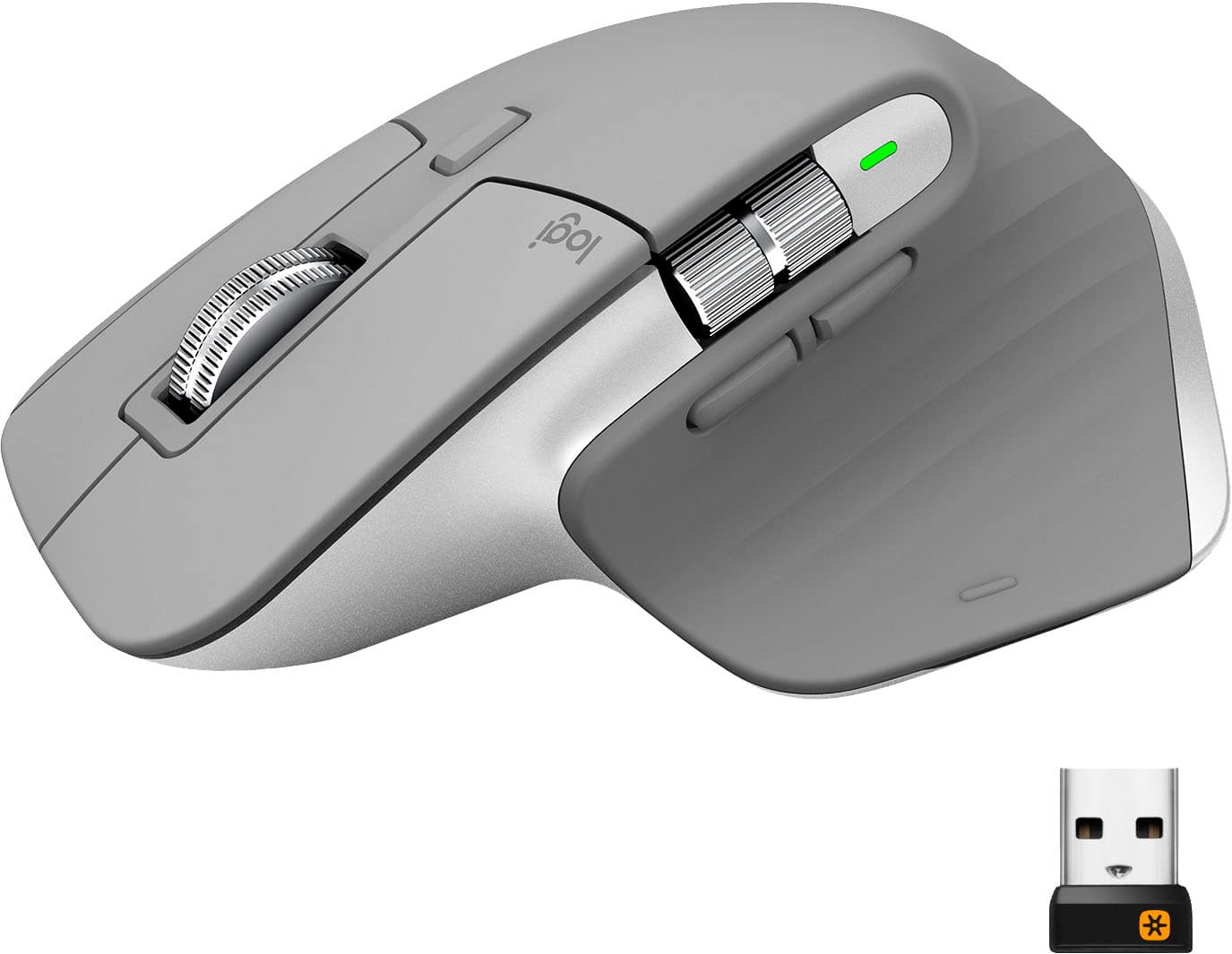
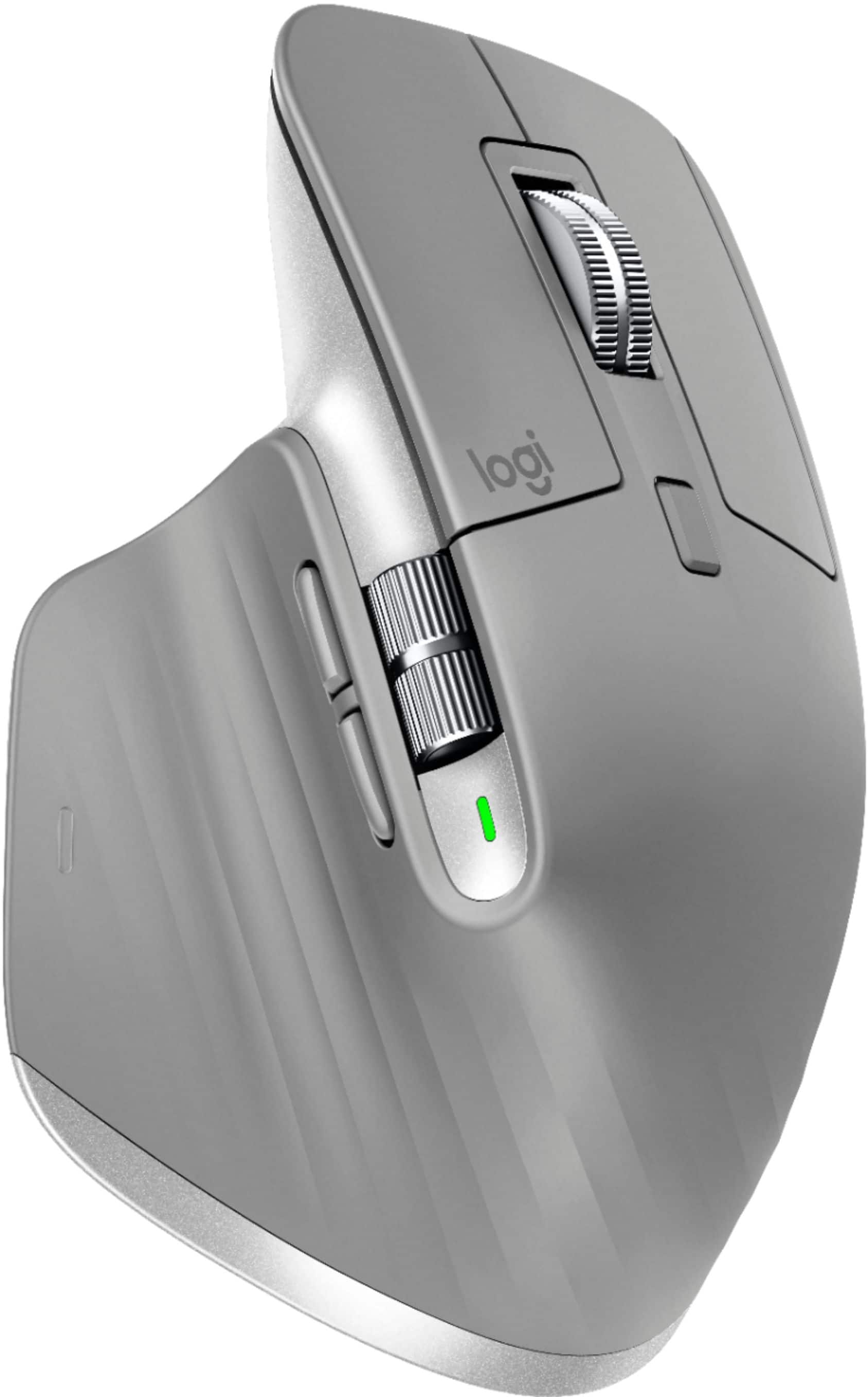
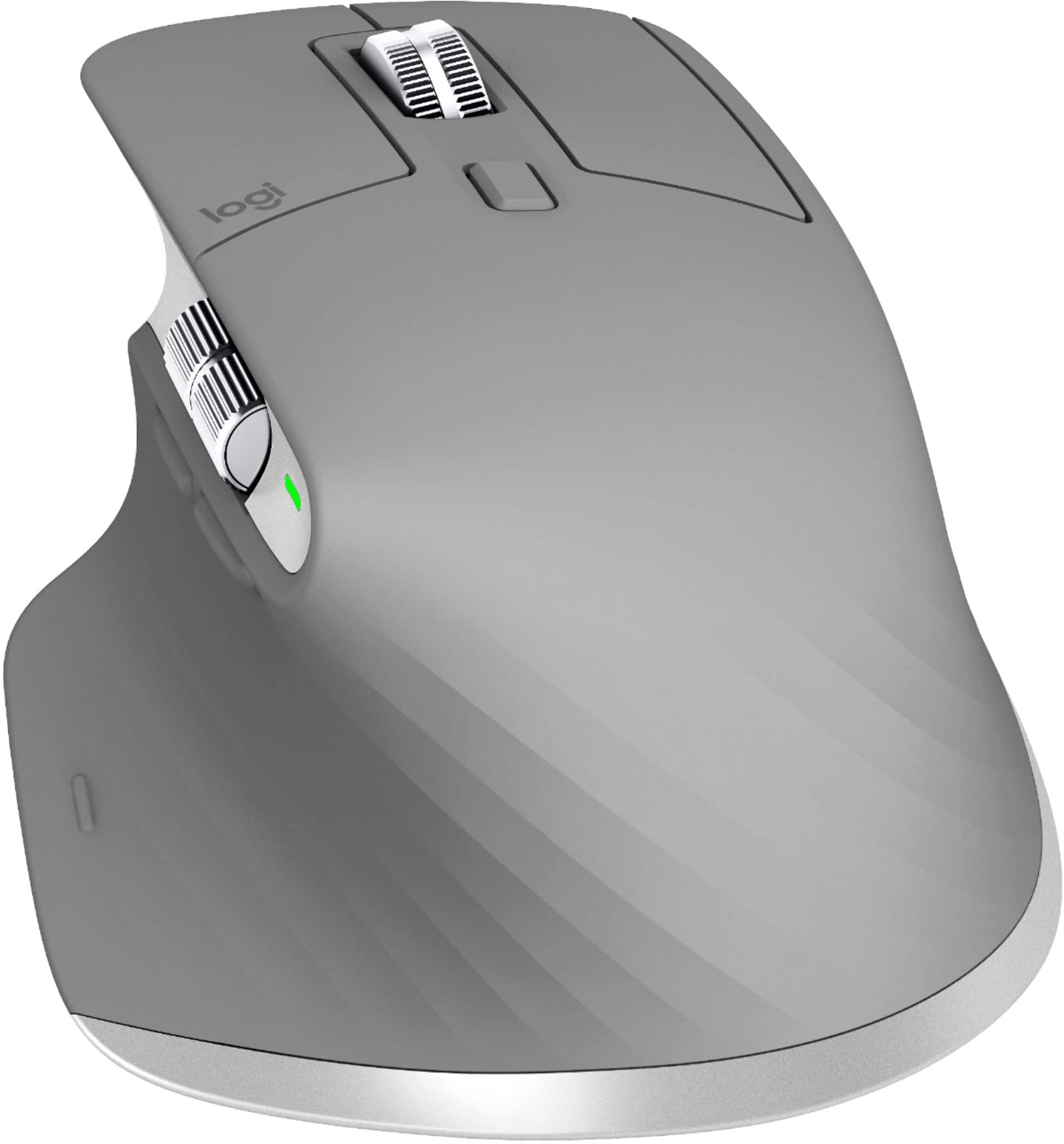

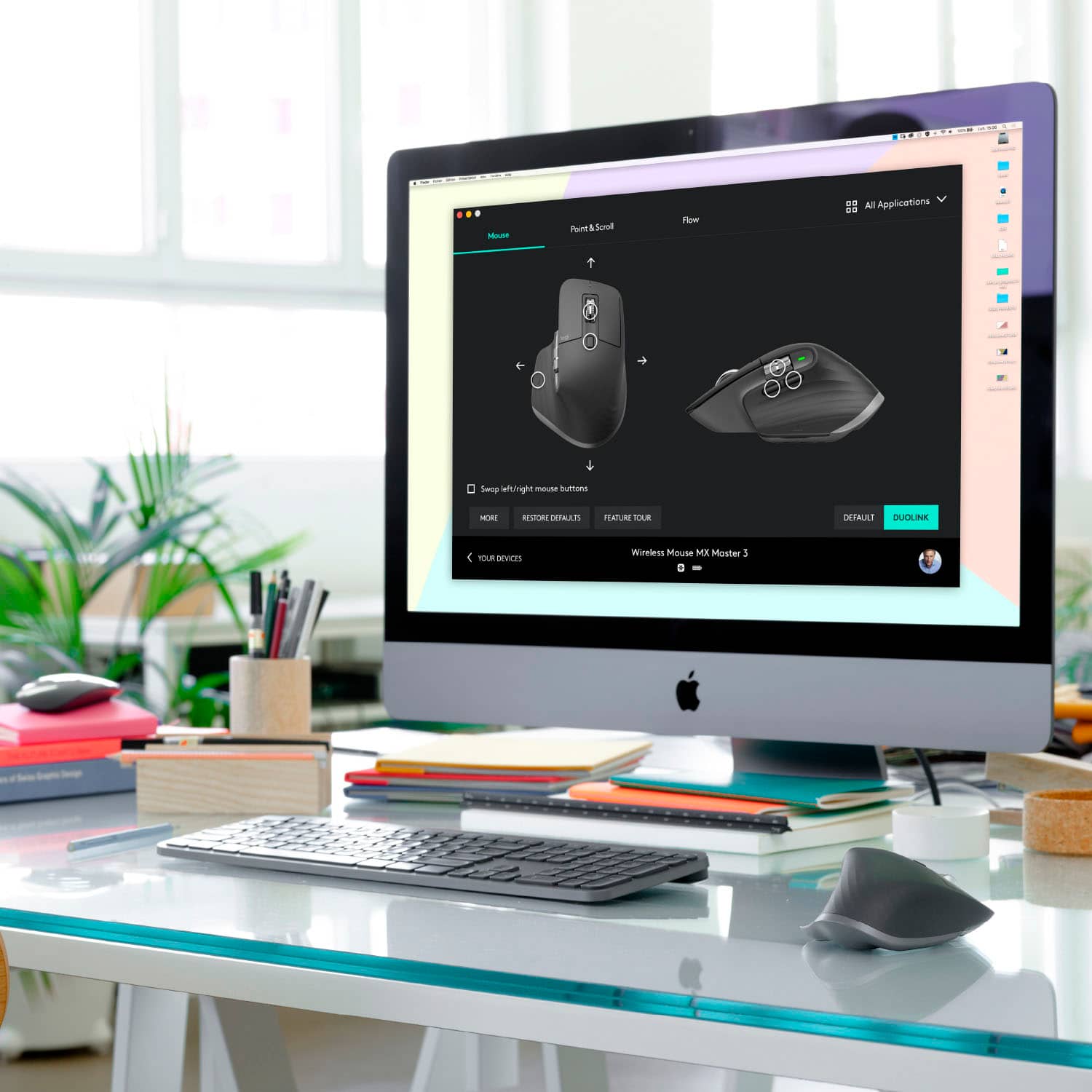


- Model:
- 910-005692
- |
- SKU:
- 6404089
Customer reviews
Rating 4.8 out of 5 stars with 3344 reviews
(3,344 customer reviews)Rating by feature
- Value4.5
Rating 4.5 out of 5 stars
- Quality4.9
Rating 4.9 out of 5 stars
- Ease of Use4.8
Rating 4.8 out of 5 stars
Customers are saying
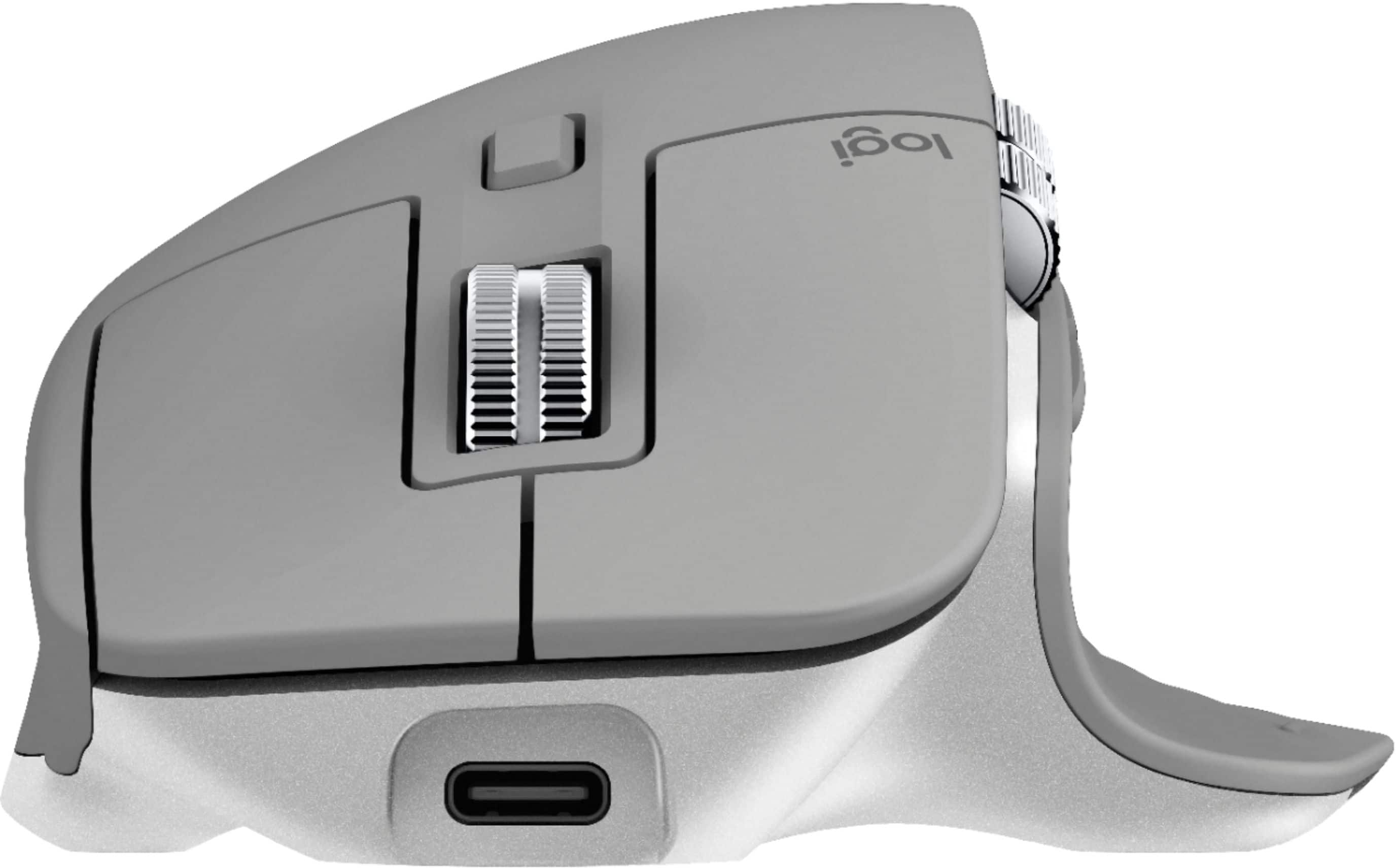
Customers enjoy the ergonomic design, smooth scroll wheel, and excellent battery life of the MX Master 3 mouse. Many appreciate the high-quality build and the extensive customization options, along with its Bluetooth connectivity and multi-device capabilities. However, some find the mouse to be large and heavy. A few users have also reported issues with software consistency and occasional lag.
This summary was generated by AI based on customer reviews.
Rated 4 out of 5 stars
There is no more to improve on THIS mouse.
Posted .This reviewer received promo considerations or sweepstakes entry for writing a review.I've been using an MX Master since the original and with this release I feel they have absolutely perfected this mouse. Before upgrading my MX 2 to this mouse, I thought the electro-mag scroll wheel was going to be somewhat of a pointless, overthought, design but this is SUCH a better solution than the previous rachet wheel. No more "click-ca-chuck" noise a billion times a day, when the wheel engages and disengages. I think this is about as perfect as this mouse can get. Having said that, the Master line is 10 years old at this point and I feel like it shows a little bit. I hoped on this update that we would see some sort of new/added functionality (maybe extra buttons? tilt wheel? etc) but instead it was just an iterative update. As I mentioned, THIS mouse is perfect but I think logitech should now look at adding some new or innovate features.
This review is from Logitech - MX Master 3 Advanced Wireless USB/Bluetooth Laser Mouse with Ultrafast Scrolling - Black
I would recommend this to a friendRated 5 out of 5 stars
Love at first click
Posted .This reviewer received promo considerations or sweepstakes entry for writing a review.I've been using Logitech mice for years. This one exceeds all expectations. The reviews don't lie. The feel, precision and features go way beyond all competition. I was hesitant to spend $99 on a mouse. Could any pointing device be worth that price tag? Yes! As soon as it paired with it's unifying USB receiver I could not believe how much it outperformed my previous Logitech mouse. I revisited some photo editing tasks just to see if the Master 3 would make such things easier and it does. I could go on but other reviewers have already covered those bases. The unifying USB receiver allows pairing a wireless keyboard and wireless mouse on one USB port. The Flow feature is priceless. If you want the best mouse ever made buy an MX Master 3. You will be glad you did.
This review is from Logitech - MX Master 3 Advanced Wireless USB/Bluetooth Laser Mouse with Ultrafast Scrolling - Black
I would recommend this to a friend- Cons mentioned:Expensive
Rated 5 out of 5 stars
Great mouse!
Posted .This reviewer received promo considerations or sweepstakes entry for writing a review.This is a great mouse! I do wish it wasn’t so expensive, but you definitely get what you pay for.
I would recommend this to a friend - Pros mentioned:Customizable
Rated 3 out of 5 stars
Great for the feel, confusing on the setup.
Posted .This reviewer received promo considerations or sweepstakes entry for writing a review.I wanted to replace my apple mouse. I was told by a few of my colleagues and friends that this was their favorite. At a glance it looks great and very ergonomic. Then i got into the function of the thing. There are multiple configurations and options to play with which is great, but if you use multiple apps and programs you get a bit confused. I generally like it as it has improved the stress on my hand from long hours. I wish it would be a easier way to configure possible a better UI/UX program.
This review is from Logitech - MX Master 3 Advanced Wireless USB/Bluetooth Laser Mouse with Ultrafast Scrolling - Black
I would recommend this to a friend - Cons mentioned:Size
Rated 4 out of 5 stars
It's big
Posted .This reviewer received promo considerations or sweepstakes entry for writing a review.To big for my hands, was one of the most uncomfortable mouse I have every used. took it back after a couple days and bought the smaller one.
This review is from Logitech - MX Master 3 Advanced Wireless USB/Bluetooth Laser Mouse with Ultrafast Scrolling - Black
No, I would not recommend this to a friend Rated 4 out of 5 stars
Amazing mouse, but VERY LOUD
Posted .This reviewer received promo considerations or sweepstakes entry for writing a review.I’m an SAP & Excel super user, majority of my day is spent in one of the two. I love this mouse, but have found myself needing another (quiet click) mouse for the late afternoon... 4(3.5 if it was an option) stars because the other features overtake the downside of click noise. Although if you work in a shared space with little noise, I’d be hesitant of cost/benefit with this one... I have trouble putting up with the clicks alone after a few hours. Aside from noise, mouse is very precise and beneficial to me on a daily basis. Also, the magnetic scroll wheel is EXCELLENT!
This review is from Logitech - MX Master 3 Advanced Wireless USB/Bluetooth Laser Mouse with Ultrafast Scrolling - Black
I would recommend this to a friendRated 5 out of 5 stars
Great!
Posted .This reviewer received promo considerations or sweepstakes entry for writing a review.This is the best mouse for productivity not gaming. The scroll wheel is magic it allows for persistence movement and free flowing and the horizontal scrolling once you get it to work is amazing a game changer.
This review is from Logitech - MX Master 3 Advanced Wireless USB/Bluetooth Laser Mouse with Ultrafast Scrolling - Black
I would recommend this to a friendRated 5 out of 5 stars
Huge upgrade over the MX Everywhere 2
Posted .This reviewer received promo considerations or sweepstakes entry for writing a review.I upgraded from the MX 2. This feels like a huge upgrade since it has more buttons. The scroll wheel feels strong and metallic. It just simply is a great fix for mouse problems you might have. It’s bit expensive at $99 but still it’s a great mouse for the usual work place.
This review is from Logitech - MX Master 3 Advanced Wireless USB/Bluetooth Laser Mouse with Ultrafast Scrolling - Black
I would recommend this to a friendRated 4 out of 5 stars
Good mouse but not all so great
Posted .This reviewer received promo considerations or sweepstakes entry for writing a review.I think this is an awesome mouse but if you are currently using a Magic Mouse this will field weird with your Apple product. I have a 2015 MacBook Pro and I am really debating on keeping this mouse simply because my Magic Mouse is just overall more intuitive with Apple products but this mouse definitely has a lot of customization.
This review is from Logitech - MX Master 3 Advanced Wireless USB/Bluetooth Laser Mouse with Ultrafast Scrolling - Black
I would recommend this to a friend- Pros mentioned:Long battery life
Rated 3 out of 5 stars
Good but not great
Posted .This reviewer received promo considerations or sweepstakes entry for writing a review.Great battery life, comfortable in the hand for the most part. The rear click function when you push down requires too much force for my taste and gives you thumb joint strain. Additionally, this is a nice mouse, but a bit overpriced.
This review is from Logitech - MX Master 3 Advanced Wireless USB/Bluetooth Laser Mouse with Ultrafast Scrolling - Black
I would recommend this to a friendBrand response from Logitech
Posted .Hello TheSaint! I'm happy to hear you're, overall, enjoying the MX Master 3 mouse. Feel free to reach out to our support team here https://support.logi.com/hc/en-us/requests/new?ticket_form_id=360000621393 if you ever need any assistance. Thank you for the feedback on the rear click function and price! I will be passing this along. We appreciate the review and thank you for shopping Logitech! - Maggie from Logitech
- Pros mentioned:ComfortableCons mentioned:Price
Rated 1 out of 5 stars
scrolls intermittently
Posted .This reviewer received promo considerations or sweepstakes entry for writing a review.Minus: When using this mouse on a Mac, on Google websites, the scroll wheel works intermittently. Especially when moving the scrolling wheel slowly, pages sometimes do not move at all, even after turning the scrolling wheel a quarter of a turn. Even cheap mice know how to scroll. I don't accept this from a $100 mouse. I don't care about fancy options if the basic functions do not work well. Plus: feels very comfortable in the hand. The pointer works well.
This review is from Logitech - MX Master 3 Advanced Wireless USB/Bluetooth Laser Mouse with Ultrafast Scrolling - Black
No, I would not recommend this to a friendBrand response from Logitech
Posted .Hello Jay, I'm sorry to hear that you have been having some issues with your MX Master 3 Wireless mouse. To prevent issues with the scroll wheel, make sure the mouse is fully connected to the computer, charged, and that there are minimal obstructions in the way to prevent lost signal. If all else fails, try a different USB port for the receiver.
Rated 5 out of 5 stars
Would buy again
Posted .This reviewer received promo considerations or sweepstakes entry for writing a review.Works and feels great, I like that it’s cordless and has multiple buttons
This review is from Logitech - MX Master 3 Advanced Wireless USB/Bluetooth Laser Mouse with Ultrafast Scrolling - Black
I would recommend this to a friendRated 5 out of 5 stars
Best Mouse ever!!!
Posted .This reviewer received promo considerations or sweepstakes entry for writing a review.Mouse is amazing! I use it all the time! Haven’t used another mouse since.
This review is from Logitech - MX Master 3 Advanced Wireless USB/Bluetooth Laser Mouse with Ultrafast Scrolling - Black
I would recommend this to a friendRated 5 out of 5 stars
Review
Posted .This reviewer received promo considerations or sweepstakes entry for writing a review.Great product for business use very diverse and useful for fast transitions
I would recommend this to a friendRated 5 out of 5 stars
Dont make mistake! This is the one!
Posted .This reviewer received promo considerations or sweepstakes entry for writing a review.Amazing for video creators! Easy, a lot of options and good for hand.
This review is from Logitech - MX Master 3 Advanced Wireless USB/Bluetooth Laser Mouse with Ultrafast Scrolling - Black
I would recommend this to a friendRated 5 out of 5 stars
Logitech MX Master
Posted .This reviewer received promo considerations or sweepstakes entry for writing a review.I have this MX Master mouse. It is an excellent mouse.
I would recommend this to a friendRated 2 out of 5 stars
Don't buy if you use Linux
Posted .This reviewer received promo considerations or sweepstakes entry for writing a review.The footnote on the packaging states "Sensor, wheels and buttons will be supported without adding additional drivers in most popular Linux distrobutions." It also states the in order to utilize "app-specific profiles and counltess customizations" that it "requires Logitech Option software" available at their website. What it does NOT say is that this software, required to use the major selling features of this mouse, are completely unavailable on "most popular Linux distrobutions." The Logitech Options software is only available for Windows and Mac, and as a result this is a $100 mouse that gives you a few extra buttons and a smooth scroll, features that you can find on pretty much any mouse for a fraction of the price. In fact, if I had known that I would be unable to customize this mouse (which is my fault for not reading more than marketing reviews) I would not have bought this mouse. While the physical mouse itself is very well made, I can't recommend it for anyone using Linux like myself.
This review is from Logitech - MX Master 3 Advanced Wireless USB/Bluetooth Laser Mouse with Ultrafast Scrolling - Black
No, I would not recommend this to a friendBrand response from Logitech
Posted .Hello bestbuyShopper,
I am sorry that you cannot use all the MX Master 3 features. I will record this review and pass it along. Logitech appreciates your product review. - Leo from Logitech
Rated 1 out of 5 stars
Will not work with M1 Macs
Posted .This reviewer received promo considerations or sweepstakes entry for writing a review.The MX Master 3 hardware is great, but the software is still broken on M1-powered Macs. While the mouse will connect and you can get basic functionality (i.e. moving the cursor), the software to manage the other functions (i.e. the scroll wheel, back/forward buttons, etc.) has performance and reliability problems on M1 Macs. Bottom line, it's been over a year since Apple released its first M1 MacBooks, but Logitech's software still hasn't been ported to run natively. This means it's using Rosetta, which impacts performance and battery life. And, regardless of the technology it's running on, it's been unreliable and prone to crashes. Unexpectedly, the buttons will stop working until I restart the app. It's unacceptable for a mouse at any price, let alone one that's $99. Logitech can and should do better.
This review is from Logitech - MX Master 3 Advanced Wireless USB/Bluetooth Laser Mouse with Ultrafast Scrolling - Black
No, I would not recommend this to a friendRated 1 out of 5 stars
Longevity is a Sticky Issue
Posted .This reviewer received promo considerations or sweepstakes entry for writing a review.I've used the MX Master 3 mouse for a little over two years. *** PROS: The ergonomics work well for my hands. The top scroll wheel is super fast and easy to control. It's nice to have a the horizontal scroll wheel, as well, for certain uses. The mouse glides smoothly on various surfaces and is very accurate for screen navigation *** CONS: The rubberized coating has become very STICKY & TACKY (unpleasant). The issue happens with mice and other products that use such a rubberized coating. Once the coating starts to break down and becomes overall sticky, it's hard to remediate it. Cleaning it may help, but for many users, it's a very temporary respite and the problem soon returns (my situation). The rubberized coating may break down soon as in within a few months or a year or more later (which would put it outside of the 1-yr warranty period rather conveniently for Logitech). Logitech support has been a real hassle to deal with. The problem has been specifically reported online by others about the MX Master 3, e.g., search Reddit for "Logitech MX Master 3 Sticky" - you'll see what I mean. Logitech support has also piped up on that forum with the usual let's open a ticket thing. Manufacturers should have long ago stopped using this kind of cheap rubberized coating. This sticky mess is a deal breaker for me and the MX Master 3. Other Cons: The back and forward buttons on the thumb side could usefully be a bit bigger, and are too far back making it harder to use them. The newer Options+ software creates, in my testing of it, a weird disruptive haptic vibration feedback TO THE MOUSE on one of my computers under certain conditions (fully updated Win10), e.g., keyboard shortcuts and clicking on certain screen icons causes the mouse to distractingly vibrate! This haptic strangeness happens when the scroll wheel is switched into line-by-line mode. My recommendation? Primarily because of the sticky rubber coating glitch, you may want to consider other products, especially those without rubberized coatings, and from a company that will stand behind their products. My opinion is that Logitech should recall the mouse for users that encounter the Sticky Problem. PS - Logitech will try to offer a small discount instead for the user to buy something else from the Logi website. This allows them to break even or better. The overarching problem, though, is that the mouse becomes less usable due to an avoidable manufacturer defect, and not much, if at all, from normal wear and tear.
This review is from Logitech - MX Master 3 Advanced Wireless USB/Bluetooth Laser Mouse with Ultrafast Scrolling - Black
No, I would not recommend this to a friendBrand response from Logitech
Posted .Hello AntiHaptic,
I am sorry that the MX Master 3 Advance is not meeting your expectations. Logitech understands that every user has different needs; therefore, they offer a wide arrange of mice to choose from. I will record your product insight and pass it on for further investigation, and I hope you find the perfect mouse for your needs. Logitech appreciates your product review. - Leo from Logitech
Rated 1 out of 5 stars
Basic mouse for $100+?! Not as good as 15yr mouse
Posted .This reviewer received promo considerations or sweepstakes entry for writing a review.I am currently using the mouse that this over-rated, nearly featureless mouse was supposed to replace. It looks and feels like a cheap mouse you would get when you buy a computer. It only has two measly customizable buttons (my old mouse has 7), WOW, imagine all the customization I can do with two whole buttons! And that's it, I can only imagine. As I keep trying to log onto Logitech to explore their vast world of options I can select for my whole two option buttons but I keep getting "Could not continue, something went wrong". I guess they were preset to "forward" and "backward" and that worked at first but its not working now. Wow forward and backward buttons! What will they think of next! Real game changer, oh my!
This review is from Logitech - MX Master 3 Advanced Wireless USB/Bluetooth Laser Mouse with Ultrafast Scrolling - Black
No, I would not recommend this to a friendBrand response from Logitech
Posted .Hello, we are sorry to hear about your poor experience with the MX Master 3. The mouse features 7 buttons for customization. Our Logitech Options software allows for customizing buttons and altering settings. Button mapping can be set to an overall profile or on a per program basis. If you ever need any help with feature setup, please visit us at: https://support.logi.com/hc/en-us