Customer Ratings & Reviews


- Model:
- 910-005692
- |
- SKU:
- 6404089
Customer reviews
Rating 4.8 out of 5 stars with 3344 reviews
(3,344 customer reviews)Rating by feature
- Value4.5
Rating 4.5 out of 5 stars
- Quality4.9
Rating 4.9 out of 5 stars
- Ease of Use4.8
Rating 4.8 out of 5 stars
Customers are saying
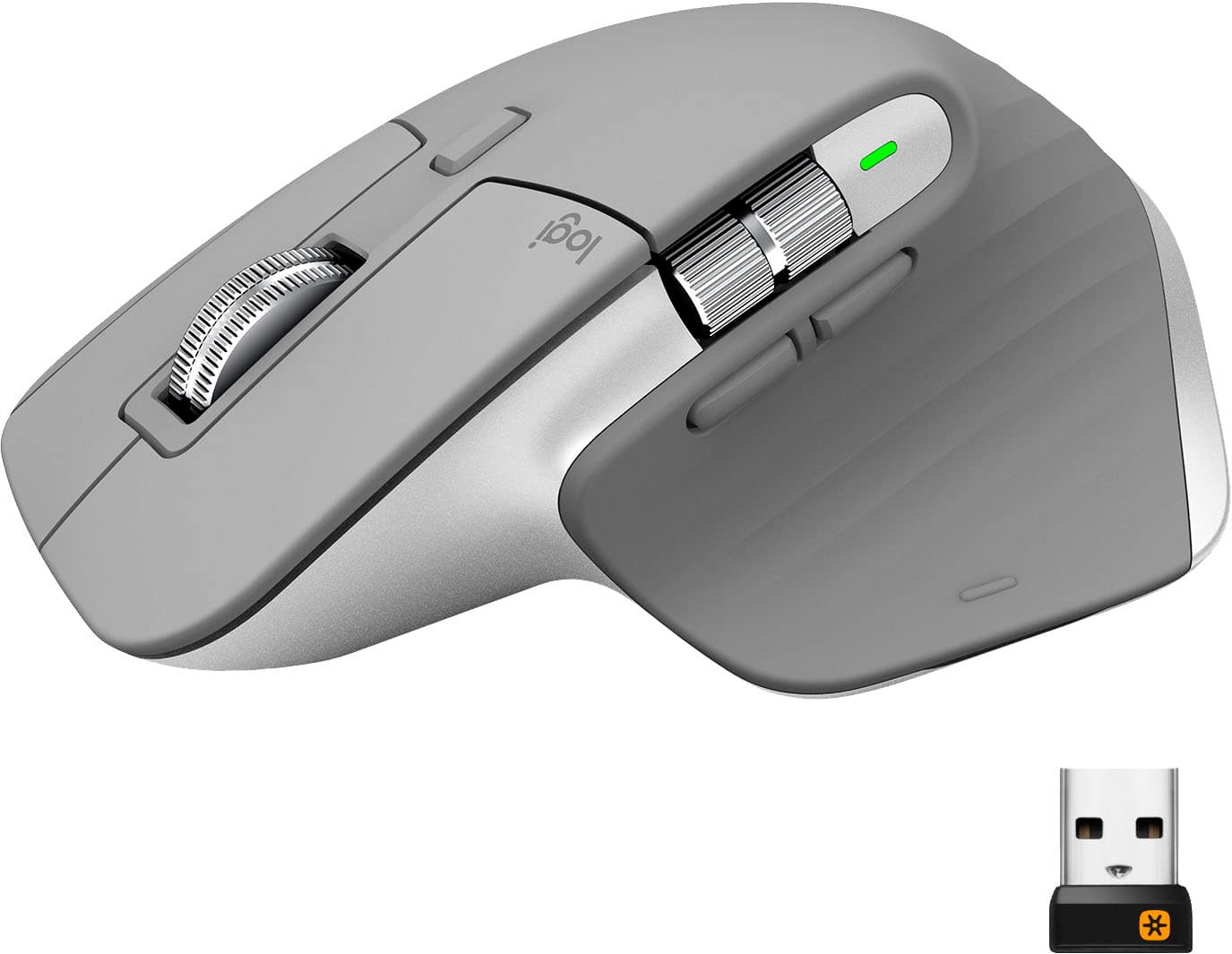
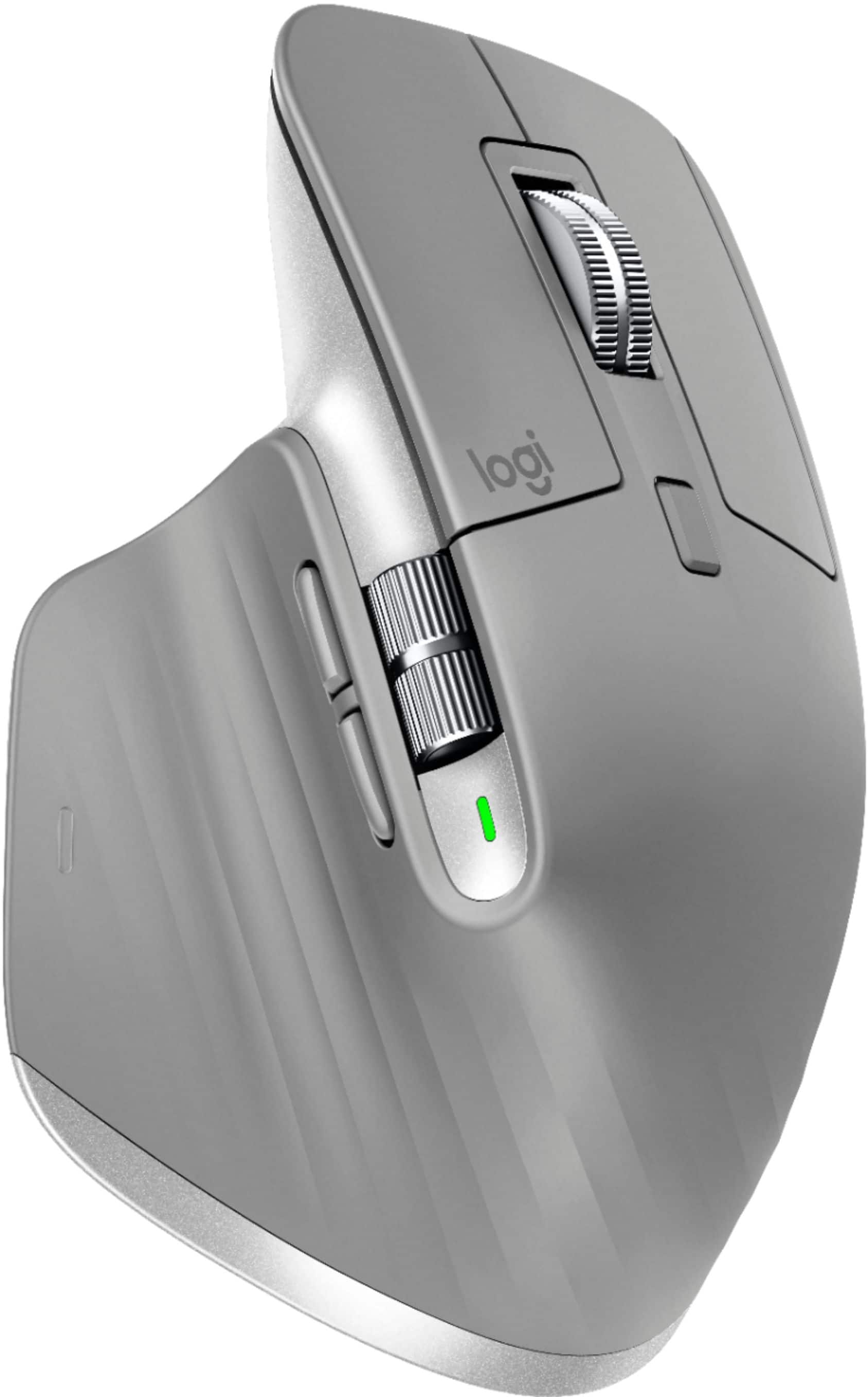
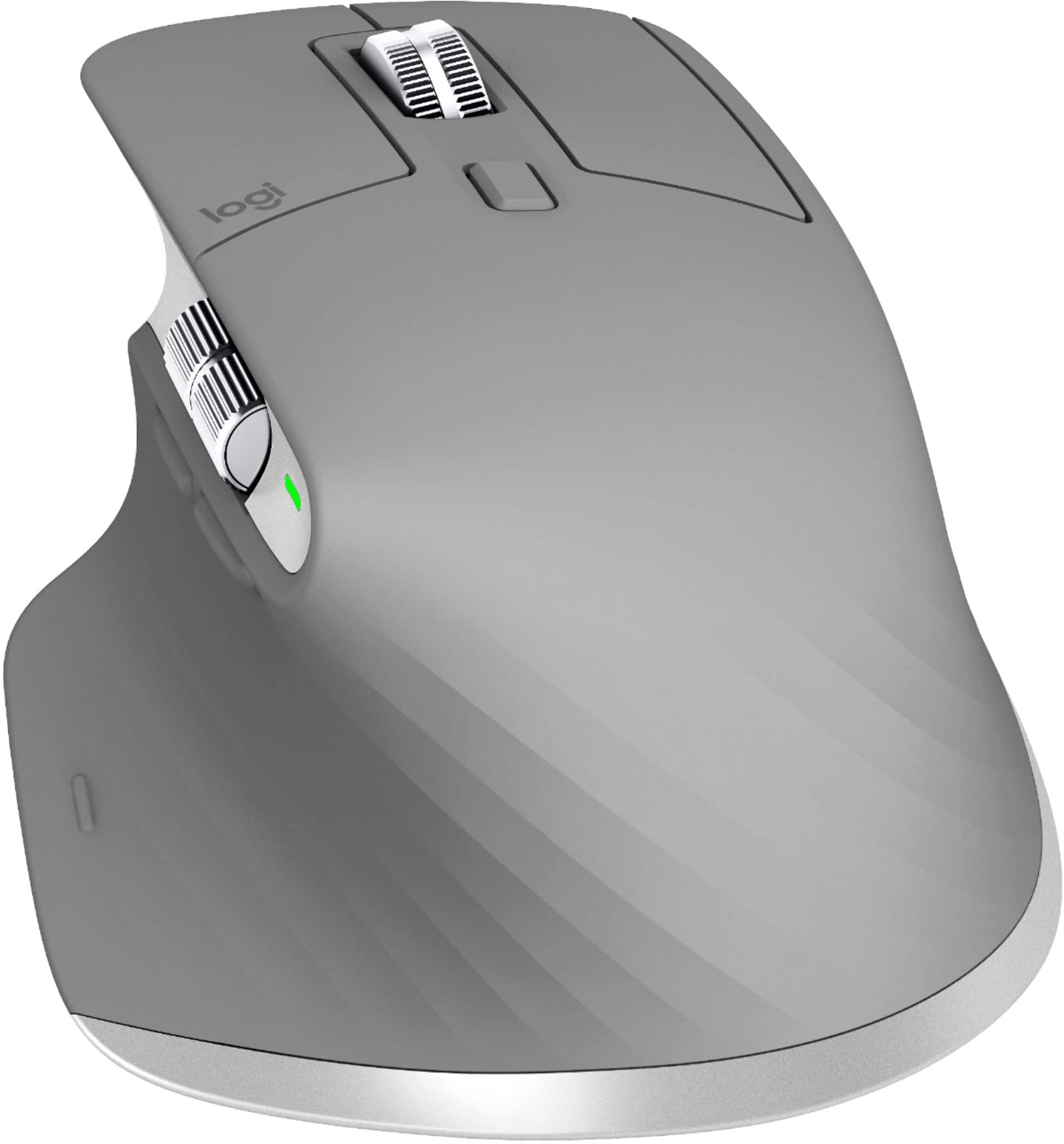
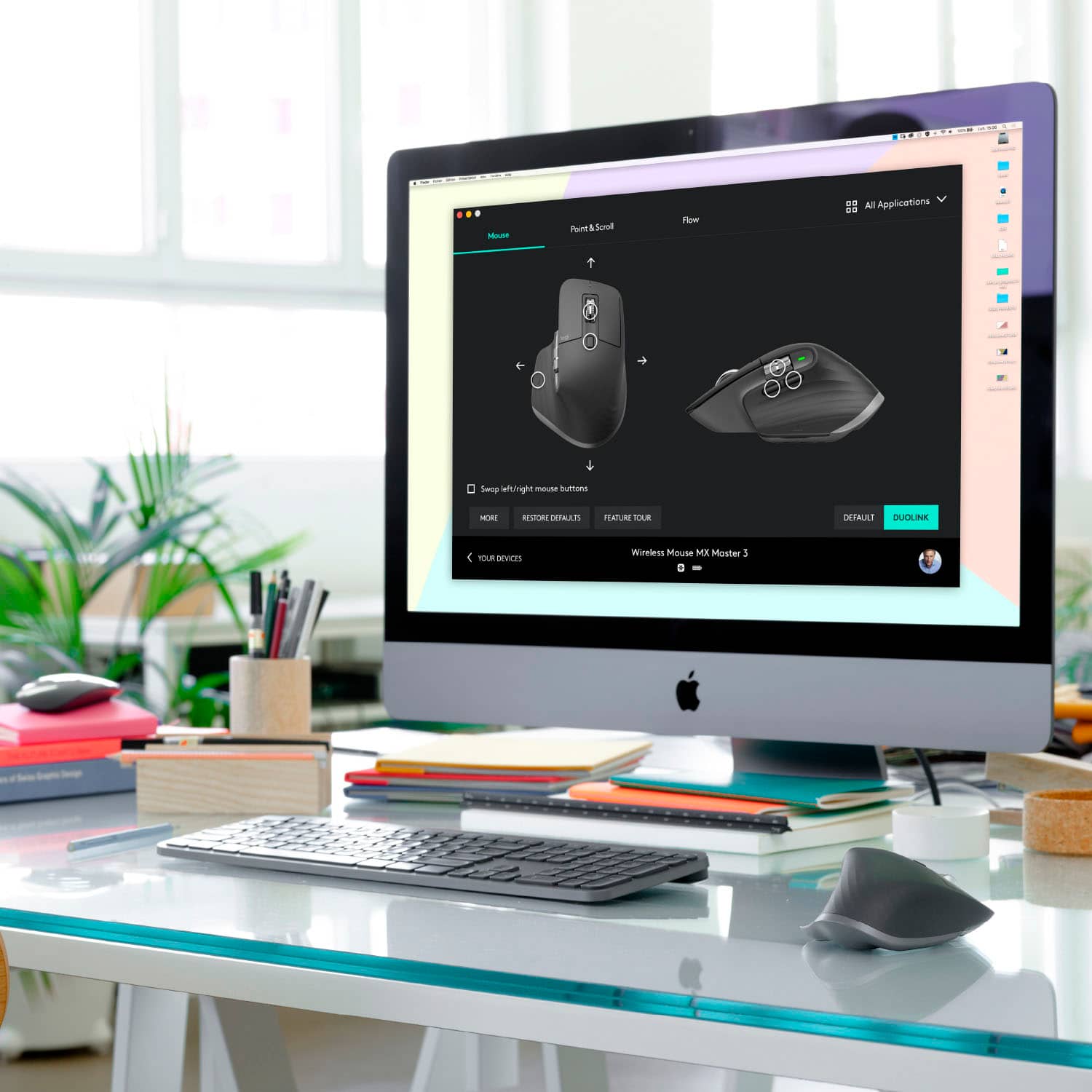
Customers enjoy the ergonomic design, smooth scroll wheel, and excellent battery life of the MX Master 3 mouse. Many appreciate the high-quality build and the extensive customization options, along with its Bluetooth connectivity and multi-device capabilities. However, some find the mouse to be large and heavy. A few users have also reported issues with software consistency and occasional lag.
This summary was generated by AI based on customer reviews.
Rated 5 out of 5 stars
If it's in your budget get it.
||Posted . Owned for 11 months when reviewed.This reviewer received promo considerations or sweepstakes entry for writing a review.This is my GoTo mouse for everything. I even travel with it rather than a smaller travel-friendly mouse. I have a whole stable of the Logitech's with the fly-wheel. BUT, the right and left button click dies to prematurely for ALL Logitech mice. I believe this to be planned obsolescence on Logitech's side. Or they need to stop using Omron switches if that's what they still use. This is the most tactile, versatile, and solid mouse and the only one (the whole line not this one model) that has the fly-wheel. It's not a 'Gaming Mouse'. But a serious mouse for an I.T. tech or designer, or architect, etc... Honestly, Gaming mice are a joke for use anywhere other than gaming. But enough of that... Tracking is perfect on most any surface. This gen of the Master they moved the side-scroll to a better position for me and the two buttons underneath it to a better position. Again, in my opinion. If it's in your budget get it.
This review is from Logitech - MX Master 3 Advanced Wireless USB/Bluetooth Laser Mouse with Ultrafast Scrolling - Black
I would recommend this to a friend- Pros mentioned:Multi-device
Rated 5 out of 5 stars
Computer Mouse
||Posted . Owned for 2 months when reviewed.This reviewer received promo considerations or sweepstakes entry for writing a review.Excellent mouse. Highly recommend it for ease of use, multiple computer use on the fly, quality of build and price. Works excellent with the compatible keyboard to seamlessly go from one computer and even different platform right in to the other without missing a beat. It's like magic.
This review is from Logitech - MX Master 3 Advanced Wireless USB/Bluetooth Laser Mouse with Ultrafast Scrolling - Black
I would recommend this to a friend - Pros mentioned:ComfortableCons mentioned:Size
Rated 4 out of 5 stars
A little big, but still a great mouse
||Posted . Owned for 1 month when reviewed.This reviewer received promo considerations or sweepstakes entry for writing a review.It is a bit tall for smaller hands, but if you have large hands, it will most likely be very comfortable. Operation is smooth and accurate.
This review is from Logitech - MX Master 3 Advanced Wireless USB/Bluetooth Laser Mouse with Ultrafast Scrolling - Black
I would recommend this to a friend Rated 5 out of 5 stars
Very ergonomic. Very comfortable to use.
||Posted . Owned for 3 weeks when reviewed.This reviewer received promo considerations or sweepstakes entry for writing a review.I needed something to keep my wrist in a more natural position. With a normal mouse I found my hand always on top of the mouse. This was a little strange at first, but after getting used to it I went and bought a second one for work. I haven't mastered all the buttons yet, but they are programmable for whatever you want them to do. The scroll wheel is nice because you can flick and scroll, then touch it to stop instantly. Love that. I hit the 2 thumb buttons too often, so I moved them to something not as obnoxious. And... it's also bluetooth. So I can move from work with the logitech dongle, to my laptop desk which is bluetooth. You can use either the USB or the Bluetooth connection. Both work great. The only drawback is that it's just a bit taller than a normal mouse that I'm used to. So when I first would move my hand to it from they keyboard I would knock it off the desk. Got used to it though.
This review is from Logitech - MX Master 3 Advanced Wireless USB/Bluetooth Laser Mouse with Ultrafast Scrolling - Black
I would recommend this to a friendRated 5 out of 5 stars
Best Mouse Ever
||Posted . Owned for 1.5 years when reviewed.This reviewer received promo considerations or sweepstakes entry for writing a review.Hands down one of the best mouse for any laptop/PC.
This review is from Logitech - MX Master 3 Advanced Wireless USB/Bluetooth Laser Mouse with Ultrafast Scrolling - Black
I would recommend this to a friend- Pros mentioned:Scroll wheel
Rated 5 out of 5 stars
Great Mouse
||Posted . Owned for 4 months when reviewed.This reviewer received promo considerations or sweepstakes entry for writing a review.The MX Master 3 Wireless Mouse is a great option if you're looking for a replacement mouse. Love the scroll option of being able to scroll in small increments or very quickly just by giving a gentle spin or a quick flick on the scroll wheel which goes into a "free-spin".
This review is from Logitech - MX Master 3 Advanced Wireless USB/Bluetooth Laser Mouse with Ultrafast Scrolling - Black
I would recommend this to a friend - Pros mentioned:Scroll wheel
Rated 5 out of 5 stars
Best Scroll Wheel Out There
||Posted . Owned for 2 weeks when reviewed.This reviewer received promo considerations or sweepstakes entry for writing a review.This the mouse you buy for that extra bit of refinement, not necessarily superior functionality. That being said, the scroll wheel alone is worth the splurge. It's an absolute joy/blast to use and it's hard to use anything else after you've experienced the magnetic clutch. If you're a fidgeter, this is a must buy.
This review is from Logitech - MX Master 3 Advanced Wireless USB/Bluetooth Laser Mouse with Ultrafast Scrolling - Black
I would recommend this to a friend - Pros mentioned:Multi-device
Rated 5 out of 5 stars
MX mouse
||Posted . Owned for less than 1 week when reviewed.This reviewer received promo considerations or sweepstakes entry for writing a review.works exactly as we expected it to for our office, we are able to easily switch between pc and Mac. I would definitely recommend for anyone that uses multiple computers and you need the seamless connection between both without a ton of cords or gear.
This review is from Logitech - MX Master 3 Advanced Wireless USB/Bluetooth Laser Mouse with Ultrafast Scrolling - Black
I would recommend this to a friend - Pros mentioned:Comfortable
Rated 5 out of 5 stars
Logitech is the best!
||Posted . Owned for 3 weeks when reviewed.This reviewer received promo considerations or sweepstakes entry for writing a review.As a graphic designer, I love this mouse. Logitech never disappoints. I used to have the MX Anywhere 2S, and I like this one a lot more because of it's ergonomic fit to my hand. It feels very nice when working and very great for doing detailed work.
I would recommend this to a friend - Pros mentioned:Comfortable
Rated 5 out of 5 stars
Smooth and feels nice to use
||Posted .This reviewer received promo considerations or sweepstakes entry for writing a review.I got this mouse as a gift for my mom since she needed a new one for work. It took her some time to get use to the sensitivity, but she really likes it so far. She says it's very sooth and feels nice in her hand. I wish it came with a small case to store the fab and charging wire in.
This review is from Logitech - MX Master 3 Advanced Wireless USB/Bluetooth Laser Mouse with Ultrafast Scrolling - Black
I would recommend this to a friend - Pros mentioned:Comfortable
Rated 5 out of 5 stars
Great Mouse
||Posted . Owned for 1 month when reviewed.This reviewer received promo considerations or sweepstakes entry for writing a review.Love this mouse. Very comfortable in my carpal tunnel-afflicted wrists. Like the wheel options and the gesture Button. Good sensitivity and Bluetooth stability. My previous Bluetooth mouse would disconnect several times a week; this Logitech hasn't done so once in 5 weeks.
I would recommend this to a friend - Pros mentioned:Customizable
Rated 5 out of 5 stars
My working day is much more efficient
||Posted . Owned for 1 month when reviewed.This reviewer received promo considerations or sweepstakes entry for writing a review.I had the MX Master 2 mouse and it was fantastic. The MX Master 3 is much better which was a shock to me. I love that I can customize the buttons based on the app that I'm using and that has saved so much time for me. I have been able to save anywhere between 30-60 mins a day because of the MX 3.
This review is from Logitech - MX Master 3 Advanced Wireless USB/Bluetooth Laser Mouse with Ultrafast Scrolling - Black
I would recommend this to a friend - Pros mentioned:Multi-device
Rated 5 out of 5 stars
One smooth, feature-packed wireless mouse
||Posted . Owned for 1 month when reviewed.This reviewer received promo considerations or sweepstakes entry for writing a review.If you're a power user who's moving between documents, spreadsheets, and any number of content-creation apps, you'll certainly appreciate what this mouse has to offer. It's also a good choice for someone who needs to switch between multiple computers on the fly. Logitech flow is a great feature!
This review is from Logitech - MX Master 3 Advanced Wireless USB/Bluetooth Laser Mouse with Ultrafast Scrolling - Black
I would recommend this to a friend - Pros mentioned:Comfortable
Rated 5 out of 5 stars
Nice mouse.
||Posted . Owned for 3 weeks when reviewed.This reviewer received promo considerations or sweepstakes entry for writing a review.I’m duly impressed. Seemed a little clunky at first but now it’s comfortable in my hand and accurate in Lightroom. Bought it for a new laptop that I love. I wish it had a usb-c dongle. Not sure how I feel about a rechargeable mouse. Ask me again in a month or two.
I would recommend this to a friend Rated 5 out of 5 stars
Awesomely smooth operating mouse
||Posted . Owned for 2 weeks when reviewed.This reviewer received promo considerations or sweepstakes entry for writing a review.I absolutely love this mouse. I noticed right away how smoothly it glides on my desk (seems like something that wouldn't change between mice but this one really feels amazing). The thumb wheel is awesome for side scrolling especially when zoomed in on a pdf or image, great for spreadsheets too. The main wheel is also very nice because it has a momentum to it. The main scroll wheel has 3 modes, notched, or press button behind the wheel to "de-clutch" the wheel for high speed free-wheeling scrolling, or while in notched mode if you spin it fast the wheel will de-clutch and spin fast until it comes to a stop and automatically return to notched mode for your next scroll. Its is actuakloy kind of fun, like a cad with automatic transmission that has an option to manually shift. By far my favorite mouse I've ever used.
This review is from Logitech - MX Master 3 Advanced Wireless USB/Bluetooth Laser Mouse with Ultrafast Scrolling - Black
I would recommend this to a friendRated 3 out of 5 stars
Decent option, but a bit dated.
||Posted . Owned for 1.5 years when reviewed.This reviewer received promo considerations or sweepstakes entry for writing a review.A decent productivity option. A bit dated when compared to Logitech's newer offerings.
This review is from Logitech - MX Master 3 Advanced Wireless USB/Bluetooth Laser Mouse with Ultrafast Scrolling - Black
I would recommend this to a friend- Pros mentioned:Scroll wheel
Rated 5 out of 5 stars
Good mouse if you like scroll wheels
||Posted . Owned for 2 months when reviewed.This reviewer received promo considerations or sweepstakes entry for writing a review.I am a Magic Mouse 2 user and got this to use with some programs that don’t support the swiping gestures. Scroll wheels feel a bit archaic to me, but this one definitely has the features that make programs like Blender much easier to use.
This review is from Logitech - MX Master 3 Advanced Wireless USB/Bluetooth Laser Mouse with Ultrafast Scrolling - Black
I would recommend this to a friend - Cons mentioned:Price
Rated 5 out of 5 stars
So many options, such a satisfying mouse
||Posted . Owned for 1 week when reviewed.This reviewer received promo considerations or sweepstakes entry for writing a review.I was nervous to drop almost $100 bucks on this, but I use my mouse a lot for school, and I wanted to maximize my efficiency and this mouse definitely gives me the options I need to do so. I haven’t scratched the full potential if this mouse I’m sure, so this was definitely worth the purchase!
This review is from Logitech - MX Master 3 Advanced Wireless USB/Bluetooth Laser Mouse with Ultrafast Scrolling - Black
I would recommend this to a friend - Pros mentioned:Multi-device
Rated 5 out of 5 stars
Amazing work productivity!
||Posted . Owned for 11 months when reviewed.This reviewer received promo considerations or sweepstakes entry for writing a review.Such an awesome mouse for office use. After installing the Logitech software i can easily switch between my computers. the extra features make working in documents and between multiple applications and surfaces a breeze. This is by far one of the best purchases I made PC wise in 2020.
This review is from Logitech - MX Master 3 Advanced Wireless USB/Bluetooth Laser Mouse with Ultrafast Scrolling - Black
I would recommend this to a friend - Pros mentioned:Comfortable
Rated 5 out of 5 stars
Love this mouse
||Posted . Owned for 3 weeks when reviewed.This reviewer received promo considerations or sweepstakes entry for writing a review.In love with this item. I had a bit of buyers remorse because of the price, but I couldn’t get myself to return it because I love it so much. I use a computer everyday, so this mouse definitely helps out with comfort but is not so oddly shaped that it takes time to get used to.
This review is from Logitech - MX Master 3 Advanced Wireless USB/Bluetooth Laser Mouse with Ultrafast Scrolling - Black
I would recommend this to a friend