Customer Ratings & Reviews



- Model:
- 910-005692
- |
- SKU:
- 6404089
Customer reviews
Rating 4.8 out of 5 stars with 3344 reviews
(3,344 customer reviews)Rating by feature
- Value4.5
Rating 4.5 out of 5 stars
- Quality4.9
Rating 4.9 out of 5 stars
- Ease of Use4.8
Rating 4.8 out of 5 stars
Customers are saying
Customers enjoy the ergonomic design, smooth scroll wheel, and excellent battery life of the MX Master 3 mouse. Many appreciate the high-quality build and the extensive customization options, along with its Bluetooth connectivity and multi-device capabilities. However, some find the mouse to be large and heavy. A few users have also reported issues with software consistency and occasional lag.
This summary was generated by AI based on customer reviews.
- Pros mentioned:Scroll wheel
Rated 5 out of 5 stars
The BEST mouse EVER!
Posted .This reviewer received promo considerations or sweepstakes entry for writing a review.Ergonomically & Functionality the best ever! My wife has carpal tunnel and this is the best she has ever had. Well worth the $99. I originally bought the black one for her video editing, and she liked it so much she wanted one for her regular job so I got her the gray one. She loves the scroll wheel on the side as well as the cool fast scroll feature on the top scroll wheel. She also likes the extra 2 buttons that she can set to perform custom commands. Forget that it is more expensive than most others...there are good reasons for this. Once you try, you will never go back to another. You can get gaming mice with more extra buttons to control other functions, but this is the best one for work productivity, comfoert & video editing.
I would recommend this to a friend - Pros mentioned:Comfortable, Customizable, Multi-device
Rated 5 out of 5 stars
Best Feeling Mouse in the market
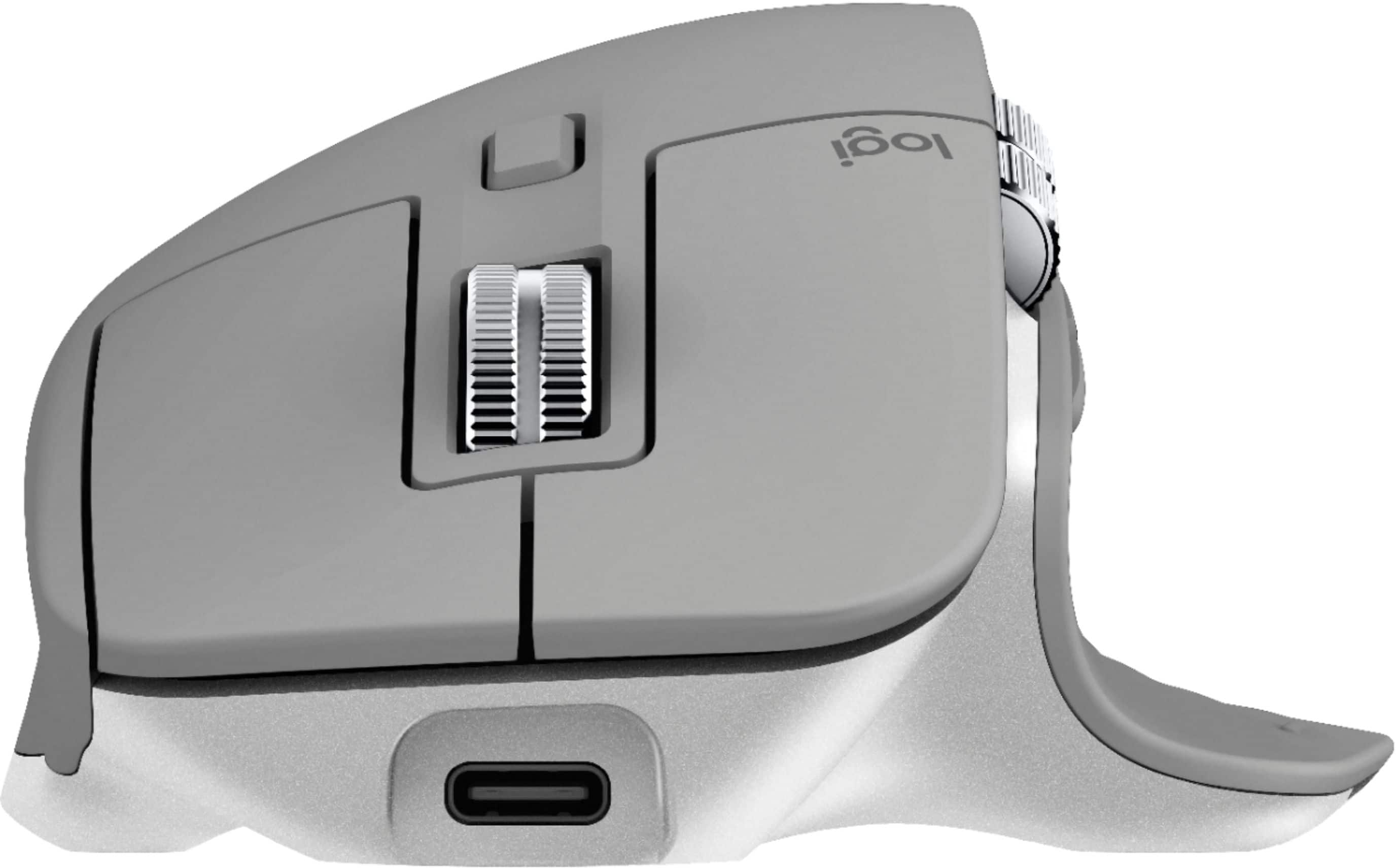
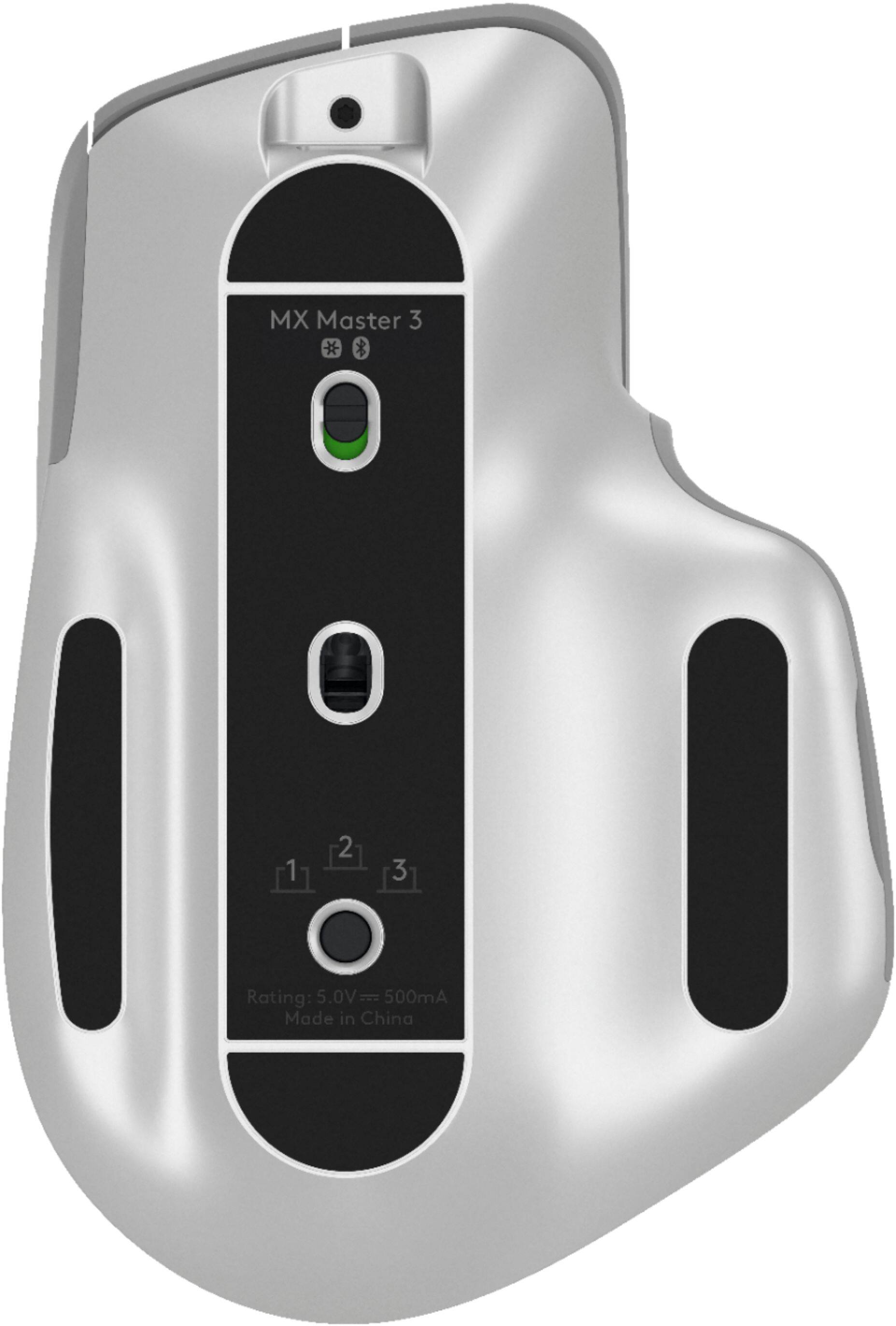
||Posted . Owned for less than 1 week when reviewed.This reviewer received promo considerations or sweepstakes entry for writing a review.I have tried a lot of mouses, meeses, mice over the years and this one is the best. It's comfortable, easy to use, rechargeable, customizable using the logitech software and the scroll wheel is woah. Thumb wheel switches between tabs in your browser, you can navigate forward and back. Its just about perfect. Can link up to 3 different bluetooth devices so you can have it connected to your laptop, ipad and desktop and a simple press of a button to swap between. It recharges via USB C which is the new industry standard so that is a plus.
This review is from Logitech - MX Master 3 Advanced Wireless USB/Bluetooth Laser Mouse with Ultrafast Scrolling - Wireless - Black
I would recommend this to a friend - Pros mentioned:Long battery life, Multi-deviceCons mentioned:Expensive
Rated 5 out of 5 stars
More than just a two button mouse
||Posted . Owned for 3 weeks when reviewed.This reviewer received promo considerations or sweepstakes entry for writing a review.It takes a little time to get used to and much more than a simple two-button mouse to learn how to use. I connected my PC, laptop, and tablet via wireless and Bluetooth and works fine. So much better having one mouse for all 3 components. I did have one problem losing connection via Bluetooth to my laptop and tablet but it did fix itself. That was a little frustrating but all is fine now. I have been using it now for 23 days and have not charged it again as of this date. A little pricey if you're not connecting to multiple components but very much worth it if you are.
This review is from Logitech - MX Master 3 Advanced Wireless USB/Bluetooth Laser Mouse with Ultrafast Scrolling - Wireless - Black
I would recommend this to a friend - Pros mentioned:Comfortable, Long battery life, Scroll wheel
Rated 5 out of 5 stars
Great Mouse!
||Posted . Owned for 1 month when reviewed.This reviewer received promo considerations or sweepstakes entry for writing a review.Very nice mouse and very comfortable! The shape makes your hand mold to it. The scroll wheel makes it easy to get through a pdf or very long page, and choosing between the free floating wheel to tactile is a very nice touch. The hidden button on the thumb rest is very convenient, and customize it to make it easier to do tasks. Very long battery life, I've only charged it once and it's going strong. USB-C charging makes it really fast to charge too.
This review is from Logitech - MX Master 3 Advanced Wireless USB/Bluetooth Laser Mouse with Ultrafast Scrolling - Wireless - Black
I would recommend this to a friend - Pros mentioned:Comfortable, Long battery life
Rated 5 out of 5 stars
Finally something PERFECT!
||Posted . Owned for less than 1 week when reviewed.This reviewer received promo considerations or sweepstakes entry for writing a review.If it isn't Logitech I won't use it on My PC. . Well Finally something I can't seem to find a SINGLE CON to a product. 1--I don't give 5 Stars freely! Heck I can't remember when was the last time I gave a 5?? 2--I can't take My hands off it, it's so, so Comfortable! 3--Since I already had The MX KEYS plugged in, I just had to Turn it off n on and all set! 4--Some users THINK the Wheel is Slanted, look Closer the area you place your Hands on IS SLANTED ever so slightly so the Wheels LOOKS like it's slanted, but it isn't. 5--A Mouse by any other name isn't just another Mouse lol 6--On YouTube videos it seems it would be too Narrow for My Large Hands ( I Mentioned this on My MX KEYS KB Review of 4 Stars) But this Mouse Just Simply.... Comfortably Fits. 7--ONE GRIP but not enough to lower it to 4 stars: To Use The ON n OFF Button, you need to use Your Nails / or something, it's so, so Hard to use. But hey a Full Charge last 30 Days!!!! So I have no plans to worry about Needing to turn it off Constantly..but does need attention / modification / easier to Turn On n Off.
This review is from Logitech - MX Master 3 Advanced Wireless USB/Bluetooth Laser Mouse with Ultrafast Scrolling - Wireless - Black
I would recommend this to a friendBrand response from Logitech
Posted .Hello, I am so glad to hear you are Loving all the features the mouse has to offer. Thank you for being a loyal Logitech customer and taking the time to write this awesome review. Just to let you know it does come with a 1 year warranty through Logitech, should anything happen to it down the road. Simply just visit the support age for this device on the Logitech site in order to file a claim. I hope you have a great day!
- Pros mentioned:Customizable, Long battery life
Rated 5 out of 5 stars
Great productivity mouse
||Posted . Owned for 4 months when reviewed.This reviewer received promo considerations or sweepstakes entry for writing a review.I bought this most for productivity and it does it’s job. It’s heavy but you’ll get used to it (I have small to medium size hands). Battery life and build quality is phenomenal. Functionally, it has all of the custom mapping features you can want. The infinite scroll wheels help browsing long documents and spreadsheets. Not only that, it’s incredibly ergonomic!
This review is from Logitech - MX Master 3 Advanced Wireless USB/Bluetooth Laser Mouse with Ultrafast Scrolling - Wireless - Black
I would recommend this to a friend - Pros mentioned:Comfortable, Customizable, Multi-device
Rated 5 out of 5 stars
Comfortable and Customizable
||Posted . Owned for less than 1 week when reviewed.This reviewer received promo considerations or sweepstakes entry for writing a review.This is the most comfortable mouse I have used in a very long time. Buttons are customizable and great for my design work. The feature to switch the mouse between 3 computers works great for my macbook and windows laptops. If this mouse is within your budget, definitely recommending this mouse for people with large hands and need to customize mouse settings.
This review is from Logitech - MX Master 3 Advanced Wireless USB/Bluetooth Laser Mouse with Ultrafast Scrolling - Wireless - Black
I would recommend this to a friend - Pros mentioned:Comfortable, Customizable, Long battery life
Rated 5 out of 5 stars
Excellent, comfortable, well designed
||Posted . Owned for 2 months when reviewed.This reviewer received promo considerations or sweepstakes entry for writing a review.I love Logi mice. This one does not disappoint. As a content creator I needed something with the ability to customize between applications. I am still not maximizing this mouse to it's full potential, but even with just a little tweaking-to get it to your custom liking- it's amazing. Comfortable to use for long hours without strain, feels good and solid. Charges last forever as well. Highly, highly recommend!
This review is from Logitech - MX Master 3 Advanced Wireless USB/Bluetooth Laser Mouse with Ultrafast Scrolling - Wireless - Black
I would recommend this to a friend - Pros mentioned:Comfortable, Scroll wheel
Rated 5 out of 5 stars
You never knew you needed a $100 mouse
||Posted . Owned for 1 month when reviewed.This reviewer received promo considerations or sweepstakes entry for writing a review.There's a reason this the mouse on every single minimal desk setup video on Youtube and why videos talking about this mouse have hundreds of thousands of views- it's fantastic. I lost this mouse once and it was so good that I bought a second one. Sure, you can spend less and get a mouse that gets the job done. I've owned many mice- from $10 to $100. And while the $25 mouse will get the job done for most people, if you have the cash to spare, you should get this one. Here's why. 1. Reliability. I've never had a problem with this mouse. Ever. I can't say the same for anything else. 2. Tracking. No skips. 3. Comfort. This is almost as good as an ergonomic mouse but much easier to use. 4. Buttons. So many. And all programmable with Logitech Options. I have them customized to various programs like macros in Word and Excel as well as commands in Audacity and shortcuts in Chrome. 5. The scroll wheel. Oh boy, it's incredible. When it comes to mice, you can go for less. And in fact, for most people, I wouldn't suggest a $100 mouse. If all you do is a little bit of surfing the web, your trackpad or cheap mouse will do the trick. I used to travel with a $20 mouse and that was all I needed. But now that I'm at home and I need to get more stuff done, you cannot beat the versatility and reliability of this mouse. Don't look at price- look at value. And there just aren't that many competitors that can deliver this much value.
This review is from Logitech - MX Master 3 Advanced Wireless USB/Bluetooth Laser Mouse with Ultrafast Scrolling - Wireless - Black
I would recommend this to a friend - Pros mentioned:ComfortableCons mentioned:Expensive
Rated 4 out of 5 stars
Nice mouse, but not without some software issues.
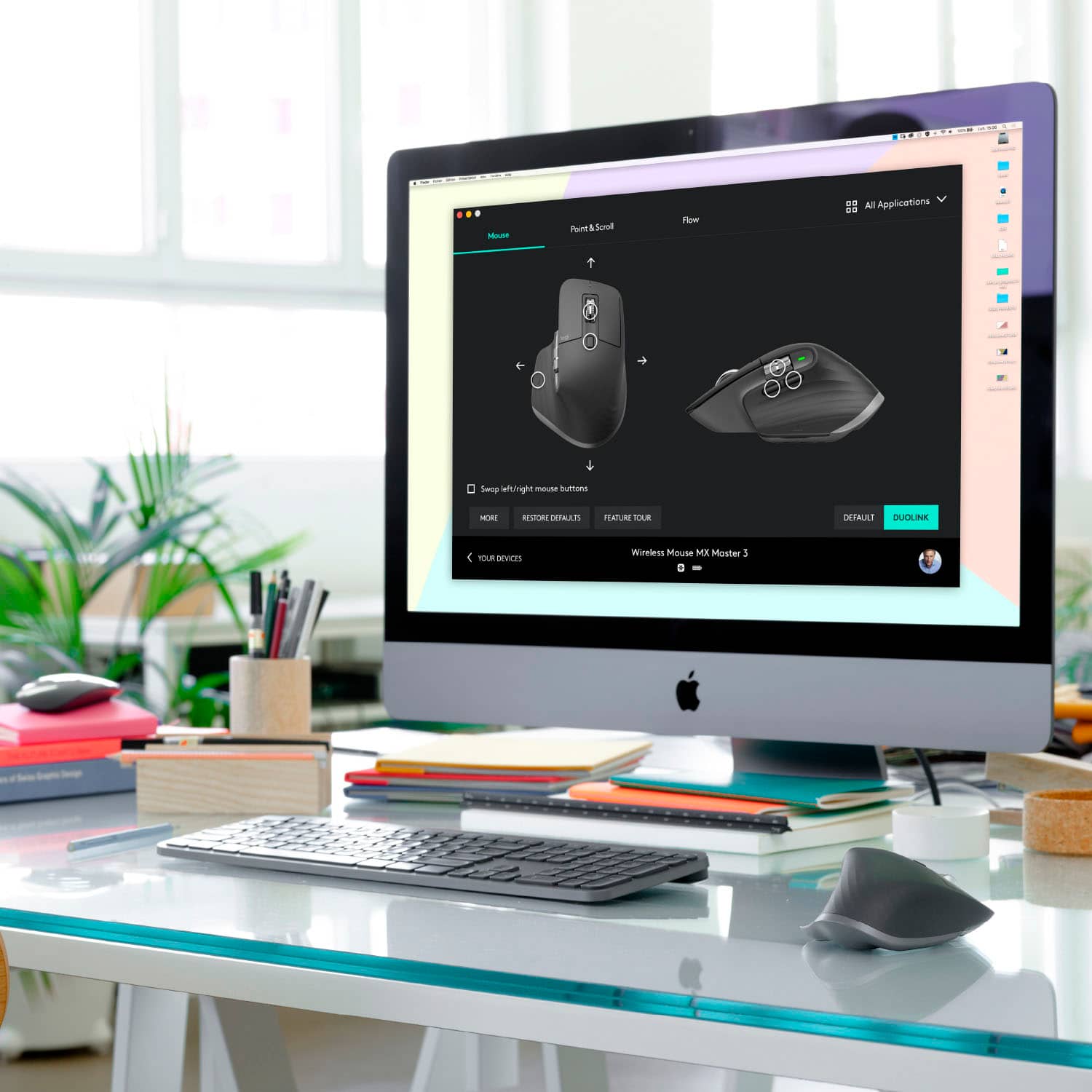
||Posted . Owned for 2 months when reviewed.This reviewer received promo considerations or sweepstakes entry for writing a review.The MX Master 3 is an expensive mouse.. no second guesses about it. At about 100 bucks, it's hard to justify.. But for what it does right, it does great! It's the other areas where it all falls apart. The MX Master 3 includes a USB-C Cable for charging and a USB Dongle -- you can also use bluetooth if you want. I have it synced via Bluetooth on a laptop and Dongle on a PC. The MX Master 3 is definitely a "big" mouse, but it's very comfortable. The feel took me a couple days to get used to, after previously using the Logitech M705 for years. The Master 3 has the "magscroll" wheel which lets you click a button to switch from regular scrolling (with a clicking feeling) to a smooth-scroll which can be an "endless" scroll. There are also 2 buttons on the left, a wheel and a hidden button on the base where your thumb is. Seemed like tons of options.. but in reality, it's hard to customize it exactly as you'd like. The software lets you do quite a bit, including customizing buttons based on apps, but I've found that on both the Laptop and Desktop, the software tends to hang-up or crash at times, often leaving me without all of my customizations. One big feature was the side-wheel, as I wanted horizontal scrolling for spreadsheets.. and it works most of the time, other times it just won't recognize anything. One neat feature is the Logitech FLOW compatability. This lets you use 1 Keyboard and Mouse (as long as it's a MX Master 3 and MX Keys) to control multiple computers. Move the mouse to the edge of one computer and it will appear on the other one, including the keyboard support. This was a huge feature as I use my laptop next to my PC. Unfortunately, most of the time I've tried it, it works for a little bit and then just stops. I need to re-open the software or re-configure it. It's at a point where it's hit or miss each time, making it tough to trust. If you're not technical, you'll likely run into issues you can't fix yourself because the software crashed in the background or just isn't doing what it's supposed to. The mouse charged very quickly over USB-C and lasts quite some time. Overall, very nice mouse.. but the software is a bit iffy.
This review is from Logitech - MX Master 3 Advanced Wireless USB/Bluetooth Laser Mouse with Ultrafast Scrolling - Wireless - Black
I would recommend this to a friend - Pros mentioned:Customizable
Rated 5 out of 5 stars
Life changing
||Posted . Owned for 1.5 years when reviewed.This reviewer received promo considerations or sweepstakes entry for writing a review.After getting this mouse and slowly warming up to it(bit of a learning curve with all of its features), it makes navigating and over all production work on your computer increase greatly. Being able to custum set all the buttons for differnt action depending on the application you're using at the time is a game changer.
This review is from Logitech - MX Master 3 Advanced Wireless USB/Bluetooth Laser Mouse with Ultrafast Scrolling - Wireless - Black
I would recommend this to a friend - Pros mentioned:Long battery life, Multi-device
Rated 5 out of 5 stars
Logitech - MX Master 3
||Posted . Owned for 1.5 years when reviewed.This reviewer received promo considerations or sweepstakes entry for writing a review.No complaints, work with 3 devices (computers), Very good battery life.
I would recommend this to a friend - Pros mentioned:Comfortable
Rated 5 out of 5 stars
Comfortable and Easily Portable
||Posted . Owned for 1.5 years when reviewed.This reviewer received promo considerations or sweepstakes entry for writing a review.I use this as my daily mouse for work. It is very comfortable and fits my hand perfectly. The additional side buttons, which are programmable, add some nice function. I love the variable speed scroll wheel! Easy to throw in a backpack to use with a laptop since no wireless receiver is needed. The mouse also has long battery life.
This review is from Logitech - MX Master 3 Advanced Wireless USB/Bluetooth Laser Mouse with Ultrafast Scrolling - Wireless - Black
I would recommend this to a friend - Pros mentioned:Long battery life, Scroll wheel
Rated 5 out of 5 stars
My Favorite Mouse - Worth Every Penny
||Posted . Owned for 6 months when reviewed.This reviewer received promo considerations or sweepstakes entry for writing a review.The Logitech MX Master series has been my go-to mouse since they first started making them. The first one I had lasted years and years till it finally needed to be replaced, which was about 5 months ago. The MX Master 3 is of the same quality. For me, this is my go-to mouse because it fits my hand perfectly, has a great scroll wheel with clutch, and simply glides as I use it. I never have an issue with it and it feel like an extension of my hand. I use it all the time for work and for gaming. I'm not a hard core gamer, but I do play games on a regular basis and it has been great for me for gaming. The scroll wheel is great because you can scroll line by line or hit the button and scroll an entire Internet page or large spreadsheet in no time at all. This mouse is worth every penny. If you're thinking it's too expensive, consider it is a mouse that you will have for many years, works flawlessly without issue, and it is so reliable, it is one less thing you have to worry about. Battery life is insane. I use my mouse on average about 15 hours a day and I only need to charge it once every 45 days or so For work or play, I highly recommend this mouse.
This review is from Logitech - MX Master 3 Advanced Wireless USB/Bluetooth Laser Mouse with Ultrafast Scrolling - Wireless - Black
I would recommend this to a friend - Pros mentioned:Comfortable, Long battery life
Rated 5 out of 5 stars
Easily best mouse I've ever had w/one tiny gripe
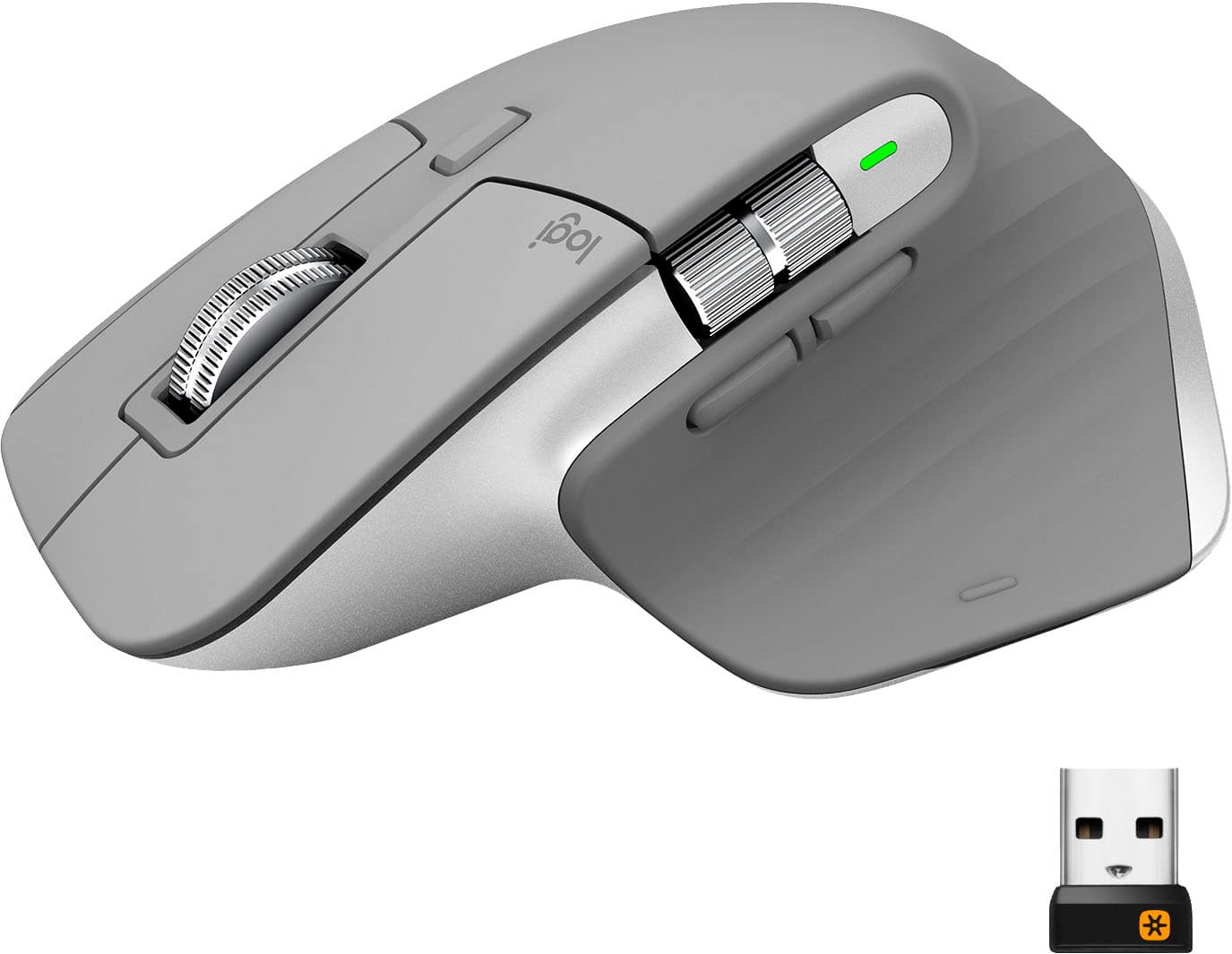
||Posted .This reviewer received promo considerations or sweepstakes entry for writing a review.Such a comfortable and configurable mouse. Tracks perfectly on any surface I have tried. Easy to bind with blue tooth. Battery charge lasts forever. The only small gripe I have is I wish there was a place built into the mouse to store the little USB dongle it comes with. I'm using it as a Bluetooth mouse so I'm not using the dongle, but it would be nice to have that little dongle handy when I want to just plug it into another computer for quick temporary use and not have to bind the blue tooth. I'm sure it will be lost if I ever do need it since there is no dedicated place to store it. Other than that it's a stellar product. Well done Logitech. Still 5 stars. Maybe a 4.9 because of my one small annoyance. BTW. I'm using this in combination with the matching MX Master Keys keyboard and the flow software that lets you run 2 computers at the same time with one mouse and keyboard is great. With the whole working from home trend I have my work computer sitting next to my personal computer and am able to "flow" back and forth between them effortlessly. I really love that system. Together it's a perfect match. Certainly not a cheap keyboard and mouse combo, but worth it for the quality and functionality in my opinion.
This review is from Logitech - MX Master 3 Advanced Wireless USB/Bluetooth Laser Mouse with Ultrafast Scrolling - Wireless - Black
I would recommend this to a friend - Pros mentioned:Comfortable, Scroll wheel
Rated 5 out of 5 stars
Comfortable with precision and speed.
||Posted . Owned for 3 weeks when reviewed.This reviewer received promo considerations or sweepstakes entry for writing a review.I got this mouse when I learned that I had to work from home. Absolutely the best mouse I've ever used. I am a CAD Drafter and spend 8+ hours a day with a mouse in my hand. This mouse is very comfortable to use for extended periods of time, due to the nice hand position and great ergo feel. The click of the buttons feel great with the right amount of pressure, but the highlight to me is the scroll wheel. This scroll wheel has a feel like no other, much like a high quality roller bearing with enough weight to it that when you flick it it soars when you want to get somewhere light speed fast, yet precision enough that when you roll it slowly, it goes line by line. You have to experience it to believe it. Everything about this mouse feels like quality and the performance is amazing. I never thought too much about a mouse but this is an absolute dream to use. I'm so glad I spent the money to get this. Best mouse I've ever had in my hand.
This review is from Logitech - MX Master 3 Advanced Wireless USB/Bluetooth Laser Mouse with Ultrafast Scrolling - Wireless - Black
I would recommend this to a friendBrand response from Logitech
Posted .Hi TommyT,
Thank you for your five-star review! It is greatly appreciated. Continue to enjoy your device. If you ever need assistance, please contact Logitech Support on the website.
LaShonda from Logitech
- Pros mentioned:Comfortable, Customizable, Multi-device
Rated 5 out of 5 stars
Most comfortable and functional mouse.
||Posted . Owned for 3 months when reviewed.This reviewer received promo considerations or sweepstakes entry for writing a review.This is the most comfortable mouse I've used. Logitech's app allows you to customize all the buttons; access common apps, repetitive commands, etc. The mouse also allows you to use it with three different systems. It now floats between all my computers and tablets. I will end up purchasing another mouse for my office.
This review is from Logitech - MX Master 3 Advanced Wireless USB/Bluetooth Laser Mouse with Ultrafast Scrolling - Wireless - Black
I would recommend this to a friend - Pros mentioned:Comfortable, Long battery life, Multi-device
Rated 5 out of 5 stars
Great Product, easy use.
||Posted . Owned for 3 months when reviewed.This reviewer received promo considerations or sweepstakes entry for writing a review.Great product and very comfortable. I work at times between two laptops and the option of pushing one button and switching from using one to the other is very convenient. The charge lasts several weeks without needing a re-charge. Great product, glad I invested in it.
I would recommend this to a friend - Pros mentioned:Comfortable, Long battery life, Multi-device
Rated 5 out of 5 stars
MX Master 3
||Posted .This reviewer received promo considerations or sweepstakes entry for writing a review.In My Opinion..... One of the Best Mice for normal use money can buy. Comfortable, Built in battery lasts for ever, Cool hidden button on bottom thumb area which allows switching of Tasks/Open windows, Cool wheel toggle for smooth or graduated operation and you can connect to different devices.
This review is from Logitech - MX Master 3 Advanced Wireless USB/Bluetooth Laser Mouse with Ultrafast Scrolling - Wireless - Black
I would recommend this to a friend - Pros mentioned:Comfortable, Multi-device
Rated 5 out of 5 stars
Worth it
||Posted . Owned for 3 months when reviewed.This reviewer received promo considerations or sweepstakes entry for writing a review.Never though I would pay the kind of money I paid for this mouse. I'm not a gamer but use one quite extensively. Now I kick myself for waiting so long. Great feel to it and the customizations make it an excellent tool. It does work on any surface and does so accurately. Just make sure you keep it charged. From what I could tell it didn't work when plugged in. Good thing my laptop had the touchpad. The fact that it connects through Bluetooth and you can connect it to up to three separate items is great. Just move the switch on the bottom to the device you are using and this make the price a bit more palatable. You only need this one mouse to go from laptop to PC. I'm buying the vertical unit next to see how tilting your hand makes a difference. I do photo and video editing so hand is on the mouse a lot. Comfort is very important. Now I need work to purchase one for me. I am in double digits when it comes to the amount of Logitech products I have purchased in my lifetime. If I keep buying, it means something. Brand loyalty can make life easier when they are a company that cares.
This review is from Logitech - MX Master 3 Advanced Wireless USB/Bluetooth Laser Mouse with Ultrafast Scrolling - Wireless - Black
I would recommend this to a friend