Customer Ratings & Reviews
- Model:
- 910-007500
- |
- SKU:
- 6633199
Customer reviews
Rating 4.8 out of 5 stars with 265 reviews
(265 customer reviews)Rating by feature
- Value4.6
Rating 4.6 out of 5 stars
- Quality4.9
Rating 4.9 out of 5 stars
- Ease of Use4.8
Rating 4.8 out of 5 stars
Customers are saying
Customers are positive about the MX Master 3S mouse, highlighting its excellent ergonomics, button functionality, and overall performance as a reliable workhorse. Users appreciate the stable wireless connectivity, impressive battery life, and quiet operation. However, some customers find the mouse to be a bit heavy.
This summary was generated by AI based on customer reviews.
Rated 5 out of 5 stars
Best mouse so far
||Posted .This reviewer received promo considerations or sweepstakes entry for writing a review.Great quality mouse, super easy setup, highly recommended
I would recommend this to a friendBrand response from Logitech
Posted .Your satisfaction is our success. Thanks for letting us know how much you’re enjoying your Logitech device!
Rated 5 out of 5 stars
Excellent
||Posted . Owned for 1 week when reviewed.This reviewer received promo considerations or sweepstakes entry for writing a review.Well-made, great compatibility across windows and macOS
I would recommend this to a friendBrand response from Logitech
Posted .Thanks for the thoughtful review! It’s great to hear our product is serving you well. We’re grateful for your support and proud to be part of your tech setup.
Rated 5 out of 5 stars
Awesome for Mac and iPads
||Posted .This reviewer received promo considerations or sweepstakes entry for writing a review.Love it, I use it for my MacBook Pro and my iPad Pro daily.
I would recommend this to a friendBrand response from Logitech
Posted .Thanks for the love! We're so happy to hear the MX Master 3S is fitting right into your daily routine with your MacBook Pro and iPad Pro. It’s awesome to know it’s making your workflow smoother and more enjoyable. Keep on scrolling! 🚀
Rated 4 out of 5 stars
nice mouse
||Posted . Owned for 3 weeks when reviewed.This reviewer received promo considerations or sweepstakes entry for writing a review.works very nice easy to install wish had a wire to hook up the computer as back up
I would recommend this to a friendBrand response from Logitech
Posted .We’re so happy to hear your experience has been positive. Your feedback helps us stay focused on what matters most—our users. Thanks for supporting Logitech!
Rated 4 out of 5 stars
Wireless Mouse
||Posted .This reviewer received promo considerations or sweepstakes entry for writing a review.Very comfortable on the hands and easy to maneveur and the set up was easy. Well worth the investment.
I would recommend this to a friendBrand response from Logitech
Posted .We sincerely appreciate you taking the time to share your experience. We are pleased that you are enjoying the comfort and ease of use, and that you found the setup to be straightforward. Your feedback is incredibly valuable to us.
Rated 3 out of 5 stars
Good Mouse
||Posted . Owned for 3 weeks when reviewed.This reviewer received promo considerations or sweepstakes entry for writing a review.This mouse is great. Can scroll very quick. Only problem i have is that the third thumb button only works if you download the app on your computer which doesn't work on my work computer as i cant download third part apps. Also the battery life is not the best but it is rechargeable.
I would recommend this to a friendBrand response from Logitech
Posted .We appreciate your honest feedback. It helps us identify where we can improve and provide a better experience with the Logitech - MX Master 3S Bluetooth Edition.
- Pros mentioned:Connectivity, Ergonomics
Rated 5 out of 5 stars
Great update to an already great mouse
|Posted .This reviewer received promo considerations or sweepstakes entry for writing a review.I bought an original MX Master probably a decade ago, and have enjoyed using it that entire time. This MX Master 3S provides a meaningful update to the original while keeping the same great ergonomics and ease of use. The change to Bluetooth from the unifying adapter is a nice touch, I find that it's less susceptible to interference than the dongle connection is, not that was really ever much of an issue anyway but it's not even a thing here. What I immediately noticed was the silent clicks and scroll wheel. The clicks took some getting used to, they have a similar click feel but at the same time it's damped and muted as if something was stuck in there. However once you get used to it there's no going back to a normal mouse, the silence is a welcome change. The silent scroll wheel is something I didn't ever consider needing, but now that I have it, I can't go back. The clutched or switched "flick scroll" on the vertical wheel was as it turns out ridiculously loud. I had just gotten used to the volume, but now using this, again I can't ever go back. The click when it switches between notched scrolling and smooth scrolling is whisper quiet, and the notches themselves barely make a sound. The original MX Master in comparison is obnoxiously loud, I don't know how my coworkers never complained about the sounds. Lastly is the ability for the 3S to use Logitech's Logi Options + for customization. It has the ability to switch button functions on the fly based on which program you're focused on. In Chrome? The back and forward buttons use the traditional browser interaction of forward and back. In a Teams call? Now they turn on and off your microphone or video. Excel? I personally customized them to copy and paste. Now even the thumb pad button can take advantage of gestures. Click and hold, then drag the mouse in a direction for any shortcut you want. If you need a new ergonomic mouse to use in an office setting, this is the one. It has just enough customization options to get it close to a gaming mouse with it's 20 extra buttons but here with the MX 3S, it's a nice sleek profile without lights or loud clicks.
I would recommend this to a friendBrand response from Logitech
Posted .Hey! Thanks for the detailed review. Great upgrade! The MX Master 3S keeps the comfort you love and adds silent clicks, smooth scrolling, and smart Bluetooth connectivity.
Rated 4 out of 5 stars
Good mouse
||Posted . Owned for 2 weeks when reviewed.This reviewer received promo considerations or sweepstakes entry for writing a review.Good overall, scroll wheel takes getting used to but can’t complain.
I would recommend this to a friendBrand response from Logitech
Posted .Thanks for sharing your experience! We're glad to hear the MX Master 3S is working well for you overall. That scroll wheel definitely has a unique feel, and it’s great to know you’re getting comfortable with it. Wishing you smooth scrolling ahead!
- Pros mentioned:Battery life, Button functionality, Connectivity
Rated 5 out of 5 stars
This is my all-time favorite mouse!
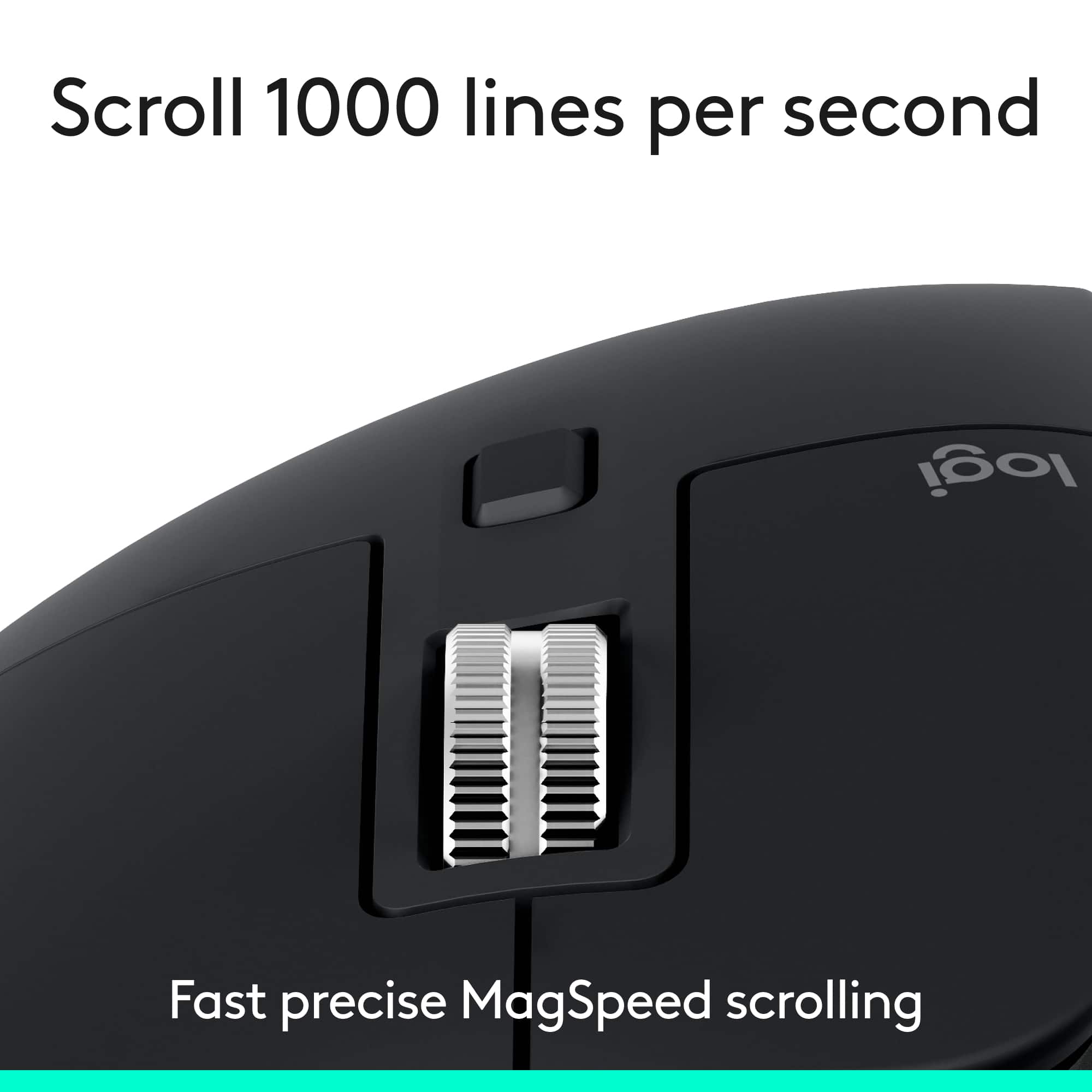
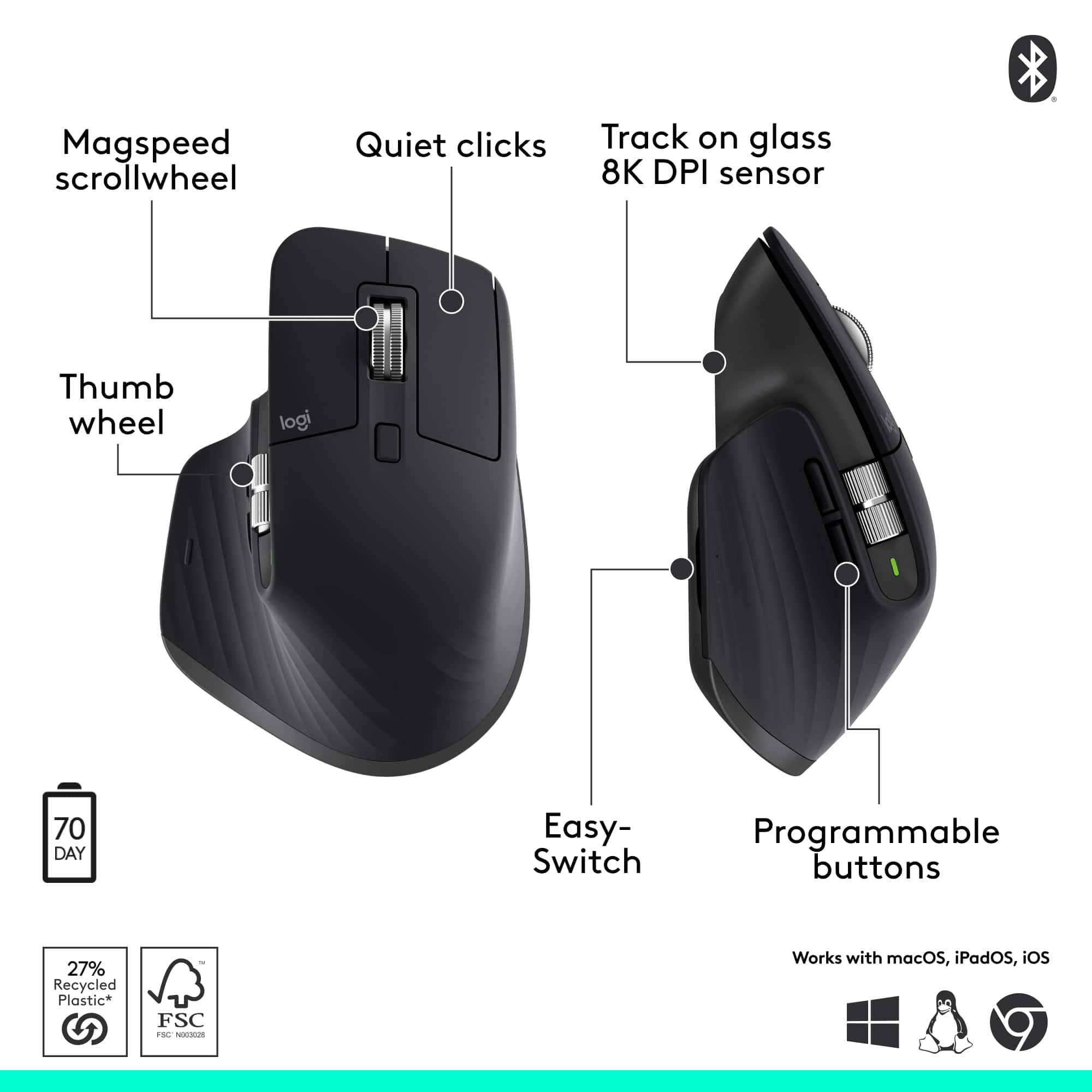
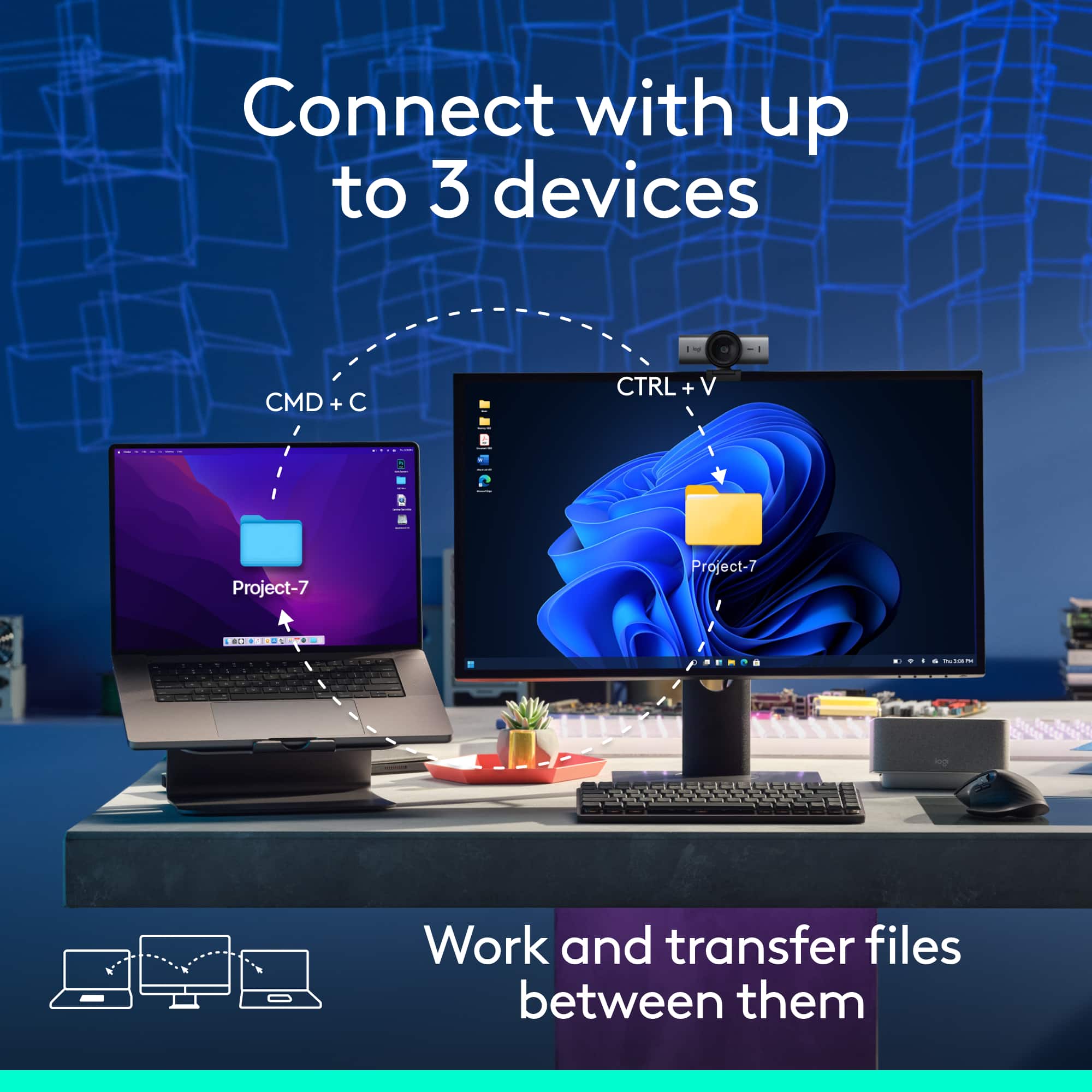
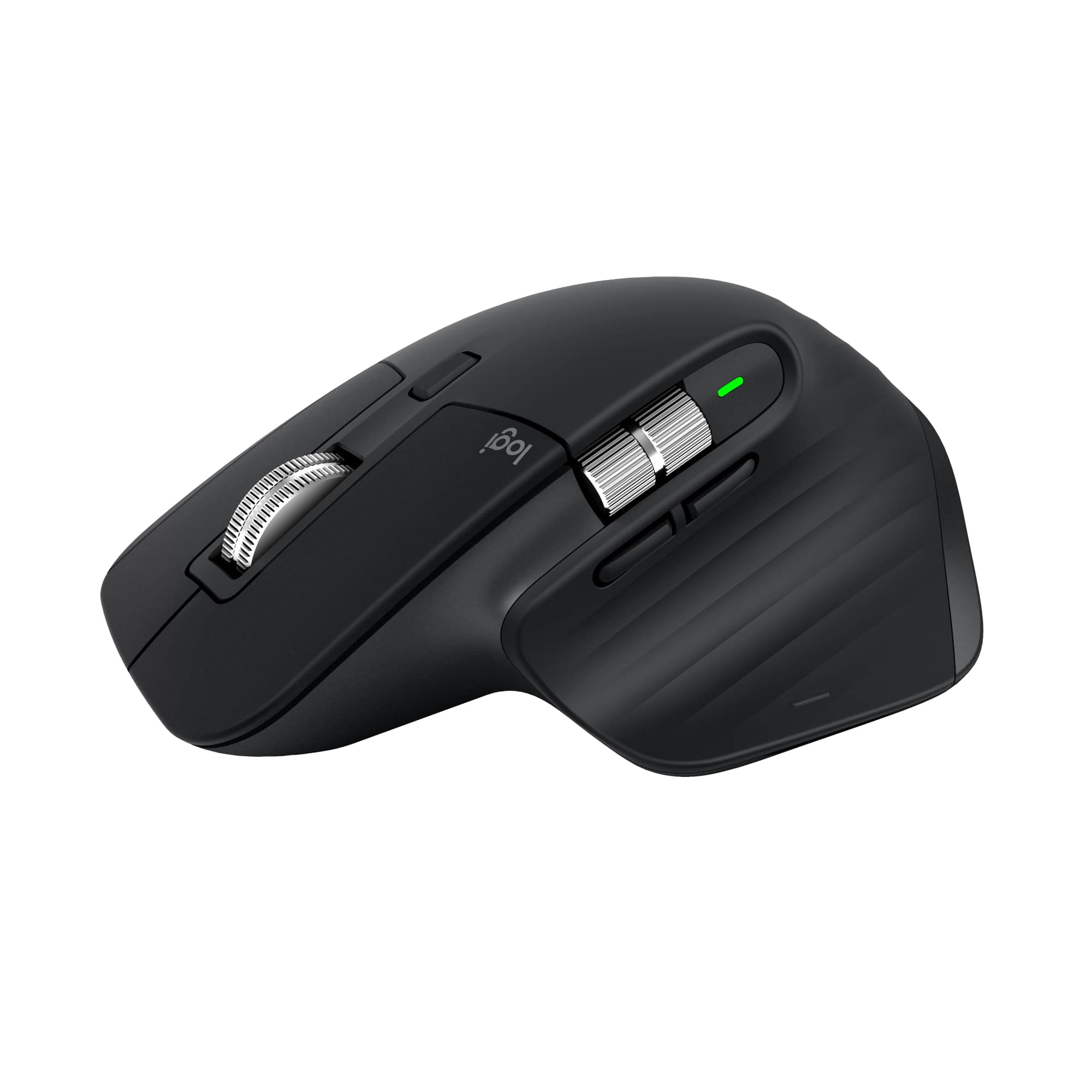
|Posted .This reviewer received promo considerations or sweepstakes entry for writing a review.Setup: When turned on for the first time, the mouse goes directly into Bluetooth pairing mode for device #1. It can be paired with up to three devices using a button on the underside of the mouse. There is no need for a USB receiver so no extra port is required. Battery life is excellent. I have used the one at work for 8 to 10 hours per day for three to four weeks on a single charge. The mouse can be used while charging and having the USB-C charging port on the front keeps the cord out of the way. A small light next to the thumb rest flashes red when the battery is low, flashes green when charging, and turns solid green when charging is complete. The green light also comes on momentarily when first moving the mouse after a period of inactivity. Note: The MX Master does not become a wired USB mouse when charging from a computer. Ergonomically designed for a large right hand, I can use it for hours without fatigue. Back and forward buttons are perfectly placed so that they are easy to access but difficult to hit accidentally. There is a discrete button at the bottom of the thumb rest that brings up all of the windows open on the computer. All of the buttons can be customized in the Logi Options+ app. In addition to the expected vertical scroll wheels, there is a horizontal scroll wheel above the back/forward buttons. The vertical scroll wheel has two modes, one smooth and one with a distinct ratcheted feel. In either mode, the vertical scroll wheel is both precise and amazingly fast depending on the speed of rotation. With a quick flick in either direction, it will keep spinning for a few seconds. In order to avoid unwanted scrolling, I have quickly learned to stop the wheel before moving from one window to another. Tracking is lag-free and accurate on a variety of surfaces including wood, paper, glass, and, of course, a mouse pad. It even worked well on a knee (my makeshift surface when space is limited [I hate touchpads]).
I would recommend this to a friendBrand response from Logitech
Posted .That's absolutely wonderful and detailed feedback! We're thrilled to hear that the Logitech MX Master 3S has become your all-time favorite mouse and is exceeding your expectations. It's fantastic that you're appreciating its seamless setup, excellent battery life, ergonomic design, and all the customizable features that enhance your productivity. Thank you for sharing your great experience!
Rated 3 out of 5 stars
MX Master 3S
||Posted . Owned for 2 weeks when reviewed.This reviewer received promo considerations or sweepstakes entry for writing a review.This product is absolutely the best! If you work on spreadsheets or files that require scrolling laterally this is the Mouse for you. Unfortunately for me at least the left click stopped working for me. I have replaced two in 1 year. Buy the warranty!
I would recommend this to a friendBrand response from Logitech
Posted .Thank you for your feedback! We're glad you like the MX Master 3S, and we appreciate your input to help us get even better. We will consider your comments about the left click malfunctioning and the need for a warranty for future product development!
- Pros mentioned:Button functionality, Connectivity, Overall performance
Rated 5 out of 5 stars
Fantastic Productivity Mouse
|Posted .This reviewer received promo considerations or sweepstakes entry for writing a review.For the last week, I've been testing the new Logitech MX Master 3S. Overall, this is a fantastic mouse with features that are unmatched by any other manufacturer. The Logitech MX Master 3S is the absolute best productivity mouse. Unlike previous versions of the MX Master, this one is Bluetooth-only and doesn't come with a dongle. This is fine by me, as Bluetooth is my preferred connection method. Speaking of connection, this mouse paired instantly to both my Mac and Windows PC and never showed any signs of lag. On the bottom of the mouse, there's a toggle button for switching between up to three computers. It has a fantastic, very precise scrolling capability. With a flick of a finger, the wheel spins freely. There's also a second scroll wheel on the side, which is great for things like video editing or just scrolling with my thumb. The easy-to-use Logi Options app lets you customize all the buttons and even set up shortcuts for things like copy and paste. The clicks are also very quiet. The only potential drawback is the size. While it's super comfortable for my medium-sized hands, people with smaller hands might need some time to adjust. With all that said, this is my absolute favorite mouse.
I would recommend this to a friendBrand response from Logitech
Posted .Thank you for the fantastic and detailed feedback on the MX Master 3S. We're thrilled to hear that it's your favorite mouse, appreciating its unmatched features like dual connectivity, quiet clicks, and precise scrolling. Your insights on its productivity-boosting capabilities and ergonomics for different hand sizes are valuable.
- Pros mentioned:Button functionality, Connectivity, Ergonomics
Rated 5 out of 5 stars
Best in class functions and ergonomics
|Posted .This reviewer received promo considerations or sweepstakes entry for writing a review.I’ve owned every version of the MX Master series mice since they have come out and I can’t rave enough about these mice. They have fantastic ergonomics, a boatload of functions, tons of customization, and they work with multiple devices. The highlight probably for me is the sheer amount of functions that they’ve built in to this mouse. It starts with the scroll wheel which can be set to fast scroll where you can just flick the wheel and it keeps spinning, and scrolling, so you can scroll through long documents quickly. If you don’t want that fast scroll behavior, you can just press a button on the top of the mouse to switch it back to a more traditional feel where there’s a “notched” feeling while you scroll. Going beyond that is an additional scroll wheel which you can use with your thumb and this provides horizontal scrolling. I find this indispensable as a video editor being able to scroll through my timeline and I also find it useful with spreadsheets. It also has 3 more buttons that you can use with your thumb and you can customize these to be mapped to be forward and backward functions within a web browser and a host of other functions via the Logi Options desktop app. Ergonomics is top notch where my hand rests naturally on the mouse and it’s hard for me to use other mice for extended periods of time without this form-fitting shape. Another thing that I appreciate about the ergonomics is that the additional buttons and additional scroll wheel don’t get in the way of ergonomics - rather they compliment it and each additional function feels like a natural extension. It’s an extremely well-thought-out design. I love that I can pair this to multiple devices where I can quickly switch between my desktop setup and my laptop by just simply clicking a selector on the bottom of the mouse. You can pair this with up to 3 different devices. One thing to note is that this particular version has "quiet clicks" but the button feedback is still very positive and you still “feel” the click but you don’t necessarily hear it. Another winner!
I would recommend this to a friendBrand response from Logitech
Posted .Thank you so much for your continued support of the MX Master series—we’re honored to have you with us through every generation!
- Cons mentioned:Weight
Rated 1 out of 5 stars
Logitech mx master 3s
||Posted . Owned for 1 week when reviewed.This reviewer received promo considerations or sweepstakes entry for writing a review.It’s so terrible and very heavy . The scroll wheel isn't working properly, it's likely due to a few common issues like dust buildup, driver problems, or incorrect settings.
No, I would not recommend this to a friendBrand response from Logitech
Posted .We're truly sorry to hear that the Logitech MX Master 3S mouse hasn't met your expectations and that you find it heavy and are experiencing issues with the scroll wheel's functionality. To address this issue, we recommend reaching out to our social care team via email at socialcare@logitech.com with your
- Name:
- Email Address:
- Country:
- Product Name:
- Brief description of issue:
- Pros mentioned:Button functionality, Ergonomics
Rated 5 out of 5 stars
The Latest in a Long Line of Awesome Mice!
|Posted .This reviewer received promo considerations or sweepstakes entry for writing a review.I’ve been a huge fan of Logitech input devices for years now – I have had almost every version of the MX series of mice and am slowly working my way through MX series of keyboards. My desk prior to this mouse used the MX Master 3 mouse with the MX Mechanical Keys keyboard. The MX series of mice is well known for being a powerhouse mouse that frequents computer professionals’ desks everywhere. I’m happy to say that this mouse continues to fit that purpose nicely. Starting with the mouse itself for those not aware, you get all that you expect from what is on the tin; left button, right button, scroll wheel/middle click, horizontal scroll wheel, and back/forward buttons for your browser. The mouse has a button under where your thumb sits on the side that can be used for multi-functional purposes (though in several years of owning one I’ve never found a compelling use for this button). The horizontal scroll is a bit stiff on this mouse, but it fits the purpose. Finally, the mouse charges using USB C – a neat feature a few years ago but somewhat expected today. One of the cool features for those who have not used this brand of mice before; when you’re scrolling through long documents, the ‘MagSpeed’ scroll wheel has two options – one ‘clicky’ scroll that advances just like any other mouse wheel, then another ‘free scroll’ wheel that spins freely until friction stops it gradually seconds later. Logitech provides an automated way of switching between the two automatically; if you scroll fast enough with the clicky mode enabled, the free scroll mode will automatically enable. It’s really neat and makes for scrolling through long documents a breeze. If you find that you like one mode or another more, the button just below the middle scroll wheel lets you switch between the two on the fly (if configured that way). What changed between the MX Master 3 and the MX Master 3S? The major change is the sound of the clicks. The Master 3 has audible clicks that people across the room can clearly hear as “productivity noises.” Not so with the 3S – it is nearly silent when clicking, almost like they’re using microswitches to do the click. Make no mistake, the click is still firm as ever, just quiet like a literal mouse (you know, the kind with whiskers). For those of you with older MX Master mice who are wondering why you should upgrade, the scroll wheels are now entirely made of metal. The previous iterations of the MX Master series had a scroll wheel that had the same metal on the outside, but the ridges of the wheel were made of a rubber that quickly broke down and made for the day where you would ultimately need to rip out the rubber to have a clean mouse wheel. Now it’s solid throughout, making cleaning a breeze. Why do I love this mouse so much? Ergonomically, it is perfect. It forces you to hold your hand in such a way that you will not become fatigued or begin to show the early symptoms of RSI (I’ve been using this mouse ‘body’ for almost ten years now and nothing to complain about in terms of wrist pain). The scroll wheel changing between modes automatically works perfectly with my software development job that lets me scroll through large files without thinking about it. The mouse itself is portable to three computers with a single button press on the bottom and means that I can switch between computers with ease. For those of you who like to customize everything, Logitech (Logi?) has you covered. Installing the Logi Options+ software provides you with the ability to take (almost) any button on the mouse and make it do exactly what you want it to do. Want the middle click to be your “copy to clipboard” button? Done. Want to be able to press the bottom thumb button, move the mouse in a certain direction and have it open your Windows Start menu? Just as easily done. It’s a nice piece of software, but to be honest in all my years of using Logitech/Logi products, I’ve never found a use for it. What would I change about this mouse? To be honest, nothing. It’s perfect out of the box and Logitech has made it such that you don’t need to worry about the future. This unit is labeled as “Bluetooth edition” which luckily means that they just didn’t include the Logi Bolt receiver. If you want to buy a Bolt adapter in the future, I can confirm that it works just as well as the “full” mouse. Truthfully, the only reason I bought the adapter was to make it portable across devices that plug into my docking station without using the button on the bottom of the mouse to switch between three computers. If I was forced to change _something_ about this mouse, I would ask for _less_ rubberization. I acquired my Master 3 mouse in 2019. It’s done its job very well in that time, but the rubber near the thumb is starting to break down from wear and just age, making it slightly sticky and smooth (read: untextured) to the touch. Having this area reinforced as plastic might allow for longer usage – especially given that Logitech now releases replacement batteries to the community via iFixit.
I would recommend this to a friendBrand response from Logitech
Posted .That's absolutely fantastic and incredibly detailed feedback! We are thrilled to hear that the MX Master 3S continues your long history of positive experiences with Logitech and has become your all-time favorite mouse. We truly appreciate you highlighting the ergonomic design, quiet clicks, and the seamless "MagSpeed" scroll wheel, as well as providing such valuable suggestions for future improvements. Thank you for your continued loyalty and support!
Rated 1 out of 5 stars
Buy the MX Master 4 instead.
||Posted . Owned for 2 weeks when reviewed.This reviewer received promo considerations or sweepstakes entry for writing a review.Had to return the mouse as it was having continuing connection problems. Bought the MX Master 4 instead and that model has been rock solid.
No, I would not recommend this to a friendBrand response from Logitech
Posted .We regret that Logitech - MX Master 3S Bluetooth Edition didn’t work as expected. We’ll share this with our team for improvement.
Rated 4 out of 5 stars
Super quiet, but not that comfortable
|Posted .This reviewer received promo considerations or sweepstakes entry for writing a review.I’ve been using this mouse for about five days now, and overall I really like it. It has a sleek, modern look that instantly caught my eye when I took it out of the box. The setup was super easy. It connected right away without any hassle, which I always appreciate. I didn’t have to dig through any instructions or mess around with settings. It just worked, which is exactly what I want from something that’s supposed to make life easier. One of my favorite things about it is the quiet click feature. It’s actually one of the main reasons I picked this mouse in the first place, and it did not disappoint. If you’re like me and you’re working in a quiet environment or you just find loud clicking to be annoying, this makes a huge difference. The clicks are soft and silent but still feel responsive. It’s one of those small details that you don’t really think about until you experience it and then realize how nice it is not to hear that constant clicking sound all day long. Especially if you’re on calls or sharing a workspace, it’s a nice touch. The fast scrolling is another highlight. I didn’t expect to notice a big difference in that feature, but now that I’ve used it, I can’t go back. It just feels smooth and efficient. I scroll through documents, web pages, and even long email threads much faster, and it doesn’t lag or get stuck like some other mice I’ve used in the past. There’s something really satisfying about how fluid it feels when you’re scrolling. It’s hard to describe, but it makes everyday tasks feel quicker and less frustrating. Now, when it comes to comfort, I do wish it was a little more ergonomic. It’s not uncomfortable exactly, but after using it for extended periods, I noticed my hand getting slightly tired or cramped. I wouldn’t say it’s painful or anything extreme, but I expected a bit more from the shape and feel. I have average-sized hands, and while it fits fine, I think the design could be a little more supportive or shaped to the natural curve of the hand. That’s probably my only real complaint so far. If you’re someone who works long hours at a desk, you might want to test it out first just to make sure it feels right for you.
I would recommend this to a friendBrand response from Logitech
Posted .Thank you so much for sharing your thoughtful review of the Logitech MX Master 3S! We're thrilled to hear that you're enjoying the experience overall, and we truly appreciate the detailed feedback.
- Pros mentioned:Battery life, Connectivity
Rated 4 out of 5 stars
The Best Non-Gaming Mouse
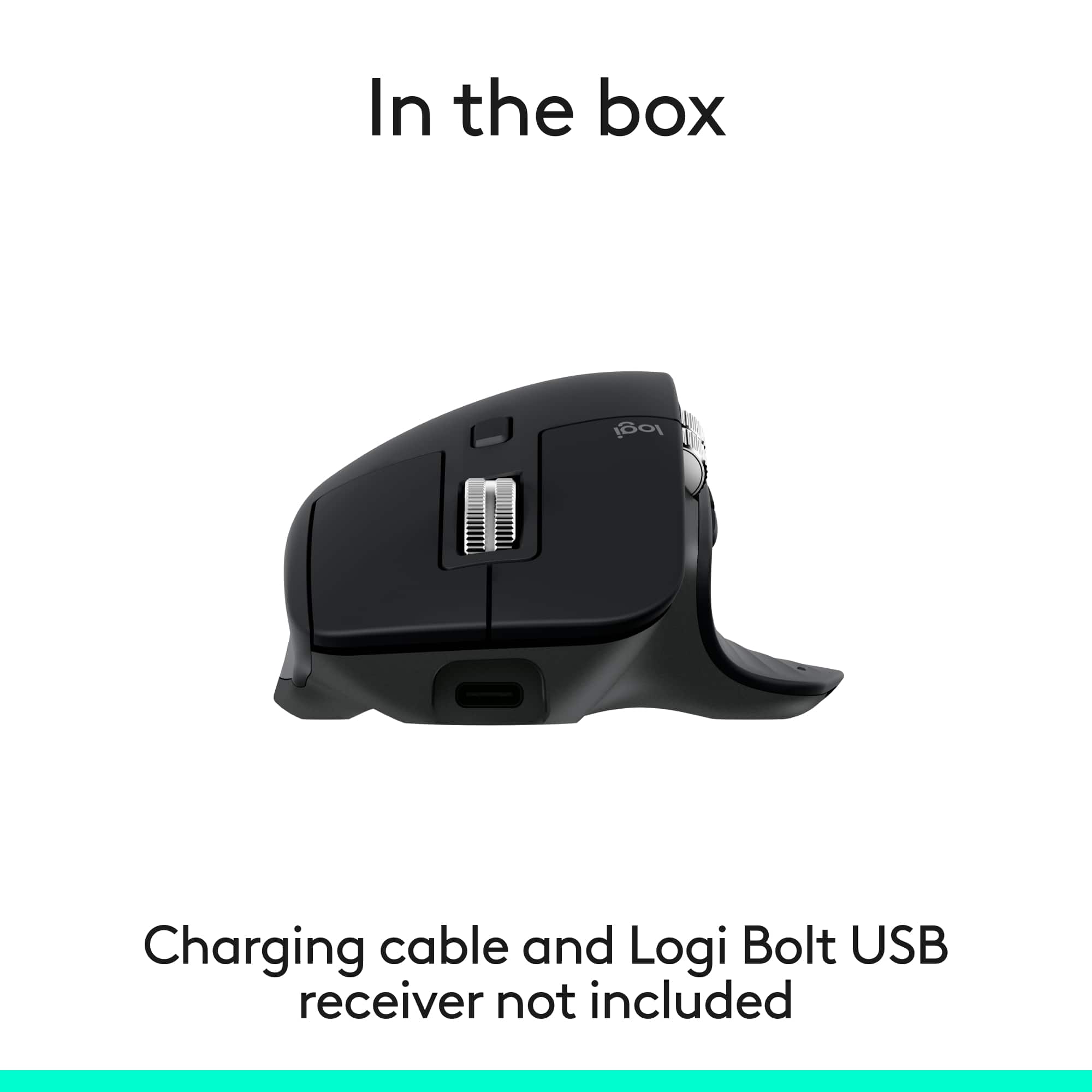
|Posted .This reviewer received promo considerations or sweepstakes entry for writing a review.Be forewarned. This Graphite “Bluetooth” Edition comes with only the mouse and any bare essential documentation. There is no receiver or USB cable included. Having used the previous generation MX Master mouse, I am finding that the improvements are very minor. For instance, the back/forward button design makes much more sense, unlike the 2S that I have used before. Yet everything else is very familiar and similar comparatively. My testing platform is Windows 11. By default, once the mouse is connected via Bluetooth, a prompt appears asking to install Logitech’s Options+ companion software. Instead, I went ahead and installed the software by downloading straight from Logitech’s website. Once it’s installed, customizing how the mouse operates is straightforward. Options+ allows the use of application profiles, which can set other buttons to different functions from the core default. Battery life seems to be good but I cannot say for certain on how long it can last between charges. Even if you are running low, charging is done via USB-C. Unfortunately, Logitech did not include a cable to charge the mouse. Also of note, the mouse cannot be used while connected to the computer. Overall, the mouse itself does what it should do without any hassle. The mouse being Bluetooth-only means you can connect it to any device supporting it, including Android devices. The only drawback is how many Bluetooth devices are within the operating vicinity. The lack of Logitech’s ‘Bolt’ receiver means there is a chance of frequency interference from other Bluetooth devices. The MSRP for this mouse reflects the lack of this receiver. But at the same time, and at the time of review, the same mouse with said receiver can be found at Logitech’s own site at discounted price, matching the MSRP of this mouse. I cannot recommend this mouse due to this. The Good: familiar MX Master mouse design, comfortable right-hand The Bad: right-handed users only, no USB-C charging cable The Ugly: the MSRP for this mouse vs variant model at discounted price Verdict: buy if not a gamer, check price first
I would recommend this to a friendBrand response from Logitech
Posted .Thank you for your detailed and thoughtful review—it’s clear you’ve spent time exploring the MX Master 3S Bluetooth Edition, and we truly appreciate your insights.
- Pros mentioned:Button functionalityCons mentioned:Weight
Rated 3 out of 5 stars
Mix of improvements and regressions vs. 2S model
|Posted .This reviewer received promo considerations or sweepstakes entry for writing a review.The Logitech MX Master 3S, when compared to the previous generation 2S model (which I also own), shows some noticeable improvements. Unfortunately, these improvements are largely tempered by some regressions. Overall, it remains a decent mouse which I’m sure many people will like. Logitech was an early pioneer of 3-device Bluetooth pairing, which was the main draw for me to the MX Master series. Now that it is a more common feature, there’s less that makes this mouse stand out. At 140 grams, this mouse is heavier than usual (though very slightly lighter than the previous generation’s 145 grams). I enjoy heavy mice, and this suits me well. It has all-around very solid construction. It is quite tall, which may seem problematic without the use of a wrist rest. The ability to switch between ratcheted and smooth scrolling is a great feature I’d hate to do without. The Logi Options+ software has a neat SmartShift feature, which allows automatic switching between these two modes. However, I find that feature a bit janky and prefer manual switching. The sensor is smooth and accurate, adapting well to many different surfaces. On paper, the advertised 70-day battery life is in par with the previous generation 2S, but it’s hard to adequately test within the five-day period I was granted before reviewing. [ Improvements ] The forward and backward side buttons, while extremely ordinary, are a massive improvement over the absurd design of the previous 2S model. In that model, the buttons were stacked on top of each other, were oddly shaped, had sharp creases along their center, and partially obstructed the horizontal scroll wheel (along with a pointless endcap on the other end that also obstructed the wheel). As previously mentioned, the horizontal scroll wheel is now unobstructed and easier to scroll with. It is also larger, and along with the vertical scroll wheel, no longer has the rubber construction along the center, which will undoubtedly make both easier to clean biofilm out of. I’m not sure if the vertical scroll wheel is larger, but it definitely protrudes farther, which allows you to scroll a bit more before having to reset your finger. The gesture button hidden under the thumb rest has much better audible and tactile feedback compared to the previous 2S model. Though, this button is still quite awkward to use. By default, the mouse is configured at 1k DPI. The Logi Options+ software can enable 8k DPI, giving some future-proofing buffer for use on high-resolution displays. [ Regressions ] The vertical scroll wheel, when in ratcheted mode, has a rather strong springiness as it settles into a new position. I find this quite irritating. I had no such issue with the previous 2S model. While possibly a unit defect, I noticed the left and right buttons exhibited a ‘sproingy’ noise similar to what can often be found on the buttons of cheap game controllers, especially the shoulder buttons. This was more noticeable in the left button than the right, and usually involved pushing the button well past the switch trigger point, followed by a rapid release. The previous 2S model has three battery level indicator lights capable of indicating 100%, 66%, 33%, and 10% charge levels. These have been replaced by a single light in this 3S model, which now indicates 100% to 10% charge level, or 10% and below charge level; far less informative. While this may not be a significant issue when new, as the battery life worsens over time, this may hamper your ability to keep the mouse charged. [ Other Changes ] The left and right buttons are much quieter than those on the previous 2S model. I see this as an improvement, but this is subjective. The left and right buttons have a travel distance well beyond the activation point of their switches. This goes beyond what I’ve noticed in any other mouse I’ve used. The change from Micro-USB to USB-C connection is welcome, but they get no points for keeping up with certain new regulations.
I would recommend this to a friendBrand response from Logitech
Posted .Thanks for the detailed and balanced review! We’re glad to hear the MX Master 3S brings meaningful improvements, and we appreciate your thoughtful notes on areas that could be refined. Your insights help us build better tools for everyone—thanks again for sharing.
- Pros mentioned:Ergonomics
Rated 5 out of 5 stars
Small iterations on the best out there
|Posted .This reviewer received promo considerations or sweepstakes entry for writing a review.This is the second MX Master mouse I've owned. I gave my first one to my older son when he was going off to college with the thought that I would immediately go out and buy a replacement for myself. For some reason that didn't happen and I ended up just using my Magic Trackpad with my desktop Mac. When I set this new MX Master up and started to configure the buttons, scroll wheel, etc using the Logitech software I immediately realized what I had been missing in the interval period between giving my first MX Master to my son and then setting this new one up. And, as it turns out, I missed a lot. I think the ergonomics this mouse affords is leaps and bounds ahead of using something like the Magic Trackpad (or even the Magic Mouse). The MX Master is definitely the most wrist friendly input device I've used. And, without getting into all the details, the Logitech software that you download to use in conjunction with the mouse gives it much more functionality that opting not to use the software would be laughable. While you don't have to use the software in order to use the mouse, I definitely recommend doing so - you won't regret it and, in fact, you will be pleasantly surprised by all the things you will be able to do in addition to the built in basic mouse functionality. As noted the MX Master works via a bluetooth connection only - there's no dongle included that allows one to bypass BT. While I understand the cost cutting reasons for this, I wonder just how much money is being saved - a finicky BT connection can definitely be a pain point for a product like this and giving the customer / consumer the ability to not have to deal with this right out of the box would be a plus in my mind. I would say that's my only real gripe about this version of the MX Master.
I would recommend this to a friendBrand response from Logitech
Posted .We’re honored that the MX Master 3S has earned its place back on your desk. It’s clear you know this mouse inside and out, and your thoughtful reflections really capture what makes it special.
- Pros mentioned:Button functionality
Rated 5 out of 5 stars
My Productivity Pal
|Posted .This reviewer received promo considerations or sweepstakes entry for writing a review.[PROS] Feels Amazing: Being 6'0", I've never had a tremendous issue with a standard size computer mice being moderately, uncomfortable. However, my hand noticed an instant improvement upon using it. The shape of the mouse creates the perfect posture for my hand. The rubberized texture pattern is smooth to the touch and very light against the skin. Mouse clicks are subtle, and I haven't performed any accidental clicks. Robust Functionality: I'm able to open apps, scroll, zoom, and adjust different things as needed. The Logi Options+ app is streamlined to allow me to jump directly to customizing the 3S according to my preferences. Commands execute instantly, and I haven't observed any delay in response times. [CONS] Only one glaring issue: The biggest negative about the MX Master 3S is that they don't have a left handed version. Its an issue that doesn't affect me, but will be problematic for others. Logitech has alternatives, but I think a real opportunity is being missed with consumers. [CONCLUSION] In all transparency, this the best mouse I've ever used. Its designed well, and gives me every ability I need for my work day and personal projects. It's good enough that I'm looking into getting a second one for travel.
I would recommend this to a friendBrand response from Logitech
Posted .Hey! Wow. thank you for such a well-rounded and insightful review of the MX Master 3S Bluetooth Edition! We're thrilled to hear how well it fits your hand and enhances your workflow. From the ergonomic design to the ultra-fast scrolling and quiet clicks, it’s great to know the 3S is delivering the comfort and precision you deserve.